A robust documentation SOP is the foundation of operational clarity and compliance. Without structured processes, teams rely on informal knowledge that can lead to inconsistency and risk. Whether you are defining SOP and process documentation for a growing startup or building SOP compliance documentation for regulated industries, standardized procedures improve accountability and transparency.
Modern organizations increasingly use collaborative platforms like Lark to centralize documentation, SOP workflows, and ensure version control. This guide explores templates, real-world examples, and best practices for building an effective SOP for documentation that supports long-term operational excellence.
Key takeaways: Documentation SOP key insights
- A well-structured documentation SOP enhances compliance, efficiency, and accountability.
- Using a SOP documentation template ensures consistency across departments.
- Strong SOP compliance documentation supports audit readiness and regulatory control.
- Digital SOP documentation software simplifies version tracking and workflow approvals.
- Measuring and refining processes improve long-term SOP performance.
What is SOP documentation?
A standard operating procedure defines clear, step-by-step instructions for consistently completing recurring tasks. A documentation SOP formalizes how those procedures are created, reviewed, approved, stored, and updated. It ensures that SOP and process documentation follow defined standards rather than informal practices. While SOPs focus on detailed , broader process documentation may map entire workflows across teams. Both improve operational consistency, reduce risk, and strengthen accountability. Using standardized SOP documentation templates and centralized SOP documentation software enhances traceability and supports SOP compliance documentation. This structured approach transforms documentation SOP practices into reliable, audit-ready systems.
Why documentation SOP matters for compliance and operational control
A structured documentation SOP ensures consistency and accountability across teams. Without clear SOP and , organizations face higher operational and compliance risks. Strong SOP compliance documentation improves transparency and audit readiness.
- Role in SOP compliance documentation: A documentation SOP defines how procedures are written, reviewed, and approved. It ensures that SOP compliance documentation aligns with regulatory and internal standards. Clear structure demonstrates procedural discipline during inspections.
- Regulatory and audit readiness benefits: A well-maintained documentation SOP centralizes records required for audits. Auditors often review version history and approval workflows. Using standardized SOP documentation templates reduces compliance gaps and preparation stress.
- Knowledge retention during employee turnover: When processes are undocumented, knowledge leaves with employees. A structured SOP for documentation preserves institutional expertise. This improves onboarding and operational continuity.
- Standardization across departments: Consistent SOP documentation templates align departments under shared standards. Standardization reduces ambiguity and improves quality control. A unified documentation SOP strengthens .
- Risk mitigation and traceability: Version tracking and approval logs increase accountability. Digital SOP documentation software enhances traceability and compliance checkpoints. This reduces operational risk and supports regulatory confidence.
Establish operational clarity through structured SOPs
8 components of effective documentation SOP
An effective documentation SOP requires a clear and standardized structure. Without defined components, SOP and process documentation can become inconsistent and difficult to maintain.
- Purpose and scope: Every documentation SOP should begin by defining its objective and boundaries. This section explains what the SOP covers and what it excludes. A clearly stated purpose prevents misinterpretation and keeps SOP compliance documentation aligned with organizational goals.
- Roles and responsibilities: A strong documentation SOP assigns ownership. It identifies who drafts, reviews, approves, and maintains the document. Clear accountability strengthens SOP compliance documentation and ensures procedural consistency across departments.
- Documentation standards: Standard formatting, terminology, and structure improve readability and consistency. Using a consistent SOP documentation template ensures all procedures follow the same layout. Clear standards also simplify updates within SOP documentation software.
- Version control protocol: prevents outdated procedures from being used. Each revision should include timestamps and change logs. Effective version control enhances traceability and supports regulatory requirements in SOP compliance documentation.
- Approval workflows: Approval workflows validate accuracy and . Routing documents through structured review stages creates an audit trail. This strengthens governance within documentation SOP systems.
- Storage and access policies: SOPs must be stored securely and remain accessible to authorized users. Defined storage policies prevent duplication and data loss. Modern SOP documentation software centralizes documents while controlling permissions.
- Review and revision cadence: SOPs should not remain static. Establish a scheduled review cycle to keep documentation current with evolving regulations and operational changes. Regular updates improve the effectiveness of the documentation SOP.
- Compliance checkpoints: Compliance checkpoints ensure procedures meet regulatory standards. These checkpoints act as validation markers within the documentation SOP lifecycle. They help organizations measure adherence and demonstrate accountability during audits.
How to write an SOP in 8 steps
Writing a clear documentation SOP requires structure and consistency. Using SOP documentation templates and SOP documentation software helps ensure compliance and long-term maintainability.
Step 1: Define the objective and scope
Start by , clearly stating what the SOP covers and why it exists. Define the boundaries of the process to avoid ambiguity. A well-defined scope ensures the documentation SOP aligns with operational goals and regulatory requirements.
Step 2: and assign responsibilities
Determine who is responsible for drafting, reviewing, approving, and maintaining the SOP. Clear ownership strengthens SOP compliance documentation and prevents accountability gaps. Assigning roles also supports smoother implementation.
Step 3: Gather relevant process information
Collect input from subject matter experts and review existing SOP documentation and example materials. Document step-by-step workflows, required tools, and compliance references. Accurate data forms the backbone of effective SOP and process documentation.
Step 4: Structure the SOP using a standardized template
Use a consistent SOP documentation template to maintain uniform formatting. Include sections such as purpose, scope, roles, procedures, and approval workflows. Standardization improves clarity and simplifies future revisions.
Step 5: Write clear and actionable procedures
Describe each step in simple, precise language. Avoid vague instructions and include measurable actions where possible. Clear wording improves usability and reduces operational risk within the documentation SOP.
Step 6: Incorporate compliance and control checkpoints
Identify regulatory references and approval requirements. Add checkpoints to validate adherence to SOP compliance documentation standards. This ensures the SOP meets internal and external compliance expectations.
Step 7: Implement version control and approval workflow
Before publication, route the SOP through formal approval processes. Track revisions and maintain a documented change history. Effective version control enhances traceability within SOP documentation software.
Step 8: Publish, train, and schedule periodic reviews
Store the SOP in centralized SOP documentation software for easy access. Train relevant employees on its use and expectations. Establish a regular review cadence to measure effectiveness and update procedures as needed, helping determine how to measure the effectiveness of SOP documentation over time.
Documentation SOP example: Real-world operational walkthrough
Practical documentation SOP examples show how structured SOP and process documentation support compliance and accountability. Each scenario below follows a standardized SOP documentation template for clarity and control.
Example 1: Incident response documentation SOP
An incident response documentation SOP outlines how disruptions are reported, documented, and resolved. It defines roles, escalation steps, and required records. Compliance checkpoints ensure regulatory reporting standards are met. Using SOP documentation software centralizes logs and improves .
Example 2: Vendor onboarding documentation SOP
A vendor onboarding documentation SOP standardizes supplier qualification and approval processes. It includes required forms, due diligence checks, and approval workflows. Structured SOP compliance documentation maintains transparency across departments. A consistent SOP documentation template improves efficiency and traceability.
Example 3: Safety compliance documentation SOP
A safety compliance documentation SOP defines training records, inspection logs, and . It integrates regulatory standards into each step. Scheduled reviews keep procedures aligned with evolving mandates. Centralized SOP documentation software simplifies compliance tracking and audit preparation.
Turn procedures into trackable and automated workflows
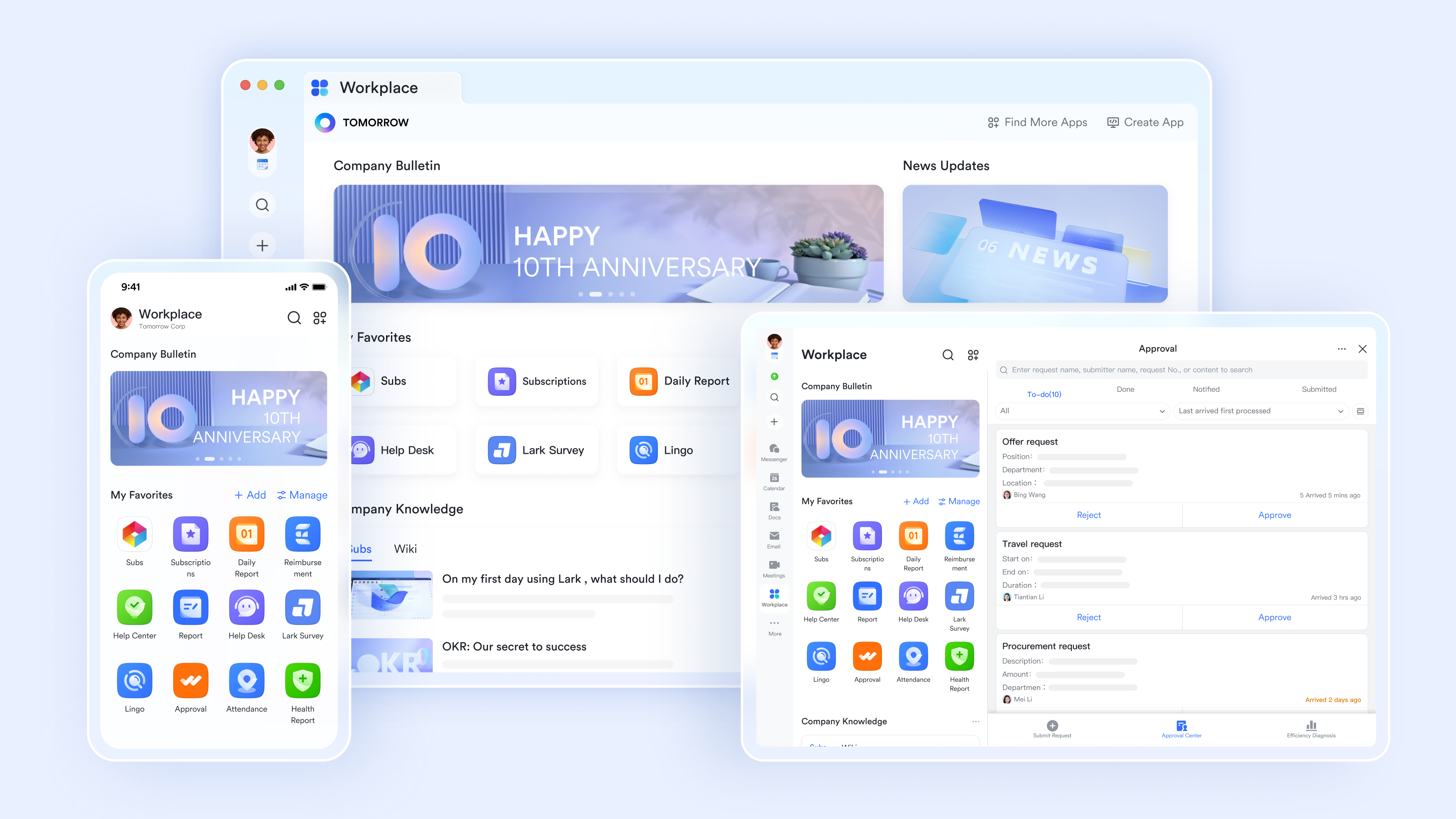
Meet Lark: Fuse tight teamwork and automated workflows into SOP
Managing a documentation SOP effectively requires more than static files and shared folders. Organizations need structured collaboration, , approval routing, and searchable access within one environment. supports SOP and processes documentation by turning written procedures into trackable, compliant workflows. Instead of treating SOPs as isolated documents, it connects authoring, execution, and compliance tracking inside a centralized system.
Block-based SOP documentation
This feature allows users to build SOPs using "content blocks" that include videos, checklists, and embedded spreadsheets. The specific function enables the "template center," where managers can create a standardized SOP layout that teams must use to ensure consistency across all departmental procedures. 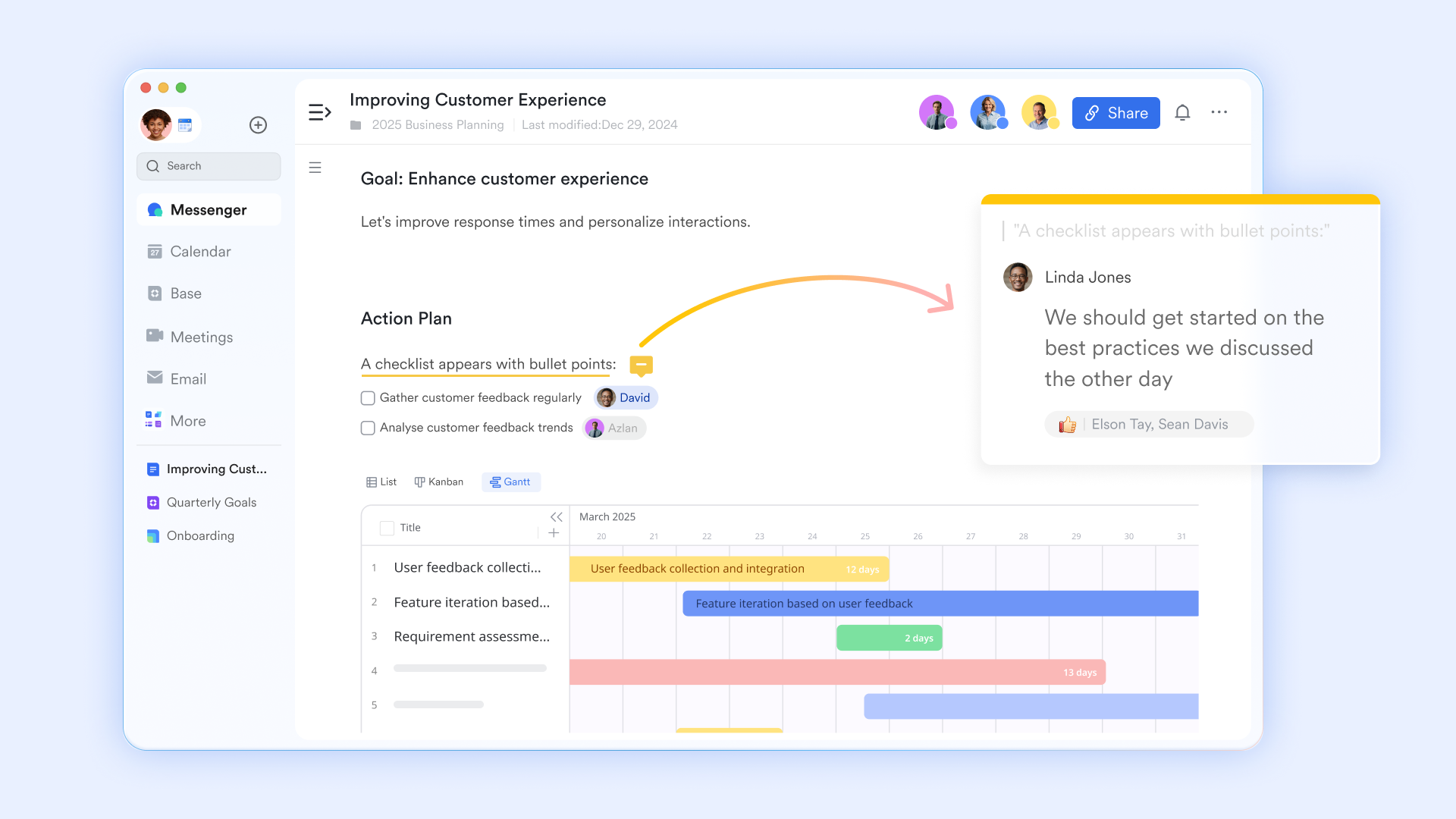
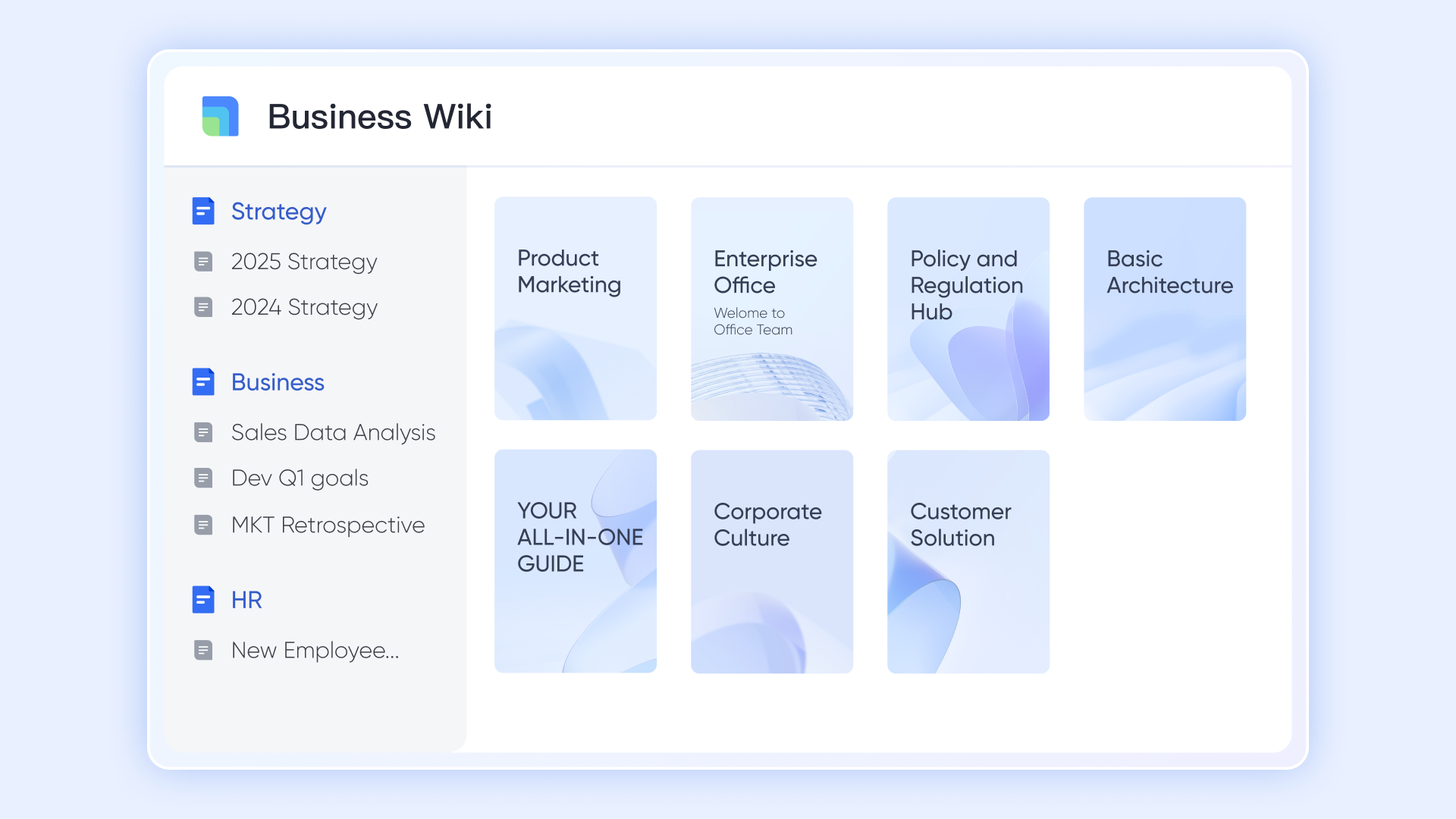
Centralized knowledge base
acts as a structured repository for all company SOPs, organizing them into a searchable "workspace" with a clear hierarchy. Its specific function is "information tree management," which allows HR or operations to categorize SOPs by department while maintaining strict version control.
Unified database and SOP execution tracker
transforms a written SOP into a trackable database, with each step of a process as a record. By using customizable fields, you can capture specific data for each stage—such as owner, deadline, and priority—while tailored views let you visualize the entire process as a Gantt chart or a . Furthermore, built-in instantly trigger notifications upon task completion, keeping the workflow moving without delays.
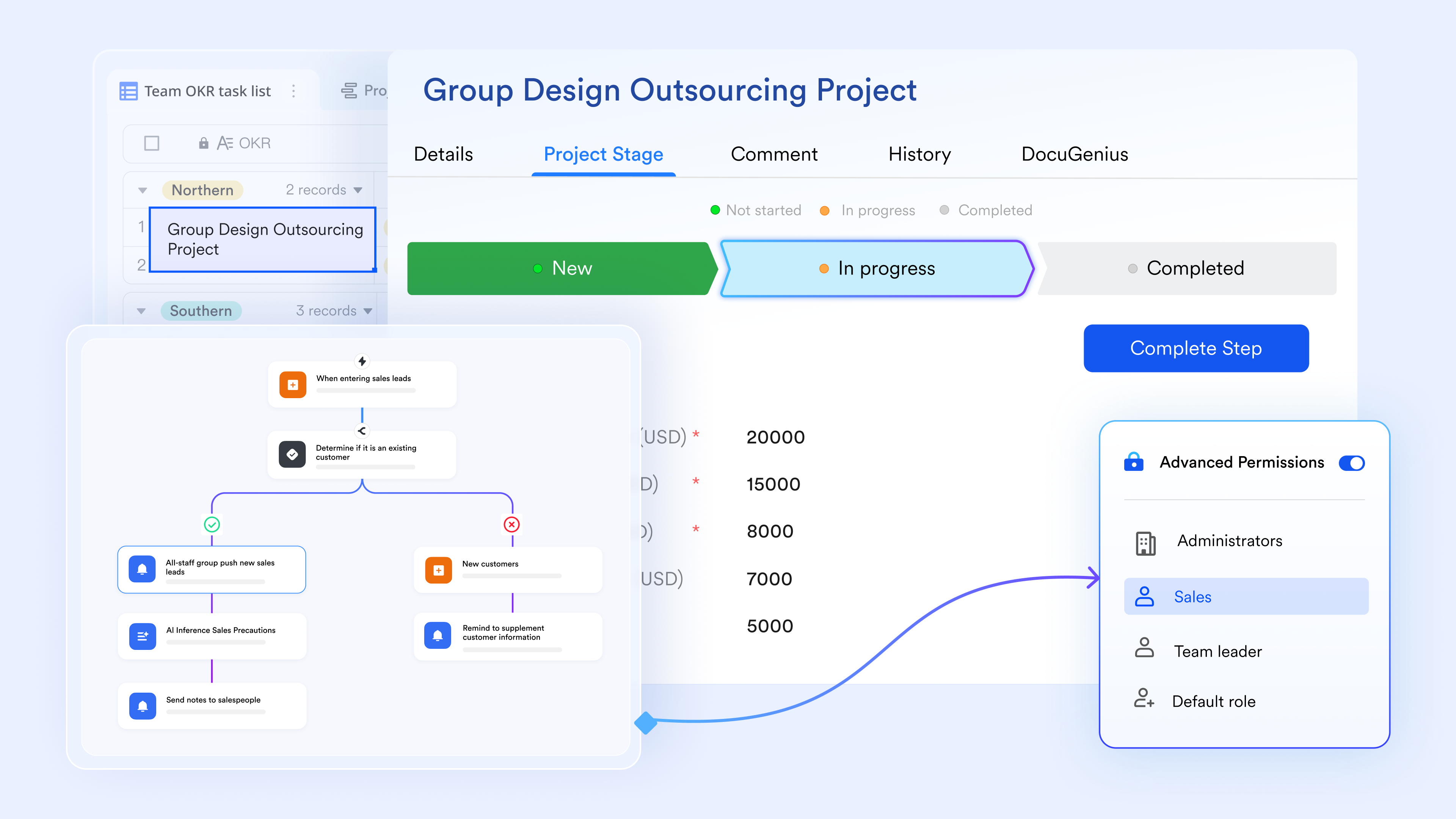
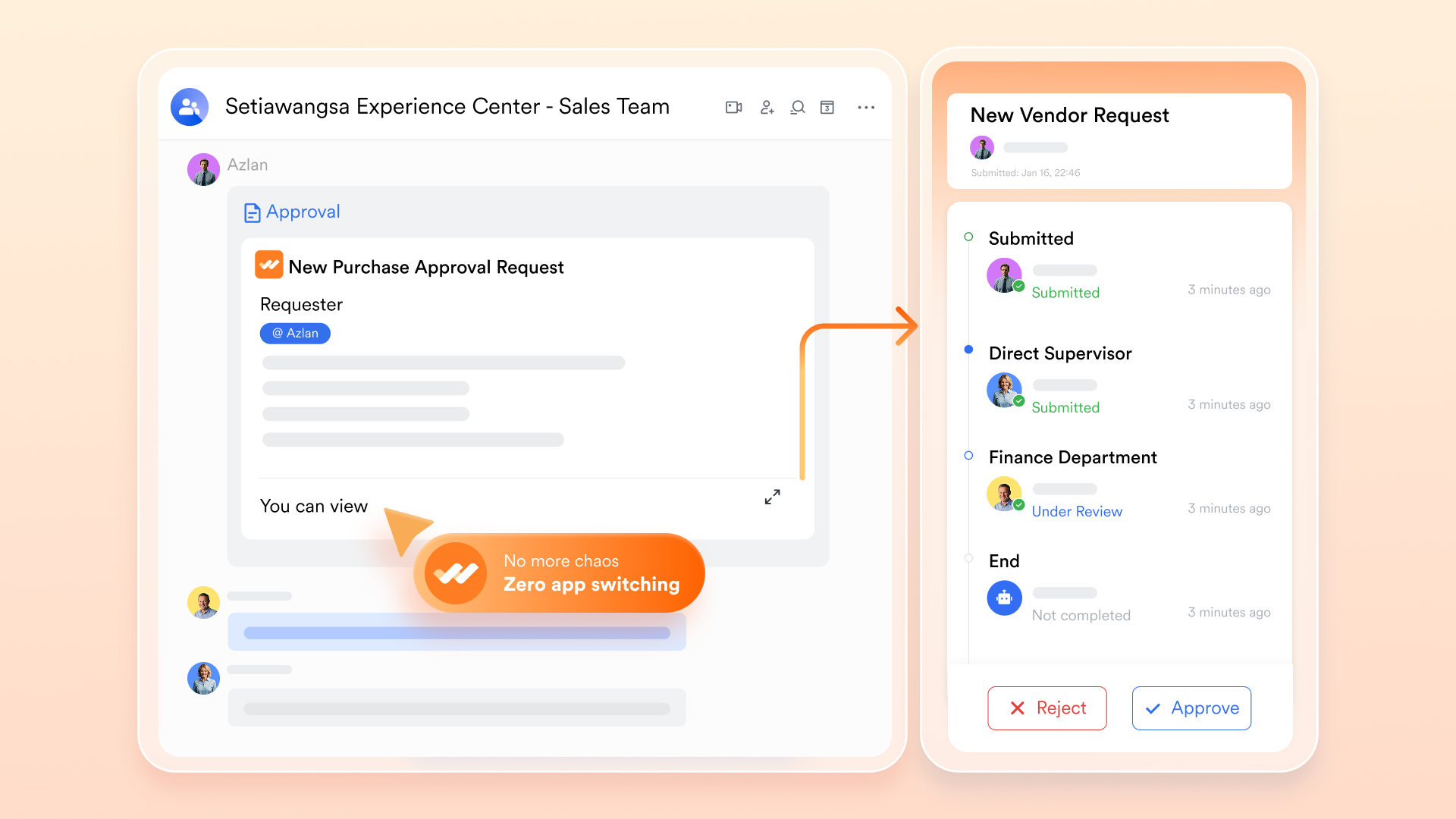
SOP compliance sign-off
Before publishing, you can route new SOPs through custom workflows in to verify compliance with safety and legal standards. This process automatically generates a comprehensive audit trail that documents exactly who reviewed and authorized the procedure before it is finalized and shared with the wider team.
:
- Starter plan: Free forever plan that includes 11 powerful tools for up to 20 users. It also comes with 100GB of storage, 1000 automation runs, AI translations, and more.
- Pro plan: $12/user/month (billed annually) for up to 500 users. It includes everything in Starter plus group calling for up to 500 attendees, 15TB of storage, 50,000 automation runs, and more.
- Enterprise plan: for custom pricing. Supports unlimited users and includes even more automation runs and advanced security, compliance, and management features.
For small teams with simple communication needs

18 months message history
1000 Base automation runs/month
2000 rows per table in Base
Most POPULAR
For companies with comprehensive collaboration and management needs
Unlimited message history
500-participant video meetings
50k Base automation runs/month
20k rows per table in Base
For large companies with advanced security and organizational management needs
Get a personalized demo and pricing
Unlimited message history
500-participant video meetings
15 TB storage + 30 GB storage/user
500k Base automation runs/month
50k Base automation runs/month
Most POPULAR
For companies with comprehensive collaboration and management needs
Unlimited message history
500-participant video meetings
50k Base automation runs/month
20k rows per table in Base
Ready-to-use SOP templates for quick starts
Starting a documentation SOP is easier with structured SOP documentation templates. Lark provides ready-to-use templates that standardize SOP and process documentation while supporting consistent SOP compliance documentation across departments.
Onboarding guide SOP template
The onboarding guide template provides a structured SOP for documenting new-hire processes. It outlines required forms, , compliance acknowledgments, and role-specific responsibilities. Using this SOP documentation template ensures consistency in employee onboarding while preserving knowledge retention. Centralized tracking within SOP documentation software improves accountability and audit readiness.
Expense approval workflow SOP template
This template standardizes financial approval processes within a clear documentation SOP framework. It defines submission steps, review authority levels, compliance checkpoints, and approval routing. A structured SOP documentation example like this reduces financial errors and improves traceability. Using digital SOP documentation software enhances transparency and ensures controlled approval workflows.
Marketing campaign SOP template
The marketing campaign template supports SOP and process documentation for and . It includes content timelines, approval stages, performance tracking fields, and compliance references. By applying a standardized SOP documentation template, marketing teams align messaging and accountability. Integrated workflow tracking simplifies performance evaluation and cross-team collaboration.
Purchase order management SOP template
This template structures procurement documentation SOP processes from request submission to final approval. It defines vendor verification steps, authorization roles, and financial compliance checkpoints. A clear SOP documentation example ensures transparency and in purchasing. Centralized digital tracking supports regulatory and financial audit requirements.
IT service desk SOP template
The IT service desk template formalizes incident logging, escalation protocols, and resolution documentation. It integrates SOP compliance documentation standards with structured ticket workflows. This SOP is for documentation to ensure consistent response times and accountability across technical teams. Using SOP documentation software improves traceability and performance measurement.
Best practices for creating effective SOP documentation
Strong documentation ensure procedures remain clear, compliant, and actionable across the organization. Without consistent standards, SOPs, and process documentation can quickly become outdated or misaligned. Applying structured best practices strengthens SOP compliance documentation and supports long-term .
- Use standardized SOP documentation templates: Consistent formatting improves readability and reduces confusion. A structured SOP documentation template ensures every department follows the same layout and terminology. Standardization strengthens accountability and simplifies updates within SOP documentation software.
- Keep procedures clear and actionable: Avoid vague instructions or overly technical language. Each step in the documentation SOP should be precise, measurable, and easy to follow. Clear procedures reduce errors and improve compliance adherence.
- Implement version control and approval workflows: Every update to a documentation SOP should be tracked and documented. Version control prevents outdated procedures from being used. reinforce SOP compliance documentation and create a verifiable audit trail.
- Centralize storage using SOP documentation software: Dispersed files create confusion and compliance gaps. Centralized SOP documentation software improves accessibility, traceability, and permission control. This ensures teams can locate and follow the most current SOP for documentation.
- Regularly review and measure effectiveness: SOPs should evolve with operational and regulatory changes. Establish a review cadence and define metrics to evaluate performance. Understanding how to measure the effectiveness of SOP documentation helps identify gaps and maintain long-term compliance.
Conclusion
A well-designed documentation SOP strengthens compliance, improves operational clarity, and reduces organizational risk. By applying standardized SOP documentation templates, defining clear approval workflows, and maintaining structured version control, businesses can build sustainable SOP and process documentation systems. From incident response to , structured SOP compliance documentation ensures accountability and audit readiness across departments. Consistency, traceability, and measurable review cycles are essential for long-term effectiveness.
As organizations scale, managing documentation SOP processes manually becomes inefficient and error-prone. Digital SOP documentation software now integrates authoring, workflow automation, approval routing, and knowledge management into unified platforms. Solutions like demonstrate how workflow-driven collaboration can transform static SOP files into dynamic, trackable systems that support compliance and operational control. Investing in modern tools ensures that your SOP for documentation evolves alongside regulatory requirements and business growth.
Drive growth with streamlined SOPs in Lark
FAQs
What are the 5 components of SOP?
The five core components of an effective documentation SOP typically include purpose and scope, roles and responsibilities, procedures, approval workflows, and version control. Together, these elements ensure clarity, accountability, and traceability. Strong SOP compliance documentation relies on these structured components to support audit readiness and operational consistency. Modern platforms such as Lark help manage these elements within a centralized, trackable environment.
How do you write an SOP document?
To write a documentation SOP, begin by defining the objective and scope clearly. Identify responsible stakeholders, outline step-by-step procedures, and use a standardized SOP documentation template. Include compliance checkpoints and implement approval workflows within SOP documentation software. like Lark can simplify drafting, version control, and structured publishing.
What role does AI play in automating documentation SOP updates?
AI can assist by identifying outdated references, suggesting content revisions, and improving searchability within SOP and process documentation. It can also automate approval routing and alerts. As SOP documentation software evolves, AI increasingly supports real-time updates and knowledge retrieval. Platforms such as Lark integrate automation and intelligent workflows to streamline documentation SOP maintenance.
How often should documentation SOPs be reviewed in high-risk industries?
High-risk industries often require quarterly or annual reviews, depending on regulatory mandates. Review frequency should align with compliance requirements and operational changes. Regular audits and performance evaluations help determine how to measure the effectiveness of SOP documentation over time. Centralized systems like Lark make it easier to schedule, track, and cycles consistently.
Related reading





























