














What is Mobile CRM Software? 11 Best Mobile CRM Tools in 2026

Alexa Pan
Content Specialist
Nov 3, 2026
Alexa Pan
Nov 3, 2026

12 min read
Add to preferred sources


Mobile CRM software has become a must-have for companies that need their sales, marketing, and customer support teams to stay productive from anywhere. By removing location limits, these tools give teams real-time access to customer data and seamless collaboration from any smartphone or tablet.
With so many platforms on the market, choosing the right one can feel overwhelming. Our guide breaks down the essentials of mobile CRM, explains how it differs from traditional systems, and reviews leading software options so you can make the best choice for your team.
Best mobile CRM software
Here are the 3 best mobile CRM software picks out of the 11 we tested:
- Lark: The best mobile CRM for unified collaboration across teams
- Zoho CRM: The best mobile CRM for customization
- HubSpot CRM: The best mobile CRM for marketing-focused teams

What is mobile CRM software?
Mobile CRM software represents a specialized evolution of customer relationship management technology, specifically optimized for mobile devices and designed to support the dynamic needs of modern mobile workforces. Unlike conventional CRM software that ties users to desktop computers, mobile CRM apps offer the same functionality with enhanced mobility and user-friendliness.
Mobile CRM software at a glance
Top 11 mobile CRM software
1. Lark: Best all-in-one mobile CRM software for all teams
Lark is the best CRM app for teams who need to stay connected and in control, wherever work happens. Unlike traditional CRM tools that live in a browser tab or require constant back-and-forth between apps, Lark gives you everything in one place for your sales activities: custom CRM capabilities, messaging, email, calendar, video meetings, documents, and more. All of which work seamlessly across all your devices.
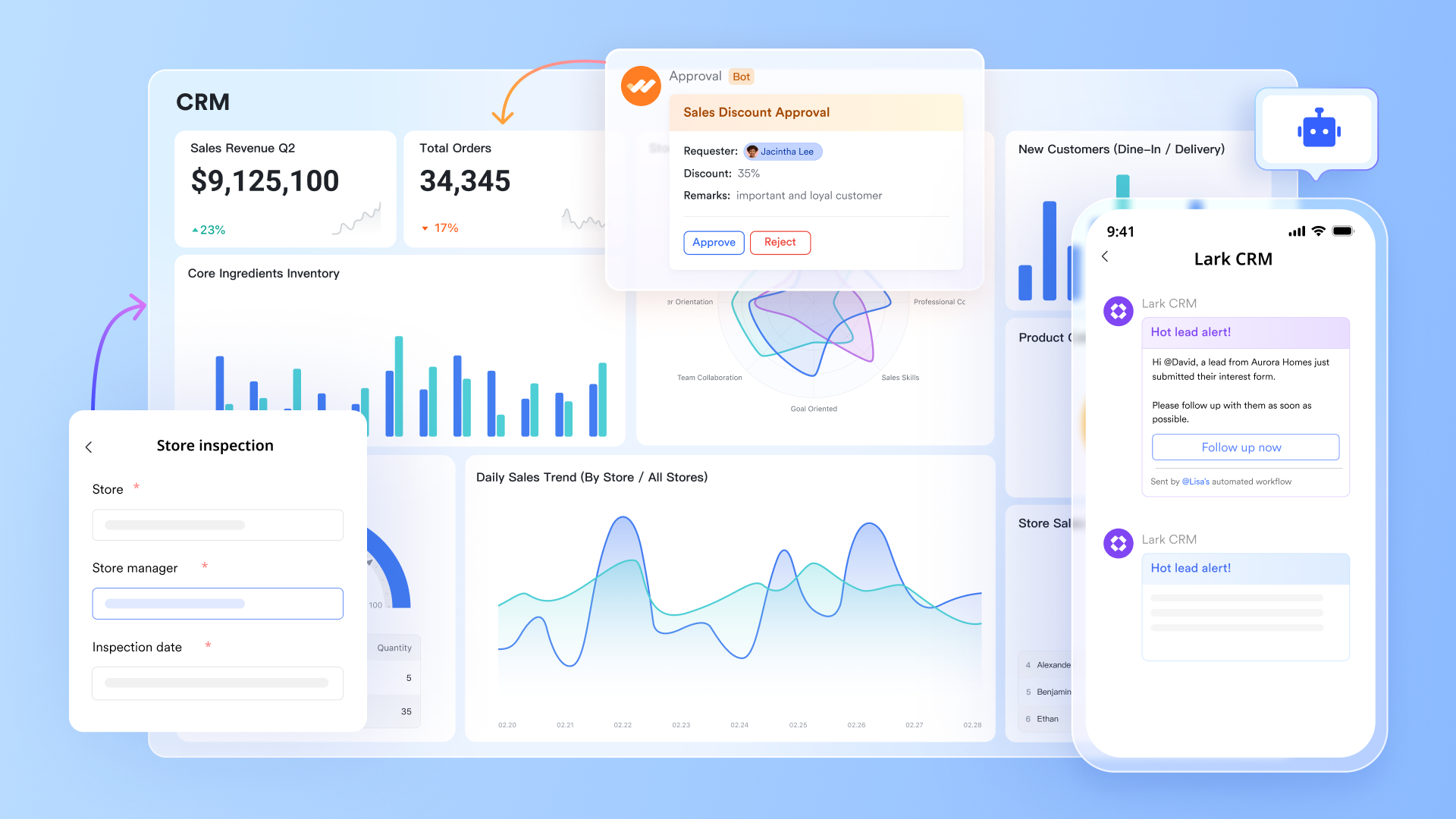
By bringing CRM, communication, and collaboration together, Lark helps teams respond faster, stay aligned in real time, and keep customer data, conversations, and files connected in a single workflow—whether they’re in the office, remote, or in the field.
Key features:
- Mobile-friendly design: Optimized for smartphones and tablets, Lark offers an intuitive interface that allows sales reps and service agents to quickly log calls, update deal stages, or set follow-ups immediately after meetings or site visits.
- No-code customer data management: Comprehensive contact profiles created by Lark Base with custom fields and detailed activity logs empower teams to personalize customer interactions and track progress throughout the CRM journey.
- AI-driven lead management: Automatically enrich and categorize leads, and generate personalized client engagement prompts powered by AI to boost sales effectiveness.
- Unified communication: Instant messaging, email, and video calls are integrated seamlessly with CRM workflows, enabling smooth interactions with customers and internal teams at any stage.
- Real-time collaboration: Shared documents, task management, and calendar syncing keep every team member aligned, facilitating efficient coordination throughout the sales cycle or customer service process.
- Custom approvals: Easily create, track, and automate approval workflows, streamlining CRM processes and reducing bottlenecks.
- Data visualization: Customizable dashboards provide real-time insights into sales pipelines, targets, and team performance, enabling data-driven decision-making.
- Pre-built CRM templates: Quickly deploy ready-made templates for lead tracking, customer visits, contract management, and more, accelerating CRM adoption and productivity.
- Robust security: Lark ensures enterprise-grade security compliance with data encryption, protecting sensitive customer information accessible via mobile devices.
Pricing:
- Starter plan: Free forever plan that includes 11 powerful tools for up to 20 users. It also comes with 100GB of storage space, 1000 automation runs, AI translations, and more. No credit card needed.
- Basic plan: $6/user/month (billed annually) for up to 500 users. It includes everything in Starter and unlimited message history, 5TB of storage space, 1,000 automation runs, and more. Some users may need to contact sales to purchase this plan.
- Pro plan: $12/user/month (billed annually) for up to 500 users. It includes everything in Basic plus group calling for up to 500 attendees, 15TB of storage space, 50,000 automation runs, and more.
- Enterprise plan: Contact sales for custom pricing. Supports unlimited users and includes even more automation runs and advanced security, compliance, and management features.

Starter
Pro
Enterprise
Starter
For small teams with simple communication needs
$0
/ user / month
20 users max
18 months message history
1-on-1 video meetings
100 GB storage
Lark Docs & Mail
1000 Base automation runs/month
2000 rows per table in Base
Pro
For companies with comprehensive collaboration and management needs
$12
/ user / month
500 users max
Unlimited message history
500-participant video meetings
15 TB storage
Lark Docs & Mail
50k Base automation runs/month
20k rows per table in Base
Enterprise
For large companies with advanced security and organizational management needs
Get a personalized demo and pricing
Unlimited users
Unlimited message history
500-participant video meetings
15 TB storage + 30 GB storage/user
Lark Docs & Mail
500k Base automation runs/month
50k Base automation runs/month
Single sign-on (SSO)
Pro
For companies with comprehensive collaboration and management needs
$12
/ user / month
500 users max
Unlimited message history
500-participant video meetings
15 TB storage
Lark Docs & Mail
50k Base automation runs/month
20k rows per table in Base
2. Zoho CRM: Best for smaller businesses needing customization
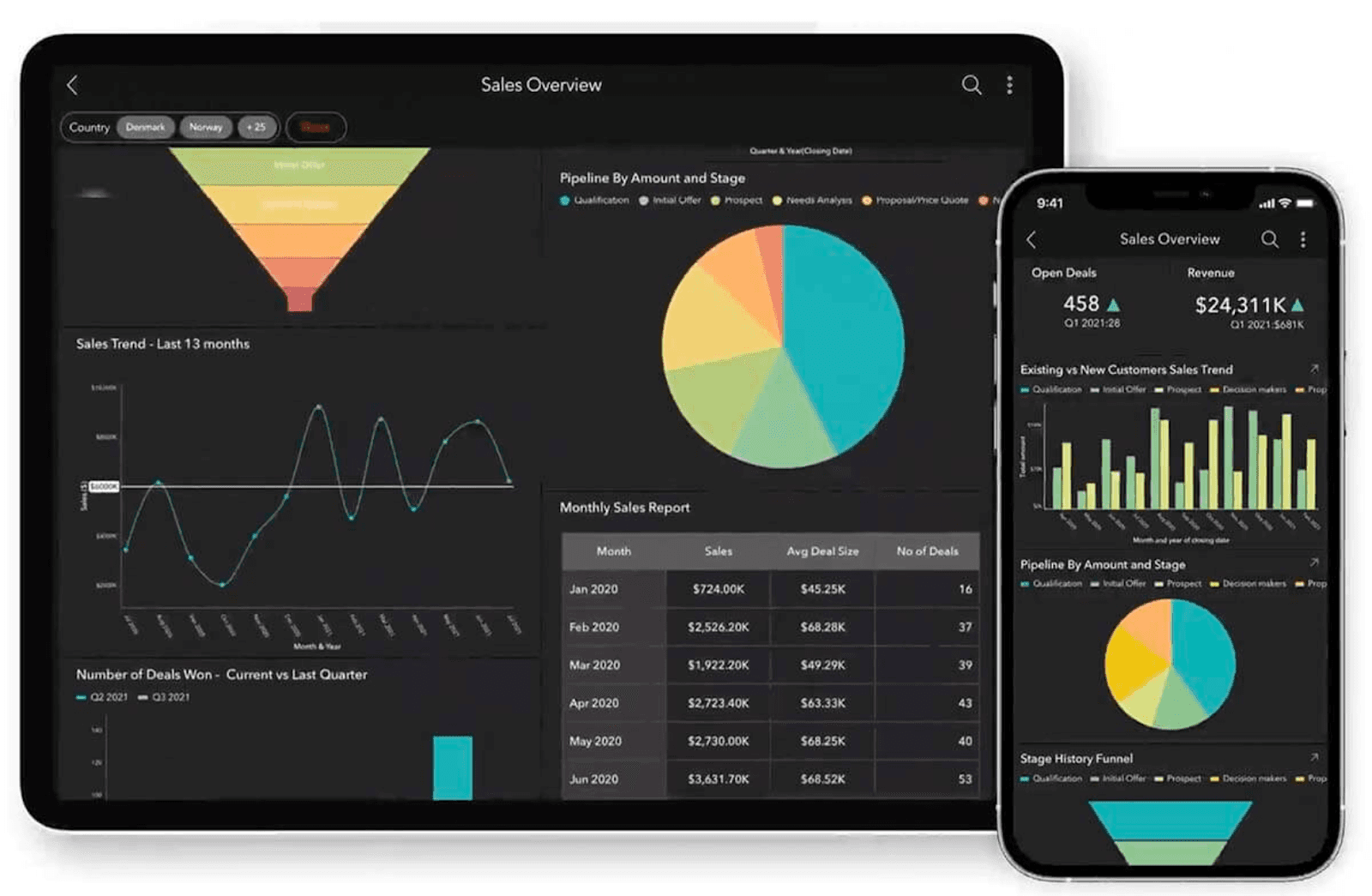
Image source: softobotics.com
Zoho CRM offers a compact yet powerful mobile experience for businesses of all sizes, especially those seeking cost-effective options, while still delivering essential CRM features like lead management, activity tracking, and real-time notifications on the go. With all the basic CRM tools you'll need, it's worth considering Zoho CRM as your next mobile software.
Key features:
- Lead and contact management optimized for mobile devices
- Customizable modules and sales pipelines for managing contacts efficiently
- Real-time access to notifications and task automation capabilities
- Multi-channel communication, including calls, emails, and chat, for seamless customer interactions
- Seamless integration with other Zoho business tools for comprehensive workflow automation
Pricing: Zoho CRM has a free version with limited features; paid plans start at $14/user/month.
3. HubSpot CRM: Best for marketing-focused teams
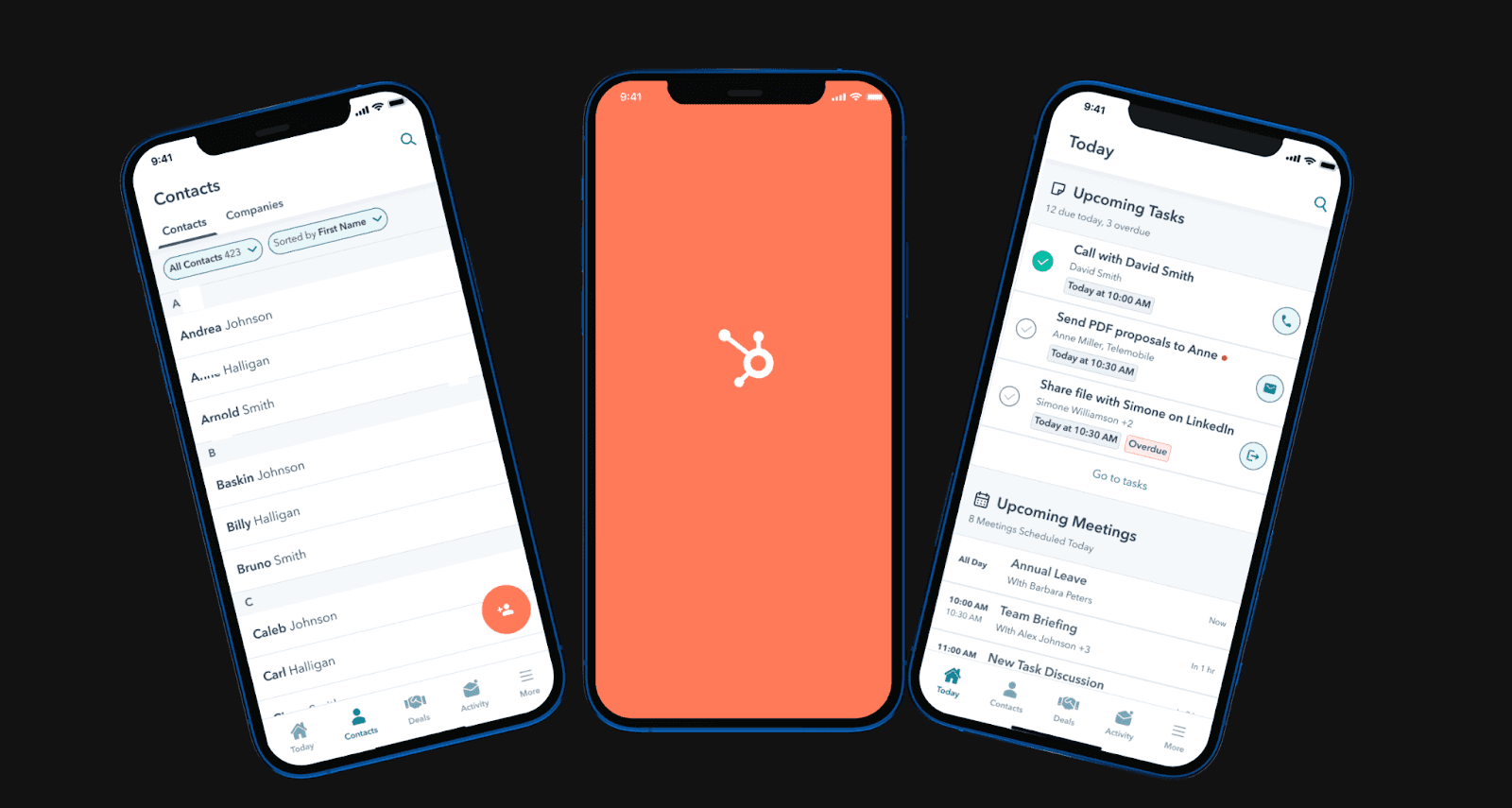
Image source: dhiwise.com
HubSpot CRM’s mobile app offers a similar interface and functionality to the web platform, so sales teams can manage contacts, deals, and marketing tools from anywhere. This consistency reduces the learning curve and helps teams stay productive when switching between desktop and mobile.
Key features:
- Contact and deal tracking optimized for mobile app usage
- Email tracking and instant notifications for improved responsiveness
- Seamless integration with HubSpot marketing tools for unified campaigns
- Task automation and comprehensive notes for customer profiles
- Collaboration features for seamless customer interactions
4. Pipedrive: Best for sales teams needing simplicity
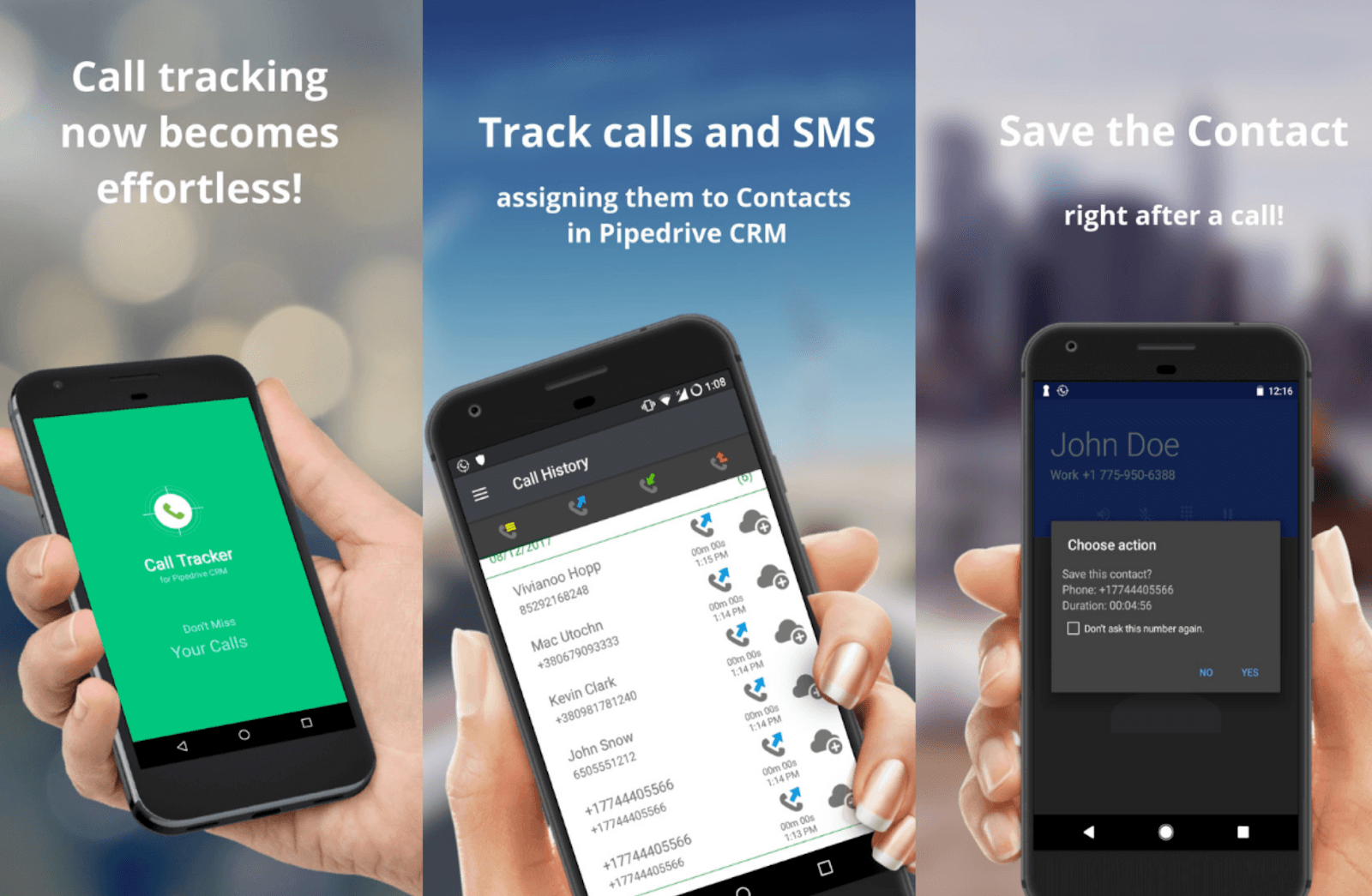
Image source: pipedrive.com
Pipedrive is tailored for sales teams that need straightforward pipeline management with mobile access, focusing on visual deal stages, quick activity logging, and simple forecasting to help reps track progress and move deals forward efficiently while on the go.
Key features:
- Visual sales pipelines optimized for mobile device usage
- Comprehensive contact management and activity tracking
- Email and communication tracking for better customer interactions
- Customizable pipelines and fields for personalized support
- Smart instant notifications and reminders for closing deals
Pricing: Pipedrive offers tiered pricing plans starting at $14/user/month.
5. Salesforce: Best for enterprise-grade CRM features
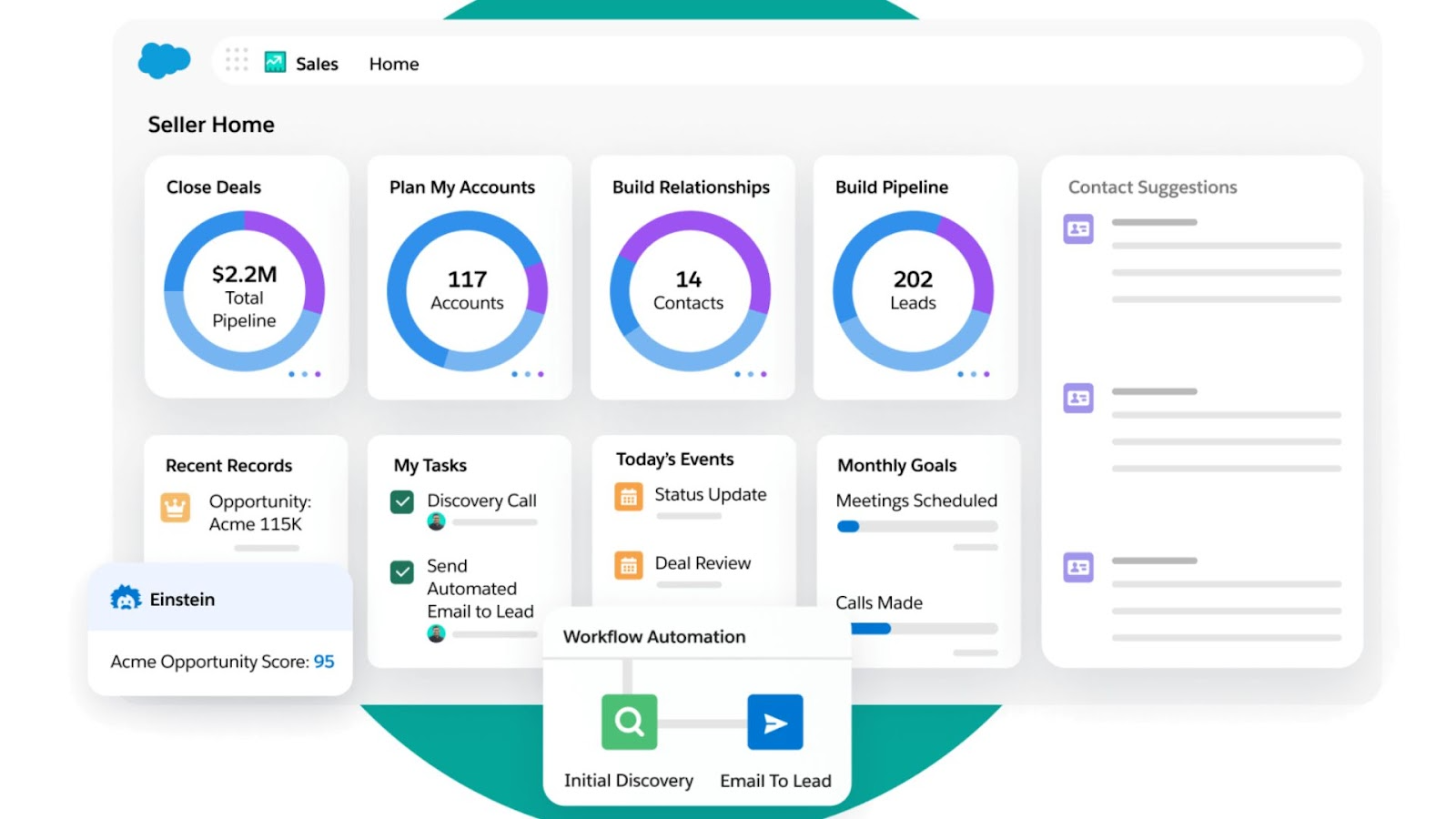
As the market leader in CRM, Salesforce is the top choice for large enterprises seeking a seamless mobile experience. The mobile app extends Salesforce's full capabilities to smartphones, enabling teams to use custom dashboards, advanced analytics, and sophisticated workflows on the go.
Key features:
- Advanced automation powered by Einstein AI, delivering actionable insights and predictive recommendations
- Detailed analytics and customizable reporting within the mobile app
- Extensive third-party integrations available through AppExchange
- Robust security measures and granular permission controls
- Offline functionality with seamless real-time data synchronization
Pricing: Salesforce pricing varies by product. For Salesforce Sales Cloud, pricing starts at $25/user/month, with a free 14-day trial available.
6. Copper CRM: Best for native Google Workspace integration
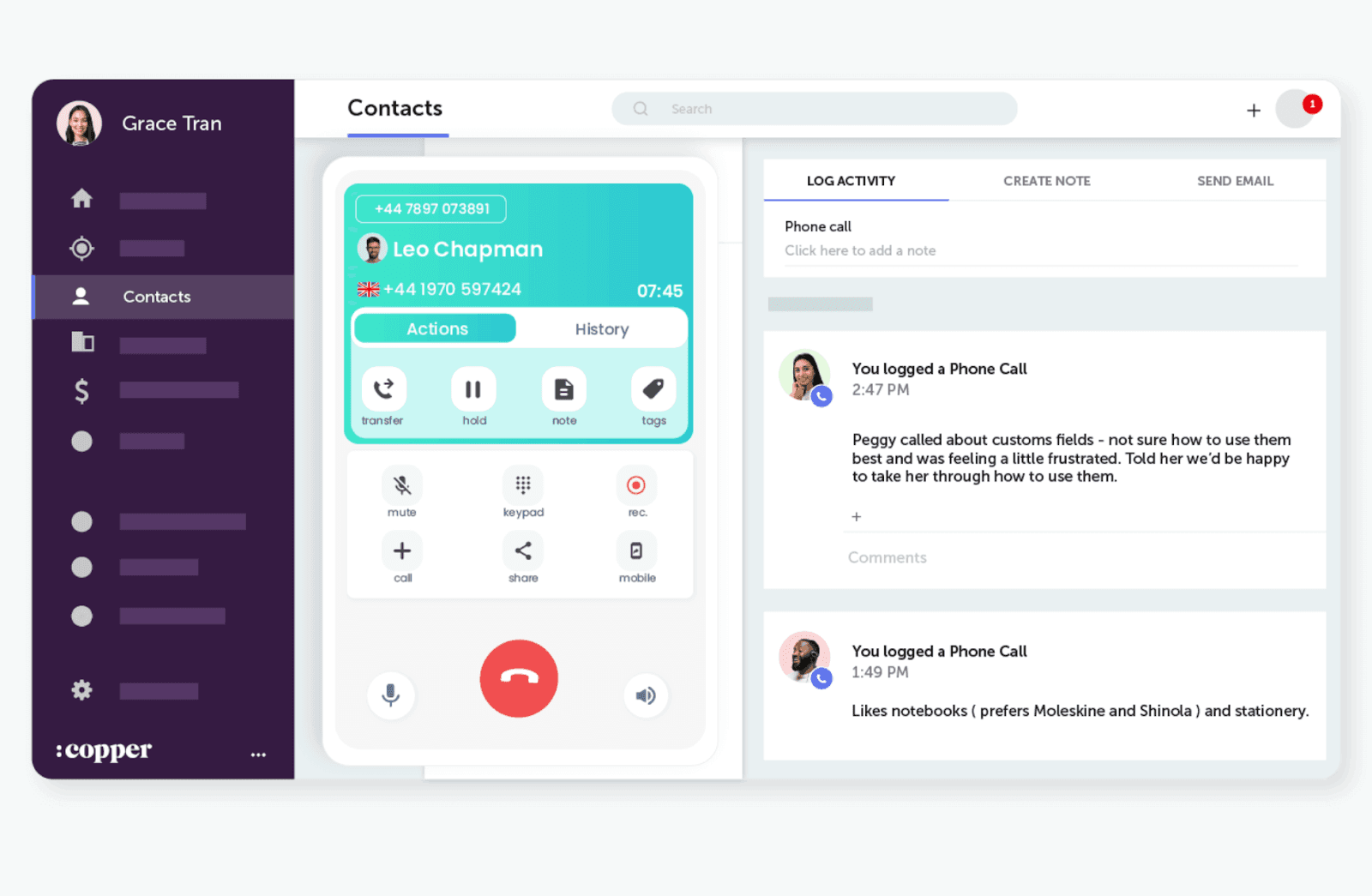
Image source: copper.com
Copper CRM Mobile is deeply integrated with Google Workspace (formerly known as G Suite), serving businesses that rely heavily on Google tools.
Note: For more information, you can refer to Google Workspace Pricing and Google Workspace alternatives.
Key features:
- Automatic syncing with Gmail and Google Calendar for real-time data access
- Pipeline and contact management with a user-friendly interface
- Mobile-optimized task and deal updates for boosting productivity
- Email tracking and templates for seamless customer interactions
- Real-time access to notifications and updates
Pricing: Copper CRM pricing is subscription-based, with paid plans starting at $12/user/month.
7. Insightly: Best for managing projects and leads in one place
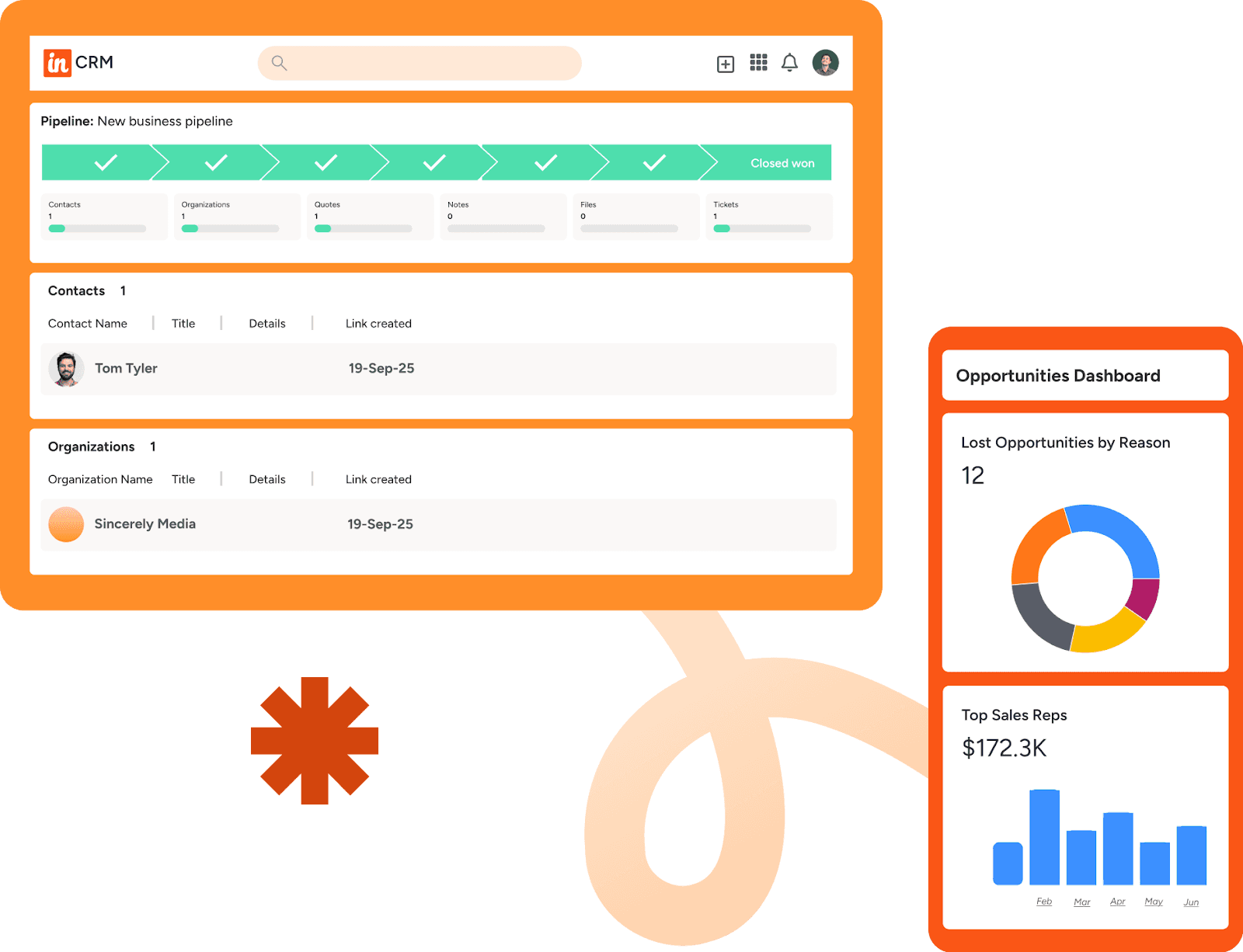
Image source: sellingsignals.com
Insightly combines CRM features with project management to help businesses manage customer relationships alongside projects.
Key features:
- Customer and project data unified in one mobile app
- Contact management and opportunity tracking with advanced features
- Task automation and workflow automation capabilities
- Mobile-accessible reporting and dashboards for real-time data insights
- Seamless integration with popular business tools and applications
8. Agile CRM: Best for SMB marketing automations
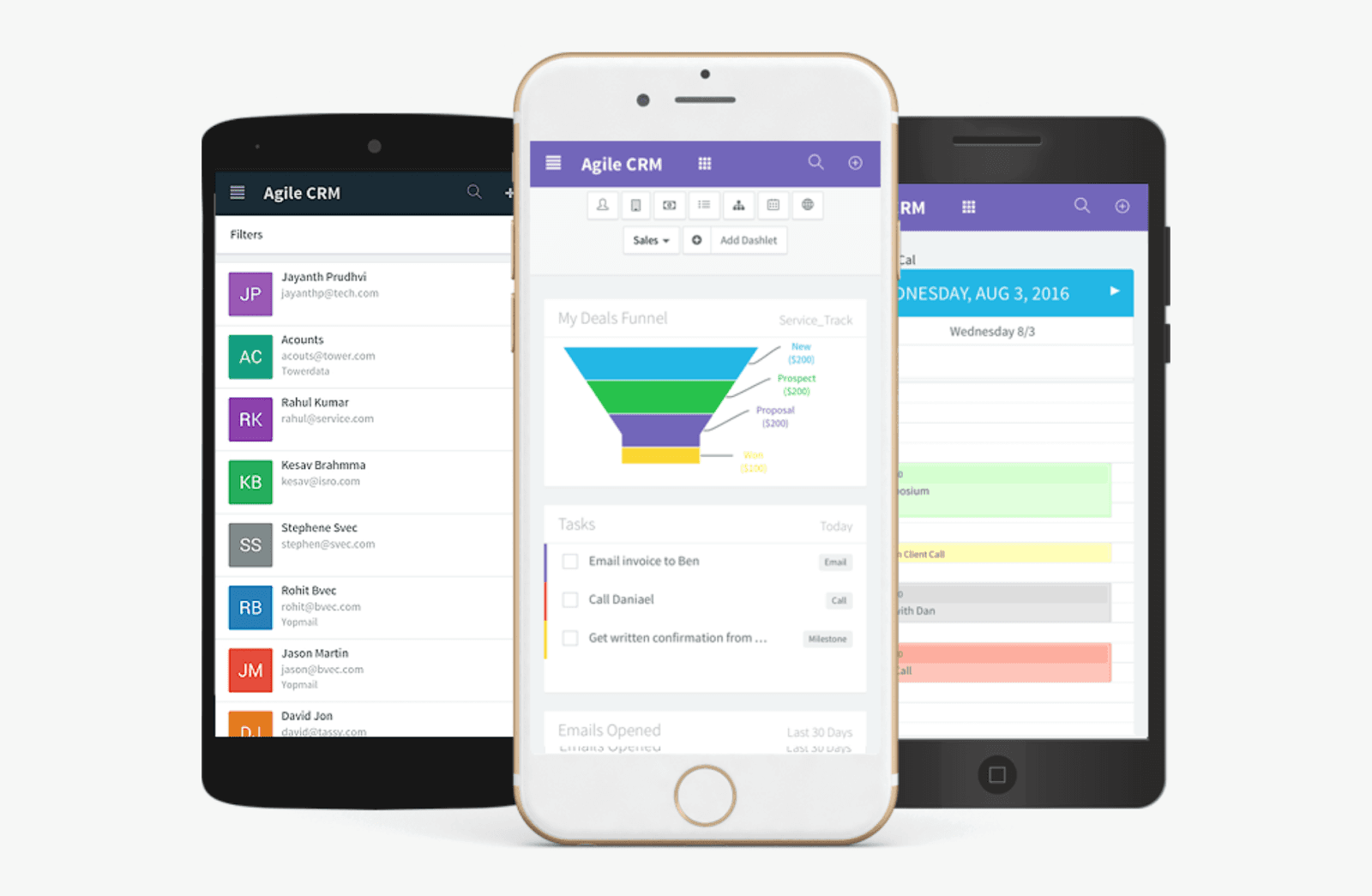
Image source: agilecrm.com
Agile CRM Mobile blends sales, marketing, and service tools in a mobile platform supporting SMBs.
Key features:
- Contact management with social customer profiles integration
- Marketing automation and email tracking for seamless customer interactions
- Telephony integration accessible from mobile devices
- Helpdesk and service ticketing for customer service teams
- Customizable mobile dashboards for tracking sales pipelines
Pricing: Agile CRM offers a free tier, with paid plans starting at $8.99/user/month.
9. Nimble: Best for building relationships through social media
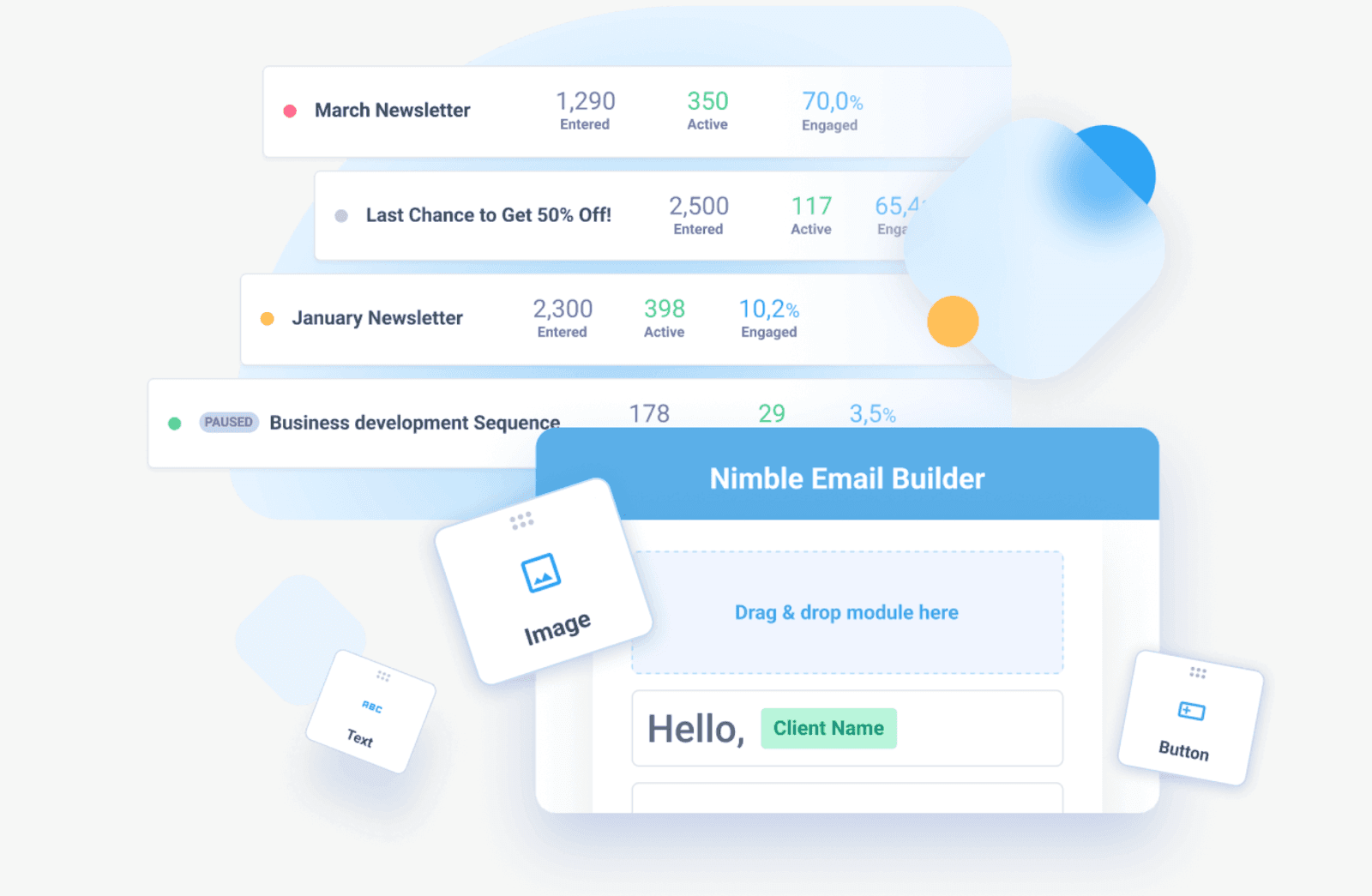
Image source: nimble.com
Nimble is known for its social and contact relationship management capabilities tailored for small businesses and entrepreneurs. It integrates with social media and email to build a rich customer profile accessible on mobile.
Key features:
- Automatic contact enrichment from social networks and emails
- Unified inbox combining messages and social media communication
- Easy mobile app access to deals and customer activities
- Smart calendar and task automation reminders through an intuitive interface
Pricing: Nimble offers subscription plans starting at $24.90/user/month.
10. Capsule CRM: Best for simple mobile CRM features
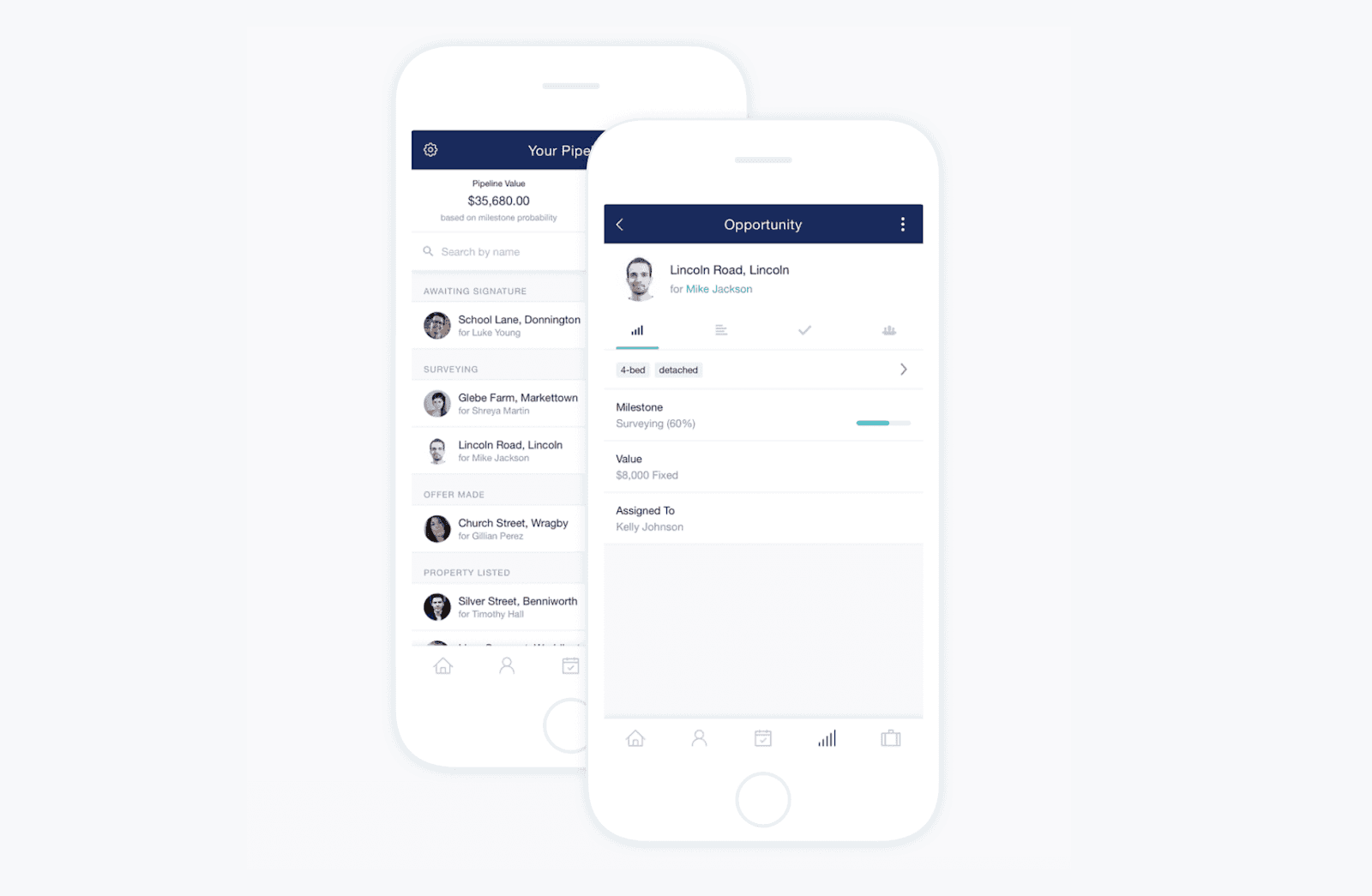
Image source: capsulecrm.com
Capsule CRM emphasizes simplicity and user friendliness without compromising core mobile CRM functions, making it ideal for small and medium businesses seeking straightforward contact management and sales pipeline management.
Key features:
- Contact management with comprehensive notes, history, and custom fields
- Opportunity tracking and sales pipelines visualization
- Mobile task automation and reminder capabilities
- Seamless integration with email and calendar apps for automatic updates
Pricing: Capsule offers a free plan for up to two users with basic features. Paid subscriptions start at $18/user/month.
11. Streak: Best for Gmail integration across mobile devices
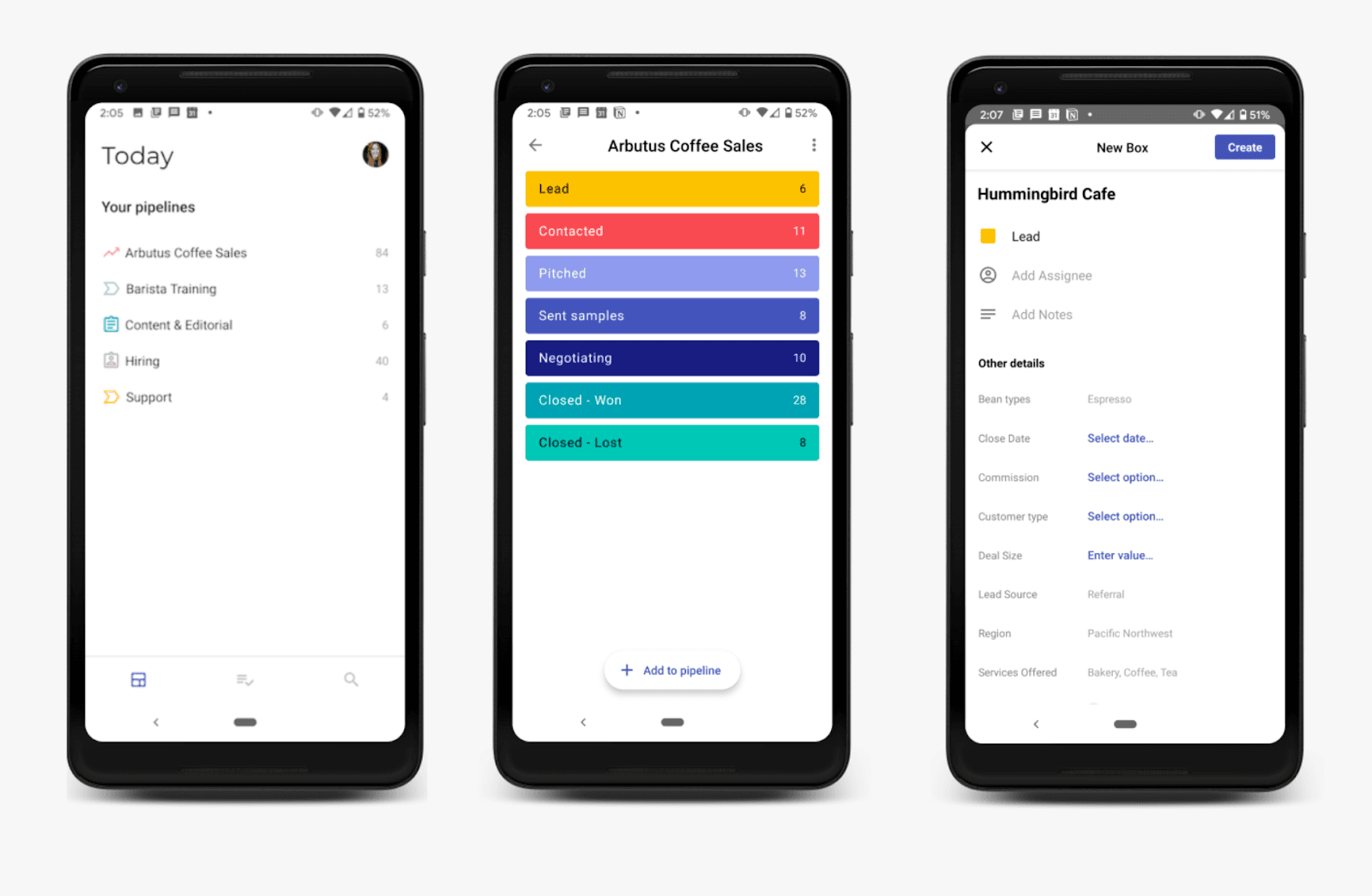
Image source: streak.com
Streak uniquely integrates with Gmail, making it convenient for teams that primarily work in Gmail. Its mobile app extends the ability to manage contacts and sales pipelines on the go.
Key features:
- CRM software embedded within the Gmail interface, accessible on mobile devices
- Pipeline management and email tracking for closing deals
- Reminders, mail merge, and task automation features
- Collaborative features with team visibility for seamless customer interactions
Pricing: Streak offers a free plan with basic CRM tools, and paid plans start at $49/user/month.
Other mobile CRM software
Here are a few more mobile CRM tools that didn't make the top 11 but are still strong options depending on your team’s needs:
- Freshsales – Offers a clean, intuitive mobile app that lets you manage leads, deals, and tasks on the go. Its built-in automation and AI capabilities help simplify follow-ups and prioritize prospects, making it a solid choice for small to mid-sized sales teams.
- Monday CRM – Brings the familiar monday.com visual interface to mobile, with customizable boards and pipelines you can update on the go. It's great for teams that value flexibility and visual planning across CRM and project management.
- Salesflare – Designed mobile-first, Salesflare's app automatically captures and enriches contact and activity data in the background. Its simple, streamlined interface makes it especially appealing to small businesses and solopreneurs who want lightweight, automated CRM on their phones.
How we select and assess mobile CRM software
Our editorial team follows a transparent, repeatable methodology. Every review is based on our hands-on experience in realistic working scenarios, and we always stick to a set of consistent scoring criteria.
- Features and functionality
- Ease of use
- Security, privacy, and compliance
- Integrations and compatibility
- Pricing and value
- Support and community
Our team reviews and assesses tools using consistent datasets and real-world scenarios, focusing on what users care about most—such as device availability, sales pipelines, marketing automation, and collaboration. For more information about our review methodology, read the full rundown of how we evaluate software at Lark.
Benefits of mobile CRM software
Here's how mobile CRM tools stand out compared to traditional desktop-only CRM systems and why mobile CRM has become indispensable for businesses today.
Accessibility anywhere, anytime
Unlike traditional CRM systems, which typically require desktop access and a stable internet connection, mobile CRM provides real-time access to customer data, sales pipelines, and task management from any smartphone or tablet. This remote access capability ensures that sales teams can access customer data instantly, whether they're in client meetings, traveling, or working from home offices.
Designed for mobility and user experience
Mobile CRM apps feature interfaces and functionalities tailored explicitly for small screens and touch navigation, supporting dynamic on-the-go workflows that conventional desktop version systems often struggle to accommodate effectively. The intuitive interface design ensures user friendliness while maintaining comprehensive CRM platform capabilities.
Offline capability for uninterrupted productivity
Many leading mobile CRM solution platforms allow offline access to customer information, enabling data viewing and updates even without a stable internet connection. These systems automatically sync changes when connectivity returns—a crucial feature rarely found or fully enabled in conventional CRM software. This offline access capability ensures continuous productivity regardless of location or connectivity challenges.
Enhanced communication and customer interactions
Mobile CRM seamlessly unifies video calls, emails, and messaging directly into the CRM workspace, enabling faster and more seamless customer interactions. This unified approach to communication contrasts sharply with traditional CRM systems that may lack such comprehensive mobile communication integration, resulting in fragmented customer interactions.
Improved field team productivity
Mobile CRM tools are purpose-built to support sales reps, service agents, and marketers who frequently operate outside traditional office environments. These solutions enable quick data entry, eliminate manual data entry inefficiencies, facilitate instant task updates, and promote effortless collaboration while on the move, ultimately boosting productivity across the entire organization.
In summary, mobile CRM software transforms CRM from a static, desktop-bound system into a flexible, powerful tool designed specifically for modern mobile-first business operations, enabling organizations to manage customer relationships more effectively than ever before.
Key features of mobile CRM software
Selecting the optimal mobile CRM app is crucial to ensure your team can operate efficiently while maintaining constant connectivity to customer data. The best mobile CRM solutions incorporate specific features designed to maximize efficiency and enhance productivity:
- Contact and lead management on mobile: The ability to manage leads effectively and maintain comprehensive customer profiles directly from mobile devices forms the foundation of successful mobile customer relationship management. Top-tier CRM mobile apps offer robust contact management capabilities, enabling users to access customer data and monitor sales pipelines seamlessly.
- Real-time notifications: keep sales teams constantly informed about critical tasks and pipeline changes, ensuring teams never miss opportunities and can provide personalized support immediately.
- Offline support: Offline access capabilities allow teams to work without interruption, even without an internet connection. The best mobile CRM software automatically synchronizes data when connectivity returns, keeping customer information up to date regardless of location.
- User-friendly interface: An intuitive interface promotes widespread adoption, ensuring users can manage tasks directly without extensive training.
- Seamless integration: Seamless integration with email platforms, calendar applications, and other business tools creates a unified ecosystem that eliminates data silos and streamlines workflow automation.
- Task automation: Automated task capabilities eliminate manual data entry and help teams focus on high-value sales activities.
- Security: Comprehensive data encryption protects sensitive customer data accessed via mobile devices.
How to choose the right mobile CRM software
Selecting the right mobile CRM is essential for teams that need to stay productive and responsive from anywhere. A platform that aligns with your sales process, team structure, and tech stack can boost adoption, streamline workflows, and accelerate revenue growth.
Map your sales process
Start by evaluating how your team sells. Field reps may need territory mapping, offline access, and quick note-taking tools, while inside sales teams often rely on communication tracking, call logging, and automation. Long, consultative sales cycles require robust pipeline management, whereas fast-paced transactional sales benefit from lightweight solutions built for rapid follow-ups.
Integration and workflow compatibility
Your mobile CRM should connect seamlessly with the tools your team already uses, including email platforms, marketing automation, ERP solutions, and messaging apps. Proper integration prevents data silos and ensures workflows stay smooth. Alternatively, consider an all-in-one platform that combines CRM with essential work tools in a single app.
Mobile usability and device support
Not all CRMs translate well to mobile. Look for apps designed for mobility that offer intuitive one-handed navigation, offline access, location-based insights, and fast data entry. Confirm the platform works across all devices your team uses, including both iOS and Android, so everyone experiences the same functionality regardless of hardware.
Adoption and training
Even the most advanced CRM is ineffective if your team doesn't use it. Prioritize platforms with clean, intuitive interfaces and workflows that simplify daily tasks rather than add administrative work. Pair the right tool with comprehensive onboarding and ongoing support to maximize adoption and efficiency across all user groups.
Read reviews and test tools
Before committing, explore honest user feedback on platforms like G2, Capterra, the App Store, or Google Play. Focus on reviews from teams similar to yours to understand common pain points and performance patterns. Then, test the software through free trials or demos on the devices your team uses to evaluate usability, speed, and workflow fit firsthand.
Key considerations for implementing mobile CRM software
Successfully deploying a mobile CRM requires planning and attention to several critical factors:
Pricing and scalability
Analyze total ownership costs, including subscriptions, customization, training, and support. To make this easier, use pricing calculators and cost comparison tools to estimate expenses based on your team size, feature requirements, and expected usage.














How many employees work at your company?
By number of people
1
20
500
5000+
1000
Which tools do you use?

Estimates are for reference only, contact us for an official quote

Security and compliance
Choose a CRM with enterprise-grade encryption, secure authentication, and compliance with privacy standards. Security is especially important when sensitive customer data is accessed from multiple locations and network connections.
Ongoing monitoring and optimization
Establish processes for collecting user feedback and tracking system performance after launch. Regular review and optimization help ensure your CRM continues to deliver value, improve efficiency, and support business growth.
Conclusion
Choosing the right mobile CRM software is a pivotal decision for teams that need to stay productive and responsive from anywhere. Easy access on the go is just the beginning—the real impact comes from how well the CRM integrates with your existing workflows.
While many platforms provide mobile functionality, the next generation of work relies on fully integrated solutions that remove friction and streamline collaboration. Among the CRMs we tested, Lark stands out for combining a mobile-first, customizable CRM with essential collaboration tools. But don't take our word for it, test Lark out through its generous free plan, which gives you access to 11 tools without needing credit card details.
FAQs
Which CRM has the best mobile app?
Salesflare and HubSpot are consistently rated among the top mobile CRMs thanks to fast, intuitive apps that mirror their desktop capabilities. Zoho, Freshsales, and Zendesk Sell also offer strong mobile experiences. Lark is a standout if you want CRM tightly integrated with chat, docs, and team collaboration in a single mobile app.
Which CRM is best for beginners?
HubSpot is widely considered the easiest CRM for beginners because of its clean interface and generous free plan. Zoho, Freshsales, and Pipedrive also offer simple onboarding and user-friendly designs. Lark is ideal for new teams that prefer CRM built directly into their communication and workflow tools.
Can I use CRM on my phone?
Yes—most modern CRMs offer fully featured iOS and Android apps. You can manage contacts, deals, tasks, and notes directly from your phone, making it easy to stay productive on the go.
Is there free mobile CRM software?
Yes, several CRMs provide free plans with mobile access, including HubSpot and Zoho. Lark also offers a free plan that includes mobile CRM capabilities integrated with messaging, meetings, and workflow tools.
What's the difference between CRM and mobile CRM?
A Customer Relationship Management (CRM) system acts as a central hub for managing and storing customer information across teams. It streamlines processes such as recording contacts, tracking deals, generating reports, and automating workflows. Traditionally, CRM platforms were built for desktop use, featuring interfaces tailored for large screens and complex operations.
A mobile CRM is not a separate solution, but rather the mobile-optimized experience of the same CRM platform. It accesses the same data and workflows but is designed for smaller screens and users on the move. As software design has advanced, the gap between desktop and mobile CRM has closed. Now, the primary difference lies in usage context: mobile CRM enables quick actions and real-time updates wherever you are, while maintaining a consistent platform experience across all devices.
What is a mobile CRM?
Mobile CRM is customer relationship management software optimized for smartphones and tablets, enabling sales teams to access customer data, manage leads, and update pipelines anywhere. It provides real-time synchronization, offline capabilities, and touch-friendly interfaces designed specifically for mobile workflows and on-the-go productivity.
What are the 4 types of CRM?
The four main CRM types are: Operational CRM (manages daily customer interactions and sales processes), Analytical CRM (analyzes customer data for insights), Collaborative CRM (enhances team communication and customer touchpoints), and Strategic CRM (focuses on long-term customer relationship building and retention strategies). To learn more, see The Ultimate Guide to Types of CRM Software: Features and Examples.
Does Google have a free CRM?
Google doesn't offer its own CRM software. However, for users seeking seamless integration, we recommend Lark's mobile-friendly CRM solution. Lark provides comprehensive contact management, lead tracking, and workflow automation while offering superior collaboration features compared to basic Gmail extensions like Copper or Streak.
What is the most popular CRM software?
Lark is an emerging all-in-one platform combining CRM with unified communication and collaboration. Lark's mobile-first design, AI-powered features, and cost-effective pricing make it increasingly popular among modern distributed teams seeking comprehensive solutions.
Related reading
Table of contents
Start using Lark today

Manage all your work in one place
Boost team efficiency by 10x
Save up to 70% on software costs
Table of contents
Start using Lark today
Manage all your work in one place
Boost team efficiency by 10x
Save up to 70% on software costs
Keep reading








2026 Lark Technologies Pte. Ltd.
Headquartered in Singapore with offices worldwide.






Explore: