Managing a single project requires tracking tasks; managing dozens of overlapping initiatives requires strategic foresight. When enterprise leaders try to force complex resource allocation and budgeting into basic task trackers, they hit a wall of scattered data and misaligned goals. This is where software portfolio management software steps in. Moving beyond simple to-do lists, these platforms connect high-level strategy with daily execution, ensuring every dollar and hour spent contributes to the broader organizational objectives. In this guide, we evaluate the top tools available for 2026, breaking down their specific strengths so you can find the exact match for your project management office (PMO) or enterprise team.
What is portfolio management software?
Portfolio management software is a centralized platform designed to help organizations evaluate, prioritize, and manage a group of projects or investments simultaneously. While standard project management focuses on executing individual tasks correctly, portfolio management focuses on doing the right projects at the right time.
It is important to note the distinction within the software category. Project Portfolio Management (PPM) tools are built for PMOs to manage enterprise workflows, resource capacity, and operational budgets, playing a central role alongside broader in large organizations. Conversely, investment portfolio management tools focus entirely on tracking financial assets, equities, and market research. For enterprise teams, the primary focus is almost always on the PPM side to ensure operational efficiency.
Imagine a PMO director overseeing an initiative like a software launch, a marketing rebrand, and a company-wide infrastructure upgrade simultaneously. Without a portfolio view, they are merely reading three disconnected status reports. With the right portfolio management platform, they can see that delaying the internal infrastructure upgrade by two weeks frees up exactly enough engineering bandwidth to push the revenue-generating software launch ahead of schedule.
Key features to look for in portfolio management software
When evaluating the market, specific capabilities separate modern, effective platforms from legacy systems that only slow teams down.
Real-time collaboration and communication
The most critical feature of modern portfolio management is not a complex Gantt chart; it is the ability to communicate in context. If your portfolio tool does not allow stakeholders to comment, edit documents, and chat directly alongside the project data, you will inevitably suffer from information silos. Look for platforms that treat communication as a core component of the work, rather than an afterthought.
Financial and budgetary controls
A project executed on time is still a failure if it wildly exceeds its budget. Effective software must offer robust financial tracking. You need the ability to establish baseline budgets, track actual spending in real-time, and forecast future costs, ideally visualized on a shared that keeps schedules and spend aligned. For investment tracking and customer initiatives, this translates to accurate ROI calculations, tax reporting capabilities, and the ability to orchestrate on top of a unified or even .
Customization and integration capabilities
No two PMOs operate exactly alike. Your software must adapt to your specific operational needs rather than forcing you into a rigid methodology. Ensure the platform allows for custom database fields, adaptable workflows, and integration with your existing necessary tools (like CRMs or specialized engineering repositories).
Why your team needs dedicated project and portfolio management software
Transitioning from isolated project tracking to comprehensive portfolio management changes how an organization operates. It bridges the gap between executive strategy and ground-level execution, especially when paired with the right to coordinate day-to-day work.
Achieving strategic alignment
A common failure point in large organizations is executing projects flawlessly that do not actually serve the company's current goals.
- Direct goal integration: Portfolio tools allow managers to map individual project milestones directly to high-level company OKRs (Objectives and Key Results), especially when connected with dedicated for ongoing tracking.
- Prioritization scoring: Teams can objectively score incoming project requests based on their strategic value rather than personal preference or urgency, informed by clearly written that spell out what matters most.
Optimizing resource allocation
Managing human capital across multiple departments is a massive logistical challenge, especially when you factor in the full from initiation through closing. You cannot afford to have your best developers sitting idle while another team is severely bottlenecked.
- Capacity planning: Advanced platforms provide a bird's-eye view of who is working on what, making it easy to shift resources before a project falls behind, and cost models similar to those outlined in help estimate the investment required.
- Skill matching: Some tools allow you to assign tasks based on specific skill sets, ensuring the most qualified personnel are handling critical path items.
Enhancing risk and financial management
Every project carries risk, but when multiple projects interact, those risks compound. Effective software provides early warning systems for budget overruns and schedule delays.
- Real-time budget tracking: Financial dashboards track planned versus actual spend across the entire portfolio, supporting goal frameworks like that tie financial performance back to strategic objectives.
- Return on investment calculation: You can easily calculate expected returns using standard metrics. For example, ROI=(Net Savings/Cost)×100ROI=(Net Savings/Cost)×100.
The contrarian view: Why more tools hurt portfolio visibility
The conventional wisdom in enterprise technology is to buy the "best-in-class" specialized tool for every specific function, from to niche reporting solutions. The result is often a bloated technology stack where project managers use one heavy PPM application with separate , execution teams live in a separate chat app, and finance tracks everything in static spreadsheets.
This creates severe "tool sprawl," which actually degrades portfolio visibility. When a portfolio manager updates a critical budget cut in a specialized PPM tool, but the execution team misses the memo because it was not communicated in their primary chat application, the result is wasted effort and blown budgets. True visibility happens when the work, the communication, and the strategic tracking occur in the exact same environment. Consolidating your tool stack often solves portfolio management bottlenecks faster than adding another layer of complex reporting software.
Master team tasks effortlessly with Lark
Top 15 best portfolio management software tools
Selecting the right software portfolio management software requires understanding how each platform balances strategic oversight with daily execution. Below is a quick comparison of our top five picks, followed by an in-depth review of the 15 best tools available for 2026.
1. Lark: All-in-one collaboration workspace for unified team execution
is an all-in-one collaboration workspace that brings messaging, meetings, document collaboration, task management, approvals, and AI-powered workflows into a single platform. Instead of relying on separate tools for communication and portfolio execution, enterprise managers and project management offices (PMOs) can manage group chats, track project budgets, and automate strategic processes in a single connected environment.
Key features:
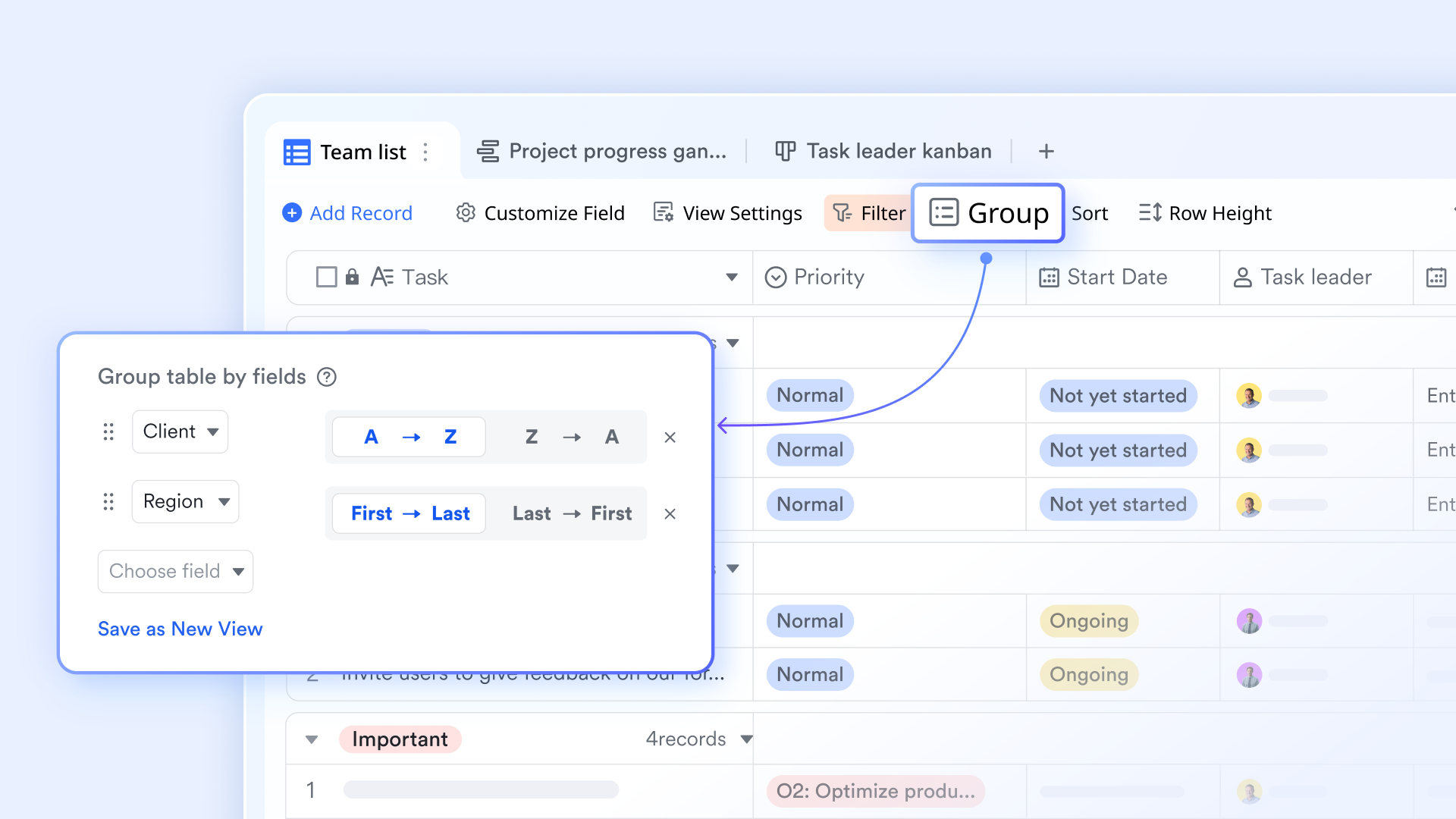
Unified database with flexible views
functions as a flexible database that allows teams to visualize their portfolio workflows through multiple lenses. Users can toggle between Kanban boards for stage tracking, Calendar views for deadline management, and Gantt charts for complex timeline planning. This ensures that every department can execute its portion of the project using the visual format that best suits its specific workflow while keeping top-level executives informed.
Contextual communication
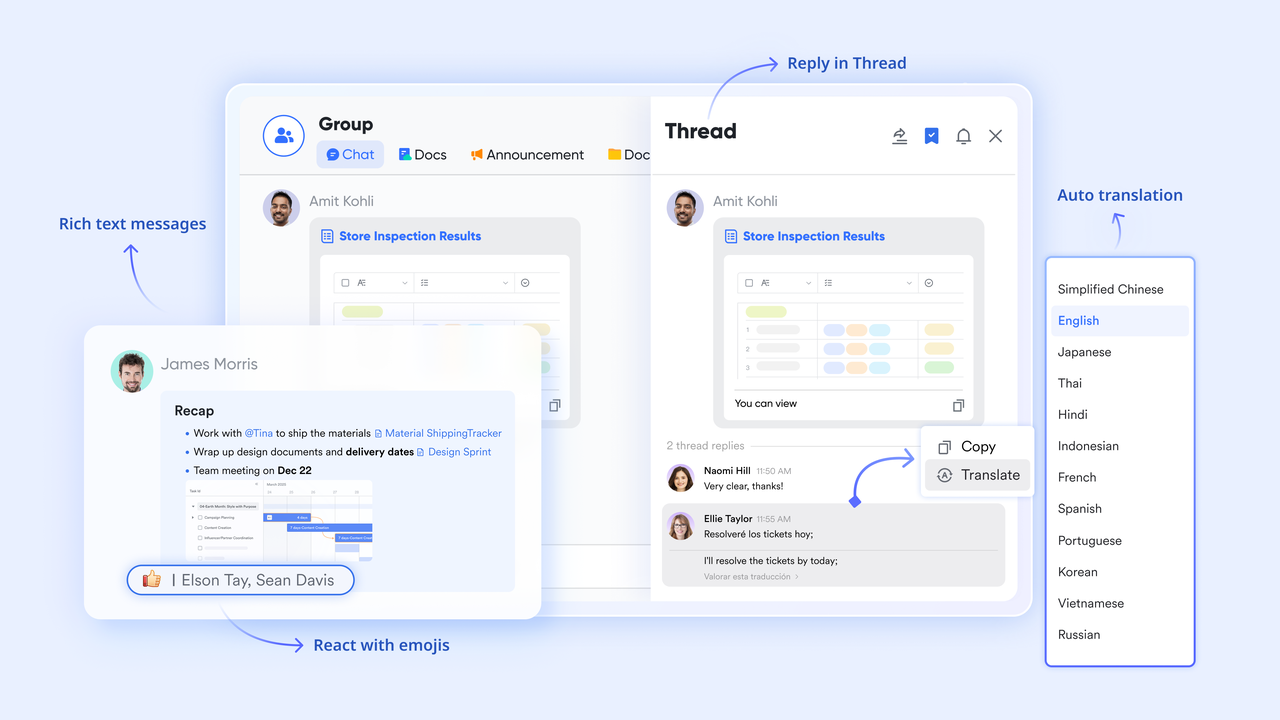
serves as the primary engine for keeping team discussions aligned with specific projects. Its core function is the "Topic Group," which organizes conversations into distinct threads to prevent vital information from being buried. By pinning project charters or tracking sheets directly to the chat header, teams can access the tools they need for execution without ever leaving the conversation window.
Structured work tracking
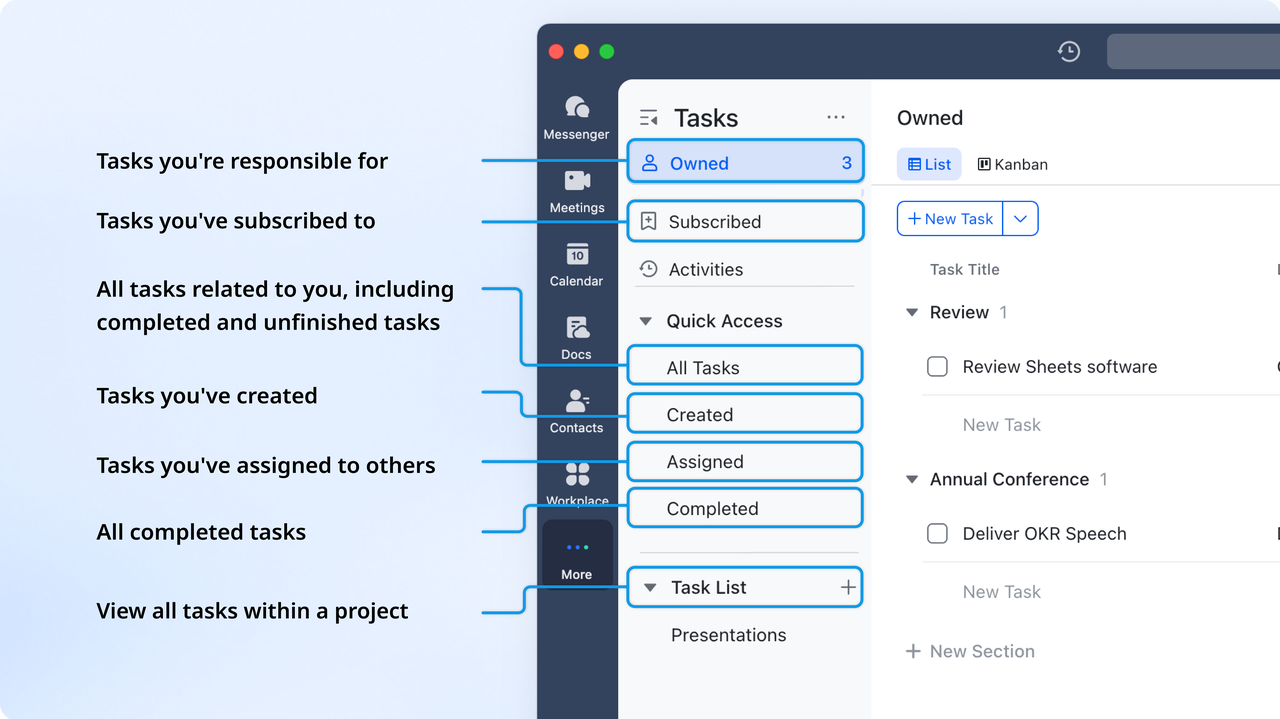
provides the structure needed to turn strategic portfolio planning into actionable items. A specific function of Lark is the ability to create a task instantly from any message in the chat. These tasks can then be organized into shared lists with clear owners and deadlines, and automatic reminders will be sent through the Message card to ensure no piece of the execution plan is overlooked.
Real-time collaboration
function as dynamic, multimedia workspaces where teams collaborate in real-time. Beyond simple text, this feature allows users to embed live database charts, interactive project timelines, and task lists directly into the page. This ensures that a project brief remains a "living" document where team members can see data updates and provide feedback through block-level comments simultaneously. Version history ensures transparency, making it suitable for collaborative planning, documentation, and knowledge management.
Automated approval workflows
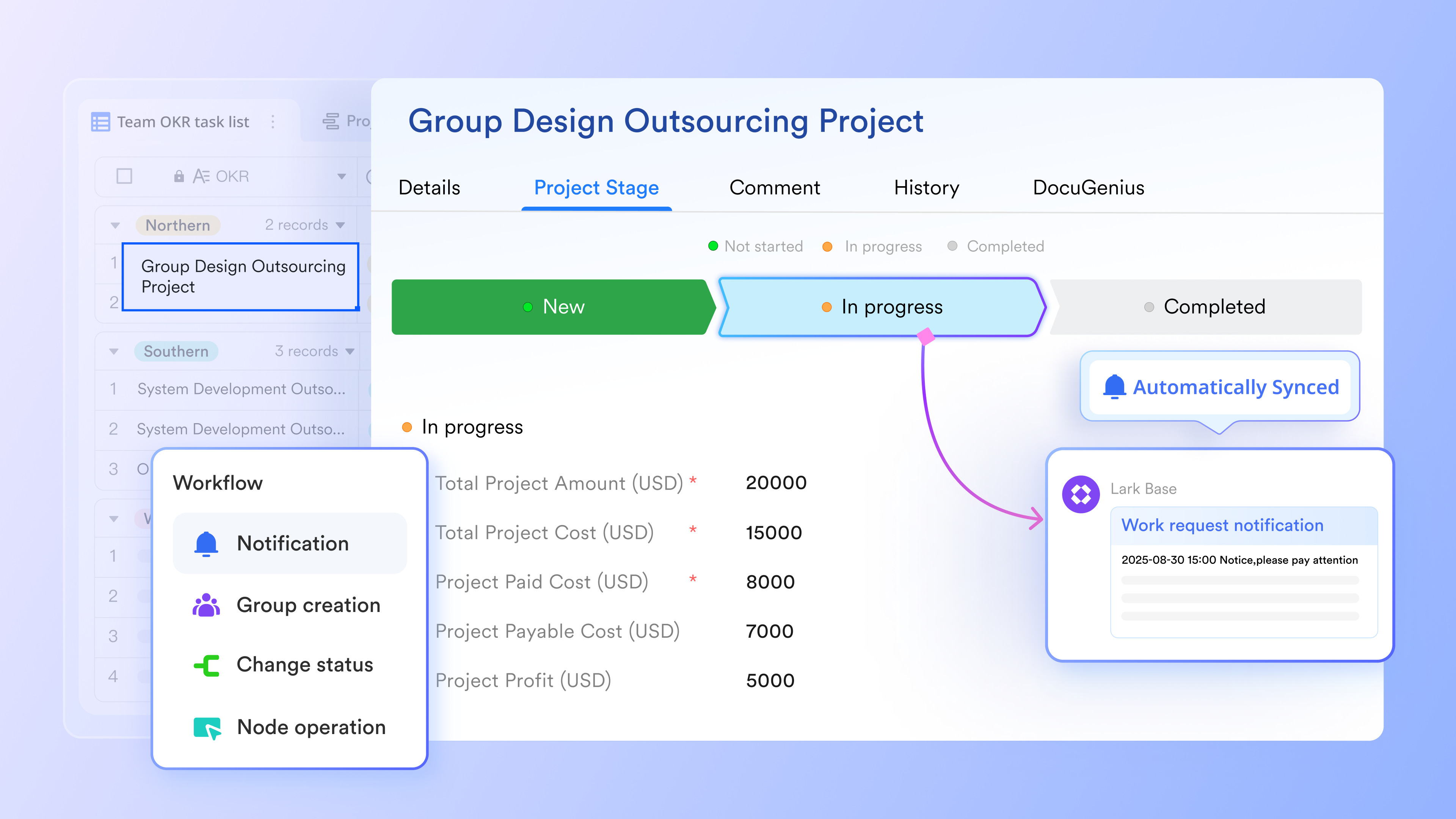
functions as a streamlined system for managing official sign-offs and process transitions. By setting up automations within the database, a project status change or a budget increase request can automatically trigger a formal approval flow. This function removes the manual effort of chasing stakeholders, as the platform handles the routing, notifications, and logging of every decision within the unified workspace.
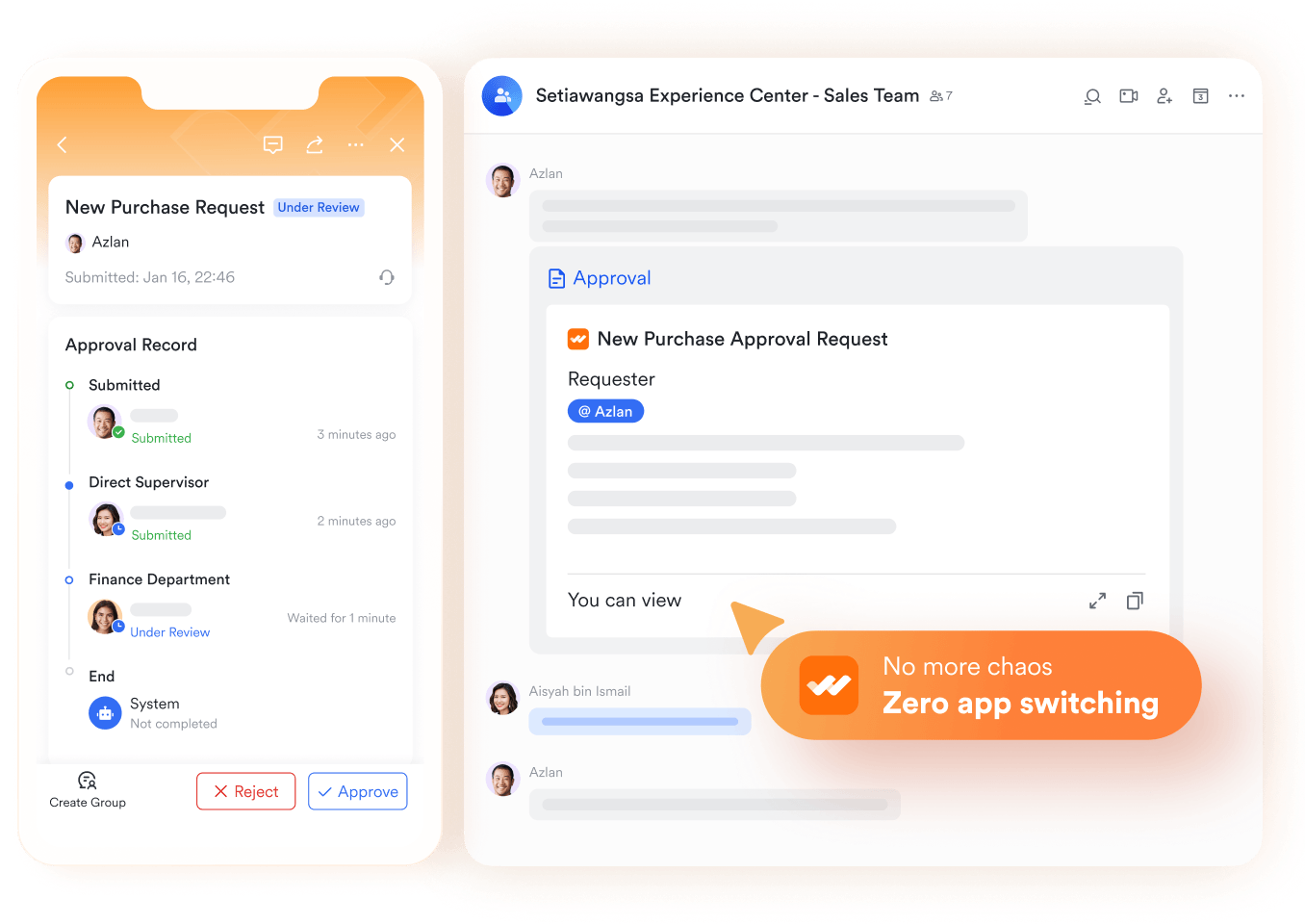
Pros:
- Unified ecosystem: Messenger, Docs, Calendar, Tasks, and Base work seamlessly together without third-party add-ons.
- Actionable communication: Chat-to-action capabilities convert conversations into meetings, approvals, and tasks instantly.
- Strategic OKR alignment: Built-in goal tracking ensures that every daily task rolls up to top-level corporate objectives.
- Built-in workflow visibility: Tasks sync with project views, creating transparent workload tracking across teams.
Cons:
- Because the platform offers such a comprehensive suite of portfolio management features, new teams might experience a slight learning curve during initial setup. However, the interface is highly user-friendly, and the Lark Help Center provides extensive structured guidance and templates to ensure rapid onboarding.
:
- Starter plan: Free forever plan that includes 11 powerful tools for up to 20 users. It also comes with 100GB of storage, 1000 automation runs, AI translations, and more.
- Basic plan: $6/user/month (billed annually) for up to 500 users. It includes everything in Starter plus group calling for up to 500 attendees, 5TB of storage, 1000 automation runs, and more. For more details, please .
- Pro plan: $12/user/month (billed annually) for up to 500 users. It includes everything in Basic plus group calling for up to 500 attendees, 15TB of storage, 50,000 automation runs, and more.
- Enterprise plan: for custom pricing. Supports unlimited users and includes even more automation runs and advanced security, compliance, and management features.
For small teams with simple communication needs

18 months message history
1000 Base automation runs/month
2000 rows per table in Base
Most POPULAR
For companies with comprehensive collaboration and management needs
Unlimited message history
500-participant video meetings
50k Base automation runs/month
20k rows per table in Base
For large companies with advanced security and organizational management needs
Get a personalized demo and pricing
Unlimited message history
500-participant video meetings
15 TB storage + 30 GB storage/user
500k Base automation runs/month
50k Base automation runs/month
Most POPULAR
For companies with comprehensive collaboration and management needs
Unlimited message history
500-participant video meetings
50k Base automation runs/month
20k rows per table in Base
2. Triskell Software: Enterprise SPM and capacity planning
Triskell Software is an enterprise-grade platform designed to bridge the gap between business strategy and execution. It provides robust capabilities for strategic portfolio management (SPM), allowing large organizations to align their investments, resources, and project delivery with overarching corporate goals. The tool is highly configurable, making it a strong choice for mature Project Management Offices (PMOs) that require strict governance and detailed capacity planning across multiple departments.
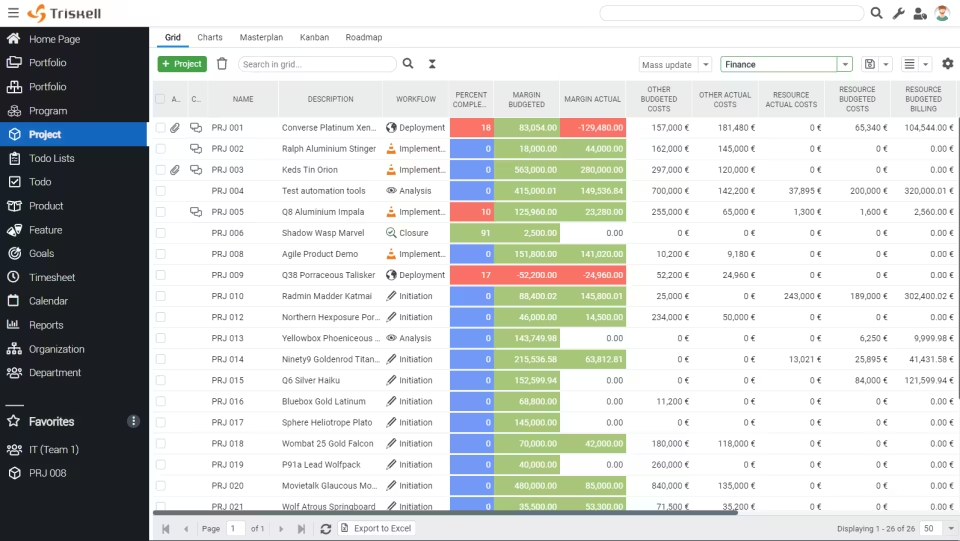
Image source: triskellsoftware.com
Key features:
- What-if scenario analysis: Test different portfolio configurations and resource allocations before committing to a strategic plan.
- Advanced capacity planning: Track human and financial resources across complex, global business units.
- Strategic scoring: Objectively rank incoming project requests based on their projected business value.
Pros:
- Highly flexible configuration for complex enterprise governance
- Strong focus on strategic alignment and objective scoring
- Comprehensive financial tracking at the portfolio level
Cons:
- Can feel too rigid for fast-moving agile execution teams
- Implementation requires dedicated time and administrative resources
- Lacks native, real-time communication features
Pricing:
- Contact sales for custom pricing
3. Celoxis: Unified project and financial control
Celoxis is a comprehensive project and portfolio management solution that excels in combining task execution with deep financial tracking. It is designed to give managers a clear view of both project timelines and the underlying profitability of each initiative. This makes it particularly effective for professional services organizations and agencies that need to manage client portfolios, track billable hours accurately, and forecast revenue margins within a single dashboard.
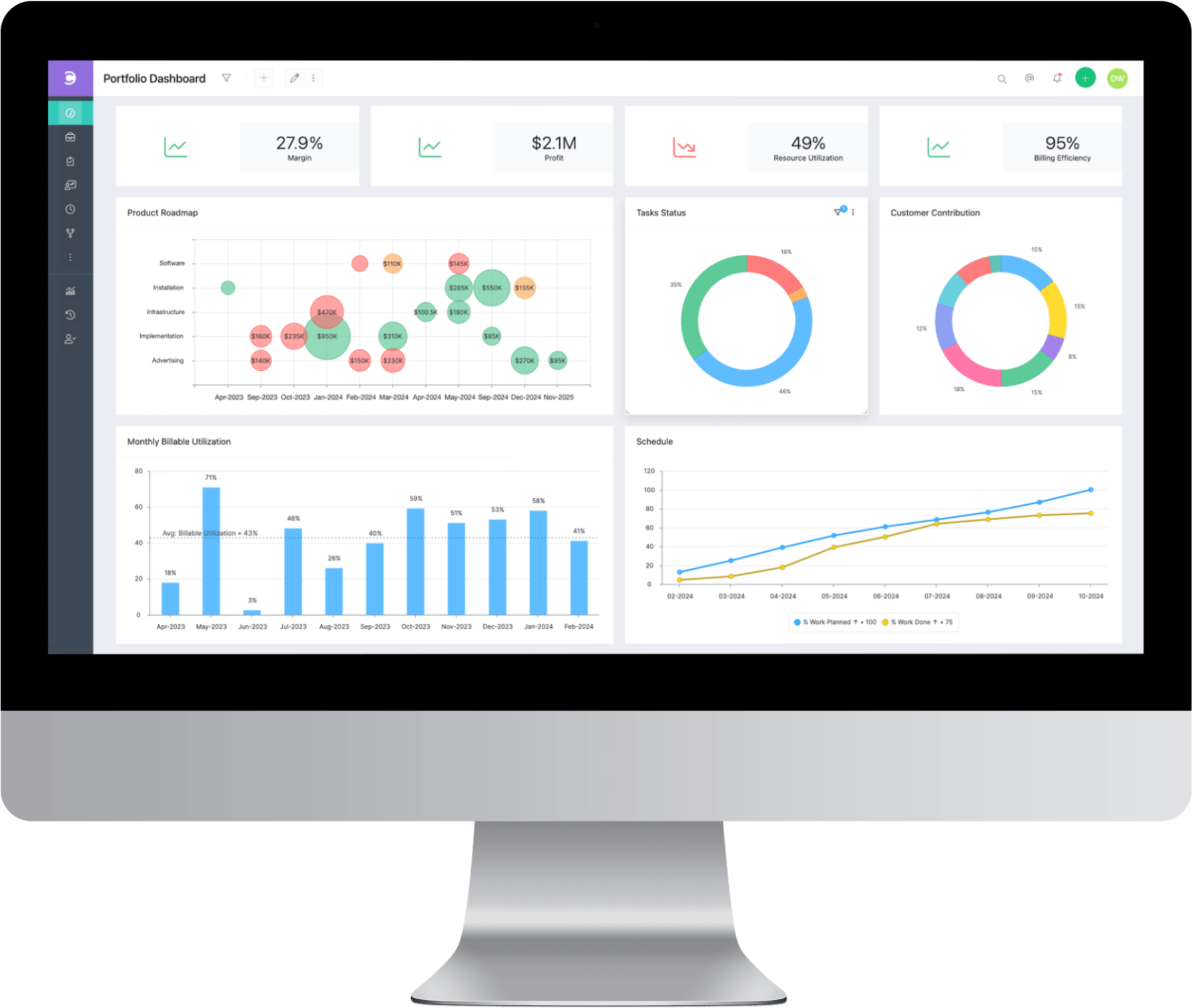
Image source: celoxis.com
Key features:
- Dynamic project tracking: Automated scheduling, resource leveling, and interactive Gantt charts.
- Profitability tracking: Built-in margin forecasting, budget tracking, and revenue calculation.
- Customizable client portals: Allow external stakeholders to view project progress securely.
Pros:
- Excellent reporting dashboards for financial and operational oversight
- Strong resource allocation and workload balancing tools
- Accessible client portal for external collaboration
Cons:
- The user interface can feel slightly dated compared to modern alternatives
- Mobile application lacks the full functionality of the desktop version
- Steep learning curve for custom report building
Pricing:
- Cloud plan: $25/user/month (billed annually)
- On-premise: Contact sales for custom pricing
4. Businessmap: Kanban-focused agile portfolio management
Businessmap (formerly Kanbanize) is a powerful portfolio management tool that applies agile methodologies to enterprise-scale operations. It focuses heavily on visualization, allowing managers to link high-level strategic initiatives to team-level execution using interconnected Kanban boards. This platform is ideal for engineering, software development, and product teams that need to track cross-team dependencies and optimize the flow of value through their organization without relying on traditional waterfall timelines.
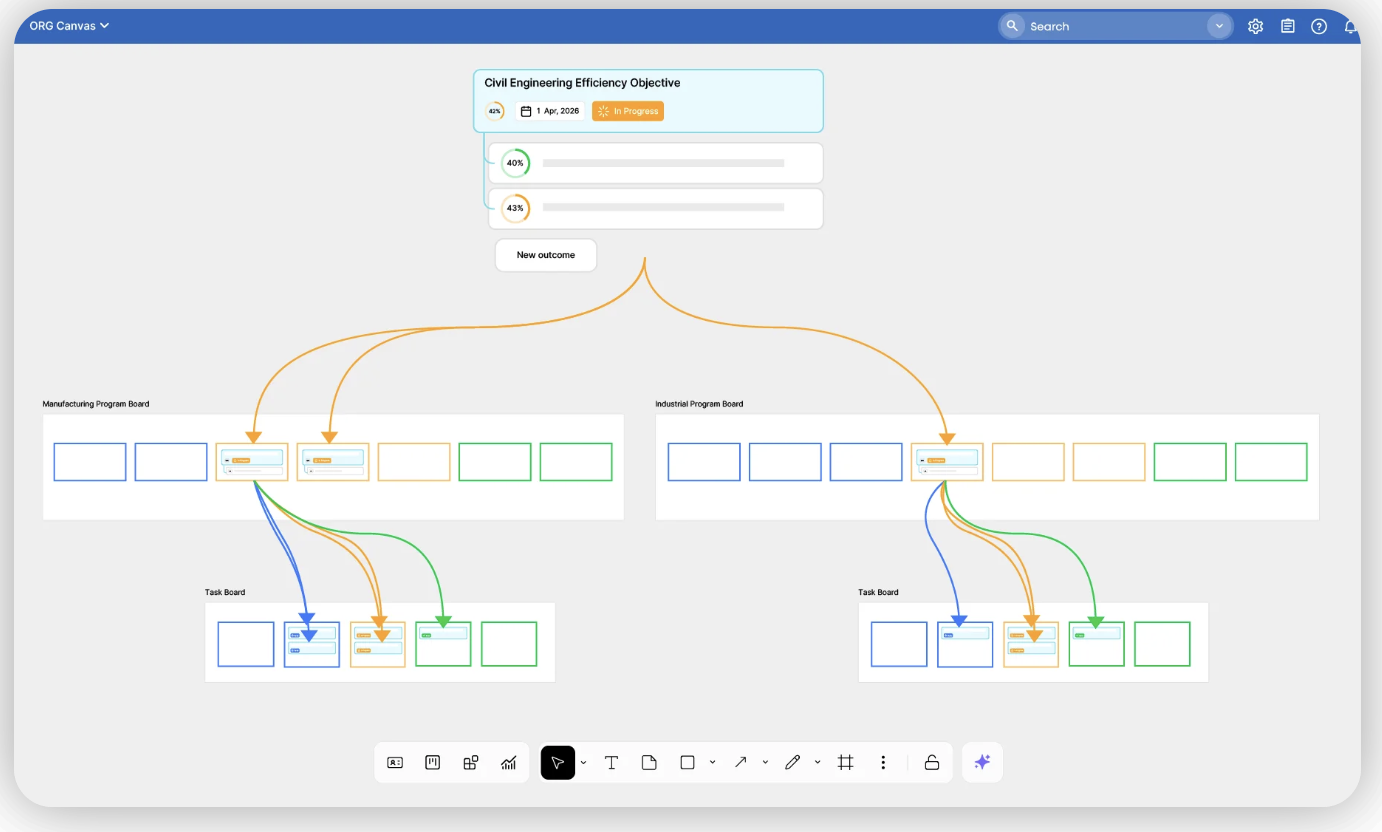
Image source: businessmap.io
Key features:
- Management boards: Visualize cross-team dependencies and strategic initiatives on macro-level Kanban boards.
- Flow analytics: Track cycle times, throughput, and work-in-progress (WIP) limits to identify bottlenecks.
- Automated business rules: Trigger actions and update card statuses based on predefined conditions.
Pros:
- Exceptional visibility into engineering and software development portfolios
- Strong focus on identifying and resolving delivery bottlenecks
- Highly customizable board structures
Cons:
- Less suited for strict financial asset tracking or traditional waterfall projects
- Complex pricing structure based on user tiers
- Requires a strong understanding of agile methodologies to maximize value
Pricing:
- Standard plan: Starts at $149/month for 15 users (billed annually)
- Enterprise plan: Contact sales for custom pricing
5. Wrike: Custom workflows and versatile project management
Wrike is a versatile work management platform that adapts well to various team structures, from marketing agencies to IT departments. It allows organizations to manage multiple client or internal portfolios through highly customizable workflows. Wrike excels at standardizing how work is requested, assigned, and tracked, providing managers with clear visibility into resource workloads and project statuses across the entire enterprise.
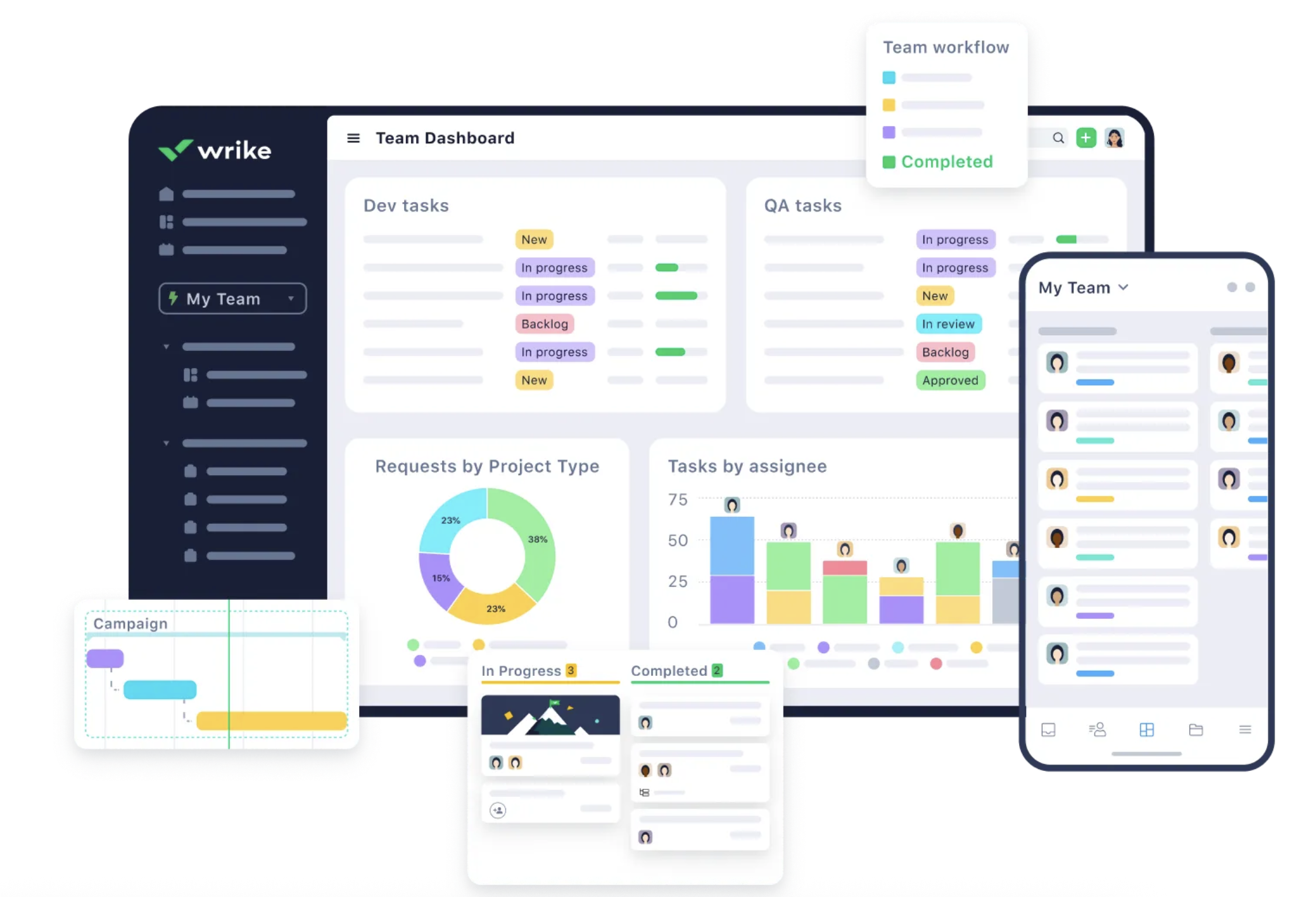
Image source: wrike.com
Key features:
- Custom request forms: Standardize how new projects enter the portfolio pipeline with conditional logic.
- Cross-tagging: Tasks can live in multiple project folders simultaneously without duplicating data.
- Workload views: Visualize team capacity to prevent burnout and reallocate resources easily.
Pros:
- Highly customizable workflows and project statuses
- Excellent collaboration features for creative and marketing teams
- Strong time tracking and resource management capabilities
Cons:
- Pricing tiers can become expensive as you add necessary enterprise features
- Interface can become cluttered when managing highly complex portfolios
- Reporting tools require time to master
Pricing:
- Team: $9.80/user/month (billed annually)
- Business: $24.80/user/month (billed annually)
- Enterprise: Contact sales for custom pricing
6. Smartsheet: Spreadsheet-like flexible tracking
Smartsheet offers a familiar, grid-based interface that appeals to teams transitioning away from traditional Excel tracking. However, it layers powerful project management, automation, and portfolio reporting capabilities on top of that grid. It is widely used by operations and PMO teams to build flexible tracking systems, automate project provisioning, and roll up data from multiple operational sheets into high-level executive dashboards.
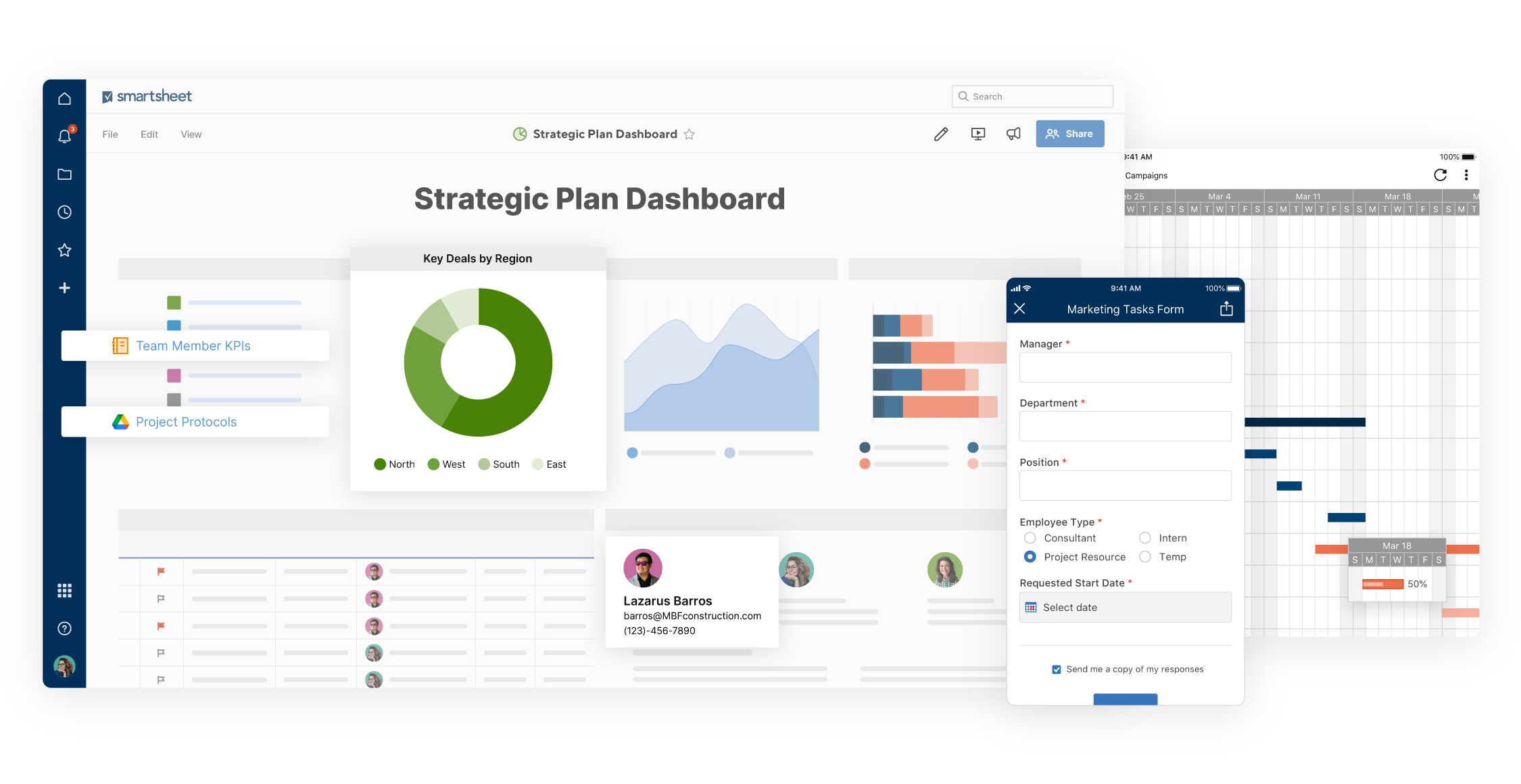
Image source: smartsheet.com
Key features:
- Flexible views: Switch easily between grid, Gantt, card, and calendar views depending on user preference.
- Control Center: Automate project provisioning and portfolio reporting at an enterprise scale.
- Automated workflows: Set up alerts, reminders, and status updates based on cell changes.
Pros:
- Familiar interface ensures quick adoption for spreadsheet power users
- Strong automation and integration ecosystem
- Excellent capabilities for rolling up data into executive dashboards
Cons:
- Building complex relational databases is clunky compared to purpose-built relational tools
- Can become slow when handling massive datasets
- Premium add-ons (like Control Center) are required for true portfolio management
Pricing:
- Free: $0 (for 1 user and up to 2 editors)
- Pro: $7/user/month (billed annually)
- Business: $25/user/month (billed annually)
- Enterprise: Contact sales for custom pricing
7. Planview: Large-scale enterprise capacity planning
Planview is a heavyweight portfolio and work management solution aimed at global enterprises. It is designed to connect top-down executive strategy with varied delivery methodologies across the organization. Whether a company uses agile, traditional, or hybrid approaches, Planview provides the visibility needed to manage massive budgets, complex value streams, and global resource capacity.
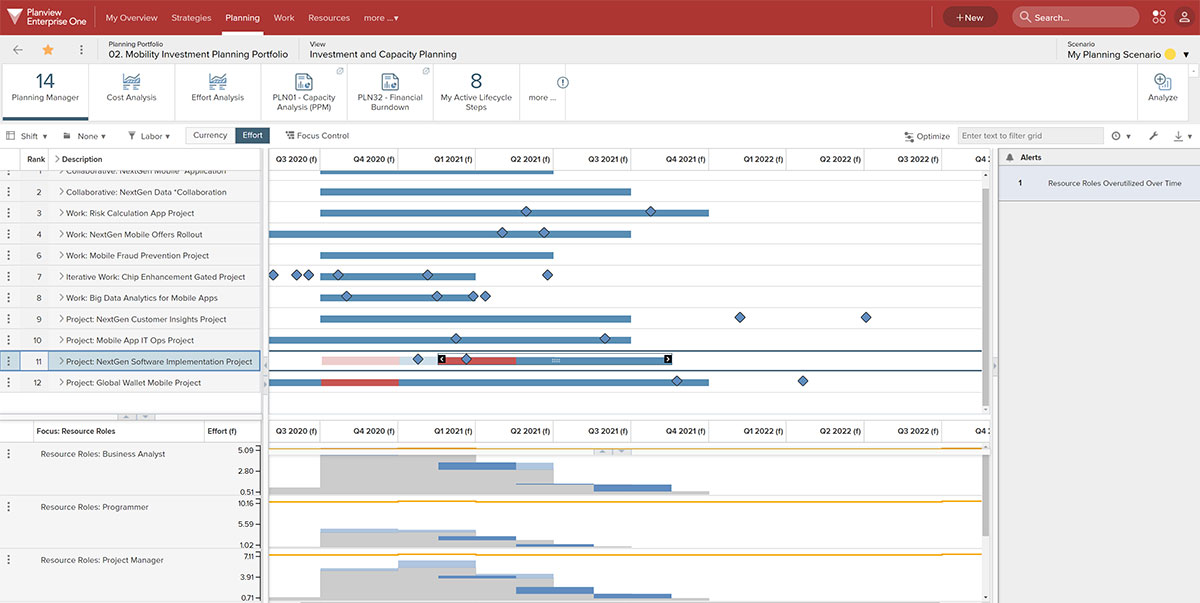
Image source: planview.com
Key features:
- Value stream management: Track the flow of value from initial concept to final delivery.
- Enterprise agile planning: Native support for frameworks like the Scaled Agile Framework (SAFe).
- Strategic financial planning: Connect corporate funding directly to portfolio execution.
Pros:
- Incredibly robust feature set capable of handling massive organizational complexity
- Handles complex funding, budgeting, and forecasting models
- Supports multiple work delivery methodologies simultaneously
Cons:
- Implementation is often a lengthy process requiring dedicated external consultants
- High total cost of ownership
- Overwhelming interface for standard end-users
Pricing:
- Contact sales for custom pricing
8. NH360: Financial transparency and governance
NH360 is tailored for enterprise PMOs that require rigorous financial governance, strategic roadmap visualization, and strict compliance tracking. It focuses heavily on the initial stages of portfolio management—evaluating, scoring, and selecting the right projects before execution begins. It provides deep transparency into how capital is allocated across different business units.
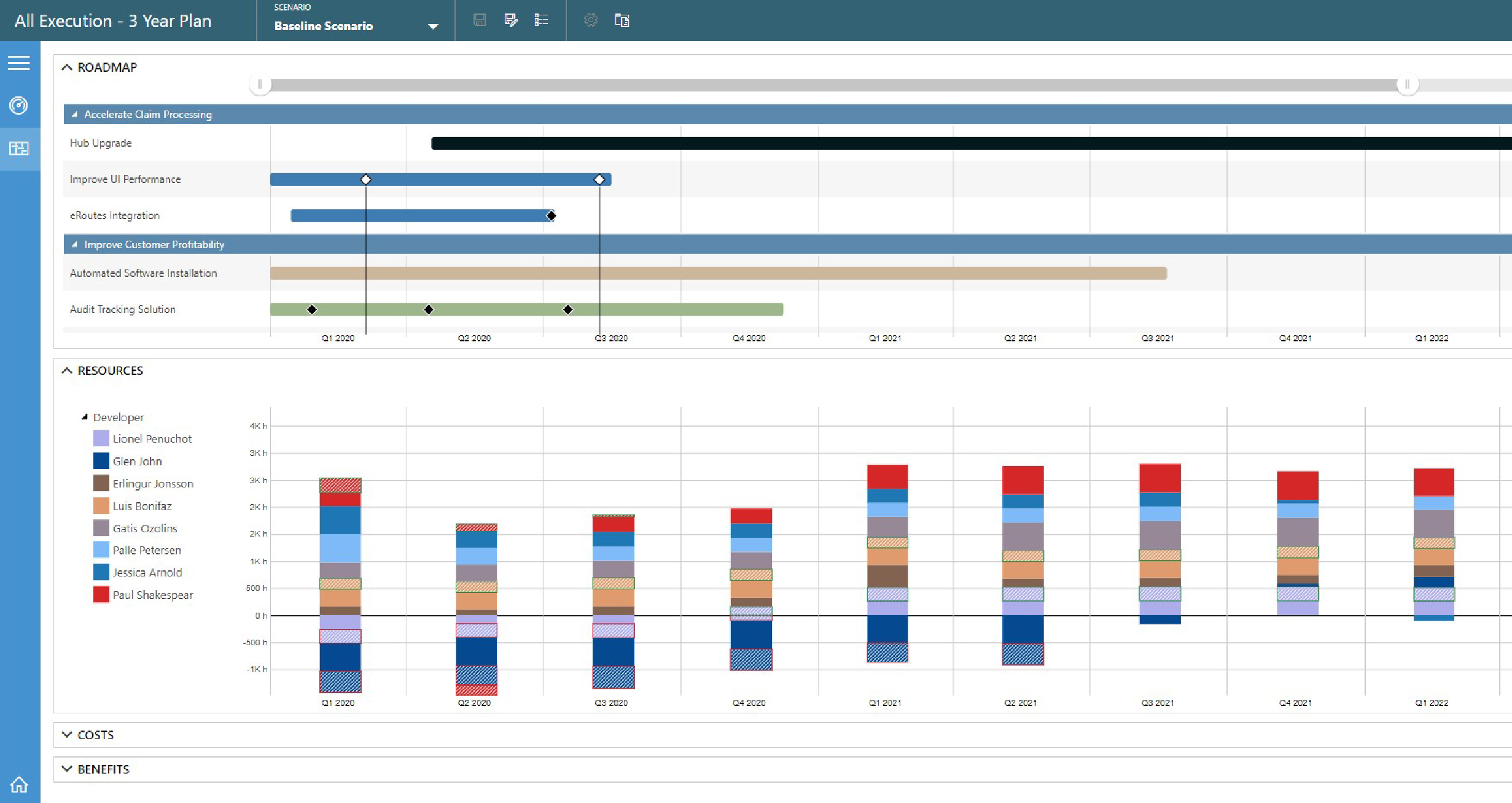
Image source: nh360.com
Key features:
- Investment prioritization: Tools to objectively score, rank, and select proposed projects based on ROI.
- Resource demand planning: Predict future hiring and capacity needs based on the long-term strategic roadmap.
- Financial modeling: Detailed capital and operational expenditure tracking.
Pros:
- Excellent for organizations requiring strict compliance and financial tracking
- Clear visualization of product and project roadmaps
- Strong objective scoring frameworks for project intake
Cons:
- Lacks native, robust daily task execution and team collaboration features
- Primarily focused on top-down management rather than bottom-up agility
- Steep learning curve for administrators
Pricing:
- Contact sales for custom pricing
9. Sciforma: Hybrid portfolio management
Sciforma is designed to accommodate organizations that are in transition or that naturally operate using multiple methodologies. It allows both traditional waterfall projects and agile development sprints to coexist within the same portfolio structure. This hybrid approach gives executives a unified view of organizational health, regardless of how individual departments choose to execute their work.
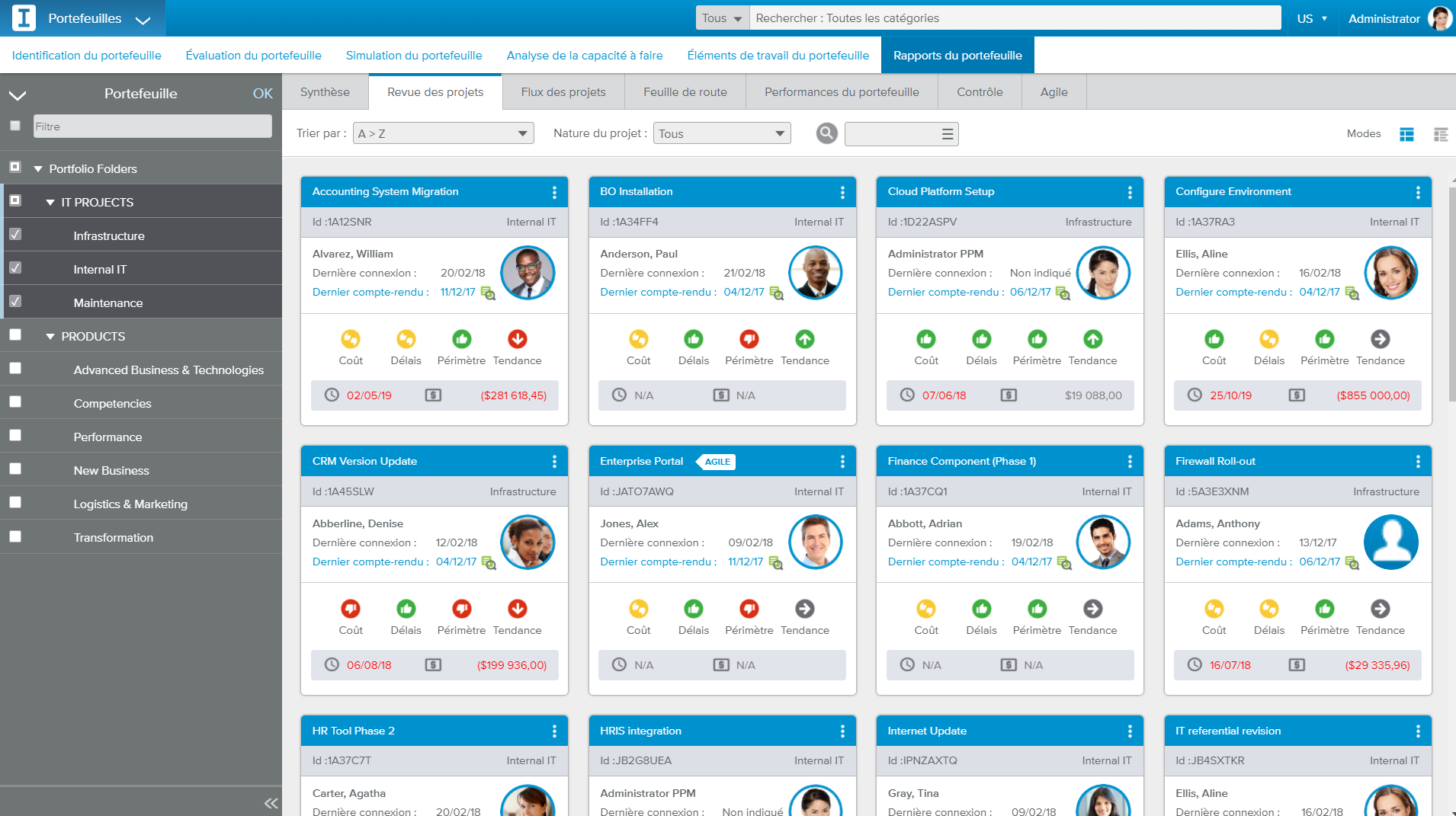
Image source: sciforma.com
Key features:
- Hybrid execution tracking: Manage detailed Gantt charts right alongside agile Kanban boards.
- Project health scoring: Automated indicators evaluate project health based on schedule, budget, and resources.
- Resource simulation: Model how shifting resources will impact the delivery dates of active projects.
Pros:
- Highly adaptable to different departmental work styles and methodologies
- Strong resource simulation and capacity planning capabilities
- Comprehensive financial tracking and budgeting tools
Cons:
- The user interface is dense and can feel unintuitive for casual users
- Requires significant training and onboarding
- Customization can be complex without IT support
Pricing:
- Contact sales for custom pricing
10. Jira Align: Connecting enterprise strategy to agile execution
Jira Align is Atlassian's enterprise agile planning platform. It sits on top of Jira Software, taking the massive amount of issue-tracking data generated by engineering teams and rolling it up into a strategic portfolio view for executives. It is specifically built to support large-scale agile frameworks and ensure that daily development work aligns with the company's high-level strategic themes.
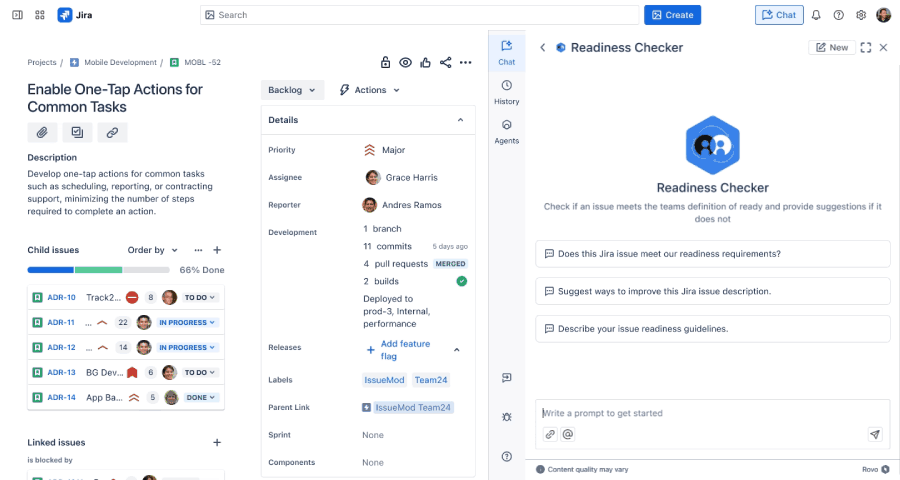
Image source: jira.com
Key features:
- Program increments: Plan, track, and manage work across multiple agile release trains.
- Dependency visualization: See exactly how team-level blockers impact strategic business goals.
- Value engineering: Track the actual value delivered versus the initial strategic estimates.
Pros:
- The undisputed best choice if your organization already relies heavily on Jira
- Perfect alignment with the Scaled Agile Framework (SAFe)
- Incredible visibility into deep engineering dependencies
Cons:
- Extremely complex setup that requires a high level of agile maturity
- Highly dependent on the Atlassian ecosystem to function effectively
- High price point for enterprise deployment
Pricing:
- Contact sales for custom pricing
11. Planisware: Comprehensive PPM for product development
Planisware is a specialized portfolio management tool widely used in life sciences, engineering, and automotive industries. It is built to manage complex, long-term research and development (R&D) portfolios. It excels in environments that require strict stage-gate processes, detailed cost engineering, and rigorous regulatory compliance throughout the product development lifecycle.
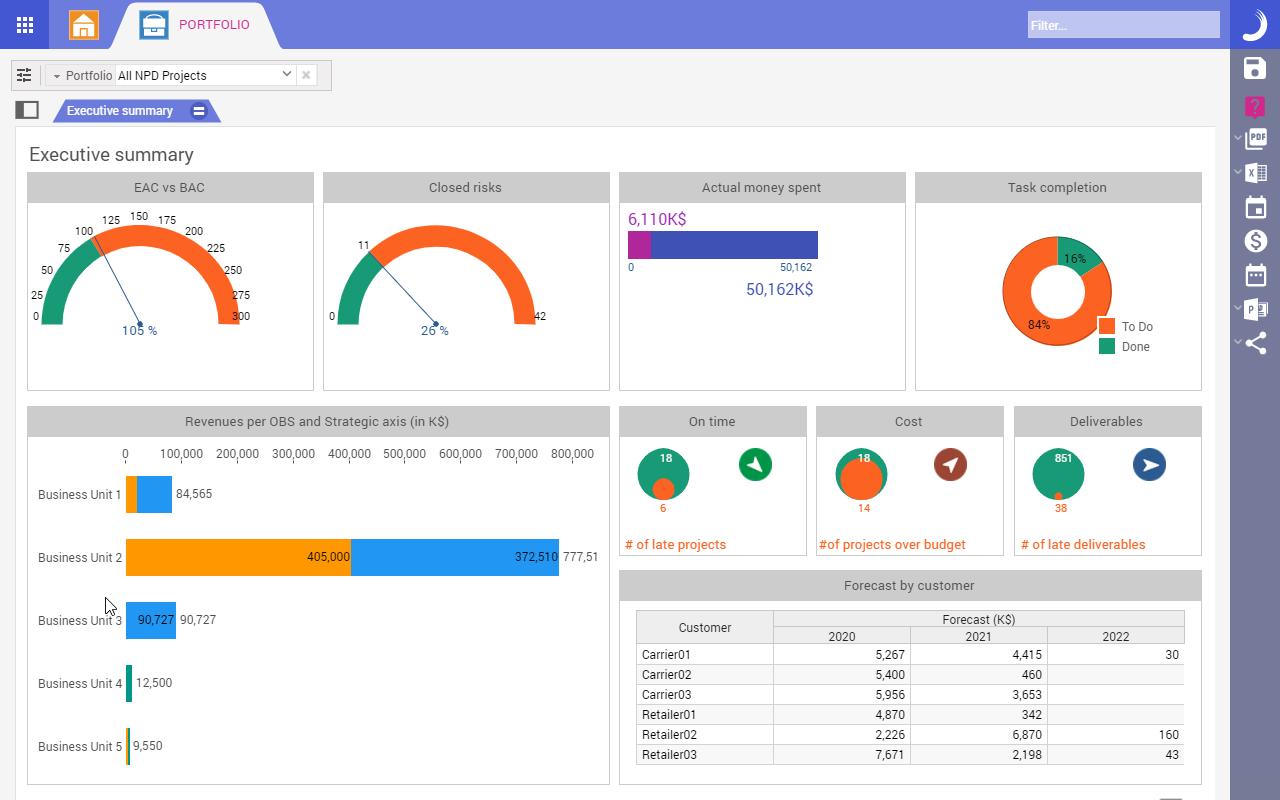
Image source: planisware.com
Key features:
- Stage-gate processes: Enforce strict governance and management review cycles for physical product development.
- Cost engineering: Detailed cost breakdown structures and long-term financial forecasting.
- Roadmapping: Align product launch timelines with technology development schedules.
Pros:
- Industry-leading capabilities for R&D and physical product development portfolios
- Deep financial integration and cost tracking
- Strong governance and compliance frameworks
Cons:
- Overkill for simple IT, marketing, or software portfolios
- Implementation is a major enterprise undertaking
- Interface is geared toward highly technical project managers
Pricing:
- Contact sales for custom pricing
12. Quicken Premier: Financial and asset portfolio tracking
Shifting focus from project portfolios to investment portfolios, Quicken Premier is an excellent desktop-based tool for tracking personal or small business financial assets. It allows users to consolidate their bank accounts, investment portfolios, and retirement funds into a single dashboard, providing a clear picture of overall net worth and market performance.
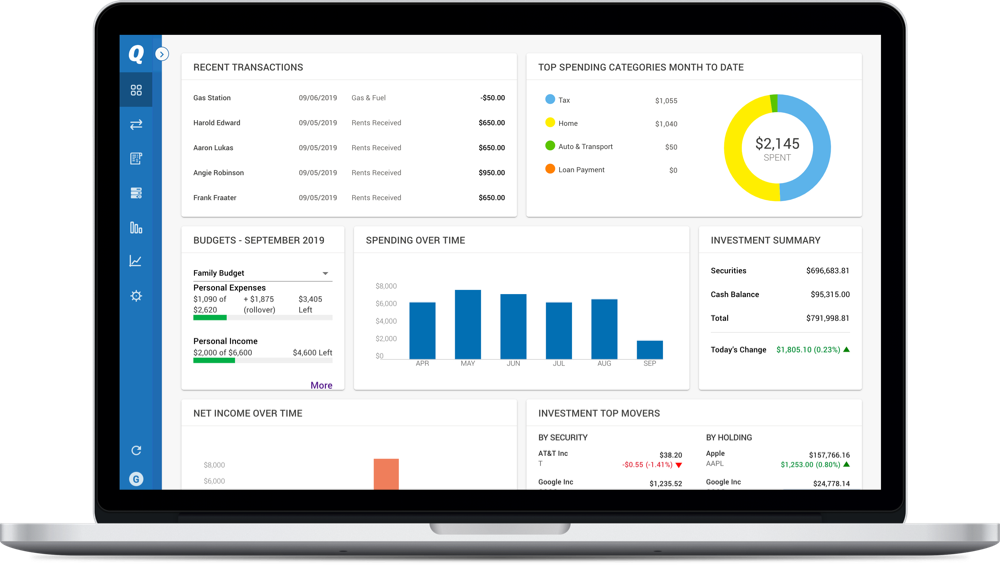
Image source: quicken.com
Key features:
- Market comparison: Compare your portfolio's performance against major market benchmarks.
- Tax planning tools: Built-in calculators to optimize capital gains and minimize tax liabilities.
- Holistic financial tracking: Tracks daily spending alongside long-term investments.
Pros:
- Robust tracking of stocks, bonds, mutual funds, and cash accounts
- Excellent historical data analysis and reporting
- Strong tax preparation capabilities
Cons:
- Not suitable for managing operational project tasks or human resources
- Primarily a desktop application, with a less robust web interface
- Customer support can sometimes be slow
Pricing:
- $5.99/month (billed annually)
13. Sharesight: Best for DIY investment portfolio tracking
Sharesight is a cloud-based investment tracker loved by self-directed investors and financial professionals for its accurate performance tracking. It automatically accounts for the impact of capital gains, dividends, and currency fluctuations, providing a highly accurate picture of annualized returns across global markets.
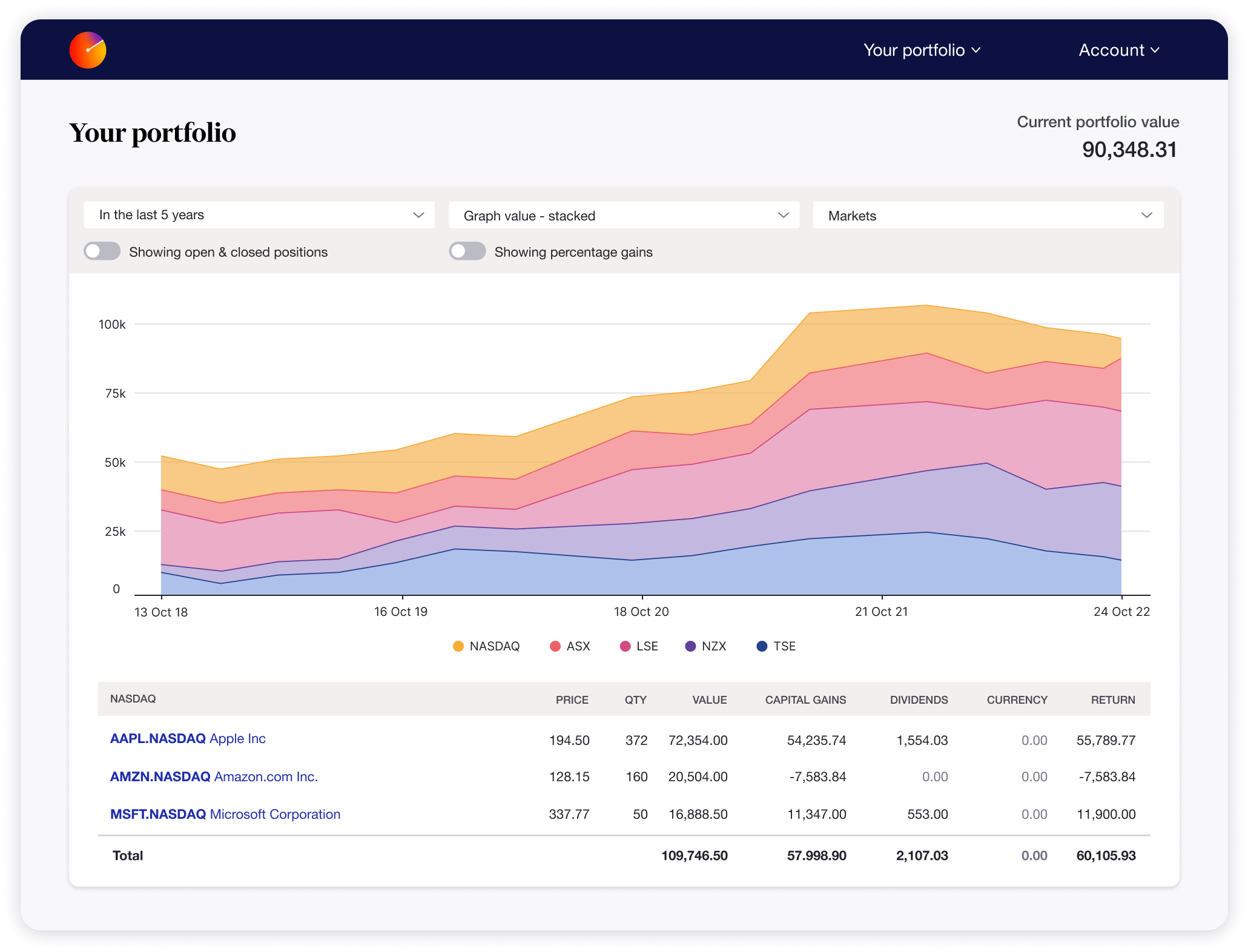
Image source: sharesight.com
Key features:
- Automated dividend tracking: Automatically calculates reinvested dividends, stock splits, and distributions.
- Comprehensive tax reporting: Generates detailed reports ready for tax filing.
- Multi-currency valuation: Tracks foreign investments accurately using live exchange rates.
Pros:
- Incredibly accurate annualized return calculations
- Supports multiple global stock exchanges and brokers
- Saves hours of manual spreadsheet tracking for dividends
Cons:
- Lacks deep fundamental research tools compared to institutional platforms
- No integrated trading capabilities
- Free tier is heavily restricted in the number of holdings
Pricing:
- Free: $0 (up to 10 holdings)
- Starter: $15/month (billed annually)
- Standard: $24/month (billed annually)
- Pro: $31/month (billed annually)
14. Ziggma: Budget-friendly investment portfolio optimization
Ziggma provides institutional-grade portfolio analytics at a price point accessible to retail investors and small financial advisories. It focuses on helping users optimize their portfolios through smart alerts, risk assessment scoring, and intuitive dashboards that highlight the fundamental health of their holdings.
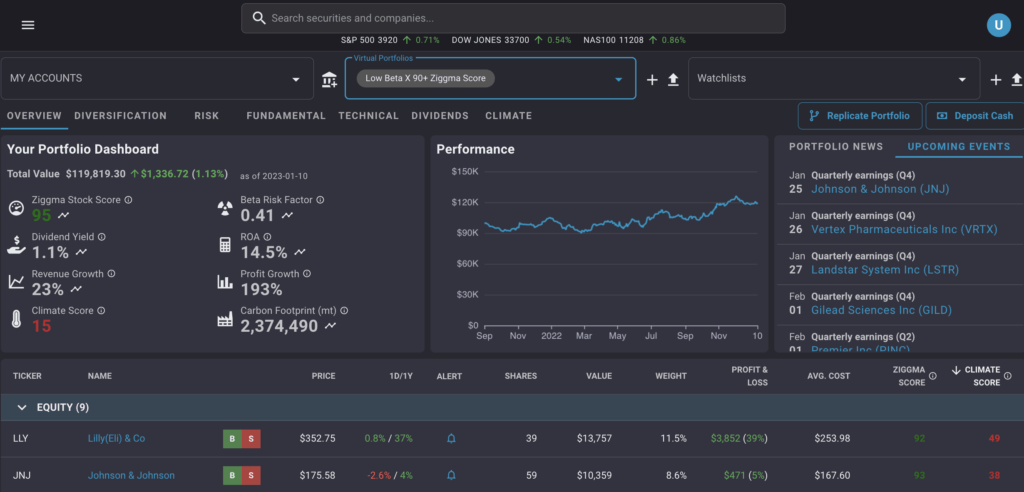
Image source: ziggma.com
Key features:
- Portfolio simulator: Test how a potential trade will impact your overall risk profile and yield before executing it.
- Smart alerts: Receive notifications for target prices or significant fundamental changes in your holdings.
- Proprietary stock scoring: Quickly evaluate companies based on growth, profitability, and valuation metrics.
Pros:
- Intuitive interface makes complex financial data easy to understand
- Excellent stock scoring system for quick research
- Helpful simulation tools for risk management
Cons:
- Relatively new to the market with a smaller user base than legacy financial tools
- Lacks support for highly obscure global exchanges
- Primarily focused on US equities
Pricing:
- Premium: $9.90/month (billed annually)
15. Morningstar Investor: Deep investment research and analysis
Morningstar Investor pairs portfolio tracking with world-class independent investment research. It is designed for investors who want to dig deep into the fundamentals of mutual funds, ETFs, and equities. The platform provides access to Morningstar's proprietary analyst ratings and deep dives into the composition of funds to expose hidden portfolio risks.
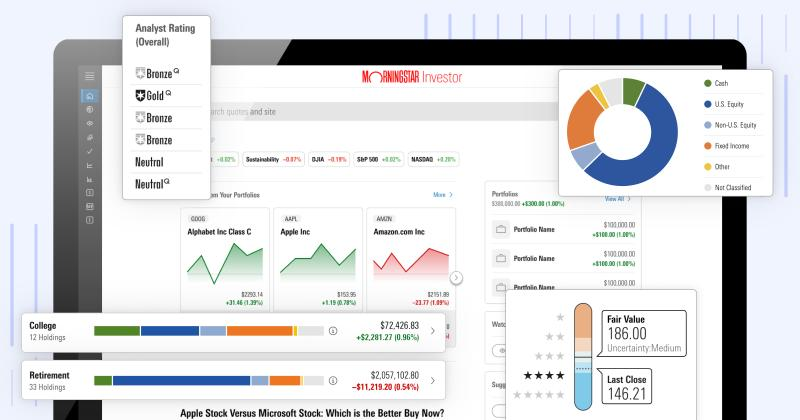
Image source: morningstar.com
Key features:
- Portfolio X-Ray: Analyzes your asset allocation to expose hidden risks or overlapping holdings across different mutual funds.
- Analyst reports: Access to Morningstar's proprietary ratings and in-depth equity research.
- Stock and fund screeners: Filter thousands of assets based on strict fundamental criteria.
Pros:
- The undisputed gold standard for mutual fund and ETF data
- In-depth risk analysis uncovers overlap in complex portfolios
- Highly trusted, independent analyst commentary
Cons:
- Focuses heavily on funds and long-term holds rather than rapid individual stock trading
- The interface can be overwhelming due to the sheer volume of data
- Higher price point for individual retail investors
Pricing:
- 34.95/month or 249/year (billed annually)
Specific workflow: How to manage a portfolio using a unified platform
To understand the practical difference between a static PPM tool and a unified workspace, consider the scenario of managing a new enterprise software rollout. In a traditional setup, the PMO receives an email request, logs it in a specialized PPM tool, calculates the budget in Excel, and messages the IT lead in a separate chat app. Data is immediately fragmented.
Here is how you execute this workflow efficiently using a unified platform:
Standardize the intake process: Instead of emails, the requesting department fills out a custom form built in your workspace's database tool. This form captures the projected budget, required timeline, and strategic justification.
Automate governance: Once submitted, the data triggers an automated approval flow. The PMO director and Finance lead receive a notification directly in their unified chat client. They can review the data and click "Approve" without ever opening a separate application.
Align to strategy: Upon approval, the system automatically generates a project charter document. Within this document, the project is explicitly linked to the company's Q3 OKRs, ensuring total visibility for the executive team and reinforcing structured supported by dedicated and practical .
Execute and track: The engineering team breaks the project into actionable tasks within the same database. Because the task tracker, the project charter, and the team chat exist in the same ecosystem, any delay noted in the engineering chat can automatically flag a risk warning on the PMO's master and underlying .
Learn to manage a portfolio using Lark
Conclusion
Effective software portfolio management software acts as the nervous system for your enterprise, connecting the brain of executive strategy with the muscle of daily execution. When evaluating your options for 2026, resist the urge to buy complex tools that only add administrative overhead and instead compare purpose-built that align strategy with execution. Focus on platforms that reduce friction, optimize resource allocation, and most importantly, keep your teams communicating in context. By choosing a unified workspace that handles both the high-level OKRs and the ground-level collaboration, you ensure your portfolio actually delivers measurable business value. Experience seamless collaboration and streamlined project management with —empower your team to achieve more together. Choose Lark today and transform how your organization works.
Bring structure and visibility to software portfolio management
FAQs
What is the difference between project management and portfolio management software?
Project management software focuses on executing individual projects correctly (managing tasks, deadlines, and direct team members). Portfolio management software provides a macro view, helping organizations decide which projects to execute based on strategic goals, available budgets, and enterprise resource capacity.
Who should use project portfolio management software?
PPM software is designed for Project Management Office (PMO) directors, enterprise executives, resource managers, and department heads who need to oversee multiple overlapping initiatives, balance large budgets, and align daily work with corporate strategy.
How does portfolio management software improve resource allocation?
It centralizes capacity data across the entire organization. Instead of guessing if a department is overworked, managers can view real-time utilization dashboards, allowing them to shift personnel from low-priority tasks to critical path projects before bottlenecks occur.
Is investment portfolio management software different from PPM?
Yes. Investment portfolio management software tracks financial assets like stocks, bonds, and mutual funds to optimize personal or corporate wealth. Project Portfolio Management (PPM) tracks operational initiatives, human resources, and project budgets within a company.
How do OKRs integrate with portfolio management?
OKRs (Objectives and Key Results) provide the strategic framework for portfolio management. Modern portfolio software allows managers to link specific projects and tasks directly to corporate OKRs, ensuring that every hour billed and dollar spent actively contributes to a defined business goal.
Related reading




















![What Is a 2-2-3 Work Schedule? Explanation and More [2026]](https://framerusercontent.com/images/uKHRfkp4v7y4azRNTYUmuteNQz8.png)








