














Comparing 10 Obsidian Alternatives That Would Better Fulfill Your Note-taking Needs in 2026

Chloe Wang
Content Manager
Sep 18, 2026
Chloe Wang
Sep 18, 2026

14 min read


The world is built on note-taking. Whether for personal or business use, taking notes is one of the secrets behind growth. It’s how we collect and ruminate on our thoughts, make plans, and create meaningful work.
Using a good note-taking application to stay productive long-term is more important than ever. Obsidian is one of many note-taking tools of the last few years that have made an impact by functioning like a second brain. However, it’s not the only tool on the market and may not be right for many users.
In this article, we’ll be looking at Obsidian alternatives that offer a different style of note-taking. We’ll look at all-in-one solutions and on-the-go note-taking apps capable of replacing Obsidian.
What is Obsidian?
Obsidian is a note-taking app with a strong stance on privacy and security. It formats notes using Markdown, a popular lightweight markup language. Where many note-taking apps store notes on the cloud, Obsidian stores notes locally on your device. This local-first approach is appealing to users who prioritize security. Obsidian can do this for those needing to sync notes across devices, but it costs extra.
With Obsidian, users create and manage interconnected knowledge bases where interlinking notes form a network of related information. Users can see connections between notes through a graph view, which offers a visual representation.
Community plugins enable the app to offer functionalities like task management and Kanban boards, making Obsidian a more capable tool despite its lightweight nature.

Why should you choose an app other than Obsidian for note-taking?
Obsidian may be good for the individual but lacks the firepower needed for collaboration and team use. Tools like Lark deliver features such as shared workspaces, real-time editing, syncing across devices, and commenting on notes.
Also, Obsidian's focus on local storage makes taking notes on the go and between devices difficult. Syncing is an expensive monthly add-on, usually provided as standard by other apps, often with generous free storage allowances.
Obsidian's deep customization and interlinking through Markdown can be overwhelming for beginners. To achieve the desired functionality with Obsidian, users have to install a range of community plugins to get out-of-the-box features similar to other tools.
Teams that want to improve their note-taking skills need to look for tools that solve more problems. An AI assistant can automatically transcribe meetings so everyone can focus on the task, or they can set up a meeting and share documents with everyone beforehand.
The 10 best Obsidian alternatives
Obsidian is only one of many note-taking apps, and we’ve collected the best of the best here for your consideration:
1. Lark: Best overall productivity superapp
Lark is an all-in-one workspace tool that replaces many tools to save you money on subscriptions. It features a powerful document and note-taking app capable of translating your words in real time. For global teams, Lark is a game-changer. A company with 50 employees can save as much as $19,800 annually if Lark replaces just three apps.
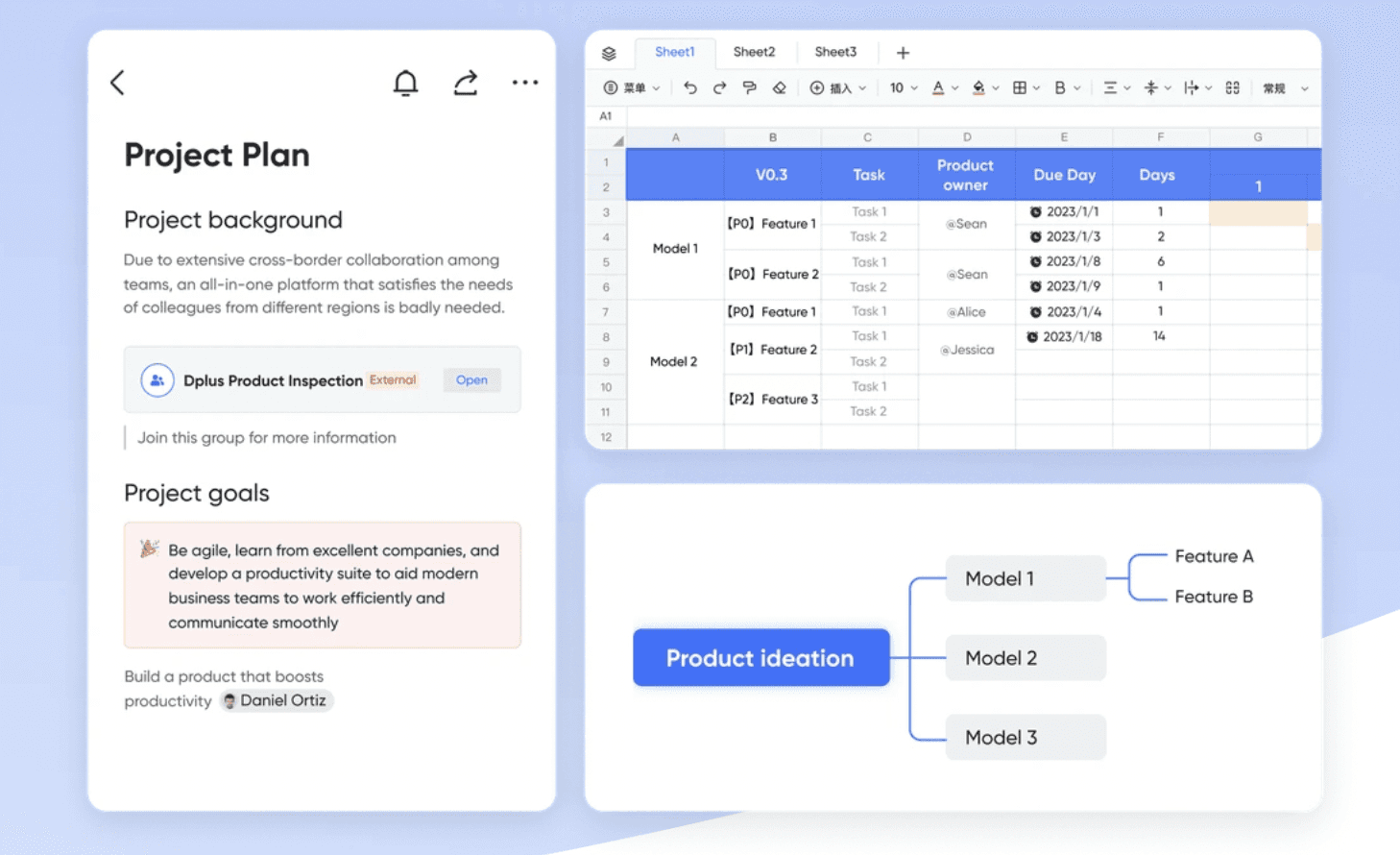
Lark makes life simpler for every person on the team. Take the pressure out of meetings using Minutes to turn on live transcription and save an interactive replay. Watch the video again while you work with built-in picture-in-picture so there’s no swapping between screens.
Go multimedia mad by adding everything from pictures and video to audio and databases. And with everything syncing across devices in real-time, it doesn’t matter if you’re in the office or on the train. Lark helps keep your note-taking a breeze.
Key features
- Syncs across devices in real-time
- Interactive documents to create polls, diagrams, and more
- Lark drive provides up to 10 TB of cloud storage
- Live transcription of video conferences
- Collaboration tools to share and co-edit documents
- Custom security permissions
- Create flowcharts and UML diagrams
- Access to a range of supplementary tools like chat, video, sheets, minutes
Pros
- True all-in-one solution
- Includes all apps in the price, replacing many tools in the tech stack
- Ease of collaboration tools
- Global teams benefit from automatic time-zone adjustments and live translation
- Lark’s mobile app includes the same features available on the desktop
- 100’s of templates to help you get up and running
Cons
- Feature-rich software that may not be necessary for individual users
- Wide-ranging customization features may be overwhelming for those who want to plug in and go
Pricing
- Free trial available includes seats for up to 50 users
- Paid plans start at $12 per user per month for up to 500 users
- Enterprise custom pricing
Integrations
- Asana
- GitHub
- GitLab
- Jira
- Dropbox
- Zoom
- DocuSign
Plus, Lark AnyCross empowers you to create your integrations without coding. Just drag and drop, and AnyCross will make it happen.
Lark vs. Obsidian
Team collaboration is what Lark is designed for. It includes built-in chat, video messaging, co-editing, transcription, and translation tools, all of which simplify working with a global team. Plus, Lark stores data in the cloud at no extra syncing charge. It even has a picture-in-picture mode, so you can simultaneously attend meetings while working on a document.
Customer reception
“I like how Lark integrates all the functions together and makes itself a one-stop-for-all collaboration tool.
Easy to use, covering most most of features needed at work. Especially Lark document, the templates are quite handy, easy to share and collaborate, I use it not only at work but also for my personal documents and other project.
UI is clean too. Also easy to install, all you need is installing Lark, even not if you just wanted to check Lark documents.”- Zixuan W on G2
2. Google Keep: Best free web-based note-taking app
If you’re looking for a simple note-taking tool you can access on all your devices, Google Keep hits the target. It’s free for individual use and has plenty of cloud-based storage for web clippings, audio, video, and more.

Key features
- Quickly convert a Keep note into a Google Doc
- Supports multimedia uploads without using Google Drive storage
- Reminders from Keep sync with your Google account
Pros
- Add collaborators to any note
- Pin important notes to the top of Google Keep
Cons
- Limited text formatting option
- Unable to see previous versions of notes
Pricing
- Free for individual use
- Paid plans start at$6 per user per month as part of Google Workspace Pricing
Integrations
Google Keep integrates with the other tools in the Google Workspace, including Gmail. While many Google Workspace alternatives strive to offer similar connectivity, Google also allows developers to create their own integrations using its API or third-party tools.
Google Keep vs. Obsidian
Google Keep is a lightweight note-taking app designed primarily for quick notes. On the other hand, Obsidian is for the more prolific notetaker who needs good organization and interlinking. However, Google Keep is the better choice if you’re in the market for a free note-taking app with collaboration power.
Customer reception
Google Keep scores a 4.6 rating on G2 as part of the wider Google Workspace. Customer reviews include:
“The absolute best thing about Google Workspace is how it keeps everything connected and in one place. I can bounce between Gmail, Calendar, and Drive without ever feeling lost.” - Tytus J. on G2
3. Notion: Best for connected wikis
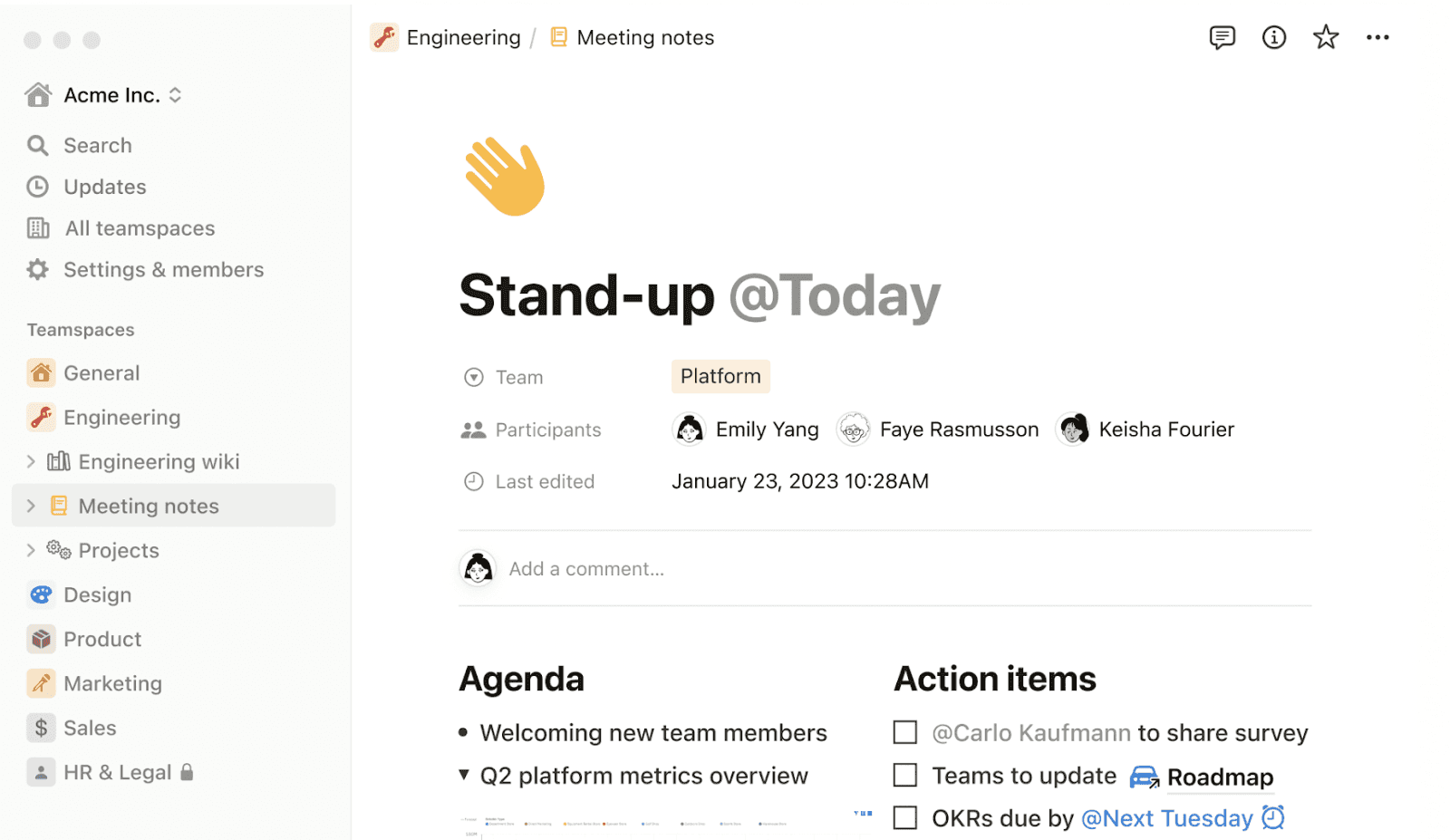
Notion is a powerhouse that looks like a note-taking app but delivers much more for those interested. If you want to create your wiki, Notion can help you build one from the ground up. You can also choose from one of the many premade templates.
Key features
- Block-based page builder to create customized notes
- Invite guests to collaborate on pages
- Real-time commenting for collaborators
Pros
- Templates for everything from kanban boards to recipes
- Minimalist aesthetic
Cons
- Notion hasn’t optimized the mobile experience
- Unable to use Notion offline
Pricing
- Free tier available
- Paid plans start from $8 per seat per month
Integrations
Notion integrates with many popular tools; some popular integrations are:
- GitHub
- Figma
- Google Drive
- Jira
- IFTTT
- OneDrive
Notion vs. Obsidian
Notion is a multipurpose app ready to use out of the box. It starts with personal notes and expands to project management with Kanban boards and CMS templates. Even with the use of plugins, Obsidian offers fewer features than Notion.
Customer reception
“I love how flexible Notion is for what I need in my business and podcast. It is easy to use and learn, with rich features that can ramp up with you.” - Shawn B. on G2
4. Evernote: Best for on-the-go note-taking
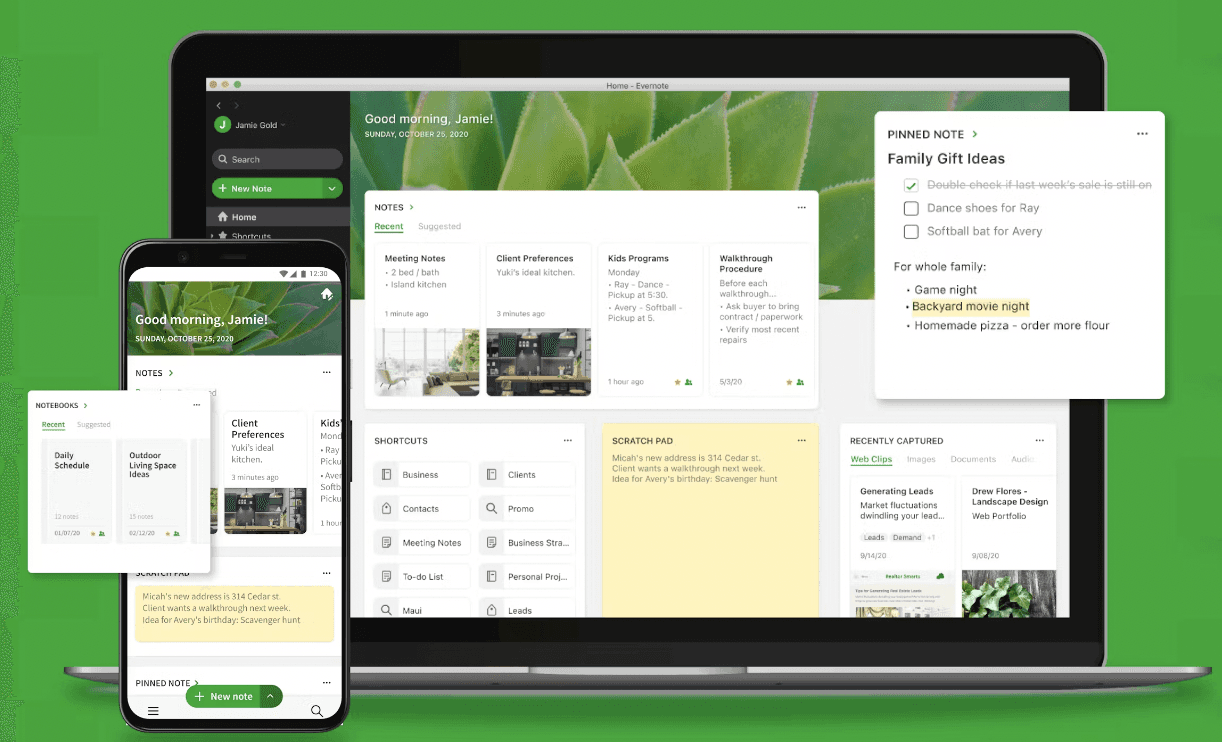
Evernote stands out for being an accessible, on-the-go note-taking app. It’s available everywhere, including desktop, tablet, Android, and iOS. All changes sync automatically to every device you access from.
Key features
- Search your notes with an AI assistant
- Character recognition finds words in handwriting and photos
- Annotate web pages and PDFs within notes
Pros
- Organize notes into a system of folders
- Lots of text formatting options
- Link between notes
Cons
- Evernote has removed many features from the free version
- Web-app can be slow-loading
Pricing
- Free tier available
- Paid plans begin at $7.99 per month
Integrations
Evernote includes a small number of integrations, such as:
- Slack
- Outlook
- Google Calendar
- Google Drive
Evernote vs. Obsidian
Evernote offers cloud-based storage with easier setup, web-clipping, and better collaboration tools, making it ideal for straightforward note-taking and sharing. Obsidian is a better choice for users who prefer local storage.
Customer reception
“I can connect all my devices with my notes and my email. So, if I use my laptop, iPad, or phone, I have all my notes, tasks, and reminders. I love it!” - Barbara B. on G2
5. Microsoft OneNote: Best for Microsoft Office users
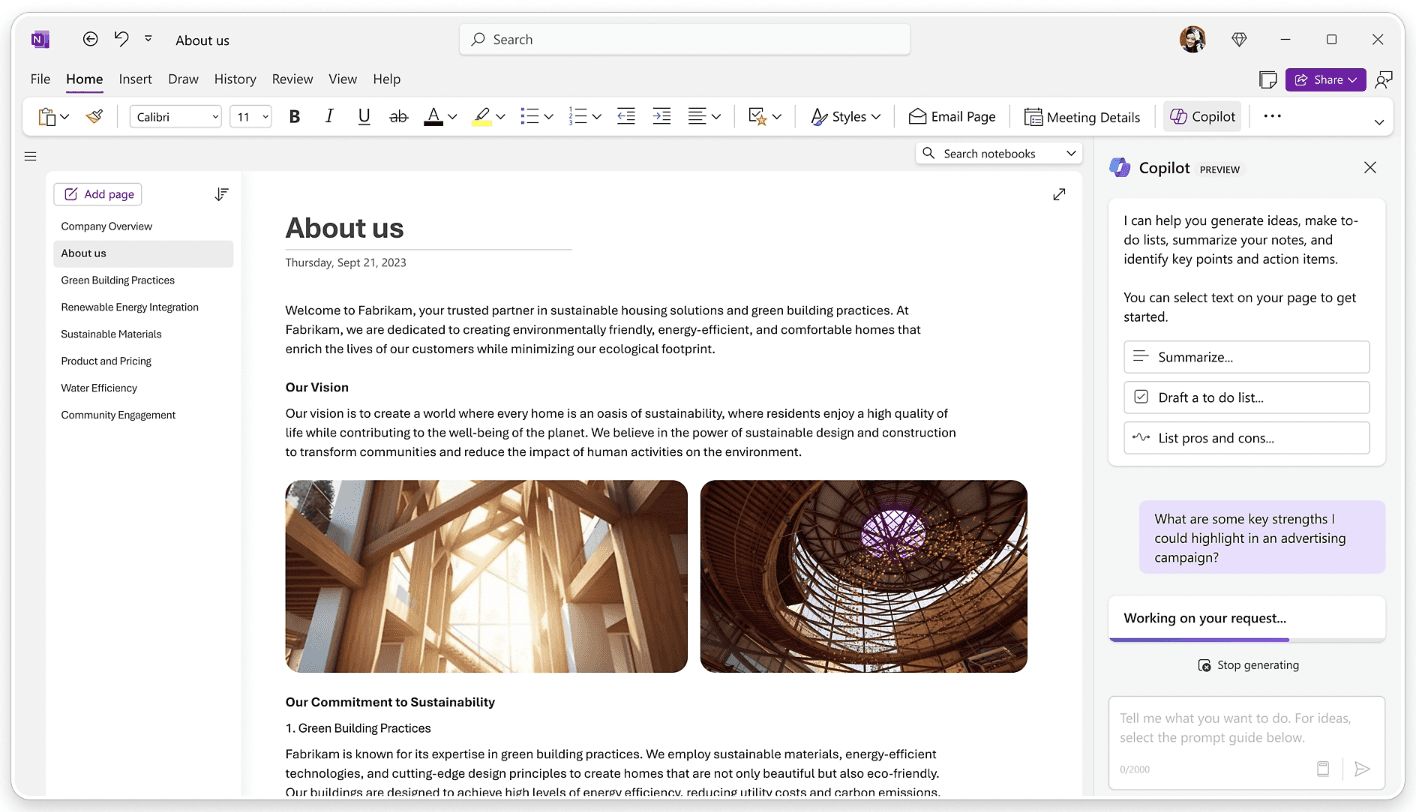
Microsoft OneNote is the firm's take on note-taking software. It works best for people using other Microsoft 365 tools like Excel, Word, and Outlook. OneNote and the other tools integrate to enhance functionality across the 365 suite of applications.
Key features
- Connect with Outlook to directly send emails from OneDrive
- Connect with Excel to embed and sync data
- Sync notebooks across all devices through OneDrive
Pros
- Included in the Microsoft Office package
- Password-protected notes and folders
- Translate words within the app
Cons
- Less text formatting options than Microsoft Word
- Search function isn’t the best
Pricing
- Free trial of Microsoft 365 is available
- Paid plans start at $6.00 per user per month
Integrations
Microsoft OneNote predominantly integrates with other 365 tools. It also integrates with:
- Zapier
- WordPress
- Newton
- Chegg
OneNote vs. Obsidian
OneNote offers an out-of-the-box experience with easy cloud syncing, making it more straightforward for general collaboration and sharing. Obsidian is a better tool for solo users who want to manage their notes and ideas.
Customer reception
“The pages can be organized in an outline style with indented subpages to better organize conversations, plans, ideas, activity.” Mark L. on G2
6. Coda: Best for task management
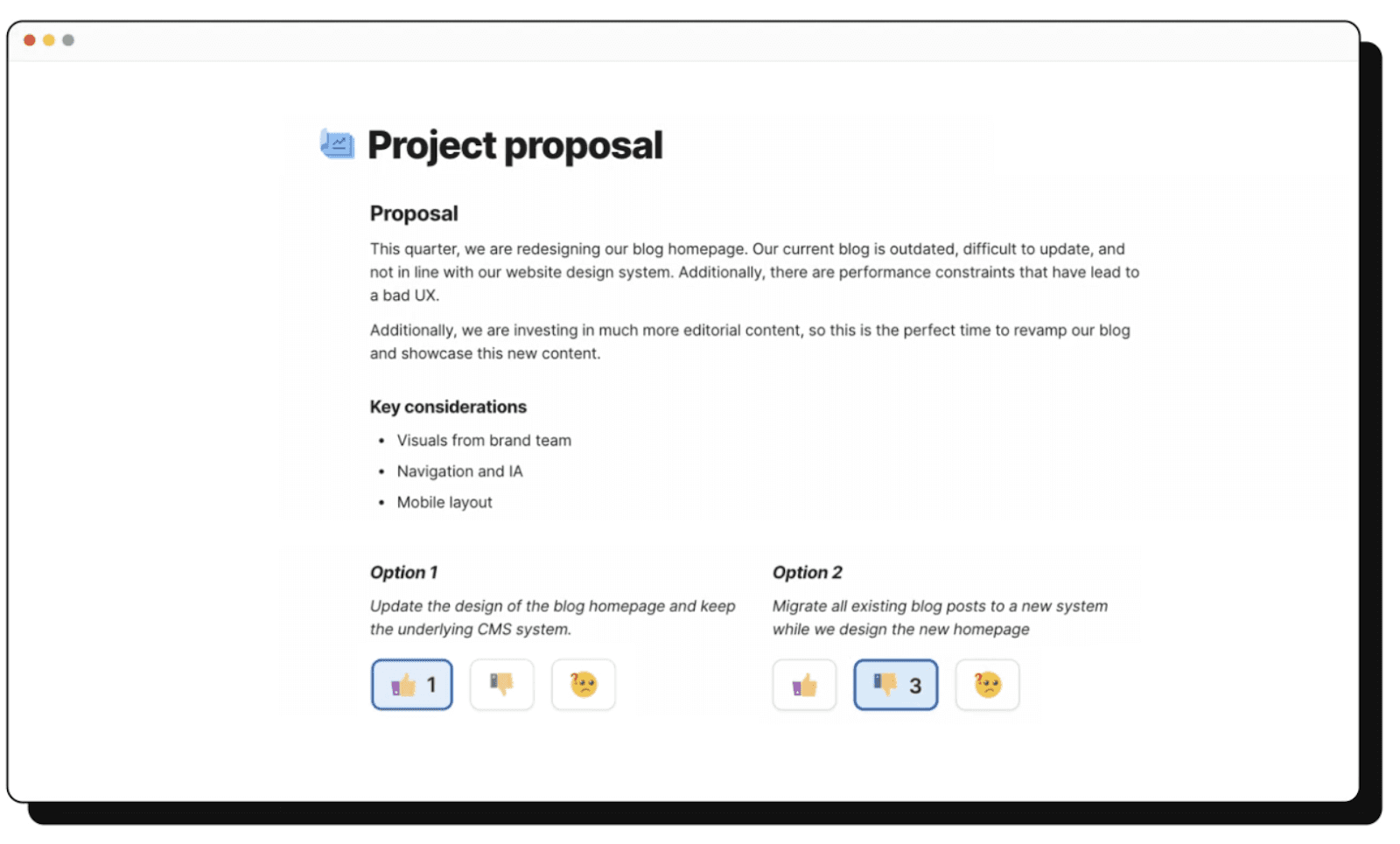
Coda is a tool built to help teams manage tasks by creating a simple and less cluttered workspace. Coda’s AI takes care of the busy work, such as summarizing content, creating tables, or answering your questions.
Key features
- Embed multimedia from services like Figma, Canva, and Airtable
- Drag-and-drop blocks to create interactive elements
- Create buttons for things like creating a timer or inviting questions from collaborators
Pros
- Easy to build documents using blocks
- Range of templates to help you quickstart
Cons
- Pages are slow to load
- Looks bad on mobile
Pricing
- Free plan available
- Paid plans start at $10 per month per doc maker (not per user)
Integrations
Coda calls its integrations “packs.” Many are available, including:
- Salesforce
- Figma
- Jira
- GitHub
- Asana
- Intercom
Coda vs. Obsidian
Coda is another tool that stands out against Obsidian for being more collaboration-friendly. Teams can co-edit documents more effectively with Coda, as its collaboration features, including working on the same document, are built in.
Customer reception
“I love the balance of easiness and complexity for implementing great pages that can suit any need we have had so far. ” - Gabriel G on G2
7. Apple Notes: Best for iOS and macOS users
Apple Notes is an exclusive choice for those who use MacOS, iOS, or iPadOS for note-taking. It’s a free tool developed by Apple and is perfect for those with light note-taking needs.
Key features
- Compatible with Apple Pencil for handwriting and sketching
- Use folders to neatly sort notes based on the origin point
- Quick Notes for creating notes without opening the app on an iPad
Pros
- Automatically syncs across all devices in real-time
- Use AirDrop to transfer notes between collaborators
Cons
- Only available for Apple users, so it is less useful for people who work on different types of OS
- Lack of customization features
Pricing
Apple Notes is free to use.
Integrations
Apple Notes doesn’t feature native integrations.
Apple Notes vs. Obsidian
Apple Notes is a simple note-taking tool for those who use Apple products and need to take notes on-the-go. It features clever storage via folders and automatically syncs across devices. Obsidian is more powerful with its Graph View and interlinking, but syncing is an additional monthly cost.
Customer reception
Apple Notes receives a 4.9 rating from users on Apple’s own App Store. Customer reviews include:
“It excels in quick information capture—whether sharing a delightful recipe discovered online by saving the link to Notes or preserving a screenshot to prevent it from being lost in the Photos app.” - App Store User
8. Mem.ai: Best for an AI assistant
Mem.ai is a note-taking app that allows people who want a personalized AI assistant to sort and organize their thoughts. Your notes are used for training the AI instead of a random dataset.

Key features
- Mem Chat finds answers from deep within your notes
- Related Notes finds all notes connected to what you’re currently working on
- Smart Search uses AI to find the notes or collection you need
Pros
- Save time looking through our notes with the AI assistant
- Available in offline mode
Cons
- Learning curve for more advanced AI features
- Must have a Google Account to access
Pricing
- Free trial available
- Paid plan starts at $8.33 per month
Integrations
Mem.ai doesn’t feature native integrations; users can create their own using its API or connecting a tool like Zapier.
Mem.ai vs. Obsidian
Mem.ai’s biggest feature is its AI assistant which helps you find notes and automatically collects the ones related to what you’re working on. This can be a time saver compared to Obsidian, but it is more likely to pull unrelated notes.
Customer reception
“Mem is a fantastic implementation of AI in the note-taking space. Being able to generate content with an AI that's consistently trained on your content is great.” - Tom P on Product Hunt
9. Reflect: Best for a minimalist interface
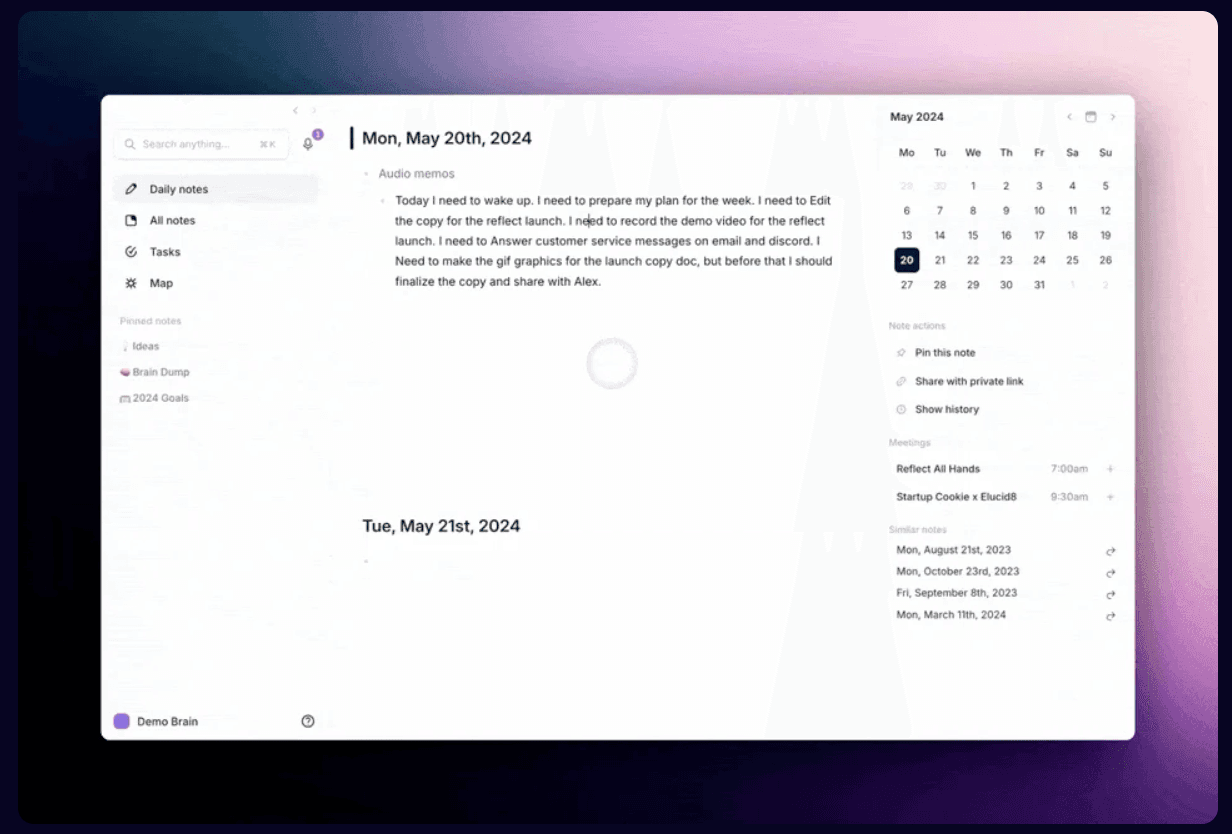
Reflect is like Obsidian in many ways. You create interlinking notes and can see how they connect with a graph view. It features a minimalist interface, which takes away some of the complexity of other apps and features an AI assistant to help organize your thoughts.
Key features
- Graph view shows all backlinks notes
- Save snippets from Kindle or browser
- AI assistant helps avoid errors when transcribing notes
Pros
- Sync notes instantly across devices
- Calendar integrations
Cons
- Limited number of integrations
- No collaboration features
Pricing
- Free trial available
- Paid plan starts at $10 per month
Integrations
Reflect has a small number of integrations available:
- Google Outlook
- Readwise
- Google Calendar
- Zapier
Reflect vs. Obsidian
Reflect and Obsidian differ in Reflect’s AI features, which enable an assistant to help you with things like listing key takeaways, fixing spelling mistakes, and generating article outlines. Reflect stores notes on the cloud rather than locally, which means it syncs across devices in real time at no extra cost.
Customer reception
“Like Obsidian but without wasting half of your time in configuration-land. This is a great example of how opinionated software can be beneficial for productivity tools.” - Matt B on Product Hunt
10. Superpowered: Best for meeting notes
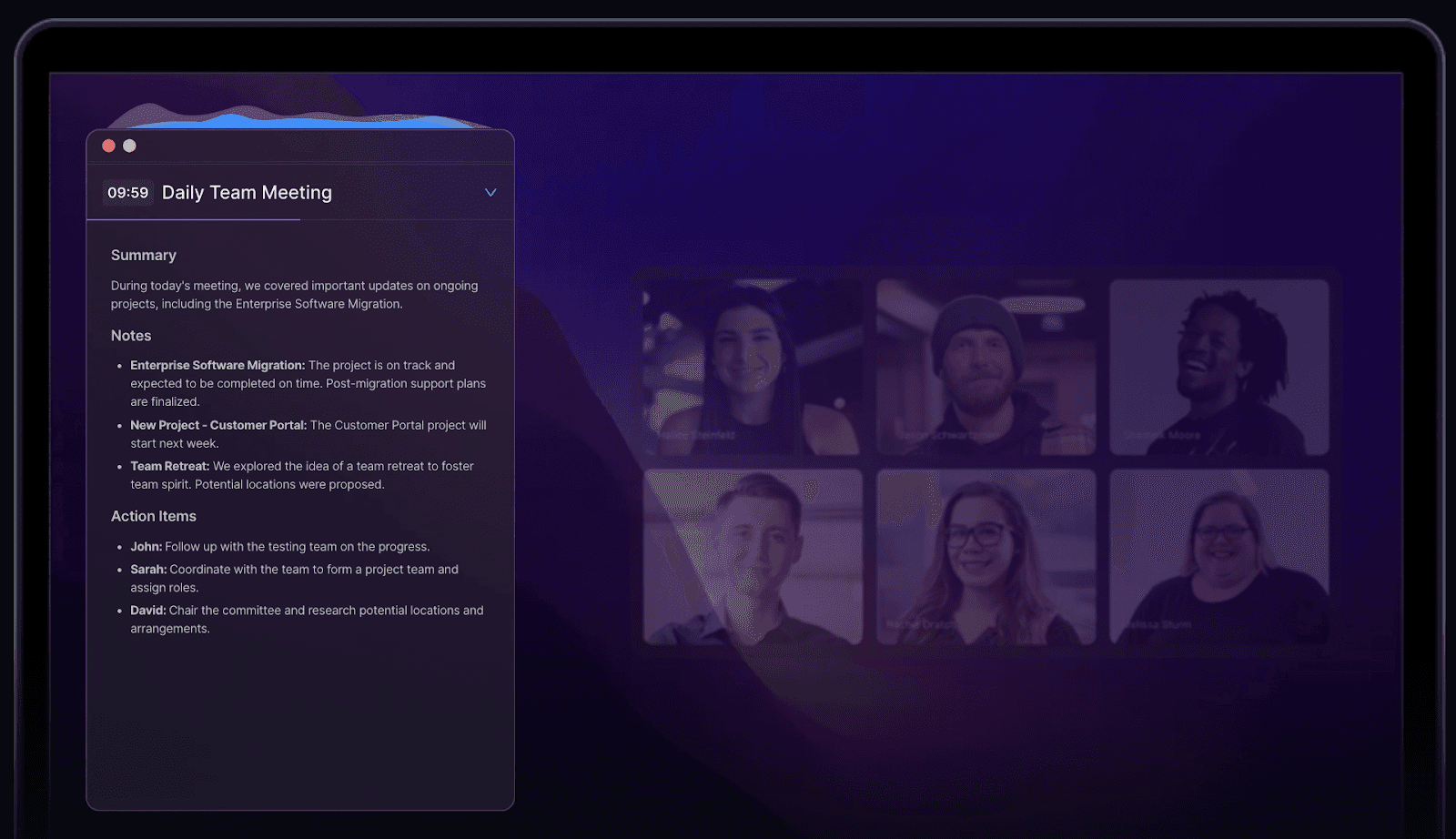
Superpowered is an AI notetaker. It does the job for you, so this is a good pick for meeting notes. Instead of having a nominated notetaker, everyone in the room can participate while Superpowered transcribes discussions and automatically generates notes.
Key features
- AI notetaker to join your meetings
- AI templates for enforcing note-taking best practices
- AI chat to help find information from meetings
Pros
- Connects with all major meeting platforms
Cons
- Not suitable for personal note-taking
- The app locks most features behind premium tiers
Pricing
- Free tier available
- Premium plans start at $25 per month
Integrations
Superpowered integrates with a small number of apps, including:
- Slack
- Notion
- HubSpot
- Google Drive
- Salesforce
Superpowered vs. Obsidian
Superpowered is a tool predominately used for meeting notes. It’s not a personal notetaker like Obsidian. You can save time in meetings and collect all the information with this app. Obsidian is a do-it-yourself tool designed to help connect your thoughts for interlinking notes.
Customer reception
“It's my buddy that sits alongside me in meetings, regardless of what medium it's on, and helps me catalog action items and TODOs. The experience is so seamless -- it's right on my mac desktop.” - Anivsha P on G2.
Lark’s powerful suite can do much more than Obsidian
Lark is a powerful tool that combines many features from standalone tools, leading to big savings on software costs. It includes integrated video meetings, real-time communication, collaborative document editing, and project management. All Lark apps work together, eliminating the need to switch between multiple apps.
Lark includes AnyCross, which helps users develop their own integrations and make Lark work for them. There's no need for technical skills, as you build integrations using a drag-and-drop system.
Conclusion
Looking for a better note-taking experience for your team? Lark’s powerful all-in-one solution starts with note-taking and simultaneously powers it up with features like picture-in-picture mode, live transcription and translation, and co-editing documents.
It’s free for up to 50 users, making Lark a low-cost, feature-rich companion tool for any business. Everything syncs in real time, no matter where your people live or what language they speak. Lark gets the job done.
Table of contents
Start using Lark today

Manage all your work in one place
Boost team efficiency by 10x
Save up to 70% on software costs
Table of contents
Start using Lark today
Manage all your work in one place
Boost team efficiency by 10x
Save up to 70% on software costs
Keep reading



Lark recognized in 2023 Gartner® Collaborative Content Workspaces and Meeting Solutions reports
Lark, the global superapp for productivity, is delighted to announce it receives recognition in the Gartner's 2023 Innovation Insight for Collaborative Content Workspaces and Market Guide for Meeting Solutions.





2026 Lark Technologies Pte. Ltd.
Headquartered in Singapore with offices worldwide.






Explore: