


Microsoft Planner vs Jira: Honest Comparison for Your Next Project

Matthew Sia
Product Marketing Manager
Aug 5, 2026
Matthew Sia
Aug 5, 2026


15 min read


Choosing the right project management tool can make or break your next project. With so many options available, it is easy to feel overwhelmed. The right choice affects everyone: your team’s productivity, communication, and even daily happiness depend on it. That is why the Microsoft Planner vs Jira discussion comes up again and again.
Both tools—Microsoft Planner and Jira—are strong contenders in the project management world. Each has its own strengths, unique features, and best-fit user base. In this guide, jira and microsoft planner are the primary project management tools being compared, focusing on their features, integrations, and suitability for different teams. Understanding what makes them different is the first step toward making your team’s jobs easier and your results better.

Introduction to Project Management
Project management is all about turning ideas into reality—organizing people, resources, and timelines to achieve specific goals. Whether you’re launching a new product, running a marketing campaign, or developing software, effective project management keeps everything on track and ensures your team delivers results on time and within budget.
In today’s fast-paced business world, project management tools have become essential for teams of all sizes. These tools help project managers and teams plan, assign, and track tasks, automate repetitive tasks, and streamline workflow automation. With the right project management tool, you can manage complex workflows, collaborate across multiple departments, and keep everyone aligned—no matter where they’re working from.
Microsoft Planner and Jira are two popular project management tools available. Each offers unique features for different project needs. Choosing the best tool for your team means understanding your project needs, the complexity of your workflows, and how your team prefers to collaborate. In this guide, we’ll compare Microsoft Planner and Jira side by side, so you can decide which project management tool will help you automate repetitive tasks, track progress, and deliver successful projects—no matter your industry or team size.
What is Microsoft Planner?
Microsoft Planner is a visual project management app that is part of the Microsoft 365 family. If your team uses Teams, Outlook, or SharePoint, Planner is already there waiting for you.
Where does Microsoft Planner fit in?
Because Planner comes with many Microsoft 365 subscriptions, it is simple to introduce to your company. Your plans, files, messages, and tasks can all exist in the same place. This makes it perfect for teams who want to avoid software clutter.
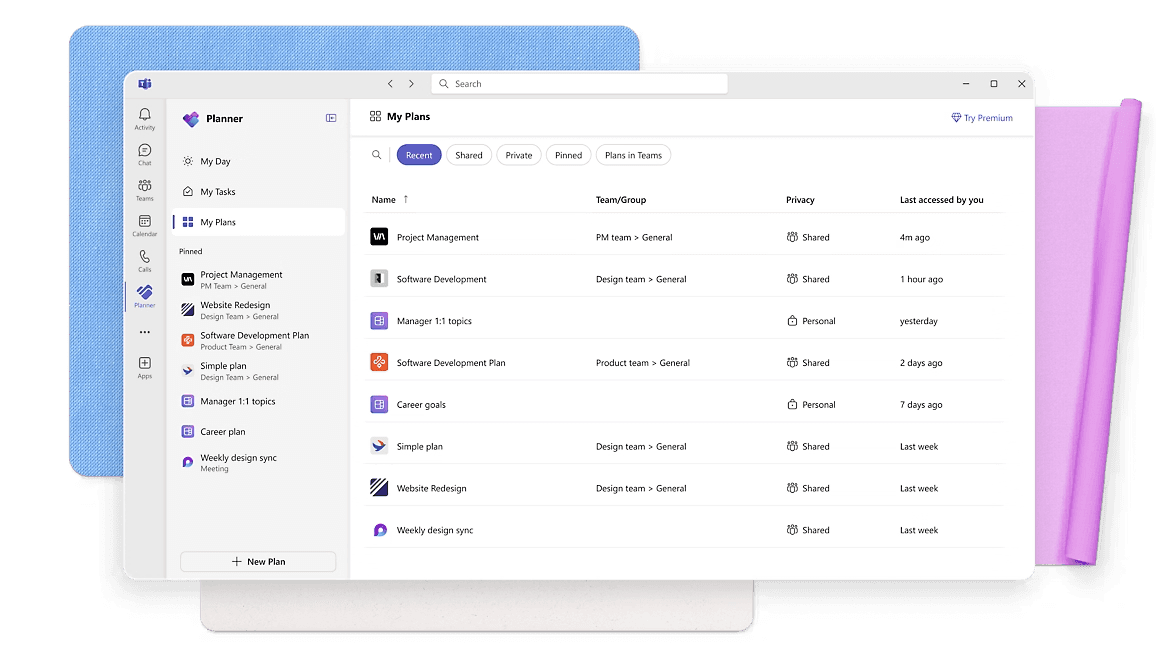 Image source: microsoft.com
Image source: microsoft.com
Stand-out features and advantages of Microsoft Planner
- Visual Kanban Boards: Drag-and-drop boards help you see what is done, in progress, or waiting to start. Each task lives in a card within easy-to-use columns.
- Easy Team Assignments: Assign any task to one or more team members. Everyone knows who is responsible for what.
- Checklist and attachments: You can add checklists to each task, plus attach documents or images.
- Due dates: Set due dates for tasks to help teams organize work, manage deadlines, and ensure timely completion.
- Deep integration: Planner works hand-in-hand with Teams, Outlook, and other Microsoft tools. Notifications, file sharing, and updates all happen in one environment.
- Mobile access: Stay on track anywhere thanks to apps for Android and iOS.
Who usually works best with Microsoft Planner?
Teams that value clarity and want quick, visual coordination love Microsoft Planner. HR, marketing, operations, admin, and project coordinators are the most frequent users. Anyone familiar with Microsoft 365 will appreciate how seamlessly Planner blends with their daily workflow.
What is Jira?
Jira was created by Atlassian and has become widely known for its deep customizability. This tool is a favorite in software development, IT, and any team that relies on strict processes or agile methods.
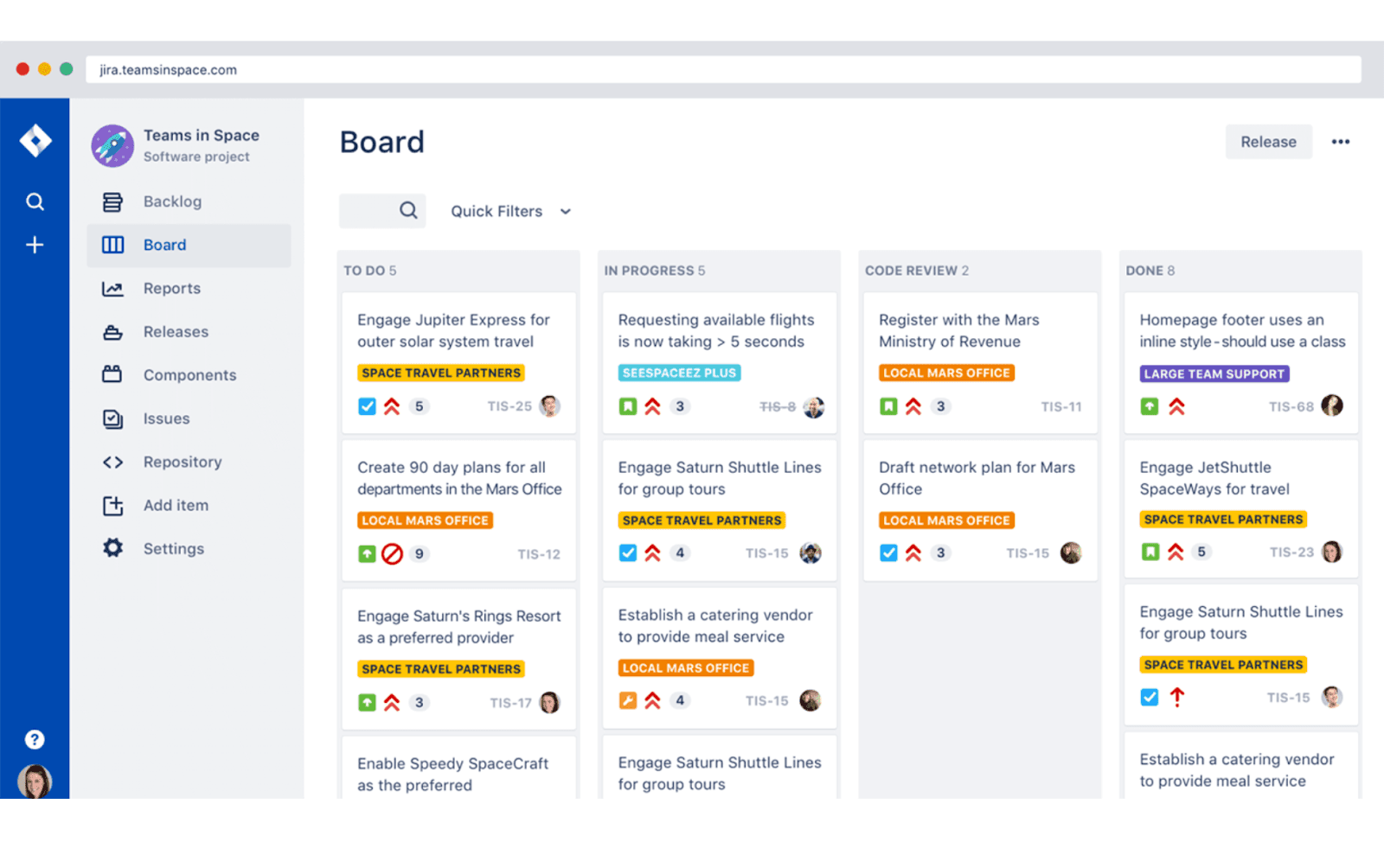 Image source: jira.com
Image source: jira.com
Where does Jira fit in?
Jira is part of the Atlassian family and is easy to bring into any organization. All your issues, workflows, and project updates are in one centralized platform. This makes it the right choice for teams that want strong structure, detailed tracking, and the ability to easily connect development and business processes.
Stand-out features and advantages of Jira
- Customizable workflows: In Jira, you create your own processes. Need extra steps, approvals, or unique stages? It’s all possible.
- Agile boards: Use Scrum or Kanban boards to manage goals, sprints, or continuous workflow.
- Backlog and issue tracking: Track tasks, bugs, stories, or any work item with powerful filters and priorities.
- Advanced reporting: Burn-down charts, dashboards, and progress stats help your team keep an eye on every detail.
- Velocity charts: Scrum teams can use velocity charts to measure sprint performance, track team velocity, and improve sprint planning accuracy.
- Permission and security control: Set permissions so only the right people see or change tasks, which is vital for larger organizations.
Who finds Jira most useful?
Software engineers, agile teams, IT, and larger organizations rely heavily on Jira. It is ideal for teams that need to map out multi-step workflows or handle multiple projects at once. Jira is especially well-suited for teams practicing agile methodologies, supporting agile workflows such as sprint planning and issue tracking. In industries where process, traceability, or compliance matter, Jira’s audit trail and advanced options really shine.
While there is a learning curve to Jira, many teams find the investment worth it. What you get is a platform that can grow and change with your projects and requirements.
Microsoft Planner vs Jira feature-by-feature comparison
Comparing project management tools can be tricky, especially when you’re looking at two popular options like Microsoft Planner vs Jira. Both offer ways to improve teamwork and productivity, but the details make all the difference. Let’s break down what you can expect from each in daily use.
Task tracking and visualization: Keeping you on top of work
With ms planner vs jira, both platforms offer ways to keep tasks visible and organized, but they take different approaches.
Microsoft Planner uses flexible boards—each project can be split into buckets with cards for every task. You can click and drag to move work around, making planning simple and visual. Status indicators and color labels show progress at a glance.
Jira, on the other hand, gives you customizable boards and deep tracking abilities. This flexibility is perfect for complex workflows or technical projects where traceability matters. Jira’s task tracking can be tailored for any industry, from software and IT to marketing and HR.
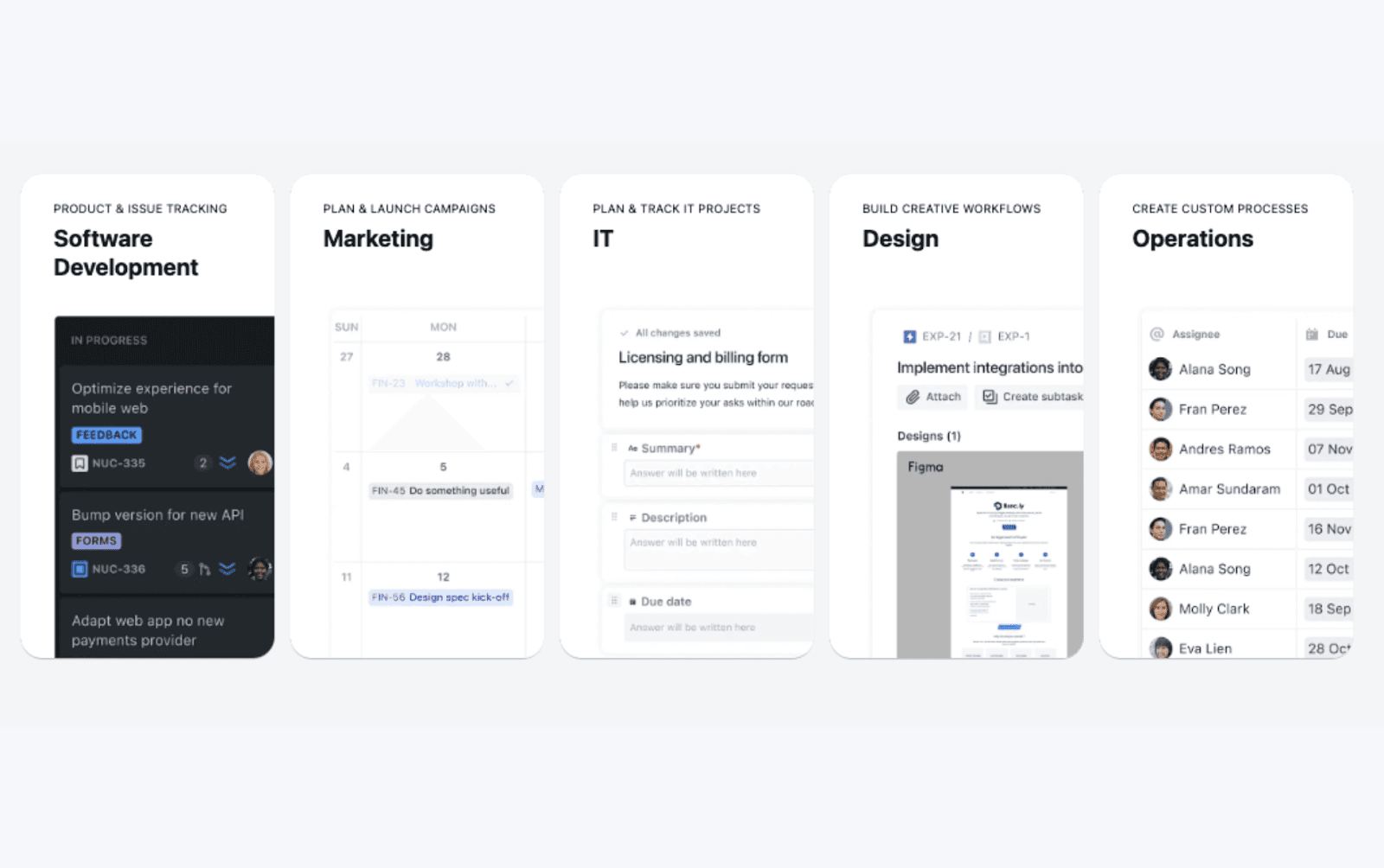 Image source: jira.com
Image source: jira.comProject templates and workflow customization: Fast start or fully tailored?
Choosing jira vs planner often comes down to how much you need to customize workflows. Microsoft Planner offers a handful of simple templates for things like event planning, onboarding, or marketing campaigns. This keeps setup time short and works well for straightforward projects.
In contrast, Jira’s template options are broad and powerful. Whether you want to manage agile sprints, run service desks, or build custom processes for legal reviews or content production, Jira lets you fine-tune every step. You can define statuses, add automation rules, and enforce required fields.
Collaboration and team communication: Integrate or expand?
Both ms planner vs jira and jira vs planner offer strong collaboration, but their focus differs. Planner’s tight connection to Microsoft Teams, Outlook, and OneDrive means that chat, files, and task updates are integrated.
Jira opens up a broader ecosystem. You can comment directly on issues, tag colleagues, and bring in outside experts. Plus, it integrates deeply with other Atlassian tools like Confluence for documentation, as well as Slack, GitHub, and a wide range of productivity apps. This makes it easier to create a unified workflow across development, operations, and business teams.
User experience and onboarding: Friendly or feature-rich?
One big reason some teams choose microsoft planner vs jira is Planner’s easy learning curve. The interface is clean, inviting, and requires little training. Most users are up and running within minutes, especially if they already use Microsoft 365.
Jira brings more complexity. For teams with technical skills or process-heavy needs, learning Jira is well worth it. The platform offers many advanced features, but new users may need extra support or onboarding. Atlassian offers extensive documentation, community forums, and in-product guides to help bridge the gap.
Pricing and licensing: Which planner actually fits your budget?
Cost is always important when considering Microsoft Planner vs Jira. Each tool comes with its own pricing model and scaling options.
Most organizations get Microsoft Planner as part of their Microsoft 365 subscription. Pricing is straightforward and based on user count and Microsoft 365 service plan. There are no standalone add-on costs or extra licensing for basic use. This approach is great for nonprofits, small businesses, and companies looking to streamline procurement. You simply roll out Planner along with the other Microsoft services you’re already paying for.
 Image source: microsoft.com
Image source: microsoft.comJira uses a tiered subscription model. Pricing depends on the number of users and the edition you select. There is a free plan for small teams with limited features, and paid tiers unlock more advanced functionality, storage, and automation. For large organizations, pricing gets more complex as you scale. You can mix and match products, add premium marketplace apps, and choose between cloud hosting (simpler, recurring cost) or self-managed servers (more control, but higher upfront investment). Some essential functionality in Jira may require additional paid add-ons, which can impact the total cost of ownership.
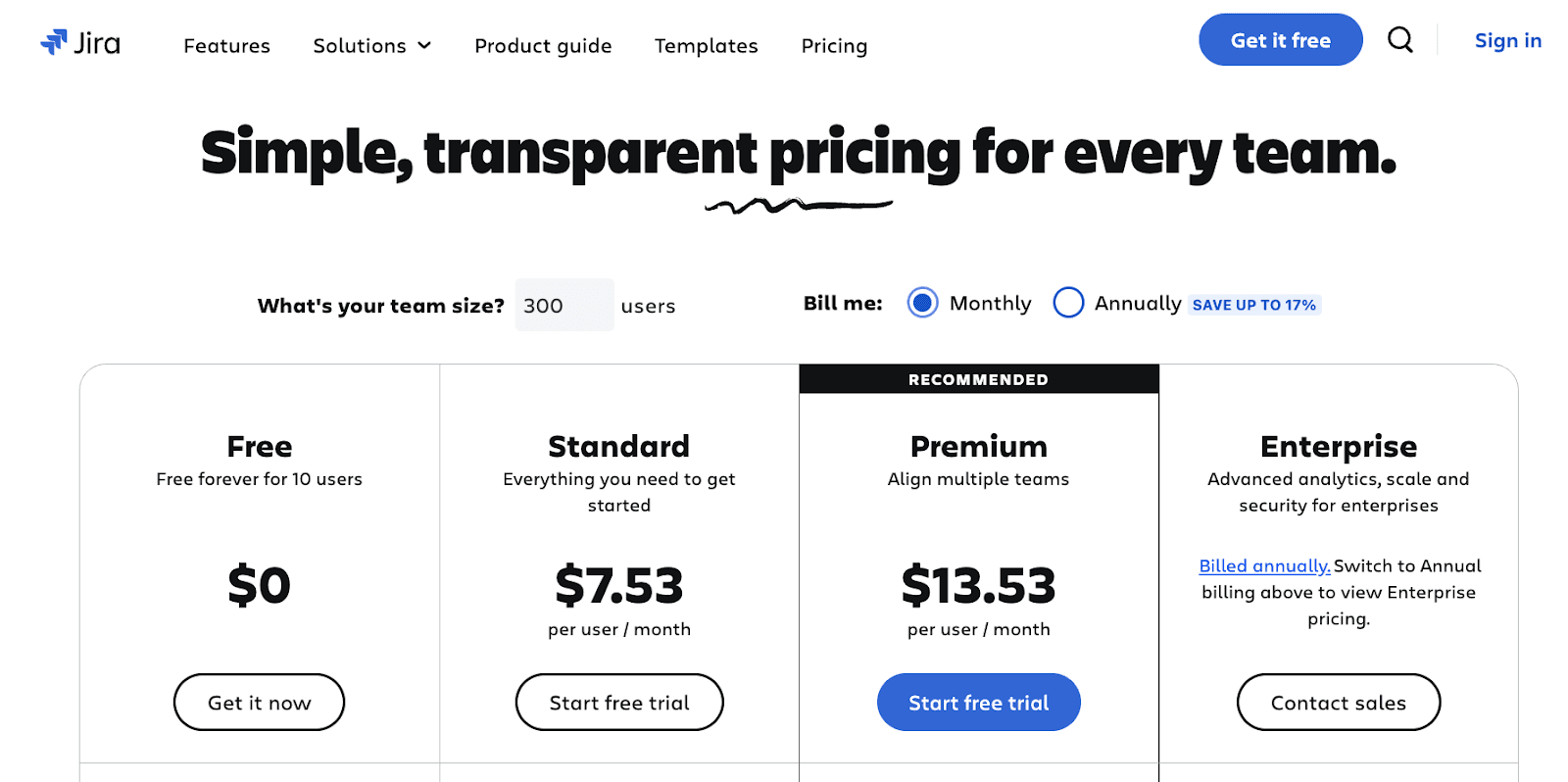 Image source: jira.com
Image source: jira.comWhen comparing pricing and features, it's also worth considering MS Project as another project management solution, as it offers a different set of capabilities and cost structure compared to Planner and Jira.
What are the limitations of Microsoft planner and Jira
Cons of Microsoft Planner:
- Limited Features: Compared to more robust project management tools, Microsoft Planner offers basic functionality that may not meet the complex needs of larger projects.
- Dependency on Microsoft 365: It is tightly integrated with the Microsoft 365 ecosystem, which means users who are not part of this ecosystem may experience a suboptimal user experience.
- Lack of Advanced Reporting: Planner has limited reporting and data analysis capabilities compared to tools like Jira, which can be a drawback for teams that require in-depth insights into project progress.
- Poor Customization Options: Planner provides fewer options for personalization and customization in task views, labels, and assignment of tasks, which can limit the user experience for teams.
Cons of Jira:
- Complexity: Jira is powerful but also complicated. New users may take a significant amount of time to become familiar with its interface and functionalities.
- High Learning Curve: For small teams or startups, Jira can be overly complex, leading to high time costs in learning and setup.
- Pricing Structure: Jira’s pricing can be high, particularly as team sizes increase, resulting in considerable costs for larger teams.
- Performance Issues: Jira may experience performance slowdowns when dealing with large projects and numerous users, affecting team efficiency.
And Lark can be a good alternative for your team. In the next part, we’ll explore Lark in detail.
Alternative: Lark as an all-in-one bridge and upgrade for your project management needs
When teams compare microsoft planner vs jira, they often hope to find one tool that fits all their needs. Yet, it’s common to end up juggling several apps, tracking scattered data, or spending extra just to make things “talk” to each other. This is where Lark stands out—not just as a connector between Microsoft Planner and Jira, but as a true all-in-one workspace that makes teamwork smoother and smarter from the start.
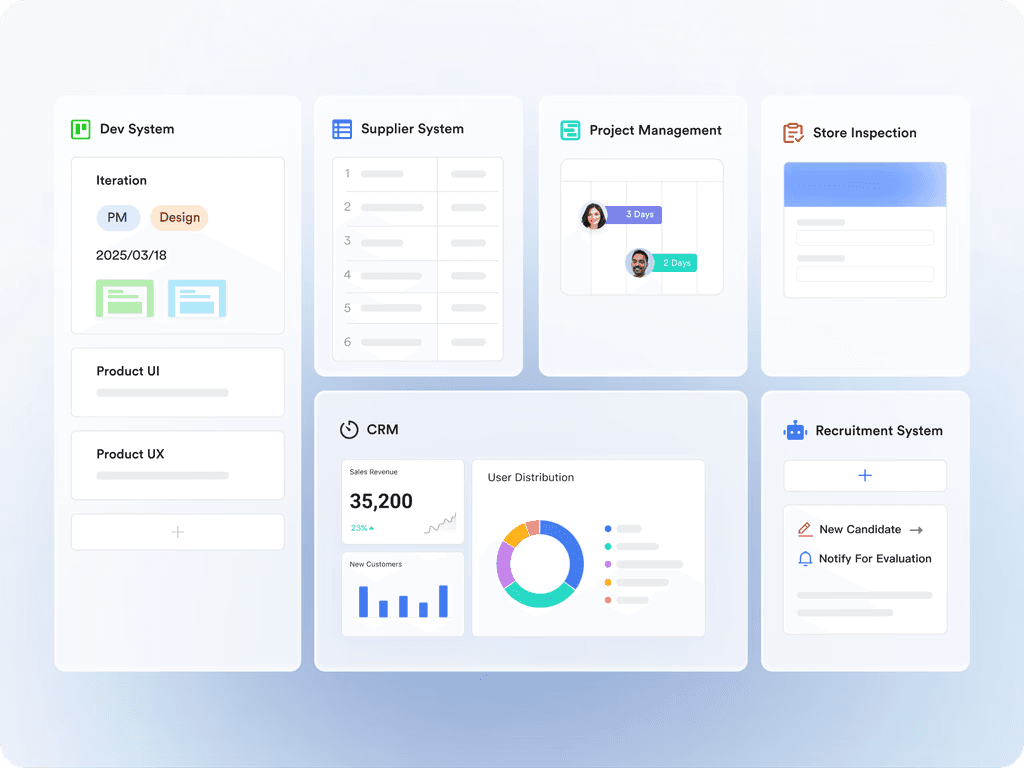
- All your work in one place: Lark is built to cut the daily annoyances most teams face. There’s no need to keep toggling between apps for chat, docs, tasks, or dashboards. With Lark, everything from planning to communication to data analysis is within one platform. That means fewer moving parts, less time spent on technical setup, and lower costs—no paying for, learning, or integrating five different tools just to get work done.
- Ready out-of-the-box: Lark is easy to set up and start using, so you don’t lose time on complicated integration projects. Sharing becomes a breeze—just add teammates or external guests and control what they see with a click. For example, you can mention someone in a document and they’ll get a message instantly in Lark Messenger, all without having to configure anything. New users can start here with Lark.
- Lark Base, workflow automation: Whether you want automated approval, reminders, or real-time messages when new data is submitted, Lark automations can be built in minutes with Lark Base. You don’t need to write code or hunt for add-ons—everything is included and works right away.
- Data security: Lark lets you centralize every piece of the puzzle, whether it's customer data, sales records, or feedback forms. With everything living in one platform, project risks shrink and decision-making gets faster.
- The whole is greater than the sum of its parts: When Lark Docs, Lark Email, Lark Meetings, and dashboards come together in one place, your team gets more value than just using separate tools. A recent APAC webinar highlighted how Lark helps organizations save not only on subscription fees, but also on setup, training, and even migration costs.
Work anywhere, anytime, on any device
Lark truly supports mobile work. Whether you’re a field technician updating a Base form from your phone, or a manager monitoring a dashboard from home, Lark keeps up. Most features are designed to be just as effective and easy on mobile as they are at your desk. Collect data on the go, or keep an eye on project health—even if you’re traveling or working remotely. Lark’s platform lets you stay productive across borders and time zones without missing a beat.
For every role, for any technical level
Some project management tools cater just to managers, or just to technical teams. Lark is built differently. It’s easy for staff who simply need to check tasks or fill in forms. At the same time, it gives leaders flexible tools to design, automate, and oversee entire workflows. If you need more specialized project tracking, modules like Lark Meegle step up for advanced needs without extra complication.
- Managers: Design your ideal workflow—whether it’s onboarding, client tracking, or full agile sprints.
- Staff: Get clear instructions, simple forms, and focused updates with no clutter.
- IT or business users: Use Lark Base for general projects, or dig into specialist modules for deeper needs.
loading...
Why does Lark serve as a good alternative?
If you’re stuck in the ms planner vs jira debate, consider what working life looks like if everything is already connected, mobile, and easy for everyone in your company.
- No more workflow or data silos
- Reduce the cost and hassle of buying, teaching, and switching between apps
- Make every update, approval, and chat visible and actionable in one platform
- Onboard faster, automate easier, and move your projects forward without friction
In short, Lark’s value goes far beyond its subscription cost. It’s about working in a way that just makes sense for real teams, whether you’re in marketing, IT, HR, or managing projects across borders.
Conclusion
Deciding on microsoft planner vs jira isn’t just about picking the most feature-rich app, but about finding what fits how your team works best. Planner is perfect if you value simplicity and Microsoft 365 integration. Jira is the go-to for technical, fast-moving projects where flexibility and detail matter most.
Don’t forget, there’s no rule that says you must stick to only one. And if you want the clarity, connection, and customization from day one, Lark makes a great case as your next project platform or a connector between Planner and Jira. Give it a try—you might find your teamwork just got a whole lot smoother!
Related reading
Table of contents
Start using Lark today

Manage all your work in one place
Boost team efficiency by 10x
Save up to 70% on software costs
Table of contents
Start using Lark today
Manage all your work in one place
Boost team efficiency by 10x
Save up to 70% on software costs
Keep reading








2026 Lark Technologies Pte. Ltd.
Headquartered in Singapore with offices worldwide.






Explore: