Many managers think buying a larger cloud storage drive will solve their document chaos. Yet, I see this happen constantly: a company upgrades its storage, but the team still emails attachments back and forth just to get a single signature. To fix this, you need a workflow document management system.
In this guide, I will show you how connecting active workflows to your document storage eliminates manual routing, secures your enterprise data, and stops version control chaos. You will learn practical steps to turn static files into automated processes that accelerate your daily operations.
Why a static repository is not a workflow
If your team is struggling with version control chaos, buying another standalone storage drive is not the answer. There is a common misconception that a shared repository equals a streamlined process. In reality, a static folder just holds files; it does not tell anyone what to do with them.
Let’s look at a familiar scenario: Your marketing team uploads a new campaign brief to a shared cloud folder. The legal team has no idea it is there. Because the system lacks automated routing, the marketing manager has to copy the document link, open their email client, and send a message asking for a review. Legal downloads the file, redlines it, and emails it back. Before the day is over, you have three different versions of the same file floating across local drives and inboxes.
This happens because siloed tools disrupt the . When teams use separate apps for storage, communication, and task management, human error becomes inevitable. A workflow document management system changes this dynamic. Instead of relying on employees to remember to notify the next person in line, the system uses preset rules to push the document forward. True efficiency happens when .
The anatomy of a document management system workflow
To understand how to fix these bottlenecks, we need to look at how a document management system workflow is structured. A functional workflow is not just a path a file takes; it is a series of tied to the document's lifecycle.
At its core, an active workflow consists of three main components:
Trigger events
These are the actions that kick off a process. For example, the moment a team member changes a document's status from "Draft" to "Ready for Review," the system initiates the next step without human intervention.
Metadata tagging
Instead of relying purely on folder hierarchies, modern systems use metadata (tags like client name, project phase, or due date) to categorize files. This allows the system to know exactly who needs to see the document based on its tags.
Automated routing and access controls
Once triggered, the software routes the document to the right stakeholder while automatically adjusting permission controls. The reviewer gets edit access, while others might only have view access, protecting sensitive enterprise data.
By standardizing these tasks and assigning clear roles within the software, operations leaders can ensure that critical files—like employee onboarding packets or compliance reports—never get stuck in a manager's inbox.
Bridging the gap: Workflow and document management system integration
In many organizations, IT departments treat document storage as one software category and process management as another. You buy a cloud drive to hold your files and a separate project management tool to track your tasks. This separation forces your team into constant context-switching. Employees waste valuable time jumping between a messaging app to ask a question, a task tracker to update a status, and a folder to find the actual file.
A true workflow and document management system merges the asset with the action. By bringing the workflow directly to where the document lives, you reduce the cognitive load on your employees. They no longer have to remember the administrative steps of moving a project forward.
I advise enterprise managers to shift their mindset here. Document management should not be an IT afterthought or a simple archiving strategy. When you integrate active processes with your files, document management becomes a core operational strategy that drives your business forward, ensuring that the right people take the right actions at the right time.
Build a more efficient workflow with Lark
Key features every enterprise document tool needs
When you evaluate software to solve your management bottlenecks, you need a system that does more than just hold data. Here are the non-negotiable features managers should look for to ensure their team stays productive and compliant.
Overcoming bottlenecks with version control
Nothing stalls a project faster than version control chaos. If your team members are downloading files, renaming them "Final_v2_USE_THIS.docx," and emailing them around, you are risking massive errors. A modern document system must include automatic version control. This means everyone works on a single, centralized document. The system tracks every change, allows you to revert to previous versions if a mistake happens, and guarantees that stakeholders are always reviewing the most current information.
Security and compliance through audit trails
For growing enterprises, especially those dealing with sensitive client data or financial records, accountability is critical. You cannot afford to guess who modified a contract or when an invoice was approved. Built-in audit trails provide complete visibility into the document's history. You can see exactly who viewed, edited, downloaded, or shared a file. This level of tracking is essential for regulatory compliance, helping you prevent data breaches and proving your operational integrity during internal or external audits.
Frictionless team collaboration
A document is rarely created by one person in a vacuum. The drafting phase requires back-and-forth communication. If your team has to leave the document to discuss changes in a separate email thread, the workflow breaks. Your tool needs native collaboration features, such as real-time co-editing and integrated chat. When stakeholders can highlight a specific paragraph, tag a colleague, and resolve a question right inside the document, you eliminate the delays of fragmented communication.
How to automate document approvals: A step-by-step scenario
Generic automation concepts can be hard to visualize, so let us break down a specific work stream: . Instead of relying on manual follow-ups, here is how a workflow handles the entire lifecycle of a sales contract.
Step 1: The draft triggers a review
Your sales representative creates a custom contract using a standardized template within the workspace. Once they finish filling in the client details, they change the document status from "Draft" to "Pending Legal Review."
Step 2: Automated routing to the legal team
The system recognizes this status change as an event trigger. It instantly sends a notification to the legal team's designated chat channel or dashboard, adjusting permissions so the legal reviewer can edit the document while locking the sales rep from making further changes.
Step 3: Approval and electronic signature hand-off
The legal reviewer checks the terms, makes minor adjustments, and clicks an "Approve" button embedded directly in the document interface. This action triggers the final step: the system automatically generates a PDF version and sends an electronic signature prompt to the external client.
By setting up this , you ensure no contract sits forgotten in an inbox. The software enforces your business rules, tracks the exact stage of the document, and pushes it across the finish line with zero manual data entry.
Automate your document workflows seamlessly with Lark
Setting up your first workflow in document management system environments
Transitioning from manual file sharing to automated routing might feel overwhelming, but it does not have to be a massive IT overhaul. The most effective way to introduce a workflow document management system to your team is to start small and scale based on actual usage data.
To ensure a smooth rollout, operations leaders and IT directors should break the process down into manageable phases:
- Audit your existing bottlenecks: Look for the work stream that causes the most friction or delays. Often, the best starting point is a routine administrative task, such as routing employee onboarding packets, processing expense reports, or reviewing vendor agreements.
- Map the document lifecycle: Once you identify the target process, trace its path from start to finish. Ask yourself exactly who creates the initial draft, who needs to review it along the way, and what specific action triggers the final approval.
- Define strict user roles: Establish clear access controls within your chosen software. Decide who needs full editing rights and who only needs to view or comment on the file. By setting these permissions early, you secure your enterprise data from the start.
- Run a targeted pilot program: Build the initial workflow using simple trigger events and test it with a small group of stakeholders. Gather their practical feedback, adjust the routing rules to fix any snags, and only then roll the automated process out to the wider company.
Successfully transitioning from manual processes to automated workflows relies on more than just solid planning—it requires the right technology. Selecting an intuitive and flexible platform is critical to turning your mapped-out strategies into reality, ensuring your team actually adopts the new system rather than reverting to old habits.
How Lark acts as a comprehensive document management system with workflow
Once you have mapped out your initial processes and are ready to run a pilot, you need a platform capable of handling every step without friction. acts as a comprehensive document management system with built-in workflow capabilities, bridging the gap between file creation, communication, and tracking. Here is how Lark seamlessly supports your entire document lifecycle:
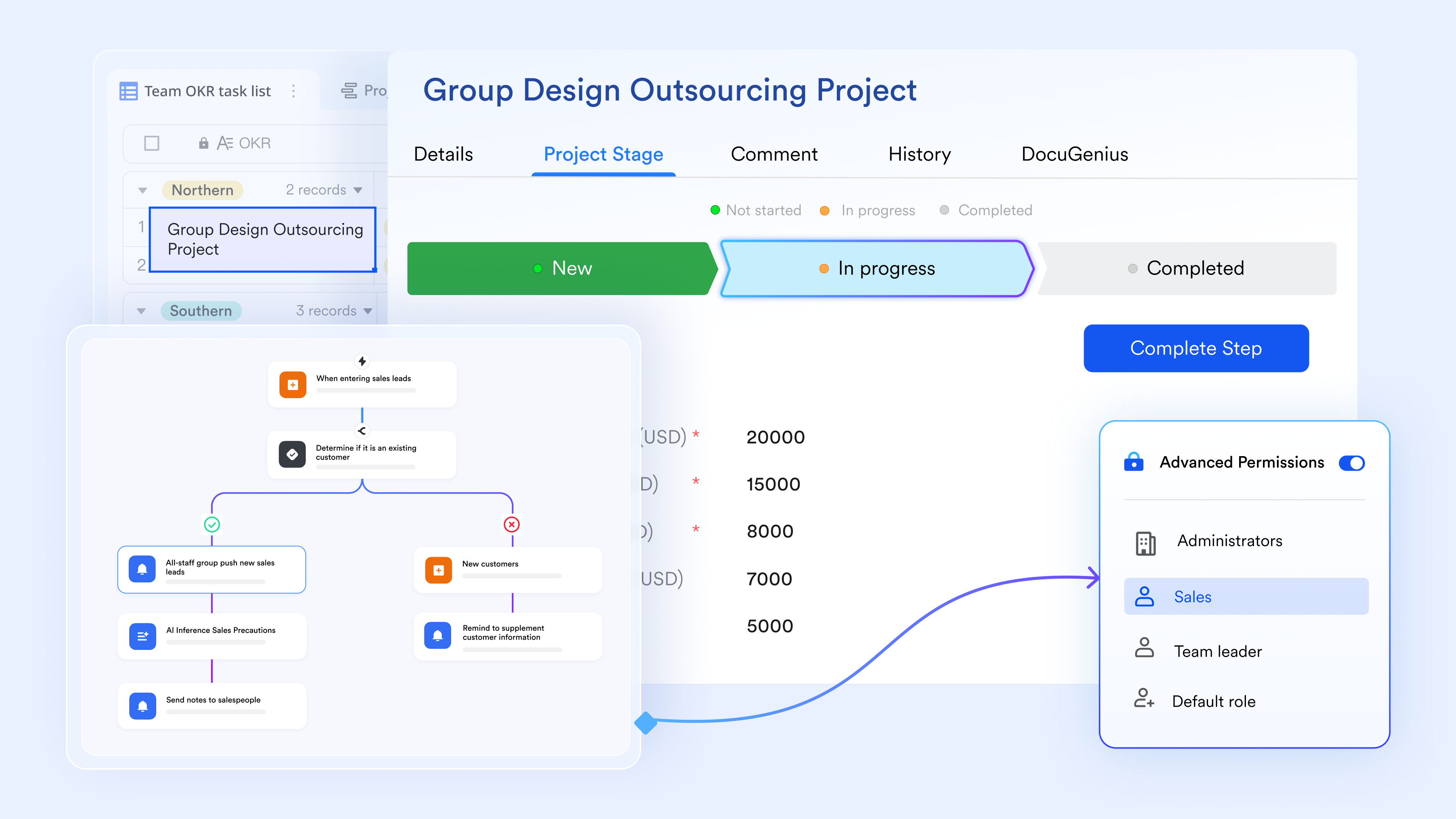
Unified creation and Integrated approvals
Functioning as a comprehensive document management system, Lark eliminates the need to switch between disconnected tools. Managers can build cloud-native materials directly within and embed approval workflows right into the page. By organizing these active assets centrally in a , the entire creation and approval process becomes a seamless, centralized workflow within a single workspace.
Instant alerts and collaboration to keep workflows moving
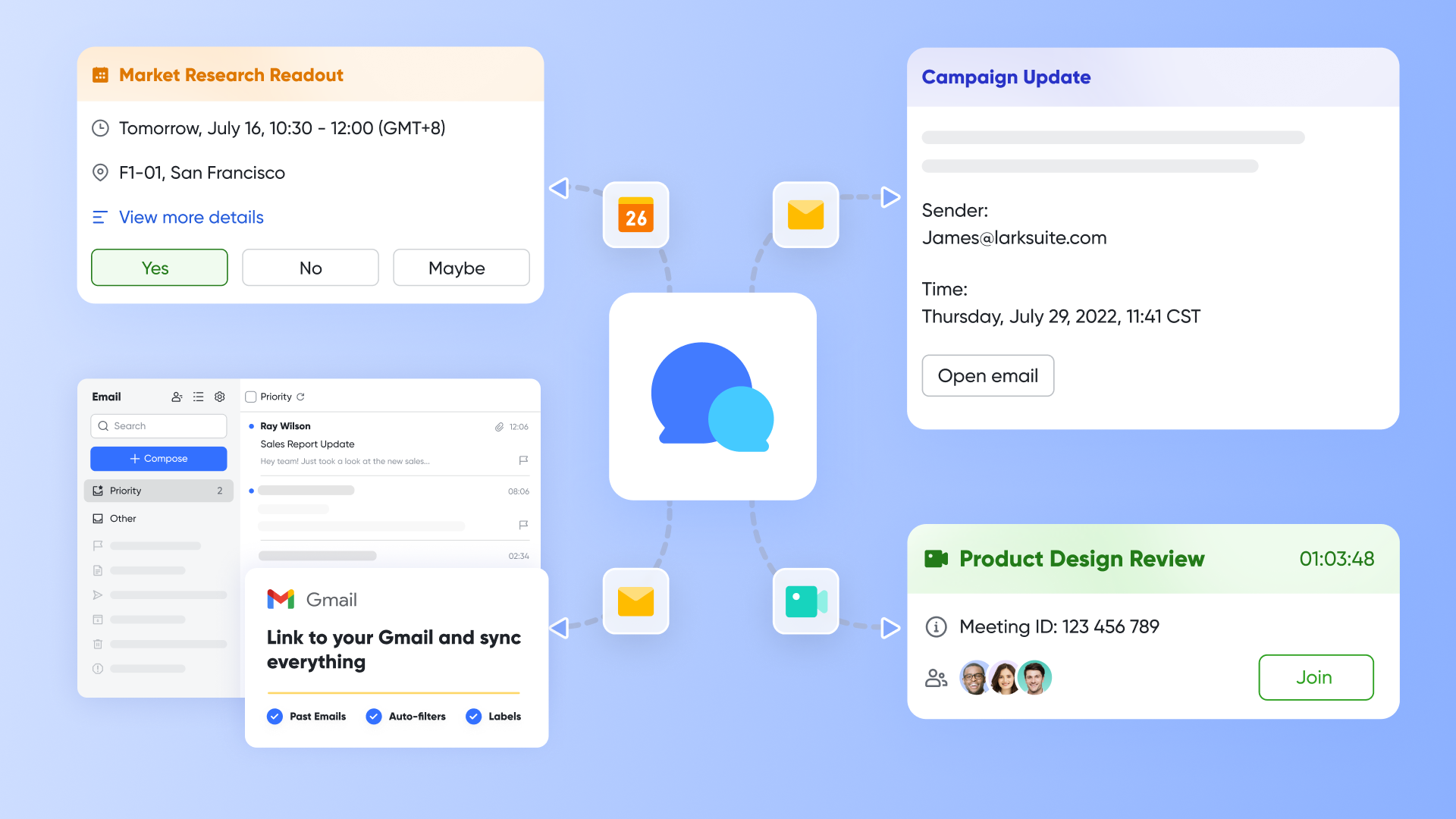
To prevent bottlenecks during the review process, Lark connects your documents directly to team communication. Stakeholders receive instant notifications via the moment a file needs their attention. If a document review requires deeper discussion, teams can easily escalate the chat into a quick Lark Meeting, ensuring the workflow maintains its momentum without delays.
Macro-Level tracking at scale
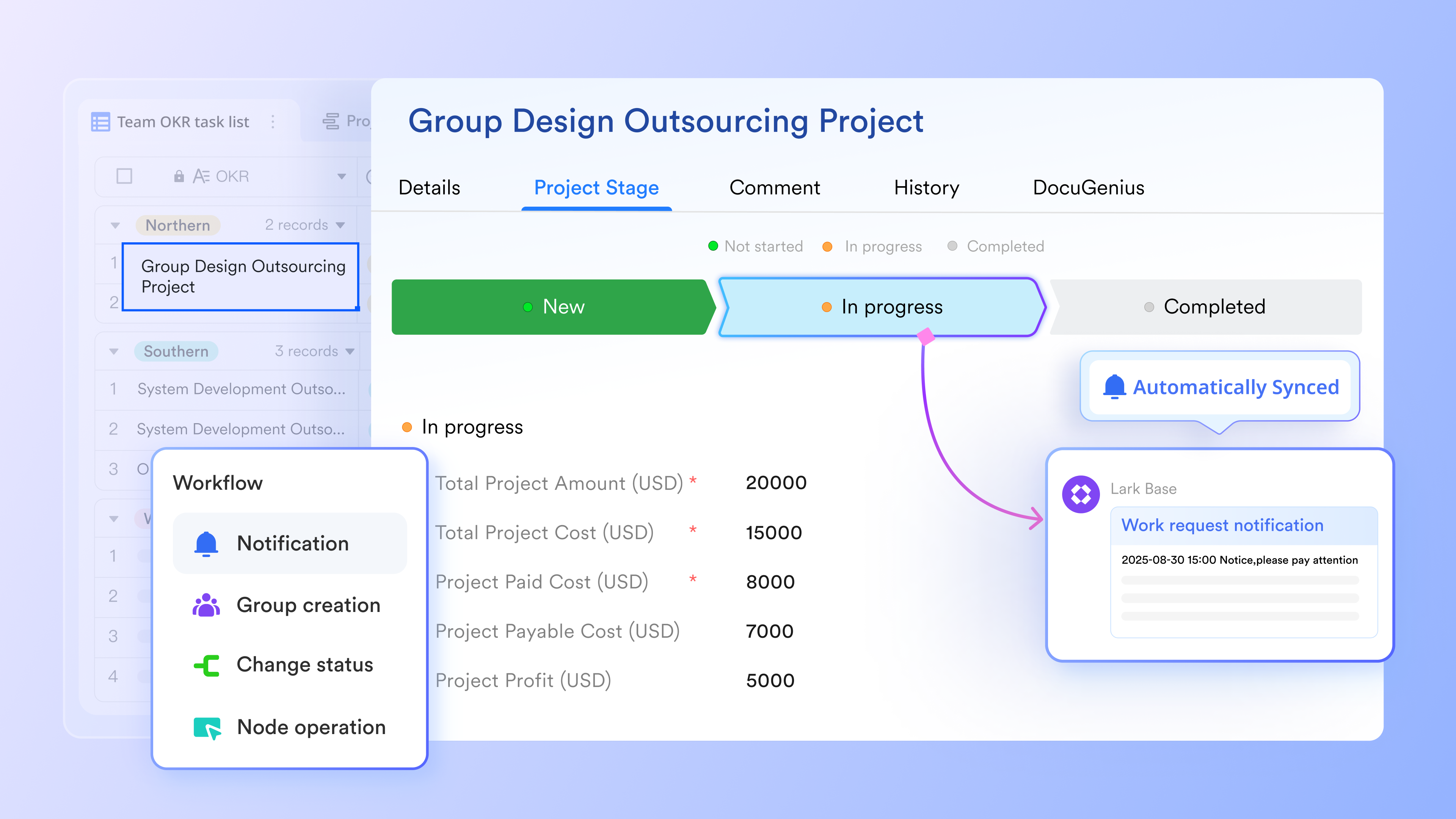
When handling a high volume of files and complex workflows, operations teams rely on to maintain complete visibility. This advanced tool functions as a structured database that links directly to your documents. It allows managers to easily track the real-time status of hundreds of files, approvals, and tasks at scale, tying the entire document management lifecycle together in one customizable dashboard.
:
- Starter plan: that includes 11 powerful tools for up to 20 users. It also comes with 100GB of storage space, 1000 automation runs, AI translations, and more. No credit card needed.
- Pro plan: (billed annually) for up to 500 users. It includes everything in Starter plus group calling for up to 500 attendees, 15TB of storage space, 50,000 automation runs, and more.
- Enterprise plan: for custom pricing. Supports unlimited users and includes even more automation runs and advanced security, compliance, and management features.
For small teams with simple communication needs

18 months message history
1000 Base automation runs/month
2000 rows per table in Base
Most POPULAR
For companies with comprehensive collaboration and management needs
Unlimited message history
500-participant video meetings
50k Base automation runs/month
20k rows per table in Base
For large companies with advanced security and organizational management needs
Get a personalized demo and pricing
Unlimited message history
500-participant video meetings
15 TB storage + 30 GB storage/user
500k Base automation runs/month
50k Base automation runs/month
Most POPULAR
For companies with comprehensive collaboration and management needs
Unlimited message history
500-participant video meetings
50k Base automation runs/month
20k rows per table in Base
Conclusion
Upgrading to a workflow document management system is a strategic operational shift. By moving away from static folders and manual email routing, you eliminate version control chaos and accelerate routine approvals. For managers looking to scale efficiently, integrating active processes directly with document storage is the clearest path to removing bottlenecks.
Instead of juggling fragmented apps, let a unified platform handle the administrative heavy lifting. Explore how an all-in-one suite like brings your document creation, approval workflows, and team communication into a single workspace to keep your operations moving forward.
Streamline your document workflow and boost efficiency with Lark
FAQs
What is a workflow in document management system?
A workflow in this context refers to the automated, predefined sequence of steps a file goes through during its lifecycle. Instead of a person manually sending a file to the next reviewer, the software uses trigger events—like a status change—to automatically route the document, adjust permissions, and notify the correct stakeholders for review, approval, or archiving.
What are the top 5 document management systems?
While the best choice depends on specific enterprise needs, popular options that address varying levels of file routing and storage include unified suites like , and specialized platforms such as M-Files, DocuWare, PairSoft, and Microsoft SharePoint. Organizations should evaluate these based on whether they need built-in collaborative drafting or strictly post-creation archival routing.
What are the 5 steps of workflow?
A standard document workflow generally follows these five phases:
- Document creation or external capture (e.g., scanning or importing).
- Automated routing for initial review and collaborative editing.
- Final approval, often involving electronic signatures.
- Distribution or publishing to the relevant internal or external parties.
- Secure archiving based on regulatory compliance and retention rules.
What is the best workflow management system?
The most effective system is one that reduces the need for constant context-switching. For modern enterprise teams, an all-in-one suite that combines cloud-native document creation, structured database tracking, and real-time team communication is highly recommended. It keeps the asset and the action in the same environment, preventing files from getting lost between different standalone applications.
Related reading












