


Top 6 Online Booking Platforms for Solo Practitioners and Small Clinics

Matthew Sia
Product Marketing Manager
Aug 5, 2026
Matthew Sia
Aug 5, 2026

10 min read


You're with a patient. Your phone rings. You can't pick up. By the time you call back, they've booked with someone else.
This happens way too often. And it's preventable. Online booking lets patients schedule themselves. You stop losing appointments to voicemail. Simple as that.
But not every platform fits healthcare. Some are made for spas. Others need an IT person to figure out. You don't have time for that.
Here are six that actually work for small practices.
6 online appointment booking platforms that work for small clinics
1. Noterro
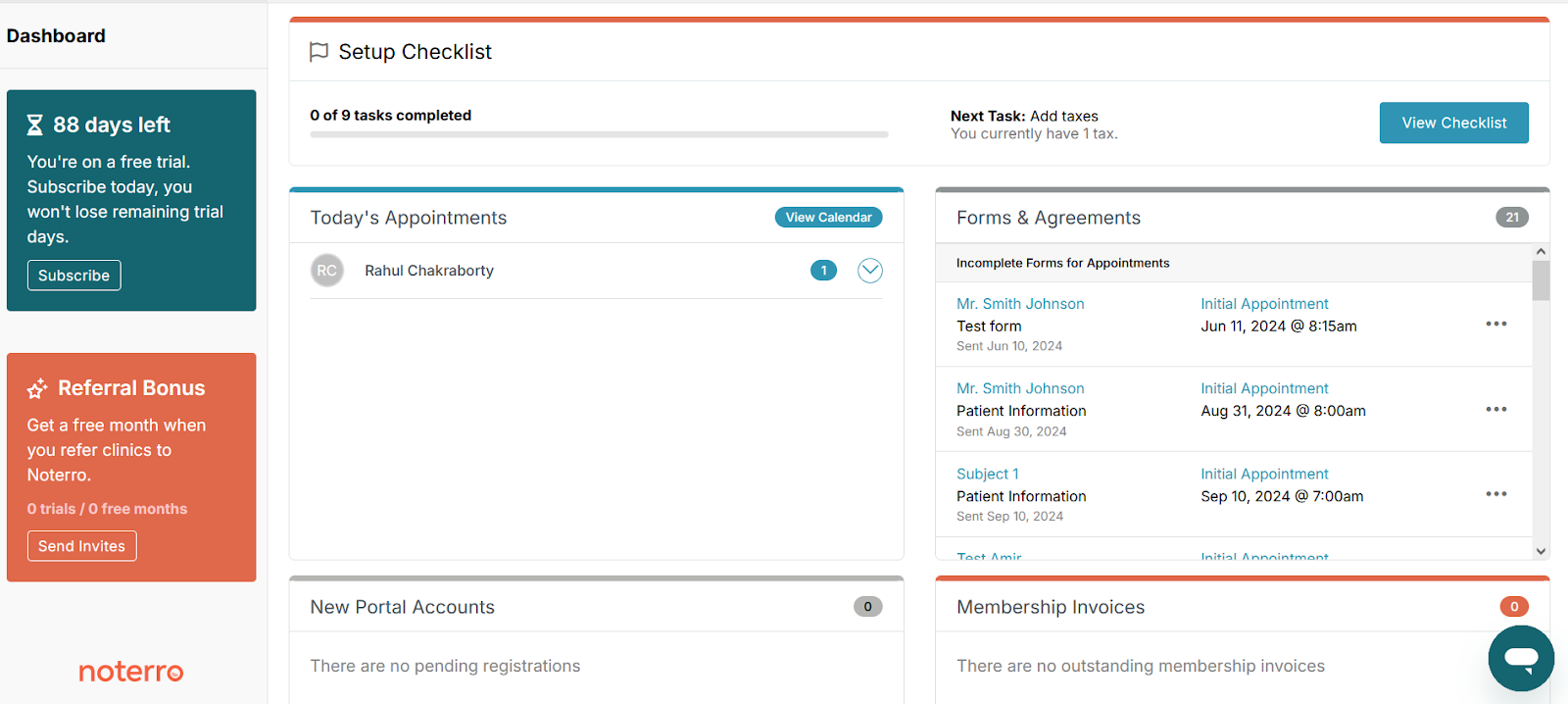
Image source: noterro.com
Noterro's online medical appointment booking system was built from scratch for healthcare practitioners. It's not a generic tool trying to fit every industry. Massage therapists, chiropractors, physiotherapists. That's who it's designed for.
The platform combines scheduling, billing, charting, and patient management in one system. Patients can book through your custom-branded web app. They pick a service, select a time, and confirm. Your calendar updates right away. No double bookings.
One feature I find useful is the automated reminders. You can set up email, SMS, or phone call notifications. Reviewers on Capterra mention that these reminders alone help reduce last-minute cancellations.
Noterro also includes built-in automation that triggers tasks and communications automatically based on patient actions. For example, when a patient books an appointment, the system can instantly send intake forms, reminder sequences, follow-up messages, or assign internal tasks without manual effort. This keeps workflows organised and reduces admin time.
For mobile practitioners, Noterro GO organises your day by location. Less driving between appointments. More time for actual treatment.
The software also includes predictive charting and an AI Scribe for voice-to-text notes. If documentation eats up your evenings, these can help. It is also HIPAA and PIPEDA compliant.
Pricing: Three plans. Core at $28.05/month, Plus at $46.75/month, Max at $65.50/month. Additional practitioners cost extra per seat. There's a 14-day free trial with no credit card required.
Best for: Solo practitioners, small clinics, and mobile therapists who want booking, billing, and charting in one place.
2. Lark
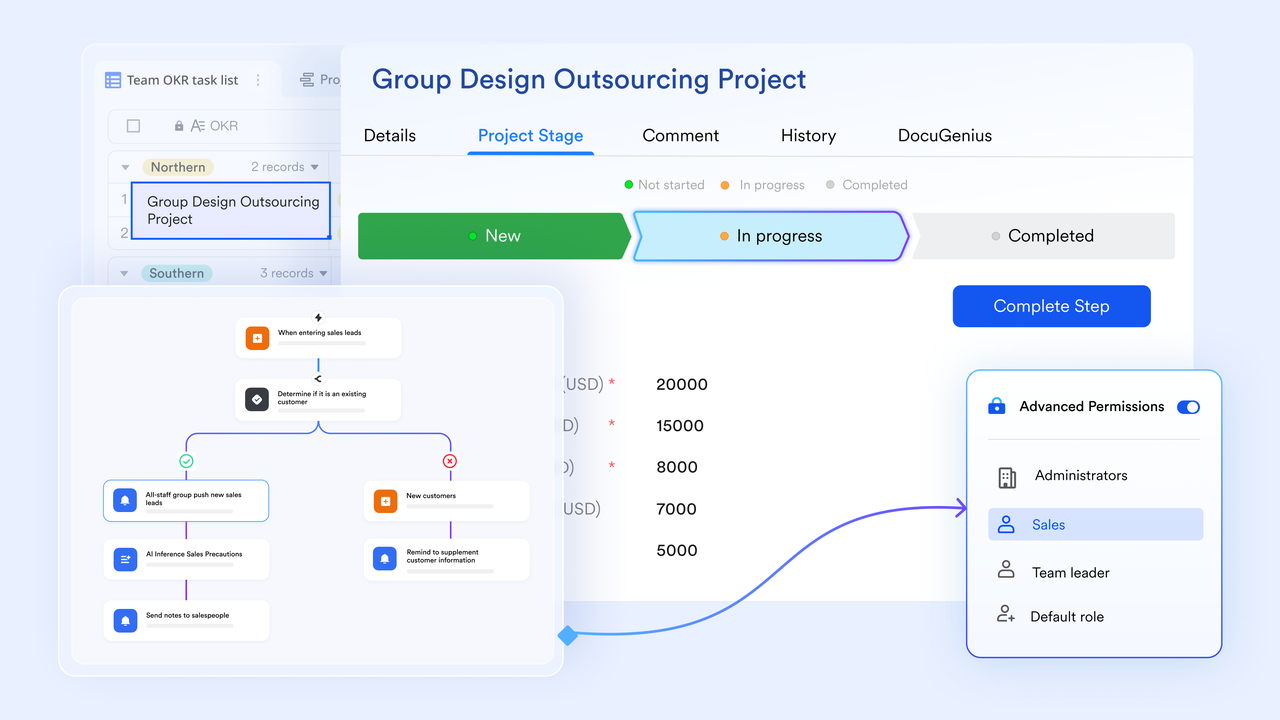
Lark facilitates online booking through its calendar management, messaging, video meetings, document sharing, and automation tools. Patients view your availability and book appointments directly through the calendar. Real-time updates prevent double bookings. You can set approval rules, buffer times, and booking limits to keep your schedule controlled and predictable.
The automation workflow builder is where Lark shines. You can set up sequences that trigger instantly when a booking is made, cancelled, or rescheduled. Confirmation texts, follow-up emails, intake form requests, feedback surveys, or staff task assignments all happen automatically, reducing manual work and the need for constant monitoring.
These automated workflows kill the back-and-forth communication that eats up your day. They reduce no-shows and ensure every patient gets consistent communication without you managing it manually. It's a massive time-saver when you're juggling patient care and administration solo.
Lark also attaches online meeting links automatically to bookings, which helps if you run consultations or telehealth sessions. Clients get notifications, join links, and calendar updates without extra steps on your end.

Pricing: Three plans. Starter at $0 per month. Pro at $12.00 per user per month. Enterprise is custom pricing and you need to contact the sales team for a quote.
Best for: Ideal for healthcare professionals and clinics of all sizes seeking an efficient scheduling and communication tool while using existing systems for notes and billing.
3. Acuity Scheduling
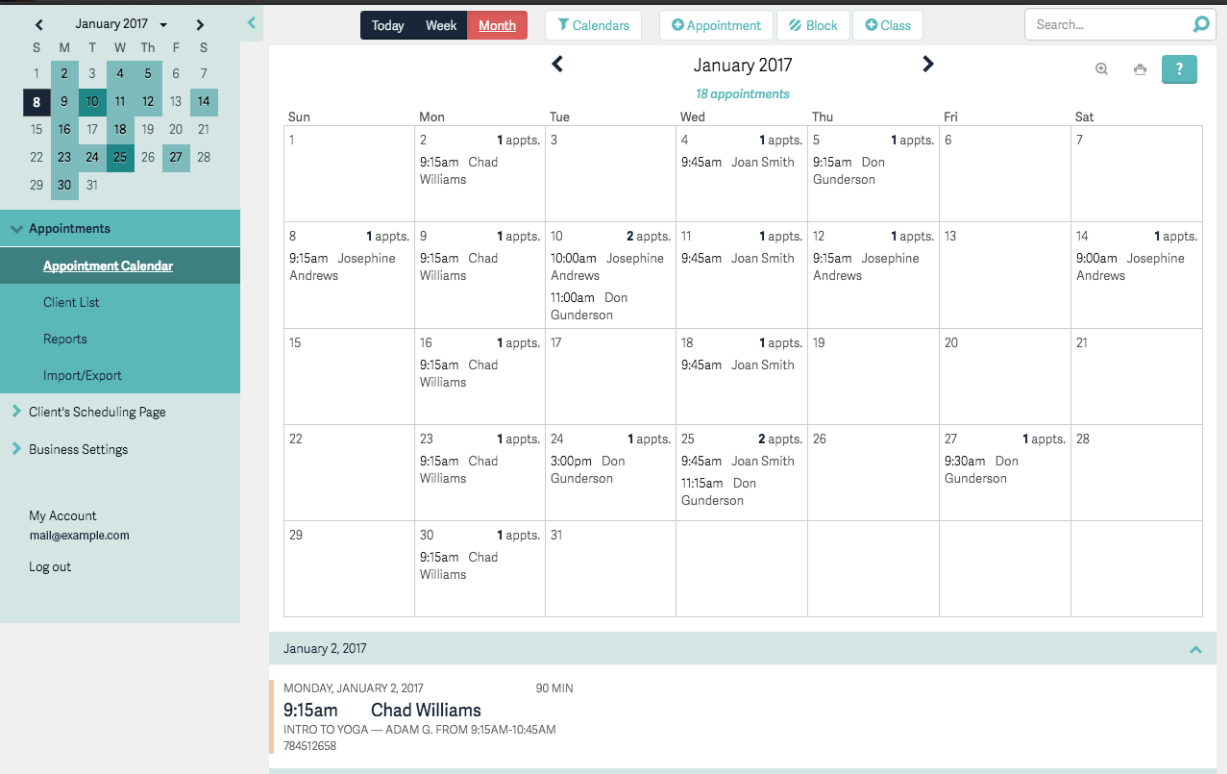
Image source: acuityscheduling.com
Acuity is owned by Squarespace and has been around for years. It's not healthcare-specific, but it's flexible enough to work for clinics.
The scheduling system lets you create different appointment types with different durations. Set up a 15-minute consultation and a 60-minute treatment as separate options. Patients only see times when you're actually free.
One thing Acuity does well is intake forms. You can build custom forms that patients fill out during booking. When they arrive, you already have their information. No clipboard shuffling at reception.
Acuity also supports automated email and SMS workflows tied to the appointment type or booking status. These automated flows help reduce manual follow-ups and improve patient preparedness before appointments.
The platform syncs with Google Calendar, Outlook, and iCloud. You can embed booking widgets on your website or social media. Automated reminders go out via email and text.
One important note for healthcare: HIPAA compliance is only available on the Powerhouse plan, which costs more. If you handle protected health information, you'll need that higher tier.
Pricing: The Emerging plan is $16/month for one calendar. Growing is $25/month for up to six calendars. Powerhouse runs $50/month and includes HIPAA compliance plus up to 36 calendars. Annual billing gets you about 20% off. It offers a free trial of 7 days.
Best for: Clinics that need dedicated booking software and already have separate systems for charting and billing. Good if you schedule different appointment types frequently.
4. Square Appointments
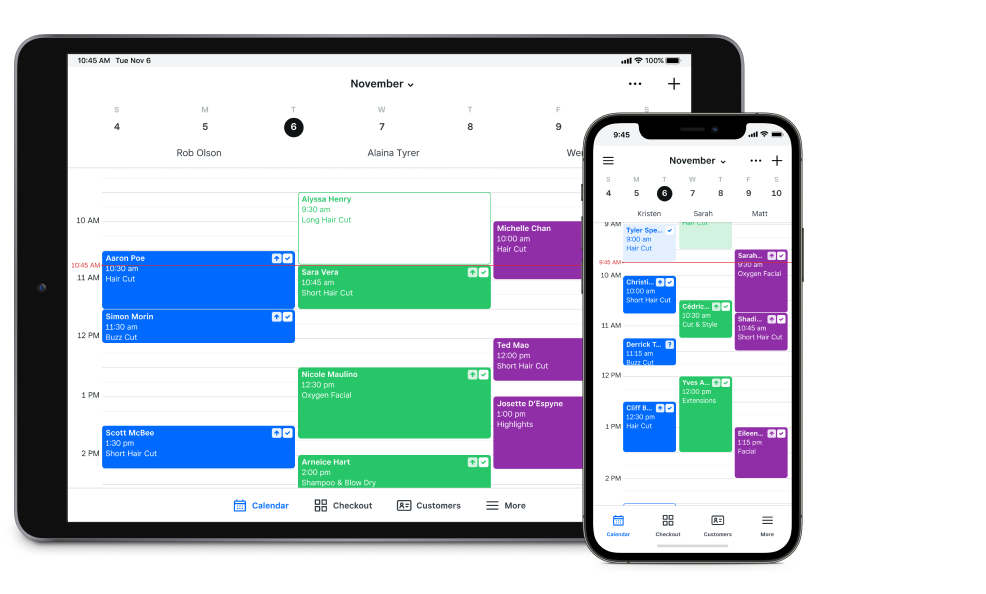
Image source: squareup.com
If you're already using Square for payments, this one makes sense. The booking system connects directly to Square's payment processing. Patients can pay when they book or at checkout.
For solo practitioners, the free tier is generous. You get unlimited appointments, a booking website, client management, and integrated payments. No monthly fee. You only pay transaction fees when processing cards (2.6% plus 15 cents for in-person payments on the free plan).
The booking page is customizable. You can add your logo, adjust colours, and match it to your branding. Patients see your availability and book directly. The system syncs with Google Calendar to prevent double bookings.
Text and email confirmations are automatic. Square also supports automated workflows like sending review requests, deposit reminders, and follow-up messages after appointments.
The downside? SMS reminders and some advanced features like multi-location management require the Plus plan at $29/month. And it's mostly limited to countries where Square operates.
Pricing: Free for individuals (unlimited appointments, basic features). Plus is $29/month per location (up to 5 team members, custom notifications). Premium is $69/month per location (unlimited team members, resource management).
Best for: Solo practitioners who want free booking with integrated payments. Especially useful if you already use Square hardware.
5. Setmore
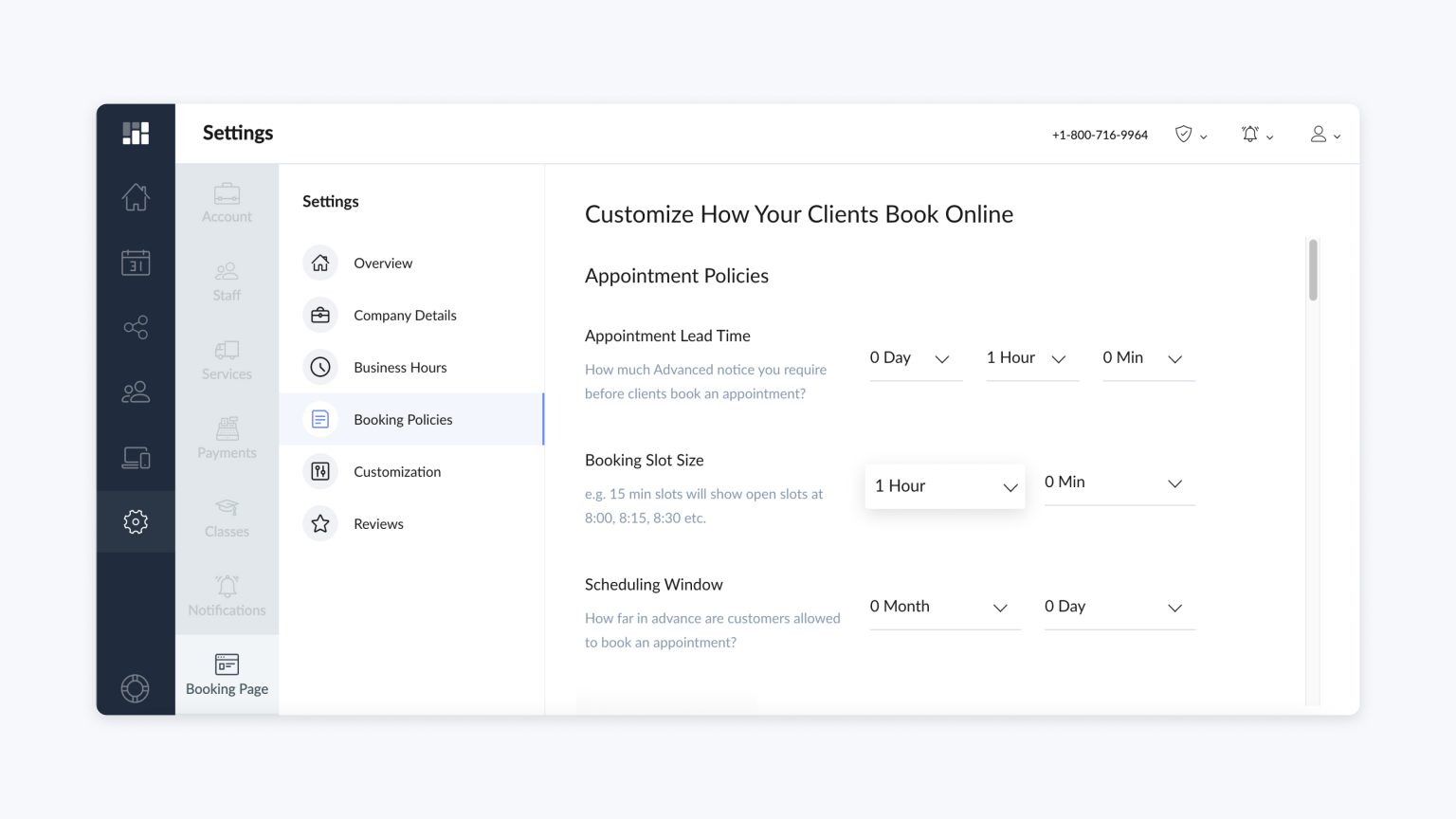
Image source: setmore.com
Setmore has a solid free plan that works for many small practices. Up to four staff calendars, a booking page, email reminders, and integrations with Square, Stripe, and PayPal for payments.
The free plan supports up to 200 appointments per month. For most solo practitioners, that's enough. The platform also has a HIPAA-compliant version available if you're handling protected health information.
Setmore includes automated scheduling workflows like confirmation messages, reminder sequences, and recurring appointment tracking, reducing the need for manual communication.
What's unusual is the free version includes staff scheduling. If you have one or two people helping, everyone can use it without upgrading.
The platform also has a HIPAA-compliant version available if you're handling protected health information. That's worth noting since not all free booking tools offer this.
The Pro plan adds SMS reminders, removes Setmore branding from your booking page, and unlocks more integrations. The pricing structure can be a bit confusing. It's listed as $5/user/month when billed annually or $12/user/month when billed monthly.
It offers integration with tools like Square, Stripe, PayPal, Zoom, Google Meet, Google Calendar, Mailchimp, Slack, and more.
Pricing: Free plan for up to 4 users with 200 appointments/month. Pro plan starts at $5/user/month billed annually ($12/month if paid monthly).
Best for: Small clinics watching their budget who need basic scheduling without monthly costs. Good if you want payment integrations included free.
6. Jane App
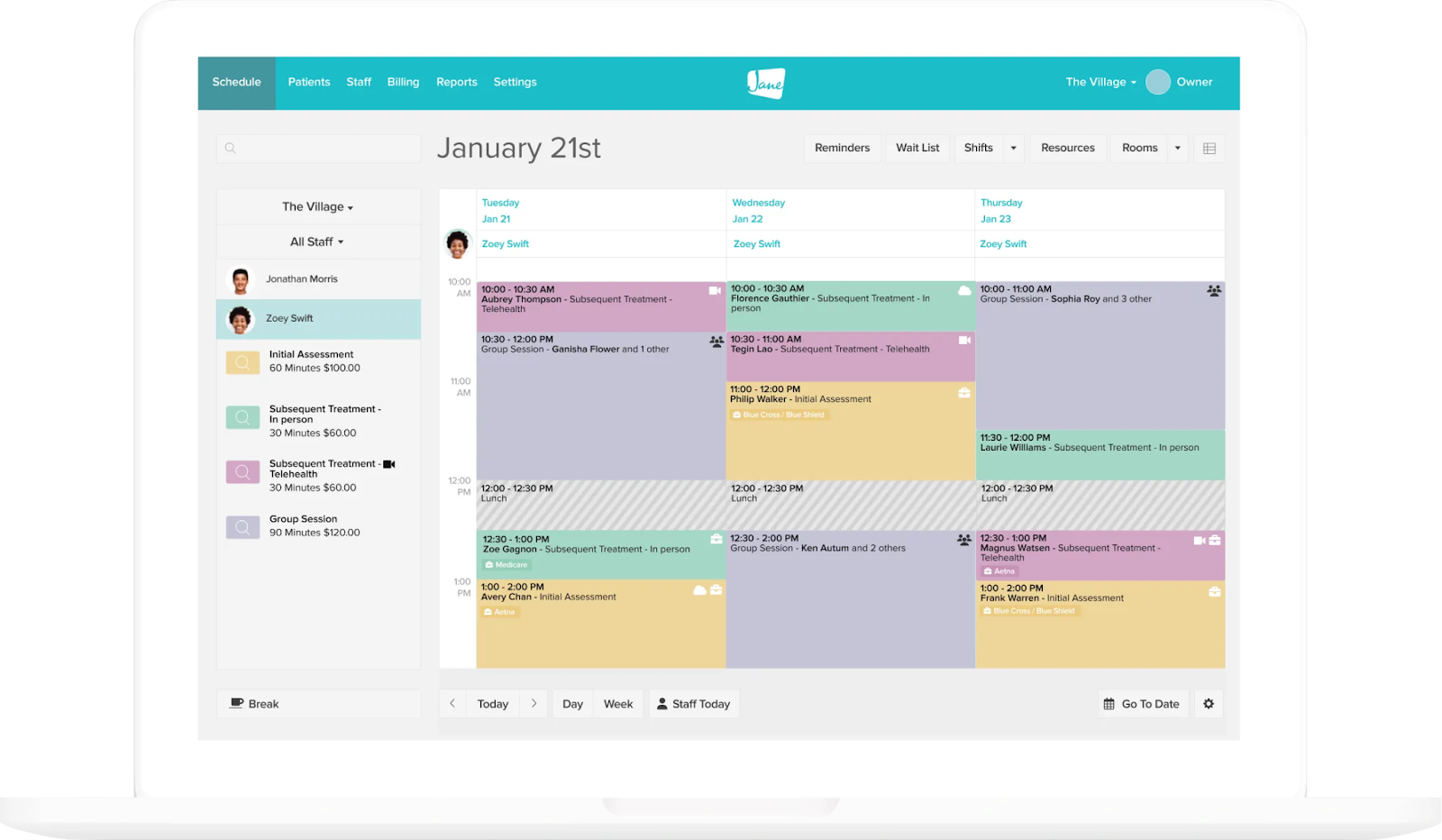
Image source: janeapp.com
Jane comes from Canada and was built specifically for health and wellness practitioners. Physiotherapists, chiropractors, massage therapists, counsellors, and mental health professionals. The team behind it actually runs clinics, so the software reflects real-world needs.
Jane uses automated workflows to manage reminders, intake forms, insurance information requests, and follow-up communication automatically. This reduces administrative effort and keeps patient onboarding consistent.
What sets Jane apart is everything else it includes. Charting with templates for different healthcare specialities. Billing with insurance claim support. Telehealth for video appointments. Automated reminders by email and SMS. Patient intake forms that flow directly into charts.
For Canadian practitioners, Jane offers direct insurance billing. That alone can save hours of paperwork.
The learning curve is steeper than simpler booking tools. There's a lot to set up. But once it's running, most users find it handles their entire practice management.
Downside is price. Jane is more expensive than standalone booking tools. The Balance plan at $54 CAD/month is limited to 20 appointments. Most practices need the Practice plan at $79 CAD/month for unlimited appointments. Adding practitioners costs $35 CAD/month each on Practice.
Pricing: Balance is $54 CAD/month (1 practitioner, up to 20 appointments). Practice is $79 CAD/month (unlimited appointments, additional practitioners $35/month each). Thrive is $99 CAD/month (enhanced features, additional practitioners $40/month each).
Best for: Canadian practitioners who want booking, charting, billing, and insurance claims in one system. Good for multi-disciplinary clinics where different specialties need to share patient information.
Which One Fits Your Practice?
If you want booking, charting, billing, and patient management together, Noterro handles all of it at $28.05/month. SOAP notes software for clinics like Noterro integrates scheduling so your data flows without extra work.
If you only need a booking software and already have separate tools for notes and billing, Acuity or Lark work well. They're focused and fast to set up.
If budget is the priority, Square Appointments (free) or Setmore (free with 4 users) cover the basics without monthly costs.
If you're in Canada and want integrated insurance billing with your scheduling, Jane is purpose-built for that.
Most of these offer trials. Pick two that look promising. Spend a few days with each. The right software shouldn't feel like a fight every time you use it.
FAQs
Will these booking platforms work if I don’t have a website yet?
Yes. Most of these tools provide a hosted booking page you can share via link, SMS, or social media. You can start accepting bookings without building a website.
Can I control how far in advance patients can book or cancel appointments?
Yes. All major booking tools allow you to set booking windows, cancellation deadlines, and buffers between appointments so your schedule doesn’t get disrupted.
Can these platforms handle recurring appointments for long-term treatment plans?
Yes. Several tools allow patients to book recurring sessions or let you schedule a full treatment plan at once, which reduces scheduling back-and-forth.
What happens if two people try to book the same slot at the same time?
Online booking tools instantly update availability in real time, so once a slot is taken, it’s removed from the schedule to prevent double booking.
Related reading
Table of contents
Start using Lark today

Manage all your work in one place
Boost team efficiency by 10x
Save up to 70% on software costs
Table of contents
Start using Lark today
Manage all your work in one place
Boost team efficiency by 10x
Save up to 70% on software costs
Keep reading







2026 Lark Technologies Pte. Ltd.
Headquartered in Singapore with offices worldwide.






Explore: