














13 Best Calendly Alternatives for Faster, Smarter Scheduling

Ryan Tanner
Product Marketing Specialist
Sep 18, 2026
Ryan Tanner
Sep 18, 2026

22 min read


Finding the right scheduling tool can make a big difference in productivity and client experience. While Calendly remains popular, several Calendly alternatives now offer smarter automation, better customization, and seamless integrations for growing teams. Tools like Lark, Cal.com, Acuity Scheduling, YouCanBook, and Zoho Bookings provide powerful features to simplify meeting coordination, eliminate back-and-forth emails, and keep your calendar organized. Here's a closer look at the best alternatives that can help you schedule faster and work smarter.
1. Lark: Best all-in-one alternative for scheduling + collaboration
2. Cal.com: Best open-source Calendly alternative
3. Acuity Scheduling: Best for service-based businesses
4. YouCanBook.me: Best for simple booking workflows
5. Zoho Bookings: Best for businesses using Zoho ecosystem
6. HubSpot Meeting Scheduler: Best CRM-native option
7. Zeeg: Best all-in-one alternative for AI-powered scheduling
8. Doodle: Best for scheduling group availability
9. SimplyBook.me: Best for appointment-based businesses
10. Setmore: Best free alternative with payments
11. OnceHub: Best for advanced routing and lead scheduling
12. TidyCal: Best budget-friendly Calendly alternative
13. Microsoft Bookings: Best for Microsoft 365 users

Comparison table: Calendly vs top alternatives
Here's a quick side-by-side look at how Calendly stacks up against leading scheduling tools. This comparison highlights the key features, pricing, and strengths of each option—including the top free alternatives to Calendly—to help you choose the best fit.
What is Calendly?
Calendly is an online scheduling tool that helps users book scrum meetings without the usual back-and-forth emails. It lets you set your availability, share a booking link, and automatically sync appointments with your calendar. Designed for individuals and teams, Calendly simplifies meeting coordination, sends automated reminders, and integrates with popular tools like Zoom, Google Calendar, and Slack. It's widely used by sales teams, consultants, recruiters, and service providers who want a faster, more organized way to schedule calls and manage their time.
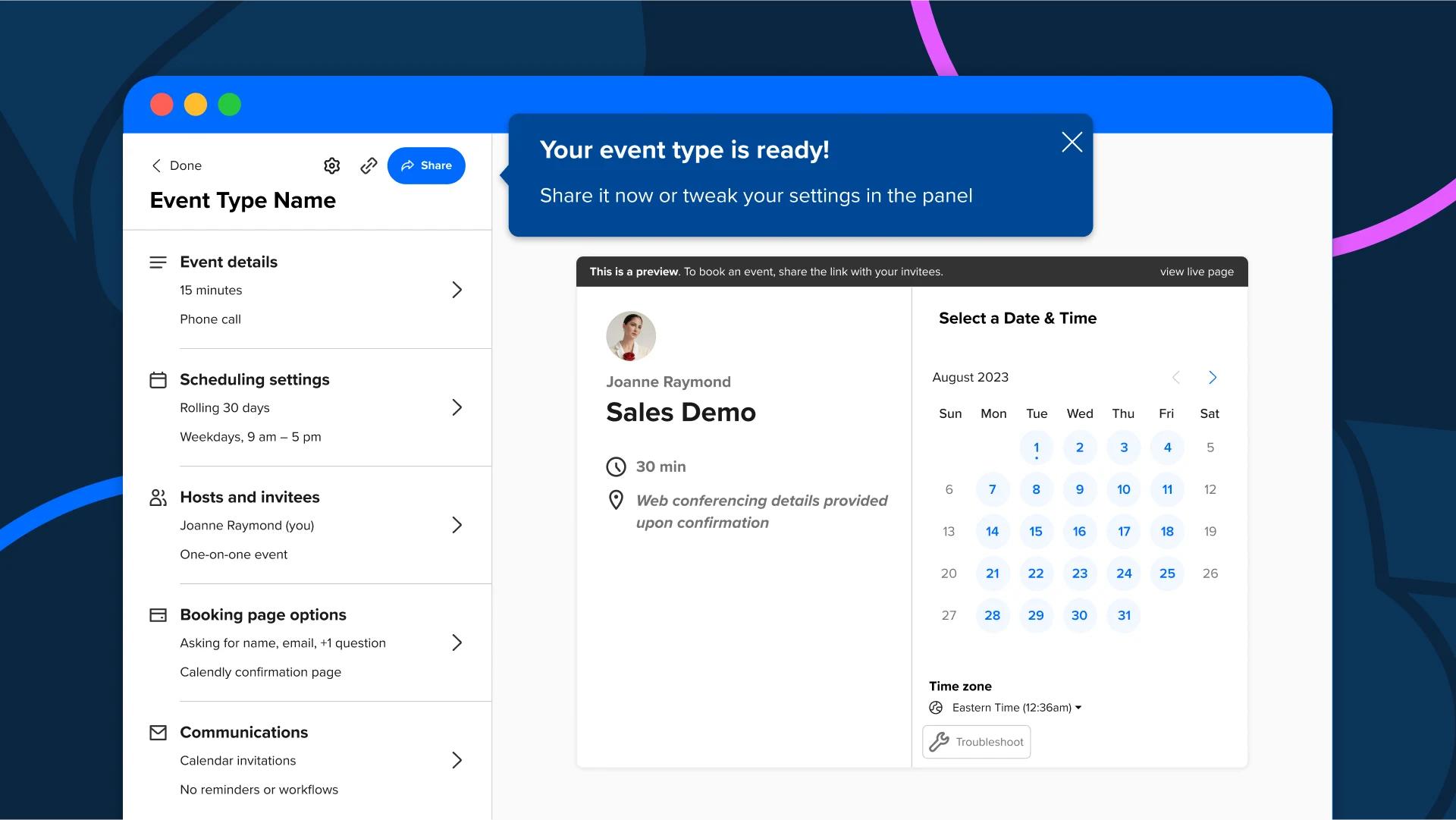
Image source: calendly.com
Why do people look for Calendly alternatives
People explore Calendly alternatives free for several reasons tied to flexibility, collaboration, and cost. Many users want more customization, such as branded booking pages or advanced production scheduling rules. Teams often need stronger collaboration features that support shared calendars, round-robin assignments, and coordinated workflows. Some businesses look for deeper automation to reduce manual tasks and streamline every step of the booking process. Others prioritize tighter integration with their cloud based CRM, project tools, or marketing software. Multi-calendar support is another common need, especially for users managing multiple roles or client accounts. And for many, the search comes down to finding a more affordable or feature-rich free plan.
What to look for in a Calendly alternative
When choosing a Calendly alternative, it helps to focus on features that improve flexibility, reduce manual work, and support team-wide collaboration. If you're exploring the best alternatives to Calendly for scheduling, here's what to consider:
- Calendar sync and timezone automation: Your scheduling tool should sync with your existing calendars and automatically adjust to time zones, so meetings are recorded correctly without extra coordination.
- Team scheduling options: Look for round robin, collective, and group meeting features that help teams share availability, distribute meetings fairly, and host sessions with multiple participants.
- Booking page customization: A customizable booking page lets you match your brand style, set unique rules, and create a more polished experience for clients.
- Automated reminders and follow-ups: Automation helps cut down no-shows by sending timely reminders, confirmations, and post-meeting follow-ups without manual effort.
- Buffers, limits, and meeting rules: These settings give you better control over your time by creating breaks between bookings, limiting daily meetings, and restricting last-minute appointments.
- Payment collection: If you offer paid consultations or sessions, built-in payment options simplify the process and reduce the need for external collaboration tools.
- Integrations with project management and CRM software: CRM integrations with tools you already use keep workflows smooth. This helps update tasks, sync client data, and trigger automation when a meeting is booked.
- Mobile accessibility: A strong mobile app ensures you can manage bookings, update availability, and respond to clients even when you are not at your desk.
- Analytics and reporting: Analytics help you understand meeting volume, peak booking times, and team performance so you can adjust schedules and improve efficiency.
Full list: Top 13 Calendly alternatives you need to know
1. Lark: Best all-in-one alternative for scheduling & collaboration
Lark is an all-in-one platform that helps teams schedule, run, and follow up on meetings more efficiently. It keeps everyone aligned, reduces back-and-forth, and makes coordination across teams and time zones simpler. By combining scheduling, communication, and collaboration in one place, Lark provides a seamless experience that goes beyond traditional booking tools like Calendly.
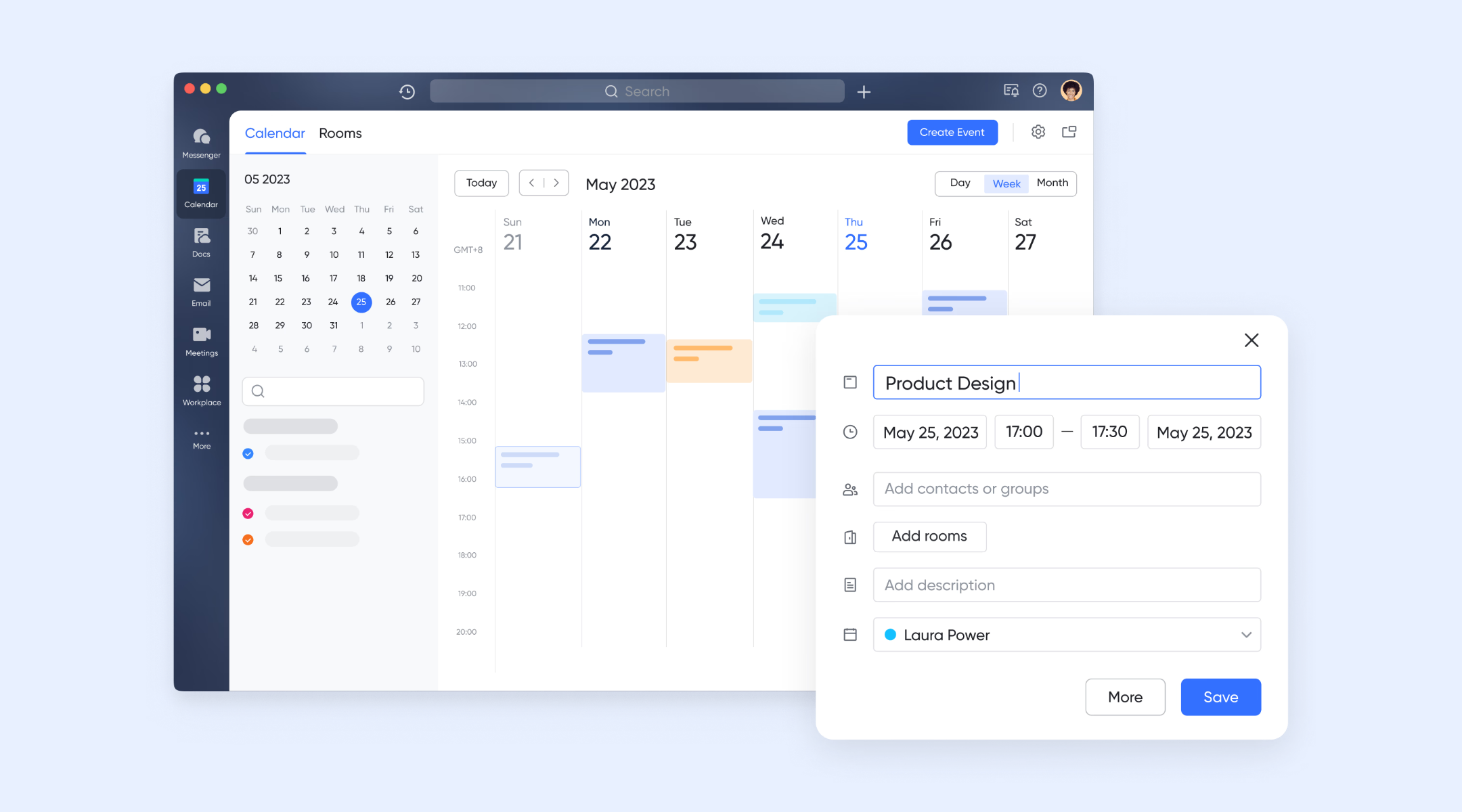
Lark Calendar: Smarter scheduling with shared availability
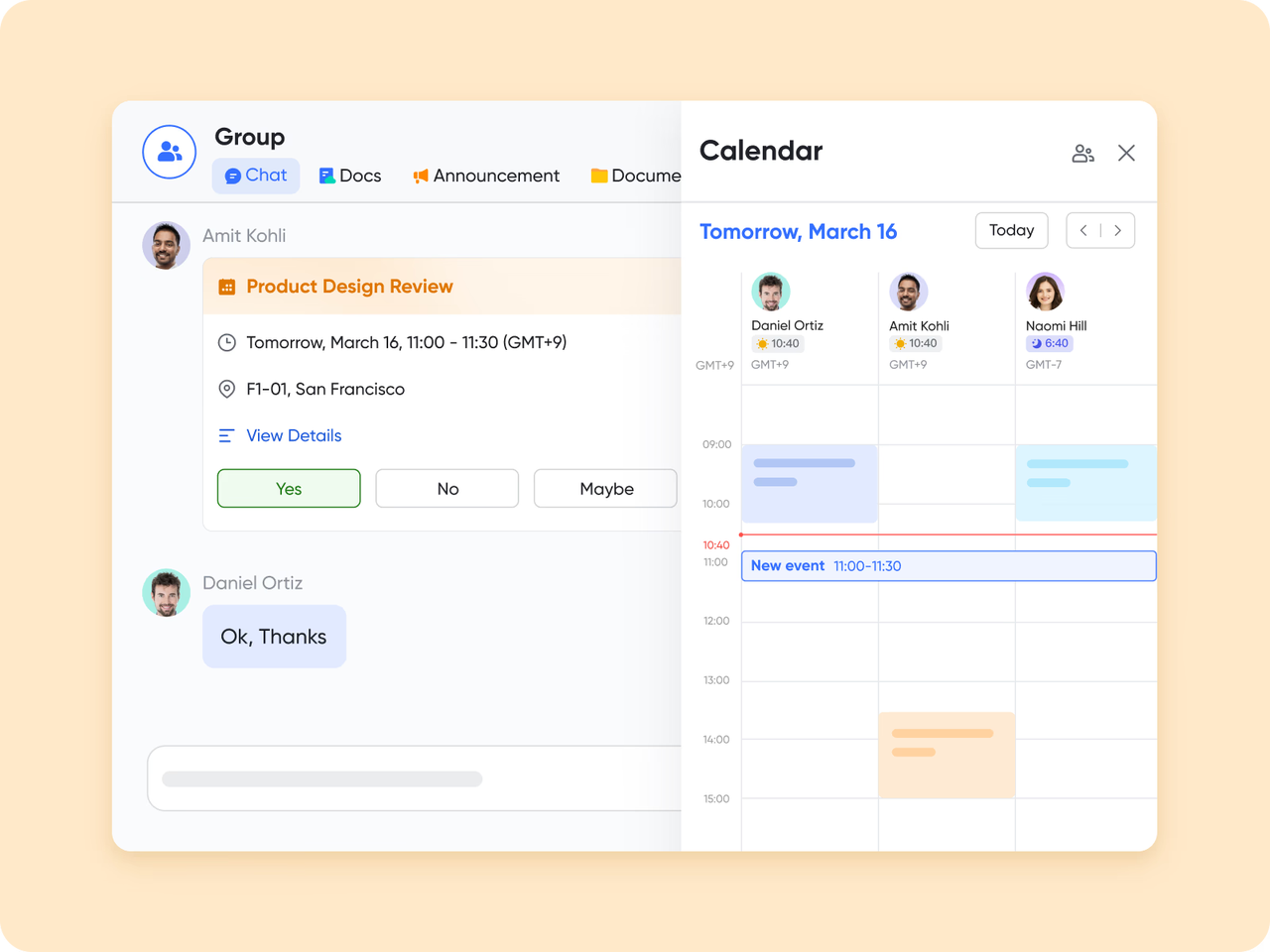
Lark Calendar gives teams a clear, real-time view of everyone's availability. You can check free time slots inside group chats, propose meeting times instantly, or let the system suggest the best slot for all participants. With support for multiple time zones, global teams can schedule effortlessly. With one click, you can follow other people's calendars and set up public calendars for organization-wide visibility.
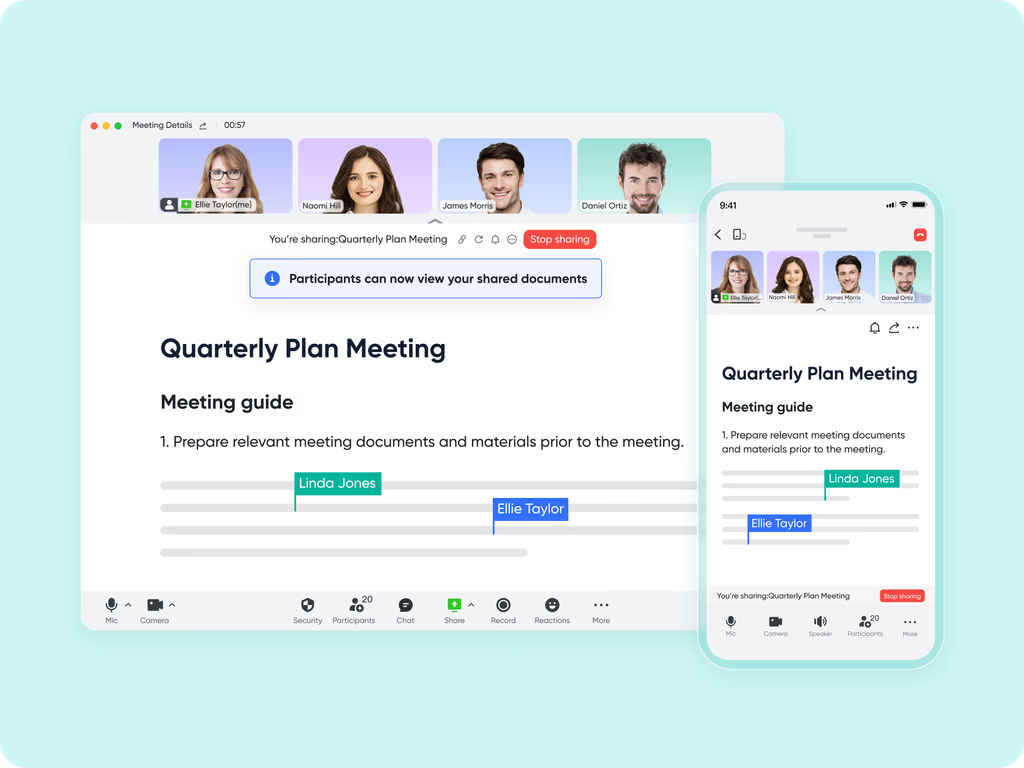
Lark Meetings: Seamless online video communication
Lark Meetings is a comprehensive video conferencing tool built into Lark. It lets you schedule, start, and join meetings directly from the Meetings tab, Calendar, or chats. You can manage hosts and co-hosts, set agendas, reserve rooms, and optimize performance with a low-bandwidth mode. Via Magic Share, participants can share documents during meetings, ensuring everyone views the same content in real time. By syncing with Lark Calendar, Lark Meetings ensures that participants' availability is visible, while built-in reminders and settings streamline the scheduling process.
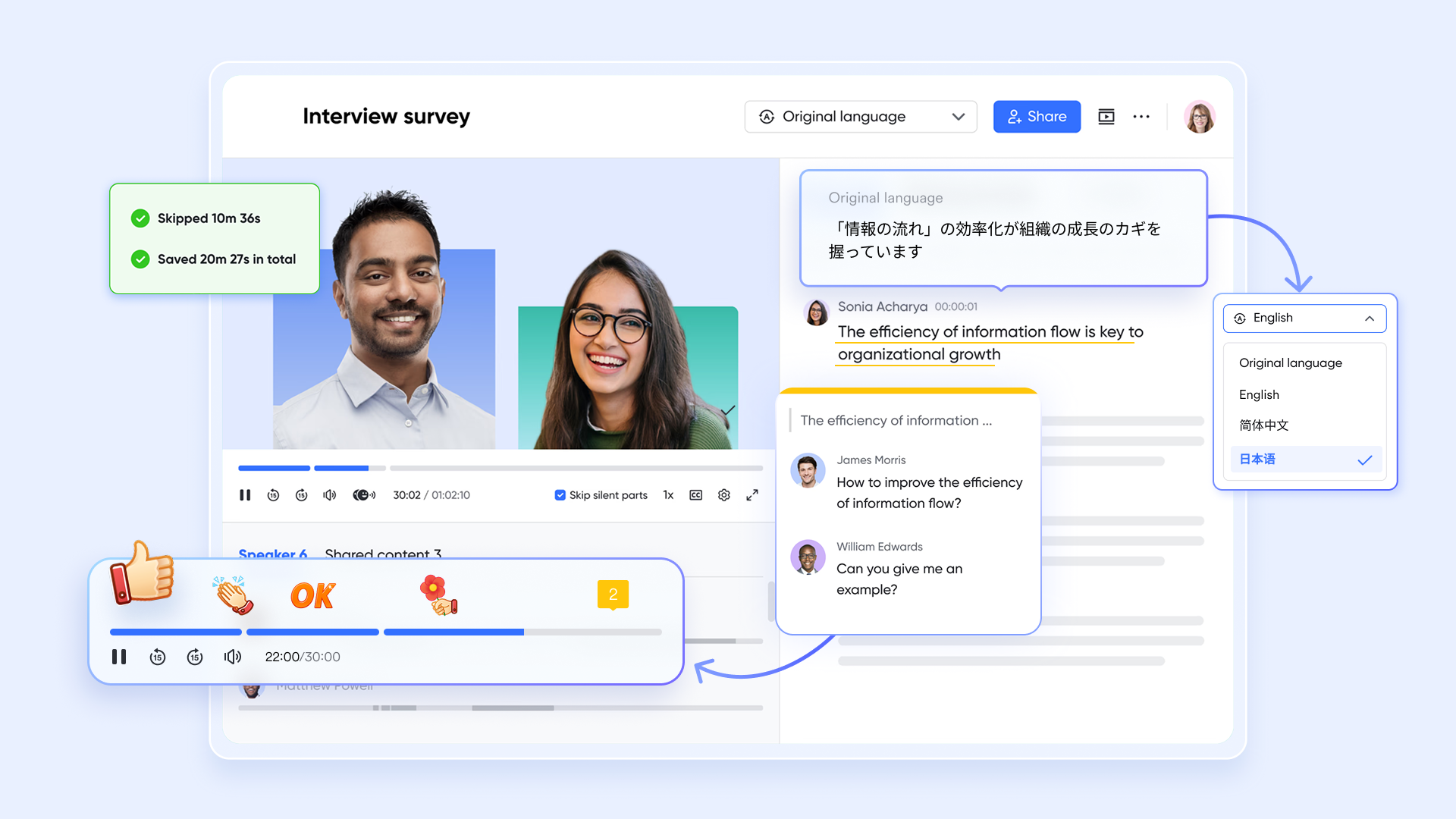
Lark Minutes: Intelligent meeting transcription & searchable history
As an AI tool, Lark Minutes automatically transcribes audio and video recordings from meetings into searchable, interactive text—making notes easy to review, highlight, and share. Because the meeting owner (organizer for scheduled meetings, initiator for impromptu ones) retains control over the minutes, it's simple to manage ownership and follow-up. You can even upload recordings after the fact to generate transcripts, so nothing gets lost. Smart notes help distill key points, decisions, and action items, keeping everyone aligned and accountable.
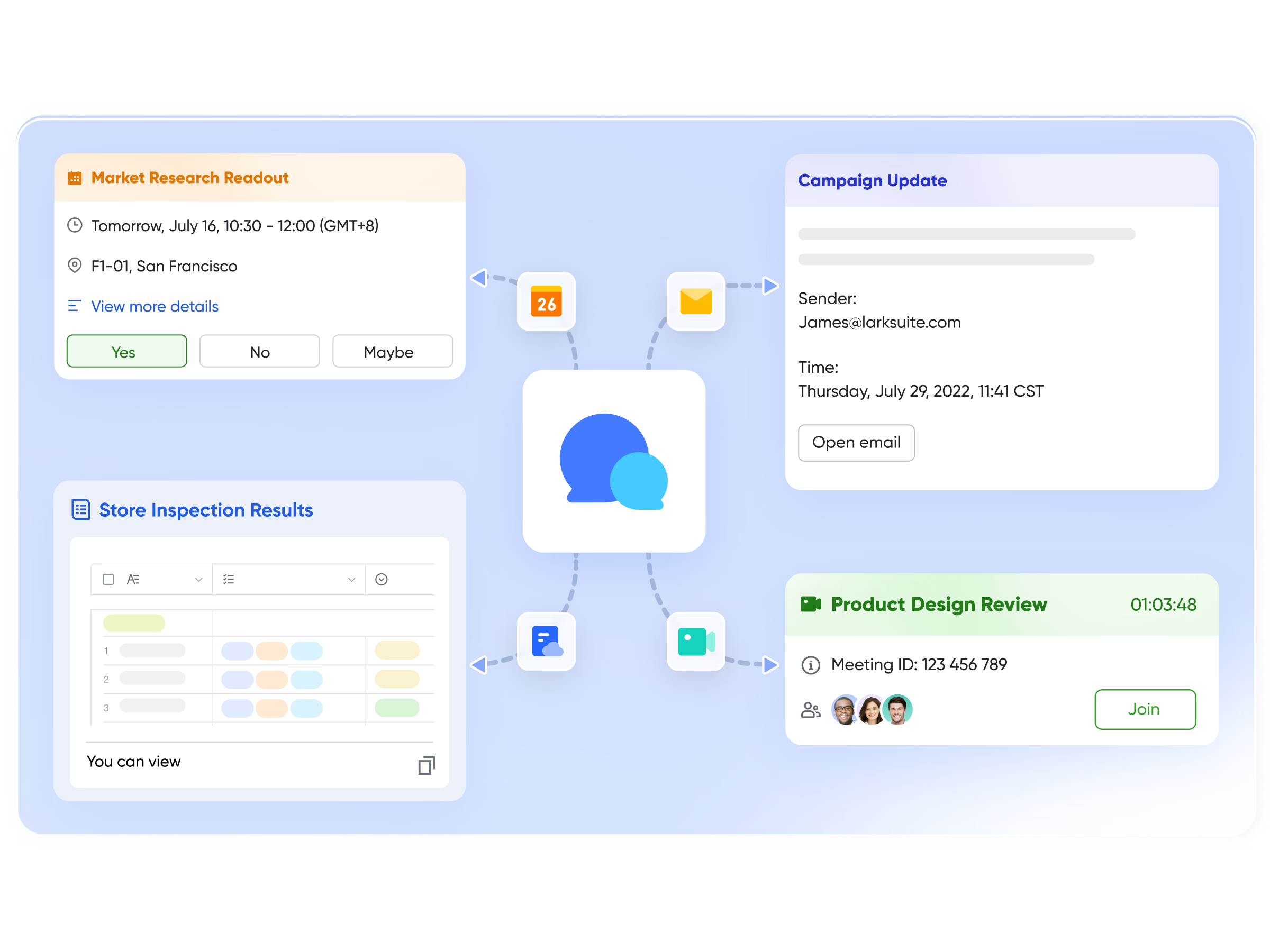
Lark Messenger: Schedule meetings directly from conversations
Inside Lark Messenger, teams can open a chat member's free/busy view and schedule meetings directly from the conversation. In Messenger, you can schedule meetings directly from a chat by clicking the Calendar icon to view members' available time slots and send invitations. Also, you can share meeting invitations in Messenger with just a few clicks, making it easy for participants to confirm attendance.
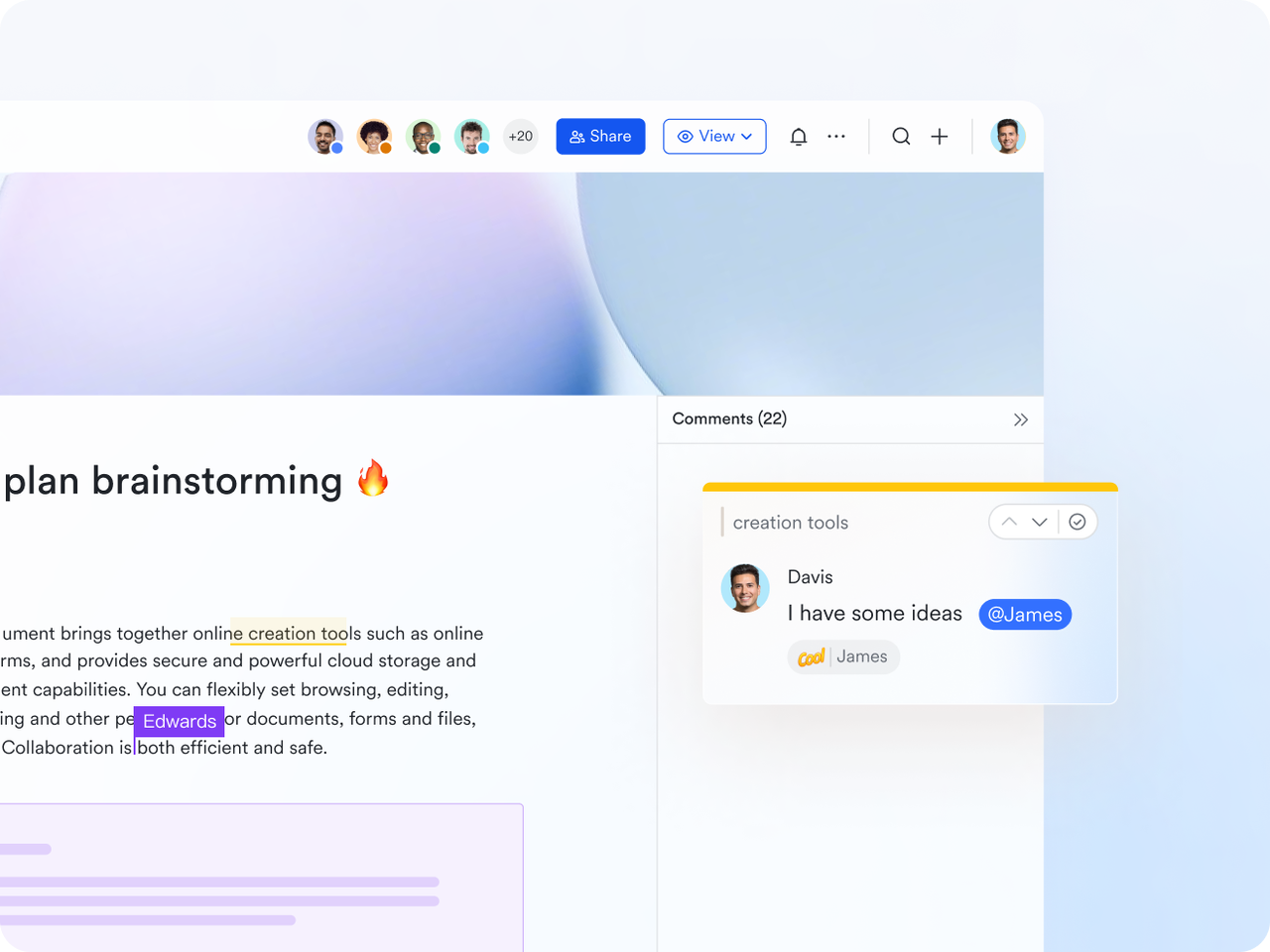
Lark Docs & Wiki: Collaborative content connected to meetings
Lark Docs and Lark Wiki enhance collaboration by making it easy to share agendas, briefs, and follow-up materials. Teams can co-edit documents in real time, add comments, adjust sharing permissions, or attach Docs directly to Calendar events. Notifications keep everyone aware of key changes or updates.
- Starter plan: Free forever plan that includes 11 powerful tools for up to 20 users. It also comes with 100GB of storage, 1000 automation runs, AI translations, and more.
- Basic plan: $6/user/month (billed annually) for up to 500 users. It includes everything in Starter plus group calling for up to 500 attendees, 5TB of storage, 1000 automation runs, and more.
- Pro plan: $12/user/month (billed annually) for up to 500 users. It includes everything in basic plus group calling for up to 500 attendees, 15TB of storage, 50,000 automation runs, and more. Some users may need to contact sales to purchase.
- Enterprise plan: Contact sales for custom pricing. Supports unlimited users and includes even more automation runs and advanced security, compliance, and management features.
2. Cal.com: Best open-source best Calendly alternative
Cal.com is a powerful scheduling platform and best among the open-source best Calendly alternatives built for users who want more control than traditional booking tools offer. Because it's fully open-source, you can customize it, self-host it, or tailor the interface to match your workflow. It's a great fit for teams, developers, and organizations that want flexibility, strong automation, and the ability to create a fully branded scheduling experience without being locked into a closed system.
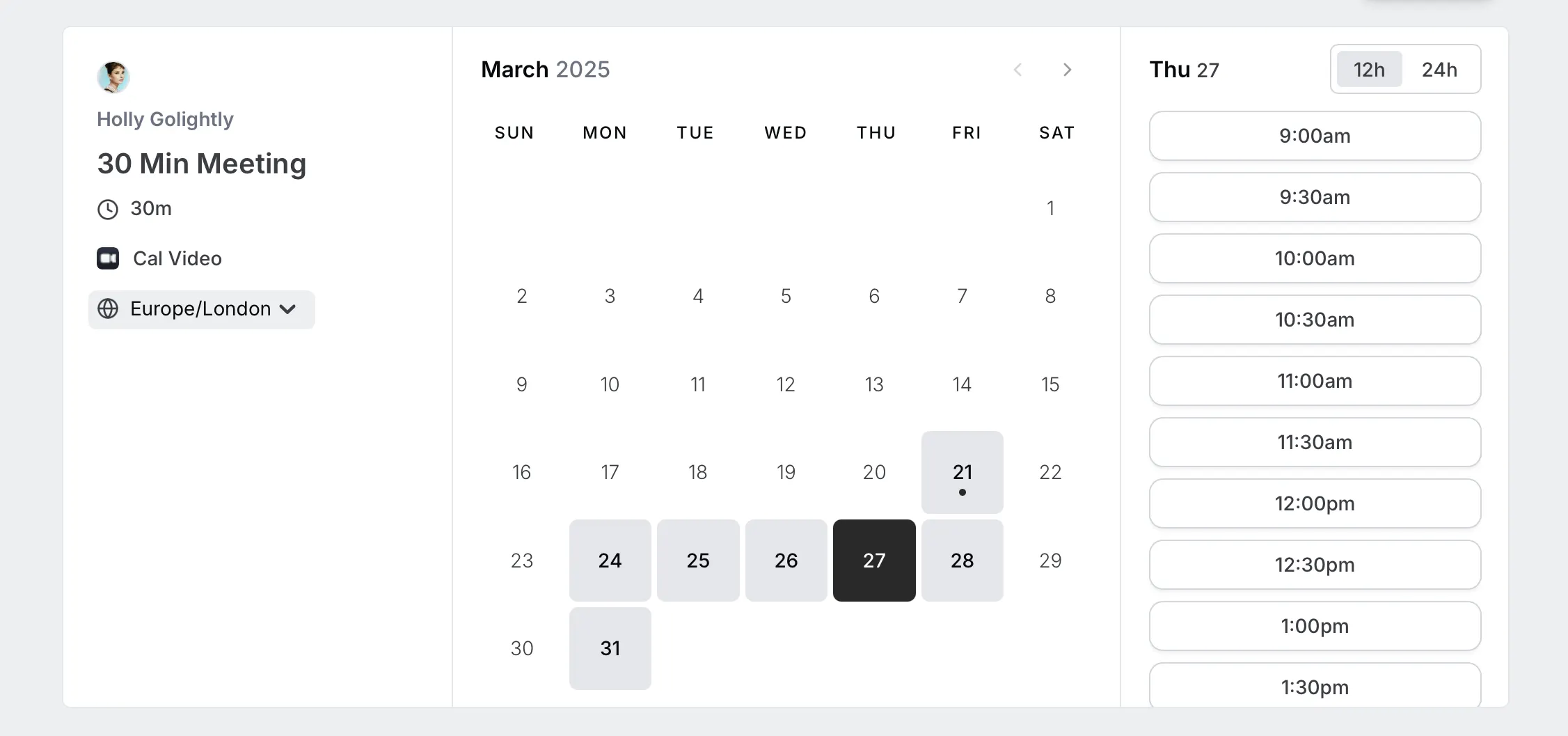
Image source: cal.com
Key features:
- Open-source platform that you can self-host or customize freely.
- API-first design for building custom scheduling experiences.
- Supports round-robin, collective, and group scheduling.
- Built-in payments through Stripe and PayPal.
- Workflow automation and extensive integration options.
Pros:
- Highly customizable for developers and teams with specific needs.
- Strong free plan with generous features.
- Great for privacy-focused users and white-label setups.
- Suitable for both individuals and larger teams.
Cons:
- Requires technical skills to use advanced customization.
- Some premium features are locked behind paid plans.
Pricing:
- Free: Free plan available
- Teams: $15/user/month
- Enterprise: $37/user/month
3. Acuity Scheduling: Best for service-based businesses
Acuity Scheduling is a versatile booking software designed to help service-based businesses streamline online appointments, automate client communications, and get paid—all in one place. It's especially strong for salons, wellness studios, consultancies, tutoring centres and any business relying on one-on-one or small-group bookings.
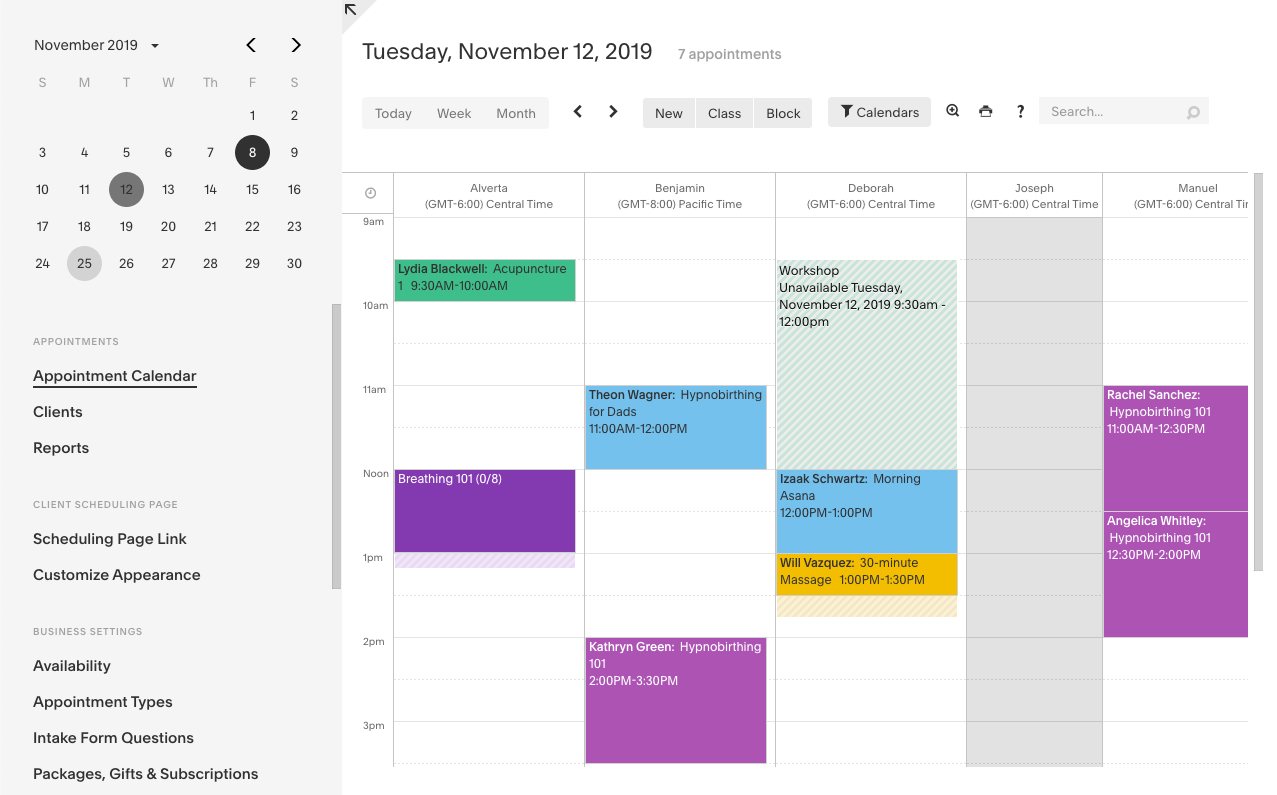
Image source: acuity.com
Key features:
- Branded online booking pages that clients can use to self-schedule.
- Custom intake forms, deposit or payment collection at booking.
- Calendar syncing, mobile app support and staff/locations management.
- Automated reminders and follow-ups via email or text.
- Packages, subscriptions, gift cards and multi-location support for expanding businesses.
Pros:
- Excellent fit for businesses with regular client bookings and service offerings.
- Strong mobile and payment features let you operate from anywhere.
- Lets you protect against no-shows via deposits and reminders.
- Offers rich customization so your booking experience matches your brand.
Cons:
- Some advanced features may require higher-tier plans.
- While it's ideal for service businesses, it might be overkill or more complex for very simple solo-use cases.
Pricing:
- Standard: $10/user/month
- Premium: $17/user/month
4. YouCanBook.me: Best for simple booking workflows
YouCanBook.me is a straight-forward scheduling tool designed for anyone who just wants a clean, dependable booking system without the fuss. With easy calendar integration, solid reminders, and a user-friendly interface, it's especially suited for coaches, solo professionals, and small teams.
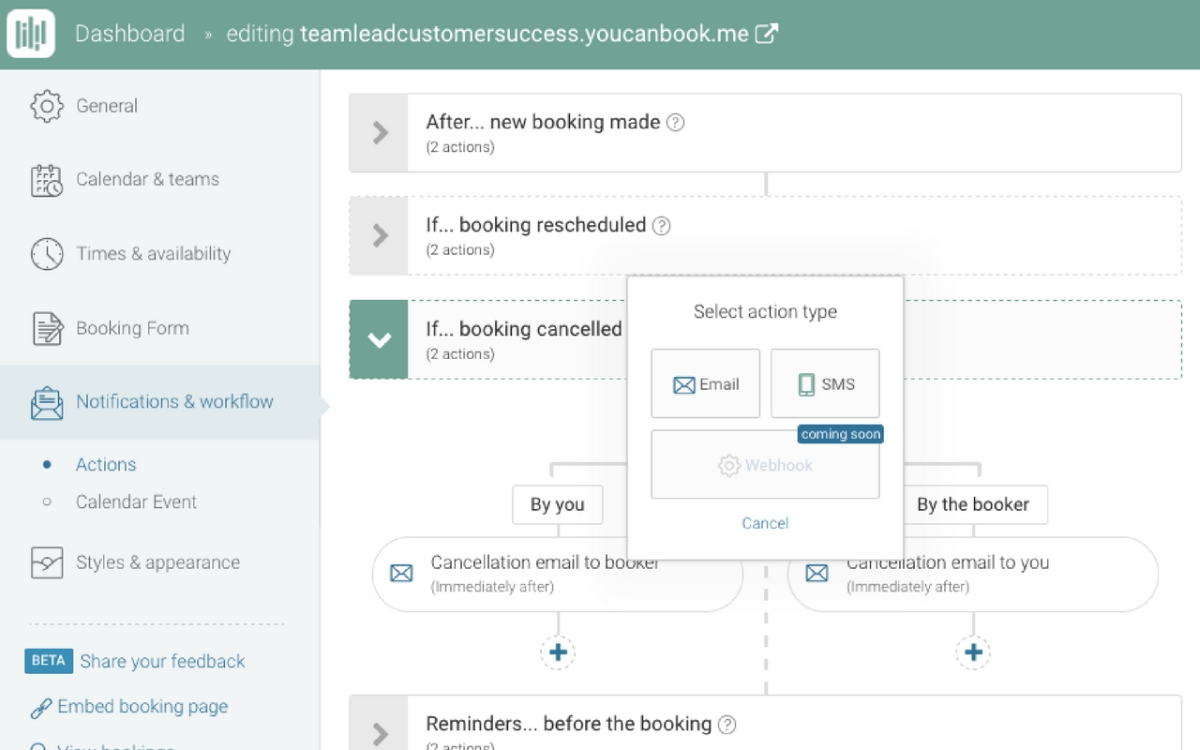
Image source: youcanbook.com
Key features:
- Online booking pages that sync with Google, Apple and Microsoft calendars.
- Automated confirmation, reminder and follow-up emails or SMS notifications.
- Customizable booking forms and the ability to embed or share booking links.
- Support for multiple appointment types, availability rules, and basic team scheduling.
- Highly customizable workflows for different engineering processes
Pros:
- It is very easy to set up and use—great for non-technical users.
- Free plan available, with affordable paid tiers.
- Automation for repetitive development and testing tasks
Cons:
- Less advanced automation compared to enterprise scheduling platforms.
- Some features (branding, deep customization) may require higher tier plans.
Pricing:
- Individual: $9/user/month
- Team: Custom pricing
5. Zoho Bookings: Best for businesses using Zoho ecosystem
Zoho Bookings is an appointment-scheduling tool designed for businesses already using the Zoho suite or looking for a seamless, integrated booking solution. Because it links natively with other Zoho apps like Zoho CRM, Zoho Books and Zoho Meeting, users get a unified experience—from online bookings to customer data and payments—without juggling multiple standalone tools. Whether you're a small service provider or a multi-location team, Zoho Bookings offers the features to scale while keeping things simple and connected.
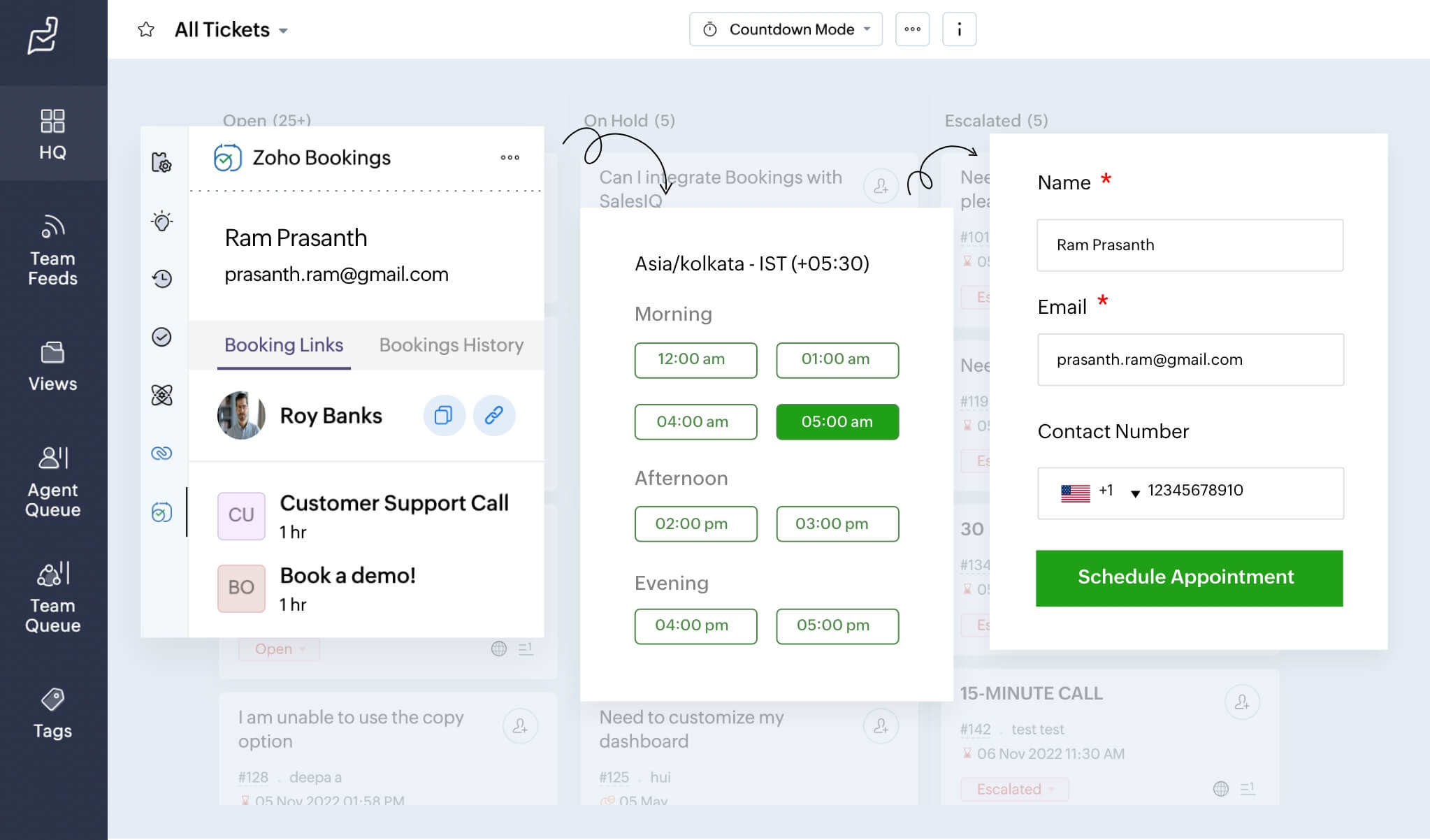
Image source: zoho.com
Key features:
- Seamless calendar sync across Google, Outlook and Zoho calendars.
- Customizable booking pages with branding options and embed support.
- Automated reminders, notifications and payment collection built in.
- Team scheduling, multiple workspaces and resource-based bookings for larger operations.
- Deep integration with the Zoho suite (CRM, Flow, Invoice, Meetings) and third-party tools.
Pros:
- Very easy to use with a clean interface, especially for those already using Zoho apps.
- Excellent value, with a free plan and affordable paid tiers.
- Strong customization of booking workflow and pages to match branding.
- Great for teams needing scheduling, workspaces and staff assignments under one platform.
Cons:
- Some users report limitations in integrations outside the Zoho ecosystem
- Customization for advanced workflows may still lag behind more specialized tools.
Pricing:
- Free: Free plan available
- Basic: $7/user/month
- Premium: $10/user/month
6. HubSpot Meeting Scheduler: Best CRM-native option
HubSpot Meeting Scheduler is built right into HubSpot CRM and lets you share booking links, sync calendars, and automatically log meetings into your customer records. HubSpot Meeting Scheduler is a built-in scheduling tool designed for teams already using HubSpot CRM, offering seamless meeting booking directly tied to contact records and sales workflows. It helps automate scheduling, capture leads instantly and keep all interactions organized inside your CRM—without needing any external tools.
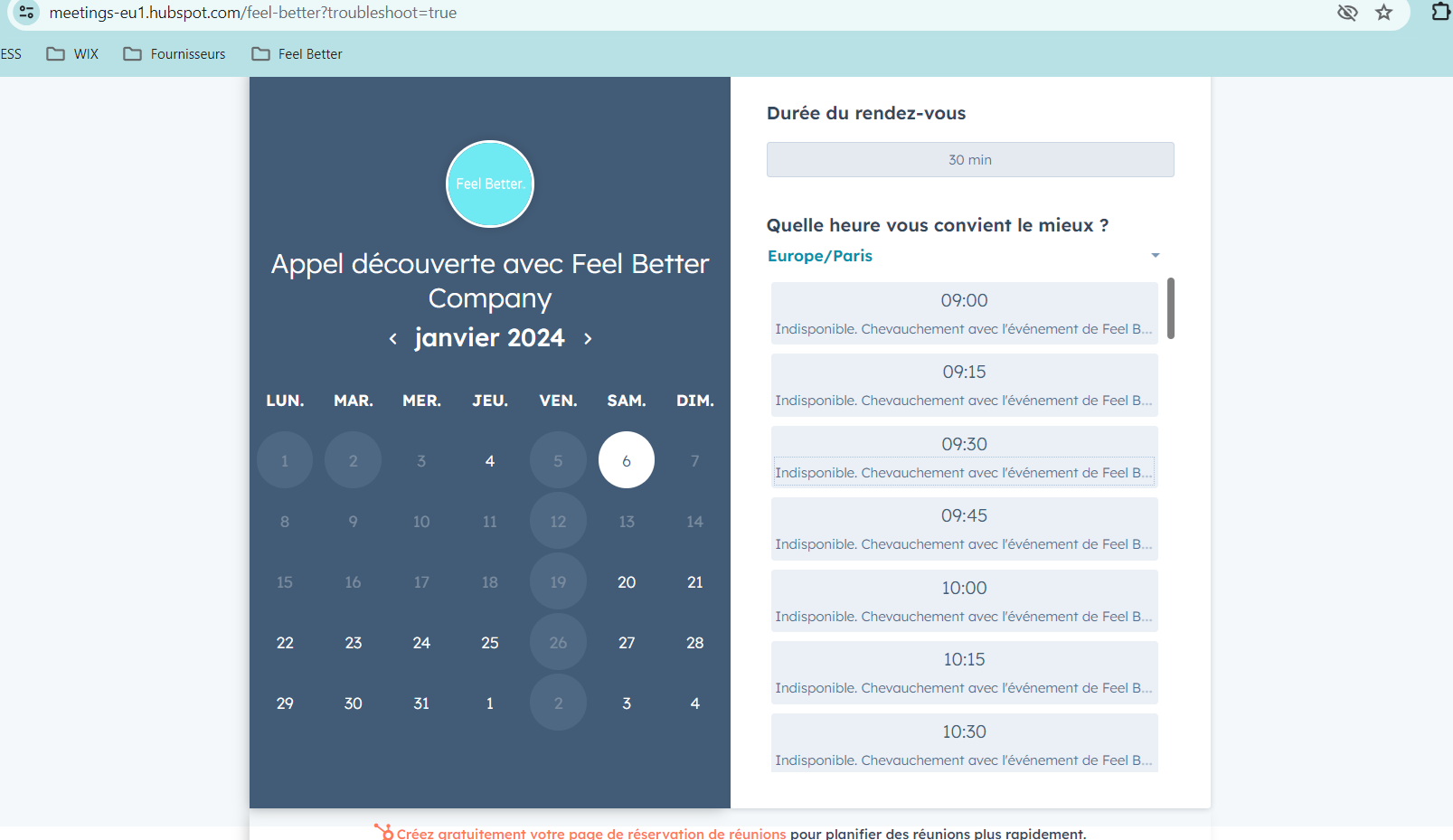
Image source: hubspot.com
Key features:
- Real-time integration with Google Calendar or Office 365 so availability is always up-to-date.
- Round-robin links to distribute bookings across team members and coordinate multi-person sessions.
- Automatic logging of meetings into the CRM, or updating contact and deal records without manual work.
- Automated meeting preparation and post-meeting follow-up using HubSpot's AI assistant.
- Custom booking pages and time-zone smart scheduling, so external users see times relevant to their region
Pros:
- Deep native integration with HubSpot CRM ensures no data silos and smooth workflows.
- Efficient scheduling for sales and support teams, eliminating much of the back-and-forth.
- It supports round-robin, linking to multiple team members, and embedding booking links broadly.
- Free to start with core features for individual links and calendar sync.
Cons:
- Advanced scheduling features and full branding removal require the paid HubSpot Sales.
- While it's excellent for users already on HubSpot, it may feel limited or less cost-efficient for teams
Pricing:
- Free: Free plan available
- Starter: $15/user/month
- Professional: $90/user/month
7. Zeeg: Best all-in-one alternative for AI-powered scheduling
Zeeg is an AI phone assistant and appointment booking tool that automates scheduling online and via phone. With a complete array of scheduling features, it's also fully GDPR-compliant with all data hosted in Europe and a DPA available for business customers.

Image source: zeeg.me
Key features:
- Online booking pages to share or embed on websites
- AI phone agent that answers, calls, qualifies, and books straight from the call
- One-on-one, group, collective, round-robin, and "flexi" meetings with AND/OR logic
- Lead routing (online and by phone) that routes the booking to right agent or team
- Native calendar sync with Google, Outlook, Exchange, Apple, Proton, etc.
- Native integrations with CRMs like Hubspot, Pipedrive or Salesforce
Pros:
- Unlike Calendly, it combines voice AI and online scheduling in one tool
- Flexible pricing — get the AI voice agent, the online scheduling, or both
- Strong pick for GDPR-sensitive or EU focused teams
- Free scheduling plan is usable (unlimited events, two calendars — not just a trial)
- AI phone assistant automated call handling (inbound and outbound)
Cons:
- Newer entrant than Calendly, so third-party review volume is thinner
- Some features are only available on higher tiers
Pricing:
- Starter: Free forever - unlimited events, event notifications, video conferencing integration, for 1 user.
- Professional: €10/user/month (billed annually) - everything in Starter plus API & webhooks and workflows.
- Business: €16/user/month (billed annually) - everything in Professional plus round-robin and routing forms.
- Scale: €30/user/month (billed annually) - everything in Business plus SSO & SCIM and priority support.
- Enterprise: Custom pricing - everything in Scale plus flexible invoicing and a dedicated account manager.
- AI minutes: from €0.08/min, depending on the volume you buy
- Free plan: Every scheduling pricing plan includes a 14-day free trial.
8. Doodle: Best for scheduling group availability
Doodle is a scheduling tool built to simplify the process of finding a common time for multiple people to meet. It is a simple yet powerful scheduling tool designed to make group coordination effortless, allowing participants to vote in preferred time slots and quickly find the best meeting time without endless back-and-forth. It's ideal for teams, events, and any situation where gathering availability from multiple people is essential.
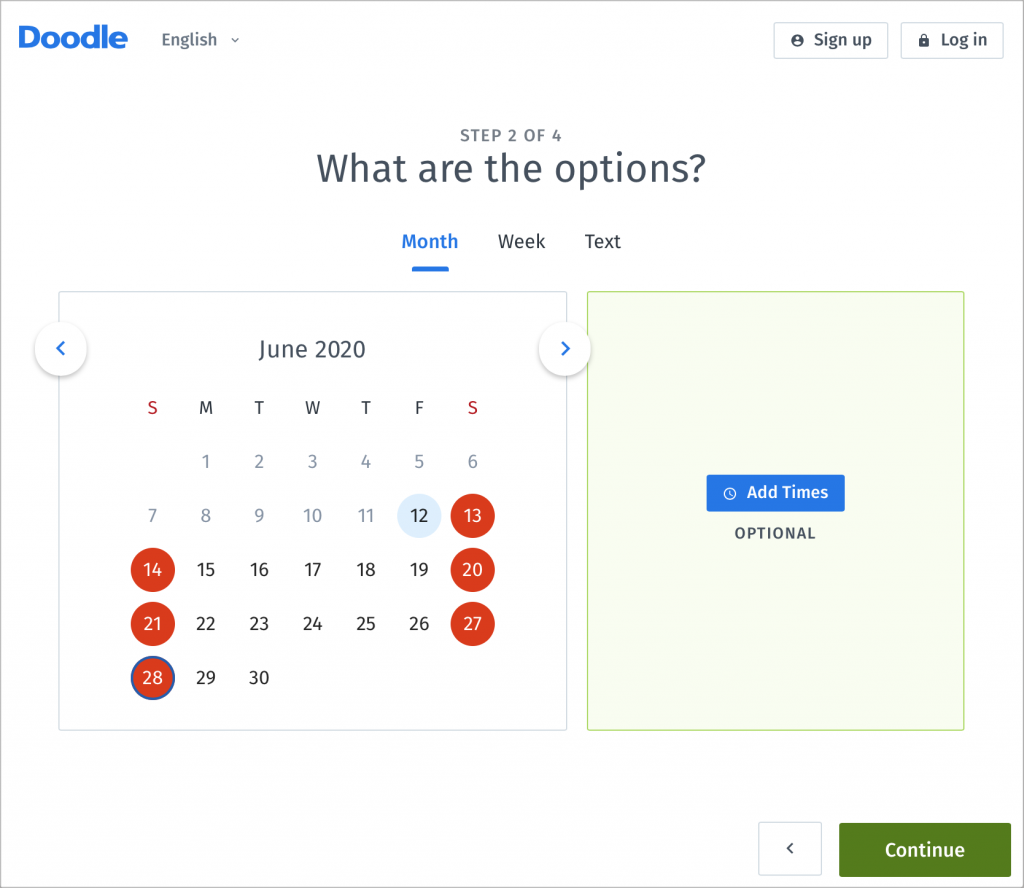
Image source: doodle.com
Key features:
- Create group polls for meeting times, letting participants select what works for them.
- Calendar integration with Google Calendar, Outlook, Office 365, and others.
- Booking pages where invitees can directly choose time slots, reducing coordination delays.
- Automated notifications, reminders, and optional payment collection for booked sessions.
- Admin features for teams such as roles & permissions, activity reports, and co-hosting under higher plans.
Pros:
- Excels at coordinating across multiple participants—ideal for team meetings, events, or group bookings.
- Very easy to set up and use, even for users who aren't tech-savvy.
- Free tier available for basic scheduling needs.
- Supports calendar integrations and payment options to streamline workflows.
Cons:
- Advanced team and enterprise features require paid plans, which can add up per user.
- While it handles scheduling well, some users feel it lacks deeper workflow automation.
Pricing:
- Free: Free plan available
- Pro: $6.95/user/month
- Team: $8.95/user/month
9. SimplyBook.me: Best for appointment-based businesses
SimplyBook.me is a versatile online booking system built specifically for appointment-driven businesses such as salons, fitness centers, consultants, clinics and service providers that rely on smooth scheduling. With its highly customizable booking website, integrated marketing tools and robust client management, it provides an end-to-end solution for businesses that want more than just a calendar tool. Whether you're running a single location or managing multiple staff members, SimplyBook.me streamlines bookings, payments and customer engagement—all from one unified platform.
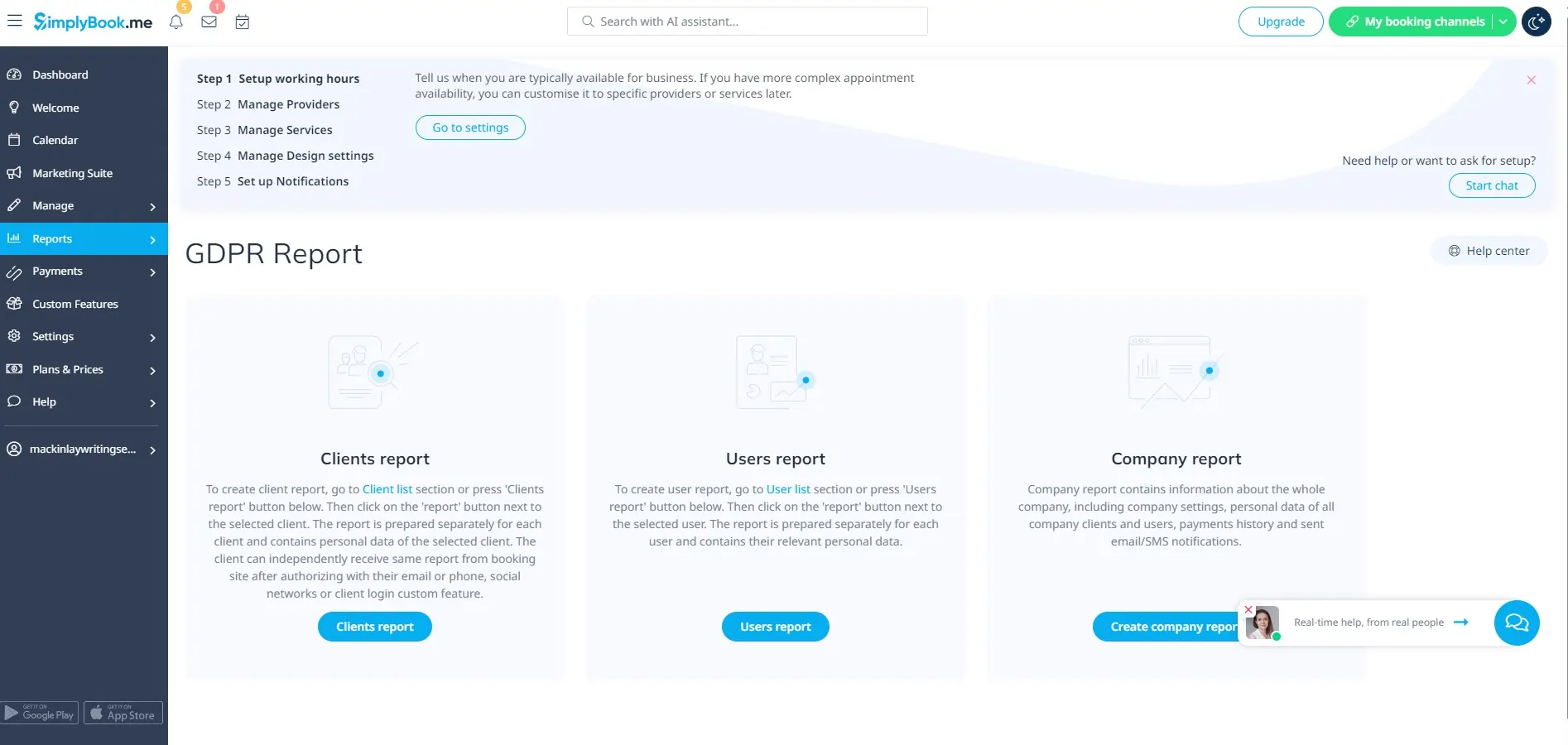
Image source: simplybook.me
Key features:
- Customizable booking website with templates, branding and plugin options.
- Automated notifications, reminders, confirmations and recurring appointments.
- Integrated payment processing with options like Stripe, PayPal and more.
- Marketing tools including promotions, gift cards, memberships and coupons.
- Multi-staff scheduling, resource management and detailed performance reporting.
Pros:
- Offers one of the most customizable booking portals in its category.
- Strong support for marketing features—ideal for growing service businesses.
- Clean interface that's easy for clients to book and manage appointments.
- Supports complex setups like multiple staff, rooms and service categories.
Cons:
- Some advanced booking features require additional “plugins,” which may increase cost.
- Interface has a learning curve for users needing many custom configurations.
Pricing:
- Free: Free plan available (limited features)
- Basic: $9.90/month
- Standard: $29.90/month
- Premium: $59.90/month
10. Setmore: Best free alternative with payments
Setmore stands out as one of the strongest free scheduling tools, especially for businesses that want built-in payment support without upgrading to a paid plan. Ideal for freelancers, small service providers and growing teams, Setmore offers a sleek booking page, automated reminders and seamless calendar sync—all at no cost. With features like Stripe and Square payments available on the free tier, it's an excellent choice for businesses that need a budget-friendly yet powerful scheduling solution.
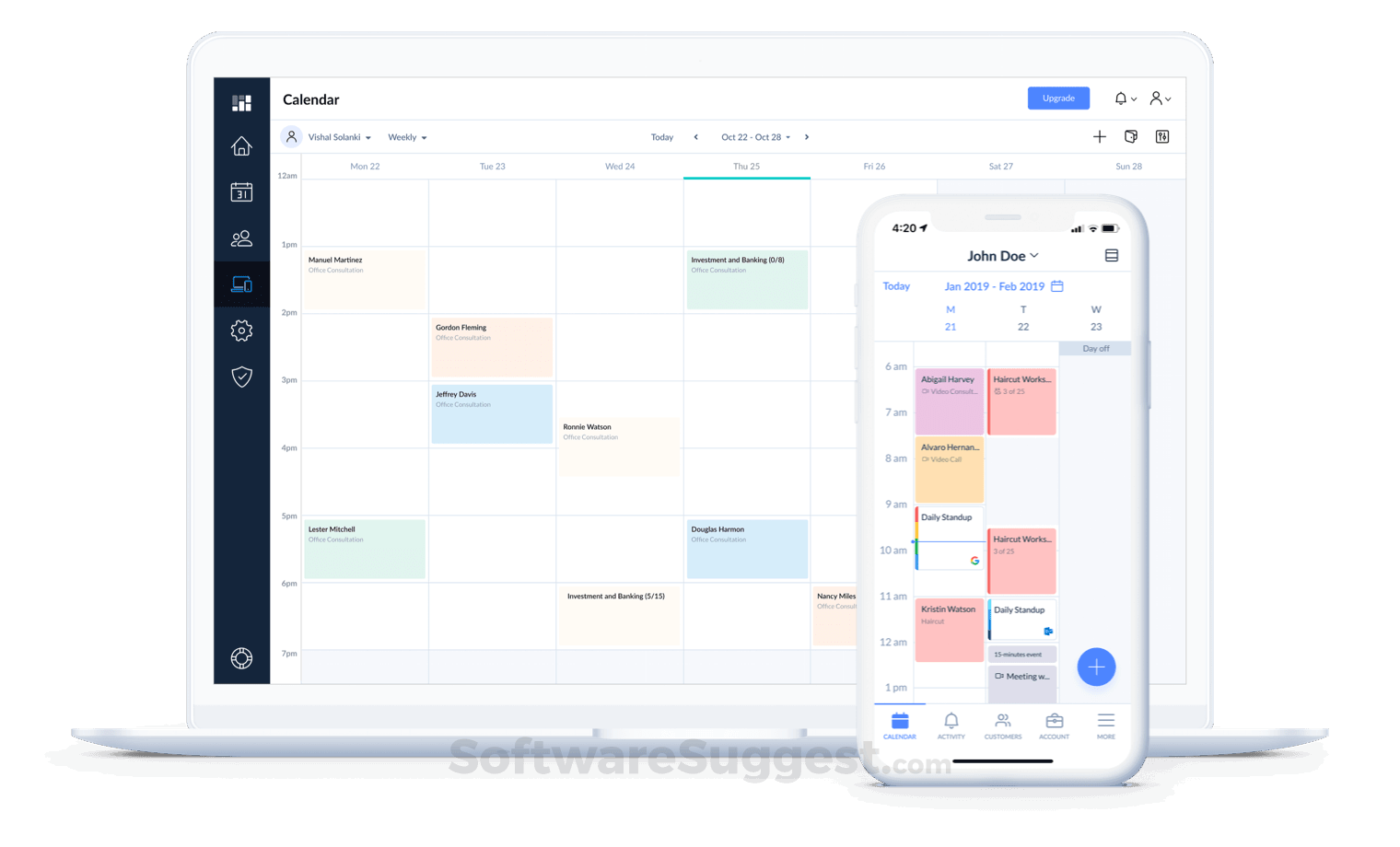
Image source: setmore.com
Key features:
- Free booking page with unlimited appointments and staff profiles.
- Integrated payments on the free plan via Stripe and Square.
- Automated reminders, confirmations and online rescheduling.
- 1-click video meetings through Teleport, Zoom or Google Meet.
- Multi-staff management, recurring appointments and customer profiles.
Pros:
- One of the best free scheduling tools offering payment capabilities.
- Clean, beginner-friendly interface suitable for individuals and small teams.
- Great integrations for social media bookings, especially Facebook and Instagram.
- Reliable appointment automation without needing upgrades.
Cons:
- Limited customization for booking pages compared to premium competitors.
- Advanced features like SMS reminders and more integrations require paid plans.
Pricing:
- Free: Unlimited appointments + payment integration
- Pro: $12/user/month
- Team: $9/user/month (per user, billed annually)
11. OnceHub: Best for advanced routing and lead scheduling
OnceHub is a powerful scheduling platform designed for teams that need more than simple appointment booking. Built with lead qualification, intelligent routing and real-time engagement in mind, it's ideal for sales, customer success and support teams. OnceHub helps businesses convert visitors into meetings faster through automated workflows, chatbot-style scheduling and smart assignment rules. For companies that handle high-volume leads or need to route prospects to the right team member instantly, OnceHub delivers unmatched control and precision.
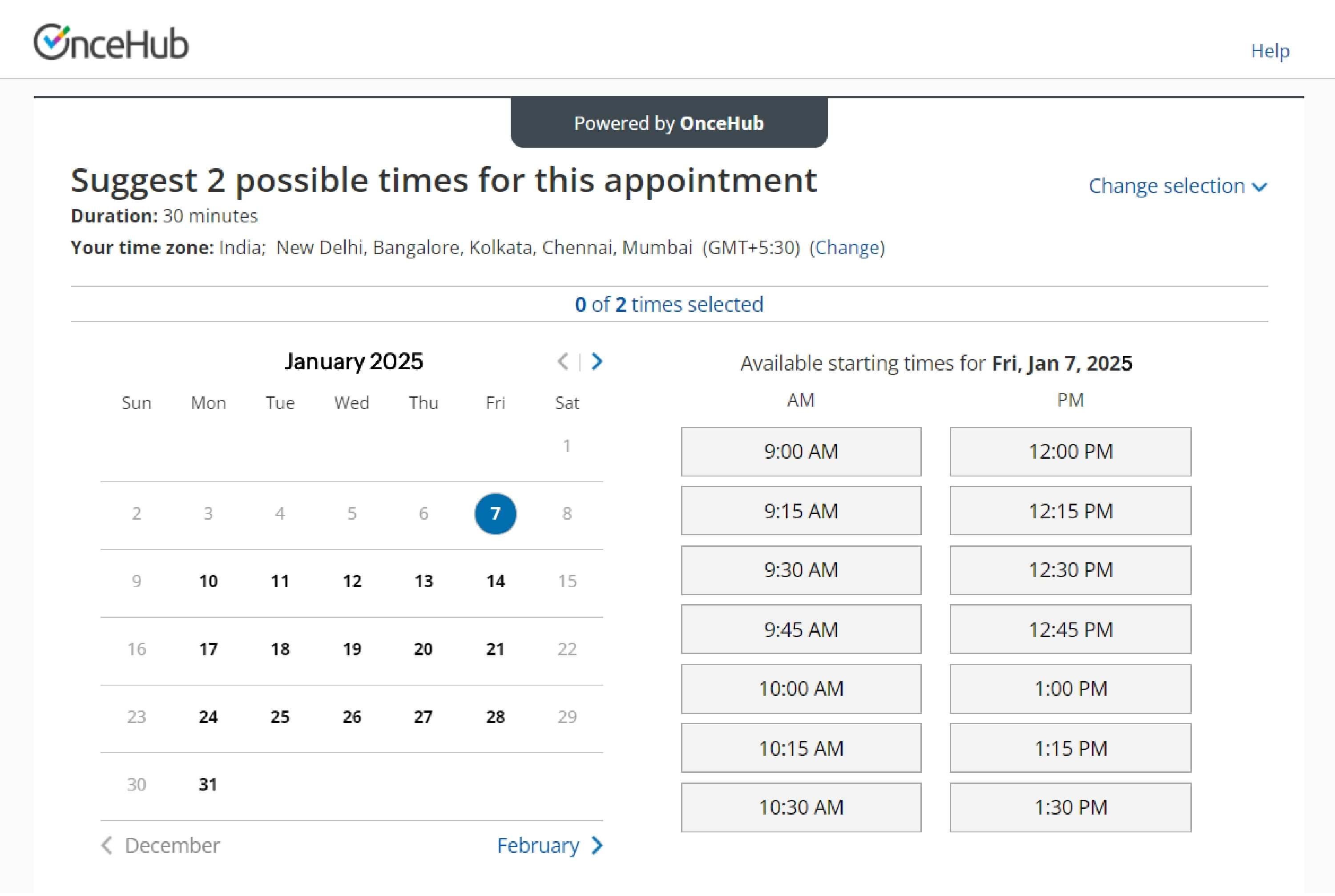
Image source: oncehub.com
Key features:
- Advanced routing rules based on availability, location, priority and workload.
- Lead qualification flows with conditional logic and custom intake questions.
- Instant scheduling via chatbots, landing pages and embedded widgets.
- Automated no-show management with reminders and follow-ups.
- Team-based scheduling, round-robin booking and pooled availability.
Pros:
- Exceptional routing and workflow automation perfect for high-volume lead teams.
- Multiple scheduling experiences (chatbot, forms, links, embeds).
- Great for sales teams needing qualification before booking meetings.
- Strong CRM integrations and detailed analytics for performance tracking.
Cons:
- Can feel complex for users seeking a simple, lightweight scheduler.
- Interface and setup require some learning for advanced routing features.
Pricing:
- Free: Full-featured free plan with basic routing and scheduling
- Growth: $10/user/month
- Enterprise: Custom pricing
12. TidyCal: Best budget-friendly Calendly alternative
TidyCal is one of the most affordable scheduling tools on the market, making it a top choice for freelancers, consultants and small teams looking for a simple, no-frills alternative to Calendly. Known for its clean interface and lifetime pricing option, TidyCal offers essential booking features—like calendar sync, automated reminders and payment collection—without the recurring monthly fees. If you want a straightforward scheduler that does the basics well without stretching your budget, TidyCal is hard to beat.
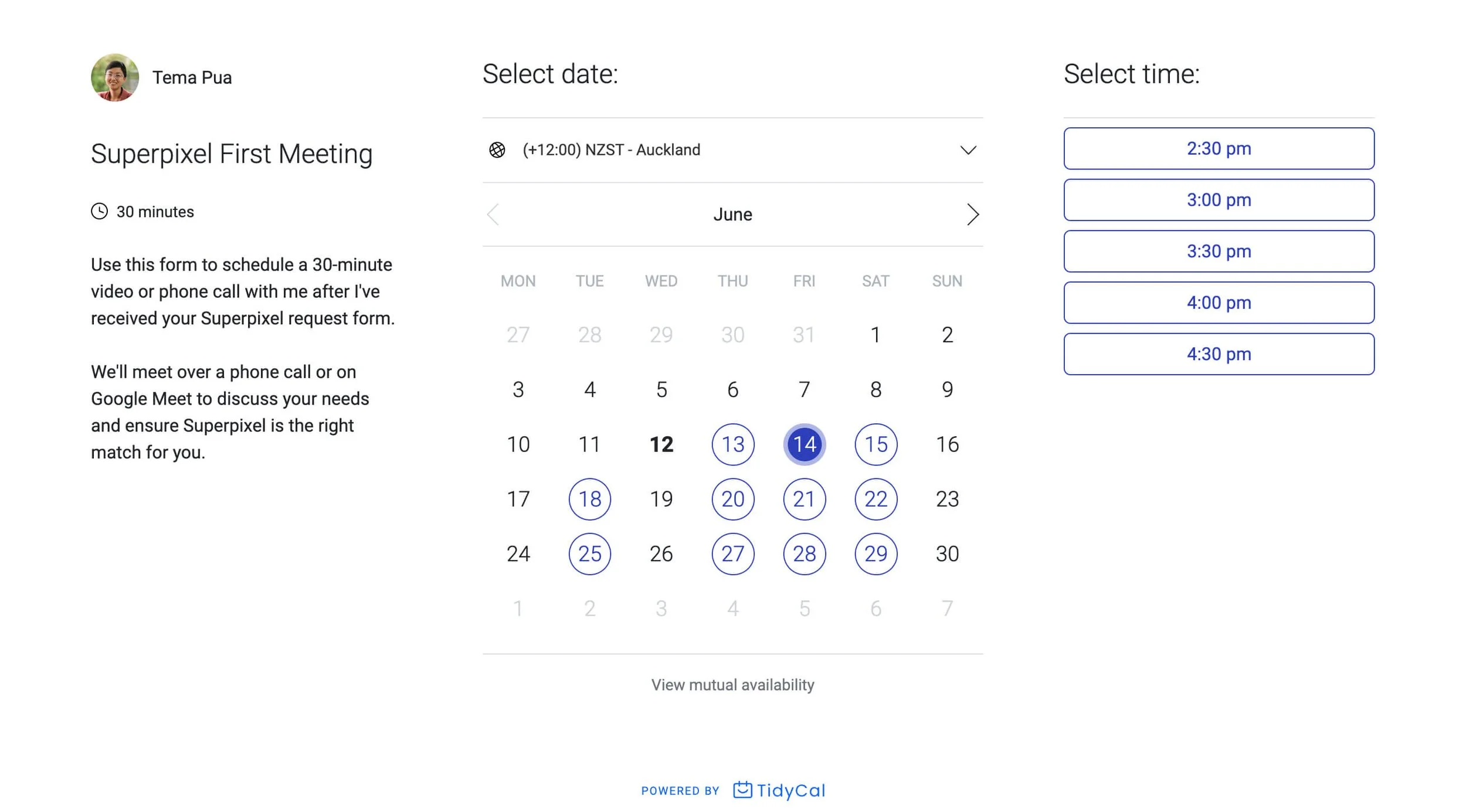
Image source: tidycal.com
Key features:
- Syncs with Google Calendar, Outlook and Apple Calendar.
- Simple booking link with customizable availability and meeting types.
- Automated reminders and confirmations to reduce no-shows.
- Supports paid bookings via Stripe and PayPal.
- Lifetime deal available through AppSumo (popular among solopreneurs).
Pros:
- Extremely affordable, especially with the one-time-lifetime pricing.
- Minimal learning curve—perfect for users who want quick setup.
- Clean and easy booking experience for clients.
- Great value for solopreneurs and small service providers.
Cons:
- Limited integrations compared to more advanced tools.
- Fewer customization options for branding and workflows.
Pricing:
- Lifetime Pro: One-time purchase (usually around $29)
13. Microsoft Bookings: Best for Microsoft 365 users
Microsoft Bookings is a scheduling solution built directly into the Microsoft 365 ecosystem, making it the ideal choice for businesses already using Outlook, Teams and other Microsoft apps. It simplifies appointment management for internal teams, service providers and customer-facing departments by offering a seamless, fully integrated experience. With centralized calendars, automated confirmations and smooth staff coordination, Microsoft Bookings is especially useful for organizations that rely heavily on Microsoft workflows and want everything in one familiar environment.
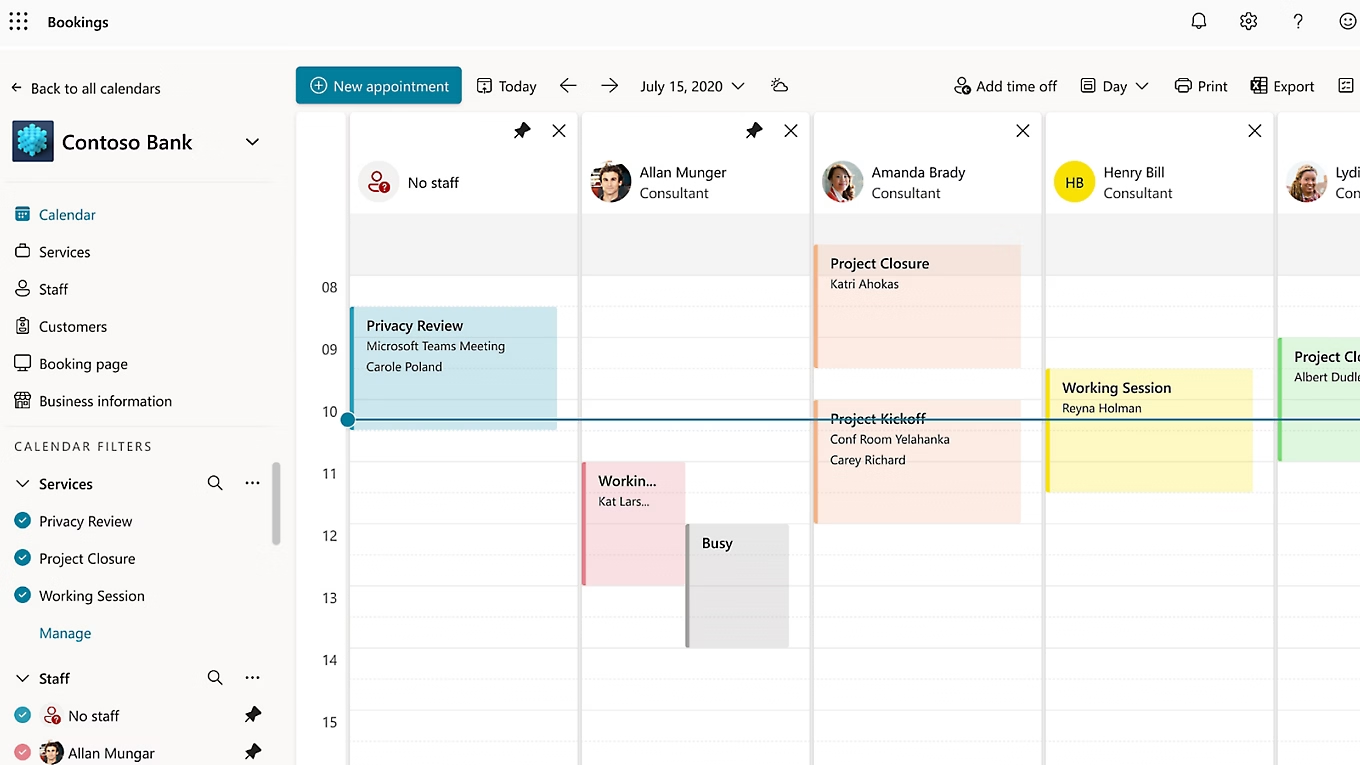
Image source: microsoft.com
Key features:
- Native integration with Outlook Calendar, Teams and Microsoft 365 apps.
- Customizable booking pages for internal and external scheduling.
- Automated email confirmations, reminders and rescheduling options.
- Staff management with availability, services and automated assignment.
- Group bookings, multi-location support and secure data management.
Pros:
- Perfect choice for organizations already using Microsoft 365.
- Seamless syncing across staff calendars and team meetings.
- Strong enterprise-grade security and compliance features.
- Easy scheduling for both internal meetings and external clients.
Cons:
- Not ideal for users outside the Microsoft ecosystem.
- Limited design customization compared to standalone scheduling tools.
Pricing:
- Included in Microsoft 365 Business Standard and above
How to choose the right Calendly alternative
Choosing the right scheduling tool can save you time, reduce conflicts, and streamline your workflow. But with so many options available, it helps to know which features matter most for your specific situation. Here's how to pick the right scheduling tool based on your needs:
- Solopreneurs: If you're flying solo, simplicity and affordability matter most. Look for a tool that lets you connect your calendar easily, offers one-on-one bookings, and sends automated reminders. You'll likely prioritize an intuitive interface and a free or very low-cost plan.
- Consultants: As a consultant, you'll need a little more power: branded booking pages, client data capture, crm integration, and the ability to handle individual and group sessions. The right tool supports your professional image and streamlines your workflow, so you spend less time on scheduling and more time consulting.
- Teams: When you have multiple people, shared calendars, availability pooling, or round-robin assignments become essential. Look for a scheduling platform that supports team scheduling and ensures all members are in sync. Workflow automation and integrations with project or team tools matter.
- Service-based businesses: If you're running a studio, agency, clinic, or similar, you'll need a tool with booking rules, custom service tiers, payment collection, buffer times, cancellations and rescheduling crm features. Multi-location and multi-staff support is a big plus.
- Enterprise users: At the enterprise level, you'll want deep integrations (CRM, ERP), advanced analytics, single sign-on (SSO), permissions control, global timezone support, compliance, and security. Scalability and manageability are key.
Conclusion
Choosing the right scheduling tool depends on how you work, who you work with, and how much automation you need. While Calendly remains a reliable option, there are several strong alternatives that offer more customization, better collaboration, and smarter workflows. Whether you're a solopreneur, consultant, service provider, or part of a large team, the right work communication platform can help you save time and create a smoother booking experience for clients. And if you want scheduling to live alongside chat, docs, calendar, and automation, Lark brings everything together in one unified workspace. The goal is simple: faster scheduling, fewer back-and-forth emails, and a more efficient way to manage your time.
FAQs
Which Calendly alternative is best for teams?
For teams, look for a tool that offers shared availability, round-robin assignments, and collective scheduling. Platforms like Lark and Cal.com excel in team scenarios by combining flexibility, integration, and workflow automation.
Does Google Calendar replace Calendly?
Google Calendar is great for managing your own schedule, but it doesn't replace a full scheduling solution. It lacks built-in booking pages, automated reminders, payment integration, and advanced features like round-robin assignments or CRM sync, especially when considering Google Workspace pricing.
Which tool has the best group scheduling features?
When it comes to group scheduling, choose a platform that supports multiple participants, shared availability, calendar pooling, and event types tailored for groups. Look for features like customizable booking pages and integrated payment options.
What alternative offers the best value for money?
If you want maximum features at affordable pricing, evaluate tools that offer strong free plans or low-cost tiers with team collaboration, automation and integrations. Lark is a standout value, especially if you want scheduling plus chat, docs, and workflow automation in one place.
Related reading
Table of contents
Start using Lark today

Manage all your work in one place
Boost team efficiency by 10x
Save up to 70% on software costs
Table of contents
Start using Lark today
Manage all your work in one place
Boost team efficiency by 10x
Save up to 70% on software costs
Keep reading







2026 Lark Technologies Pte. Ltd.
Headquartered in Singapore with offices worldwide.






Explore: