Artificial intelligence is transforming how modern organizations operate, collaborate, and scale. From automating repetitive workflows to generating insights, content, and real-time analytics, the top AI tools are helping businesses improve productivity and make smarter decisions faster. Whether you're a startup, enterprise, or growing team, choosing the right AI-powered platforms can streamline communication, optimize operations, and enhance customer experience.
In this guide, we've curated the top 16 AI tools to help you identify powerful, practical solutions that drive efficiency, innovation, and measurable growth across departments.
Key takeaways: 5 tools designed for business AI use
are reshaping how businesses automate workflows, improve decision-making, and boost team productivity. Here's a quick overview of the top 5 AI tools for business that deliver real impact.
1. Lark: Best for AI-powered collaboration with built-in chat, docs, and smart automation for teams.
2. OpenAI: Ideal for powerful generative AI models that support content creation.
3. Google Vertex AI: Strong choice for building, training, and deploying machine learning models.
4. Microsoft Azure AI: Designed for businesses that need secure, scalable AI solutions.
5. Salesforce Einstein: Perfect for CRM-focused AI that delivers predictive insights.
Overview of 5 tools used across the AI market
The market is rapidly evolving, offering that automate tasks, enhance collaboration, and improve data-driven decision-making. Here's an overview of the top 5 AI tools on the market, including some of the most trusted top AI software platforms businesses rely on today.
Information source: Official vendor sites
Update time: 2026-02-15
Note: Pricing and plan details reflect publicly available data as of the update date and may vary based on region, billing cycle, and number of agents.
Achieve more success with the #1 AI tool today
What are AI analytics tools?
AI analytics tools are software platforms that use artificial intelligence, machine learning, and advanced algorithms to analyze large volumes of data, identify patterns, and generate predictive insights automatically. Unlike traditional analytics tools, they don't just display historical data—they uncover trends, , and recommend actions in real time.
Many top AI tools for business now include analytics capabilities that help organizations optimize operations, improve customer targeting, detect risks, and make faster, data-driven decisions. These tools can process structured and unstructured data from multiple sources, automate , and provide interactive dashboards that update dynamically.
In short, AI analytics tools transform raw data into strategic intelligence that drives smarter business growth.
Key differences: Top AI tool vs AI platform vs AI API
Understanding the difference between AI tools, platforms, and APIs helps businesses choose the right solution based on their goals, technical skills, and scale. Here's a clear breakdown:
- Standalone software vs infrastructure: A top AI tool is usually ready-to-use software designed for specific business tasks like analytics, content creation, or automation. In contrast, AI platforms act as infrastructure, offering multiple AI capabilities (models, data pipelines, integrations) that teams can build on. Many top free AI tools fall into the standalone category, making them ideal for quick adoption without heavy setup.
- Developer APIs vs business-ready tools: AI APIs are built for developers who want to embed AI features—such as language processing or image recognition—directly into applications. Business-ready AI tools, however, require little to no coding and focus on usability, dashboards, and . Non-technical teams benefit more from complete tools, while APIs suit custom development needs.
- SaaS AI vs embedded AI: operate as cloud-based applications accessed through browsers and subscriptions, offering regular updates and scalability. Embedded AI, on the other hand, is built directly into existing software or systems, working behind the scenes. SaaS tools are easier to deploy, while embedded AI offers deeper, product-level intelligence.
Full list: Top 16 AI tools in 2026
Here's a curated list of the top 16 AI tool platforms in 2026, highlighting powerful solutions that help businesses and teams automate tasks, enhance productivity, and unlock deeper insights with artificial intelligence.
1. Lark: Unified AI-powered collaboration platform
is a unified AI-powered collaboration platform designed to help teams work smarter, not harder. By combining chat, documents, calendars, tasks, and AI features in one seamless workspace, Lark eliminates app switching and streamlines everyday workflows. With intelligent automation, real-time collaboration, and built-in , it empowers businesses to boost efficiency, reduce manual work, and accelerate outcomes across teams of all sizes.
Key feature:
AI field shortcuts for data management
Lark Base serves as a relational database that powers the automation behind your documents. Using AI field shortcuts, teams can instantly categorize data, extract specific information from PDFs or images, and perform sentiment analysis on customer feedback. This turns raw data into structured, actionable records within a project management system without manual entry. 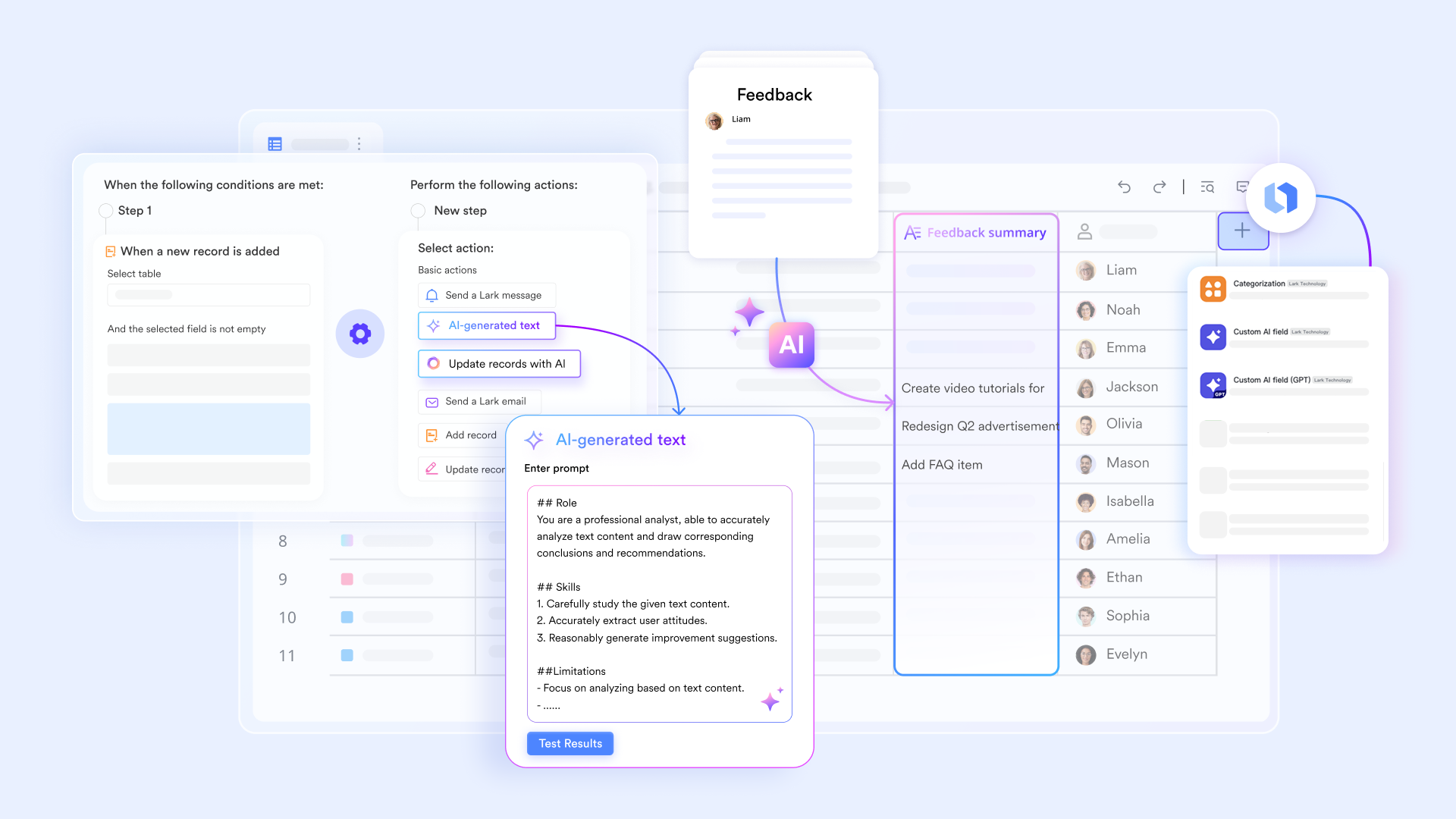
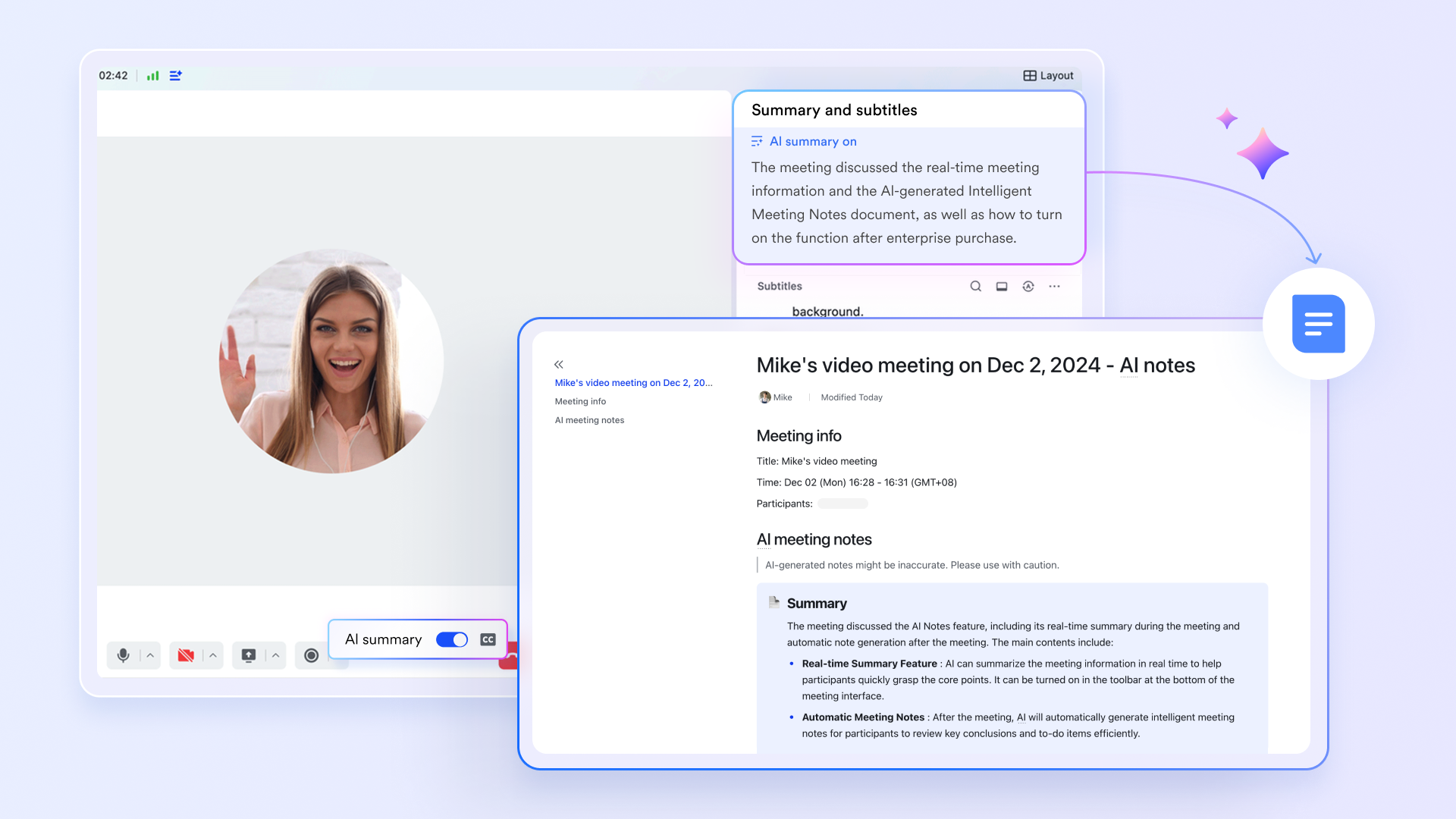
AI Meeting Notes for automatic meeting summaries
acts as a dedicated intelligence layer for video calls. It automatically generates "Smart Chapters" and action items from transcripts. It helps teams to stay concentrated during the meeting without manual note-taking and also allows them to skip the review of entire recordings afterwards and jump to the meeting's core outcomes directly.
AI-generated text for automated follow-ups
Lark Base workflows function as a high-level automation engine that uses visual logic nodes to orchestrate complex, multi-step business processes. A standout capability is the AI-generated text, which integrates directly into these flows to summarize, optimize, or generate text using real-time data from your records. By supporting both built-in models and OpenAI, it transforms raw data into dynamic outputs like sales reports or personalized messages. 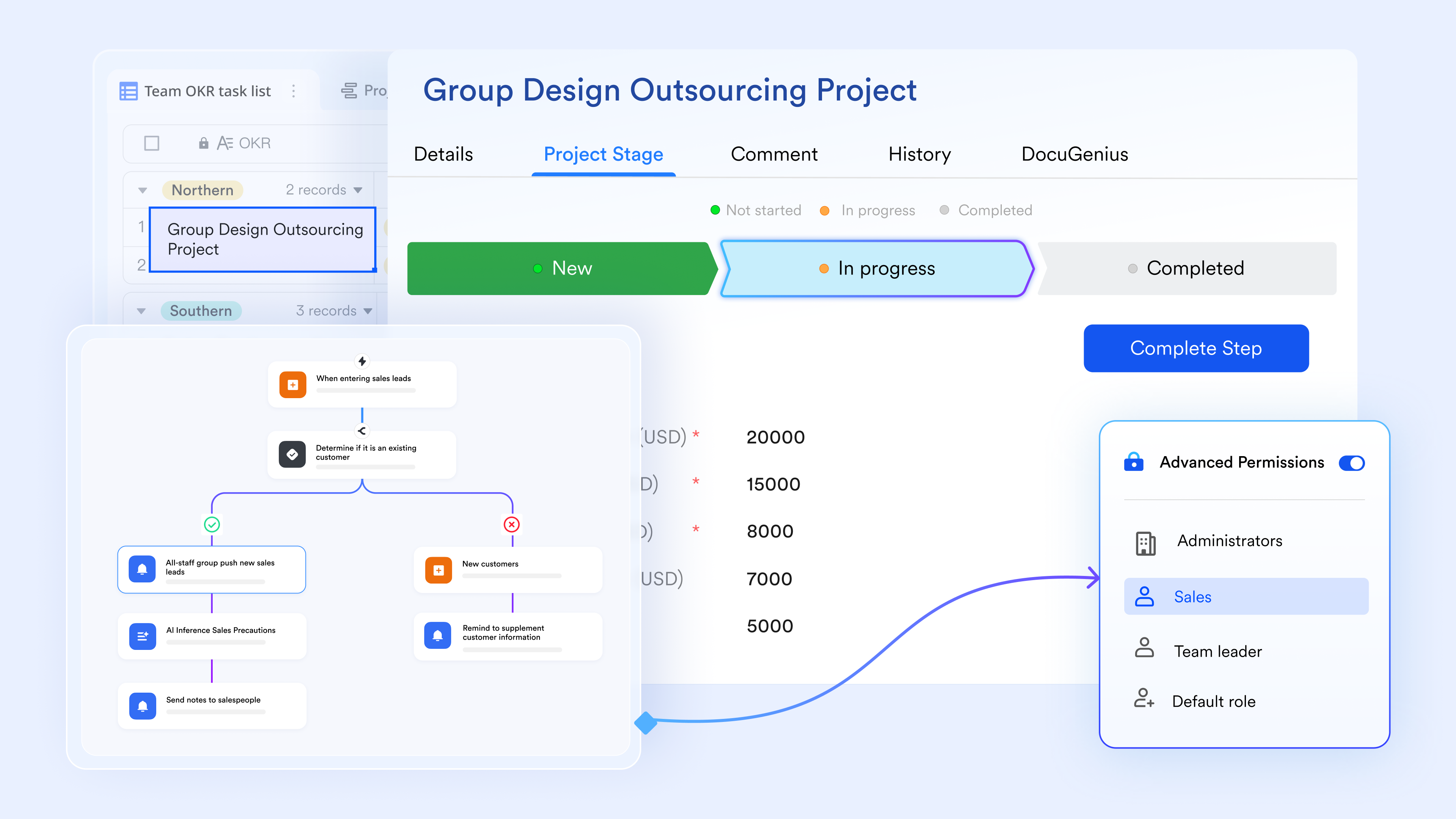
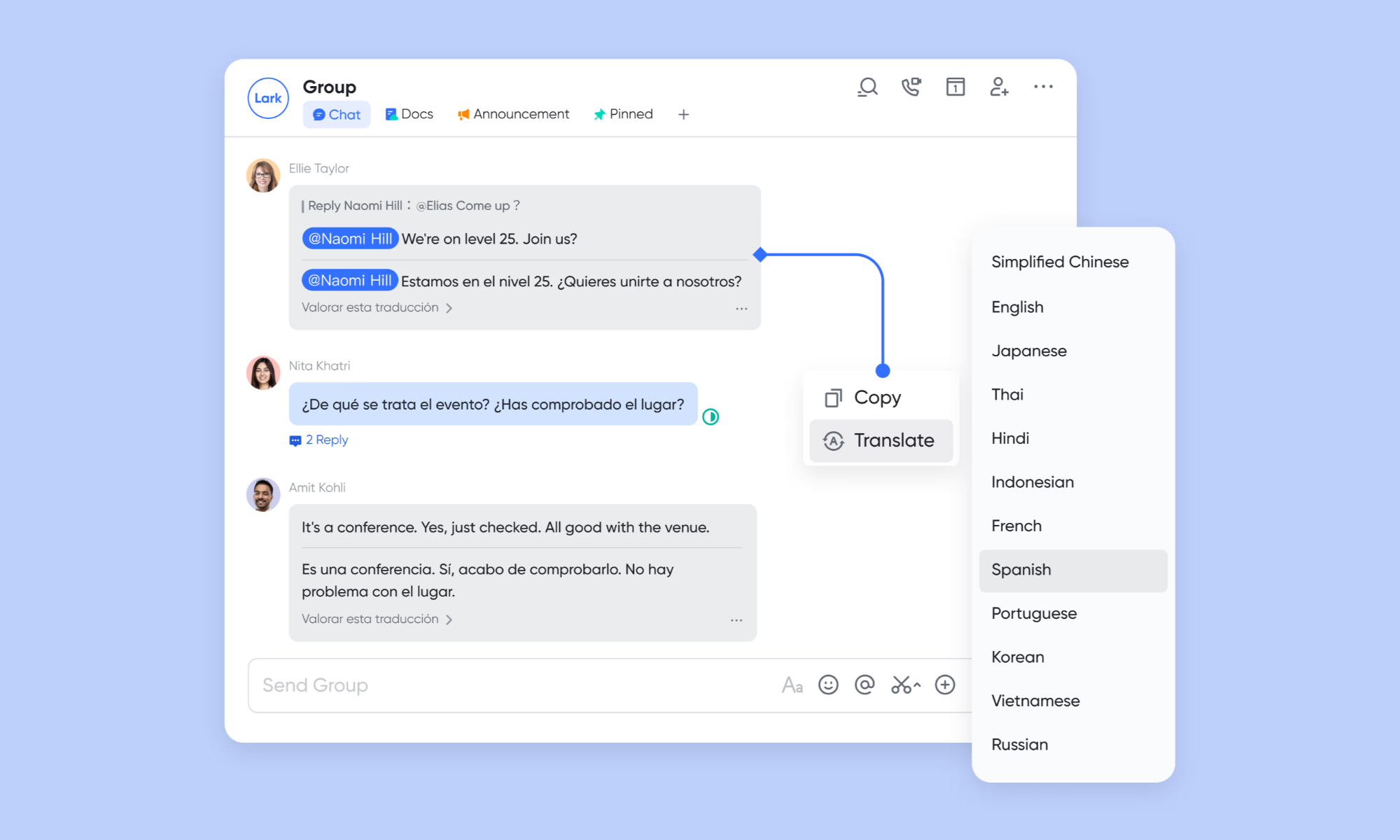
AI translation for multilingual collaboration
Lark breaks down global barriers with real-time AI translation for messages, documents, and meeting captions. Supporting dozens of languages, it allows international teams to collaborate in their native tongue while ensuring everyone remains aligned. This feature is deeply unified into and , providing a seamless experience for global operations.
Pros:
- All-in-one platform, avoiding tool sprawls
- No-code workflow automations
- Most AI features are accessible in the free plan
Cons:
- Advanced features require learning curves, but its provides clear guides.
:
- Starter plan: Free forever plan that includes 11 powerful tools for up to 20 users. It also comes with 100GB of storage, 1000 automation runs, AI translations, and more.
- Basic plan: $6/user/month (billed annually) for up to 500 users. It includes everything in Starter plus group calling for up to 500 attendees, 5TB of storage, 1000 automation runs, and more. For more details, please .
- Pro plan: $12/user/month (billed annually) for up to 500 users. It includes everything in Basic plus group calling for up to 500 attendees, 15TB of storage, 50,000 automation runs, and more.
- Enterprise plan: for custom pricing. Supports unlimited users and includes even more automation runs and advanced security, compliance, and management features.
For small teams with simple communication needs

18 months message history
1000 Base automation runs/month
2000 rows per table in Base
Most POPULAR
For companies with comprehensive collaboration and management needs
Unlimited message history
500-participant video meetings
50k Base automation runs/month
20k rows per table in Base
For large companies with advanced security and organizational management needs
Get a personalized demo and pricing
Unlimited message history
500-participant video meetings
15 TB storage + 30 GB storage/user
500k Base automation runs/month
50k Base automation runs/month
Most POPULAR
For companies with comprehensive collaboration and management needs
Unlimited message history
500-participant video meetings
50k Base automation runs/month
20k rows per table in Base
2. OpenAI: Leading generative AI API platform for developers
OpenAI provides powerful generative AI models through APIs that enable developers to build applications with natural language processing, image generation, automation, and intelligent assistants. Its platform supports scalable integration, customization, and enterprise-grade deployments, making it a top choice for businesses building AI-powered products and workflows.
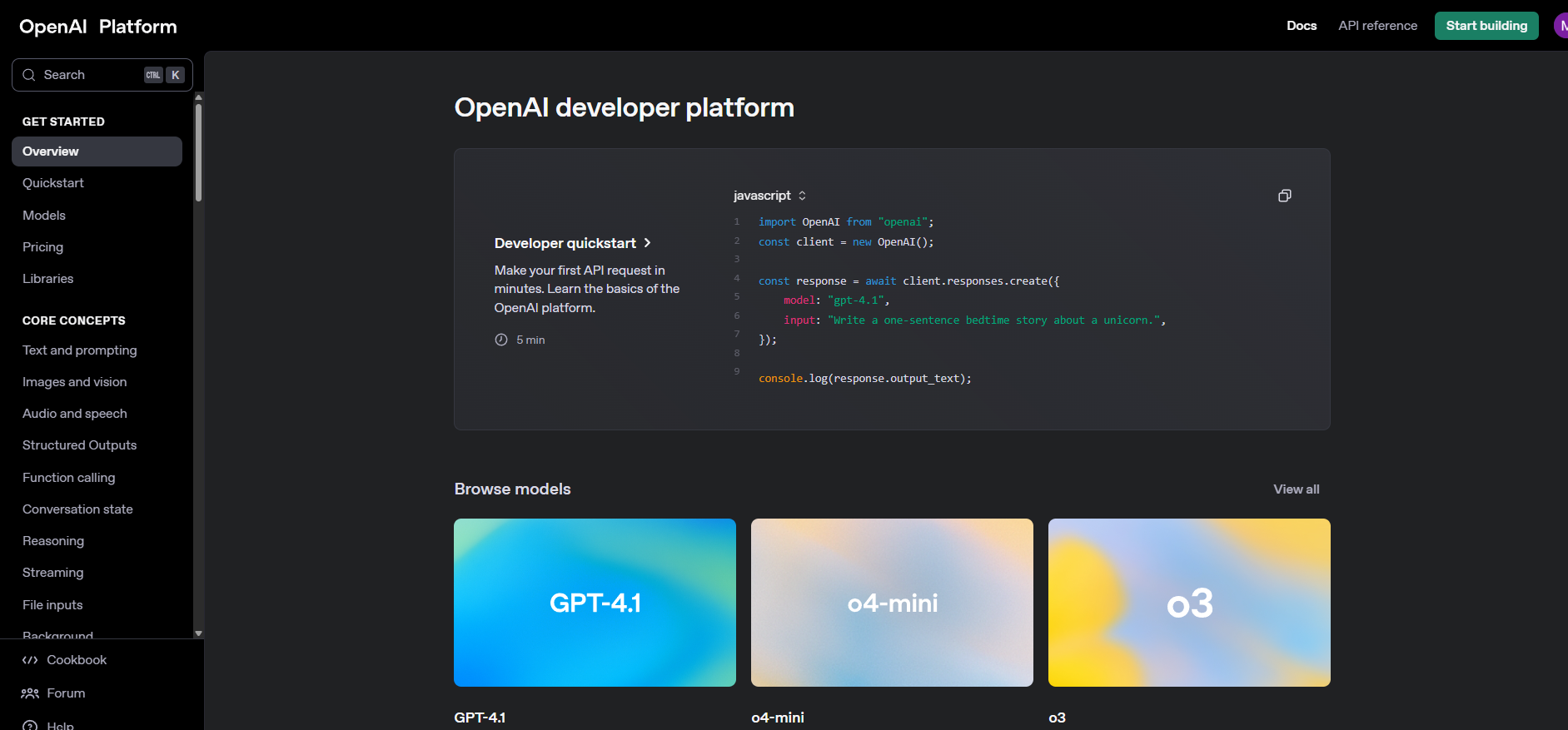
Image source: openai.com
Key features:
- Contact and pipeline management
- Email tracking, templates, and sequences
- Automated workflows and reminders
- Deal forecasting and analytics dashboard
Pros:
- User-friendly and customizable CRM
- Excellent free plan for startups and SMBs
- Strong email automation and tracking features
- Great analytics and deal visibility
Cons:
- Advanced features can get expensive
- Setup can be complex for new users
Pricing:
3. Google Vertex AI: Scalable machine learning infrastructure
Google Vertex AI is a cloud-based machine learning platform that helps organizations build, train, deploy, and scale ML models efficiently. It unifies data engineering, model development, and MLOps in one environment, making it ideal for enterprises seeking robust, production-ready AI infrastructure.
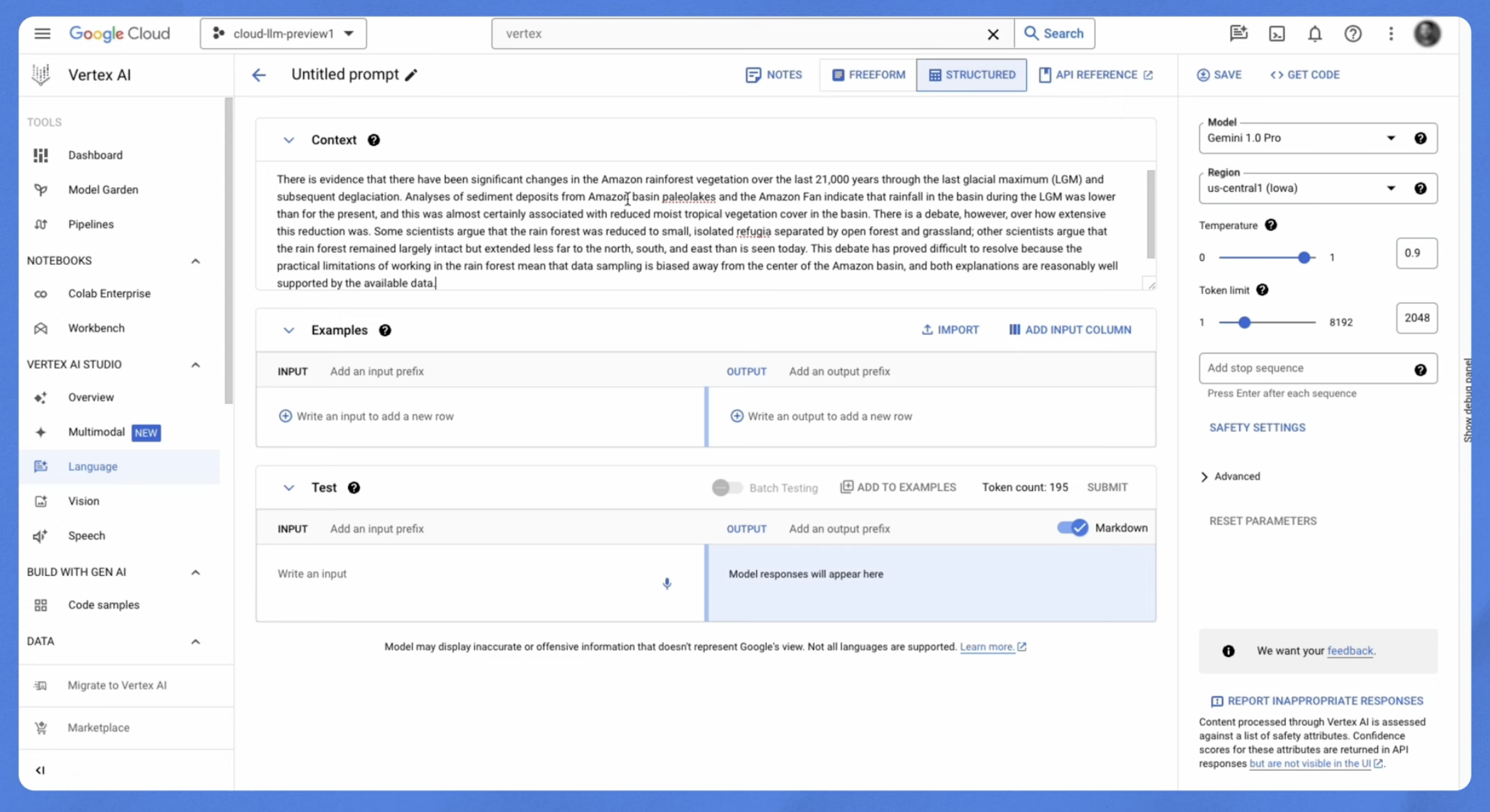
Image source: google.com
Key features:
- Extensive B2B contact and company database
- Real-time intent and technographic data
- Contact enrichment and verification
- CRM and marketing automation integrations
Pros:
- Highly accurate and verified business data
- Advanced filtering for precise targeting
- Great for enterprise-level prospecting
- Strong integration with major CRMs
Cons:
- Expensive for small or mid-sized teams
- Data accuracy can vary in niche industries
Pricing:
4. Microsoft Azure AI: Enterprise cloud AI services
Microsoft Azure AI provides a comprehensive suite of enterprise-grade artificial intelligence services built on the Azure cloud infrastructure. It supports machine learning, cognitive services, conversational AI, and AI model deployment at scale. Designed for large organizations, it offers strong security, compliance, and integration with enterprise systems, enabling businesses to build, customize, and operationalize AI solutions across departments.
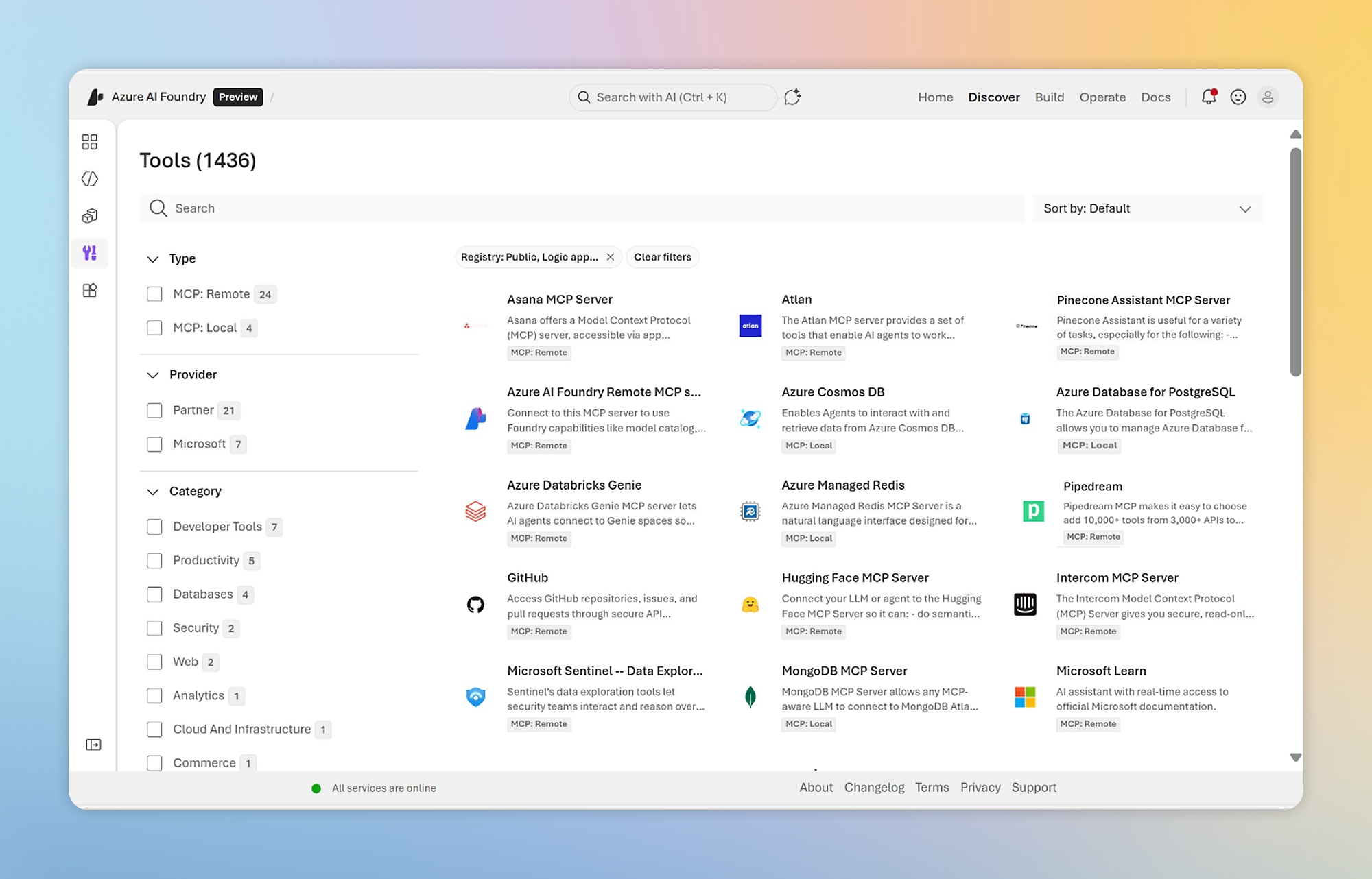
Image source: microsoft.com
Key features:
- Built-in lead database and email finder
- Outreach sequences and automation
- Engagement tracking and analytics
- CRM synchronization and integration
Pros:
- Great balance of data and automation tools
- Affordable entry-level pricing
- Easy-to-use email sequencing system
- Frequent feature updates and improvements
Cons:
- Limited team collaboration features
- Data coverage can vary by region
Pricing:
5. Salesforce Einstein: CRM-integrated predictive AI analytics
Salesforce Einstein is an AI layer built directly into the Salesforce ecosystem, delivering predictive analytics, automation, and intelligent recommendations within CRM workflows. It helps sales, marketing, and service teams forecast outcomes, score leads, personalize customer interactions, and automate routine tasks. By embedding AI into CRM data, it enables smarter decision-making and improves customer engagement at scale.
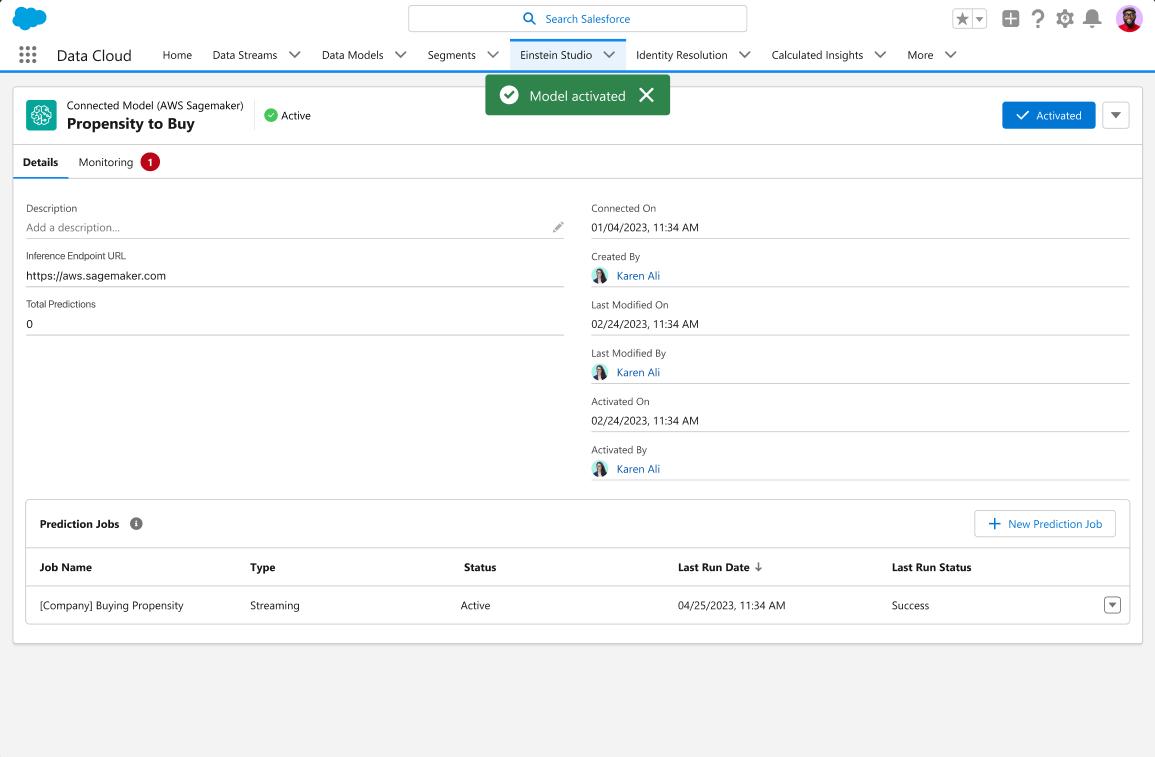
Image source: salesforce.com
Key features:
- Multi-channel cadences (email, call, LinkedIn)
- Call recording and analytics
- Rep coaching and performance tracking
- Activity dashboards and reports
Pros:
- Excellent for managing complex outreach sequences
- Great insights into rep performance
- Scales easily across large teams
- Strong CRM integration support
Cons:
- Slight learning curve for new users
Pricing:
- Agentforce for service: $125/user/month (billed annually)
6. IBM Watson: Enterprise AI and analytics software
IBM Watson is an enterprise AI platform that delivers advanced analytics, natural language processing, and machine learning capabilities for large organizations. It helps businesses automate processes, extract insights from structured and unstructured data, and build AI-powered applications. With strong industry solutions in healthcare, finance, and customer service, Watson supports secure, scalable AI deployments across complex enterprise environments.
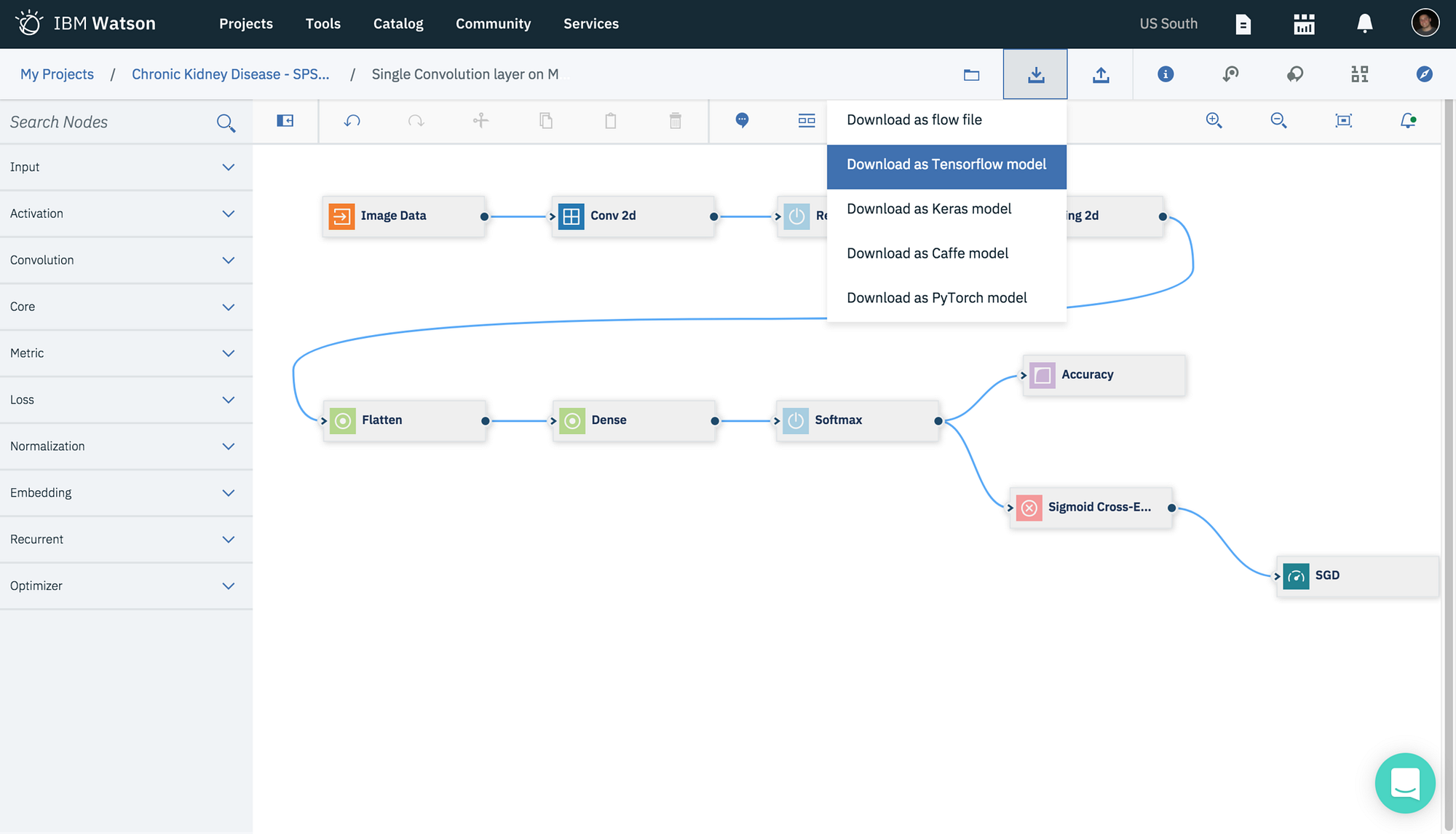
Image source: ibm.com
Key features:
- Automated multi-channel sequences
- Task and workflow automation
- Conversation tracking and analytics
- AI-driven insights and forecasting
Pros:
- Ideal for scaling large enterprise sales teams
- Excellent data analytics and reporting tools
- Strong focus on coaching and team alignment
Cons:
- Requires onboarding time for new users
Pricing:
7. Amazon SageMaker: Machine learning development platform
Amazon SageMaker is a fully managed machine learning development platform from AWS that enables developers and data scientists to build, train, and deploy ML models at scale. It provides integrated tools for data preparation, model training, experimentation, and MLOps. Designed for flexibility and scalability, SageMaker supports custom algorithms, automated model tuning, and seamless deployment into production environments.
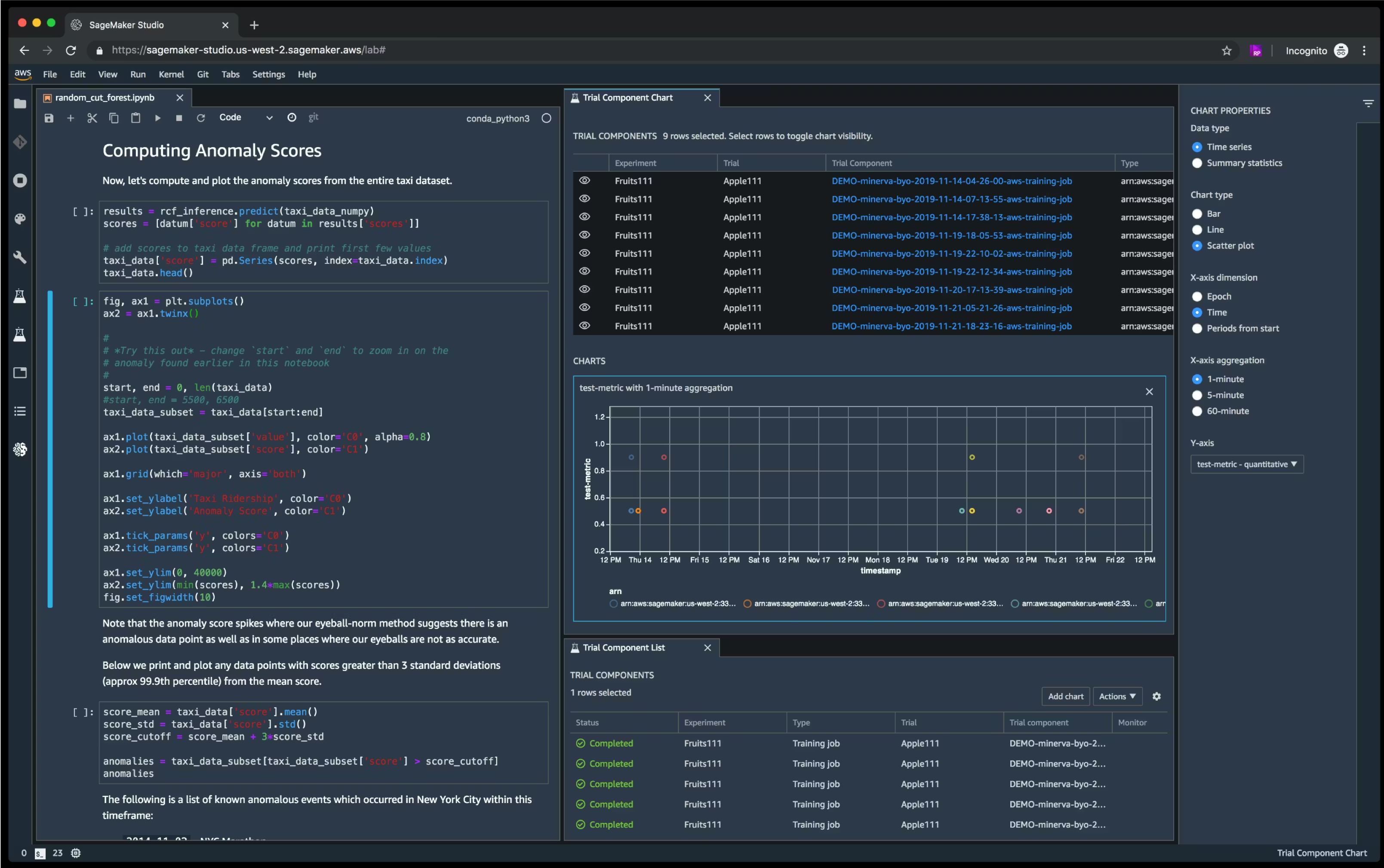
Image source: amazonaws.com
Key features:
- Automated lead research and enrichment
- Data validation and cleaning
- Dynamic lead scoring and filtering
- No-code workflow automation
Pros:
- Saves hours of manual research
- Accurate and updated data sets
- Highly customizable enrichment workflows
- Easy-to-use for both technical and non-technical users
Cons:
- High-volume usage can get costly
Pricing:
8. CloudTalk: Premium cloud contact platform for global businesses
is a next-generation cloud phone system and AI-driven contact center platform designed to modernize business communications. Its advanced AI Voice Agent leverages natural language processing to handle complex customer interactions, automate routine inquiries, and provide human-like support at scale. By integrating seamlessly with existing workflows, CloudTalk enables teams to boost productivity and deliver personalized customer experiences without increasing headcount.
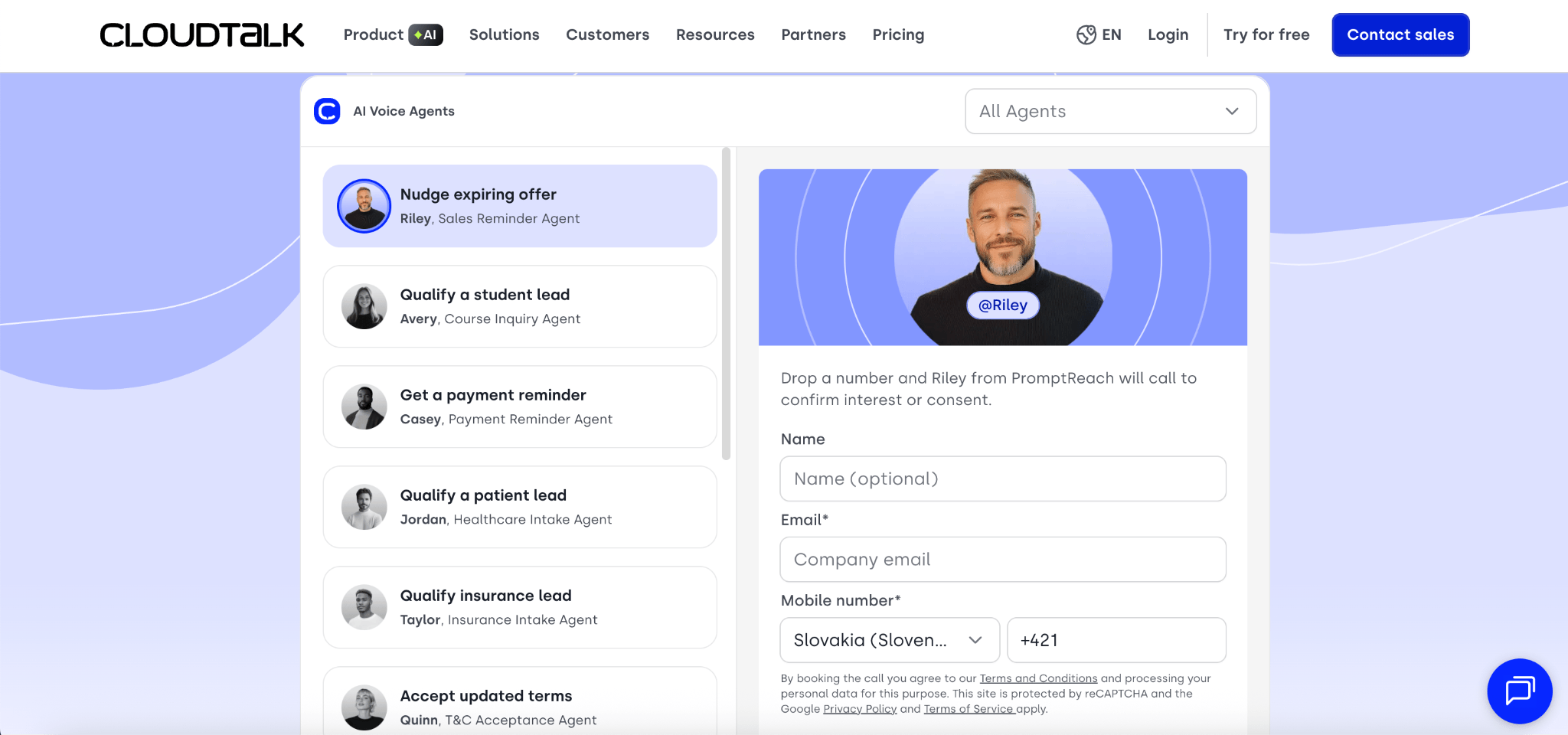
Image source:cloudtalk.io
Key features:
- Conversational AI Voice Agent: Autonomous AI that handles inbound and outbound calls with natural fluency.
- Real-time Transcription and Sentiment Analysis: Automatically converts calls to text and identifies customer emotions.
- Smart IVR and Automated Routing: Intelligent call steering based on caller intent and data from your CRM.
- AI-Powered Summarization: Instant, concise summaries of every call synced directly to your business tools.
Pros:
- High Scalability: Handle thousands of simultaneous calls without needing additional human agents.
- Seamless Integrations: Strong out-of-the-box connectivity with Salesforce, Hubspot, and Zendesk.
- Global Reach: Access to international numbers from over 160 countries with high call quality.
- 24/7 Availability: Provides consistent, high-quality support outside of standard business hours.
Cons:
- Advanced AI Setup: Configuring complex custom conversation flows may require initial technical oversight.
- Voice Nuances: While highly advanced, AI may still struggle with very heavy regional accents or highly technical jargon.
Pricing:
Custom pricing (Tailored plans based on AI usage and seat requirements)
9. Jasper: AI-powered content creation software
Jasper is an AI-powered content creation platform designed to help marketing teams and businesses generate high-quality written content at scale. It supports blog posts, ad copy, emails, social media captions, and more. With brand voice controls, templates, and collaboration features, Jasper streamlines content workflows while maintaining consistency and creativity across campaigns.
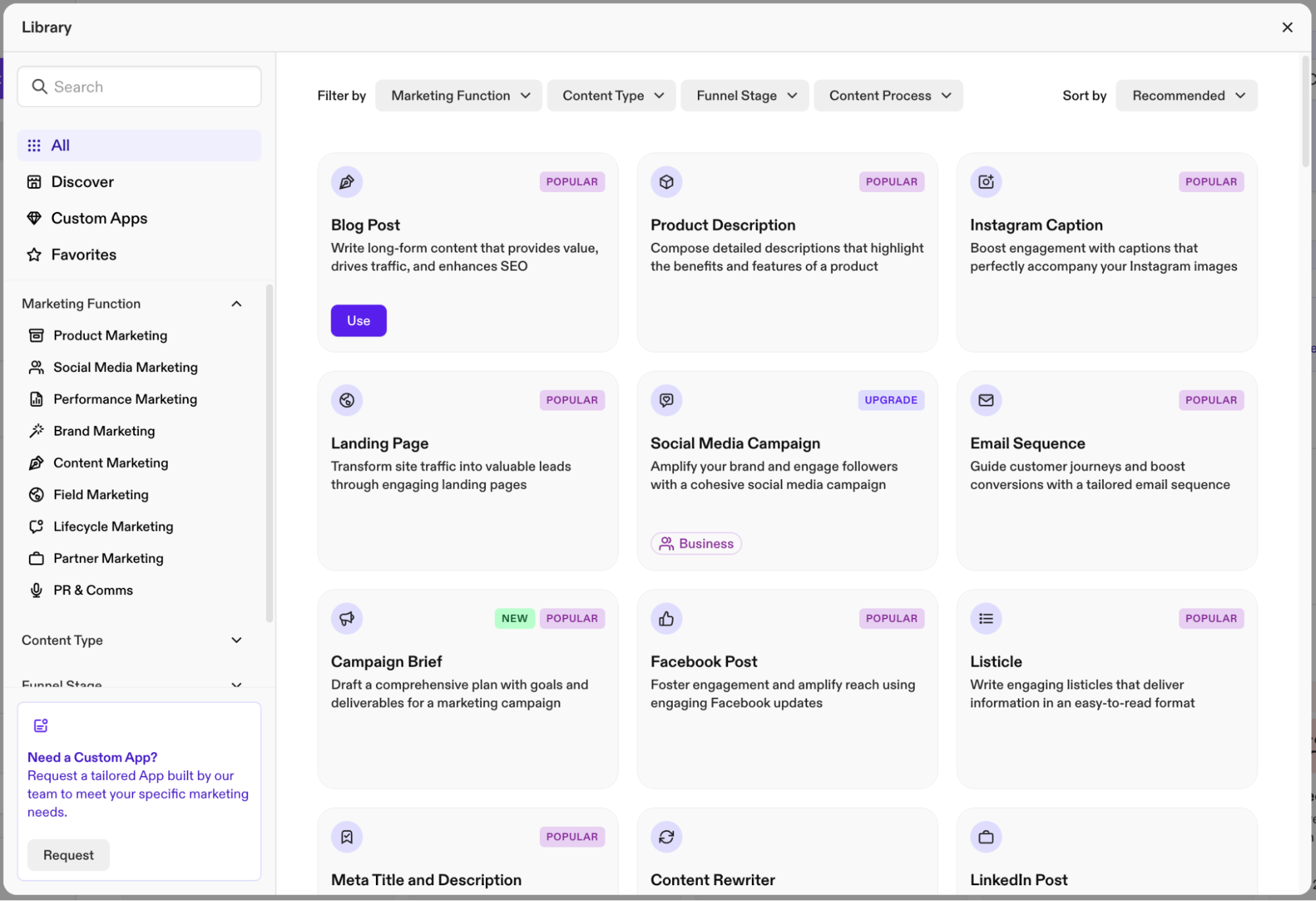
Image source: jasper.com
Key features:
- Advanced lead and account search filters
- Lead recommendations and alerts
- InMail messaging for direct outreach
- CRM integration and syncing
Pros:
- Ideal for building authentic relationships
- Accurate and current professional data
- Easy to use and accessible anywhere
- Great for social-driven B2B prospecting
Cons:
- Limited automation features
- High cost for individual users
Pricing:
- Pro: $59/month/seat (billed annually)
- Business: custom pricing
10. HubSpot AI: Marketing automation with AI assistance
HubSpot AI enhances the HubSpot ecosystem with intelligent automation, predictive insights, and AI-assisted content generation. It helps marketing, sales, and customer service teams personalize campaigns, automate follow-ups, score leads, and generate reports. By embedding AI directly into CRM and marketing workflows, HubSpot AI improves efficiency, targeting accuracy, and customer engagement across the funnel.
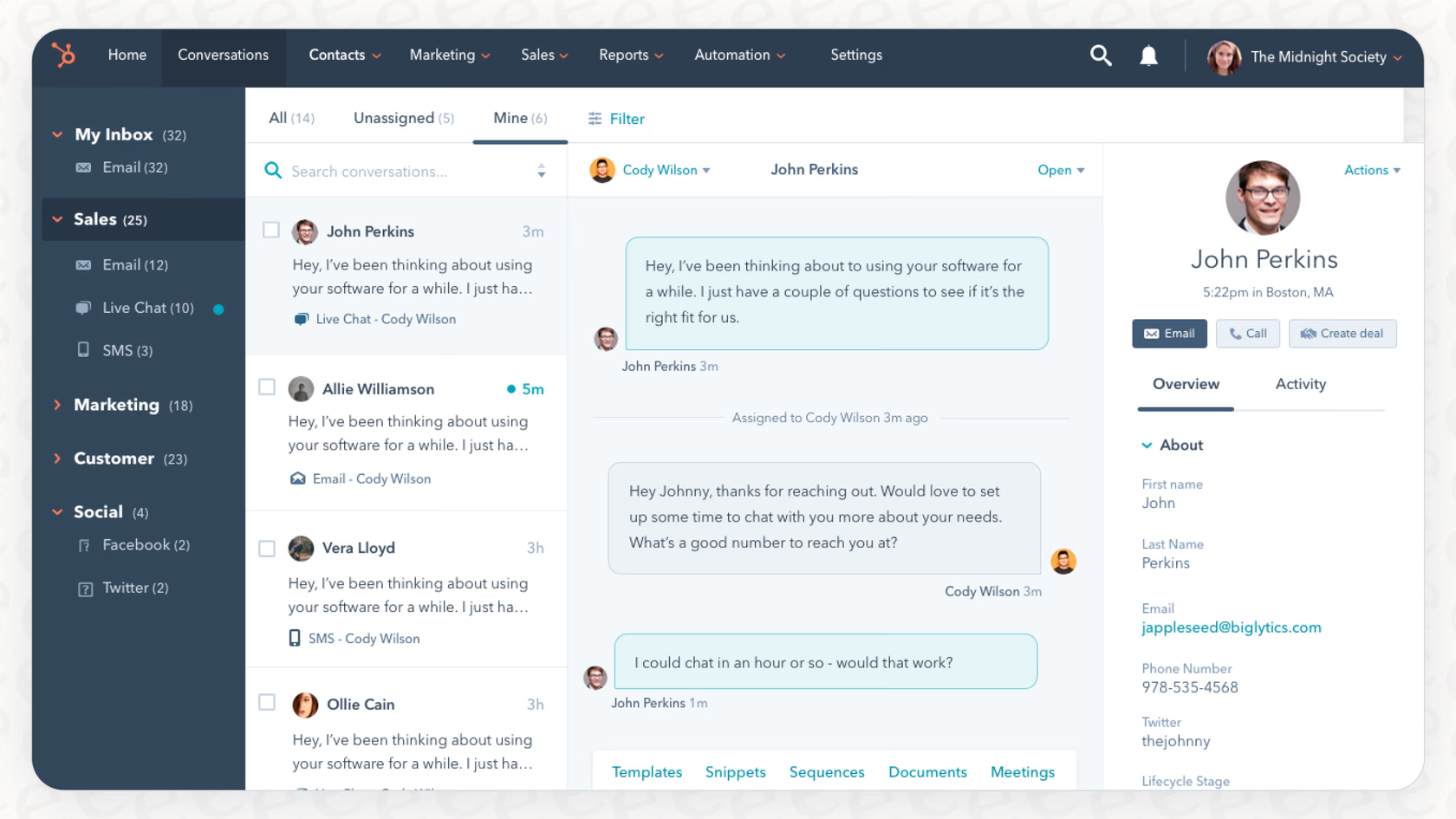
Image source: hubspot.com
Key features:
- Advanced scheduling with critical path and dependency tracking
- Portfolio and program-level planning and forecasting
- Resource management and capacity planning tools
- Custom reporting with Power BI integration
Pros:
- Robust enterprise-grade capabilities
- Strong reporting and analytics options
- Familiar interface for Microsoft ecosystem users
- Scales well for large and complex programs
Cons:
- Steep learning curve for new users
- Limited native collaboration features
- Higher cost compared to modern SaaS tools
Pricing:
- Medium: $270/month/seat
11. Tableau AI: AI-enhanced business analytics software
12. Snowflake Cortex AI: Data-native AI analytics platform
Tableau AI brings artificial intelligence capabilities into the Tableau analytics ecosystem, enabling smarter data exploration and faster insights. It offers features like natural language queries, automated insights, predictive analytics, and smart data explanations. Designed for business users and analysts, Tableau AI helps teams uncover trends, forecast outcomes, and make data-driven decisions with greater speed and confidence.
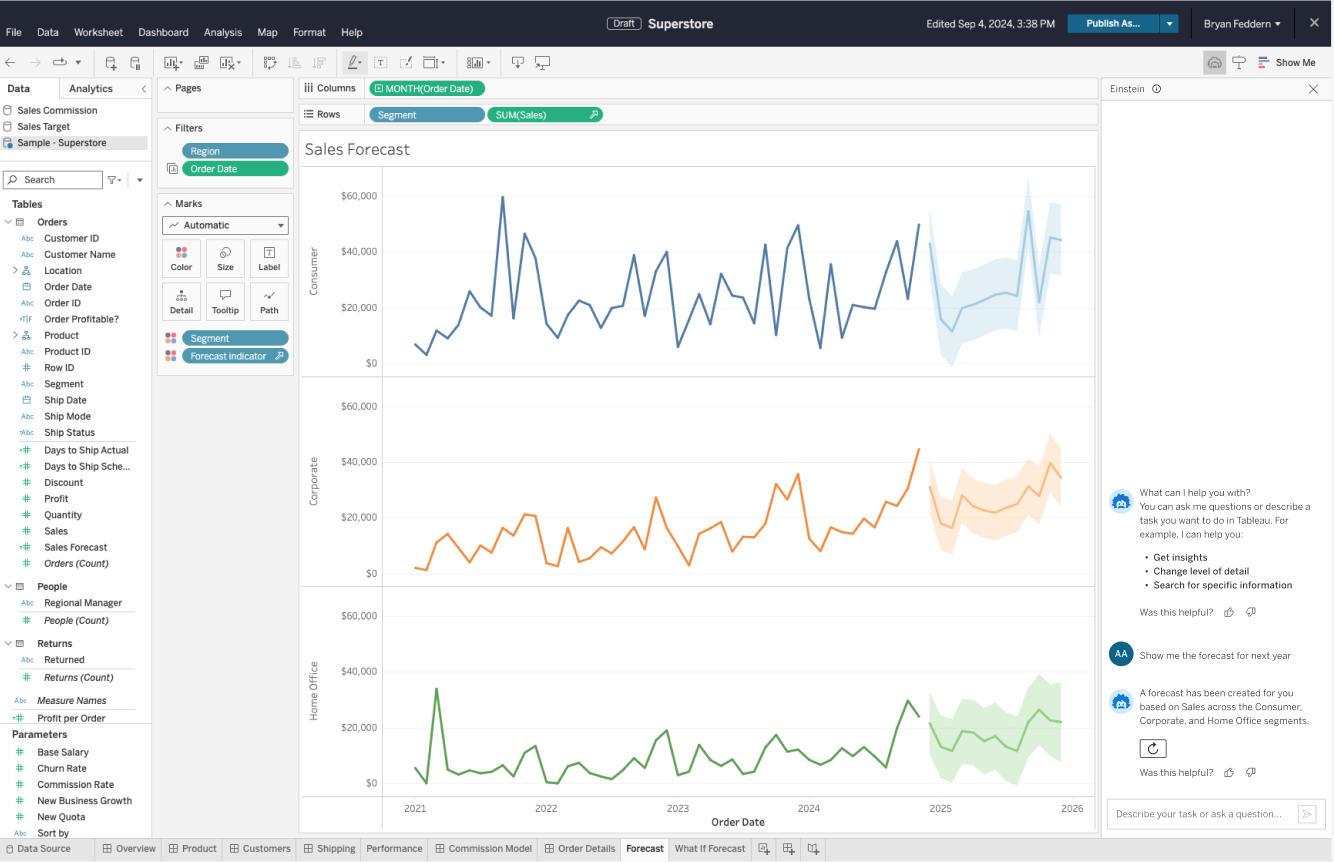
Image source: tableau.com
Key features:
- Advanced Gantt charts with dependencies
- Critical path and milestone tracking
- Resource and workload management
Pros:
- Strong visual timeline management
- Easy to use for planning
- Clear dependency tracking
- Useful for schedule-focused programs
Cons:
- Less suited for agile programs
Pricing:
- Tableau Standard: $15 per user/month
- Tableau Enterprise: $35 per user/month
- Tableau+ Bundle: Contact sales
12. Snowflake Cortex AI: Data-native AI analytics platform
Snowflake Cortex AI is a data-native AI layer built within the Snowflake Data Cloud, enabling organizations to run AI and machine learning workloads directly where their data resides. It supports large language models (LLMs), predictive analytics, and intelligent data processing without complex data movement. Designed for scalability and security, it helps enterprises embed AI-driven insights into applications, dashboards, and workflows seamlessly.
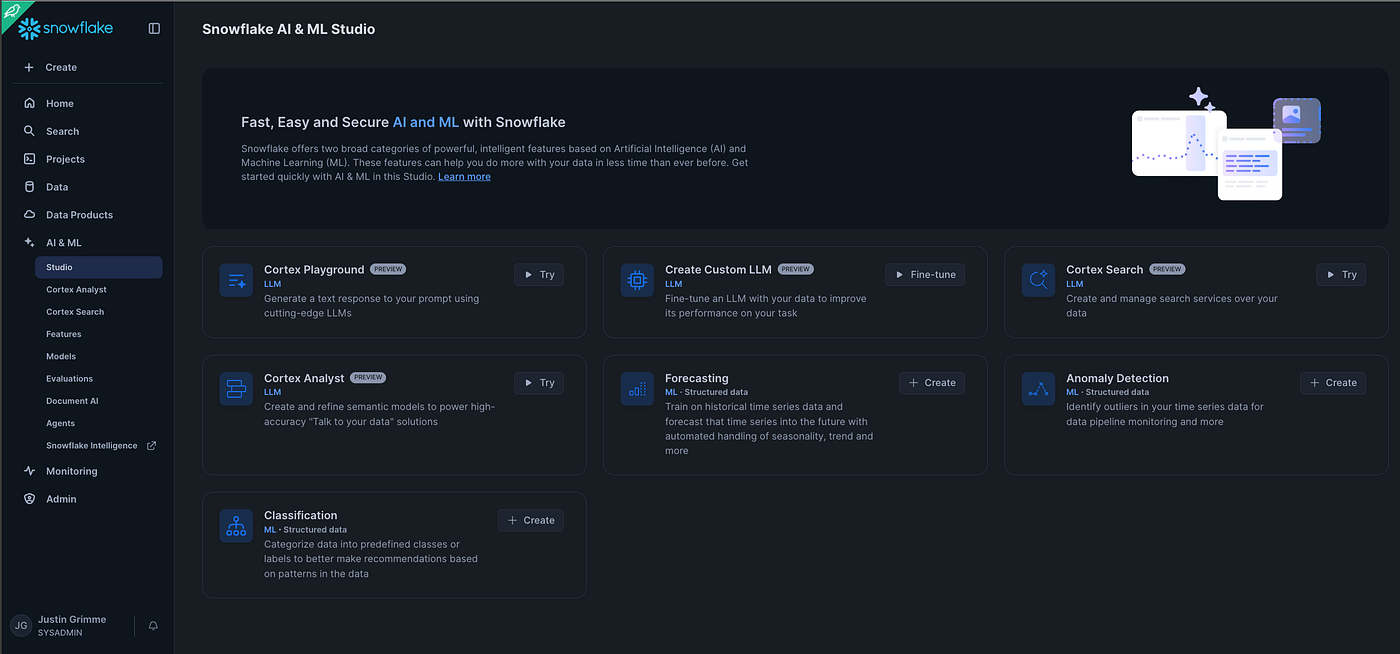
Image source: snowflakecortex.com
Key features:
- Centralized document library with advanced search and metadata tagging
- Seamless integration with apps like Teams and OneDrive
- Workflow automation for approvals and document routing
- Granular user permissions and access control
Pros:
- Deep integration within the complex ecosystem
- Highly customizable structure for different departments or teams
- Strong compliance and data security features
- Reliable cloud and on-premises deployment options
Cons:
- Requires technical setup and ongoing maintenance for complex configurations
- User interface can feel overwhelming for beginners
Pricing:
- Enterprise: $3/per credit
- Business Critical: $4/per credit
- Virtual Private Snowflake: custom pricing
13. Anthropic Claude: Enterprise-safe generative AI model
Claude is a generative AI model developed by Anthropic, designed with a strong focus on safety, reliability, and enterprise governance. It supports advanced natural language understanding, content generation, document analysis, and workflow automation. Built with constitutional AI principles, Claude emphasizes controllability and reduced harmful outputs, making it well-suited for businesses that prioritize compliance, data protection, and responsible AI deployment.
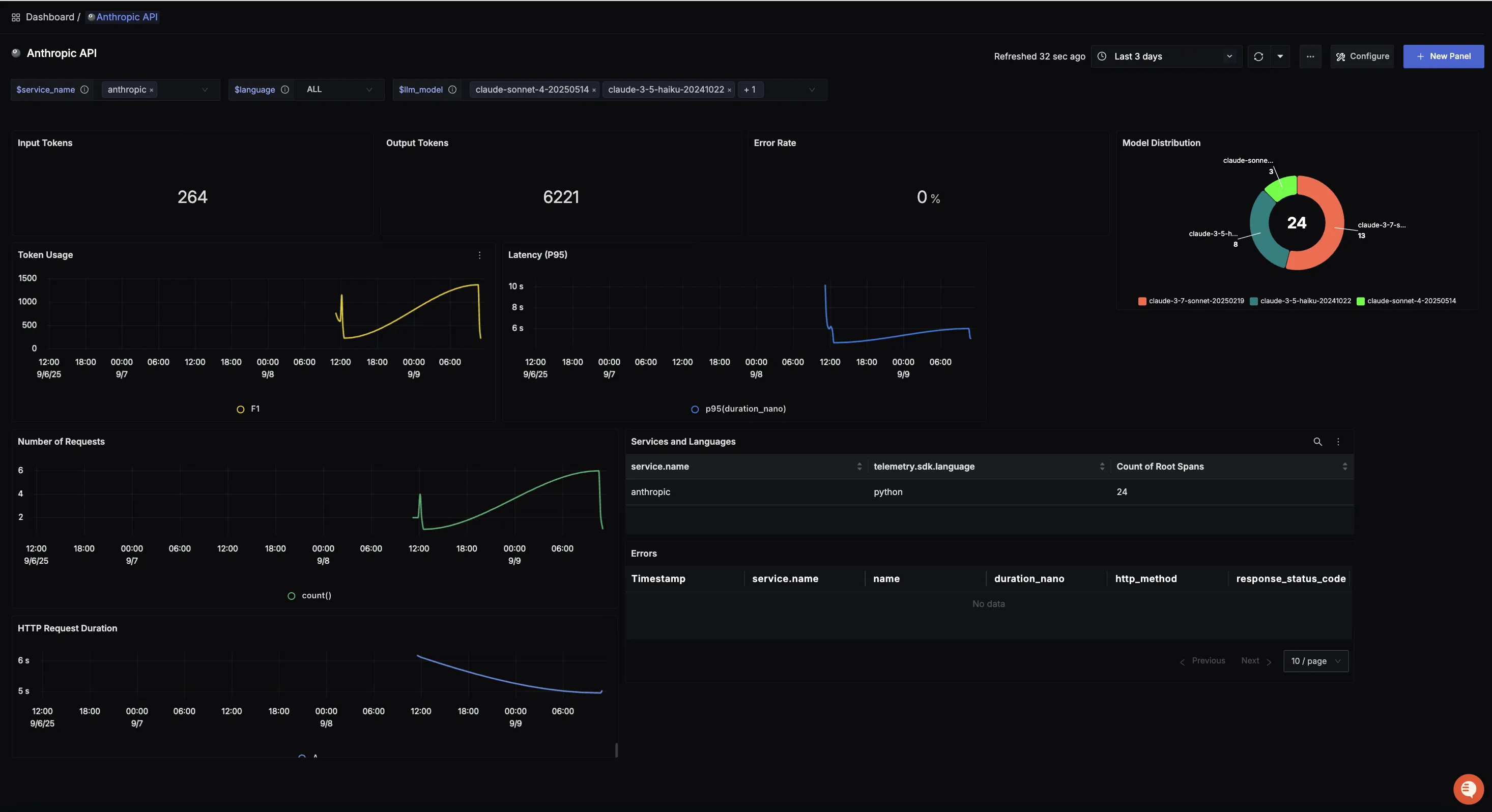
Image source: claude.com
Key features:
- Spreadsheet-style grids with program views
- Gantt charts and dependency tracking
- Automated workflows and alerts
- Resource and workload management
Pros:
- Familiar layout for spreadsheet users
- Strong automation and alerts
- Flexible integration capabilities
- Scales for large program portfolios
Cons:
- Collaboration features are less robust than dedicated tools
- Reporting requires setup and maintenance
- It can feel complex for new users
Pricing:
- Pro: $17 per user/month (billed annually)
- Max: From $100 per user/month
14. Zapier AI: Workflow automation with AI integrations
Zapier AI enhances the Zapier automation platform by adding intelligent triggers, AI-powered actions, and natural language workflow creation. It allows businesses to connect apps, automate repetitive tasks, and integrate AI features like content generation or data extraction into workflows—without coding. Designed for cross-platform automation, it helps teams save time and streamline operations across marketing, sales, and operations tools.
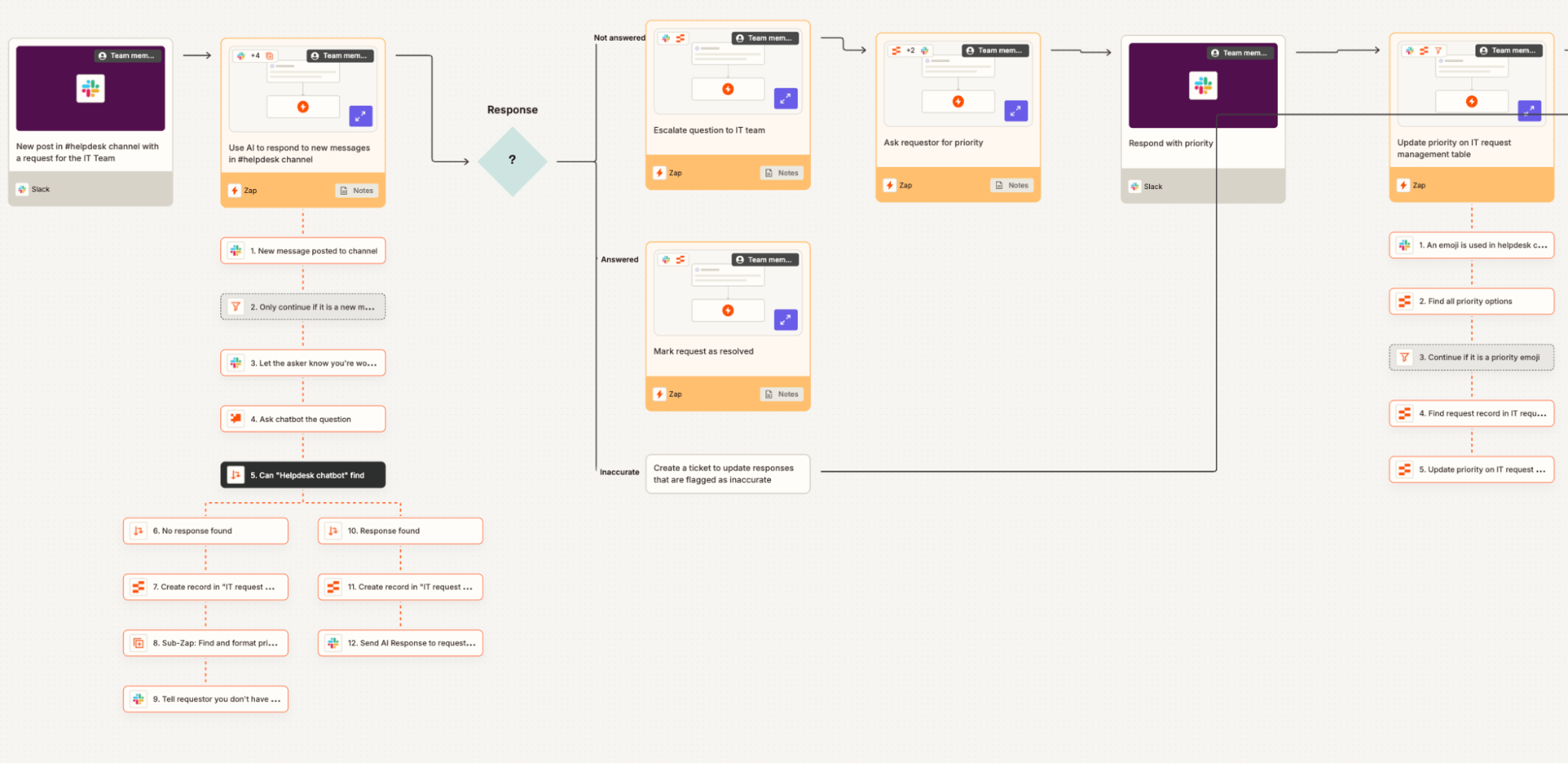
Image source: zapier.com
Key features:
- Cloud and on-premises document storage with advanced search and indexing
- Workflow automation for approvals, notifications, and task routing
- Secure access controls and role-based permissions
- Integration with CRM, ERP, and other business applications
Pros:
- Strong focus on workflow automation to boost efficiency
- Secure document management with compliance-ready features
- Flexible deployment options: cloud or on-premises
- Scalable for large enterprises with complex processes
Cons:
- Implementation and setup can be time-intensive
- May require training for teams to fully utilize advanced workflow features
Pricing:
- Professional: $19.99 per user/month (billed annually)
- Team: $69 per user/month (billed annually)
- Enterprise: contact for pricing
15. Midjourney: AI image generation platform
Midjourney is an AI-powered image generation platform that creates high-quality, artistic visuals from text prompts. Widely used by designers, marketers, and creative teams, it specializes in stylized, concept-driven artwork, illustrations, and branding visuals. Its prompt-based system allows users to experiment with styles, lighting, and composition, making it a powerful tool for creative content production. For users who also refine, retouch, or composite generated visuals, exploring can be a practical next step in the creative workflow.
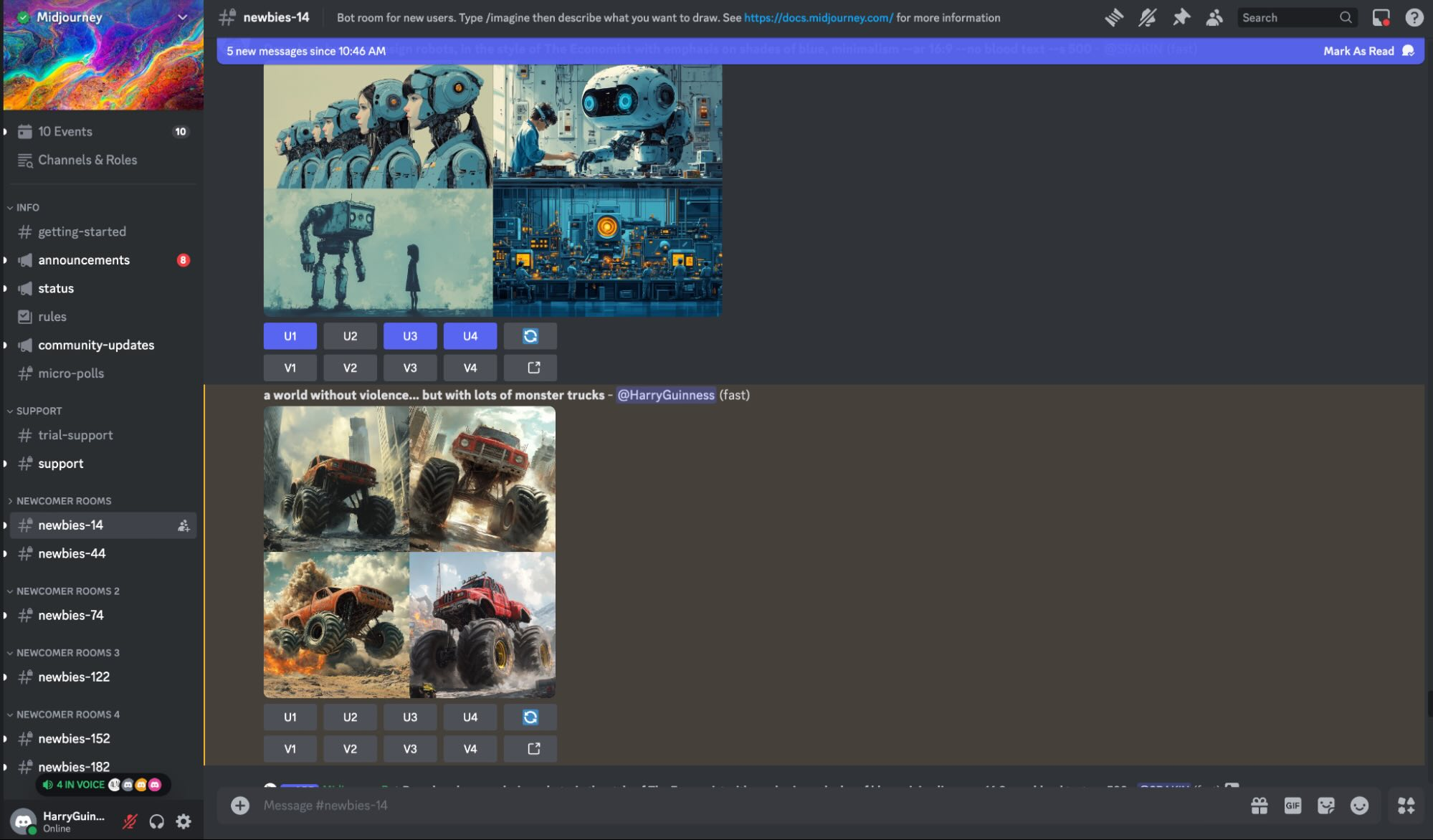
Image source: midjourney.com
Key features:
- Metadata-based document organization for efficient search and retrieval
- Automated workflows for approvals, routing, and notifications
- Version control and audit trails for compliance and transparency
- Secure access control with role-based permissions
Pros:
- Intuitive metadata-driven organization improves productivity
- Strong automation and workflow capabilities
- Robust compliance and security features
- Scalable for businesses of varying sizes and industries
Cons:
- Metadata setup can be complex and requires careful planning
- Users may need training to adapt to metadata-driven navigation
Pricing:
16. Databricks AI: Unified analytics and AI engineering platform
Databricks AI combines data engineering, analytics, and machine learning with unified lakehouse architecture. It enables teams to process large-scale data, build AI models, and deploy production-ready solutions in one collaborative environment. With strong support for big data workloads, MLOps, and generative AI applications, it helps enterprises streamline the entire data-to-AI lifecycle efficiently and securely.
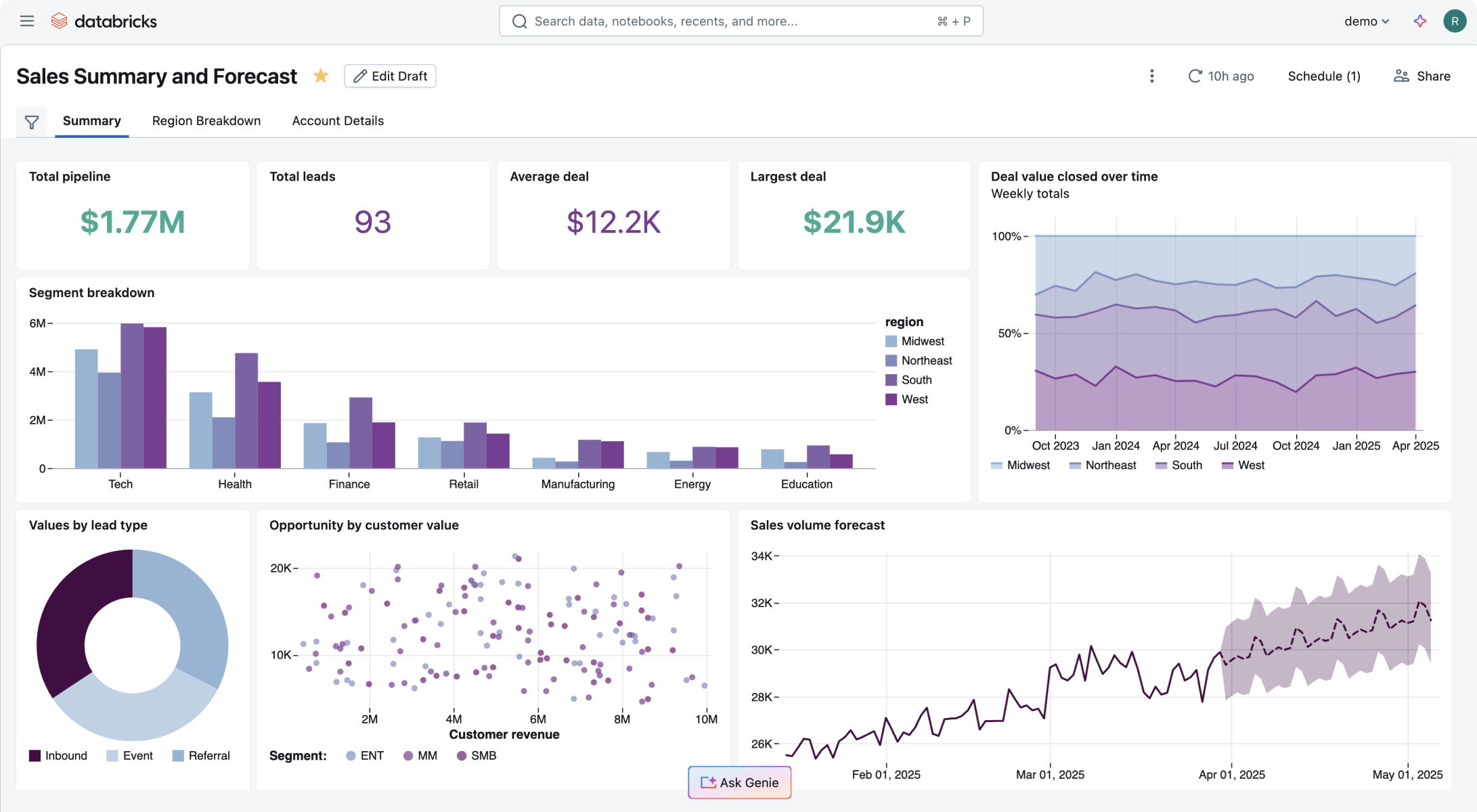
Image source: databricks.com
Key features:
- Centralized document repository with advanced search and metadata management
- Workflow automation for approvals, routing, and content lifecycle management
- Integration with ERP, CRM, and other enterprise applications
- Granular security, role-based permissions, and compliance tools
Pros:
- Highly scalable and suitable for large enterprises
- Extensive integration capabilities with business systems
- Strong security and compliance features
- Advanced workflow automation to streamline processes
Cons:
- Complex implementation requiring technical expertise
- It can be costly for smaller organizations
Pricing:
How to choose the top AI tool for your needs
Selecting the right AI solution depends on your business goals, technical capabilities, and long-term growth plans. Here's how to evaluate and choose the top AI tool for your needs with confidence.
- Business size: The size of your organization influences which is the best fit. Small teams or startups may benefit from lightweight, ready-to-use AI applications that require minimal setup, while larger enterprises often need robust platforms with advanced features, enterprise support, and compliance controls. Choosing the right-sized solution ensures you're not overpaying for unnecessary capabilities or underpowered tools that can't scale with growth.
- Technical expertise: Assess your team's technical skills when evaluating AI options — from to business-ready platforms. Developers may prefer tools with flexible APIs that allow custom integration and fine-grained control, whereas non-technical users often need intuitive interfaces with prebuilt workflows. Matching the tool to your team's expertise helps minimize learning curves and speeds up adoption.
- Integration ecosystem: Consider how well an AI tool fits into your existing tech stack. The best AI solutions can seamlessly connect with your CRM, data warehouses, communication apps, and analytics suites. Whether you choose a full top AI software tools suite or a modular top AI API service, strong integration capabilities reduce silos, automate data flows, and enhance productivity across teams.
- Scalability roadmap: Plan for future growth by choosing AI solutions that support scaling. A tool that meets your needs today may fall short as data volumes grow or use cases expand. Look for platforms with flexible pricing, modular add-ons, and robust that can evolve with your business — either through advanced APIs, enterprise analytics, or expansive AI feature sets.
Conclusion
As AI continues to reshape how businesses operate, choosing the right solution becomes a strategic advantage rather than just a technical decision. From automation and content generation to predictive insights and , the top AI tools in the market are helping teams move faster, work smarter, and scale efficiently.
Whether you're exploring advanced infrastructure, developer-focused APIs, or top AI analytics software, selecting a platform that aligns with your goals, team size, and integration needs is critical. Solutions like demonstrate how AI can be seamlessly embedded into collaboration and workflow systems, helping businesses unify communication, automation, and intelligence in one place.
The future belongs to organizations that leverage AI strategically—choosing tools that not only solve today's challenges but also support tomorrow's growth.
Unlock AI power and boost productivity with Lark
FAQs
What is the difference between AI software and AI APIs?
AI software refers to ready-to-use applications designed for end users, such as analytics dashboards, content generators, or workflow automation tools. These solutions require little to no coding and are built for business teams. AI APIs, on the other hand, are developer-focused interfaces that allow companies to embed AI capabilities—like language processing or image recognition—directly into their own applications. In short, AI software is plug-and-play, while AI APIs are customizable building blocks.
Which top AI tools are best for small businesses?
AI software refers to ready-to-use applications designed for end users, such as analytics dashboards, content generators, or workflow automation tools. These solutions require little to no coding and are built for business teams. AI APIs, on the other hand, are developer-focused interfaces that enable companies to embed AI capabilities—such as language processing or image recognition—directly into their applications. In short, AI software is plug-and-play, while AI APIs are customizable building blocks.
Are free AI tools suitable for enterprise use?
Free AI tools can be useful for testing, prototyping, or limited internal use. However, enterprises often require advanced security, compliance, customization, and scalability features that are usually available in paid or enterprise plans. While free versions may support experimentation, mission-critical operations typically demand robust service-level agreements and governance controls.
How do companies evaluate AI ROI?
Companies measure AI ROI by analyzing productivity gains, cost savings, revenue growth, and efficiency improvements. Key metrics may include reduced manual workload, faster decision-making cycles, improved lead conversion rates, or lower operational expenses. A successful AI investment demonstrates measurable impact aligned with business objectives and long-term strategic growth.
Related reading