


Top 12 CRM for Education Platforms to Transform Student Management

Ryan Tanner
Product Marketing Specialist
Aug 5, 2026
Ryan Tanner
Aug 5, 2026

25 min read


Managing student relationships now stretches across recruitment, enrollment, academic support, and long-term alumni engagement. Schools and universities can no longer rely on spreadsheets or scattered communication tools to manage those touchpoints. That's why CRM for education has become essential. Education CRM tools help teams centralize data, automate follow-ups, personalize outreach, and collaborate across departments like admissions, advising, finance, and student services.
Popular choices like Lark, Salesforce Education Cloud, HubSpot for Education, LeadSquared and Element451 are commonly used because they offer different strengths depending on whether a school prioritizes recruitment, engagement, automation, or collaboration. Below are some of the top CRM options used in education today, each designed for a specific type of institution and student process:
1. Lark: All-in-one workspace for education CRM and collaboration
2. Salesforce Education Cloud: Complete student lifecycle management
3. HubSpot for Education: Marketing-focused student relationship management
4. Freshsales (Freshworks CRM): Streamlined lead and admissions tracking
5. LeadSquared: CRM built for admissions and enrollment workflows
6. Element451: Personalization-driven CRM for student engagement
7. Creatio CRM: Process automation for education administration
8. Bigin by Zoho: Simple CRM for small academies and coaching centers
9. Monday Sales CRM: Visual CRM for academic team collaboration
10. Pipedrive: CRM focused on student inquiry management
11. Insightly: CRM and project management combined for education
12. Hubilo CRM: Event and program management for educational institutions

What is a CRM for education?
A CRM for education is a system that helps institutions manage relationships with students, parents, alumni, and prospects across their entire journey. It goes beyond sales management by adapting the same logic to student engagement tracking leads (inquiries), opportunities (applications), and customers (enrolled students). Educational CRMs simplify data handling by keeping all interactions, emails, documents, and records in one accessible place.
Unlike generic business CRMs, education-focused platforms include academic workflows such as admissions pipelines, scholarship tracking, student advising, and alumni management. Teams can collaborate in real time, using dashboards and shared records to make informed decisions. Whether you manage a university, coaching center, or international school, a dedicated CRM helps improve visibility, conversion rates, and student satisfaction.
Key features to look for in an education CRM
Choosing the right CRM for education requires looking beyond basic contact storage. A strong platform should help teams work together, automate repetitive tasks, and keep every stage of the student lifecycle visible in one place. The right features allow admissions, academics, finance, and marketing teams to operate with shared context instead of scattered tools. When these functions work together, institutions can improve enrollment, retention, and long-term engagement. Below are the core features that matter most when evaluating a CRM for higher education.
- Contact and lead management: A CRM software should store detailed profiles for students, parents, and alumni in one structured system. Teams should be able to view every email, application update, meeting note, and support request tied to the same record. This ensures nothing is lost when a student moves between departments or advisors. Rich fields such as program interest, intake term, and source allow teams to segment and act faster. This becomes the foundation for personalized communication and accurate reporting.
- Multi-channel communication tracking: Institutions engage through email, chat, phone, and social platforms, so the CRM should log every interaction automatically. When staff can see full message history in one place, they avoid duplicate outreach or missed follow-ups. This is especially useful for admissions counselors who switch between channels throughout the day. A single timeline of communication improves continuity when teams or shifts change. It also offers insight into student engagement patterns and preferred channels.
- Application and enrollment pipeline management: A visual pipeline helps institutions track prospects from first inquiry to final enrollment. Each stage shows how many students are progressing, stalled, or lost, giving teams clarity on bottlenecks. With this view, staff can prioritize follow-ups based on stage, deadline, or counselor ownership. Pipeline insights also help leadership forecast enrollment numbers early instead of reacting late. This feature turns admissions into a measurable, accountable process instead of a series of disconnected tasks.
- Event and campaign automation: Institutions often run fairs, webinars, school visits, and targeted email campaigns throughout the year. A CRM with automation can schedule reminders, send confirmations, and trigger follow-ups without manual work. This increases attendance and improves the conversion of event participants into applicants. Automated branching rules allow personalized workflows based on actions such as sending different messages to attendees and no-shows. Over time, teams can measure event yield to refine strategy for future cycles.
- Analytics dashboards: Real-time dashboards show the health of the enrollment funnel, student engagement, counselor performance, and campaign results. Instead of exporting spreadsheets, teams can make decisions using live data that updates as activity happens. Leadership can track goals like application volume, conversion rate, or scholarship award distribution at a glance. Dashboards ensure every department works from the same numbers instead of conflicting reports. This shifts planning from guesswork to evidence-based strategy.
- LMS or SIS connection: Linking the CRM with a learning or student information system keeps records synchronized across admission, academic, and advising teams. Integrating these frameworks with tools like CertBolt or similar data bridges ensures secure credentialing and verification. This allows institutions to monitor grades, attendance, and engagement while maintaining a single source of truth. When students are flagged as inactive or at-risk academically, advisors can take action sooner. It also prevents duplicate data entry and reduces errors across platforms. A synced environment supports smoother retention and success workflows.
- Collaboration tools: A modern CRM should support shared editing, comments, task assignment, and real-time updates so departments stay aligned. Instead of passing spreadsheets or email threads, teams work inside one system built for visibility. This reduces delays in decision-making and prevents information silos across roles. Collaboration features also improve staff onboarding because processes are documented and accessible. When teams can act in one shared workspace, student service becomes faster and more consistent.
Quick preview of the best 12 education CRM software
Full list: Top 12 CRM software for education
1. Lark: All-in-one workspace for education CRM and collaboration
Lark helps institutions manage admissions, academic processes, and student engagement from one shared workspace instead of separate apps and dashboards. It combines database tools, task management, communication, and analytics, so teams can act on live information instead of exporting spreadsheets. This makes it suitable for schools that want a CRM that does more than track leads.
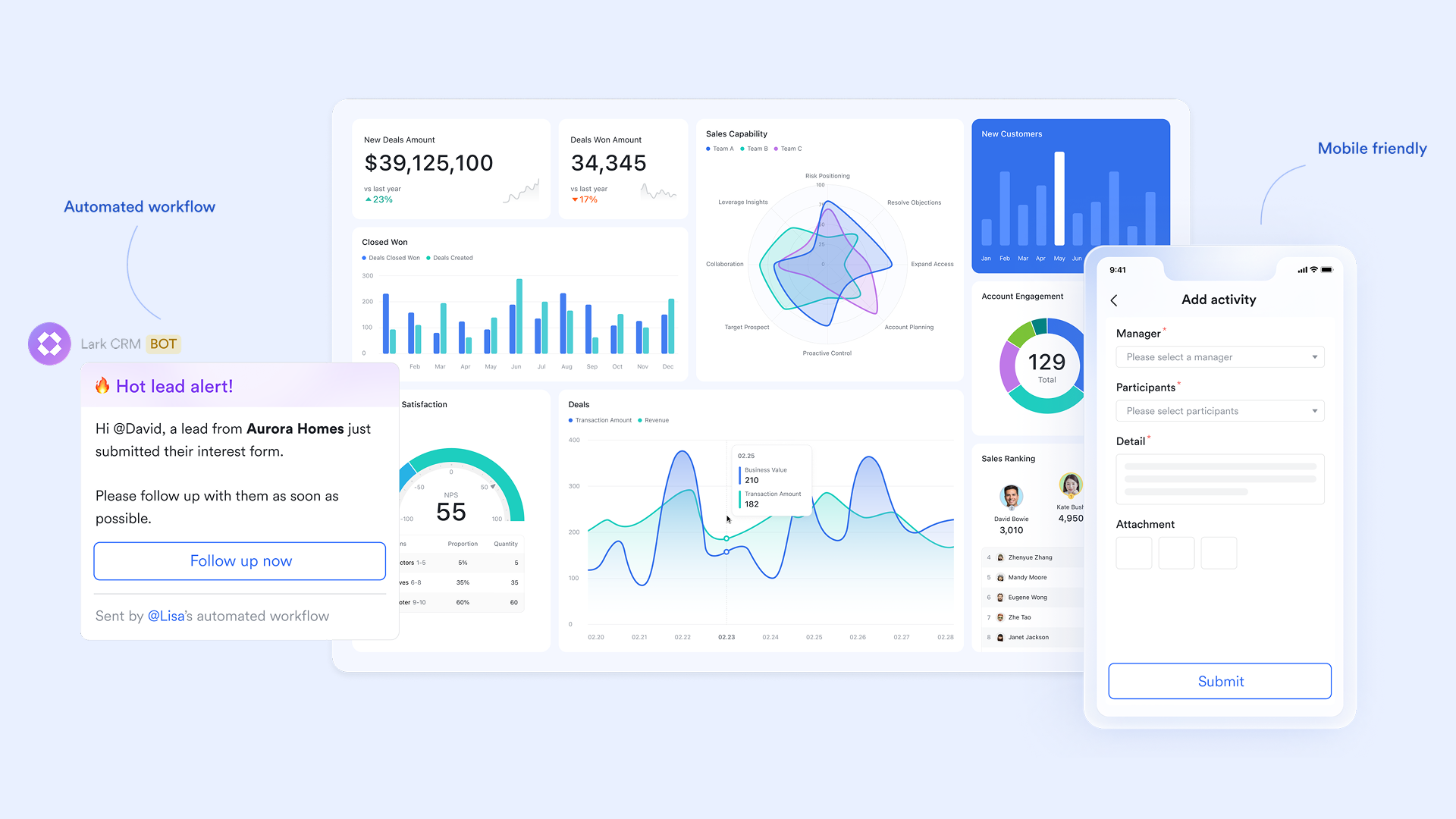
Lark Base: Centralized student database
Lark Base is your live student CRM. Build tables for applicants, enrolled students, guardians, counselors, and partners; You can use various fields to track details such as program, intake term, status, and more. Multiple views (Table, Kanban, Timeline) are available to visualize data across different stages. Permissions keep sensitive fields (e.g., financial aid notes) restricted. With an automated workflow, Base can move status to "Shortlisted," assign the owner, and post an update to the right channel the moment criteria are met, so nothing stalls between stages.
Example: Admissions officers log applications in Base, auto-tag the source (webinar, fair, referral), and trigger counselor outreach when "Applied → Shortlisted."
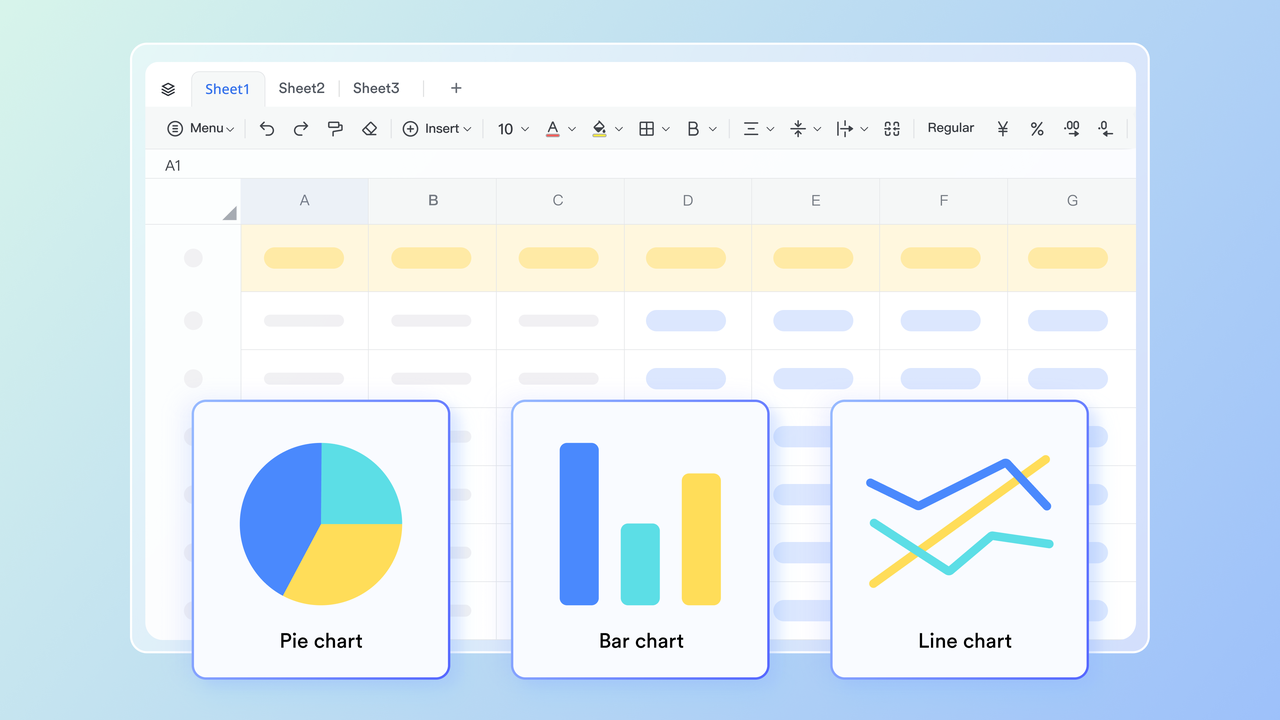
Lark Sheets: Enrollment analytics and retention tracking
Lark Sheets is ideal for analyzing education CRM data with calculations, formulas, and pivot tables. You can import student records and metrics from Lark Base to track indicators like application volume, counselor performance, or retention. Pivot tables allow you to visualize data by different dimensions, such as program, region, or engagement level, while formulas help monitor risk and highlight trends. This enables teams to transform raw CRM data into actionable insights, facilitating smarter decision-making.
Example: Marketing compares lead sources weekly in Sheets and spots higher yield from campus tours vs. paid ads, then shifts budget mid-cycle.
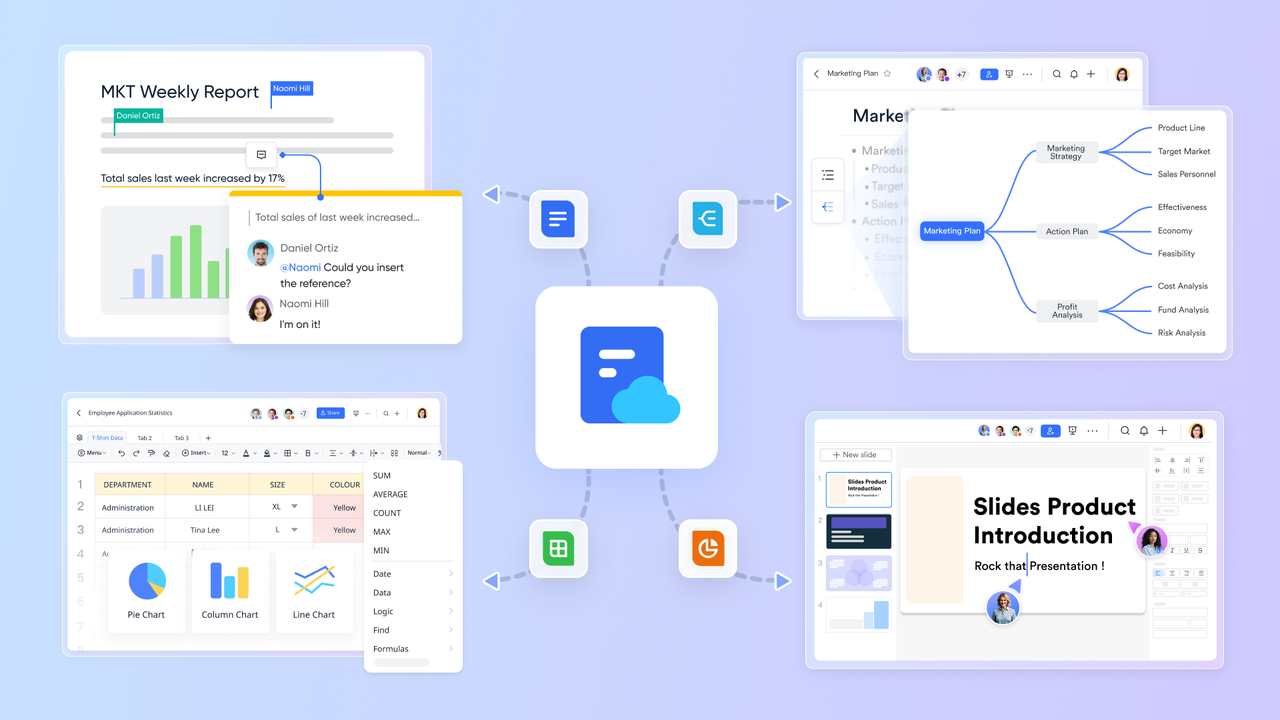
Lark Docs: Shared proposals and academic plans
Lark Docs is where policy, process, and plans live together. Draft admissions SOPs, scholarship criteria, orientation agendas, articulation agreements, and student success playbooks then embed live Base views (e.g., "Interviews this week") and key charts from Sheets. Inline comments capture approvals; @mentions bring in legal or finance; version history keeps audits clean. For committee work (admissions board, ethics, grants), add decision logs and outcomes with links back to the student record for traceability.
Example: Academic teams co-edit a scholarship rubric in Docs, embed the shortlist from Base, and finalize award decisions without passing around attachments.
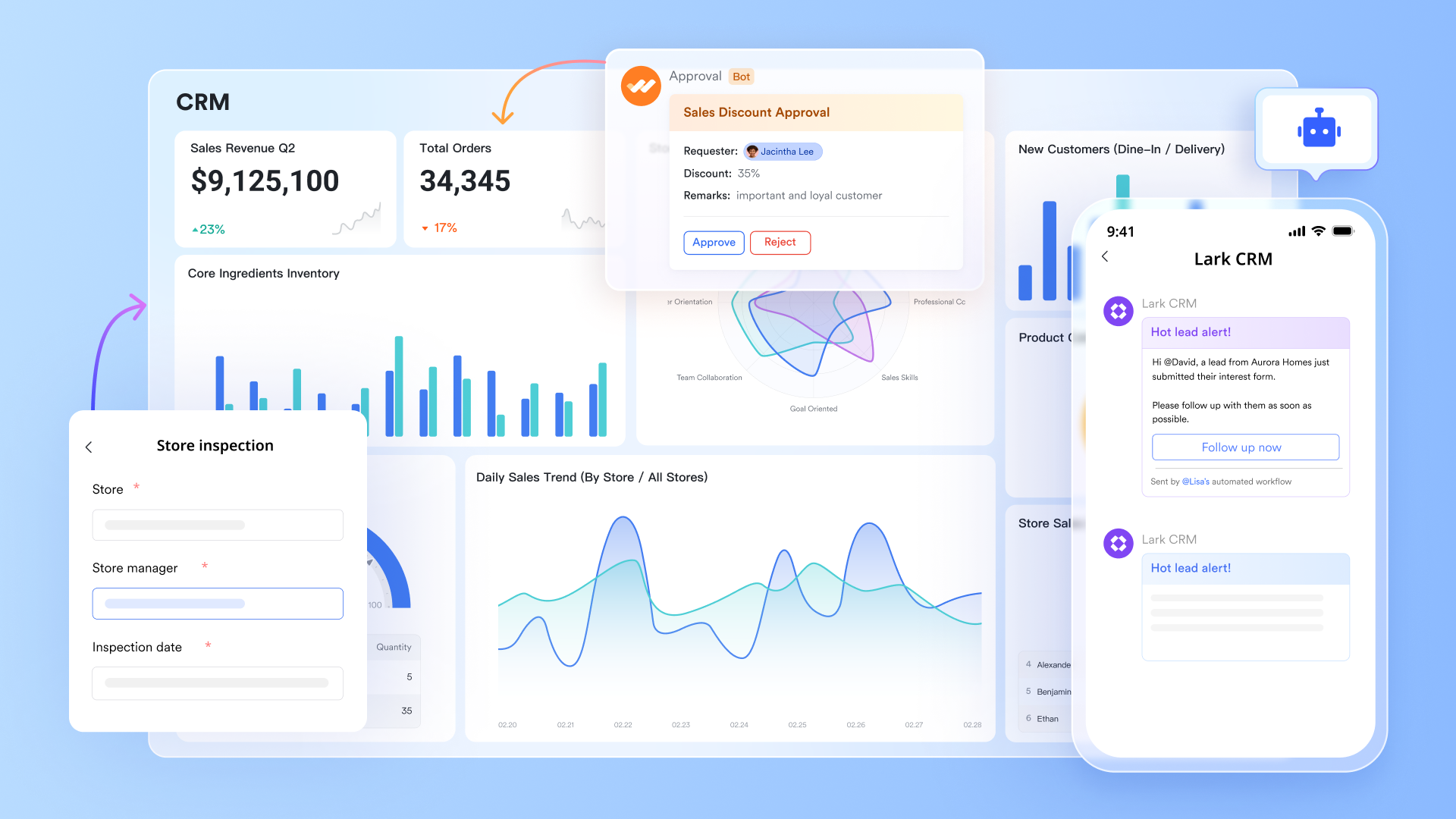
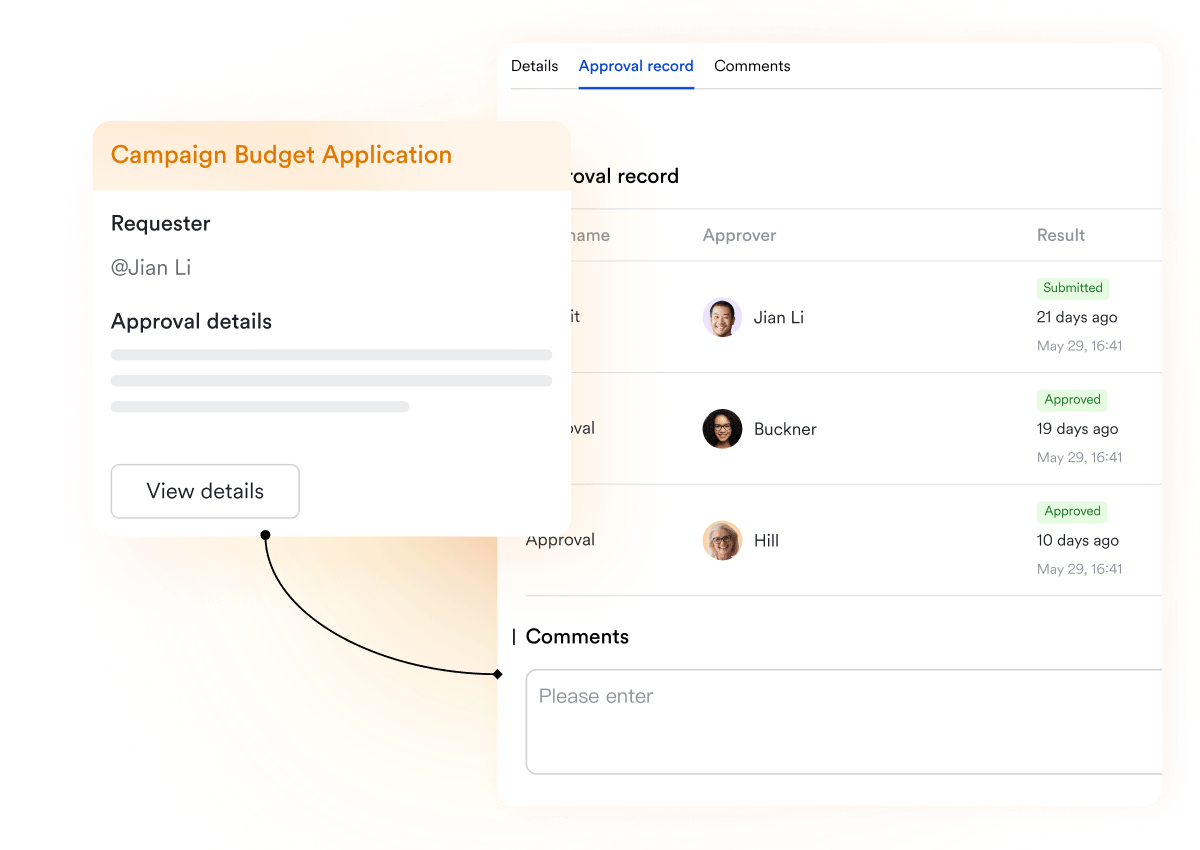
Lark Approval: Streamlined the request and approval process
Lark Approval enhances CRM for education by streamlining lead, enrollment, and contract approvals directly within Lark. Admission, marketing, and finance teams can review and approve requests in one place, eliminating delays and communication gaps. Data such as student details, contracts, and payments automatically sync to CRM or finance systems for full visibility. This centralized process ensures faster follow-ups, better collaboration, and a more efficient workflow across the institution.
Example: An admissions team can submit scholarship approval requests in Lark Approval, and finance and academic departments review and approve them in real time, streamlining the enrollment process.
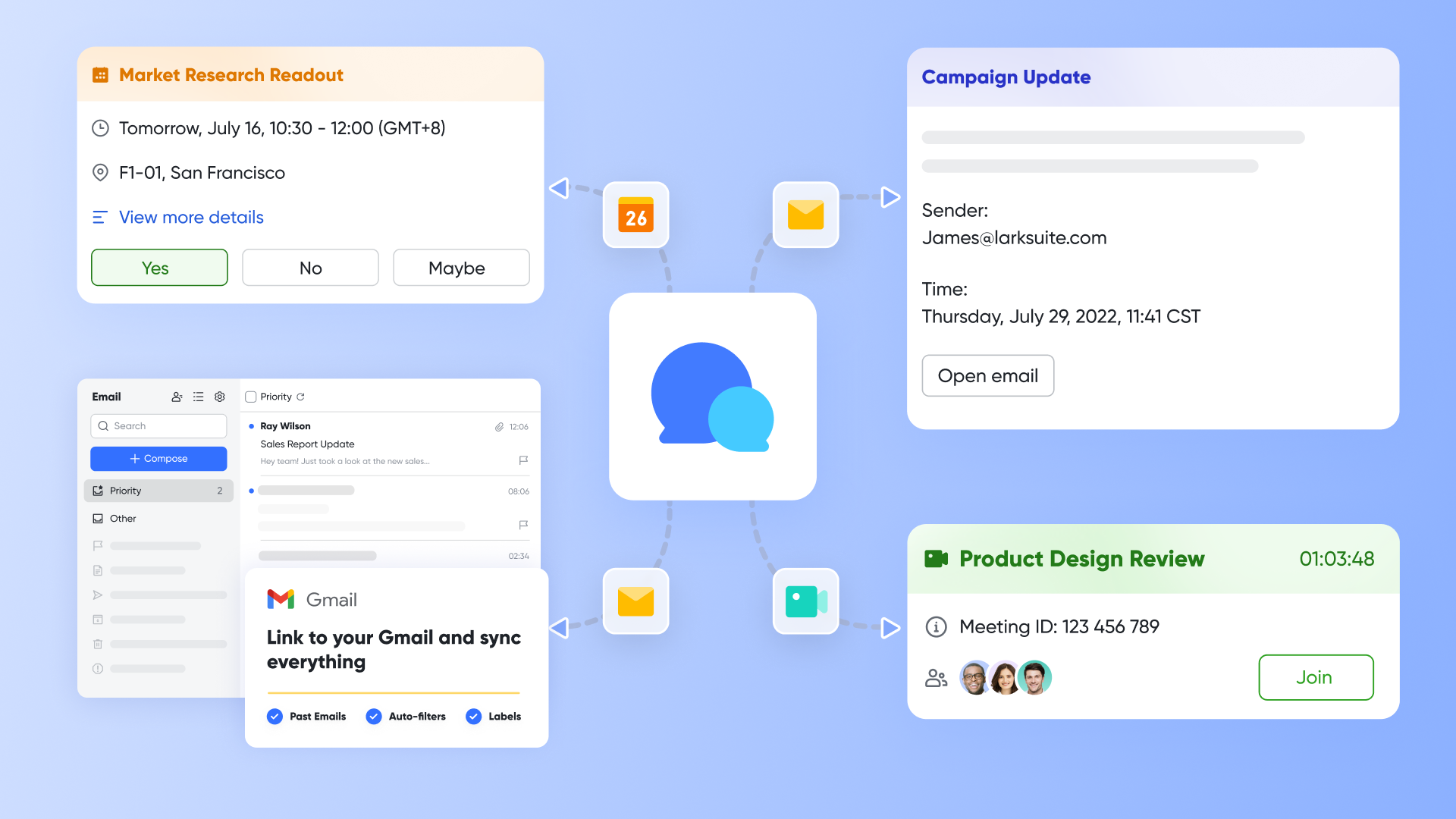
Lark Messenger: Student and team communication in one space
Lark Messenger keeps conversations tied to the data that matters. Create a group chat for each intake, program, or region. Drop a Base table link into the thread to show the latest status, counselor notes, and deadlines in context. Threaded replies keep interview feedback, missing-document chases, and appeal decisions organized. Pin to-do for tomorrow in each group, so staff always check and act on the same page.
Example: When an application flips to "Interview scheduled," Messenger posts to the program channel, tags the interviewer, and links the student record for prep.
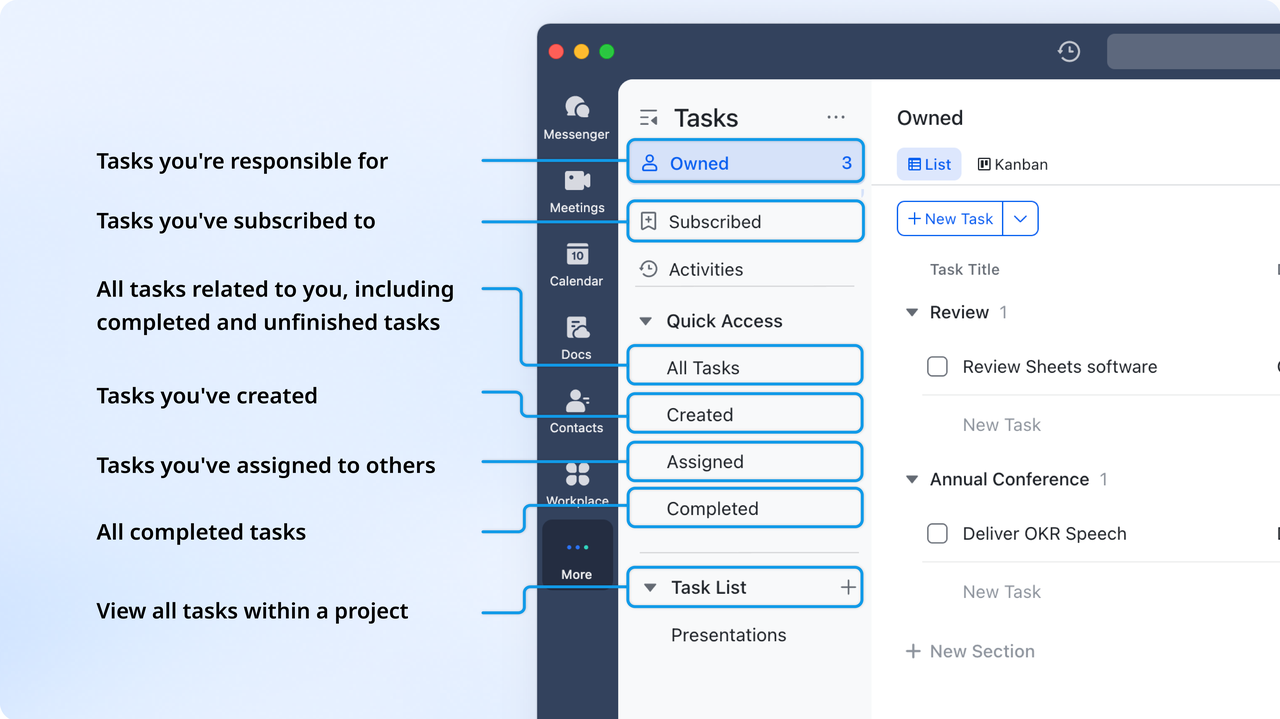
Lark Tasks: Accountability for admissions and support
Lark Tasks make the funnel executable. Convert every milestone in your flowchart into a templated task set document check, interview, faculty review, offer draft, visa letter, onboarding. Assign owners, due dates, and SLAs; attach the relevant Docs and the Base record, so context is one click away. Board and list views show bottlenecks by stage or counselor. Reminders and recurring tasks keep ongoing support (advising check-ins, probation reviews, scholarship compliance) on schedule.
Example: When a student reaches "Offer ready," a task bundle is created automatically: finalize offer, finance review, send letter, deposit follow-up each with owners and deadlines, closing the loop from decision to arrival.
Pros:
- Combines CRM, collaboration, and analytics in one platform
- Simplifies reporting and reduces manual work
- Real-time communication linked with data
- Prebuilt education templates and automation options
- Secure permissions for different departments
Cons:
- Advanced analytics may require setup time
- Starter plan: Free forever plan that includes 11 powerful tools for up to 20 users. It also comes with 100GB of storage, 1000 automation runs, AI translations, and more.
- Pro plan: $12/user/month (billed annually) for up to 500 users. It includes everything in Starter plus group calling for up to 500 attendees, 15TB of storage, 50,000 automation runs, and more.
- Enterprise plan: Contact sales for custom pricing. Supports unlimited users and includes even more automation runs and advanced security, compliance, and management features.
2. Salesforce Education Cloud: Complete student lifecycle management
Large universities often struggle with disconnected systems across admissions, academics, advising, and alumni relations. Salesforce Education Cloud solves this by bringing the full student lifecycle into one structured platform. Its strength lies in customization, scalability, and the ability to support multiple teams without losing data ownership or visibility. Institutions that handle thousands of applications every intake benefit from its strong reporting and workflow tools. Although it requires setup expertise, it offers long-term flexibility for complex institutions.
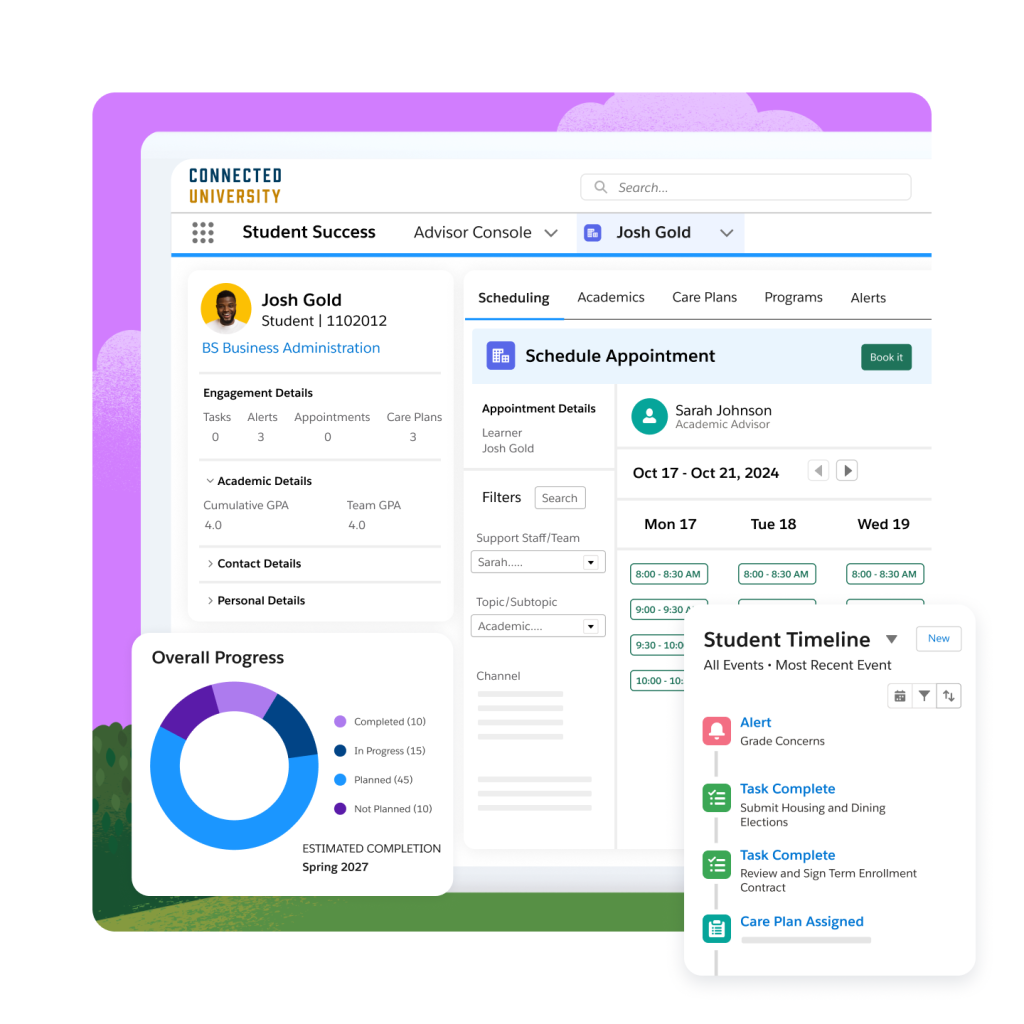
Image source: salesforce.com
Features:
- End-to-end student record management that connects recruitment, enrollment, academic progress, and alumni engagement within one system.
- Preconfigured workflows for admissions, advising, and scholarship processes to reduce manual setup and ensure consistency.
- A 360-degree student view showing all interactions, touchpoints, and updates in a single timeline.
- AI-driven recommendations that identify at-risk students and suggest proactive engagement steps.
- Seamless connections with learning platforms and partner tools through Salesforce AppExchange.
Pros:
- Extremely flexible and scalable
- Advanced reporting and dashboards
- Rich ecosystem of connections
- Reliable support and community
Cons:
- Expensive for smaller institutions
- Requires trained administrators
- Customization can be time-consuming
Pricing:
- Starter plans begin around $25/user/month (Salesforce Starter)
- Enterprise Education Cloud: from $300/user/month
- Custom pricing available for large deployments
3. HubSpot for Education: Marketing-focused student relationship management
HubSpot for Education helps institutions attract, nurture, and convert prospective students through digital campaigns. It focuses on inbound marketing and student engagement rather than academic management. Colleges that depend on website traffic, ads, and lead forms use HubSpot to capture and manage prospects efficiently. With automated workflows, segmentation, and analytics, it offers strong visibility into marketing performance and applicant behavior.
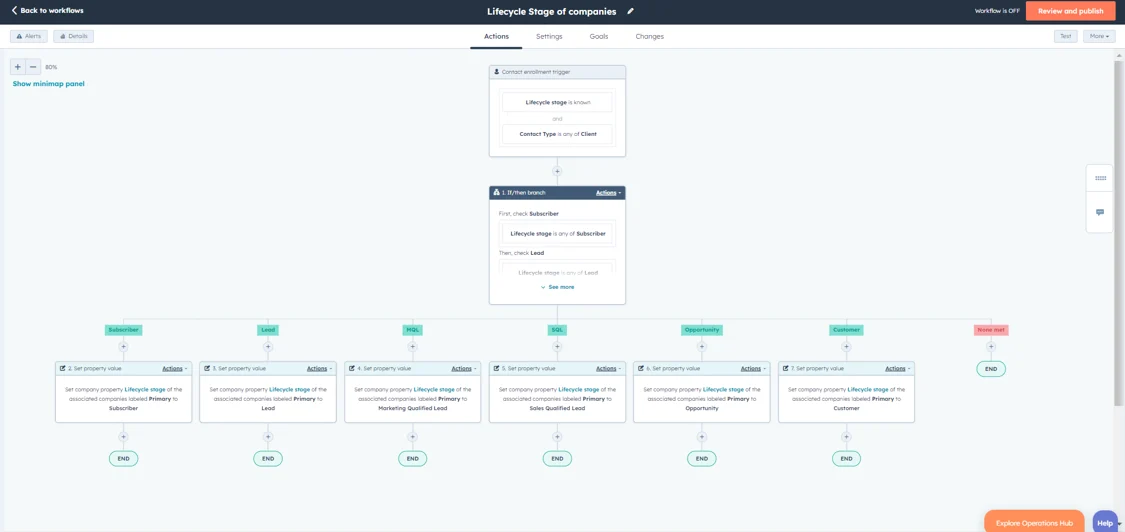
Image source: hubspot.com
Features:
- Email automation that delivers personalized drip campaigns for prospective students.
- Landing pages and lead forms that feed inquiries directly into segmented contact lists.
- Segmentation by program, location, or interest for precise communication targeting.
- Chatbots and live chat connect for real-time interaction with prospects.
- Conversion analytics measure campaign success and cost per lead.
Pros:
- User-friendly interface
- Excellent for digital campaigns
- Free tier for smaller teams
- Fast setup and onboarding
Cons:
- Limited academic features
- Add-ons can raise costs
Pricing:
- Free CRM with limited features available
- Starter plan: from $18/month
- Professional: $800/month, Enterprise: $3,600/month
4. Freshsales (Freshworks CRM): Streamlined lead and admissions tracking
Freshsales provides a clean, modern CRM designed for colleges and schools that want a simpler admissions workflow. It automates repetitive follow-ups and organizes all applicant interactions in one place. Admissions counselors can see lead progress, automate reminders, and assign tasks without needing technical setup. This makes Freshsales ideal for institutions looking to modernize operations quickly.
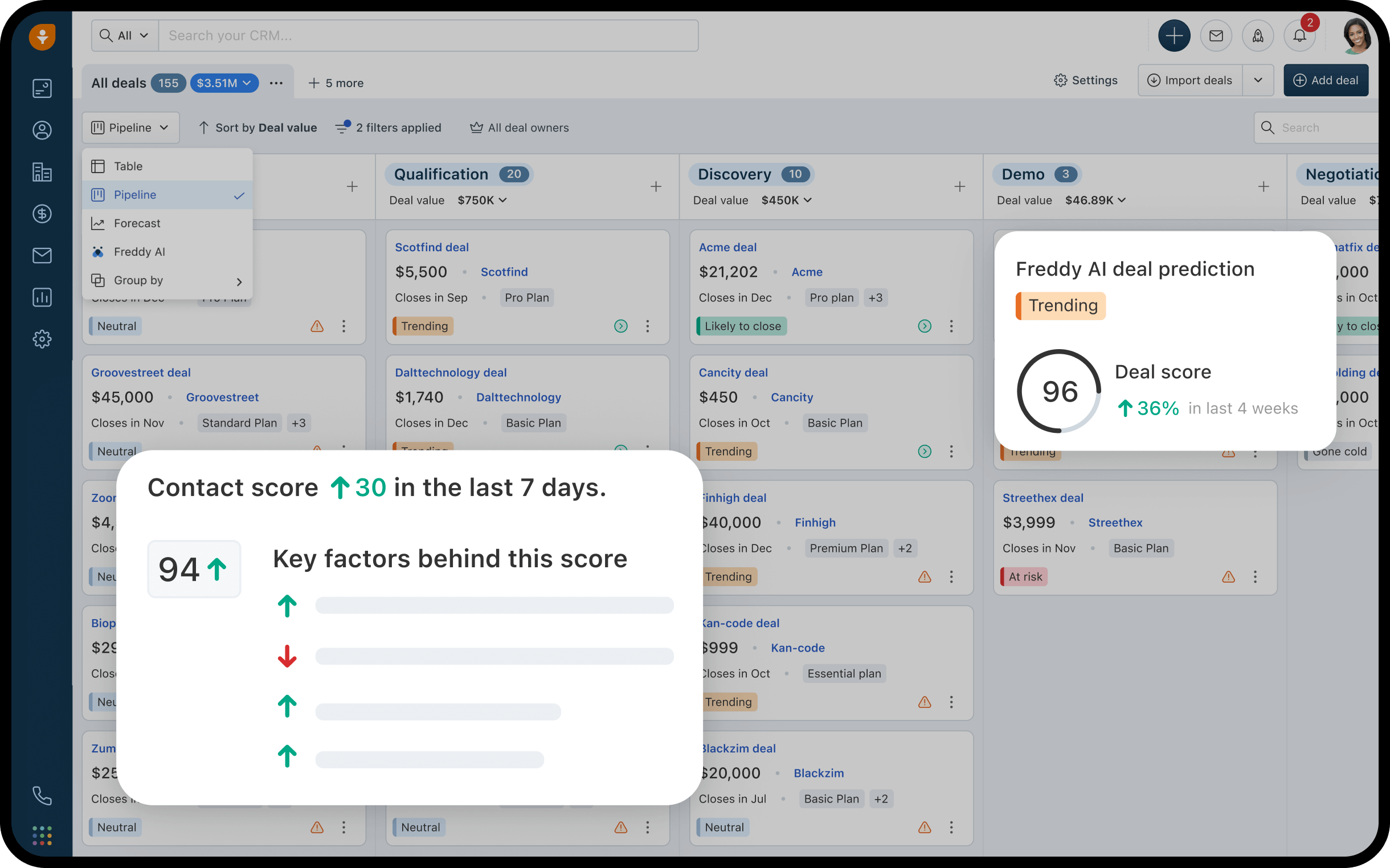
Image source: freshworks.com
Features:
- Customizable pipelines that track each stage of the student journey from inquiry to admission.
- Automated lead scoring that ranks prospects based on engagement and readiness.
- Email and phone integration for centralized communication records.
- Real-time alerts when leads interact with emails or websites, helping counselors follow up promptly.
- AI-powered assistant to suggest the best time or method to contact leads.
Pros:
- Simple interface and setup
- Strong automation capabilities
- Affordable for education teams
- Integrated calling and messaging
Cons:
- Limited reporting depth
- Lacks academic performance tracking
Pricing:
- Free plan for small teams
- Growth plan: $9/user/month, Pro: $39/user/month
- Enterprise: $59/user/month, billed annually
5. LeadSquared: CRM built for admissions and enrollment workflows
LeadSquared is purpose-built for education, offering automation and scalability for high-volume recruitment. Universities and coaching centers use it to manage large application pipelines efficiently. It connects marketing and admissions data to streamline applicant tracking and improve conversion rates. Designed with education in mind, it supports multi-channel communication and counselor assignment logic.
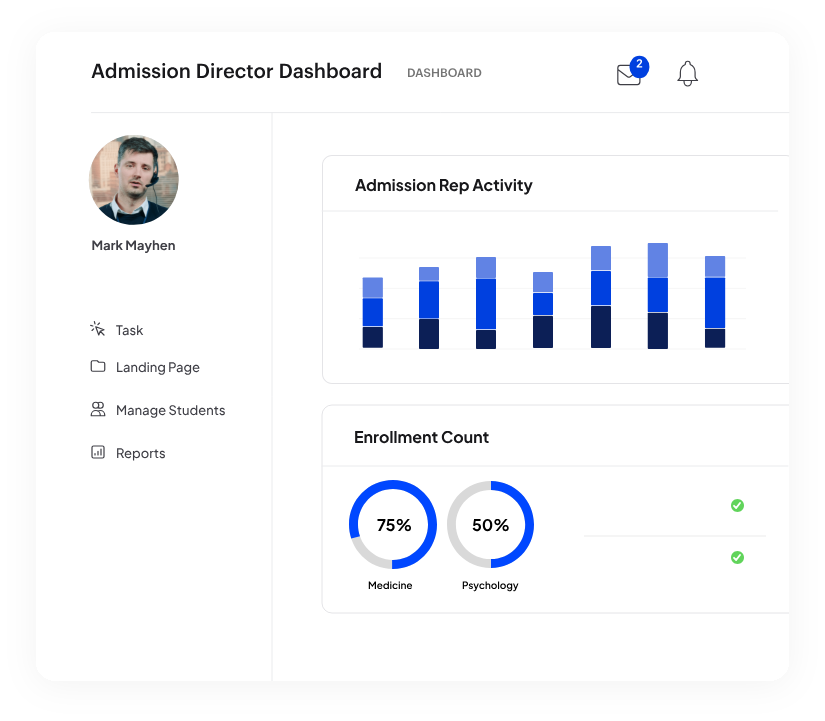
Image source: leadsquared.com
Features:
- Admission pipelines that automatically assign leads to counselors based on region or program.
- Multi-step workflows for sending follow-ups, scheduling interviews, and nurturing applicants.
- Custom portals for students to submit documents and check application status.
- Complete activity tracking across calls, emails, and landing pages.
- Advanced reporting dashboards for real-time performance insights.
Pros:
- Tailored for the education sector
- Highly automated lead routing
- Scales for large volumes
- Excellent implementation support
Cons:
- Interface feels corporate
- Some reports need manual setup
Pricing:
- Starts at $25/user/month
- Advanced plans vary by automation volume
- Enterprise pricing available on request
6. Element451: Personalization-driven CRM for student engagement
Element451 helps institutions personalize communication and analyze student behavior through AI-driven insights. It focuses on automating recruitment outreach, building personalized experiences, and improving retention through predictive modeling. Its strong analytics tools help universities identify enrollment trends and engagement patterns early.
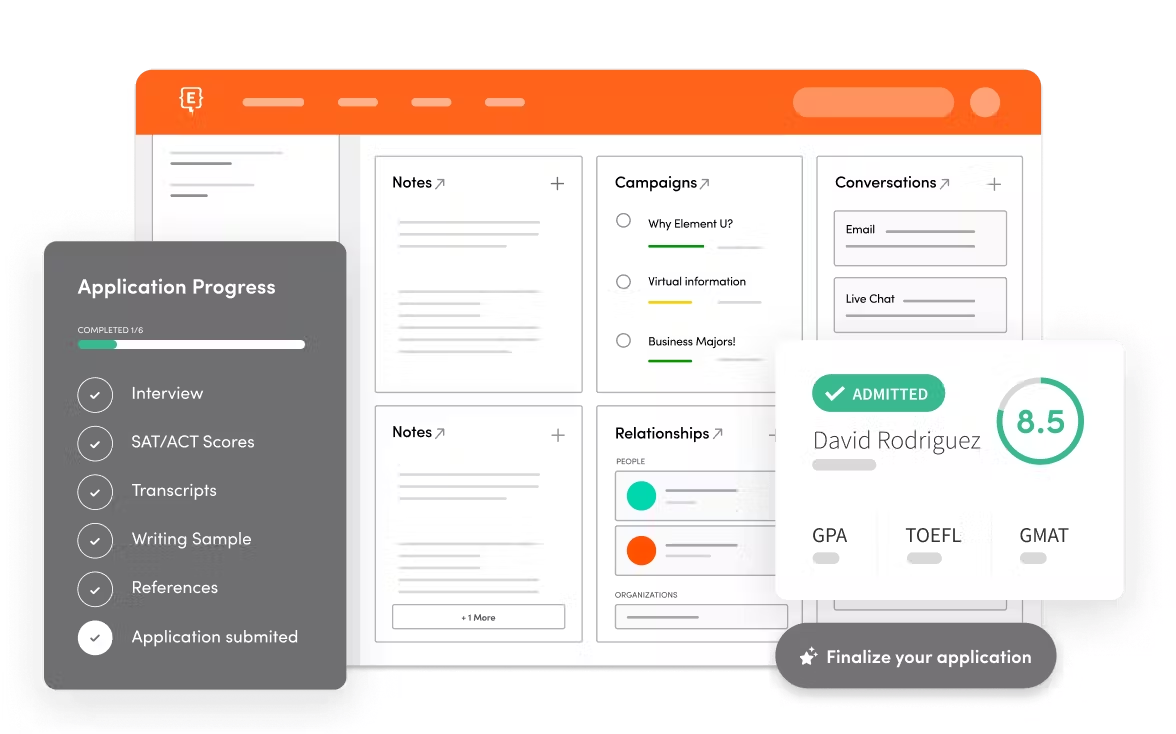
Image source: element451.com
Features:
- AI-based enrollment prediction that prioritizes students most likely to convert.
- Real-time personalization for email and web content tailored to user behavior.
- Automated multi-channel communication through email, text, and social media.
- Visual dashboards that track marketing performance and counselor efficiency.
- Data-driven insights that guide recruitment planning and content strategy.
Pros:
- Excellent personalization tools
- Strong focus on engagement analytics
- Centralized communication system
- Good automation flexibility
Cons:
- Steeper learning curve
- Premium pricing model
Pricing:
- Pricing available on request
- Typically mid-to-high range based on student volume
- Enterprise packages tailored per institution
7. Creatio CRM: Process automation for education administration
Creatio is designed for institutions that value process control and internal efficiency. Its no-code process designer allows schools to map complex workflows for admissions, finance, and compliance. It offers a blend of CRM and BPM (business process management) features, enabling universities to unify academic and administrative operations in one environment.
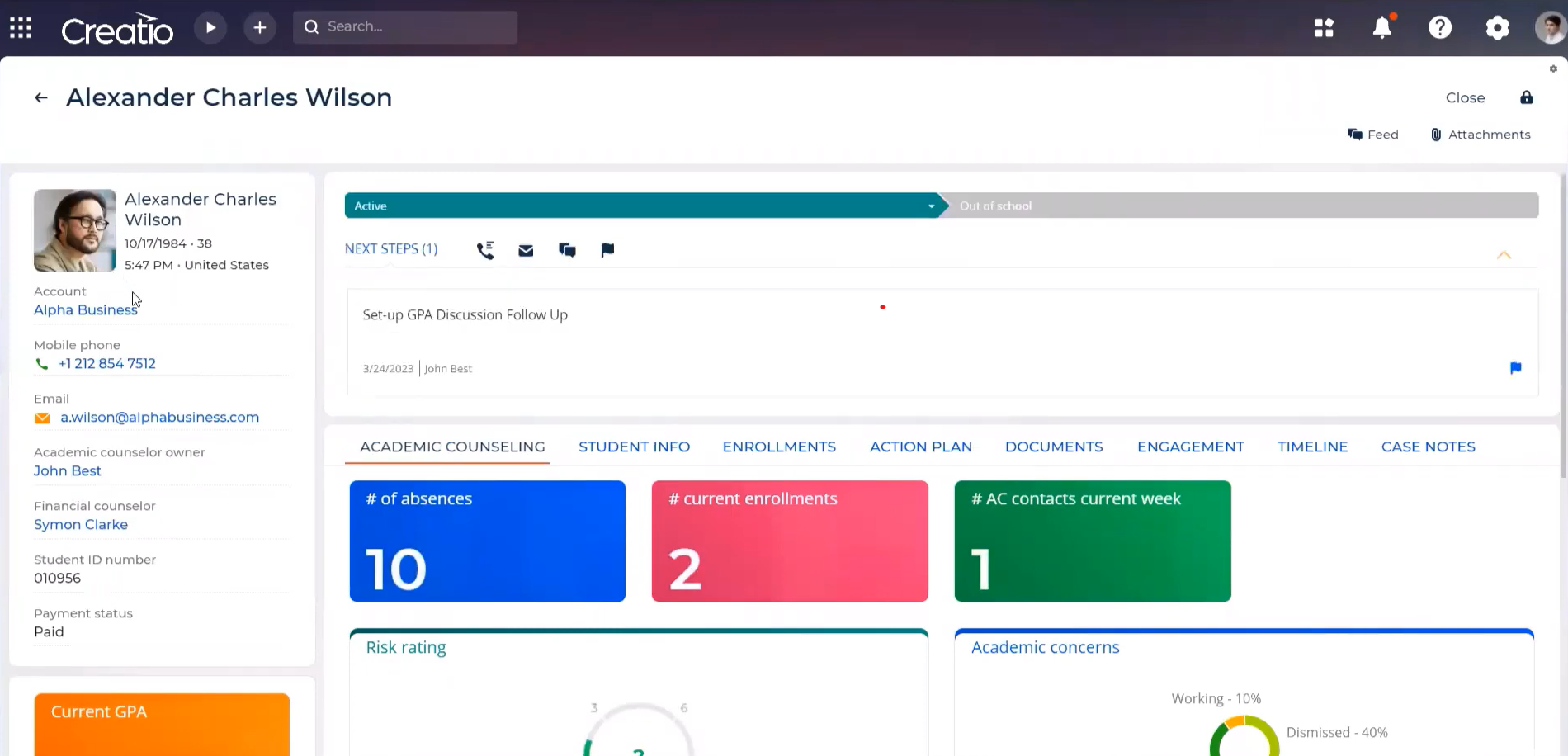
Image source: creatio.com
Features:
- Drag-and-drop process builder for automating academic and administrative workflows.
- Built-in modules for admissions, scholarships, and financial aid management.
- Integration capabilities with databases, email systems, and student portals.
- Custom dashboards that track task progress and institutional KPIs.
- Deployment flexibility across cloud or on-premise environments.
Pros:
- No-code workflow builder
- Customizable and scalable
- Secure and compliant
- Supports multiple languages
Cons:
- Longer setup period
- Slightly dated interface
Pricing:
- Studio CRM: from $25/user/month
- Advanced CRM suite pricing varies by module
- Enterprise plan: contact sales for quote
8. Bigin by Zoho: Simple CRM for small academies and coaching centers
Bigin offers small academic institutions a lightweight, easy-to-use CRM without unnecessary complexity. It provides structured pipelines, communication tracking, and mobile functionality. For coaching centers and private tutors, it delivers just enough automation and reporting to stay organized without extra cost.
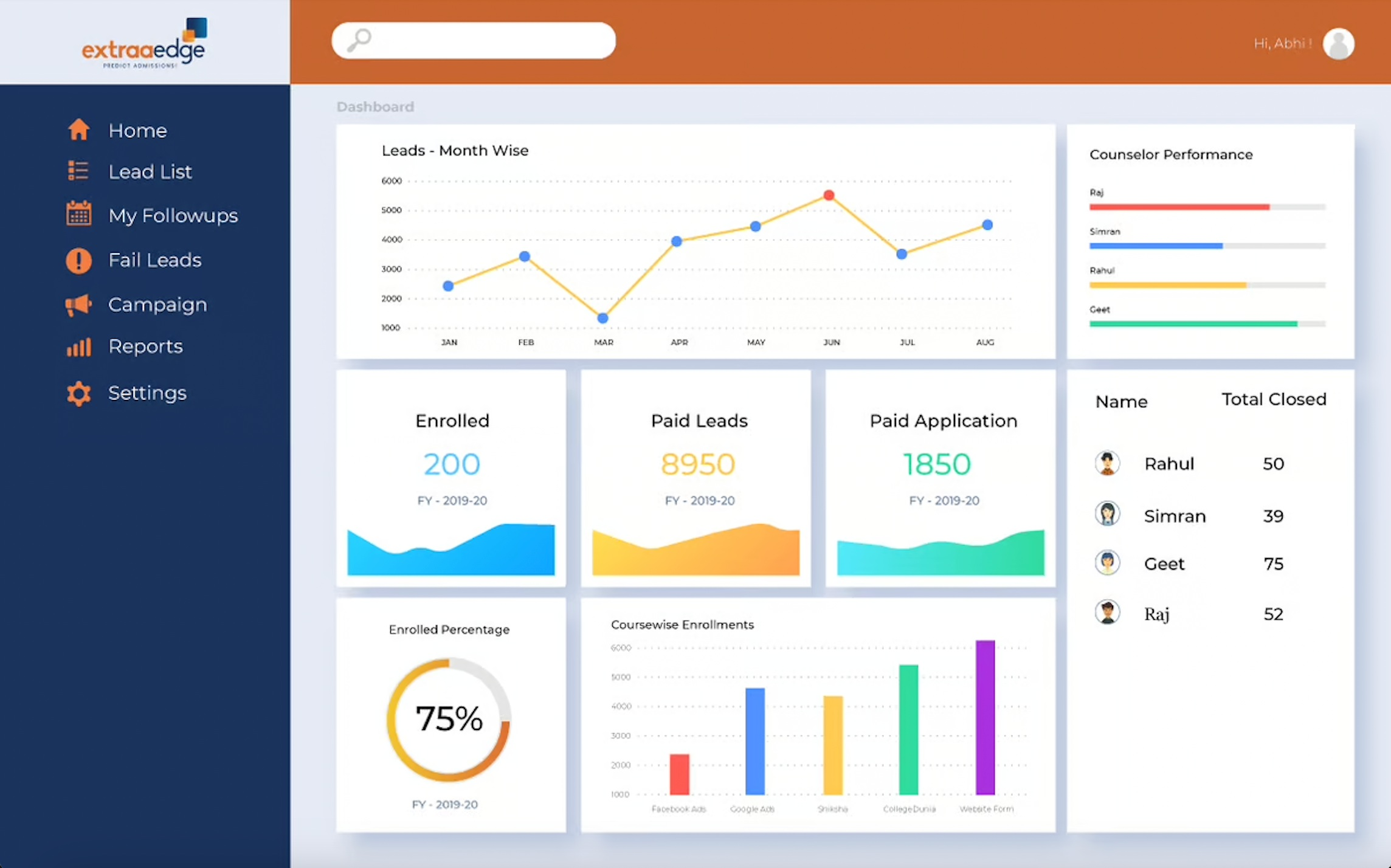
Image source: bigin.com
Features:
- Simple drag-and-drop pipelines for managing admissions and inquiries.
- Contact database with built-in email and call tracking.
- Workflow templates for automating reminders and follow-ups.
- Integration with Zoho tools for marketing, billing, and operations.
- Mobile app support for on-the-go updates during recruitment events.
Pros:
- Easy to use
- Low cost for startups
- Fast implementation
- Works seamlessly with Zoho ecosystem
Cons:
- Limited analytics
- Lacks scalability for large colleges
Pricing:
- Free plan for basic use
- Express plan: $9/user/month billed annually
- Premier: $15/user/month, Enterprise: $24/user/month
9. Monday Sales CRM: Visual CRM for academic team collaboration
Monday CRM helps institutions manage both student data and internal tasks in one workspace. Its colorful, board-based interface promotes transparency and teamwork. Each department can create custom boards to track applications, marketing campaigns, and counseling workflows. It suits education teams that value visual clarity and collaboration over traditional forms.
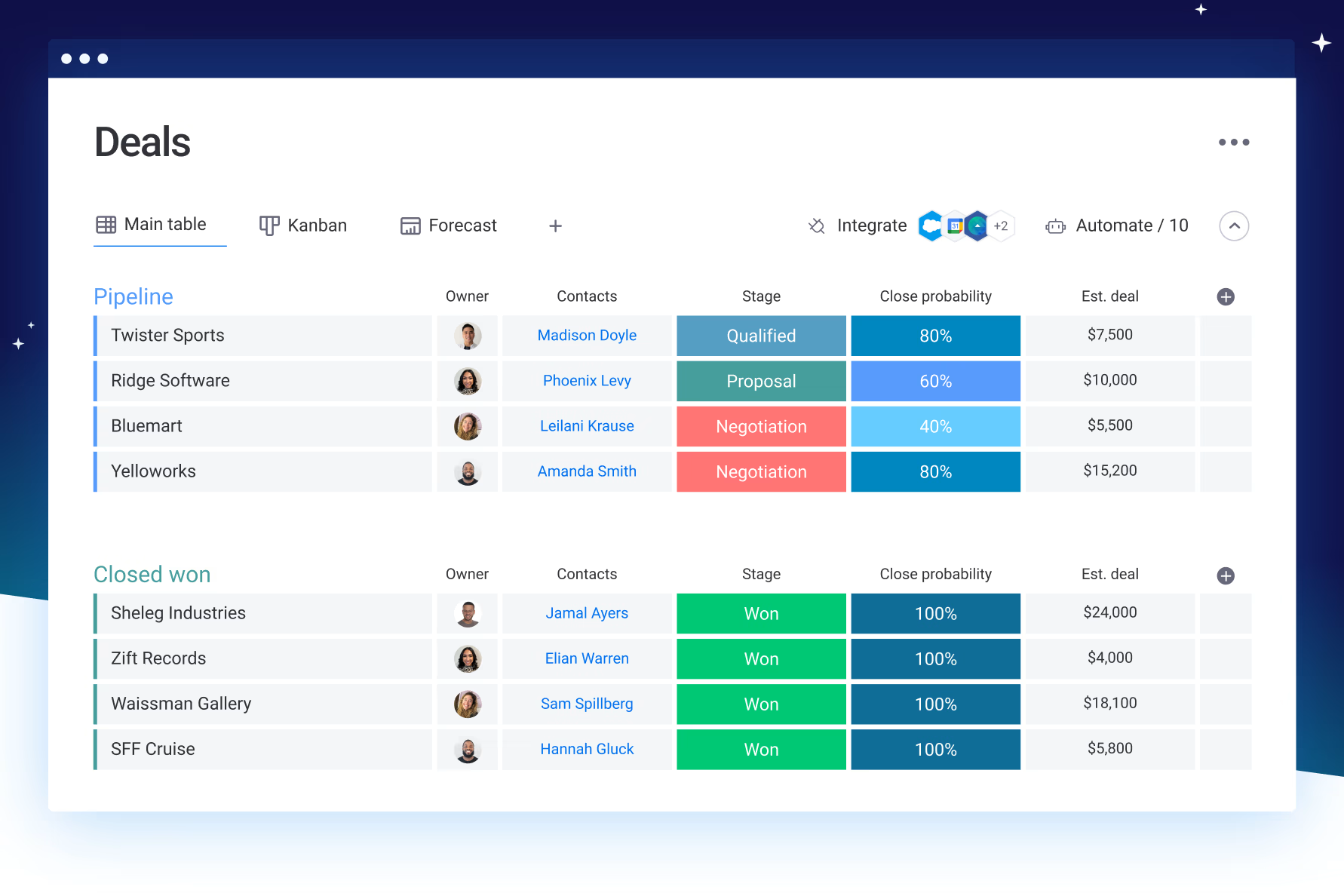
Image source: monday.com
Features:
- Visual boards that show every student's progress across the admissions process.
- Automation triggers reminders, task assignments, and stage updates.
- Calendar and timeline views for interview and onboarding management.
- File sharing and real-time comments attached to each record.
- Custom dashboards for tracking key performance indicators.
Pros:
- Simple visual layout
- Encourages collaboration
- Customizable workflows
- Easy to adopt for new users
Cons:
- Limited education-specific tools
- Add-ons may be needed for analytics
Pricing:
- Basic plan: $12/seat/month (minimum 3 users)
- Standard plan: $14/seat/month
- Enterprise: contact sales for advanced features
10. Pipedrive: CRM focused on student inquiry management
Pipedrive offers a clean, visual CRM perfect for small recruitment teams and private institutions. It helps staff manage inquiries efficiently through pipeline views and automated reminders. Although not built for education specifically, it is effective for simplifying lead tracking and maintaining counselor accountability.
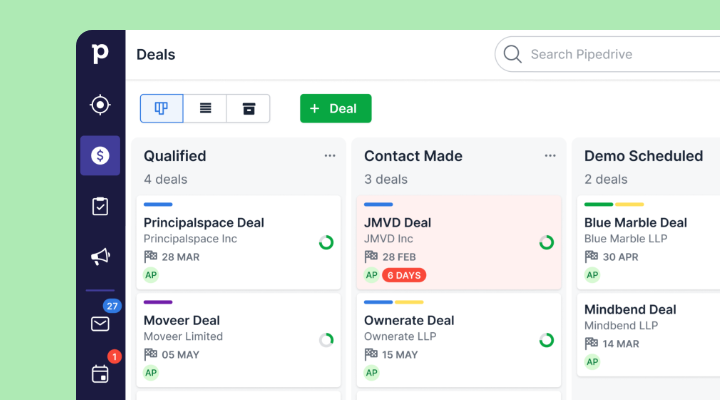
Image source: pipedrive.com
Features:
- Visual pipelines for managing inquiries through enrollment.
- Email tracking with automatic follow-up notifications.
- Workflow automation for task reminders and counselor assignment.
- Real-time reporting dashboards for application performance analysis.
- Mobile app for field teams attending education fairs.
Pros:
- Clear visual layout
- Fast setup and learning curve
- Effective for small teams
Cons:
- Limited automation range
- No academic data tracking
Pricing:
- Essential plan: $14/user/month
- Advanced: $29, Professional: $49, Enterprise: $99/user/month
- 14-day free trial available
11. Insightly: CRM and project management combined for education
Insightly merges CRM functionality with project management, making it ideal for education consultancies and training organizations. It lets teams handle student data alongside ongoing projects like courses or partnership programs. Its dual capabilities improve workflow transparency and accountability across departments.
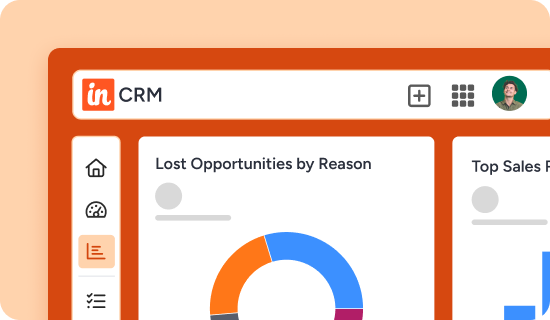
Image source: insightly.com
Features:
- Dual CRM and project management tools to link leads with related programs or deliverables.
- Task dependency tracking for structured program delivery and academic projects.
- Email templates for admission and onboarding communication.
- Integrations with Google Workspace and Microsoft 365 for calendar and document sync.
- Lead routing rules to distribute inquiries automatically.
Pros:
- Combines CRM and task tracking
- Budget-friendly pricing
- Useful integrations
- Scales well for small teams
Cons:
- Limited customization options
- Not purpose-built for campus operations
Pricing:
- Plus: $29/user/month
- Professional: $49/user/month
- Enterprise: $99/user/month
12. Hubilo CRM: Event and program management for educational institutions
Hubilo focuses on event-based engagement, helping educational institutions manage fairs, virtual sessions, and webinars efficiently. It centralizes attendee data and post-event communication, allowing teams to convert event participants into applications. For universities that rely heavily on recruitment events, Hubilo provides a seamless data-driven platform.

Image source: hubilo.com
Features:
- Event registration and attendee tracking integrated with CRM data.
- Session analytics measure participation, engagement, and interaction levels.
- Automated event reminders, confirmations, and follow-up messages.
- Built-in video and webinar tools for virtual sessions.
- Reports comparing event ROI, attendance, and conversion rates.
Pros:
- Great for hybrid or virtual events
- Clean, intuitive interface
- Strong analytics and engagement tracking
Cons:
- Limited for admissions workflows
- Focused only on event use cases
Pricing:
- Event-based pricing model
- Packages vary by event size and features
- Enterprise and volume pricing available on request
Choosing the right CRM for your institution
Selecting the best CRM for education requires more than comparing feature lists it involves understanding how the platform will support long-term student outcomes and internal workflows. Institutions should evaluate how well the CRM aligns with their enrollment strategy, data needs, team structure, and technology maturity. A system that works for a coaching center may not suit a multi-campus university, and vice versa. The right decision balances functionality, usability, and future scalability instead of focusing only on pricing or brand recognition. Below are key factors that help institutions make a confident and sustainable choice.
- Identify your main goal: Start by deciding whether the CRM will be used primarily for admissions, retention, alumni engagement, or a combination of all three. This helps prevent overpaying for advanced features you do not need yet. Institutions with enrollment challenges may prioritize lead management and analytics, while those focused on student success may require alert systems and academic dashboards. Clarity at the beginning avoids costly platform switching later.
- Assess automation needs: Review how much time staff currently spend updating spreadsheets, sending follow-ups, or gathering reports. A strong education CRM should reduce repetitive manual work rather than simply digitizing it. Teams should be able to automate tasks like application status changes, interview reminders, and assignment follow-ups. The more automation a platform supports, the more capacity your team gains during peak cycles.
- Evaluate collaboration tools: Many CRMs store data well but fail to improve team communication. Look for systems that allow shared records, comments, activity feeds, and internal messaging, so admissions, academics, and support teams act in sync. A CRM that requires staff to switch between email, chat apps, and dashboards adds friction. Real-time collaboration ensures decisions are faster, information stays current, and applicants receive consistent communication.
- Run a pilot: Before committing to a full rollout, test the CRM with one program, campus, or department. A pilot helps uncover adoption barriers, missing fields, permission issues, and reporting needs. It allows your team to refine workflows before applying them organization-wide. A good CRM vendor will support this phase with templates, onboarding guides, and training instead of forcing immediate paid deployment.
- Check scalability: The CRM you choose should work not only for your current student volume but also for projected growth. Small tools may feel convenient early on but become restrictive once you add more users, departments, or data sources. Look for flexible pricing, API support, storage capacity, and multi-campus visibility. A scalable CRM prevents future migrations and protects long-term operational continuity.
Common challenges in education CRMs (and how Lark helps)
Benefits of using CRM in education
A dedicated CRM offers more than database storage, it supports the full academic lifecycle from applicant engagement to long-term student success. With growing competition and higher expectations for personalized learning, institutions need tools that help them act faster and support students at scale. A CRM brings structure, automation, and shared visibility to teams that previously relied on disconnected files and email chains. When applied well, it improves both institutional efficiency and student experience. Here are the key benefits educational institutions gain from adopting a CRM.
- Increased applicant-to-enrollment conversion: A CRM helps admissions teams track every inquiry, follow-up, and decision point so no student falls through the cracks. Automated reminders and prioritized outreach ensure faster responses during high-volume cycles. Institutions can analyze which channels bring in quality applicants and adjust recruitment spending accordingly. Over time, this leads to higher acceptance and enrollment rates without requiring more manual work.
- Centralized visibility into student interactions: Instead of storing data across inboxes, spreadsheets, and internal systems, a CRM keeps every record in one place. Advisors, faculty, and admissions staff can see the full history of conversations, activities, and documents tied to each student. This reduces confusion and prevents duplicated communication. It also helps staff step in confidently even when cases change hands or departments.
- Personalized engagement and retention: CRMs allow schools to segment students by program interest, academic performance, or risk indicators, enabling more tailored communication. Instead of generic messages, institutions can send relevant reminders, support resources, or scholarship updates based on the student profile. This level of personalization increases engagement and reduces dropout risk, especially during the first-year transition period.
- Streamlined communication across departments: A CRM connects academic advisors, admissions officers, counselors, and finance teams so information flows without delays. Internal notes, task assignments, and status updates remain visible to everyone involved. This removes the need for constant back-and-forth email threads or meetings just to confirm updates. As a result, staff respond faster and students receive clearer, more consistent service.
- Real-time analytics for data-driven planning: A CRM replaces manual reporting with dashboards that update as soon as data changes. Leadership teams can monitor enrollment progress, campaign results, or student engagement trends without waiting for monthly reports. This level of insight helps allocate budgets, plan staffing, and adjust retention strategies earlier in the academic cycle. Over time, institutions gain a stronger foundation for forecasting and strategic planning.
Conclusion
Education today demands more than student databases, it requires collaborative systems that connect every part of the institution. From admissions to alumni engagement, a CRM ensures every student's journey is visible and managed effectively. Lark provides a unified workspace where data, chat, and automation come together, helping teams act faster and communicate better. With connected workflows, AI dashboards, and task-based accountability, institutions can simplify admissions, improve retention, and plan ahead with clarity. A modern CRM for education is not just a database, it's the foundation for smarter academic operations.
FAQs
How can a CRM improve student retention in higher education?
A CRM helps institutions monitor student behavior, academic performance, and engagement signals in one system. When grades drop or attendance declines, counselors can receive alerts and intervene early instead of waiting until the student withdraws. Shared dashboards allow academic, advising, and support teams to coordinate actions based on the same data. This creates a proactive retention model where issues are identified before they become permanent. Over time, schools can analyze patterns to improve long-term student success.
What's the difference between CRM and SIS (Student Information System)?
A CRM is designed to manage communication, relationships, and engagement across the student journey, especially during recruitment and retention stages. An SIS, on the other hand, stores official academic records such as grades, credits, and course enrollment. While the SIS is transactional and compliance-focused, the CRM is experience-driven and interaction-focused. When used together, they offer a complete picture of a student's lifecycle from inquiry to graduation. Many institutions now connect both systems to reduce manual data gaps.
Is Lark suitable for small institutions or coaching centers?
Yes, because Lark offers a free plan for up to 20 users, making it accessible for smaller teams without budget constraints. It includes tools for admissions tracking, documentation, analytics, and communication in one workspace. This removes the need to purchase separate tools for chat, spreadsheets, or CRM functions. Small coaching centers benefit from quick setup and reduced training time. As the institution grows, additional users and automation can be added without changing platforms.
Can Lark unify with learning management systems (LMS)?
Lark supports data syncing through imports, scheduled uploads, and API connections, allowing institutions to pull LMS data into one central view. This makes it possible to track attendance, assignment activity, and course progress alongside admissions or advising notes. Connecting LMS data to messaging and workflow tools also helps teams act quickly on academic risks. Institutions can choose one-way or two-way sync depending on policy requirements. This helps align academic and administrative operations without duplicate records.
How secure is student data stored in Lark?
Lark protects data using enterprise-level encryption in transit and at rest, along with strict access control permissions. Admins can define who can view, edit, or export different types of student information. Activity logs and audit trails allow institutions to monitor access and track changes for compliance. The platform is designed to meet global data protection standards and institutional privacy expectations. This ensures student information stays protected throughout the lifecycle.
Do CRMs for education support multi-campus management?
Most modern CRMs allow institutions to manage multiple campuses, branches, or regions inside the same workspace. User access, pipelines, dashboards, and records can be filtered by location to prevent data overlap. Leadership teams can view combined reports while local staff see only the records relevant to their site. This helps institutions maintain consistency while still supporting autonomy across departments. Tools like Lark and Salesforce offer strong support for distributed campus models.
Related reading
Table of contents
Start using Lark today

Manage all your work in one place
Boost team efficiency by 10x
Save up to 70% on software costs
Table of contents
Start using Lark today
Manage all your work in one place
Boost team efficiency by 10x
Save up to 70% on software costs
Keep reading









2026 Lark Technologies Pte. Ltd.
Headquartered in Singapore with offices worldwide.






Explore: