


Customer Service vs Customer Support: Explanation and Practices

Ryan Tanner
Product Marketing Specialist
Aug 5, 2026
Ryan Tanner
Aug 5, 2026

21 min read


Understanding the difference between customer support vs customer service is key to building a reliable, responsive, and scalable customer experience. Many teams use both terms interchangeably, but they serve different purposes inside a business. Customer service focuses on guiding, helping, and educating customers throughout their journey, while customer support fixes product issues, technical problems, and troubleshooting requests. Although both teams interact with customers, they manage different stages of the relationship and employ distinct skills to address various types of problems.
Today, both functions often work in tandem, especially in digital-first businesses where communication, ticketing, and customer feedback are stored in the same workspace. In this guide, we will step closer to these two critical notions and practice them with the Lark platform and templates. Let's dive in.

What is customer service
Customer service is the part of the customer experience that focuses on helping people use a product or service successfully. It covers general questions, onboarding guidance, billing inquiries, purchase decisions, and post-sale assistance. Unlike customer support, it is not always troubleshooting-focused. Instead, it aims to build trust, clarity, and long-term satisfaction. Customer service teams are expected to be proactive, friendly, and able to handle conversations across multiple channels like email, chat, calls, or social platforms.
Image source: unsplash.com
Customer service matters because it influences how customers feel about the business, not just how they use the product. A strong service experience increases retention, builds loyalty, reduces confusion, and improves overall brand perception. When done well, it prevents frustration before it turns into a complaint or support ticket. In many companies, customer service is the team customers interact with most often, which makes it a defining part of the brand experience.
- Customer service handles non-technical questions, general guidance, and account-related issues. These interactions usually happen before a problem occurs, such as helping a customer decide between plans or explaining how a feature works. The goal is clarity, confidence, and satisfaction instead of troubleshooting.
- Service teams rely on communication skills, empathy, and product knowledge rather than deep technical expertise. They answer questions that require human explanation rather than system repairs. This makes them the first line of support on a customer journey.
- Customer service often includes sales assistance, renewal support, upselling, onboarding help, and feedback gathering. It strengthens relationships and ensures customers feel supported after the purchase, not abandoned once payment is complete.
- Strong customer service reduces the number of support tickets because well-informed customers make fewer errors. When teams document common answers in FAQs or self-service guides, customers resolve simple questions independently.
- Customer service often works closely with marketing, sales, and product management because they collect insights about customer needs, usage patterns, and experience gaps. These insights help shape future decisions and improve retention.
What is customer support
Customer support focuses on solving product-related problems that prevent customers from using a service the way it was designed. It is usually triggered when something is broken, confusing, or not working as expected. Support teams handle technical questions, system errors, feature malfunctions, and bug-related issues. They work with troubleshooting flows, diagnostics, escalation paths, and tools that track issues until a resolution is complete. While customer service focuses on satisfaction, customer support focuses on usability and problem-solving.

Image source: unsplash.com
Customer support matters because no product is perfect, and even the best-designed tools require fixes and clarifications. Fast, accurate problem resolution is one of the strongest drivers of customer satisfaction. If a business responds slowly or incorrectly to support issues, customers lose trust and may switch to a competitor. Support also improves the product itself, because every issue logged becomes a data point that helps developers identify patterns and prioritize fixes. To ensure consistent and high-quality interactions, call quality monitoring helps identify issues in support conversations, enabling teams to improve response accuracy and strengthen customer trust.
- Customer support steps in when something does not work as expected, such as system errors, login failures, feature bugs, data loss, or broken functionality. These cases require investigation and often lead to internal escalations.
- Support teams must be trained in troubleshooting, diagnostics, and sometimes basic engineering or product configuration. They focus on accuracy and resolution time rather than persuasion or emotional support.
- Support teams often use ticketing systems where every issue has an ID, owner, priority level, timestamp, and documented resolution. This ensures accountability and prevents issues from being dropped.
- Support success is measured through metrics like first response time, mean time to resolution, reopened tickets, backlog size, and defect recurrence. These are more technical than customer service satisfaction scores.
- Support teams act as a feedback loop between customers and product development. When many users report the same issue, it becomes a signal for product fixes, patch releases, or interface improvements.
Customer support vs customer service at a glance
When to use service vs support (and how they overlap)
Even though customer service and customer support handle different types of interactions, there are many situations where both teams need to work together. Customers rarely care which department handles their request; they just want a fast, accurate answer. The handoff between service and support becomes important when a general inquiry turns into a technical issue, or when a support fix requires follow-up communication from the service side. The smoother this process is, the stronger the overall customer experience becomes.
This is why many companies map the customer journey to decide when a question belongs to service and when it belongs to support. If both teams use different tools, different inboxes, and different record systems, customers repeat themselves and wait longer for resolution. When both teams share data, ticket history, and internal comments, the experience feels more like one continuous workflow instead of two disconnected departments.
- Customer service is used when customers need help with onboarding, account access, plan selection, billing questions, or a general understanding of how something works. These questions are not about product failure, but about guidance and clarity.
- Customer support is used when something is broken, malfunctioning, or behaving unpredictably. The goal shifts from explaining to diagnosing, fixing, and confirming resolution.
- Overlap happens when one team starts a conversation and the other team needs to complete it. For example, a billing issue might reveal a system bug that support must fix. After the fix, service returns to close the loop with the customer.
- Companies that clearly define when a request goes to service vs support reduce confusion internally and deliver faster answers externally. This prevents long email threads and inconsistent updates.
- Shared databases, shared communication channels, and shared documentation help both teams stay aligned without asking customers to repeat their issue every time a new person joins the case.
Practice on your own: Use Lark to unify customer service and support
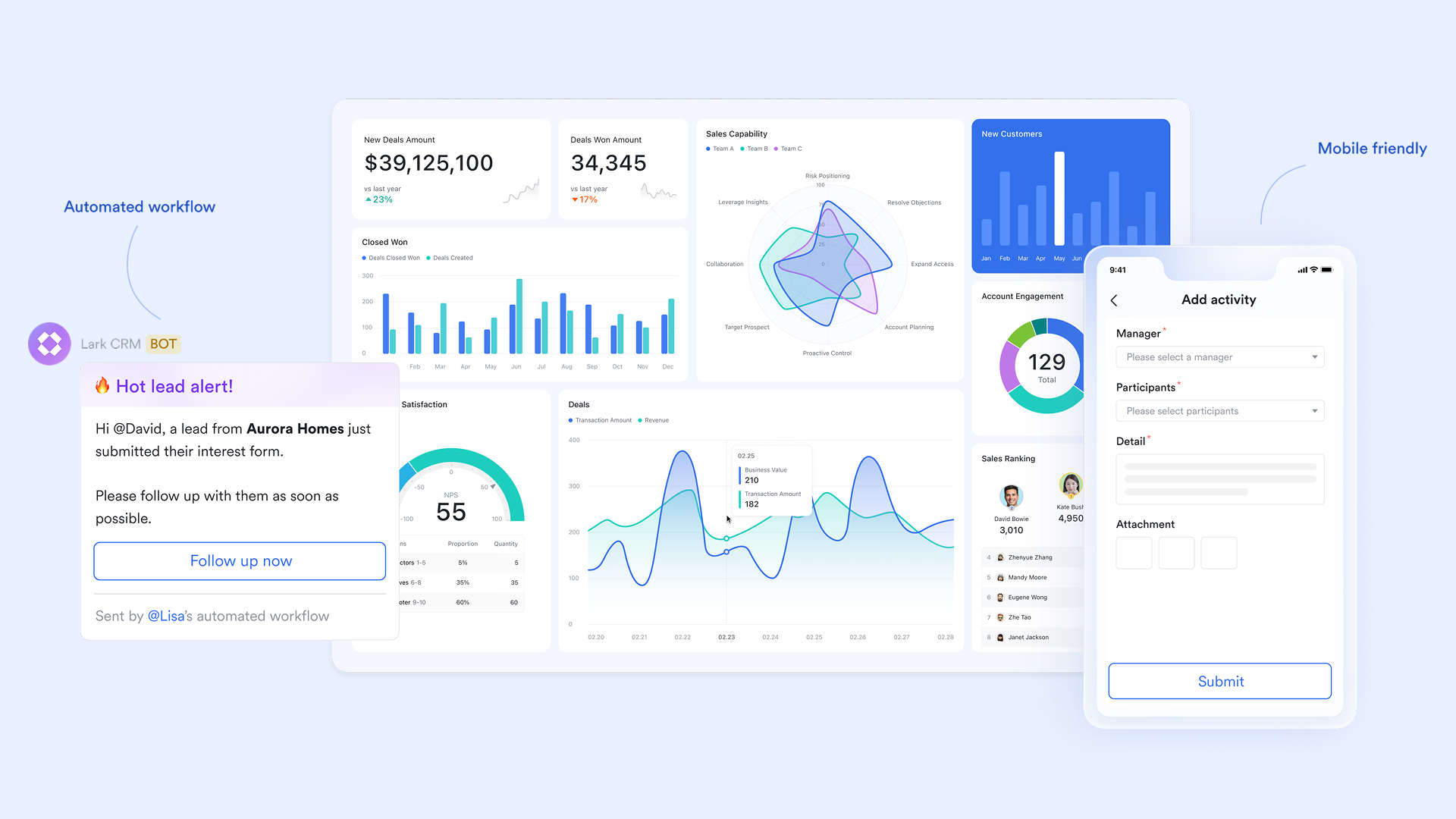
Delivering exceptional customer experience requires seamless collaboration between service and support teams. While customer service focuses on guiding and delighting customers throughout their journey, customer support resolves issues and keeps products running smoothly. With Lark, both teams operate in one connected workspace, sharing context, tracking requests, documenting solutions, and communicating instantly.
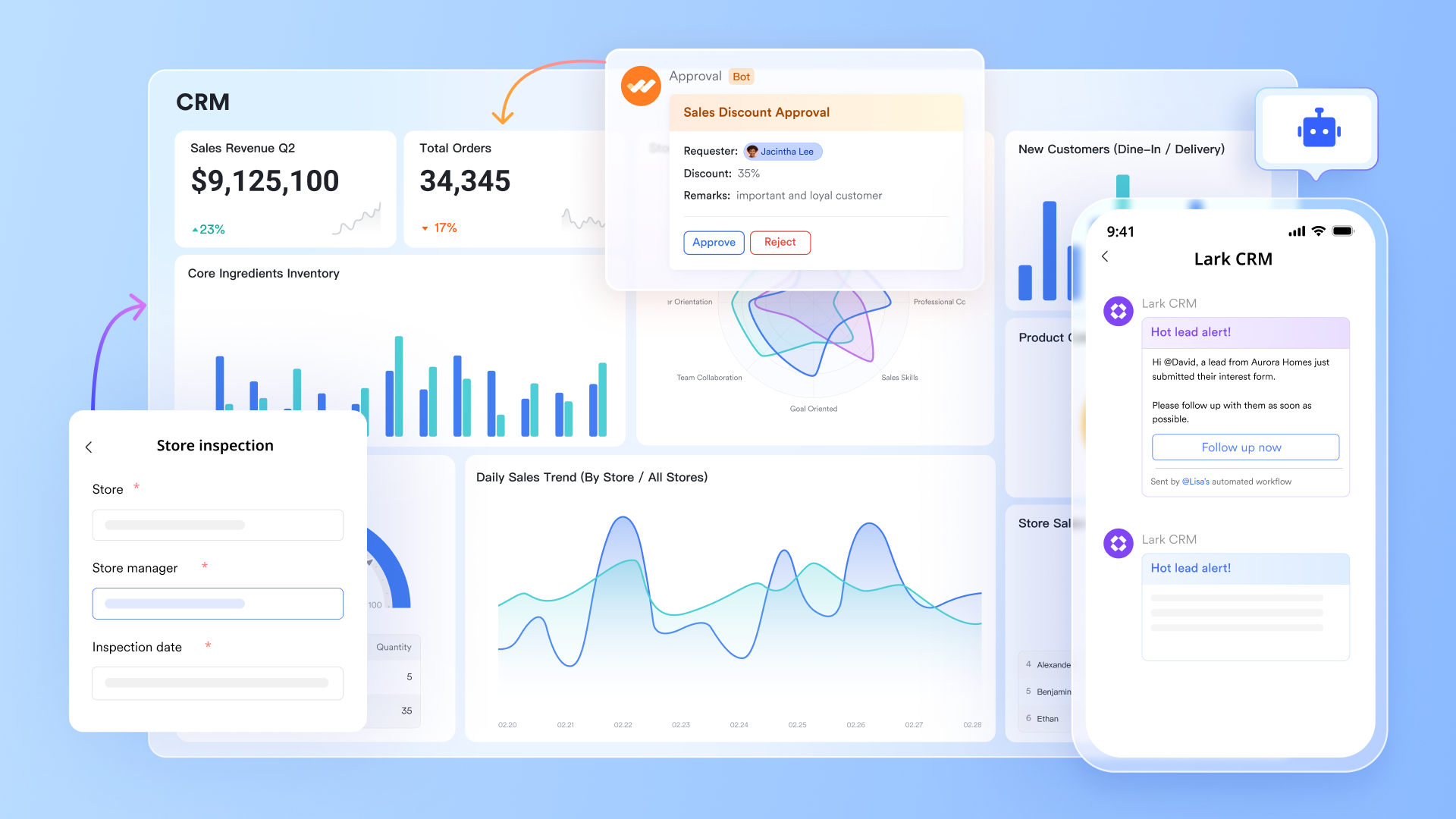
Key features
Lark Base: Central hub for service requests and support tickets
Lark Base gives teams a customizable database to track every customer inquiry, support ticket, or service request. You can build fields for request type, urgency, issue category, or assigned agent, all in one structured view. Service teams can log inquiries directly in Base, while support specialists update status, add comments, or link related documentation.
Example: A software company uses Lark Base to manage tickets for product issues, warranty requests, and onboarding help. Customer service logs inquiries as "open," and when support resolves them, Base automatically notifies the service rep for follow-up. This ensures both teams work from a single source of truth.
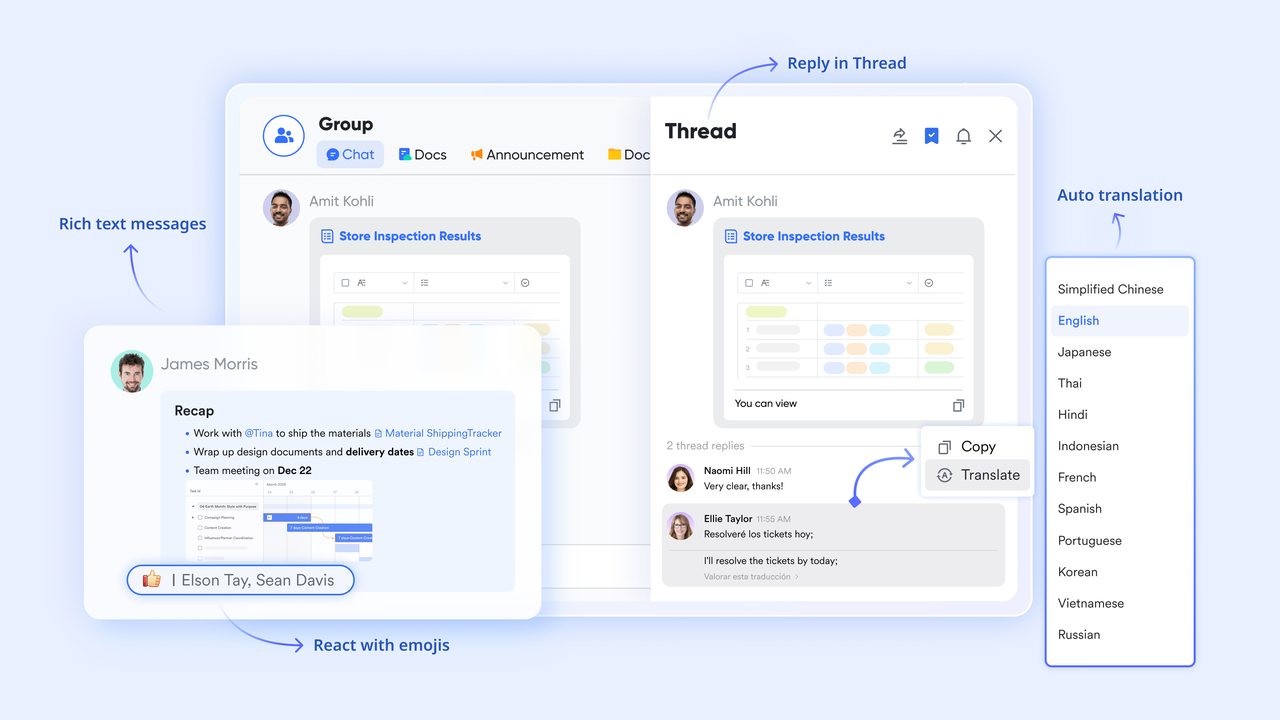
Lark Messenger: Real-time communication with full context
Lark Messenger replaces scattered emails and chat threads with organized, contextual communication. Dedicated channels can be created for customer issues, product lines, or priority clients. Teams can share files, screenshots, or even base entries directly in chat, keeping discussions tied to actual data.
Example: When a client reports a recurring issue, the service team drops the Base ticket link into a shared Messenger group that includes support and product engineers. The thread keeps everyone updated until resolution, ensuring instant coordination and faster response times.
Lark Docs: Shared knowledge base for service and support
With Lark Docs, your company can build an internal and client-facing knowledge hub. Service teams can document FAQs, troubleshooting steps, and onboarding guides, while support teams record technical fixes and patch notes. Docs can be updated in real time, co-edited by multiple team members, and linked directly to support tickets at Lark Base.
Example: When the support team resolves a technical bug, they create a Doc outlining the fix. The service team links it to related client accounts, ensuring that if similar issues arise, they can provide quick, accurate guidance. This living library keeps knowledge accessible and continuously updated.
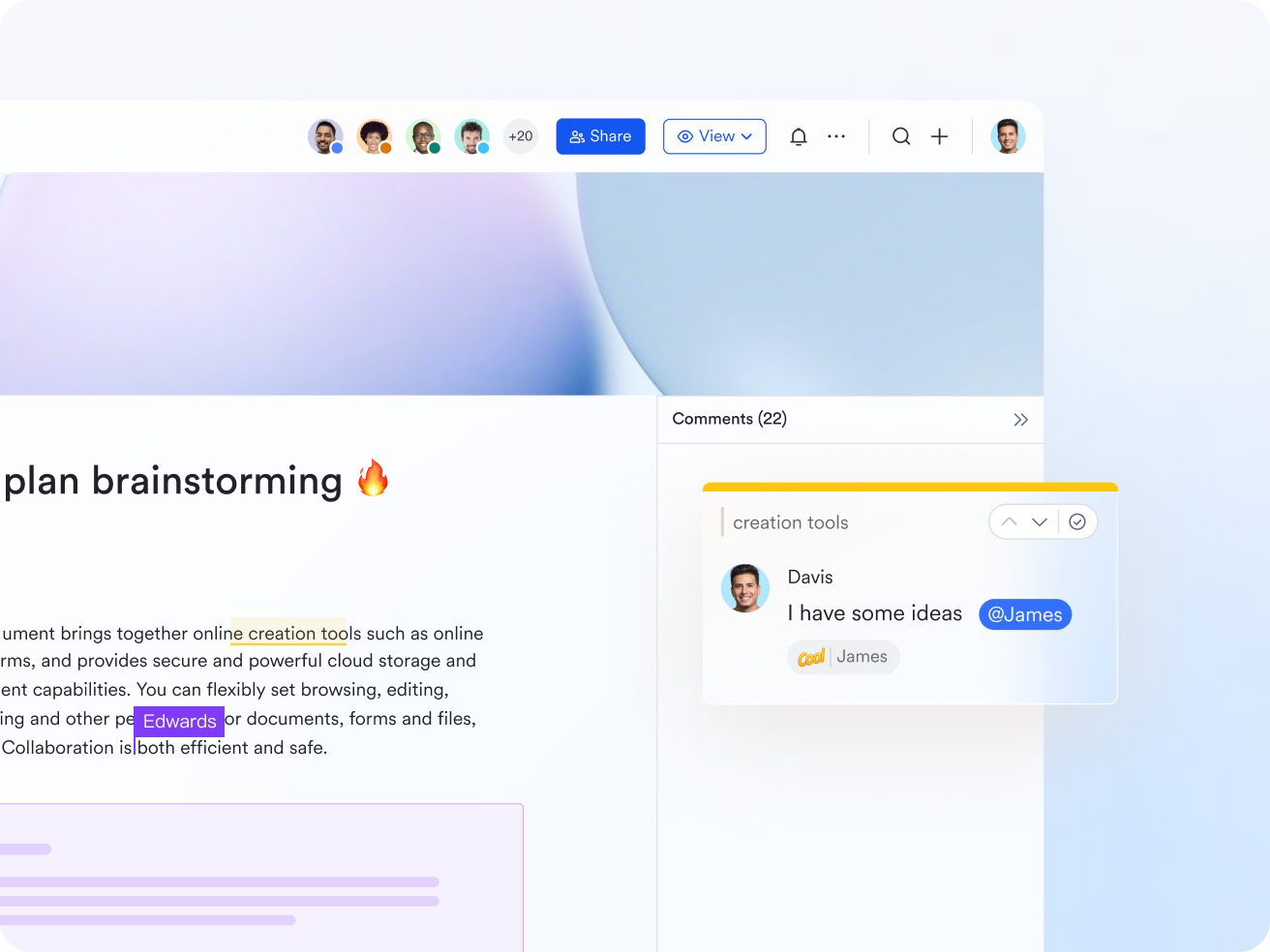
Lark Tasks: Assign and track responsibilities across teams
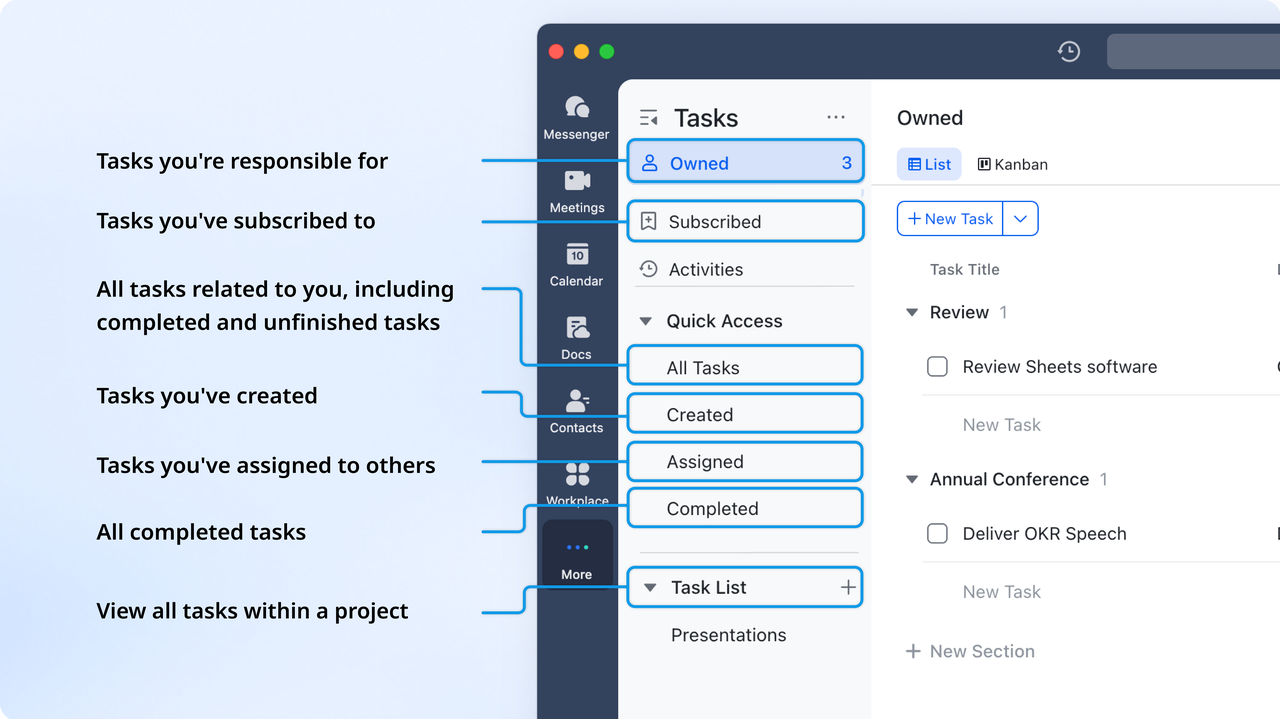
Lark Tasks transforms customer issues into actionable tasks with owners, priorities, and deadlines. Both service and support teams can assign follow-ups directly from chats. Status updates sync to Base automatically, so everyone knows what's pending and who's accountable.
Example: If a customer reports a billing error, the service agent creates a Lark Task tagged for the finance support team. When a task in Lark Base is marked as completed by a team member, the status of the task is automatically updated. This closes the loop without extra emails or meetings.
Lark Meetings: Collaborative discussions on customer insights
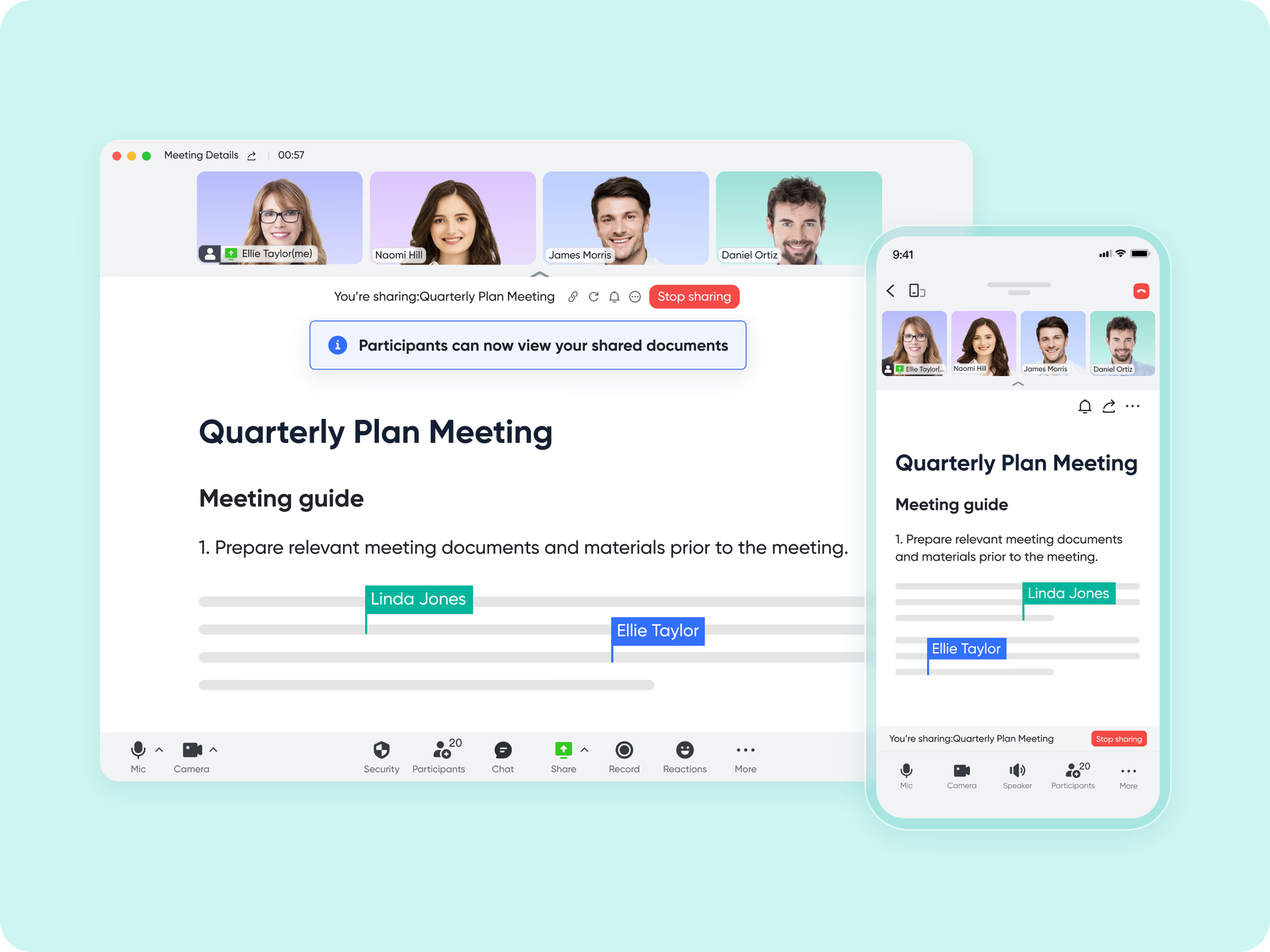
With Lark Meetings, service and support leaders can connect instantly to review issues, prioritize cases, or share customer feedback. Meetings can include live screen sharing of dashboards, documentation reviews, and automated note capture for next steps. Recordings and notes are saved directly in Lark for reference.
Example: A weekly "Customer Health" meeting brings together support, service, and product teams to review major client tickets. Using Lark Sheets, the team visualizes key metrics, and follow-up actions can be manually added by meeting members as Lark Tasks before the call ends. Every insight is stored and traceable in one workspace.
Lark Wiki: Build a unified service-support knowledge repository
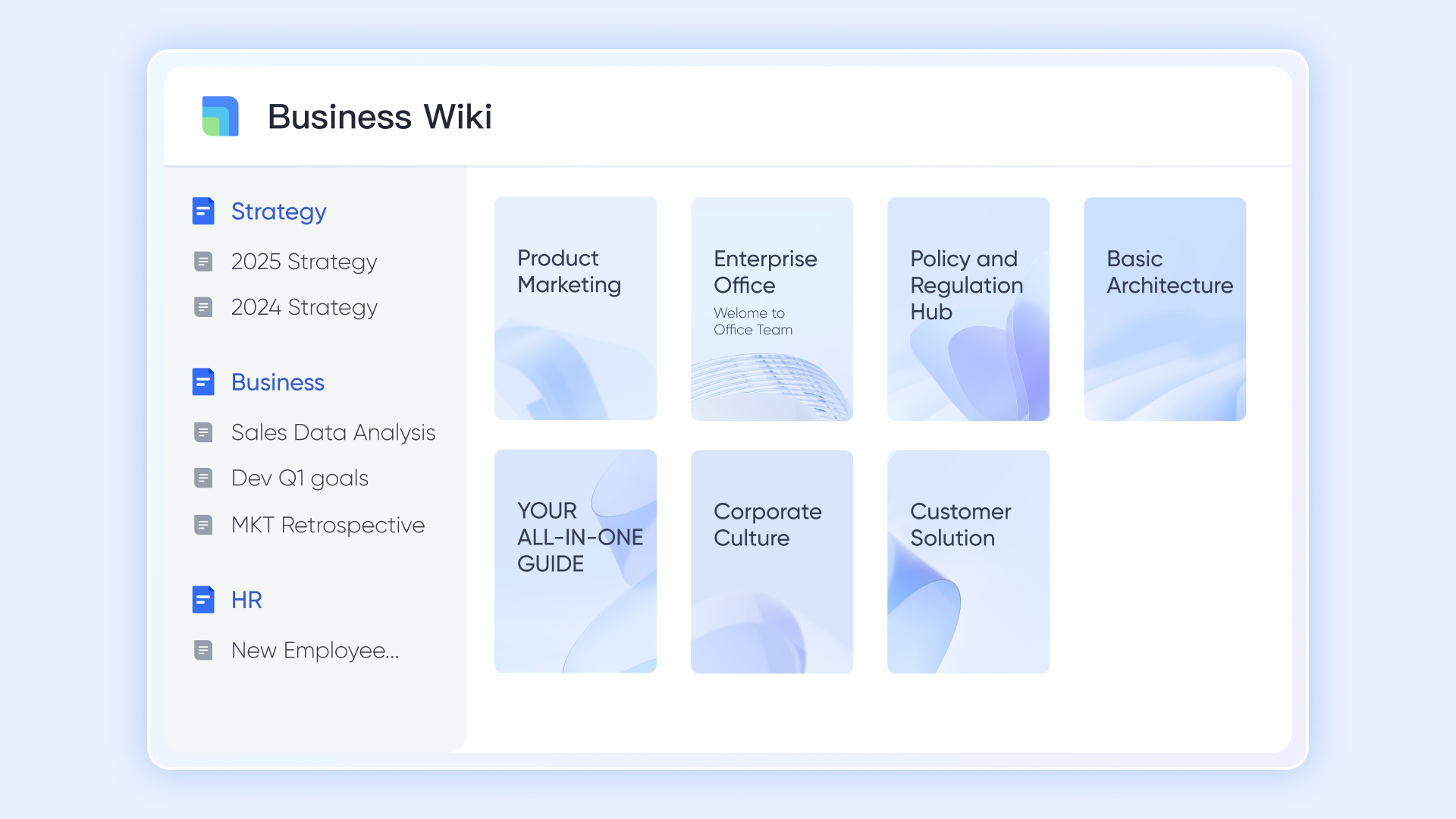
Lark Wiki centralizes internal knowledge into structured, easily searchable pages. Both teams can publish customer journey maps, service standards, escalation paths, or troubleshooting frameworks. Wiki articles can link directly to Docs, Tasks, or Base records, ensuring quick access to supporting information.
Example: The customer service team maintains a Wiki section for "Client Onboarding," while support hosts one for "Technical Escalation Procedures." This shared repository reduces onboarding time for new staff and ensures consistent communication across departments.
- Starter plan: Free forever plan that includes 11 powerful tools for up to 20 users. It also comes with 100GB of storage, 1000 automation runs, AI translations, and more.
- Pro plan: $12/user/month (billed annually) for up to 500 users. It includes everything in Starter plus group calling for up to 500 attendees, 15TB of storage, 50,000 automation runs, and more.
- Enterprise plan: Contact sales for custom pricing. Supports unlimited users and includes even more automation runs and advanced security, compliance, and management features. Reviewing Google Workspace pricing and ClickUp pricing can provide useful context when comparing service-support software solutions.
Ready to use templates
Customer support ticket management template
This template helps teams track every request from first message to resolution, making it easier to see how customer support and customer service work together during different stages of the customer journey. It removes the confusion that usually happens when tickets are stored in emails or spreadsheets. Assignments, status updates, comments, and timestamps stay visible to everyone, so response time is faster and responsibilities are clear. As teams begin using shared tools like Lark Base, both service and support teams can work from the same source of truth without constant back-and-forth messages.
Retail customer service management tracking base
Retail teams often handle both support requests and service inquiries at the same time, which can make it challenging to maintain consistent communication with customers. This template helps teams keep order issues, refunds, product questions, and store feedback all in one structured view. It is especially useful for tracking repeat questions or high-priority complaints that require escalation. When paired with Lark Base, every update stays synced, so store teams, warehouse teams, and customer agents have the same information at the same moment.
Action plan for customer service template
This template gives service teams a clear process to plan improvements, assign ownership, and follow up on customer experience goals. It helps teams map next steps after receiving feedback or survey results, so nothing is forgotten once the conversation ends. It also reduces confusion between customer support vs customer service roles by showing who is responsible for each follow-up. When used inside a shared workspace like Lark, this action plan becomes visible to every team involved, making accountability easier to manage.
Multi-channel customer support logs
When customers contact a business through chat, email, phone, or social channels, details can be lost or duplicated. This template helps teams record every interaction in one place and avoid fragmented conversations. It is useful for businesses that want a clearer handoff between service teams handling general inquiries and support teams resolving technical issues. With a shared log, response history stays recorded and searchable, which reduces repeated explanations for the customer and helps teams deliver faster, more accurate resolutions.
Online customer service chatbots template for customer service managers
This template helps teams plan and document chatbot workflows so they can answer common questions without waiting for human agents. It is especially helpful when evaluating how AI tools can support or reduce workload for both service and support teams. Managers can list triggers, replies, FAQs, and escalation rules in a structured layout before automation begins. When used alongside Lark's workflow tools, teams can track how many issues the bot resolves and how many get passed to human agents for follow-up.
Customer complaint handling log
This template gives teams a repeatable way to record, review, and resolve complaints so no issue gets ignored or delayed. It helps customer service teams capture the customer's experience, while support teams focus on fixing product-related issues. Tracking complaint patterns also helps managers spot recurring problems and improve response quality over time. When stored in a shared workspace like Lark Base, both teams can update status, attach evidence, and notify the right people automatically.
Customer satisfaction surveys
This template helps teams collect structured feedback after support or service interactions, making it easier to measure satisfaction without manual form building. Teams can compare scores between service inquiries and support tickets to understand where customers feel the most friction. When the results are stored in a shared dashboard, it becomes clearer which areas affect retention, loyalty, or repeat purchase behavior. Lark Sheets can then turn these results into live dashboards that update as new responses arrive.
IT support call analysis
This template is useful for teams that handle technical issues that require troubleshooting, escalation paths, and follow-up communication. It tracks call reason, resolution time, responsible agent, and outcome, so support leaders can review patterns and improve efficiency. It also helps reduce gaps between customer service teams collecting the first request and support teams delivering the fix. When used inside Lark, teams can attach logs, solutions, and recordings directly to ticket entries, keeping context organized.
Bonus know-how: Key metrics and KPIs for service and support
While both roles aim to improve the overall customer experience, the way they measure success is different. Customer service focuses on how customers feel, how easy it is to get help, and whether issues are handled with clarity and care. Customer support focuses on how quickly issues are fixed, how often they return, and whether the root cause was eliminated. Both sets of metrics matter, and companies perform best when they track them together instead of in separate dashboards.
The biggest challenge is not collecting data, but making sure the data is visible to the right teams. When leaders only see support data or only see service data, they miss the full story of the customer journey. Combining both provides a clearer picture of what customers struggle with, what they expect, and how operations can be improved:
- Customer service often measures customer satisfaction scores, first contact resolution, average reply time, net promoter score, and conversation quality. These metrics show how well the business communicates and supports customers emotionally.
- Customer support metrics include resolution time, ticket backlog, escalation rate, reopened cases, defect frequency, and average handling time. These show how well the product performs and how efficient troubleshooting is.
- Both functions share a common metric: customer effort score, which measures how hard it was for the customer to get help. Low effort means fast, smooth interactions.
- When service and support metrics are combined, leaders can see patterns like longer ticket times due to missing data, delays during handoffs, or repeated issues caused by unclear documentation.
- Real-time dashboards allow teams to act faster instead of waiting for weekly reports, helping managers rebalance workloads, improve response quality, and remove operational bottlenecks.
Future of customer service and support collaboration
The future of customer experience will not depend on separating customer service from customer support, but on connecting both functions into one continuous customer journey. Businesses are shifting from reactive problem-solving to proactive experience design, where self-service, AI assistance, and real-time collaboration reduce delays and confusion. Automation will help filter and route requests, with solutions like an AI receptionist ensuring customers are guided quickly and efficiently, while human teams will still be needed to explain, reassure, personalize, and solve complex issues.
As expectations grow, the most successful companies will be the ones that operate service and support inside the same workflow instead of using fragmented tools and disconnected teams. Platforms like Lark already make this possible by giving teams shared context, shared dashboards, shared communication, and shared documentation. The goal is not to replace people, but to remove friction so teams can spend more time helping customers and less time hunting for information.
Conclusion
Customer service and customer support handle different parts of the customer journey, but customers experience both as one interaction with the brand. Service teams focus on clarity, guidance, and relationship management, while support teams troubleshoot problems and restore functionality when something goes wrong. The challenge for most companies is not deciding which function matters more, but finding a way to keep both teams aligned without losing context between conversations. That becomes difficult when teams work on separate tools, repeat information, or rely on manual updates. Many modern businesses are now shifting toward shared workspaces where service and support can see the same tickets, comments, documents, and performance data in real time.
A platform like Lark helps make this kind of connected workflow possible by keeping requests, communication, and knowledge in one place. The goal is to reduce friction, speed up responses, and deliver a customer experience that feels consistent from first question to final resolution.
FAQs
Can customer service and customer support teams use the same tools?
Yes, both teams can work inside a single platform as long as the system supports shared tickets, conversations, and updates. This removes the need for duplicate tools and reduces back-and-forth between departments. A shared workspace also makes it easier to see who is handling what, without asking customers to repeat details. Tools like Lark make this possible by keeping requests and internal communication in the same place.
How do AI tools enhance both service and support functions?
AI helps teams route requests faster, surface suggested replies, and analyze recurring patterns across tickets and conversations. It also reduces the time spent on repetitive questions so teams can focus on higher-value interactions. When AI is built into the same system where service and support work, it becomes easier to apply insights immediately instead of exporting data elsewhere. Lark includes AI features that help automate responses and highlight priority cases.
What's the main challenge in unifying customer service and support?
The biggest challenge is not the people or the process, but the fragmentation caused by separate systems. When service and support store data in different tools, context is lost and customers feel the delay. A unified workflow needs shared visibility, shared responsibility, and live updates instead of manual handoffs. Platforms like Lark help by giving both teams access to the same records, comments, and ticket history.
How can small businesses structure service and support effectively?
Small teams often handle both service and support tasks with the same people, so the key is organizing everything in a single place. A shared ticket base makes it easier to assign ownership, follow progress, and track solutions without extra tools. This also creates a searchable history, which becomes valuable as the team grows. Using an all-in-one workspace like Lark helps small teams work with structure before they scale.
Related reading
Table of contents
Start using Lark today

Manage all your work in one place
Boost team efficiency by 10x
Save up to 70% on software costs
Table of contents
Start using Lark today
Manage all your work in one place
Boost team efficiency by 10x
Save up to 70% on software costs
Keep reading









2026 Lark Technologies Pte. Ltd.
Headquartered in Singapore with offices worldwide.






Explore: