
Known for its affordability and diverse features, ClickUp is a popular tool for freelancers, small businesses, and large enterprises alike. It claims to be the everything app for work, but are ClickUp's pricing plans worth it?
With so many features and multiple pricing plans, it can be hard to find one that's right for your team. You don't want to overpay for a plan and use only a few of its functions or find out that the feature you need is a paid add-on.
In this article, we'll break down each pricing plan, highlight its features, and help you decide which one is the best fit for your team. Let's dive in!
Key takeaways
- Price range: Paid plans start at $7 per user/month and go up to $19 per user/month, depending on whether you pay monthly or annually. Enterprise pricing is custom.
- Free plan: Yes, includes unlimited members and tasks, but storage is limited to 60 MB.
- Free trial: Yes, a 14-day free trial is available for paid tiers (Unlimited and Business).
- Subscription options: Monthly and annual billing available. Annual plans offer savings of up to 30%.

- Add-ons: ClickUp AI, known as Brain and Everything AI, are paid add-ons priced at $9-$28 per user/month when billed annually.
- Plan Suitability: Free plan works best for individual users; Small and mid-sized teams can pick the Unlimited or Business plan based on storage and automation needs; Large organizations need a customized Enterprise plan for high-level security and support.
- ClickUp Pricing Verdict: While ideal for complex workflows needing custom views and dependencies, ClickUp can be overkill for simple task tracking; as costs and complexity rise when scaling automations or AI, an all-in-one suite like Lark often provides better value than paying for multiple apps.
What is ClickUp, and why is it popular?
Image source: clickup.com
ClickUp is an designed to help teams collaborate, organize tasks, and streamline workflows. Unlike many other tools that focus on a single feature, ClickUp combines task management, time tracking, goal setting, and even real-time collaboration into one powerful platform.
What makes ClickUp stand out is its affordability and flexibility. Whether you're a solo freelancer needing a free tool or a large enterprise requiring advanced features, ClickUp has a plan for you. Its customizable interface and integrations with popular tools like Slack, Google Drive, and Zoom make it a favorite among teams of all sizes.
ClickUp isn't just about features—it's also about value. It offers more functionality at a lower cost compared to competitors like Asana or Monday.com, making it a go-to choice for budget-conscious teams. Plus, with its free plan, anyone can get started without spending a dime.
Explore a more generous, all-in-one alternative
ClickUp pricing plans
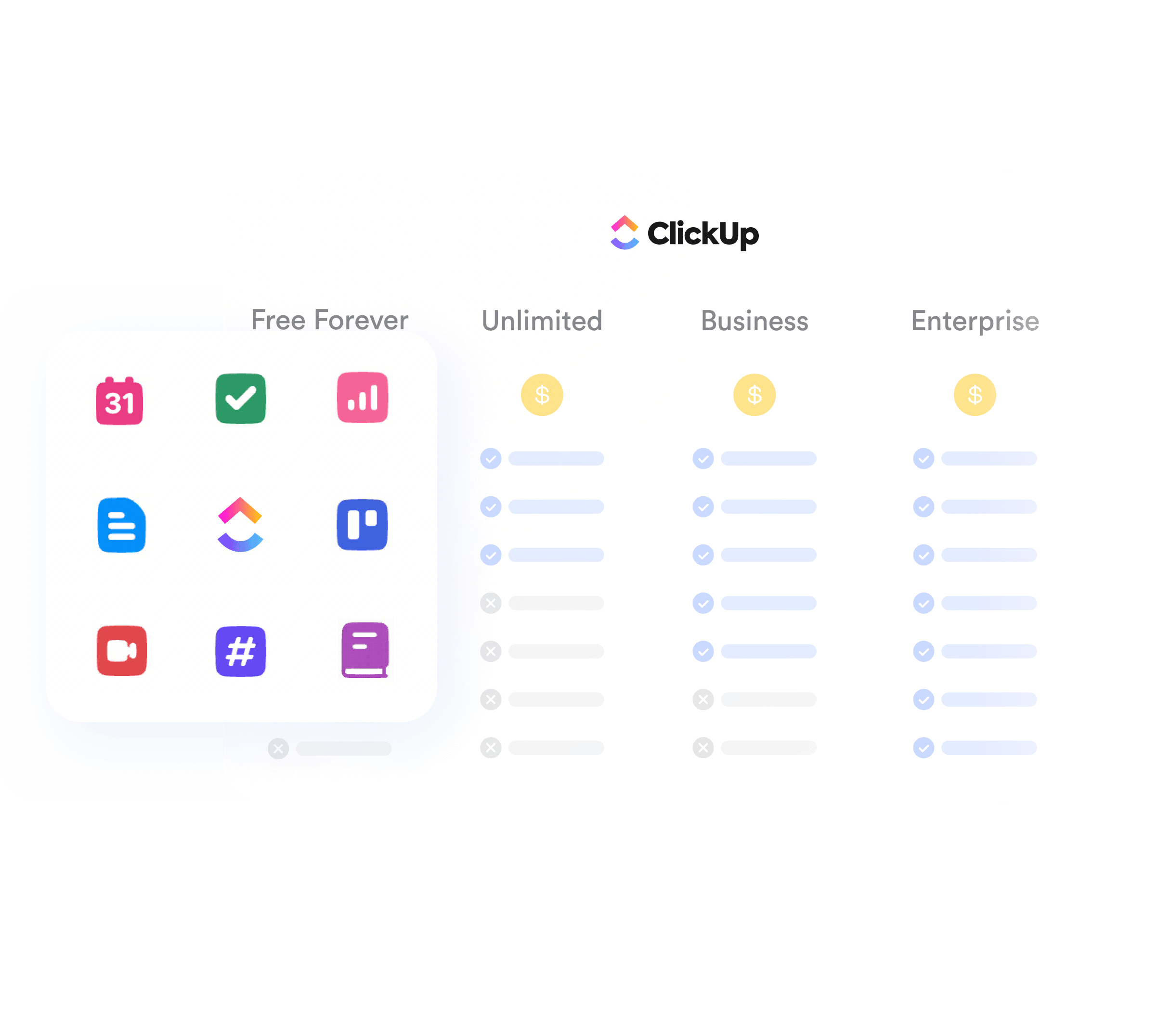
Here's a quick overview of ClickUp's pricing for annual and monthly subscriptions.
ClickUp also offers flexibility in billing, allowing you to choose between monthly and annual subscriptions. Opting for annual billing can save you money in the long run, making it an attractive option for teams planning to stick with the platform.In practice, the bigger decision is not only annual vs. monthly pricing, but also which plan limits you are willing to live with before hidden costs start stacking up.
Free Forever plan: What you get for $0
If you're just getting started with project management or working solo, ClickUp's Free Forever plan is a fantastic option. As the name suggests, everything in Free Forever is free—no strings attached. But don't let the price fool you; it's packed with features that rival many paid tools.
Here's what you get with the Free Forever plan:
- Unlimited tasks and members: Perfect for small teams or individuals managing multiple projects.
- Collaborative tools: Includes whiteboards, real-time chat, and document sharing to keep your team connected.
- Core features: Task management, time tracking, and integrations with popular tools like Google Calendar.
Some limitations to keep in mind:
- Storage cap: You are strictly limited to 60 MB of storage, which fills up instantly if you attach images or PDFs to tasks.
- Restricted views: You cannot access advanced views like Map, Gantt, or Timeline.
- No permissions: You cannot set "view-only" or "comment-only" permissions for guests; everyone you invite has full access.
- Automation limits: You are limited to 100 automated actions per month, which is likely insufficient for the entire team.
The Free Forever plan is ideal for anyone who wants to test out ClickUp without committing to a paid plan. However, given that ClickUp states it is for personal use only, it may not be ideal for freelancers or startups.
Unlimited plan: Affordable for growing teams
As your team expands, you may find that the Free Forever plan no longer meets your requirements. That's where the Unlimited plan becomes essential. This plan costs $7 per user and is tailored for small to medium-sized teams needing extensive storage, advanced features, and integrations to manage workflows effectively. What's great about it is that you get an unlimited number of things as part of the plan.
Here's what's included in the Unlimited plan:
- Unlimited storage: No more concerns about running out of space for your files and attachments.
- Unlimited integrations: Connect with tools like Slack, Google Drive, and Zoom to streamline your processes.
- Advanced time tracking and reporting built-in: Monitor the time your team spends on tasks and generate detailed reports.
- Unlimited custom fields and goals: Enhance project flexibility with custom fields and track progress toward team objectives.
- Unlimited dashboards: Create as many dashboards as you need to visualize your projects.
- Custom guest permissions: Collaborate with external stakeholders while maintaining control over their access.
- Agile reporting: Utilize agile reporting features to keep track of project progress.
- Resource management: Manage resources effectively to optimize team productivity.
Some limitations to keep in mind:
- Automation limits: You are capped at 1,000 automated actions per month. If you run complex workflows (e.g., "When status changes, send email + update field"), you can burn through this limit quickly.
- Limited "Teams": User groups are limited to 3, which makes tagging everyone in a department a hassle (You have to tag people individually).
- No workload management: You cannot access the specialized Workload view to manage team capacity.
The Unlimited plan is a budget-friendly option for teams that require more than basic features but aren't ready to invest in enterprise-level solutions. It's also an excellent choice for small businesses looking to scale their operations without incurring high ClickUp costs.
Business plan: Advanced tools for mid-sized teams
For larger teams or businesses that require sophisticated project management tools, the Business plan is the ideal choice. This plan costs $12 per user and builds on the features of the Unlimited plan and adds even more functionality to help teams stay organized and productive.
Here's what you can expect with the Business plan:
- Advanced automation: Save time by automating repetitive tasks and workflows.
- Goal tracking and portfolios: Monitor team objectives and manage multiple projects seamlessly.
- Enhanced security features: Includes two-factor authentication (SMS) and advanced permissions to ensure your data is secure.
- Priority support: Receive faster responses to your inquiries and issues.
- Custom exporting: Tailor export options to fit your reporting needs.
- Advanced dashboard features: Utilize sophisticated dashboard capabilities for better project visualization.
- Granular time estimates and timesheets: Track time more accurately with detailed estimates and timesheets.
- Workload management: Effectively manage team workloads to optimize productivity.
- Timelines & mind maps: Visualize projects using timelines and mind maps for enhanced planning.
- Goal folders: Organize goals into folders for better tracking.
- Unlimited message history and whiteboards: Keep all communications and brainstorming sessions accessible.
- Unlimited timeline views: View your projects in various timeline formats for better insights.
Some limitations to keep in mind:
- Automation limits: While higher than the Unlimited plan, you are still capped (often at 5000 actions depending on your specific contract or legacy status). Heavy power users may still need to buy an automation add-on.
- No white labeling: You cannot remove ClickUp branding or use a custom domain unless you upgrade to Enterprise.
- Limited "Teams": User groups are limited to 10.
- Compliance: Healthcare companies handling sensitive patient data generally cannot use this plan for HIPAA compliance; that is reserved for Enterprise.
The Business plan is perfect for teams that have outgrown the Unlimited plan and need more advanced tools to manage their projects. Whether you're handling complex workflows or require detailed reporting capabilities, this plan has you covered.
Enterprise plan: Custom solutions for large organizations
For large-scale organizations with complex needs, the Enterprise plan is ClickUp's most advanced offering. The cost of this plan depends on your consultation with ClickUp's sales team.
Unlike the other plans, this one is specifically tailored to meet the requirements of large teams and businesses that demand custom solutions. If you're managing a sizable team, handling sensitive data, or require highly specific workflows, the Enterprise plan may be exactly what you need.
The Enterprise plan stands out due to its flexibility. Pricing is customized based on your organization's size, needs, and priorities. While this plan is the most expensive option, it is designed to deliver maximum value for large businesses.
Here's what makes the Enterprise plan unique:
- Dedicated support and training: With this plan, you'll have access to personalized onboarding and a dedicated account manager to ensure your team maximizes ClickUp's capabilities.
- Advanced security features: Enterprise users benefit from tools like single sign-on (SSO), advanced permissions, and HIPAA compliance, making it ideal for industries that require high levels of security.
- Custom integrations and API access: Large organizations often rely on multiple tools. The Enterprise plan allows you to integrate ClickUp seamlessly with your existing software ecosystem.
- Unlimited scalability: Whether you're managing thousands of users or handling massive projects, the Enterprise plan is designed to grow with your business.
- White labeling: Customize ClickUp's appearance to align with your brand.
- Advanced permissions: Set granular permissions for users to enhance security and control.
- Conditional logic in forms: Create dynamic forms that adapt based on user input.
- Unlimited custom roles: Define roles that fit your organizational structure.
- Team sharing for spaces: Facilitate collaboration across different teams.
- Default personal views: Customize user experiences with default views.
- Unlimited posts: Engage your team with unlimited communication options.
- SCIM provisioning: Streamline user management and provisioning.
- Custom capacity in workload: Tailor workload management to your organization's needs.
- Live training support (onboarding): Receive real-time training to help your team get started.
- Dedicated customer success manager: Benefit from dedicated support to ensure your success.
- Access to managed services: Utilize additional services for enhanced support.
- US, EU & APAC data residency: Choose where your data is stored for compliance.
- Advanced public sharing: Share information securely with external stakeholders.
Some limitations to keep in mind:
- Implementation time: Because the features and permissions are so deep, setting up an Enterprise workspace correctly often requires weeks or months of implementation and training.
- Minimum requirements: Sales contracts often require a minimum number of seats or an annual commitment.
This plan is best suited for enterprises that need a robust, secure, and scalable project management solution. If you're unsure whether the Enterprise plan is right for you, ClickUp offers demos and consultations to help you make an informed decision.
Key feature summary
ClickUp add-ons
ClickUp's pricing plans already offer a wide range of features, but for teams or individuals looking for even more advanced functionality, ClickUp provides optional add-ons. These add-ons are designed to address specific needs, making it easier to customize your workspace and optimize your productivity.
Image source: clickup.com
ClickUp AI
ClickUp offers several optional AI add-ons to enhance productivity:
- Brain AI – ClickUp's core premium AI features, which include advanced AI writing, BrainGPT, project summaries, and more. Available on paid plans with monthly AI Super Credits for automatic AI actions. Brain AI currently costs $9 per user per month.
- Everything AI – A bundle that includes all Brain AI features plus unlimited fair-use access to automatic AI tools like AI Fields, Super Agents, Talk‑to‑Text, AI Notetaker, and image generation. Everything AI currently costs $28 per user per month.
- AI Super Credits – A pay-as-you-go credit system used by automatic AI features such as AI Fields, Super Agents, image generation, and AI Automations. AI Super Credits costs $10 per month for 10,000 credits.
These add-ons allow teams to generate content, summarize meetings, create tasks or documents, and automate processes more efficiently.
Automation add-on
For teams that need more automation beyond their plan, this add-on lets you increase the number of monthly automation actions. Whether you need an additional 1,000, 10,000, or even 100,000 actions per month, this feature ensures your workflows remain efficient, no matter how complex your operations become. Pricing for extra automation actions varies depending on the number of actions purchased, making it flexible for businesses of all sizes that rely heavily on automated processes to save time and reduce manual effort.
Email add-on
ClickUp lets you manage emails directly within your workspace. Emails can be linked to specific tasks for better tracking, and you can use templates, signatures, and custom fields to streamline communication. Some email accounts are included with your plan, while admins and owners on the Unlimited plan and above can purchase additional accounts as needed. The cost per additional email account is $24 per year or $2 per month.
Live training add-on
ClickUp offers live group training and 1:1 training with an expert through its ClickUp Assist service. The add-on is designed to provide teams with personalized help in creating workflows, onboarding their teams, and setting up their workspaces. Prices vary depending on what type of training you need, but live 1:1 training with an expert, which includes workshops and a two-hour session with an expert each month, costs $249 per month.
These add-ons are entirely optional, allowing you to select the features that best align with your team's requirements. Whether you're looking to boost automation, enhance communication, or leverage AI for smarter workflows, these tools can help you take full advantage of ClickUp's capabilities and elevate your productivity.
Before evaluating any add-on individually, it helps to separate ClickUp's visible subscription price from the costs that usually appear after rollout. The most common hidden costs in 2026 are AI, guest access trade-offs, storage pressure on the free tier, and automation overages that push teams into a higher plan sooner than expected.
How much ClickUp actually costs in 2026
Publicly listed prices rarely tell the full story when it comes to enterprise software, and ClickUp is no exception. Base plans appear affordable at first glance, but actual expenses can quickly balloon once you factor in AI add-ons, premium integrations, and hidden scaling fees. The table below contrasts standard list pricing against estimated total costs, mapping exactly one target plan to each user tier.
Before you budget for a standard plan, be prepared for these common cost inflators:
- AI add-ons: Equipping your team with ClickUp Brain or the Everything AI bundle drastically increases the per-user cost, sometimes doubling or tripling your initial estimate.
- Onboarding and training: Mid-sized and large organizations often need to purchase premium implementation packages to ensure the platform is set up correctly.
- Guest seat limits: ClickUp offers generous guest access, but exceeding your plan's ratio of guests to internal users will force you to purchase additional full-price seats.
- Storage and automation overages: Hitting the data or automation limits on lower tiers often forces a premature upgrade to the Business or Enterprise plans.
How to negotiate your final price lower
Fortunately, you rarely have to pay the inflated sticker price. Larger organizations have significant room to negotiate, and your final cost depends heavily on how you structure the deal. Avoid entering sales conversations empty-handed—use this checklist to prepare your strategy and secure the best possible rate:
- Audit active seats and volume: Run an audit of your current or projected team, distinguishing between core daily users and occasional collaborators who can use free guest accounts. Keep in mind that crossing specific thresholds (especially 50+ and 200+ users) unlocks significant volume discounts.
- Track usage and feature dependencies: Identify exactly which features are absolute "dealbreakers" versus "nice-to-haves," and track your actual consumption of storage, automations, and API calls. This prevents reps from upselling you on a higher tier you do not technically need.
- Determine your commitment length: Decide if your team can lock into a multi-year agreement (e.g., 2 or 3 years). Multi-year contracts give sales reps the justification they need to offer you much lower rates compared to standard annual billing.
- Plan your purchase timing: Software sales teams operate on strict quotas. If possible, time your purchase to align with the end of ClickUp's fiscal quarter or year, which makes reps much more motivated to offer aggressive discounts to close the deal.
- Bundle all necessary add-ons: If you plan to use AI features or premium onboarding, bundle them into your main contract from day one. It is much easier to get a bulk discount on an "all-in-one" package than trying to buy add-ons later at retail price.
- Leverage backup alternatives and vendor relationships: Always have active quotes from competitors (like Asana, Monday.com, or Jira). Additionally, if you are migrating from a major competitor, ask about aggressive "switch incentives" or buyout credits. Letting the sales rep know you are actively evaluating competitive offers is your strongest negotiation lever.
- Inquire about special organizational discounts: Depending on your organization type, you may qualify for specific programs to lower your bill even further. Eligible startups (under 5 years old, pre-Series B, and VC/accelerator-backed) can secure up to $3,000 in credits. Non-profits and educators can also reach out to sales to verify their status and negotiate custom discounted rates.
When to upgrade your ClickUp plan
Many teams start on a lower tier, only to hit a hard paywall that forces a mid-contract upgrade. To accurately predict your long-term costs, check your operational needs against this matrix to see exactly when you will be forced to move to a higher tier.
How does ClickUp stack up against competitors?
Because ClickUp offers so many features, it also has numerous direct competitors, ranging from simple task management tools to more specialized project management software.
While ClickUp aims to replace all of them, it helps to see how its pricing and features compare with those of monday.com, Wrike, Trello, and Asana.
ClickUp vs. Monday.com
Famous for its sleek, colorful interface, Monday.com appeals heavily to visual learners. However, that premium look often comes with a higher price tag.
- Pricing: Monday's paid plans start at $9/user/month (Basic), whereas ClickUp starts at just $7/user/month.
- Key difference: Monday often limits essential features to higher tiers. For instance, accessing Gantt charts or Timelines requires the $12 Standard plan, while ClickUp includes unlimited Gantt charts in its $7 plan.
- Verdict: While Monday offers a gentler learning curve, ClickUp provides a richer feature set for a lower cost.
Read more:
ClickUp vs. Wrike
A favorite among marketing agencies and IT departments, Wrike is a heavy-hitter in the project management space. Despite its power, the interface can feel more corporate and rigid compared to ClickUp's flexibility.
- Pricing: Wrike's "Team" plan starts at $10/user/month, making it roughly 40% more expensive than ClickUp's starter option.
- Key difference: Although Wrike excels at specialized tasks like artwork proofing, many of its best features are locked behind expensive Business or Enterprise subscriptions. In contrast, ClickUp includes robust document collaboration and task management in its cheaper plans.
- Verdict: Unless your team specifically requires Wrike's advanced proofing tools, ClickUp stands out as the more affordable all-rounder.
Read more:
ClickUp vs. Trello
As the undisputed king of Kanban boards, Trello is incredibly easy to pick up. The trade-off is simplicity; the tool becomes very limited when managing complex, multi-layered projects.
- Pricing: Trello’s Standard plan is cheaper, sitting at $5/user/month.
- Key difference: Moving cards left to right works perfectly in Trello, but gaining access to Calendar, Timeline, or Dashboard views requires an upgrade to the $10 Premium plan. ClickUp includes all those views for just $7.
- Verdict: Trello wins on simplicity for basic to-do lists, but ClickUp offers a better "big picture" view without the extra cost.
Read more:
While upgrading to a more complex project manager like ClickUp solves some of Trello's limitations, it often doesn't address the core issue of tool sprawl. Many growing teams find that consolidating their tech stack yields the best results. Here's why one CEO decided to move away from using Trello alongside other disconnected apps:

"Lark has helped reduce a lot of the chaos, especially in the very early stages of growth. We initially used a lot of tools like Whatsapp, Trello and Gsuite but quickly realized that Lark had everything we need, all in one place."

Natal Tria Wirawan
CEO & Founder
ClickUp vs. Asana
Asana is a well-known project management tool, praised for its clean interface and robust task dependencies. That said, its simplicity can feel restrictive for teams that want deeper customization or more built-in features.
- Pricing: Asana's paid plans start at $10.99/user/month (Starter, billed annually), making it slightly more expensive than ClickUp's entry plan.
- Key difference: Asana keeps several advanced capabilities, such as timelines, reporting dashboards, and higher automation limits, behind more expensive tiers. ClickUp, by contrast, bundles features like multiple views, dashboards, docs, and automations into lower-priced plans.
- Verdict: Asana is well-suited for teams that value structure and ease of use, but ClickUp offers greater flexibility and functionality per dollar, making it the better choice for fast-growing or feature-rich teams.
Read more:
ClickUp vs. Lark
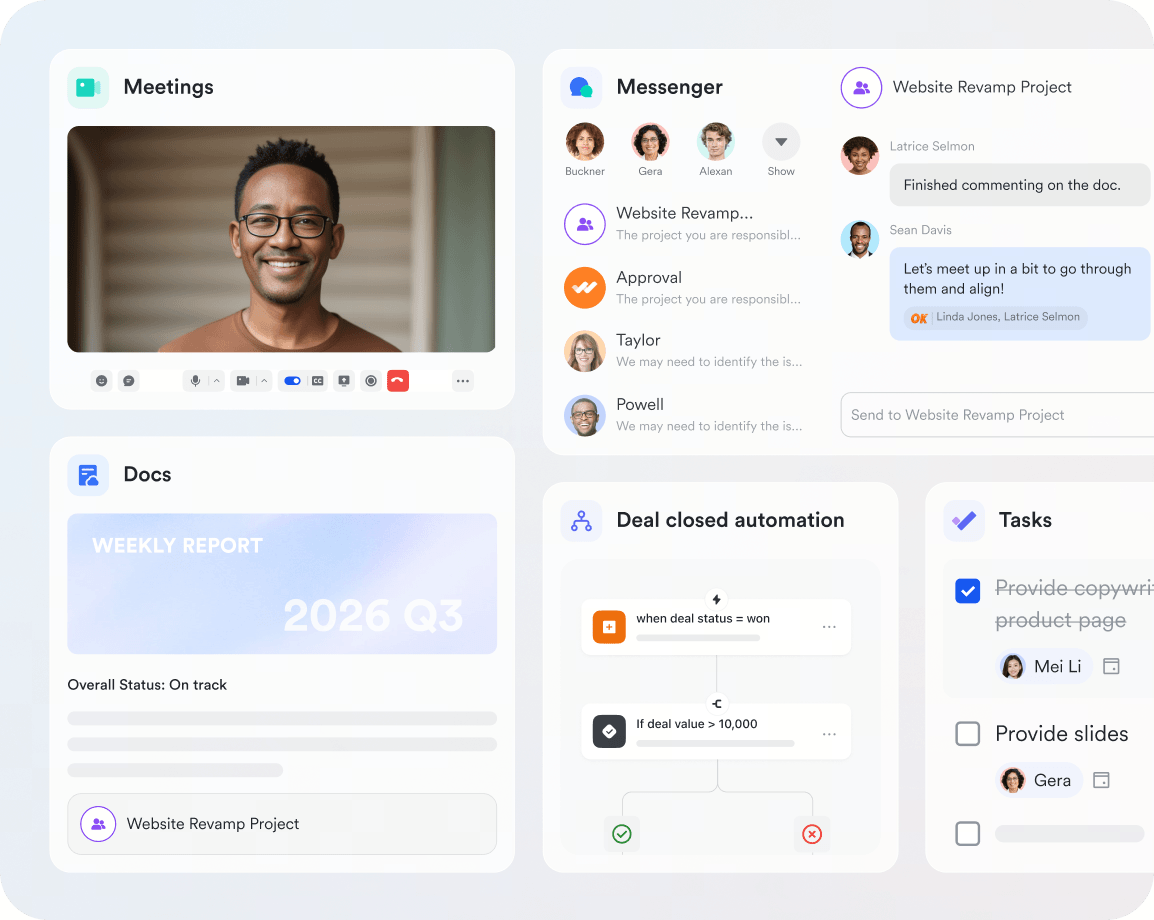
Lark is an all-in-one collaboration platform that combines project management, docs, messaging, meetings, and AI capabilities in a single workspace. That makes it especially attractive for teams that want to control total cost of ownership rather than optimize only the sticker price of a project management tool. By contrast, ClickUp may look affordable at first, but the total bill often rises once teams add AI, chat, meetings, and document workflows through separate products.
- Pricing: ClickUp's base plan can look competitive on paper, but real spend often increases once you layer in AI add-ons, implementation support, and separate collaboration tools. Lark is often more cost-efficient for teams that want project management plus communication and document collaboration in one stack.
- Key difference: Lark brings AI, collaboration, meetings, and docs into a unified platform, which can reduce both software sprawl and admin overhead. ClickUp, by contrast, is frequently part of a broader tool stack, which means teams may still need to pay for extra chat, video, documentation, and workflow tools on top of their ClickUp subscription.
- Verdict: ClickUp can still work well for teams focused mainly on project management, but Lark is the stronger cost scenario for organizations that care about total ownership cost, cross-team collaboration, and reducing the budget pressure created by stitching multiple tools together.
Read more:
However, these platforms share a common flaw: they isolate task management from communication. Teams still need to constantly switch between apps, creating a disconnected and overwhelming workflow. Luckily, there is a better alternative: Lark.
Get the best alternative to ClickUp Free
Meet Lark: The best alternative to ClickUp
When, ClickUp is often recognized for its competitive pricing and extensive feature set. However, when compared to Lark, it becomes clear that Lark offers a more affordable and comprehensive solution for businesses. Not only can you save thousands of dollars with Lark, but you can also take your productivity to the next level with advanced features that upgrade your entire workspace.
Lark stands out as, providing users with a unified platform to manage projects effectively. Its project management tool, Lark Base, offers up to six different views, including Gantt charts, Kanban boards, and calendars, allowing teams to visualize their work in the way that suits them best. This flexibility in project management is a significant advantage for teams looking to enhance clarity and collaboration.
In addition to project management, Lark simplifies people management by integrating task and attendance tracking within the same user-friendly platform. This feature streamlines workflows and reduces the need for multiple tools, making it easier for teams to stay organized and focused on their objectives.
Another notable advantage of Lark is its robust communication capabilities. The platform supports auto-translation for messages, documents, and video call captions in over 100 languages, making it an excellent choice for global teams. This feature fosters seamless communication and collaboration across diverse teams, which is essential in today's interconnected work environment.
ClickUp offers a free plan, but with just 60MB of storage and limited automation, it's not practical for real work. The moment you try to set up even a basic workflow, you'll run straight into a paywall.
Lark, on the other hand, offers a designed for small businesses and startups. You get 100GB of storage—over 1,000× more than ClickUp—along with advanced automation and a full suite of built-in tools. That includes communication, project management, approvals, document collaboration, and more, all available from day one.
Even when you move to paid plans, Lark continues to deliver . Advanced features come at a significantly lower cost, without forcing teams to pay extra just to unlock essentials. To see how much your business could save, try our savings calculator below.
How many employees work at your company?
Which tools do you use?
Estimates are for reference only, contact us for an official quote
Calculate savings
Lark Enterprisecan replace and surpass at least 4 of your existing business tools. With 1000 employees, your company could save at least $390,000 per year by using Lark.
Calculate again
How to choose the right ClickUp plan for your team
With various options available, selecting the most suitable ClickUp plan can be a challenging task. Here are some key factors to consider when making your decision:
Team size
For individuals or solopreneurs, the Free Forever plan is usually sufficient for personal task management, though you will need to watch out for the strict 60 MB storage limit.
If you have a team of 2 to 10 people, the Unlimited plan is a decent starting point as there's no storage cap and allows for guest access, which is vital for working with clients. Once your team reaches 10 to 50+ users with multiple departments, the Business or Enterprise plan is recommended.
Budget
For most businesses, the Unlimited plan ($7/user/mo) offers the best return on investment. It is cheaper than competitors like or Monday.com, which often start around $10–$12 for similar features.
However, be wary of hidden costs. ClickUp Brain (AI) is not included and costs an extra $7 per user/month, and heavy users might hit monthly automation limits, requiring paid add-ons.
Required features
Pinpoint your "must-haves" to avoid overpaying. If your team requires Google SSO, Workload views, or advanced exporting to keep operations running smoothly, then you need to get the Business plan. On the other hand, if you simply need Gantt charts and unlimited custom fields to organize your projects, the Unlimited plan is a good fit.
Future growth
If you expect to scale your team quickly, it is smart to lock in an annual subscription immediately. This secures the ~37% discount before your user count multiplies, preventing your monthly bill from ballooning unexpectedly as you add new seats.
Final thoughts
ClickUp is designed to be flexible and accessible for teams of varying sizes. Its versatility allows for effective management of both simple tasks and complex workflows, helping you take productivity to the next level. ClickUp costs range from cheap to expensive, depending on the size of your team and the features you need. Its Free Forever plan is best for personal use, while its paid plans are best for mid-sized teams and enterprises.
For those exploring project management tools, Lark is another option worth considering. It offers a comprehensive solution with integrated features for productivity and collaboration. Its free plan includes 11 products, making it one of the best for small teams needing to communicate efficiently and get work done.
Try Lark for free, no credit card needed
FAQs about ClickUp pricing
Is ClickUp really free? Is it worth it?
Yes, the Free Forever plan is entirely free and includes a wide range of features, but it only comes with 60MB of storage, so it's not a practical solution for most teams.
The free plan is useful for testing ClickUp's interface and basic task management, but the practical limits matter: storage is capped at 60MB, automations are capped at 100 actions per month, and guest permission controls are minimal. For active teams, these free plan limits are often the real reason an upgrade happens quickly.
What's the difference between monthly and annual billing?
Upfront payment is required for annual billing but the price per user is lower (e.g. $7/user/month vs $10/user/month for Unlimited). On the other hand, monthly billing offers flexibility with no long-term commitment, but costs about 30–45% more per month.
Annual billing usually delivers the lowest advertised per-user rate, but it also locks more budget in upfront and can amplify the cost of over-buying seats. Monthly billing is more flexible for teams still validating adoption, though the per-user price is higher.
Can I switch plans later?
Yes, ClickUp allows users to easily upgrade or downgrade their plans as their needs change. For more information, we recommend you visit ClickUp's website and contact sales.
What is ClickUp's refund policy?
ClickUp offers a 30-day satisfaction guarantee for new customers, which also covers any add-ons (such as ClickUp's Everything AI or AI Super Credits) purchased with a paid plan. You can request a full refund within 30 days of purchasing your first paid subscription. However, after the 30-day period, refunds are no longer available.
What's included in the Enterprise plan? How do I get a quote?
The Enterprise plan features custom pricing, advanced security options, dedicated support, and other tailored services for large organizations. If you're interested in the Enterprise plan, you can get a custom demo and see how ClickUp aligns with the way your team works by contacting their sales.
What are the limitations or drawbacks of ClickUp?
Because ClickUp tries to do everything, it can have a steep learning curve that feels overwhelming for new users. Users have also reported that the platform can be slow or "glitchy" when loading large projects. Additionally, the mobile app is often criticized for being difficult to use compared to the desktop version.
Is ClickUp worth paying for?
Yes, especially for growing teams that need to move beyond basic task management. ClickUp's paid plans offer a significant upgrade in capabilities, unlocking advanced automation, robust reporting dashboards, built-in time tracking, and granular permission controls. These features are essential for managing complex projects at scale and driving higher productivity. That said, it's still worth comparing ClickUp with alternatives such as Lark, monday.com, Trello, and Asana, each of which offers distinct strengths depending on team size, workflows, and priorities.
Can I add/remove seats mid-contract?
You can add seats at any time during your contract, and you will simply be billed a prorated amount for the remainder of your billing cycle. However, you won't get a refund or lower your current bill if you remove a user mid-contract. You can only reassign the open seat to a new team member until your contract officially renews.
Are there discounts for education/nonprofits?
Yes, ClickUp offers customized pricing and discounts for eligible non-profit organizations, students, and educators. You need to contact ClickUp support directly and provide proof of your organization's official status to claim these savings.
Why is ClickUp pricing confusing?
The main complaint on Reddit is the "murky pricing and feature gating." ClickUp frequently changes plan names and tier structures. Advanced features are visible everywhere in the UI, but clicking them often triggers upgrade pop-ups because you hit an "automation cap" or the feature is locked. Furthermore, ClickUp AI is a completely separate paid add-on ($9+ /user/mo)—even on premium tiers, you can't avoid this extra expense.
Is ClickUp "Unlimited" actually enough?
Only for simple teams. While the name says "Unlimited" (which mainly just lifts the 60MB storage limit of the free tier), it strictly bottlenecks your management depth. If you need cross-project data views (advanced reporting), advanced workflow automations, or unlimited whiteboards, you will quickly hit a ceiling and be forced to consider the Business plan.
When do teams outgrow ClickUp?
Usually at two stages: First, when they need enterprise-grade control (many users admit that upgrading to Enterprise is essentially just paying to unlock security features like SSO). Second, when they get tired of complexity and performance issues. ClickUp's extreme flexibility also leads to bloated configurations and occasional bugs (as the community notes, "plenty of bugs and annoyances"). When teams no longer want to pay multiple hefty bills for "ClickUp (PM) + Slack (Chat) + Zoom (Meetings)" and are exhausted by constant app-switching, true All-in-One alternatives like Lark or ultra-streamlined tools like Linear become the preferred choices.


Related reading