Stock problems rarely announce themselves early. A reorder point missed by 2 days, a quantity entered in the wrong cell, 2 people updating the same spreadsheet at the same time, and suddenly, the numbers no longer match what is actually on the shelf. An inventory template spreadsheet provides every business with a structured starting point: the right columns, the right formulas, and a consistent format for recording what comes in and what goes out. This guide covers what separates a spreadsheet that works from one that gets abandoned, the best free options for every business type, and when a template alone becomes unreliable.
What is an inventory template spreadsheet?
An inventory template spreadsheet is a pre-built file designed to help businesses , product details, costs, suppliers, and reorder points in a structured format. Instead of building a sheet from scratch, users start with standard columns, basic formulas, and a layout that supports routine inventory control. This saves time and reduces setup errors, especially for teams that need a fast way to begin tracking products.
A good spreadsheet template for inventory typically includes fields such as SKU, item name, quantity on hand, unit cost, reorder level, and supplier contact. More advanced templates may also include transaction logs, expiry dates, or category-based reporting. Businesses often choose Excel or Google Sheets because both are familiar and accessible. A free inventory spreadsheet template can be especially useful for early-stage companies looking for a low-cost way to manage stock before moving to a more advanced system.
What makes an inventory spreadsheet template actually useful
Three questions that separate a useful template from one that gets abandoned:
- Can it tell you when to reorder without you having to check it daily? A template without a reorder-level field and a conditional formatting rule that flags low stock requires the inventory manager to manually scan every row to catch problems. A useful template automatically surfaces the alert.
- Can it tell you what happens when a number changes unexpectedly? A template with no transaction log and no last-updated field has no audit trail. When a quantity drops and no one knows why, the template provides no answer. A useful template records every movement with a date and a person.
- Can more than one person update it without creating conflicts? A spreadsheet saved locally and emailed between team members is not a shared system. A useful template lives in a where multiple users can edit simultaneously without one person's update overwriting another's.
These three questions apply to every template type, Excel, Google Sheets, or a database platform, and filter out the majority of basic free downloads before they waste the reader's time.
6 chosen inventory template spreadsheets
The sections below cover the most useful spreadsheet types for business needs. Each one includes what the template is designed for, where it works best, and what limitations to watch before relying on it long term.
Small business inventory spreadsheet template
Clean, single-tab layout for businesses managing fewer than 200 SKUs, with one person entering data. Includes item ID, quantity, unit cost, reorder level, and supplier. Works well for early-stage retail, e-commerce, and service businesses. Breaks down when the SKU count grows or a second person needs simultaneous access.
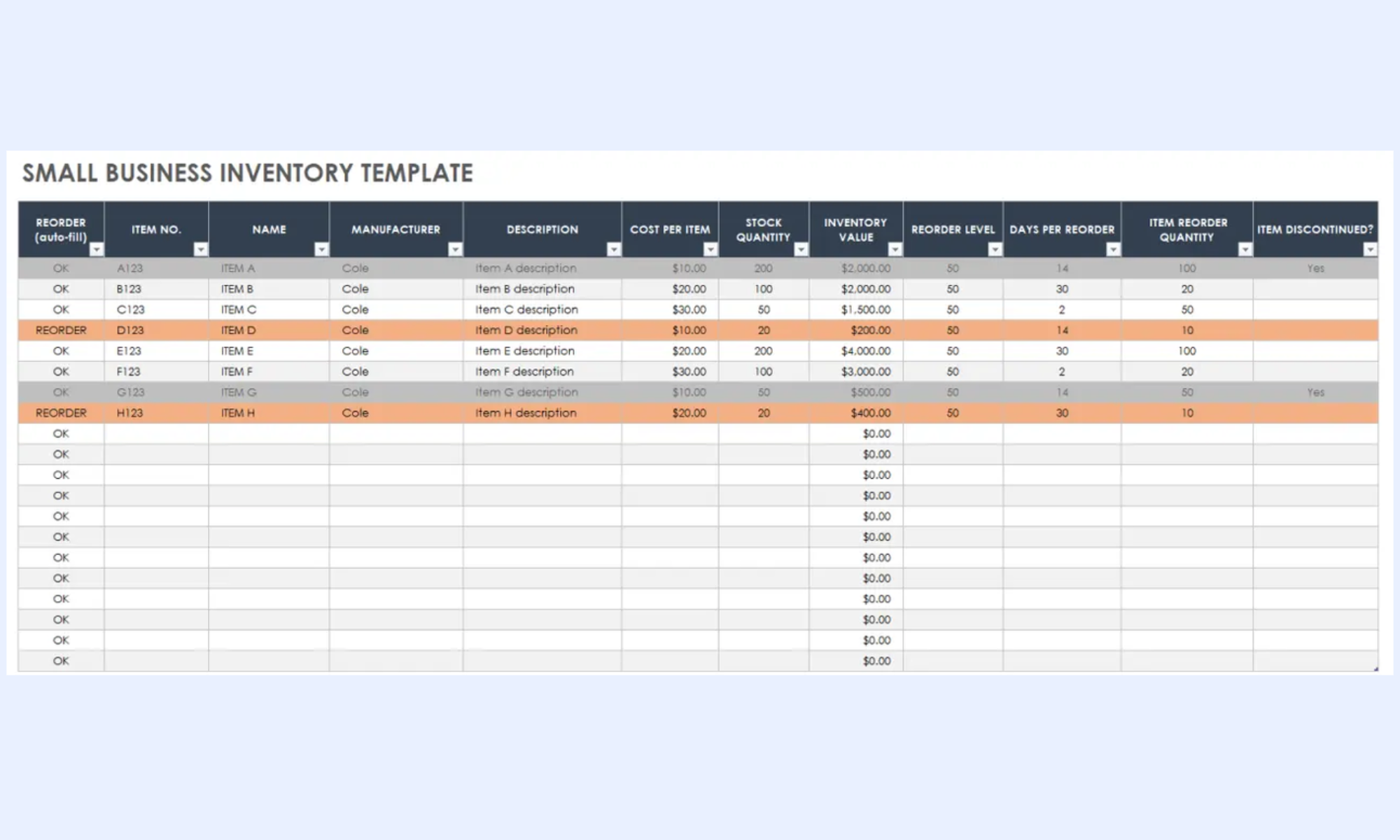
Image source: smartsheet.com
Product tracking spreadsheet template for inventory
Adds a separate transaction log tab recording every stock movement date, quantity in, quantity out, balance, and operator name. Used by product-based businesses that need to know not just current stock but the history of how it changed. Critical column: operator name in the transaction log, not just date and quantity.
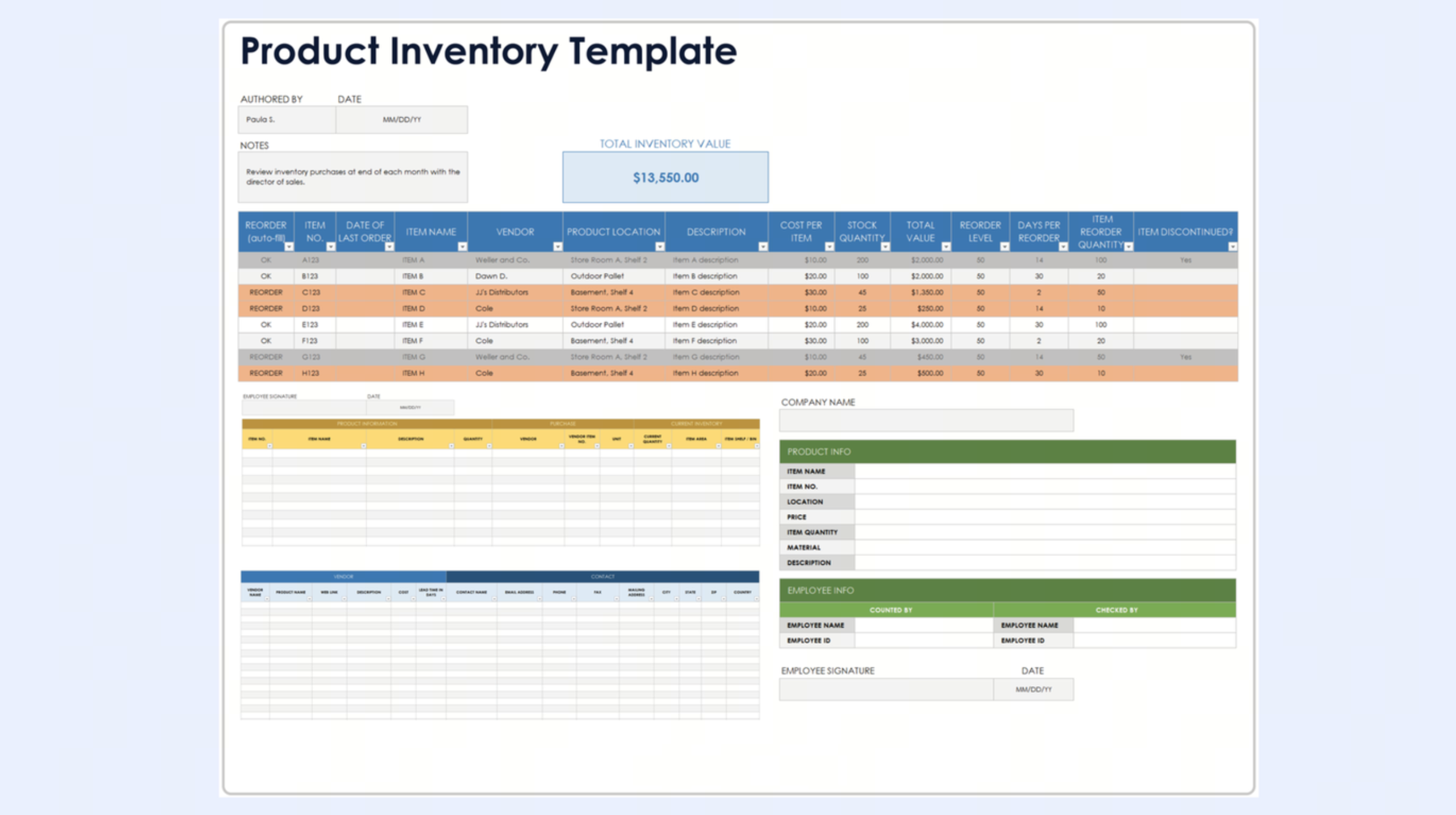
Image source: smartsheet.com
Inventory spreadsheet template Excel
Multi-tab workbook with separate sheets for stock levels, supplier details, and a summary dashboard. Includes SUMIF formulas pulling current stock from the transaction log. Best for PMs and operations managers comfortable with Excel formula maintenance. Main limitation: simultaneous editing produces version conflicts when two team members save the file at the same time.
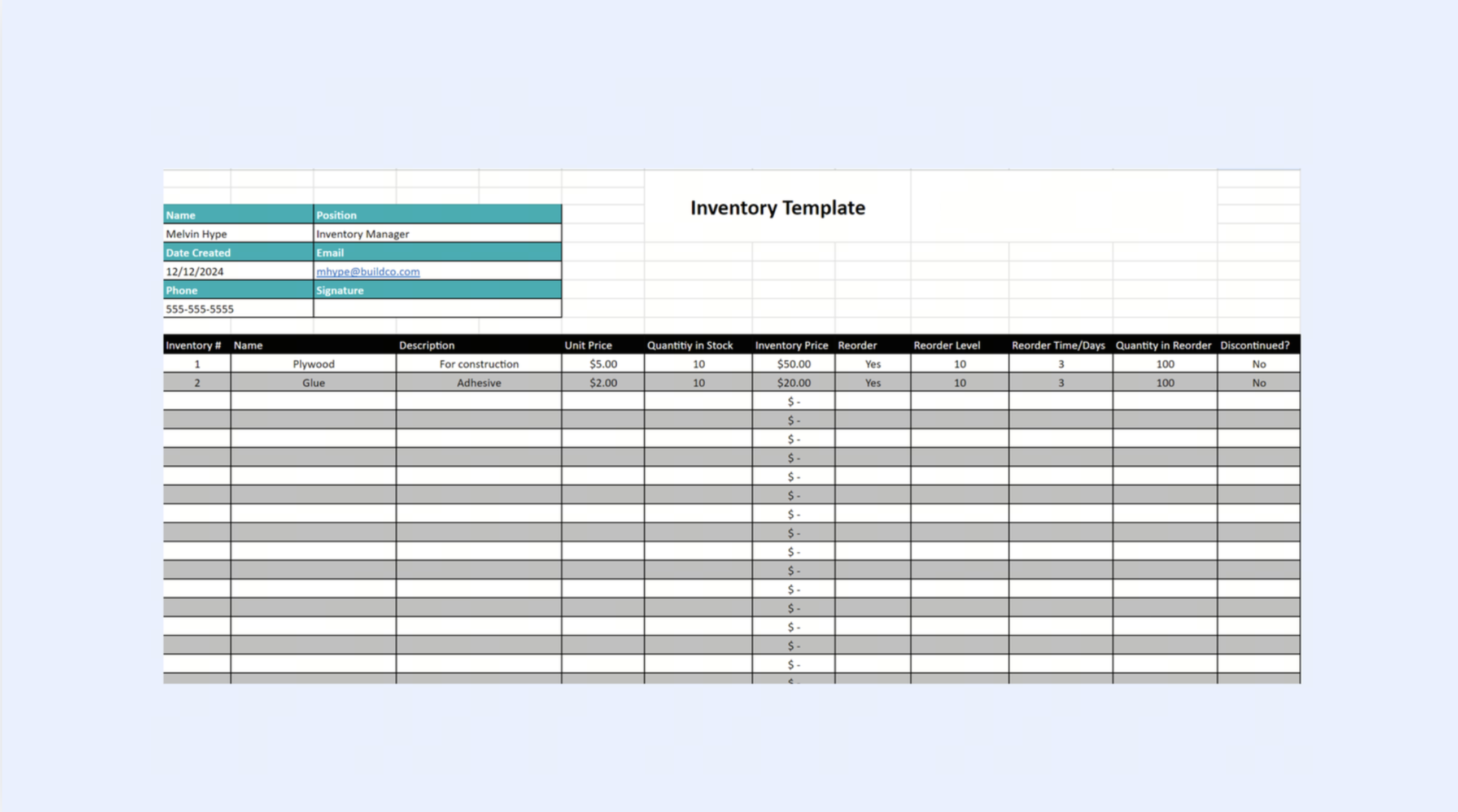
Image source: projectmanager.com
Google spreadsheet inventory template
Cloud-based version with and shareable links. Eliminates the version conflict problem of local Excel files. Still requires manual data entry and produces no automated notifications when stock hits the reorder level without a third-party add-on. Best for small teams already working in Google Workspace.
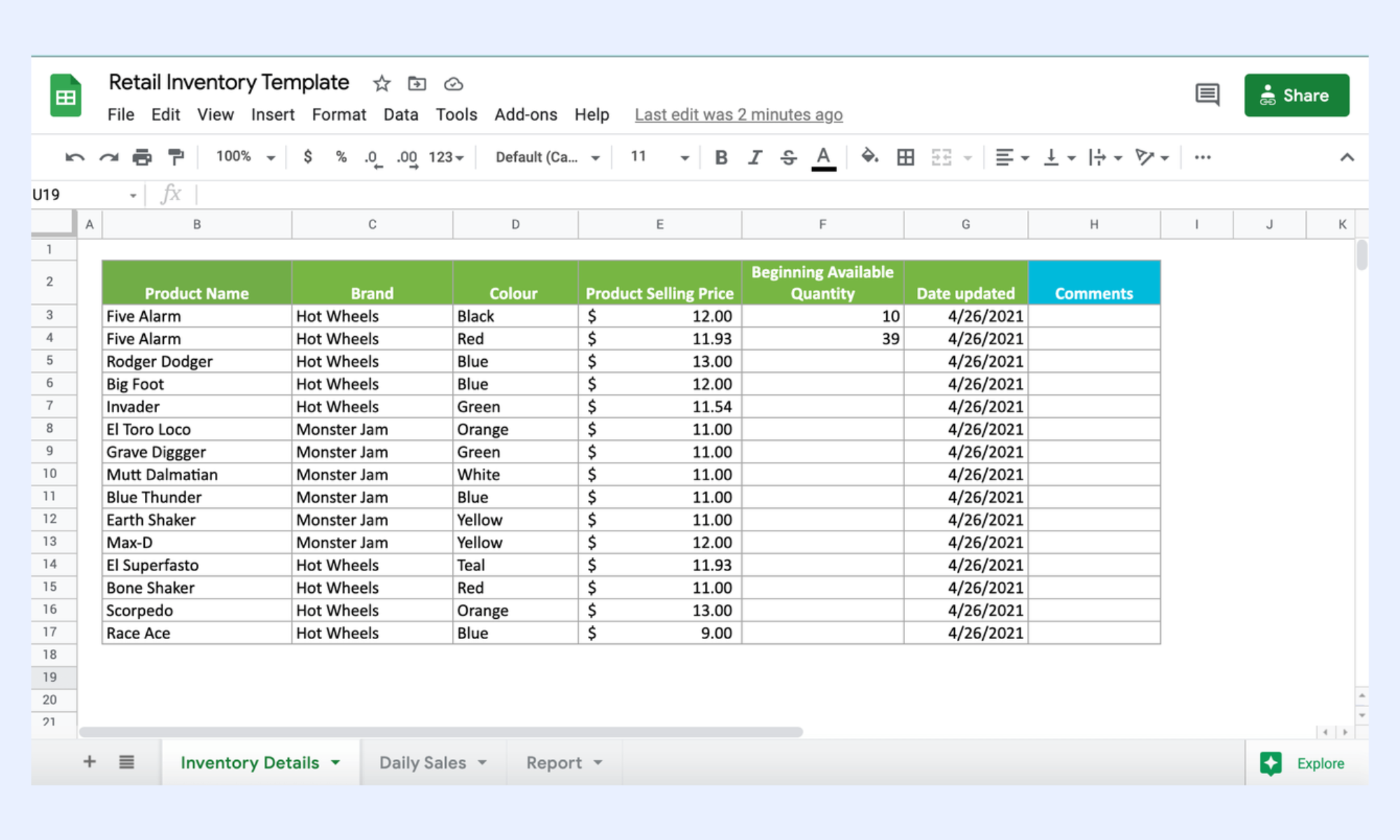
Image source: google.com
Food and beverage inventory spreadsheet template
Adds expiry date, batch number, spoilage quantity, and storage temperature fields to the base template. Includes a FIFO rotation flag marking items approaching expiry for priority use. Critical column: expiry date. A food inventory template without this column produces waste and compliance risk that a reorder level alert alone cannot catch.
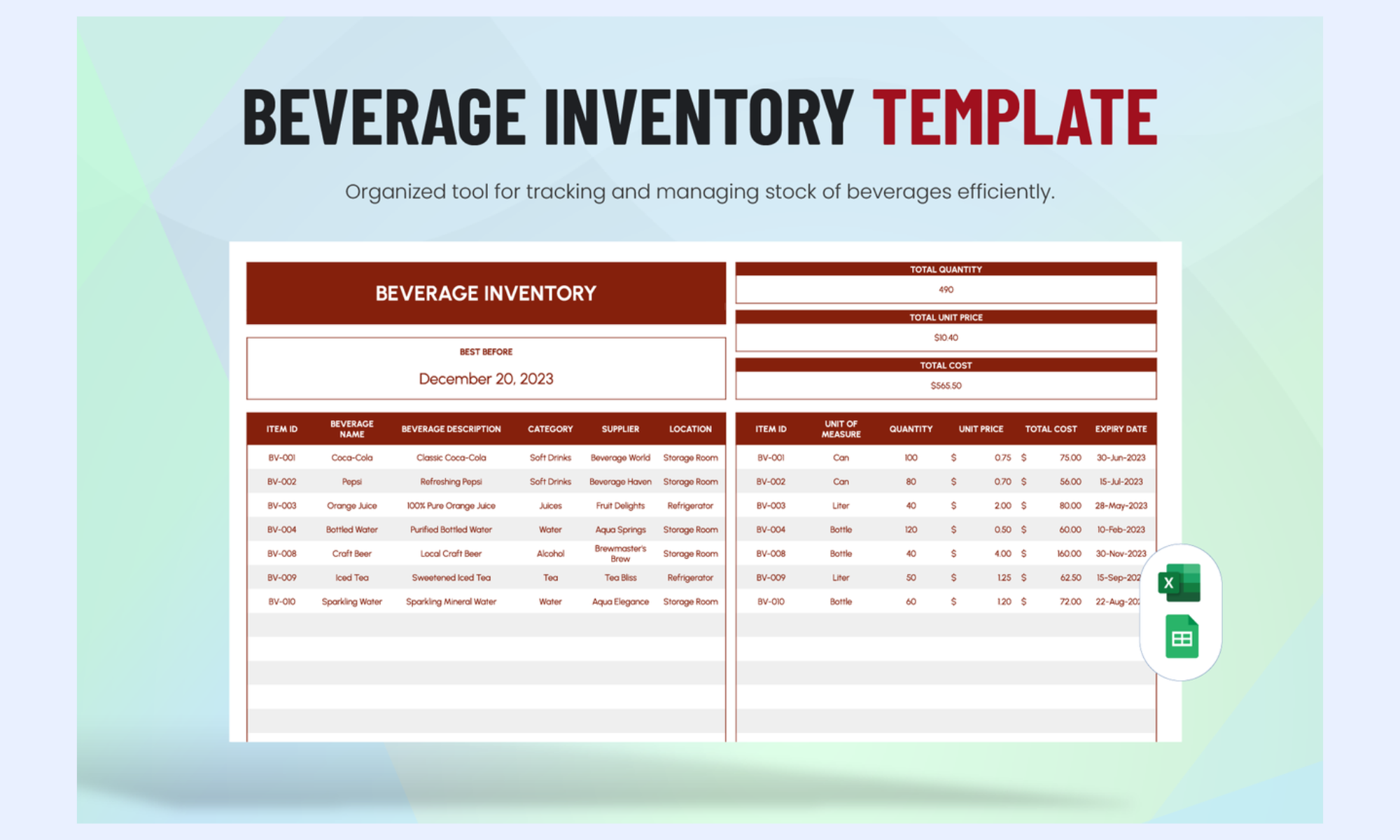
Image source: template.net
IT asset inventory spreadsheet template
Replaces quantity-focused columns with serial number, model, assigned user, department, purchase date, warranty expiry, and maintenance schedule. Tracks individual assets rather than bulk quantities. Critical column: assigned user. Without it, the most common IT helpdesk question who has this device cannot be answered from the spreadsheet.
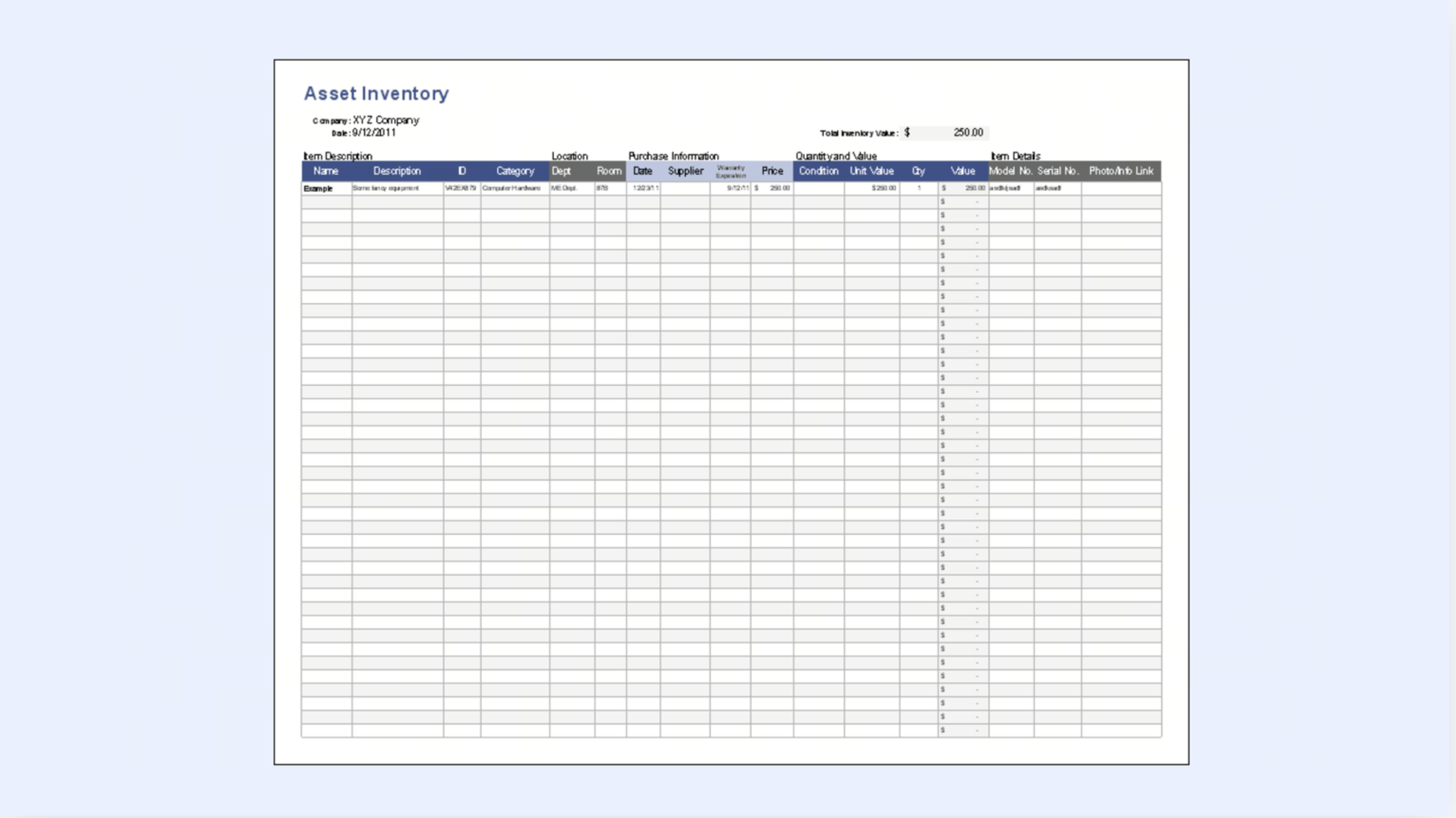
Image source: vertex42.com
Excel vs. Google Sheets for inventory tracking
Choosing between Excel and Google Sheets matters because the format affects how the team works every day. Both can support an inventory template spreadsheet, but each one is stronger in different areas. The right choice depends on whether your team values formula depth, offline work, or more.
While Excel and Google Sheets offer familiar entry points, they often force a trade-off between formula depth and seamless cloud collaboration, eventually creating a "performance ceiling" as manual workarounds for alerts and data syncing become unmanageable. Lark bridges this gap by transforming static spreadsheets into a live, automated system. Let's take a closer look at where it makes a difference.
Master your stock levels with precision and automation
Why Lark is a smarter alternative to an inventory spreadsheet template
As we mentioned, spreadsheets are useful because they are familiar and easy to start with. But most inventory problems do not come from missing columns. That is the point where a spreadsheet stops being a tool and starts becoming a risk. becomes relevant at exactly that stage. It does not replace the logic businesses need. It improves how that logic is stored, updated, automated, and shared. Instead of managing stock in a static file, teams can that connects data, workflows, and people.
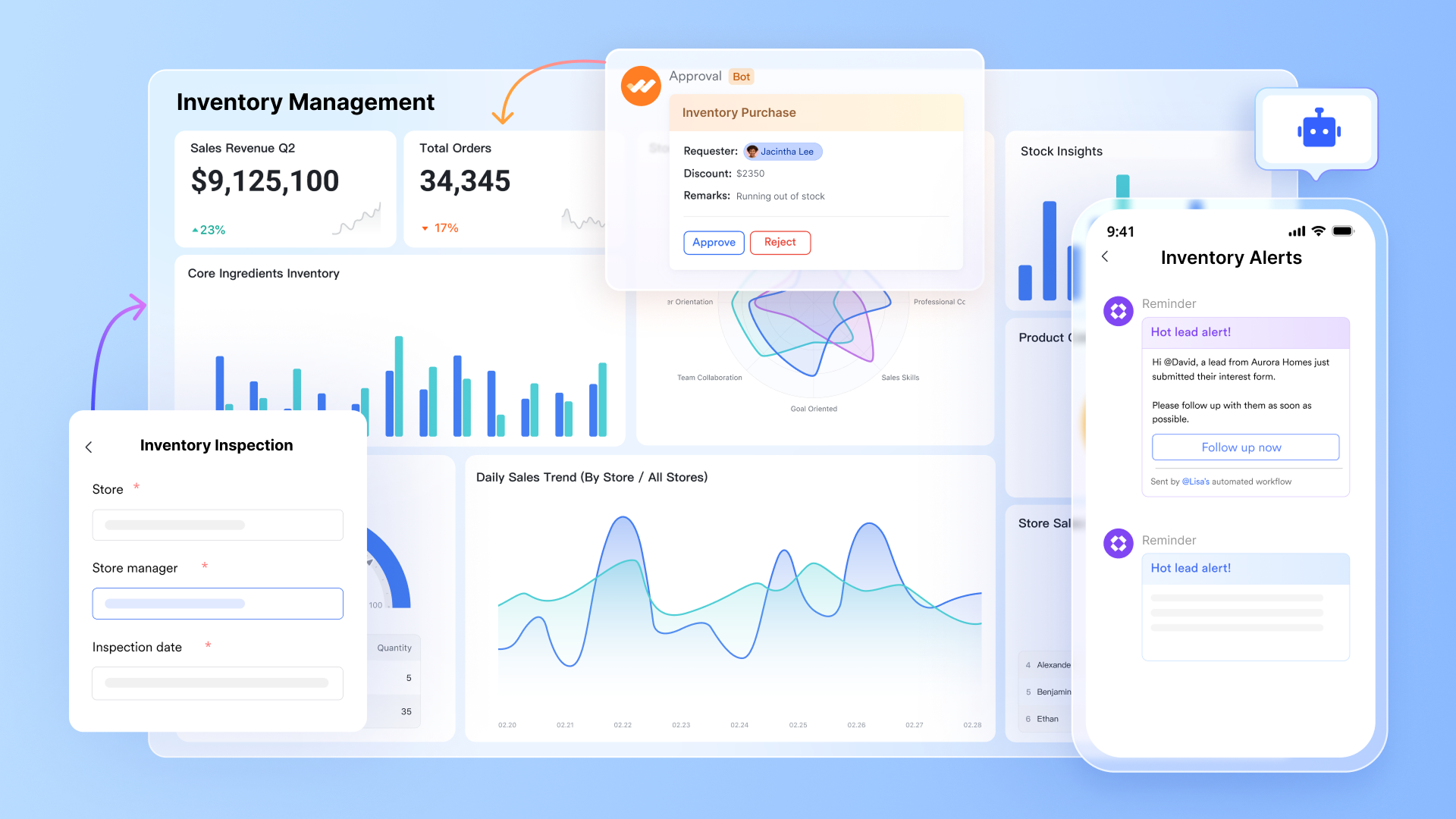
A unified live inventory database
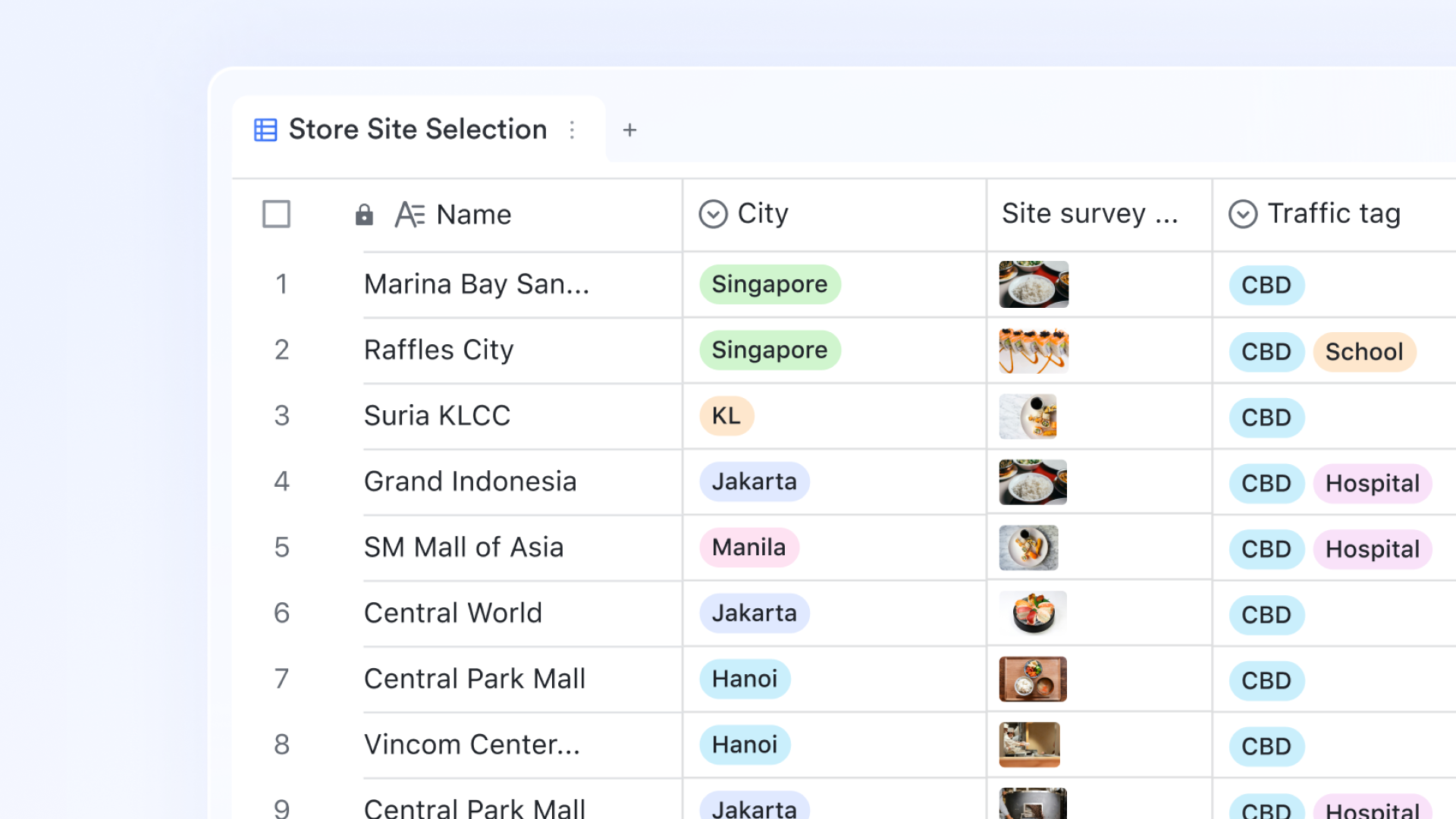
stores inventory in a structured database with numeric fields for quantity and reorder level. For example, formula fields auto-calculate the total inventory value and available stock; barcode fields that accept scanner input directly into the record; and date fields for expiry and last updated. Every field update reflects instantly across all users, with a full change history stored automatically.
Grid, gallery, and dashboard from one dataset
Lark Base transforms a single dataset into multiple high-impact formats. While the Grid view provides stock controllers with a live, filterable table equivalent to a spreadsheet, the Gallery view offers warehouse staff a visual, card-based layout optimized for tablet-based stock checks. For leadership, the offers multiple blocks, such as bar, radar, and column charts, to provide deep insights into data and trends.

Restock alerts that fire the moment stock hits the reorder level
Lark Base Automation lets inventory managers configure trigger-action rules that replace manual stock monitoring. When a quantity in the stock field drops to or below the reorder level field value, the automation sends a notification directly to the purchasing manager in with the item name, current quantity, reorder level, and preferred supplier. When a new receipt is logged, the automation updates the quantity field and clears the alert. 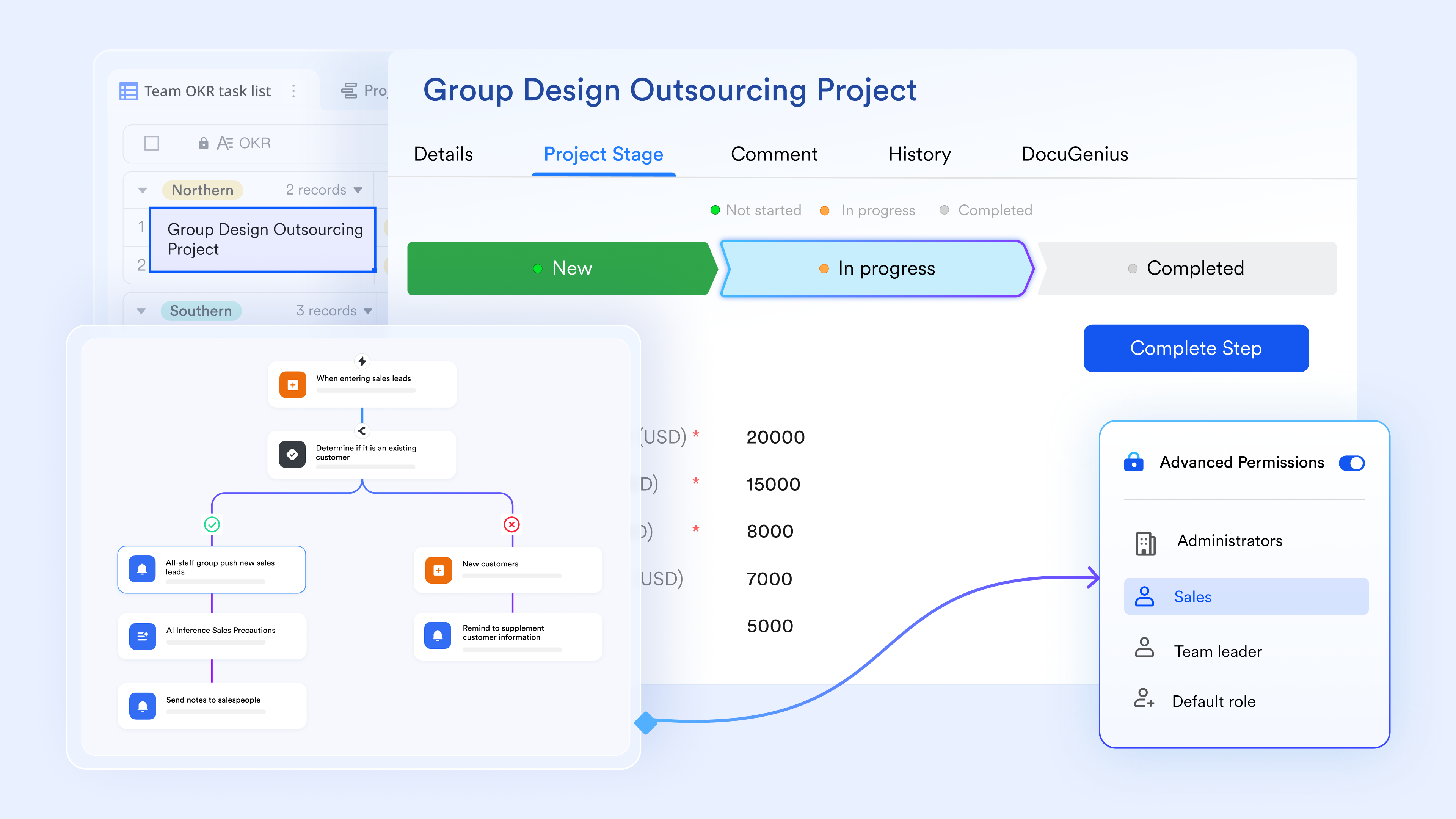
Barcode-enabled stock movement logging from any device
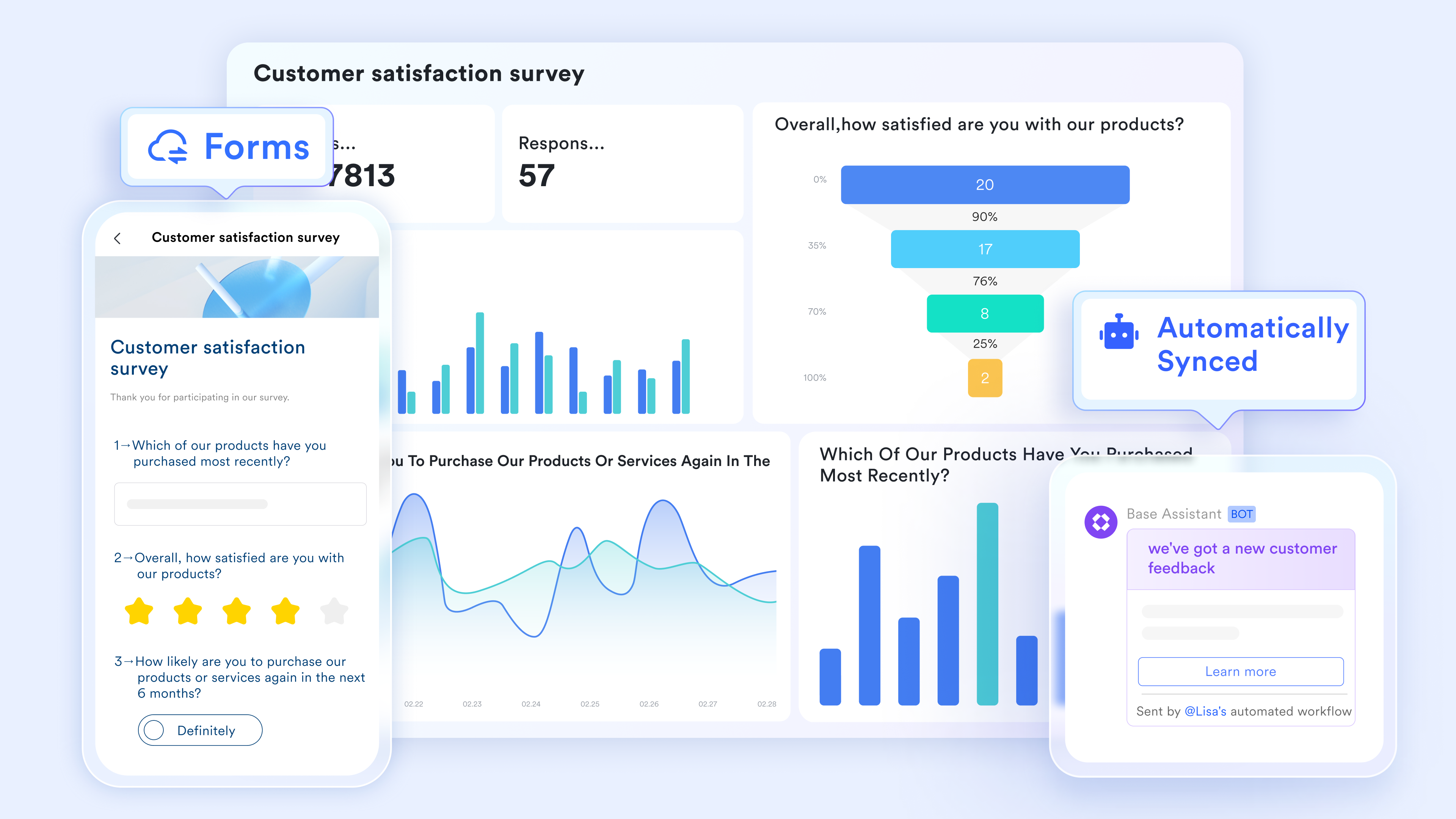
lets warehouse and retail teams log stock movements using a form submission that populates directly into the Lark Base inventory table. The form includes a barcode field accepting scanner or camera input on any mobile device. The scanned SKU automatically matches the existing item record, pre-populating the item name, category, and current quantity. The team member enters movement type (inbound, outbound, or adjustment), quantity, and reason. On submission, Lark Base updates the quantity field and records the transaction.
:
- Starter plan: Free forever plan that includes 11 powerful tools for up to 20 users. It also comes with 100GB of storage, 1000 automation runs, AI translations, and more.
- Pro plan: $12/user/month (billed annually) for up to 500 users. It includes everything in Starter plus group calling for up to 500 attendees, 15TB of storage, 50,000 automation runs, and more.
- Enterprise plan: for custom pricing. Supports unlimited users and includes even more automation runs and advanced security, compliance, and management features.
For small teams with simple communication needs

18 months message history
1000 Base automation runs/month
2000 rows per table in Base
Most POPULAR
For companies with comprehensive collaboration and management needs
Unlimited message history
500-participant video meetings
50k Base automation runs/month
20k rows per table in Base
For large companies with advanced security and organizational management needs
Get a personalized demo and pricing
Unlimited message history
500-participant video meetings
15 TB storage + 30 GB storage/user
500k Base automation runs/month
50k Base automation runs/month
Most POPULAR
For companies with comprehensive collaboration and management needs
Unlimited message history
500-participant video meetings
50k Base automation runs/month
20k rows per table in Base
Ready-to-use Lark's live inventory templates
Templates are still useful even when you move beyond spreadsheets. The difference is that Lark templates are built on a live system, so they keep the convenience of a pre-built structure while removing many of the limitations of static files. Below are template headings you can use in the blog, with a short intro for each to match your required structure.
Inventory management template
This template is ideal for teams that need a complete inventory control setup without building from scratch. It is designed to support stock visibility, movement tracking, reorder monitoring, and operational collaboration in one place. For businesses that have outgrown a small business inventory spreadsheet template, this offers a more connected workflow.
Inbound outbound management template
This template is ideal for businesses where stock movement matters as much as current stock levels. It supports receiving, issuing, and adjustment workflows with clearer transaction logic than a basic inventory spreadsheet template. Teams that need traceability and accountability for movement will benefit most. It is especially useful in warehouses, distribution, and retail back-office operations.
Office inventory management template
Office inventory may seem simpler than retail stock, but it still requires accountability, replenishment, and visibility. This template works well for tracking equipment, supplies, and consumables across departments. It is a more structured option than a generic free inventory spreadsheet template, especially when multiple departments need access. It is useful for admin, facilities, and workplace operations teams.
Retail merchandise store inventory tracking template
This template is designed for store-level merchandising and day-to-day retail stock control. It supports visibility into product availability, display inventory, and replenishment readiness in a more practical way than a simple small business inventory spreadsheet template. Teams managing in-store stock can benefit from the visual and collaborative workflow. It is a strong fit for retail teams that need better shelf-to-backroom coordination.
Inventory template
This is a flexible starting point for teams that want a clean and simple inventory structure with room to expand. It works well for businesses that are currently using a free inventory spreadsheet template and want something more reliable without making the process overly complex. The layout is approachable, which makes onboarding easy. It is a strong fit for general stock tracking across many industries.
Inventory sheet template
This template feels familiar to teams who like the structure of a spreadsheet but want the advantages of a live database. It is especially useful for users who are comfortable with an inventory spreadsheet template layout but need better collaboration and less formula maintenance. It keeps the table-like experience while improving accuracy and flexibility. That makes it a practical bridge from spreadsheets to smarter systems.
Lark inventory report template
Some teams already track stock, but struggle with reporting. This template is built for visibility and summary analysis rather than raw entry alone. It helps businesses understand inventory value, movement trends, and stock status more clearly than a typical spreadsheet template for inventory. It is useful for managers who need cleaner reporting for meetings, planning, or finance reviews.
Smart inventory management system template for inventory controllers
This template is built for teams that need stronger process control, more automation, and better operational oversight. It goes beyond simple record keeping and supports inventory controllers who manage multiple SKUs, suppliers, or locations. If a business is reaching the limits of an inventory spreadsheet template free setup, this is a strong upgrade path. It is especially valuable where alerts, approvals, and role clarity matter.
Retail order inventory management template
Retail teams often need inventory and to work together. This template is useful because it supports stock visibility alongside order-related workflows, helping teams connect replenishment with demand. It is a stronger operational fit than using a separate Google spreadsheet inventory template for stock and another sheet for orders. For growing retail teams, this reduces manual coordination significantly.
Conclusion
An inventory template spreadsheet is still one of the most practical ways to start managing stock. It gives businesses a structured format, clear columns, and a low-friction way to track quantities, suppliers, costs, and reorder thresholds without investing in complex software upfront. But spreadsheets are only best when inventory is simple, stable, and handled by a limited number of people.
Once stock movement becomes faster, more collaborative, or more operationally important, the risks increase. That is when businesses start needing live records, , barcode-friendly input, role-based permissions, and dashboards that update without manual refreshes. Lark is a strong next step because it keeps the clarity teams like in a spreadsheet while removing the version conflicts, manual monitoring, and disconnected workflows that make inventory harder to trust.
Experience live, automated inventory management today
FAQs
What is the best free inventory spreadsheet template for small businesses?
The best option is usually a small business inventory spreadsheet template with SKU, quantity in stock, unit cost, reorder level, supplier, and low-stock highlighting already built in. A free inventory spreadsheet template works best when it stays simple and is easy for one person or a small team to maintain consistently. If the business needs collaboration, a Google spreadsheet inventory template is often easier than a local file. As stock complexity grows, many teams move from a basic sheet to Lark for live updates and automated restock alerts.
When should I stop using a spreadsheet for inventory management?
You should consider moving beyond a spreadsheet when multiple people update inventory daily, when stock errors affect orders or purchasing, or when you need alerts rather than manual checks. Even with a robust inventory spreadsheet template, the Excel-based product tracking setup becomes harder to trust as transaction volume increases. If your team needs barcode workflows, permissions, or dashboards, spreadsheets usually become too manual. That is where Lark becomes useful because it keeps the familiar structure while adding automation and shared visibility.
Does Google Sheets have an inventory template?
Yes, many businesses use a Google spreadsheet inventory template because it is easy to share and supports real-time collaboration. It is often the most accessible inventory spreadsheet template free option for teams already using . However, most versions still rely on manual entry and do not provide true restock notifications unless you add scripts or tools. For teams that want a similar collaborative experience with stronger workflow features, Lark is often a better long-term choice.
Is Excel or Google Sheets better for inventory tracking?
Excel is usually better for complex formulas, offline work, and users who want more advanced workbook logic. Google Sheets is usually better for live collaboration and shared access. Both can serve as a usable inventory spreadsheet template in the early stages. But if your team wants automation, field-level permissions, and inventory updates connected to team communication, Lark is stronger than either spreadsheet format.
Can Lark replace an inventory spreadsheet template?
Yes, and that is often the natural next step for growing teams. Lark Base can store inventory records in a structured table-like format, so it still feels familiar to users coming from an inventory spreadsheet template. The difference is that it adds live multi-user updates, barcode-ready fields, automations, , and Messenger alerts in one place. For teams that have outgrown a free inventory spreadsheet template, Lark can replace the sheet while keeping the workflow easier to manage.
Related reading