Imagine a scenario where your remote team needs to brainstorm ideas for an upcoming project while scattered across different time zones. Real-time collaboration tools become crucial in this situation, providing a seamless way to exchange thoughts, edit shared documents, and communicate effectively without the delays of traditional methods. The rise of these tools has transformed team interactions, enabling instant collaboration whether members are in the same office or dispersed across the globe. Among the wide array of options available, all-in-one collaboration platforms have gained popularity due to their comprehensive functionality. These platforms often integrate various essential features, such as chat, documents, calendars, meetings, tasks, approvals, and even automation capabilities that require no coding knowledge. As teams continue to seek more cohesive ways to work, understanding the best tools tailored to specific needs becomes paramount.
Key takeaways: Top 13 tools for real-time collaboration
This guide covers 13 comprehensive products designed to enhance real-time collaboration, each with its unique strengths:
- Lark: All-in-one platform for teamwork
- Slack: Leading messaging app for teams
- Microsoft Teams: Integrated solution for Microsoft users
- Google Workspace: Integrated tools securing cross-border cooperation
- Trello: Visual project management tool
- Prezi: Dynamic presentation software for engaging visual storytelling
- Asana: Task management for teams
- Notion: Flexible workspace for documentation
- Zoom: Premier video conferencing platform
- Figma: Real-time design collaboration tool
- Miro: Online whiteboard for brainstorming
- Airtable: User-friendly database with collaboration
- ClickUp: Task management with limited integrations
By the end of this article, you will be equipped with insights into these tools' features, pricing, limitations, and user experiences, empowering you to make informed decisions about the best real-time collaboration solutions for your team.
What are real-time collaboration tools?
Real-time are software applications designed to facilitate effective teamwork among individuals and groups. They , , and , allowing users to coordinate their efforts seamlessly. These tools are essential in today's work environment, especially as teams often work remotely and may be spread across various locations.
One of the defining features of real-time collaboration tools is their ability to enable instant communication. Users can exchange ideas, provide feedback, and make decisions without time delays, fostering a more dynamic working environment. Key functionalities typically include messaging capabilities (both text and video), document sharing and , , and scheduling features.
Real-time collaboration tools often integrate essential applications, allowing teams to manage tasks, set deadlines, and monitor progress all in one place. Some platforms also incorporate automation features that streamline repetitive tasks without requiring coding knowledge. By simplifying workflows and promoting interactive collaboration, these tools contribute to a more cohesive working culture, making it easier for teams to navigate the challenges of collaboration in real time. As organizations adopt these solutions, understanding their core functionalities becomes crucial for maximizing their potential benefits.
Start your seamless collaboration now
Benefits of using real-time collaboration
- : Real-time collaboration tools streamline communication, reducing the time spent on emails and meetings. Teams can quickly share information, make decisions, and take action immediately.
- Improved communication: These tools provide various communication options, including instant messaging, video calls, and document commenting, ensuring that everyone stays on the same page.
- Greater engagement: By enabling real-time interaction, teams can stay connected and motivated, encouraging participation from all members, regardless of location.
- Flexible work environments: Real-time collaboration tools allow for and flexible schedules, accommodating diverse working styles and locations.
- Centralized information: With documents, tasks, and communications stored in one place, teams can easily access the information they need, reducing the chances of miscommunication.
- Streamlined processes: features in many collaboration tools help simplify workflows, allowing teams to focus on their core tasks rather than administrative duties.
Types of collaboration tools
Collaboration tools come in various types, each serving specific purposes within a team. Below are key categories of tools that enhance real-time collaboration:
- : These tools are designed for fast communication and often include chat functionalities, enabling team members to connect quickly and efficiently.
- : These platforms help teams organize tasks, set deadlines, and track project progress in real-time, ensuring that everyone is aligned and accountable.
- : Tools in this category allow multiple users to create and edit documents simultaneously, facilitating efficient content creation and feedback.
- : These tools enable face-to-face meetings virtually, which can boost engagement and allow for rich discussions despite physical distances.
- : Secure file-sharing platforms allow users to share and manage documents seamlessly, simplifying the collaborative process.
Detailed analysis of top 13 real-time collaboration tools
1. Lark: Your comprehensive solution for real-time collaboration
Overview
is a powerful all-in-one collaboration platform designed to enhance teamwork through , document sharing, and project management. With its diverse range of features, Lark stands out as one of the best real-time collaboration tools for teams of any size, enabling effective collaboration regardless of geographical barriers. It incorporates various tools, including messaging, documentation, video meetings, and , making it an ideal choice for organizations seeking efficiency within their workflows. Below are key functionalities that particularly highlight Lark's strengths as a real-time collaboration tool.
Key features
Real-time document collaboration in
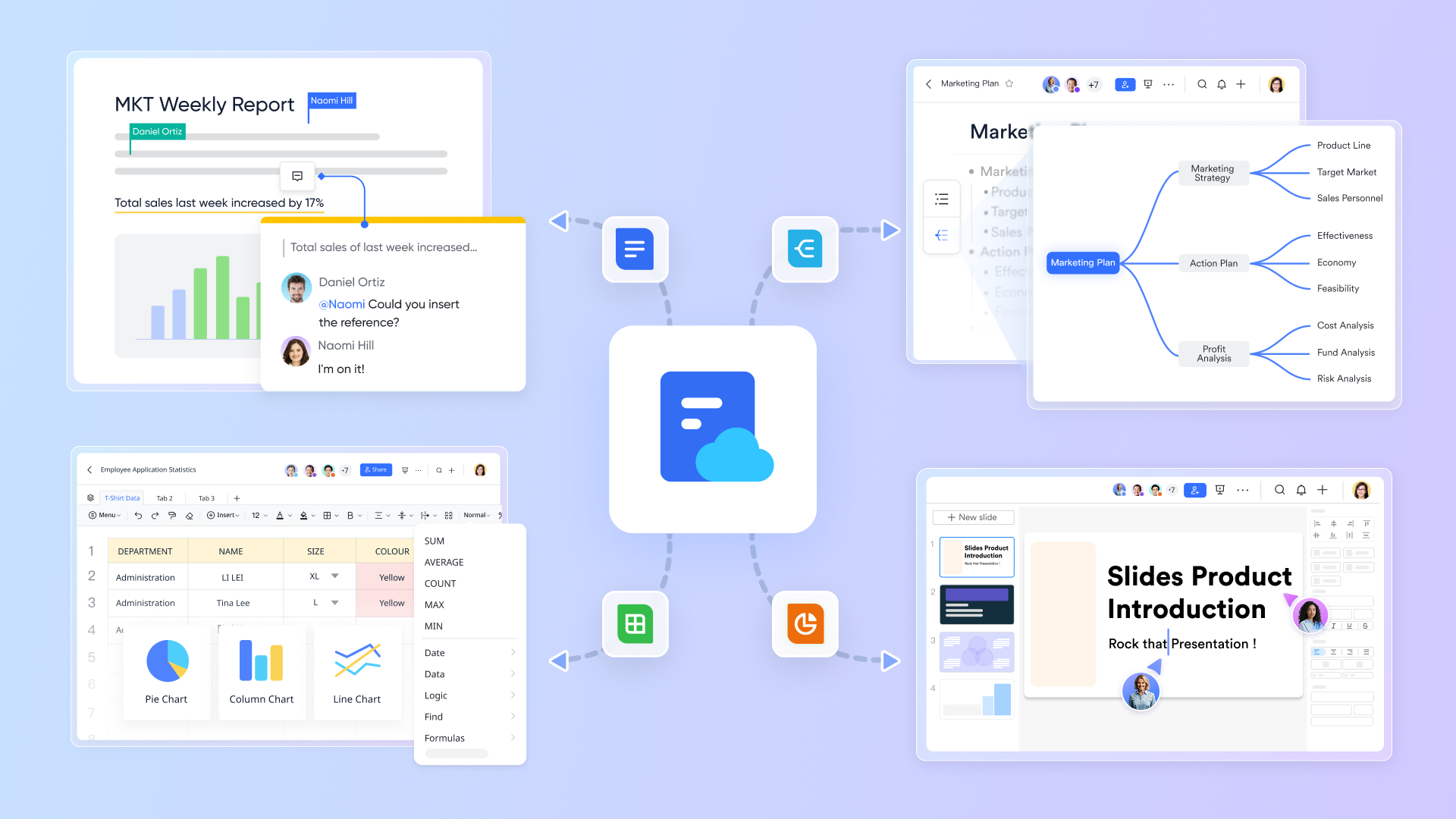
Lark Docs is a versatile and management tool designed to enhance real-time collaboration among teams, enabling them to develop documents, spreadsheets, presentations, and more collectively. This capability fosters effective teamwork and ensures all members stay aligned with project updates. Key features that highlight its role in real-time collaboration include:
- Real-time editing: Multiple users can edit documents simultaneously, with changes reflecting instantly for all collaborators.
- Comments and feedback: Team members can leave comments and suggestions directly within the document, streamlining the review process and minimizing lengthy email exchanges.
- Comprehensive permissions management: Document owners can configure view, edit, comment, and share permissions to ensure maximum data security, allowing for controlled access to sensitive information.
- Version management: Users can track and review past edits and comments, with the ability to save document versions manually or automatically. It thus allows teams to revert to previous iterations easily, promoting confidence in collaborative edits.
- Diverse templates: Lark Docs offers a variety of customizable templates for different applications, including project management, reporting, and HR functions, catering to various departmental needs. This versatility caters to various departmental needs, making collaboration more efficient and organized.
By leveraging Lark Docs, teams can ensure smooth progress on projects and adherence to deadlines without unnecessary interruptions. Its emphasis on real-time collaboration capabilities positions Lark Docs as an essential tool for enhancing team productivity and engagement.
Seamless discussions with and
provides a powerful platform for teams to connect in real time, facilitating seamless discussions regardless of location. This feature enables teams to conduct video conferences and webinars, ensuring effective communication and collaboration among members.
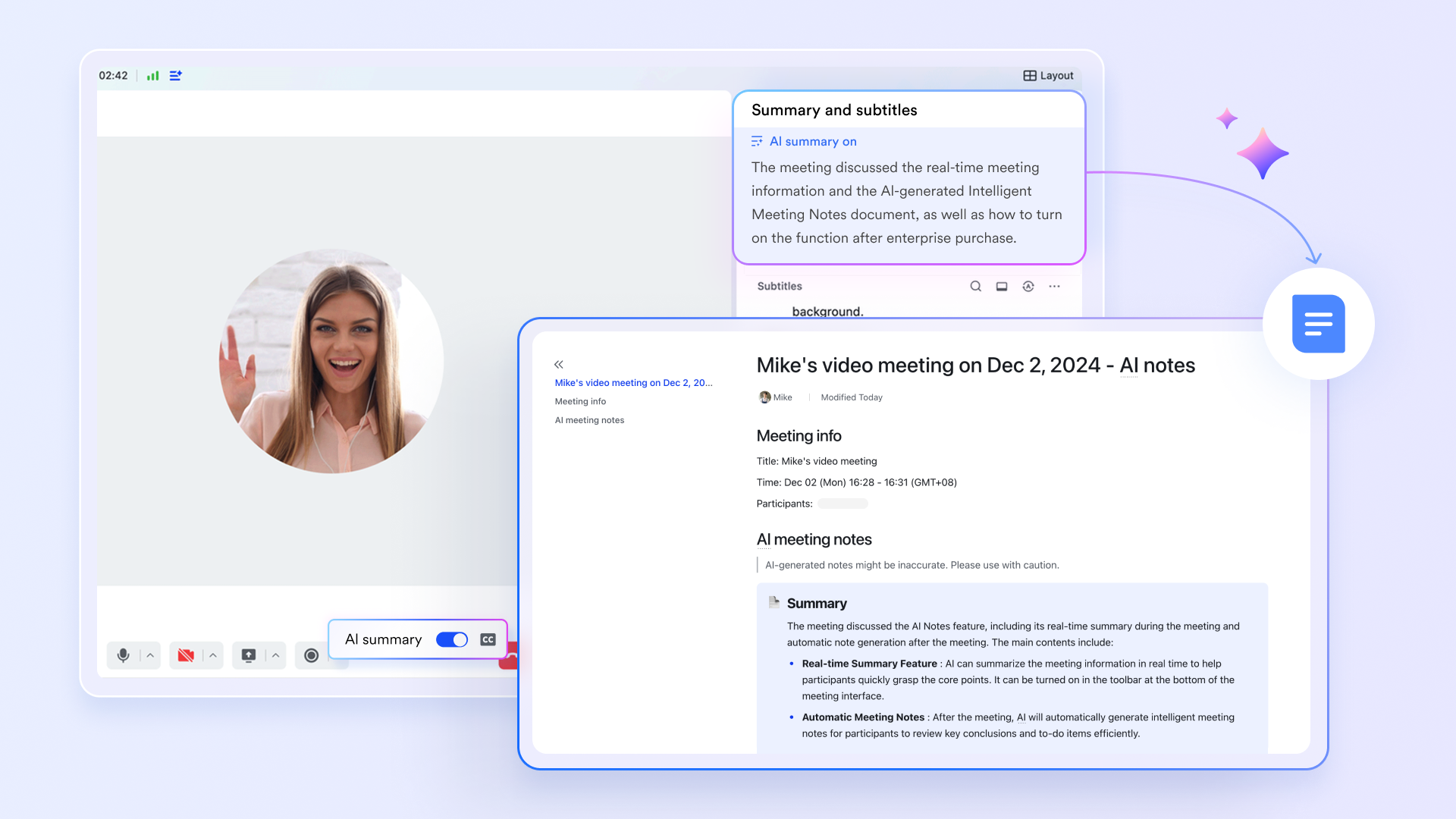
Lark's AI Meeting Notes feature automatically takes notes during meetings, capturing key points, decisions made, and action items. To activate AI Meeting Notes, teams can enable the feature with just one simple click, allowing for effortless setup before a meeting begins. This tool enhances productivity in several ways:
- Automatic transcription: AI technology records conversations and summarizes discussions, providing a clear reference for attendees.
- Action item tracking: Automatically generate a to-do list of assigned tasks, ensuring accountability and follow-up after meetings.
By using AI Meeting Notes, teams can focus on the conversation instead of manual note-taking, improving overall engagement and ensuring that vital information is not overlooked.
Centralize real-time communication with
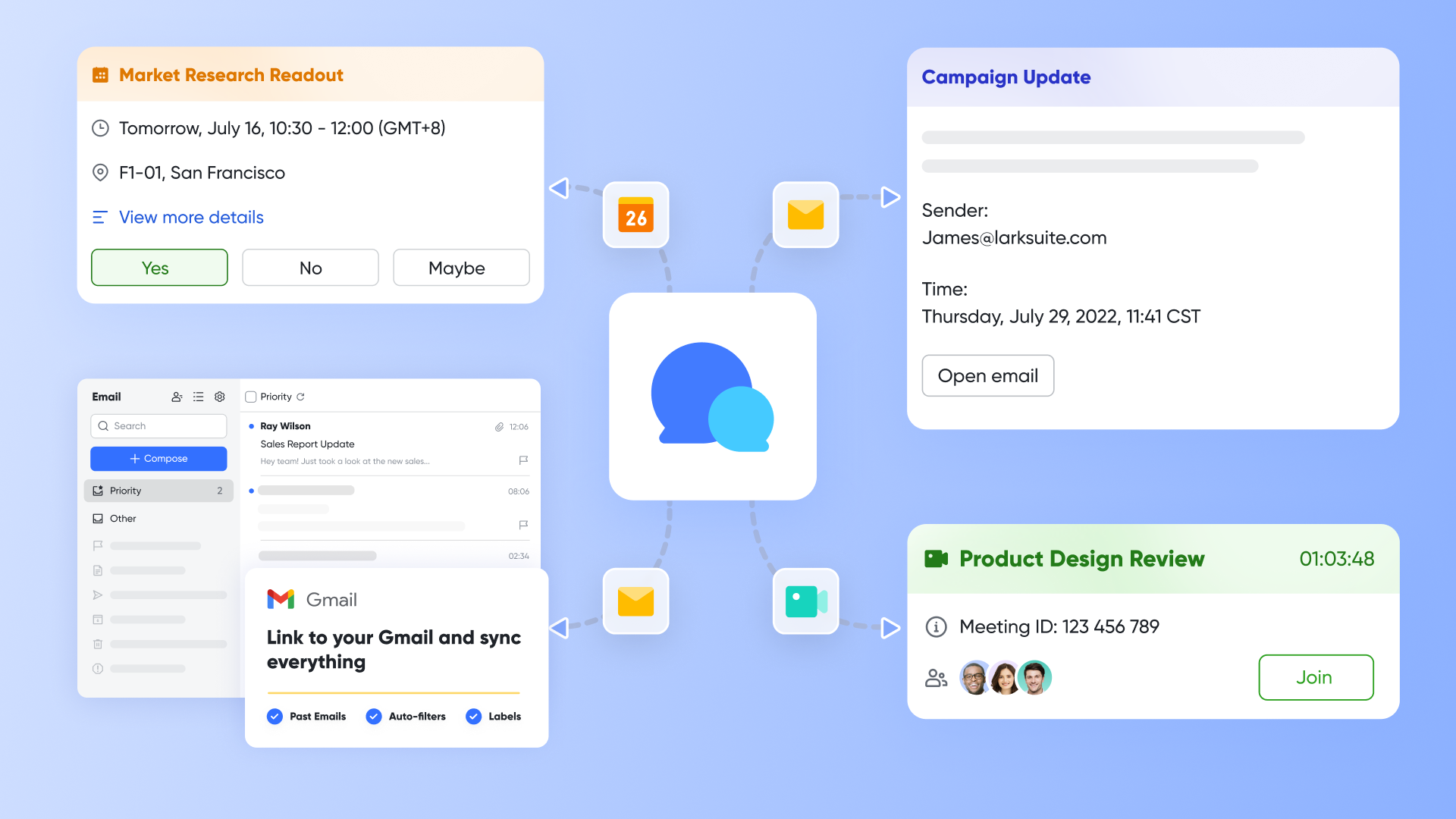
Lark Messenger serves as the cornerstone of effective team communication. This messaging tool allows users to send instant messages, , and create chat groups tailored to various projects or departments. Key features include:
- Instant messaging: Communicate swiftly with colleagues through direct messages or group chats.
- File sharing: Quickly share documents, images, and videos without leaving the chat interface, fostering efficient collaboration.
By centralizing all communications in one platform, Lark Messenger eliminates the confusion of fragmented messaging across multiple applications, enhancing clarity and responsiveness among team members.
Improve real-time collaboration with
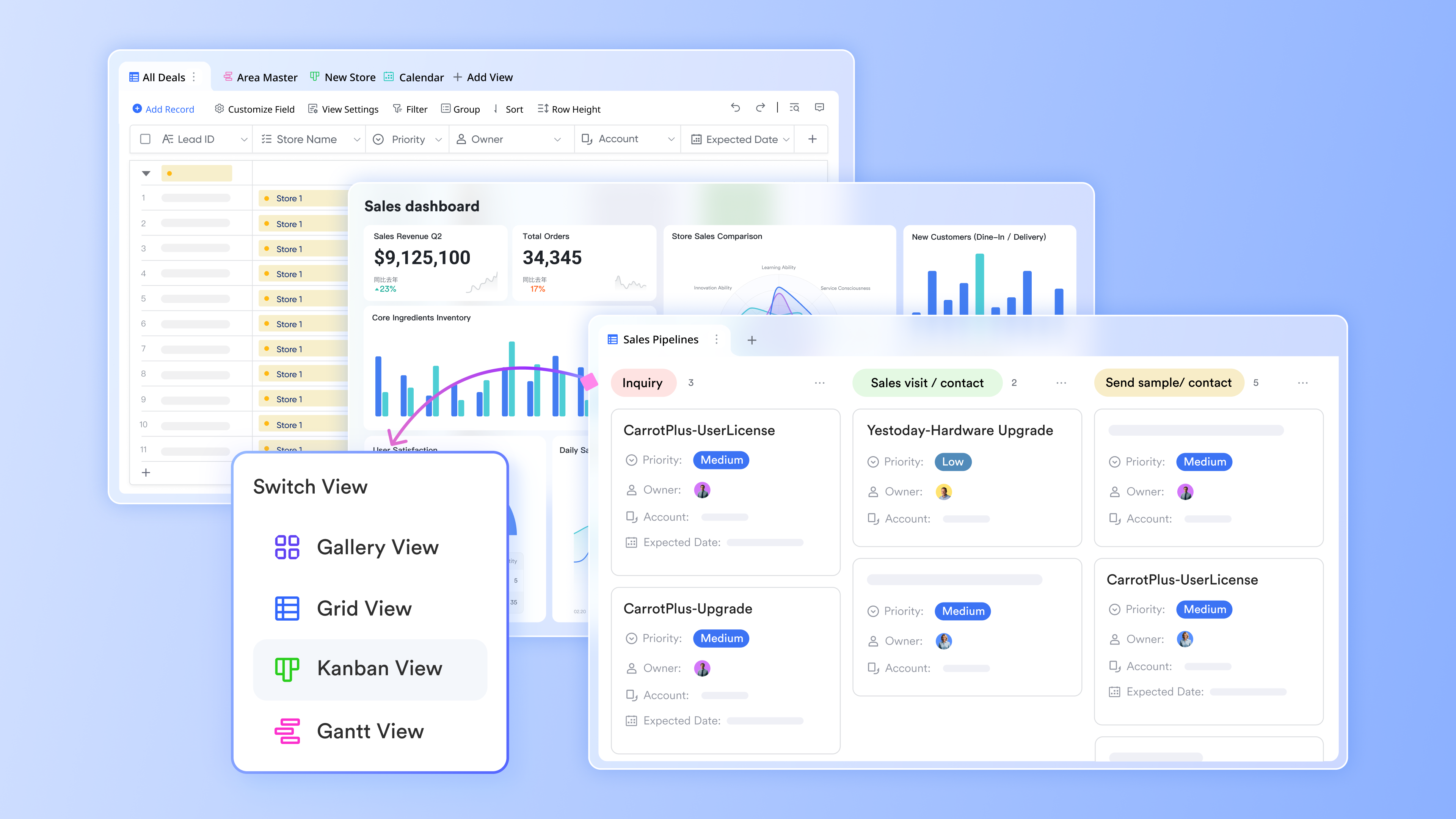
Lark Base is a dynamic database and management platform designed to enhance real-time collaboration among teams while efficiently storing, managing, and presenting data. Key features that elevate real-time collaboration include:
- Streamlined project management: Teams can organize tasks and data effectively, allowing project managers to assign tasks, automate workflows, and synchronize progress in real-time across different views, such as , , and Gallery. This versatility supports project planning and helps teams efficiently manage deadlines and administrative tasks—all in one centralized location.
- Collaborative features: Lark Base promotes seamless real-time collaboration, allowing teams to work together effortlessly. Users can transition between tasks while engaging in discussions and creating content, which fosters teamwork and enhances collective productivity.
By embracing Lark Base, teams can optimize their project management processes, elevate communication, and ensure all members are informed and aligned.
Best for
- Dynamic teams: Ideal for teams seeking all-in-one solutions to .
- Cross-functional teams: Perfect for organizations that bring together members from different departments to work on shared projects.
- Remote teams: Excels in settings where team members work from various locations and need instant communication and collaboration tools.
- Project-based teams: Supports teams focused on specific projects requiring coordinated efforts and real-time document editing.
- Creative teams: Ideal for design and content creation teams that benefit from simultaneous editing and feedback sessions.
- Data-driven teams: Suitable for teams that require collaborative input on documents and reports while ensuring data accuracy and security.
Limitations
- While Lark offers a plethora of features, some users may find the abundance of options overwhelming at first, requiring a little time to fully leverage all capabilities. Users can see to address their questions.
:
- Starter plan: Free forever plan with 11 powerful tools for up to 20 users, 100GB storage, 1,000 automation runs, AI translations, and more. No credit card needed.
- Basic plan: $6/user/month (billed annually) for up to 500 users. Includes everything in Starter plus unlimited message history, 5TB storage, 1,000 automation runs, and more. Some users may need to to purchase.
- Pro plan: $12/user/month (billed annually) for up to 500 users. Includes everything in Basic plus group calling for up to 500 attendees, 15TB storage, 50,000 automation runs, and more.
- Enterprise plan: for custom pricing. Supports unlimited users and includes advanced automation, security, compliance, and management features.
For small teams with simple communication needs

18 months message history
1000 Base automation runs/month
2000 rows per table in Base
Most POPULAR
For companies with comprehensive collaboration and management needs
Unlimited message history
500-participant video meetings
50k Base automation runs/month
20k rows per table in Base
For large companies with advanced security and organizational management needs
Get a personalized demo and pricing
Unlimited message history
500-participant video meetings
15 TB storage + 30 GB storage/user
500k Base automation runs/month
50k Base automation runs/month
Most POPULAR
For companies with comprehensive collaboration and management needs
Unlimited message history
500-participant video meetings
50k Base automation runs/month
20k rows per table in Base
: Switching to Lark's Pro plan can lead to significant cost savings— for example, a 100-employee company using Slack, Google Workspace, and Airtable could save approximately $19,800 annually by consolidating their tools with Lark.
Real user feedback
"Lark has transformed our workflow. The all-in-one design keeps everything in one place, which reduces our reliance on multiple tools."
Note: The review above is sourced from G2.
Discover an all-in-one collaboration solution now
2. Slack: Instant messaging for seamless team communication
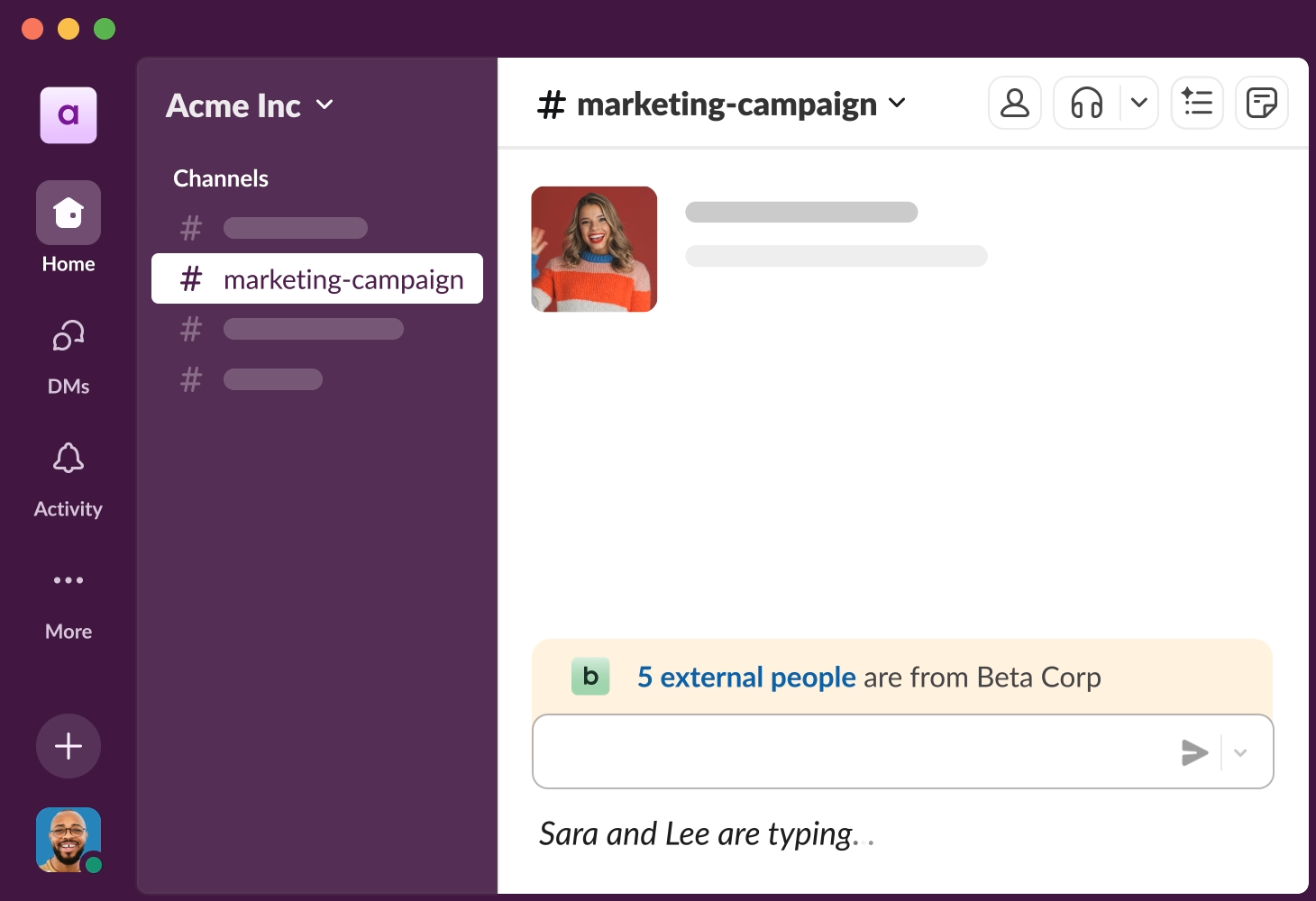
Image source: slack.com
Overview
Slack is one of the leading messaging platforms tailored for team collaboration. It focuses on simple communication through channels, allowing teams to create dedicated spaces for discussions based on projects, departments, or topics.
Key features
- Channel organization: Create channels for different topics or teams.
- Integration with apps: Connect with various third-party applications for added functionality.
- File sharing: Easily send and share documents within conversations.
- Audio and video calling: Facilitate direct calls and meetings via the platform.
Best for
Slack is best suited for teams looking for an adaptive messaging solution that integrates with multiple tools and enhances real-time communication.
Limitations
Some users may find the dependency on channels can lead to clutter, making it challenging to keep track of ongoing conversations.
Pricing:
- Free plan: Available(without AI)
- Paid plans: Start at $8.75/month per user (50% off for 3 months)
Real user feedback
"We love how quickly we can communicate and share ideas on Slack. It makes remote work so much easier!"
Note: The review above is sourced from G2.
3. Microsoft Teams: Integrated workspace for chat and collaboration
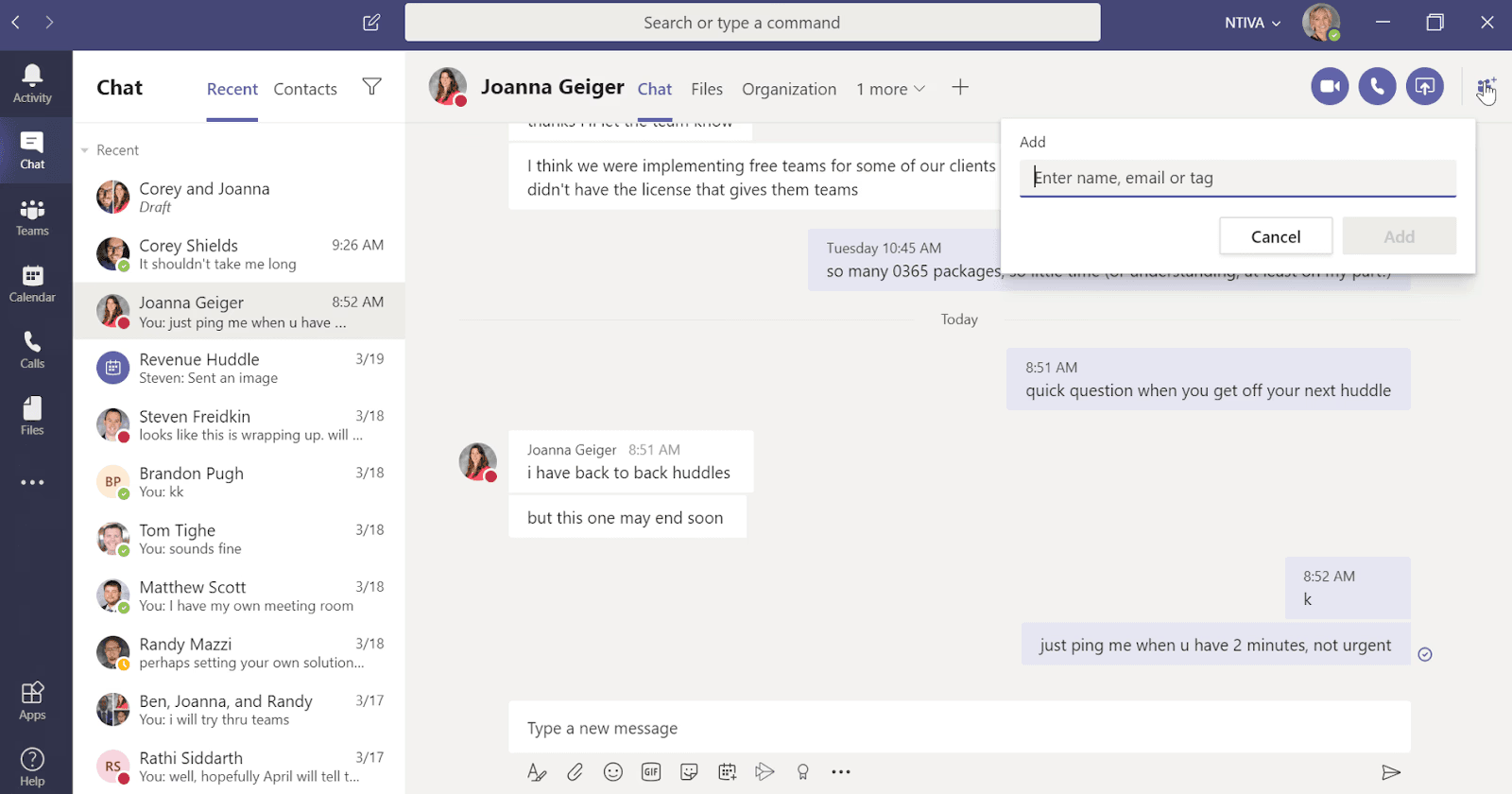
Image source: microsoft.com
Overview
Microsoft Teams is an integrated communication platform that caters to businesses specifically invested in the Microsoft ecosystem. It combines chat, video meetings, and collaborative document editing within a secure environment.
Key features
- Seamless integration: Works well with other Microsoft Office applications.
- Virtual meeting capabilities: Provides robust options for hosting video calls.
- Task management: Integration with Microsoft Planner for task assignments.
- File storage: Direct access to OneDrive for file sharing and collaboration.
Best for
Teams already using Microsoft products will find Microsoft Teams especially beneficial due to its seamless integration with existing Office tools.
Limitations
New users may experience a learning curve, particularly if they are not familiar with Microsoft's ecosystem.
Pricing:
- Free plan: Unavailable for businesses
- Paid plans: Start at $4/month per user
Real user feedback
"Microsoft Teams has been a lifesaver in terms of integrating everything we need for collaboration in one platform."
Note: The review above is sourced from G2.
4. Google Workspace: Cloud-based tools for collaborative productivity
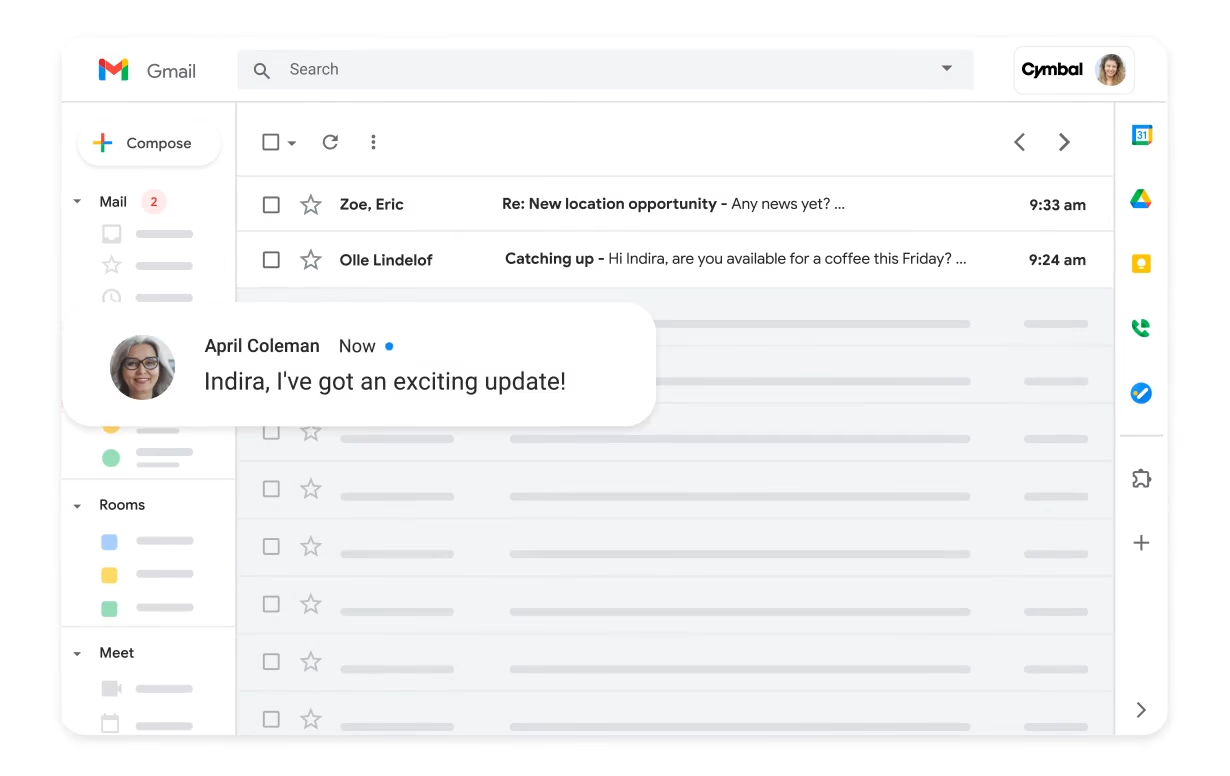
Image source: google.com
Overview
Google Workspace is a suite of productivity applications that facilitate real-time collaboration. formerly known as G Suite, it includes tools for managing documents, email, calendars, and video conferencing.
Key features
- Real-time editing: Collaborate on documents, spreadsheets, and presentations simultaneously.
- Integrated email and calendar: Use Gmail and Google Calendar to manage communications and schedules.
- Video conferencing: Google Meet enables seamless online meetings.
- Cross-platform accessibility: Easily access files on any device.
Best for
Organizations that prioritize cloud-based solutions and need robust document collaboration capabilities will benefit from Google Workspace.
Limitations
Users may encounter limitations regarding offline access, as most features are cloud-dependent.
Pricing:
- Paid plans: Start at $7/month per user
Real user feedback
"The collaborative features in Google Docs and Sheets are fantastic. We never have to worry about version control issues!"
Note: The review above is sourced from G2.
5. Trello: Visual task management for team projects
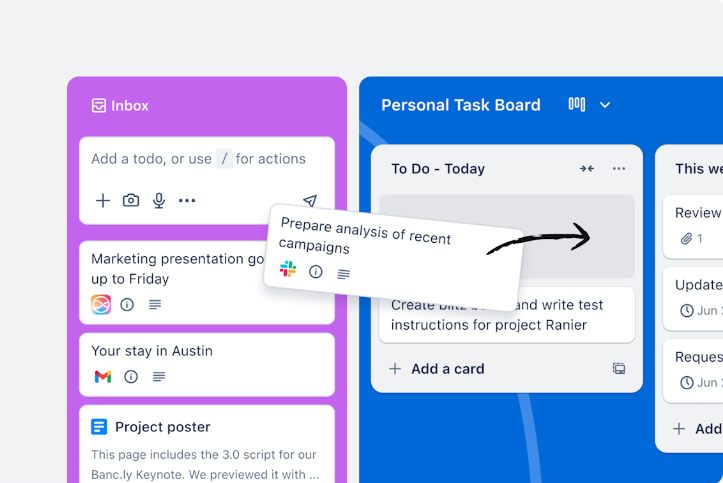
Image source: trello.com
Overview
Trello is a visual project management tool that uses boards, lists, and cards to help teams organize tasks. It's designed for both visual learners and those who prefer straightforward task management.
Key features
- Drag-and-drop interface: Easily move tasks between lists.
- Collaborative boards: Share boards with team members for transparency.
- Power-Ups: Add additional functionality through integrations with other tools.
- Labels and due dates: Keep track of task priorities and deadlines.
Best for
Trello is excellent for teams that prefer a visual approach to project management and quick task management without extensive training.
Limitations
Its simplicity may not suit complex project management needs where more detailed tracking and reporting are required.
Pricing:
- Paid plans: Start at $5/month per user
Real user feedback
"Trello has made it easy for our team to visualize our tasks and progress. It's very intuitive!"
Note: The review above is sourced from G2.
6. Prezi: Dynamic presentation software for engaging visual storytelling

Image source: prezi.com
Overview
is a presentation software platform designed to help users create dynamic, non-linear presentations. Instead of traditional slide-by-slide decks, it uses a zoomable canvas that allows presenters to move between ideas fluidly, making storytelling more visual and engaging.
Key features
- Zoomable canvas: Navigate through ideas in a spatial, interactive format instead of static slides.
- Templates & design tools: Access ready-made templates and customizable layouts for faster creation.
- Prezi AI: Generate presentation drafts, outlines, and visuals using AI assistance.
- Collaboration tools: Work with teammates in real time on shared presentations.
- Video presentation mode: Record presentations with camera overlay for remote sharing.
Best for
Prezi is best suited for educators, marketers, sales teams, and professionals who want to deliver engaging, visually dynamic presentations that feel more conversational than traditional slide decks.
Limitations
The zooming interface can feel overwhelming for new users, and some audiences may prefer simpler, more linear presentations. It may also require more design effort to avoid visual clutter.
Pricing:
- Free plan: Available (with limited features and public presentations)
- Paid plans: Start around $7–$15/month per user (varies by plan and billing cycle)
- Teams plans: Custom pricing depending on organization size and needs
Real user feedback
"“Prezi helps me make presentations that actually keep my audience engaged instead of zoning out during slides.”
Note: The review above is sourced from G2.
7. Asana: Collaborative platform to organize and track work
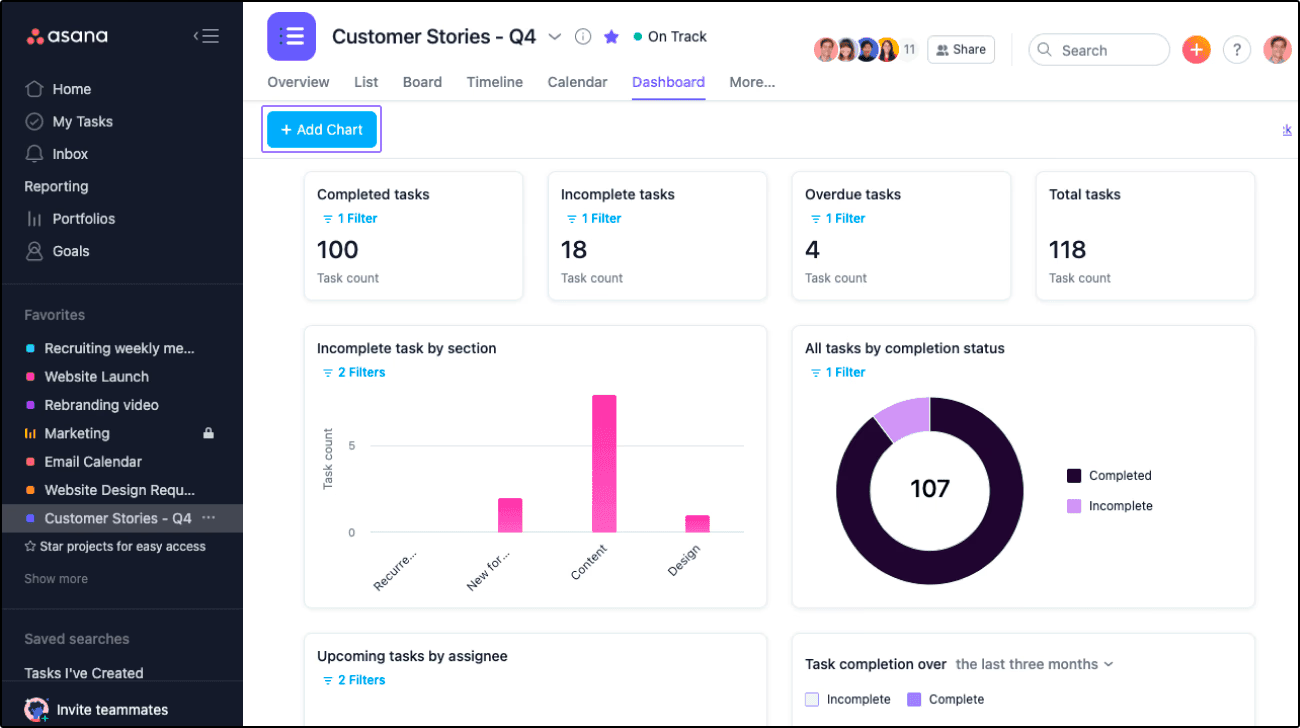
Image source: asana.com
Overview
Asana is a robust task and project management tool that helps teams manage their work from start to finish. It offers various views, including lists, boards, and timelines.
Key features
- Task assignments and due dates: Clearly outline responsibilities and timelines.
- Custom fields: Organize tasks with tailored categorization.
- Reporting features: Highlights project progress and performance in real-time.
- Integrations: Connect with several other tools for enhanced productivity.
Best for
Asana is ideal for medium to large teams needing detailed task management and project tracking capabilities.
Limitations
Some users may feel overwhelmed by the number of features available, which may require dedicated onboarding to use effectively.
Pricing:
- Free plan: Available(2 users)
- Paid plans: Start at $10.99/month per user (free trial available)
Real user feedback
"Asana keeps our projects organized and accountable. It's the best tool we've used for keeping everyone aligned."
Note: The review above is sourced from G2.
8. Notion: All-in-one workspace for notes and project management
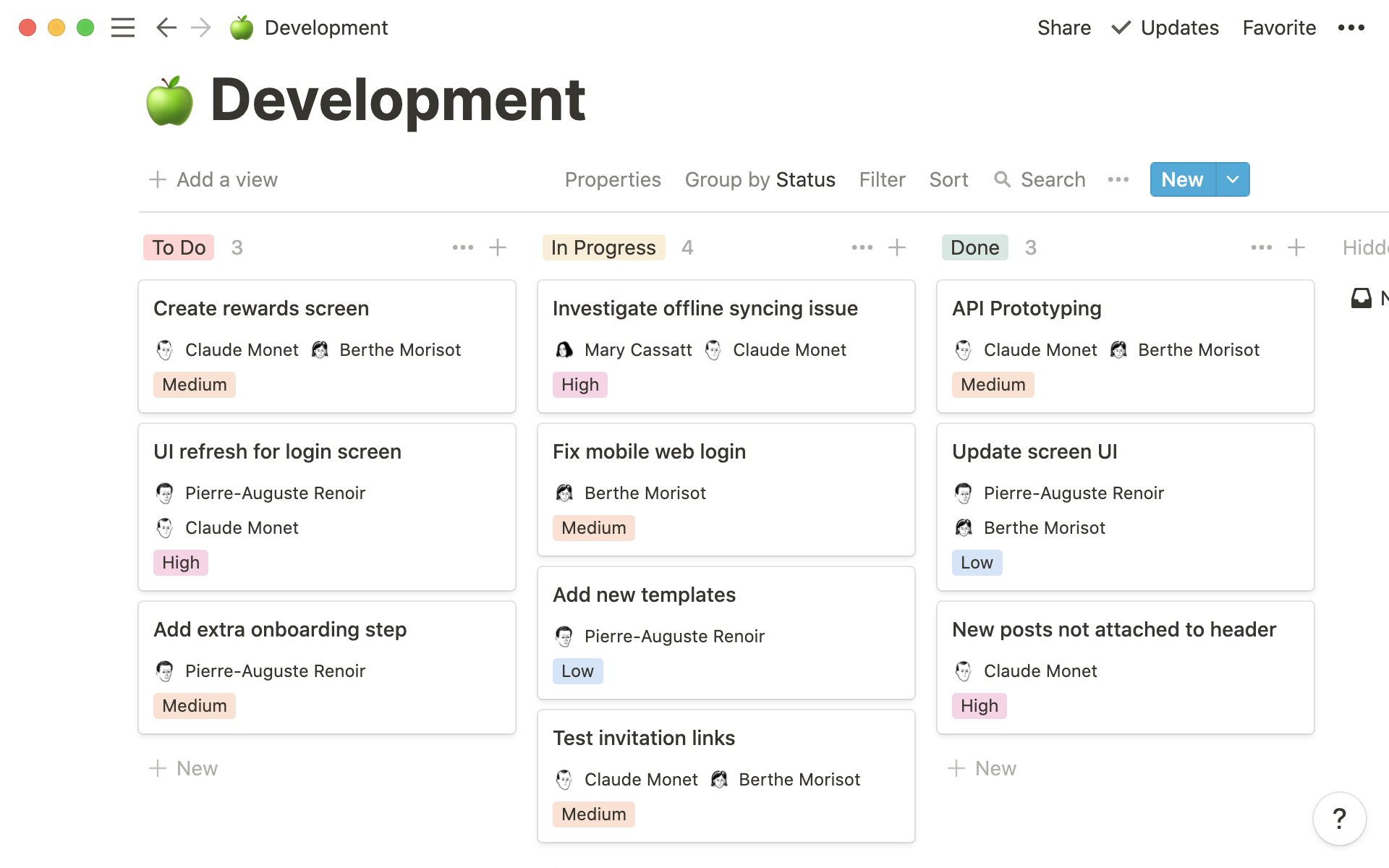
Image source: notion.com
Overview
Notion is a versatile workspace that combines note-taking, project management, task management, and databases into one platform. Its flexibility allows teams to tailor it to their specific needs.
Key features
- Modular structure: Create interconnected pages and databases.
- Collaboration tools: Edit in real-time with team members.
- Templated workflows: Use or customize templates for efficiency.
- Integrations: Connect with numerous tools for added functionality.
Best for
Notion is best for teams looking for a highly customizable platform that allows them to create a workspace that fits their unique processes and projects.
Limitations
The flexibility may come at the cost of usability for some users, particularly those who prefer more traditional workflows.
Pricing:
- Free plan: Available(2 users)
- Paid plans: Start at $10/month per user (free trial available)
Real user feedback
"Notion has become our go-to tool for everything from note-taking to project tracking. Its flexibility is unmatched."
Note: The review above is sourced from G2.
9. Zoom: Video conferencing for engaging virtual meetings
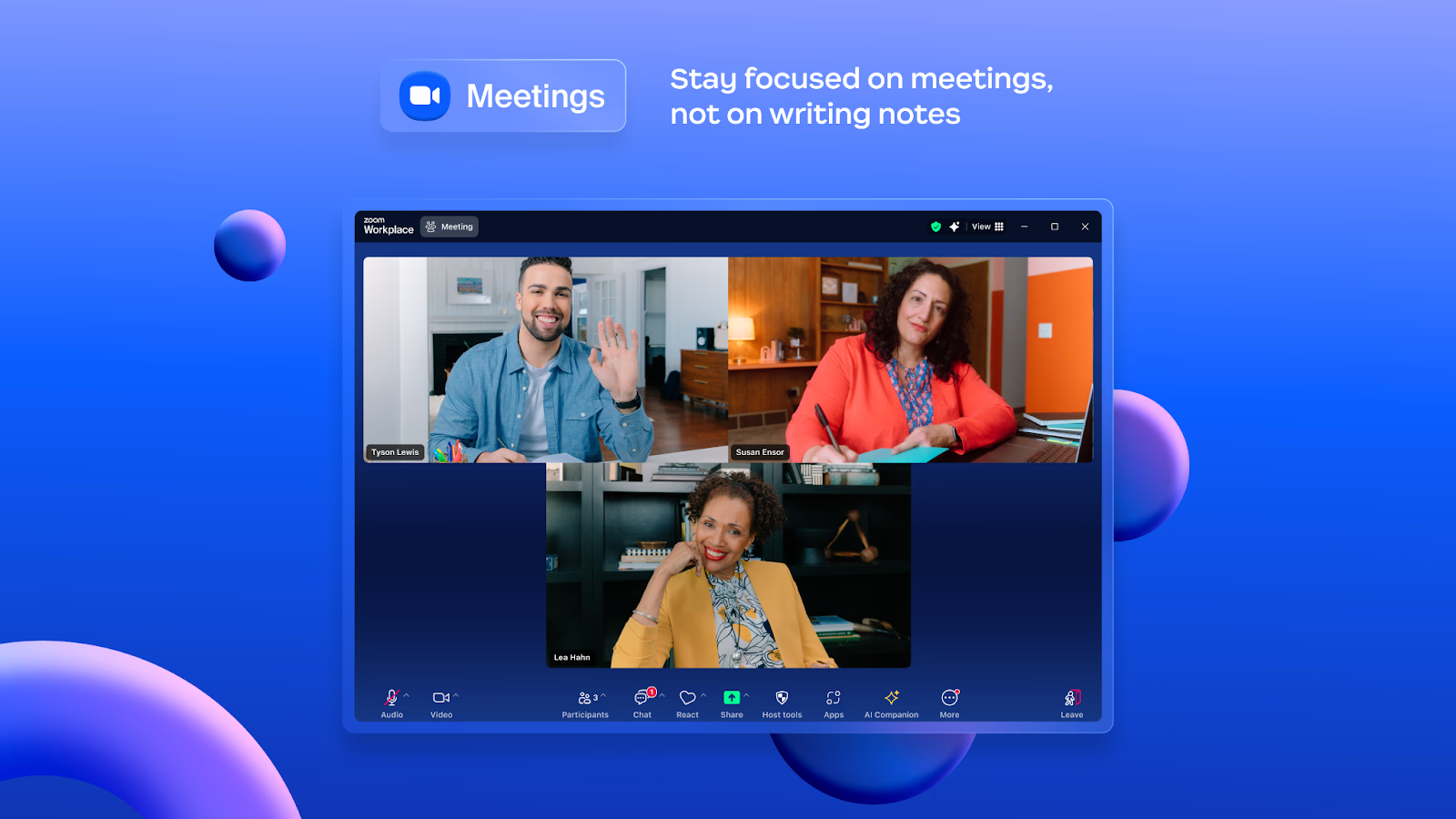
Image source: zoom.com
Overview
Zoom has emerged as a leading video conferencing platform, especially during the rise of remote work. It supports meetings of various sizes, from one-on-one conversations to large webinars.
Key features
- HD video and audio: High-quality meeting experiences.
- Screen sharing: Easily share presentations or documents during calls.
- Meeting recording: Save conversations for future reference.
- Integration capabilities: Connect with numerous productivity tools.
Best for
Zoom is ideal for teams needing reliable video conferencing capabilities, particularly for remote collaboration.
Limitations
Users may experience connectivity issues in areas with poor internet access, which can impact meeting quality.
Pricing:
- Paid plans: Start at $13.33/month per user
Real user feedback
"Zoom is our primary tool for virtual meetings. It's user-friendly and offers great video quality."
Note: The review above is sourced from G2.
10. Figma: Collaborative design tool for real-time feedback
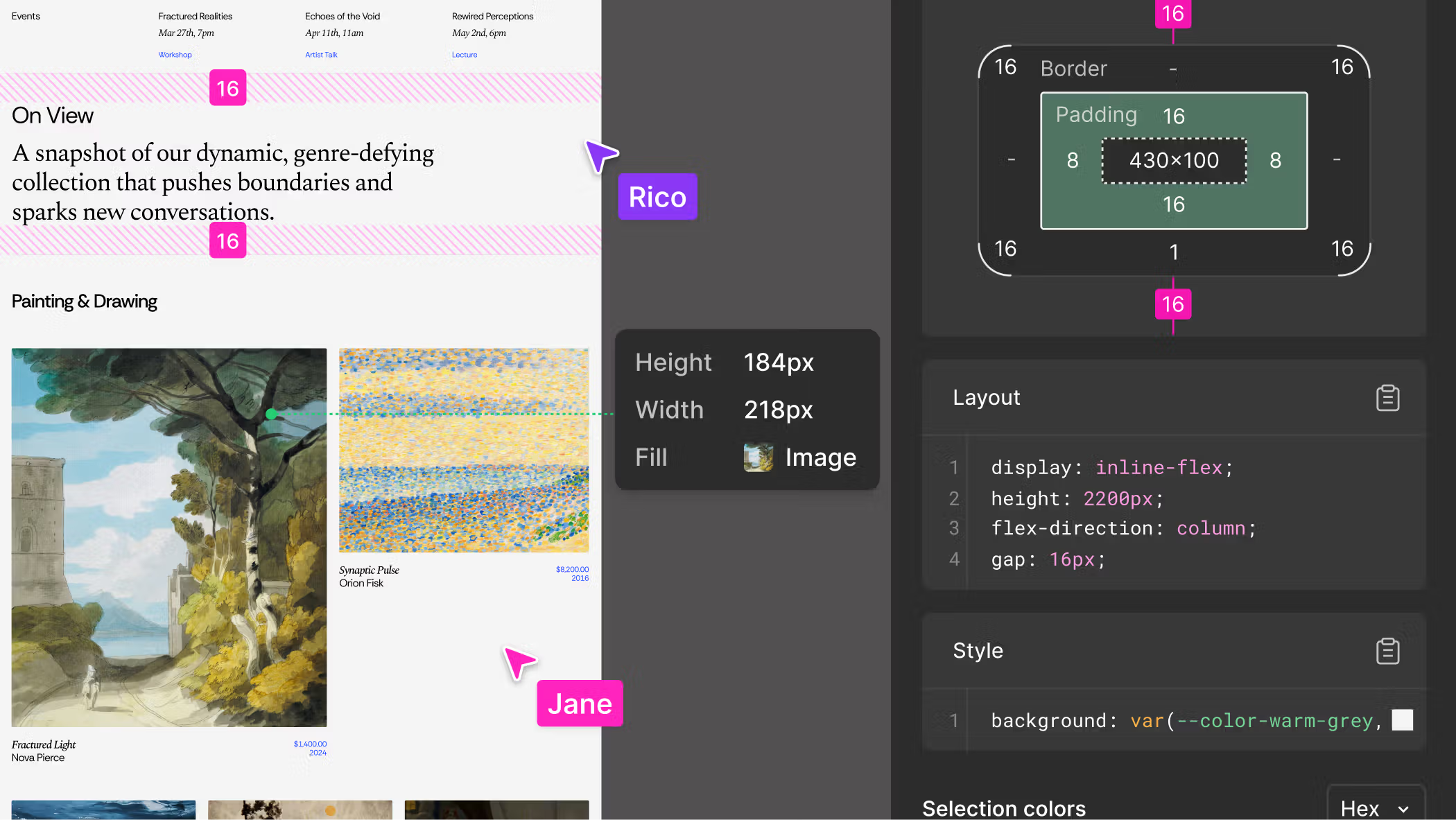
Image source: figma.com
Overview
Figma is a cloud-based design tool that enables real-time collaboration for designers. It's widely used for creating user interfaces, prototypes, and design systems.
Key features
- Real-time collaboration: Multiple designers can work on a project together.
- Design system support: Manage consistent style guides across projects.
- Prototyping tools: Create interactive prototypes for user testing.
- Commenting features: Stakeholders can leave feedback directly on design files.
Best for
Figma is best for design teams seeking a collaborative environment that fosters creative feedback and iterations.
Limitations
While powerful, non-designers might find Figma's complex tools overwhelming and not user-friendly for simple tasks.
Pricing:
- Paid plans: Start at $16/month per user(full seat)
Real user feedback
"Figma has changed our design process. Collaboration is effortless, and getting team feedback is straightforward."
Note: The review above is sourced from G2.
11. Miro: Interactive whiteboard for brainstorming sessions
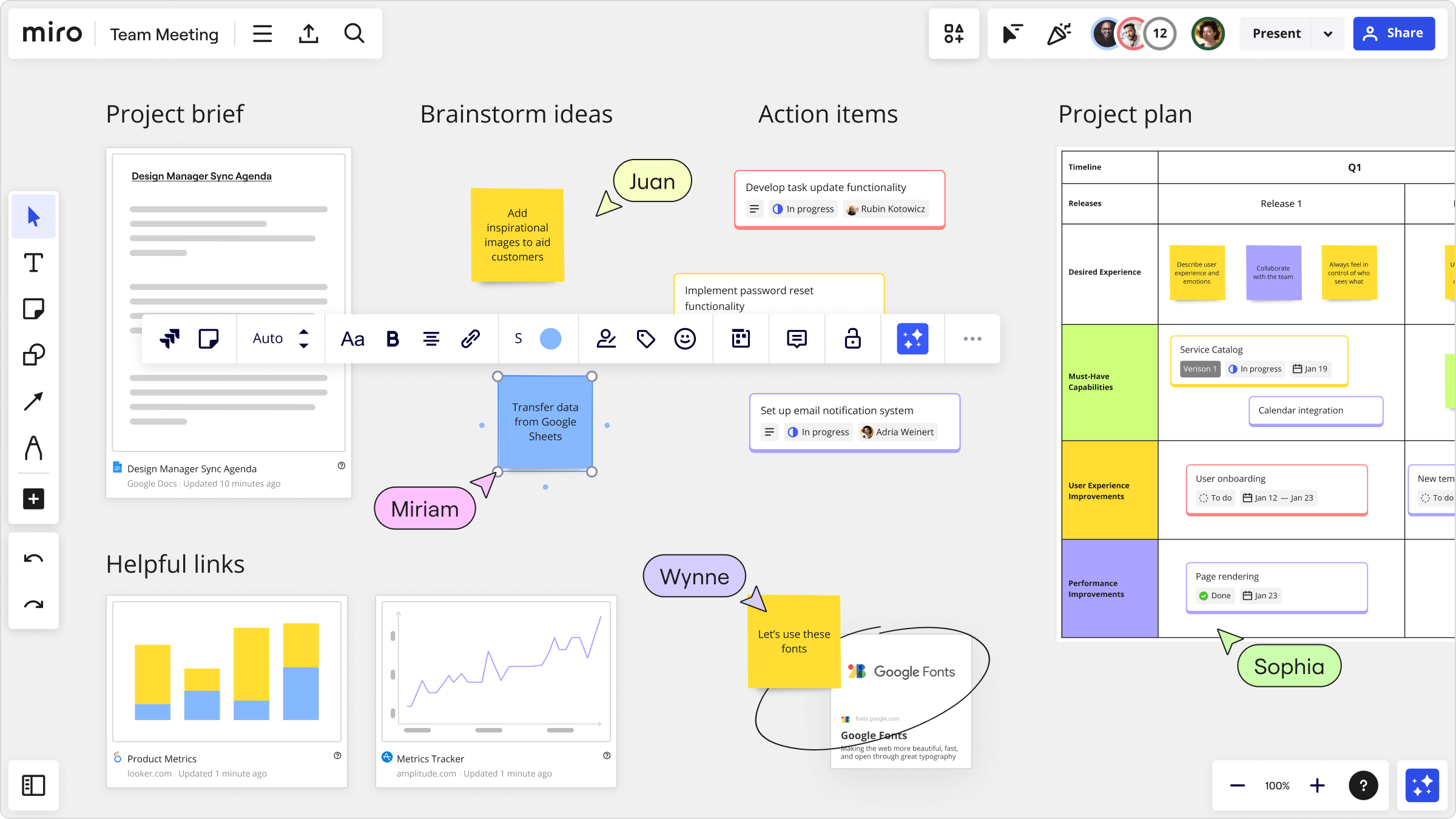
Image source: miro.com
Overview
Miro is an online collaborative whiteboard platform that allows teams to brainstorm, plan, and create together in a visual format. It's particularly useful for workshops and remote brainstorming sessions.
Key features
- Infinite canvas: Create and organize ideas freely on a digital whiteboard.
- Templates available: Use pre-made templates for various purposes, like brainstorming or planning sessions.
- Collaboration features: Real-time editing, commenting, and video chat within the board.
- Integrations: Works with many other collaboration tools for a cohesive workflow.
Best for
Miro is best suited for creative teams and workshops that require visual collaboration and brainstorming.
Limitations
New users may need time to familiarize themselves with the various features and settings on Miro.
Pricing:
- Paid plans: Start at $8/month per user
Real user feedback
"Miro is fantastic for mind mapping and brainstorming. It brings out all the ideas in our team during sessions!"
Note: The review above is sourced from G2.
12. Airtable: Flexible database for collaborative project tracking
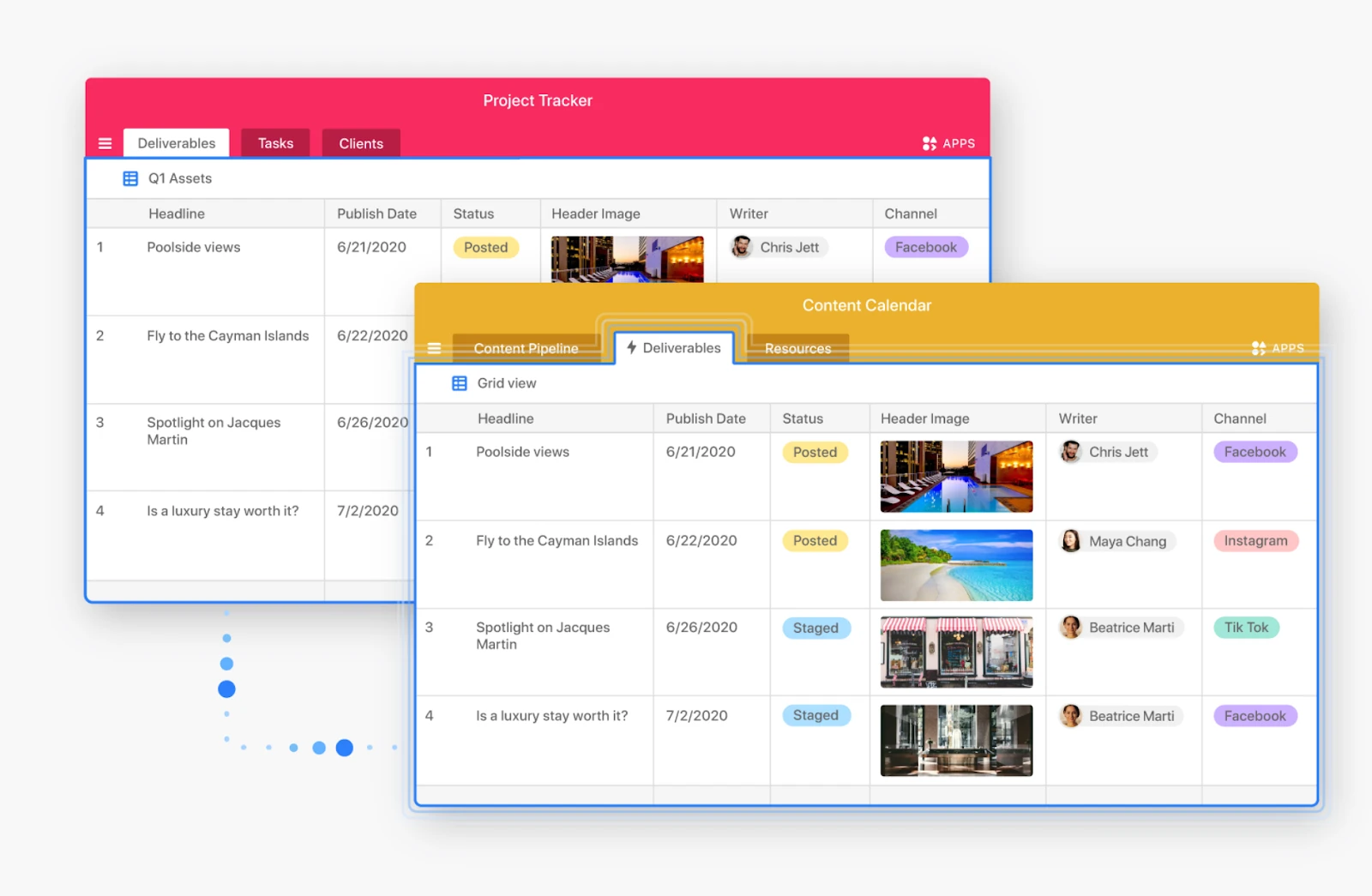
Image source: .com
Overview
Airtable is a cloud-based platform that combines the simplicity of a spreadsheet with the functionality of a database, allowing real-time collaboration on projects while organizing data efficiently.
Key features
- Customizable databases: Tailor tables to suit various projects.
- Collaboration tools: Support for comments, attachments, and sharing with team members.
- Templates: Jump-start projects with pre-built templates for various use cases.
- Integration capabilities: Connect with other tools to enhance its functionality.
Best for
Airtable is perfect for teams that require a flexible database solution that facilitates collaboration and project management simultaneously.
Limitations
While powerful, some users may find the database functionalities complex, especially if they are accustomed to conventional spreadsheet applications.
Pricing
- Free plan: Available(2 users)
- Paid plans: Start at $20/month per user (free trial available)
Real user feedback
"Airtable has transformed the way we manage our projects. The flexibility is a game-changer!"
Note: The review above is sourced from G2.
13. ClickUp: Complete task management solution for teams
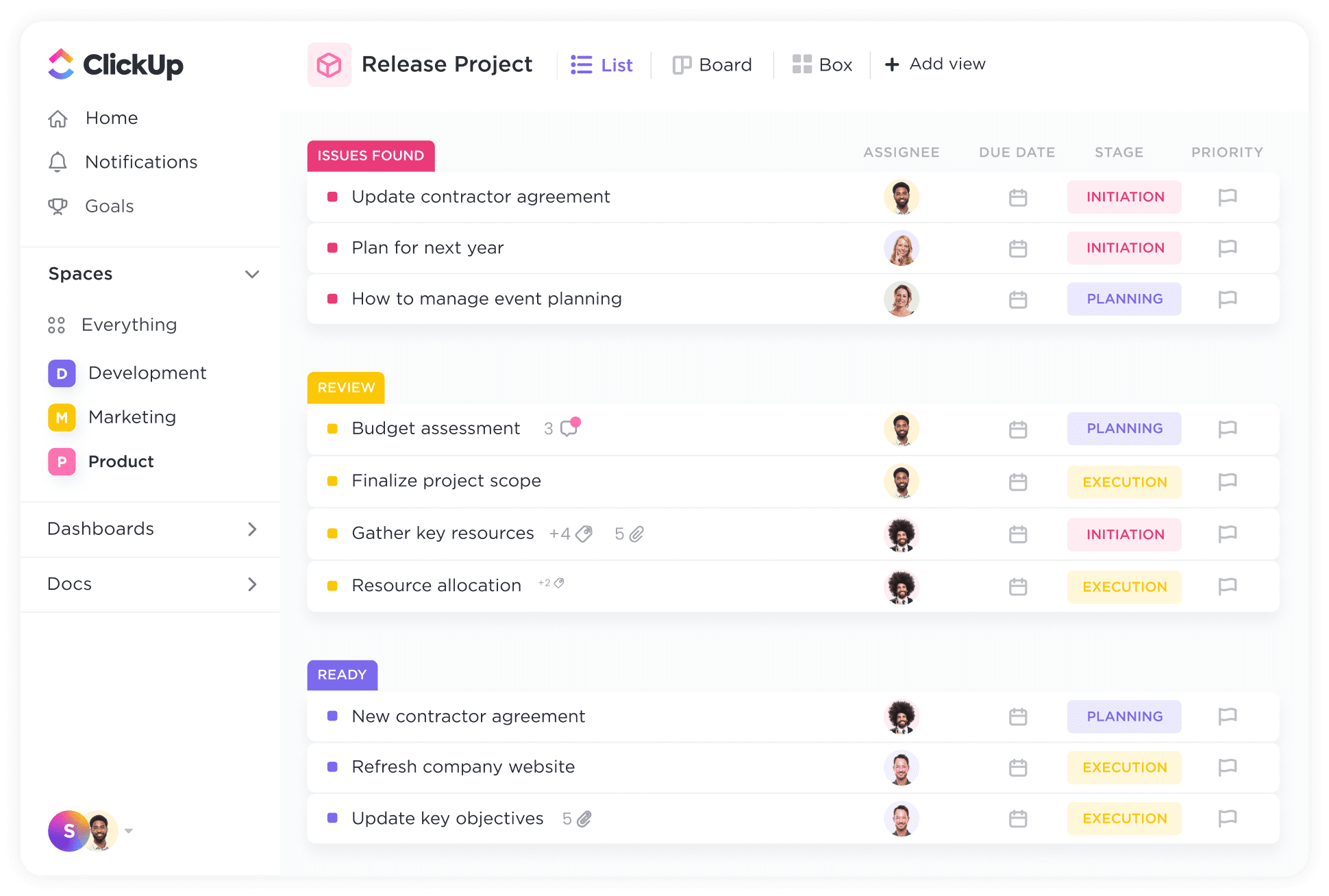
Image source: clickup.com
Overview
ClickUp is an all-in-one productivity platform designed to cater to a wide array of project management needs. It offers extensive features for task management, reminders, goals, and more, all within a single interface.
Key features
- Customizable views: Choose between lists, boards, and Gantt charts.
- Integration options: Connect with hundreds of apps for collaborative workflows.
- Time tracking: Built-in tools to monitor project timelines effectively.
- Goal-setting features: Manage company-wide OKRs and team objectives.
Best for
ClickUp is ideal for businesses looking for extensive project management capabilities combined with real-time collaboration tools.
Limitations
Some users report that the sheer number of features can lead to a cumbersome experience, particularly for teams not needing advanced functionalities.
Pricing:
- Paid plans: Start at $7/month per user
Real user feedback
"ClickUp has consolidated so many of our project management tools into one platform, which is fantastic for keeping track of everything!"
Note: The review above is sourced from G2.
How to choose real-time collaboration tools
Choosing the right real-time collaboration tools for your team can significantly enhance productivity and streamline workflows. However, with so many options available, it's essential to consider a few key factors from the user perspective before making a decision.
Assess your team's specific needs
First and foremost, assess your team's specific needs. for example, if your team is involved in design work, you might be looking for the that allow for simultaneous editing and instant feedback. On the other hand, if your team works in a manufacturing environment, you may seek real-time collaboration tools for shop floor communication, ensuring that everyone stays aligned on production goals.
Evaluate user-friendliness
Next, consider the user-friendliness of the tools. The more intuitive a platform is, the quicker your team will adapt to it. Look for tools that offer a straightforward interface and require minimal training. For instance, when searching for the best collaboration tools with real-time editing, prioritize those that allow seamless document sharing and commenting, enabling quick adaptations and updates.
Check for integration capabilities
Additionally, think about integration. Your chosen tools should easily connect with other applications your team already uses. This connectivity is essential in creating a cohesive workflow. Many teams prefer real-time collaboration tools for teams that offer flexibility in integration with other software, ensuring a smoother transition and enhanced functionality.
Consider scalability
Moreover, scalability is crucial. As your team grows or changes, your collaboration tools should adapt accordingly. Select real-time collaboration tools for multiple users that can accommodate varying team sizes without sacrificing performance.
Explore all-in-one platforms
Lastly, while exploring these features, consider all-in-one platforms such as Lark and Google Workspace. Tools that consolidate chat, documents, calendars, and can simplify your processes and improve collaboration. Notably, Lark stands out in this regard, merging various functionalities into a single user-friendly interface.
Taking the time to evaluate your team's needs and the features of potential tools will pay off in the long run. By choosing the right real-time collaboration tools, you'll foster a more efficient and effective collaborative environment, ultimately leading your team to success.
Conclusion
The landscape of real-time collaboration tools is continually evolving, offering a variety of options to enhance team communication and productivity. From comprehensive all-in-one platforms to specialized solutions for design and task management, choosing the right tool can significantly impact collaboration dynamics. By evaluating the features, limitations, and user feedback of each platform, organizations can select the most suitable tools to meet their unique needs. Embracing these technologies will not only foster better teamwork but also drive success in today's competitive environment. Consider exploring tools such as Lark for a comprehensive approach to elevate your team's performance and streamline your collaborative processes effectively.
Unlock seamless teamwork today
FAQs
Which tool is best for real-time collaboration on documents?
for real-time collaboration on documents, tools like Google Docs and Microsoft Word are popular due to their simultaneous editing features. However, for an all-in-one solution that combines chat, tasks, and document collaboration effectively, consider using Lark for seamless teamwork.
Which communication tool is most appropriate for real-time collaboration?
Slack is widely regarded as an excellent communication tool for real-time collaboration, thanks to its organized channels and integrations. for a comprehensive approach that includes chat, video, and document management, Lark might be the ideal choice to meet all your needs.
What is the best collaboration tool?
The best collaboration tool varies by team needs, but a strong contender is Microsoft Teams for its integration with Office 365. for teams looking for an all-in-one platform that amalgamates multiple functionalities, Lark offers a user-friendly experience that excels in real-time collaboration.
Which platform allows real-time collaboration?
Many platforms support real-time collaboration, including Google Workspace, Slack, and Microsoft Teams. Yet, Lark stands out by providing an all-in-one solution, allowing teams to collaborate on projects through chat, documents, and tasks in one integrated space.
What features should I look for in collaboration tools?
Look for user-friendliness, integration capabilities, and real-time editing features. An all-in-one platform like Lark can streamline these functionalities, enhancing your team's productivity.
Related reading




















![What Is a 2-2-3 Work Schedule? Explanation and More [2026]](https://framerusercontent.com/images/uKHRfkp4v7y4azRNTYUmuteNQz8.png)








