


Explore the Best Miro Alternatives: Power Better Collaboration

Ryan Tanner
Product Marketing Specialist
Aug 5, 2026
Ryan Tanner
Aug 5, 2026

19 min read


Teams today need more than just a digital whiteboard—they need tools that help them think, plan, and execute together seamlessly. While Miro remains a popular choice for visual collaboration, it's not the only option. Platforms like Mural, FigJam, Notion, and Lark offer different approaches to brainstorming, organizing ideas, and managing teamwork. In this guide, we'll explore some of the top Miro alternatives that bring creativity and coordination together, helping teams stay aligned from the first sketch to final delivery.
Here is the list of alternative tools for Miro:
1. Lark: The all-in-one Miro alternative for modern teams
2. Mural: Best for design thinking and agile collaboration
3. FigJam: Best for UI/UX brainstorming within Figma
4. ClickUp: Best for visual project planning and time tracking
5. Notion: Best for connected docs and lightweight visualization
6. Lucidspark: Best for structured brainstorming and diagramming
7. Stormboard: Best for digital workshops and meeting facilitation
8. Whimsical: Best for flowcharts and quick ideation
9. Conceptboard: Best for creative review and feedback
10. Milanote: Best for creative project moodboarding

What is Miro and why teams love it
Miro is an online collaborative whiteboard platform that helps teams brainstorm, plan, and organize ideas visually. It offers an infinite canvas where users can create mind maps, wireframes, flowcharts, and strategy boards, making it a go-to tool for creative sessions and agile workflows. With a drag-and-drop interface and hundreds of pre-built templates, Miro enables teams to visualize complex ideas and workflows effortlessly. It's widely used across design, product, and project management teams to turn abstract thoughts into structured, actionable visuals.
Teams love Miro because it makes remote collaboration feel interactive and engaging. Multiple users can co-create in real time, leave comments, and build on each other's ideas seamlessly. Miro also integrates with tools like Slack, Jira, and Google Workspace, helping teams keep all their communication and updates in sync. Whether brainstorming new features or planning sprints, Miro helps teams stay aligned, creative, and productive.
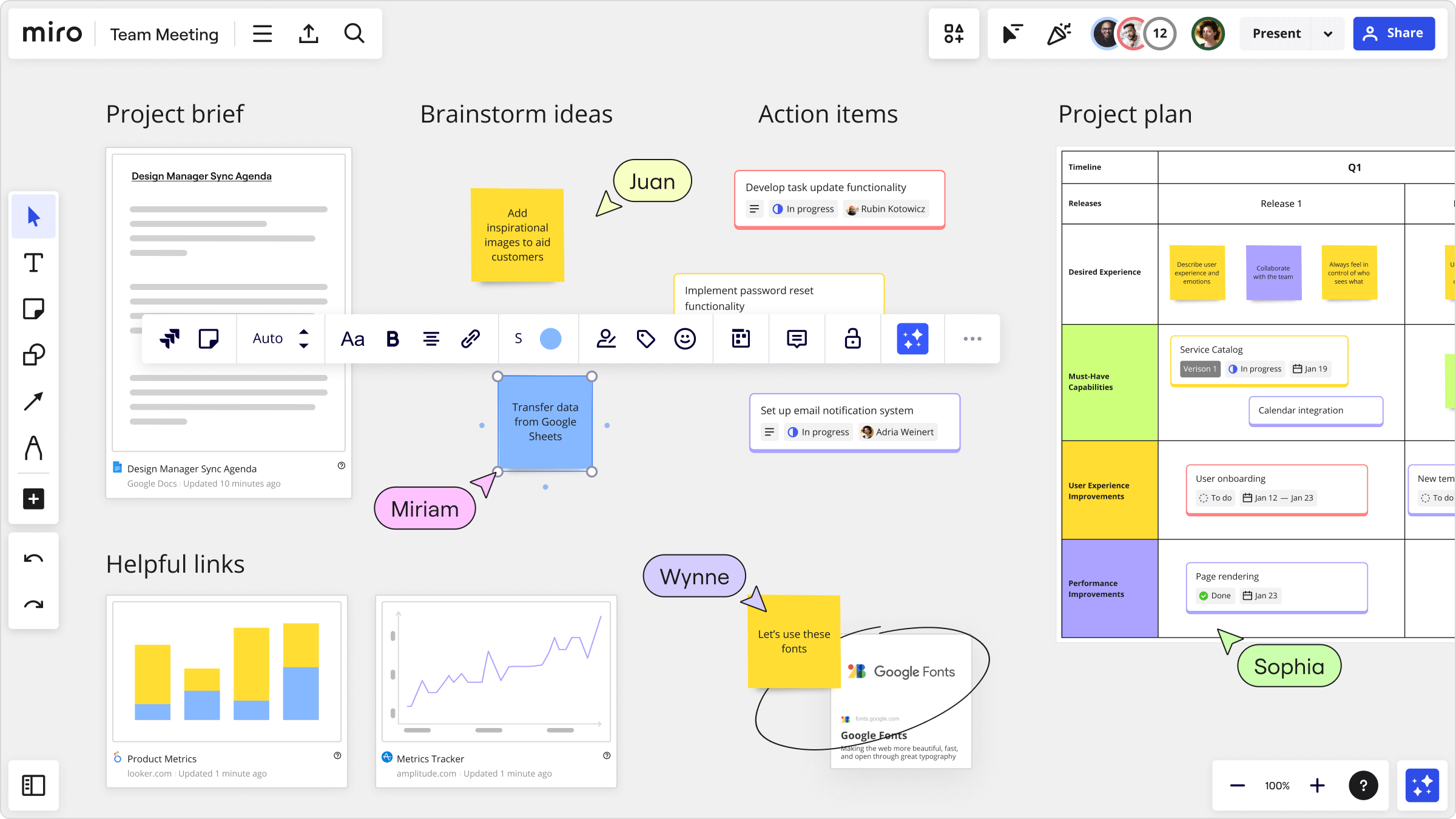
Image source: miro.com
Why businesses seek a Miro alternative
While Miro is excellent for visual collaboration, many growing teams find its capabilities stop short of full workflow management. As projects move from brainstorming to execution, they often need more integrated tools for communication, task tracking, and documentation all within one ecosystem.
- Limited collaboration & project management: Miro relies mainly on ideation, leaving teams reliant on external tools for project tracking and execution.
- Pricing and scalability: As teams expand and create more boards, subscription costs can quickly increase.
- Disconnected workflows: Feedback, files, and decisions often end up scattered across multiple platforms, reducing visibility and efficiency.
- Security and admin controls: Larger organisations may find Miro's governance and compliance options too limited for enterprise-level needs.
10 Best Miro alternatives chosen for your team
While Miro is great for creativity, several other platforms combine ideation with planning, documentation, and communication. Below, we've rounded up the top Miro alternatives that help teams think, organise, and deliver together more effectively.
1. Lark: The all-in-one platform for modern teams
While most Miro alternatives focus solely on visual collaboration, Lark stands out as a complete digital workspace that brings together brainstorming, planning, execution, and communication, all in one connected environment. It allows teams to capture ideas, turn them into actionable plans, and track progress in real time without juggling multiple tools.
Lark Base: Turn brainstorms into structured projects
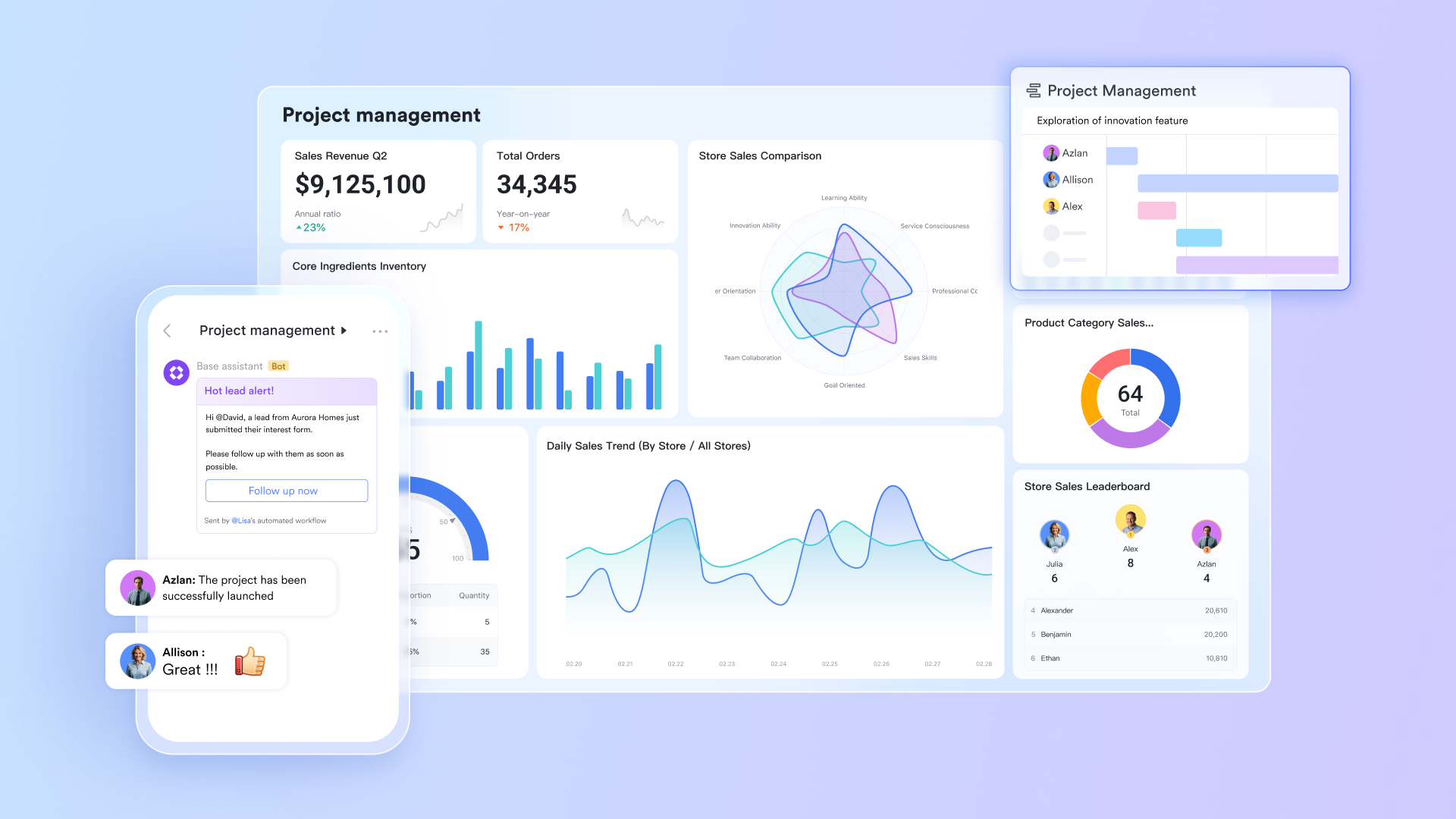
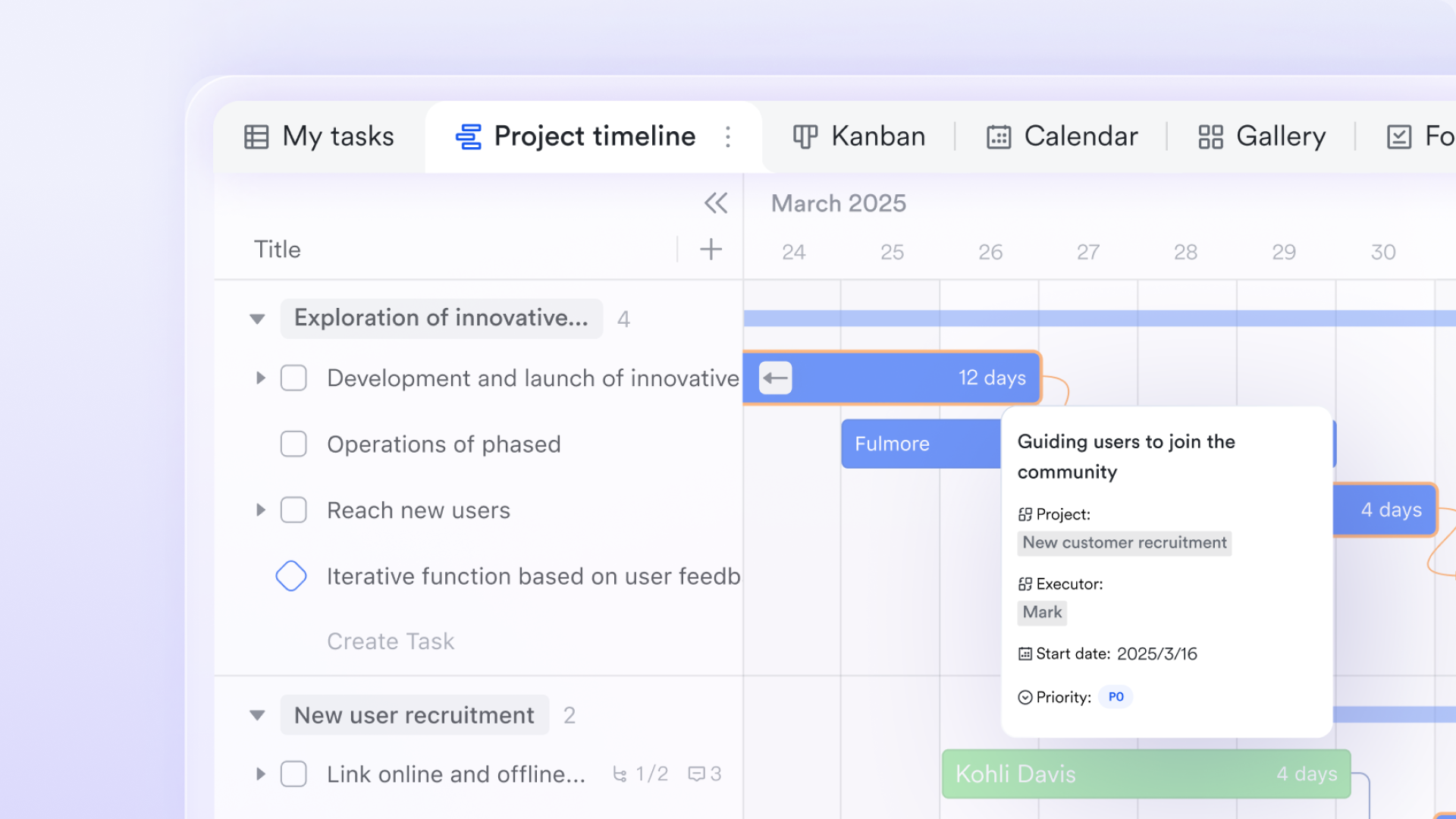
After a whiteboarding session, teams can log their ideas and action points directly into Lark Base, a flexible database for project and task tracking. Each record can include fields such as owner, deadline, category, and status, transforming creative ideas into organised workflows. For example, after a product ideation workshop, Base can display a Kanban view of features, automatically flagging those awaiting approval or nearing deadline.
Lark Docs: Co-create content and specifications
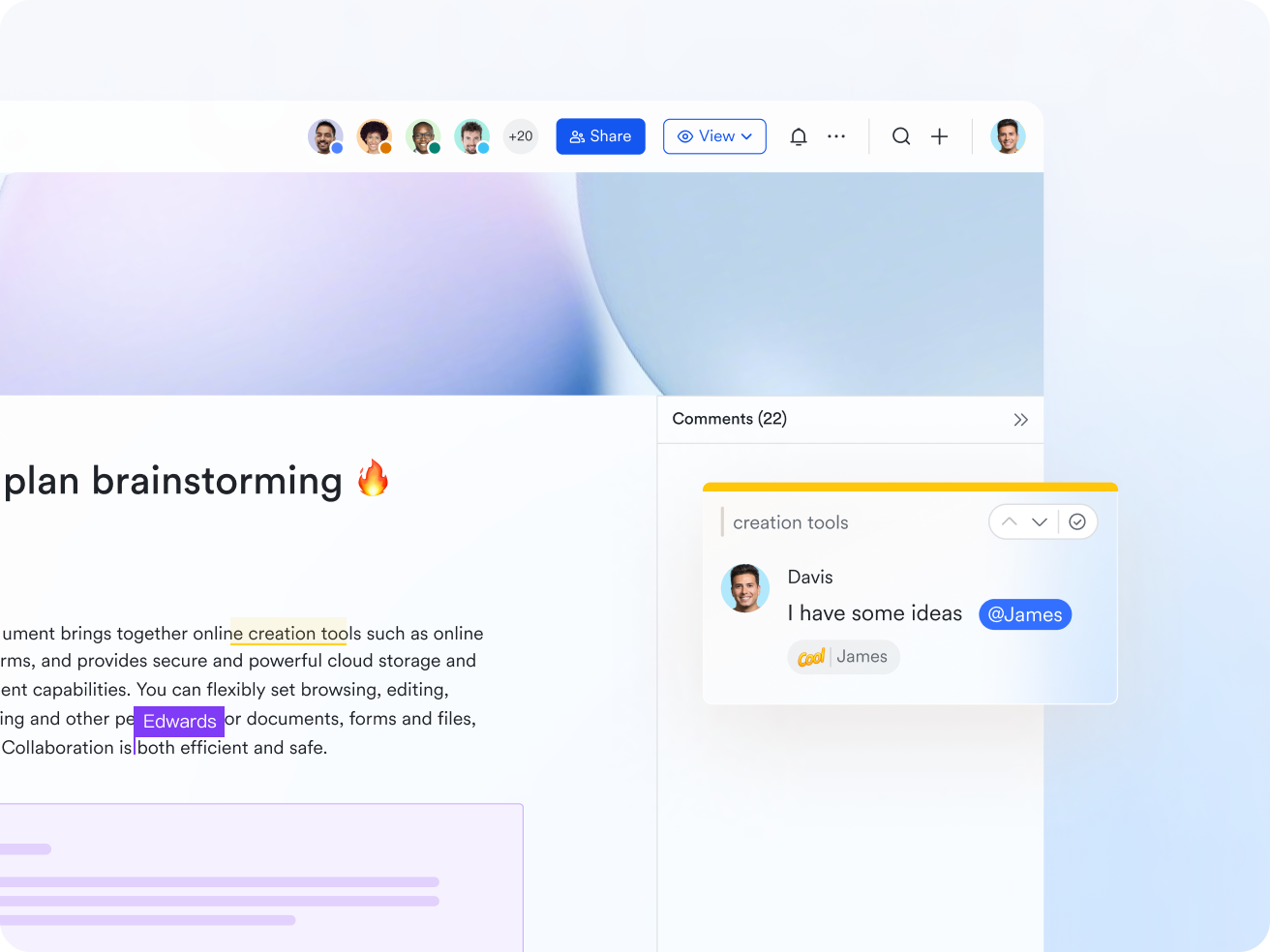
Lark Docs serves as a shared space for writing and reviewing project briefs, technical specifications, and meeting notes. Teams can comment, co-edit, and embed visuals or tables from brainstorming sessions. Since Docs is live-linked with other Lark features, any updates like task ownership or progress reflect instantly, keeping documentation accurate and current. For instance, a marketing team can link its creative brief in Docs directly to campaign tasks in Base.
Lark Messenger: Discuss and decide faster
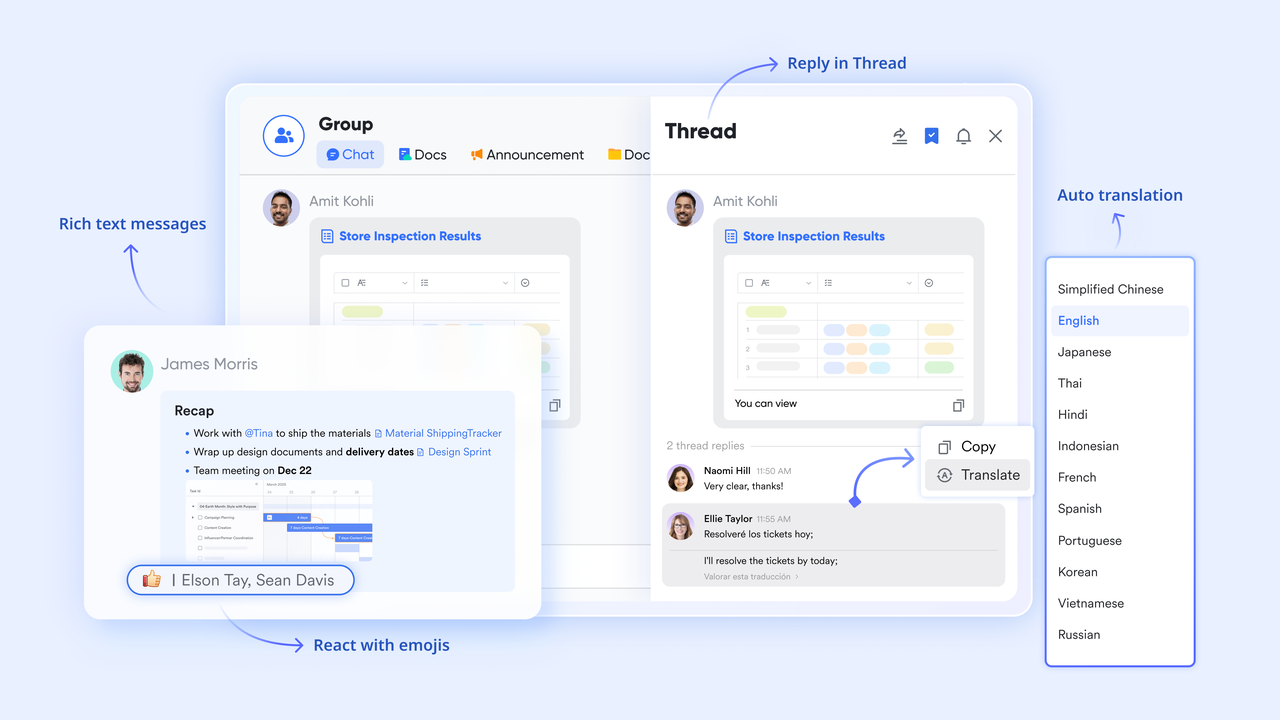
In Lark Messenger, conversations stay connected to the work itself. Instead of switching between chat and task boards, discussions occur alongside related files or Base records. Automatic notifications alert teams when something changes—like a project deadline, document edit, or feedback update. This makes collaboration contextual: a team can review a Doc and finalize decisions within the same chat thread.
Lark Tasks: Move ideas into execution
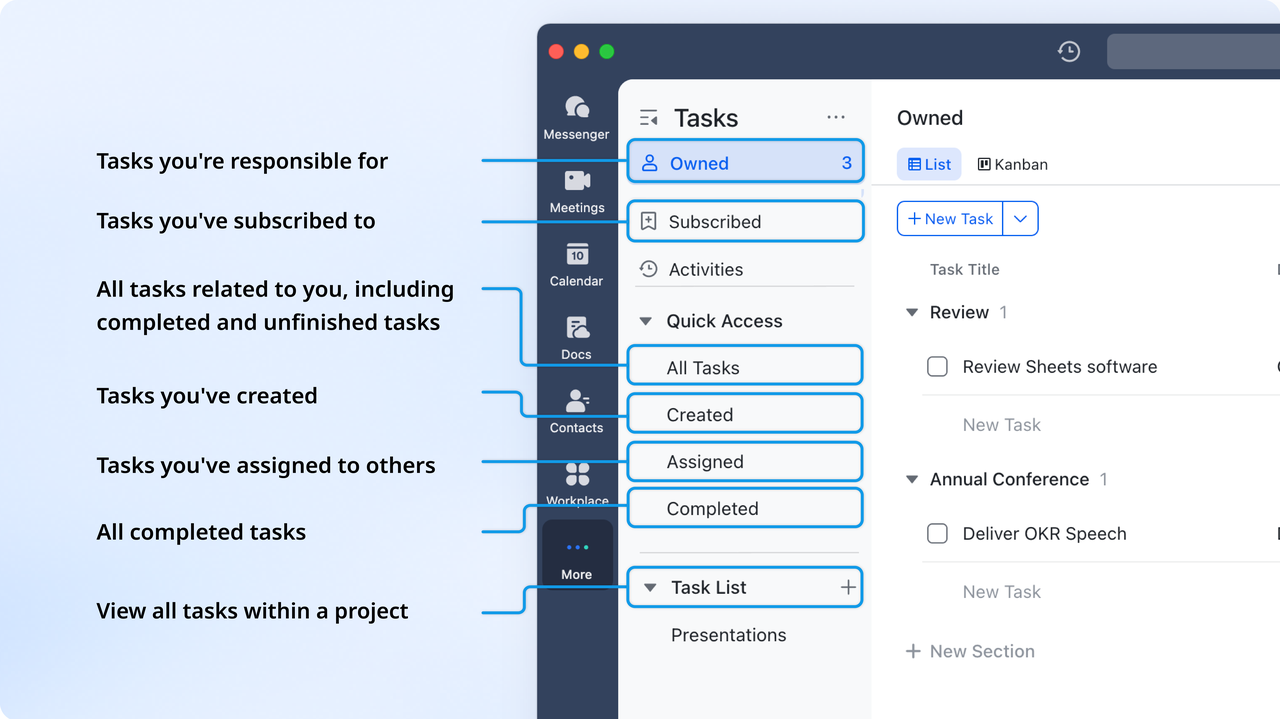
Once ideas are ready to be implemented, they can be instantly converted into Lark Tasks with assigned owners, due dates, and dependencies. Managers gain visibility into workload distribution, progress tracking, and overdue alerts—all visible within Base or Messenger. For example, after a campaign brainstorm, every idea approved in Base can generate its corresponding execution task automatically.
Lark Meetings: Review, align, and take action live
Lark Meetings keeps collaboration continuous from whiteboard to execution. Teams can bring up Base dashboards or Docs directly during calls, annotate them live, and assign next steps immediately. Meeting notes and action items attach automatically to relevant records, ensuring nothing slips through the cracks. For example, after a sprint review, updates discussed in the meeting sync instantly with ongoing project tasks.

Trustworthy fundamental security architect
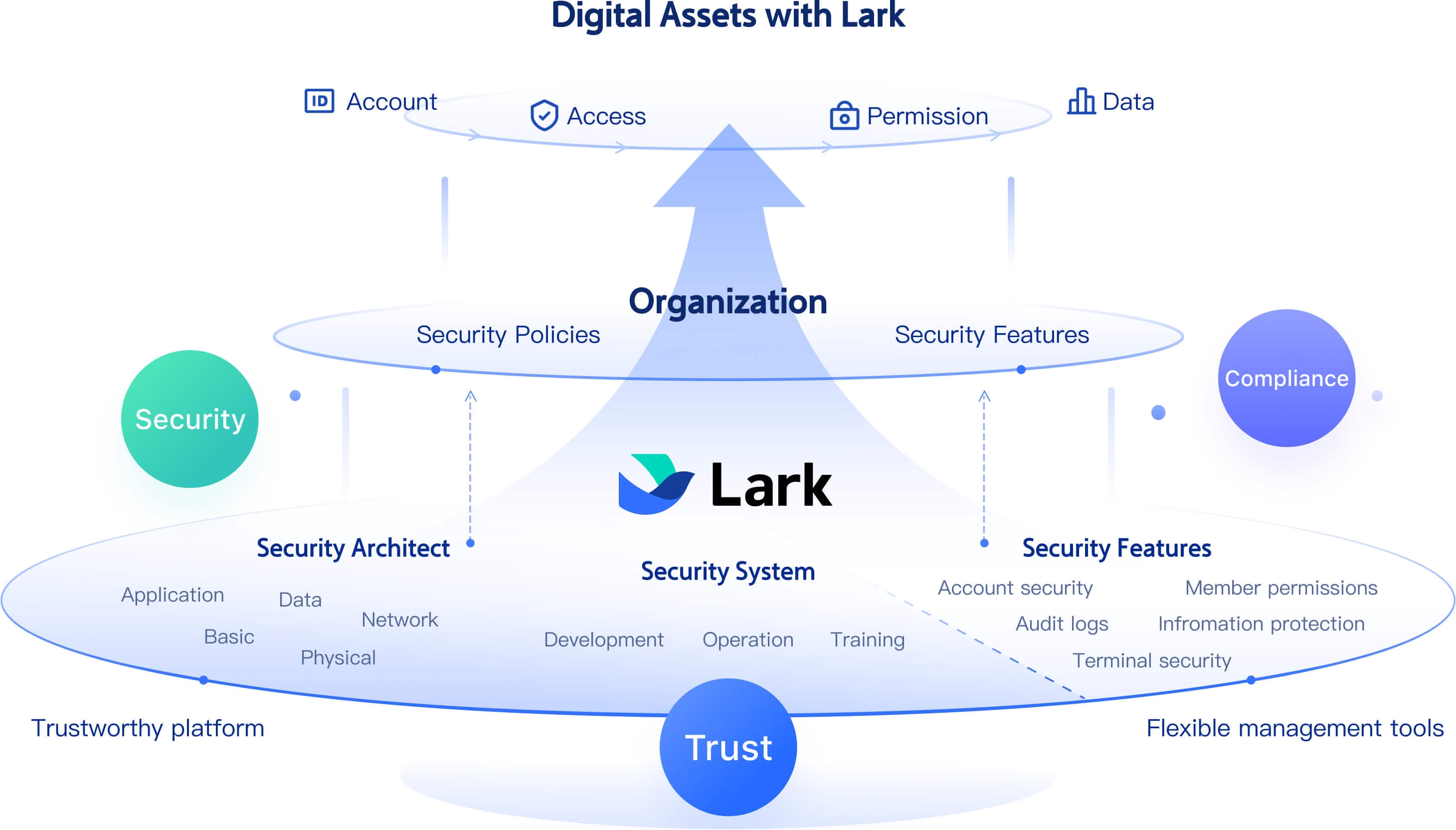
Administrators can ensure security by auditing and managing permissions across Docs, shared folders, wiki spaces, and more, quickly revoking access for offboard members. At the same time, information protection features like watermarks and secure labels help prevent unauthorized sharing and classify documents by sensitivity. Comprehensive audit logs track admin actions, OpenAPI calls, and member activities, giving teams clear visibility to identify risks and maintain accountability.
Affordable pricing plans for teams of different scales
Lark offers affordable pricing to support collaboration, project management, and automation for teams of all sizes:
- Starter plan: Free forever plan that includes 11 powerful tools for up to 20 users. It also comes with 100GB of storage, 1000 automation runs, AI translations, and more.
- Basic plan: $6/user/month (billed annually) for up to 500 users. It includes everything in Starter plus group calling for up to 500 attendees, 5TB of storage, 1000 automation runs, and more.
- Pro plan: $12/user/month (billed annually) for up to 500 users. It includes everything in Starter plus group calling for up to 500 attendees, 15TB of storage, 50,000 automation runs, and more.
- Enterprise plan: Contact sales for custom pricing. Supports unlimited users and includes even more automation runs and advanced security, compliance, and management features.
2. Mural: Best for design thinking and agile collaboration
Mural is one of the closest alternatives to Miro, built specifically for creative and agile teams that thrive on visual problem-solving. It offers an intuitive, sticky-note-style workspace ideal for brainstorming, sprint planning, and design thinking workshops. With robust facilitation tools and real-time collaboration, Mural empowers hybrid teams to co-create efficiently and stay aligned. Its flexibility makes it popular among product managers, UX designers, and innovation teams running cross-functional sessions.
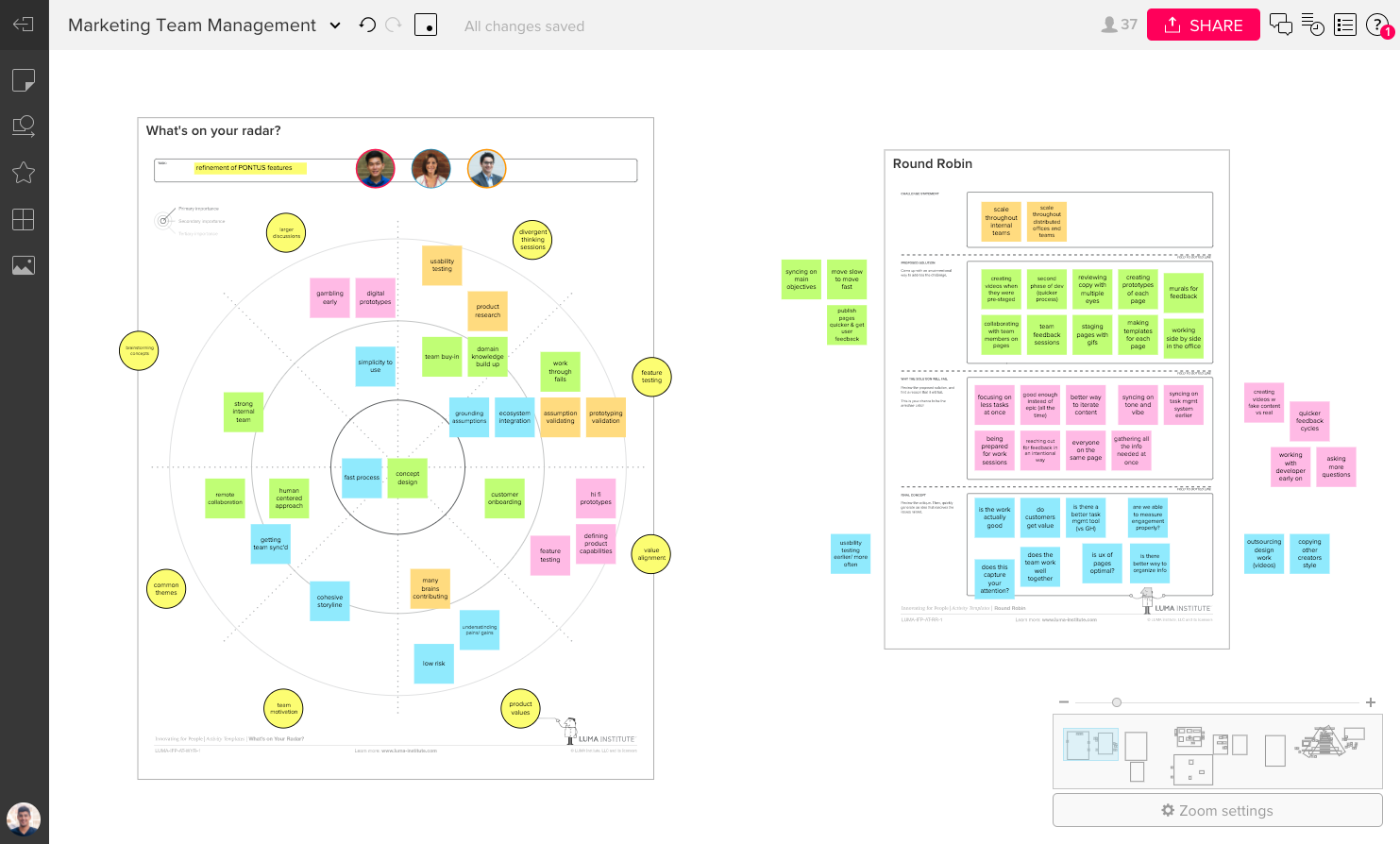
Image source: mural.com
Features:
- Large library of templates for agile, design thinking, and strategy sessions
- Real-time collaboration with cursors, timers, and voting tools
- Integrations with Microsoft Teams, Slack, Jira, and Zoom
- Facilitation Superpowers™ for guided workshops and brainstorming
- Enterprise-grade security with SSO, SCIM, and advanced admin controls
Pros:
- Easy-to-use interface optimized for workshops and remote collaboration
- Excellent facilitation tools for structured team sessions
- Strong integration ecosystem for enterprise use
- Supports large, interactive team boards with minimal lag
Cons:
- Lacks built-in task management or execution tools
- Higher pricing for larger teams or advanced admin features
Pricing:
- Free plan: Up to 3 murals and unlimited members
- Starter: $13 per user/month (billed annually)
- Plus: $18 per user/month
- Enterprise: Custom pricing with advanced security and admin options
3. FigJam: Best for UI/UX brainstorming within Figma
FigJam, developed by Figma, is a simple yet powerful online whiteboard built for designers and product teams. It integrates seamlessly with Figma, making it ideal for ideation, wireframing, and feedback loops. FigJam's clean interface and real-time collaboration features enable design teams to transition from concept to prototype effortlessly.
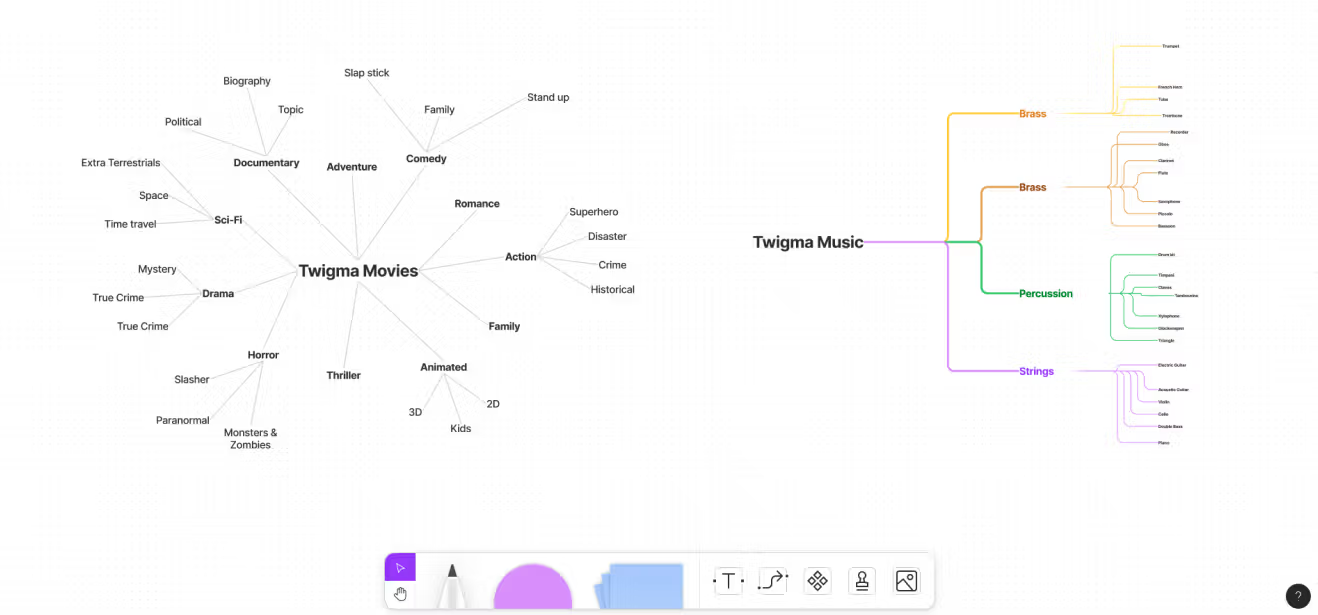
Image source: figjam.com
FigJam, developed by Figma, is a simple yet powerful online whiteboard built for designers and product teams. It integrates seamlessly with Figma, making it ideal for ideation, wireframing, and feedback loops. FigJam's clean interface and real-time collaboration features help design teams move from concept to prototype effortlessly.
Features:
- Infinite canvas for brainstorming and sketching ideas
- Sticky notes, shapes, and drawing tools for quick ideation
- Seamless integration with Figma for design handoff
- Commenting, reactions, and cursor chats for real-time collaboration
- Wide range of templates for UX flows, mind maps, and retrospectives
Pros:
- Perfect for UI/UX and product design teams
- Simple interface with minimal learning curve
- Smooth Figma integration streamlines design-to-dev workflow
- Excellent collaboration tools for visual discussions
Cons:
- Limited project management capabilities
- Best suited for design-focused teams only
Pricing:
- Free plan: 3 FigJam files and unlimited collaborators
- Professional: $8 per editor/month (billed annually)
- Organization: $15 per editor/month with advanced admin tools
4. ClickUp: Best for visual project planning and time tracking
ClickUp is a comprehensive project management platform that merges task tracking, whiteboarding, and workflow automation in one place. It's ideal for teams seeking both visual collaboration and detailed execution tools. With built-in whiteboards, dashboards, and time tracking, ClickUp helps teams move seamlessly from brainstorming to delivery.
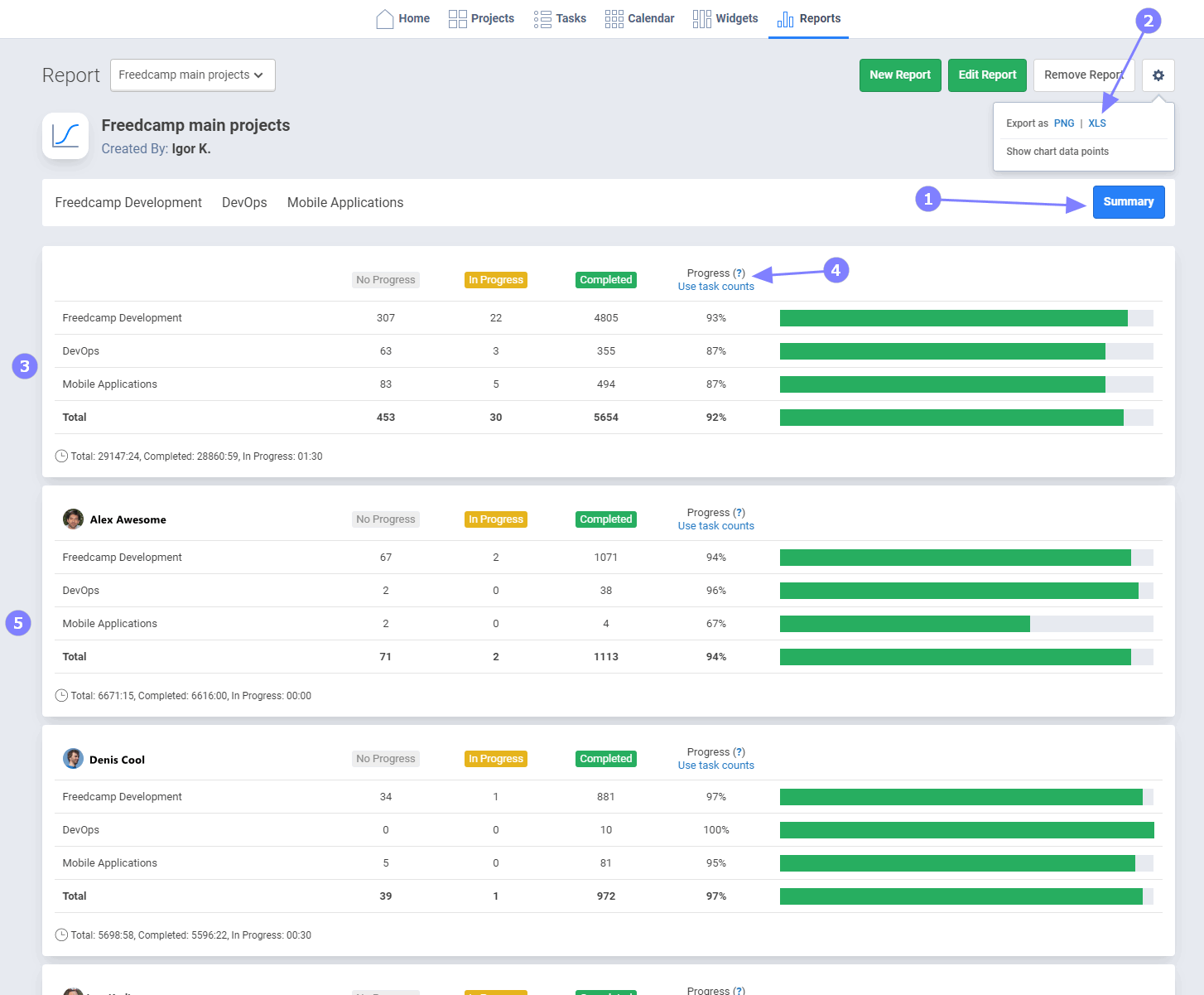
Image source: clickup.com
Features:
- Whiteboards for brainstorming and connecting ideas to tasks
- Customizable views: List, Board, Gantt, and Calendar
- Time tracking and workload management tools
- Integrations with Slack, Google Drive, and Zoom
- Built-in automation and goal tracking
Pros:
- Combines whiteboarding, task management, and execution
- Highly customizable to fit different workflows
- Built-in time tracking for project accountability
- Strong automation and reporting tools
Cons:
- Interface can be overwhelming for new users
- Some advanced features locked in higher plans
Pricing:
- Free plan: Unlimited users with basic features
- Unlimited: $10 per user/month (billed annually)
- Business: $19 per user/month
- Enterprise: Custom pricing for large organizations
5. Notion: Best for connected docs and lightweight visualization
Notion blends notes, tasks, databases, and whiteboards into a unified workspace. It's perfect for teams who value documentation as much as brainstorming. With its new whiteboard and AI tools, Notion helps teams map ideas, plan workflows, and turn them into actionable tasks—all without leaving the app.
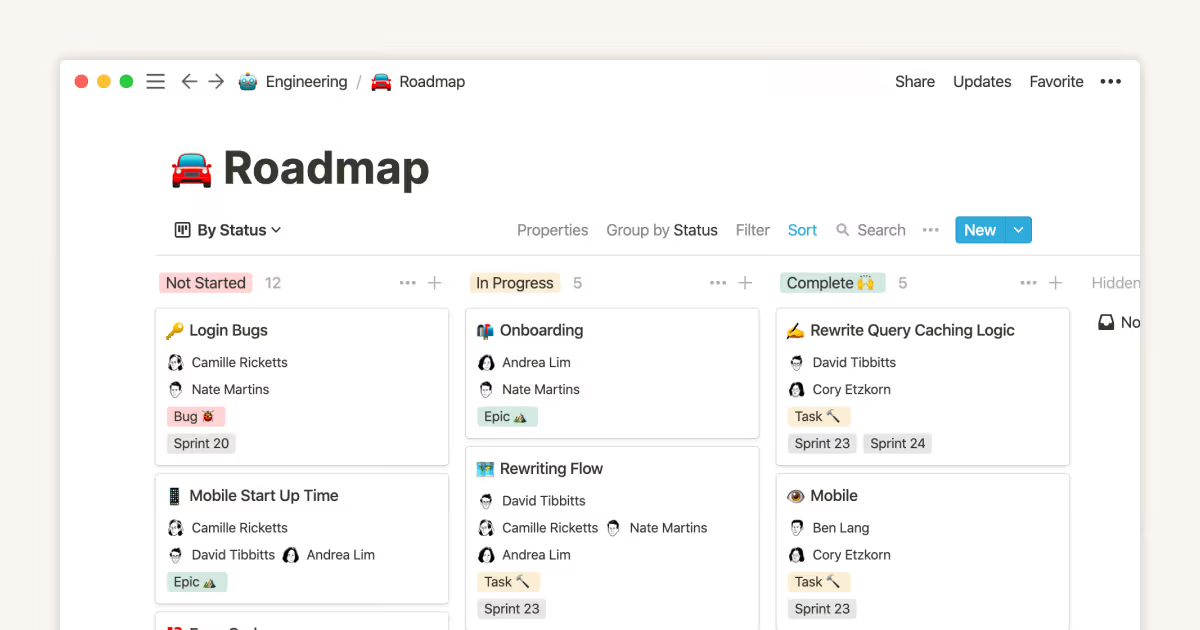
Image source: notion.com
Features:
- Visual whiteboard for brainstorming and mind mapping
- Linked databases and pages for structured documentation
- Real-time co-editing and commenting
- Integration with Slack, Google Drive, and GitHub
- Notion AI for summarizing, planning, and content generation
Pros:
- Combines knowledge management and collaboration
- Easy linking between docs, tasks, and databases
- Intuitive interface and flexible layouts
- Great for small teams and startups
Cons:
- Whiteboard features are still evolving
- Can become cluttered without consistent organization
Pricing:
- Free plan: For individuals and small teams
- Plus: $8 per user/month (billed annually)
- Business: $15 per user/month
- Enterprise: Custom pricing for large teams
6. Lucidspark: Best for structured brainstorming and diagramming
Lucidspark is a collaborative whiteboard built for structured thinking and planning. Created by the makers of Lucidchart, it excels in brainstorming sessions that require flowcharts, system diagrams, and visual organization. It's great for product managers and engineering teams who want both creativity and structure.
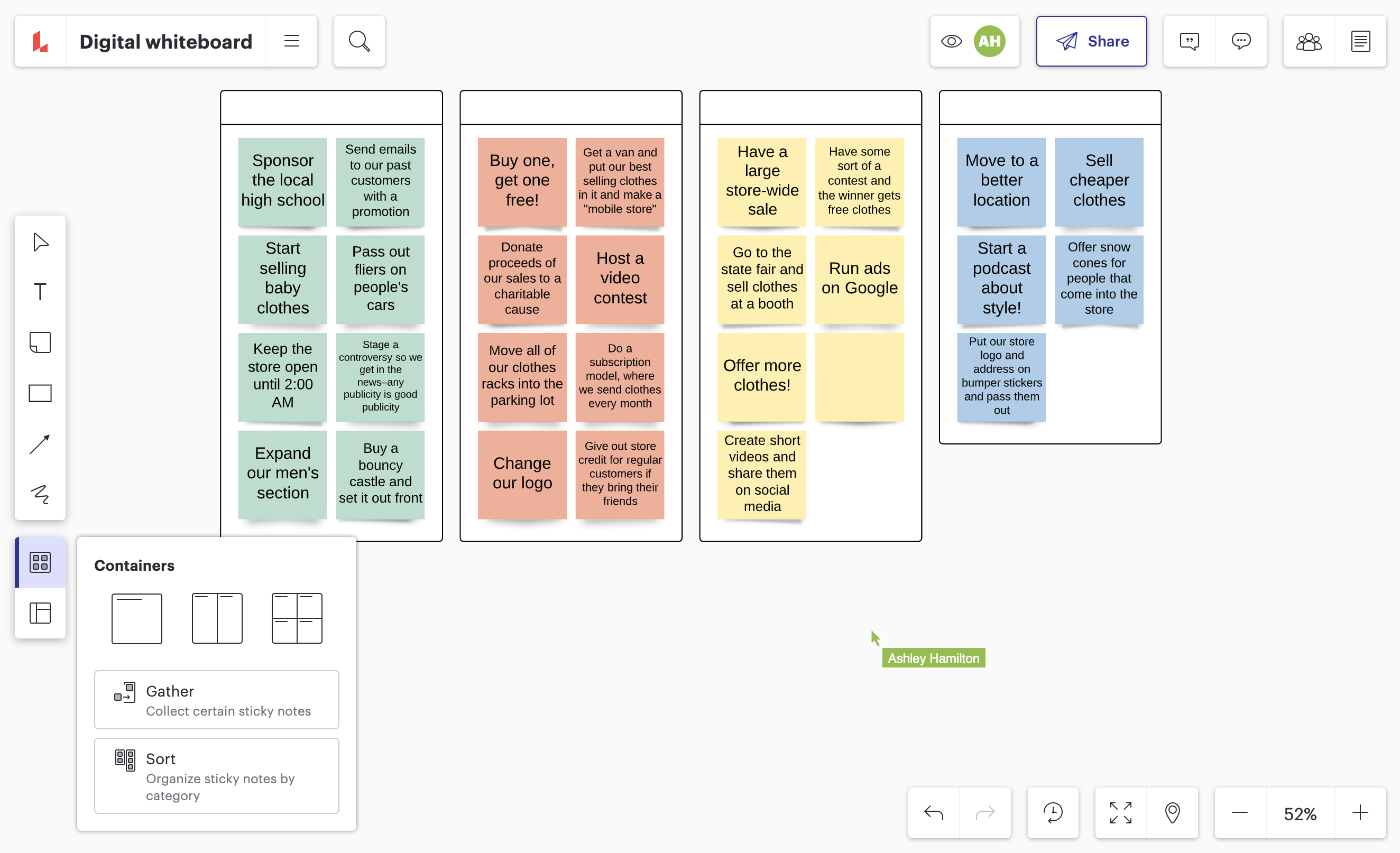
Image source: lucidspark.com
Features:
- Infinite whiteboard with sticky notes and drawing tools
- Integration with Lucidchart for converting ideas into workflows
- Grouping, tagging, and voting features for team input
- Real-time collaboration with comments and mentions
- Integrations with Slack, Jira, and Google Workspace
Pros:
- Ideal for technical brainstorming and process mapping
- Works seamlessly with Lucidchart for detailed diagrams
- Excellent real-time collaboration and organization tools
- Great template library for business and tech workflows
Cons:
- Slight learning curve for beginners
- Some advanced features require higher-tier plans
Pricing:
- Free plan: Limited boards and collaborators
- Individual: $9 per user/month
- Team: $11 per user/month
- Enterprise: Custom pricing with security and admin options
7. Stormboard: Best for digital workshops and meeting facilitation
Stormboard focuses on structured ideation and workshop facilitation for hybrid or remote teams. It combines sticky-note brainstorming with reporting and action tracking features, making it useful for agile ceremonies, retrospectives, and team planning sessions.
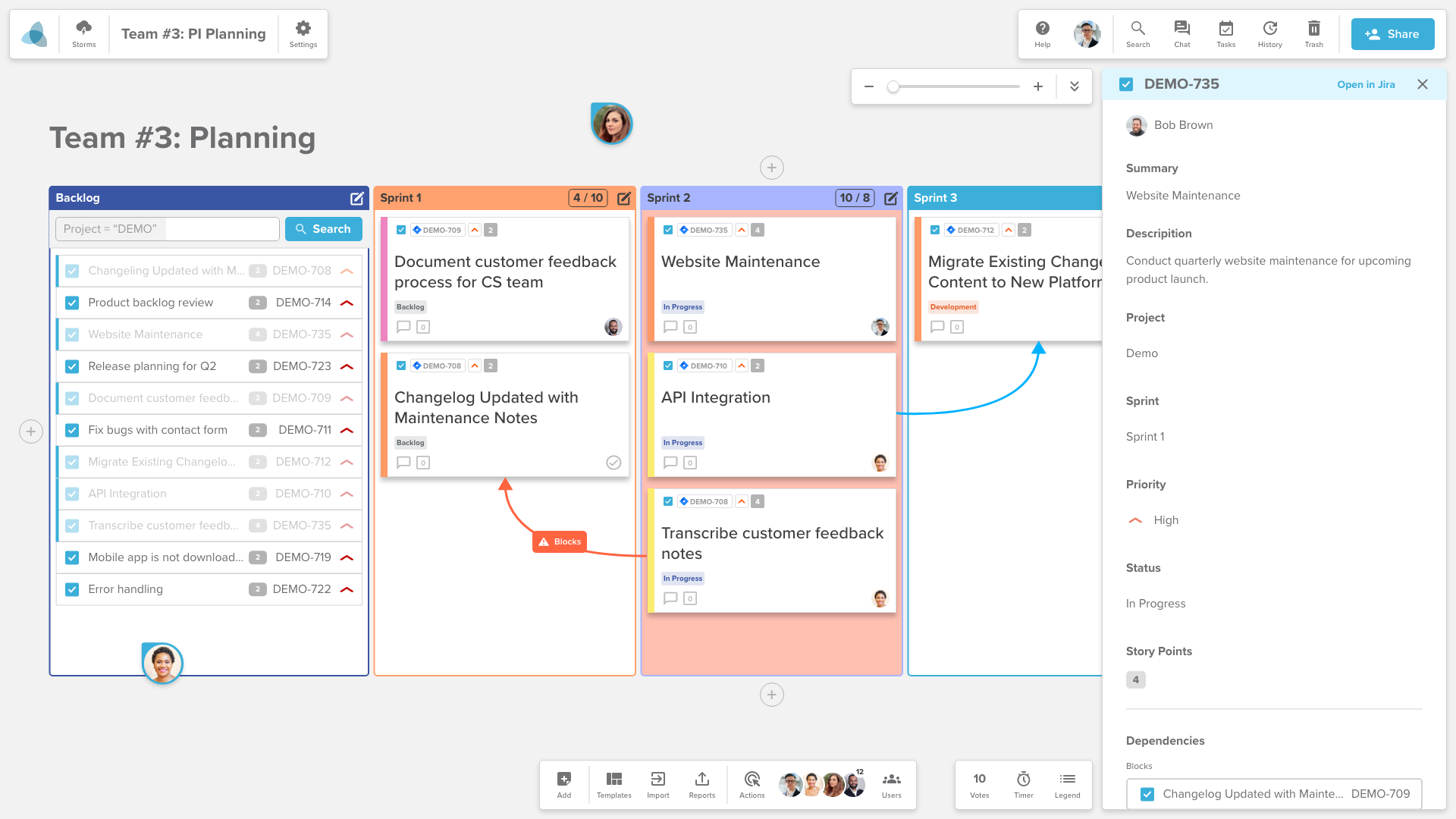
Image source: stormboard.com
Features:
- Pre-built templates for meetings, sprints, and workshops
- Voting, commenting, and task assignment tools
- Reporting dashboard for summarizing ideas and outcomes
- Integration with Microsoft Teams and Slack
- Real-time collaboration across devices
Pros:
- Great for structured meetings and facilitated sessions
- Built-in reporting simplifies post-meeting follow-up
- Easy-to-use with minimal setup
- Designed for hybrid and remote teams
Cons:
- Interface feels outdated compared to newer tools
- Limited integrations outside Microsoft ecosystem
Pricing:
- Personal: Free for basic boards
- Business: $10 per user/month (billed annually)
- Enterprise: Custom pricing for large-scale organizations
8. Whimsical: Best for flowcharts and quick ideation
Whimsical is a lightweight visual collaboration tool designed for speed and simplicity. It's perfect for creating flowcharts, wireframes, and mind maps in minutes. Its clean interface makes it a favorite for designers, product teams, and startups who need to visualize ideas quickly.
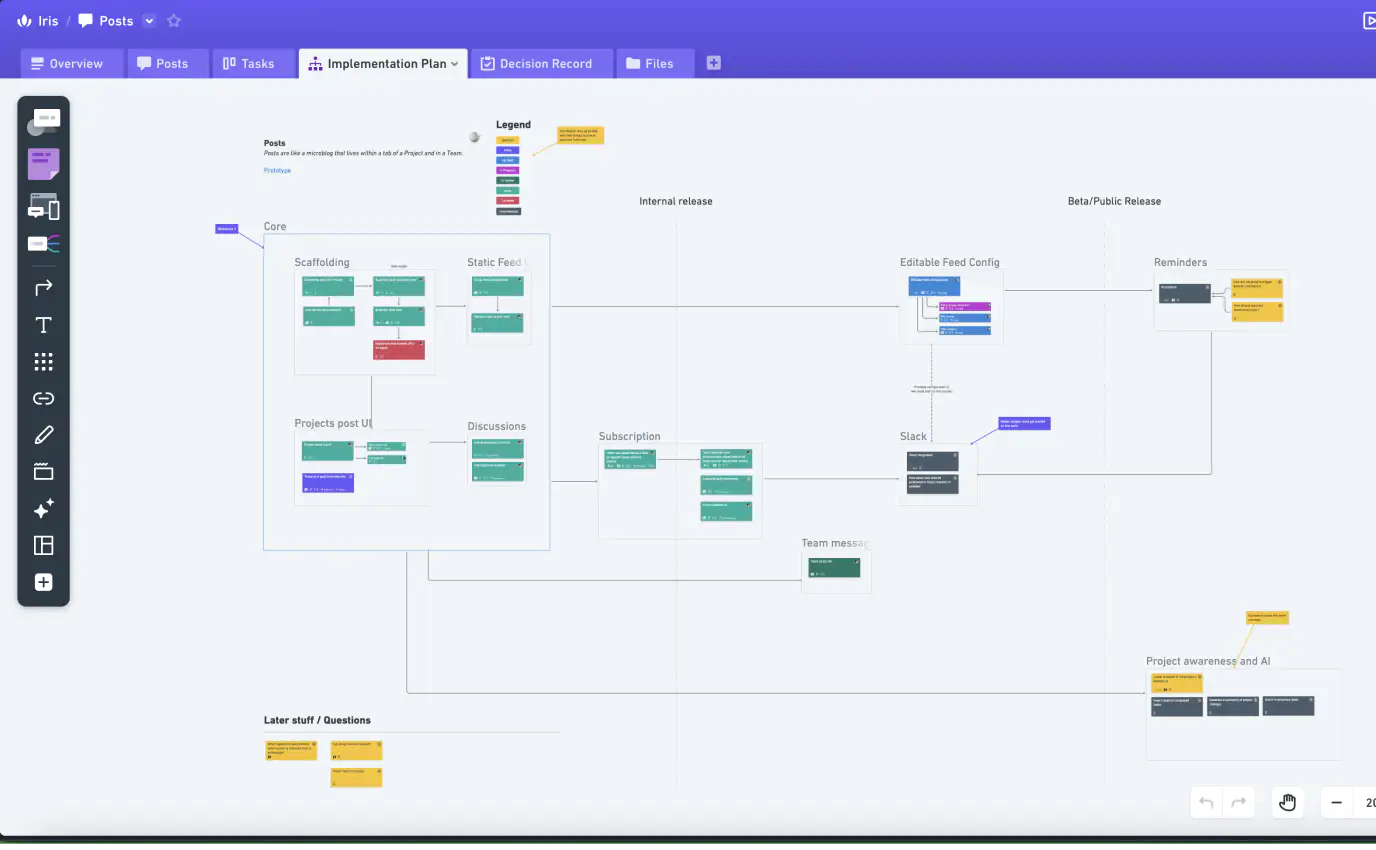
Image source: whimsical.com
Features:
- Tools for flowcharts, wireframes, sticky notes, and mind maps
- Real-time collaboration and commenting
- Keyboard shortcuts for rapid diagram creation
- Simple, clean UI for distraction-free work
- Integration with Slack and Jira
Pros:
- Fast, minimal, and easy to learn
- Excellent for visual thinkers and quick sessions
- Great for startups and product planning
- Real-time co-editing and feedback
Cons:
- Limited in advanced project management features
- No deep integrations with enterprise tools
Pricing:
- Free plan: Up to 2 boards per workspace
- Pro: $10 per user/month (billed annually)
- Organization: Custom pricing for large teams
9. Conceptboard: Best for creative review and feedback
Conceptboard specializes in visual collaboration for creative teams, especially those managing design feedback and approval processes. It's ideal for marketing, creative, and remote design teams that need to annotate visuals and discuss changes directly on the board.
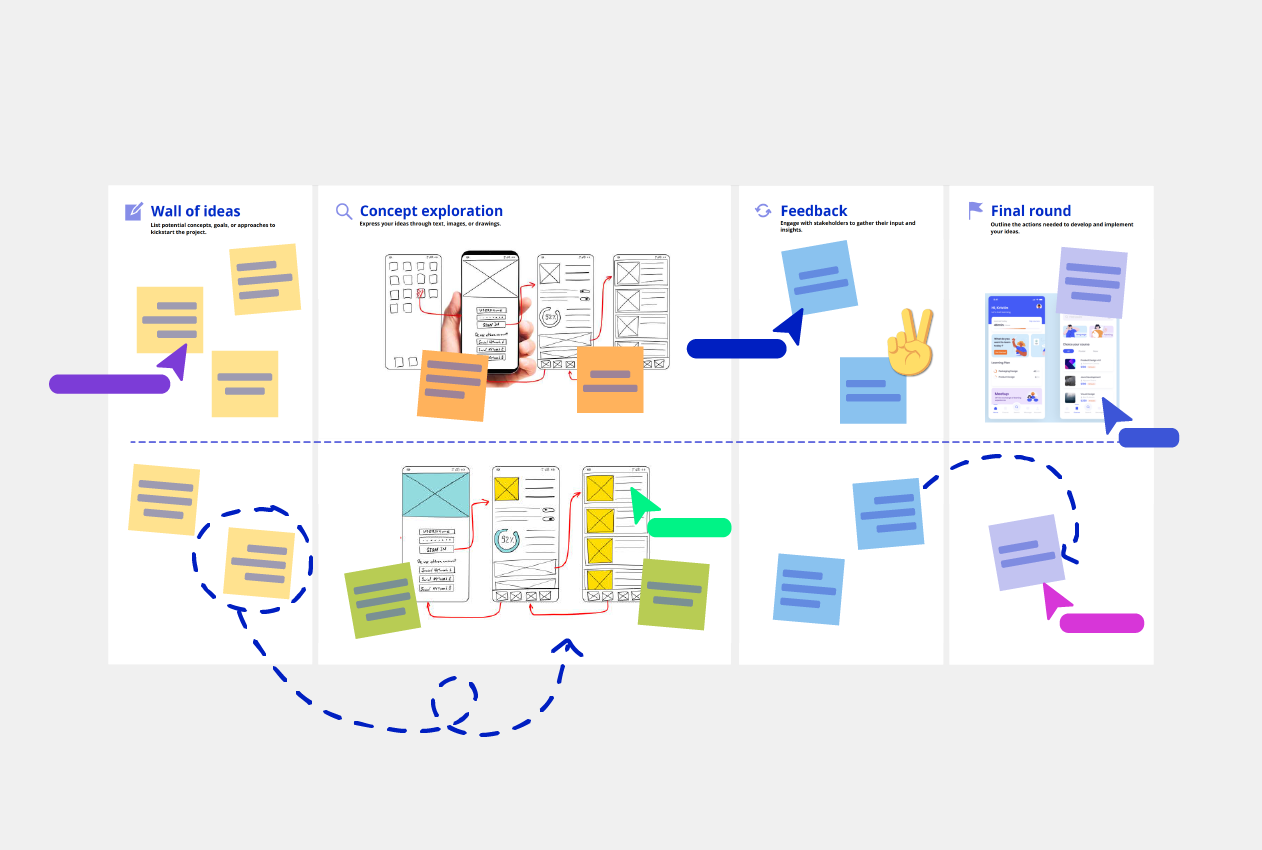
Image source: conceptboard.com
Features:
- Real-time visual collaboration and annotation tools
- Version history for tracking design updates
- Presentation mode for structured client reviews
- Threaded comments and mentions for feedback
- Secure cloud storage with compliance options
Pros:
- Excellent for design feedback and creative collaboration
- Simple interface for marking and commenting on visuals
- Great presentation and review tools for agencies
- Strong data protection for enterprise use
Cons:
- Limited automation and integration capabilities
- Interface can feel basic compared to newer apps
Pricing:
- Free plan: Limited boards and participants
- Premium: $6 per user/month (billed annually)
- Business: $9 per user/month
- Enterprise: Custom pricing
10. Milanote: Best for creative project moodboarding
Milanote is a visual workspace designed for creatives to organize inspiration, notes, and project ideas. It's often used for moodboards, storyboards, and creative briefs. Its drag-and-drop interface helps teams visualize concepts and build projects in a visually engaging way.
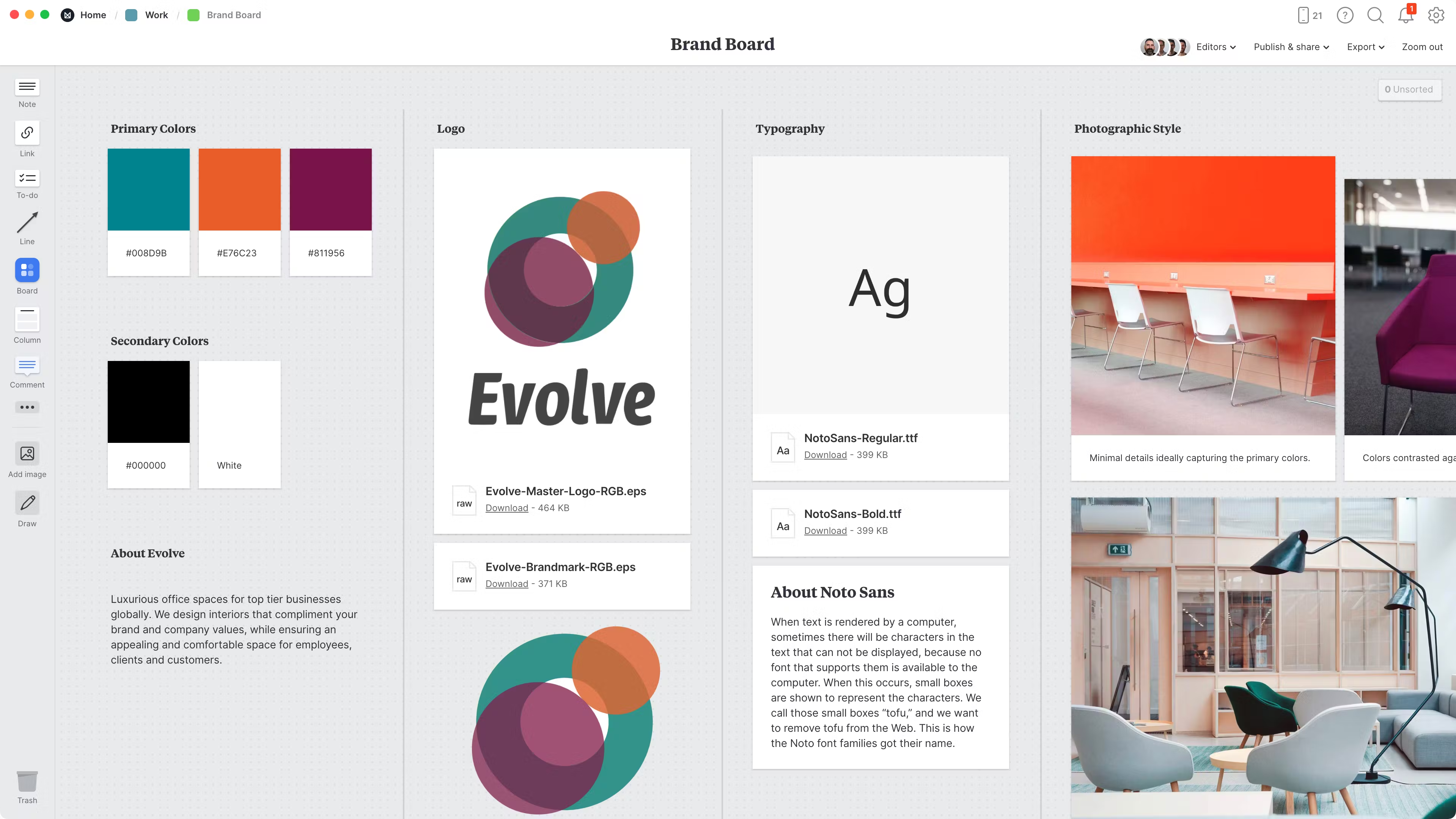
Image source: milanote.com
Features:
- Drag-and-drop boards for notes, images, and links
- Templates for storyboards, briefs, and design planning
- Real-time collaboration and commenting
- Cloud sync across devices
- Export options for PDFs and presentations
Pros:
- Beautiful, intuitive interface for creative work
- Perfect for designers, marketers, and writers
- Great for organising visual inspiration
- Supports offline editing and cloud sync
Cons:
- Limited integration with external apps
- Not ideal for complex project management
Pricing:
- Free plan: 100 notes, images, or links
- Professional: $9.99 per user/month (billed annually)
- Team: Custom pricing for collaboration features
How to choose the right Miro alternative
With so many collaboration tools available, choosing the right Miro alternative depends on your team's size, goals, and workflow complexity. The ideal platform should not only support creativity but also streamline execution and communication. Here's how to find the best fit for your team.
- Identify your collaboration needs: Start by defining whether your team only needs a digital whiteboard for brainstorming or a complete workspace that includes task tracking, documentation, and meetings. The more integrated your needs, the more value you'll get from an all-in-one platform like Lark or ClickUp.
- Consider scalability and cost: As your team grows, so will the number of boards, users, and projects. Choose a tool that offers flexible pricing and the ability to scale without sacrificing performance or affordability. Ensure it can handle both small sessions and enterprise-level workloads.
- Check integration requirements: Seamless connectivity between tools can save hours of manual work. Look for platforms that integrate with apps your team already uses like Slack, or Google Workspace alternatives, like Jira—so you can brainstorm, execute, and communicate within a single ecosystem.
- Evaluate automation and AI: Modern collaboration tools increasingly use AI to conduct automated approval, summarise notes, and suggest actions. Opt for a platform that includes smart automation or AI-driven insights to improve efficiency and reduce time spent on manual coordination.
Conclusion
Choosing the right Miro alternative comes down to understanding your team's balance between creativity and execution. While tools like Mural and FigJam excel at visual brainstorming, they often require additional apps to manage workflows. Platforms such as Lark bridge this gap by combining whiteboarding, document collaboration, task management, and communication, all within a single connected workspace. This characteristic ensures ideas move seamlessly from concept to completion, eliminating the friction of switching between tools. Whether your focus is on design thinking, project planning, or remote teamwork, the best alternative should empower your team to stay aligned, productive, and inspired. Ultimately, the right platform transforms brainstorming sessions into actionable results that drive real business impact.
FAQs
Is Lark a free alternative to Miro?
Yes. Lark offers a free forever plan with up to 20 users, 100GB of storage, and essential collaboration tools like Docs, Base, Tasks, and Meetings. It provides a broader workspace experience than Miro's whiteboard-focused free plan.
Can I import my Miro boards into other tools like Lark?
Direct import isn't supported yet. However, you can export Miro boards as images or PDFs and upload them to Lark Docs or whiteboards for continued collaboration. This ensures teams can reuse existing visual content easily.
Which Miro alternative is best for remote teams?
Lark, Mural, and ClickUp are top choices for remote collaboration. Lark combines communication, whiteboarding, and project management, while Mural focuses on workshops and ClickUp connects brainstorming with task execution.
Do Miro alternatives support real-time collaboration?
Yes. Most alternatives like Lark, Mural, and FigJam support real-time co-editing, live cursors, and instant feedback. This allows distributed teams to brainstorm and make decisions together without delay.
What features should I look for in a Miro alternative?
Look for tools that combine brainstorming, documentation, and execution in one place. Prioritise scalability, integrations with existing apps, and AI or automation features to improve productivity and reduce manual coordination.
Related reading
Table of contents
Start using Lark today

Manage all your work in one place
Boost team efficiency by 10x
Save up to 70% on software costs
Table of contents
Start using Lark today
Manage all your work in one place
Boost team efficiency by 10x
Save up to 70% on software costs
Keep reading

![What Is a 2-2-3 Work Schedule? Explanation and More [2024]](https://framerusercontent.com/images/uKHRfkp4v7y4azRNTYUmuteNQz8.png)





2026 Lark Technologies Pte. Ltd.
Headquartered in Singapore with offices worldwide.






Explore: