


Best 10 Planning Spreadsheet Templates for Smarter Scheduling in 2026

Ryan Tanner
Product Marketing Specialist
Aug 5, 2026
Ryan Tanner
Aug 5, 2026

20 min read


A planning spreadsheet is a structured tool designed to help organize schedules, manage tasks, and keep projects on track. Many people rely on formats such as daily planners, Excel templates, or weekly trackers to streamline their routines and ensure accountability.
However, traditional Excel files often present challenges, including manual updates, difficulty in sharing, and version control issues that can slow productivity. This is where tools with work planner templates change the game, offering savvy, automated planning spreadsheets. In this article, we will discuss the 10 best planning spreadsheet tools and their popular templates. Here is a brief preview:
- Lark: Best all-in-one thoughtful, AI-driven planning
- Microsoft Excel: Daily and weekly planner templates
- Smartsheet: Project planning and Gantt chart templates
- Coefficients: Automated planning spreadsheet templates
- Vertex42: Free planner, XLS, and spreadsheet templates
- ClickUp: Task and project planner templates
- WPS Office: Simple spreadsheet planning templates
- TeamGantt: Gantt chart planning spreadsheet templates
- Template.net: Custom work and daily planner templates
- Monday: Project and workflow planning templates

What is a planning spreadsheet?
A planning spreadsheet is a structured document created in project management tools like Excel, Google Sheets, or Lark Base to organize schedules, set goals, and manage tasks effectively. It acts as a central space where individuals and teams can map out their priorities, track progress, and stay aligned with deadlines. The primary purpose of a planning spreadsheet is to simplify complex routines, whether for managing work projects, setting personal goals, balancing academic responsibilities, or tracking the construction process. Many prefer using a simple spreadsheet template for quick setups or a planner xls for more detailed scheduling. Common formats include daily logs for recording activities, weekly schedules for recurring tasks, and project plans with timelines, deliverables, and milestones. This ensures clarity and better productivity.
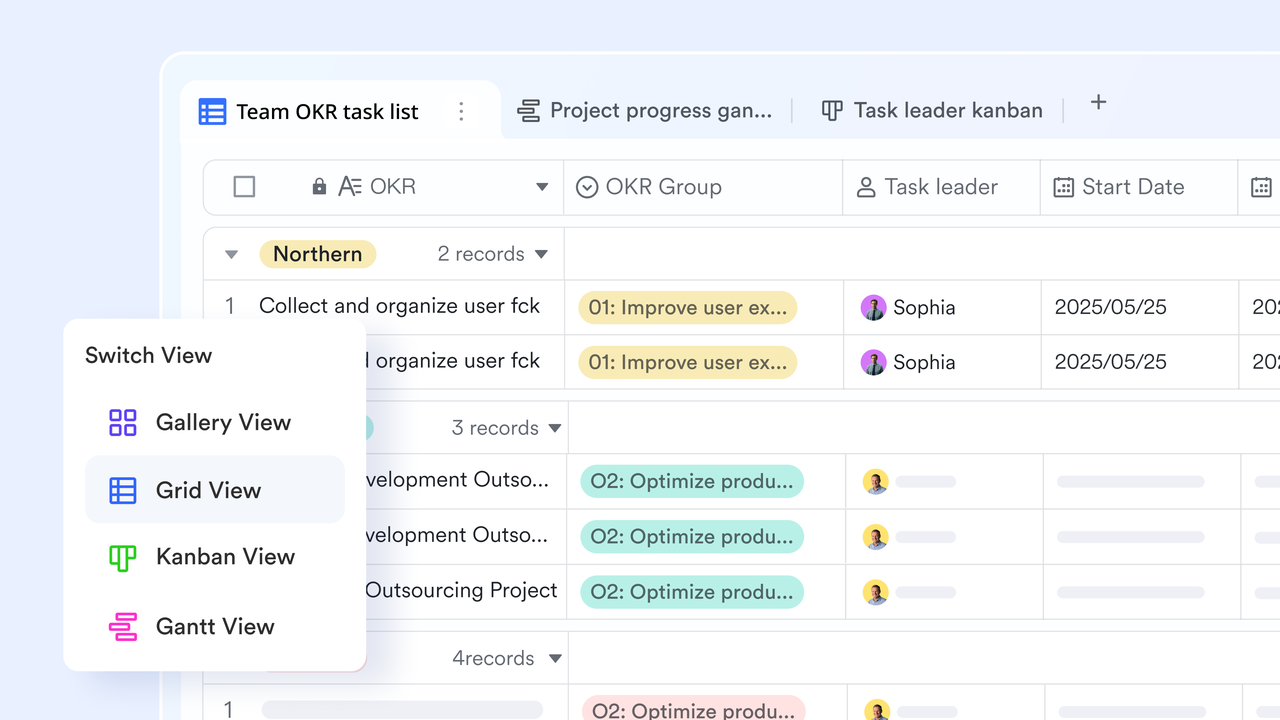
Unique ways of planning on Excel are used in 2026
- Work planners: A work planner template in Excel enables teams to assign tasks, set deadlines, and mark milestones in a structured manner. It ensures everyone stays on the same page without the need for endless email updates. By combining task ownership with progress tracking, it becomes an efficient way to boost collaboration and accountability.
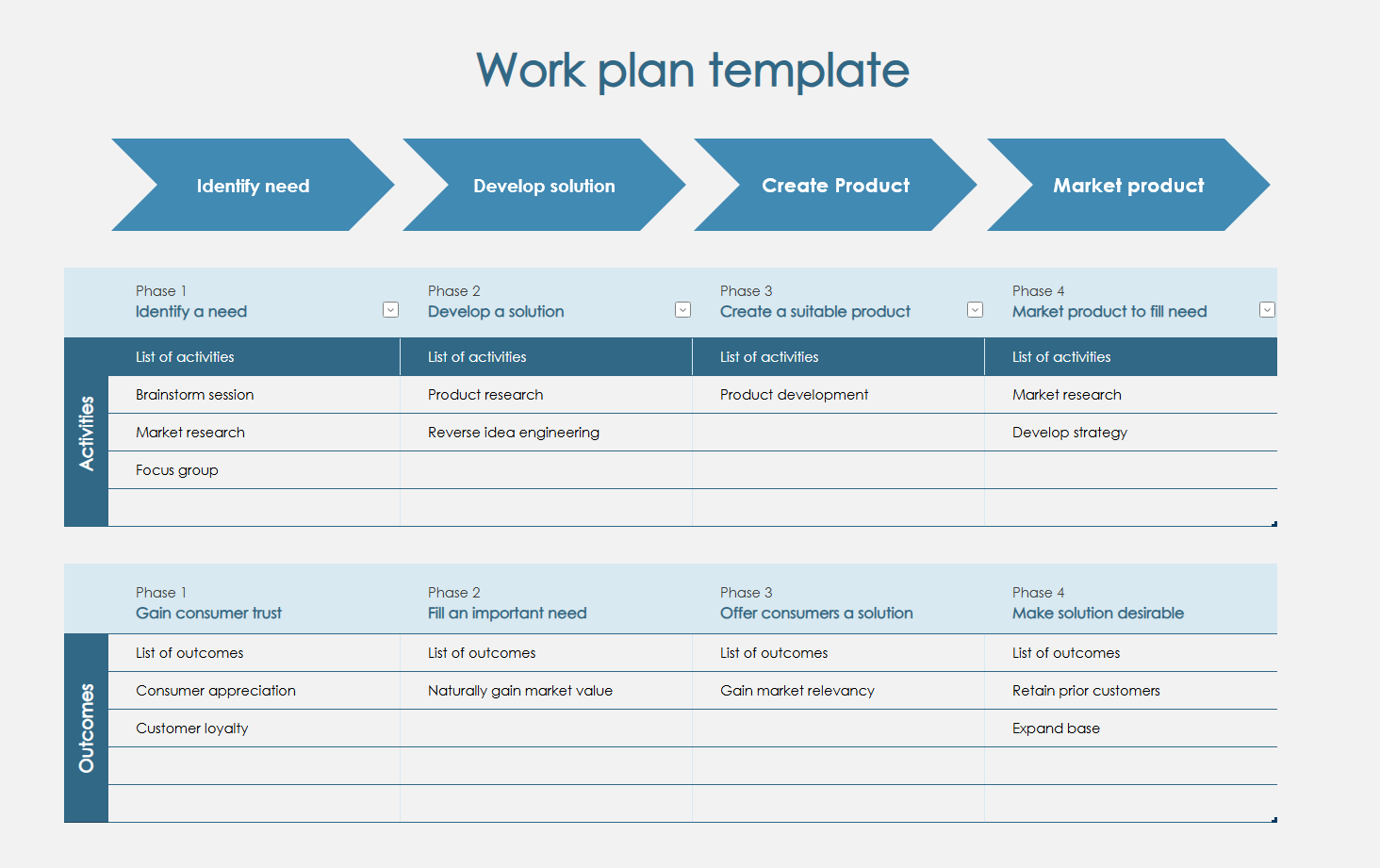
Image source: microsoft.com
- Personal daily diary excel templates: An Excel daily diary template is ideal for students tracking their study hours or professionals monitoring their daily routines. It helps in creating a habit log and balancing time between work and personal life. Over time, these templates provide valuable insights into productivity patterns and lifestyle improvements.
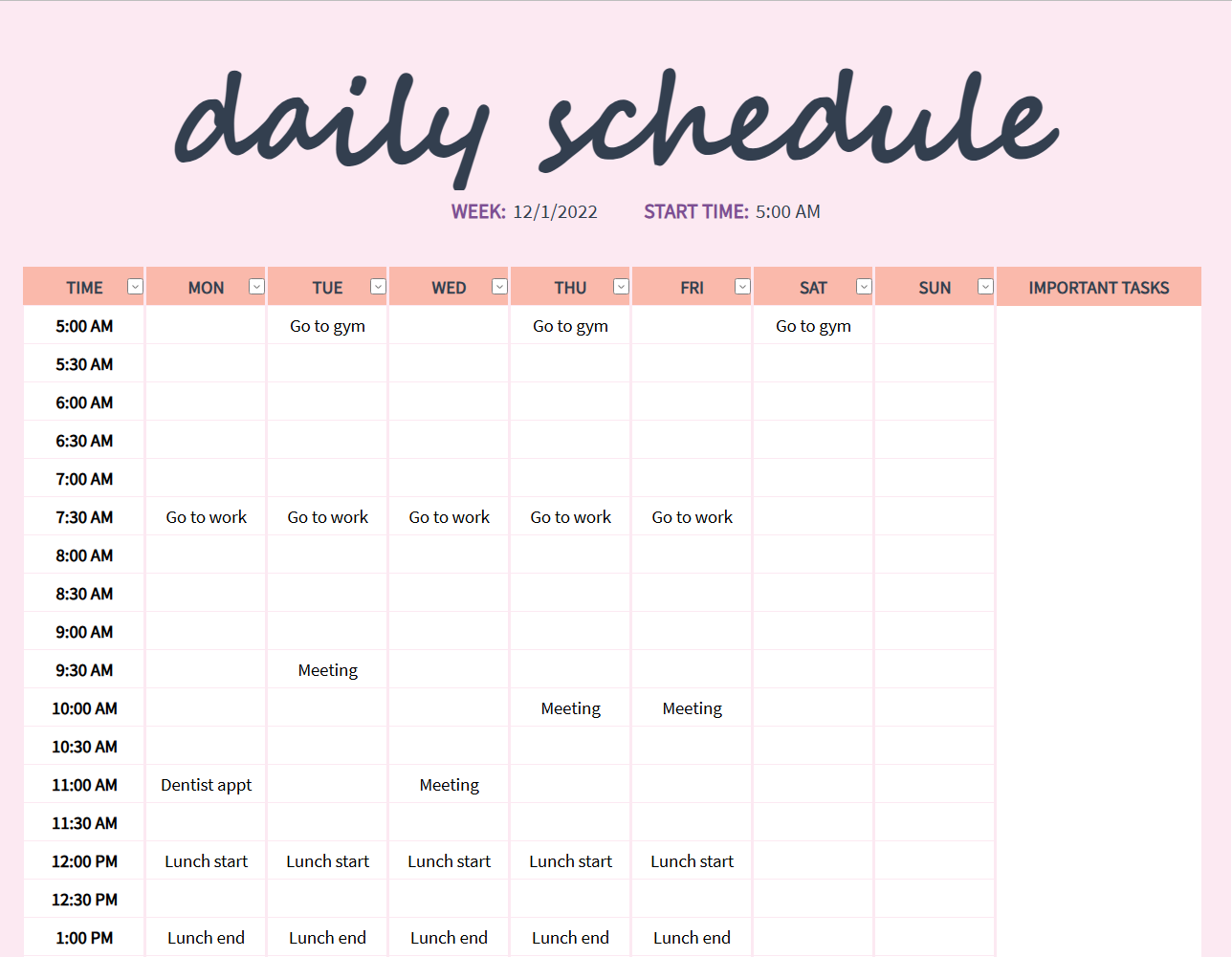
Image source: microsoft.com
- Weekly trackers: A weekly tracker template is widely used to manage recurring meetings, reports, and workout schedules. It provides a visual breakdown of each week's commitments, reducing the chance of overlapping tasks. Teams and individuals can use it to prioritize workload and stay consistent with weekly objectives.
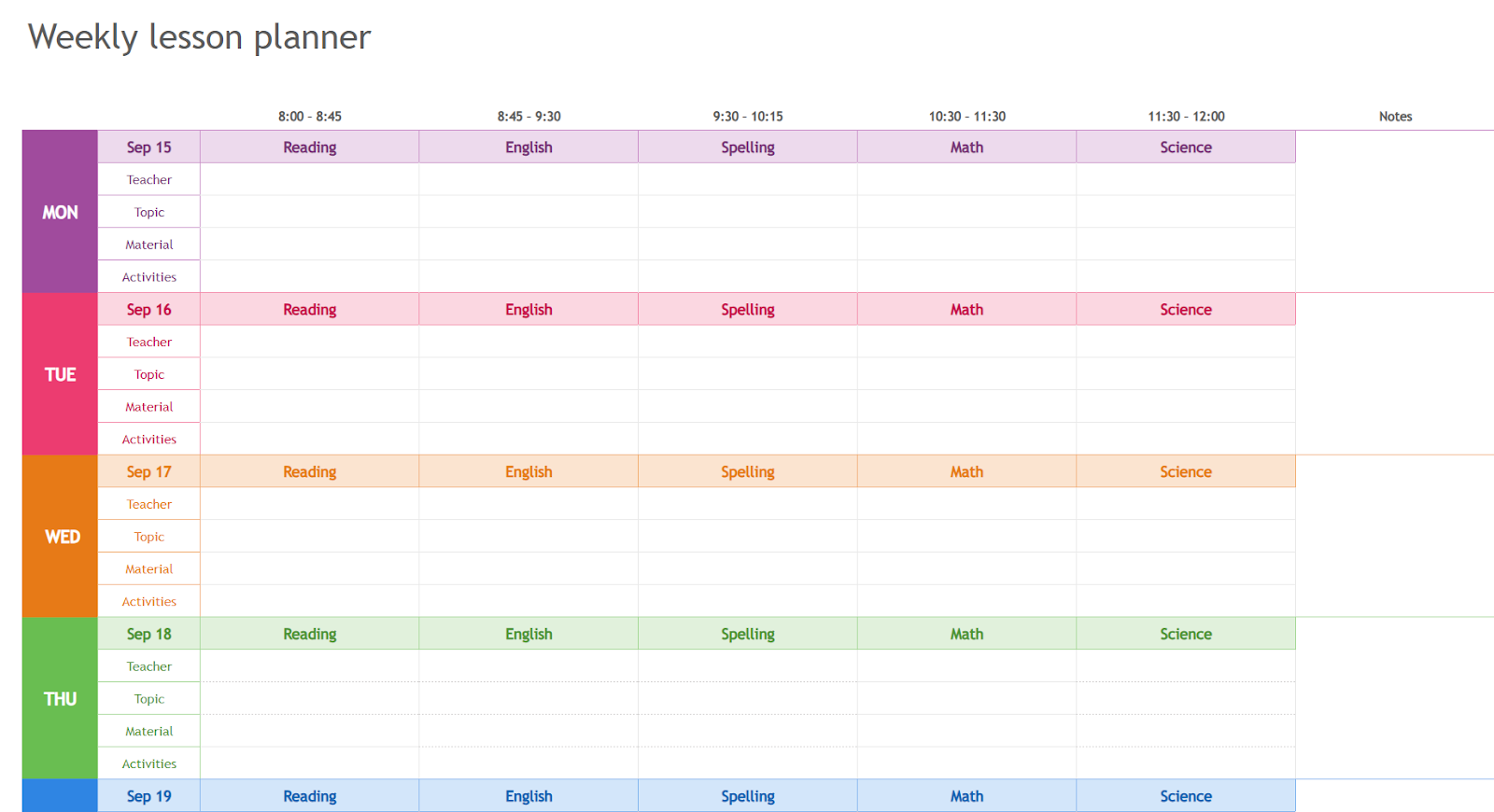
Image source: microsoft.com
- Event planning sheets: Many rely on a planning spreadsheet for event management, including vendor lists, guest tracking, and budget allocation. Excel makes it easy to map out timelines for pre-event, live-event, and post-event activities. This structure minimizes last-minute surprises and ensures a smooth event execution.
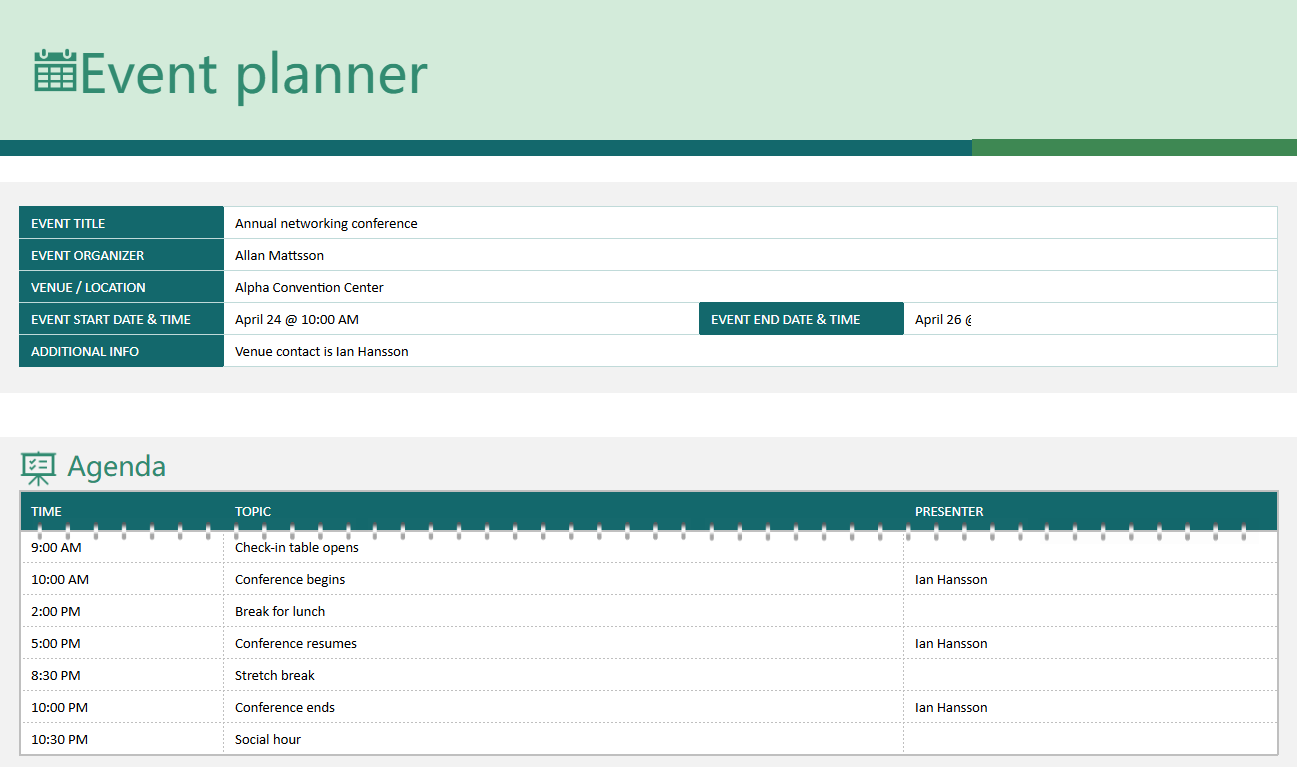
Image source: microsoft.com
- Goal-setting planners: An Excel planner allows users to track OKRs, personal targets, and professional growth in detail. It provides space to record achievements, setbacks, and areas needing improvement. With regular updates, this template supports both short-term focus and long-term goal realization.
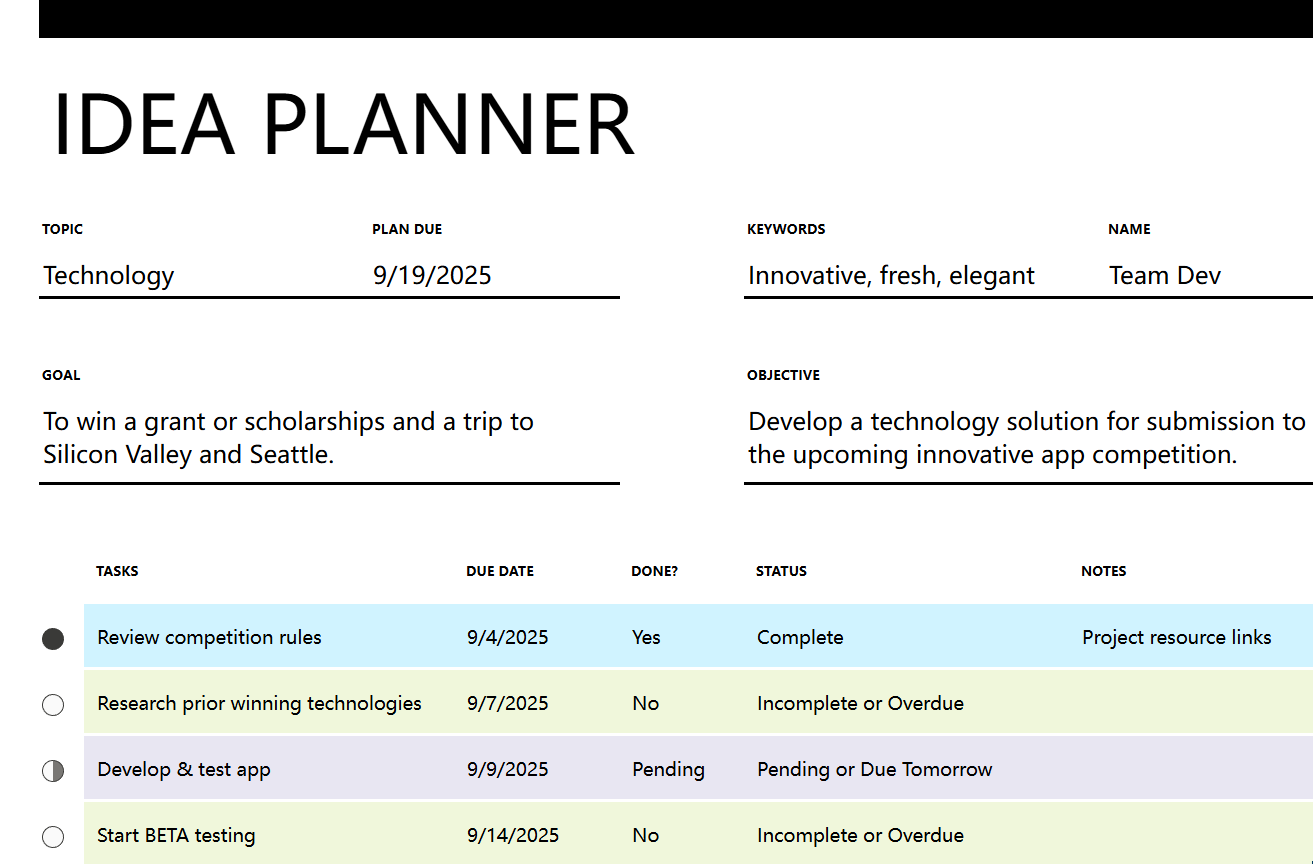
Image source: microsoft.com
Top 10 planning spreadsheet templates for 2026
1. Lark: Best all-in-one smart, AI-driven planning
Lark’s planning spreadsheet template is designed to bring simplicity and intelligence into everyday scheduling. Unlike static Excel files, it combines the flexibility of a planning spreadsheet with the power of automation, collaboration, and visualization. Whether you're using it as a work planner template for managing deadlines or for personal routines, Lark Base makes planning faster and more efficient. It eliminates manual updates and version control issues by offering real-time sync and unified dashboards. With multiple template options, ranging from task tracking to project planning, Lark ensures that both individuals and teams can plan with confidence, stay aligned, and achieve goals without switching between multiple apps.
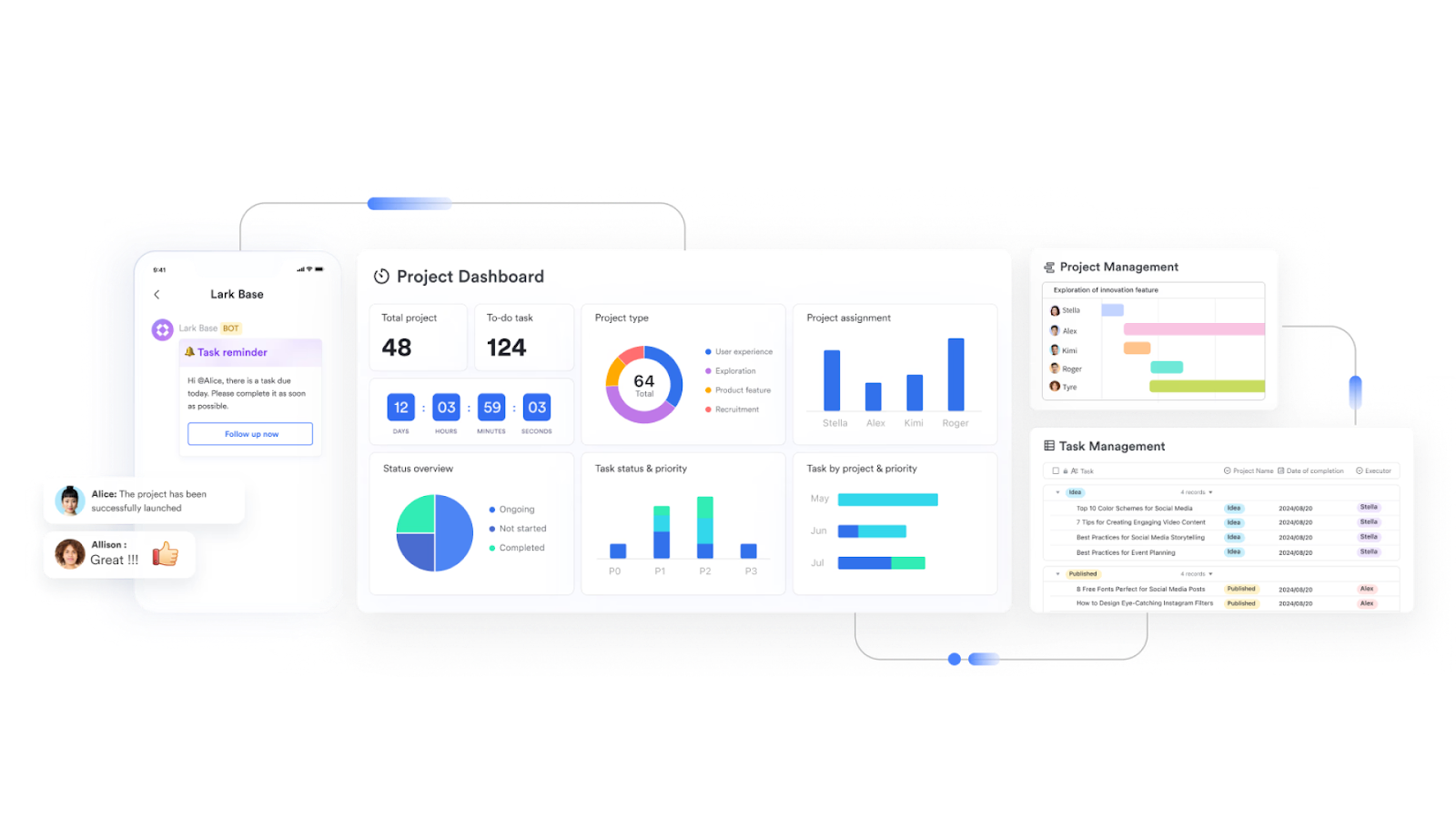
Smart templates for streamlined planning:
- Multi-project tracker template: Lark's multi-project tracker template enables teams to manage multiple projects in a single, centralized workspace. Each project's timeline, milestones, and key deliverables are clearly displayed, allowing for easy monitoring of progress at a glance. Users can quickly spot overlapping tasks or potential delays, and assign responsibilities to team members efficiently. With real-time updates, any changes are automatically reflected across all projects, ensuring that teams stay coordinated, deadlines are met, and no detail is overlooked.
- Task management template: The task management template organizes work by priority, owner, and due date, providing teams and individuals with complete control over their assignments. Tasks can be categorized, filtered, and tracked through completion, helping teams maintain focus and productivity. Automated reminders and status updates ensure deadlines are met without constant manual checks. This template is invaluable for coordinating complex workloads, balancing multiple priorities, and improving accountability across both small teams and larger organizations.
- Project Gantt chart: Lark's Gantt chart template provides a visual roadmap for projects, showing tasks, durations, dependencies, and milestones. It allows managers to see which tasks are on the critical path and anticipate potential bottlenecks before they become issues. Teams can adjust start and end dates, reassign tasks, and track progress in real-time. This template streamlines project management by providing a clear, chronological overview of complex schedules, making it easier for teams to collaborate and efficiently meet project objectives.
- Kanban boards: The Kanban board template provides a visual workflow for tasks, allowing items to move through stages such as To-Do, In Progress, and Done. Each task card can contain details, deadlines, and assigned team members, providing a comprehensive view of the current work status. Filters and color-coding help identify priorities and bottlenecks instantly. This approach is perfect for agile project management, recurring workflows, or habit tracking, allowing both teams and individuals to maintain clarity and ensure continuous progress.
- Employee task tracker: The employee task tracker template is designed to monitor team performance, task completion, and workload distribution. Managers can easily assign tasks, track progress, and identify team members who are overburdened. Integrated dashboards offer visual summaries of pending, ongoing, and completed work, enabling leaders to make informed decisions. This template also supports automated reminders and updates, ensuring accountability and allowing the teams to collaborate efficiently without relying on outdated spreadsheets or manual follow-ups.
2. Microsoft Excel: Daily and weekly planner templates
Microsoft Excel remains a go-to tool for planning, organizing, and effectively managing data. Businesses, professionals, and students widely use its planning spreadsheet templates to handle schedules, projects, and tasks. Excel's flexibility allows users to customize or download ready-made templates that suit specific needs. From work planner templates to calendars and financial sheets, Excel offers an adaptable solution for personal and professional use. Its structured rows, formulas, and automation make it reliable for keeping everything in order.
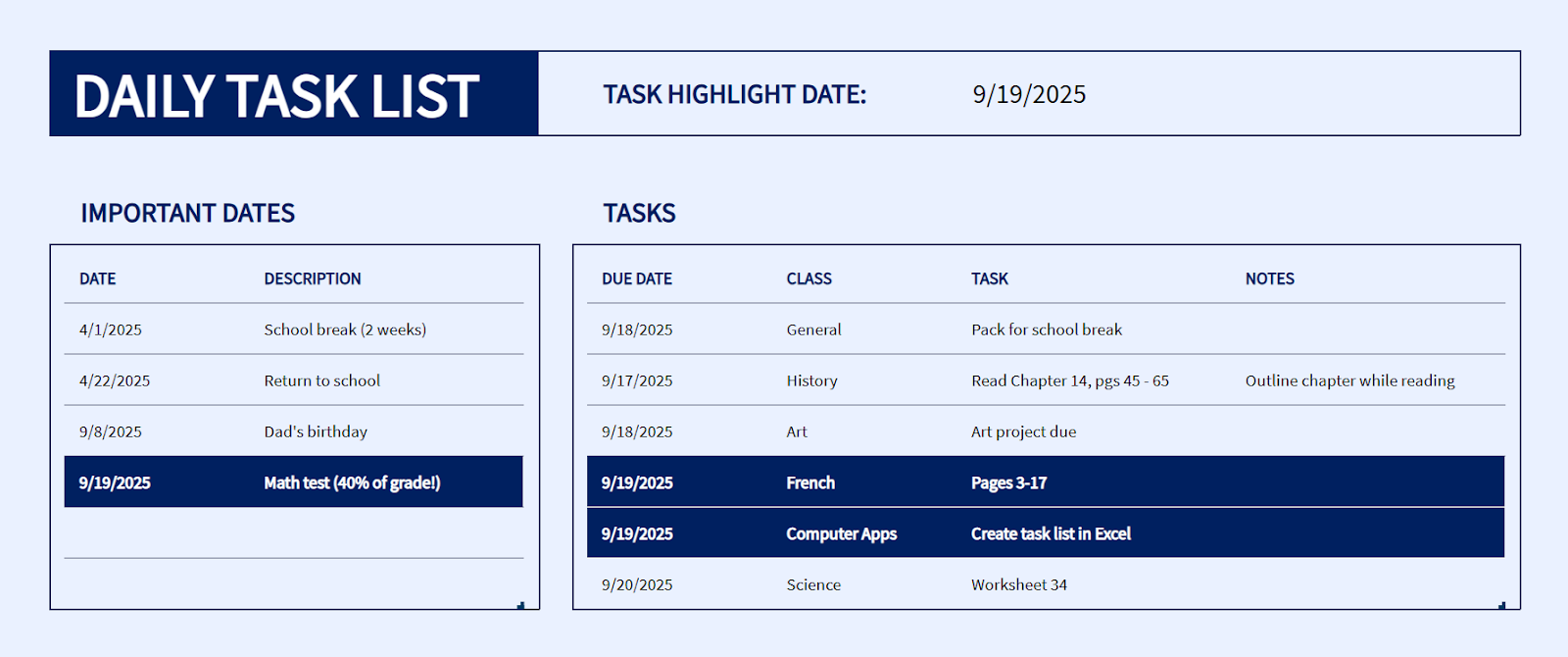
Image source: microsoft.com
Popular planning spreadsheet templates in Excel:
- Invoice template: The invoice template in Excel is a must-have for businesses and freelancers managing client billing. It enables quick creation of professional invoices with fields for client details, product or service descriptions, pricing, and taxes. This template not only saves time but also ensures financial accuracy while giving a professional touch to business transactions.
Image source: microsoft.com
- Weekly planner template: The weekly planner template is ideal for scheduling tasks, meetings, or personal activities throughout the week. It gives an overview of upcoming deadlines and helps users set realistic goals. This free Excel template for weekly planners is widely used to track recurring routines, such as reports, fitness schedules, or academic tasks.
Image source: microsoft.com
- Shift work calendar template: Excel’s shift work calendar template is handy for managers and HR teams. It helps assign shifts, monitor employee availability, and prevent scheduling overlaps. By automating workforce planning, this simple spreadsheet template ensures efficiency and reduces conflicts, making it a reliable tool for team scheduling and management.
Image source: microsoft.com
3. Smartsheet: Project planning and Gantt chart templates
Smartsheet is a robust cloud-based platform designed for work management and collaboration. Its planning spreadsheet templates go beyond static files, offering automation, sharing, and real-time updates for teams and individuals. Widely used by businesses for project tracking, budgeting, and daily tasks, Smartsheet combines the simplicity of spreadsheets with advanced project management features. Its ready-made templates help organizations save time while ensuring accuracy and accountability.
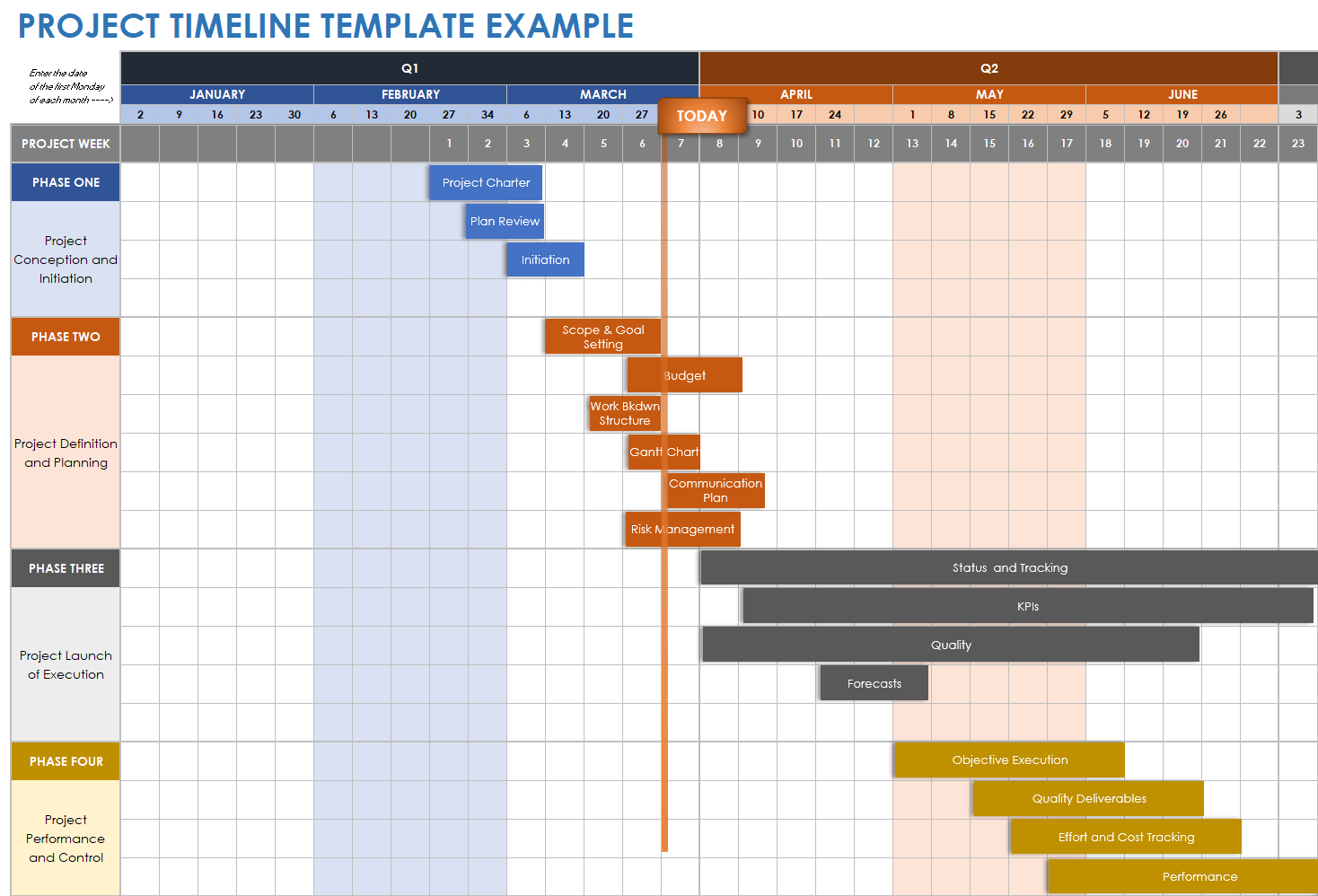
Image source: smartsheet.com
Popular planning spreadsheet templates in Smartsheet:
- Gantt chart template: The Gantt chart template in Smartsheet is ideal for managing projects with multiple tasks and deadlines. It offers timeline visualization, dependency tracking, and milestone management, allowing teams to plan efficiently. Unlike traditional Excel files, Smartsheet’s version updates automatically and is accessible to all collaborators in real-time.
Image source: smartsheet.com
- Expense report template: With Smartsheet’s expense report template, businesses can monitor budgets, log transactions, and track reimbursements. This simple spreadsheet template streamlines financial management, ensuring expenses are categorized and approved faster. It reduces manual effort while keeping financial data organized for audits and decision-making.
Image source: smartsheet.com
4. Coefficient: Automated planning spreadsheet templates
Coefficient is a modern tool that supercharges spreadsheets, such as Excel and Google Sheets, by connecting them directly to live data sources, including CRMs, ERPs, and marketing platforms. This makes planning spreadsheets more dynamic, eliminating the need for manual updates or version conflicts. Businesses and teams can pull real-time insights into their template spreadsheets, turning static files into powerful planning dashboards. From inventory management to content scheduling, Coefficient’s automation ensures accuracy, saves time, and enables more intelligent decision-making.
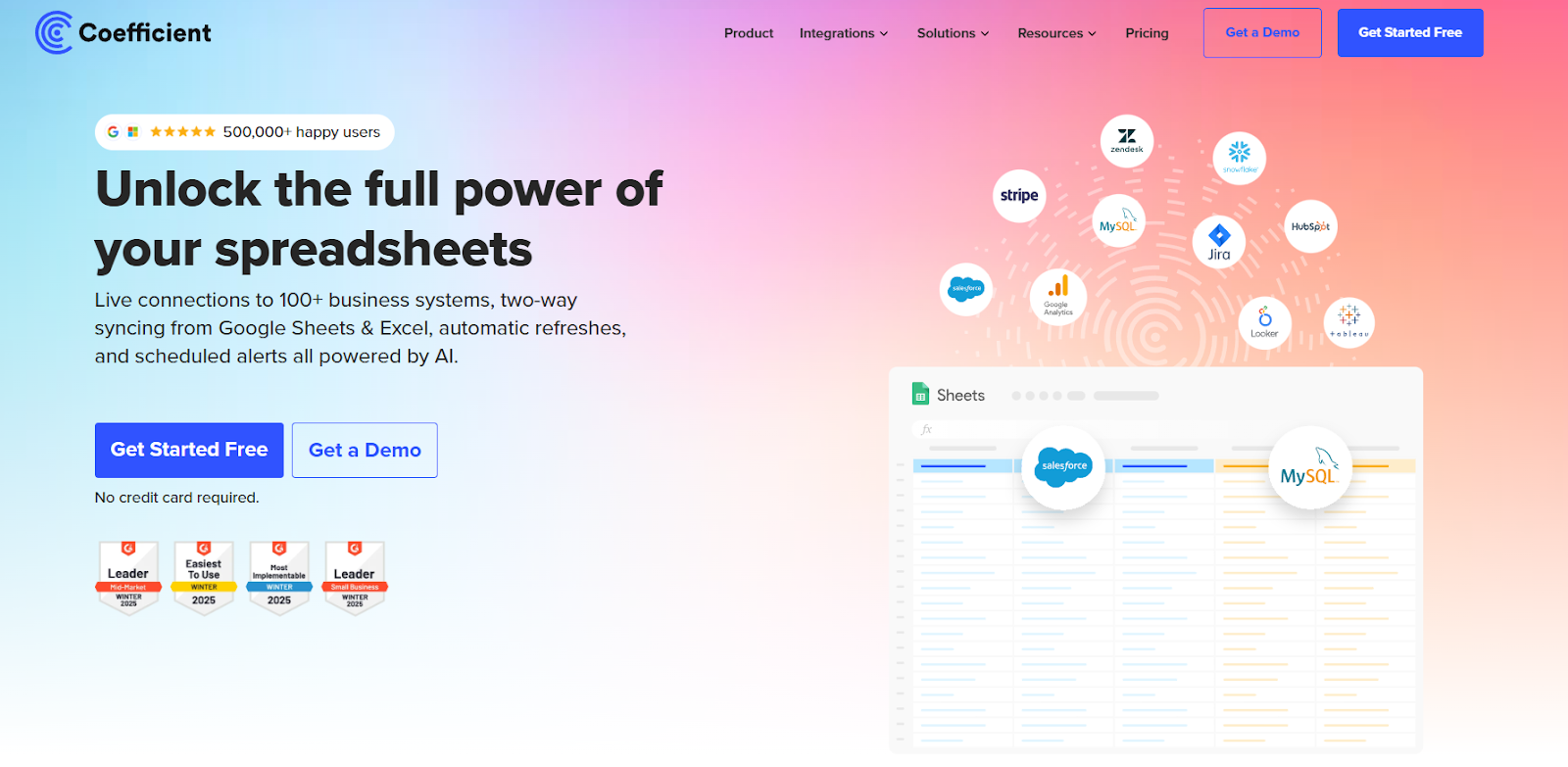
Image source: coefficient.io
Popular planning spreadsheet templates in Coefficient:
- Inventory tracking report template: This template helps businesses monitor stock levels, supplier data, and order histories in real time. Unlike a simple spreadsheet template, it updates automatically by pulling live data from connected systems, ensuring managers always know what’s available and when to reorder.
Image source: coefficient.io
- Blog content calendar template: For marketing teams, the blog content calendar template organizes posts, deadlines, and publishing workflows. With automated updates, teams can track content progress across platforms seamlessly. It serves as both a weekly tracker template and a planning hub for campaigns.
Image source: coefficient.io
- Product launch roadmap template: The product launch roadmap template provides a structured timeline to manage every stage of the launch. Teams can map milestones, assign tasks, and monitor progress with live updates. This work planner template keeps product teams aligned, reducing risks and ensuring smoother launches.
Image source: coefficient.io
5. Vertex42: Free planner, XLS, and spreadsheet templates
Vertex42 is one of the most popular sources for free planning spreadsheets and professional template spreadsheets in Excel format. Known for its clean layouts and practicality, it provides ready-to-use resources that save time for individuals, students, and businesses. With its vast collection ranging from planner XLS to financial trackers, Vertex42 helps users manage both personal and professional tasks effortlessly. Whether you need to control expenses, streamline invoicing, or log work hours, these templates offer simple yet effective planning in Excel.
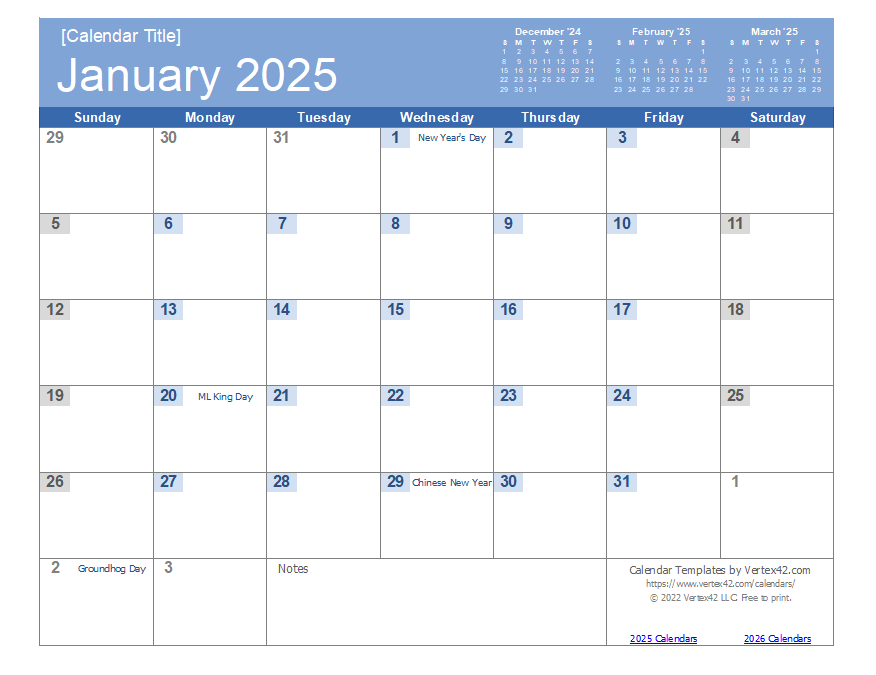
Image source: vertex42.com
Popular planning spreadsheet templates in Vertex42:
- Income and expense worksheet: A financial tracking template that simplifies monthly budgeting. Users can categorize their income streams and expenses, providing a clear view of their financial health. Unlike a simple spreadsheet template, this worksheet is preformatted for better clarity and accuracy.
Image source: vertex42.com
- Invoice template: Designed for freelancers and small businesses, this template allows quick creation of professional invoices in Excel. With customizable fields, it reduces errors and speeds up billing, making it a reliable work planner template for finance tasks.
Image source: vertex42.com
- Timesheet template: Ideal for managers and employees, the timesheet template records daily work hours, overtime, and pay calculations. It acts as both a weekly tracker template and an Excel daily planner, ensuring fair and transparent work reporting.
Image source: vertex42.com
6. ClickUp: Task and project planner templates
ClickUp is more than just a project management platform; it also offers versatile planning spreadsheets and customizable template spreadsheets that cater to business, academic, and personal needs. Known for its flexibility, ClickUp helps teams streamline workflows, manage client relationships, and track sales or tasks in one space. Its templates work like upgraded Excel daily planner templates, but with built-in automation, collaboration, and visualization features. For teams that want more than a simple spreadsheet template, ClickUp provides structured planners that enhance productivity.
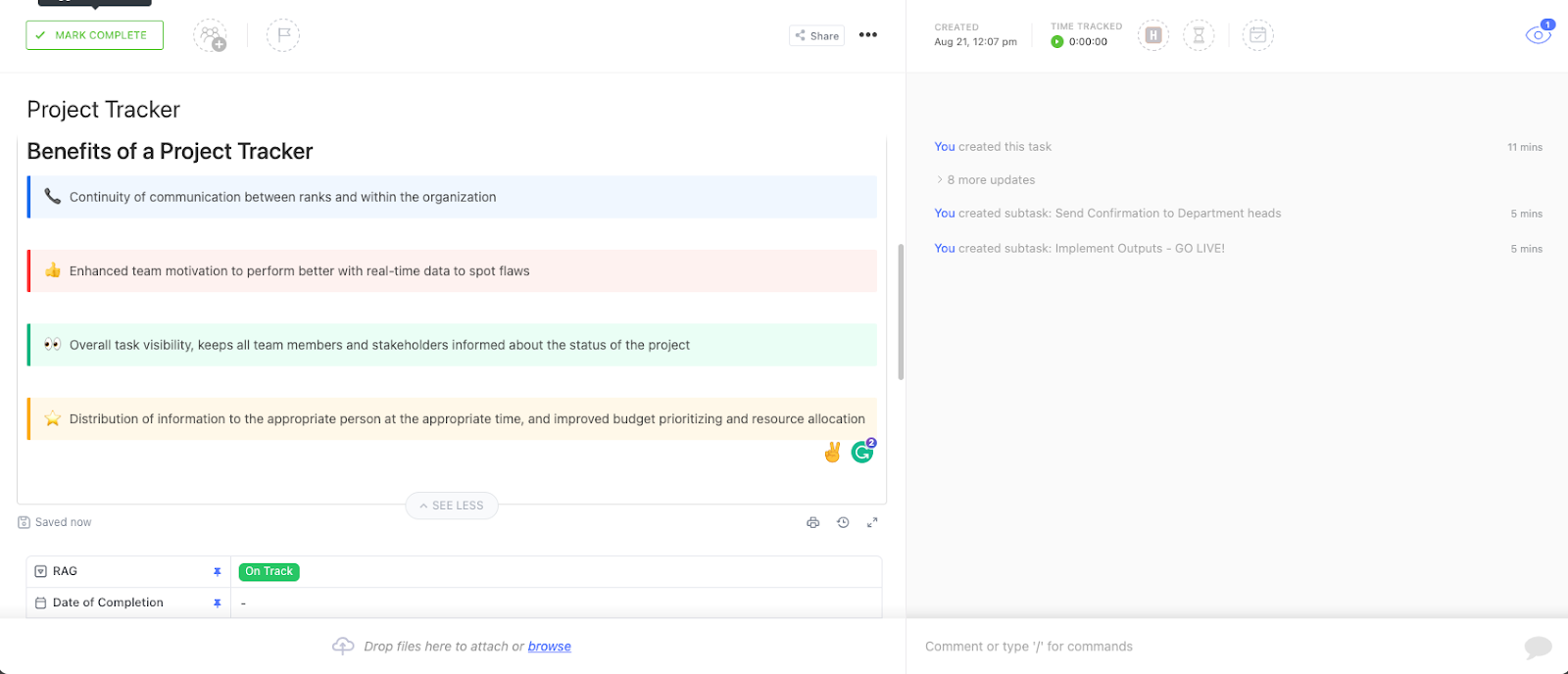
Image source:clickup.com
Popular planning spreadsheet templates in ClickUp:
- Sales pipeline management template: This template organizes prospects, deals, and closing stages in a visual format. It functions as a digital work planner template, letting sales teams monitor progress and prioritize deals with real-time updates.
Image source:clickup.com
- Client hub template: The Client Hub acts as a centralized space for managing client details, communications, and project notes. It’s like a planner XLS designed for relationship management, ensuring nothing falls through the cracks.
Image source:clickup.com
- Sales tracker template: Designed for sales representatives and managers, this template tracks daily activities, revenue goals, and performance metrics. As a weekly tracker template, it provides actionable insights for improving sales outcomes.
Image source:clickup.com
7. WPS Office: Simple spreadsheet planning templates
WPS Office provides a comprehensive library of template spreadsheets tailored to meet everyday organizational needs. Its Excel-compatible files are especially popular among students, professionals, and small businesses who prefer ready-to-use resources without complex setups. From daily planner Excel templates to business record sheets, WPS provides reliable tools that make planning on Excel simpler and faster. With these easy-to-edit, simple spreadsheet templates, users can handle HR, finance, and personal planning with clarity and efficiency.
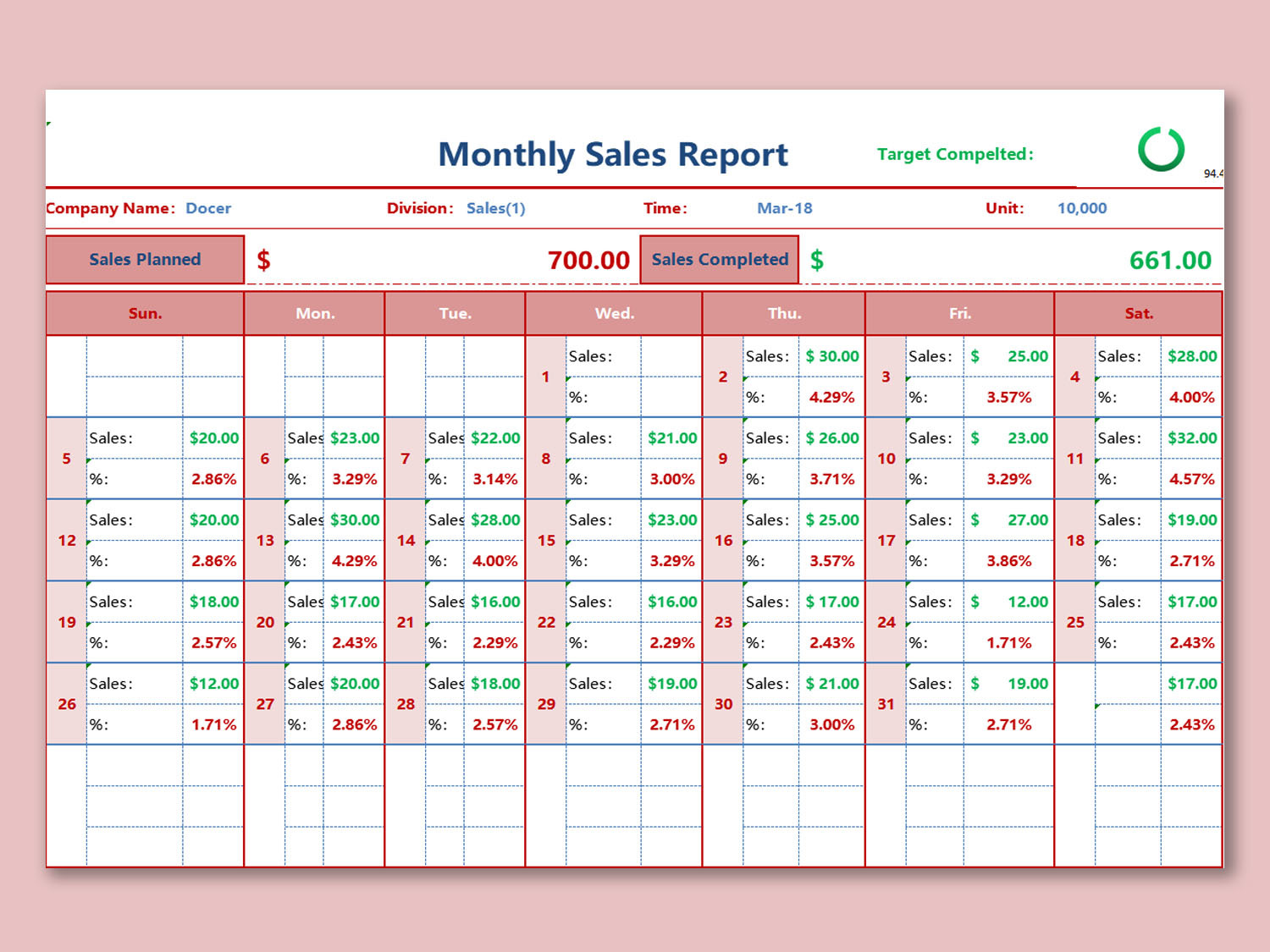
Image source: template.wps.com
Popular planning spreadsheet templates in WPS Office:
- Attendance sheet template: A ready-made sheet that allows managers, teachers, or HR teams to record daily presence, absences, and overtime. Acting as both a weekly tracker template and Excel daily planner, it ensures accurate reporting.
Image source: template.wps.com
- Personnel record template: Designed for HR teams, this template centralizes employee information such as job roles, contact details, and performance notes. It’s a work planner template that helps in maintaining organized staff records.
Image source: template.wps.com
- Simple balance sheet: A financial template that tracks assets, liabilities, and equity with ease. Unlike a planner XLS made from scratch, this preformatted sheet reduces errors and ensures transparent reporting for individuals or businesses.
Image source: template.wps.com
8. TeamGantt: Gantt chart planning spreadsheet templates
TeamGantt specializes in visual project management, offering planning spreadsheets and templates designed to simplify complex schedules. Its tools combine the structure of a template spreadsheet with interactive Gantt charts, making it effortless to track deadlines and dependencies. Ideal for teams handling software projects, marketing campaigns, or content schedules, TeamGantt transforms static Excel sheets into dynamic planners. With these planner XLS templates, businesses can align goals, streamline collaboration, and ensure projects stay on track.
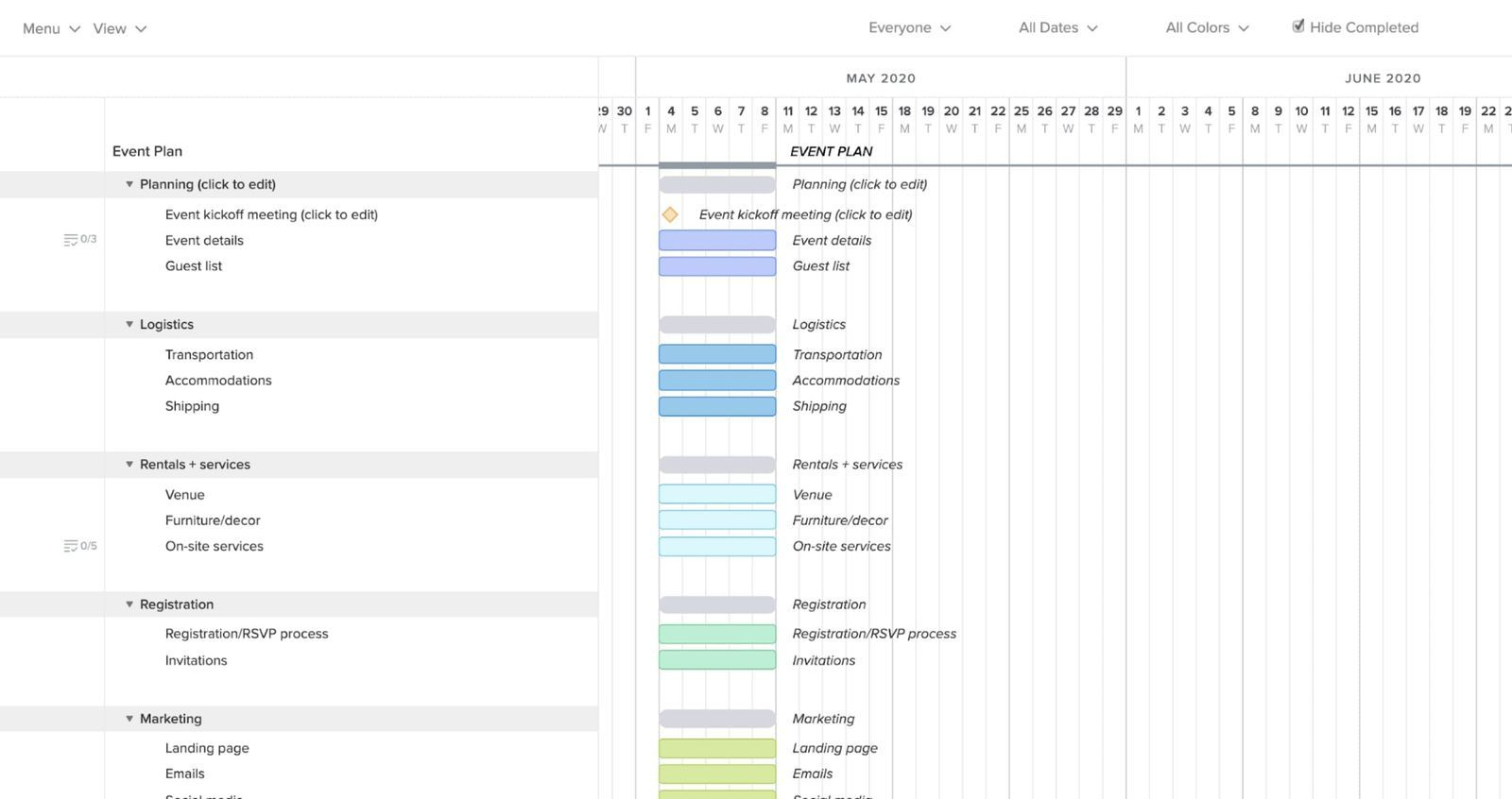
Image source: template.wps.com
Popular planning spreadsheet templates in TeamGantt:
- Product & software development templates: These templates help development teams map out sprints, milestones, and release timelines. Acting as a work planner template, they balance resources and deadlines, providing stakeholders with real-time visibility.
Image source: template.wps.com
- Content calendar template: Perfect for editorial and marketing teams, this calendar tracks blog posts, videos, and social media campaigns. As a weekly tracker template, it organizes publishing schedules and ensures timely delivery across channels.
Image source: template.wps.com
- Digital marketing campaign template: This template centralizes campaign goals, ad performance, and deadlines. It works like an upgraded Excel daily planner, providing marketing teams with structured insights into progress and ROI.
Image source: template.wps.com
9. Template.net: Custom work and daily planner templates
Template.net offers a vast library of customizable planning spreadsheets and templates that cater to nearly every need, ranging from business operations to personal planning. Its Excel-ready and Google Sheets-compatible formats make it easy for professionals, students, and businesses to adopt templates without needing to start from scratch. Whether you need a daily planner Excel template or a work planner template, Template.net offers options that are simple, flexible, and effective for keeping schedules, finances, and tasks in order.
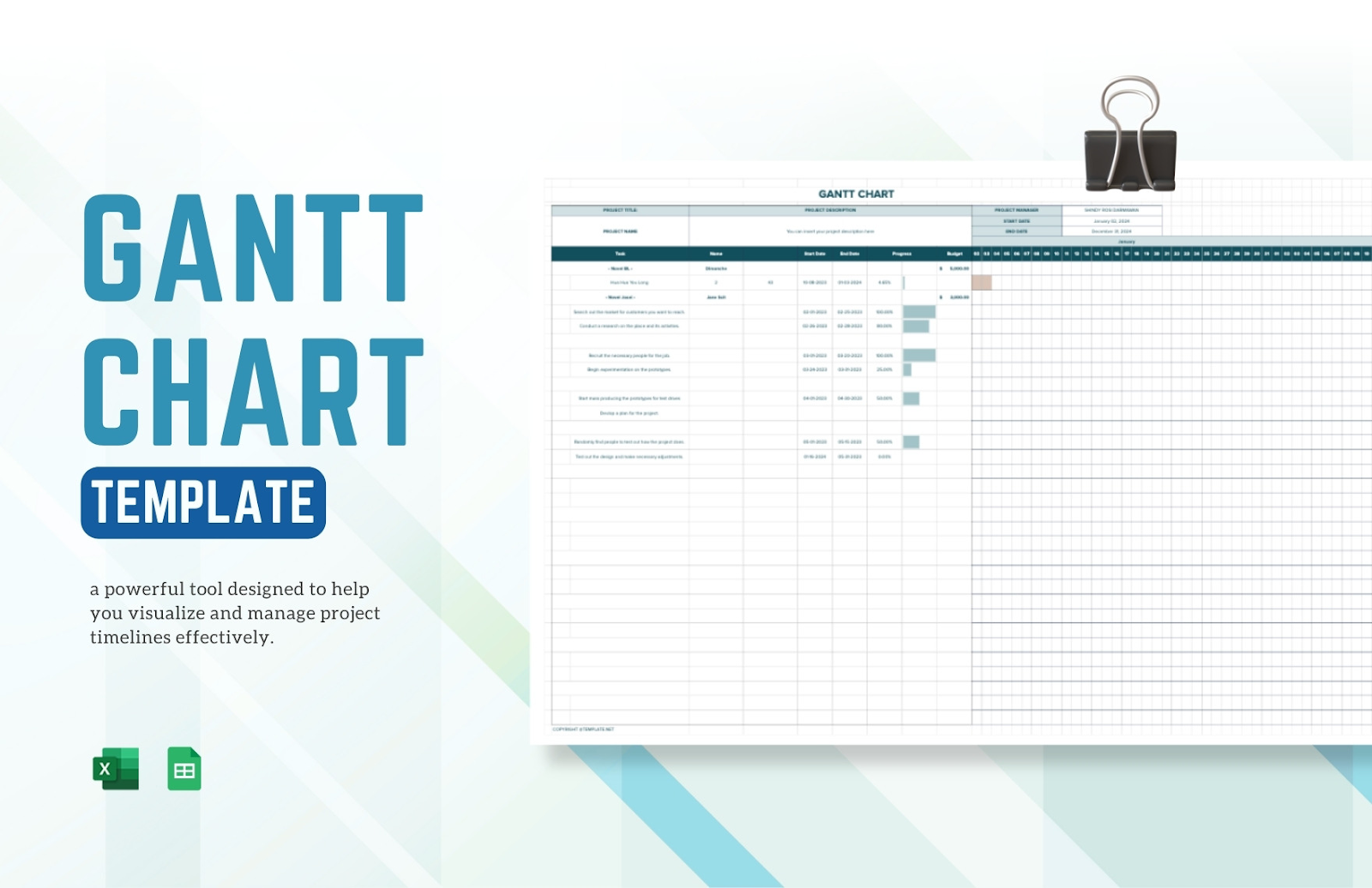
Image source: template.net
Popular planning spreadsheet templates in Template.net:
- Checklist template: This template helps users create structured checklists for projects, events, or routines. Acting as a planner XLS, it ensures no critical task is overlooked and provides precise progress tracking.
Image source: template.net
- Invoice template: A professional and editable invoice sheet ideal for freelancers and small businesses. It simplifies billing and financial management, functioning as more than just a simple spreadsheet template.
Image source: template.net
- Task timeline template: This template creates a structured timeline to visualize tasks, priorities, and due dates. Serving as both a weekly tracker template and a project planner, it ensures tasks align with deadlines.
Image source: template.net
10. Monday: Project and workflow planning templates
Monday provides robust planning spreadsheets and workflow boards that simplify the management of both small tasks and large projects. Its templates act as dynamic template spreadsheets, combining structured planning on Excel with automation, dashboards, and collaboration features. Teams across marketing, events, and product development rely on Monday’s ready-to-use planners to stay organized. From work planner templates to campaign trackers, Monday ensures projects run smoothly with real-time updates and visibility.
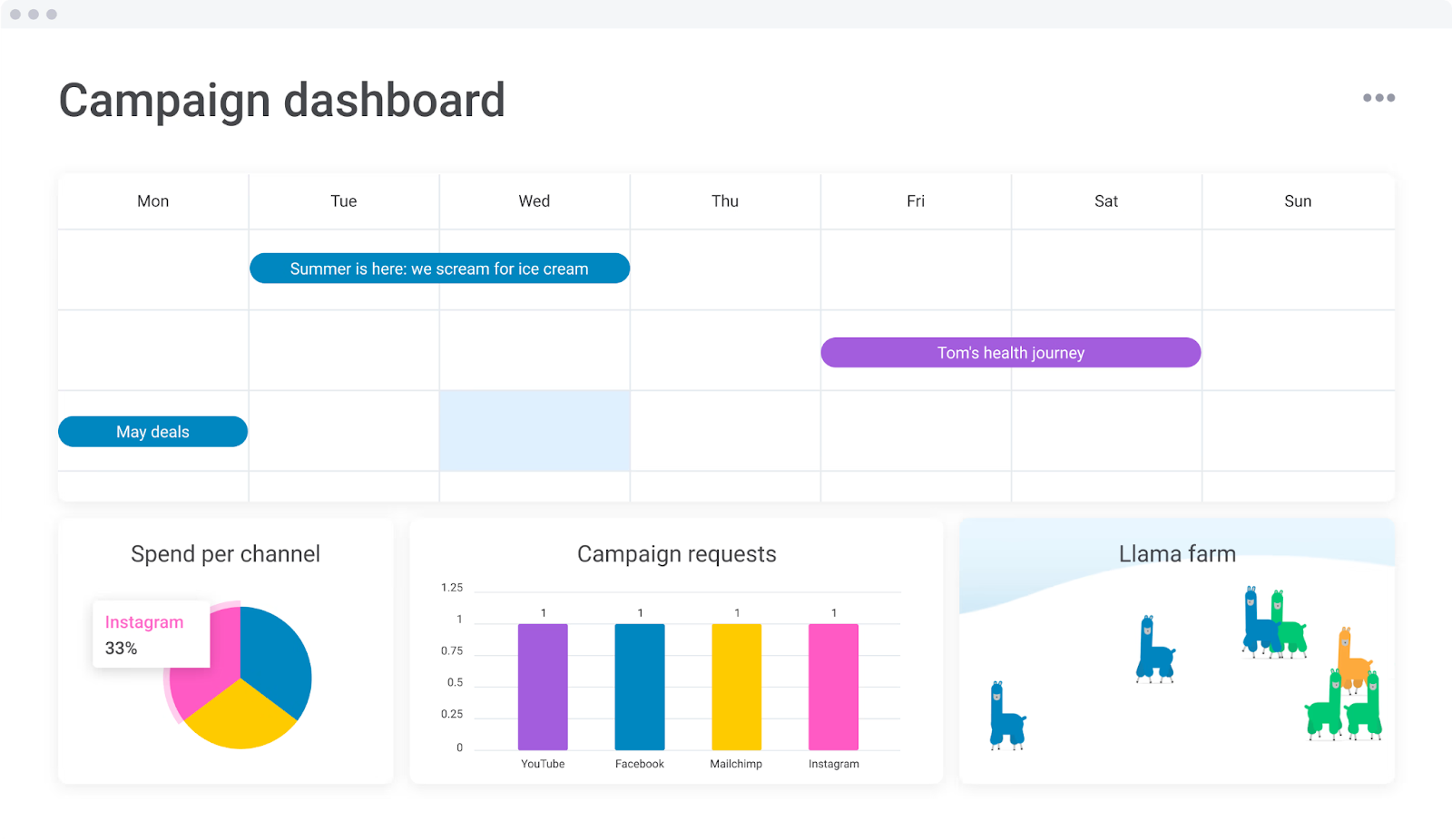
Image source: monday.com
Popular planning spreadsheet templates in Monday:
- Marketing strategy template: This template structures marketing campaigns into clear goals, activities, and KPIs. Serving as a weekly tracker template, it enables teams to measure performance and adjust strategies efficiently.
Image source: monday.com
- Event management template: Designed for coordinators, this template covers budgets, schedules, and vendor details. Similar to a planner XLS, it provides a centralized sheet for event planning from start to finish.
Image source: monday.com
- Product marketing launch template: This template maps out milestones, tasks, and timelines for new product launches. Functioning like an Excel daily planner but with automation, it ensures alignment across product, sales, and marketing teams.
Image source: monday.com
Common mistakes when using planning spreadsheets
- Overloading a planning spreadsheet with excessive details can overwhelm users and hinder productivity. A simple spreadsheet template is far more effective when it’s clear and concise.
- Failing to link tasks to deadlines is another common issue. Even with a work planner template or a weekly tracker template, missing due dates makes it challenging to prioritize responsibilities.
- Many users still rely on emailing files back and forth, which leads to version control problems. A daily planner Excel template quickly becomes inconsistent when multiple copies circulate.
- Poor visualization is also a challenge. Without clear formatting, it's hard to identify priorities or track progress.
With Lark Base, these challenges disappear. Real-time sync ensures everyone works on a single source of truth, dashboards highlight priorities instantly, and automation keeps tasks on track without manual effort. It transforms a traditional planning spreadsheet into a more innovative, collaborative workspace.
Best practices for designing your planning spreadsheet
- Keep categories simple: Organize tasks, assigned owners, and due dates clearly. Lark Base helps you structure these categories seamlessly, keeping your planning spreadsheet clean and easy to manage.
- Use conditional formatting: Highlight overdue tasks automatically to instantly spot priorities. With Lark, conditional rules are built in and updated in real-time for all team members.
- Add drop-downs for task categories: Simplify data entry and reduce errors. Lark allows customizable dropdowns that sync across your team, making updates effortless.
- Include dashboards for managers vs. reps: Visualize task progress and team performance. Lark dashboards offer real-time insights without requiring you to switch between apps or spreadsheets.
- Sync with calendars for reminders: Never miss deadlines. Lark integrates scheduling and reminders directly with your planning spreadsheet, keeping tasks on track automatically.
Why Lark is your smarter planner
- Visual task & schedule management: Lark Base allows you to organize tasks, deadlines, and projects visually. Unlike a static planning spreadsheet, you can see everything at a glance and adjust priorities easily.
- Automation: Set up recurring reminders, approvals, and follow-ups automatically. Lark transforms your work planner template into a dynamic tool that reduces manual effort and keeps teams on track.
- Collaboration: Chat, meetings, and documents are all linked directly to tasks. Teams can work together seamlessly without needing to juggle multiple files or apps.
- All-in-one platform: Lark combines planning, task management, and team collaboration in one workspace. No need to switch between spreadsheets, calendars, or other project management tools, making planning more straightforward and more efficient.
- Starter plan: Free forever plan that includes 11 powerful tools for up to 20 users. It also comes with 100GB of storage, 1000 automation runs, AI translations, and more.
- Pro plan: $12/user/month (billed annually) for up to 500 users. It includes everything in Starter plus a group calling for up to 500 attendees, 15TB of storage, 50,000 automation runs, and more.
- Enterprise plan: Contact sales for custom pricing. Supports unlimited users and includes even more automation runs and advanced security, compliance, and management features.
Conclusion
Planning spreadsheets remain valuable tools for organizing schedules, tracking tasks, and managing projects. Templates like daily planners, weekly trackers, and work planner templates help individuals and teams maintain structure and clarity. However, traditional Excel spreadsheets have limitations; they lack automation, real-time collaboration, and intuitive visualization, making them less efficient for larger teams or complex projects. Lark Base addresses these challenges by combining the simplicity of a planning spreadsheet with powerful features like dashboards, task automation, and team collaboration. Whether for personal, academic, or business use, Lark provides an all-in-one workspace that streamlines planning and boosts productivity. Try Lark today and experience how effortless planning can be with one powerful workspace.
FAQs
Can planning spreadsheets integrate with calendars?
Yes, many planning spreadsheets allow calendar integration to keep track of deadlines and reminders. This makes scheduling easier and ensures you don’t miss important tasks. Lark enhances this by syncing tasks and events automatically with your calendar, keeping everything in one workspace.
How do businesses use planning spreadsheets differently than individuals?
Businesses often use planning spreadsheets to assign tasks, track team progress, and monitor deadlines across multiple projects. Individuals typically focus on personal routines or small projects. Lark takes this further by providing collaborative dashboards and automated updates, making team planning seamless and transparent.
How does Lark simplify planning compared to Excel?
Excel spreadsheets require manual updates, sharing via email, and careful version control. Lark simplifies planning by offering real-time collaboration, automated reminders, and interactive dashboards, eliminating the common limitations of traditional spreadsheets.
What’s the best way to track both personal and professional goals in one sheet?
A structured spreadsheet with separate sections for personal and professional tasks works well, especially with clear due dates and categories. Lark allows you to integrate both types of goals into a single interactive workspace with dashboards and automated tracking.
Can planning spreadsheets handle team collaboration?
Standard spreadsheets are limited for collaboration because multiple users editing the same file can cause version conflicts. Lark solves this by providing live updates, shared dashboards, and communication tools, allowing teams to work together efficiently on a planning spreadsheet.
Related reading
Table of contents
Start using Lark today

Manage all your work in one place
Boost team efficiency by 10x
Save up to 70% on software costs
Table of contents
Start using Lark today
Manage all your work in one place
Boost team efficiency by 10x
Save up to 70% on software costs
Keep reading







2026 Lark Technologies Pte. Ltd.
Headquartered in Singapore with offices worldwide.






Explore: