














Guide to Creating Effective Task Management Dashboards

Alex Miller
Technical Product Marketing Specialist
Sep 18, 2026
Alex Miller
Sep 18, 2026

9 min read


Like many of you, I have struggled with task management because I pour all my energy into the actual work. I get so deep into the specific details of a project that the logistics and updates start to pile up in the background unnoticed. This happens not because I am avoiding the job, but because I am so focused on the daily grind that the wider plan slips away.
I find that a task management dashboard can really help me handle tasks not only faster, but with way less stress. The visual overview lets me offload the mental burden of tracking deadlines so I can stay focused on the task at hand. In this guide, I will show you how to build that same safety net for yourself. We will discuss which features matter most and how to implement a system that keeps your team aligned without adding unnecessary noise.
Want to get started quickly instead? Templates are the best way to go. Give this task management template from Lark a try!
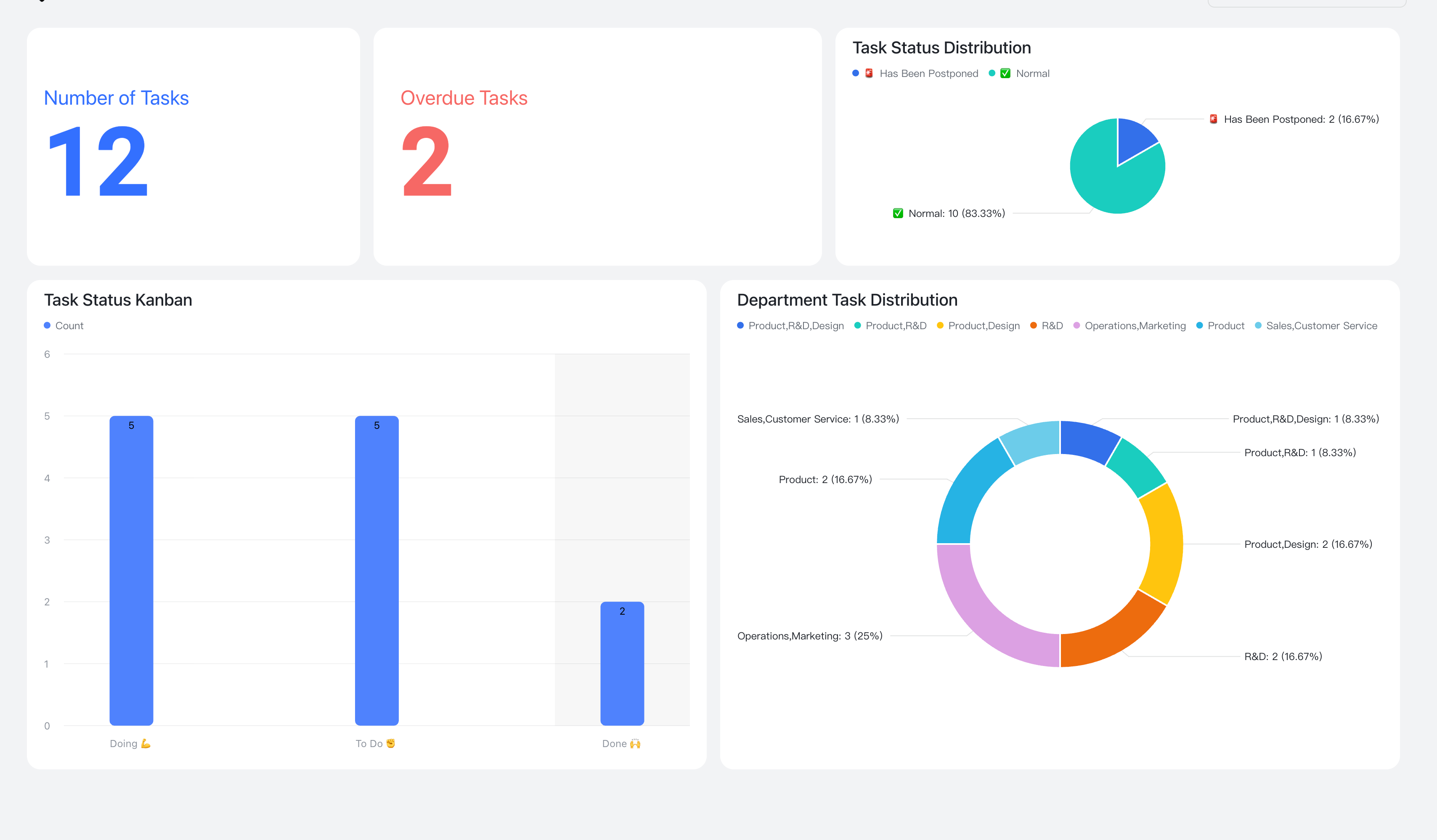
What is a task management dashboard?
A task management dashboard (or just task dashboard) works as a digital control panel for organizing and viewing project details. Teams can use it to see a consolidated snapshot of assignments, responsible parties, and important deadlines. Raw data from various lists is aggregated to present the current state of work in a single location. You might compare the system to a vehicle instrument panel that displays speed or fuel levels to keep a driver informed.
Most layouts categorize information into specific groups to show exactly what needs to be done and who must do it. Visual elements like bar graphs, pie charts, or virtual sticky notes often replace standard text files to represent these details. Dashboards can also take the form of Kanban boards and Gantt charts, depending on the team's needs.
Why do you need a task management dashboard?
Task dashboards make it easier to visualize and manage tasks. Imagine managing a project without one. You might have a spreadsheet for task assignments, a separate calendar for deadlines, and email threads for communication. Instead of sifting through endless emails and spreadsheets, you can instantly see:
- Project status: Are we on track, behind schedule, or facing any potential delays?
- Task assignments: Who is responsible for each task, and what is their progress?
- Deadlines: Are any deadlines approaching, and are we at risk of missing them?
- Team workload: Are any team members overloaded, and do we need to redistribute tasks?
- Potential bottlenecks: Are there any dependencies or roadblocks that could hinder progress?
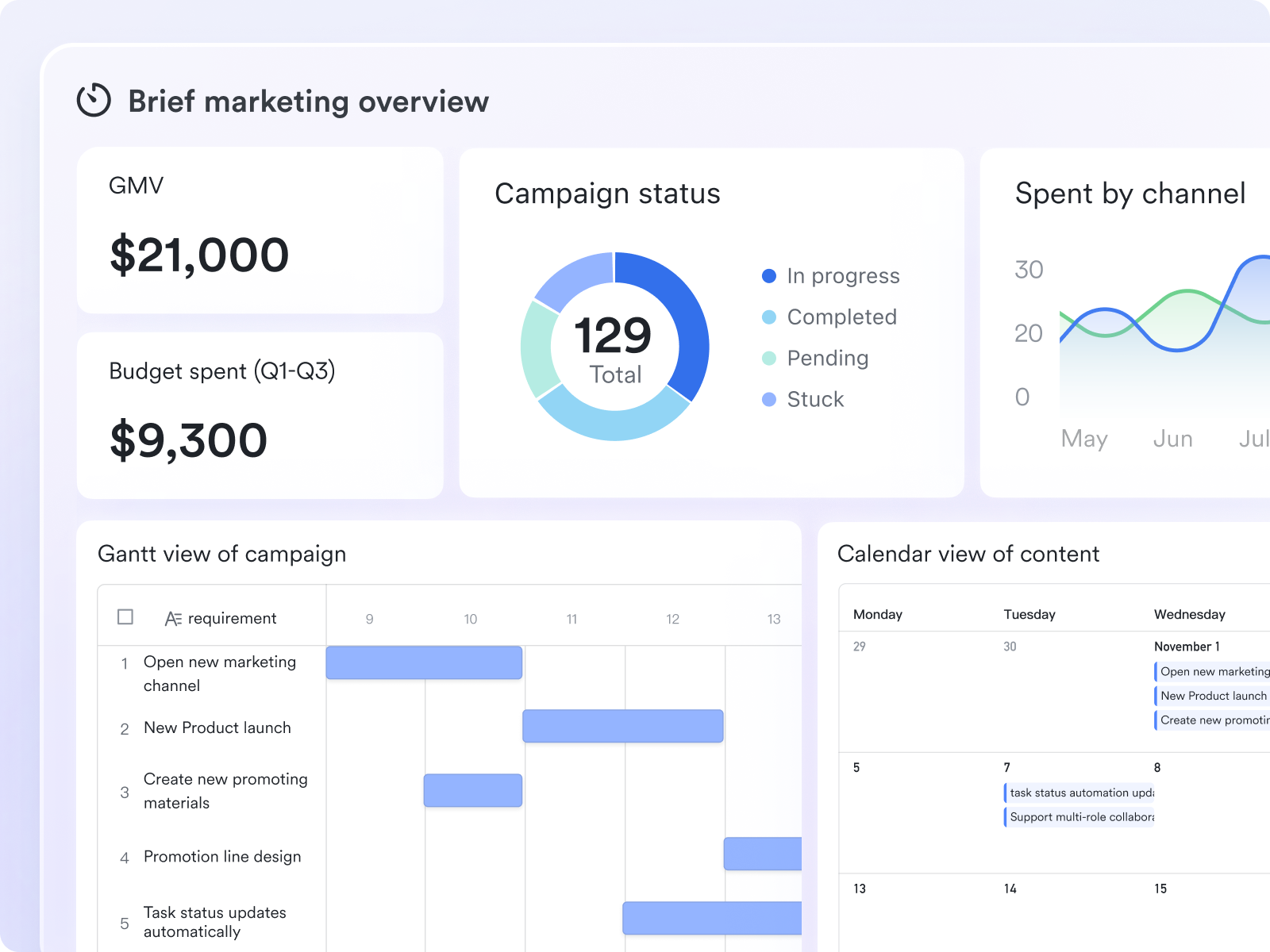
Benefits of implementing a task management dashboard
Most teams can really benefit from using task dashboards, whether they're managing a big project or a small one. Besides helping to organize your tasks, if implemented correctly, a task management dashboard can boost productivity, collaboration, and overall project success.
Here are some of the key advantages you can expect to experience:
- Enhanced visibility and transparency: With a centralized dashboard, everyone on the team can see the status of each task, the progress being made, and any potential roadblocks.
- Improved collaboration and communication: By providing a central platform for sharing updates, discussing challenges, and providing feedback, it eliminates the need for endless email threads and unproductive meetings.
- Increased productivity and efficiency: By streamlining your workflow and providing a clear overview of your tasks, a task management dashboard can significantly boost your productivity. The ability to prioritize tasks, set deadlines, and track progress helps you stay organized and focused, ensuring that you're always working on the most important things.
- Better time management and prioritization: Dashboards allow you to easily identify urgent tasks, delegate responsibilities, and allocate resources effectively. Visual cues, such as color-coding or progress bars, can further enhance your ability to prioritize tasks and stay on track.
- Data-driven decision making: You can track key metrics, such as task completion rates, time spent on tasks, and team member productivity, to identify areas for improvement.
- Enhanced accountability: When tasks are clearly assigned and progress is tracked, it creates a sense of accountability among team members. Everyone knows what they're responsible for, and the dashboard provides a transparent record of their progress.
A task management dashboard can be a great tool for any individual or team looking to improve the way they work. When done right, it can give efficiency a boost, reduce stress, and lead to better outcomes.
Discover more about useful tools for task management 👉

Essential features of a winning task management dashboard
To make the most of task dashboards, make sure they have the following features:
- Visual clarity: Prioritize a dashboard with an intuitive layout, clear color-coding, and customizable views. Avoid clutter and ensure information is easily digestible.
- Flexible task management: Look for robust task creation and assignment capabilities. Features to consider include:
- Drag-and-drop functionality
- Recurring task options
- Detailed descriptions and attachments
- Subtask creation with dependencies and assignment options.
- Real-time collaboration: Foster team synergy with built-in features like commenting, file sharing, and instant messaging. Customizable notifications are a valuable bonus.
- Progress tracking & reporting: Monitor project health with visual representations of task progress, milestones, and team performance. Look for Gantt charts, burndown charts, and customizable reports.
- Seamless integrations: Ensure your dashboard integrates with essential tools like email, calendar, file storage, and communication apps to streamline your workflow.
- Customization: Adapt the dashboard to your specific needs with customizable fields, custom views, and custom workflows.
- Accessibility: Ensure the platform is accessible to all team members, including those with disabilities, by adhering to accessibility standards like WCAG.
How to pick the right task dashboard for your team
Finding the right task management dashboard isn't simply picking the tool with the most features. The most important consideration is how it fits your team's culture and workflow. Consider these critical factors before making a decision:
- Assess user adoption: Dashboards fail when team members stop updating them. Choose tools with intuitive interfaces that allow quick updates via email, chat, or mobile apps to ensure data remains accurate.
- Evaluate workflow compatibility: Ensure the tool mirrors your existing working style. Agile teams often require specific sprint views, while creative departments may rely on visual Kanban boards.
- Consider scalability and permissions: Verify that the platform allows for granular access control and can handle increased data volume without performance issues as your team grows.
- Analyze integration capabilities: Reduce the need to switch between multiple tabs. The most effective dashboards, like Lark, integrate documentation and communication directly alongside the task list.
- Check for template availability: A platform with a robust library of templates allows you to set up new projects quickly, letting you focus on the work rather than tool configuration.
A step-by-step guide to implement your perfect task management dashboard
A well-planned implementation process is essential for ensuring that your team adopts the new dashboard and realizes its full potential.
Step 1: Define your implementation strategy
Before you dive in, take the time to develop a clear implementation strategy. This strategy should outline your goals, timeline, resources, and communication plan. Identify key stakeholders and assign responsibilities. Determine how you will migrate existing data to the new dashboard.
Step 2: Configure your dashboard
Once you have a solid strategy in place, it's time to configure your dashboard. Customize the dashboard to match your specific workflows and processes. Set up user accounts and assign roles and permissions. Configure integrations with other tools and create custom fields and views.
Here is an example of how you can create a dynamic dashboard for CRM tasks: Grow Your Business with a Powerful CRM Dashboard
Step 3: Import existing data
If you're migrating from an existing task management system, carefully plan the data import process. Clean up your existing data before importing it to ensure accuracy and consistency. Verify the data after the import to ensure that everything is transferred correctly. If the data migration process seems too complicated, don't hesitate to hire a professional to assist you.
Step 4: Train your team
Training is crucial for ensuring that your team adopts the new dashboard. Provide comprehensive training on the features and functionality of the dashboard. Use a variety of training methods, such as online tutorials, live workshops, and one-on-one coaching. Encourage your team members to ask questions and provide feedback. Make sure the training is practical and relevant to their specific roles and responsibilities. Create documentation, such as FAQs or best-practice guides.
Step 5: Launch and monitor
Once you're confident that the dashboard is ready, launch it to your entire organization. Communicate the launch date and provide ongoing support to your team members. Monitor usage and track key metrics to ensure that the dashboard is being used effectively. Gather feedback from your team members on a regular basis and use it to continuously improve the dashboard.
Step 6: Regularly review and optimize
Implementing a task management dashboard is not a one-time project. It's an ongoing process of review and optimization. Regularly review your dashboard settings, workflows, and training materials to ensure that they are still meeting your needs. Stay up-to-date on the latest features and updates from the dashboard vendor.
By following these steps, you can successfully implement a task management dashboard that helps your team work more efficiently, collaborate more effectively, and achieve your goals. Remember, the key is to be patient, persistent, and adaptable.
Build powerful task management dashboards with Lark
As someone deeply involved in streamlining workflows and maximizing team efficiency, I've always been on the lookout for tools that genuinely make a difference. And Lark, one of the most versatile project management tools, has consistently impressed me in this arena. Let’s delve into how Lark can elevate your existing dashboard or serve as an excellent platform to build one from scratch.
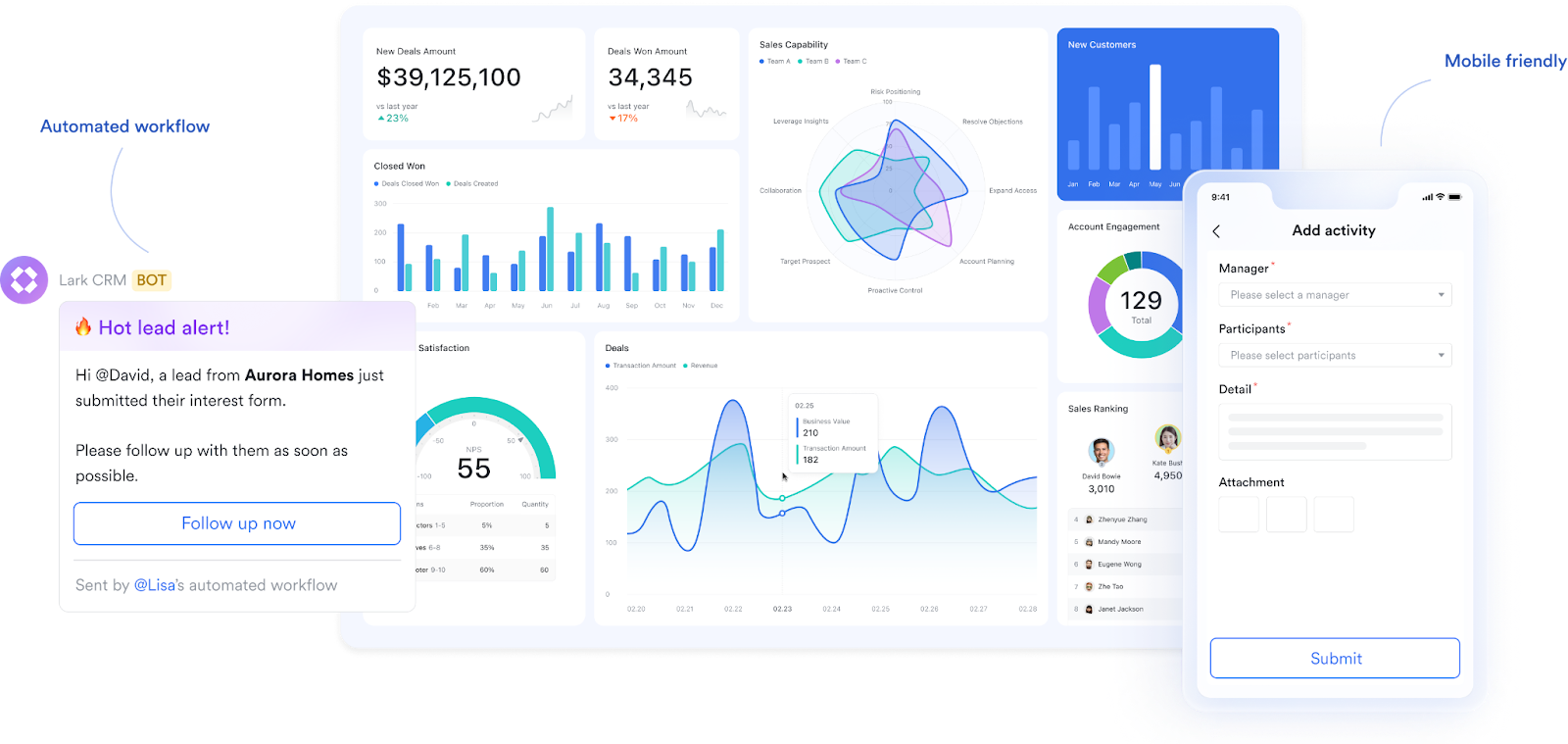
Here's a closer look at some key features that make Lark a standout choice for task management dashboards:
Centralized and visualized task overview
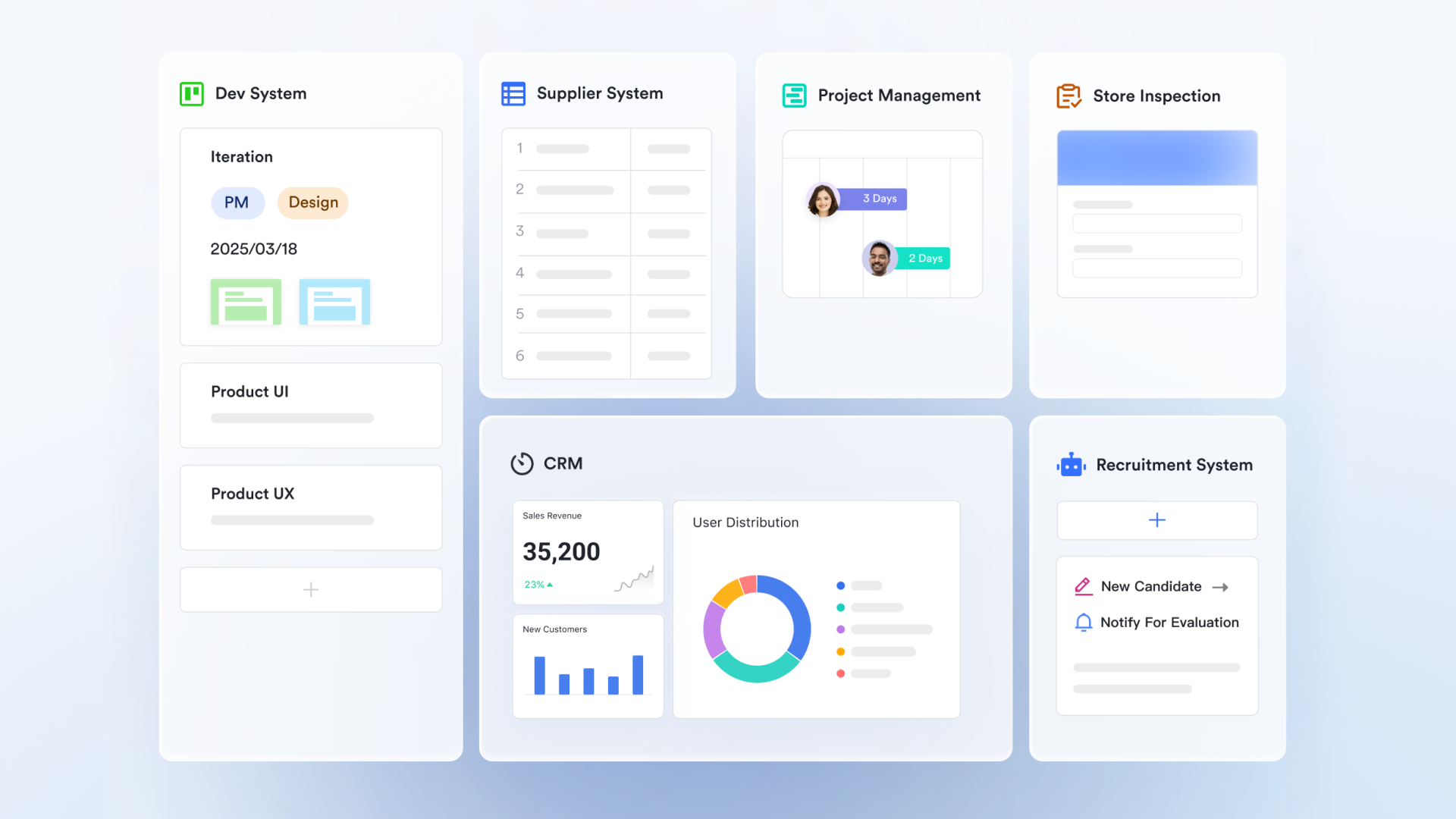
Lark's task management functionality allows you to create tasks directly within the platform, whether from within a conversation thread, a document, or a dedicated project channel. This eliminates the need to switch between applications, ensuring all relevant information is readily accessible in one central location.
- Contextual task creation: Create tasks directly from message threads, turning discussions and requests into actionable items with a single click.
- Customizable task fields: Tailor task fields to your specific needs, allowing you to track relevant information like budget allocation, project phase, or client name.
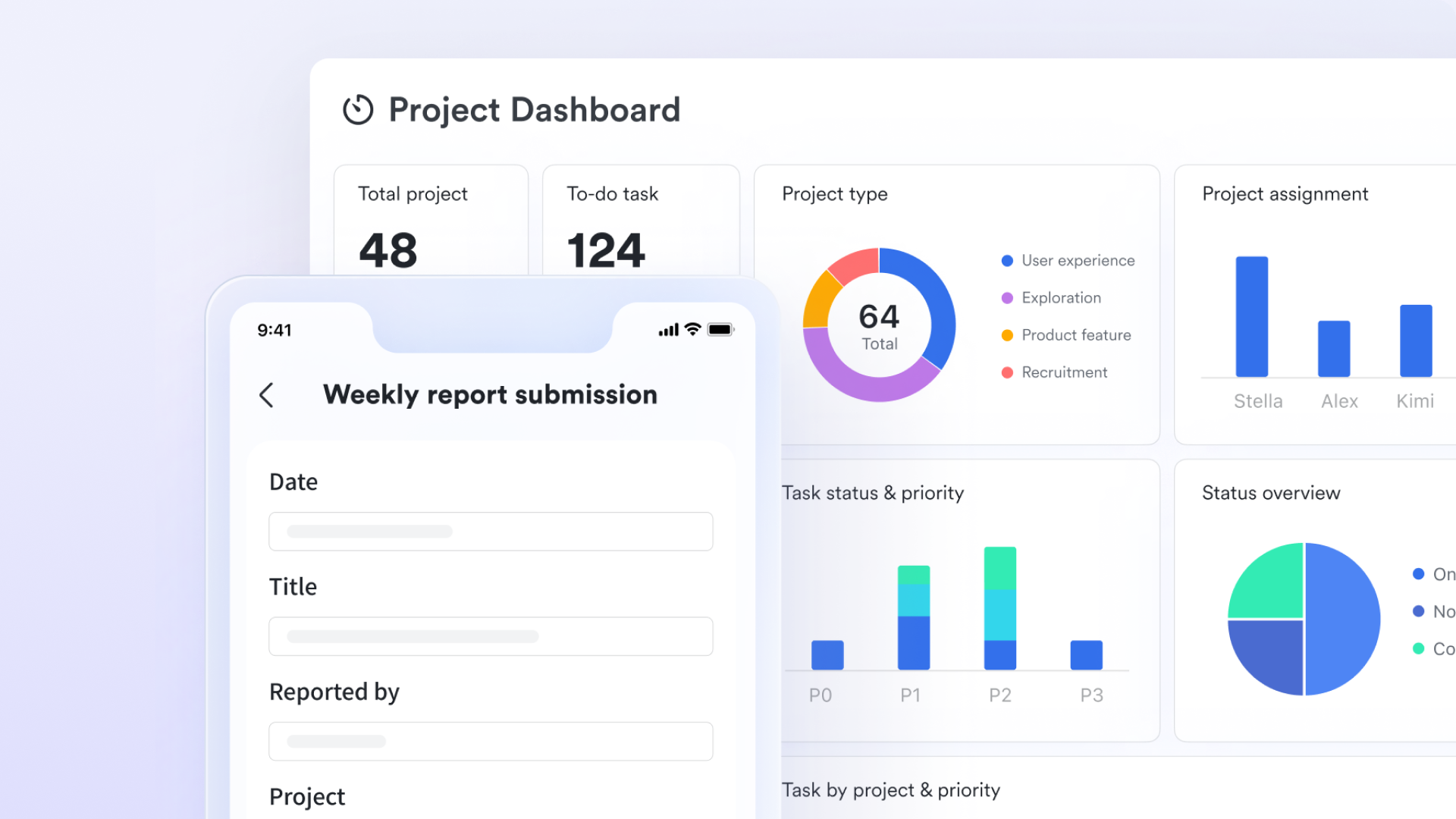
Real-time reporting of task progress
Track project progress, identify bottlenecks, and measure team performance with Lark's comprehensive reporting and analytics features. You can generate reports on task completion rates, team workload, and overall project health.
- Gantt chart view: Visualize project timelines, dependencies, and critical paths with a comprehensive Gantt chart view. This allows you to identify potential delays and proactively address issues before they impact the project timeline.
- Kanban board view: Organize tasks by status (e.g., To Do, In Progress, Completed) using a Kanban board, providing a visual overview of workflow progress and enabling efficient prioritization.
- Project progress tracking: Monitor overall project progress with clear visual dashboards that display key metrics, such as task completion rate and potential risks.
- Dependency management: Define task dependencies to ensure that tasks are completed in the correct order and that resources are allocated effectively.
Automated workflows for increased efficiency
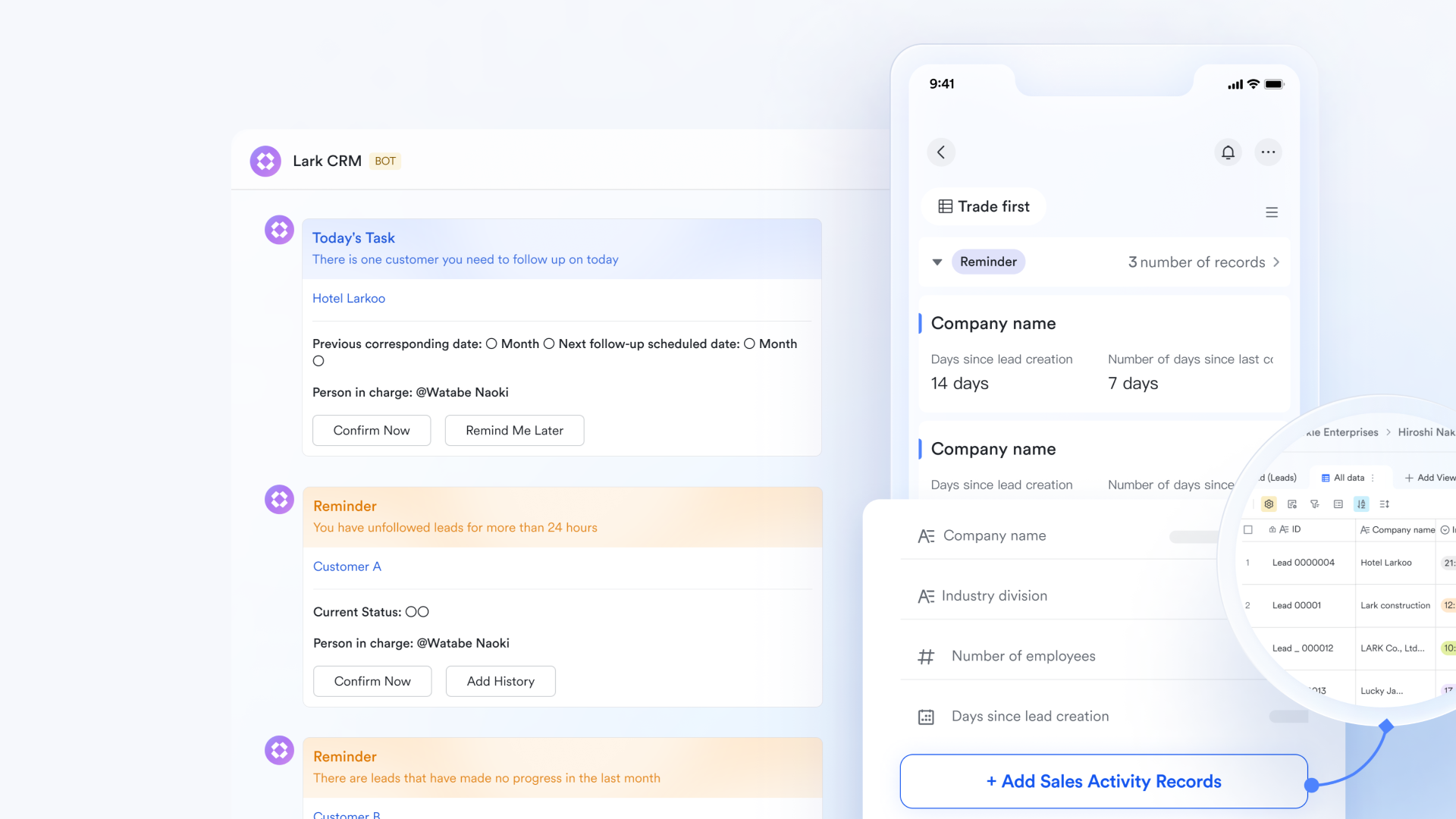
Lark’s automation capabilities streamline repetitive tasks and processes, freeing up valuable time for team members to focus on more strategic work.
- Automated task assignment: Automatically assigned to individuals or teams, specifying deadlines, priorities, and dependencies.
- Automated notifications and reminders: Set up automated notifications to remind team members of upcoming deadlines and overdue tasks.
- Workflow automation: Create custom workflows to automate complex processes, such as approval requests and onboarding procedures.
Seamless integration with communication channels
Lark’s deep integration with its messaging functionality allows for real-time communication and collaboration around specific tasks. This eliminates the need for lengthy email chains and ensures that everyone is kept informed of progress and roadblocks.
- Real-time communication: Lark's built-in messaging, video conferencing, and file sharing capabilities in Lark Docs mean you can communicate and collaborate directly within the platform. This eliminates the need for separate communication tools and keeps all project-related information in one place.
- Task-specific communication channels: Automatically create dedicated channels for each project by Lark Tasks, facilitating focused discussions and ensuring relevant conversations aren't lost in the general chat.
- Knowledge base integration: Lark Wiki ties into the whole idea of having all project information in one place. Imagine being able to link directly to relevant documents, SOPs, or training materials from a task card.
- Mobile accessibility: Access your task management dashboard from anywhere with Lark's mobile apps for iOS and Android. This ensures you can stay connected and productive, even when you're on the go.
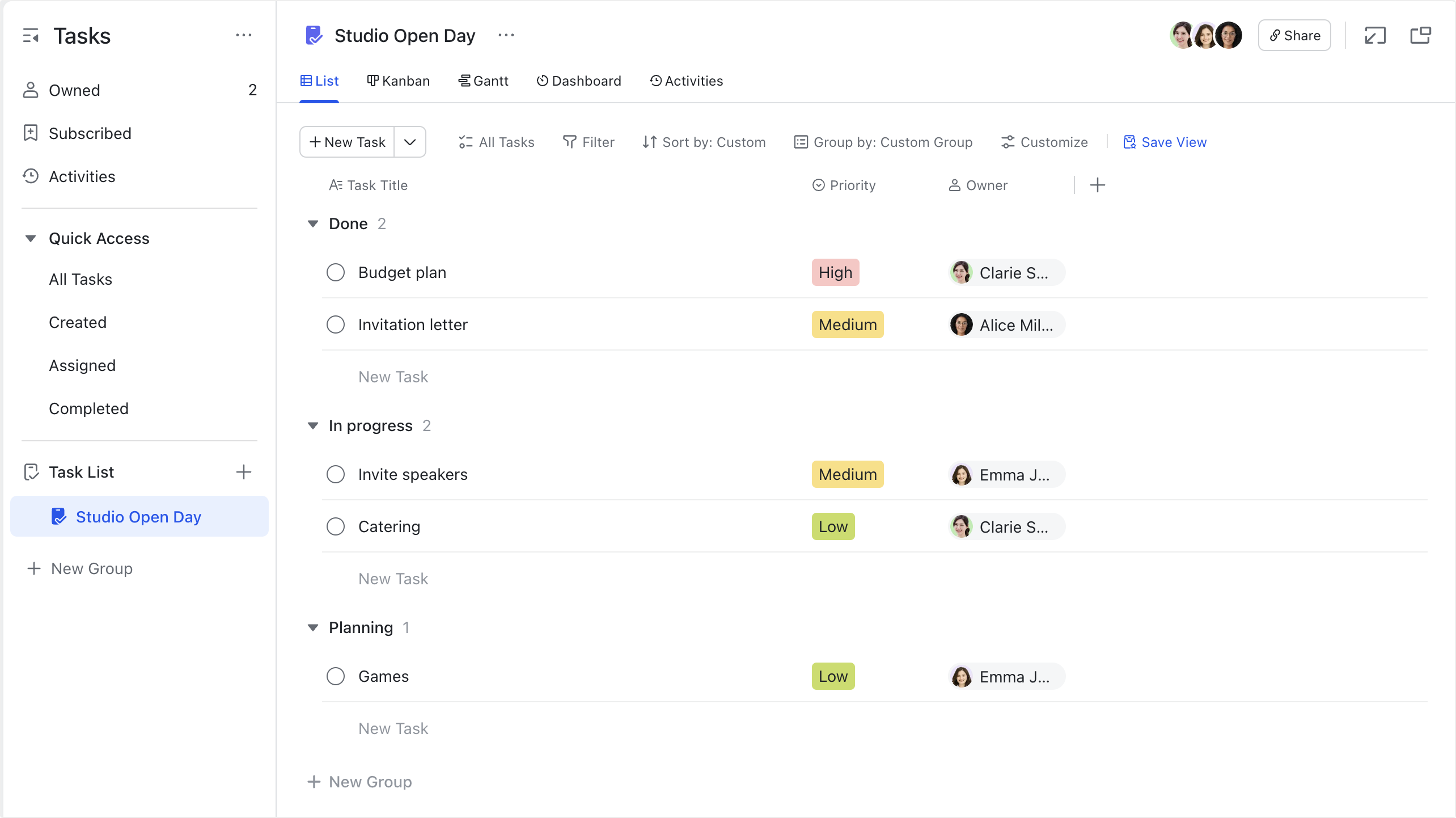
By leveraging Lark's capabilities, you can transform your task management dashboard into a central hub for all project-related activities, fostering a more efficient, collaborative, and productive work environment. Here’s a task management dashboard powered by Lark Base, featuring tight integration between various functionalities. It serves as a significant time-saver and helps prevent information silos.
Final thoughts
The world of project management is constantly evolving, with new tools and techniques emerging all the time. By staying informed and embracing innovation, you can ensure that your task management dashboard remains a valuable asset for your organization. A task management dashboard, when thoughtfully chosen and implemented, can transform that chaotic scene into a well-orchestrated symphony. By centralizing task information, promoting transparency, and streamlining workflows, you empower your team to achieve more with less effort.
Having explored the ins and outs of task management dashboards, from understanding their core functions to leveraging platforms like Lark, I hope you’re armed with the knowledge to implement a dashboard that truly transforms your work processes. By focusing on clarity, collaboration, and continuous improvement, you can create a task management dashboard that empowers your team to achieve its goals, one task at a time. So, go forth, experiment, and build a dashboard that truly reflects your team's unique needs and aspirations!
FAQs on task management dashboards
What is task management?
Task management simplifies complex projects by breaking them down into clear, actionable steps. Instead of focusing on the entire scope, teams tackle immediate needs while ensuring that progress stays on track. A solid plan identifies priorities and structures the workflow, making it easier to spot and address potential roadblocks. With proper tracking, teams can adjust their approach as needed, ensuring that the most important tasks get done first and the project is completed on time and within budget, without unnecessary effort.
How can a task management dashboard improve productivity?
A task management dashboard like Lark provides clear visibility into tasks and responsibilities, enabling better prioritization. This clarity helps reduce confusion and keeps team members focused on their key tasks.
What features should I look for in a task management dashboard?
When choosing a dashboard, look for features such as customizable views, task assignments, real-time progress tracking, and integration options. Lark provides all these features in a user-friendly interface, enhancing team collaboration.
Can team members collaborate using a task management dashboard?
Absolutely! Lark's task management dashboard enables team members to collaborate in real time. Users can comment on tasks, share updates, and attach files, fostering seamless communication within the team.
Are there free task management dashboard tools available?
Yes, Lark offers a free plan that includes robust task management features. This makes it an excellent choice for teams looking to enhance their productivity without incurring additional costs.
Related reading
Table of contents
Start using Lark today

Manage all your work in one place
Boost team efficiency by 10x
Save up to 70% on software costs
Table of contents
Start using Lark today
Manage all your work in one place
Boost team efficiency by 10x
Save up to 70% on software costs
Keep reading






2026 Lark Technologies Pte. Ltd.
Headquartered in Singapore with offices worldwide.






Explore: