


Top 15 CRM for Solopreneurs: Trusted Buyer's Guide

Jennifer Taylor
Product Demand Generation Specialist
Aug 5, 2026
Jennifer Taylor
Aug 5, 2026

25 min read


Managing every aspect of a business—from lead generation to invoicing—makes having the right CRM essential for solopreneurs. A CRM is not just a convenience; it serves as the hub that keeps follow-ups on track, provides visibility into pipelines, and ensures predictable revenue. This guide explores the best CRM for solopreneurs, focusing on solutions that offer fewer clicks, faster setup, and practical features.
It highlights both traditional CRMs and all-in-one collaboration tools that reduce time spent switching between apps, integrating communication, documentation, and task management in one place. Key considerations include email and calendar integration, task reminders, mobile usability, and transparent pricing. Whether searching for the best CRM tools or the best free CRM for solopreneurs, this guide provides sensible recommendations and a streamlined testing plan to help make informed choices efficiently.

Key takeaways: 15 standout tools and their core edge
- Lark: All-in-one collaboration and CRM solution
- Pipedrive: Simple and intuitive sales pipeline management
- HubSpot CRM: Extensive free features for startups
- Zoho CRM: Affordable and highly customizable options
- OnePageCRM: Task-driven focused on next actions
- noCRM.io: Straightforward lead management solution
- Streak: Seamless integration within Gmail environment
- Capsule: Easy contact management for freelancers
- Copper: Optimized for Google Workspace users
- Freshsales: Built-in communication and AI insights
- Salesflare: Automated lead capturing and tracking
- Monday sales CRM: Customizable visual pipeline management
- Notion: Flexible all-in-one workspace for projects
- Airtable: Powerful spreadsheet-database hybrid
- Google Sheets: Basic CRM functions in a spreadsheet
What is CRM for solopreneurs
CRM for solopreneurs is a lean system to capture leads, track deals, and automate follow‑ups without extra admin. It unifies contacts, pipelines, tasks, email/calendar sync, and scheduling—so every opportunity has a clear next step. You can choose a purpose‑built tool or an all‑in‑one workspace with a no‑code database, forms, and automations that doubles as a lightweight CRM. The goal is fewer clicks, faster setup, and data you trust. If you're comparing the best CRM software for solopreneurs or scanning reviews for the best CRM for solopreneurs 2025, evaluate how quickly you can add a lead, set a reminder, send a tracked email, and share a booking link. The genuinely best CRM tools for solopreneurs 2025 keep follow‑ups automatic, make pipelines obvious, and export your data cleanly.
Why solopreneurs need CRM
By "solopreneurs," I mean independent consultants, coaches, freelancers, creators, solo agency owners, and contractors who sell, deliver, and manage clients themselves. Spreadsheets and inboxes break down when cycles span weeks: leads go cold, meetings slip, and context disappears across apps. A solo‑friendly CRM centralizes contacts, deals, tasks, and meetings, so you act on time without mental overhead. It's also how you answer practical questions like, "Which outreach worked?" or "What's likely to close this month?" If you're evaluating the best CRM tools for freelancers and solopreneurs, ask whether email/calendar sync is reliable, reminders run themselves, and scheduling is built in. If budget is tight, shortlist the best free CRM for solopreneurs. If you care most about booking, look for the best CRM and scheduling tools for solopreneurs? that include native meeting links and time‑zone handling.
Benefits of using CRM for solopreneurs
A good CRM compounds your time. You'll capture leads once, set next actions in seconds, and get consistent nudges to follow up—on desktop and mobile. You'll reduce context switching by bringing email, calendar, and pipeline into one place, and you'll gain simple reporting to forecast revenue confidently. Automation handles routine steps—logging activities, creating tasks, moving stages—so you stay focused on clients. With clean import/export, you avoid lock‑in and can scale to a VA later. If you're choosing among the best CRM software for solopreneurs 2025 or the best CRM for solopreneurs and freelancers, favor tools you can set up in under an hour with dependable tracking and a built‑in scheduler. Prefer an integrated approach? An all‑in‑one collaboration platform with a no‑code CRM model can replace multiple subscriptions while still delivering the results you'd expect from the best CRM tools for solopreneurs 2025.
The best CRM for solopreneurs at a glance
Product deep dive: Extended details for top 15 tools
1. Lark: All‑in‑one work platform with no‑code CRM
Overview
As solopreneurs strive to manage multiple roles and responsibilities, choosing the right tools is essential for streamlining workflows and enhancing productivity. Among these tools, Lark stands out as a comprehensive all-in-one platform, particularly with its key products designed to meet the diverse needs of solopreneurs. Here we summarize three significant offerings from Lark—Lark Base, Lark Messenger, and Lark Calendar—that can be particularly beneficial for independent professionals.
Key features:
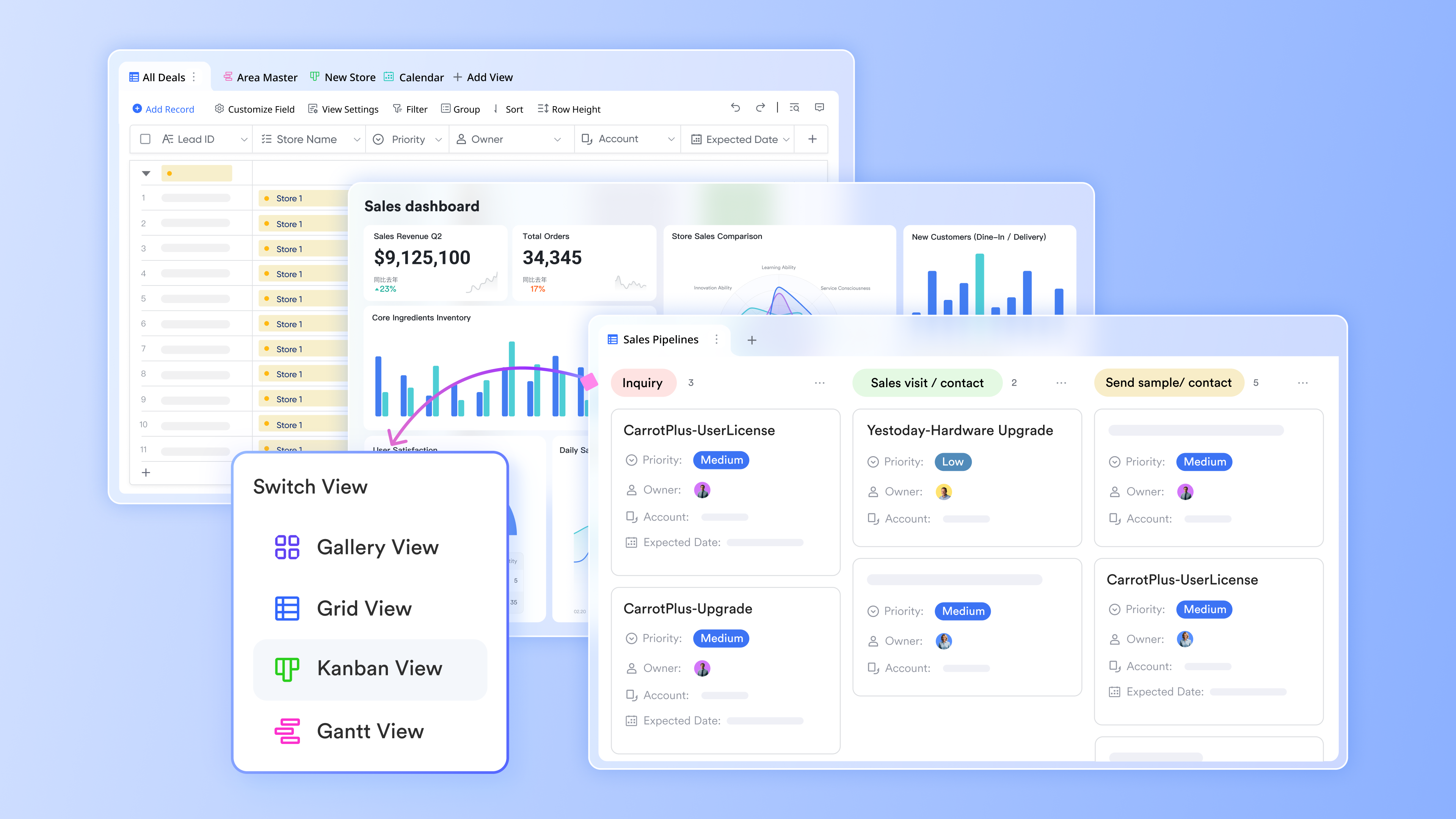
Lark Base is a no-code database solution tailored for solopreneurs seeking efficient data management without the need for extensive development skills. With Lark Base, users can perform the following activities.
- Create custom tables: Design tables that include rich fields such as select, multi-select, formula, and assignee. This flexibility allows solopreneurs to tailor their databases to suit specific needs, whether for managing leads, tracking tasks, or organizing client information.
- Link tables and build reports: Solopreneurs can establish relationships between different sets of data, enabling them to generate comprehensive reports and rollup summaries that provide valuable insights at a glance. This feature is crucial for tracking project progress and performance metrics.
- Automate lead management: Capture leads directly from your website using customizable forms integrated with Lark Base. Leads can automatically populate into designated tables, with next actions assigned based on preset criteria, ensuring that opportunities are followed up efficiently.
These capabilities make Lark Base an invaluable tool for solopreneurs seeking to optimize their client relationship management and stay organized without complicating their workflow.
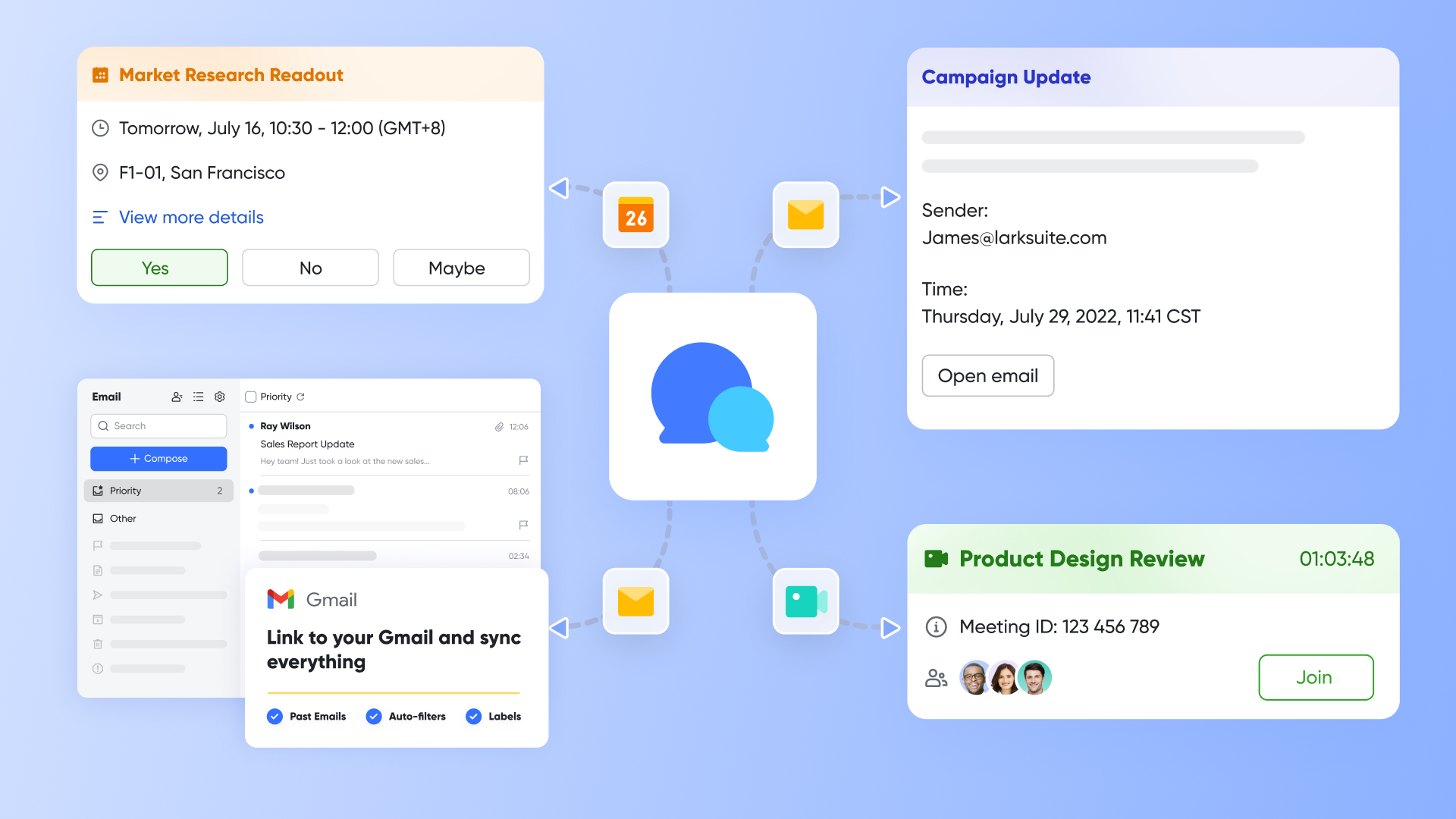
Effective communication is vital for solopreneurs who often juggle multiple client interactions and project discussions. Lark Messenger offers a centralized platform for managing this communication efficiently.
- Integrated chat and file sharing: Keep all client conversations, proposals, and files in one place. This integration helps solopreneurs easily access previous discussions and documents, enhancing collaboration and continuity.
- Task conversion: Lark Messenger allows users to convert chat messages into tasks with just one click, streamlining the process of tracking follow-ups and action items derived from conversations.
- Cross-device accessibility: With Lark Messenger, solopreneurs can manage their chats on the go, ensuring they stay responsive to clients and team members regardless of their location.
Using Lark Messenger helps solopreneurs maintain professionalism and organization in their communications, which is critical for building strong client relationships.
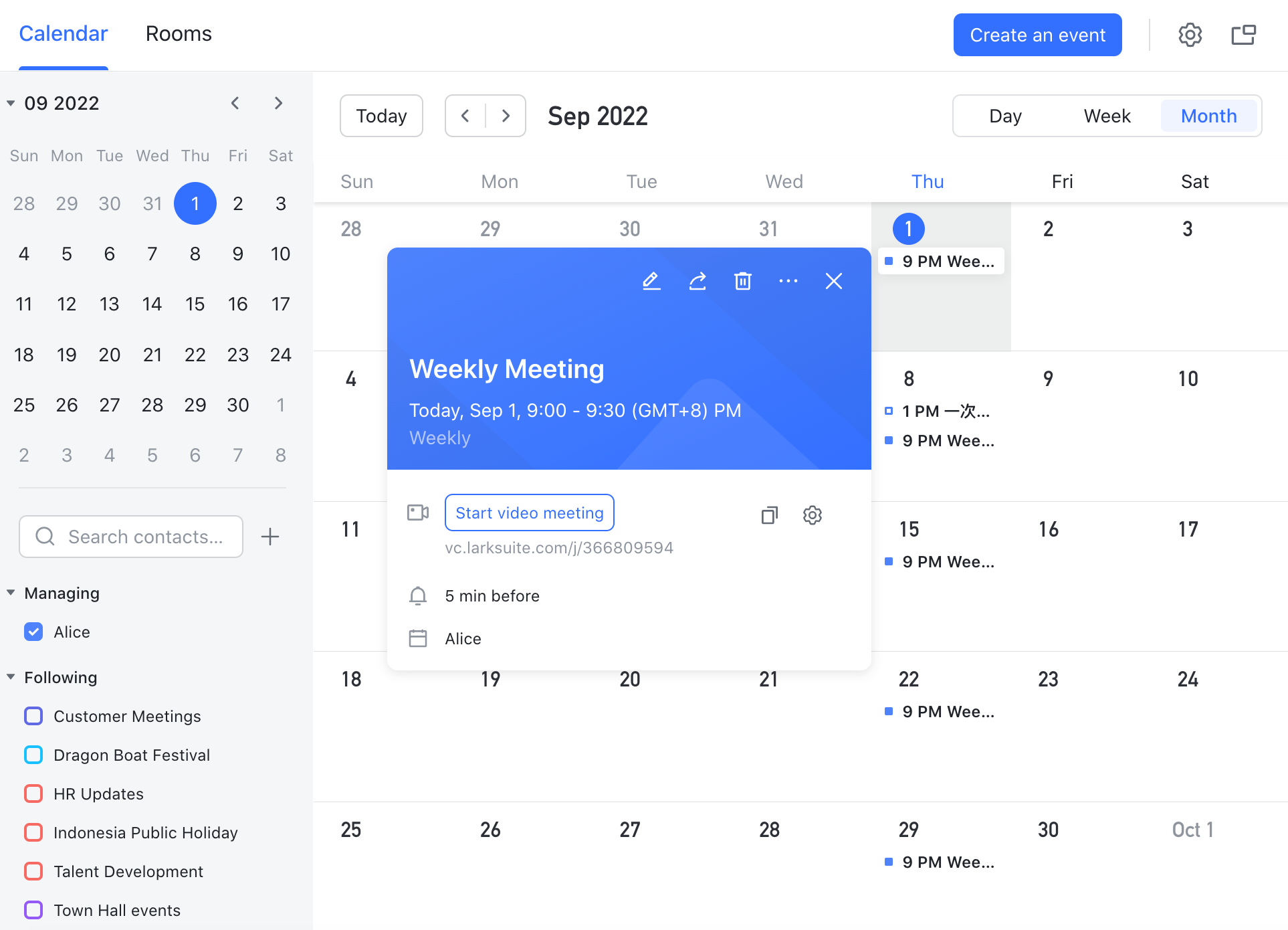
Time management can be a challenge for solopreneurs who need to balance client meetings, project deadlines, and personal commitments. Lark Calendar helps simplify scheduling.
- Booking links and time zone handling: Publish booking links that allow clients to schedule meetings based on availability. This feature is particularly useful in avoiding miscommunication about time zones and ensures seamless meeting arrangements.
- Event association with deals: Link calendar events directly to specific deals within your CRM. This functionality gives solopreneurs a clear view of commitments tied to each client or project.
- Buffer management: Manage buffers between meetings to ensure adequate preparation time, reducing the risk of burnout and keeping schedules efficient.
With Lark Calendar, solopreneurs can take control of their schedules, minimize scheduling conflicts, and allocate time more effectively across various projects.
Best for:
Solo consultants, freelancers, and micro‑agency owners who want one place for communication, documents, scheduling, and CRM—especially if you plan to bring a VA or contractor in occasionally without rebuilding your stack.
Limitations:
- Requires initial modeling and configuration.
- Starter plan: Free forever plan with 11 powerful tools for up to 20 users, 100GB storage, 1,000 automation runs, AI translations, and more. No credit card needed.
- Basic plan: $6/user/month (billed annually) for up to 500 users. Includes everything in Starter plus unlimited message history, 5TB storage, 1,000 automation runs, and more. Some users may need to contact sales to purchase.
- Pro plan: $12/user/month (billed annually) for up to 500 users. Includes everything in Basic plus group calling for up to 500 attendees, 15TB storage, 50,000 automation runs, and more.
- Enterprise plan: Contact sales for custom pricing. Supports unlimited users and includes advanced automation, security, compliance, and management features.
Real user feedback:
"It feels like my CRM, inbox, and meeting tool finally agree with each other."
"I replaced separate subscriptions for forms, scheduler, and a lightweight CRM."
"Approvals and automations keep proposals moving even when I'm in meetings."
Note: All reviews above are sourced from G2.
2. Pipedrive: Simple and intuitive sales pipeline management
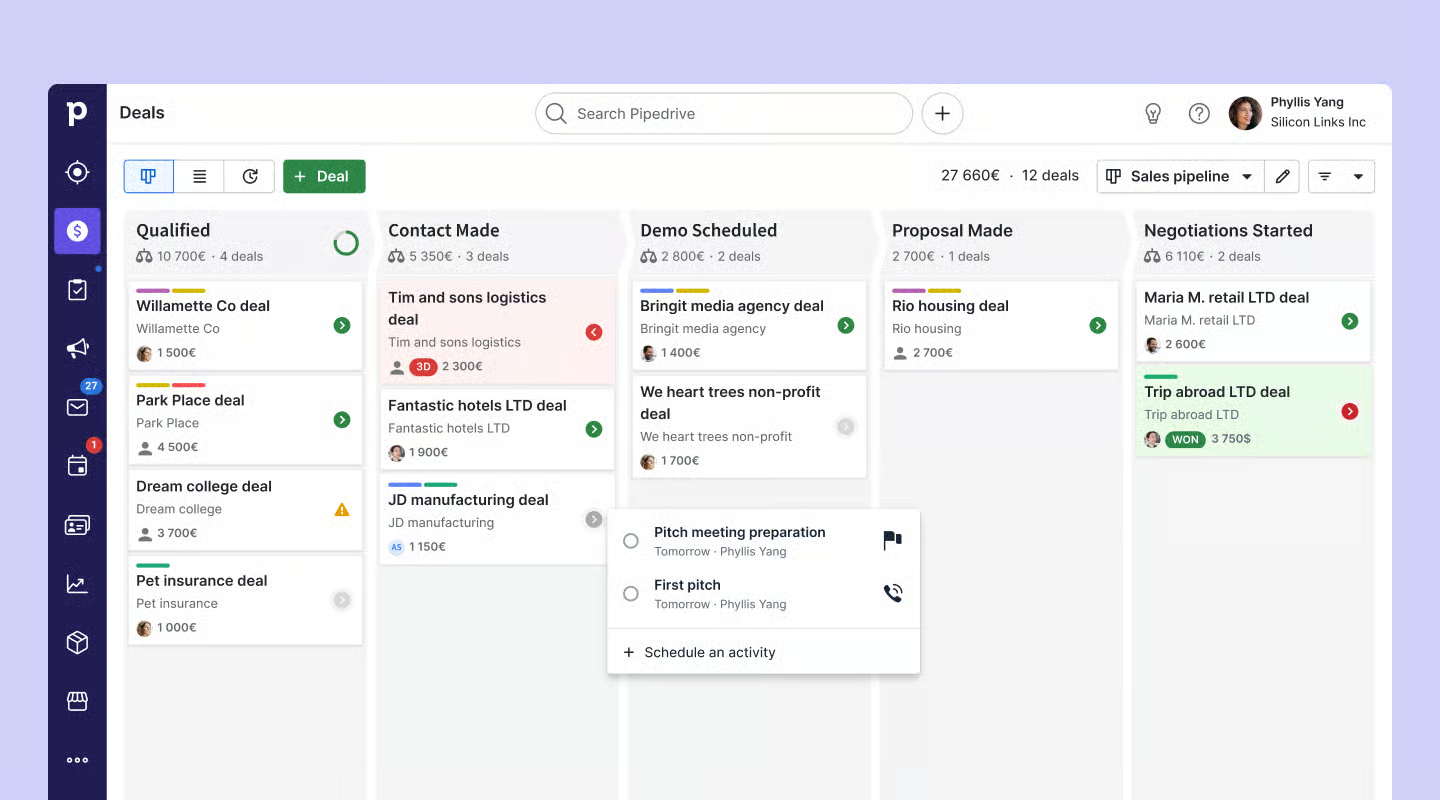
Image source: pipedrive.com
Overview
A sales‑first CRM with a clean pipeline view that makes next actions obvious. It's hard to beat for solos who value speed and consistency in follow‑ups.
Key features:
- Visual pipelines with drag‑and‑drop
- Activity scheduling, goals, and reminders
- Email sync, templates, and tracking
- Meeting scheduler, calendar sync, and web forms
- Workflow automations and integrations
- Mobile app optimized for call logging and updates
Best for:
Solo sellers who want the shortest path from "new lead" to "next action" without digging through menus.
Limitations:
- Add‑ons can increase the all‑in price.
- Marketing features are basic compared to suites.
- Complex reporting requires careful setup or external tools.
Pricing:
- Free plan: Not available (free trial available)
- Paid plans: Start at $14 per user/month
Real user feedback:
"Pipedrive simply nudges me at the right time."
Note: All reviews above are sourced from G2.
3. HubSpot CRM: Extensive free features for startups
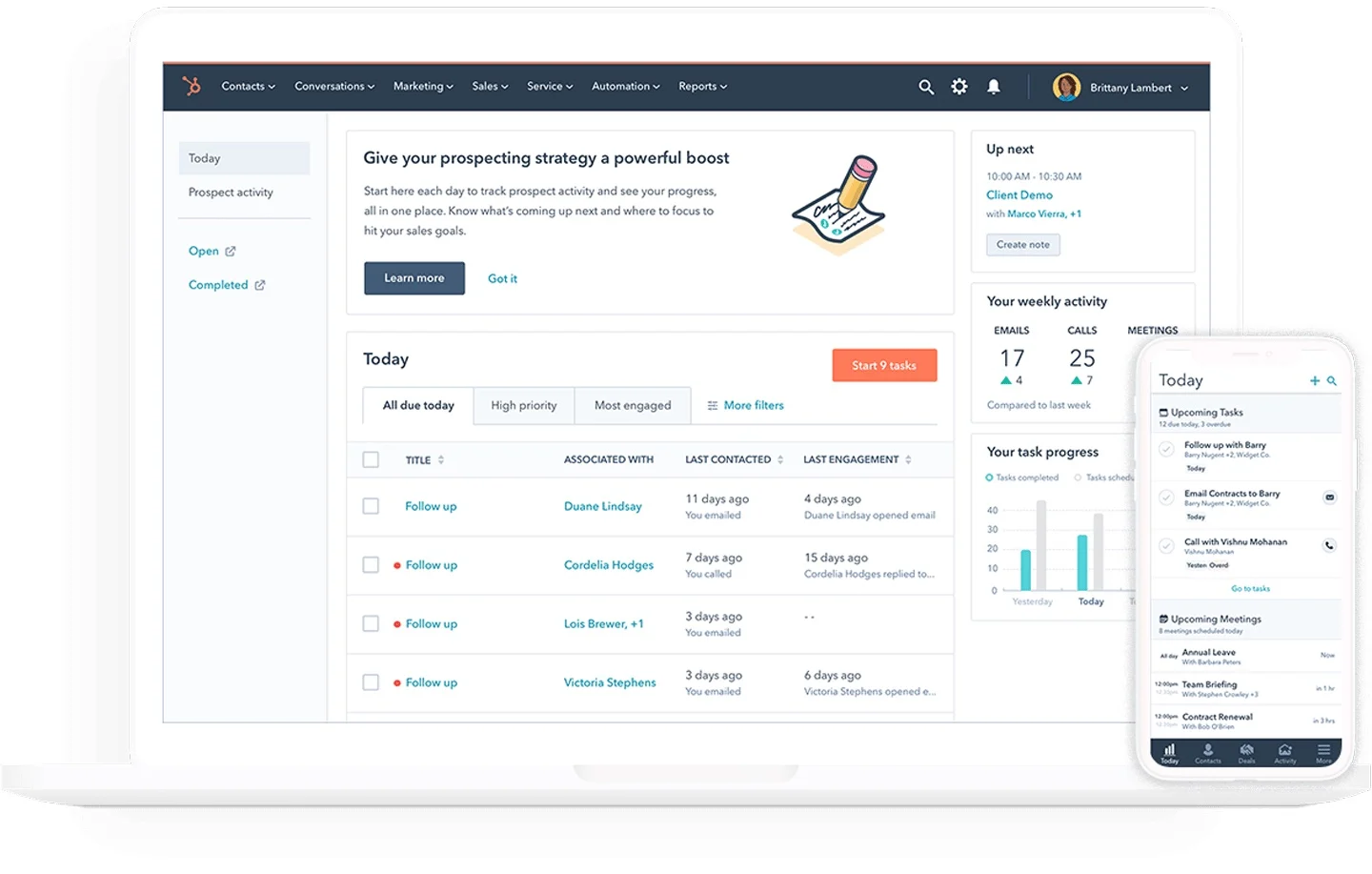
Image source: hubspot.com
Overview
A capable free core with a clear upgrade path. Meeting links, forms, and email tools make it a strong starting point for many solos.
Key features:
- Contacts, companies, deals, and tasks
- Meeting links and calendar sync
- Email templates, tracking, and sequences (paid)
- Forms and basic live chat
- App marketplace and workflows (with hubs)
- Reporting that scales with paid tiers
Best for:
Solopreneurs who want a free start, modern UX, and the option to layer in marketing/sales automation later.
Limitations:
- Advanced automation requires paid hubs.
- Navigation can feel broad if you only use a fraction.
- Contact‑based pricing can rise with list growth.
Pricing:
- Free plan: Available for up to 2 users
- Paid plans: Start at $13/month per user (free trial available)
Real user feedback:
"The free plan gave me 80% of what I needed."
Note: All reviews above are sourced from G2.
4. Zoho CRM: Affordable and highly customizable options
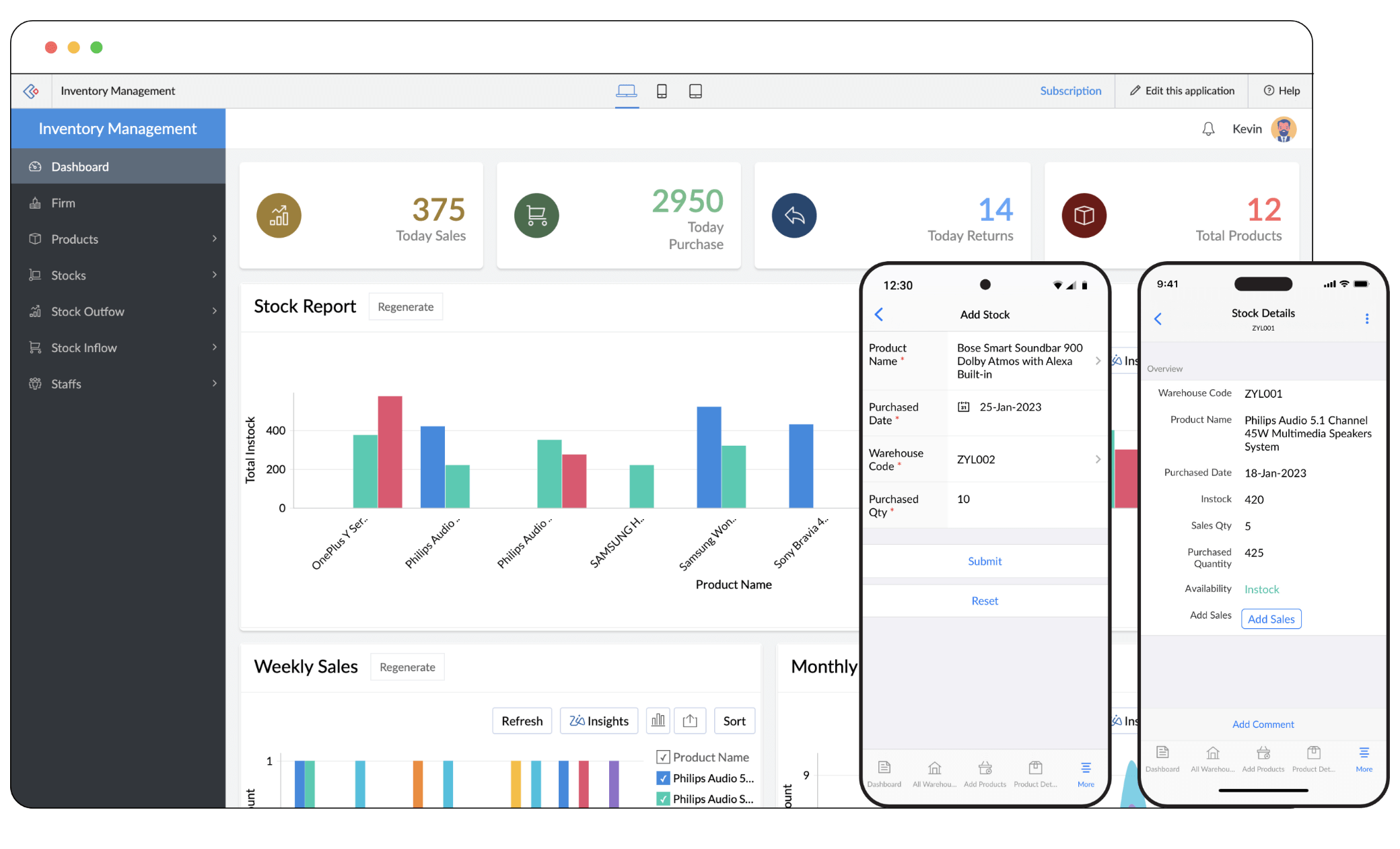
Image source: zoho.com
Overview
Lean, affordable, and pipeline‑centric. It's intentionally scoped to fit very small businesses and solo operators.
Key features:
- Pipeline view with customizable stages
- Email integration and templates
- Web forms and basic automation
- Mobile apps with call logging
- Integrations across Zoho and beyond
Best for:
Solos who want an affordable, focused CRM for consistent follow‑ups and basic reporting.
Limitations:
- Reporting and analytics are lighter.
- Interface is functional rather than polished.
- You may outgrow it if you need complex workflows.
Pricing:
- Free plan: Available(3 users)
- Paid plans: Starts at $14/month per user (free trial available)
Real user feedback:
"Setup took under an hour, which I appreciate."
Note: All reviews above are sourced from G2.
5. OnePageCRM: Task-driven focused on next actions
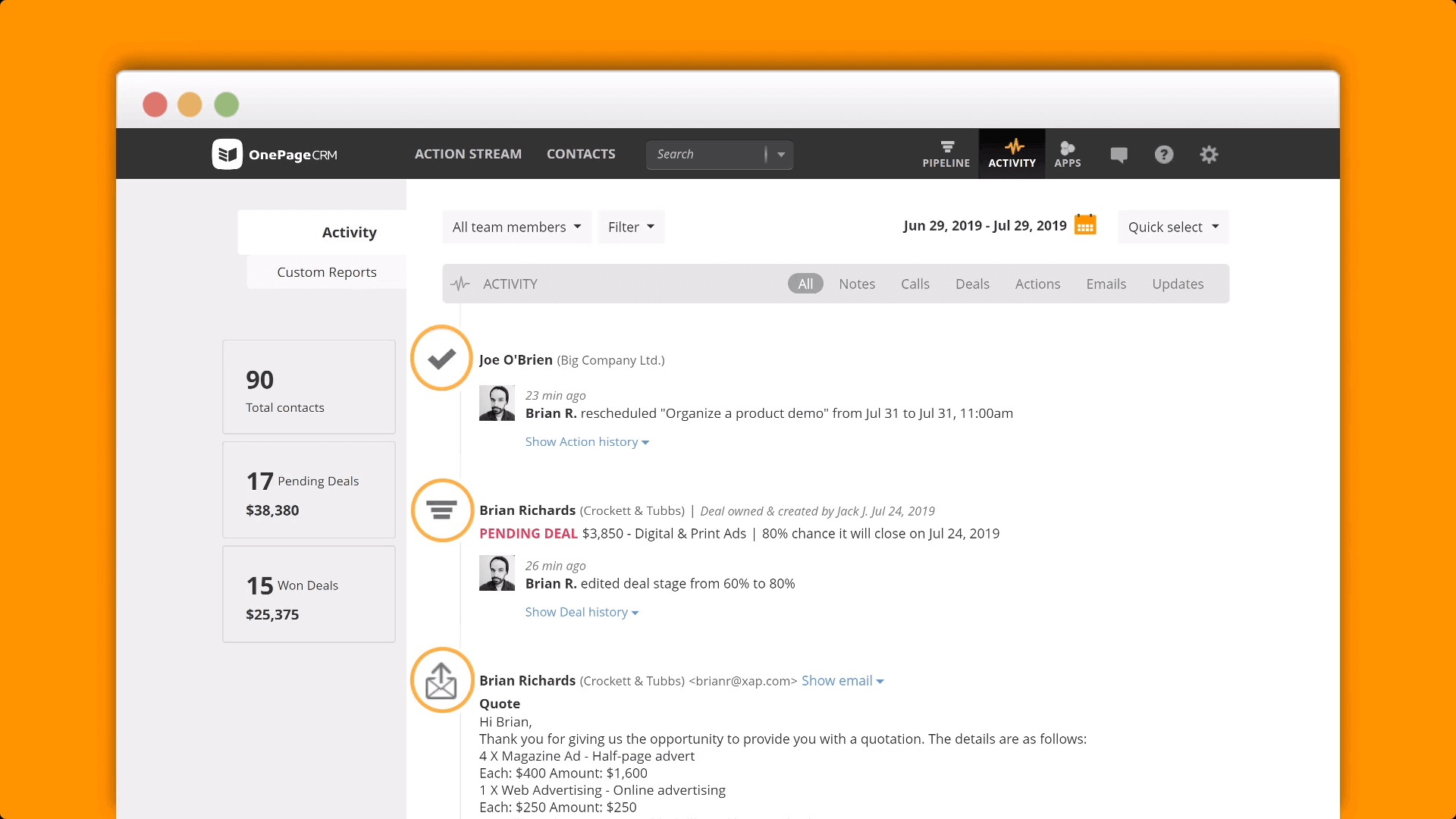
Image source: onepagecrm.com
Overview
Designed around action. If your priority is "always know the next step," this tool's philosophy aligns closely with solo selling.
Key features:
- Next‑action list tied to contacts and deals
- Pipeline and contact management
- Email send and templates
- Lead clipper from the web
- Mobile apps built for speed
Best for:
Solos who prefer a to‑do‑driven CRM that cuts the noise and surfaces what to do right now.
Limitations:
- Less depth in reports and automation.
- Minimal marketing features.
- Might feel too simple for complex pipelines.
Pricing:
- No free plan
- Paid plans: Start at $19.95/month per user (free trial available)
Real user feedback:
"It keeps me honest about follow‑ups."
Note: All reviews above are sourced from G2.
6. noCRM.io: Straightforward lead management solution
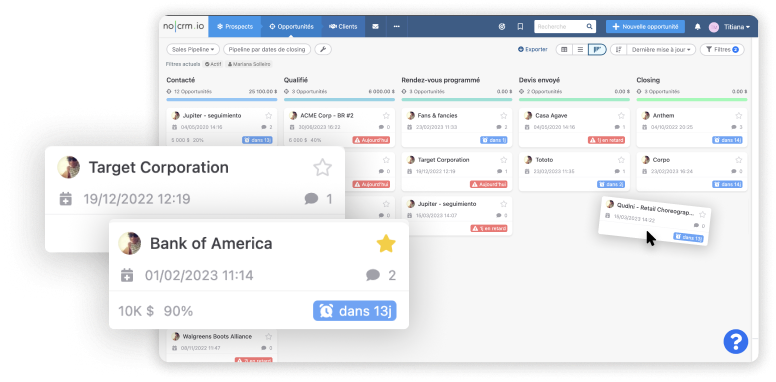
Image source: noCRM.io.com
Overview
A lightweight lead and pipeline manager that reduces data entry and emphasizes action over form filling.
Key features:
- Lead capture from emails and forms
- Kanban pipeline with quick updates
- Reminders and to‑dos for each lead
- Email integration and templates
- Integrations via Zapier/Make
Best for:
Solopreneurs who want clarity and speed, not a sprawling feature set.
Limitations:
- Lighter on native analytics.
- Expect to use integrations for marketing.
- Minimalistic interface won't suit everyone.
Pricing:
- No free plan
- Paid plans: Start at $21/month per user (free trial available)
Real user feedback:
"I spend more time selling and less time updating records."
Note: All reviews above are sourced from G2.
7. Streak: Seamless integration within Gmail environment
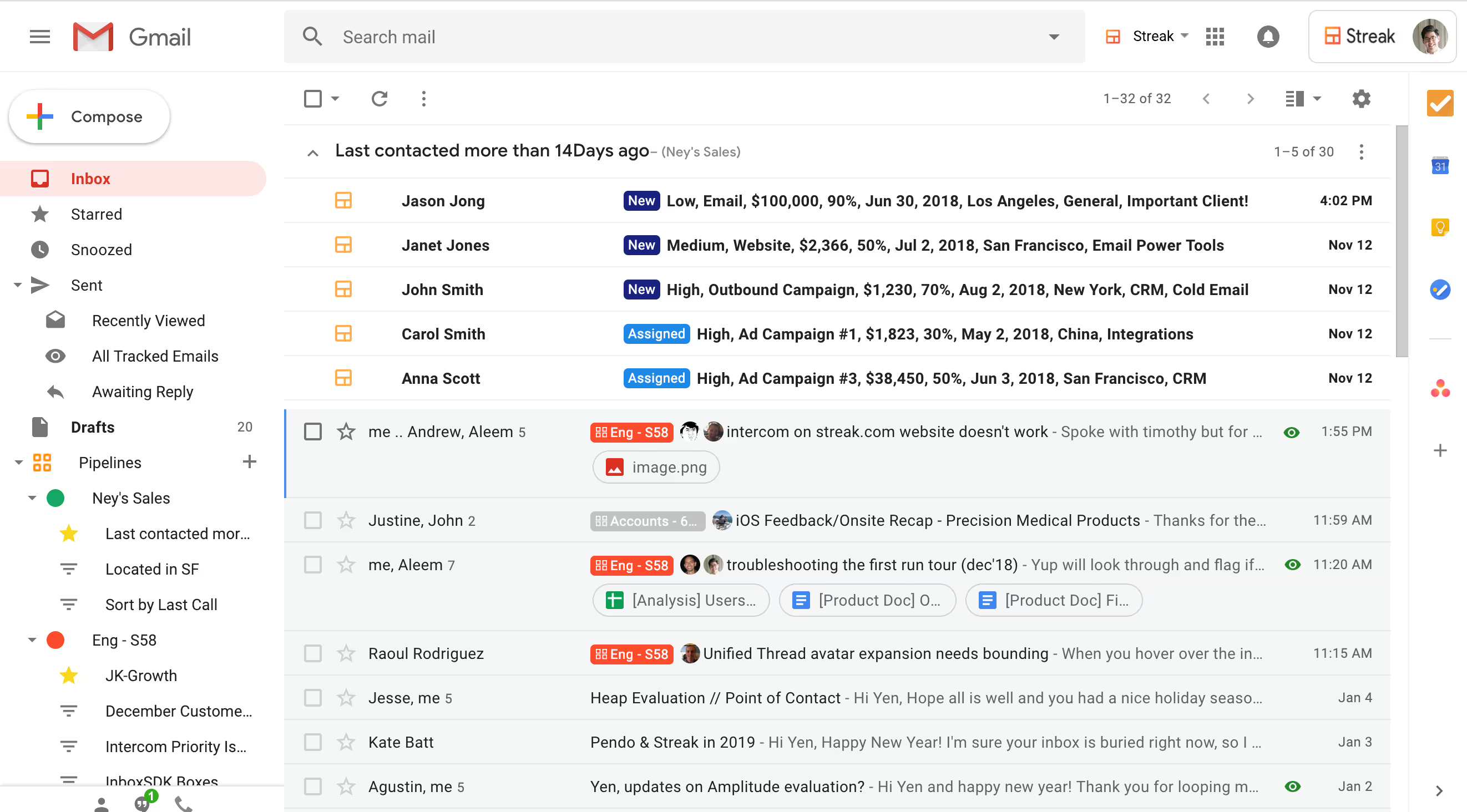
Image source: streak.com
Overview
A Gmail‑native CRM that makes your inbox the center of your sales workflow. Ideal if emails are most of your selling.
Key features:
- Pipelines inside Gmail tabs
- Email tracking, templates, and mail merge
- Shared pipelines for collaborators
- Basic reporting and saved views
- Chrome extension for quick actions
Best for:
Inbox‑first solos who want everything where they already live.
Limitations:
- Gmail‑only ecosystem.
- Limited scheduling and automation.
- Not built for deep analytics.
Pricing:
- No free plan
- Paid plans: Start at $49/month per user (free trial available)
Real user feedback:
"Near‑zero setup time—I was productive immediately."
Note: All reviews above are sourced from G2.
8. Capsule: Easy contact management for freelancers
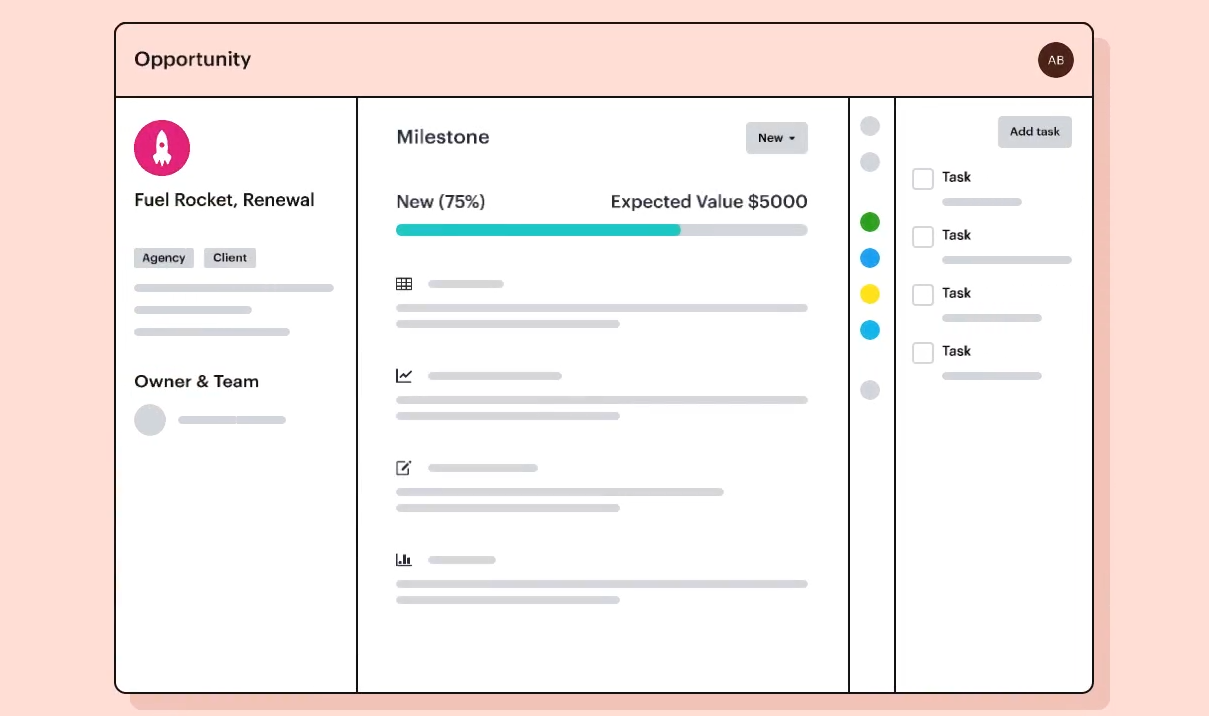
Image source: capsule.com
Overview
A balanced, lightweight CRM with tagging, pipelines, and approachable reporting that doesn't overwhelm.
Key features:
- Contacts, companies, and pipelines
- Tagging, custom fields, and segmentation
- Email dropbox and integrations
- Simple dashboards and reports
- Mobile apps for essentials
Best for:
Solos who want a reliable, tidy CRM they won't dread opening.
Limitations:
- Marketing features rely on integrations.
- Automation is modest.
- Power users may want deeper customization.
Pricing:
- Free plan: Available(2 users)
- Paid plans: Start at $18/month per user (free trial available)
Real user feedback:
"Reporting is enough for solo needs."
Note: All reviews above are sourced from G2.
9. Copper: Optimized for Google Workspace users
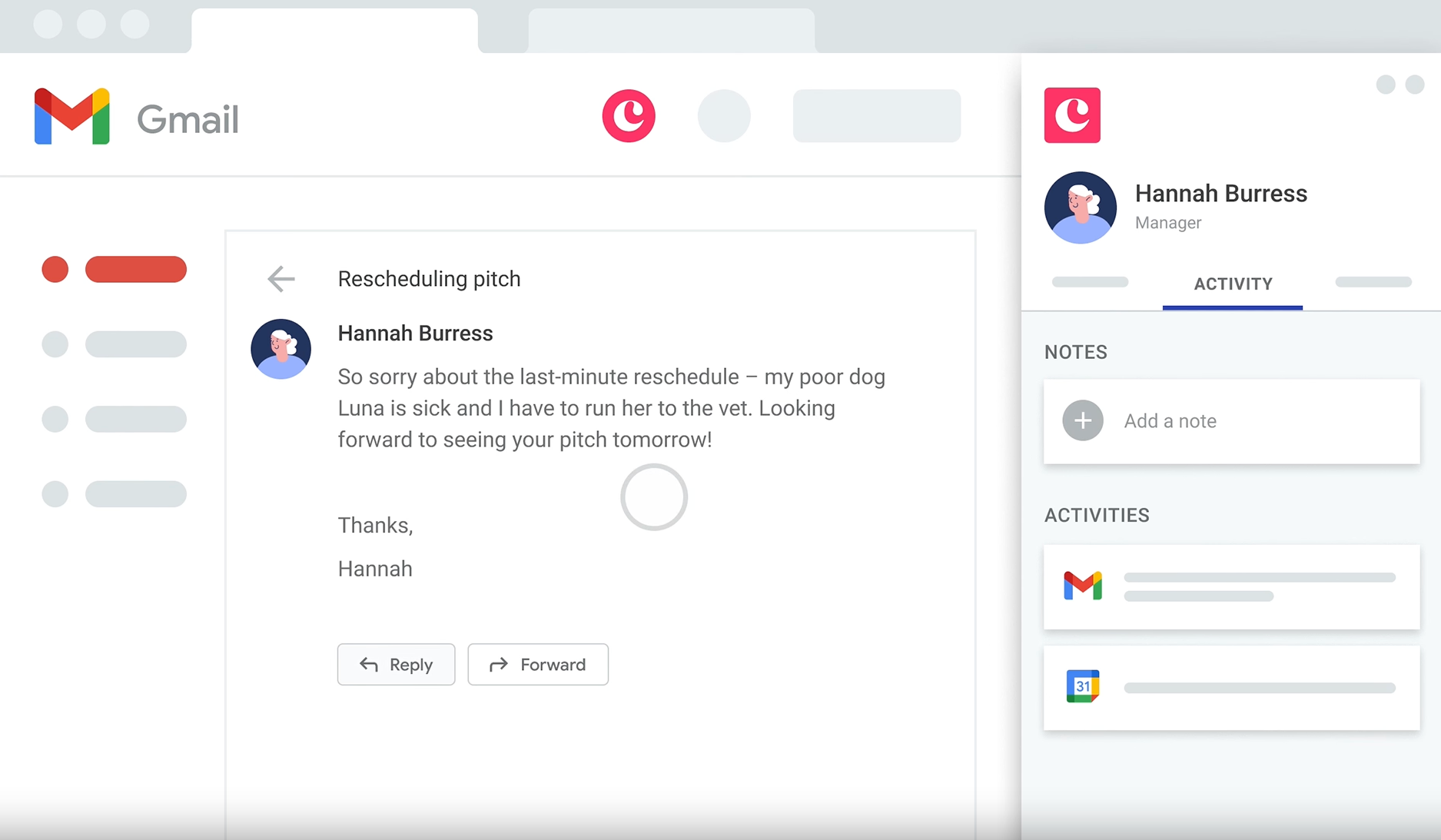
Image source: copper.com
Overview
A Google‑first CRM that captures context from Gmail and Calendar without extra effort, keeping records fresh automatically.
Key features:
- Gmail sidebar and Calendar integration
- Auto‑logging of emails and meetings
- Pipelines, tasks, and dashboards
- Workflow automation and templates
- Google Drive file linking
Best for:
Google Workspace solos who want the most native experience across email and calendar.
Limitations:
- Pricing compared to minimalist tools.
- Less appealing outside Google ecosystems.
- Some setup needed for custom workflows.
Pricing:
- No free plan
- Paid plans: Start at $9/month per user (free trial available)
Real user feedback:
"A bit pricier, but I use it daily because it's right there."
Note: All reviews above are sourced from G2.
10. Freshsales: Built-in communication and AI insights
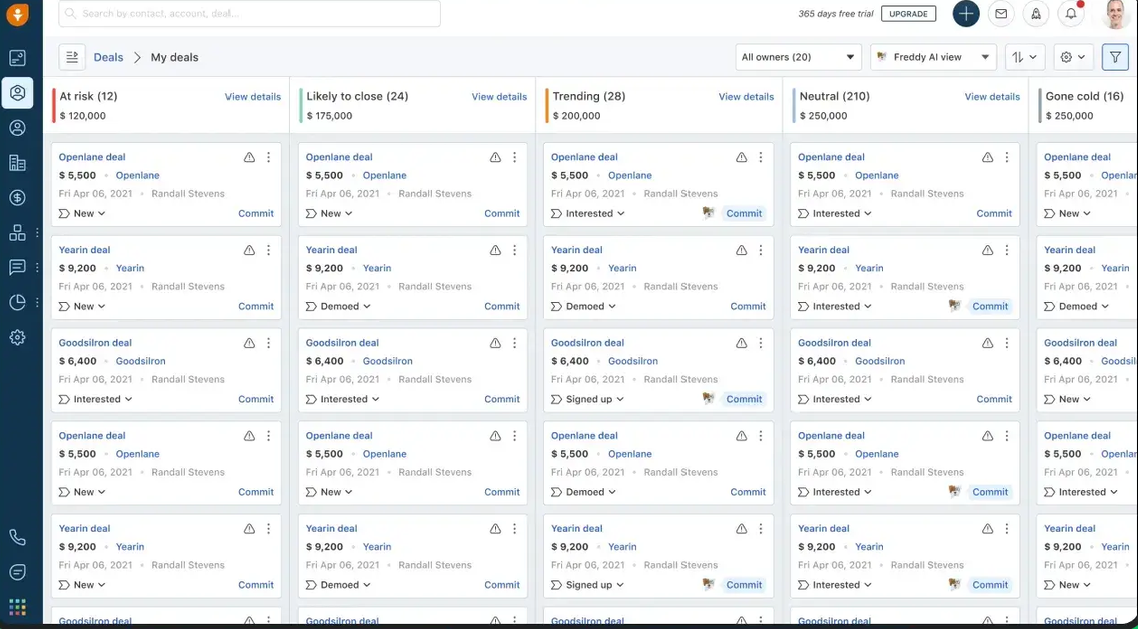
Image source: freshsales.com
Overview
An integrated CRM with calling, SMS, chat, and AI suggestions—handy if you juggle multiple channels with prospects.
Key features:
- Deals, contacts, email tracking, and templates
- Built‑in telephony and chat
- Meeting scheduler and calendar sync
- AI insights and next best actions
- Integrations across Freshworks apps
Best for:
Solos who want to simplify their stack by consolidating communication within the CRM.
Limitations:
- More moving parts to configure.
- You might not use the full suite.
- Reporting complexity varies by plan.
Pricing:
- No free plan
- Paid plans: Start at $9/month per user (free trial available)
Real user feedback:
"AI nudges are nice, but the basics are what I use daily."
Note: All reviews above are sourced from G2.
11. Salesflare: Automated lead capturing and tracking
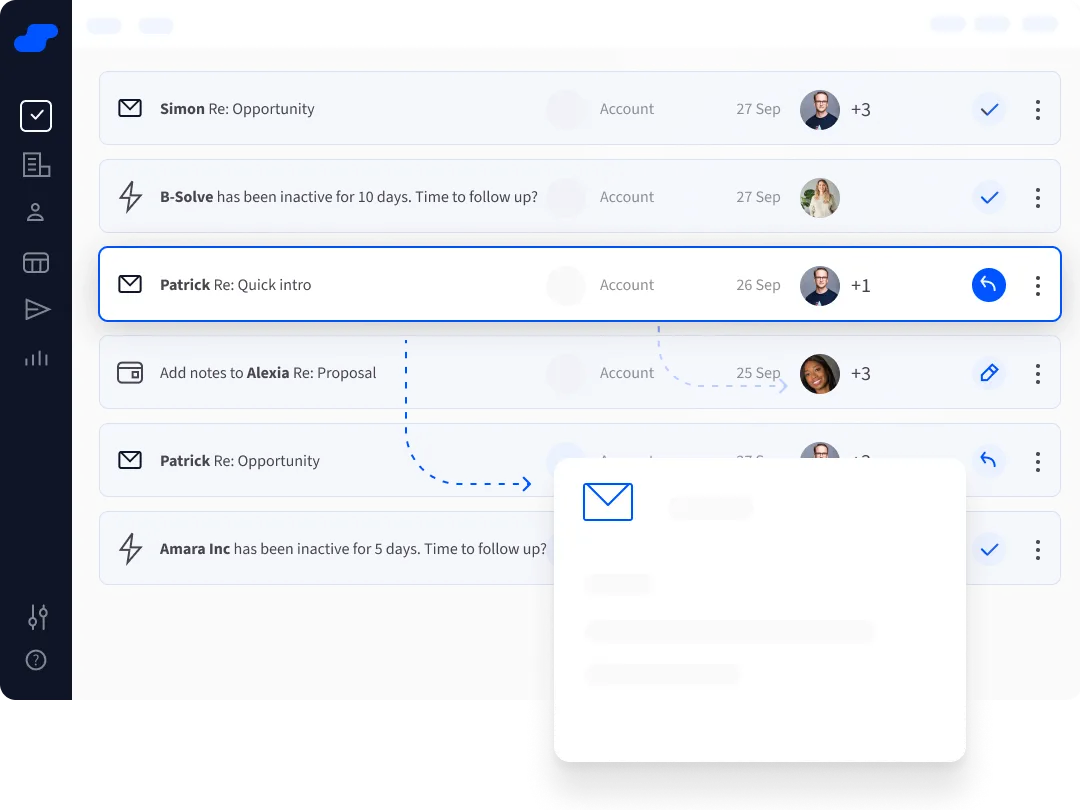
Image source: salesflare.com
Overview
Automation‑forward CRM aimed at B2B solos who rely on email and want enriched, up‑to‑date records with minimal typing.
Key features:
- Auto‑enrichment from email/calendar/web
- Email tracking and templates
- Pipeline and reminders
- Integrations and API
- Focused dashboard for follow‑ups
Best for:
Solo consultants and SaaS freelancers who want quality data without manual upkeep.
Limitations:
- Data quality depends on connected sources.
- Not ideal for complex quoting or products.
- Sits above bare‑bones pricing.
Pricing:
- No free plan
- Paid plans: Start at $29/month per user (free trial available)
Real user feedback:
"The automatic enrichment saves me hours."
Note: All reviews above are sourced from G2.
12. Monday sales CRM: Customizable visual pipeline management
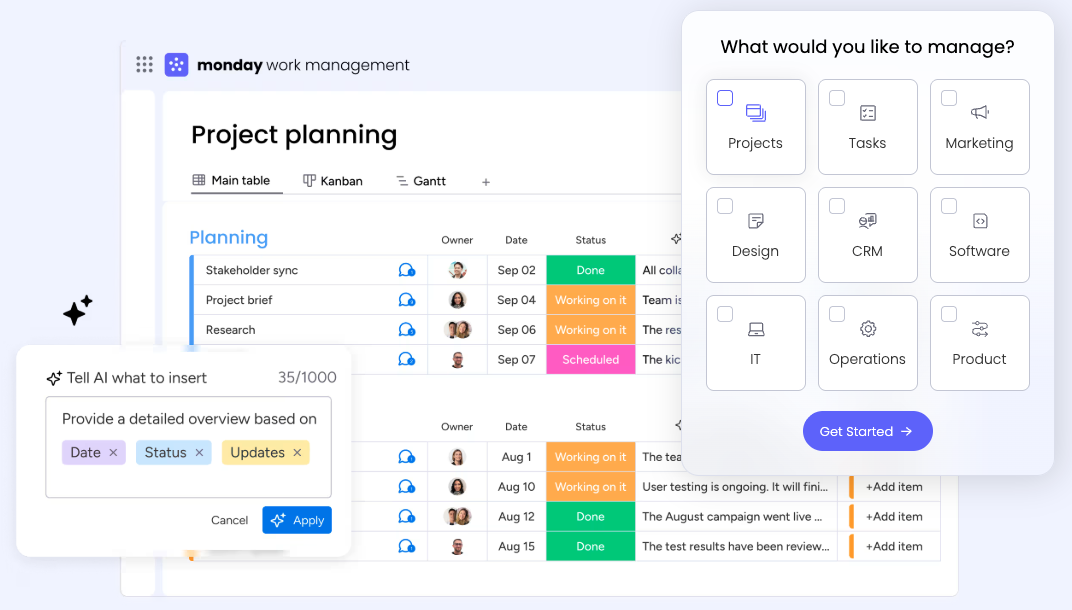
Image source: monday.com
Overview
A visual, flexible CRM that doubles as a project and delivery hub, letting you manage the entire client lifecycle in one place.
Key features:
- Custom boards and fields
- Automations for reminders and status changes
- Views: Kanban, timeline, calendar, dashboards
- Forms for lead capture
- Collaborator‑friendly sharing
Best for:
Solos who want a system that spans sales and delivery without jumping tools.
Limitations:
- Easy to over‑customize; start simple.
- Per‑seat pricing can rise with collaborators.
- Sales‑specific features need deliberate setup.
Pricing:
- Free Plan: Available for up to 2 users
- Cheapest Paid Plan: $12/month per user (free trial available)
Real user feedback:
"Great bridge from sales into project execution."
Note: All reviews above are sourced from G2.
13. Notion: Flexible all-in-one workspace for projects
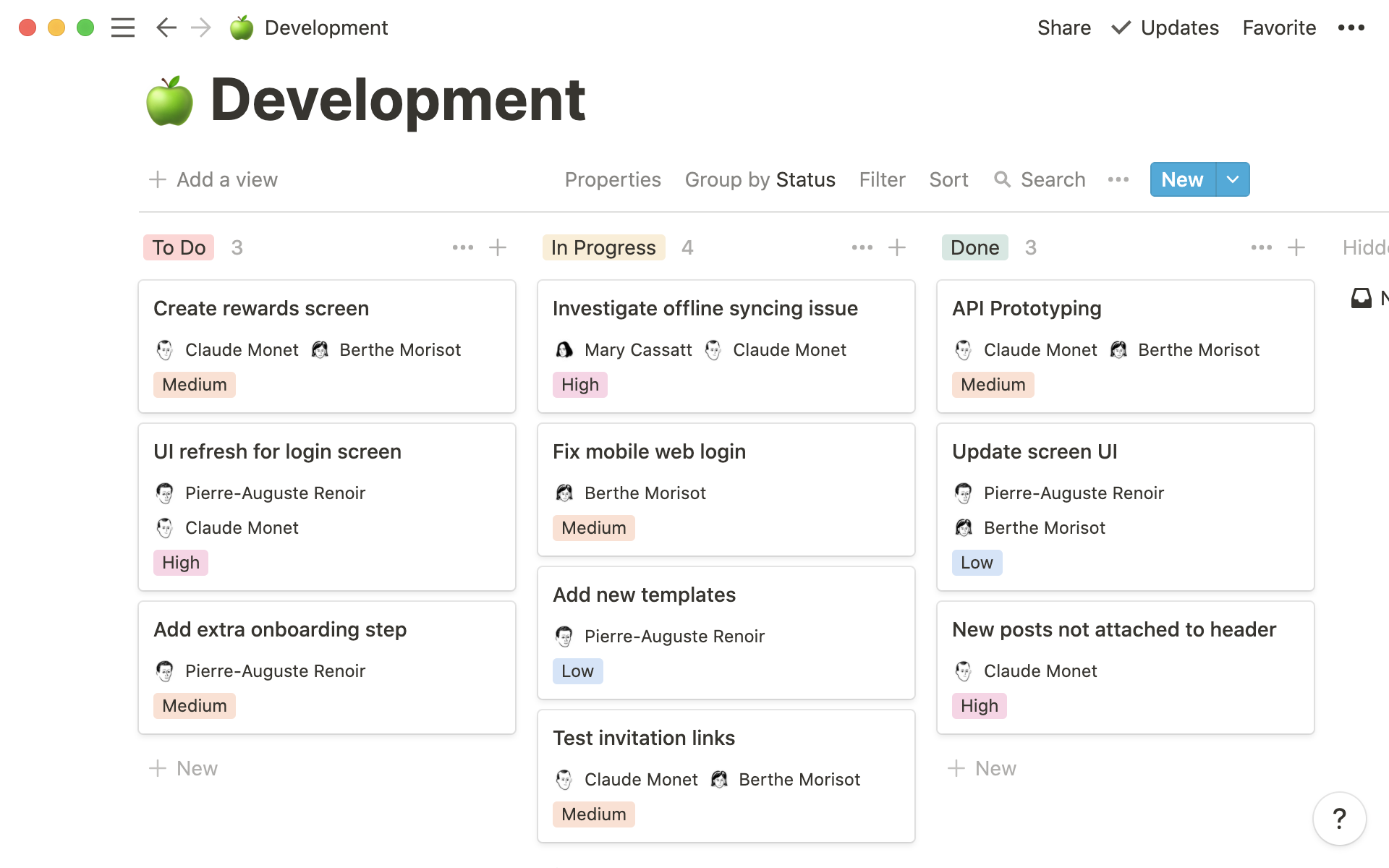
Image source: notion.com
Overview
Notion blends docs and databases, letting you design a lightweight CRM alongside proposals, notes, and client portals in one place. You can model Contacts, Companies, Deals, and Activities as linked databases, then surface action‑oriented board, table, timeline, and calendar views that mirror your sales flow.
Key features:
- Relational databases: Link contacts to companies, deals, and notes; use rollups, lookups, and formulas for simple metrics.
- Multiple views: Switch between board (pipeline), table (records), calendar (follow‑ups), and timeline (deal durations).
- Templates and buttons: Standardize deal stages, discovery note templates, and quick‑add actions for repeatability.
- Sharing and portals: Publish client‑facing pages for proposals, deliverables, and status, with granular access controls.
- Integrations and automation: Connect via Zapier/Make or native integrations; trigger updates from form submissions or email parsers.
- Notion AI and calendar: Summarize notes and draft follow‑ups; optionally pair with Notion Calendar (integrates with Google Calendar).
Best for:
Solopreneurs who need a content‑centric workspace with a flexible, custom CRM; ideal if client documentation and portals sit next to your pipeline.
Limitations:
- No native email tracking or sequences; meeting scheduling requires separate tools.
- Reminders and automations are lighter than dedicated CRMs; expect to lean on integrations.
- Performance and navigation can slow with very large or deeply nested workspaces.
Pricing:
- Free plan: Available(2 users)
- Paid plans: Start at $10/month per user (free trial available)
Real user feedback:
"I can share a clean client portal while my internal pipeline stays private."
Note: All reviews above are sourced from G2.
14. Airtable: Powerful spreadsheet-database hybrid
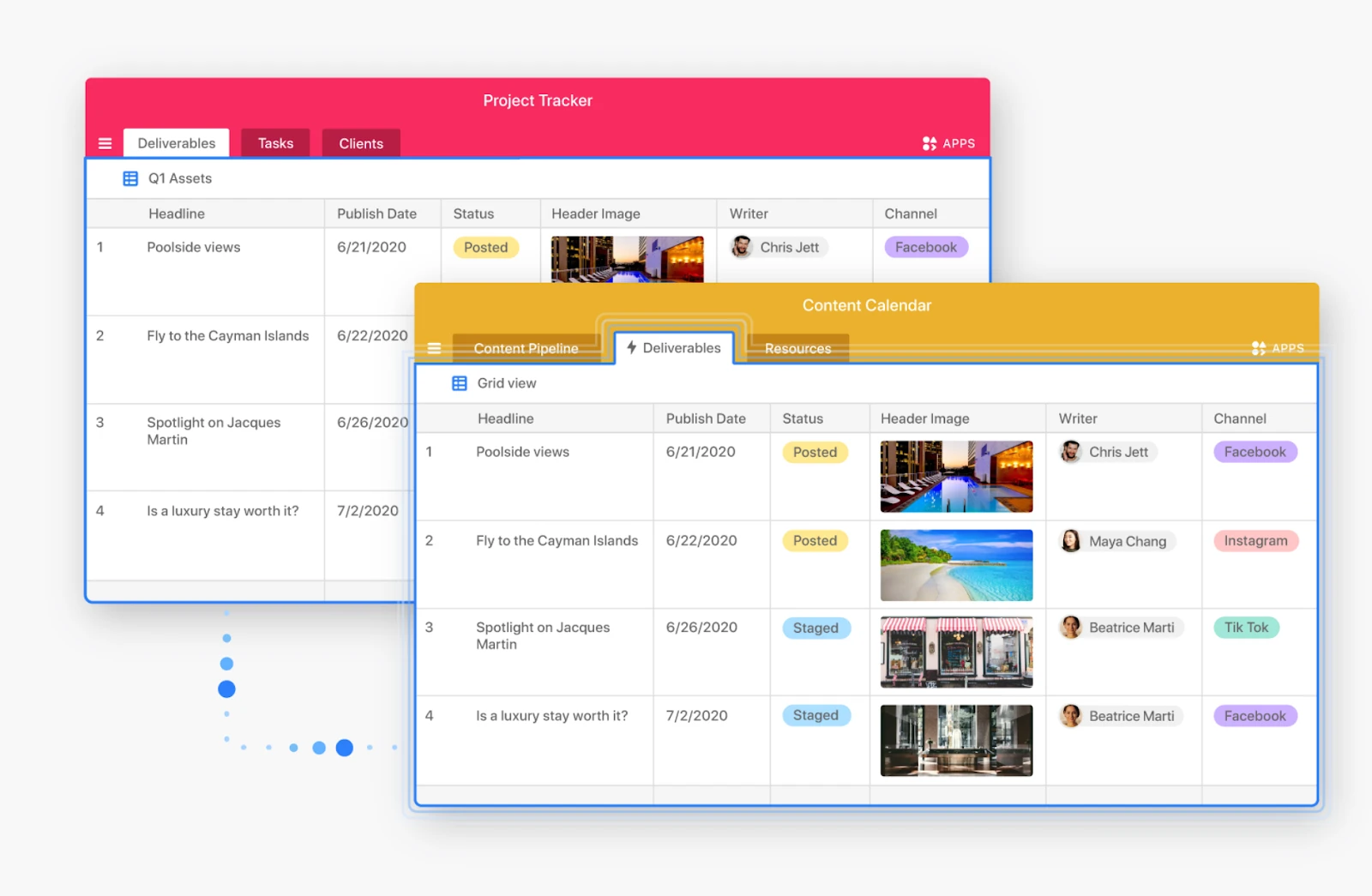
Image source: airtable.com
Overview
Airtable is a spreadsheet‑database hybrid built for custom workflows. It's a strong foundation for a DIY CRM when you want precise control over fields, relations, and process logic, plus built‑in automations and forms for lead capture.
Key features:
- Relational bases: Link records across Contacts, Companies, Deals, and Activities; use lookups and rollups for summaries.
- Views and layouts: Grid, Kanban, calendar, timeline, and Gantt to visualize pipelines and SLAs from different angles.
- Forms: Public forms write directly to your CRM tables for simple lead capture without extra tools.
- Automations: Trigger actions (notifications, emails, webhooks) on record changes, new leads, or time‑based conditions.
- Interfaces: Build tailored dashboards and mini‑apps for your own workflow or to share with a VA/contractor.
- Extensions and sync: Connect to other systems, enrich data, and sync tables between bases.
Best for:
Solos who want a custom, operations‑friendly CRM that mirrors unique processes, with enough automation to reduce manual upkeep.
Limitations:
- No native email tracking or meeting links; plan to integrate for outreach and scheduling.
- Per‑seat billing and complexity can grow as you add collaborators and logic.
- Mobile experience is improving but still better for quick edits than deep work.
Pricing:
- Free plan: Available(2 users)
- Paid plans: Start at $20/month per user (free trial available)
Real user feedback:
"Forms and automations saved me from stitching together three separate tools."
Note: All reviews above are sourced from G2.
15. Google Sheets: Basic CRM functions in a spreadsheet
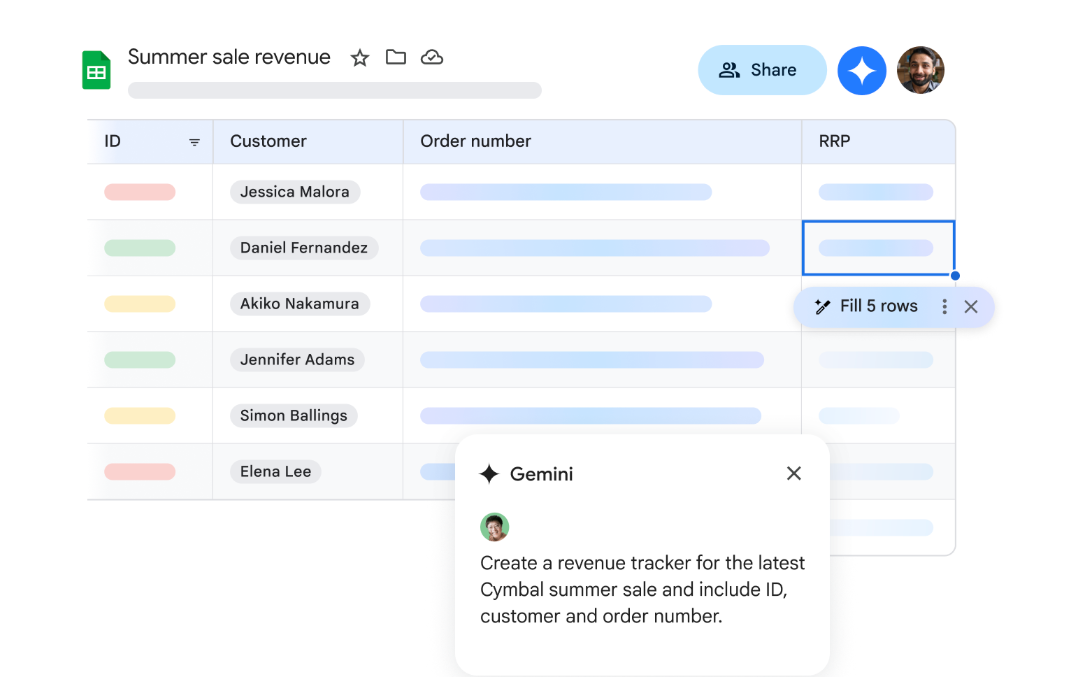
Image source: workspace.google.com
Overview
Google Sheets is the quickest path to a "just enough" CRM: a shared spreadsheet for contacts, deals, and next actions. With Google Forms, Apps Script, and add‑ons, you can capture leads and automate simple updates while keeping the learning curve near zero.
Key features:
- Familiar grid for contacts and deals: Use filters, data validation, and conditional formatting to keep records tidy.
- Google Forms capture: Pipe website or inquiry form submissions straight into your sheet.
- Automation options: Use Apps Script for custom logic or connect Zapier/Make for notifications and updates.
- Collaboration and comments: Share with contractors, tag comments, and track edit history.
- Charts and pivots: Build lightweight dashboards for pipeline value, stage counts, and conversion snapshots.
Best for:
Very early‑stage solopreneurs or side‑giggers who need a free, fast, and flexible starting point before investing in a dedicated CRM.
Limitations:
- No native reminders, email tracking, or scheduling—those require add‑ons or external tools.
- Brittle at scale: data quality and performance suffer as rows, formulas, and collaborators increase.
- Not purpose‑built for CRM; you'll spend time maintaining structure and guardrails.
Pricing:
- No free plan
- Paid plans: Based on your choice(free trial available)
Real user feedback:
"I stood up a workable CRM in an afternoon—no training required."
Note: All reviews above are sourced from G2.
For more Google Workspace's information, you can refer to Google Workspace Pricing and Google Workspace alternatives.
How to choose the right CRM as a solopreneur
Start by matching tool style to your work. If you want fewer subscriptions and tighter daily flow, an all‑in‑one like Lark lets you run sales, scheduling, and delivery in one place. Prefer a classic sales CRM? Pipedrive excels at fast follow‑ups; HubSpot CRM offers a generous free core with room to grow; Zoho Bigin is budget‑friendly; OnePageCRM and noCRM.io keep you focused on "next actions." If you live in Gmail, Streak or Copper minimize context switching. Capsule is a clean, dependable generalist. Freshsales bundles CRM with calling/chat. Salesflare auto‑enriches data. Monday sales CRM adapts via flexible boards. DIY‑inclined? Notion, Airtable, or even Google Sheets can work early—then graduate when reminders and reporting become critical.
Use a quick, realistic trial to decide. Connect email/calendar, import 100 contacts, build a 5‑stage pipeline, create two email templates, and publish a booking link. Capture one lead via form (or clipper), auto‑assign a task, and set a stage‑change automation. Send a tracked email, log a call, and update two deals on mobile. Export everything to confirm portability. Time how long routine updates take and whether reminders trigger without babysitting. If setup exceeds an hour or syncing is flaky, move on.
Conclusion
Picking the best CRM for solopreneurs doesn't have to be overwhelming. Prioritize tools that minimize clicks, keep follow‑ups front‑and‑center, and integrate your email and calendar cleanly. Lark can also be a smart move when you want communication, documents, scheduling, and pipeline under one roof. Whether you land on Pipedrive's action‑centric pipeline, HubSpot's free core, Zoho Bigin's budget‑friendly focus, or an all‑in‑one platform that collapses your stack, the goal is the same: stay consistent, move deals forward, and protect your time.
If you're evaluating the notably best CRM tools for solopreneurs 2025—or the honestly best CRM for solopreneurs and freelancers—use the 7‑day plan above. It respects your calendar, your budget, and your sanity.
FAQs
What is the best CRM for coaches?
For coaching workflows, I'd pick Lark for an all‑in‑one workspace (client intake forms, scheduling, docs, chat, automation). If you prefer a classic CRM, consider Pipedrive (pipeline focus) or Monday sales CRM (program tracking and templates).
Which is the best CRM software for an individual (solopreneur)?
For minimal overhead, Lark unifies CRM, scheduling, docs, and chat. Prefer purpose‑built? Try Pipedrive (follow‑up speed), Zoho Bigin (budget‑friendly), or Streak (Gmail‑native). Choose by email ecosystem and how fast you can set next actions.
What is the best CRM for solopreneurs and very small businesses?
My short list: Lark (all‑in‑one collaboration plus no‑code CRM), Pipedrive (sales‑first, quick to adopt), and HubSpot CRM (strong free start with meeting links). Zoho Bigin is an excellent budget alternative for simple pipelines.
What are some great CRM tools for independent consultants?
Start with Lark for proposals, scheduling, chat, and a lightweight CRM in one place. Also solid: Pipedrive, Capsule, OnePageCRM, and Salesflare. DIY‑inclined consultants often succeed with Notion or Airtable when they want tailored workflows.
Which is the best CRM software for an individual (solopreneur) not a Freemium?
If you want paid from day one: Lark (all‑in‑one suite), Pipedrive Essential, OnePageCRM, or Monday sales CRM. Pick the one you can set up in under an hour with reliable email/calendar sync.
Related reading
Table of contents
Start using Lark today

Manage all your work in one place
Boost team efficiency by 10x
Save up to 70% on software costs
Table of contents
Start using Lark today
Manage all your work in one place
Boost team efficiency by 10x
Save up to 70% on software costs
Keep reading









2026 Lark Technologies Pte. Ltd.
Headquartered in Singapore with offices worldwide.






Explore: