














15 Best Workflow Automation Tools in 2026

Benjamin Grant
Lark Content Manager
Sep 18, 2026
Benjamin Grant
Sep 18, 2026


20 min read


Is your team caught in a cycle of manual tasks? The daily grind of approvals, data entry, and checklists drains productivity and creates a bottleneck that stops you from scaling.
The answer is to work smarter. Workflow automation gives your team the freedom to ditch the busywork and focus on the high-impact, strategic projects that drive your business forward.
But with hundreds of workflow automation software options out there, how do you pick the right one? This guide reviews the 15 best workflow automation software for 2026 to help you find the perfect fit and unlock your team's potential.

What are workflow automation tools?
In simple terms, workflow automation is using technology to put repetitive tasks or manual business processes on autopilot. You set up a series of actions that automatically run when something specific happens, so your team doesn't have to do the work manually.
This idea has changed a lot over time. What began as a tool for individual task automation can now manage complex operations across your entire company, making sure all your different tools and teams work together smartly.
Benefits of workflow automation tools
Workflow management software offer a diverse range of benefits by improving how your business operates. They empower you to:
- Boost productivity
By automating the repetitive manual processes that consume valuable time, you free your team from tedious work. This allows them to shift their focus from routine operations to strategic initiatives like innovation, problem-solving, and driving growth, which significantly helps to boost productivity.
- Drastically Reduce Costly Errors
Manual processes are naturally prone to human error. A single misplaced decimal or forgotten email can lead to significant costs and wasted time. Automation ensures tasks are performed consistently and accurately every single time, virtually eliminating manual errors and ensuring a higher quality of work.
- Streamline and manage Tasks with clarity
These tools allow you to streamline tasks from start to finish by creating clear, repeatable steps. You can effectively manage tasks with automated approval, notifications, and deadlines, ensuring everyone knows what they're responsible for and that handoffs between team members are seamless.
- Gain real-time visibility and identify bottlenecks
Instead of guessing where a project stands, you can instantly track progress through centralized dashboards. This clear oversight allows you to proactively identify bottlenecks in your workflow—seeing exactly where tasks are getting stuck—so you can make data-driven decisions to optimize your processes.
- Enhance customer satisfaction and loyalty
A faster, more efficient internal operation directly impacts your clients. With streamlined internal file management, quicker turnaround times, and fewer mistakes, your team can provide more reliable service.
How we evaluated the best automation software
To give you the most reliable recommendations, we conducted research based on a clear set of criteria. Our goal is to equip you with all the necessary information to choose best workflow automation software for your team's specific needs. We covered a wide range of categories, from all-in-one tools and traditional automation systems to more unconventional apps for managing workflows.
Here’s the framework we used to evaluate each platform:
- Core functionality: Does it master the essentials? We tested each platform’s core ability to handle task management, process automation, and team collaboration.
- Ease of use & onboarding: How quickly can your team be up and running? We gave higher marks to tools with a gentle learning curve. An intuitive interface is critical for successful adoption, and we believe you shouldn't have to wait weeks to see value.
- Standout features & innovation: What makes this tool different? We looked for unique features like AI enhancements, flexible no-code/low-code options, and a rich library of integrations that set it apart.
- Pricing & value: Is the price fair and what do you get for it? We looked at the pricing models for clarity. A strong return on investment is key, so we paid special attention to transparent costs and called out any confusing pricing tiers or pricey add-ons that could surprise you later.
- Support & data security: Can you trust them with your business? We evaluated two crucial elements: how easy it is to get responsive customer support, and the strength of the security measures in place to protect your company's data.
Top workflow automation tools at a glance
For those who need a quick overview, this table summarizes our top 15 picks.
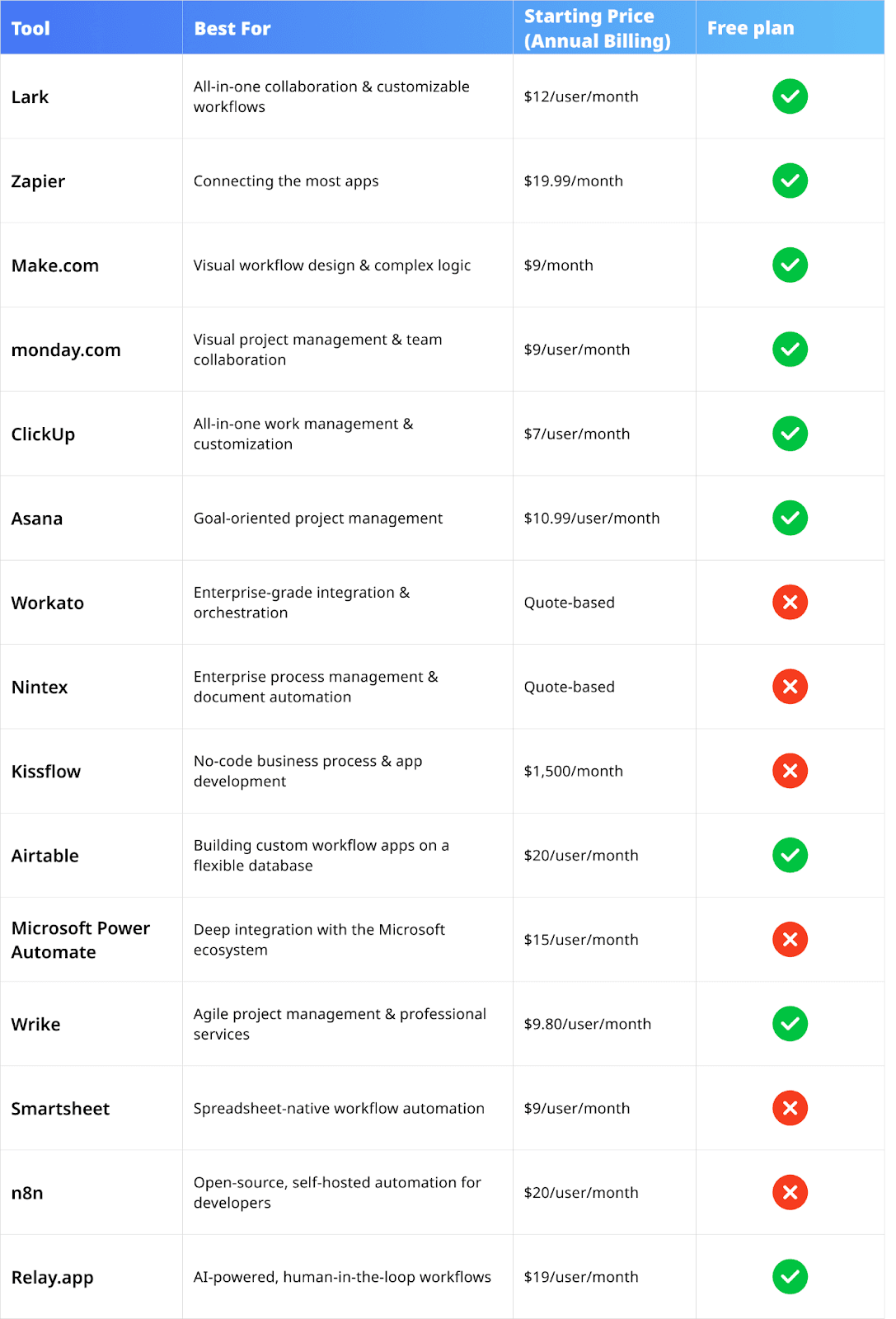
Top 10+ workflow automation tools
1. Lark
Best for: All-in-one collaboration and AI-powered productivity.
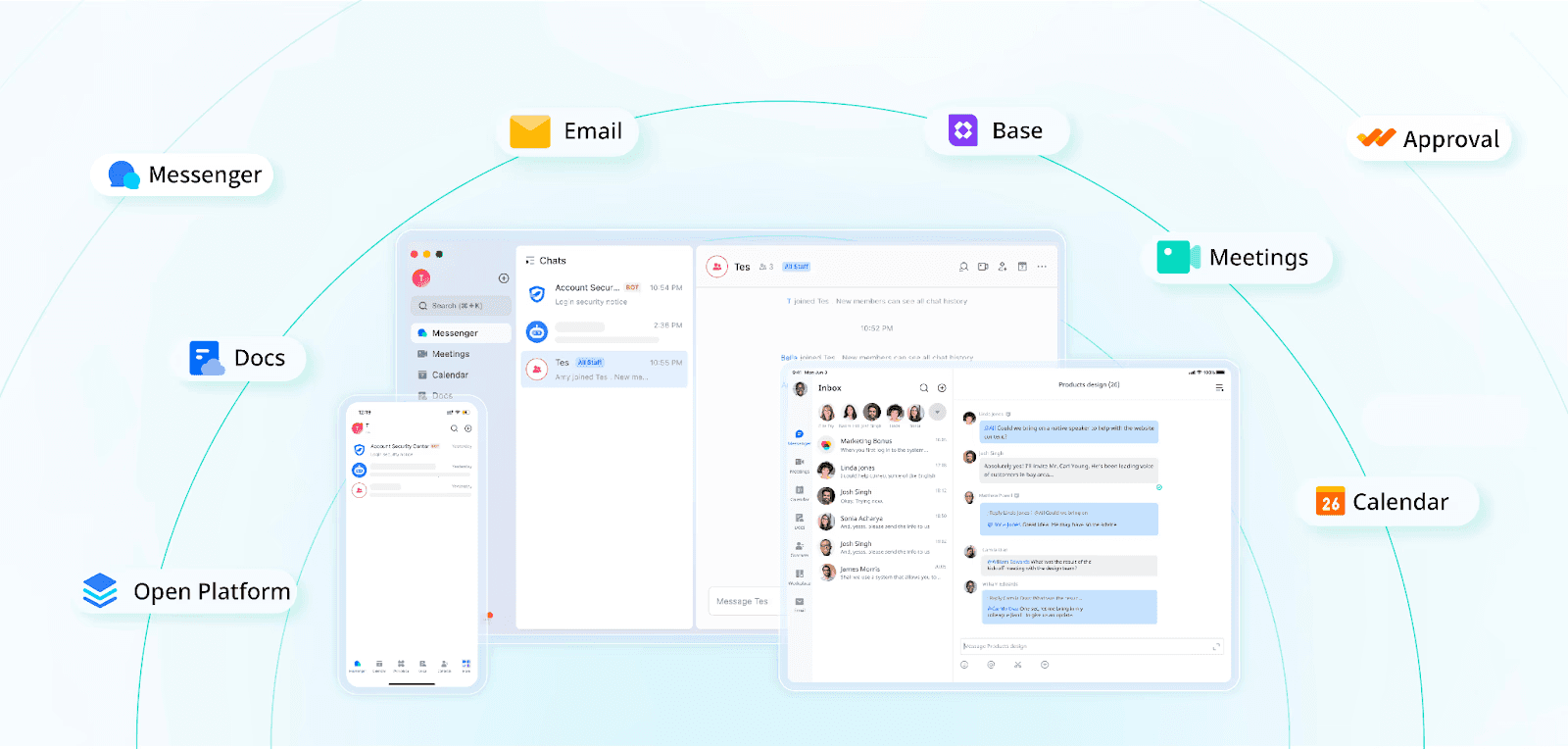 Lark is designed from the ground up to change how teams collaboration and automation. Instead of being a standalone workflow automation app, it's a comprehensive "superapp"—a single, unified digital workspace where communication, collaboration, data management, and automation coexist seamlessly. This all-in-one approach directly tackles the biggest pains of modern work: the cost and friction of juggling dozens of separate applications. By natively integrating chat, video meetings, calendars, collaborative docs, and a powerful no-code database, Lark ensures that teams get the context they need and workflows are seamless. Automation isn't an add-on, but is naturally integrated and easy to set up, making it the top automation software for teams seeking true operational efficiency and synergy.
Lark is designed from the ground up to change how teams collaboration and automation. Instead of being a standalone workflow automation app, it's a comprehensive "superapp"—a single, unified digital workspace where communication, collaboration, data management, and automation coexist seamlessly. This all-in-one approach directly tackles the biggest pains of modern work: the cost and friction of juggling dozens of separate applications. By natively integrating chat, video meetings, calendars, collaborative docs, and a powerful no-code database, Lark ensures that teams get the context they need and workflows are seamless. Automation isn't an add-on, but is naturally integrated and easy to set up, making it the top automation software for teams seeking true operational efficiency and synergy.
Key features
- Lark Base: At the heart of Lark's automation capabilities is Lark Base. It's far more than a spreadsheet or a simple database; it's a dynamic and intelligent system where every piece of information—a project plan, a sales lead, an expense report—is a structured data object that can trigger and be acted upon by automations. The visual, no-code automation builder allows any user, regardless of technical skill, to create custom workflows. You can set triggers based on record updates, form submissions, or scheduled times, and then define actions like sending customized notifications in Lark Messenger, creating calendar events, assigning tasks, or updating other records. For connecting with the outside world, Base supports webhook triggers, allowing external platforms to initiate workflows and integrate data seamlessly.
- Unified communication and collaboration: Because chat, calendar, and tasks are native to Lark, automations are incredibly powerful. An approved request in Base can instantly create a dedicated chat group, schedule a follow-up meeting in the calendar, and assign tasks to the relevant team members. This closed-loop system enables users to automate complex workflows that most platforms will struggle to match, even with third-party integrations.
- AnyCross no-code integration platform: While Lark is designed to be an all-in-one solution, it recognizes the need to connect with critical external systems. AnyCross is Lark's native integration platform, designed to simplify API connections and allow businesses to orchestrate workflows that span both Lark and other enterprise systems like ERPs or CRM software, all without needing to write complex code.
Integrations
Lark's philosophy is to reduce the need for integrations, but it still plays well with others. Through its AnyCross platform and partnerships with apps like Zapier, Lark connects to essential business tools including Google Workspace, Salesforce, Jira, Asana, and hundreds more, ensuring it can fit into any existing tech ecosystem.
Pricing
Lark's pricing model is designed for accessibility and incredible value, directly challenging the expensive, fragmented nature of the SaaS market.
- Starter: $0 for up to 20 users. It includes 11 powerful products, 100GB of shared storage and a generous 1,000 automated Base workflow executions per month.
- Pro: $12 per user/month. This plan offers more advanced capabilities, including group video calls, 15TB of storage, 50,000 automation runs per month, and unlimited AI meeting transcription.
- Enterprise: Custom pricing. For large organizations requiring advanced security, governance, and a staggering 500,000 automation runs per month.
When you consider the total cost of ownership, Lark's value is unbeatable. The Pro plan's monthly cost is often less than a single subscription to a dedicated chat tool like Slack, and a separate workflow automation SaaS platform. For example, a 100-person team with a basic tech stack composed of Slack, Google Workspace, and Zoom can save approximately $25,200 by switching to Lark's Pro plan.
Pros and cons
- Pros:
- Truly centralized platform significantly reduces software costs and context-switching.
- Lark Base is a powerful and user-friendly no-code platform for customizing workflows, with a wide range of workflow templates available in the template gallery.
- Extremely generous free and Pro plans provide unparalleled value for small and growing teams.
- Cons:
- The platform's extensive functionality means there's a learning curve for new teams, but responsive customer support and a comprehensive help center are there to guide teams every step of the way.
2. Zapier
Best for: Connecting the most apps.
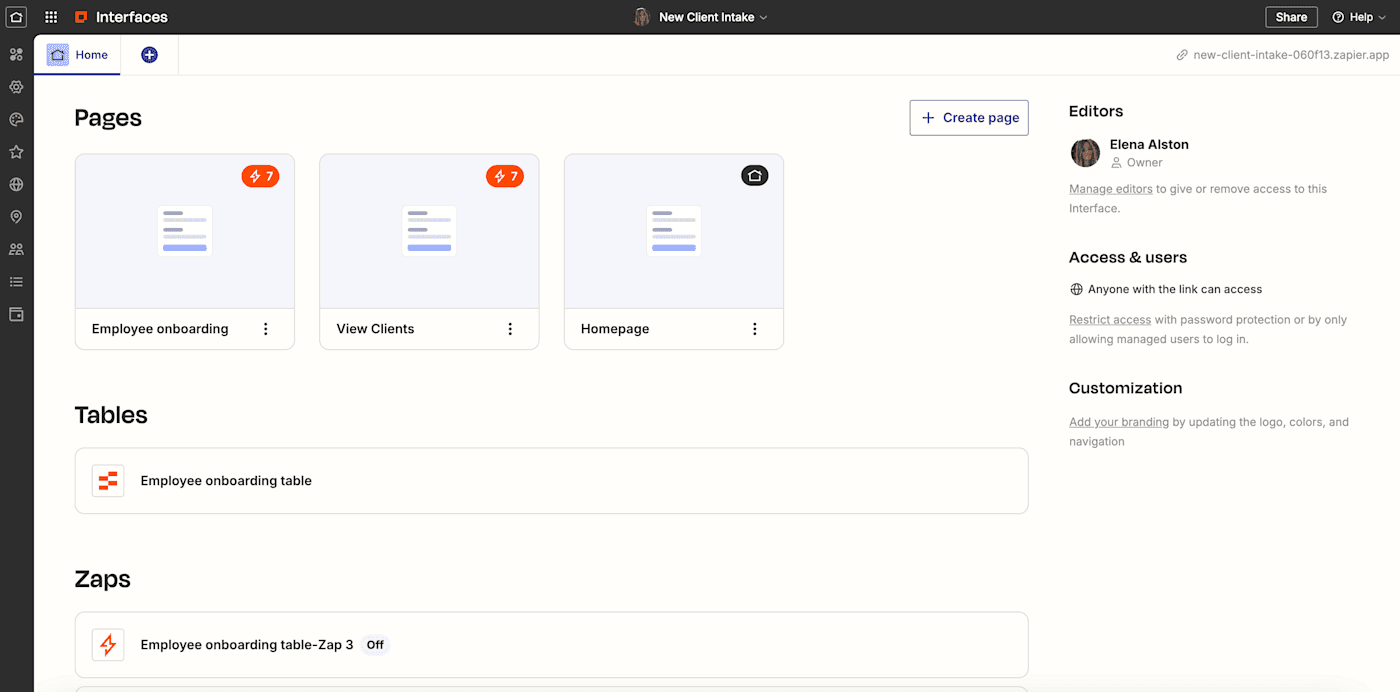 Image source: zapier.com
Image source: zapier.comZapier is a market leader for app integration. For years, it has been the go-to automation software for connecting the disparate parts of a company's tech stack, earning its reputation as the "glue of the internet". Its core value proposition is stunningly simple yet incredibly powerful: connect virtually any cloud application to any other, without writing a single line of code. For teams that need to create automated workflows between a vast and diverse set of online services, Zapier remains a top contender and a benchmark for the industry.
Key features
- Massive integration library: This is Zapier's crown jewel. With over 7,000 app integrations, its ecosystem is by far the most extensive on the market. From mainstream giants like Google Workspace, Slack, and Salesforce to niche, industry-specific tools, the odds are high that if an app has an API, Zapier can connect to it.
- User-friendly "Zap" builder: Zapier's success is built on its simplicity. The platform uses a simple trigger-and-action model to create automations, which it calls "Zaps". This intuitive, step-by-step process makes it incredibly accessible for non-technical users to build their first automation in minutes.
- Multi-step zaps and paths: While the free plan is limited to single-step Zaps, paid plans unlock the ability to create sophisticated, multi-step workflows. A key feature here is "Paths," which allows for conditional logic (e.g., "If the lead source is 'Website,' do this; if it's 'Referral,' do that"), enabling more dynamic and intelligent automations.
Integrations
Integrations are the core of Zapier's product. Its massive library is its primary competitive advantage, offering connections to everything from CRM and marketing automation platforms to e-commerce stores and developer tools.
Pricing
- Free: $0 for 100 tasks per month. This is limited to single-step Zaps.
- Professional: Starts at $19.99/month (billed annually) for 750 tasks/month. This tier unlocks multi-step Zaps and access to premium apps.
- Team: Starts at $69/month (billed annually) for 2,000 tasks/month and adds collaboration features.
- Enterprise: Custom pricing for high-volume, mission-critical needs.
Pros and cons
- Pros:
- Unmatched library of 7,000+ app integrations provides ultimate connectivity.
- Extremely easy to use for simple, point-to-point automations.
- Strong brand recognition, a massive user base, and extensive community support.
- Cons:
- Task-based pricing can become prohibitively expensive as automation usage scales.
- Less powerful for complex data transformation and manipulation compared to platforms like Make.com.
- Lacks the native work management and collaboration context of all-in-one platforms like Lark.
3. Make.com
Best for: Visual workflow design and complex logic.
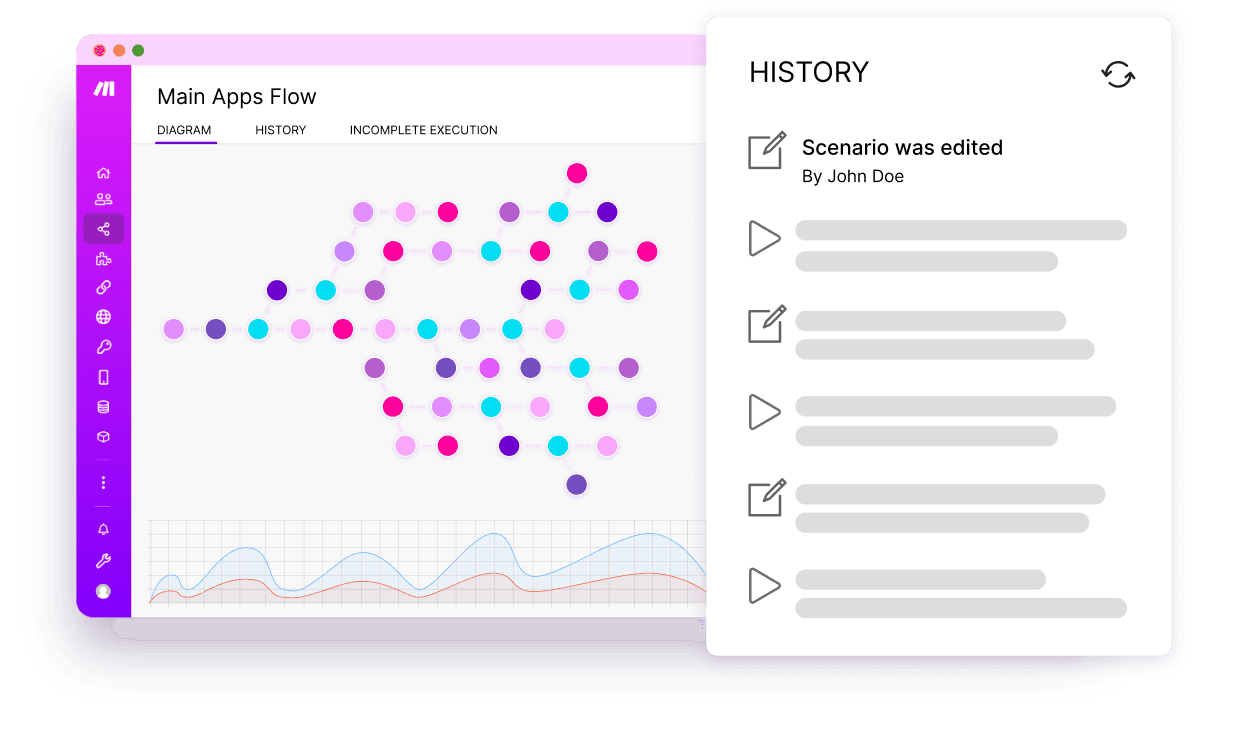 Image source: make.com
Image source: make.comMake.com (formerly Integromat) is a workflow automation platform built for those who need more power, more flexibility, and more granular control over their automated processes. Make's standout feature is its highly visual and intuitive "scenario" builder, which allows users to design, build, and debug even the most intricate workflows with surprising clarity. It appeals to a more technically-inclined user—power users, automation consultants, and developers—who need to do more than just pass data from one app to another; they need to transform it along the way.
Key features
- Visual scenario builder: This is the heart of the Make platform. Instead of a linear list of steps, Make provides a drag-and-drop user interface where each app and function is a "module" connected by lines, visually representing the flow of data. This makes it incredibly easy to understand and troubleshoot complex logic. Key components like Routers (to create conditional branches), Filters (to stop a scenario if criteria aren't met), and Iterators (to process multiple items in an array) give users immense power.
- Advanced data manipulation: Make excels where other tools falter: working with data. It provides a rich set of built-in functions for manipulating text, numbers, dates, and arrays. Users can easily parse complex data structures (like JSON), perform calculations, and transform data formats on the fly, a capability that often requires custom code in other platforms.
- Real-time execution and API control: Make supports real-time webhook triggers for instant automations and provides robust access to its API, allowing for deep integration into other systems. Its ability to run scenarios at one-minute intervals on paid plans offers near-real-time processing.
Integrations
Make boasts a library of over 2,000 pre-built app integrations, covering all major SaaS categories like CRM, e-commerce, and project management. While smaller than Zapier's library, it includes deep integrations with popular platforms like Salesforce, Shopify, and Google Workspace. Furthermore, its powerful, universal HTTP module allows users to connect to virtually any public API, offering limitless extensibility.
Pricing
- Free: $0 for 1,000 operations/month.
- Core: $9/month (billed annually) for 10,000 operations.
- Pro: $16/month (billed annually) for 10,000 operations, but with priority execution and more advanced features.
- Teams: $29/month (billed annually) for 10,000 operations, adding collaboration and user management features.
Pros and cons
- Pros:
- Extremely powerful and flexible visual workflow builder.
- Superior capabilities for complex data manipulation and transformation.
- Highly cost-effective for high-volume automations.
- Cons:
- Steeper learning curve, especially for non-technical users.
- Can feel overly complex for very simple point-to-point automations.
- Smaller (though still extensive) app library compared to Zapier.
4. monday.com
Best for: Visual project management and team collaboration.
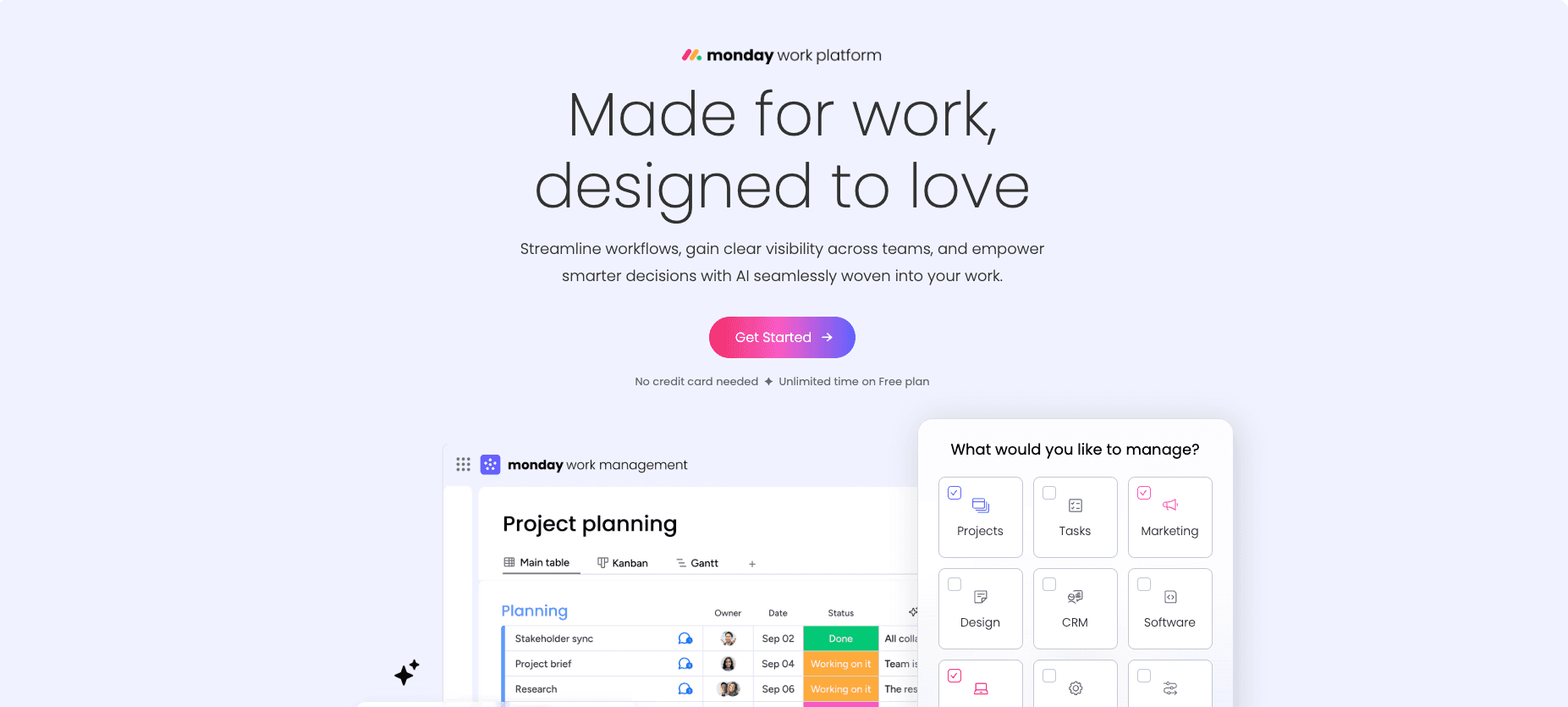 Image source: monday.com
Image source: monday.commonday.com has evolved from a project management tool into a a flexible and visual platform where teams can build and customize their own automated workflow solutions. Its core strength lies in its highly intuitive, colorful, and board-centric interface, which makes it easy for teams to plan, track, and manage their work. Automation is a key pillar, allowing users to eliminate manual updates and keep projects moving forward seamlessly. It's an excellent choice for teams that prioritize visual organization and cross-functional collaboration.
Key features
- Visual automation builder: monday.com uses a simple, recipe-based automation builder. Users can choose from a library of pre-made "If this, then that" recipes (e.g., "When status changes to 'Done,' notify the project manager") or build custom automations using a drag-and-drop interface. This approach is very accessible for non-technical users.
- Cross-board automations: A powerful feature that allows automations to connect different boards. This is crucial for breaking down silos between departments, for example, by automatically creating a task on the marketing board when a new feature is marked as "Ready for Launch" on the product board.
- Visual workflow mapping: Available on the Enterprise plan, this feature provides a high-level, end-to-end view of entire processes, helping leaders visualize complex workflows and identify potential bottlenecks.
Integrations
monday.com offers over 200 native app integrations with popular tools like Slack, Google Drive, Salesforce, and Microsoft Teams, allowing it to serve as a central hub for team collaboration.
Pricing
- Free: $0 for up to 2 seats, but does not include automations or integrations.
- Basic: $9 per seat/month. Also does not include automations.
- Standard: $12 per seat/month. Includes 250 automation actions and 250 integration actions per month.
- Pro: $19 per seat/month. Jumps to 25,000 automation and 25,000 integration actions per month.
- Enterprise: Custom pricing. Offers up to 250,000 actions per month and advanced features.
Pros and cons
- Pros:
- Highly visual and intuitive interface is easy for teams to adopt.
- Strong collaboration features are built around a central workspace.
- Cons:
- Automation limits on the Standard plan are quite low.
- Per-seat pricing can become expensive for large teams.
- While it has automation, it's not as powerful as dedicated iPaaS tools for complex, multi-system integrations.
5. ClickUp
Best for: All-in-one work management and customization.
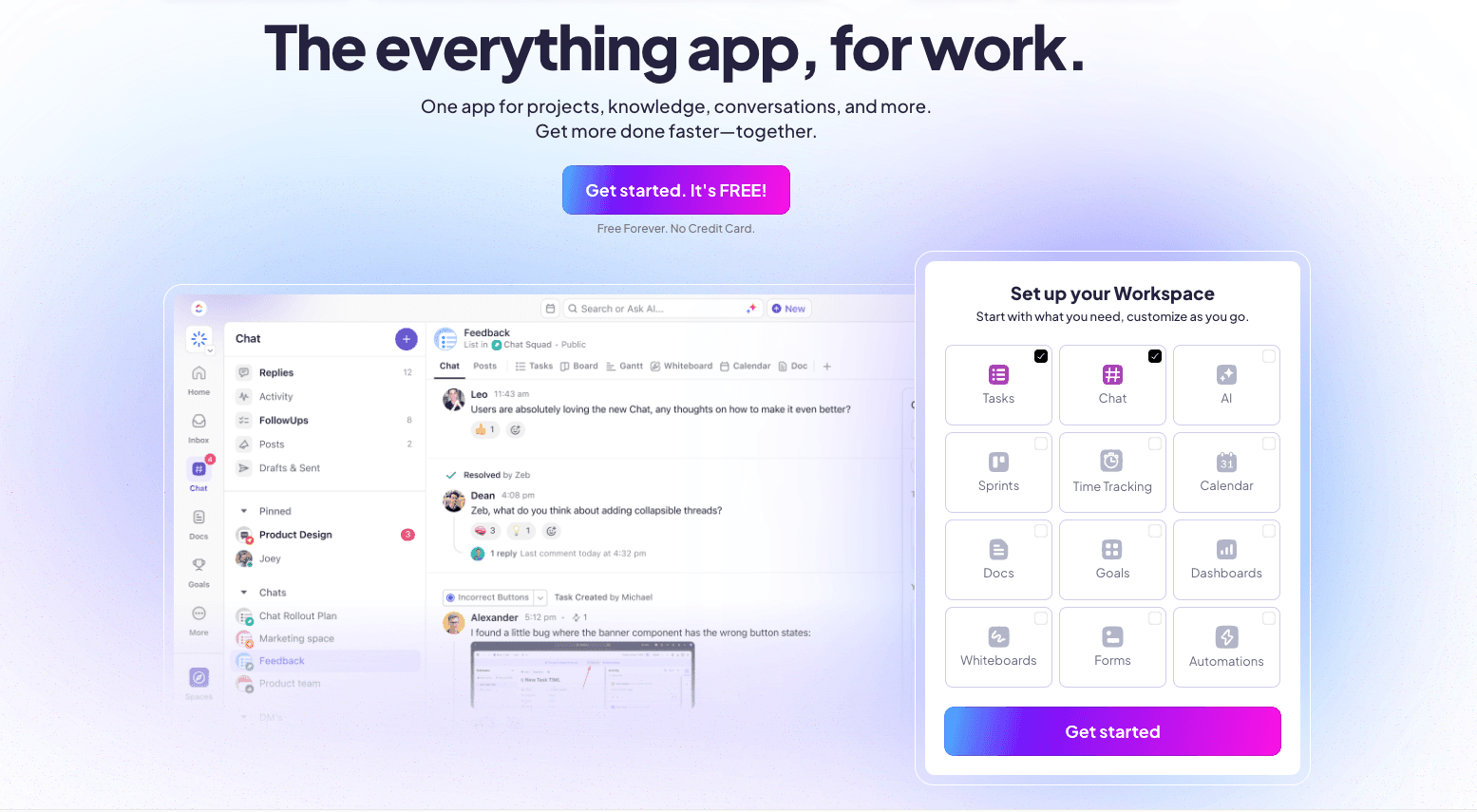 Image source: clickup.com
Image source: clickup.comClickUp markets itself as the "everything app" for work, aiming to replace multiple disparate tools by bringing tasks, docs, chat, goals, and whiteboards into a single, highly customizable platform. Workflow automation is one of its main features, with a powerful automation builder and a new AI assistant, ClickUp Brain, designed to make processes smarter and more efficient. It's the good choice for teams who want customization.
Key features
- Customizable automations: ClickUp allows users to build automations with a wide range of triggers and actions. You can automate task assignments, status updates, comments, and more, based on predefined rules. With over 100 pre-built automation templates, teams can get started quickly and then tweak the details to fit their exact needs.
- All-in-one workspace: The true power of ClickUp's automation comes from its integrated nature. Automations can interact with every part of the platform, from updating tasks and goals to creating documents and sending messages, all within the same ecosystem.
- Multiple views: ClickUp is known for its flexibility, offering over 15 different ways to view work (Lists, Boards, Calendar, Gantt, etc.), and automations work seamlessly across all of them.
Integrations
ClickUp integrates with over 1,000 other tools through native connections and platforms like Zapier and Make.com, ensuring it can connect to specialized apps when needed.
Pricing
- Free Forever: Generous free plan with unlimited tasks and members, but with storage and feature limitations.
- Unlimited: $7 per user/month. Offers unlimited storage and integrations.
- Business: $12 per user/month. Adds more advanced features like Google SSO and unlimited teams.
- Enterprise: Custom pricing for advanced security and customization needs.
Pros and cons
- Pros:
- Extremely customizable platform that can be adapted to any workflow.
- AI assistant (ClickUp Brain) simplifies the creation of complex automations.
- Competitive pricing and a generous free plan offer great value.
- Cons:
- The sheer number of features can be overwhelming for new users, leading to a steep learning curve.
- Some users report that the platform can feel slow or buggy at times due to its complexity.
- AI features require an additional subscription fee.
6. Asana
Best for: Goal-oriented project management.
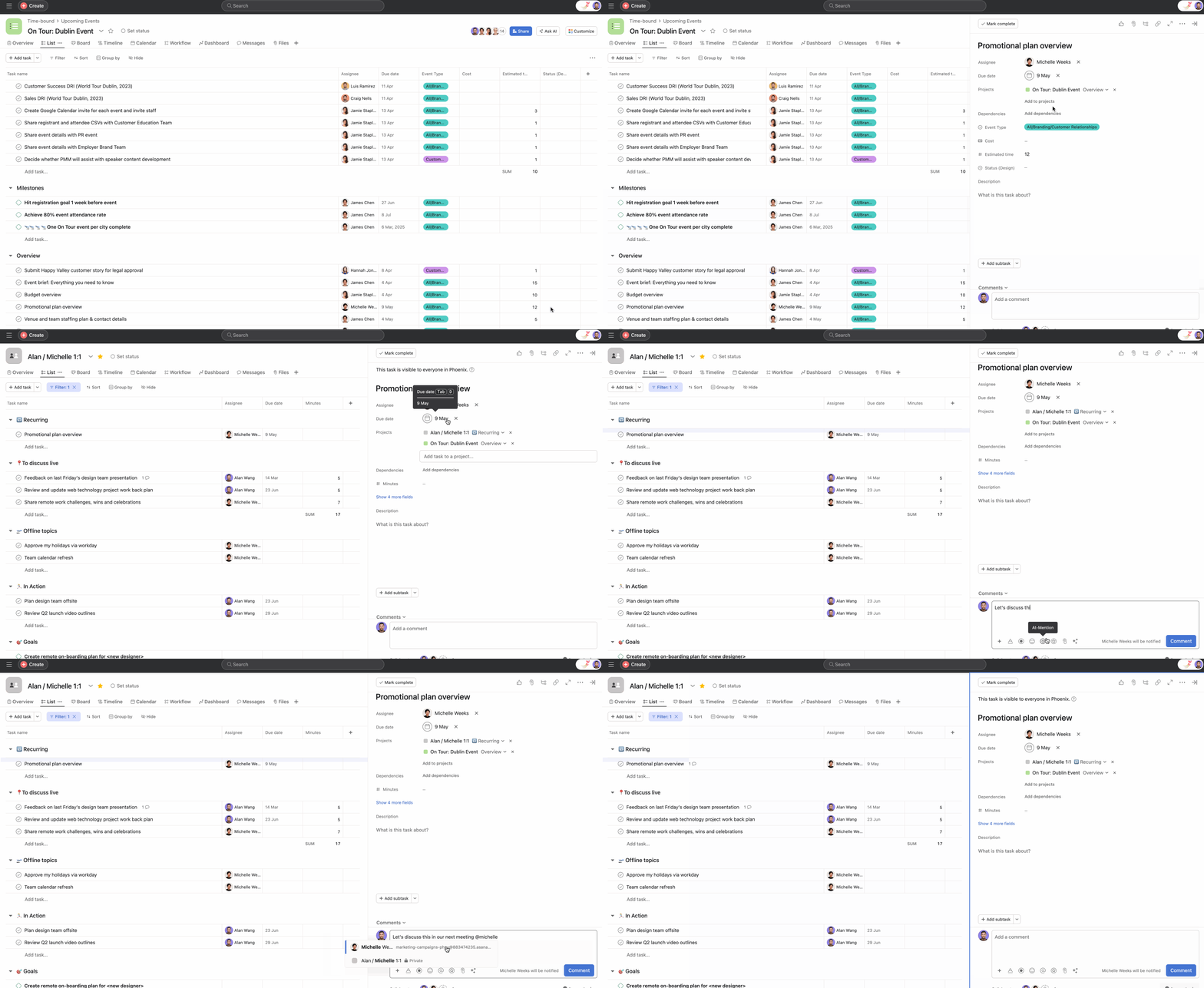 Image source: asana.com
Asana has long been a leader in the collaborative work management space, helping teams orchestrate their work from daily tasks to strategic initiatives. Its strength lies in providing structure and clarity, connecting individual tasks to larger team projects, portfolios, and company-wide goals. With the launch a suite of "smart" features, it's now a powerful tool not just for managing work, but for intelligently automating it, making it ideal for organizations that need to align cross-functional execution with strategic objectives.
Key features
- Contextual AI capabilities: Asana's AI can now read and analyze documents from Google Drive, OneDrive, and SharePoint, as well as summarize content from public web links, bringing external context directly into your automated processes. This saves immense time on research and manual data entry.
- Visual workflow builder: Asana provides an intuitive, no-code workflow builder that allows teams to automate repetitive tasks using trigger-action rules. This helps streamline processes, standardize work intake through forms, and ensure that approvals and handoffs happen automatically.
- Goal and portfolio management: Asana's unique value is its ability to link work directly to goals. Automations can be tied to the progress of these goals, providing unparalleled visibility for leadership on how day-to-day work is driving strategic outcomes.
Integrations
Asana integrates with over 200 popular business applications, including Microsoft 365, Google Workspace, Slack, Salesforce, and Adobe Creative Cloud, ensuring work can flow smoothly between Asana and the other tools teams rely on.
Pricing
- Personal: $0 for up to 10 users, but with no automation features.
- Starter: $10.99 per user/month.
- Advanced: $24.99 per user/month. Adds more powerful features like Portfolios, Goals, time tracking, and integrations with Salesforce and Power BI.
- Enterprise & Enterprise+: Custom pricing for large organizations needing advanced security, governance, and compliance features like HIPAA support.
It's important to note that Asana's paid plans have a 2-seat minimum and are billed in seat blocks for larger teams (e.g., if you have 6 users, you pay for 10), which can affect the total cost for smaller, growing teams.
Pros and cons
- Pros:
- Excellent for aligning tasks with strategic goals and managing portfolios of projects.
- Powerful new AI Studio makes intelligent automation accessible to business users.
- Clean, intuitive interface and strong project management fundamentals.
- Cons:
- The seat-block pricing model can be inefficient for teams that don't fit neatly into the tiers.
- Can be more expensive than competitors like ClickUp for similar features.
- While its internal automation is strong, it's not designed for the heavy, cross-system data orchestration of an iPaaS tool.
7. Coupler
Best for: Automating data workflows from multiple platforms into reports and dashboards.
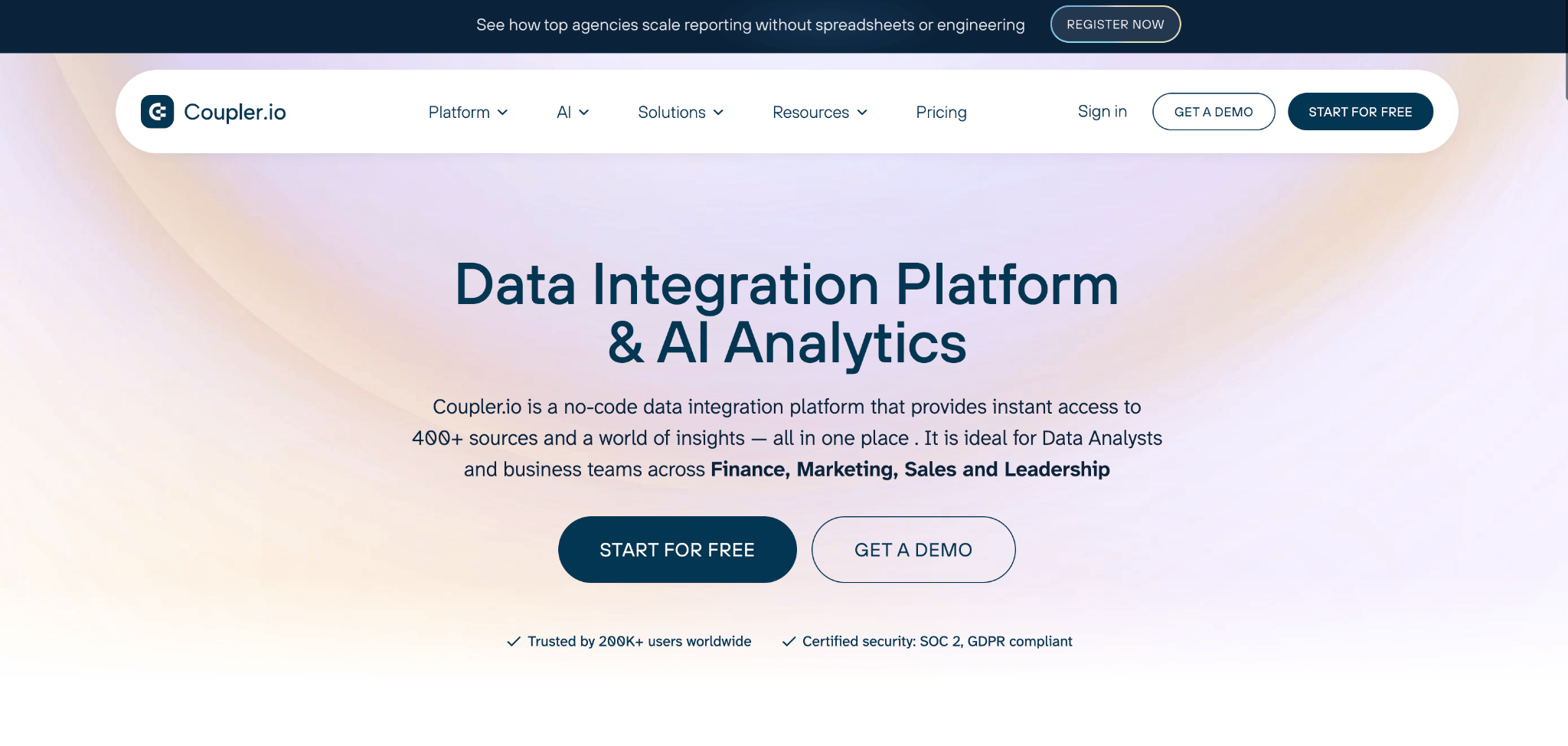
Coupler.io is a data integration and AI analytics platform designed to eliminate the manual steps that slow down reporting workflows. It connects to over 400 data sources and loads them into the tools your team already works with, whether that's Google Sheets, Excel, Looker Studio, Power BI, BigQuery, or other BI platforms. Instead of pulling numbers from different apps and manually building reports, Coupler.io automates the entire process. You set up your data flows once, and scheduled refreshes keep your dashboards up to date automatically. Loading Facebook Ads data to Looker Studio, syncing CRM records into a shared spreadsheet, or combining sales figures from multiple channels into one view all take just a few clicks. The platform also lets you clean, merge, and reshape your data before it goes anywhere, so your reports are ready to use the moment they update.
Key features
- 400+ data integrations: Coupler.io works with a wide range of business tools, from ad platforms like Google Ads and Facebook Ads to CRMs like HubSpot and Salesforce, accounting software like QuickBooks and Xero, and e-commerce platforms like Shopify.
- Built-in data transformations: You can rename, filter, append, and aggregate your data right inside the platform before sending it to the destination.
- Pre-built dashboard templates: Pre-built templates for marketing, sales, and financial reporting help you get started fast.
- AI-powered analytics: Coupler.io comes with a built-in AI Agent that helps you analyze your data, spot trends, and generate insights. It also integrates with AI tools like ChatGPT, Claude, and Gemini, so you can push your data directly into AI platforms for deeper analysis or advanced workflows.
Integrations
Integrations are at the core of what Coupler.io does. The platform supports over 400 data sources and delivers them to destinations like Google Sheets, Excel, Looker Studio, Power BI, BigQuery, Tableau, and more.
Pricing
- Starter: $24/mo (billed annually). Includes 3 accounts, 1 destination, daily refresh, 1 user, and 5,000 rows per run.
- Active: $99/mo (billed annually). Includes 15 accounts, 3 destinations, unlimited users and data volume, and data transformations.
- Pro: $199/mo (billed annually). Includes 50 accounts, unlimited destinations, hourly refresh, team and client workspaces, and automations.
- Agency & Enterprise: Custom pricing. Includes 15 mins data refresh, custom dashboards, priority support, and enterprise SLA.
Pros and cons
- Pros:
- Supports 400+ data integrations across marketing, sales, and finance tools.
- Built-in data transformation and scheduling.
- Automates end-to-end data workflows and reporting.
- AI Agent and integrations for conversational data analysis.
- Cons:
- Initial setup can require an understanding of data structure.
- Costs scale with the number of connected accounts.
8. Workato
Best for: Enterprise-grade integration and orchestration.
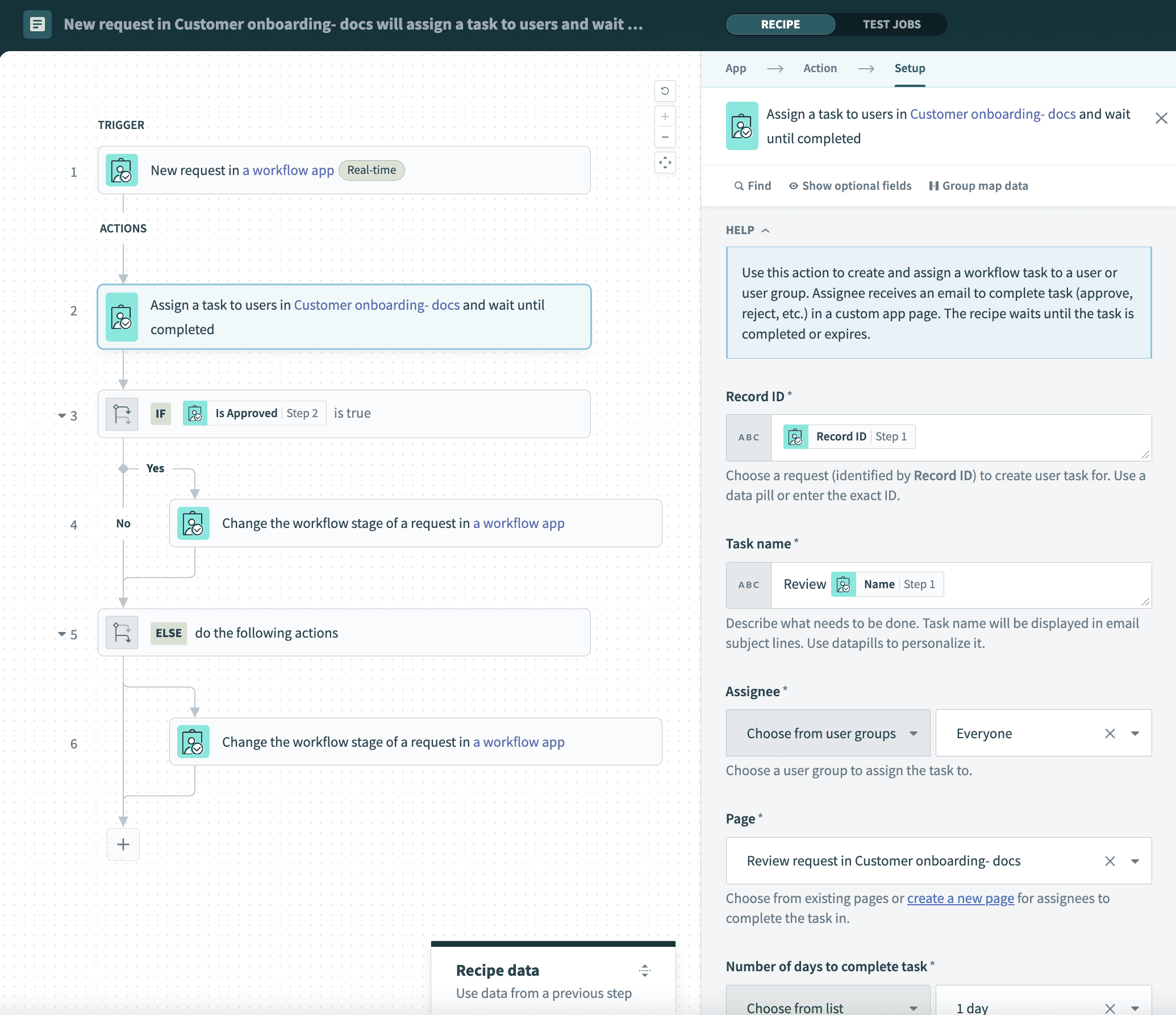 Workato is a true heavyweight in the automation software management space, designed from the ground up for enterprise-level complexity, security, and scale. It's an intelligent automation platform that goes far beyond simple task automation, enabling businesses to orchestrate complex, end-to-end business processes across thousands of applications, databases, and APIs. Positioned as a leader by analysts like Gartner, Workato is the platform of choice for large organizations that need to automate mission-critical workflows in departments like IT, finance, and HR, all while maintaining strict governance and security.
Workato is a true heavyweight in the automation software management space, designed from the ground up for enterprise-level complexity, security, and scale. It's an intelligent automation platform that goes far beyond simple task automation, enabling businesses to orchestrate complex, end-to-end business processes across thousands of applications, databases, and APIs. Positioned as a leader by analysts like Gartner, Workato is the platform of choice for large organizations that need to automate mission-critical workflows in departments like IT, finance, and HR, all while maintaining strict governance and security.
Key features
- Enterprise orchestration: Workato's core strength is its ability to handle complex, multi-step workflows that involve data transformation, conditional logic, and connections to both cloud and on-premise systems. Its "recipe"-based builder is low-code and user-friendly, but powerful enough to support enterprise needs.
- Extensive connector library: Workato provides over 1,200 pre-built connectors to a vast range of enterprise applications, including Salesforce, NetSuite, SAP, and ServiceNow, as well as databases and cloud infrastructure.
- Security and governance: As an enterprise-focused platform, Workato offers robust security features, including role-based access control, audit logs, data encryption, and compliance with standards like SOC 2 and HIPAA, ensuring that automations are secure and governed.
Integrations
Workato's integration capabilities are a key differentiator. It not only connects to a wide array of SaaS apps but also specializes in connecting to enterprise systems like ERPs (NetSuite, SAP), HRIS (Workday, BambooHR), and IT service management tools (ServiceNow, Jira), making it a central hub for wall-to-wall business automation.
Pricing
Workato does not publish its pricing publicly, as it is customized based on each organization's needs. However, industry data indicates that pricing is significant and targeted at the enterprise market.
The high price point makes Workato a solution only for large enterprises with complex needs and the budget to match, rather than for small or medium-sized businesses.
Pros and cons
- Pros:
- Extremely powerful and scalable platform built for enterprise-grade automation.
- Advanced AI and agentic capabilities for intelligent orchestration.
- Robust security, governance, and compliance features.
- Extensive library of connectors for enterprise systems.
- Cons:
- Very high cost, making it inaccessible for most SMBs.
- Pricing is complex and not transparent.
- Can have a steep learning curve for users unfamiliar with enterprise integration concepts.
9. Nintex
Best for: Enterprise process management and document automation.
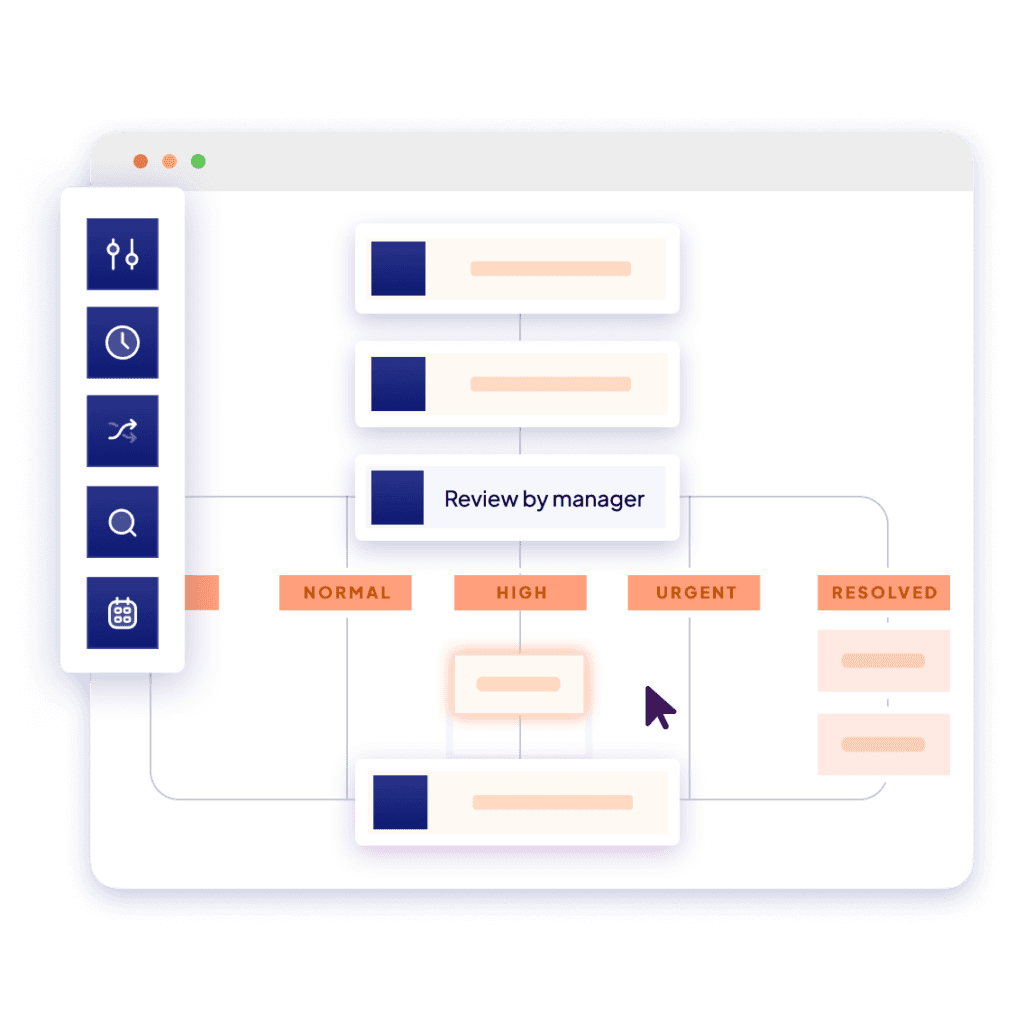 Image source: nintex.com
Image source: nintex.comNintex is a long-standing and powerful player in the business workflow automation market, with deep roots in the Microsoft ecosystem, particularly SharePoint. It has since evolved into a comprehensive process intelligence and automation platform, the Nintex Process Platform, which combines process mapping, workflow automation, digital forms, document generation, and robotic process automation (RPA) into a single suite. It is a top choice for large organizations, especially those heavily invested in Microsoft technologies, that need to manage, automate, and optimize complex, end-to-end business processes.
Key features
- End-to-end process platform: Nintex offers a complete suite of tools. This includes Nintex Process Manager for visually mapping and documenting processes, a powerful drag-and-drop workflow designer, a sophisticated forms builder, and RPA bots for automating tasks on legacy systems.
- Advanced document automation: A key strength of Nintex is its document generation (DocGen) and e-signature capabilities. It can automatically merge data from various systems (like Salesforce) into pre-approved templates for contracts, quotes, and invoices, and then route them for signature, streamlining document-heavy workflows.
- Cloud and on-premise flexibility: Nintex provides flexibility with its Nintex Automation Cloud and Nintex Gateway, which allows cloud-based workflows to securely connect to on-premise data sources like SQL Server and SharePoint on-premise, bridging the gap for hybrid environments.
Integrations
Nintex provides strong integrations with major business ecosystems, most notably Microsoft (Office 365, SharePoint, Azure AD, Dynamics CRM), Salesforce, and SAP. It also offers a range of built-in connectors to services like Box, Dropbox, and DocuSign, and allows for custom integrations via its Xtensions framework.
Pricing
Nintex's pricing is complex, enterprise-focused, and not publicly listed in a simple format. It generally follows two models for its Automation Cloud:
The high entry price and complex, usage-based models make Nintex a solution primarily for large enterprises with significant budgets.
Pros and cons
- Pros:
- Comprehensive platform covering process mapping, workflow, forms, and RPA.
- Excellent document generation and e-signature capabilities.
- Deep integration with the Microsoft ecosystem.
- Powerful AI features for accelerating workflow and form design.
- Cons:
- Very high and complex pricing makes it inaccessible for SMBs.
- Can have a steep learning curve for non-technical business users.
- Some users report that the platform can be laborious to set up and manage.
10. Kissflow
Best for: No-code business process and app development.
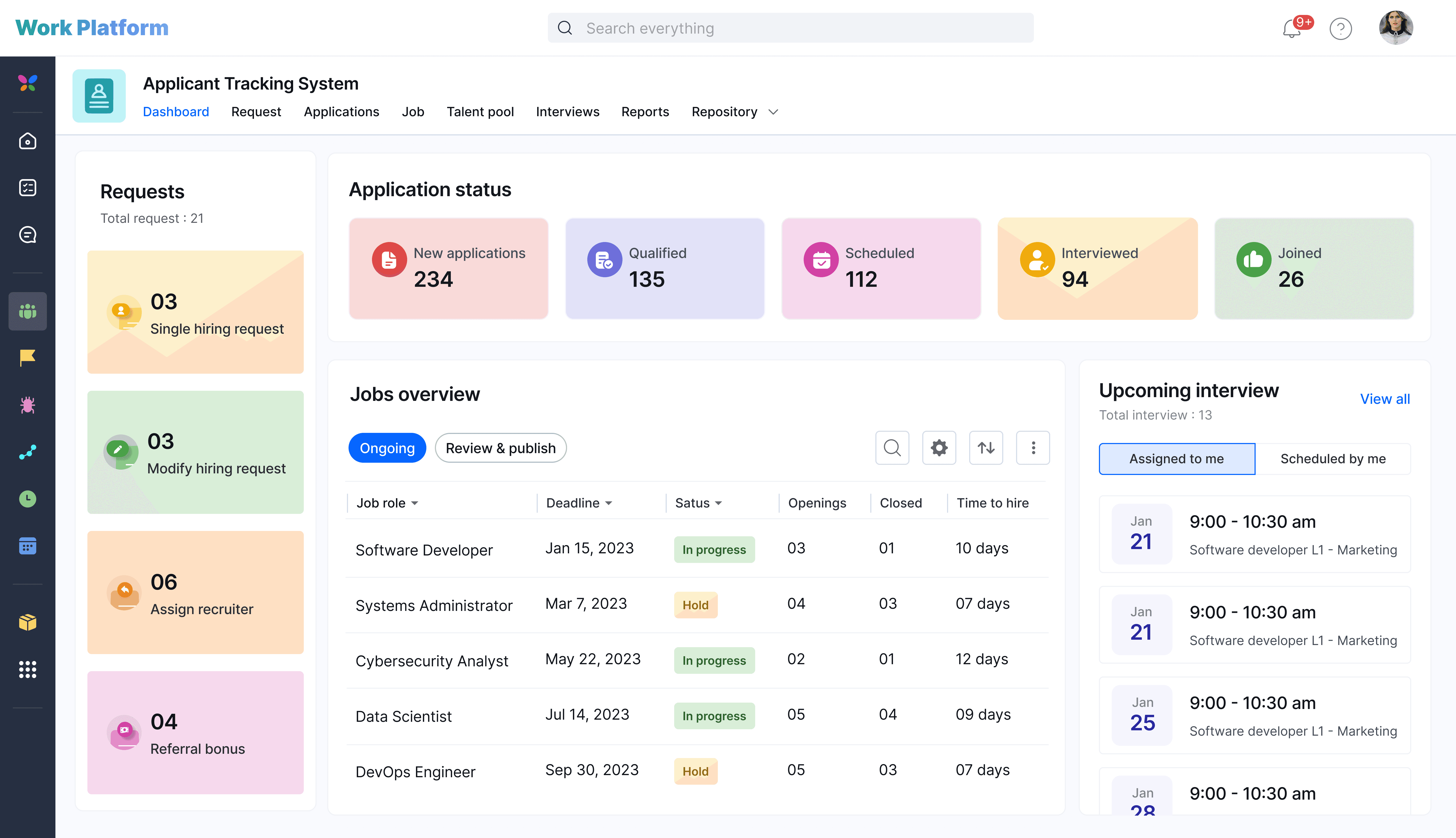 Image source: kissflow.com
Image source: kissflow.comKissflow is a unique workflow automation platform that empowers business users and "citizen developers" to build their own applications and automate their own processes with little to no coding. It positions itself as a unified digital workplace platform where teams can manage all their work, from simple approvals to complex custom applications. Its core audience is process owners and IT business partners who need a simple, governed way to digitize and automate internal operations like procurement, HR requests, and finance approvals, without a heavy reliance on central IT departments.
Key features
- No-code/low-code platform: Kissflow's main strength is its accessibility. It provides a simple, visual, drag-and-drop user interface for building forms, designing workflows, and creating custom applications. This empowers people closest to a business problem to build their own solutions.
- Generative AI integration: Kissflow has embedded AI throughout its platform to enhance efficiency. AI can suggest entire workflows, help design forms, and automate repetitive tasks. It also provides AI-driven insights within its analytics dashboards to help users make better decisions.
- Focus on internal processes: The platform excels at automating common internal business workflows. It offers a wide range of pre-built app templates for processes like purchase requests, employee onboarding, expense management, and travel reimbursements, allowing teams to get started very quickly.
- Governance and control: While Kissflow empowers citizen developers, it also provides IT leaders with a robust governance module to manage access, ensure compliance, and maintain security standards across all user-built applications.
Integrations
Kissflow connects to major cloud platforms and also integrates with middleware services like Zapier, which extends its connectivity to over 1,000 other applications. It also has native integrations for chat platforms like Slack, Google Chat, and Microsoft Teams, allowing users to manage approvals directly from their chat interface.
Pricing
Kissflow's pricing model is geared towards teams and departments rather than individual users, which is reflected in its higher entry point.
- Basic Plan: Starts at $1,500 per month. This plan includes 50 users and is designed for simple use cases and internal teams. It offers unlimited workflows, project boards, and integrations.
- Enterprise Plan: Custom pricing. This plan is for large-scale applications and includes advanced features like AI, intelligent document processing, external portals, and the governance module.
Pros and cons
- Pros:
- Empowers non-technical business users to build their own apps and workflows.
- Excellent for automating a wide range of internal business processes.
- Strong governance features allow IT to maintain control while enabling citizen development.
- Cons:
- High starting price makes it unsuitable for small businesses or those with limited needs.
- Some users find that integrations with external systems can be complex to set up.
- Limited customization options for the user experience compared to more developer-focused platforms.
11. Airtable
Best for: Building custom workflow apps on a flexible database.
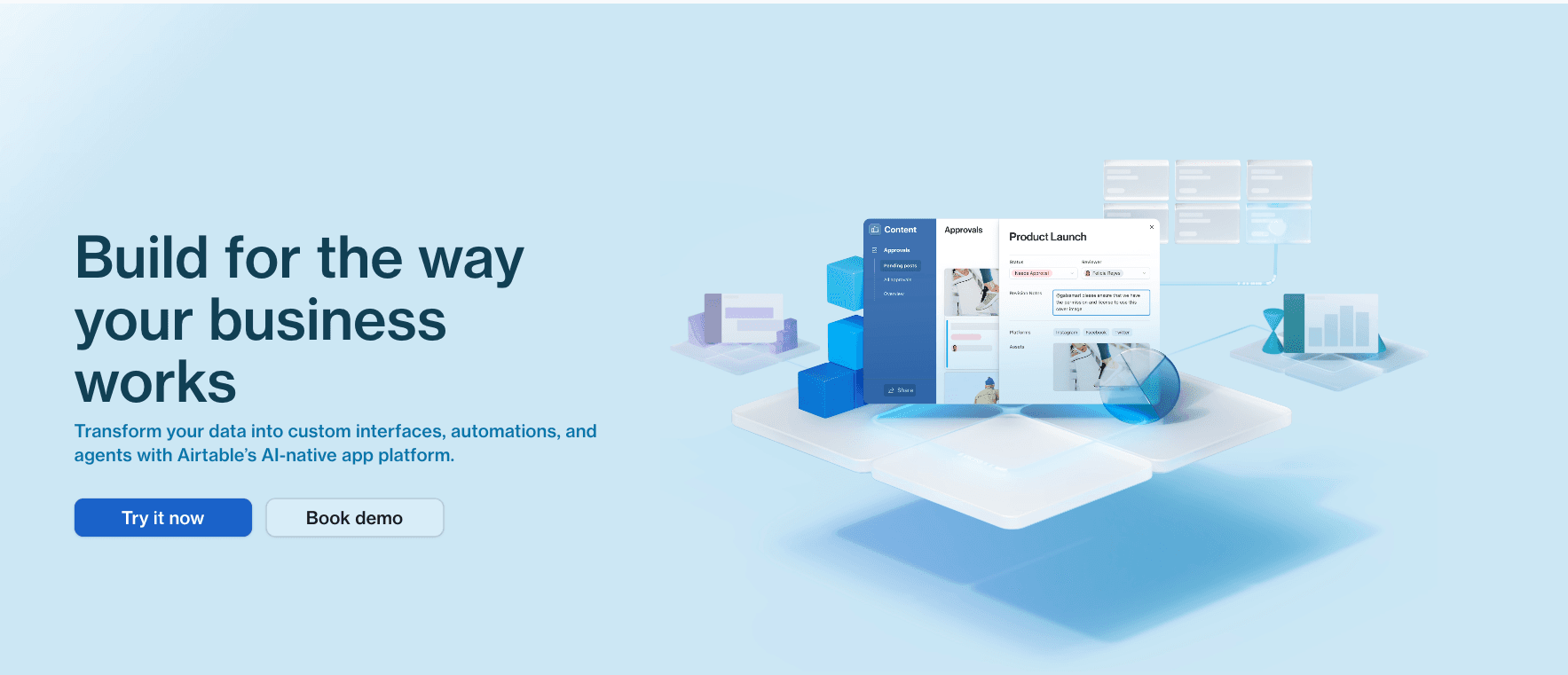 Image source: airtable.com
Image source: airtable.comAirtable is not a traditional workflow automation tool in the same vein as Zapier or Make. Instead, it's a powerful, flexible, and user-friendly relational database with a spreadsheet-like interface that serves as the foundation for building custom applications and automated workflows. Its core strength lies in its ability to help teams organize, structure, and connect their data in sophisticated ways. The automation features are built directly on top of this data layer, allowing users to create highly customized, data-centric workflows. It's a great solution for teams that need to build their own bespoke tools for managing processes like project planning, content pipelines, product roadmaps, or CRM.
Key features
- Flexible relational database: Airtable is a database that looks and feels like a supercharged spreadsheet. Users can create tables, link records between them, and use a variety of rich field types (attachments, checkboxes, dropdowns), providing a highly structured way to manage any kind of information.
- Built-in automations: Users can create workflows directly in Airtable. Triggers can be set for events like "When a new record is created" or "When a record enters a view." Actions include sending emails, creating records, updating records, and integrating with tools like Slack and Google Workspace.
- Airtable interfaces: This feature allows users to build custom visual interfaces and dashboards on top of their data. This means teams can create dedicated, app-like experiences for their workflows, showing users only the information and actions they need, which is a powerful way to streamline processes.
Integrations
Airtable integrates with a wide range of third-party applications through its native automations, its marketplace of extensions, and deep connections with platforms like Zapier and Make.com.
Pricing
- Free: Includes up to 1,000 records per base and 100 automation runs per month.
- Team: $20 per user/month. Increases limits to 50,000 records per base and 25,000 automation runs per month.
- Business: $45 per user/month. For teams needing advanced features, 125,000 records, and 100,000 automation runs.
- Enterprise: Custom pricing for advanced security, governance, and unlimited automation runs.
Pros and cons
- Pros:
- Incredibly flexible platform for building custom, data-driven applications and workflows.
- User-friendly interface combines the simplicity of a spreadsheet with the power of a database.
- Interfaces feature allows for the creation of beautiful, bespoke user experiences for workflows.
- Cons:
- Per-user pricing can become expensive for large teams.
- Automation run limits on lower-tier plans can be restrictive for high-volume processes.
- Its primary focus is on data management; for pure cross-app integration, a tool like Zapier or Make may be more direct.
Other top workflow automation software to consider
While the top 10 offer a wide range of capabilities, these five platforms provide excellent, specialized solutions that might be the perfect fit for your team.
11. Microsoft Power Automate
Best for: Deep integration with the Microsoft ecosystem. Power Automate (formerly Microsoft Flow) is Microsoft's answer to workflow automation. Its unbeatable advantage is its native, seamless integration with the entire Microsoft stack, including Office 365, Dynamics 365, Azure, SharePoint, and Teams. For any organization already heavily invested in Microsoft's world, Power Automate is a powerful and logical choice. It offers a user-friendly interface for non-technical users and provides robust capabilities for connecting to hundreds of other services, both inside and outside the Microsoft universe.
12. Wrike
Best for: Agile project management and professional services. Wrike is a versatile work management platform designed for cross-functional collaboration and 360-degree visibility. It excels in environments that require robust planning, resource management, and detailed progress tracking, making it a favorite among marketing, creative, and professional services teams. Wrike's automation features include dynamic request forms that automatically route work to the right teams, custom workflows with automated status updates, and AI-powered suggestions that analyze repetitive activities to recommend smart optimizations.
13. Smartsheet
Best for: Spreadsheet-native workflow automation at scale. Smartsheet brilliantly combines the familiarity of a spreadsheet with the power of an enterprise-grade work management and automation platform. It appeals to users who think in rows and columns but need to build sophisticated, automated workflows for project management, resource allocation, and data tracking. Smartsheet's automation builder allows for complex, multi-step processes with conditional logic, and its AI-driven features can even execute and optimize workflows independently, making it a powerhouse for data-centric operations.
14. n8n
Best for: Open-source, self-hosted automation for developers. n8n stands out as a powerful, open-source alternative to Zapier and Make, specifically designed for technical users and developers. Its "fair-code" license allows for free self-hosting, giving companies complete control over their data and infrastructure—a critical consideration for privacy-conscious organizations. n8n's node-based visual editor is highly flexible, supporting complex logic, error handling, and the ability to inject custom JavaScript or Python code directly into workflows. With over 400 pre-built integrations and a thriving community, it's the top choice for those who want pro-code power combined with low-code ease.
15. Relay.app
Best for: AI-powered, human-in-the-loop workflows. Relay.app is a modern and highly-rated newcomer that excels at a specific, yet crucial, type of automation: processes that require human judgment. It's the only platform on this list built from the ground up for "human-in-the-loop" workflows. Relay.app combines a simple, playbook-style builder with powerful AI agents and one-click collaboration features. This allows teams to automate 80% of a process that is repetitive, while making it incredibly easy for a human to step in at critical decision points, provide input, or grant approval. It's an innovative approach that bridges the gap between full automation and manual work.
How to choose the right workflow solution for your business
The "best" automated system is the one that best fits your company's unique needs, budget, and culture. With the market diverging, making the right choice requires moving beyond a simple feature comparison and asking a few strategic questions.
Key question 1: What is your core philosophy? (The all-in-one vs. the integration hub)
The first and most important decision is strategic. It reflects your company's entire approach to its software stack.
- Choose an All-in-One Platform (like Lark) if your primary goal is to create a seamless, unified work environment. This philosophy prioritizes reducing software sprawl, lowering the total cost of ownership, and eliminating the friction of context switching. If your teams are tired of juggling Slack for chat, Zoom for meetings, Google Docs for collaboration, and a separate tool for automation, an all-in-one platform is the answer. It creates a single source of truth where communication, work, and automation are intrinsically linked.
- Choose an Integration Hub (like Zapier or Make.com) if you have a highly specialized tech stack that your team is deeply invested in. If your team is already fully trained on a customer relationship management solution, asset management software, or task management tool, then your primary need is a powerful "glue" to make those disparate systems communicate effectively. These platforms are built to be the central switchboard for a diverse ecosystem of applications.
Key question 2: What is your team's technical skill level?
The most powerful tool is useless if your team can't use it. Be realistic about the technical capabilities of the people who will be building and maintaining your automations.
- No-code for everyone: Platforms like Lark, Kissflow, and Zapier are explicitly designed for business users with no coding background. Their intuitive, visual, and often template-driven builders empower anyone to automate their own work, without disrupting their existing workflows.
- Low-code for power users: Platforms like Make.com offer significantly more power and flexibility but come with a steeper learning curve. They are ideal for teams with technically-savvy power users who are comfortable with concepts like APIs and data structures, even if they don't write code full-time.
- Pro-code for developers: Tools like n8n are built for engineering teams. They offer the ultimate in control, customization, and data privacy through self-hosting and the ability to write custom code directly within workflows.
Key question 3: What is your true budget and scale?
Finally, look beyond the sticker price and calculate the Total Cost of Ownership (TCO). A cheap entry point can quickly become expensive.
- Consider the pricing model. A per-user fee (like Asana or ClickUp) is predictable but can grow costly with team size. A usage-based fee (like Zapier's tasks or Make's operations) can be very cheap to start but can skyrocket in cost as your automation volume scales.
- Factor in hidden costs. Will you need to hire a specialist consultant to manage a complex platform like Make.com or Workato?
- Most importantly, calculate the cost of all the other software a platform could replace. This is where the value of all-in-one model is apparent. For example, a 50-person team might pay $600/month for Lark's Pro plan ($12 x 50). Now, compare that to the combined cost of separate subscriptions: Slack Pro ($8.75 x 50 = $437.50) + a business Zoom plan (~$200) + Google Workspace Business (~$12 x 50 = $600) + a separate automation tool like Zapier's Team plan ($69+). The total for the fragmented stack easily exceeds $1,300 per month, more than double the cost of the unified solution.
Conclusion
In 2026, the true cost of software goes far beyond the monthly bill. It includes the hidden price of inefficiency caused by fragmented toolchains, the constant context-switching between apps, and the siloed information that slows your teams down. Because of this, the clear trend is a decisive move away from single-purpose tools and toward intelligent, integrated platforms designed to reduce complexity, foster collaboration, and truly boost productivity.
Lark directly answers this challenge. As a unified collaboration platform with a built-in workflow automation system, it unifies communication, collaboration, and intelligence into a single platform. This approach to automated workflow management means your team can stop context-switching and focus on doing their best work in one place, all for a single, affordable subscription.
The future of work is unified. See how Lark can transform your team's productivity.
Automating tools FAQs
What is a workflow automation tool?
A workflow automation tool is software that puts your team's repetitive business processes on autopilot. It handles the manual, predictable tasks so your team can focus on more valuable and strategic work.
What is the best workflow automation software?
The best workflow automation software depends entirely on your company's specific needs, size, and budget. The right choice for a small marketing team will be different from what a large finance department requires, so the key is matching the tool's features to your unique challenges.
What are examples of workflow automation?
Examples include automatically routing invoices for approval, onboarding new employees with a series of scheduled tasks, or managing social media posts and marketing campaign approvals without manual follow-ups.
Related reading
Table of contents
Start using Lark today

Manage all your work in one place
Boost team efficiency by 10x
Save up to 70% on software costs
Table of contents
Start using Lark today
Manage all your work in one place
Boost team efficiency by 10x
Save up to 70% on software costs
Keep reading







2026 Lark Technologies Pte. Ltd.
Headquartered in Singapore with offices worldwide.






Explore: