














Best Time Management Templates for Smarter Work

Ryan Tanner
Product Marketing Specialist
Sep 18, 2026
Ryan Tanner
Sep 18, 2026

13 min read


Effective time management goes beyond simply keeping a to-do list. It’s about creating systems that help you prioritize, track, and visualize your time in ways that align with your goals. Time management templates offer ready-to-use formats that help individuals and teams plan daily, weekly, and long-term tasks more effectively.
In this guide, we will list out the best time management templates for you to choose from and provide the solutions to the mistakes in the process. Without further ado, let's dive in now.

What are time management templates?
Time management templates are pre-designed tools that help you plan and organize how you spend your time. These templates provide structure for scheduling, goal tracking, and daily productivity monitoring. Instead of starting from scratch, you can use ready-made layouts to map your tasks, meetings, and objectives.
A well-structured time management template helps you see exactly where your hours go. It allows you to compare planned versus actual time spent, identify time drains, and ensure that your most important goals always get priority. For teams, these templates bring transparency to workloads and align everyone on key milestones.
Time management templates are available in many formats spreadsheets, digital planners, dashboards, and charts. Whether you prefer a simple Excel sheet or a collaborative tool like Lark Base, the goal remains the same: making time visible and manageable.
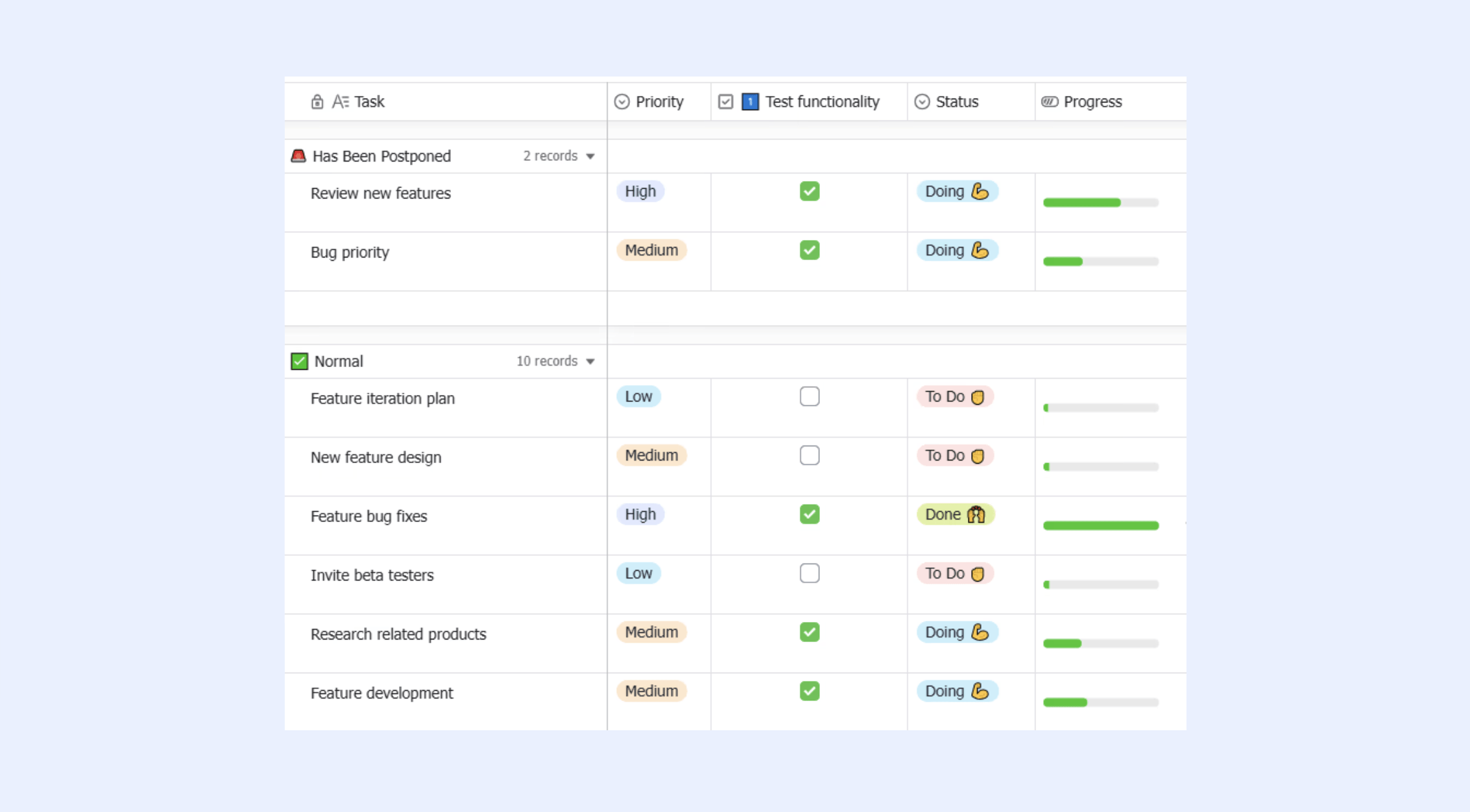
Key uses of templates for time management
Time management templates are versatile project management tools that can adapt to both individual and team needs. They can serve as daily guides, project planners, or long-term tracking systems that visualize performance over time.
- Task prioritization: Templates for time management allow you to sort tasks based on urgency, importance, and effort. This helps prevent confusion about what to tackle first. When priorities are visually represented, it becomes easier to delegate or defer less critical items without losing track.
- Goal setting: Templates help translate abstract goals into tangible action steps. By linking milestones to time slots or deadlines, individuals and teams can monitor progress and adjust workloads to stay aligned with objectives.
- Meeting scheduling: Consistent use of scheduling templates ensures meetings are planned with the right context, participants, and duration. Overlapping appointments can be avoided, and follow-up tasks can be tracked effectively.
- Habit tracking: Time management templates make it easy to measure consistency in daily habits such as exercise, reading, or skill-building. This helps establish positive routines that improve long-term productivity.
Popular types of time management templates
Different time management templates suit different planning needs. Here’s an overview of the most popular formats and when to use each.
Ready-to-use time management templates you can start with
My planner dashboard
This template is designed for people who want a single place to manage goals, tasks, and schedules. It combines a planner, tracker, and project dashboard so you can see priorities, workload, and progress without switching tools. It works well for professionals handling multiple projects and personal tasks at the same time. The visual layout helps you understand what needs attention today and what you can wait for.
Monthly planner template
This template is ideal for long-term planning and recurring goals. It gives a full monthly view so you can track patterns in workload, upcoming deadlines, or habit progress. It is especially useful for managers planning quarterly goals or individuals mapping personal routines. The structure makes it easy to compare expected work against actual time usage.
Daily planner template
This template suits individuals who want a structured flow to their day. It breaks tasks into time blocks so you can decide when to work, meet, or rest. Each section helps you log priorities, track appointments, and review progress at the end of the day. It removes the need for switching between notes, calendars, and reminders.
Weekly planner template
This template helps teams and individuals plan work over a full week instead of reacting day by day. It is useful for sprint planning, weekly standups, or personal routines that repeat every week. You can view what is pending, what is ongoing, and what is complete. It also supports filters so each team member can see only their own tasks.
Daily work report
This template is helpful for managers and team leads who need visibility into daily progress. It provides a structured format for logging completed work, time spent, and any blockers that need attention. It is also useful for employees who must submit end-of-day reports or timesheets. The clear layout makes review faster and more objective.
Employee task allocation and tracking
This template provides a clear view of who is working on what and how much workload each person has. It helps avoid duplicated effort and ensures tasks are assigned based on real capacity. Managers can see resource gaps instantly and redistribute work before delays appear. It works well for operations, HR, and cross-functional teams.
Eisenhower matrix template
This template helps categorize tasks based on urgency and importance, so people can focus on high-impact work first. It is useful for leaders, decision-makers, and teams facing constant priorities. By grouping tasks into four simple sections, it removes confusion about what needs action now and what can be scheduled or delegated.
Urgent-important matrix template
This is a variation of the Eisenhower method with a slightly different layout, designed for fast, practical decisions. It works well in daily standups, planning meetings, or personal goal reviews. The template helps identify what truly demands attention and what can move to later. It is simple enough for both teams and individuals to use.
Time blocking template
This template is made for people who want uninterrupted focus sessions instead of scattered multitasking. It allows you to assign specific periods to deep work, meetings, breaks, or admin tasks. It is especially effective for remote workers who need control over their schedule. The structure helps reduce distractions and improve attention.
Goal setting for time management template
This template connects time spent with measurable outcomes. It helps you track how each task contributes to a bigger objective instead of filling time for the sake of activity. It is useful for performance reviews, quarterly planning, and personal development tracking. You can monitor progress visually and adjust strategies when needed.
Schedule template
This template provides a simple layout for organizing daily or weekly schedules. It is a good fit for both personal planning and team event coordination. You can list tasks, time blocks, and priorities without overcomplicating the structure. It works well for students, teams, or individuals who just want a clear view of their time.
These Lark templates help users organize tasks, schedules, and goals efficiently, serving as alternatives to Asana time management templates, Notion time management templates, and Excel time management templates. They include daily, weekly, and monthly planners, dashboards for tracking progress, work reports, task allocation tools, and prioritization matrices like the Eisenhower method. Additional templates support time blocking, goal setting, and simple schedule management, making them suitable for individuals, teams, and managers seeking clarity and increased productivity.
Benefits of using time management templates
Time management templates do more than organize time they create clarity, accountability, and balance. When properly used, they provide a framework that simplifies complex schedules and helps people stay on track with minimal stress.
- Provides a structured system to plan and review time usage: Templates give you a clear visual plan of your day, week, or project timeline. By following a set layout, you can plan and review progress without reinventing the process every time.
- Reduces stress by clarifying priorities: Unclear priorities lead to anxiety and missed deadlines. A time management chart or dashboard template brings structure to your workload, making it easier to decide what deserves attention first.
- Boosts accountability and productivity: Shared templates in tools like Lark make accountability easier. Team members can view each other’s progress, identify bottlenecks, and take proactive steps to stay productive.
- Makes tracking progress and reporting effortless: Time management templates streamline the process of monitoring tasks, deadlines, and goals. They provide a clear overview of what's done and what's pending, helping teams and individuals stay organized.
- Supports team alignment in shared projects: Collaborative time management templates ensure everyone sees the same plan. This prevents duplicated work and improves coordination across departments.
Time management templates help create clarity, accountability, and balance by simplifying schedules and keeping people on track. They provide a structured way to plan and review time, clarify priorities, reduce stress, boost productivity, and ensure team alignment. In Lark, these benefits are amplified through shared templates, real-time updates, and collaborative dashboards, making tracking progress, reporting, and coordination effortless.
Mistakes that undermine your time planning
Even the best time management templates can lose effectiveness if used without proper habits or strategy. Here are common pitfalls to avoid.
- Overloading your daily schedule: Trying to fit too many tasks into one day often leads to burnout and rushed work. Focus on three to five key priorities that create meaningful progress instead of scattering your attention.
- Ignoring realistic time estimates: Underestimating task durations causes delays and missed deadlines. Rely on past performance data or team feedback to set achievable expectations.
- Skipping reviews and adjustments: Without weekly reviews, small issues can grow into major problems. Reserve time to evaluate what worked, what didn’t, and adjust upcoming schedules accordingly.
- Working in silos without visibility: When plans are not shared, teams duplicate efforts. Use centralized tools like Lark Base or Sheets so everyone can see progress, dependencies, and blockers in real time.
- Not linking tasks to outcomes: Tracking time is pointless without connecting it to results. Tie each activity to a measurable outcome to ensure your hours contribute to tangible goals.
- Neglecting rest and focus breaks: Productivity drops without recovery periods. Time-blocking or the Pomodoro technique helps balance focus and rest throughout the day.
Conclusion
Managing time effectively requires more than discipline. It relies on structure, visibility, and shared accountability, especially when multiple priorities compete for attention. Time management templates make this possible by turning goals into organized plans that can be tracked, adjusted, and improved over time. They remove guesswork and give individuals and teams a repeatable way to plan work, review progress, and stay aligned.
Lark expands the value of these templates by turning them into collaborative systems rather than static files. With daily planners, workload dashboards, goal trackers, and automated reminders on one platform, teams no longer need to switch between apps to stay organized. Every update syncs in real time, so schedules, task ownership, and performance data stay visible to everyone. Whether you are planning your own week or coordinating team execution across projects, Lark’s time management templates make productivity easier, faster, and more predictable.
FAQs
Can I create a time tracker in Lark Base?
Lark Base lets you build a custom time tracker that fits the way you work. You can create fields for hours spent, task status, due dates, and team ownership. The data can be viewed in tables, kanban boards, or dashboards, so time usage becomes easy to monitor. Since everything updates in real time, everyone sees the latest progress without manual reporting.
Are Lark’s time management templates free to customize?
Lark provides free time management templates that you can fully personalize. You can change layouts, add new columns, enable filtering, or link multiple tables together to fit your workflow. No coding or add-ons are required, so teams can start quickly and evolve the template as work expands. The same template can be duplicated for different teams or projects.
How do Lark templates compare to Asana or Excel sheets?
Lark templates offer a more connected experience than Excel or Asana because planning, tracking, and communication all stay in one workspace. Instead of switching between tools, updates happen inside the same document where chat, automation, and files already exist. This makes it easier for teams to discuss tasks, assign work, and view progress without exporting or syncing data.
Can I visualize time tracking data in Lark Sheets?
Lark Sheets can pull data directly from Lark Base, so time tracking information becomes chart-ready without manual exports. You can create pivot tables, progress summaries, and trend charts to analyze how time is being used across people or phases. This helps teams spot delays, compare planned versus actual time, and present insights in a clean, shareable format.
Does Lark offer automation for reminders and task updates?
Lark includes built-in automation that sends reminders, updates task status, and notifies team members when deadlines change. This removes the need to track schedules manually or follow up through email. Automations help reduce repetitive admin work while keeping everyone aligned on what needs attention next.
Related reading
Table of contents
Start using Lark today

Manage all your work in one place
Boost team efficiency by 10x
Save up to 70% on software costs
Table of contents
Start using Lark today
Manage all your work in one place
Boost team efficiency by 10x
Save up to 70% on software costs
Keep reading







2026 Lark Technologies Pte. Ltd.
Headquartered in Singapore with offices worldwide.






Explore: