Modern organizations rely heavily on collaboration software to coordinate projects, share knowledge, and maintain operational visibility across teams. As remote work and distributed organizations become more common, companies increasingly rely on collaboration software that integrates communication, task management, and documentation.
The rise of online collaboration software has transformed how teams manage projects, track progress, and communicate across departments. Today's workplace collaboration software platforms offer messaging, automation, analytics, and workflow coordination within unified systems. Businesses evaluating the best collaboration software must consider scalability, governance, and integration capabilities. Emerging collaboration solutions software ecosystems now combine documentation, messaging, and project tracking, with platforms like Lark gradually redefining how modern teams execute work.
Key takeaways: Top 5 collaboration software platforms for modern teams
Selecting the right collaboration software depends on how teams communicate, manage projects, and coordinate workflows across departments. Modern work collaboration software platforms combine messaging, documentation, and task tracking to improve productivity and transparency. Below are five widely adopted collaboration software examples that help organizations streamline teamwork and execution.
1. Lark: An all-in-one collaboration software platform that integrates messaging, documentation, meetings, and project tracking for unified team execution.
2. Microsoft Teams: A widely used workplace collaboration software solution that combines communication, meetings, and document sharing within the Microsoft ecosystem.
3. Slack: A messaging-first online collaboration software platform designed to organize team communication through channels and integrations.
4. Asana: A structured project collaboration software tool that helps teams plan, assign, and track tasks across complex workflows.
5. ClickUp: A customizable collaborative software platform that combines project tracking, dashboards, and automation for scalable team coordination.
Overview of the 5 best collaboration software platforms
Organizations evaluating collaboration software often compare messaging capabilities, , project tracking, and automation features. These factors determine how effectively teams coordinate tasks and share information. The following overview highlights six widely used collaboration software examples.
Information source: Official vendor sites
Update time: 2026-03-06
Note: Pricing and plan details reflect publicly available data as of the update date and may vary based on region, billing cycle, and number of agents.
Unify communication and execution with Lark
What is enterprise collaboration software?
Enterprise collaboration software refers to digital platforms designed to help large organizations coordinate communication, projects, and information sharing across teams and departments. Unlike basic messaging tools, enterprise collaboration software combines multiple capabilities such as document collaboration, task tracking, meetings, and workflow automation. These systems function as centralized environments where employees can communicate, manage projects, and access a in real time.
Modern enterprise collaboration software also integrates governance, security, and automation features that support large-scale operations. Tools in this category often include role-based permissions, audit trails, and integrations with business systems such as CRMs and analytics platforms. By integrating communication, documentation, and into a single ecosystem, organizations improve efficiency and reduce operational silos.
Full list: Top software for collaboration
1. Lark: All-in-one collaboration workspace for unified team execution
isn't just a single piece of software for collaboration; it's a comprehensive digital headquarters designed to eliminate the "toggle tax" caused by switching between apps. By weaving together high-speed messaging, dynamic documentation, and complex project tracking, Lark ensures that context is never lost. Whether you are a small startup or a global enterprise, Lark provides the infrastructure needed to turn fragmented conversations into structured, measurable outcomes.
Collaborative documents and Sheets
provides a multimodal canvas for real-time co-authoring, allowing multiple users to edit content, embed live data, and add comments simultaneously. Its functionality includes granular permission settings, automatic version control, and the ability to link tasks or project data directly within the document. This eliminates the need for external file sharing, ensuring the entire team operates from a single, live version of a document. 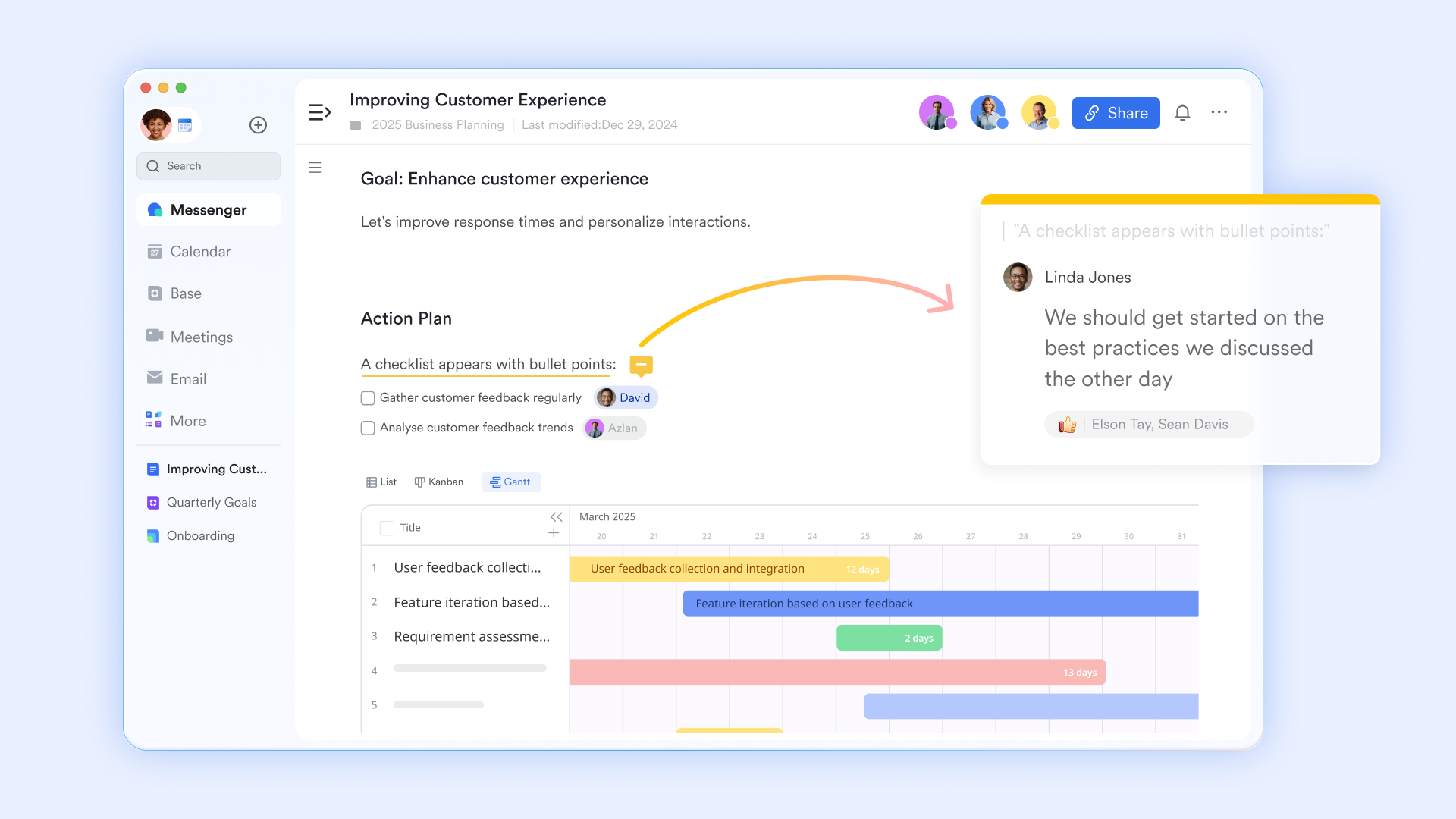
Contextual project tracking
Lark Tasks functions as a centralized project tracker that links directly to internal communications. Teams can assign owners, set deadlines, and manage dependencies through list, board, or calendar views. By allowing users to create tasks directly from chat threads or documents, the system ensures that verbal commitments are captured instantly as actionable items, maintaining accountability throughout the project lifecycle. 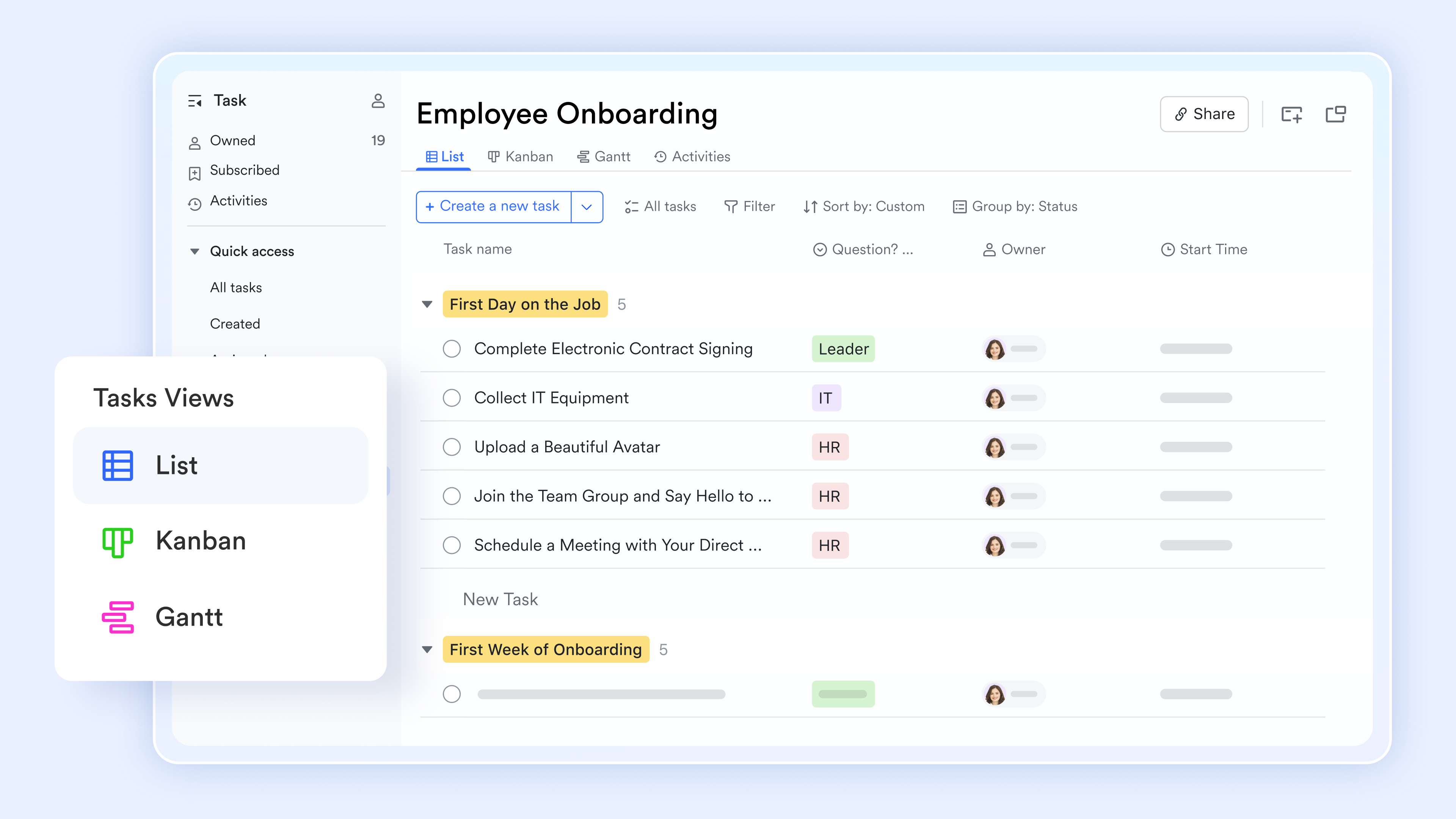
Dynamic database management
is a no-code relational database that converts static spreadsheets into dynamic, automated workflows. Teams can organize data into grid, Kanban, or Gantt views and configure automated triggers—such as status-based notifications—to manage complex projects. Its primary function is to centralize business logic, enabling real-time KPI tracking and data-driven decision-making across the entire workspace. 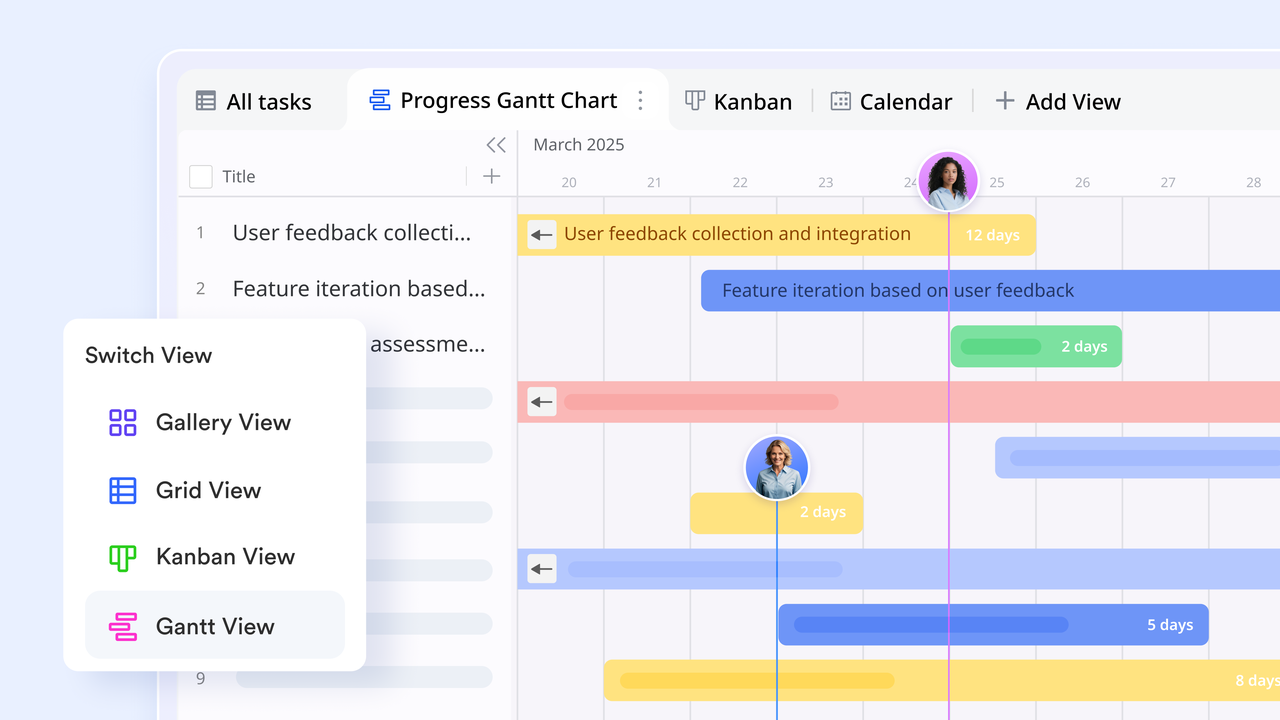
Interactive video conferencing
transforms passive video calls into active workspaces through the Magic Share feature. This allows participants to co-edit documents, sheets, or whiteboards directly within the meeting window without screen-sharing limitations. By enabling simultaneous collaboration and instant task assignment during a call, the feature ensures that meetings result in concrete, documented outcomes. 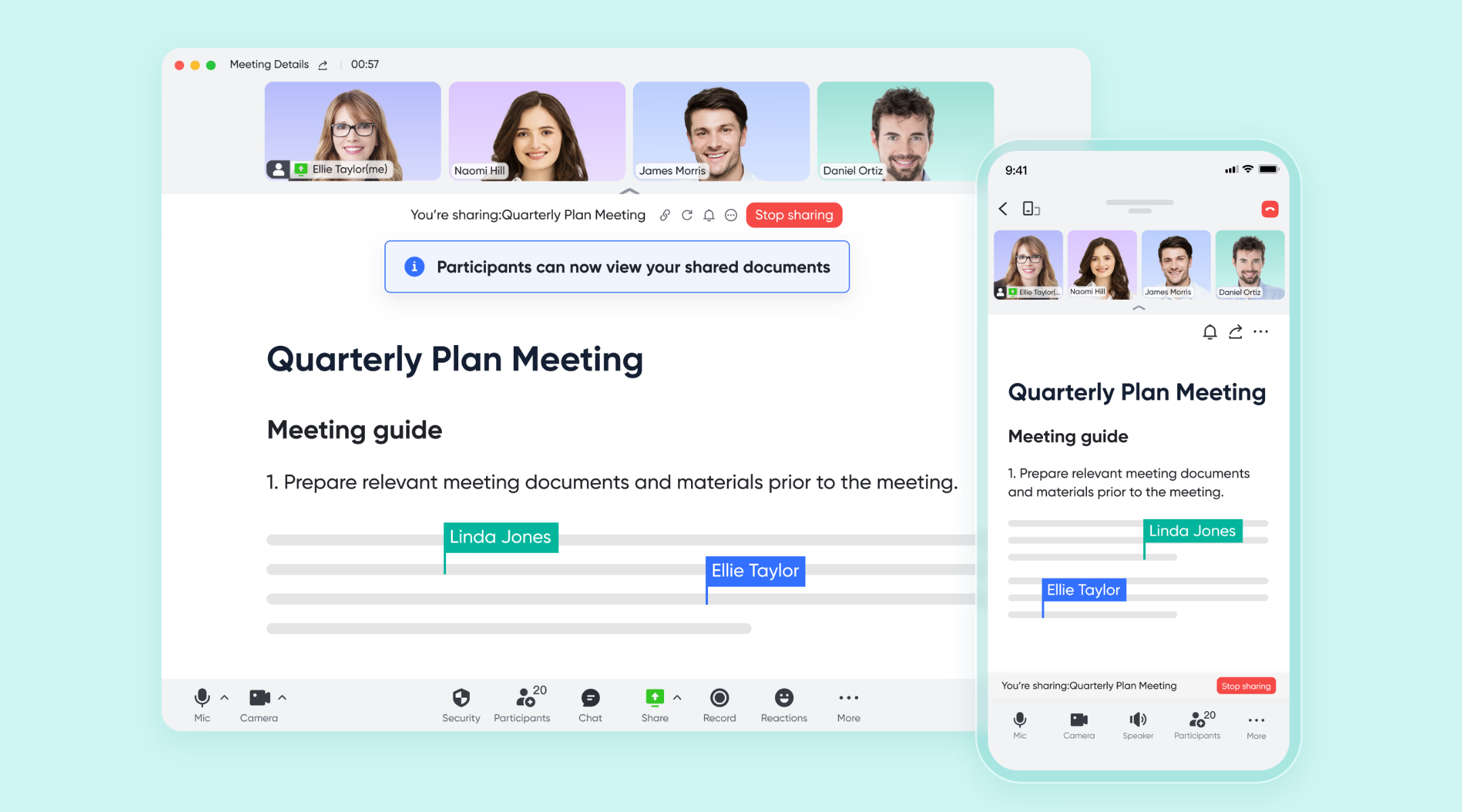
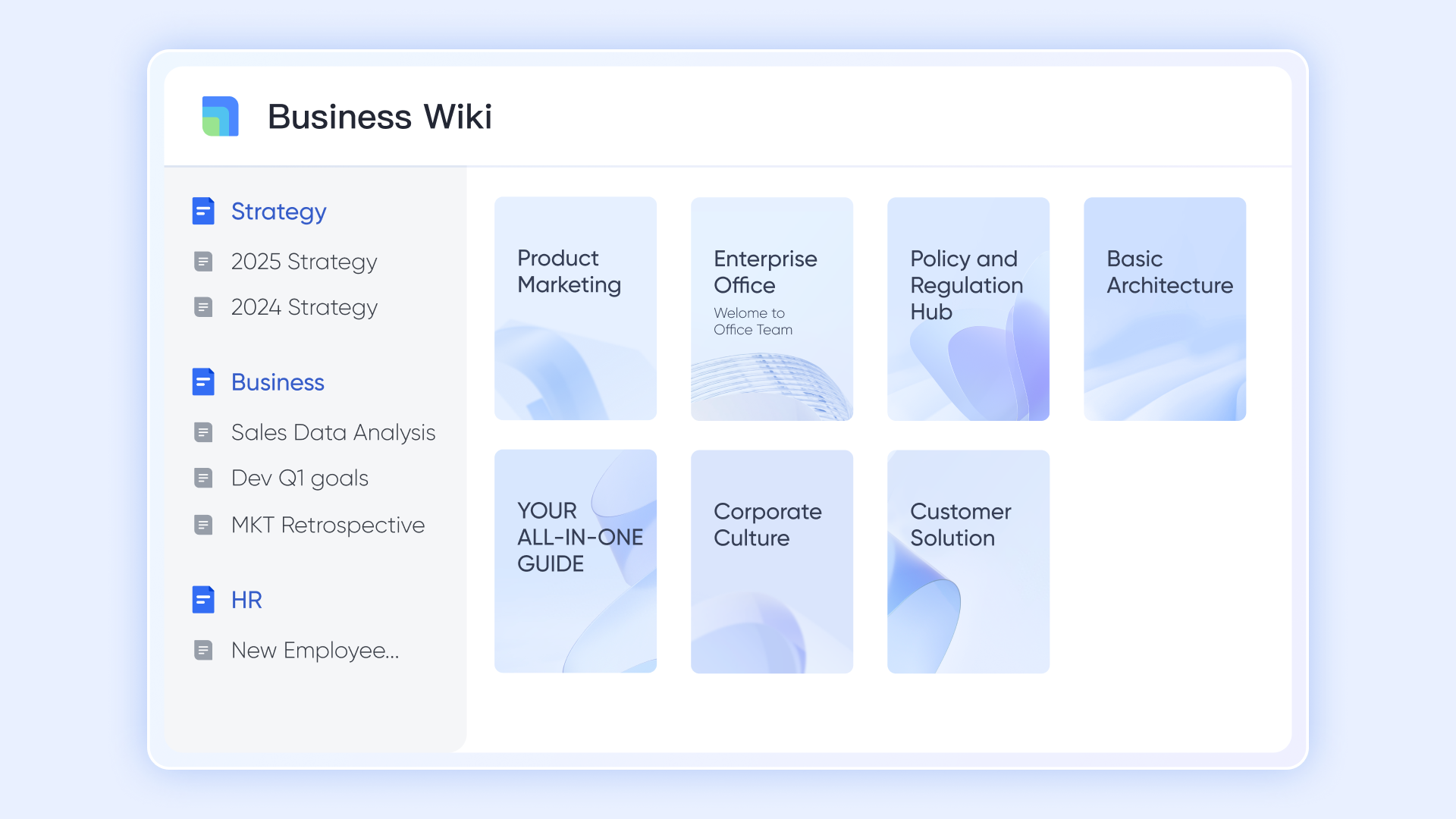
Centralized knowledge hub
serves as a structured repository for , using a hierarchical directory tree to organize documents and project playbooks. Its functionality includes a powerful, context-aware search engine that surfaces information across the entire platform. Housing final policies and reference materials in one accessible space provides a permanent source of truth that reduces time spent searching for updated project assets.
Pros:
- Replaces up to 10 separate apps, significantly reducing software costs and data silos.
- Enables real-time co-editing during meetings, making virtual collaboration as effective as in-person work.
- Features built-in, AI-powered real-time translation for chats and documents to bridge language gaps in distributed teams.
- Lark Base allows teams to build complex, automated business apps without writing a single line of code.
Cons:
- Because the platform is so comprehensive, new users may experience an initial learning curve; we highly recommend utilizing the Lark Help Center for guided onboarding.
:
- Starter plan: Free forever plan that includes 11 powerful tools for up to 20 users. It also comes with 100GB of storage, 1000 automation runs, AI translations, and more.
- Basic plan: $6/user/month (billed annually) for up to 500 users. It includes everything in Starter plus group calling for up to 500 attendees, 5TB of storage, 1000 automation runs, and more. For more details, please .
- Pro plan: $12/user/month (billed annually) for up to 500 users. It includes everything in Basic plus group calling for up to 500 attendees, 15TB of storage, 50,000 automation runs, and more.
- Enterprise plan: for custom pricing. Supports unlimited users and includes even more automation runs and advanced security, compliance, and management features.
For small teams with simple communication needs

18 months message history
1000 Base automation runs/month
2000 rows per table in Base
Most POPULAR
For companies with comprehensive collaboration and management needs
Unlimited message history
500-participant video meetings
50k Base automation runs/month
20k rows per table in Base
For large companies with advanced security and organizational management needs
Get a personalized demo and pricing
Unlimited message history
500-participant video meetings
15 TB storage + 30 GB storage/user
500k Base automation runs/month
50k Base automation runs/month
Most POPULAR
For companies with comprehensive collaboration and management needs
Unlimited message history
500-participant video meetings
50k Base automation runs/month
20k rows per table in Base
2. Microsoft Teams: Enterprise communication and collaboration suite
Microsoft Teams is a widely used enterprise collaboration software designed for organizations operating within the Microsoft ecosystem. It combines messaging, video meetings, and file collaboration. Businesses evaluating workplace collaboration software frequently consider Microsoft Teams because of its integration with Microsoft 365 applications. Its structured environment supports enterprise-level governance and compliance.
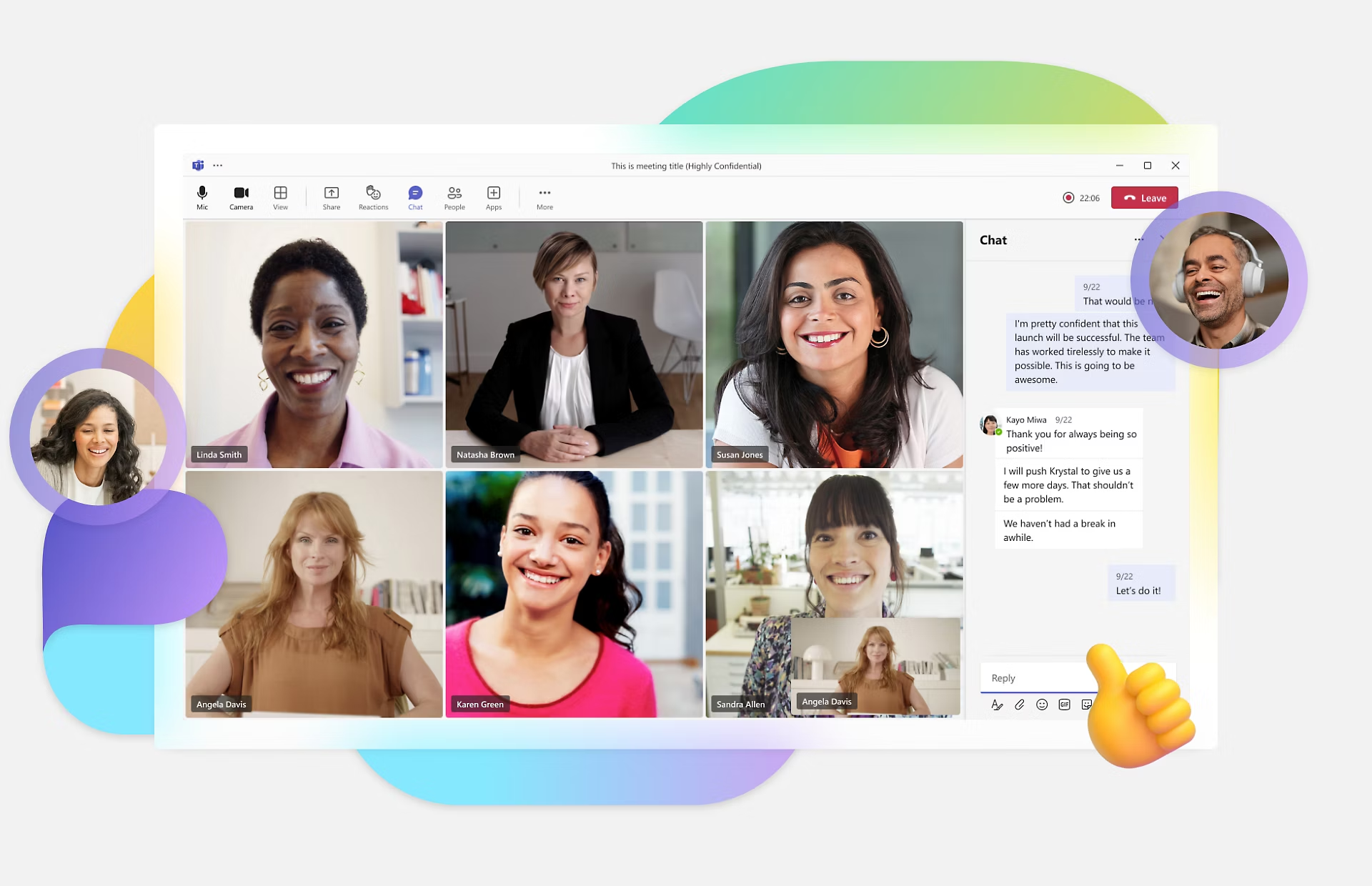
Image source: microsoft.com
Key features:
- Integrated messaging and video meetings
- Collaboration through Microsoft 365 apps
- Document sharing and editing
- Enterprise security and compliance controls
Pros:
- Strong integration with the Microsoft ecosystem
- Reliable enterprise security controls
- Effective meeting collaboration software
- Scalable solution for large organizations
Cons:
- Interface complexity for new users
- Requires the Microsoft ecosystem for full functionality
- Some project collaboration features are limited
Pricing:
- Microsoft Teams Enterprise: $8.55/user/month
- Microsoft 365 E3: $36/user/month
- Microsoft 365 E5: $57/user/month
3. Slack: Messaging-first collaboration platform
Slack is a messaging-focused collaborative software platform widely adopted by modern teams. It provides channels, direct messaging, and integrations with productivity tools. Slack remains one of the most recognizable collaboration software examples. Many organizations rely on Slack as their primary workplace communication hub.
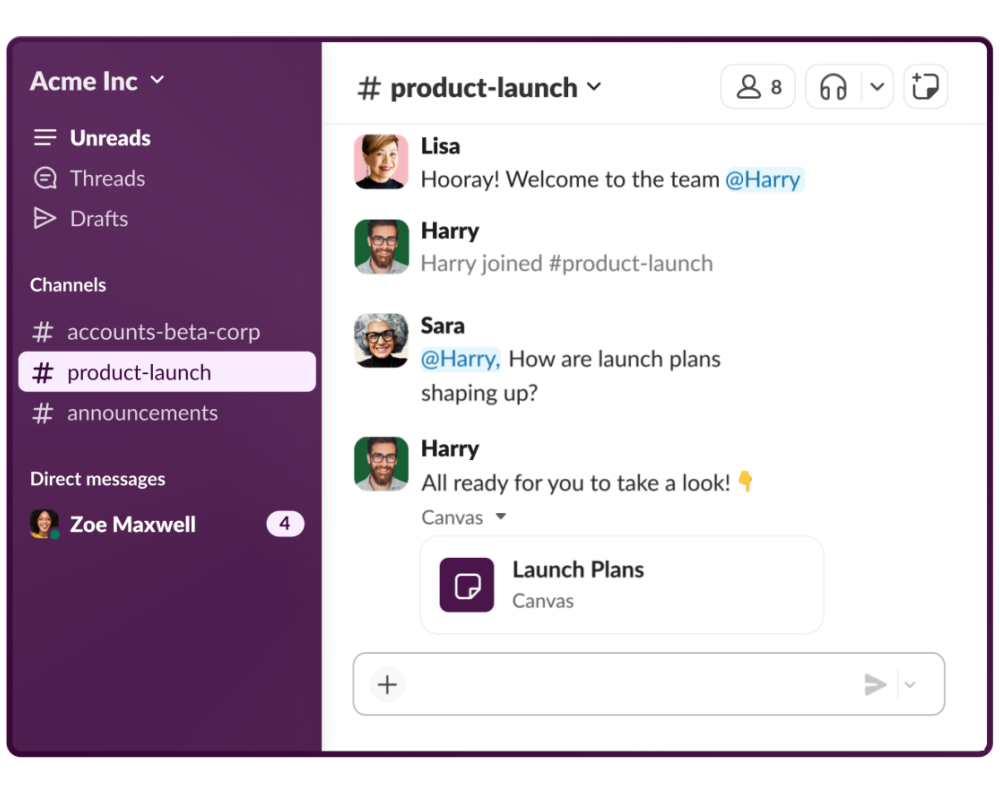
Image source: slack.com
Key features:
- Channel-based messaging system
- Integration ecosystem with productivity apps
- Voice and video meetings
- Searchable message archives
Pros:
- Intuitive interface and easy adoption
- Strong ecosystem of integrations
- Effective communication platform for teams
- Flexible channel organization
Cons:
- Limited native project tracking features
- Notification overload for large teams
- Advanced functionality requires paid plans
Pricing:
- Pro plan: $4.38/user/month
- Business plan: $9/user/month
- Enterprise+ plan: Contact sales
4. Asana: Structured project collaboration software
Asana is a widely used project collaboration software platform designed to help teams organize tasks, manage workflows, and track progress across projects. It enables teams to coordinate responsibilities and maintain transparency through structured timelines and dashboards. Many organizations adopt Asana as work collaboration software for managing complex projects. Its visual planning tools and automation capabilities make it suitable for teams focused on execution and accountability.
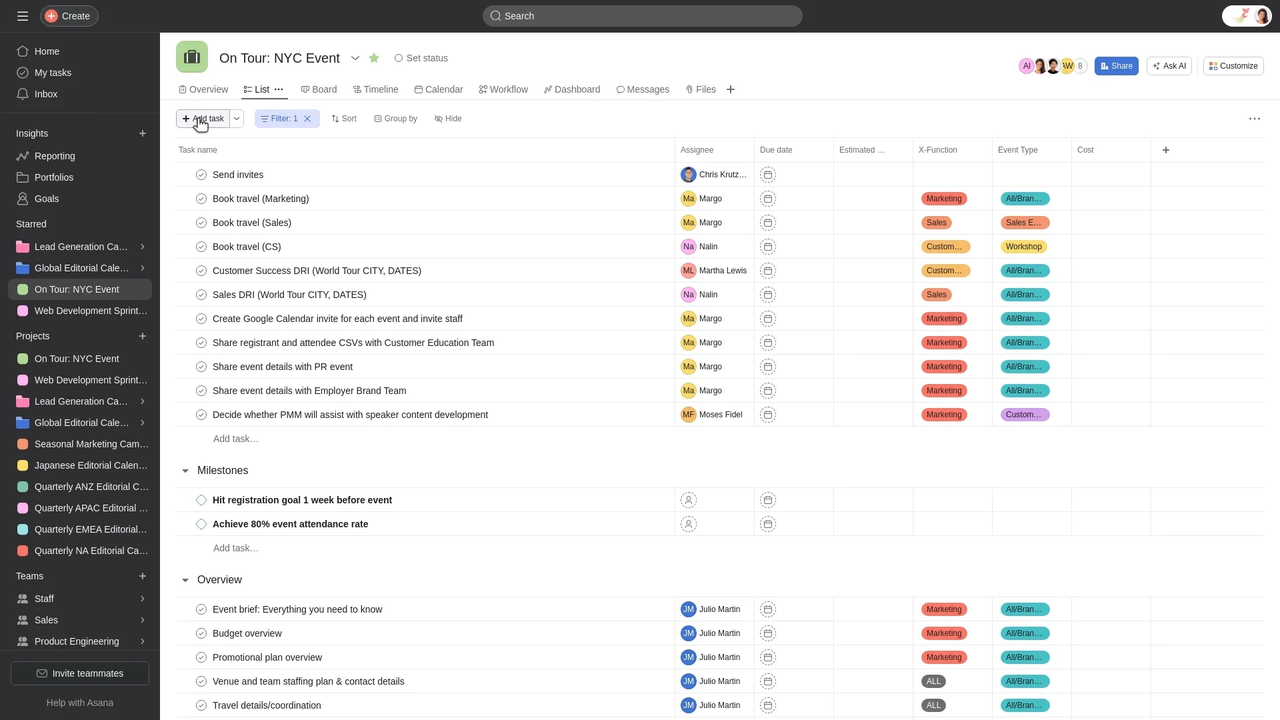
Image source: asana.com
Key features:
- Task assignments with deadlines and dependencies
- Timeline and calendar views for project planning
- Workflow automation and rule-based triggers
- Project dashboards and reporting tools
Pros:
- Strong structure for project collaboration software
- Clear task ownership and accountability
- Visual timeline tools for planning
- Reliable integrations with productivity platforms
Cons:
- Limited built-in messaging features
- Advanced capabilities require premium plans
- The interface may feel complex for small teams
Pricing:
- Personal plan: Free forever
- Starter plan: $10.99/user/month
- Advanced plan: $24.99/user/month
- Enterprise: Contact sales
5. ClickUp: Customizable project collaboration application
ClickUp is a flexible collaboration solution software platform designed to replace multiple productivity tools. It combines task management, documentation, dashboards, and automation within one workspace. Many teams adopt ClickUp as project collaboration software because of its customizable workflows and extensive feature set. Organizations searching for scalable collaborative software often consider ClickUp due to its adaptability.
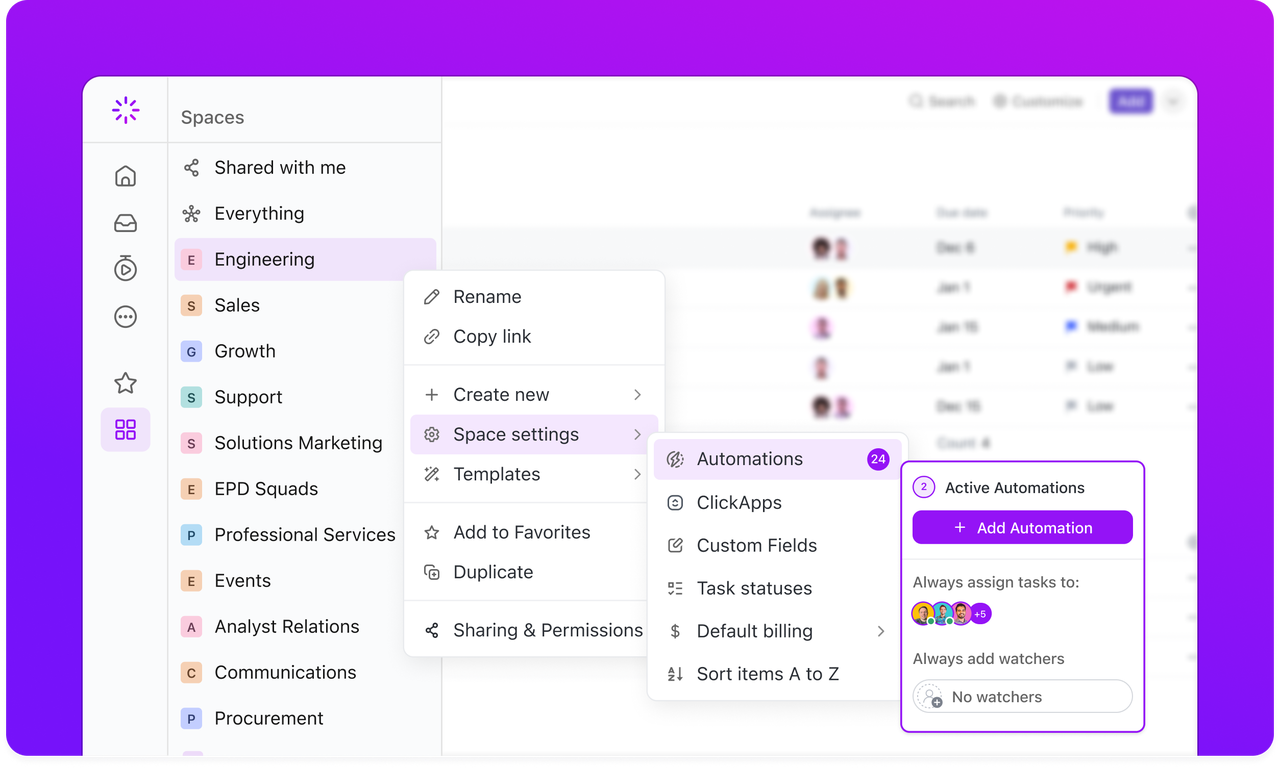
Image source: clickup.com
Key features:
- Multiple task views, including List, Kanban, and Gantt
- Workflow automation and task triggers
- Goal tracking and performance dashboards
- Document collaboration within projects
Pros:
- Highly customizable workflows
- Strong automation capabilities
- Unified workspace for projects and documents
- Suitable for cross-functional collaboration
Cons:
- Learning curve for new users
- The interface may feel overwhelming initially
- Performance may slow with heavy customization
Pricing:
- Unlimited plan: $7/user/month
- Business plan: $12/user/month
- Enterprise: Custom pricing
6. Monday.com: Visual workflow collaboration platform
Monday.com is a visual workplace collaboration software platform designed to help teams manage workflows and coordinate projects. Its customizable boards allow teams to track tasks, deadlines, and responsibilities easily. Organizations evaluating software for collaboration often choose Monday.com for its visual project management capabilities. The platform supports automation and reporting tools that improve operational visibility.
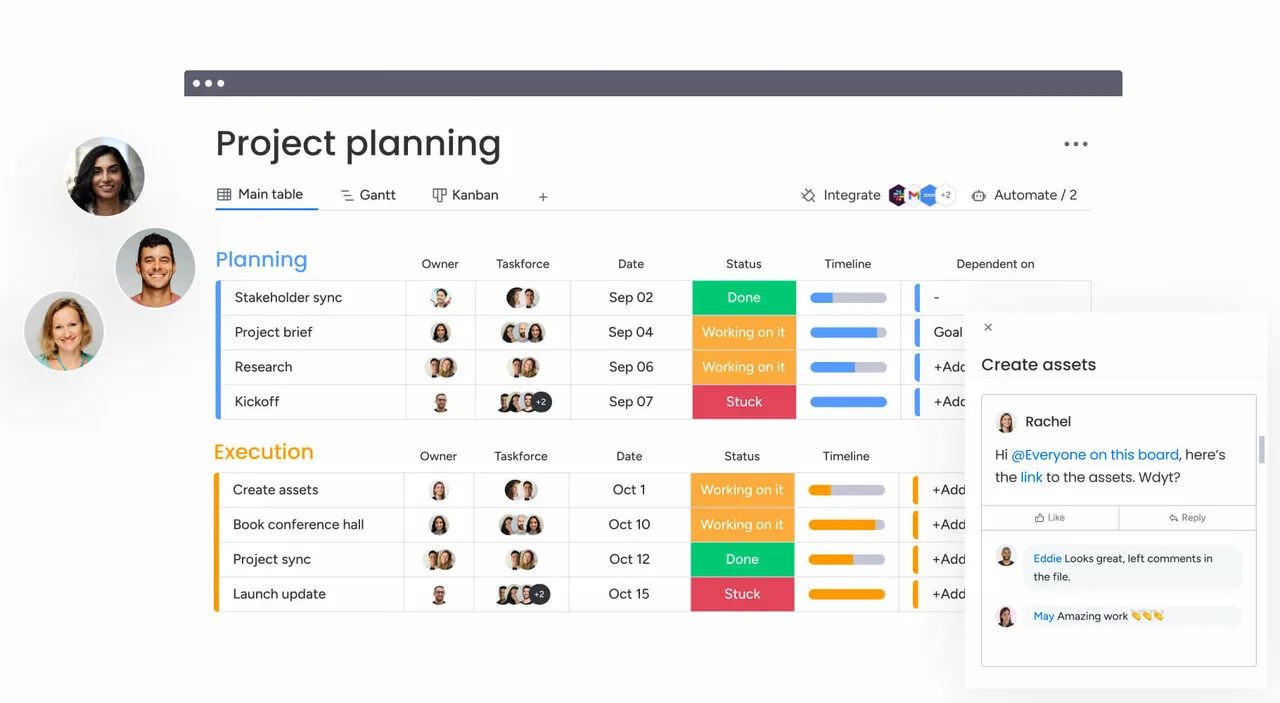
Image source: monday.com
Key features:
- Customizable workflow boards
- Automation for recurring tasks and updates
- Timeline and workload views
- Dashboard reporting and analytics
Pros:
- Intuitive visual interface
- Strong automation features
- Flexible workflows for different teams
- Effective project collaboration tracking
Cons:
- Pricing increases with team size
- Advanced features require higher plans
- Setup may require initial configuration
Pricing:
- Free plan: $0 freeforever (up to 2 users)
- Basic plan: $9/seat/month
- Standard plan: $12/seat/month
- Pro plan: $19/seat/month
7. Notion: Knowledge-centric collaborative software workspace
Notion is a flexible collaborative software platform combining documentation, databases, and project coordination. Teams use Notion to create knowledge bases and share project documentation. It is often considered content collaboration software because it connects documentation with workflows. Organizations seeking online collaboration software that supports knowledge management frequently adopt Notion.
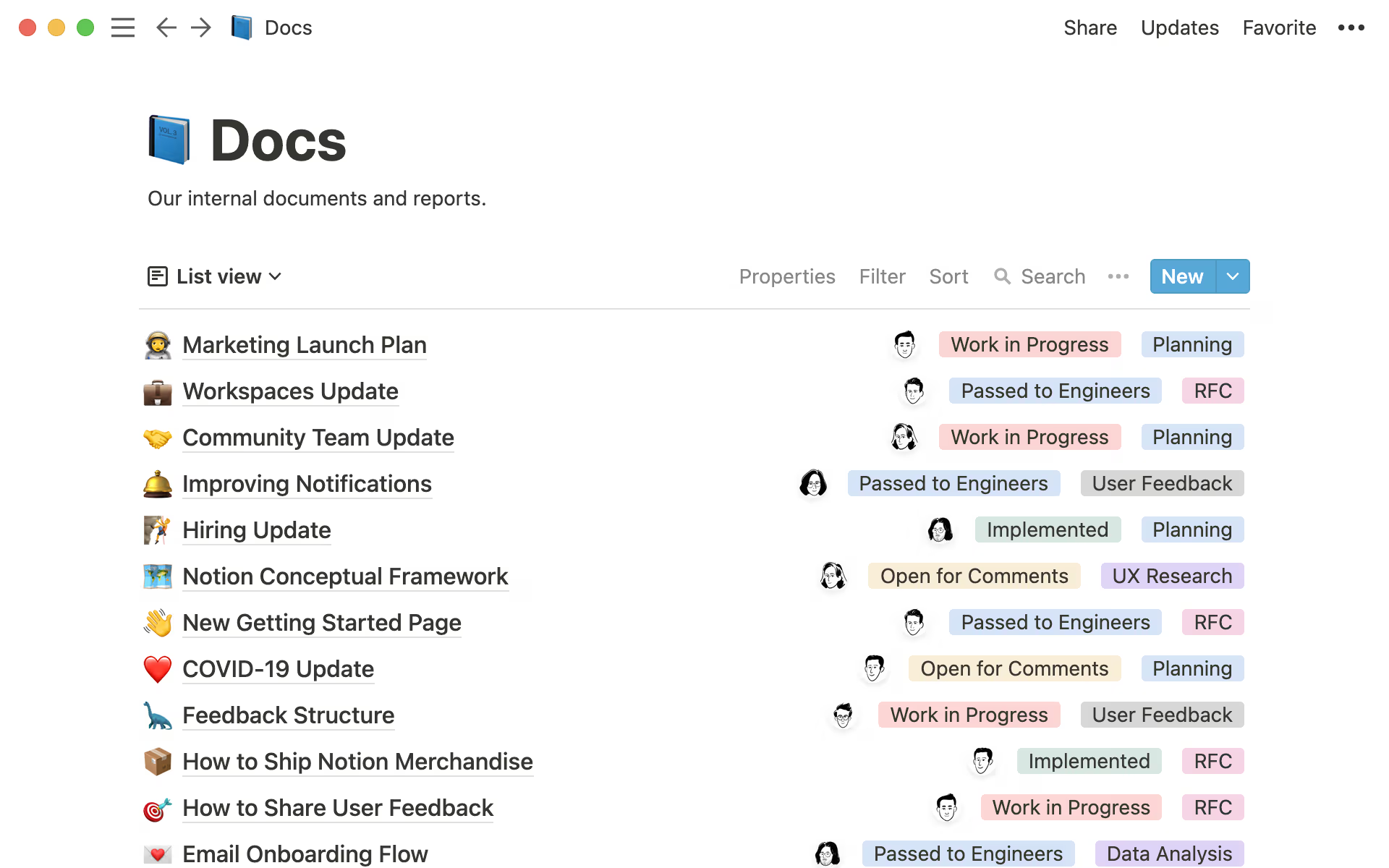
Image source: notion.com
Key features:
- Collaborative document editing and comments
- Custom databases and structured pages
- Templates for project and knowledge management
- Integration with external productivity tools
Pros:
- Highly customizable workspace structure
- Combines knowledge management and collaboration
- Strong documentation capabilities
- Large template ecosystem
Cons:
- Learning curve for advanced setups
- Limited native automation features
- Performance may slow with complex databases
Pricing:
- Free plan: $0/member/month
- Plus plan: $10/user/month
- Business plan: $20/user/month
- Enterprise plan: Custom pricing
8. Trello: Lightweight Kanban collaboration tool
Trello is a visual project collaboration software platform based on Kanban boards. It allows teams to organize tasks through drag-and-drop cards across workflow stages. Trello is often used as lightweight work collaboration software for simple project tracking. Its intuitive design makes it popular among small teams and startups.
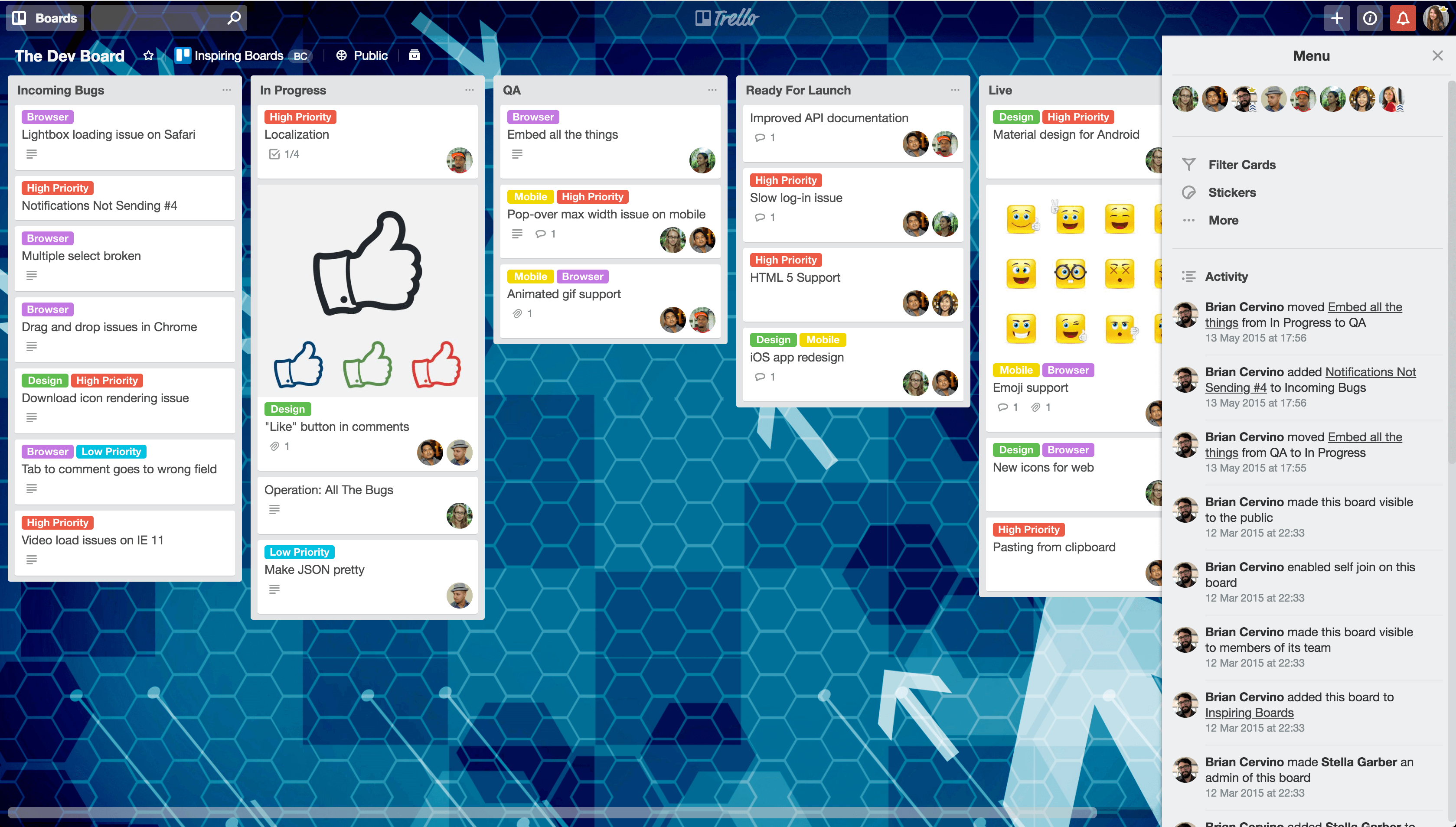
Image source: trello.com
Key features:
- Drag and drop Kanban boards
- Task cards with attachments and comments
- Calendar and automation power-ups
- Integration with productivity apps
Pros:
- Clear visual workflow tracking
Cons:
- Limited advanced reporting tools
- Automation features are restricted in the free plan
- Less suitable for complex projects
Pricing:
- Standard plan: $5/user/month
- Premium plan: $10/user/month
- Enterprise plan: $17.50/user/month
9. Basecamp: Simplified team communication platform
Basecamp is a simplified workplace collaboration software platform designed to centralize team communication and project coordination. It replaces email chains with organized discussions and task lists. Teams seeking straightforward collaboration software examples often consider Basecamp because of its simplicity. Its structure focuses on clarity rather than feature complexity.
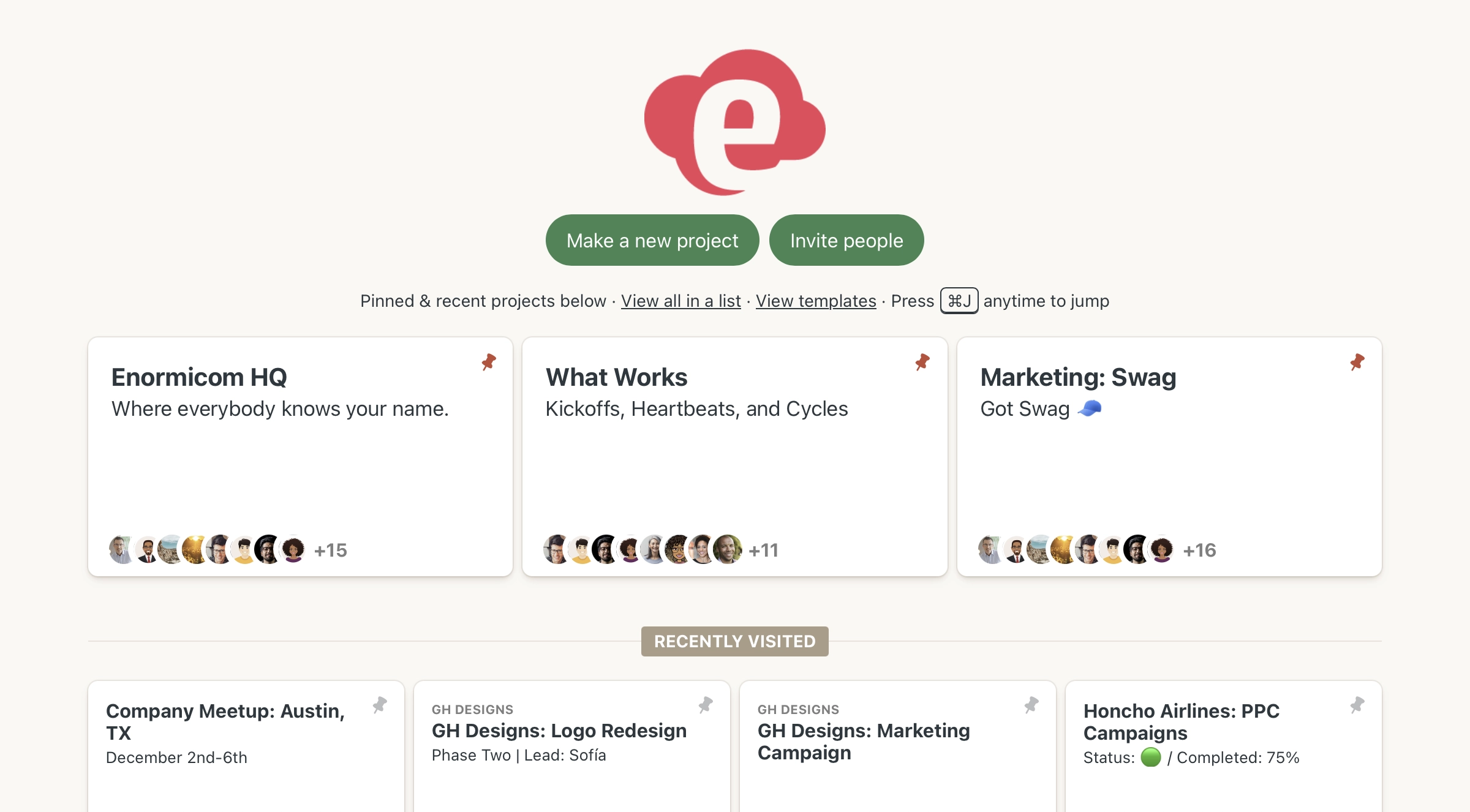
Image source: basecamp.com
Key features:
- Message boards for team discussions
- Task lists with assignment tracking
- File sharing and document storage
Pros:
- Simple interface for easy adoption
- Flat pricing structure for teams
- Centralized communication system
- Quick onboarding process
Cons:
- Limited workflow automation features
- Basic reporting capabilities
- Less customizable than competitors
Pricing:
- Basecamp Free: Free forever
- Basecamp plus: $15/user/month
- Basecamp Pro Unlimited: $299/month
10. Wrike: Enterprise project collaboration software
Wrike is an advanced enterprise collaboration software platform designed for complex project environments. It provides structured workflows, dashboards, and reporting tools. Many organizations use Wrike as project collaboration software to manage cross-department initiatives. Its governance features make it suitable for large enterprises.
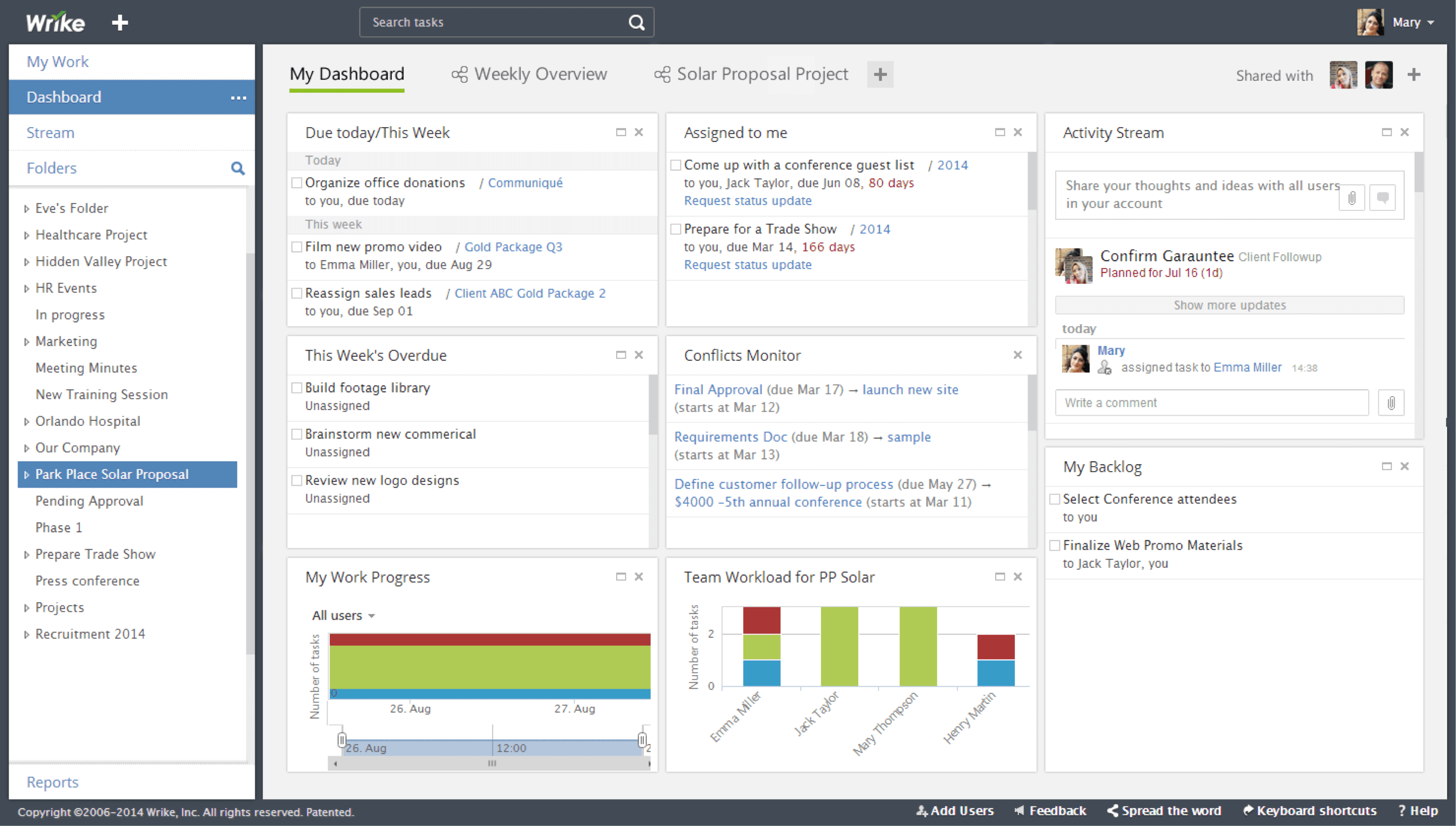
Image source: wrike.com
Key features:
- Gantt charts and workload management
- Custom workflows and approval processes
- Advanced analytics dashboards
- Role-based access permissions
Pros:
- Strong enterprise reporting capabilities
- Scalable solution for large teams
- Detailed workflow customization
- Advanced governance controls
Cons:
- Higher pricing than simpler tools
- Interface complexity for beginners
- Limited features in the entry plan
Pricing:
- Free plan: $0/user/ month
- Team plan: $10/user/month
- Business plan: $25/user/month
- Enterprise plan: Custom pricing
11. Smartsheet: Spreadsheet-style collaboration solution
Smartsheet is a collaboration solution software platform combining spreadsheet-style interfaces with project management capabilities. It allows teams to organize tasks, track projects, and automate workflows within structured grids. Organizations that prefer spreadsheet environments often adopt Smartsheet as project collaboration software. Its familiar interface helps teams transition easily.
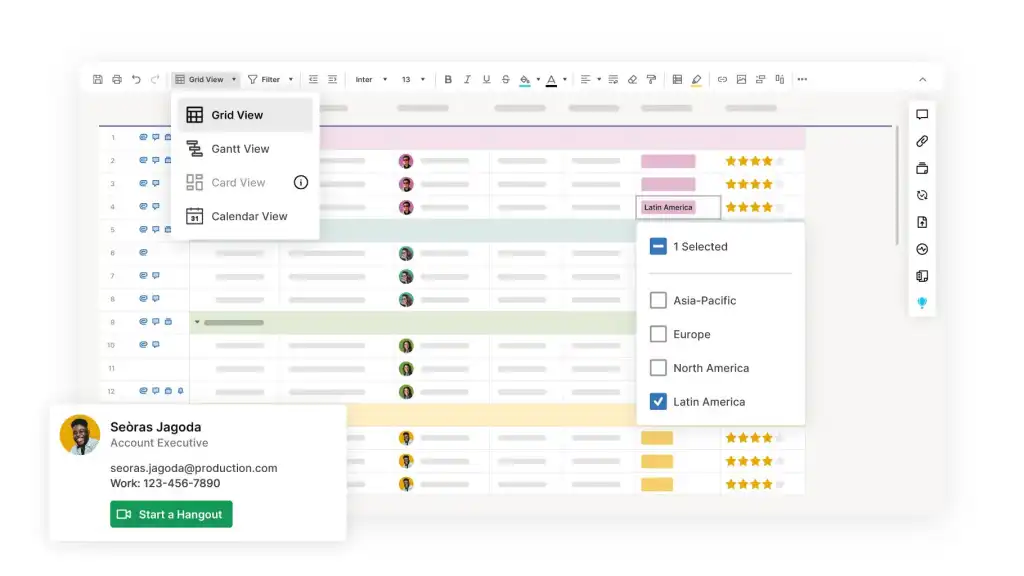
Image source: smartsheet.com
Key features:
- Spreadsheet-style project management
- Workflow automation and alerts
- Collaboration with comments and attachments
- Reporting dashboards and analytics
Pros:
- Familiar spreadsheet interface
- Strong reporting capabilities
- Scalable automation features
- Suitable for operations teams
Cons:
- Advanced features require paid plans
- Learning curve for automation setup
- Less intuitive for non-spreadsheet users
Pricing:
- Pro plan: $9/member/month
- Business plan: $19/member/month
- Enterprise plan: Custom pricing
12. Airtable: Database-driven collaboration application
Airtable is a flexible collaborative software platform that combines database functionality with project collaboration features. Teams use Airtable to organize information, manage projects, and build custom workflows. It is often categorized as content collaboration software because it allows teams to structure large datasets alongside tasks. Its adaptability makes it popular among operations and marketing teams.
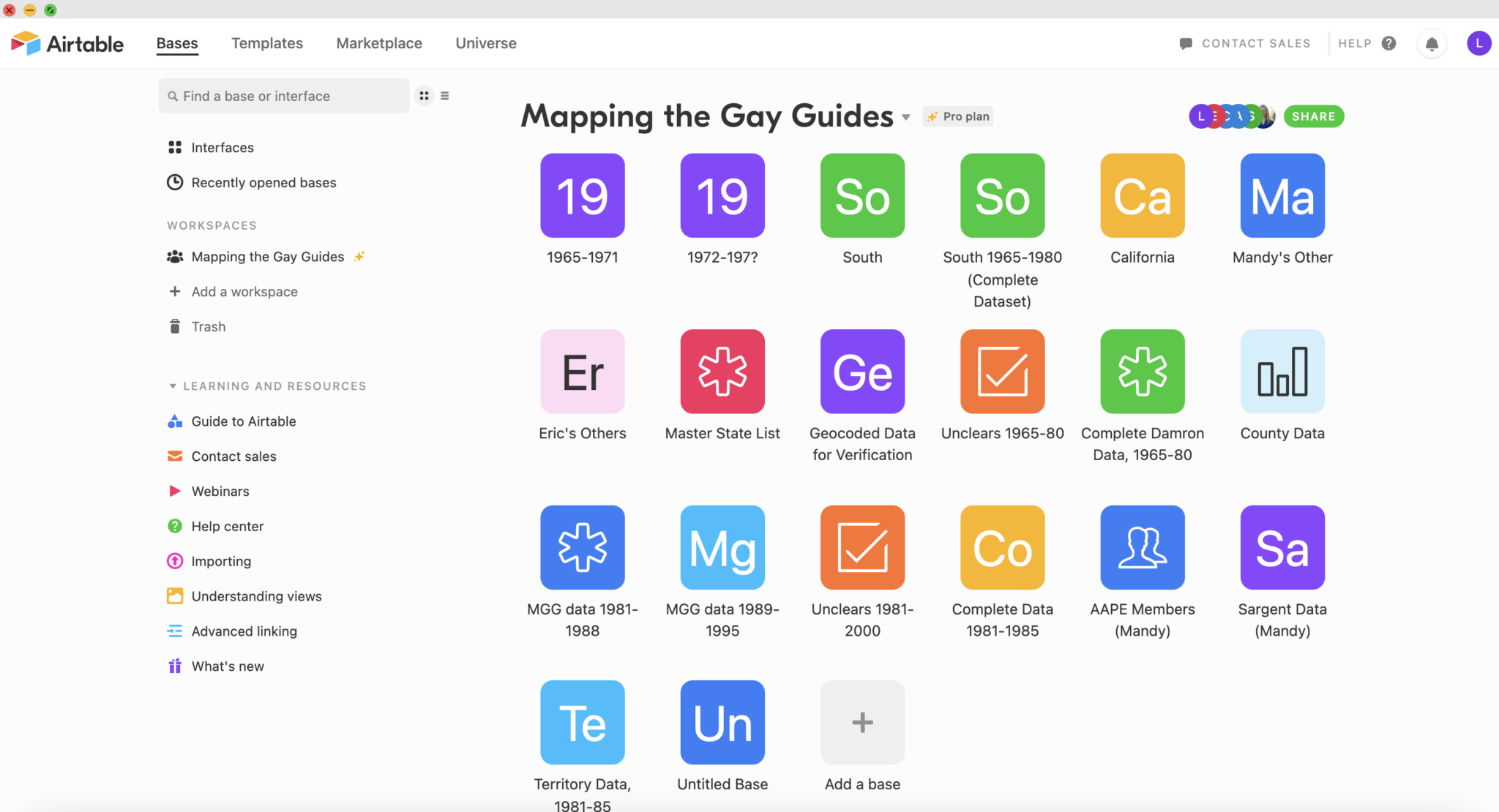
Image source: airtable.com
Key features:
- Custom database tables for projects
- Multiple views, including Kanban and Grid
- Workflow automation tools
- Integration with third-party apps
Pros:
- Highly customizable data structure
- Strong visualization options
- Flexible for multiple use cases
- Suitable for cross-functional teams
Cons:
- Setup may require planning and structure
- Advanced features are limited to paid plans
- Complexity increases with large databases
Pricing:
- Team plan: $20/seat/month
- Business plan: $45/seat/month
- Enterprise scale: Custom pricing
13. Zoho Projects: Affordable project collaboration software
Zoho Projects is a cost-effective project collaboration software platform designed to help teams plan tasks, track progress, and manage deadlines. It provides structured workflows and project dashboards that improve coordination across teams. Many organizations adopt Zoho Projects as software for collaboration because it integrates well with the broader Zoho ecosystem. Its affordability and scalability make it attractive for small and medium-sized businesses.
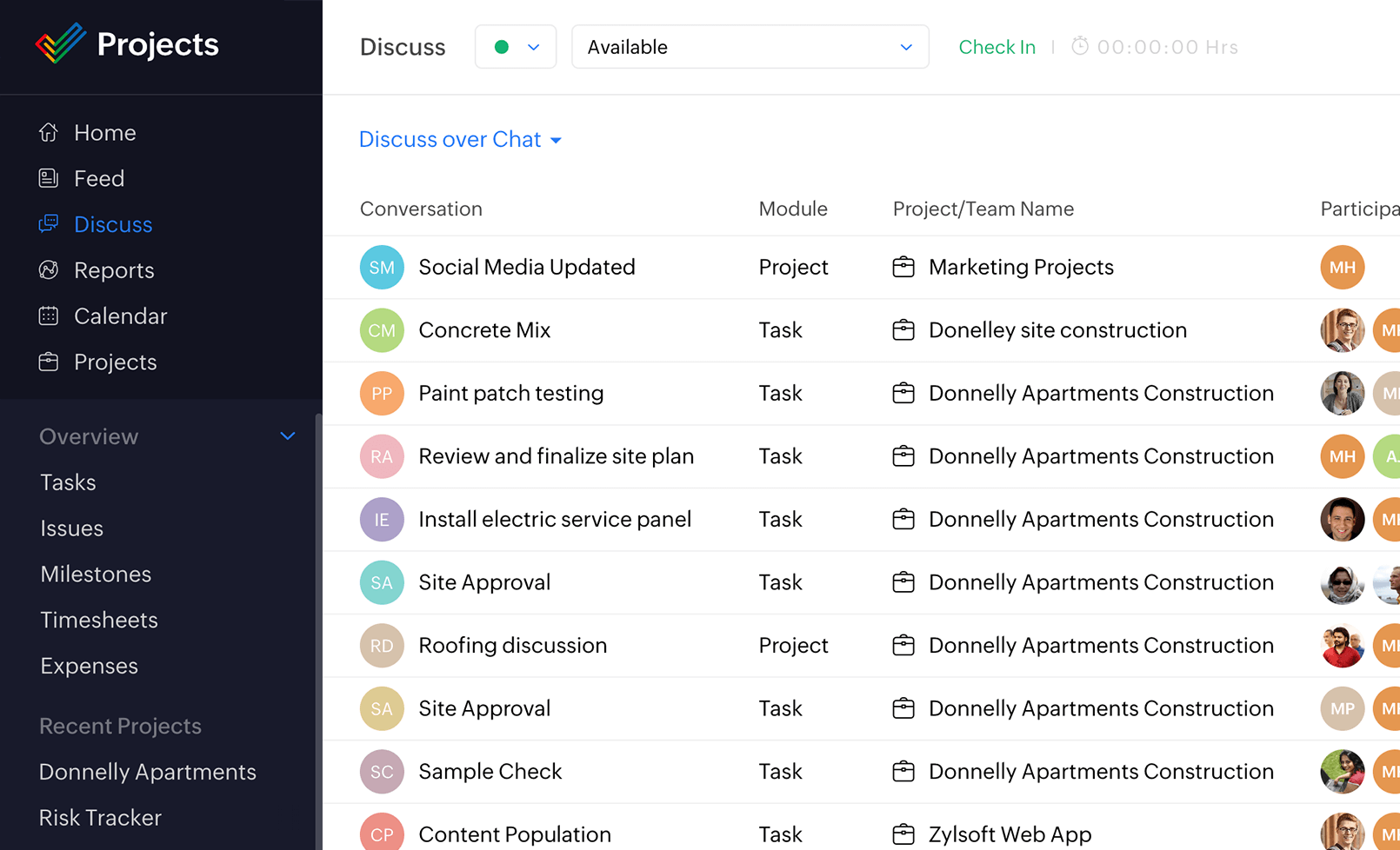
Image source: zoho.com
Key features:
- Task management with dependencies and milestones
- Gantt charts for project timeline visualization
- Time tracking and reporting dashboards
- Integration with Zoho productivity tools
Pros:
- Affordable pricing for growing teams
- Strong integration with the Zoho ecosystem
- Clear project tracking and reporting
- Suitable for small to mid-sized teams
Cons:
- Interface is less modern than its competitors
- Limited advanced automation features
- Fewer integrations outside the Zoho ecosystem
Pricing:
- Free plan: Up to 5 users
- Premium plan: $4/user/month
- Enterprise plan: $9/user/month
- Ultimate plan: $14/user/month
14. Hive: Automation-focused team collaboration platform
Hive is a modern work collaboration software platform designed to streamline project management through automation and analytics. It combines messaging, task tracking, and reporting tools within one system. Teams seeking collaboration solutions software often consider Hive because of its automation capabilities. Its dashboards and analytics help organizations improve project visibility.
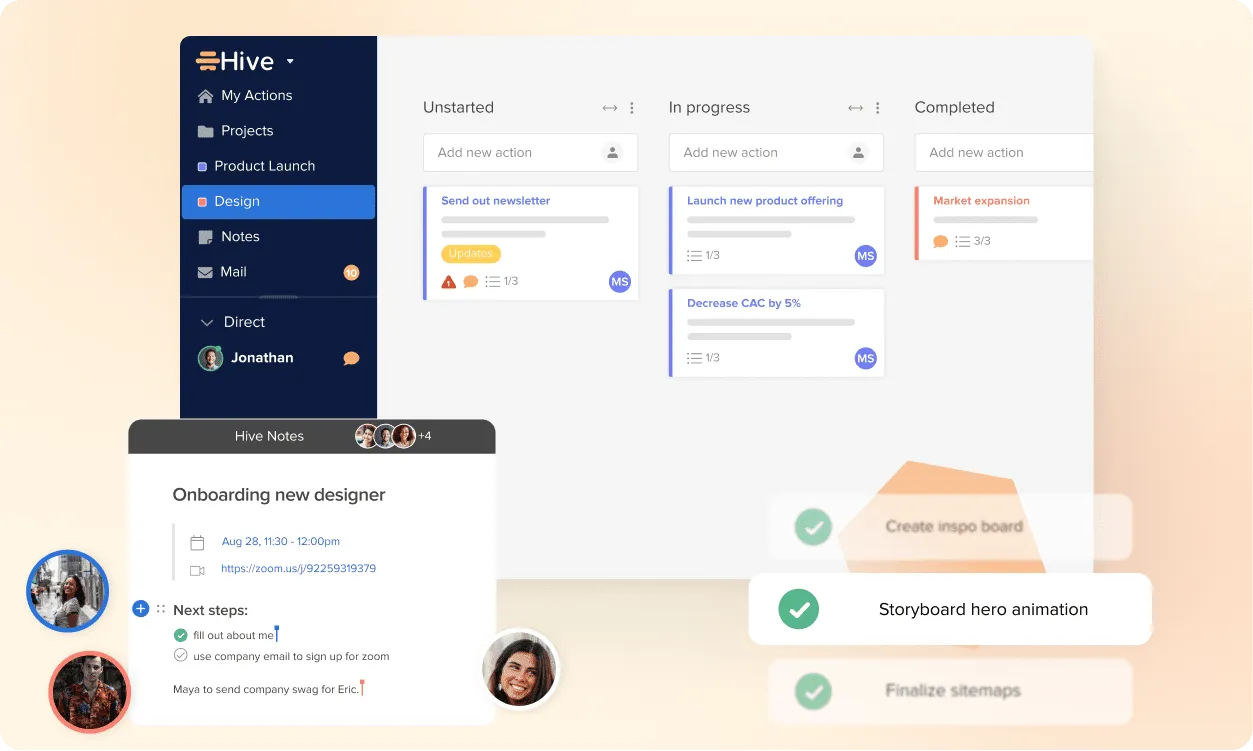
Image source: hive.com
Key features:
- Workflow automation for task management
- Multiple project views, including Kanban and Gantt
- Built-in analytics and performance tracking
- Time tracking and resource management
Pros:
- Strong automation features
- Detailed reporting dashboards
- Flexible project visualization options
- Suitable for cross-functional teams
Cons:
- Advanced features require premium plans
- Learning curve for new users
- Interface complexity for smaller teams
Pricing:
- Free plan: $0/free forever
- Starter plan: $1/user/month
- Teams plan: $3/user/month
- Enterprise plan: Custom pricing
15. Confluence: Documentation-first collaboration software
Confluence is a documentation-focused collaborative software platform developed by Atlassian. It enables teams to create structured knowledge bases and share project documentation. Organizations often adopt Confluence as content collaboration software because it connects documentation with project planning. Its integration with Jira strengthens coordination for product and engineering teams.
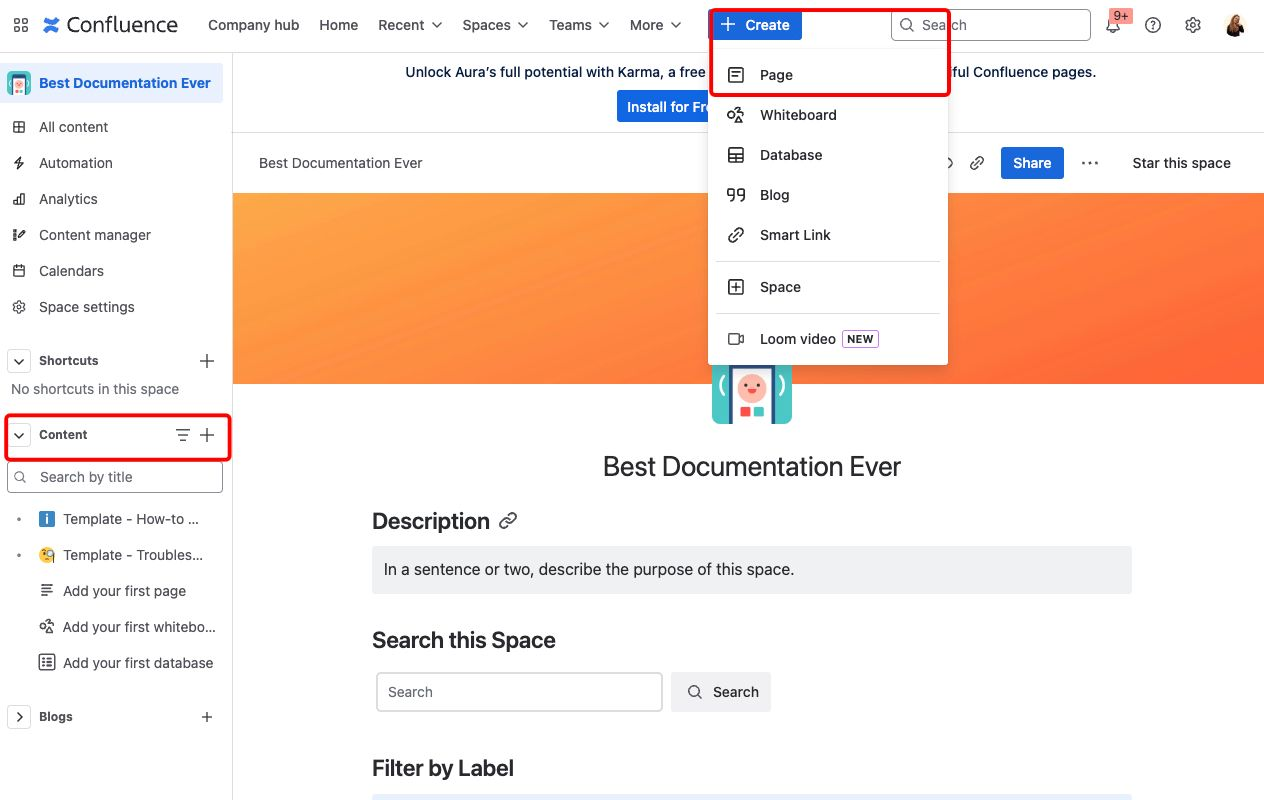
Image source: atlassian.com
Key features:
- Structured knowledge bases and team documentation
- Real-time collaborative editing
- Integration with Jira project tracking
- Page templates for documentation workflows
Pros:
- Excellent tool for documentation management
- Seamless integration with the Atlassian ecosystem
- Centralized knowledge sharing
- Suitable for technical and product teams
Cons:
- The interface may feel complex initially
- Limited workflow automation features
- Advanced analytics available only in higher plans
Pricing:
- Free plan: Up to 10 users
- Standard plan: $5.42/user/month
- Premium plan: $10.44/user/month
- Enterprise plan: Custom pricing
16. Google Workspace: Cloud-based online collaboration software
Google Workspace is one of the most widely used online collaboration software ecosystems. It includes tools such as Google Docs, Sheets, Meet, and Drive that support communication and document collaboration. Many organizations consider it among the best collaboration software platforms for cloud-based teamwork. Its accessibility and integration across devices make it popular for distributed teams.
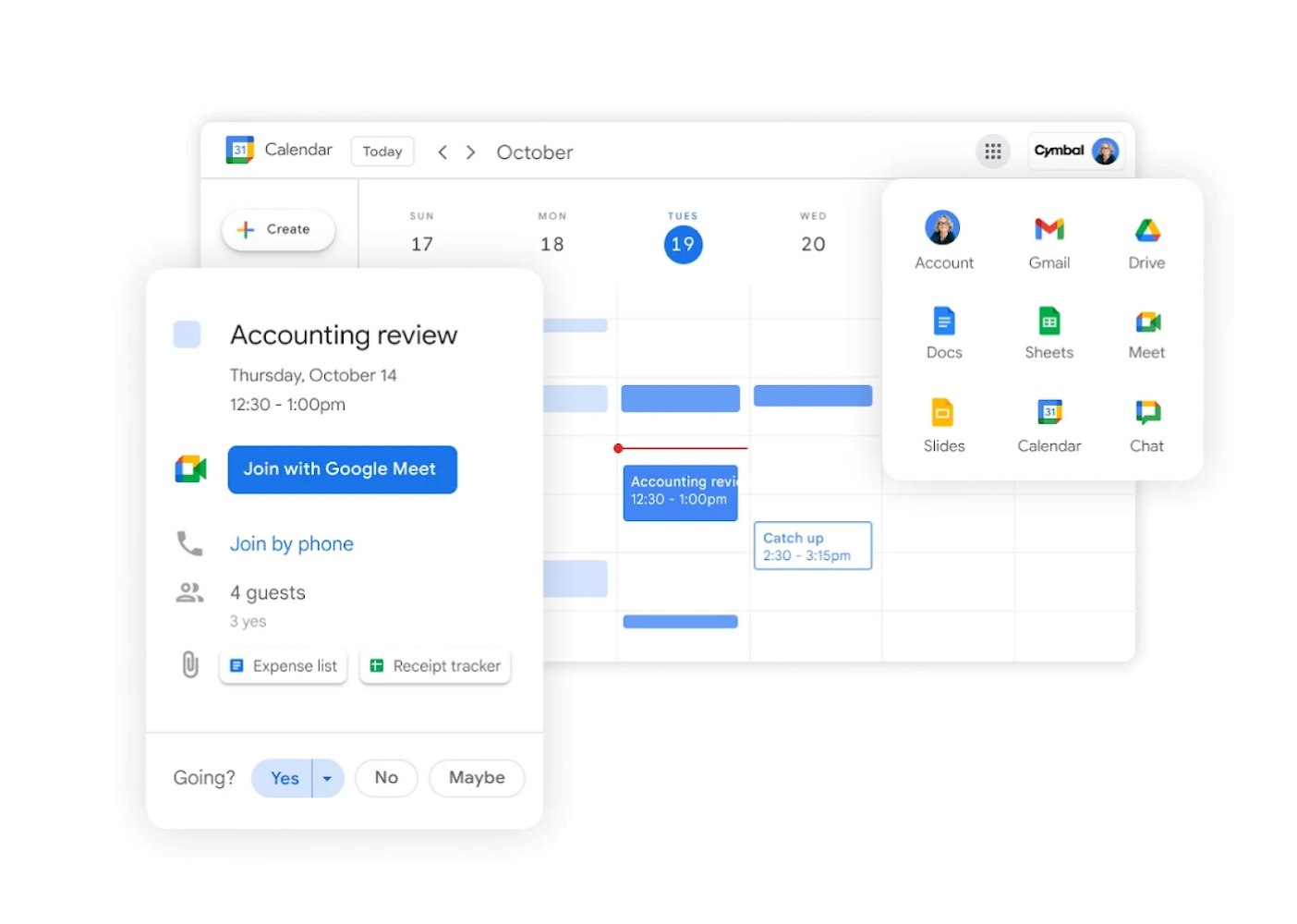
Image source: google.com\
Key features:
- Real-time document collaboration with Google Docs
- Video meetings through Google Meet
- Cloud storage and file sharing via Google Drive
- Integrated calendar and communication tools
Pros:
- Easy document sharing and collaboration
- Accessible across devices and browsers
- Familiar interface for many users
- Strong integration across productivity tools
Cons:
- Limited advanced project management features
- Workflow automation capabilities are basic
- Governance controls are less robust than enterprise tools
Pricing:
- Business Starter: $5.60/user/month
- Business Standard: $9.80/user/month
- Business Plus: $11/user/month
- Enterprise plan: Custom pricing
How to evaluate collaboration solution software strategically
Selecting collaboration solution software requires careful evaluation of workflow complexity, automation capabilities, and long-term scalability. Organizations must consider both operational requirements and future growth when selecting platforms.
- Workflow complexity support: Modern project collaboration software must support complex workflows across departments. Organizations often require customizable processes and task dependencies. Platforms that support advanced workflows improve operational coordination. Workflow flexibility ensures teams can adapt to changing needs.
- Automation limits: Automation plays an important role in modern collaboration software solutions. Automated notifications, task assignments, and improve efficiency. Platforms with limited automation may increase manual work. Strong automation capabilities enhance productivity.
- Governance controls: Enterprise collaboration software must provide role-based access and audit capabilities. Governance controls protect sensitive information and ensure compliance. These controls are particularly important for regulated industries. Security features strengthen platform reliability.
- Scalability thresholds: Organizations should evaluate how collaborative software platforms perform as teams grow. Scalability affects performance, governance, and cost. Platforms designed for small teams may struggle at enterprise scale. Evaluating scalability ensures long-term platform stability.
- Total cost of ownership: Pricing structures vary widely among collaboration software examples. Businesses should evaluate licensing costs, implementation complexity, and maintenance requirements. Total cost of ownership includes both direct and operational costs.
- Ecosystem compatibility: Modern should integrate with CRM systems, analytics tools, and productivity apps. Integration capabilities ensure smooth workflows across platforms. Compatibility prevents data silos and improves operational efficiency.
Drive business growth via Lark's tight teamwork
Emerging shifts in collaboration software adoption
The evolution of collaboration software continues as organizations seek more integrated and intelligent platforms. Several trends are shaping the future of workplace collaboration software.
- AI-assisted task prioritization: AI features help teams analyze workloads and prioritize tasks automatically. Intelligent recommendations improve decision-making. AI tools are becoming a standard component of modern collaboration solutions software.
- Embedded workflow automation: Automation features are increasingly embedded directly into collaborative software platforms. Automated approvals and triggers reduce operational delays. Automation improves consistency.
- Governance-driven collaboration: Security and compliance requirements are driving the adoption of enterprise collaboration software. Organizations prioritize platforms with strong governance frameworks. These controls ensure regulatory compliance.
- Contextual communication systems: Messaging tools now integrate directly with tasks and documents. Contextual communication reduces confusion and improves coordination. Integrated strengthen collaboration.
- Unified operational platforms: Platforms combining messaging, project tracking, and documentation gain traction. These unified systems reduce tool fragmentation. Modern ecosystems increasingly resemble digital headquarters.
Conclusion
Collaboration software has evolved from simple communication tools into comprehensive operational platforms. Modern organizations depend on collaborative software to manage projects, coordinate teams, and maintain transparency across departments. When selecting the best collaboration software, businesses must consider communication capabilities, automation features, governance controls, and scalability. Project collaboration software should support both daily coordination and strategic planning while integrating with other enterprise tools.
As workplaces become more distributed, integrated platforms are gaining importance. Many organizations prefer unified work collaboration software that combines messaging, documentation, automation, and project tracking in one environment. Platforms such as illustrate how collaboration solution software is evolving into centralized operational hubs. By adopting scalable , organizations can reduce tool fragmentation and improve productivity across teams.
Keep teams fast, clear, and connected with Lark today
FAQs
What is the best collaboration software?
The best collaboration software depends on team size, workflow complexity, and integration requirements. Some platforms emphasize communication while others prioritize project tracking or documentation. Organizations evaluating collaboration software examples should consider automation, scalability, and governance capabilities. Integrated ecosystems such as Lark provide a unified environment combining messaging, documentation, and task coordination.
What are three types of collaboration software?
Common categories include communication tools, project collaboration software, and content collaboration software. Communication platforms focus on messaging and meetings. Project collaboration software helps teams and timelines. Content collaboration software enables document editing and knowledge sharing. Unified systems like Lark combine all three capabilities.
What is the most popular workplace collaboration tool?
Many organizations rely on messaging platforms such as Slack or Microsoft Teams for workplace collaboration software. These tools provide real-time communication and meeting capabilities. However, companies increasingly prefer integrated platforms that combine communication with workflow management. Platforms like Lark represent this evolving approach.
What features matter most in workplace collaboration software?
Key features include messaging, document collaboration, project tracking, and automation. Governance controls and integration capabilities are also critical. Enterprise should support both operational coordination and long-term scalability. Platforms such as Lark demonstrate how unified ecosystems improve productivity.
Is open source collaboration software suitable for enterprises?
Open source collaboration software can be effective for organizations seeking flexibility and customization. However, enterprises must evaluate security, support, and scalability carefully. Some organizations adopt hybrid approaches that combine and commercial tools. Integrated platforms such as Lark offer enterprise-ready collaboration capabilities with managed security.
Related reading







![What Is a 2-2-3 Work Schedule? Explanation and More [2024]](https://framerusercontent.com/images/uKHRfkp4v7y4azRNTYUmuteNQz8.png)