Scattered information slows teams down. Files get buried in emails, updates vanish in chat threads, and hard-won expertise walks out the door with departing employees. The resulting chaos undermines productivity, decision-making, and innovation. The solution is to centralize your organization’s collective knowledge so it’s easy to find, share, and build on.
That’s where a knowledge management platform comes in. More than simple storage, it helps teams capture, organize, and apply information across the business, breaking down silos and enabling better collaboration. This guide covers what knowledge management platforms are, why they matter, the main types available, and how to choose the right tool for your team in 2026.
Best knowledge management platforms
Here are the 3 best knowledge management platforms out of the 10 we tested and reviewed.
What is a knowledge management platform?
A knowledge management platform is a centralized digital system that enables organizations to capture, organize, govern, and use their collective knowledge. It acts as a single source of truth for policies, processes, documentation, and hard-earned expertise—so critical information doesn’t get lost in inboxes, chat threads, or employees’ heads.
Unlike a simple document repository, a true knowledge management platform uses AI to make knowledge actionable. At its core, it helps teams:
- Capture knowledge: Store documents, manuals, and experience-based insights, including decisions and informal know-how.
- Organize information: Use structured databases, tags, and relationships to keep content easy to maintain and scale.
- Find answers fast with AI: AI-powered search understands natural-language questions and surfaces precise, relevant answers—not just files.
- Generate answers: Advanced AI can synthesize responses from multiple sources and show citations so users can verify accuracy.
- Share and collaborate: Enable real-time editing, comments, and knowledge sharing across teams.
- Govern and improve: Apply permissions, track versions, and use analytics to understand what content is used and where gaps exist.
By integrating with everyday tools and delivering AI-assisted answers where work happens, knowledge management platforms are essential for modern, distributed teams that need instant access to reliable information.
Types of knowledge management platforms
Knowledge management platforms come in different forms, each managing specific types of knowledge, such as documentation, customer data, training, or collaboration. Knowing the differences helps you pick the right platform for your team.
Some companies end up investing in multiple knowledge management systems to meet their needs. Smart companies choose platforms like Lark, which can combine these different knowledge types into a single AI-powered workspace, bringing documents, collaboration, and search together so teams can manage knowledge without juggling multiple tools.
Top 10 knowledge management platforms in 2026
Choosing the right knowledge management tool can be daunting, so I’ve analyzed the 30+ tools to bring you the top 10 options available today. Here are the top 10 knowledge management tools that excel in helping teams organize, share, and leverage their collective knowledge.
1. Lark: The all-in-one platform for seamless team collaboration
is an all-in-one collaboration "superapp" designed to eliminate the silos that slow modern teams down. While most organizations struggle with information scattered across separate chat apps, cloud storage, and standalone wikis, Lark unifies these functions into a single, seamless platform.
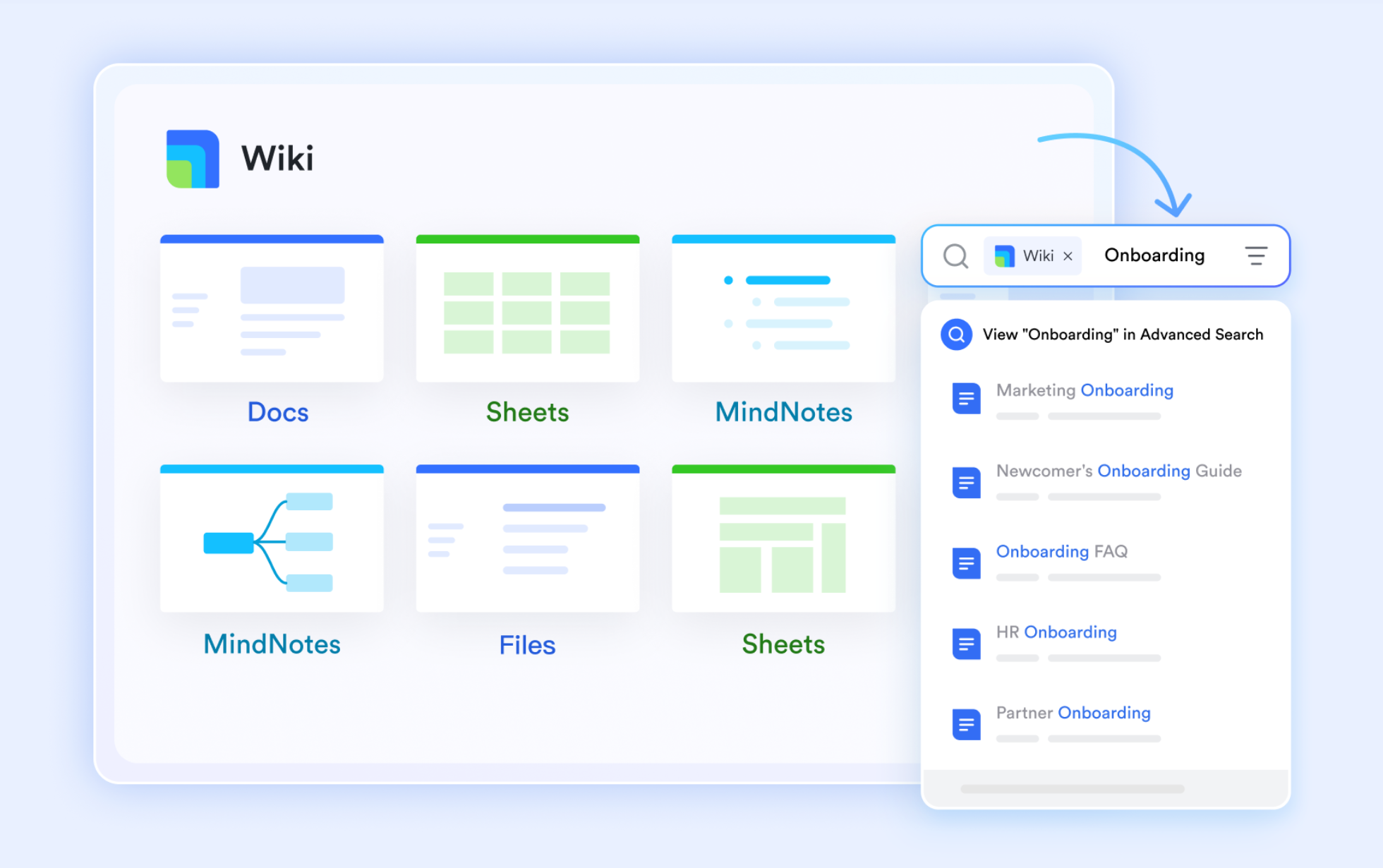
At the core of Lark is its ability to turn passive information into active business intelligence. Instead of static repositories where documents go untouched, Lark keeps knowledge dynamic and actionable. Teams can create structured hierarchies for company policies, build custom no-code business databases, and automate knowledge sharing, so information stays relevant, discoverable, and useful.
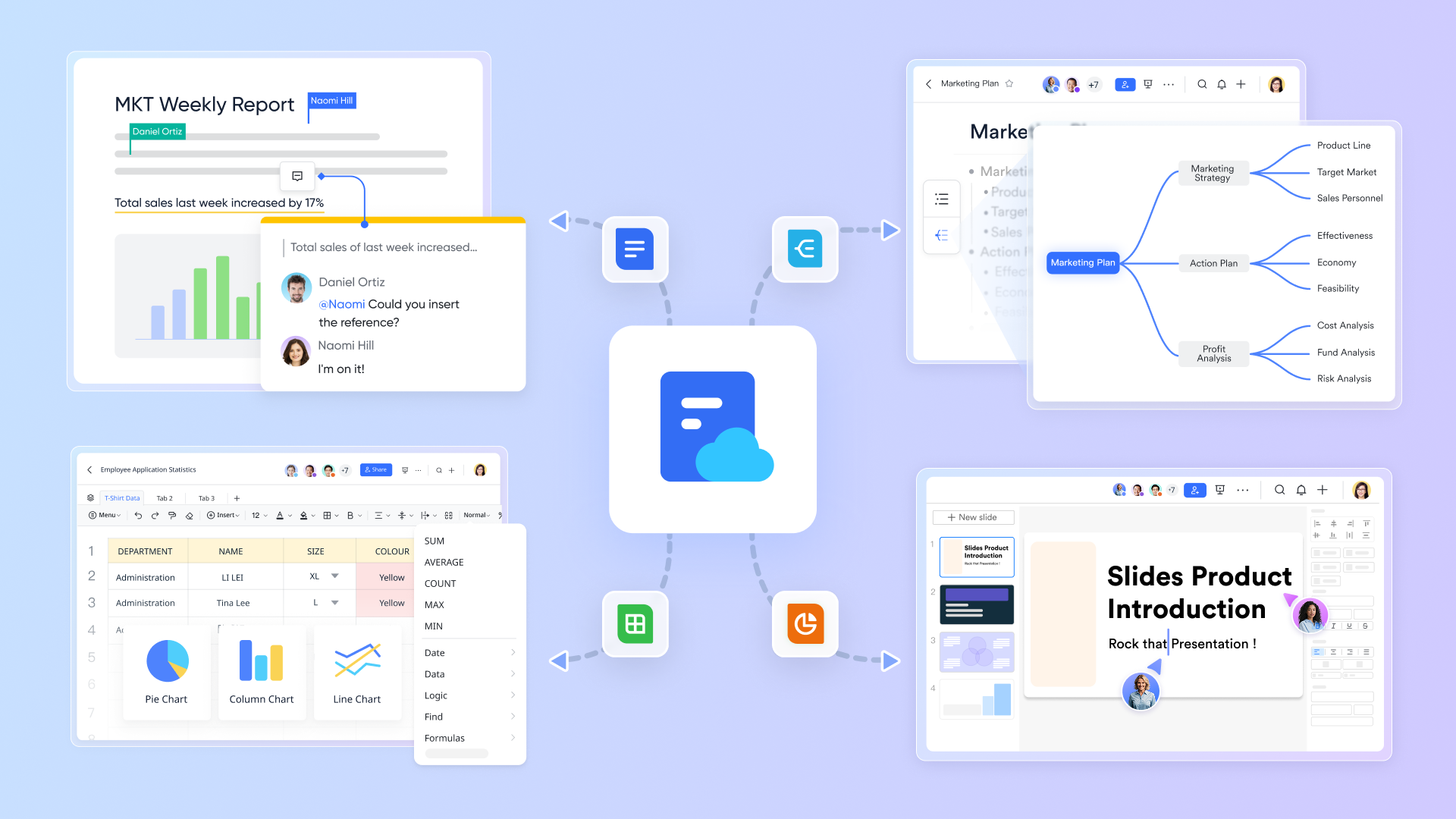
Key features:
- Internal knowledge hub: Create a "single source of truth" for your organization with a structured, . Organize pages into intuitive spaces, ensuring that onboarding guides, technical specs, and company policies remain organized and discoverable.
- Centralize business data: Create robust , , or which store or all your critical business data in one place. Keep structured operational data, such as customer history and sales pipelines, right alongside your written knowledge in Lark's platform.
- Smart company dictionary: Solve the problem of tribal knowledge and confusing acronyms with Lark Lingo. Employees can simply hover over words to see the official definition, context, and owner, drastically reducing confusion and speeding up onboarding for new hires.
- AI-powered: Embedded directly into the workflow, Lark AI supercharges knowledge discovery. It powers a "smart search" capability that understands natural language, allowing users to ask questions and receive instant, summarized answers drawn from across their documents, wiki and chat history.
- Unified cloud suite: Lark offers a complete suite of tools for creating , , mind maps, spreadsheets, and more that live in the cloud. All support real-time co-editing and deep integration with Lark's other tools, meaning you can insert a real-time dashboard directly in a doc or share a onboarding guide directly in a .
- Mobile-first: Access your entire knowledge base from anywhere with a design that prioritizes mobile functionality. Whether a sales rep needs to access client records or a field engineer needs to edit a technical spec, the experience is optimized for mobile.
- Advanced security & permissions: Protect your sensitive knowledge with enterprise-grade controls. Define granular permissions, such as "view-only," "comment-only," or "edit" access, down to the specific cell in a table. With features like document watermarking, security labels, and custom roles, you ensure that critical knowledge stays safe.
Pricing:
- Starter plan: that includes 11 powerful tools for up to 20 users. It also comes with 100GB of storage space, 1000 automation runs, AI translations, and more. No credit card needed.
- Basic plan: (billed annually) for up to 500 users. It includes everything in Starter and unlimited message history, 5TB of storage space, 1,000 automation runs, and more. Some users may need to to purchase this plan.
- Pro plan: (billed annually) for up to 500 users. It includes everything in Basic plus group calling for up to 500 attendees, 15TB of storage space, 50,000 automation runs, and more.
- Enterprise plan: for custom pricing. Supports unlimited users and includes even more automation runs and advanced security, compliance, and management features.
For small teams with simple communication needs

18 months message history
1000 Base automation runs/month
2000 rows per table in Base
Most POPULAR
For companies with comprehensive collaboration and management needs
Unlimited message history
500-participant video meetings
50k Base automation runs/month
20k rows per table in Base
For large companies with advanced security and organizational management needs
Get a personalized demo and pricing
Unlimited message history
500-participant video meetings
15 TB storage + 30 GB storage/user
500k Base automation runs/month
50k Base automation runs/month
Most POPULAR
For companies with comprehensive collaboration and management needs
Unlimited message history
500-participant video meetings
50k Base automation runs/month
20k rows per table in Base
Best for: Teams, small businesses and growing organizations of all sizes looking for a truly unified, all-in-one solution to replace multiple disconnected knowledge management tools and foster a culture of seamless collaboration.
2. Confluence: The wiki for agile development and project teams
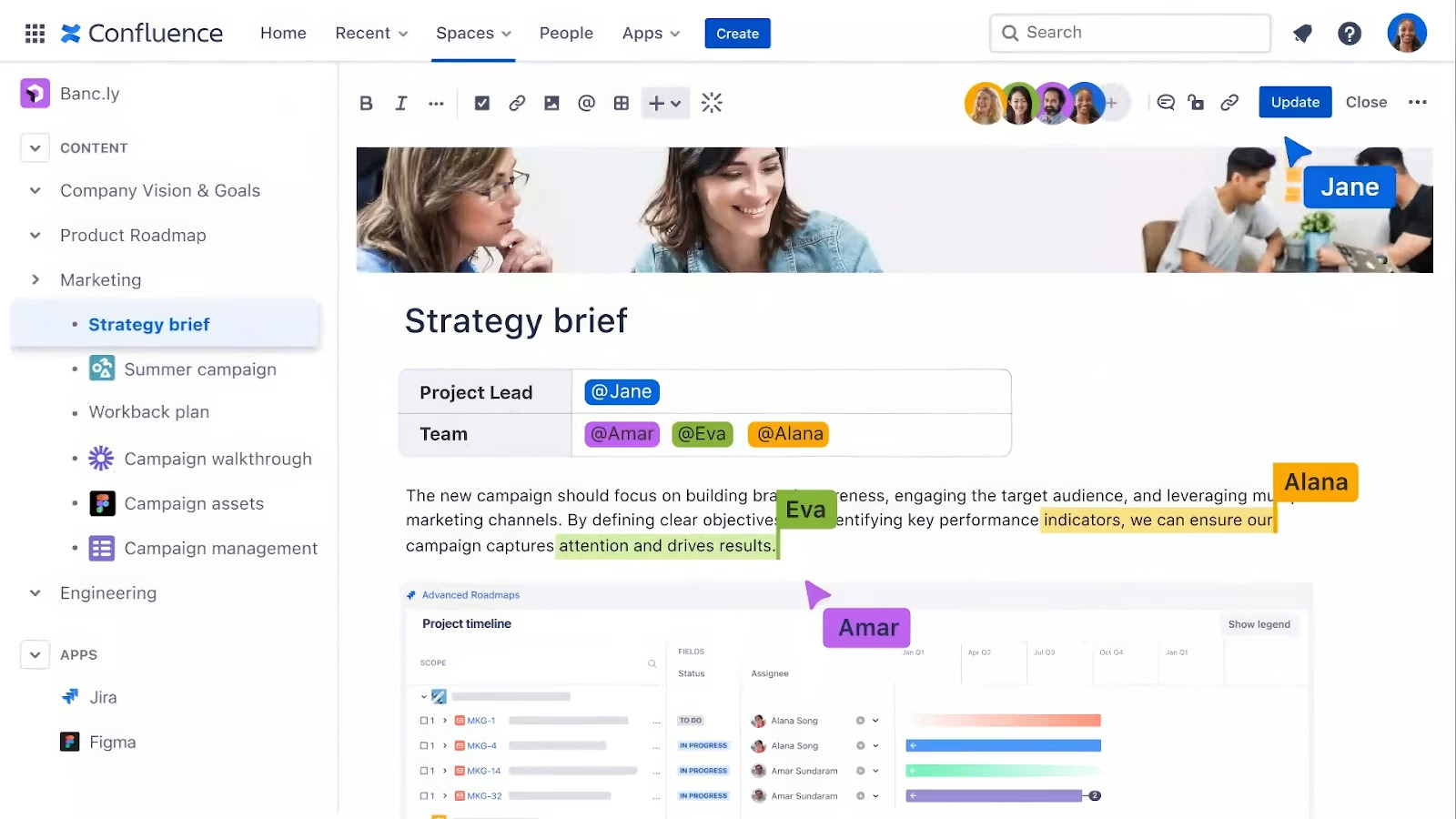
Image source: atlassian.com
Developed by Atlassian, Confluence is a powerful company wiki and knowledge management tool that excels at helping teams create, organize, and discuss work in one place. It integrates deeply with Jira, making it a favorite among software development and IT teams for knowledge management.
Key features:
- Project and team spaces for organized content.
- Templates for meeting notes, standard operating procedures (SOP), project plans, and requirements.
- Deep integration with Jira and other developer tools.
:
- Standard: Starts from $5.16/user/month.
- Premium: Starts from $9.73/user/month.
- Enterprise: Custom pricing
Best for: Agile development teams and organizations already invested in the Atlassian ecosystem looking for a good knowledge management system.
3. Notion: The flexible, all-in-one workspace for small teams
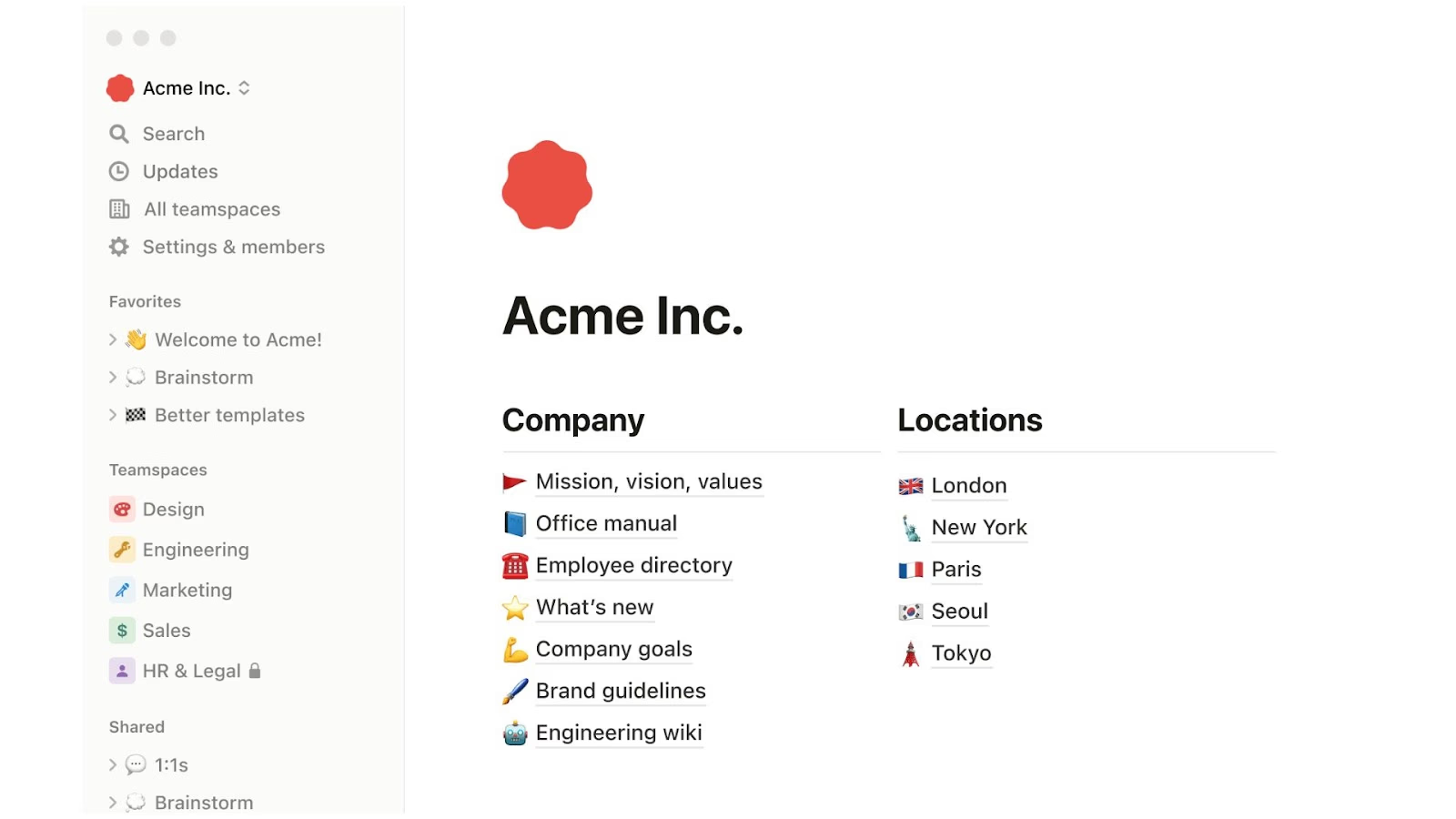
Image source: notion.com
Notion is a highly flexible knowledge management tool that combines notes, tasks, wikis, and databases into a single customizable workspace. Its block-based editor allows users to build almost any type of page or workflow they can imagine for knowledge capture.
Key features:
- Interconnected databases with multiple views (table, board, list, calendar).
- A vast library of community-created templates all in a central location.
- Internal teams can create articles, knowledge bases, project tasks, and more.
- A clean, minimalist user interface.
:
- Plus: Starts from $10/member/month.
- Business: Starts from $20/member/month.
- Enterprise: Custom pricing.
Best for: Startups, small teams, and individuals who need a highly customizable and flexible knowledge management tool.
4. Guru: The contextual knowledge platform for revenue teams
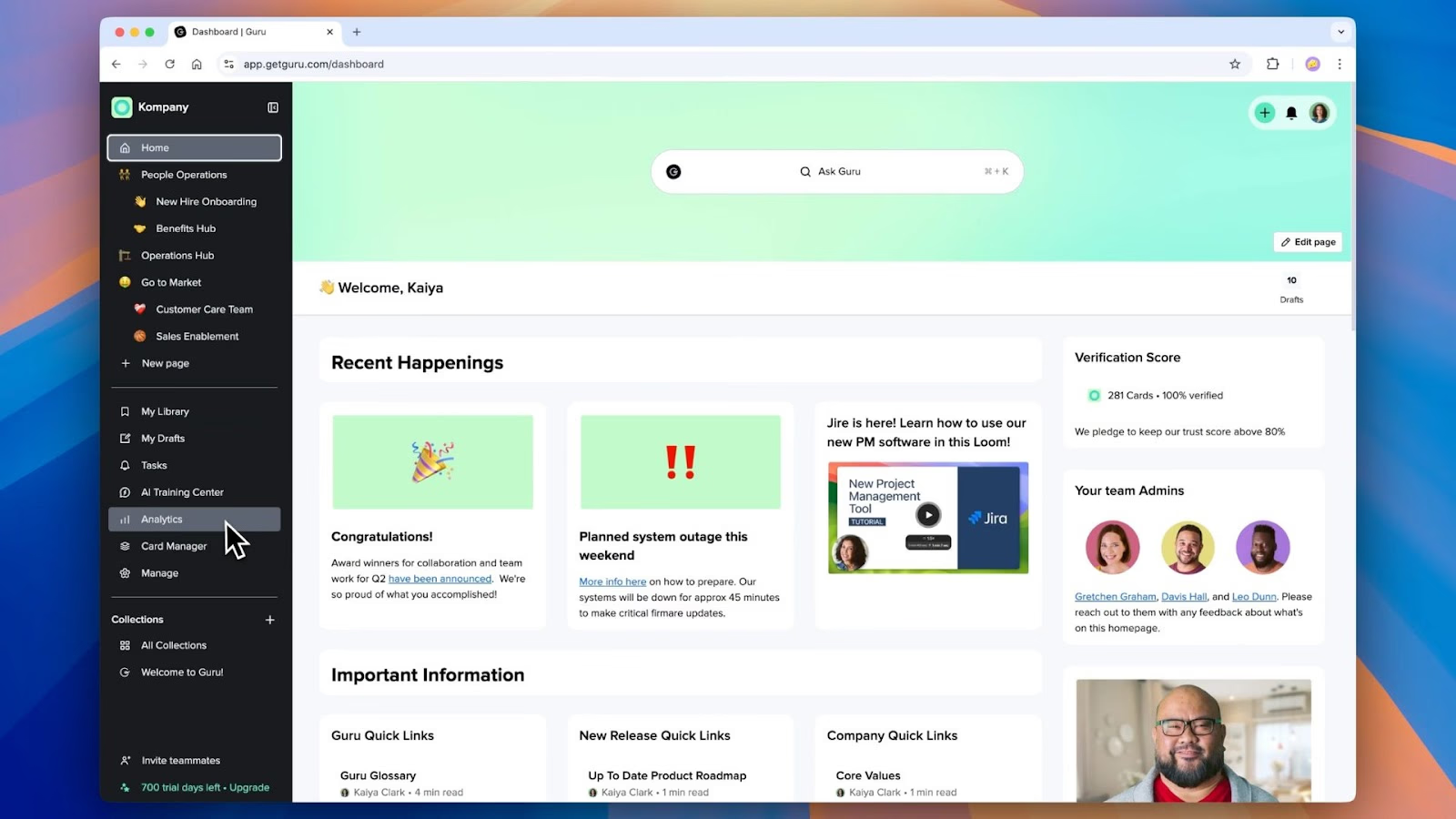
Image source: getguru.com
Guru is a knowledge management solution that delivers information directly into your team's workflow. It uses AI-powered features to proactively surface relevant knowledge in the collaboration tools your team already uses, like Slack and email.
Key features:
- A browser extension to access knowledge anywhere.
- AI-powered content suggestions and verification workflows.
- Analytics for company leaders to see how knowledge is being used.
Pricing:
- Free trial: offers 30 days of full platform access.
- All in one: Starts from $15/user/month.
- Enterprise: Custom pricing.
Best for: Sales and customer support teams who need instant access to knowledge management in context.
5. Zendesk: The integrated knowledge base for customer service
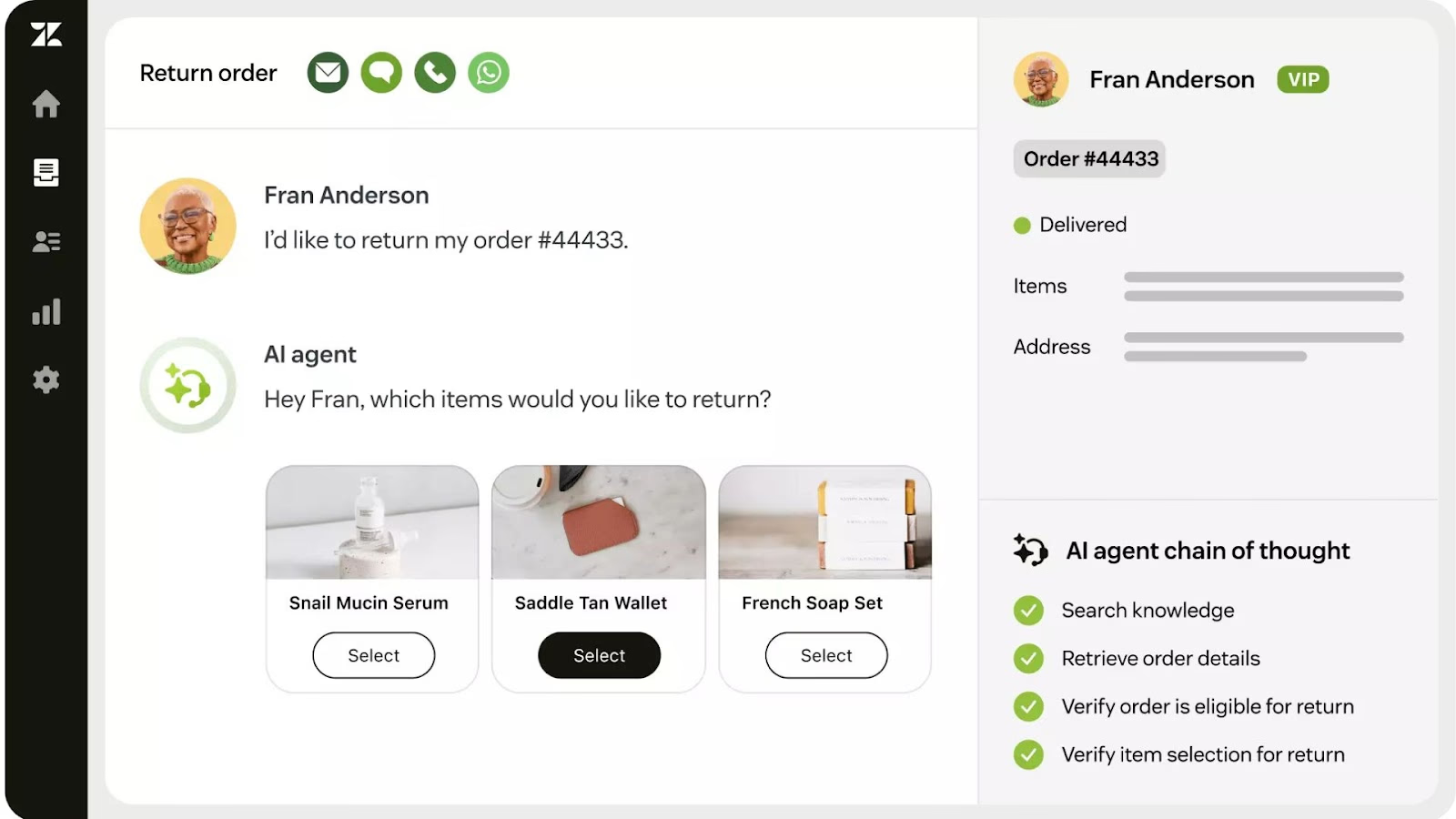
Zendesk is a leading customer service platform, and its knowledge management software, Zendesk Guide, is a core component. It allows teams to create a self-service portal for customers and an internal knowledge base for agents.
Key features:
- AI-powered bots provide trusted answers to common questions during customer interactions.
- Tight integration capabilities with Zendesk's ticketing system to assist support staff with their everyday workflows.
- Community forums and help center customization to help with customer issues.
Pricing:
- No free plan; offers a free trial.
- Support team: Starts from $19/agent/month.
- Suite team: Starts from $55/agent/month.
- Suite professional: Starts from $115/agent/month.
- Suite enterprise: Custom pricing.
Best for: Companies looking to build a robust, customer-facing knowledge base integrated with their support ticketing system.
6. SharePoint: The enterprise document management and storage system

Image source: microsoft.com
Part of the Microsoft 365 ecosystem, SharePoint is a powerful enterprise knowledge management platform used for document management and internal collaboration. It is highly configurable, excels as one of the most widely used document management systems, and is tailored for large organizations.
Key features:
- Deep integration with other Microsoft products like Teams and OneDrive.
- Advanced security and compliance features.
- Customizable intranet sites and team portals.
- Store company's collective knowledge in one place.
Pricing:
- No free plan; offers a free trial for one month.
- Microsoft 365 personal (for home): Starts from $9.99/month for one person.
- Microsoft 365 family (for home): Starts from $12.99/month for six people.
- Microsoft 365 business basic: Starts from $6.00/user/month.
- Microsoft 365 business standard: Starts from $12.50/user/month.
- Microsoft 365 business premium: Starts from $22.00/user/month.
- Microsoft 365 Apps for business: Starts from $8.25/user/month.
Best for: Large enterprises already heavily invested in the Microsoft ecosystem.
7. Document360: The dedicated software for technical documentation
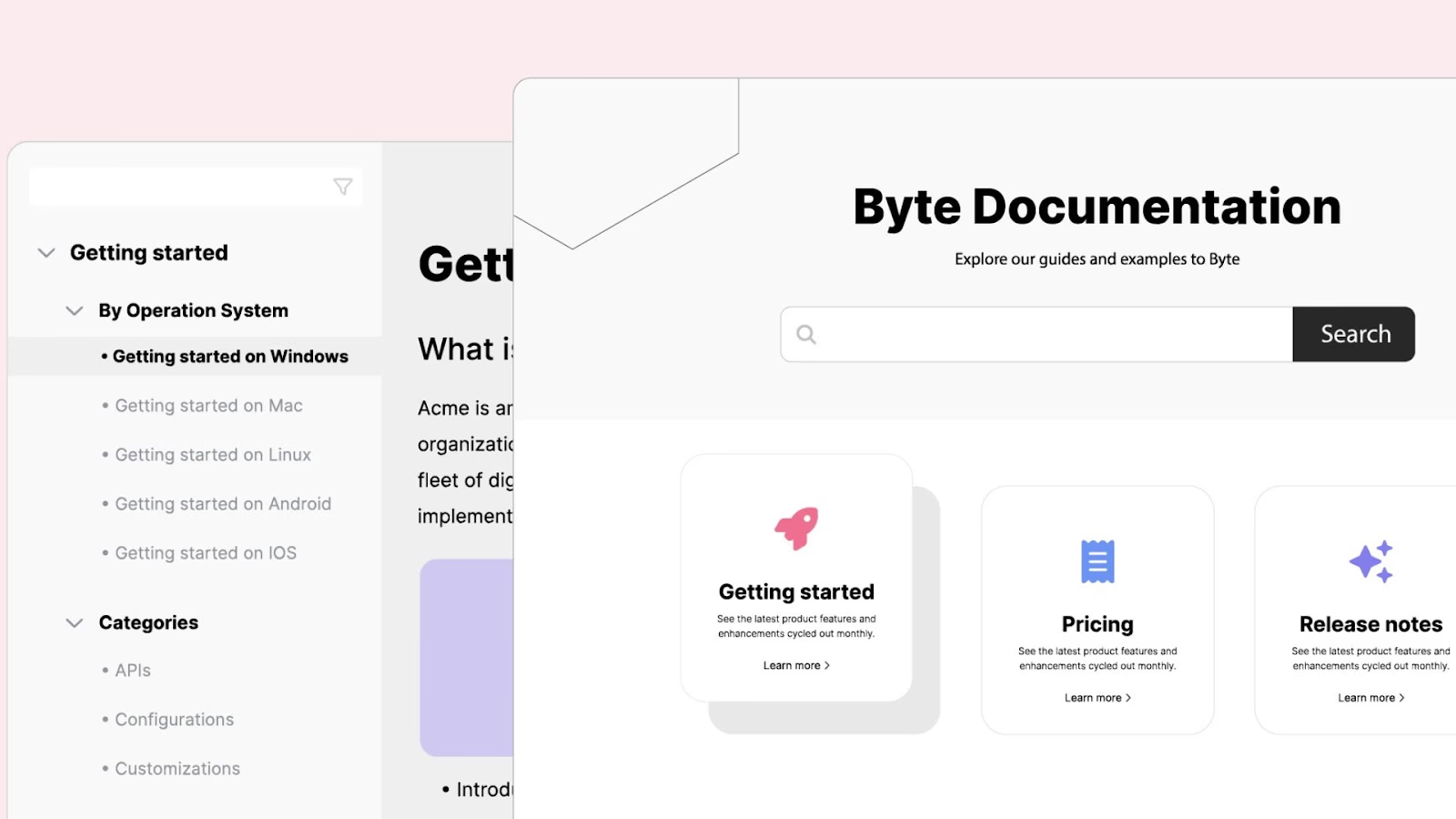
Image source: document360.com
Document360 is a knowledge management software specifically designed for creating and managing technical documentation, product guides, and user manuals. It offers a clean interface and robust features for authors and developers.
Key features:
- Markdown editor with side-by-side preview.
- Advanced version control to avoid all knowledge being instantly accessible.
- Private and public knowledge base options with rollback capabilities.
- Customizable templates for training materials, how-to guides, and other relevant content.
Pricing:
- No free plan; offers a free trial.
- Professional: Custom pricing; built for growing teams to scale documentation efficiently.
- Business: Custom pricing; advanced features and tracking controls for mid-sized teams.
- Enterprise: Custom pricing; custom AI solutions for enterprises with high-scale and high-security needs.
Best for: Software companies and businesses that need to create detailed technical documentation and require a dedicated knowledge management tool.
8. HubSpot Service Hub: The CRM-powered knowledge base
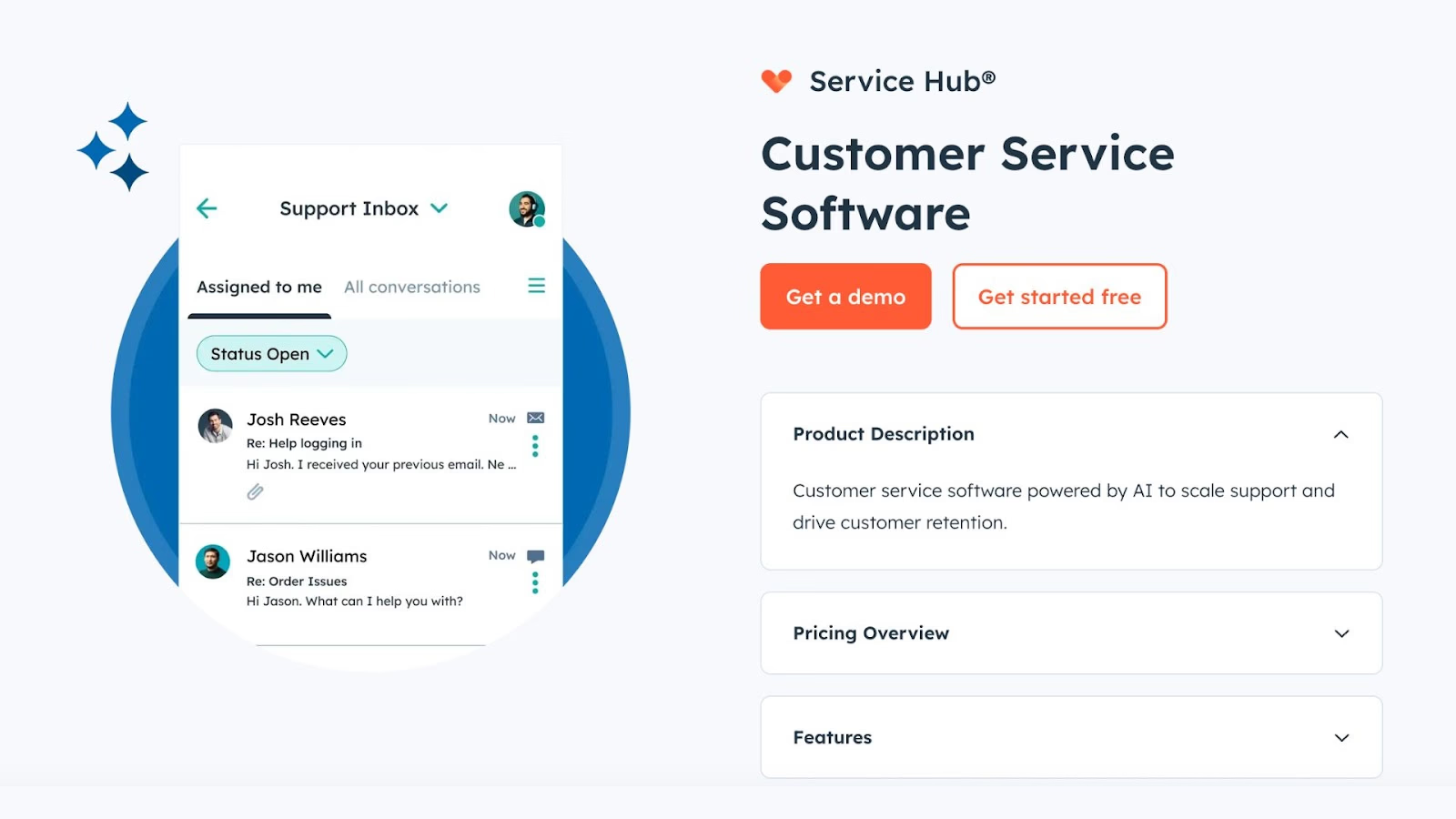
Image source: hubspot.com
HubSpot’s Service Hub includes a knowledge management tool that is fully integrated with its customer relationship management platform. This allows you to create a help center that leverages customer data to provide a more personalized experience.
Key features:
- Integration with HubSpot's CRM, ticketing, and live chat tools.
- Reporting on article performance and search queries.
- Templates and SEO features to optimize content.
Pricing:
- Starter: Starts from $15/seat/month.
- Professional: Starts from $90/seat/month.
- Enterprise: Starts from $150/seat/month.
Best for: Marketing and sales-focused businesses that are already using the HubSpot CRM for their knowledge management.
9. Bloomfire: The AI-powered platform for market insights
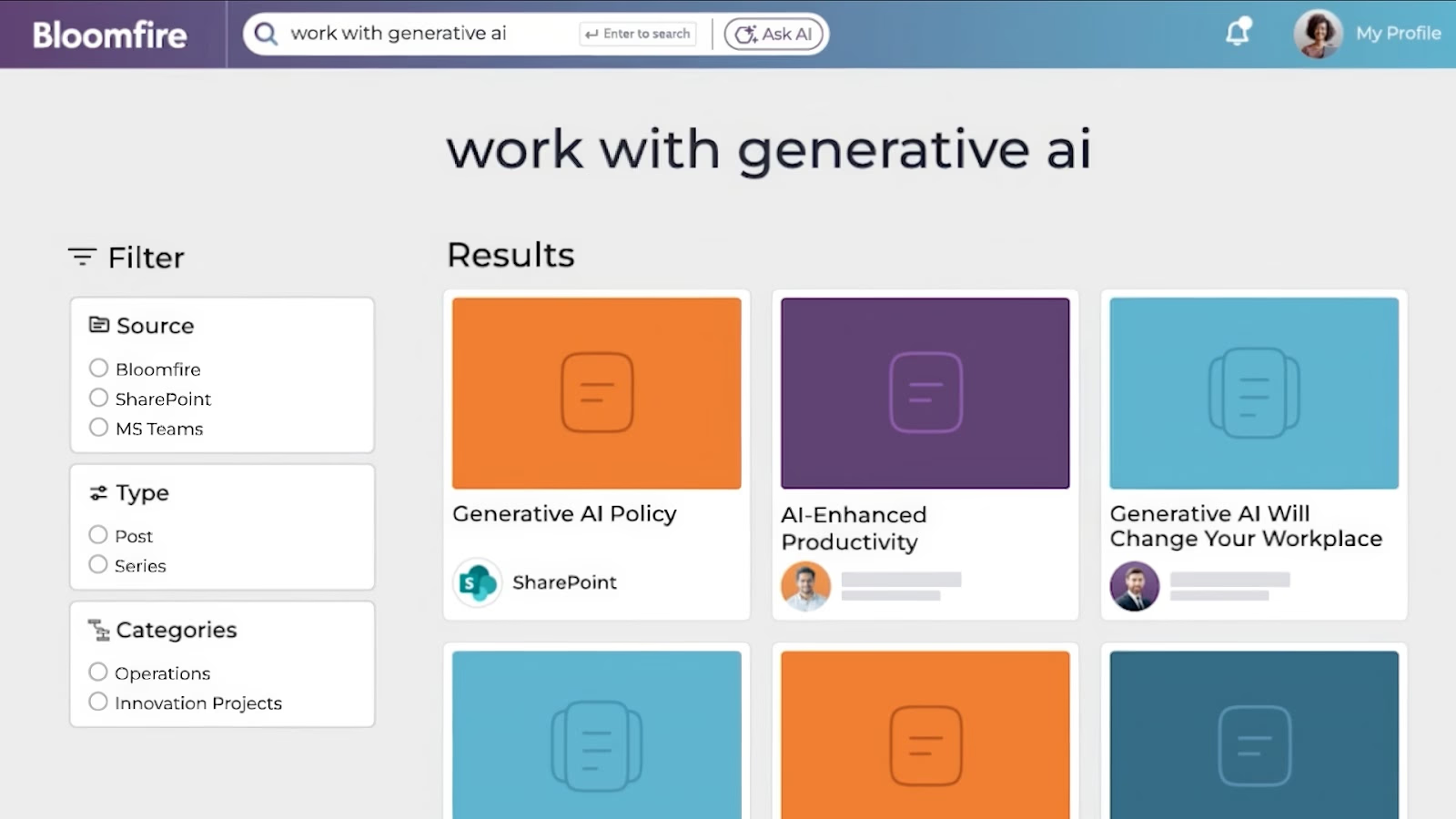
Image source: bloomfire.com
Bloomfire uses AI-powered search to help teams find and share knowledge and research. It focuses on connecting employees with the insights they need to make informed decisions, making it one of the more specialized AI-powered knowledge management tools for market research and competitive intelligence.
Key features:
- Search functionality that's powered by AI and understands natural language processing.
- Q&A engine to connect employees with subject matter experts.
- Content engagement and search analytics.
Pricing:
- Single team access: Custom pricing; for teams just starting out with knowledge management.
- Department-wide access: Custom pricing; for departments ready to build a robust knowledge program.
- Company-wide access: Custom pricing; access for every employee at your company.
Best for: Market research, insights, and customer experience teams in large organizations.
10. Salesforce Service Cloud: The cloud platform for customer service knowledge
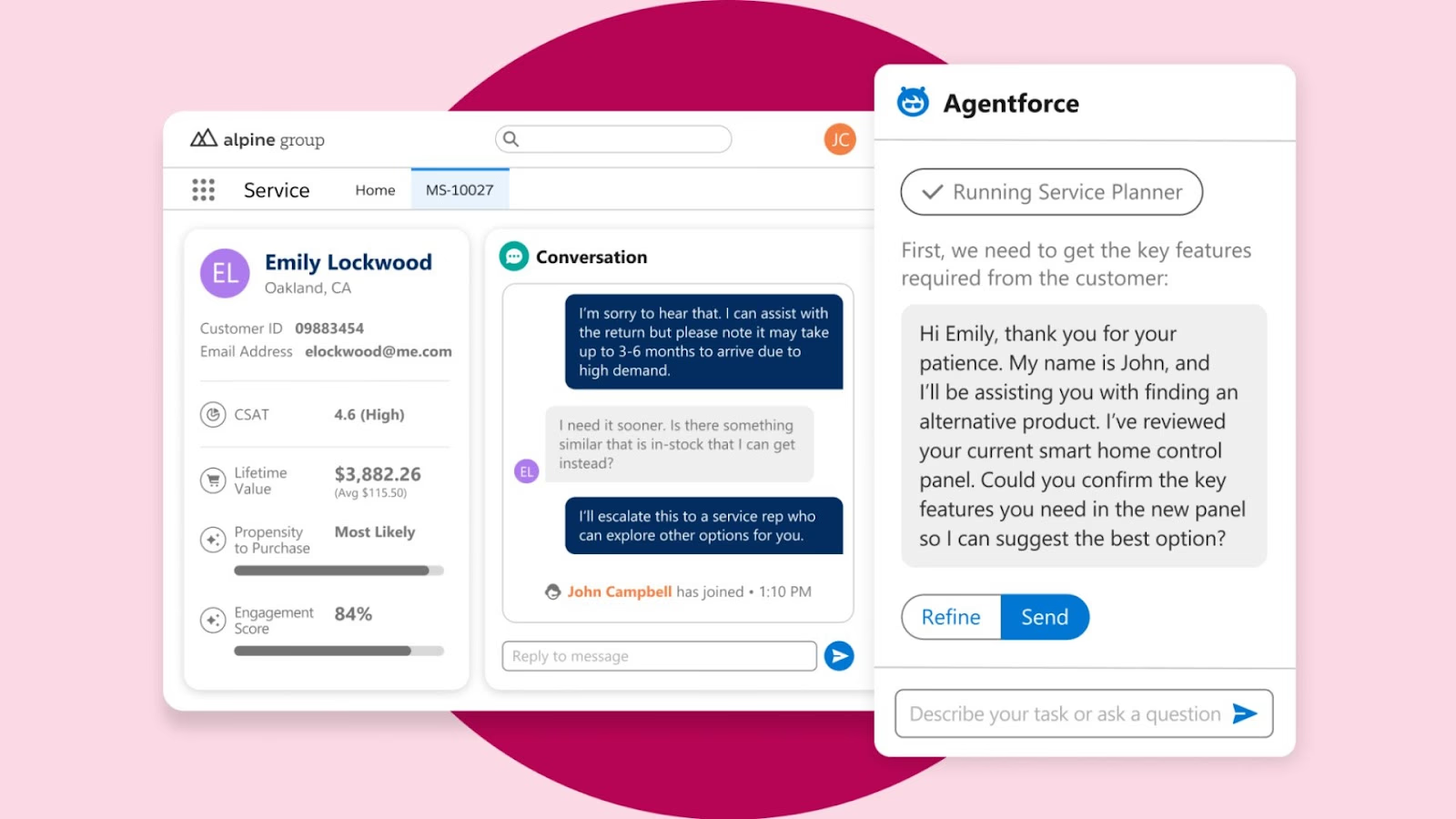
Image source: salesforce.com
Salesforce Knowledge is a key knowledge management feature of its Service Cloud platform. It allows businesses to build a comprehensive knowledge base that empowers both support agents and customers with the right answers, right from the world's leading CRM.
Key features:
- Seamless integration with Salesforce CRM data.
- Variety of AI features, including the ability to give article recommendations for support cases.
- Workflow automation for content creation and approval.
- Create knowledge base articles for self-serve and internal support.
Pricing:
- No free plan; offers a free trial.
- Starter suite: Starts from $25/user/month.
- Pro suite: Starts from $100/user/month.
- Enterprise: Starts from $165/user/month.
- Unlimited: Starts from $330/user/month.
- Agentforce 1 sales: Starts from $550/user/month.
Best for: Mid-sized to large enterprises that rely on Salesforce as their central CRM and need a robust knowledge management system.
Other knowledge management options
Here are a few other knowledge management tools worth considering, depending on whether you prioritize expert Q&A, project-linked documentation, structured training, or enterprise-wide knowledge sharing.
- Stack Overflow for Teams: Helps organizations capture and preserve internal expertise through a private, searchable Q&A format. Teams can ask questions, validate answers, and build a trusted knowledge archive that reduces repeated issues and dependency on individual experts.
- ClickUp: A work management platform that brings tasks, documents, and collaboration into one connected workspace. Its built-in docs and knowledge features allow teams to create internal wikis that stay closely linked to day-to-day work and execution.
- Trainual: Combines knowledge management with onboarding and training by turning company processes and policies into guided learning content. It’s especially well suited for growing teams that need to standardize how knowledge is documented, taught, and retained.
How we select and assess software in our reviews
Our editorial team follows a transparent, repeatable methodology. Every review is based on hands-on experience in realistic working scenarios, and we always stick to a set of consistent scoring criteria.
- Features and functionality
- Security, privacy, and compliance
- Integrations and compatibility
We test tools with real-world datasets, focusing on features users care about most. Pricing and release notes are verified, and user feedback is considered. Reviews are unbiased, updated regularly, and never influenced by paid placements. For more, see our full .
Benefits of a knowledge management platform
Effective information management gives organizations a real edge. A knowledge management system is now essential for building a resilient, agile business. Its value comes from clear, organization-wide benefits that solve common problems and boost growth.
Here are the key benefits of using a knowledge management platform:
- Breaks down information silos: Teams often work in isolation, creating pockets of knowledge that are inaccessible to the wider organization. A centralized knowledge management tool unifies fragmented information, ensuring that sales, marketing, and engineering all draw from a single well of knowledge.
- Boosts productivity and efficiency: Employees spend a significant amount of time searching for information. A centralized knowledge platform with powerful search capabilities drastically reduces this wasted time, improving operational efficiency and allowing teams to focus more on high-value work instead of chasing answers.
- Improves decision-making: Better decisions are built on a foundation of accurate, up-to-date information. By providing decision-makers with easy access to relevant knowledge, reports, and historical context, a knowledge management solution empowers them to make smarter, more strategic choices with confidence.
- Enhances team collaboration: These knowledge management tools provide the shared space and features needed for effective teamwork. Features like co-editing documents, creating task lists from messages, and maintaining project-specific wikis ensure everyone is aligned and working cohesively. Facilitating collaboration is a core part of the knowledge management process.
- Preserves valuable knowledge: When an experienced employee leaves, they often take years of valuable, undocumented knowledge with them. An enterprise knowledge management platform creates a living archive, capturing best practices, project histories, and key learnings to ensure continuity and a culture of continuous learning.
How to choose the right knowledge management platform
With so many top knowledge management tools on the market, selecting the best platform for knowledge management requires a thoughtful approach. Here is a step-by-step guide to help you navigate the knowledge management process and find a knowledge management solution that truly fits your organization.
Step 1: Identify your goals and pain points
Before you even look at a single feature, ask yourself: what problem are we trying to solve with knowledge management? Are you looking to improve employee onboarding, reduce customer support costs, or break down information silos between departments? Define clear, measurable goals. For example, "reduce the time it takes for a new marketing hire to find brand guidelines by 50%." A clear goal is the foundation of any knowledge management effort.
Step 2: Assess your team's workflow
The best knowledge management tool is one that fits naturally into how your team already works. Observe their daily routines. Do they live in a chat application? Do they rely heavily on ? A knowledge management software that requires a major shift in behavior is less likely to be adopted. Look for a knowledge management solution that integrates with the tools they already use and streamlines their existing processes.
Step 3: Evaluate key features and integrations
Now it's time to get into the details. Make a list of must-have features based on your goals for knowledge management. This could include real-time collaboration, version control, AI-powered search, or automation capabilities. Equally important are integrations. Ensure the knowledge management platform can connect seamlessly with your other essential systems, like your project management software or CRM. This is crucial for a successful knowledge management implementation.
Step 4: Prioritize user experience and adoption
A powerful knowledge management tool is useless if no one uses it. The tool should be intuitive, easy to navigate, and accessible to employees of all technical skill levels. Request demos and , and have a small group of end-users test the knowledge management software. If your team finds it clunky or confusing, user adoption will be a constant struggle.
Step 5: Analyze scalability and total cost of ownership
Think about the future. Your chosen knowledge management software should be able to scale as your team and your volume of organizational knowledge grows. Look beyond the initial price tag and consider the total cost of ownership, which includes implementation, training programs, and ongoing maintenance. Choose a knowledge management platform with that can adapt to your company’s growth.
Conclusion
Effective knowledge management helps teams turn information overload into a real advantage. Rather than acting as simple storage, a strong platform supports the capture, organization, and sharing of knowledge so teams can make better decisions, reduce silos, and support ongoing innovation. Because knowledge sharing is an ongoing process, selecting a tool that fits existing workflows and encourages broad participation is essential.
Based on our testing, Lark performed best as a knowledge management platform, largely due to its integrated all-in-one approach. It combines core collaboration tools with built-in AI and knowledge-sharing features, reducing the need for multiple separate systems. The free plan for up to 20 users also makes it easy for teams to evaluate the platform with no upfront commitment.
Bring all your team's knowledge into one place with Lark.
FAQs
What is a knowledge management tool?
A knowledge management (KM) tool is a centralized digital system for capturing, organizing, and sharing an organization's collective knowledge. It manages both explicit knowledge (like documents) and tacit knowledge (like employee expertise). Its ultimate purpose is to turn scattered information into an actionable asset that empowers better decision-making and boosts productivity through effective knowledge management.
What's the difference between CMS and KMS?
A CMS (Content Management System) manages publishing content for external audiences. This could be websites, blogs, or other forms. In contrast, a KMS (Knowledge Management System) manages internal organizational knowledge for employees. However, it's worth noting that a CMS can be a part of a larger KMS that a company uses.
Is Salesforce a KMS?
Yes, Salesforce acts as a powerful knowledge management system (KMS) through its Salesforce Knowledge feature, integrated within Service Cloud. It excels at giving customer service agents instant access to articles and solutions right alongside customer data. While it's an excellent knowledge management tool for companies within the Salesforce ecosystem, others may prefer a more general-purpose knowledge management software.
What is the best knowledge management tool?
The best platform for knowledge management is always the one that aligns with your team’s unique goals and workflows. For organizations looking to move beyond disconnected tools, an all-in-one knowledge management platform like Lark is often the ideal solution. It stands out by unifying chat, docs, databases, and project management, making knowledge sharing a natural part of daily work.
What is the best knowledge management software for small businesses?
Lark, HubSpot Service Hub, and Notion all offer affordable plans that make them great cloud-based knowledge management platforms for small teams and growing businesses. In terms of free plans, Lark offers the most generous plan, with 11+ free tools, access for 20 users, and 100s of templates designed to help you manage content, knowledge, data, and your business.
What are the 5 P's of knowledge management?
The 5 P's are a framework for building a holistic knowledge management strategy: Purpose (clear goals tied to overall business needs), People (the knowledge workers and culture that encourage sharing), Processes (the workflows for capturing and updating knowledge), Platform (the technology that fits into existing tools rather than operating in isolation), and Performance (how organizations measure impact, including customer satisfaction).
What are the 4 types of knowledge management?
The four types are tacit, explicit, implicit, and embedded knowledge management. They cover everything from sharing personal expertise to documenting processes and embedding knowledge directly into systems and workflows.
What are the 7 new management tools?
The 7 new management tools are structured planning and problem-solving techniques, including Affinity Diagrams, Tree Diagrams, Matrix Diagrams, and Prioritization Matrices. They help teams organize ideas, understand relationships, and make informed decisions.
What are the 5 C's of knowledge management?
The 5 C’s—Capture, Create, Codify, Communicate, and Consume—describe the full knowledge lifecycle. Together, they ensure information is collected, structured, shared, and actively used.
What is enterprise knowledge management?
Enterprise knowledge management is an organization-wide approach to capturing, organizing, and sharing knowledge at scale. It helps reduce silos, reliance on traditional knowledge bases, preserve institutional knowledge, and support consistent decision-making across teams.
Related reading




















![What Is a 2-2-3 Work Schedule? Explanation and More [2026]](https://framerusercontent.com/images/uKHRfkp4v7y4azRNTYUmuteNQz8.png)








