


Top 8 Copper CRM Alternatives for Growing Teams

Fecilia Clarke
Solutions Marketing Specialist
Aug 5, 2026
Fecilia Clarke
Aug 5, 2026

16 min read


For many small businesses, Copper CRM feels like the perfect start. Its deep Google Workspace integration is undeniably brilliant, transforming your familiar Gmail inbox into a functional sales tool.
However, as a business grows, its needs evolve. The very simplicity that was once Copper's greatest strength can become a limitation. The sales processes become more complex, and the need for advanced automation becomes critical. Suddenly, the search for Copper CRM alternatives isn't just a casual exploration—it becomes a strategic necessity. This search is a sign of growth, a signal that your business is ready for a CRM system that can scale with your ambitions.
This guide will provide a clear, comprehensive comparison of the best options to help you navigate that transition with confidence, ensuring you find the best Copper CRM alternative for your unique needs.
Key takeaways: Top 8 Copper CRM alternatives in 2026
- Lark: Build a powerful, custom CRM within your unified workspace
- HubSpot CRM: Leverage a free, marketing-focused CRM to align sales and marketing
- Zoho CRM: Manage your entire business with a customizable, all-in-one suite
- Pipedrive: Drive sales with an intuitive, activity-focused pipeline manager
- Salesforce Sales Cloud: Power complex sales processes with the industry-leading enterprise CRM
- Streak: Turn your Gmail inbox into a flexible CRM for deals and pipelines
- Freshworks CRM: Use AI to prioritize leads and unify sales on a user-friendly platform
- Nutshell: Combine easy CRM use with strong support for B2B sales teams

Our guide to the top Copper CRM alternatives
Navigating the crowded market to find the best CRM features can feel overwhelming. To simplify your search, we have curated a list of the 8 top Copper CRM alternatives, each with its own unique strengths. This selection includes everything from all-in-one collaborative platforms to highly specialized sales tools, ensuring there is a solution for every type of team, from those just starting out to medium sized businesses looking to scale.
1. Lark: Build a powerful, custom CRM within your unified workspace
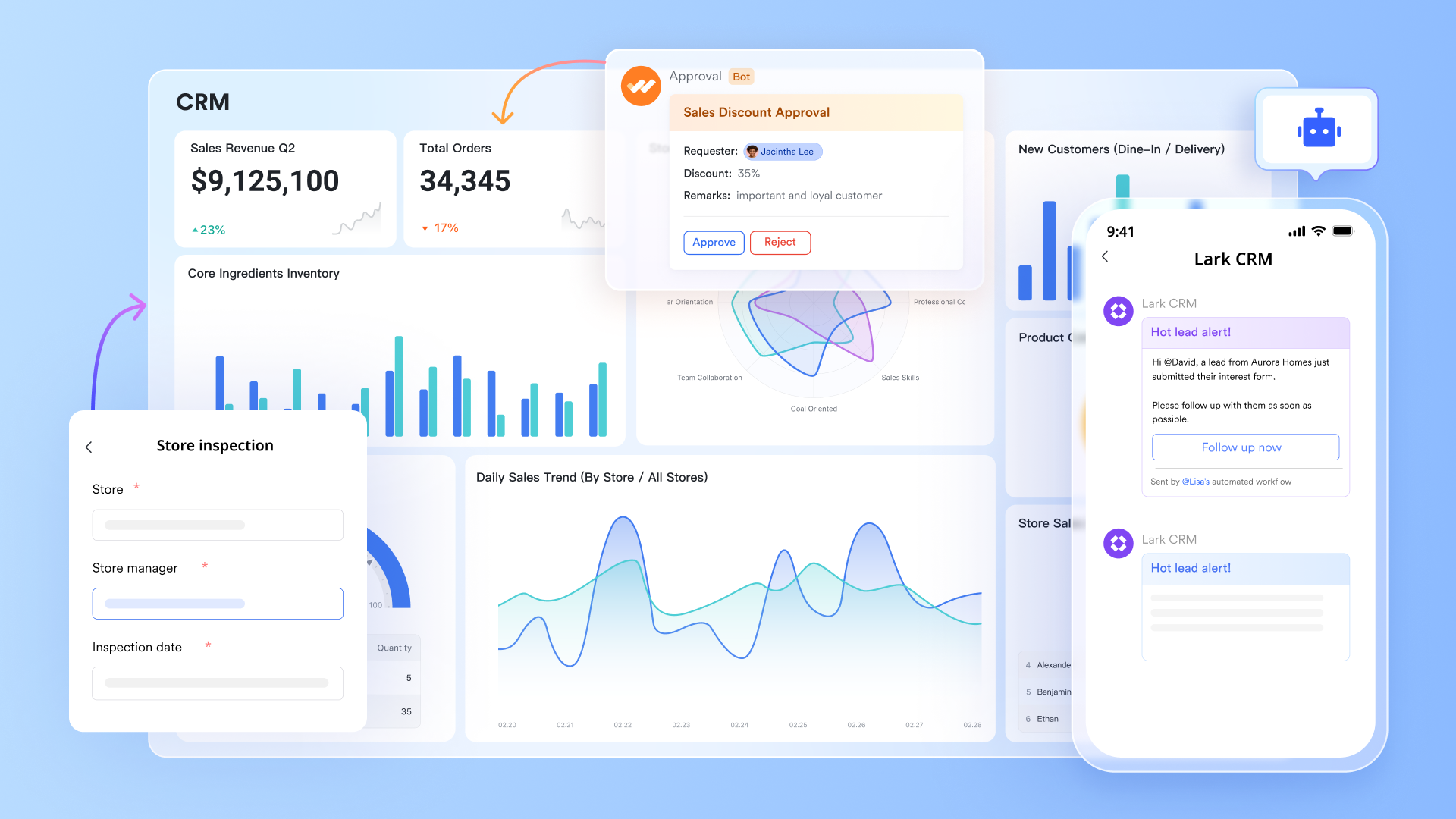
Overview: Lark is fundamentally different from a traditional, standalone CRM. It is a comprehensive digital workspace that empowers teams to build their own fully customized CRM using a powerful and flexible database tool called Lark Base. Lark is the ideal choice for businesses looking to break free from rigid software and unify their sales process with their team's daily communication, task management, and data analysis—all within a single, interconnected platform. It addresses the core pain points of context switching and information silos by its very design.
Key features:
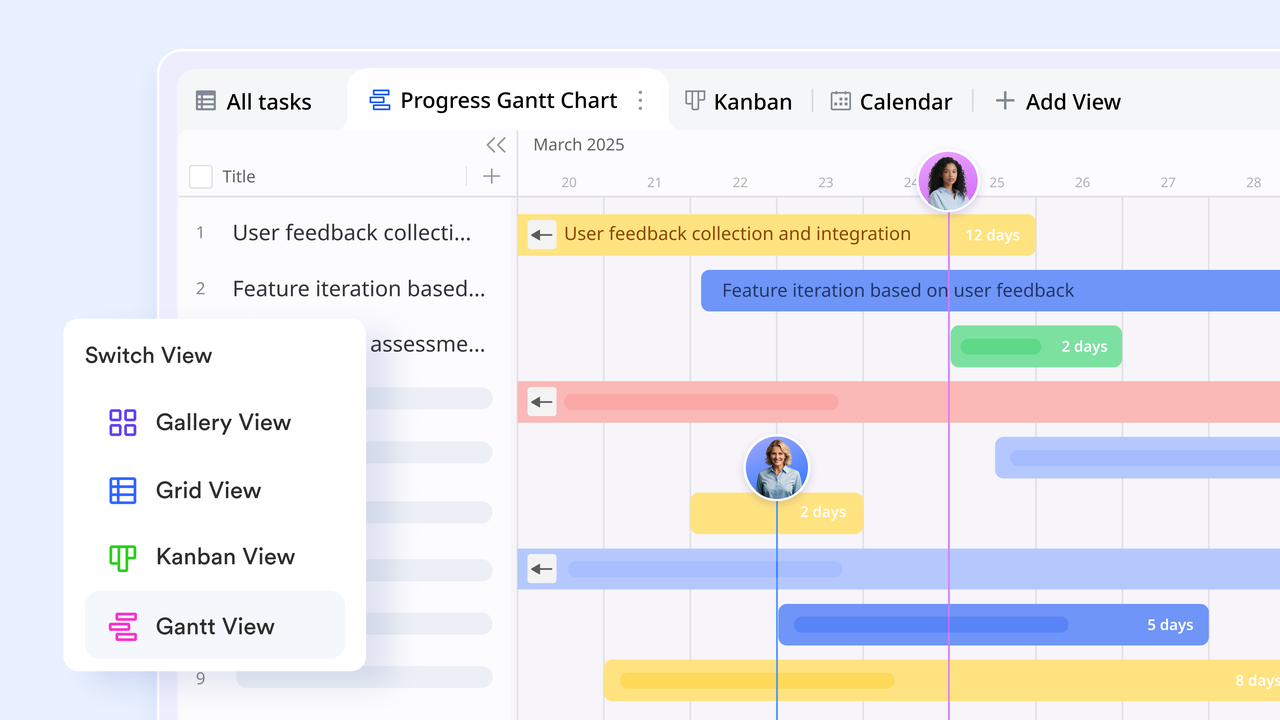
- Customizable CRM with Lark Base: Go beyond standard pipeline management. Build flexible databases for leads, deals, and contacts with completely custom fields, then visualize your data with dynamic views like Kanban boards, Gantt charts, and filterable grids for superior relationship management.
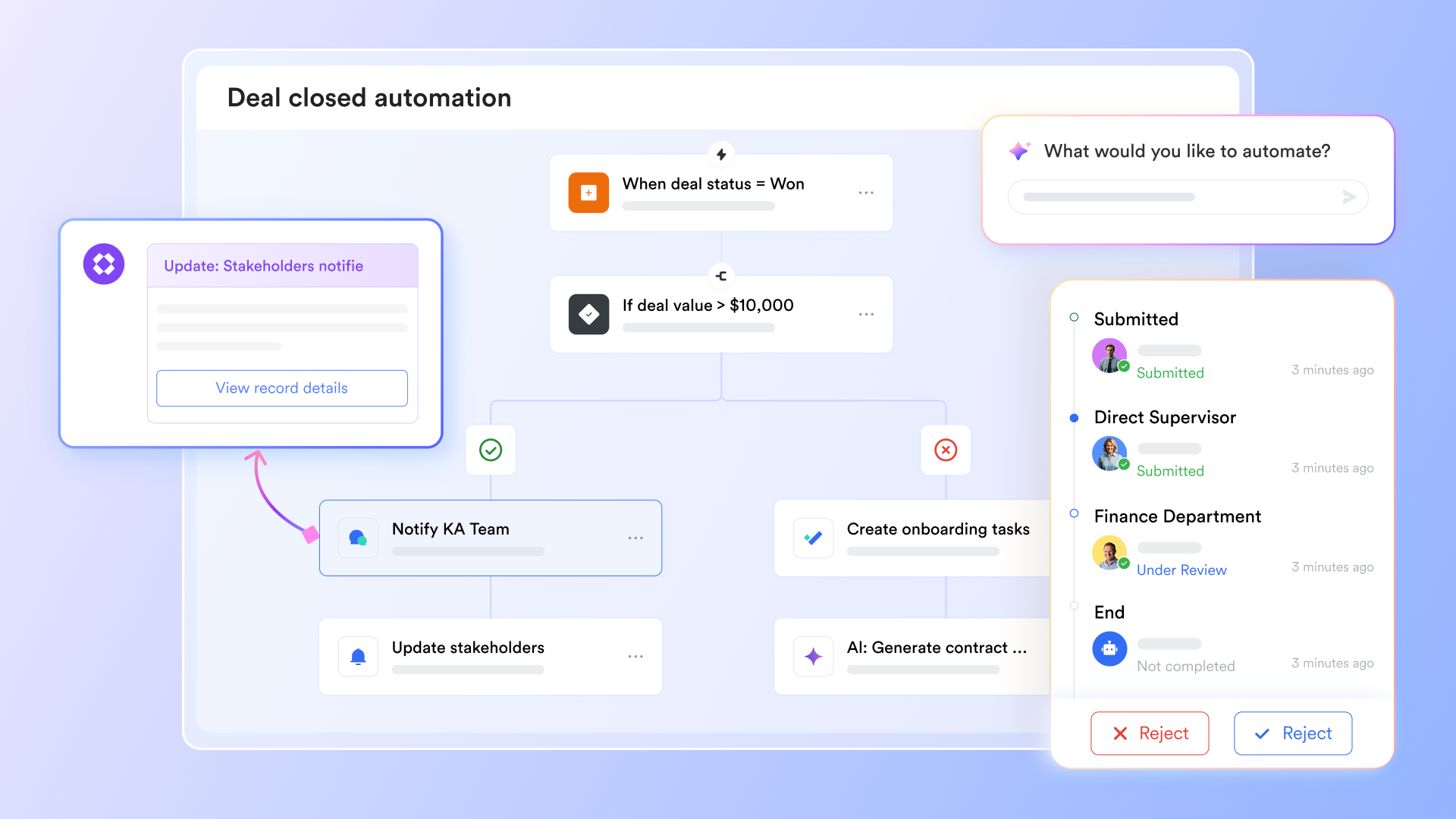
- No-code workflow automation: Create powerful automations directly within your Base CRM. Trigger notifications in team chats when a deal stage changes, automatically assign CRM tasks, or update records based on submissions from Forms without writing a single line of code.
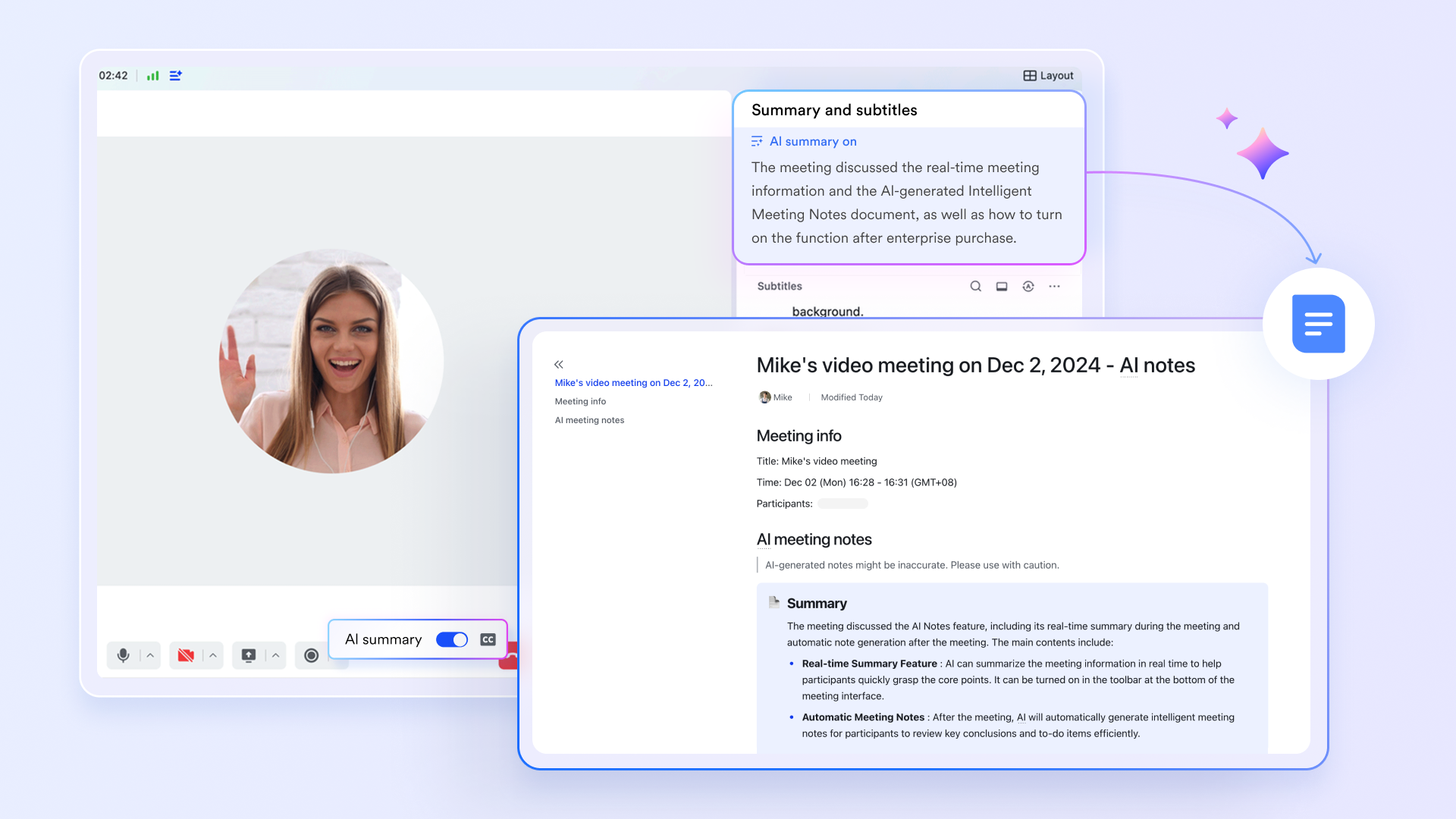
- AI-powered meeting intelligence: Conduct sales calls using Lark Meetings and let AI automatically generate accurate summaries and extract action items. These notes can be linked directly to a deal record, ensuring no detail is ever lost. The mobile CRM app ensures you can do this from anywhere.
- Unified collaboration: Create dedicated chat groups in Lark Messenger for each high-value client or opportunity. In these "deal rooms," you can share files and link Base records, keeping every conversation organized and searchable.
Pricing:
- Free plan: Includes 11 powerful products, supporting up to 20 users, 100 GB storage, 1,000 automation runs and unlimited AI translation in chats, docs and email.
- Paid plans: Starts at $12/user/month, supporting up to 500 users. Includes unlimited message history, 50,000 automated Base workflow executions per month.
- Enterprise plan: custom pricing.
2. HubSpot CRM: Leverage a free, marketing-focused CRM to align sales and marketing
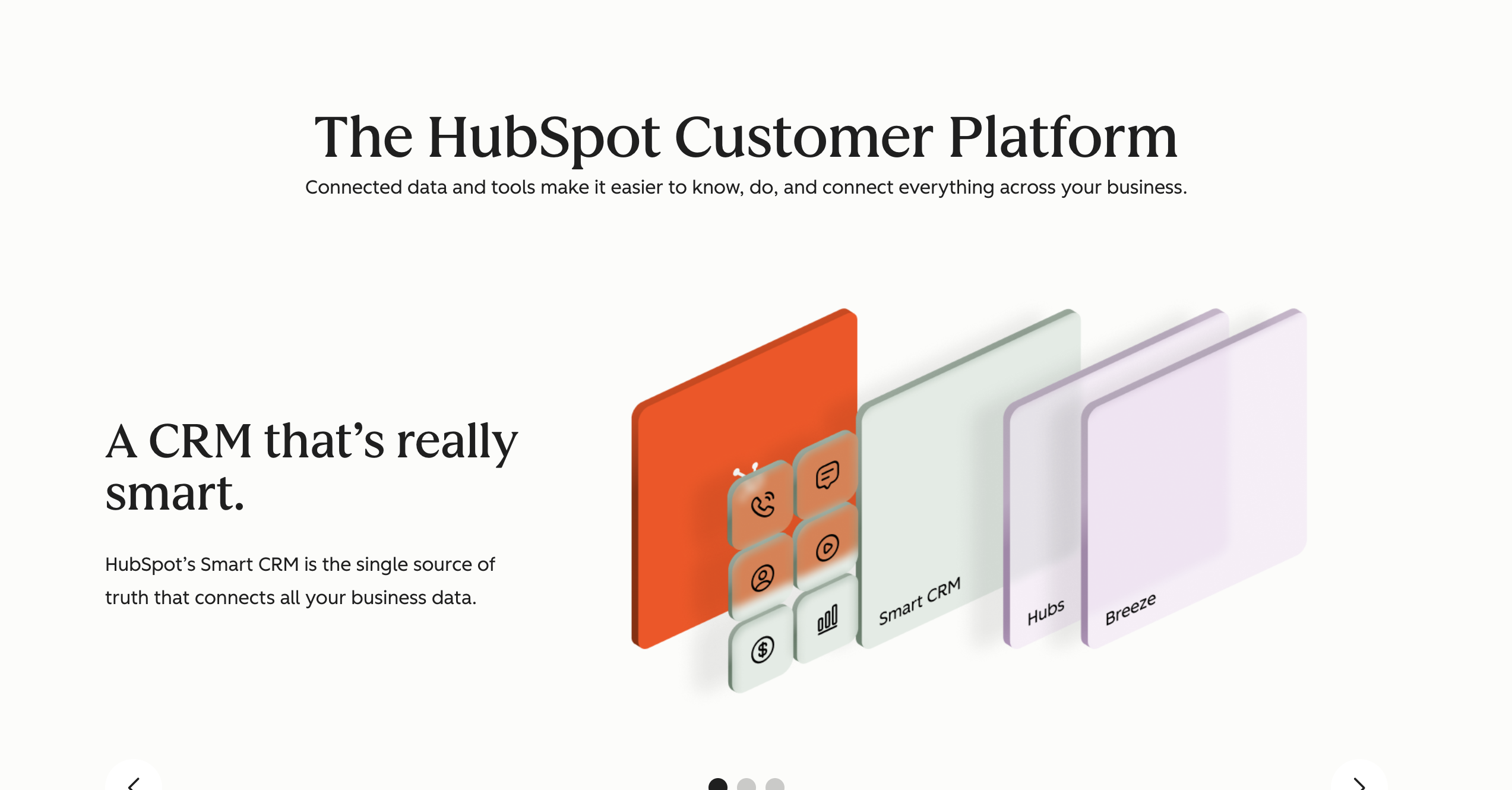
Image source: hubspot.com
Overview: HubSpot is a market leader known for its powerful free CRM and its focus on marketing automation. The platform is divided into different "Hubs," with the HubSpot Sales Hub being the most direct competitor to Copper. It is an excellent choice for businesses that want to tightly align their sales and email marketing efforts. The platform is robust and scales well, but can become complex.
Key features:
- Contact management: A centralized database to store and track every interaction, offering more capabilities than a simple contact manager.
- Deal pipelines: A clean, visual interface to track deals as they move through your sales process.
- Email tracking & Templates: Get real-time notifications when leads open emails and use templates to standardize outreach.
- Meeting scheduler: A personal booking link to eliminate the back-and-forth of scheduling demos and calls.
- Sales hub: The paid version includes advanced sales automation features, enhanced reporting, and more sophisticated tools.
Pricing: HubSpot's fundamental CRM tools are free. To get features comparable to or better than Copper, you'll need to subscribe to the paid Sales Hub. These tiers include Starter, Professional, and Enterprise, with pricing that increases based on feature access and the number of paid users.
3. Zoho CRM: Manage your entire business with a customizable, all-in-one suite
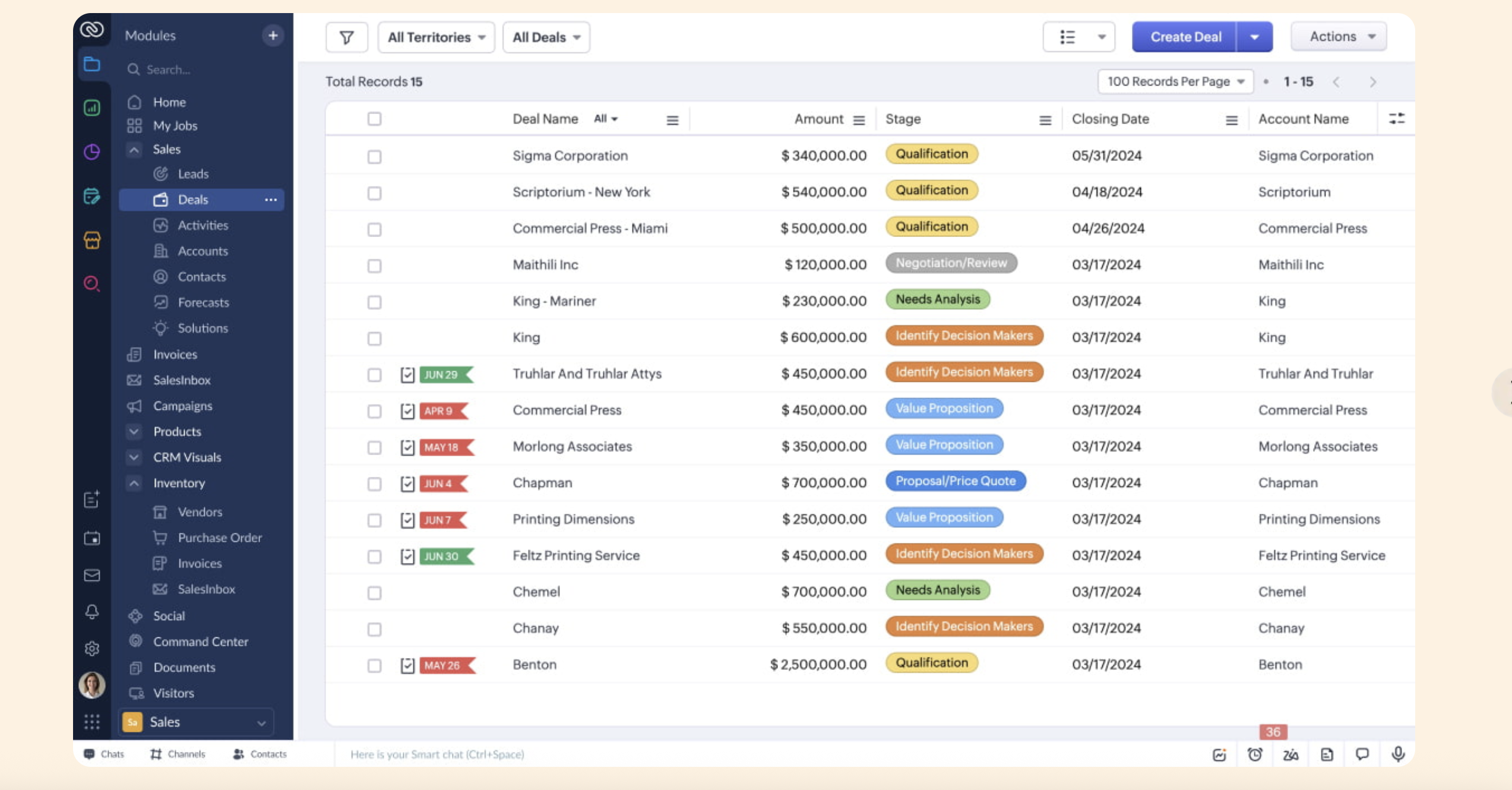
Image source: zoho.com
Overview: Zoho CRM is a powerful platform that is part of a larger ecosystem of business apps. This makes it a formidable choice for businesses that need an end-to-end solution. Its depth and breadth of features make it a strong option for SMBs and enterprises that need a solution tailored to specific operational requirements. The sheer number of options can be a challenge, but Zoho CRM offers incredible flexibility for those willing to learn the system.
Key features:
- Lead & Deal management: Comprehensive tools for tracking and nurturing leads throughout the entire sales funnel.
- Advanced workflow automation: Create complex, multi-step rules to automate routine sales and marketing tasks.
- In-depth analytics: A powerful analytics engine with pre-built reports and customizable dashboards.
- AI-powered sales assistant: Zia, Zoho's AI, can provide predictions and suggest the best times to contact leads.
- Extensive contact management: Go far beyond basic details with rich profiles and interaction histories.
Pricing: Paid plans start at $14/user/month.
4. Pipedrive: Drive sales with an intuitive, activity-focused pipeline manager
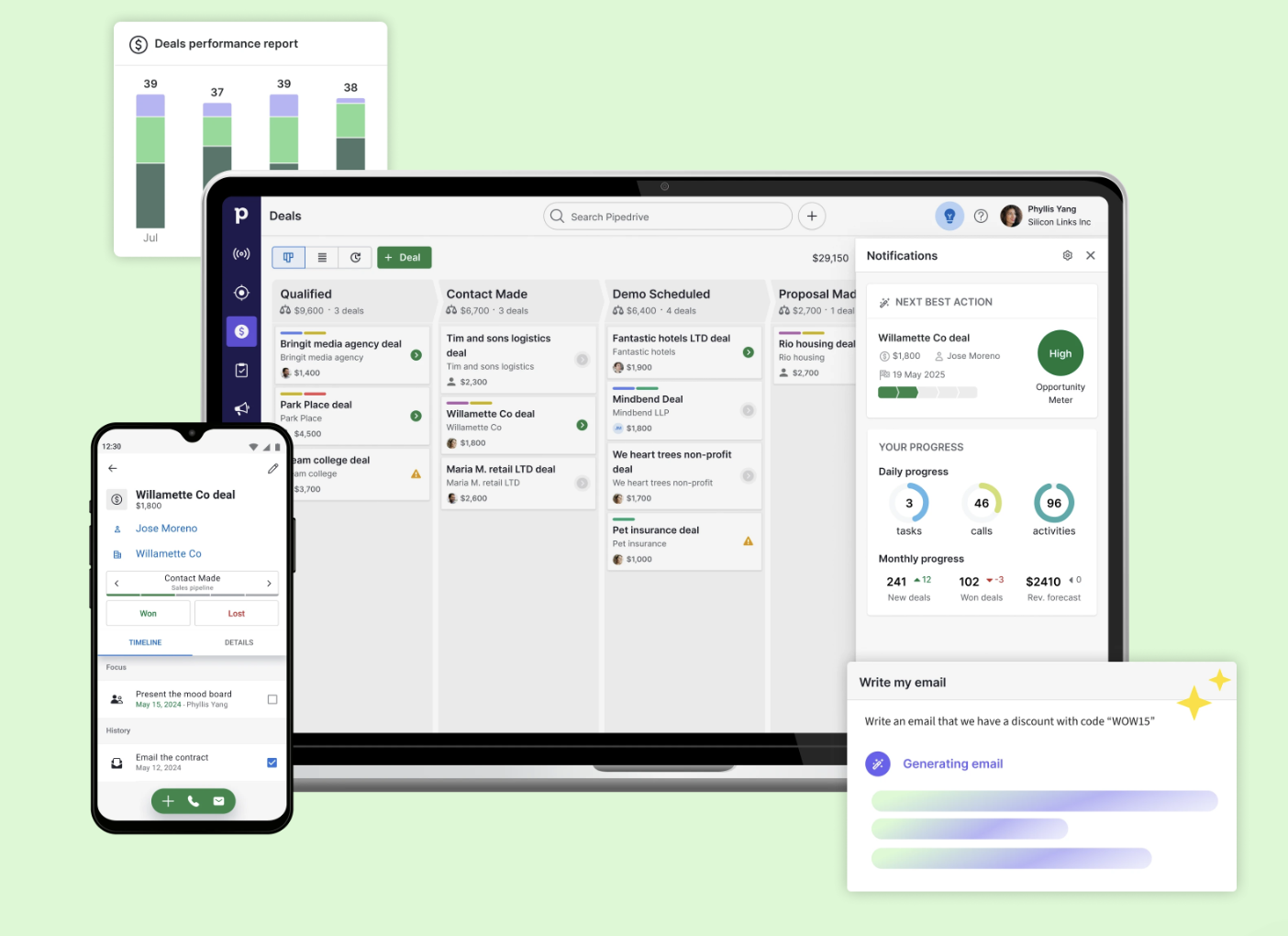
Image source: pipedrive.com
Overview: Pipedrive is a CRM designed with a singular focus: helping salespeople sell. It was built on the philosophy of activity-based selling. The platform’s interface is built around a clean, visual sales pipeline, making it incredibly intuitive. For teams looking for a direct Copper replacement that is hyper-focused on pipeline management and driving sales activities, Pipedrive is a top contender, often praised for its user friendly interface.
Key features:
- Visual sales pipelines: A highly intuitive drag-and-drop interface for managing deals across different stages.
- Activity & Goal tracking: Prompts users to schedule the next activity for every deal, ensuring nothing falls through the cracks.
- Sales forecasting: Provides clear projections of future revenue based on your current pipeline and win probabilities.
- Powerful reporting & Dashboards: Track key sales metrics and identify areas for improvement with customizable reports.
Pricing: Pipedrive provides a free trial. The cost increases with access to more advanced automation and reporting features.
5. Salesforce Sales Cloud: Power complex sales processes with the industry-leading enterprise CRM
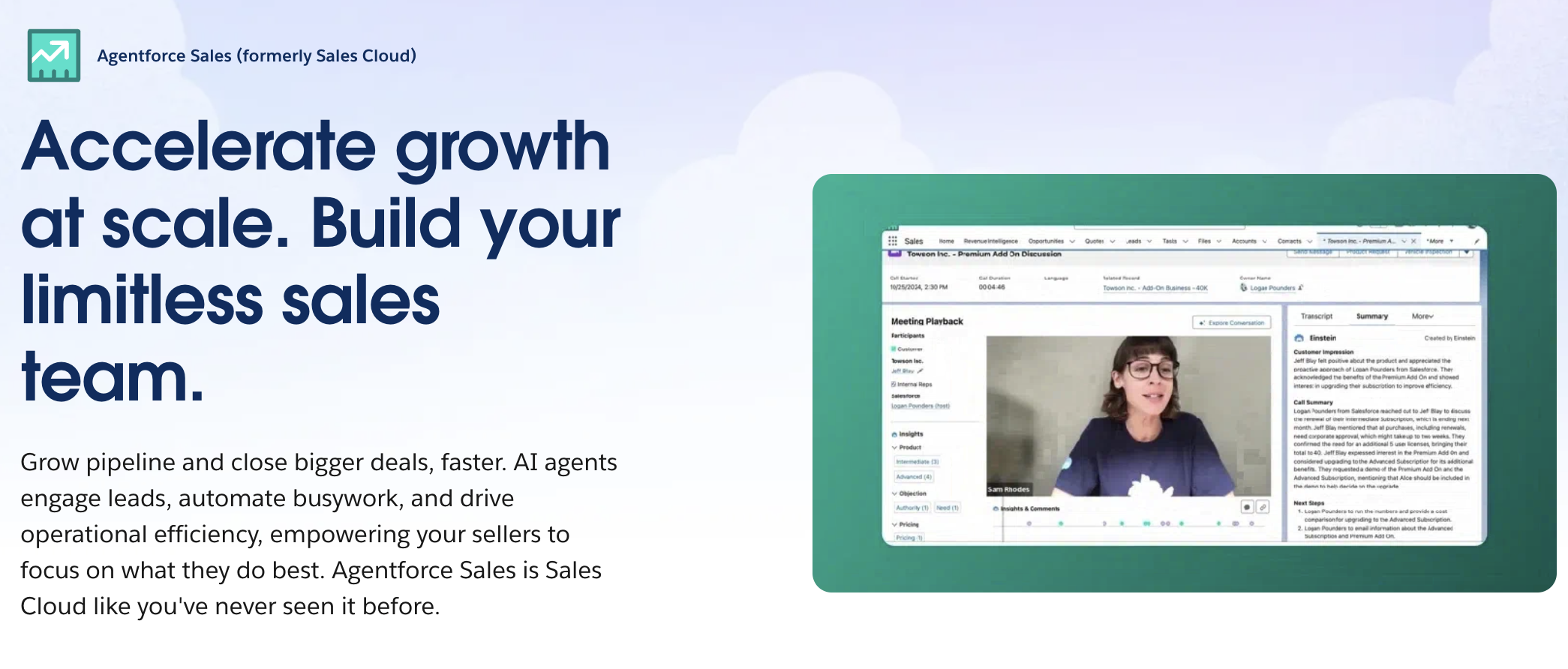
Image source: salesforce.com
Overview: It’s impossible to discuss CRM without mentioning Salesforce Sales Cloud. As the dominant market leader, it offers an incredibly powerful and scalable platform that can be customized to fit the needs of almost any business, from startups to global enterprises. It is a comprehensive solution that goes far beyond simple sales tracking, incorporating advanced analytics, AI, and a massive ecosystem of third-party apps. For businesses with complex needs and the resources to invest in implementation and professional services, Salesforce is the industry standard.
Key features:
- Opportunity management: A detailed system for tracking every aspect of a deal, from key contacts to competitive information.
- Process automation: Use the Process Builder and Flow tools to automate everything from simple task creation to complex approval processes.
- Advanced reporting: Highly customizable reports and dashboards that provide deep insights into every aspect of the sales cycle.
- AppExchange: Access a massive marketplace of third-party applications to extend the platform's functionality.
Pricing: Salesforce pricing is tiered, starting with Essentials for small teams and moving up to Professional, Enterprise, and Unlimited plans. The platform's power comes at a premium price, and implementation can be complex.
6. Streak: Turn your Gmail inbox into a flexible CRM for deals and pipelines
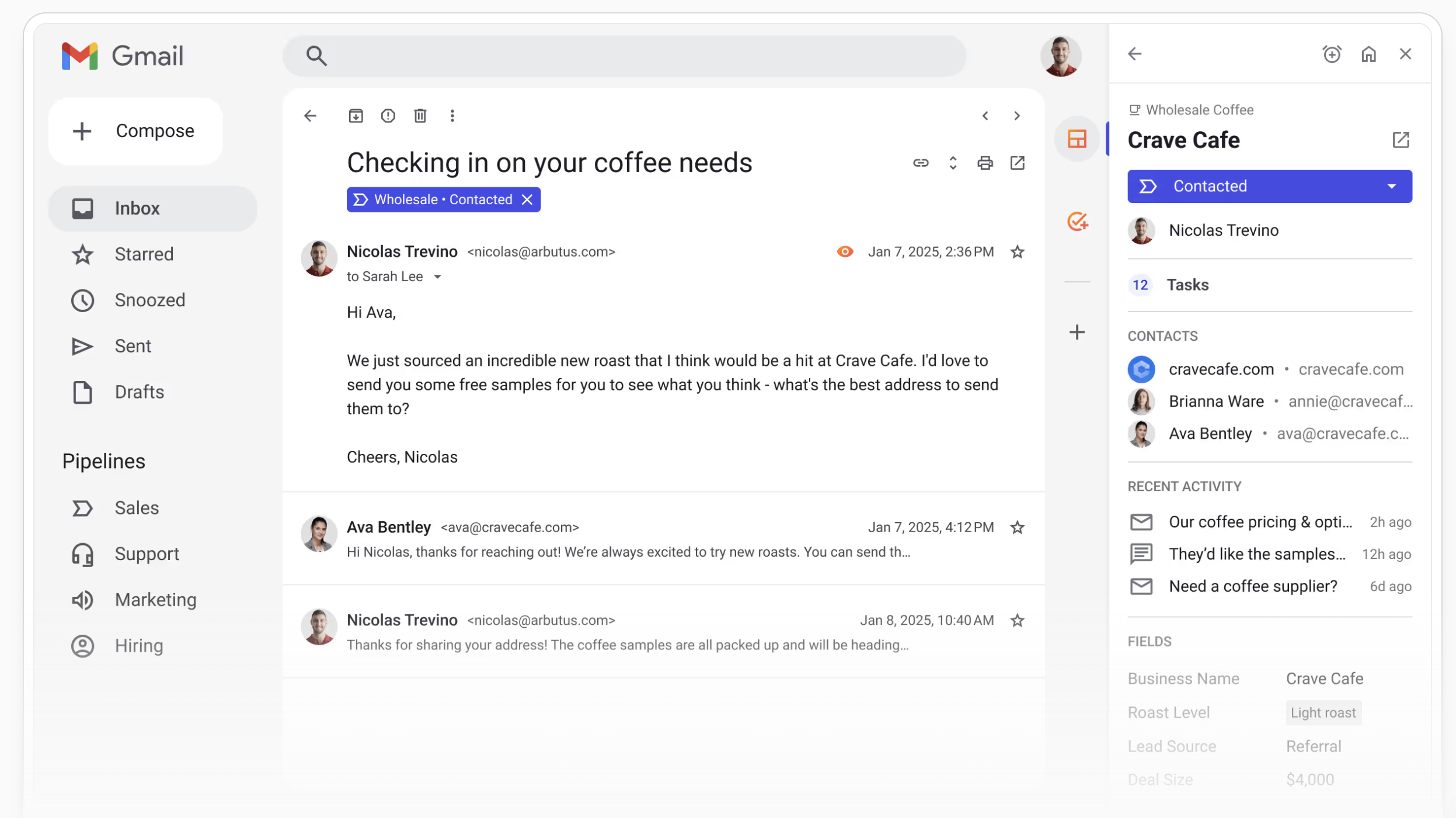
Image source: streak.com
Overview: For teams who believe the best CRM is one they never have to leave their inbox for, Streak is a fascinating option. Like Copper, it offers native Gmail integration, transforming your inbox into a flexible CRM. It's built around the concept of "pipelines in your inbox," allowing you to track everything from sales deals to support tickets. It's a strong alternative for those who love the G-Suite-centric approach but are looking for a different feature set or pricing model. Wondering if Copper CRM good but too pricey? Streak might be your answer.
Key features:
- Runs directly in Gmail: Manages all CRM data within the Gmail interface, both on web and mobile.
- Flexible pipelines: Create and customize an unlimited number of pipelines for any process you want to track.
- Email power tools: Includes email tracking, mail merge for sending personalized mass emails, and snippets for quick responses.
- Shared contact data: Automatically share contacts and email history with your team to provide full context on any lead.
Pricing: For teams, paid plans include Pro,Pro+ and Enterprise, which add more sharing capabilities, advanced reporting, and deeper integrations. Paid plans start at $49/user/month.
7. Freshworks CRM: Use AI to prioritize leads and unify sales on a user-friendly platform
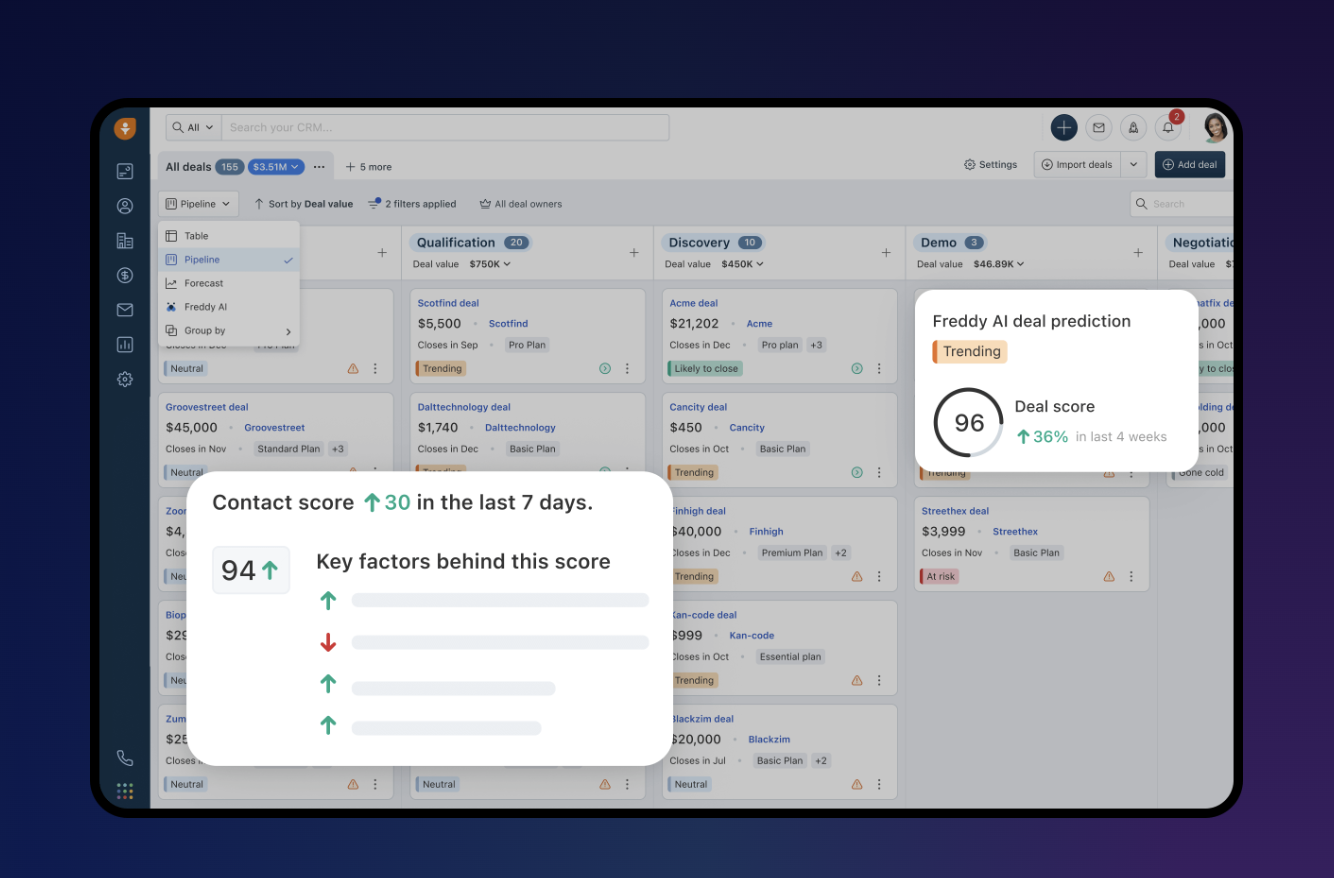
Image source: freshworks.com
Overview: Freshworks CRM is an AI-powered platform that aims to provide a 360-degree view of the customer by unifying sales and marketing. It emphasizes user experience with a clean, intuitive interface and uses AI to help teams prioritize leads. It's a solid alternative for SMBs looking for an all-in-one sales and marketing solution that is easy to adopt.
Key features:
- AI-powered lead scoring: Freddy AI automatically scores contacts based on their engagement, helping reps focus on the hottest leads.
- Visual sales pipeline: A clear, drag-and-drop interface to manage deals and get an overview of your sales funnel.
- Built-in phone & Email: Make calls, send emails, and track all interactions directly from the CRM.
Pricing: Freshworks CRM has a free-forever plan. Its paid tiers, named Growth, Pro, and Enterprise, unlock more advanced AI features and automation.
8. Nutshell: Combine easy CRM use with strong support for B2B sales teams
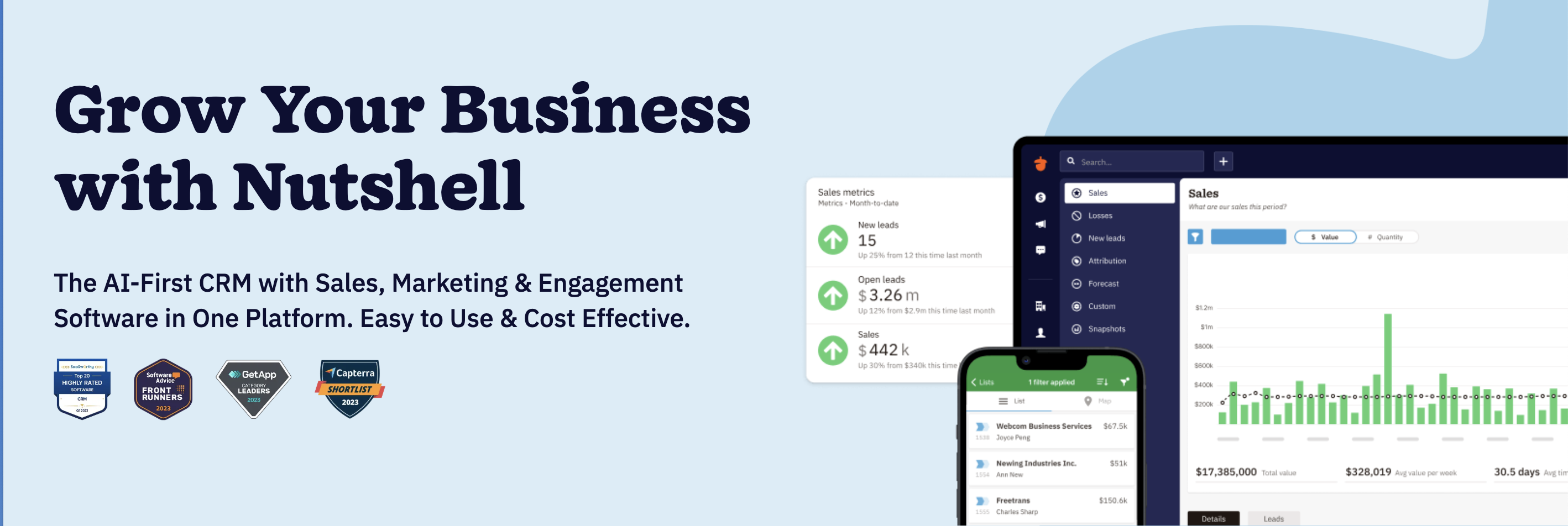
Image source: nutshell.com
Overview: Nutshell is a user-friendly CRM and email marketing automation platform designed for B2B sales teams. It emphasizes ease of use and strong customer support. This makes it an appealing choice for teams who may not have dedicated IT support and value being able to get help from a real person quickly.
Key features:
- Contact management: A simple, consolidated view of your contacts and all communication history.
- Visual pipeline management: Four different ways to view your pipeline, including a board view and map view.
- Sales automation: A suite of tools to automate sales processes and ensure leads don't go cold.
Pricing: Paid plans start at $13/user/month.
When is it time for a change?
Recognizing that your current tool is no longer the right fit is the first step toward building a more efficient and scalable operation. It's a common part of a company's lifecycle. As teams expand, the requirements placed on a CRM platform multiply. What once worked for a small team can become a bottleneck that hinders business operations. This section validates those feelings by breaking down the key challenges that prompt forward-thinking teams to look beyond the standard Copper CRM's features.
This isn't about criticizing a tool that has served many businesses well. Instead, it's about understanding the natural friction points that arise during growth. For many, these challenges start as minor annoyances but can evolve into significant obstacles that impact productivity and sales performance. By identifying your specific pain points from the list below, you can better define what you need in your next CRM alternative and ensure your choice is a strategic upgrade, not just a lateral move.
When the price outpaces the value
One of the most common drivers for seeking an alternative is Copper CRM's pricing. Copper CRM doesn't offer any free plan, which would be tricky for many small businesses. The per-user pricing structure is straightforward, but as a sales team grows, the subscription cost can escalate quickly. The issue isn't just the price itself, but the perceived value. Teams begin to ask whether the feature set justifies the investment, especially when other tools offer advanced features for a similar or lower cost. Many basic plan users find themselves needing more, but the jump to a professional plan or enterprise plan feels too steep.
This financial pressure forces a re-evaluation of return on investment. A manager might calculate the total annual cost and question if the platform’s impact on revenue and efficiency truly warrants the expense. When a CRM’s cost becomes a major line item in the budget without delivering overwhelmingly clear value through powerful workflow automation or deep analytics, the search for a more cost-effective solution becomes a top priority. It's a practical business decision rooted in maximizing resources for both sales and customer support teams.
When you need more than a basic contact management tool
Copper excels at basic contact management within the familiar confines of Gmail. But what happens when your business needs more? Growing companies often require functionality that extends beyond a simple sales tool. You might need integrated project management capabilities to handle complex client onboarding after a deal is closed. Or perhaps you need sophisticated marketing tools and service tools to manage the entire customer lifecycle, from lead generation to long-term customer engagement. This is where a more comprehensive CRM solution becomes necessary.
This is where specialized CRMs can feel confining. The need for more robust automation that can trigger actions across different departments, or the desire for a built-in knowledge base to house your sales playbook, pushes teams toward platforms offering extensive customization. The ideal solution supports the entire customer journey, not just the path from contact to contract. For teams managing complex workflows, a simple Gmail based CRM is often not enough, prompting them to explore the wider market.
When your tools feel disconnected
Even with its celebrated Google Workspace integration, Copper is fundamentally a separate application. Your team still lives in a world of context switching—jumping from the CRM to a team chat app, then to a document editor, then to Google Calendar to check availability. Each switch drains focus and efficiency, and these moments add up. For Google Workspace users who rely heavily on an integrated ecosystem, having a key tool that still feels separate can be a source of constant friction and lead to excess manual data entry.
This fragmentation creates information silos. A critical conversation about customer interactions might be buried in a chat thread, completely invisible within the CRM record. This makes it difficult to manage customer data effectively. The search for a Copper alternative is often a search for a more unified workflow—a central hub where communication and data coexist. Achieving seamless integration between all essential tools is the ultimate goal, creating a single source of truth for the entire team.
When one size no longer fits all
Every business has a unique sales process. Off-the-shelf solutions can force teams to change their winning workflow to fit the software, rather than the other way around. You might need to build custom web forms to capture specific lead information or design dashboards that reflect your unique KPIs. When your needs evolve beyond what a straightforward CRM solution can offer, you start to crave a more flexible CRM software that can be molded to your operations.
This is where the desire for a personalized CRM experience becomes a key driver. Teams start looking for a platform where they can add custom fields, design unique pipeline stages, and build bespoke automations that precisely match their needs. The goal is to find a system that feels like it was built specifically for your business, empowering your team to work more effectively. This level of control is crucial for optimizing your outbound sales and internal processes.
How to choose the right Copper CRM alternative for your business
Choosing a new CRM is a significant decision. The right tool can act as a catalyst for growth, while the wrong one can create friction. Now that you have an overview of the top alternatives, the next step is to think strategically about what your business truly needs. The perfect CRM isn't just about having the most features; it's about having the right features that align with your unique workflow and future ambitions.
To make a confident choice, you need to look inward at your own organization. This involves a thoughtful evaluation of how your teams operate, what your long-term goals are, and the practical realities of migration. By focusing on the three strategic pillars below, you can create a clear decision-making framework that will guide you to the best possible solution, ensuring your next CRM is a lasting investment for enabling businesses to thrive.
1. Evaluate your team's core workflow first
Before you get dazzled by feature lists, map out your team's actual day-to-day workflow. Is your process purely sales-centric, or is it highly collaborative? If closing a deal requires input from legal, coordination with finance, and a detailed handoff to a project manager, your needs are fundamentally different. In this scenario, a CRM that exists on an island, separate from your collaborative tools, will always be a point of friction. For these cross-functional workflows, a unified platform becomes exponentially more valuable. Consider a solution where your CRM and team chat live together. This ensures that everyone involved in a customer's journey has access to the same information, in the same place.
2. Plan for the business you will be in two years
It’s tempting to solve only for the problems you have today. A truly strategic decision, however, involves planning for the business you aim to become. The CRM you choose should support your growth over the next two to five years. Think about scalability. Will the pricing model become prohibitively expensive as you double or triple your team size? Look beyond the surface-level features and examine the platform's underlying flexibility. How deep are its integration capabilities? Does it have a robust, open API? A scalable CRM grows with you, offering the power and customization you'll need as your processes become more sophisticated.
3. Create a clear and realistic migration plan
The fear of a difficult migration can be paralyzing. Address it head-on by making the migration process a key part of your evaluation. How easy is it to export your complete data set from Copper—including contacts, organizations, deals, and notes? A clean export is the foundation of a smooth transition. Next, investigate the import capabilities of your potential new CRM. Do they offer a clear, user-friendly import tool? Prioritize solutions that make this transition as seamless as possible. A well-planned migration minimizes downtime and ensures your team can hit the ground running.
Conclusion
The search for a Copper CRM alternative is a pivotal moment. It’s an opportunity to rethink not just your tools, but your entire way of working. While it’s easy to get caught up in a feature-for-feature comparison, the most transformative choice often involves shifting your perspective entirely. The goal should be to reduce complexity, not simply trade one siloed application for another.
While specialized CRMs are excellent at managing a sales pipeline, their focus is inherently narrow. The future of productive work lies in the all-in-one solutions like Lark, where information flows freely. Why settle for another standalone CRM when you can build a flexible one inside a workspace that already handles your team’s communication, meetings, and projects? This approach eliminates information silos and dissolves the friction between collaborating teams, empowering your business to build truly seamless workflows.
FAQs
How difficult is it to migrate my data from Copper CRM to a new system?
Migrating from Copper can be straightforward if planned correctly. Most alternatives, including Lark, offer tools to import your data, such as contacts, companies, and deals, via CSV files. The key is to first export clean data from Copper and then map the fields correctly in the new system. We recommend dedicating time to cleanse your data before migration to ensure a smooth transition.
I'm worried about the cost. Are there affordable yet powerful Copper CRM alternatives?
Absolutely. High cost is a primary reason teams switch from Copper. Many alternatives offer more value at a lower price point. Solutions like Lark provide a customizable CRM within a full collaborative suite for a single subscription fee. This eliminates the need to pay for multiple separate tools, significantly reducing your overall software spend while increasing your team's capabilities.
My team lives in Google Workspace. How do these alternatives maintain that level of collaboration?
If you are exploring Google Workspace alternatives to optimize your budget against standard Google Workspace pricing, you'll find that many tools still only offer basic integration for calendar, email, and drive. However, a truly unified platform like Lark takes this a step further by bringing collaboration inside your workflow. Instead of just syncing data, you can create dedicated deal rooms in chat, co-edit proposals in docs, and manage all communication and tasks related to a customer in one place.
Why should I build a CRM in Lark instead of choosing another traditional CRM?
Building a CRM in Lark Base gives you unparalleled flexibility. Instead of adapting your sales process to fit a rigid tool, you can build a tool that perfectly matches your process. This no-code approach allows you to create custom pipelines, automate unique workflows, and manage any type of data you need, creating a completely bespoke system without the high cost of custom development.
Related reading
Table of contents
Start using Lark today

Manage all your work in one place
Boost team efficiency by 10x
Save up to 70% on software costs
Table of contents
Start using Lark today
Manage all your work in one place
Boost team efficiency by 10x
Save up to 70% on software costs
Keep reading









2026 Lark Technologies Pte. Ltd.
Headquartered in Singapore with offices worldwide.






Explore: