


CRM Workflow: Definition, Examples, and Automation

Ryan Tanner
Product Marketing Specialist
Aug 5, 2026
Ryan Tanner
Aug 5, 2026

9 min read


Efficient workflows are the backbone of customer relationship management, ensuring that tasks like lead assignment, follow-ups, and support escalations happen smoothly. A CRM workflow is a structured sequence of automated rules and actions that standardizes these processes. By reducing manual effort and minimizing errors, workflows help sales, marketing, and support teams stay consistent, responsive, and focused on delivering a better customer experience.
While the concept is simple, putting it into practice requires the right tools. Modern platforms make it easier to design workflows that scale with your business. For example, solutions like Lark Base provide flexible templates and built-in automation, allowing teams to manage leads, trigger reminders, and update records in real time. In this guide, we’ll cover what CRM workflows are, their benefits, practical examples, and how automation can make them even more effective.

What is a CRM workflow?
A CRM workflow is a structured sequence of steps that helps businesses manage customer-related tasks in a consistent and organized way. Instead of leaving processes like lead assignment or follow-up emails to chance, a workflow defines exactly what happens and when. This ensures teams deliver a seamless experience to every customer, no matter who handles the task.
The primary purpose of a workflow is to standardize processes, reduce manual work, and improve customer satisfaction. By automating repetitive actions—such as sending reminders, updating records, or escalating tickets—teams save valuable time while avoiding errors that often come with manual updates. In short, a workflow CRM acts like an assistant that ensures nothing falls through the cracks.
For example, when a new lead enters the system, the workflow might automatically assign them to a sales rep, trigger a welcome email, and schedule a follow-up reminder.
Benefits of CRM workflow automation
- Saves time and reduces manual effort: By automating repetitive tasks like updating records or sending reminders, teams can free up hours each week. This allows employees to focus on higher-value activities such as closing deals or nurturing customer relationships.
- Improves customer engagement with timely actions: Customers expect fast, relevant responses. With workflow automation in CRM software, follow-up emails, appointment reminders, or onboarding steps can be triggered automatically—ensuring customers feel valued and never overlooked.
- Enhances accuracy and reduces errors: Manual updates often result in duplicates, typos, or missed data. Automation ensures information is captured and shared consistently, creating a single reliable source of truth.
- Provides consistency across teams: Whether in sales, marketing, or support, workflows standardize processes so every customer interaction follows the same quality-driven path.
- Increases sales productivity: With less time spent on admin work, sales teams can focus more on prospecting, relationship building, and closing deals.
5 common CRM workflow examples
Lead assignment workflow: When a new lead enters the system, the workflow assigns it to the right sales rep based on geography, product, or workload. This prevents delays and ensures equal distribution of opportunities. In Lark Base CRM templates, you can set automated rules so leads are instantly routed, and Messenger notifications alert the assigned rep for immediate follow-up.
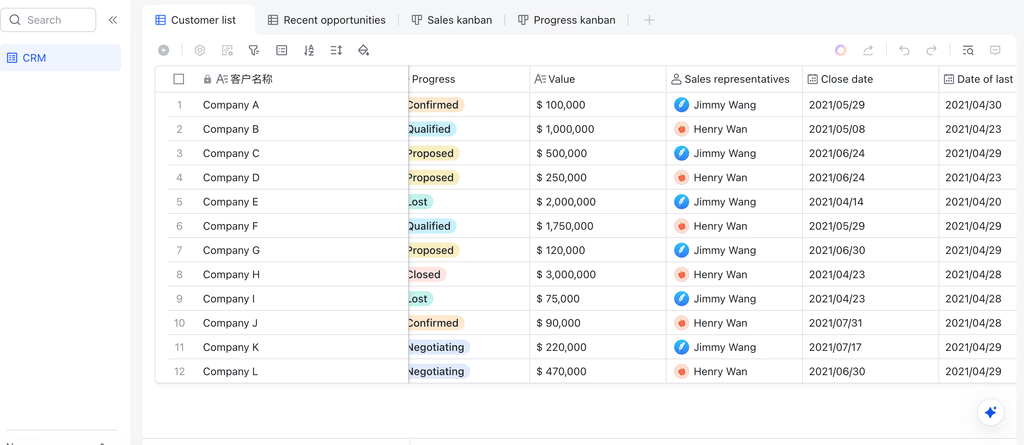
1. Customer onboarding workflow: After a deal is won, onboarding starts with welcome emails, training invites, and account setup. A clear workflow ensures no step is missed. Using a Lark Base onboarding template, you can map the onboarding journey, assign tasks, and track progress. Paired with Lark Docs, teams can co-create onboarding checklists or share knowledge bases with clients.
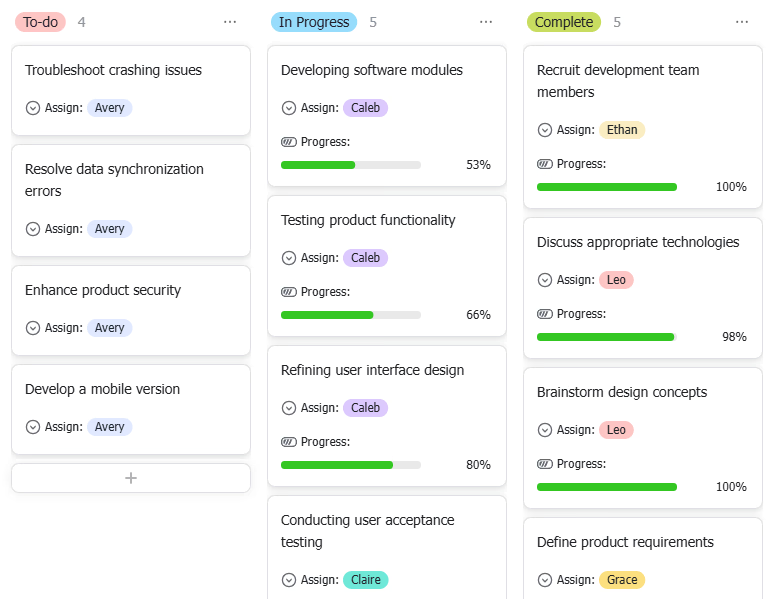
2. Sales pipeline workflow: Every opportunity moves through stages like prospect → demo → proposal → closed deal. A structured pipeline makes forecasting more accurate. With Lark Base Kanban boards, teams can drag and drop deals across stages, while Gantt views provide a timeline for high-value opportunities. Automated reminders keep the pipeline moving smoothly.
3. Invoice and payment workflow: Once a deal closes, the system triggers invoice creation, sends approvals, and schedules payment reminders. In Lark Approval, invoices move through manager sign-offs automatically. Paired with Calendar, payment deadlines can be tracked to avoid missed collections.
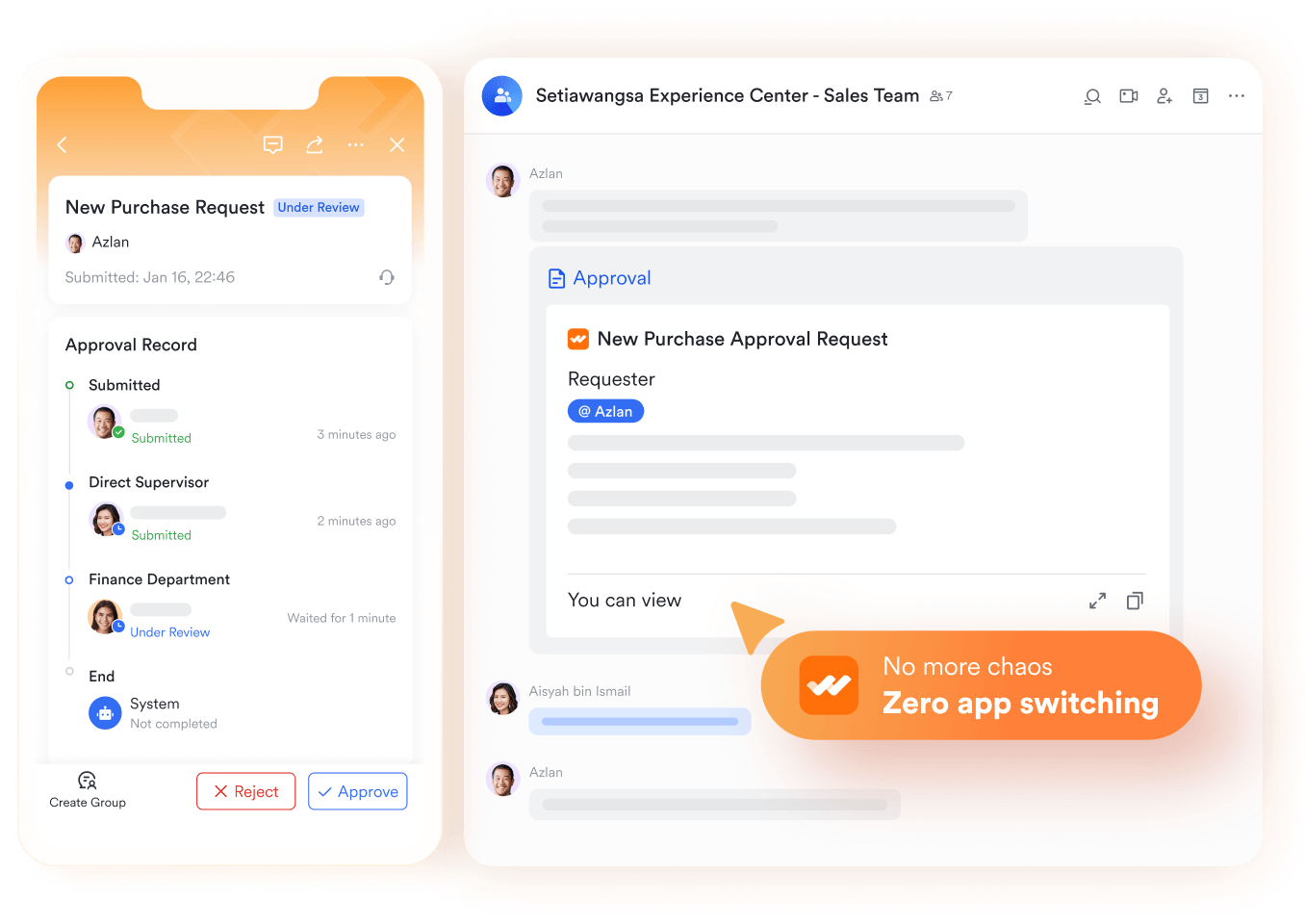
4. Customer support workflow: Support tickets need fast routing and escalation when SLAs are at risk. With Lark Approval, unresolved tickets escalate to managers automatically. Combined with Messenger, support teams receive instant alerts, ensuring customers get timely resolutions.
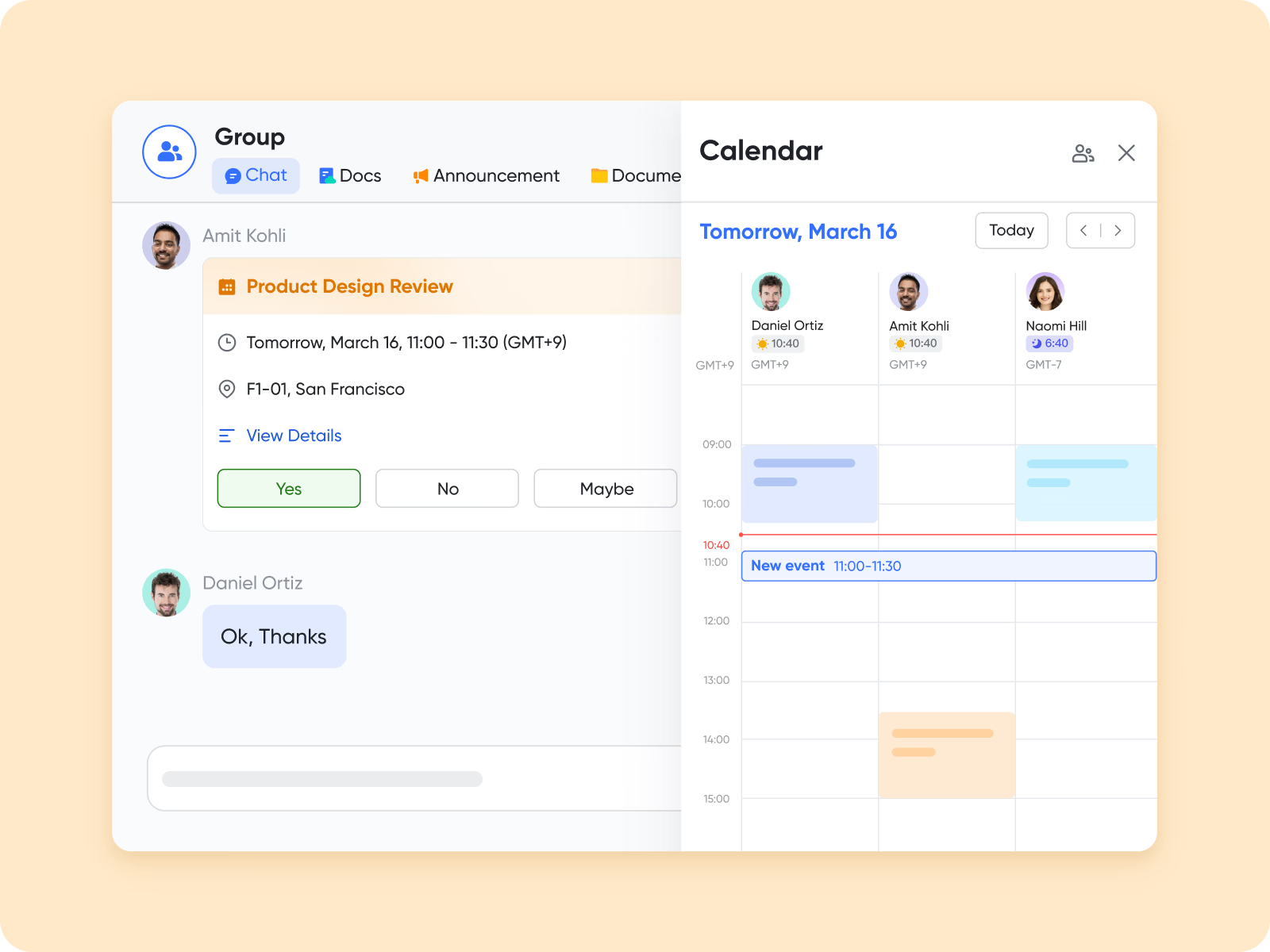
5. Task and reminder workflow: Follow-ups, contract renewals, and check-ins often slip through the cracks without structure. In Lark Base, workflows automatically create recurring tasks with assigned owners. These sync directly into Lark Calendar, so deadlines are visible across the team.
How workflow automation works in CRM
At its core, workflow automation in CRM follows a simple pattern: Trigger → Action → Result. A trigger is an event, such as a new lead entering the system or a deal moving to the “proposal” stage. The CRM then executes a predefined action, like assigning a sales rep or sending an automated email. The result is a seamless process where routine tasks are completed without manual input.
Example in action: A lead status changes from “new” to “contacted.” This update automatically triggers a follow-up email to the lead, assigns the next task to a sales rep, and notifies the manager in Messenger. What once required three separate manual steps now happens instantly.
Why automation matters
Speed and personalization define great customer experiences. Automation ensures customers receive timely responses while sales and support teams save time, reduce errors, and stay focused on high-value interactions.
Use cases of CRM workflows by department
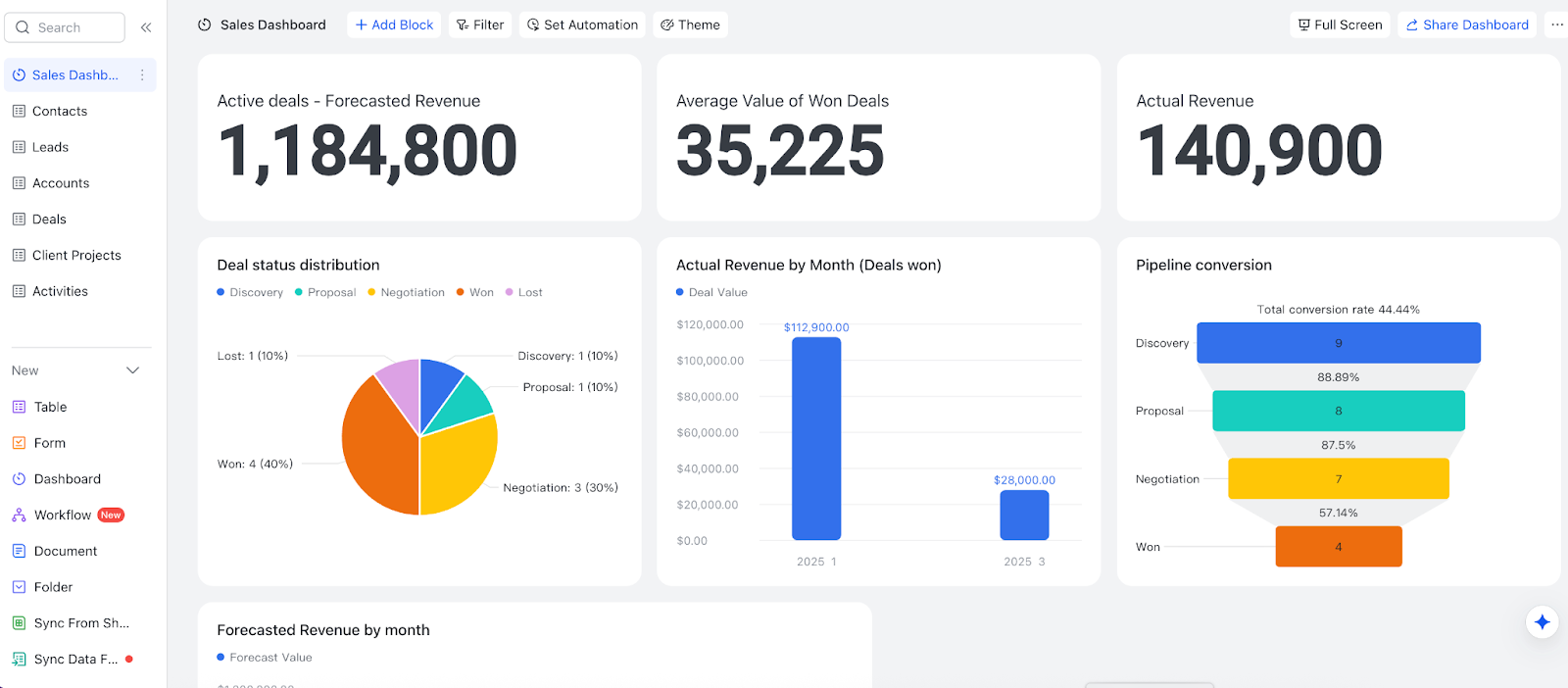
Sales: Automate lead assignment, follow-ups, and reminders
Sales teams depend on a call center phone system with CRM integration to manage leads with speed and accuracy. A well-structured CRM workflow ensures that new inquiries are instantly routed to the right representative based on territory, product type, or workload. Automated reminders keep sales reps accountable for timely follow-ups, preventing lost opportunities.
Example: An education company uses Lark Base CRM templates to automatically assign new student inquiries to regional sales reps. Unified Messenger notifications remind the reps to call within 24 hours, ensuring no lead is ignored.
Marketing: Nurture campaigns and manage email sequences
Marketers need workflows to keep campaigns consistent and results measurable. CRM workflows can automatically segment audiences, schedule nurture emails, and track engagement metrics. By standardizing these steps, marketing teams save time and deliver campaigns more effectively.
Example: A retail team uses Lark Sheets to track campaign ROI. When an ROI threshold is met, an automated workflow in Lark Base sends notifications to managers in real time, allowing them to scale or adjust campaigns quickly.
Customer support: Ticket routing and SLA escalations
Support teams face the challenge of managing high volumes of requests while maintaining service-level agreements (SLAs). With a CRM workflow, tickets can be routed to the correct agent instantly, and unresolved cases automatically escalate to senior staff if deadlines are missed.
Example: A logistics provider relies on Lark Approval to escalate support tickets that remain unresolved after 48 hours. This workflow ensures faster resolution times and improves customer satisfaction.
Finance: Invoice approvals and payment reminders
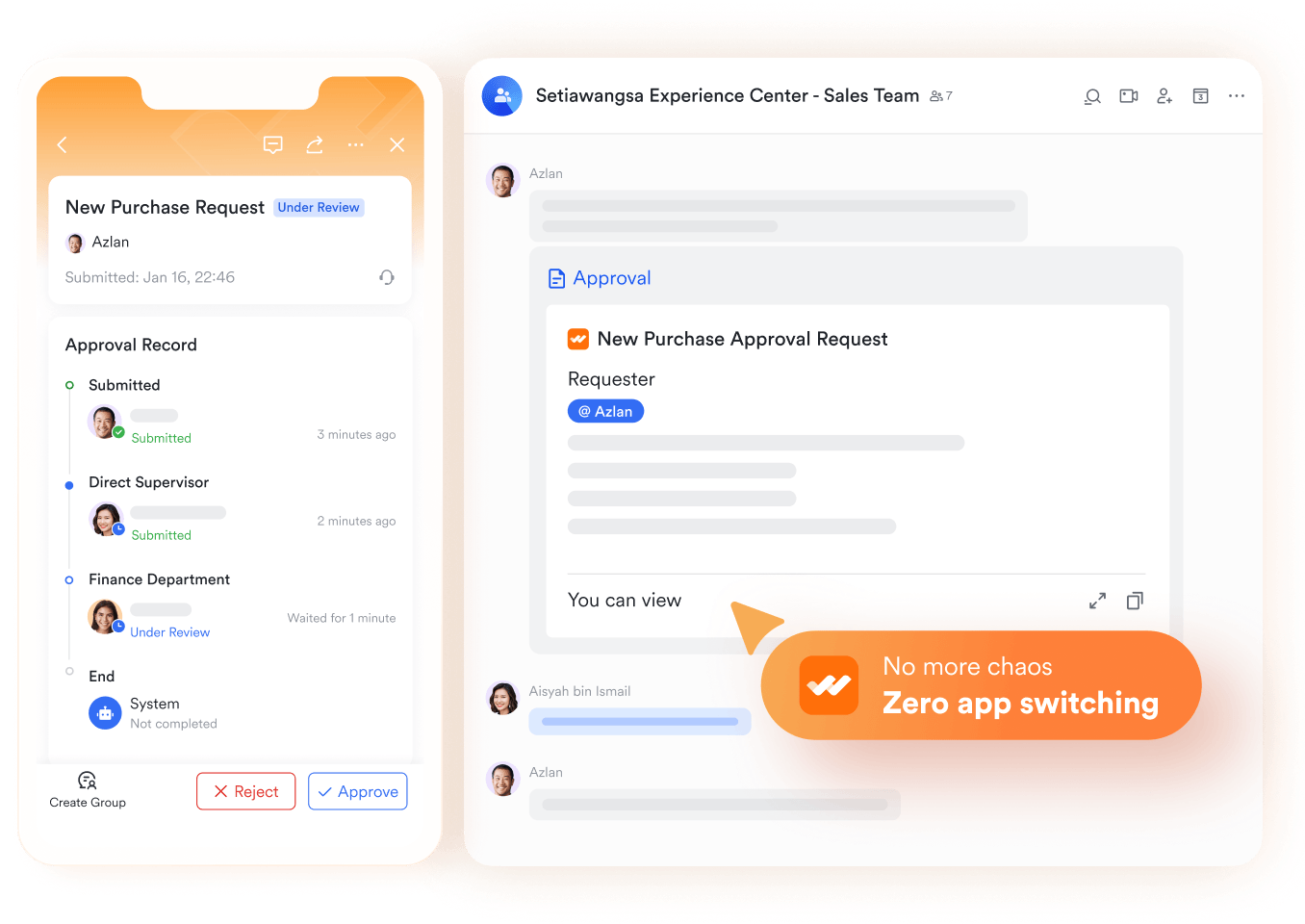
Manual invoicing and approvals often delay cash flow. A CRM workflow automates the process by routing invoices for approval, notifying managers, and sending reminders before payment deadlines. This reduces administrative burden and ensures consistent financial operations.
Example: A professional services firm uses Lark Approval to handle invoice sign-offs. Once approved, the system triggers automatic reminders through Lark Calendar and Lark Messenger, so finance teams don’t need to chase overdue payments manually.
HR: Candidate tracking and onboarding workflows
Recruitment and onboarding involve multiple touchpoints, from applications to interviews and employee orientation. With a CRM workflow, candidates move smoothly from one stage to the next, and onboarding tasks are tracked consistently.
Example: A tech company manages its hiring pipeline in Lark Base, schedules interviews directly in Calendar, and automates onboarding checklists in Lark Docs. Automated approval ensure new hires receive everything they need—contracts, training schedules, and team introductions—on time.
Conclusion
CRM workflows bring structure, efficiency, and reliability to every stage of customer relationship management. They save time, reduce errors, and make engagement more consistent across sales, marketing, support, finance, and HR. Businesses that rely on manual updates often struggle with delays and missed opportunities, but automated workflows change the game. With Lark Base and its built-in workflow automation, teams can move from scattered, manual systems to scalable, automated CRM workflows—all in one unified platform.
FAQs
Do small businesses need CRM workflows?
Yes. Even small teams benefit from structured workflows because they prevent missed leads, lost follow-ups, and inconsistent customer experiences. In Lark Base, small businesses can start with free CRM templates and grow into more advanced workflows without switching tools.
How can CRM workflows improve customer support?
They help by routing tickets to the right team, escalating issues before deadlines, and ensuring faster response times. With Lark Approval and Messenger notifications, support teams can handle escalations instantly and keep customers informed in real time.
What is the difference between CRM workflow and CRM automation?
A CRM workflow defines the process (the steps to follow), while automation executes those steps automatically. Together, they ensure speed and accuracy. In Lark Base, workflows and automation are built into one platform—no extra tools or coding required.
Can I build a CRM workflow without coding?
Absolutely. Most modern CRMs provide drag-and-drop or no-code builders so teams can create workflows quickly. Lark Base automated workflows let you assign leads, send reminders, and trigger approvals with just a few clicks.
What are the best CRM tools with workflow automation?
The best tools combine CRM and workflow automation in a single platform to reduce complexity and improve collaboration. Lark offers CRM templates, communication, task management, and automation together, making it a strong choice for growing businesses.
Related reading
Table of contents
Start using Lark today

Manage all your work in one place
Boost team efficiency by 10x
Save up to 70% on software costs
Table of contents
Start using Lark today
Manage all your work in one place
Boost team efficiency by 10x
Save up to 70% on software costs
Keep reading









2026 Lark Technologies Pte. Ltd.
Headquartered in Singapore with offices worldwide.






Explore: