

Google Workspace Pricing: A Comprehensive Guide for 2026

Benjamin Grant

Lark Content Manager

Aug 5, 2026

Benjamin Grant

Lark Content Manager

Aug 5, 2026

Try Lark for free
19 min read
Google Workspace costs $7–$22 per user/month (annual billing) and $8.40–$26.40 per user/month (flexible monthly billing), with a 14-day free trial available. Most small teams start with Business Starter, but teams that need meeting recording, more storage, or advanced security usually need Standard or Plus. In this guide, we'll provide a full pricing breakdown by plan, country, and billing model, as well as cover hidden costs and alternatives.

Key takeaways

  • Cheapest plan: Business Starter, $7/user/month billed annually, but only 30 GB storage and no meeting recording.
  • Best value for most growing teams: Business Standard, because it unlocks 2 TB storage and recording.
  • When costs rise quickly: If only part of the team needs advanced features, Google's all-or-nothing upgrade model can inflate total spend.
  • AI cost note: Gemini is included in most paid plans, but advanced AI access can add significant cost.
  • Alternative consideration: If your team also needs chat, approval, workflow, wiki, and database tools, compare total stack cost instead of only email/docs pricing.

What is Google Workspace?
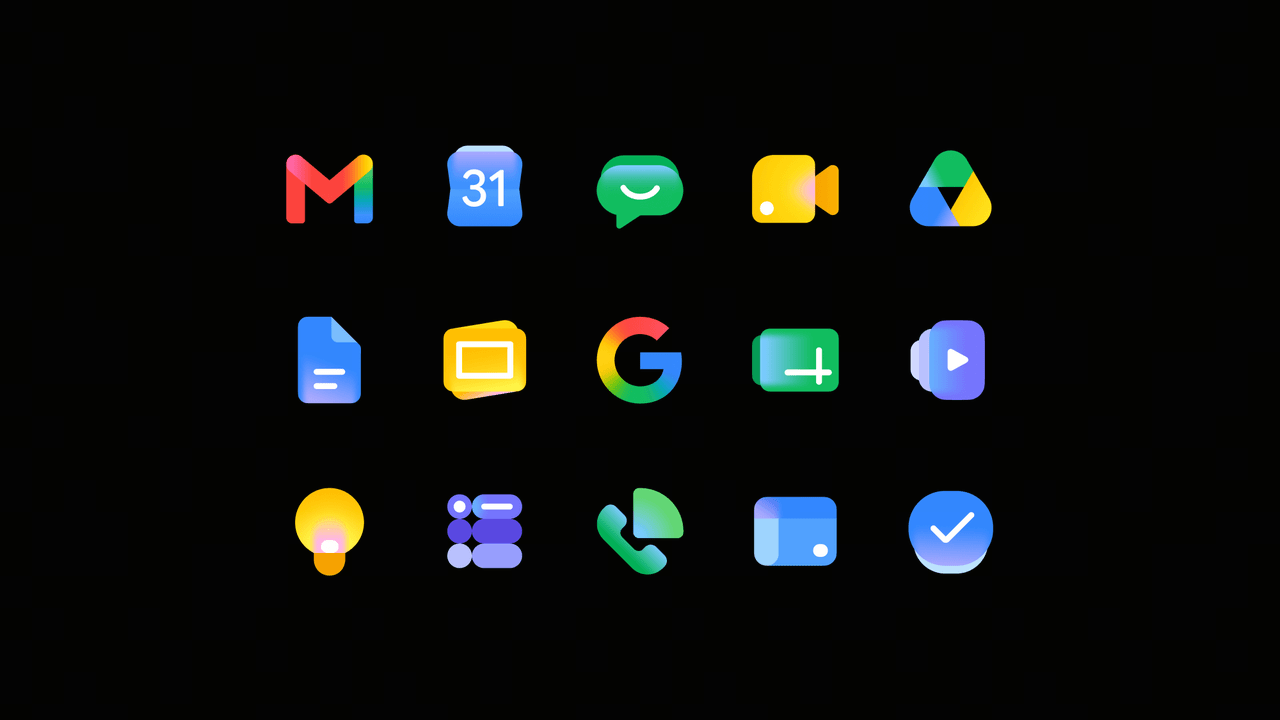
Google Workspace is Google's all-in-one business plan for its productivity apps. One subscription and a custom domain cover Gmail, Drive, Meet, Docs, Sheets, Slides, Chat, and more, though these run as separate apps rather than on a unified platform. Gemini AI now comes built into most paid plans, adding drafting and analysis help across the suite.
Image source: workspace.google.com
If the name "Workspace" still feels new to you, you aren't alone. The suite launched in 2006 as "Google Apps," rebranded to the popular "G Suite" in 2016, and finally became "Google Workspace" in October 2020 when the shift to remote work was gaining pace. The Google Workspace apps got a new look again in 2026, with new logos for most of the core apps.
Besides name and logo changes, pricing has also risen steadily over the years. After many years of flat rates, Google increased prices in 2019, 2023, and 2025, moving away from their original $5/month model as more tools are added to the suite. The real cost depends on four variables: which plan you choose, how many seats you need, whether you commit annually, and which add-ons your team actually requires. This guide breaks all of that down.

Google Workspace pricing tiers at a glance

To help you decide between the flexibility of a monthly plan and the savings of an annual commitment, here is a side-by-side comparison of the costs and who each tier serves best.
Plan
Monthly billing
Annual billing
Ideal for
Business Starter
$8.40 per user/month
$7 per user/month
Freelancers, solopreneurs, and small businesses with fewer than ten employees.
Business Standard
$16.80 per user/month
$14 per user/month
Growing small businesses and medium-sized teams that need more storage and recording features.
Business Plus
$26.40 per user/month
$22 per user/month
Larger teams and organizations with higher security needs and data retention requirements.
Enterprise
Custom pricing
Custom pricing
Large businesses and enterprises that need top-tier security, compliance, and customization.
All prices are current as of July 1, 2026, but are subject to change by the provider. We actively monitor and update this post to reflect any changes to plans and pricing.

The Google Workspace Business Starter plan

Cost: $8.40/user (monthly); $7/user (annual)
Ideal for: Freelancers, solopreneurs, and small businesses with fewer than ten employees.
This is a great plan to start off for those just starting out or in the early phases of development. You get to move away from a personal @gmail address to a custom domain, a major first step in building brand credibility. For a fixed, low cost, the plan covers the basics, but growing teams may hit strict limits sooner than expected.
  • What you get: You receive the full professional suite—custom email, Calendar, Meet, and Docs—along with video meetings for up to 100 participants.
  • Key constraint: The 30 GB storage limit is the biggest friction point here. Because this space is shared across Drive and Gmail, teams handling high-res images or video files will likely hit this ceiling quickly.
  • Missing pieces: Remote teams often find the inability to record meetings a major drawback. To get recordings for client review or training, you are forced to jump to the Standard plan.

The Google Workspace Business Standard plan

Cost: $16.80/user (monthly); $14/user (annual)
Ideal for: Growing small businesses and medium-sized teams.
Most businesses find their "sweet spot" here. For double the price of Starter, you unlock more than 65x the storage, effectively making file management a non-issue for the average user, while also adding critical productivity tools for remote work.
  • Meeting recordings: Being able to record Google Meet sessions and save them directly to Drive is a game-changer. Plus, noise cancellation is included, making everyone sound much more professional on calls.
  • Massive storage upgrade: The jump to 2 TB of pooled storage per user (vs. 30 GB on Starter) is significant. Since the storage is pooled, a team of 10 shares 20 TB total, allowing heavy users to "borrow" space from light users without issue.
  • Why upgrade? If you need to record meetings or find yourself constantly deleting files to stay under the 30 GB cap, upgrading is an easy choice.

The Google Workspace Business Plus plan

Cost: $26.40/user (monthly); $22/user (annual)
Ideal for: Larger teams and organizations with higher security needs.
This tier serves as the bridge between the needs of small businesses and enterprise IT requirements. The price jump to $22 isn't usually about productivity tools (though 500-person meetings are included); you are paying almost entirely for security, compliance, and control.
  • Security and compliance: Google Vault is the primary driver for this plan. Legal requirements often demand you retain, archive, and search data for eDiscovery, and if your industry requires keeping emails for up to 7 years, this plan is likely mandatory.
  • Advanced management: IT admins gain deeper control over mobile devices and endpoints, helping secure company data on employee phones.
  • The storage bump: Storage increases to 5 TB per user, helping creative agencies and data-heavy firms.

The Google Workspace Enterprise plan

Cost: Custom pricing
Ideal for: Large businesses and enterprises that require top-tier security, compliance, and customization.
Designed for large-scale operations, this "unlimited" tier removes the user caps found on the Business plans (which max out at 300 users) and introduces Google's most sophisticated security measures.
  • Top-tier security: Sensitive info (like credit card numbers) is kept safe with Data Loss Prevention (DLP), and "Context-Aware Access" strictly controls who logs in from where.
  • Maximum scale: Company-wide all-hands become easier with support for 1,000-participant video meetings and in-domain live streaming for up to 100,000 viewers.

Google Workspace plan comparison table

Key feature
Business Starter
Business Standard
Business Plus
Enterprise
Annual price
$7/user/month
$14/user/month
$22/user/month
Custom pricing
Max users
300 users
300 users
300 users
Unlimited
Cloud storage
30 GB per user
2 TB per user
5 TB per user
5 TB per user
Custom business email
Yes
Yes
Yes
Yes
Gemini AI in Workspace apps
Gmail, Vids
Gmail, Docs, Sheets, Slides, Vids, Drive, Meet, Chat
Gemini app
Basic access
Expanded access
Expanded access
Expanded access
Automation (Workspace Studio)
Yes
Yes
Yes
Yes
Video meeting limit
100 participants
150 participants
500 participants
1000 participants
Meeting recordings
-
Yes
Yes
Yes
Transcription
-
-
Yes
Yes
Appt. booking pages
-
Yes
Yes
Yes
eSignature with Docs & PDFs
-
Yes
Yes
Yes
Security & compliance
Standard protection
Standard protection
Vault (eDiscovery & retention)
DLP & Context-Aware Access
Endpoint management
Fundamental
Fundamental
Advanced (Company-owned devices)
Enterprise (Deep scanning)
Vault/eDiscovery
-
-
Yes
Yes
DLP/Context Aware Access
-
-
-
Yes
Centralized admin controls
Yes
Yes
Yes
Yes
Support level
Standard support
Standard support
Standard support
Enhanced support
Add-ons (sold separately)
  • Higher AI access
  • Other applications and hardware
  • Advanced storage
  • Higher AI access
  • Other applications and hardware
  • Advanced storage
  • Higher AI access
  • Other applications and hardware
  • Advanced storage
  • Higher AI access
  • Other applications and hardware
  • Advanced storage
Quick tips on choosing the right plan:
  • By team size: The Enterprise plan is mandatory for organizations with over 300 users. Starter or Standard plans suit smaller teams.
  • By industry compliance: Regulated industries needing data retention and eDiscovery require at least Business Plus for Google Vault. For advanced Data Loss Prevention (DLP), choose Enterprise.
  • By budget & value: Business Starter is best if you're on a tight budget. Business Standard offers the best overall value, with a nice storage upgrade to 2 TB and more features like meeting recordings.

How Gemini AI affects Google Workspace pricing

Gemini comes built into all core plans, but the depth of AI capability varies. Business Starter only gets basic AI functions in Gmail and Vids while the higher editions (Business Standard, Business Plus, and Enterprise) unlock more advanced capabilities:
  • AI-assisted email and messaging in Gmail and Chat
  • Content creation across Docs, Sheets, and Slides, from drafting and data insights to presentation visuals
  • AI-powered video creation in Vids
  • Smarter file search and review in Drive
  • Meeting notes, summaries, and translation in Meet
AI Expanded Access is now the only paid AI add-on for Business Standard/Plus and Enterprise editions. You get higher limits for advanced image and video generation, deep reasoning in top models, NotebookLM, Workspace Studio automations, and real-time speech translation. Pricing depends on subscription term and requires contacting the Google sales team.
To get decent AI capabilities, the real cost per user can jump substantially. The now-discontinued AI Ultra Access add-on cost $249.99/user/month, way more than the base plan itself. If you need AI for meetings, docs, search, and workflow automation, you should consider the full productivity stack (base subscription, add-ons, and any third-party tools), not just the Google Workspace subscription alone.

Which Google Workspace plan is right for you?

Three questions are key when it comes to finding the right plan: how big is your team, how sensitive is your data, and how much storage do you actually consume? Match your answers to the profiles below to find the plan that is best suited to your needs and delivers the best value.
If you run a lean team: Choose Business Starter
Freelancers, solopreneurs, and small businesses with fewer than ten people get the most value here. You move off a personal Gmail address onto a custom domain, while covering the essentials such as email, Calendar, Meet, and Docs. Costs are reasonable at $7 per user/month on annual billing, though the 30 GB of shared storage fills up fast for any team that handles images or video.
If you want the best all-around value: Choose Business Standard
Most growing teams land here for good reason. The leap to 2 TB of pooled storage removes day-to-day file management headaches, and built-in Meet recordings plus noise cancellation is great for remote and async work. For double the Starter price ($14), you get more than double the capability.
If compliance is the most critical factor: Choose Business Plus
Regulated industries that must retain, archive, and search data for eDiscovery need Google Vault, and that requirement alone pushes most organizations to this tier. You also gain advanced endpoint management for company-owned devices, larger 500-person meetings, and a bump to 5 TB of storage. With this plan, you're really paying for security and control rather than productivity gains.
If you operate at scale: Choose Enterprise
Organizations approaching the 300-user cap have no other option, since the Business plans stop there. Enterprise removes the user ceiling, adds Data Loss Prevention and Context-Aware Access, and supports company-wide events with 1,000-participant meetings and live streaming to as many as 100,000 viewers. Large firms with strict security mandates get the deepest controls Google offers.

Google Workspace pricing by country

Below are the costs of Google Workspace plans (per user per month) by country. In some regions, Google only provides costs in US dollars (USD). Pricing data is sourced from Google Workspace's official regional pricing pages and may fluctuate with currency and tax policies.
Country
Business Starter
Business Standard
Business Plus
Enterprise
United States
USD 7.00
USD 14.00
USD 22.00
Custom pricing
United Kingdom
GBP 5.90
GBP 11.80
GBP 18.40
Custom pricing
Singapore
SGD 9.40
SGD 18.80
SGD 29.40
Custom pricing
Malaysia
MYR 25.00
MYR 55.00
MYR 75.00
Custom pricing
Vietnam
VND 190,000
VND 420,000
VND 600,000
Custom pricing
Indonesia
USD 4.20
USD 9.80
USD 22.00
Custom pricing
India
INR 210
INR 840
INR 1260
Custom pricing
Pricing is current as of July 1, 2026, and may be subject to change. Check the Google Workspace website for the latest updates.

Hidden costs and add-ons to watch for

The base subscription price is rarely your final cost. Budget an additional 10–20% on top of the list price to account for add-ons and operational expenses.

Paid add-ons not included in base plans

  • Advanced AI access: The AI Expanded Access add-on unlocks higher limits for advanced image and video generation, deep reasoning in top models like Gemini 3 Pro, NotebookLM, Workspace Studio automations, and real-time speech translation. It's available for Business Standard/Plus and Enterprise editions at custom pricing. Google Flow access is being removed from this add-on, ending July 7, 2026 for licenses bought before May 5, 2026.
  • Google Voice (business phone lines): Starting at ~$10/user/month. Many users assume a business phone number is included — it is not.
  • AppSheet Enterprise Plus: For advanced automation, external database connections, or enterprise-grade security beyond AppSheet Core, expect an additional $20/user/month.
  • Enhanced/Premium Support: The base plans only include Standard Support. Fast-response SLAs require a paid upgrade — pricing available via Google's sales team only.
  • Other specialized add-ons: Chrome Enterprise Premium, Looker Studio Pro, Chat interoperability, Colab, Archived User licenses, and Assured Controls are all billed separately.

Structural costs to plan for

  • The all-or-nothing upgrade trap: You can't mix and match plans within the same domain. This means if only a few employees need 2 TB of storage or meeting recordings, you must upgrade the plan for everyone else as well, which could be quite costly.
  • Domain registration: Your custom domain is not included in the Workspace subscription. You'll pay an annual renewal fee to a separate domain registrar.
  • Third-party cloud backups: Google secures its infrastructure but does not provide comprehensive disaster recovery for user-caused deletions. Many businesses pay separately for SaaS backup tools.
  • Unused licenses and offboarding: You're billed for departed employees until their licenses are manually reassigned or removed. Retaining their data without a full license requires purchasing monthly Archived User licenses.
  • Implementation expenses: Budget for initial setup, data migration, team training, and ongoing IT support — these costs are separate from the software subscription.

Calculating the total cost of Google Workspace by team size

Let's run through a few examples using common team sizes to see what your actual costs may look like, using this formula: Total = seats × price_per_seat × billing_period + add-ons (10-20% extra cost).
Note: The calculations below reflect annual commitment rates. If you prefer a "Flexible" monthly plan to cancel anytime, expect the per-seat price to be about 20% higher.
Team size
Recommended plan
Annual base calculation
Est. total budget with add-ons
Why this plan fits
5 seats
Business Starter
5 × $7/mo × 12 = $420
~$460–$500
Perfect for micro-teams and new startups. Provides essential professional email and basic collaboration tools at the lowest cost.
20 seats
Business Standard
20 × $14/mo × 12 = $3,360
~$3,700–$4,000
Shared drives and 2 TB of pooled storage. Meeting recordings add high value for async work.
50 seats
Business Plus
50 × $22/mo × 12 = $13,200
~$14,500–$15,800
Data governance is no longer optional. Provides Vault for compliance and advanced endpoint management for devices.
If your team has 20 members or fewer, you can use Lark for free, saving you up to $4000 per year! Bigger teams can also save up to 70% with Lark's Pro plan.

Cost difference between annual and monthly billing by team size (5/20/50 seats)

Here are some cost examples for the Standard and Plus plans with Annual (fixed-term) vs Flexible (monthly) billing. Taxes and add-ons are not included:
Team size
Annual
(Standard $14/user/month)
Flexible
(Standard $16.80/user/month)
Annual
(Plus $22/user/month)
Flexible
(Plus $26.40/user/month)
5 seats
$840/yr
$1,008/yr
$1,320/yr
$1,584/yr
20 seats
$3,360/yr
$4,032/yr
$5,280/yr
$6,336/yr
50 seats
$8,400/yr
$10,080/yr
$13,200/yr
$15,840/yr

How to get Google Workspace discounts

Annual billing saves ~16% vs. monthly. Beyond that, here are the most effective ways to reduce your cost:
Negotiation tactics:
  • Share competitive quotes (e.g., Microsoft 365) early in the sales conversation
  • Lock in a 2- or 3-year contract for deeper discounts and price freeze protection
  • Bundle add-ons (like Google Voice or AI access) into the initial contract for better pricing
  • Time negotiations for end of quarter or year-end when sales teams are quota-driven
Special eligibility discounts:
If your organization falls into one of these categories, you can get more discounts or even use it for free:
Education:
  • Education Fundamentals: Free.
  • Education Standard: ~$3/student/year.
  • Teaching & Learning Upgrade: $4.80/license/month.
  • Education Plus: ~$5/student/year.
Non-profits:
  • Base tier: Free.
  • Business Standard: $3.50/user/month (75%+ off).
  • Business Plus: $6.16/user/month (72%+ off).
  • Enterprise: 70%+ off.

Advantages of Google Workspace

Remote workers communicating in Google Workspace
Source: m.io
  • Real-time collaboration on documents, spreadsheets, presentations, forms, and more. Ideal for remote collaboration.
  • Enables teams to communicate efficiently through integrated tools such as email, chat, voice, and video calling.
  • Works seamlessly with Gmail, Google Calendar, Google Drive, and other Google products.
  • Advanced security tools such as Vault, endpoint management, and data loss prevention (DLP).
  • Secure cloud storage and sharing via Google Drive.
  • Reliable and high-quality video conferencing with Google Meet.

Limitations of Google Workspace

  • Limited project management features.
  • Storage capacity can become costly as files accumulate.
  • Pricing may be a barrier for startups with limited budgets.
  • Some users may find the suite overwhelming due to its vast range of tools.
It's important to weigh these limitations against your business needs before making a decision on whether the cost of Google Workspace is worth it.

Simplify your team’s collaboration today

Google Workspace vs. competitors

When businesses look for an alternative to Google Workspace, the most common name that comes to mind is, without a doubt, Microsoft 365 (formerly Office 365).
They both offer the standard "office stack" most of us are familiar with: professional email, calendars, cloud storage, and document editors. There are some important differences, however, including:
  • Desktop apps: Google is browser-only. Microsoft 365 includes the powerful desktop versions of Word, Excel, and PowerPoint (on Standard plans), which remain the industry standard for complex financial modeling or heavy document formatting.
  • Storage value: Microsoft is significantly more generous with entry-level storage, offering 1 TB of storage per user on its basic plan, compared to Google's 30 GB. If your team handles large video files but has a small budget, Microsoft offers better value.
Here's a side-by-side comparison of their two most popular business plans:
Google Workspace Business Standard
Microsoft 365 Business Standard
Annual Billing (Per User/Month)
$14.00
$12.50
Monthly Billing (Per User/Month)
$16.80
$15.00
User Limit
300 users
300 users
Cloud Storage
2 TB pooled storage per user
1 TB storage per user
Core Applications
Web and mobile apps only (Docs, Sheets, Slides, Drive)
Desktop, web, and mobile apps (Word, Excel, PowerPoint, OneDrive)
Video Conferencing
Google Meet (Up to 150 participants, includes meeting recordings)
Microsoft Teams (Up to 300 participants, includes webinar hosting)
Custom Business Email
Yes (via Gmail)
Yes (via Outlook / Exchange)
No doubt, both of these software giants offer a lot in one bundle, but the individual apps don't really work seamlessly together. If you want to avoid the "app switching" fatigue, there is a third option. For a truly unified experience that combines messaging, project management, and docs into a single interface, Lark is a modern, cost-effective alternative tailored for today's fast-moving businesses.

Google Workspace vs Lark: Which offers better value?

If Google Workspace pricing or feature set doesn't seem like a good fit, there are other great options out there. For a truly seamless collaboration experience, there's Lark, a modern, cost-effective alternative that offers a range of integrated features tailored for today's businesses.
loading...

Lark vs Google Workspace feature comparison

Essential tools on a unified mobile-friendly platform
Google Workspace is essentially a collection of independent work applications bundled together. They're not as deeply integrated with each other as you'd expect, leading to a clunky experience. Lark is built to be different from the very start, combining collaborative tools like AI, messaging, video conferencing, cloud storage, calendars, wikis, and documents, as well as operational tools like approvals, OKRs, and attendance, onto one seamless platform. What's more, this fully integrated experience is just as powerful on your mobile device as it is on your desktop.
Key products included in all the Lark plans
All of this means fewer app switches are needed to get through your workday. For example, you can share a doc, schedule a meeting, start a video call, create a task, and more directly from a chat. Additionally, any @mentions or updates from Lark Docs, Lark Base, or other products can all be found in Lark Messenger, so you can keep track of conversations, tasks, and updates in one place.
Truly useful AI capabilities
With all your tools and data in one connected workspace, Lark's AI works with full context across everything your team does. You can deploy AI agents in about a minute to take on tasks, produce deliverables and handle everything in between. AI also supports everyday work, from data entry to translating, summarizing, categorizing, and extracting information from your records.
In meetings, AI automatically transcribes the conversation, captures key points, and surfaces action items so nothing slips through after a call. Beyond individual tasks, AI powers automation that routes requests, enforces approvals, and tracks execution with your choice of AI model, keeping work moving without manual handoffs.
Advanced business and project management software
Another big differentiator is Lark Base, a no-code data management tool suitable for team members at all technical levels. Anyone can assign responsibilities, create dashboards, set up automation, and view progress in formats such as Gantt and Kanban. It's applicable to a wide range of use cases, from CRM and store management to projects and performance management. And with a diverse array of templates, you can get started with these use cases and more right away. On the security side, Base's advanced permission management feature ensures only the right people have access to the data they need.
Advanced collaboration and search features
Lark's entire innovative feature set is designed to enhance teamwork. Its calendar automatically adjusts for different time zones, facilitating global meeting coordination. Lark Meetings includes features such as live transcription and interactive whiteboards, while Lark's powerful search functionality enables users to quickly find what they need across the entire platform, whether it's messages, files, events, groups, or other work materials.
Here's an overview of what you get with Lark vs Google Workspace.
Lark
Google Workspace
Mobile app
✅ Yes
✅ Yes
Desktop app
✅ Yes (Mac, Windows, Linux)
❌ No (Web browser only)
Document types
✅ Documents, spreadsheets, base, presentations, forms, mind maps
⚠️ Documents, spreadsheets, presentations, forms,
Search
✅ All apps & data
⚠️ Limited scope
Auto-translation in messenger
✅ Built-in
❌ Requires third-party tools
Audio-to-text in messenger
✅ Yes
❌ No
Read receipts in messenger
✅ Yes
❌ No
Convert message to task
✅ Yes
❌ No
In-meeting doc editing
✅ Edit in the same window
⚠️ Opens in a new tab
Meeting transcripts
✅ Built-in (Lark Minutes)
⚠️ Basic (may need add-ons)
Project management
✅ Built-in (Lark Base)
⚠️ Google Sheets with add-ons
OKRs
✅ Natively built-in
❌ Requires third-party tools
Approval
✅ Natively built-in
❌ Requires third-party tools

Lark vs Google Workspace plan comparison

Lark's diverse and powerful feature set doesn't mean it will cost more, either. Here's a quick comparison:
Lark Plan
Lark Features
Google Workspace Plan
Google Workspace Features
Starter
Free
  • 100 GB storage
  • Over 11 productivity tools on one platform
  • Project management tool
  • 1,000 automation runs
Starter
$7
  • 30 GB storage
  • Multiple productivity apps
Pro
$12
  • 15 TB storage
  • Video call with up to 500 attendees
  • 50,000 automation runs
Business Standard/Plus
$14-22
  • 2-5 TB storage
  • Video call with up to 150-500 attendees
Enterprise
Custom pricing
  • 15 TB storage + 30 GB per user
  • Supergroups with up to 50,000 members
  • 500,000 automation runs
Enterprise
Custom pricing
  • 5 TB storage
  • Video meetings with up to 1000 attendees
More versatile features at a lower cost
Lark empowers a team to do more at a lower price point. Lark's Pro plan, for example, includes a versatile no-code platform that can be used for CRMs, project management, auditing systems, and so much more. It also includes an approval solution, 50,000 automation runs, 15 TB of storage (compared to Google's 2-5 TB), webinar capabilities, team wiki, and unlimited meeting transcriptions.
While there isn't an official Google Workspace pricing calculator online, you can see how much you can save by switching to Lark with this pricing calculator.
How many employees work at your company?
By number of people
1
20
500
5000+
1000
Which tools do you use?
Estimates are for reference only, contact us for an official quote
Calculate savings
Replace
0
1
2
3
4
5
6
7
8
9
apps
Lark Enterprisecan replace and surpass at least 4 of your existing business tools.
Saves$
0
1
2
3
4
5
6
7
8
9
0
1
2
3
4
5
6
7
8
9
0
1
2
3
4
5
6
7
8
9
,
0
1
2
3
4
5
6
7
8
9
0
1
2
3
4
5
6
7
8
9
0
1
2
3
4
5
6
7
8
9
/year
With 1000 employees, your company could save at least $390,000 per year by using Lark.
Estimates are for reference only, contact us for an official quote
Contact us for a quote
Calculate again
For example, if your team of 100 employees is using Google Workspace for collaboration, Slack for instant messaging, and Airtable for project management, you can save at least $19,800 per year by switching over to Lark Pro. Here's what you get with each plan:
Starter
Pro
Enterprise

Starter

For small teams with simple communication needs

$0

/ user / month

Try for free

No credit card needed

20 users max
18 months message history
1-on-1 video meetings
100 GB storage
Lark Docs & Mail
1000 Base automation runs/month
2000 rows per table in Base

Pro

For companies with comprehensive collaboration and management needs

$12

/ user / month

Billed annually

500 users max
Unlimited message history
500-participant video meetings
15 TB storage
Lark Docs & Mail
50k Base automation runs/month
20k rows per table in Base

Enterprise

For large companies with advanced security and organizational management needs

Get a personalized demo and pricing

Unlimited users
Unlimited message history
500-participant video meetings
15 TB storage + 30 GB storage/user
Lark Docs & Mail
500k Base automation runs/month
50k Base automation runs/month
Single sign-on (SSO)

Pro

For companies with comprehensive collaboration and management needs

$12

/ user / month

Billed annually

500 users max
Unlimited message history
500-participant video meetings
15 TB storage
Lark Docs & Mail
50k Base automation runs/month
20k rows per table in Base
A powerful free plan
Google Workspace does not offer a free plan for businesses, so the $7 per user/month is the lowest price available. On the other hand, Lark offers a generous free plan with 100 GB of cloud storage, automation, and 11 essential tools for every business, including messaging, documents, project management, and approvals.
This commitment to providing versatile, all-in-one tools at an affordable price is why fast-growing companies trust Lark to scale efficiently without ballooning their software budgets. Here's what one of our customers has to say about their experience:

"We chose Lark because it's just better. The tools are better, it's all in one, and the price is also actually much less expensive than buying different tools separately. It increased our efficiency by 30% since instant messaging, email sync, calendar, live docs and meetings all inside the app made it extremely quick to communicate internally. With Lark, we have saved months of time."

William August

CEO

Final thoughts

Google Workspace offers a wide range of tools that are suitable for businesses, individuals, and educators. However, Google Workspace's monthly costs can be quite high when you factor in subscription fees, add-ons, and the need to integrate with other essential software.
Lark stands out as a compelling alternative, with a free plan that includes over 11 powerful tools, unlimited messages, 100 GB of cloud storage, and advanced collaboration features, surpassing Google Workspace's paid and entry-level offerings. Additionally, Lark's paid plans offer many more features at a lower cost, making it an attractive option for teams seeking to reduce operational costs without sacrificing functionality.
Ultimately, the best choice depends on your specific needs and budget. Exploring both Google Workspace and Lark will help you find the solution that best fits your productivity requirements.

Get the best alternative to Google Workspace for free

FAQs on Google Workspace pricing
What is the best Google Workspace plan for small businesses?

Business Starter is the best Google Workspace plan for small businesses. It costs $7 per user/month and comes with all the basic Google Workspace features.

How does Google Workspace vs Office 365 pricing compare?

Microsoft 365 (formerly Microsoft Office 365) plans start at 22 per user/month for businesses. Enterprise pricing starts at 54.75. Google Workspace plans range from 22 per user/month for businesses and offer custom prices for enterprises.

Does Google Workspace have a plan for individuals?

Yes, Google Workspace offers an individual plan designed for solo professionals and entrepreneurs. However, it lacks some advanced business tools like custom e-mail domains.

Does Google Workspace offer plans for educational institutions?

Yes, Google Workspace provides Google Workspace for Education, a suite of tools designed specifically for schools, colleges, and universities. Google Workspace education pricing varies, as there are multiple plans available. These include Education Fundamentals (free) and paid options like Education Standard, Teaching and Learning Upgrade, and Education Plus.

What is Google Workspace's pricing for nonprofits?

Eligible non-profits can apply for Google Workspace for Nonprofits, which includes free access to productivity tools like Gmail, Google Drive, and Meet, along with discounted upgrades for advanced features.

Is Google Workspace free?

There is no free version of Google Workspace for businesses. However, you can get a Google Workspace free trial when you sign up. You start with a 14-day free trial subscription, and you can cancel your trial at any time without penalty.

Is there a free alternative to Google Workspace?

If Google Workspace plans cost too much, there are a variety of free and paid alternatives. Lark, ClickUp, and Slack all offer free plans that rival Google Workspace features.

What is the difference between the Google Workspace flexible plan and the annual plan?

With the flexible plan, the total price depends on the number of accounts you have for that month, and you can add or remove users at any time. You can also cancel the subscription without paying any extra fees, but the price per user is higher compared to the annual plan.

How do I choose the right collaboration tool for my business?

Start by evaluating your team's specific needs regarding storage capacity, essential collaboration features, and seamless integration with your existing software. You must balance these requirements against your budget while ensuring the platform is scalable enough to support your business's future growth. Keep in mind that collaboration tools only handle internal productivity; you will still need separate infrastructure, like VPS hosting, to run your website.

Why did Google Workspace raise its prices?

Google Workspace updated its pricing to reflect the integration of Gemini AI into its core business plans, replacing separate AI add-ons with a simpler, bundled approach. The change also reflects investments in security, collaboration, and productivity features, as well as rising operating costs.

What do I need to sign up for Google Workspace?

You only need a personal Gmail address or a business email address to sign up for a Business edition. You do not need to own a custom domain, but you can unlock more features if you have one. For the Enterprise edition, you need to have a verified domain.

Can I get a refund for Google Workspace?

Google Workspace generally doesn't offer refunds, as you're billed for services already used. Canceling a Flexible Plan only charges you for active days in your final month, while canceling an Annual Plan requires paying the remaining contract balance.

Can I downgrade my Google Workspace plan?

Yes. In the Google Admin console, navigate to Billing > Subscriptions to downgrade. Note that if you are on an Annual Plan, you typically cannot downgrade your edition or reduce licenses until your contract renewal date.

How can I upgrade my Google Workspace plan?

You can upgrade anytime in the Google Admin console under Billing by selecting Get more services or clicking your current subscription. Upgrades apply immediately, granting your team instant access to higher limits and features.

How do I renew my Google Workspace plan?

Subscriptions auto-renew by default to prevent service interruptions. You can manage renewal settings—like switching plans or reducing licenses before a new contract starts—in the Google Admin console under Billing > Subscriptions. Ensure your payment method remains updated.

What payment methods for Google Workspace are supported?

Google Workspace accepts major credit cards, including Visa, Mastercard, and American Express, in over 230 countries. In some locations, you may also have the option to pay via direct debit from a bank account, PayPal, or localized manual payment methods. Additionally, qualifying businesses may be eligible for invoiced billing accounts, allowing payments via check or wire transfer.

Do the prices listed in this article include taxes?

No, the standard prices listed for Google Workspace plans do not include taxes. Any taxes, such as sales tax or VAT, are determined by your billing address and local laws, so they are calculated at checkout.

What happens when my team reaches 300 users?

Once your team hits 300 users, you won't be able to add any more seats to any Business plan. To accommodate your 301st user and beyond, you must upgrade your entire organization to an Enterprise edition, which has no user limits but requires switching to custom contract pricing.

Last updated: July 28, 2026. Content and prices are retrieved from Google's website and help center.

Related reading

Benjamin Grant

Lark Content Manager

Benjamin is a Content Manager at Lark with 7 years in tech, working across both hardware and software. His experience includes writing both technical guides and marketing content. He likes to tinker with gadgets and solve puzzles.

Keep reading






















