Google Workspace and Microsoft 365 shape how your team writes, meets, shares files, and handles admin work every day. For most teams, the real trade-off is simple: Google is easier for browser-first collaboration, while Microsoft goes deeper for Office-heavy workflows. This guide focuses on the practical differences, including collaboration, admin control, pricing, AI, and whether switching is actually worth it.
Key takeaways
What is Google Workspace and Microsoft 365?
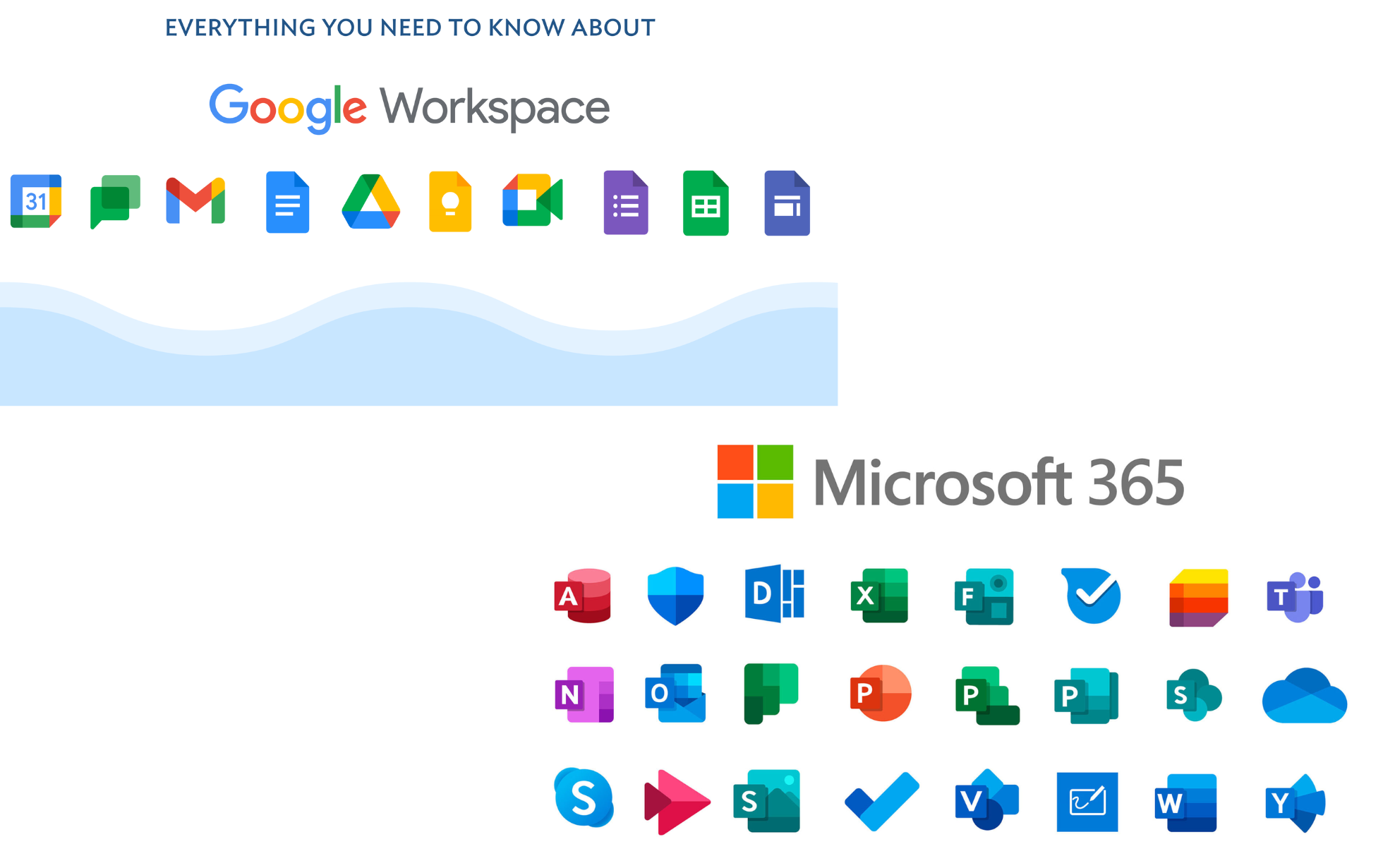
Image source: clockwise.com
Google Workspace is Google's browser-first work suite built around Gmail, Docs, Drive, Meet, and real-time collaboration.
Microsoft 365 is built for teams that still rely on Outlook, Teams, OneDrive, and the desktop versions of Word, Excel, and PowerPoint.
The real question is not which suite is better in the abstract. It’s which one fits the way your team already works. Google is usually the easier choice for browser-based collaboration, while Microsoft is stronger for teams that need deeper desktop control.
Microsoft 365 vs Google Workspace comparison
Real-time collaboration tools
One of the key differences in Google Workspace vs. Microsoft 365 lies in their real-time collaboration capabilities. Google Workspace shines with its ability to allow multiple users to work on the same document, spreadsheet, or presentation simultaneously. In Google Docs, you can edit, comment, and see changes in real time, making it perfect for teams working from different locations. Google Docs supports real-time collaboration for multiple users in the same file. Microsoft 365 has improved real-time collaboration over the years. Still, it usually works best for teams that already rely on desktop apps like Word, Excel, and PowerPoint. Google Workspace often feels smoother for browser-based co-editing, while Microsoft is the better fit when advanced document formatting or spreadsheet depth matters more.
Integration capabilities
Both platforms emphasize integration with third-party applications, which enhance their core functionalities. Google Workspace integrates seamlessly with various external tools, given its cloud-based structure.
Microsoft 365 also integrates well, especially for organizations already using Outlook, Teams, SharePoint, and Windows-based workflows. In practice, some businesses run a hybrid setup—using Google Workspace for lighter collaboration while keeping Microsoft apps for teams that need desktop-heavy work.
Cloud storage and file sharing
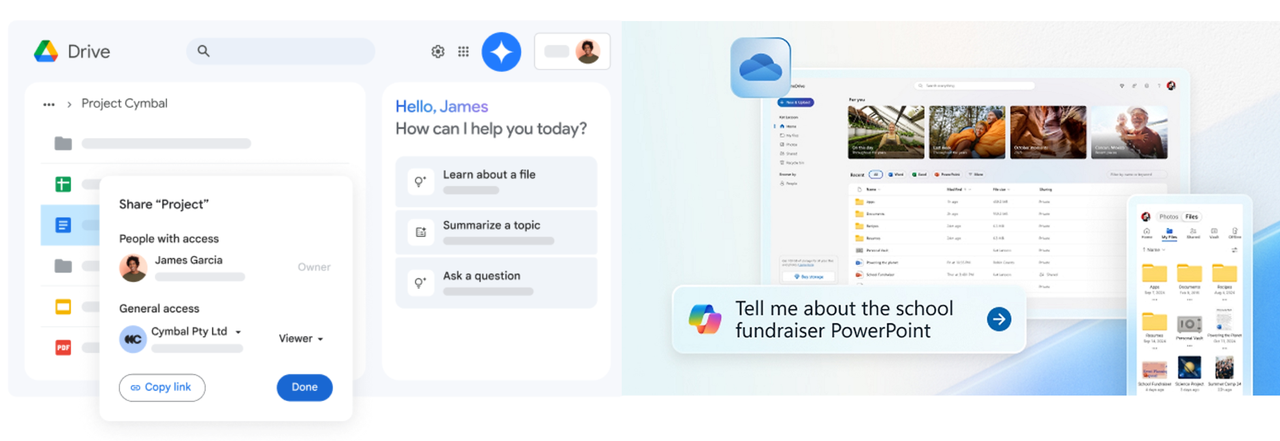
Image source: microsoft.com & google.com
Google Drive serves as the for Google Workspace. It allows easy file sharing and offers generous storage options, enabling teams to collaborate effortlessly. Its powerful search function helps users quickly find files, boosting productivity.
In comparison, OneDrive is Microsoft's cloud storage solution, offering similar features. While OneDrive integrates well with Microsoft apps, some users find Google Drive's interface to be more user-friendly, which can make a difference for teams aiming for quick access to their documents.
Communication tools
In terms of communication, Google Meet vs. Microsoft Teams offers two robust solutions for video conferencing and meetings. Google Meet provides high-quality video calls with easy scheduling through Google Calendar, making it convenient for those using Google Workspace.
Microsoft Teams, however, takes team communication to another level. With chat, video calls, and integration with numerous collaboration tools, Teams caters to a comprehensive communication strategy. While this extensive functionality is appealing, the can be steep for those unfamiliar with its features.
Project management and productivity apps
Both platforms provide . Google Tasks and Keep allow users to create basic to-do lists and notes, which integrate well with other Google services. However, these tools might not have the depth some users seek.
Microsoft offers Microsoft To Do and Planner, providing more structured task management options. To Do focuses on personal task management, while Planner is designed for team project planning. Although these tools provide greater structure, users can find managing multiple lists and features overwhelming.
👉 You can explore more here.
If you want a better alternative to Google Workspace and Microsoft 365, consider . With collaboration tools on a unified platform, Lark is a cost-effective alternative perfect for today's dynamic work environments.
Discover a better alternative to Microsoft and Google
User experience and interface comparison
The usability gap between these suites is real: Google is easier to pick up, while Microsoft gives experienced users more depth.
Usability for beginners and advanced users
Google Workspace is easier for beginners, largely because of its user-friendly interface. New users can get comfortable in Docs and Sheets quickly because the menus are lighter and the core actions are easier to find.
On the other hand, Microsoft 365 offers a feature-rich environment that can be daunting for beginners. Applications like Word and Excel are packed with functionalities, but this depth can also lead to confusion for new users. The learning curve can be steep, yet Microsoft provides tutorials and extensive help resources to guide users through their experience.
Customization and flexibility
Microsoft gives users more room to customize the way they work. Google keeps the interface simpler, but offers fewer ways to tailor layouts and workflows.
Microsoft 365 gives experienced users more control over layout, workflow, and app behavior, plus AI features and other more advanced features that matter more to power users than beginners. Google stays simpler, so teams that want faster adoption and fewer decisions to make may prefer it.
Security and compliance comparison
Security is one of the clearest differences between these suites: Google keeps the setup lighter, while Microsoft gives IT teams more policy depth.
Data protection mechanisms
Google covers the basics quickly. Google Workspace employs industry-standard encryption both at rest and in transit, and Google Workspace also provides basic security controls like 2-Step Verification for user accounts and admins. That makes it a practical fit for teams that want solid default protection without a heavy admin footprint.
Depending on plan, Microsoft 365 can pair strong encryption with advanced threat protection, advanced threat detection, device management, endpoint management, and data loss prevention, which helps organizations respond to security threats with more compliance tools and solid protection. Buyers in regulated industries may also care about technical support, admin depth, and available data regions when comparing enterprise needs.
Compliance with regulations
Compliance with regulations such as and is crucial for businesses handling . Both Google Workspace and Microsoft 365 meet various compliance standards, offering customers the tools they need to manage compliance effectively.
Microsoft is usually the better fit for organizations that need heavier compliance and admin control. Google covers common business needs well, but Microsoft tends to go deeper for regulated environments.
Pricing plans and value for money comparison
Price matters, but the bigger issue is what each tier actually unlocks once your team grows.
Overview of pricing structures
Google Workspace plans stay relatively simple: Business Starter, Business Standard, and Business Plus cover most small and midsize needs, while enterprise level plans add more control and more storage. Google's public list prices for the main Business tiers are $7, $14, and $22 per user per month.
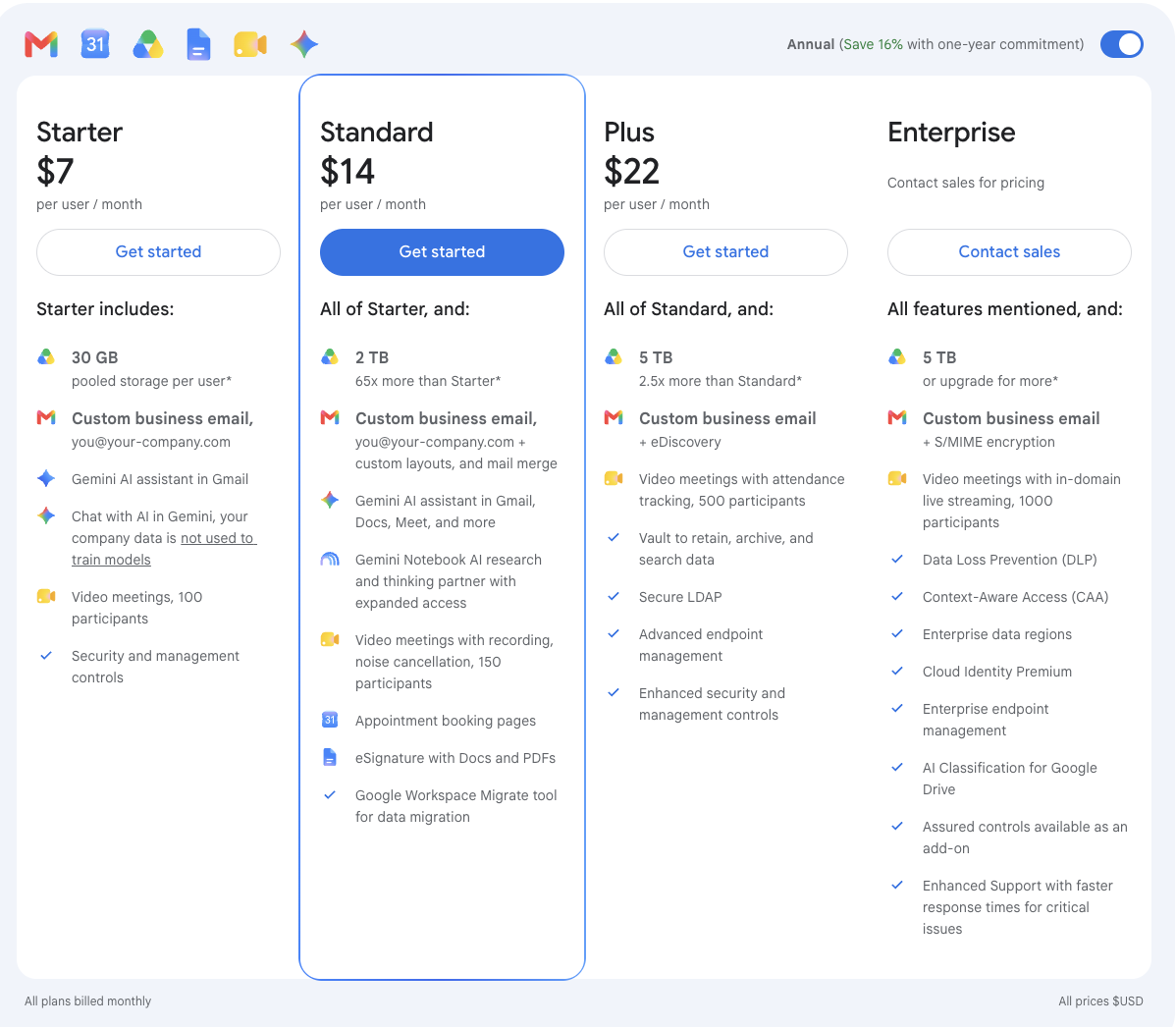
Image source: google.com
Microsoft's business plans take more work to parse because the lineup is broader and the bundles can look similar at first glance. The practical way to compare them is to check which paid plans actually include the admin controls, technical support, add ons, and collaboration features your team will use. For a current public reference point, Business Basic is listed at $7 per user per month, while Microsoft 365 E5 is listed at $57 per user per month, and Microsoft published pricing updates that took effect on July 1, 2026.
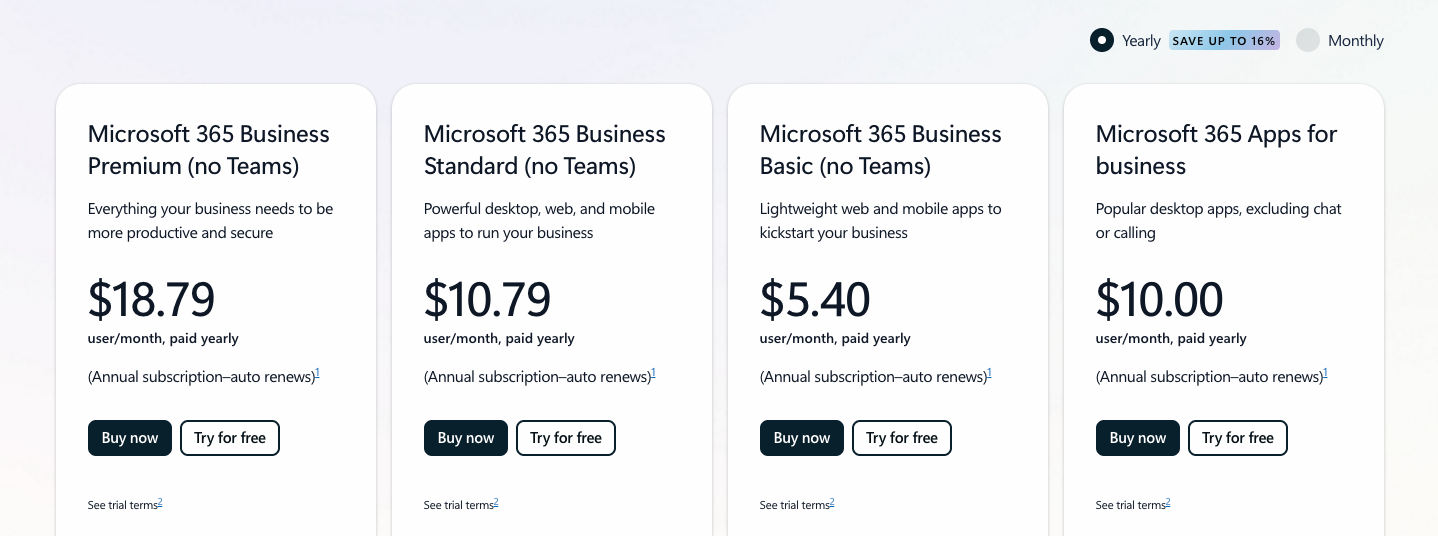
Image source: microsoft.com
Features included at each price point
This is where the pricing gap starts to matter more. Google's lower tiers cover the core tools quickly, while higher plans mainly add storage, admin control, and stronger security. Google now includes Gemini features in eligible Business and Enterprise Workspace plans, rather than offering them as a universally free feature for every user.
Microsoft usually reserves more features for higher tiers, especially on management and security. That can be worth paying for, but only if your team will actually use the extra controls and advanced features. Copilot pricing is also more nuanced than a simple default add-on: Microsoft sells standalone Copilot plans and also bundles Copilot into some higher-tier subscriptions.
How Lark addresses shortcomings of both platforms
If your team feels caught between Google's simplicity and Microsoft's depth, Lark is trying to solve that exact problem by putting chat, docs, meetings, and workflow tools in one place.
A Unified Interface
Lark's unified interface brings together various essential tools in one place—combining , ,, , tasks, and project management. This means you won't need to toggle between multiple applications, improving efficiency and reducing time wasted on navigation. Everything is accessible directly within Lark, allowing teams to focus on their work without the clutter. Enhanced Collaboration Tools
Lark's collaboration tools streamline communication and teamwork. Through real-time document editing in, team members can work on projects simultaneously, much like Google Workspace. However, Lark enhances this experience further by integrating chat capabilities directly into the platform through . Users can easily communicate about project details without switching between different applications, making collaboration smoother and more cohesive.
Simplified workflow management
is an approval platform that simplifies workflow management across your organization. Users can submit and manage all types of approval requests from a single hub, bypassing the hassle of dealing with multiple tools. With over 100 ready-to-use templates, organizations can quickly launch workflows tailored to various departments, such as and finance. This integration allows for faster decision-making, as approvers can discuss requests in dedicated group chats without losing context.
Lark's key components contributing to its robust collaboration capabilities is . Lark Base serves as a foundational tool that enhances team collaboration by integrating various aspects of project management and communication into one seamless platform.
- Real-time collaboration: Similar to Google Docs, users can collaborate in real-time on the same database, updating information and making decisions together without delays.
- Integrated communication: Team chats and discussions can occur right within Lark Base, reducing the need to switch to a separate messaging tool, thereby enhancing collaboration.
- Data visualization: Lark Base provides visualization tools, allowing teams to see their data in a more comprehensible form, which is a feature that Google Workspace lacks. You can add a dashboard in Base to analyze data from multiple dimensions through a variety of charts and graphs, from column charts to line charts and more. 🌟 Learn more about Lark Base dashboards.
When teams use Lark Base, they can create and customize databases to manage projects, track progress, and collaborate on tasks. This eliminates the friction associated with jumping between applications, addressing one of the significant complaints users have with Google Workspace and Microsoft 365. In contrast, Google Workspace often requires users to switch between tools like Google Docs and Google Sheets, which can disrupt workflows. Meanwhile, Microsoft Teams, while powerful, can feel overwhelming with its extensive features and may require additional training for effective use.
Strong Security Measures
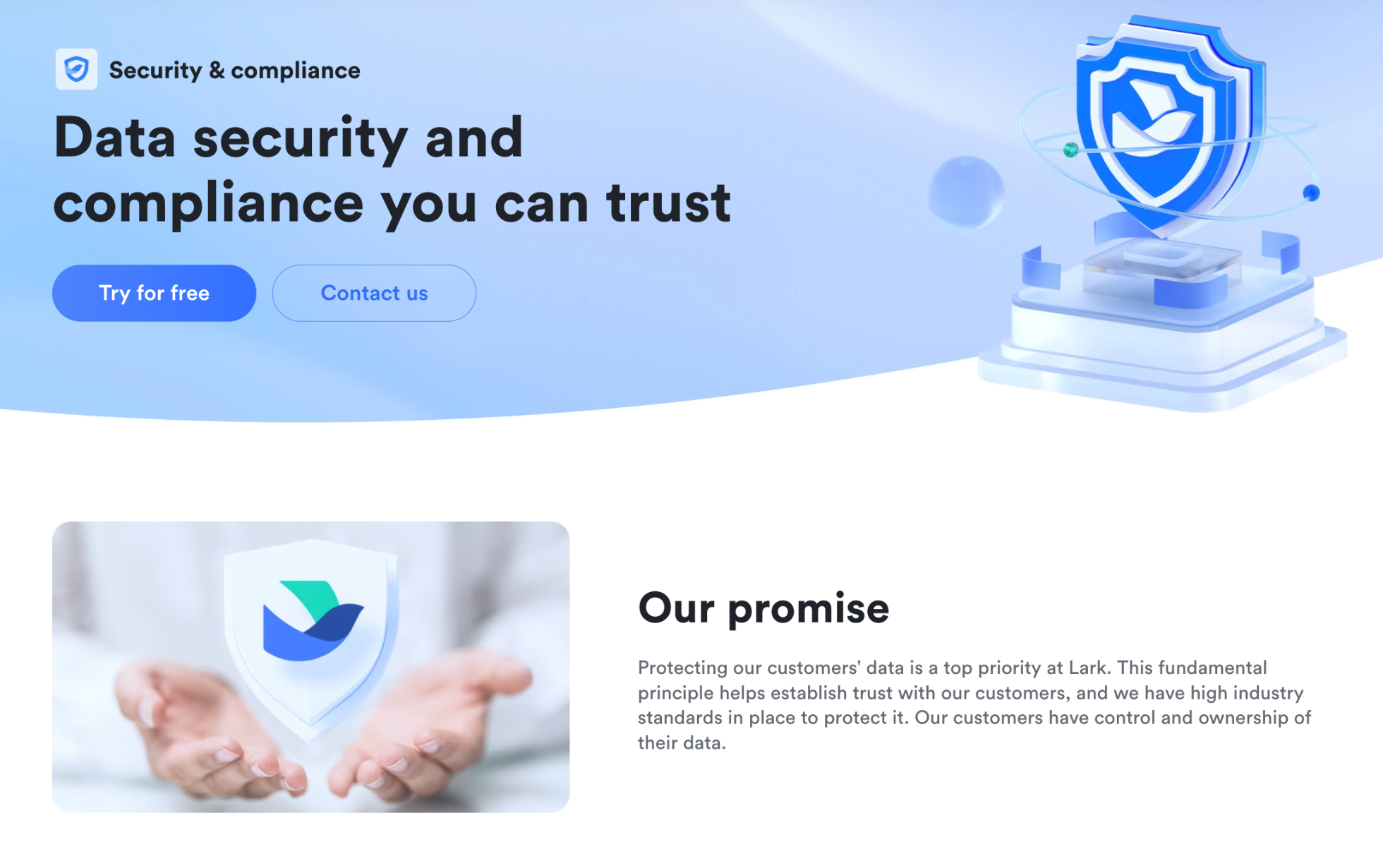
Security is crucial for any organization, and Lark does not skimp in this area. With advanced encryption and compliance with key regulations, Lark addresses many security concerns without compromising on usability. This makes it a good fit for businesses that need to maintain high security standards while fostering collaboration. Protecting our customers' data is a top priority at Lark. This fundamental principle helps establish trust with our customers, and we have high industry standards in place to protect it. Customers have control and ownership of their data. 🔐 You can learn more about here.
Customer Support and Resources
Customer support is another strong point for Lark. Users can expect responsive help and support services, with ample resources available to assist with onboarding and troubleshooting. Community forums and knowledge bases provide additional learning opportunities, ensuring that users can quickly find answers to their questions.
Competitive Pricing Structure
- Starter plan: that includes more than 11 powerful tools for up to 20 users. It also comes with 100GB of storage space, 1000 automation runs, AI translations, and more. No credit card needed.
- Basic plan: (billed annually) for up to 500 users. It includes everything in Starter and unlimited message history, 5TB of storage space, 1,000 automation runs, and more. Some users may need to to purchase this plan.
- Pro plan: (billed annually) for up to 500 users. It includes everything in Basic plus group calling for up to 500 attendees, 15TB of storage space, 50,000 automation runs, and more.
- Enterprise plan: for custom pricing. Supports unlimited users and includes even more automation runs and advanced security, compliance, and management features.
For small teams with simple communication needs

18 months message history
1000 Base automation runs/month
2000 rows per table in Base
Most POPULAR
For companies with comprehensive collaboration and management needs
Unlimited message history
500-participant video meetings
50k Base automation runs/month
20k rows per table in Base
For large companies with advanced security and organizational management needs
Get a personalized demo and pricing
Unlimited message history
500-participant video meetings
15 TB storage + 30 GB storage/user
500k Base automation runs/month
50k Base automation runs/month
Most POPULAR
For companies with comprehensive collaboration and management needs
Unlimited message history
500-participant video meetings
50k Base automation runs/month
20k rows per table in Base
Long-term cost-effectiveness
Switching to Lark can deliver significant savings in the long term. For example, consider a company of 100 employees using Slack, Google Workspace, and Airtable. By transitioning to Lark's Pro plan, they could save approximately $25,200, reflecting the total cost of ownership for a typical toolset. 👉
Conclusion
There isn't a universal winner here. Google Workspace is usually the better fit for browser-first teams, while Microsoft 365 makes more sense for companies that still rely on deeper Office workflows. If your current setup already works, switching is only worth it when your team feels a real day-to-day limitation.
If your team wants simpler collaboration, Google usually makes more sense. If you need heavier desktop workflows and tighter IT control, Microsoft usually does. If both suites still feel like compromises, Lark is worth a look.
Try Lark for free, no credit card needed
FAQs
What is better, Google Workspace or Microsoft 365?
The better office suite depends on your workflow. Google Workspace is stronger for teams that want simpler business email, faster document sharing, and easier collaboration in web versions. Microsoft 365 is often better when buyers need offline access, desktop applications, and more features in Word, Excel, Outlook, and Teams.
Can a business use Google Workspace and Microsoft 365 together?
Yes. Some companies use both Microsoft 365 and Google Workspace, keeping Google for lighter collaboration while using Microsoft for desktop-heavy teams. A hybrid setup can work when departments need different core apps, but it also adds admin and migration complexity.
Should I use Google or Microsoft for my small business?
If you run a small business, compare business plans and paid plans before choosing. Google often suits teams that want simpler setup, while Microsoft can be better if your small business depends on desktop applications, technical support, or more advanced admin needs.
What matters most in a 365 vs Google Workspace decision if my team needs offline access?
For 365 vs Google Workspace buyers, offline access usually favors Microsoft because it offers desktop applications, offline use, and the ability to sync files are more central to the experience. On the other hand, Google only supports offline work in several core apps, but teams need a reliable internet connection for most web and mobile apps.
How do AI tools compare in Microsoft 365 vs Google?
In a Microsoft 365 vs Google comparison, both platforms now highlight AI tools. Microsoft includes Copilot Chat and other AI capabilities inside familiar apps, while Google positions the Gemini app and related AI tools inside Google's productivity suite. Google's side is stronger for Gmail summaries, suggested replies, and Workspace Flows-style automation across Workspace services. Microsoft's side is stronger if you want Copilot in Word to generate a first draft from a prompt. Availability also differs: Gemini is included in eligible Google Workspace plans, while Copilot pricing depends on whether you buy a standalone Copilot plan or a bundle that already includes it.
How should buyers compare business plans and security options?
Start by comparing Google Workspace plans and Microsoft's business plans side by side. Look beyond price to paid plans, add ons, technical support, more storage, and which enterprise level plans include advanced threat protection, advanced threat detection, data loss prevention, endpoint management, compliance tools, and data regions.
Related reading