Ever left a meeting and realized you forgot half of what was discussed?
You discussed ideas, shared opinions, and agreed on “next steps.” But no one remembers who was supposed to do what. A common meeting scenario is that it consumes hours but doesn’t deliver clear outcomes.
As the culture of remote and hybrid work grows, professionals spend a large part of their week on virtual meetings. But unfortunately, they forget key decisions, the tasks they were assigned, and what to do next. It is not very efficient for a person to use the traditional note-taking system.
That is where AI productivity tools make a difference. These tools can automatically record conversations, highlight important points, and generate insights. In this article, you will learn the significance of these tools, how they work, and the benefits.
Importance of AI productivity tools
With the growth in hybrid and remote work, the number of meetings per day has increased. Email notifications are scheduled on calendars along with video calls. So, it is difficult to find time for deep, focused work because you constantly switch from chat to call.
1. The rise of meeting overload
Before people started working online, you would meet face-to-face as a team for meetings. This was done once a day or a few times a week. Currently, you might be required to attend eight to ten meetings per week when you are working remotely. Therefore, you will remember nothing since you have already discussed so many ideas.
This overload also means that you lose concentration, understanding, and progress. When you participate in many meetings, you cannot allocate enough time for deep work. When you do not work deeply, you cannot achieve efficient results. For that reason, it is an intelligent move to use tools that give you clarity.
2. Limitations of manual meeting documentation
A situation that each of us is probably familiar with is this: you jot down notes and observations while in a meeting. The problem is, other than you, no one can make much sense of your scribbles.
Another situation is that you take notes, and then by the time you e-mail them out, everyone has already moved on to the next item on the agenda. Note-taking, as a process, is both subjective and incomplete.
Handwritten or printed notes often lack context, major decisions, and accountability. And to make things worse, without consistent documentation, someone always asks, what did we decide again?
3. Business impact of poor meeting management
The consequences of fuzzy meeting results extend far beyond frustration. Teams don’t get things done because they don’t remember discussions properly. Deadlines slip by because action items weren’t properly tracked. And misalignment happens when people interpret conversations differently.
4. Supporting remote and hybrid teams
Meetings are now more common because of remote and hybrid work. Keeping everyone aligned is difficult due to challenges like different time zones and network issues.
This is where AI productivity tools can help by creating searchable and shared meeting records that everyone can access. Teams can quickly review summaries, decisions, and action points, ensuring that even those who missed the meeting remain fully aligned with the team’s goals.
AI productivity tools are also improving other workplace processes beyond meetings. For example, platforms like help HR teams and job seekers create AI-optimized resumes that match job requirements and applicant tracking systems. This reduces the time spent manually reviewing poorly structured resumes and helps recruiters focus on qualified candidates faster.
5. Enabling data-driven decision making
Modern AI tools can identify patterns in conversations, such as topics debated, how often decisions are made, repetitive concerns, or individuals who contribute the most during meetings. This sort of insight enables leaders to understand team behavior and continually improve meeting management.
Explore the right productivity tools for your team
How AI productivity tools work
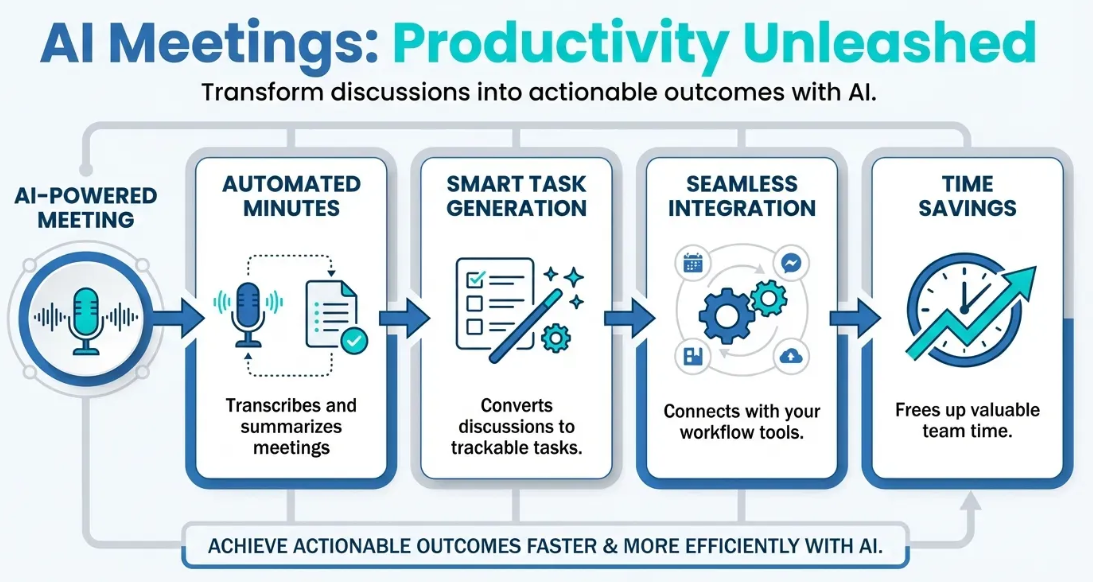
Image source: emory.ai
The advantages are compelling, but how do these tools do what they promise? Let's dig into the key technologies that make AI-powered productivity tools so powerful.
1. Speech recognition and transcription
First, it is about converting the conversation that took place in a meeting to a text format. For this, advanced speech recognition tools can be used. These tools can effectively handle different accents and background noise. Some tools can perform transcription in an ongoing meeting. Other tools can perform the transcription after the meeting is completed.
2. Natural language processing (NLP)
NLP helps in understanding intent. Once the text is ready, understanding the context is important. This is done through NLP. It understands the context of what was said. It identifies key points, questions, and goals that were discussed.
3. Automated summarization
You don’t want to read an entire transcript every time it is generated, do you? The automated summarization converts long discussions into small summaries. These summaries highlight the key decisions and outcomes.
Consider leaving a meeting and getting a summary in your inbox that tells you what was decided and what comes next.
4. Action item detection and task assignment
This is where AI turns notes into actions. Some of the tools can identify action items, assign them to team members, and sync the deadlines with your task management systems.
It is much better than waiting for somebody to assign you the task. AI can even create assignments and schedule reminders for you. This ensures your team stays productive.
5. Integration with workplace ecosystems
AI tools connect with calendars, communication apps, CRM systems, file storage, and HR platforms. This creates seamless workflows. Everyone can be on track and view their performance as well.
For example, when a meeting ends, AI tools can automatically sync summaries and update the action items for you. Then this can be shared with stakeholders. So, they are also updated.
6. Role of AI voice agents in modern meetings
A new frontier in these areas is the use of . These are the smart assistants that can participate in meetings, listen in, and capture discussions in real time.
An AI voice agent attends meetings with you, gathers information, and ensures that nothing is overlooked. These agents work in the background while gathering data in real time. They can even offer summaries and action lists without interrupting the flow.
Beyond documentation, modern AI voice agents can also translate conversations in real time. This makes the collaboration easier for global teams. These agents detect tone, sentiment, and engagement levels. With this data, managers understand when participants are confused, disengaged, or aligned.
Some voice agents can even highlight previous decisions, retrieve documents, and respond to simple questions during meetings. AI voice agents turn meetings from passive dialogues into intelligent goal-driven sessions by listening, understanding, translating, and organizing spoken data systematically.
Implement smart project management from today
Benefits of AI productivity tools
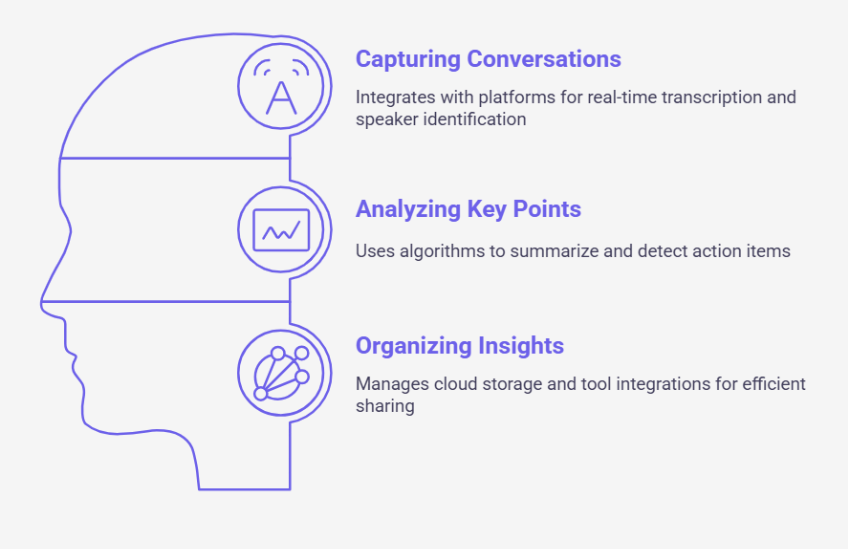
Image source: maestrolabs.com
Now that you know how they work, let’s talk about why they really matter.
1. Improved meeting efficiency
In meetings, everyone is so busy making notes that they don’t participate in the conversation with interest. But as AI tools handle transcripts and create summaries, teams can focus on the ongoing discussion and share their points.
Participants can focus on thinking deeply and contributing meaningfully in meetings. This saves time for everyone involved.
2. Better accountability and ownership
One of the most common post-meeting problems is confusion about the responsibilities that are assigned. AI tools can identify tasks, assign them, and send reminders. That means you don’t need to spend your time asking everyone about updates. Instead, you can focus more time on getting work done.
3. Enhanced team collaboration
Collaboration will go more smoothly if your team can find everything in one location. Teams working in different places or time zones will have a seamless experience when meeting insights are easily searchable and shared. Everyone can see the same record, comprehend the decisions made, and know what to do next. These tools help you achieve this level of collaboration.
4. Increased employee productivity
When routine work like note-taking and follow-ups is automated, employees have more time to focus on high-impact work. That reduces cognitive load and prevents burnout. This is good for morale and outcomes.
5. Better decision tracking
AI tools create documented records of what was decided in a meeting and why. This helps teams avoid revisiting the same topics repeatedly and provides context for future planning.
Whenever there’s confusion about a certain thing, instead of asking “Did we agree on that?” and remaining uncertain for hours, you can simply search your meeting archive. This saves time and speeds up the execution.
6. Scalable knowledge management
Your meeting transcripts or summaries are data. When the number of meetings increases, the knowledge base also increases. This data is crucial for onboarding new hires, training, and institutional memory.
AI makes these records searchable, organized, and accessible. It even ensures the security and privacy of that data by establishing various encryption methods. This ensures that you have historical data and can refer to that data anytime you need in the future.
7. Higher ROI and cost savings
When an organization uses AI productivity tools, they observe that time is saved, follow-up systems are improved, and execution becomes faster. This results in generating measurable ROI. Teams can avoid repetitive meetings and complete projects faster. These tools keep everyone aligned.
Boost your team's productivity with all-in-one solution
Introducing Lark: Your all-in-one AI productivity platform
Modern teams need more than just a place to store files and send messages; they need intelligent tools that actively help them work faster and smarter. Lark is an all-in-one digital workspace that brings messaging, video calls, document collaboration, file sharing, project management, approvals, and powerful AI-driven workflows into a single, cohesive platform. By embedding an intelligent assistant directly into your daily operations, Lark eliminates mundane tasks and unlocks your team's creative potential.
Key components of Lark include:
: A cloud-native document and sheet editor that enables real-time collaboration, allowing teams to create, edit, and share documents effortlessly.
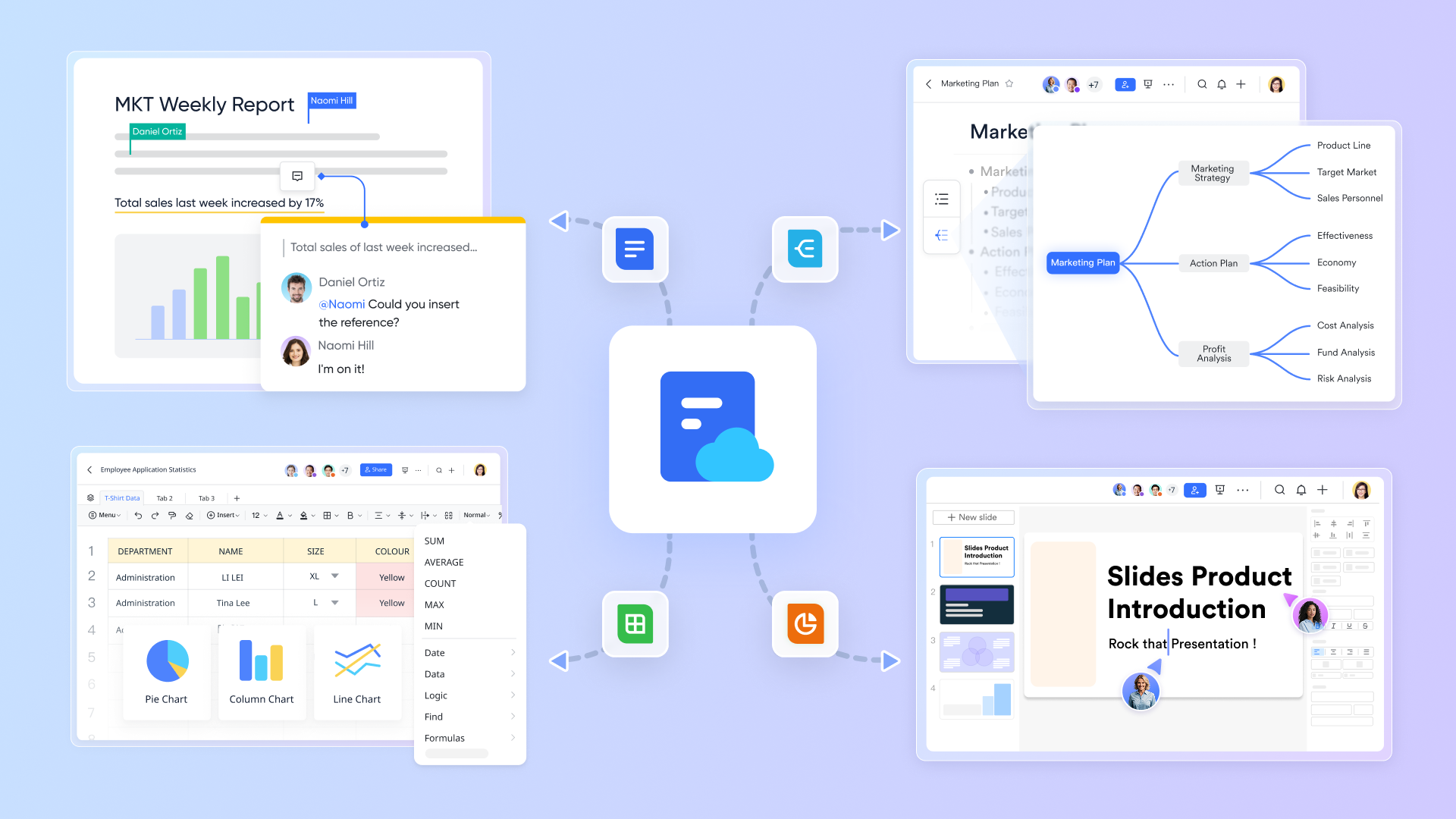
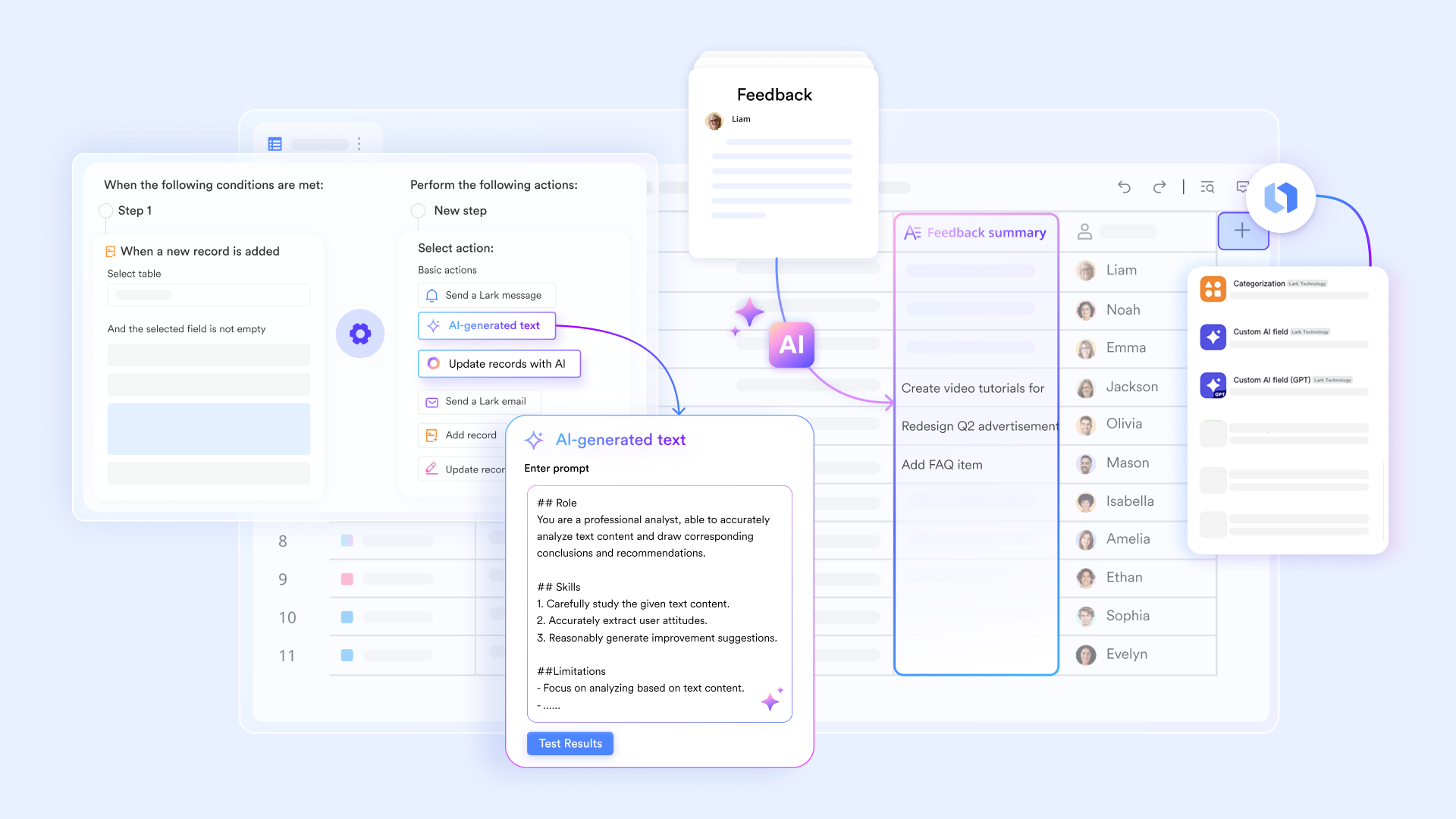
: A flexible database and workflow platform that helps teams organize project data, automate processes, and customize workflows to fit their unique needs. Lark Base offers a DeepSeek AI field shortcut for structured data tasks.
Lark Tasks: An intuitive task management tool that allows users to assign, track, and complete tasks, ensuring nothing falls through the cracks. 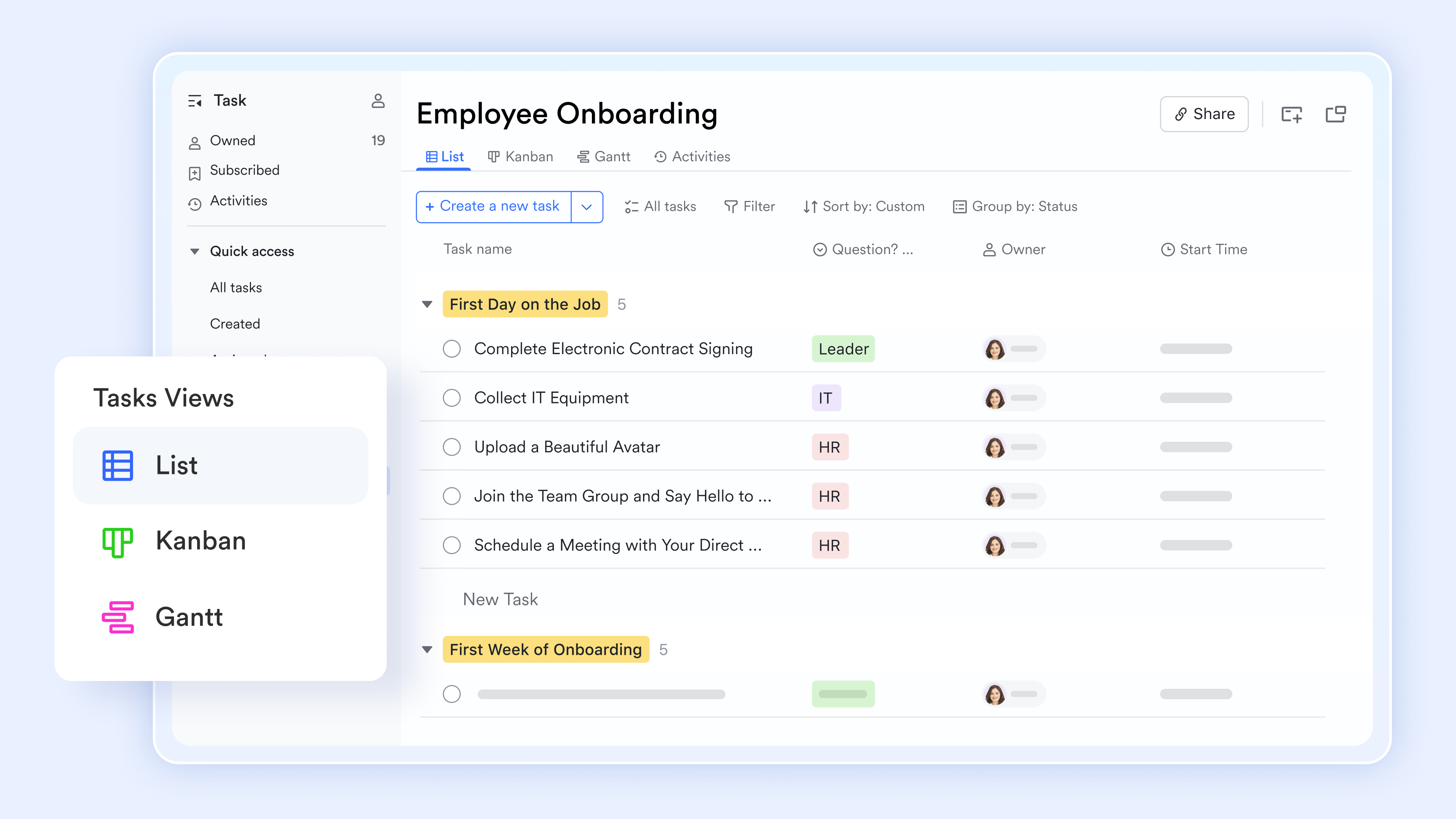
: A powerful video conferencing solution featuring Magic Share for seamless content sharing and that automatically capture key discussion points, saving time and improving meeting outcomes. 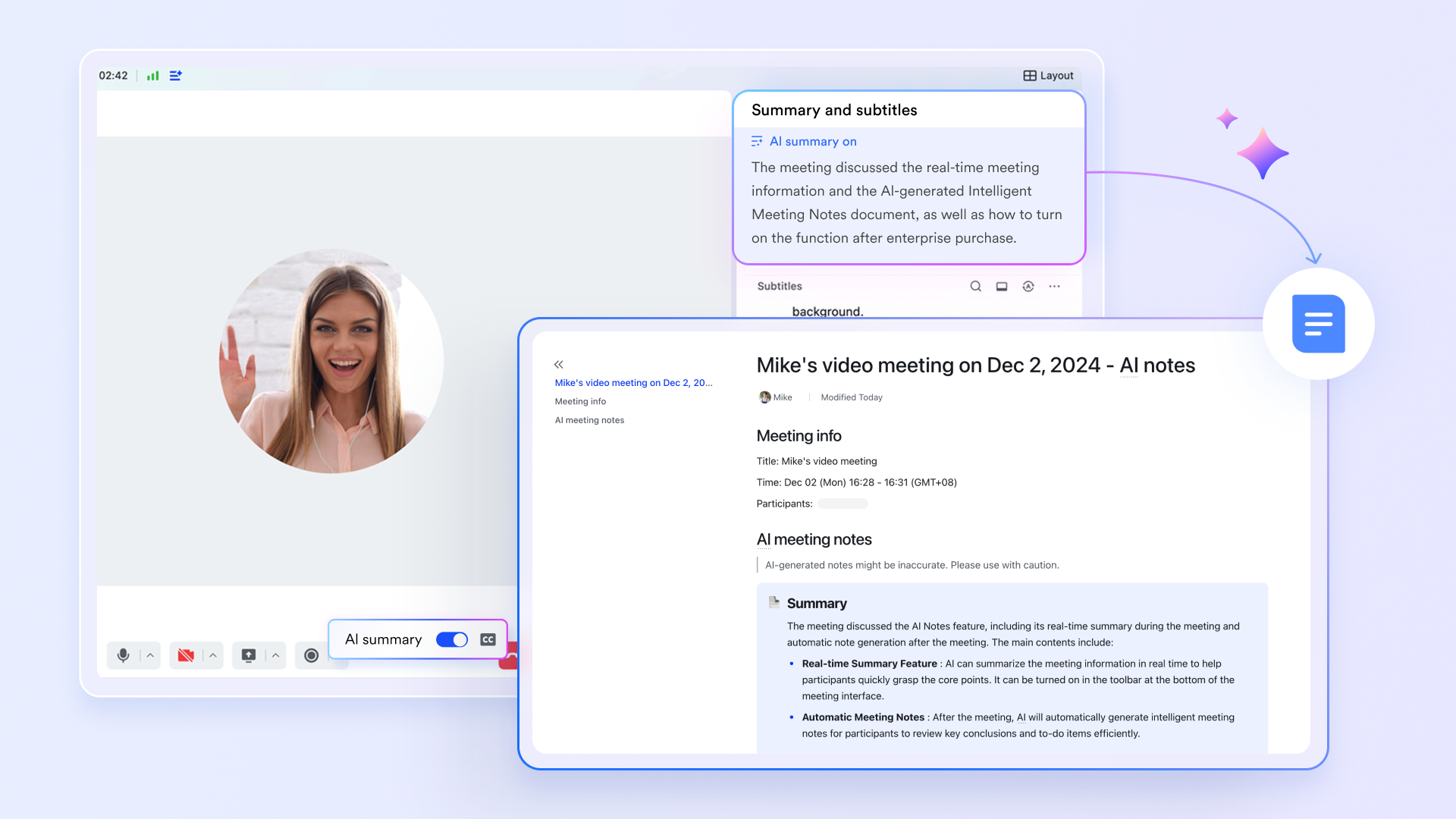
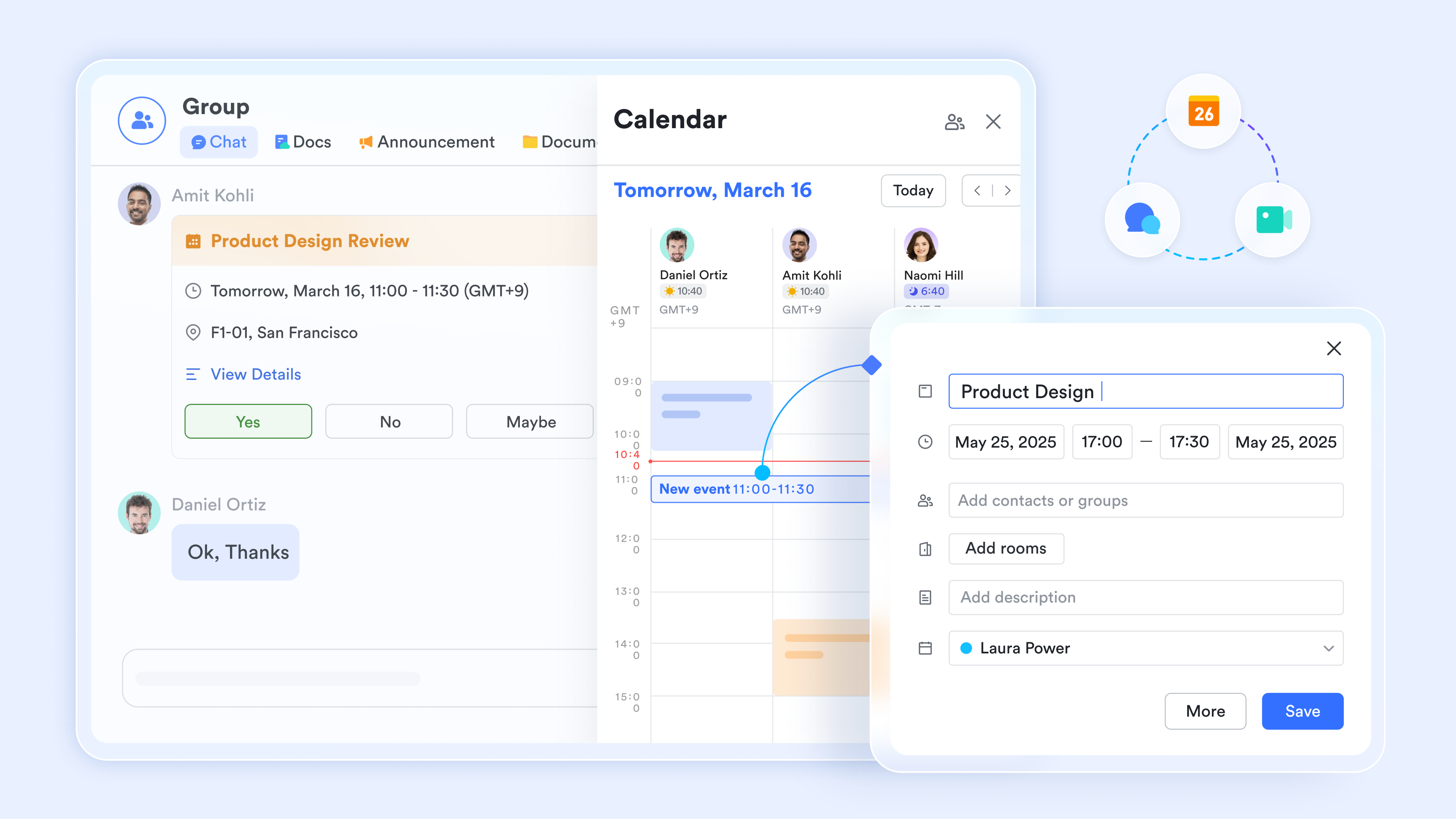
: A robust chat platform that supports instant messaging, group chats, and multimedia sharing to keep communication flowing smoothly.
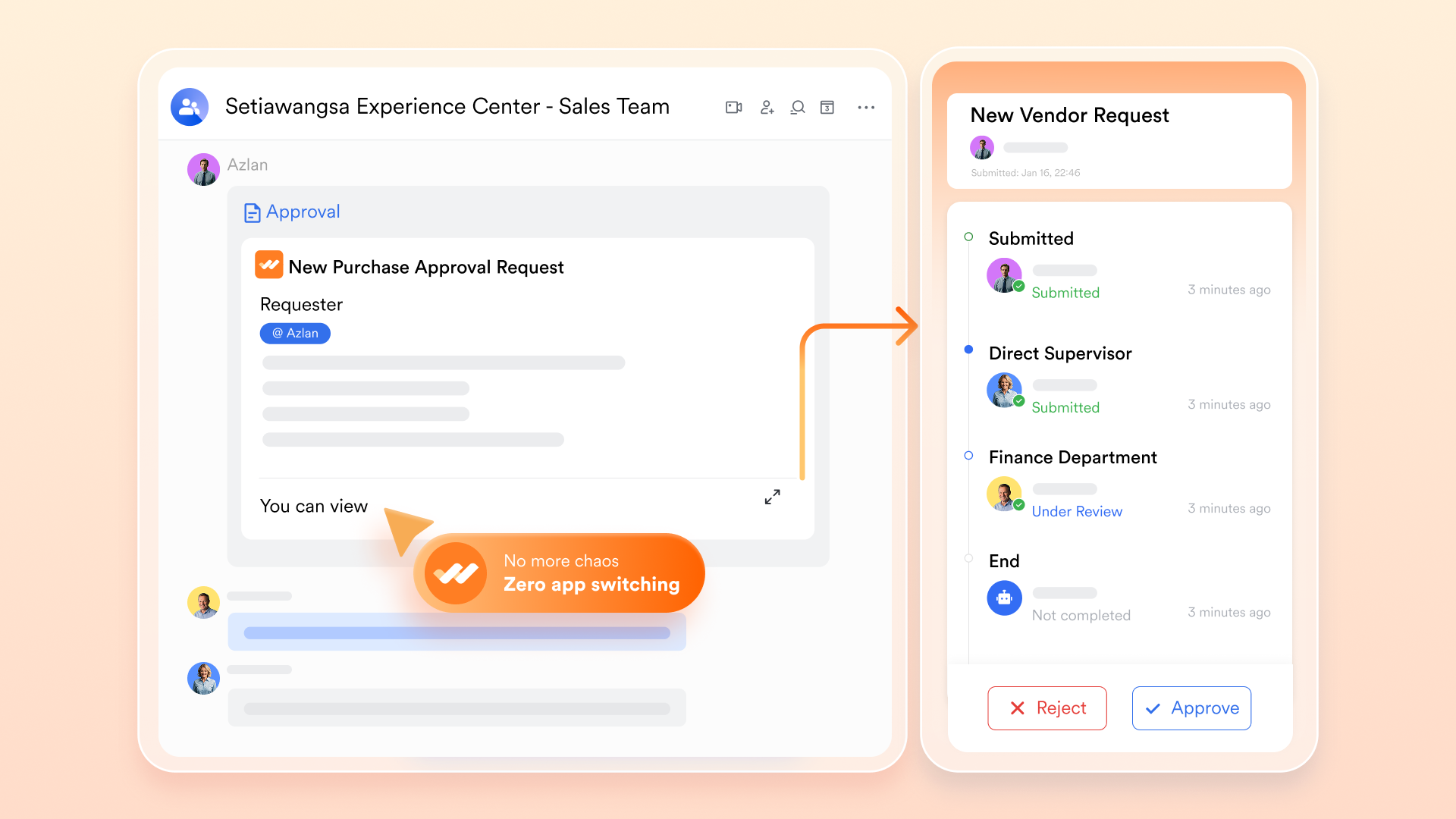
: An automated approval workflow system that streamlines requests and decision-making processes, reducing bottlenecks and accelerating project progress.
There is an AI Assistant available in the for answering questions about Lark.
:
- Starter plan: that includes 11 powerful tools for up to 20 users. It also comes with 100GB of storage space, 1000 automation runs, AI translations, and more. No credit card needed.
- Pro plan: (billed annually) for up to 500 users. It includes everything in Starter plus group calling for up to 500 attendees, 15TB of storage space, 50,000 automation runs, and more.
- Enterprise plan: for custom pricing. Supports unlimited users and includes even more automation runs and advanced security, compliance, and management features.
For small teams with simple communication needs

18 months message history
1000 Base automation runs/month
2000 rows per table in Base
Most POPULAR
For companies with comprehensive collaboration and management needs
Unlimited message history
500-participant video meetings
50k Base automation runs/month
20k rows per table in Base
For large companies with advanced security and organizational management needs
Get a personalized demo and pricing
Unlimited message history
500-participant video meetings
15 TB storage + 30 GB storage/user
500k Base automation runs/month
50k Base automation runs/month
Most POPULAR
For companies with comprehensive collaboration and management needs
Unlimited message history
500-participant video meetings
50k Base automation runs/month
20k rows per table in Base
Together, these intelligent features transform Lark from a simple collaboration suite into a proactive AI productivity partner, empowering your team to focus on high-impact work rather than administrative overhead.
Conclusion
Meetings don't need to end in confusion or forgotten action items. Set up your AI productivity tools and intelligent voice agents to make sure every conversation is crystal clear and followed through. This way, your teams can improve accountability and focus more on real work instead of manual follow-ups. If you are ready to upgrade how your team collaborates during meetings, Lark's AI-powered superapp brings everything together in one smart workspace.
FAQs
What are AI productivity tools?
AI productivity tools are software applications that leverage artificial intelligence to automate routine tasks, enhance collaboration, and provide intelligent insights, helping teams work more efficiently and make data-driven decisions.
What are the 5 most commonly used productivity tools?
The five most commonly used productivity tools typically include project management software, communication platforms (like chat and video conferencing), document collaboration tools, task management software, and workflow automation systems.
How does Lark support team collaboration?
Lark supports team collaboration through its integrated suite of tools such as Lark Docs for real-time document editing, Lark Messenger for instant communication, and Lark Meetings for interactive video calls, all within a single unified platform.
Is Lark suitable for small and large teams?
Yes, Lark offers scalable plans that cater to very small teams up to large enterprises, providing flexible tools and automation capabilities that grow with your organization's needs.
Related reading



















