Keap is known for helping small businesses automate their marketing and customer relationships, but understanding its pricing can be challenging. Plans vary depending on contact limits, users, and added services. For growing teams, these details can quickly affect monthly costs.
If you are comparing Keap pricing options or wondering whether another CRM can deliver the same value more affordably, it helps to see how each plan scales with your contact base. Lark, for example, takes a different approach by combining CRM tools, communication, and workflow management under one transparent pricing model that avoids per-contact costs.
Explore a modern alternative to keap pricing limits
What is Keap? Who is it for?
Keap is a customer relationship management (CRM) software built for small and midsize businesses that rely on marketing automation and sales follow-ups. It helps entrepreneurs manage leads, send , schedule appointments, and close deals from one dashboard.
Originally known as Infusionsoft, Keap evolved to simplify complex workflows for small business owners who wanted automation without deep technical setup. Its built-in tools reduce repetitive manual work, allowing business owners to focus more on selling and customer engagement.
Keap suits service providers, consultants, and growing sales teams who need both automation and personalization. However, its pricing structure, especially how costs increase with contacts and users, means teams must plan carefully before committing to a subscription.
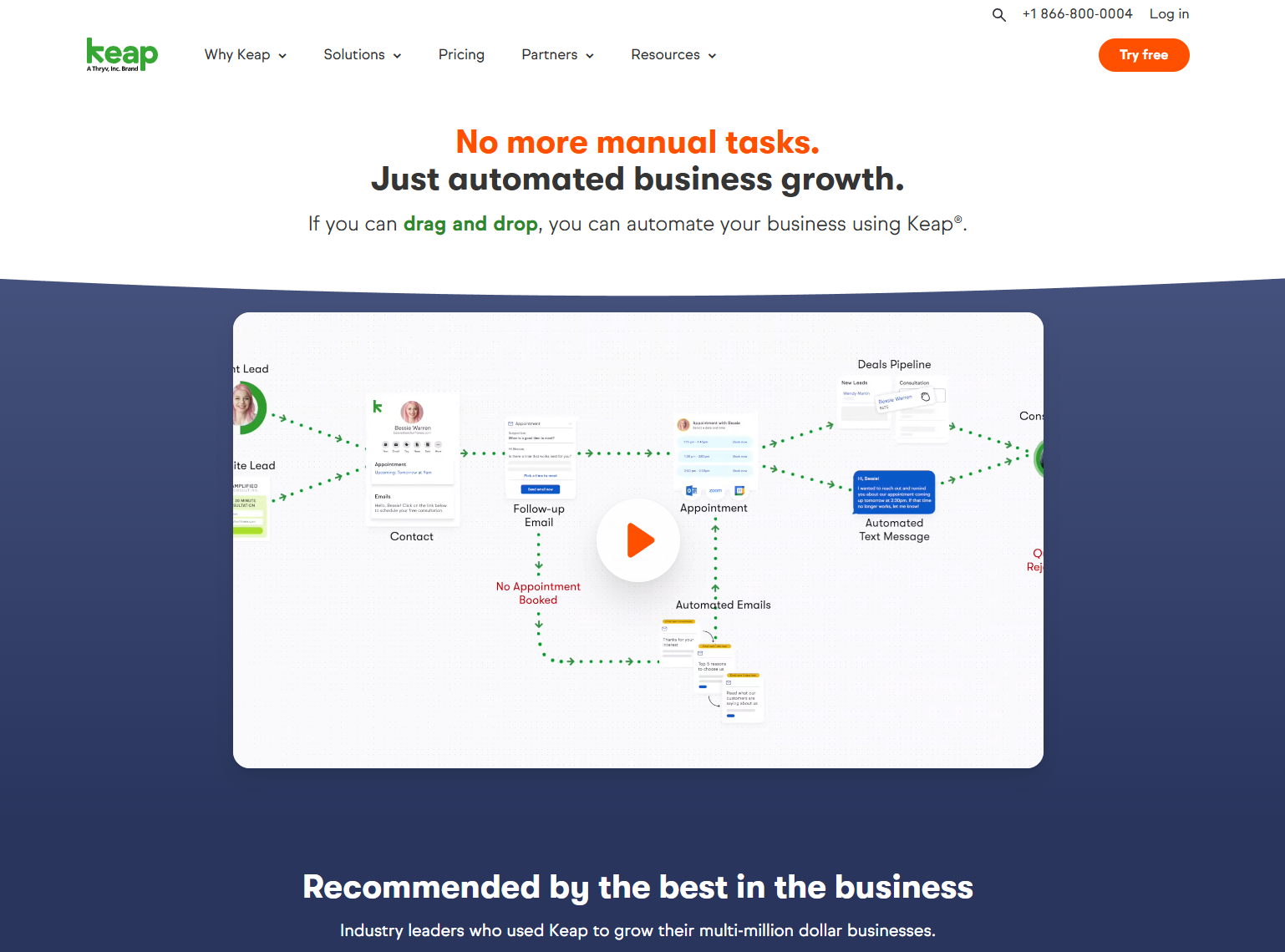
Image source: keap.com
Keap pricing plans overview
Keap pricing is based on the number of users and contacts, and while all paid tiers include core CRM and sales tools, the total cost increases as your database and team grow. There is no forever-free plan, but new users can access a 14-day free trial without a credit card, which includes CRM contact storage, email marketing, automations, appointments, invoicing, and pipeline features. Below is a breakdown of the current pricing plans.
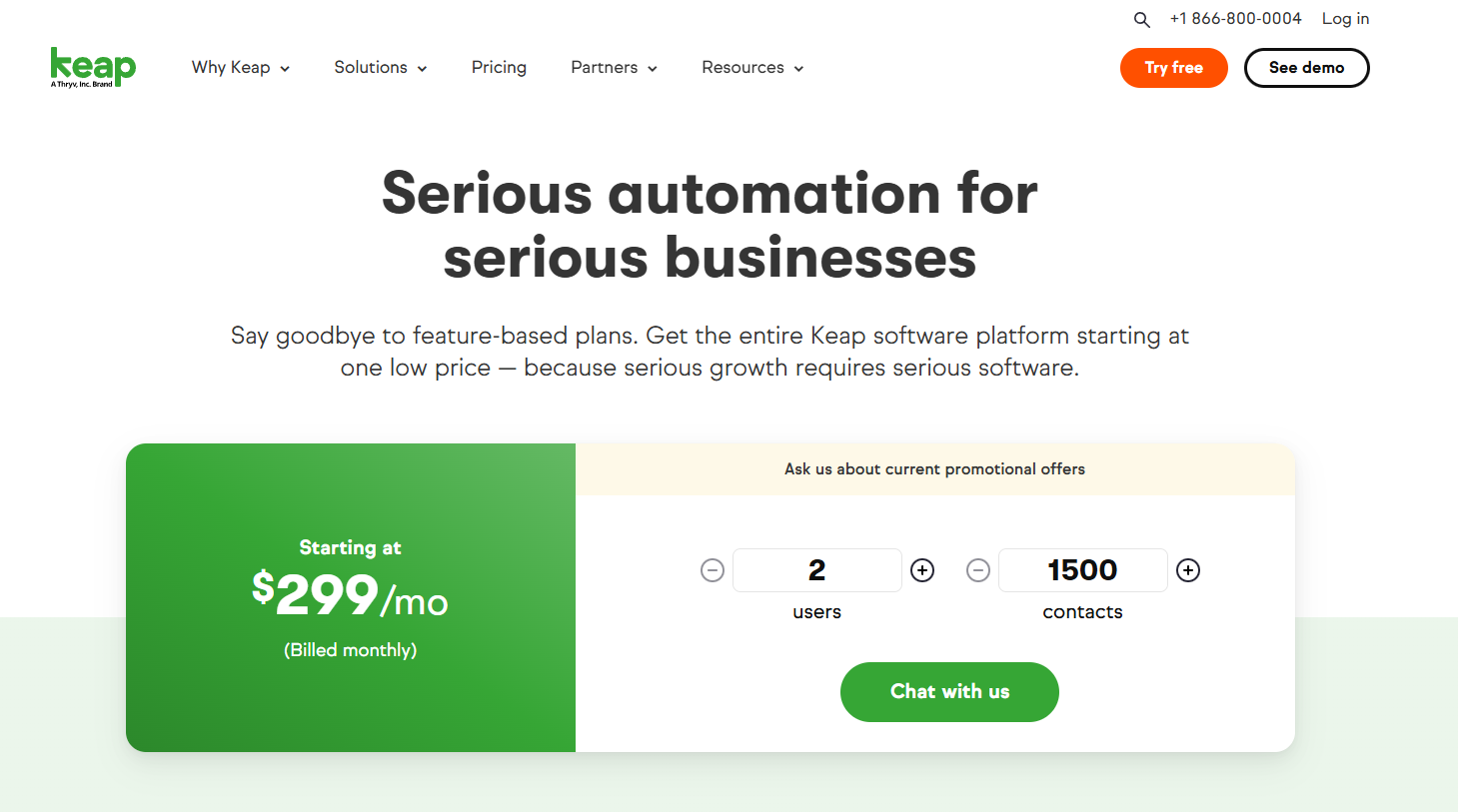
Image source: keap.com
Keap's base prices rise as your contact list expands or as you add new users. Even at entry level, the $299 plan can become more expensive once teams grow or require more storage for contacts and messaging.
Keap pricing plans by contact tiers
Keap's cost structure centers on contact tiers, which define how much data you can store and automate at each level.
User seats and add-ons
Beyond contacts, additional users can be added on top of the included seat count. Keap notes there's "an additional monthly or annual charge" when you add users or contacts, and recommends checking the pricing page or talking to sales for current numbers (Keap updates these periodically).
Annual vs. monthly and contract terms
Keap highlights that prepaying annually provides a discount applied to the base price and to additional contacts/users. Keap's billing FAQ also notes that canceling an annual subscription early triggers a $299 early termination fee important if you plan to scale down mid-term.
Text Marketing tiers
Keap's Text Marketing follows a separate usage-based pricing model:
- Tier 1 (500 texts + 100 voice minutes) is included.
- Higher tiers start at $24/month and scale to $279/month for 25,000 messages.
- Extra add-ons: 500 texts for $6/month and a local number for $10/month (U.S.-only availability).
What's included in each edition
Keap positions Pro and Max as feature rich editions built around CRM, , landing pages and forms, , quotes, invoices and payments, appointment scheduling, sales and marketing automation, , and where available, a dedicated phone line with text marketing.
- The Pro plan is designed for growing businesses and includes core CRM functions, automation builder, email campaigns, form and landing page creation, invoicing, and pipeline tools, starting at $159 per month billed annually for one user and 1,500 contacts, with upgrades required for more seats and larger databases.
- The Max plan adds advanced capabilities such as lead scoring, analytics upgrades, partner and referral management, and deeper automation controls, starting at $229 per month billed annually for one user and 1,500 contacts, making it suitable for scaling businesses that need more operational depth.
- The Max Classic plan is an enterprise grade legacy edition tailored for long term Keap or Infusionsoft users, offering the most extensive automation and customization options, but pricing is not listed publicly and requires sales consultation, with cost depending on contact volume, user count, and required service level.
Overall, Keap pricing is shaped more by contact and seat expansion than by feature locking, since most capabilities start at the Pro tier and widen progressively for teams needing deeper automation and analytics.
Services that can affect total cost of ownership.
Keap offers coaching, migration help (the guide references free migration hours and optional "Done-For-You" services), and ongoing education through Keap Academy. These don't change software price tiers directly but can factor into budget planning.
Strength & Limitations
Most Keap plans include:
- CRM and contact management store customer records, segment leads, and track activity history.
- Sales pipelines and automation builders create that move leads through deal stages.
- Email broadcasts and marketing campaigns send scheduled or to segmented lists.
- Appointment booking and reminders allow clients to book meetings and receive automated confirmations.
- Quotes, invoices, and payment tracking generate proposals, collect payments, and monitor transaction status.
- Landing pages and forms capture leads through hosted pages and embed forms on your site.
- Text Marketing (limited tier included) sends SMS messages within monthly usage limits.
- Integrations with Gmail, Outlook, Zapier, and Shopify sync email, e-commerce, and external apps into workflows.
However, key limitations include:
- Pricing jumps tied to contact growth subscription cost increases sharply as your contact list expands.
- Extra costs for users or texts, each additional seat or SMS tier adds to the total bill.
- U.S.-only SMS support text features are not available outside the United States.
- No built-in document collaboration or team chat requires external tools for proposals, messaging, and shared content.
While Keap covers CRM, automation, and payments well, teams still rely on external apps for collaboration, shared documents, and internal communication. This creates additional tool switching and contributes to long-term costs as the number of contacts and users increases. Since chat, file sharing, and are not built in, workflows become fragmented across multiple platforms. A connected workspace like Lark solves this by combining CRM-style data, messaging, docs, tasks, and automation in one place, giving sales teams everything they need without stacking subscriptions.
See how teams reduce costs without contact-based pricing limits
Why Lark is a more affordable CRM alternative
While Keap focuses on automation for small businesses, offers an ecosystem that merges CRM-style databases, , and collaboration into one connected workspace, providing different pricing plans for businesses of various scales, from startups, small businesses to enterprises. This model helps teams avoid layered subscription costs and per-contact pricing that Keap users often face.
Lark Base: Manage contacts and sales pipelines
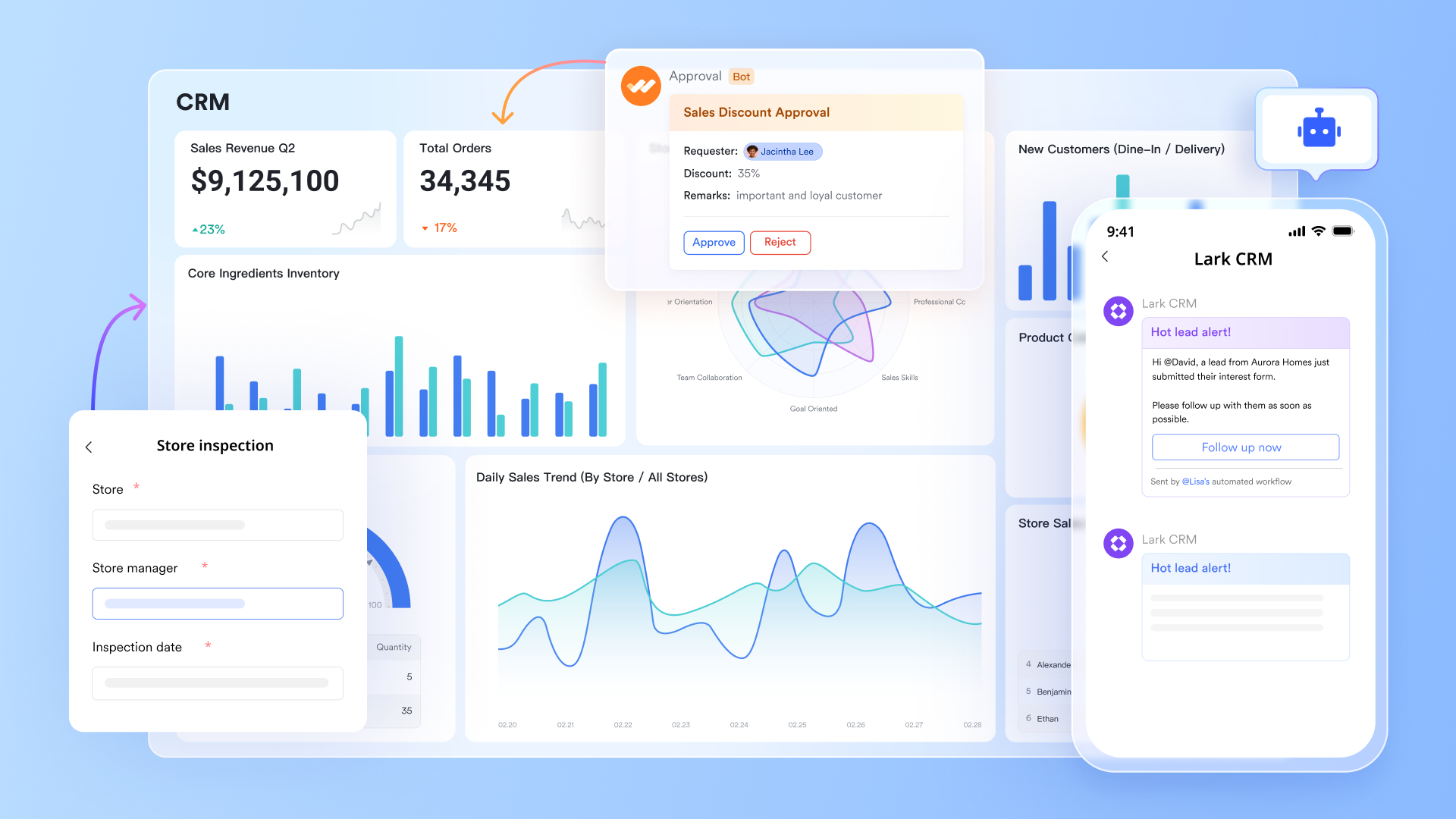
In Keap, CRM functionality centers on managing leads and automating outreach, but this comes at a cost tied to the volume of contacts. Every new 1,000 contacts can significantly increase your monthly bill. For smart management, Lark offers Lark Base as a customizable database for client and lead management. With , you get the same structured approach to lead and client management without the pricing penalties. You can build fully customizable databases for your contacts, sales pipelines, deals, and campaigns. Each record can include fields for contact details, deal stages, revenue potential, and next-step actions.
Filters and make it easy to visualize where every opportunity stands. Automated workflows keep the data updated. For example, when a lead moves from "Qualified" to "Proposal Sent," Lark can trigger an automatic reminder or update task. Unlike Keap, there's no per-contact pricing, and Base connects directly to Tasks, Docs, and Mail, meaning your sales process and CRM data live in one workspace.
Lark Messenger & Lark Mail: Communicate without leaving your CRM
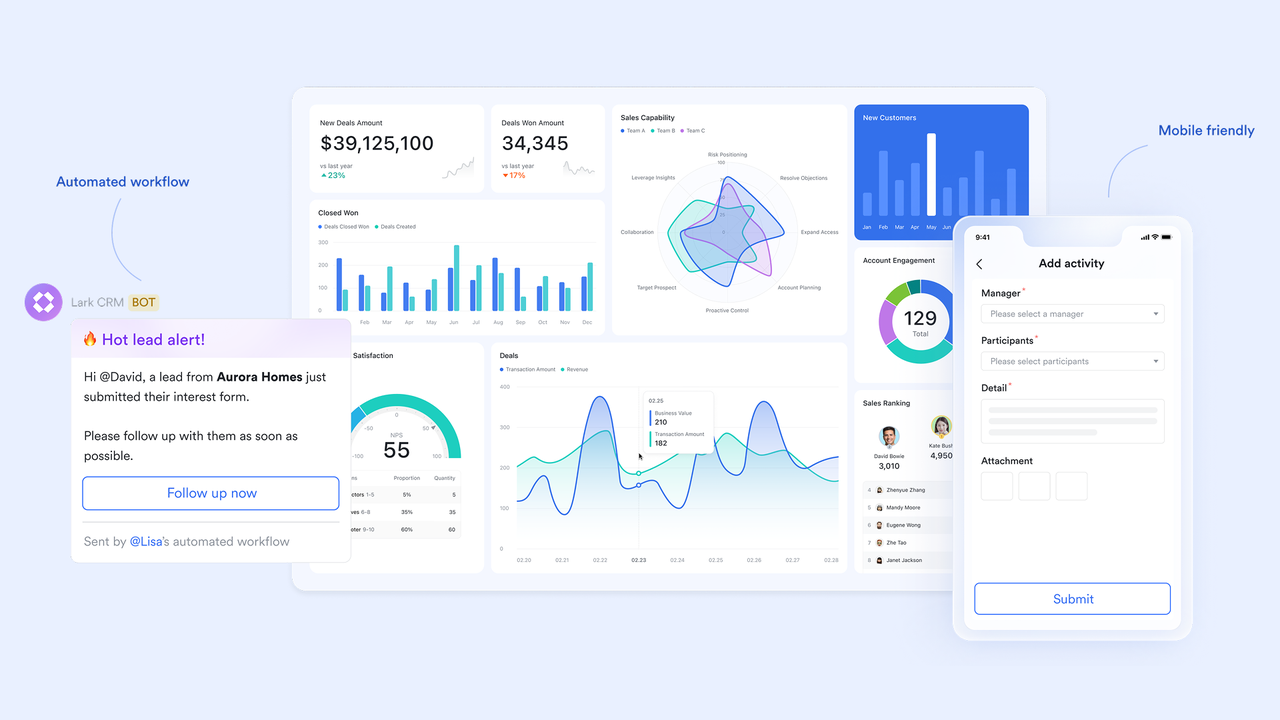
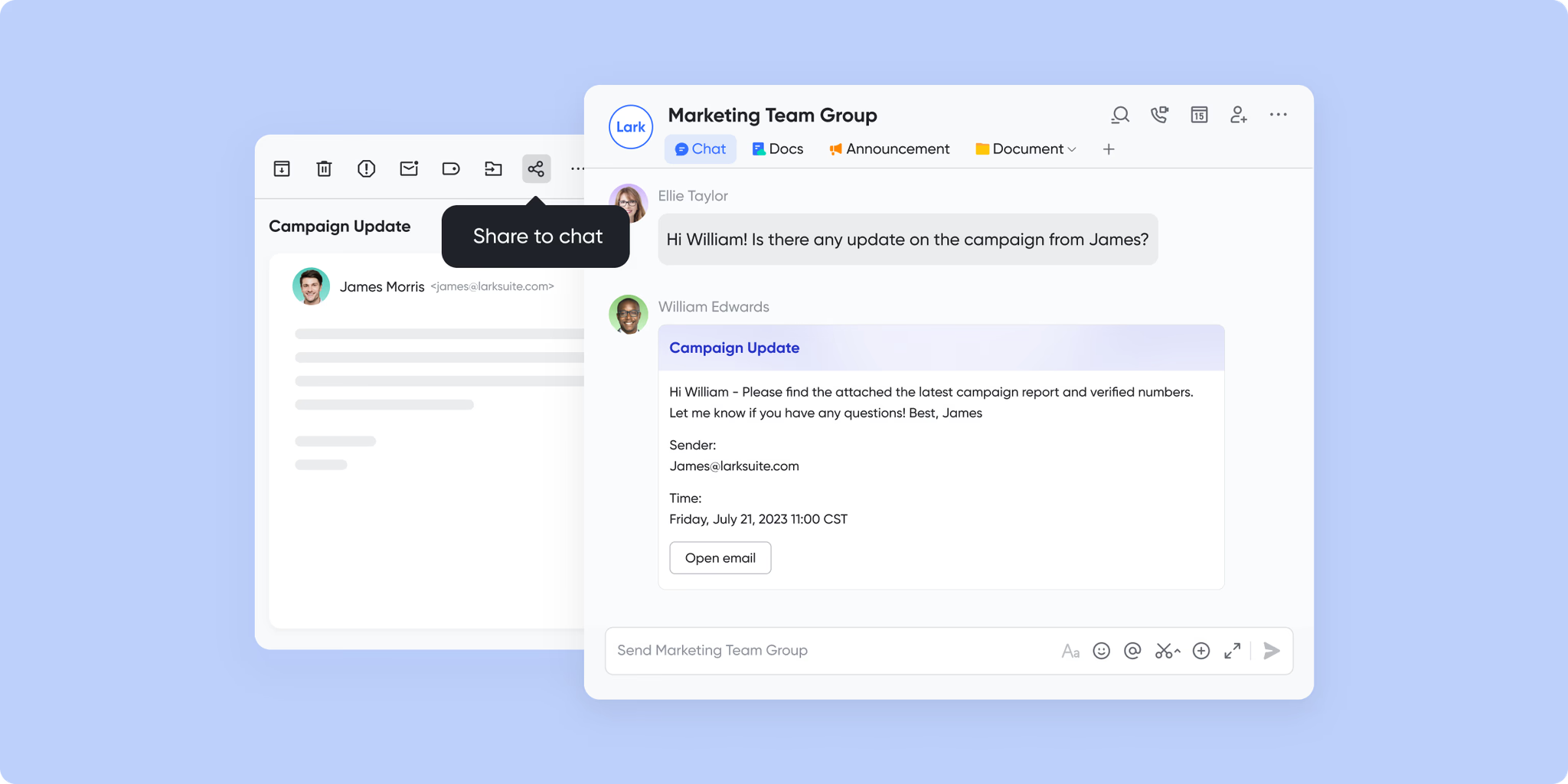
One of the biggest limitations of Keap is that its automation flows often push users back into external tools, especially for real-time communication. Lark removes that barrier with built-in chat, email, and video conferencing, so every customer conversation happens in context.
With , sales reps can instantly share a lead record from Base into a chat thread, discuss next steps, and tag teammates for feedback. Follow-ups and outreach emails can then be handled directly through , which sits side-by-side with your CRM data. This tight connection ensures no lead communication slips through the cracks, because every message, document, and task is linked to the same client record. While Keap focuses on automation, Lark focuses on collaboration, unifying sales conversations with actual CRM data for a clearer and faster workflow.
Lark Approval: Streamline team operations
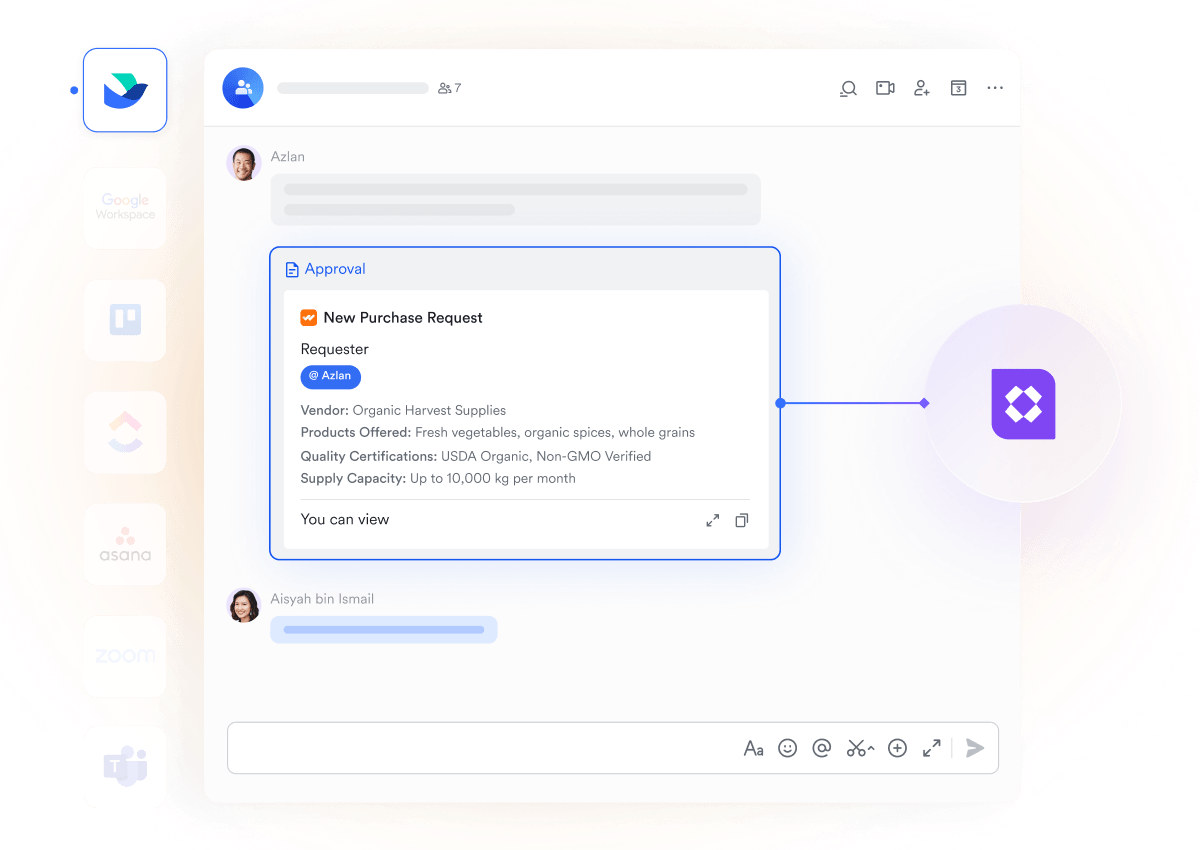
Keap helps automate outreach and campaign follow-ups, but many internal workflows—such as reviewing proposals, approving budgets, validating project scopes, or routing internal requests—still require multiple tools or manual coordination. Lark centralizes these internal processes with built-in Approval flows.
Teams can create structured chains where requests automatically move to the right manager or department, complete with clear status tracking and real-time notifications. For instance, when a project team submits a revised proposal, it can automatically route to finance for budget confirmation, then to leadership for final sign-off. Each step is recorded, visible, and easy to audit, ensuring accountability across the organization.
By keeping internal decision-making workflows in one place, Lark reduces back-and-forth communication and eliminates the need for separate approval tools. This gives teams a smoother, faster operational process—something that Keap's marketing-focused automation doesn't fully support.
Lark Docs & Lark Wiki: Create proposals, playbooks, and knowledge hubs
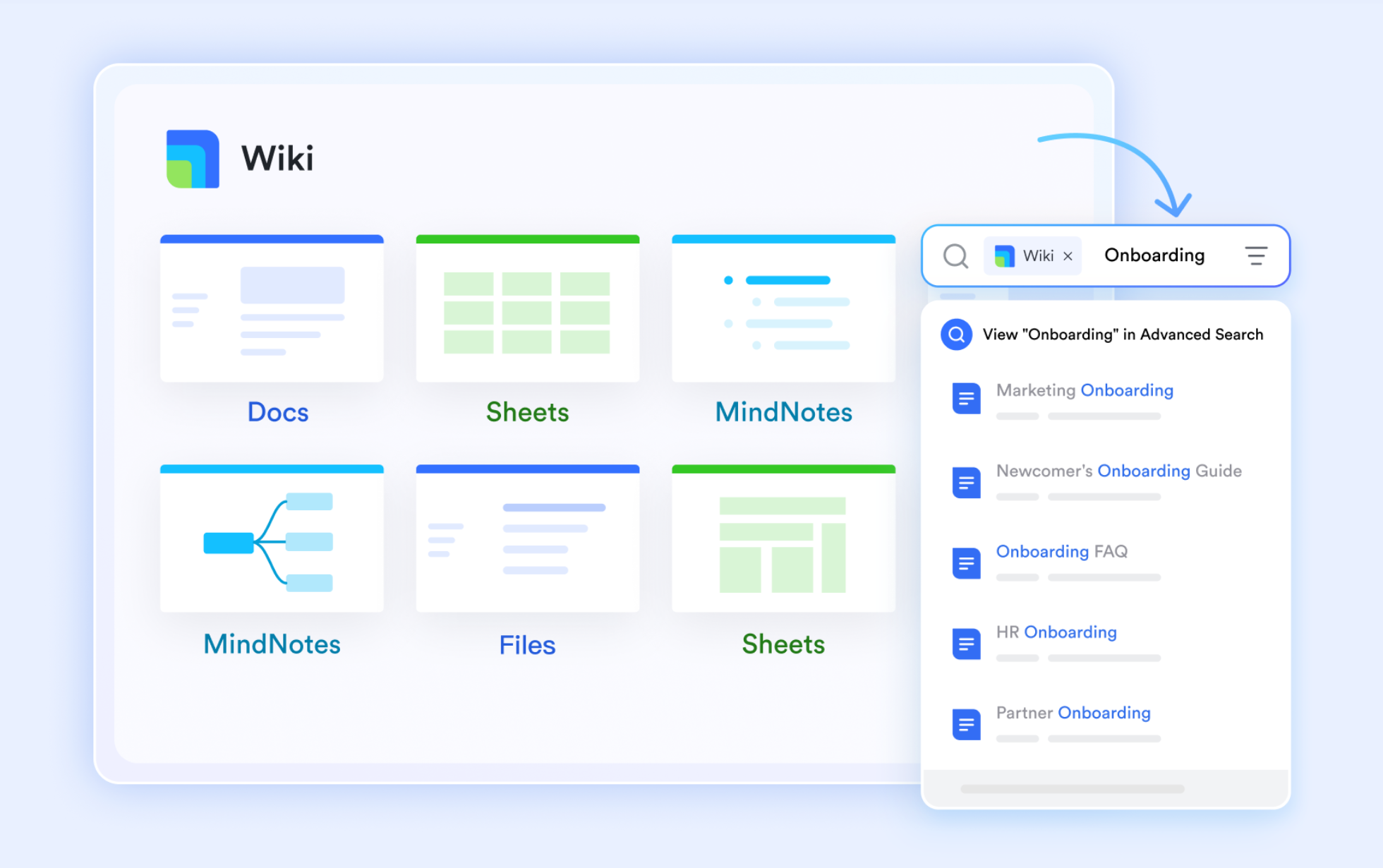
Keap's automation builder is powerful, but it doesn't include document creation or knowledge management. Teams still rely on external tools like Google Docs or Dropbox to collaborate on proposals or internal playbooks. Lark closes that gap by combining CRM functionality with content collaboration.
Using , teams can co-create proposals, marketing assets, onboarding documents, or client reports, all linked directly to the relevant lead or deal in Lark Base. Real-time editing, version history, and inline comments make collaboration effortless. Once finalized, key materials can be published on , where sales teams can maintain a centralized hub of templates, best practices, and onboarding guides.
:
- Starter plan: Free forever plan that includes 11 powerful tools for up to 20 users. It also comes with 100GB of storage, 1000 automation runs, AI translations, and more.
- Pro plan: $12/user/month (billed annually) for up to 500 users. It includes everything in Starter plus group calling for up to 500 attendees, 15TB of storage, 50,000 automation runs, and more.
- Enterprise plan: for custom pricing. Supports unlimited users and includes even more automation runs and advanced security, compliance, and management features.
For small teams with simple communication needs

18 months message history
1000 Base automation runs/month
2000 rows per table in Base
Most POPULAR
For companies with comprehensive collaboration and management needs
Unlimited message history
500-participant video meetings
50k Base automation runs/month
20k rows per table in Base
For large companies with advanced security and organizational management needs
Get a personalized demo and pricing
Unlimited message history
500-participant video meetings
15 TB storage + 30 GB storage/user
500k Base automation runs/month
50k Base automation runs/month
Most POPULAR
For companies with comprehensive collaboration and management needs
Unlimited message history
500-participant video meetings
50k Base automation runs/month
20k rows per table in Base
Quick comparison: Lark vs Keap
Choosing between Keap and Lark often depends on how you expect your CRM costs to scale over time. Keap ties pricing to both users and contact volume, which can make the platform progressively more expensive as your database grows. Lark, meanwhile, uses a user-based model with no additional fees for contacts, messages, or . Below is a breakdown of how both platforms differ in cost structure and value.
Pricing model
Lark: Lark offers a free Starter plan for up to 20 users, a Pro plan at around $12 per user per month with higher storage and automation capacity, and an Enterprise plan with custom pricing for larger teams. Pricing stays consistent even if your database grows from hundreds to thousands of contacts.
Keap: Keap pricing starts at $299 per month for 2 users and 1,500 contacts, which aligns with typical Keap Pro pricing expectations for smaller teams. As contact volume increases, the total cost rises quickly—approximately $617 per month for 4 users and around 11,500 contacts. Beyond 50,000 contacts, Keap provides custom quotes, meaning larger teams often face significantly higher monthly expenses.
Deployment
Lark: Fully cloud-native SaaS, requiring no servers, patches, or maintenance. Updates roll out automatically for all users, and the workspace scales without IT setup.
Keap: Cloud-based only. No on-premises deployment option, but offers API and marketplace integrations for external tools.
Collaboration tools
Lark: Combines chat, video meetings, shared docs, sheets, wikis, email, calendars, and CRM-style databases in one platform. Real-time co-editing, cross-team messaging, and file sharing eliminate the need for separate collaboration apps.
Keap: Focuses on CRM, email automation, and sales workflows. Does not include built-in chat, video calls, or document co-authoring, so users typically rely on tools like Slack, Zoom, or Google Drive.
Automation
Lark: No-code workflow automation for tasks, approvals, and database items, with execution limits depending on the plan. Helps streamline internal process management beyond CRM-only actions.
Keap: Advanced automation builder for sales and marketing flows, including triggers, follow-ups, and campaign logic. Automation volume is tied to contact usage and email marketing activity.
Ease of setup
Lark: Fast onboarding with templates for workflows, docs, meetings, and pipelines. Because messaging, files, and tasks are built in, teams don't need extra setup across multiple tools.
Keap: Setup is straightforward for basic CRM and email campaigns but requires more configuration when scaling to SMS, campaign branching, or large audiences.
Support
Lark: Free users get help centers and bot support. Paid tiers include live support, onboarding resources, and dedicated account assistance for enterprise clients.
Keap: Support varies by edition. Higher-tier plans offer 1:1 coaching, onboarding specialists, and phone-based priority support. SMS, migration, and training services may carry additional fees.
Conclusion
Keap remains a well-known CRM for small businesses that rely heavily on automated sales and . However, its pricing structure is built around contact limits and additional user fees, which means costs increase as your database grows. This can create budgeting challenges for teams that scale quickly or work with large lead lists. Even with strong automation tools, many businesses outgrow the entry plan faster than expected and end up paying significantly more than the starting price.
takes a different approach by combining CRM-style records, shared communication, workflow automation, and document collaboration inside a single platform. Instead of charging more for extra contacts or messages, pricing stays consistent and based on users only, which makes long-term planning easier. For teams comparing keap pricing with modern alternatives, Lark offers a more predictable and collaborative system that supports sales, operations, and internal communication in one connected workspace.
Switch from keap crm pricing tiers to a simpler, scalable model
FAQs
How much does Keap cost per user?
Keap starts at $299 per month for two users and 1,500 contacts. When you increase your contact volume or add more users, the total price rises quickly. For example, around 11,500 contacts with four users costs roughly $617 per month. For teams that expect to scale, this pricing structure can significantly increase overall CRM expenses compared to per-user models like Lark.
Does Keap offer a free trial?
Yes. Keap offers a 14-day free trial with limited contact capacity. It allows users to test CRM and automation features before subscribing. Lark also offers a free plan with no time limit, making it easier to start small.
Are there hidden costs in Keap pricing?
Keap's pricing increases as you add contacts, users, or SMS usage. Text Marketing tiers are billed separately, and higher message volumes or local phone numbers add to monthly costs. There's also a $299 early termination fee for canceling annual plans early. Lark, by comparison, keeps pricing straightforward with no per-contact or message-based charges, helping teams budget more accurately.
Can Lark be used as a CRM?
Yes, Lark Base lets teams manage leads, pipelines, client records, and follow-ups while linking tasks, files, and communication in one workspace. It works like a full CRM without requiring extra add-ons or multiple tools. For teams switching from keap crm pricing, Lark offers more flexibility without contact-based limits.
Which is more cost-effective for small teams?
Keap delivers strong automation and marketing tools, but its $299/month starting price makes it less accessible for small teams. As your database grows, costs climb rapidly due to contact-based pricing. Lark offers a free plan and a Pro plan at around $12 per user per month, with no extra fees for contacts, emails, or storage expansions. For teams that prioritize predictable costs and collaboration, Lark is the more affordable and scalable long-term choice.
Related reading




















