Your hottest lead fills a form at 10:02, calls at 10:05, and browses pricing at 10:07—by 10:15 they've booked with a competitor. That's what happens when lead management fails. Lead management CRM software promises to capture every signal, route it instantly to the right owner, and orchestrate consistent follow‑up across email, chat, calls, and meetings. Delivering that promise takes more than a database; you need system‑of‑record rigor plus system‑of‑engagement speed. Collaboration platforms—combining chat, docs, calendar, meetings, tasks, approvals, and no‑code automation—act as the last‑mile accelerator: real‑time alerts where teams work, lightweight approvals for clean handoffs, and notes that reach the CRM. This guide explains how to design a fast, measurable, scalable lifecycle, what features matter, and how to choose. The "best" tool depends on your funnel, but the goal is constant: faster responses, fewer dropped balls, and trustworthy attribution—executed where your team already works.
Key takeaways: Top 5 lead management CRM software
- Lark: Built‑in collaboration CRM workflows
- Salesforce Sales Cloud: Enterprise automation and scale
- HubSpot CRM: Unified hubs, visual journeys
- Zoho CRM: Broad suite, cost‑effective extensibility
- Pipedrive: Sales‑first pipeline simplicity
These five tools span a spectrum—from arguably best CRM lead management software overall for complex orgs to essentially lead management software CRM options that excel in SMB speed and simplicity.
What is lead management CRM software?
is a category of CRM configured (or purpose‑built) to operationalize the entire lead lifecycle—from capture and routing to scoring and nurturing—before a deal formally enters the pipeline. Think of it as the system of record for pre‑opportunity engagement, tasked with making sure the right rep talks to the right person, with the right context, at the right time.
Core functions
- Centralize lead data: Contacts, activities, consent, UTMs/source.
- Capture leads: Forms, chatbots, web-to-lead, imports.
- Route leads: Round-robin, territory, skills-based; SLA timers.
- Qualify and score: Rule-based and AI; ICP fit + intent.
- Automate follow-ups: Tasks, email/SMS sequences, reminders, escalations.
- Orchestrate communications: Email, SMS, VoIP, meeting scheduling.
- Report and monitor: Speed-to-lead, conversion, attribution dashboards.
- Maintain hygiene and compliance: Deduplication, consent sync, audit logs.
Key features of lead management CRM software
Below are the capabilities that consistently differentiate strong lead engines. For each area, look beyond checkboxes and consider how your team will use the feature day‑to‑day, how it integrates with adjacent tools, and how it helps you measure speed and conversion.
Lead capture
High‑performing teams capture leads from forms, chat, webinars, events, and imports, with UTM and consent tracking baked into every touchpoint. Look for native web‑to‑lead, embedded forms, and chatbots that can qualify lightly without adding friction. Ensure consent fields and purpose codes map directly to CRM fields so downstream sequences stay compliant. If you use multiple landing page builders, confirm you can centralize capture with consistent validation and dedupe logic—this is where a truly best CRM software for lead management today pattern starts.
Lead distribution/routing
Routing is where minutes matter. Your system should support round‑robin, territory, account‑based, and skills‑based rules, with SLA timers that trigger reminders or reroute if a lead isn't touched in time. Prioritize flexibility: Weighted capacity balancing, vacation calendars, and business‑hours logic prevent gaps. For complex orgs, consider fallback hierarchies (SDR pool → AE pool → on‑call) and case‑by‑case approvals for VIP or multilingual leads—these details often separate an average setup from an arguably best CRM lead management software overall experience.
Automation/workflows
Workflows should watch for triggers (form submissions, email replies, ad events), then orchestrate the next best action: Assign owner, , send emails/SMS, update fields, and post alerts to your collaboration channels. Multichannel sequences help you maintain momentum across days 1–14, adjusting based on replies and call outcomes. Also consider AI orchestration that composes emails, suggests call outcomes, and summarizes notes across apps—this is where essentially lead management software CRM stacks leverage automation to do more with less.
Communication stack
Email remains the backbone, but SMS, VoIP, and webinars/demos are often decisive. Your CRM should sync with your tool for drip journeys, support native or integrated SMS for urgent touches, and log calls with recordings/transcripts when possible. Webinar/meeting integrations should attach attendance and engagement data to the lead record. The goal isn't to cram comms into the CRM UI; it's to make every touch discoverable, attributable, and actionable from the lead object.
Scheduling
Self‑serve booking eliminates back‑and‑forth, raises show rates, and shortens cycles. Look for round‑robin scheduling across pools, pooled calendars with fair distribution, and buffers to protect focus time. AI scheduling assistants that propose times and reschedule automatically can recover otherwise lost meetings. Ensure calendar events sync to the CRM with the right owner, link to sequences, and trigger reminders—this is where teams become surprisingly the best lead management software currently effective in day‑to‑day execution.
Integrations and ecosystem
Your CRM won't live alone. Confirm native integrations for email, calendar, , forms, webinars, and enrichment; use connectors (e.g., automation hubs) when you need to bridge gaps. Check API/webhook limits, authentication options, and event payload depth so you can build reliable, idempotent flows. The best stacks feel cohesive because data and actions flow both ways with low latency—this is when teams evaluate, quite specifically, CRM software for lead management decisions in the context of their broader go‑to‑market tooling.
Security/compliance
Lead data includes personal information, so consent capture, lawful basis, and retention policies are non‑negotiable. Seek role‑based access, audit logs, encryption at rest/in transit, SSO/MFA, and region‑aware consent handling (GDPR/CCPA). For email/SMS, ensure opt‑in/opt‑out status syncs across tools; for forms, consider double opt‑in and granular purpose fields. that's hard to follow will be ignored—build it into everyday workflows, so it happens automatically.
Discover all features in one all-in-one solution
Top 10 lead management CRM software
1. Lark: Built‑in collaboration CRM workflows
Overview
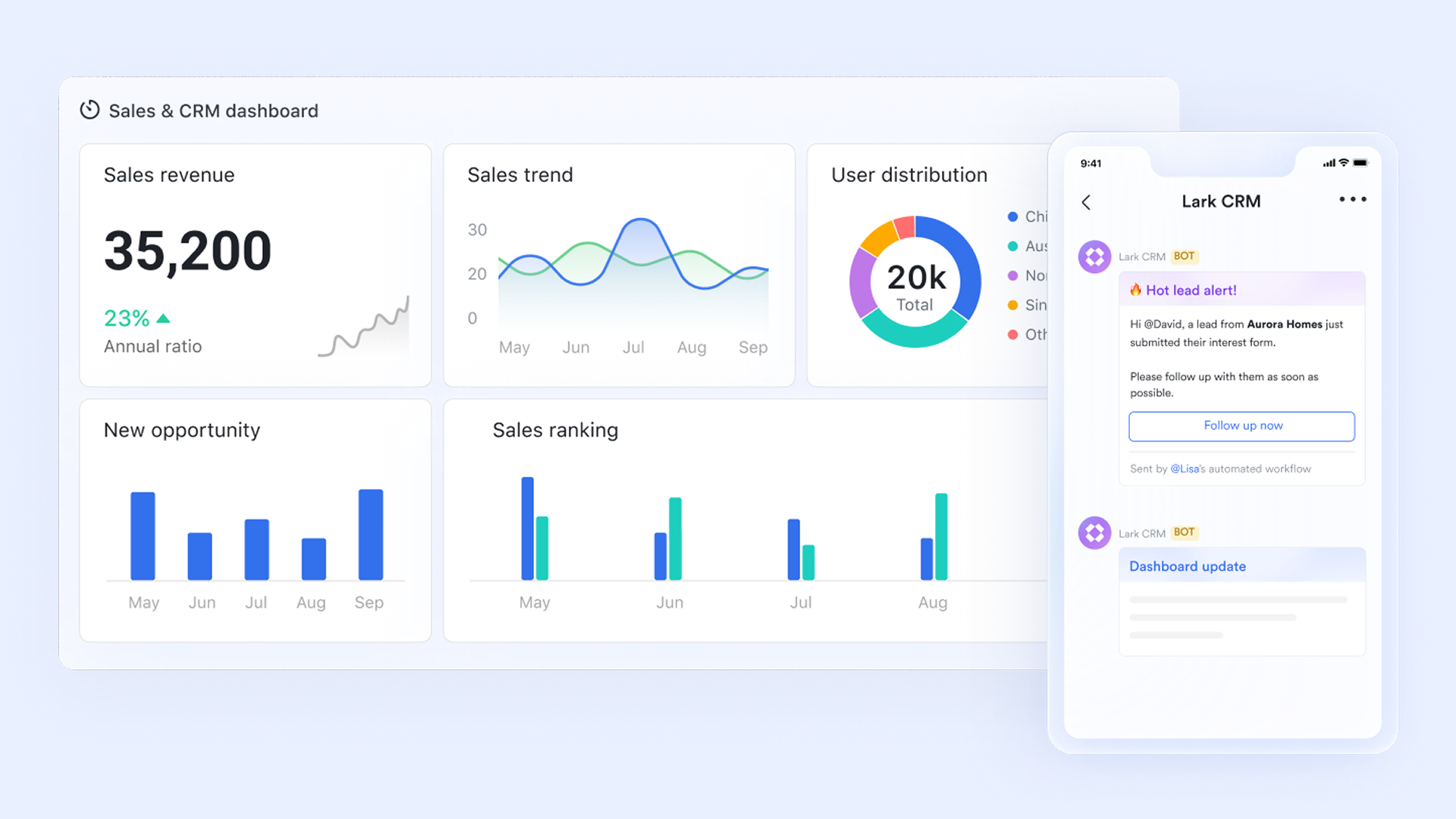
provides a powerful CRM that's fully integrated with built‑in chat, email, and video meetings. Teams don't have to jump between apps, allowing them to manage custom pipelines, automate tasks, and talk to teammates all in one place. As lead management CRM software, Lark helps you centralize lead data, automate routing and follow‑ups, and coordinate SDRs and AEs in real time. Built‑in AI compiles account profiles, summarizes activities, prepares call scripts, and streamlines workflows, while real‑time dashboards surface speed‑to‑lead and conversion metrics. With a top‑rated mobile app and a platform that can replace multiple tools, Lark supports reps wherever they work while helping companies cut costs significantly.
Key features
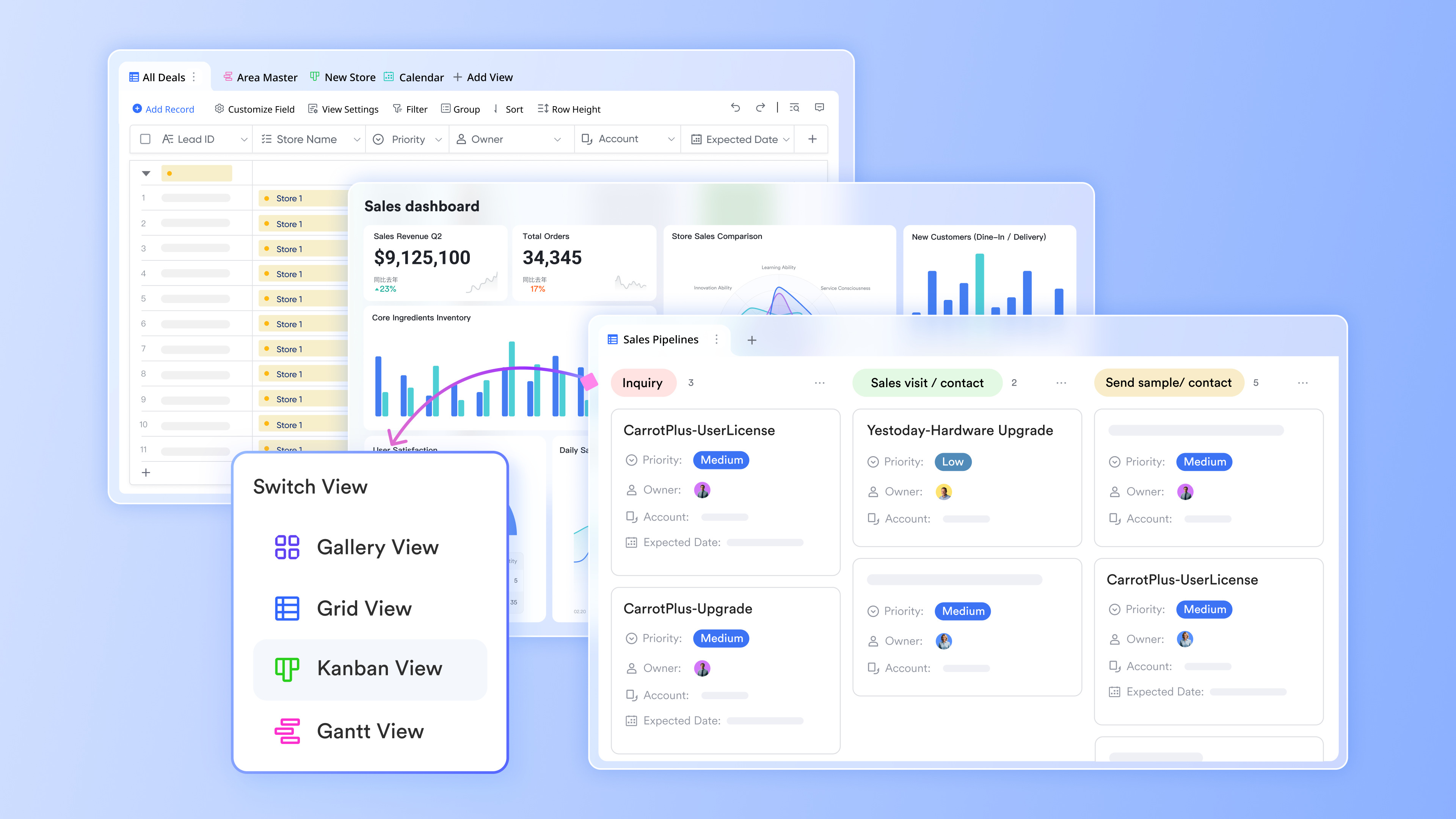
Custom no-code lead management database: Use , a no‑code database to create lead management CRM software tailored to your funnel. You can define custom fields for lead source, stage, owner, region, and next steps, then organize everything in flexible views such as tables and Kanban boards. Teams see exactly what matters to them, while permissions ensure each role only accesses the data they need. When a record changes, related teammates can be notified in chat, making it easy to discuss context, update details, or schedule a follow‑up—without leaving Lark. Over time, this hub becomes your single source of truth for leads, qualification, and handoffs across the entire revenue team.
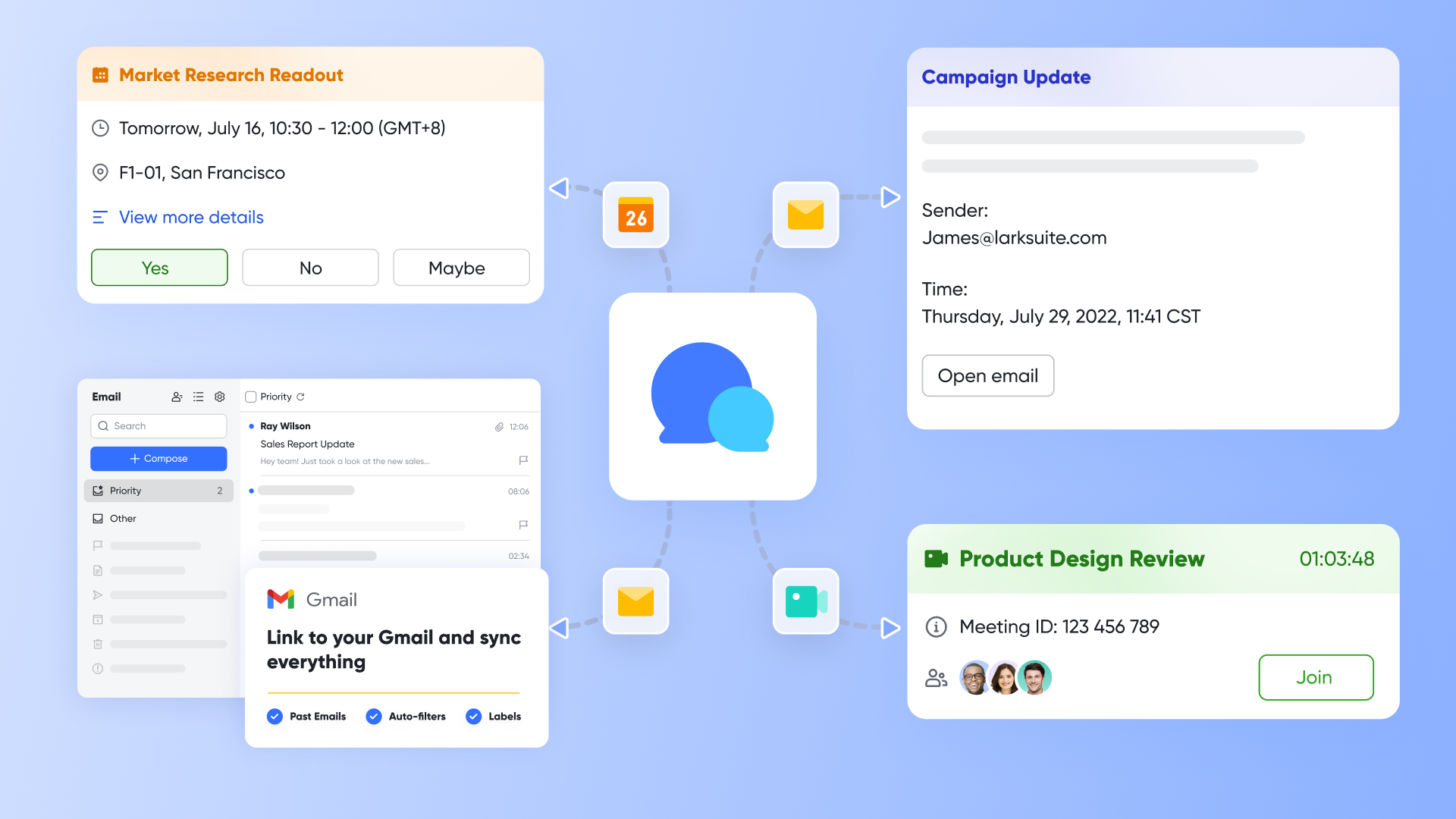
Instant communication for faster follow‑up: Because chat, email, calendar, and meetings are built in, reps can message teammates, send emails, book demos, and join calls directly from a lead record.
Automations and approvals that keep leads moving: Set up automations so that when a lead changes stage in Base, Lark can notify the right owner, create tasks, or trigger an approval request in . Managers can review and approve special cases such as discounts or territory changes on desktop or mobile, keeping routing decisions fast and visible. AI meeting notes and summaries help ensure key information gets captured and can be copied into your CRM.
for growing teams: Apply fine‑grained access controls to Lark Base, , and , and use SSO and other enterprise security features to protect customer data. This makes it easier to scale your lead management CRM software workflows across regions and teams while staying compliant.
Pros
- Built-in collaboration cuts context switching across chat, meetings, docs, and tasks.
- Real-time alerts where teams work reduce response time materially.
- No-code databases (Base) and approvals handle nuanced lead ops without heavy admin.
- Developer platform supports custom automations and CRM sync without a complex middleware stack.
Cons
- A little learning curve. Although user-friendly, new users may require time to adapt to the integrated functionalities. But can assist users with potential problems.
Who should choose Lark
Teams that want an all‑in‑one workspace combining lead management CRM software with chat, email, calendar, and meetings—so reps can capture, qualify, and follow up on leads without constantly switching tools.
:
- Starter plan: Free forever plan with 11 powerful tools for up to 20 users, 100GB storage, 1,000 automation runs, AI translations, and more. No credit card needed.
- Basic plan: $6/user/month (billed annually) for up to 500 users. Includes everything in Starter plus unlimited message history, 5TB storage, 1,000 automation runs, and more. Some users may need to to purchase.
- Pro plan: $12/user/month (billed annually) for up to 500 users. Includes everything in Basic plus group calling for up to 500 attendees, 15TB storage, 50,000 automation runs, and more.
- Enterprise plan: for custom pricing. Supports unlimited users and includes advanced automation, security, compliance, and management features.
For small teams with simple communication needs

18 months message history
1000 Base automation runs/month
2000 rows per table in Base
Most POPULAR
For companies with comprehensive collaboration and management needs
Unlimited message history
500-participant video meetings
50k Base automation runs/month
20k rows per table in Base
For large companies with advanced security and organizational management needs
Get a personalized demo and pricing
Unlimited message history
500-participant video meetings
15 TB storage + 30 GB storage/user
500k Base automation runs/month
50k Base automation runs/month
Most POPULAR
For companies with comprehensive collaboration and management needs
Unlimited message history
500-participant video meetings
50k Base automation runs/month
20k rows per table in Base
: Switching to Lark's Pro plan can lead to significant cost savings— for example, a 100-employee company using Slack, Google Workspace, and Airtable could save approximately $19,800 annually by consolidating their tools with Lark.
Opt for a real bargain and unlock more value
2. Salesforce Sales Cloud: Enterprise automation and scale
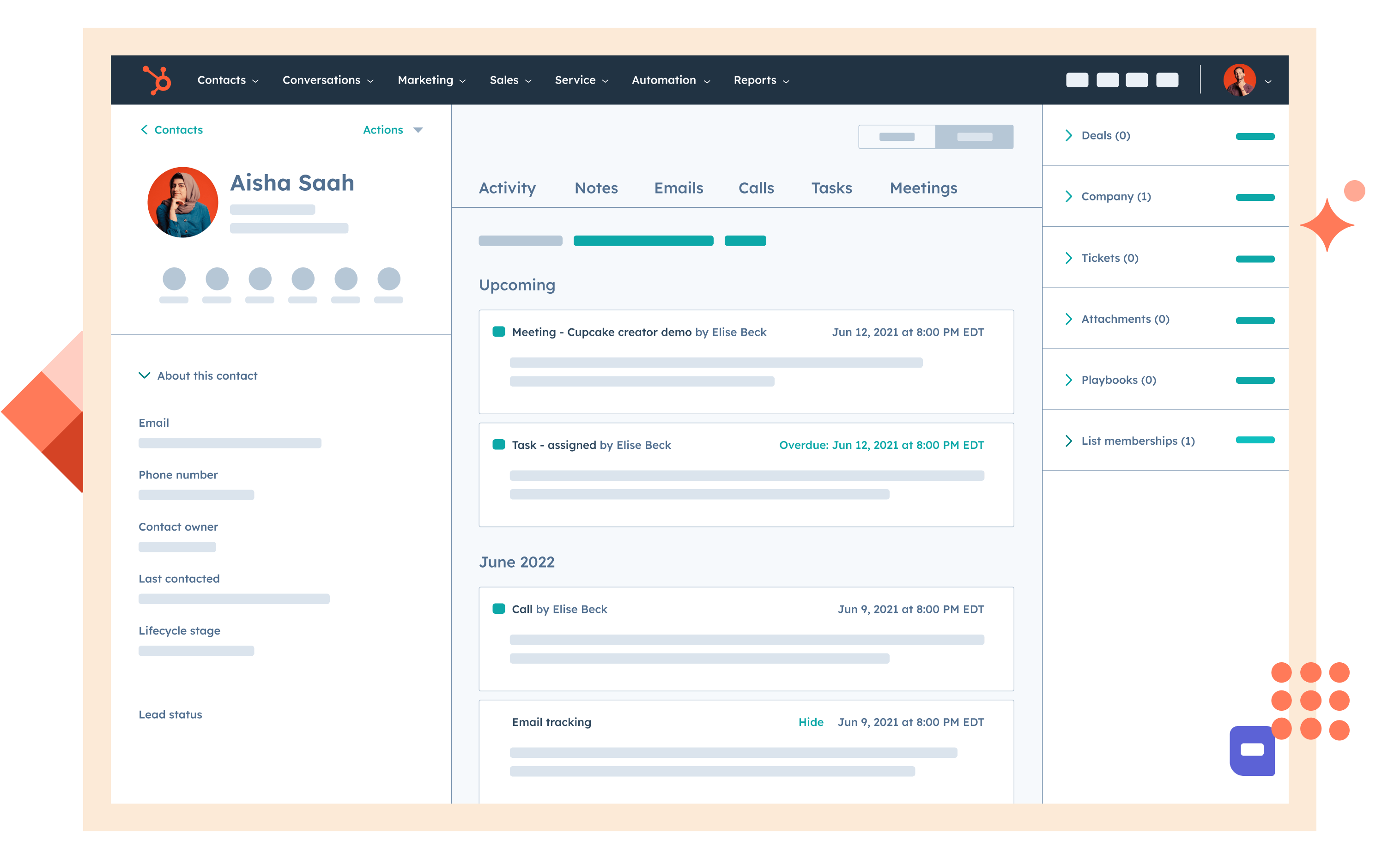
Image source: salesforce.com
Overview
Salesforce Sales Cloud is an enterprise CRM with deep lead objects, assignment rules, automation (Flow), AppExchange integrations, and Einstein AI. It's built to encode complex routing, custom data models, and governance—ideal when your lead management spans multiple geos, products, and teams.
Key features
- Lead capture and deduplication with assignment rules and SLAs.
- Flows for multi-step automation; queues and omni-channel routing.
- Einstein lead scoring and activity capture.
- Robust reporting and dashboards; territory management and approvals.
- AppExchange ecosystem for dialers, enrichment, webinar tools, and schedulers.
Pros
- Extremely customizable data model and automation for sophisticated lead lifecycles.
- Massive ecosystem covers nearly any adjacent need.
- Enterprise-grade governance, roles, and auditability.
Cons
- Complexity and admin overhead can be high for simple funnels.
- Total cost of ownership rises with add-ons and partners.
- User experience can feel heavy without careful configuration.
Who should choose Salesforce
Mid‑market and enterprise teams with complex routing, multiple business units, and strict governance who want arguably best CRM lead management software extensibility.
Pricing:
- Free plan: Not available
- Paid plans: Start at $25/user/month(billed annually)
3. HubSpot CRM: Best for unified hubs, visual journeys
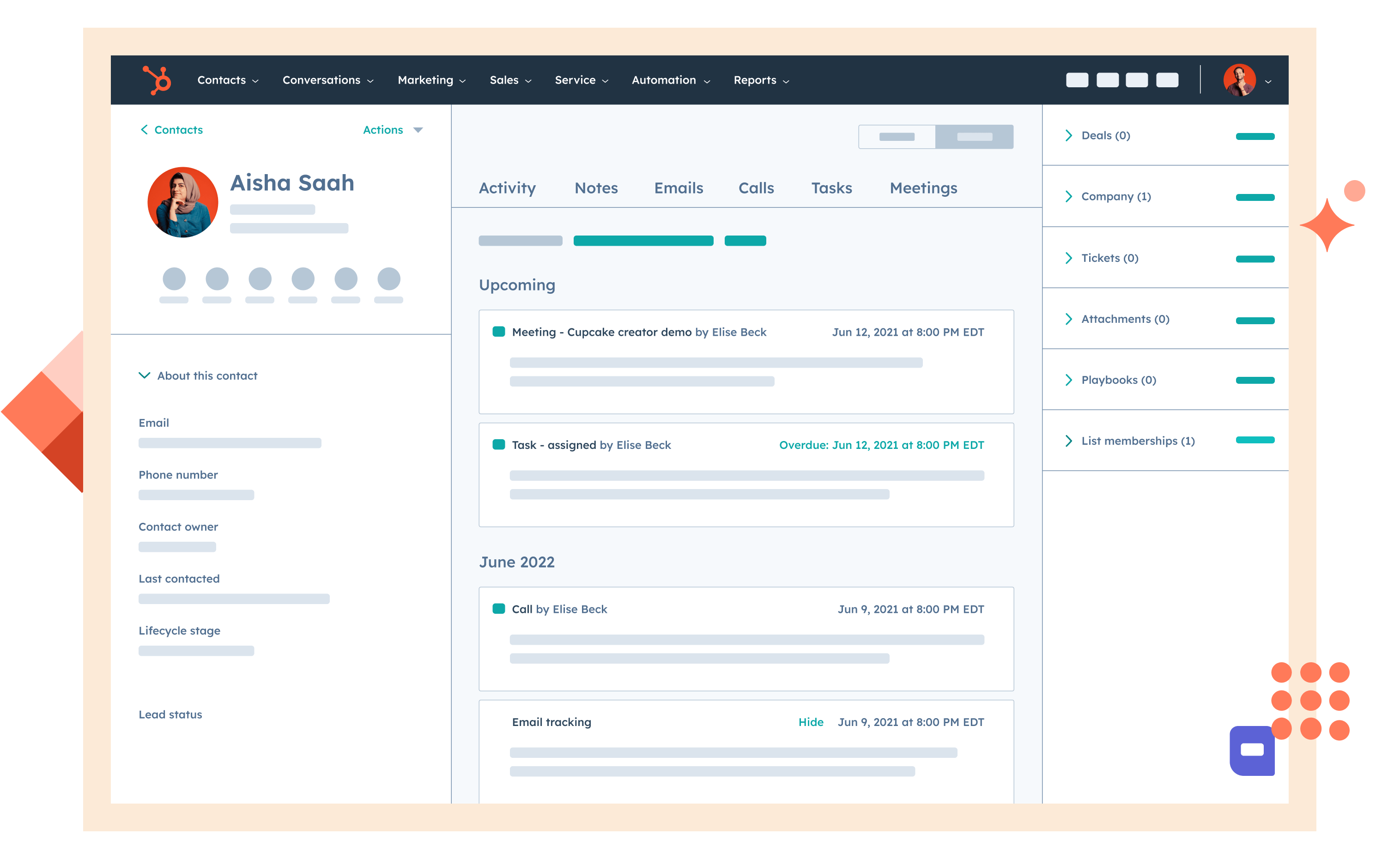
Image source: hubspot.com
Overview
HubSpot CRM (Sales Hub) combines contact/lead management with marketing and service hubs, offering visual workflows and a clean UX. It's known for fast time-to-value and clear packaging for SMB and mid‑market teams that need marketing-to-sales continuity.
Key features
- Lead capture via forms, chat, and ads with automatic contact creation.
- Sequences for outreach; meeting links and calendar sync; email logging.
- Lead scoring (fit and behavior), playbooks, and task automation.
- Reporting across funnels with attribution and revenue tracking.
Pros
- Intuitive UI that reduces ramp time for reps and admins.
- Strong native marketing-to-sales handoff and content tools.
- Visual automations and sequences suited to day‑1 execution.
Cons
- Advanced customizations and enterprise governance can be limiting at scale.
- Add-on costs can climb with advanced features or higher contact volumes.
- Data model rigidity compared to highly extensible CRMs.
Who should choose HubSpot
SMB to mid‑market teams wanting a unified marketing-to-sales lead lifecycle, with minimal admin overhead and immediately CRM software lead management wins.
Pricing:
- Free plan: Available for up to 2 users
- Paid plans: Start at $13/month per user (free trial available)
4. Zoho CRM: Best for broad suite, cost‑effective extensibility
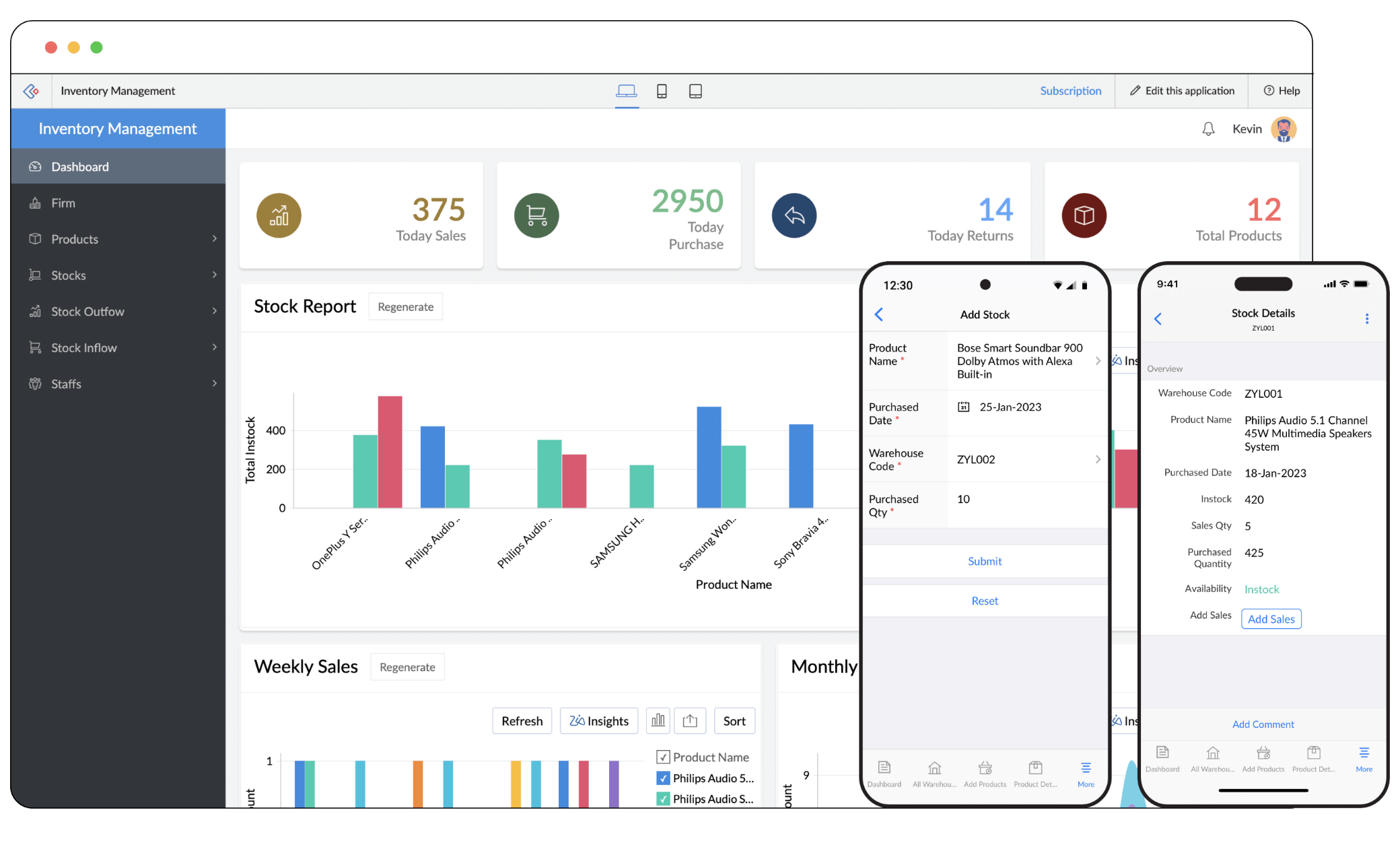
Image source: zoho.com
Overview
Zoho CRM is a broad, cost‑effective suite with a wide range of native apps and marketplace extensions. It offers customizable lead modules, scoring rules, workflows, and analytics that appeal to price‑sensitive teams seeking depth without enterprise cost.
Key features
- Lead capture, scoring rules, assignment, and automation.
- Blueprint for process orchestration; Zia AI for suggestions.
- Analytics with cohort and attribution views; sandbox and validation rules.
- Marketplace integrations and deep ties to other Zoho apps.
Pros
- Strong value for money with extensive features.
- Flexible automation and data modeling for most SMB/mid‑market needs.
- Large app ecosystem within Zoho plus external connectors.
Cons
- UI consistency and learning curve can vary across modules.
- Complex multi‑hub scenarios may require careful admin planning.
- Ecosystem breadth can lead to scattered configuration if not governed.
Who should choose Zoho CRM
Teams that want a versatile, affordable platform with room to grow, and who can benefit from the larger Zoho suite while pursuing specifically best CRM software for lead management outcomes.
Pricing:
- Free plan: Available(3 users)
- Paid plans: Starts at $14/month per user (free trial available)
5. Pipedrive: Best for sales‑first pipeline simplicity
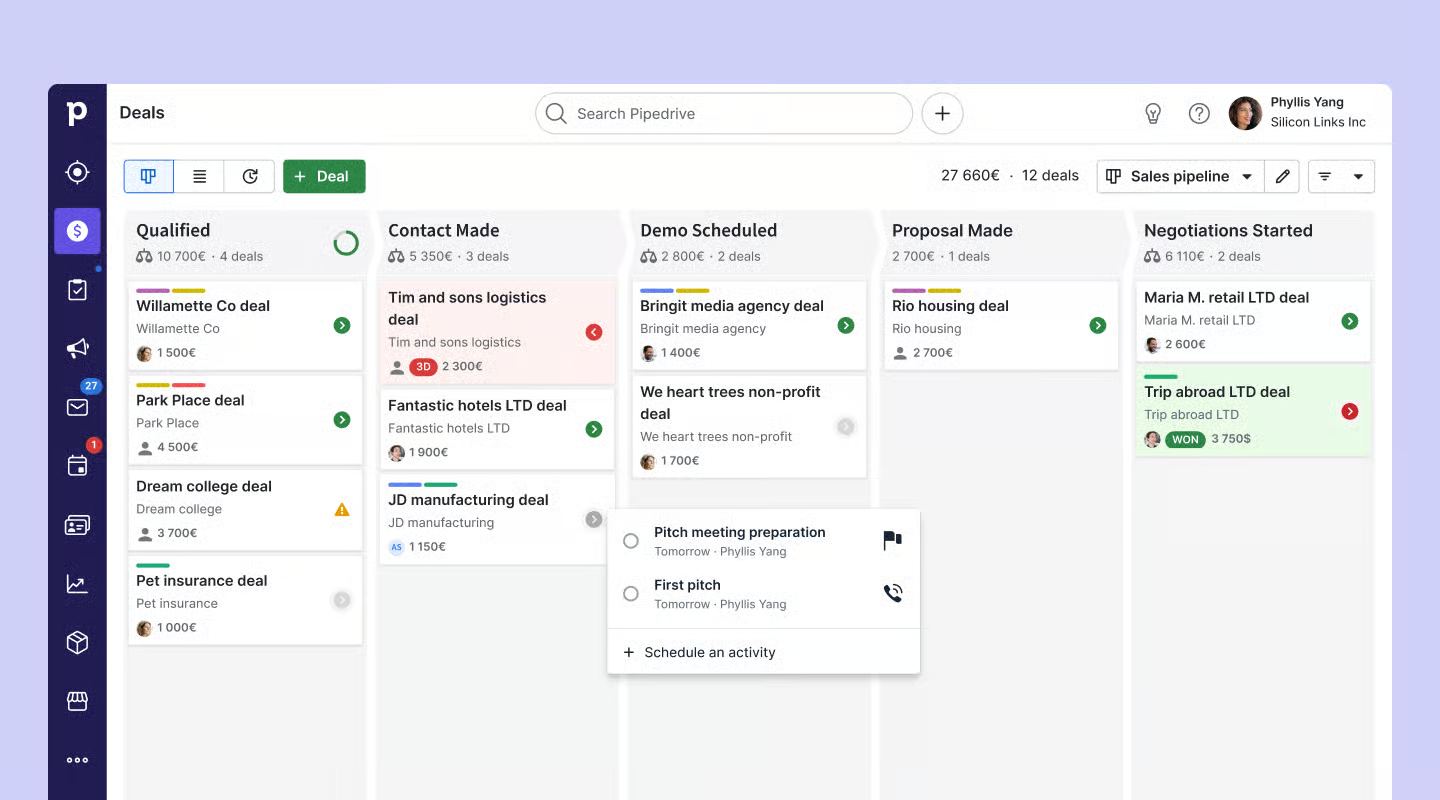
Image source: pipedrive.com
Overview
Pipedrive is a sales-first CRM known for its simple, visual pipelines and fast adoption among small teams. It offers add‑ons for lead capture and automation, giving lean teams an approachable path to lead management without heavy configuration.
Key features
- Visual pipeline boards with customizable stages and fields.
- LeadBooster add-on for chat, forms, and prospector tools.
- Automations for follow-ups and task creation; scheduling links.
- Reporting and simple dashboards for activity and conversion.
Pros
- Intuitive UI that helps non‑technical users get productive quickly.
- Clear focus on pipeline hygiene and day‑to‑day selling.
- Lightweight setup suitable for quick rollouts and pilots.
Cons
- Advanced reporting often requires higher tiers or external tools.
- Limited flexibility for complex routing and governance.
- Ecosystem narrower than enterprise CRMs.
Who should choose Pipedrive
Small to midsize teams that prioritize speed and simplicity, need a visual pipeline, and want a practical lead management software CRM path with minimal admin.
Pricing:
- Free plan: Not available (free trial available)
- Paid plans: Start at $14 per user/month
6. Freshsales: Best for native telephony, AI insights
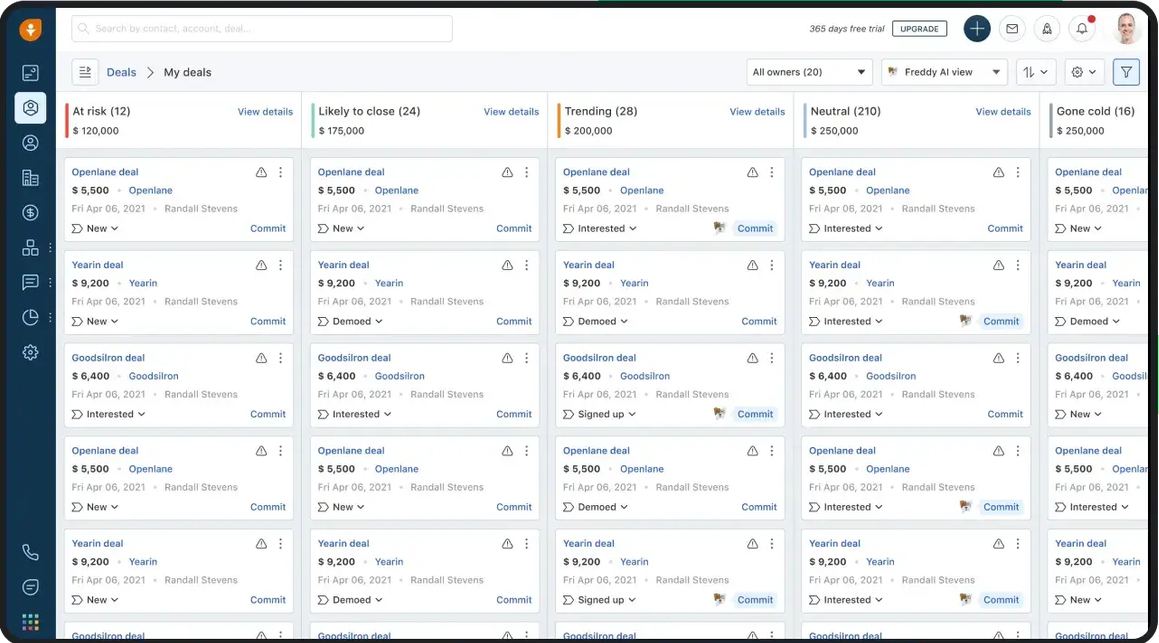
Image source: freshsales.com
Overview
Freshsales is a sales CRM with built‑in telephony, AI insights, and native connections to Freshworks' marketing and support products. It aims to give SMBs and mid‑market teams a unified GTM stack with strong communication features out of the box.
Key features
- Lead capture with auto-enrichment; built‑in phone with call logging.
- AI‑driven deal insights; workflows and sequences.
- Appointment scheduling and task automation.
- Reports and dashboards for funnel and activity performance.
Pros
- Native telephony and strong ease-of-use for quick adoption.
- AI assistance for prioritization and deal health.
- Competitive pricing vs. enterprise platforms.
Cons
- Support quality can be inconsistent depending on plan and region.
- Complex enterprise routing or data models may feel constrained.
- App marketplace breadth smaller than top enterprise vendors.
Who should choose Freshsales
Teams that want communications baked in, value ease of use, and need a practical, budget‑friendly route to almost best free CRM lead management software‑level agility.
Pricing:
- Free plan: Not available (free trial available)
- Paid plans: Start at $9 per user/month (without AI)
7. Microsoft Dynamics 365 Sales: Best for Microsoft‑native governance
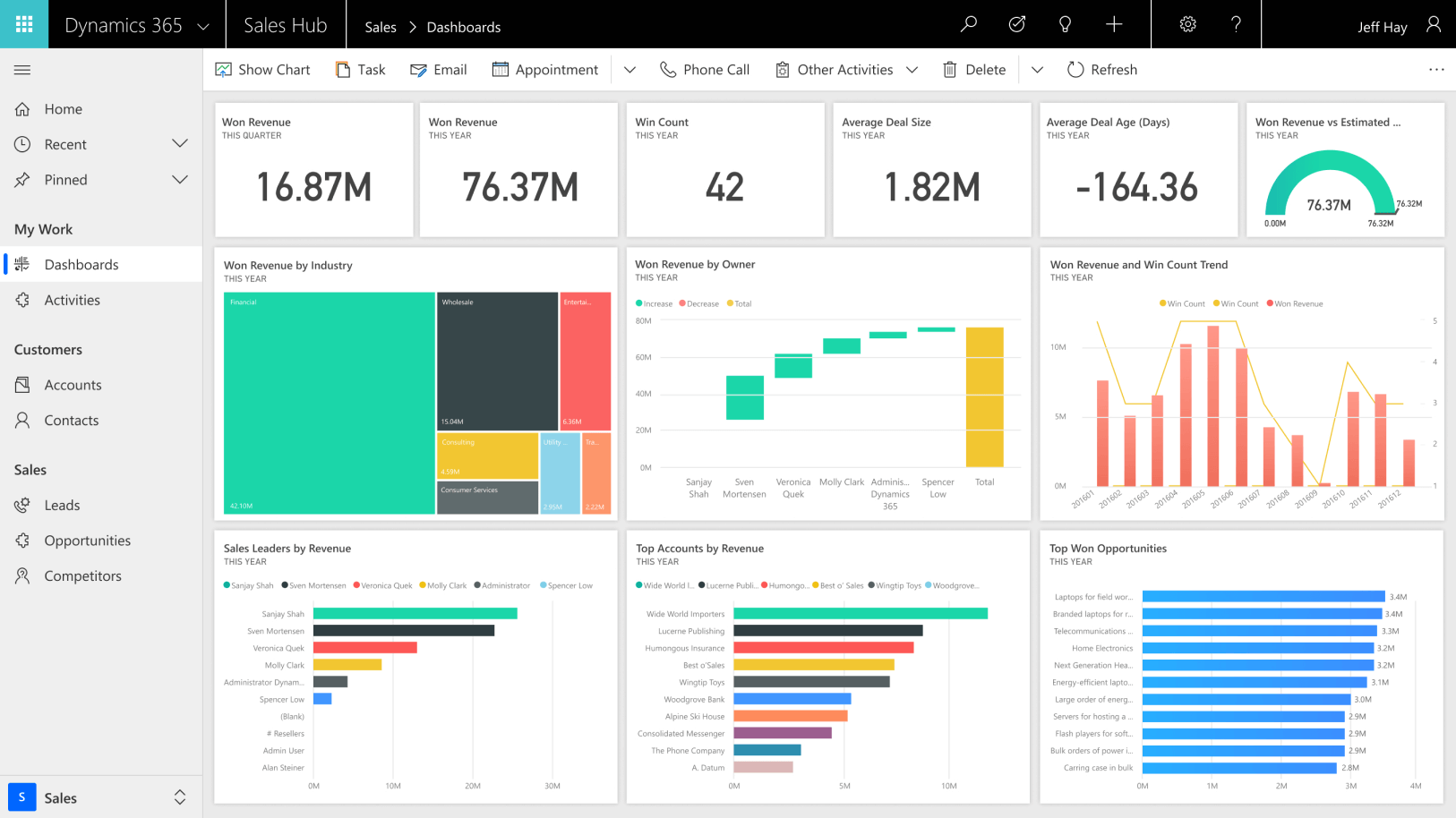
Image source: microsoft.com
Overview
Dynamics 365 Sales ties deeply into Microsoft 365 and Power Platform, offering enterprise governance, analytics, and automation. For organizations standardizing on Microsoft, it provides continuity across identity, data, and collaboration.
Key features
- Lead and opportunity management with rich custom entities.
- Power Automate flows; Power BI analytics; Teams integrations.
- AI assistance for next best actions and forecasting.
- Enterprise-grade security, roles, and auditing.
Pros
- Tight Microsoft ecosystem integration improves adoption for 365 users.
- Strong reporting/analytics when paired with Power BI.
- Enterprise governance and extensibility with Dataverse.
Cons
- UX can feel heavy without careful tailoring.
- Customization often needs specialized skills or partners.
- Licensing complexity requires diligence to manage TCO.
Who should choose Dynamics 365 Sales
Enterprises already invested in Microsoft 365, Azure AD, and Power Platform that want governance and analytics aligned to their stack, aiming for deliberately best CRM software for lead management within a Microsoft-first environment.
Pricing:
- Free plan: Not available (free trial available)
- Paid plans: Different Dynamics 365 features vary by price, but for Dynamics 365 Sales, it starts at $65 per user/month.
8. Copper: Google Workspace‑native CRM
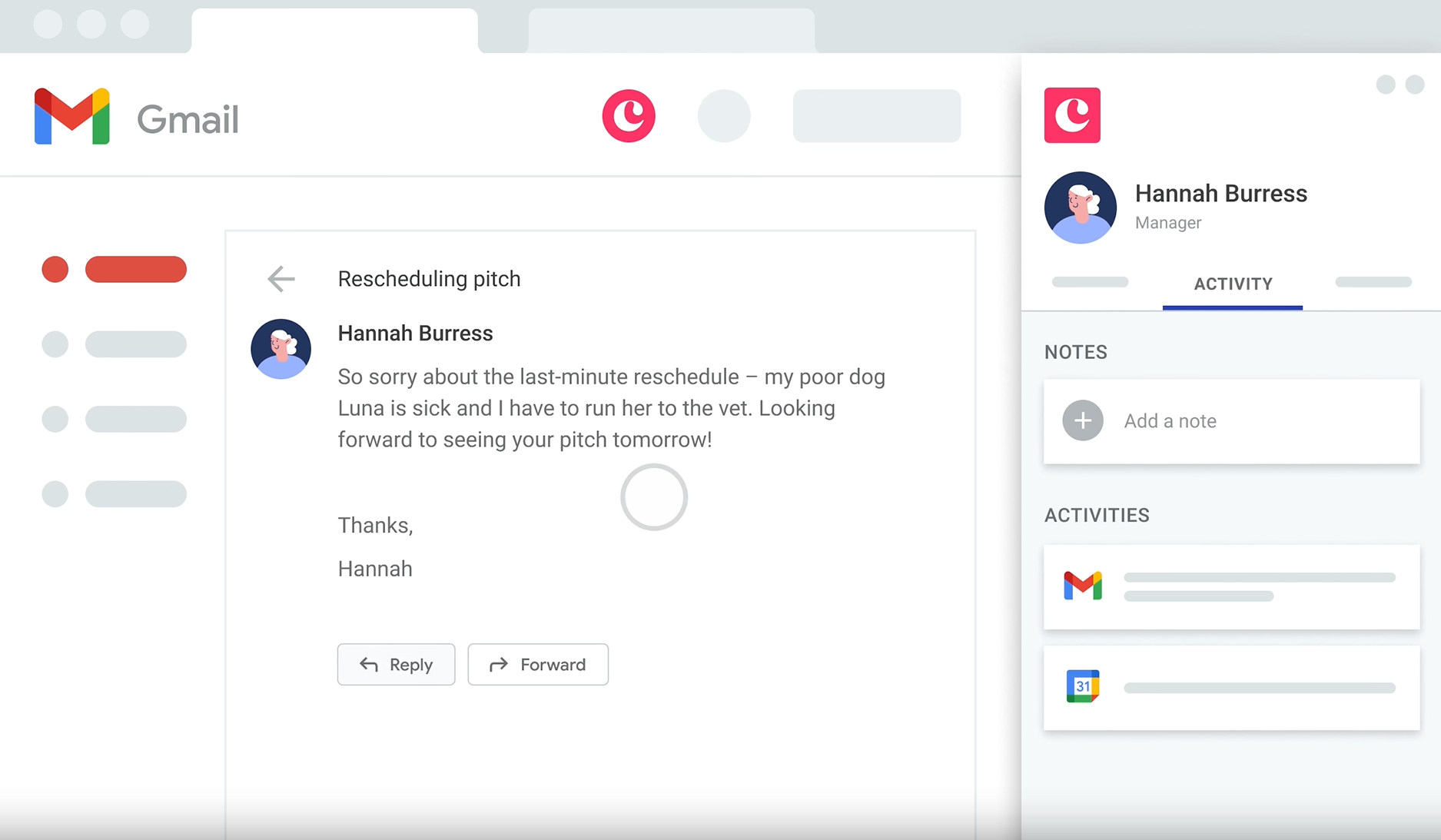
Image source: copper.com
Overview
Copper is a CRM purpose-built for Google Workspace users. It lives in Gmail and Google Calendar, minimizing context switching for small teams and startups that rely on Google for day-to-day operations.
Key features
- Gmail and Calendar sidebars for rapid lead and activity updates.
- Pipelines with simple automation; email tracking and templates.
- Google Drive file links attached to records; contact enrichment.
- Reporting suitable for SMBs; integrations via marketplace and APIs.
Pros
- Deep Google Workspace experience that shortens adoption.
- Clean, intuitive UI with low training requirements.
- Excellent for email‑centric prospecting and follow‑ups.
Cons
- Advanced routing, scoring, and governance are limited vs. enterprise CRMs.
- Reporting depth and customization may not suit complex orgs.
- Ecosystem breadth is narrower outside Google.
For more Google Workspace's information, you can refer to and .
Who should choose Copper
Small teams living in Gmail and Calendar that want an uncomplicated, speedy option that feels like truly CRM software for lead management directly inside Workspace.
Pricing:
- Paid plans: Start at $9/month per user (free trial available)
9. Vtiger: All-in-one lead lifecycle CRM
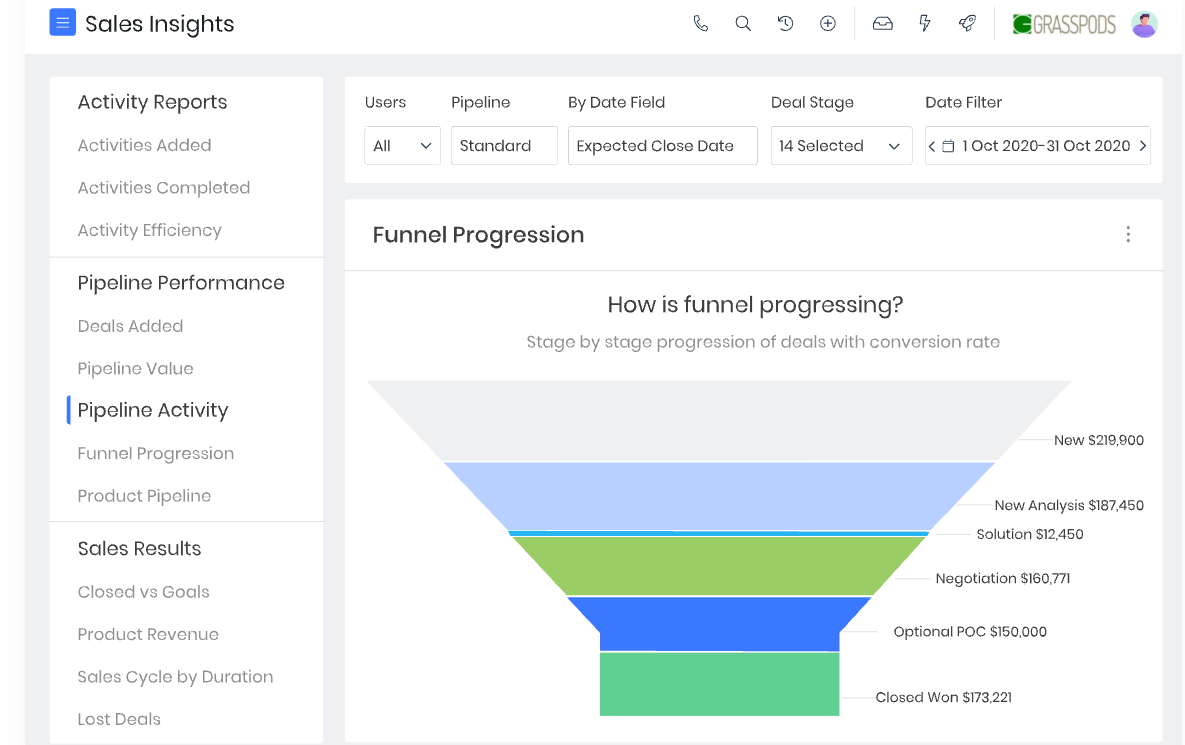
Image source: vtiger.com
Overview
Vtiger is a CRM that unifies marketing, sales, and support in a single interface, with purpose-built lead objects, assignment rules, and nurturing tools. For teams that want a single hub to manage capture, qualification, routing, and handoffs without stitching multiple apps, Vtiger offers strong breadth with approachable admin. It's a pragmatic option when you need lead management rigor without enterprise complexity or spend. Many SMB and mid‑market teams adopt it as a practical lead management software CRM backbone.
Key features
- Lead capture and web-to-lead forms with validation and deduplication.
- Assignment rules and queues; SLA tracking and escalation.
- Lead scoring that blends firmographic and behavioral signals.
- Email sequences and task automation for consistent follow-ups.
- Reporting dashboards for source attribution and conversion funnels.
Pros
- Broad scope (marketing → sales → support) reduces tool sprawl.
- Clear lead lifecycle configuration with rules, scoring, and SLAs.
- Value-oriented pricing for teams scaling beyond spreadsheets.
Cons
- UI and customization depth may trail top enterprise CRMs.
- Advanced ecosystems and third‑party add‑ons are less extensive.
- Complex, multi-business-unit routing can require careful design.
Who should choose Vtiger
SMB and mid‑market teams seeking an affordable, unified platform with end‑to‑end lead processes, aiming for a sensible path to almost best CRM software for lead management outcomes without heavy admin.
Pricing:
- Free plan: Not available (free trial available)
- Paid plans: Start at $12 per user/month
10. Close: Calling-first speed-to-lead CRM
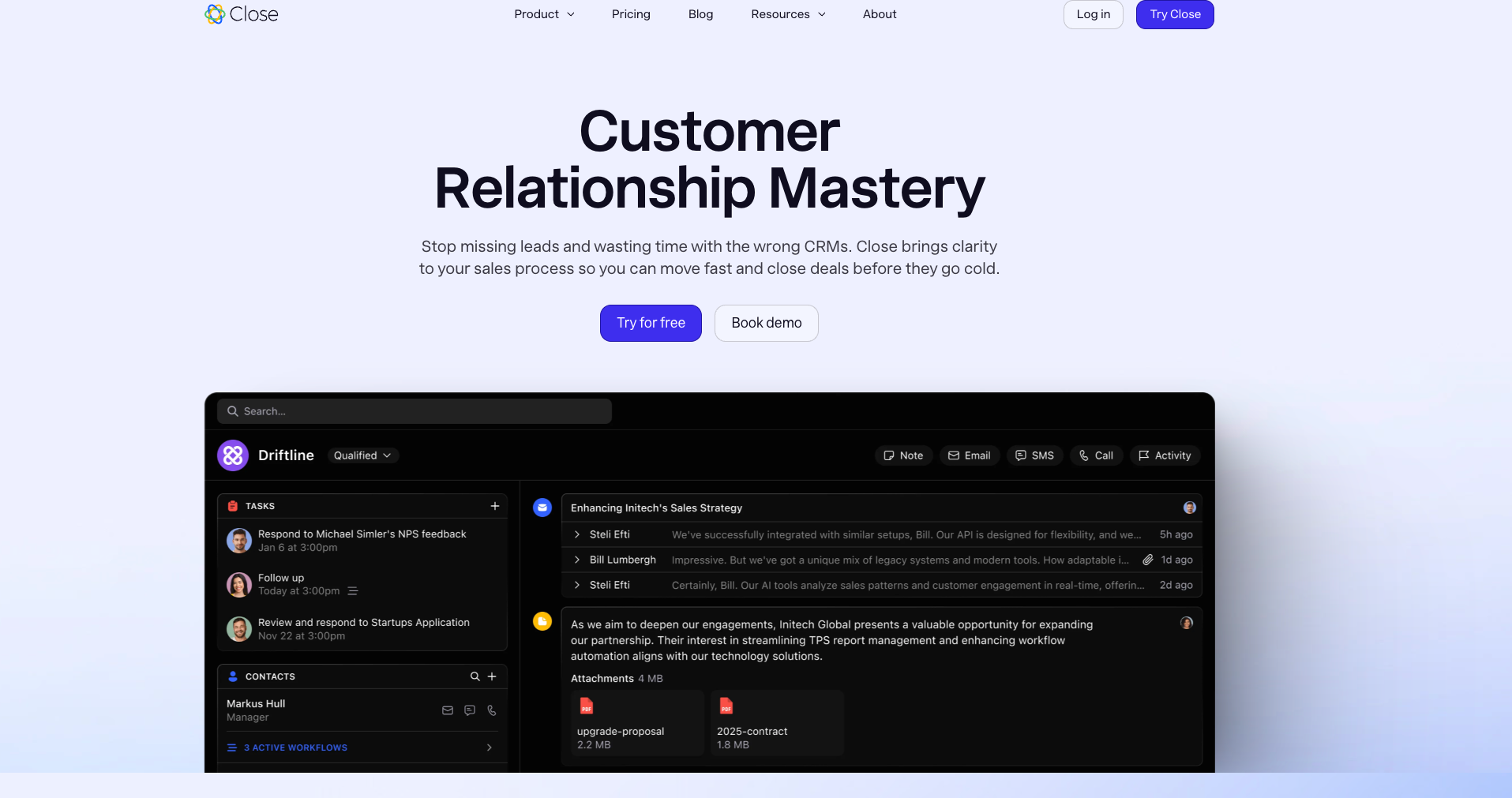
Image source: close.com
Overview
Close is a sales CRM built around built‑in calling, SMS, and email to compress response times and keep reps in one screen. Its calling-first design supports high-velocity outreach teams who want to touch new leads within minutes, log outcomes automatically, and move the best prospects into meetings quickly. If you value telephony and SMS as primary channels, Close can feel like truly best CRM lead management software for calling-heavy motions.
Key features
- Native power dialer, call recording/logging, and SMS with templates.
- Lead inbox with workflows, tasks, and saved searches for triage.
- Email sequences with tracking and reply detection; calendar links.
- Custom fields and pipelines; API and Zapier connectors for capture.
- Reporting for activity, response time, and conversion metrics.
Pros
- Excellent built-in telephony and SMS reduce context switching.
- Efficient workflow for rapid triage and first-touch execution.
- Simple setup that suits lean teams and quick pilots.
Cons
- Less suited for complex enterprise routing and governance.
- Ecosystem breadth is narrower than larger marketplace CRMs.
- Advanced analytics or custom data models may require workarounds.
Who should choose Close
SDR-led teams, inside sales, and founder-led sales orgs that live on the phone/SMS and want a fast, communications-centered CRM software for lead management environment.
Pricing:
- Free plan: Not available (free trial available)
- Paid plans: Start at $9 per user/month (only 1 user); Normal plans start at $35 per user/month
How to choose your ideal option?
Map your funnel and SLAs
Document your sources (forms, ads, webinars, events), the required data (UTMs, consent), routing rules (round‑robin, territory, skills), and first‑touch SLAs by source and business hours. This clarity will reveal whether you need enterprise logic or can thrive with a thoughtfully for lead management configuration plus a collaboration layer. Aim to measure first response time, contact rate, and meetings booked/held from day one.
Prioritize must‑have features
Rank lead capture, dedupe, scoring, routing complexity, sequences, dialer/SMS needs, scheduling, and reporting. For example, account‑based handoffs across regions may force you toward vendors with robust territory models; simpler flows can rely on a practical lead management software CRM choice like Lark, Pipedrive or Copper. Decide where AI will help immediately (summaries, routing triggers) and where you'll iterate later.
Integration blueprint and orchestration
List non‑negotiable tools (email marketing, dialer, webinar, scheduler, enrichment) and confirm native vs. connector‑based options. Map data directionality and latency: Which fields must write back, and how fast? This step often determines whether your stack behaves like coherently CRM software lead management or fragments into silos. If your team already lives in a collaboration surface, design alerts and approvals there to shrink speed-to-lead.
Decision matrix and pilot
Score vendors across features, integrations, UX, scalability, price, and security. Then run a contained pilot: One or two lead sources, a small team, clear SLAs, and daily standups. Capture lessons in a doc, automate what's repeatable, and refine your routing and sequences. If you work in a , surface CRM events into chat/channels so your "alerts become actions"—a reliable path to consistently best CRM lead management software outcomes without heavy overhead.
Conclusion
High‑performing lead management combines airtight capture, smart routing, disciplined SLAs, and clear analytics—turning interest into timely conversations and reliable pipeline. Choose a CRM that fits your funnel complexity, integrate only what you need, and run a focused pilot measuring first‑response time, follow‑up completion, and conversion by source. Keep data hygiene, consent, and reporting front and center so wins are repeatable and provable.
As your process matures, move execution where your team already works—alerts, approvals, meetings, and notes—so playbooks actually happen. A built‑in collaboration layer like Lark can sit alongside your CRM to compress speed‑to‑lead and standardize handoffs without replacing your system of record. It's a pragmatic way to turn strategy into everyday action.
Turn your strategy into action now
FAQs
What is lead management CRM?
Lead management CRM centralizes pre‑opportunity work: capturing inquiries, qualifying and scoring, routing with SLAs, launching follow‑ups, and reporting on speed‑to‑lead and conversion. It integrates email/SMS/telephony, forms, calendars, and compliance to move every lead to a timely conversation.
What is the best lead management software?
It depends. Salesforce scales complex routing but adds admin and TCO. HubSpot is fast to deploy yet pricey at high contact volumes. Pipedrive is simple but limited for advanced rules. Pair any with Lark to cut speed‑to‑lead via built‑in alerts and approvals.
Which CRM is best for lead generation?
For lead generation: HubSpot excels at forms, ads, and email automation (costs rise at scale). Zoho offers value with broad capture. Salesforce integrates anything but needs admins. Pipedrive is easy but lighter on automation. Lark complements by surfacing instant alerts and built‑in meeting scheduling.
What are the 4 types of CRM?
Operational (processes, automation, service), Analytical (data, segmentation, attribution), Collaborative (sharing context across teams and channels), and Strategic (long‑term customer insights guiding go‑to‑market). Together, they underpin effective lead management and pipeline growth.
Related reading




















