














CRM suites: The Ultimate 2026 Guide for Sales Teams

Owyn Thomas Kerr
Lark Content Manager
Sep 18, 2026
Owyn Thomas Kerr
Sep 18, 2026

10 min read


You know the struggle: a lead closes in your sales CRM, but the marketing team can't see the new data until next week. Customer service uses a different ticketing system, and the CEO's desperate for a single dashboard that tells the whole story. Sound familiar?
Stop juggling. The secret to simplifying operations, unlocking unified customer insights, and accelerating growth lies in choosing the right CRM suite. Unlike basic CRM software, a true suite provides a seamless, all-in-one solution for your entire organization.
This article is your complete guide. I'll clarify what a CRM suite is, show you how it differs from basic CRM tools, analyze the top choices on the market, and look ahead at what the future holds for CRM.
Best CRM suites
- Lark for teams needing a powerful, cost-effective all-in-one CRM
- Salesforce for teams needing mature, legacy tools
- HubSpot for teams needing cheap tools and ease of use
- Zoho CRM for teams already in the Zoho ecosystem
- SAP for teams needing ERP and CRM integration

What is a CRM suite?
A CRM suite is a complete set of tools that helps businesses manage every part of their customer relationships. CRM stands for Customer Relationship Management, and a suite extends this concept by uniting sales, marketing, and support in one system so teams can work from the same information.
You can think of it as the digital brain of your customer operations. It keeps track of every interaction—from the first introduction to ongoing support—so you always have a clear picture of each customer’s journey. This makes it easier to deliver consistent service, understand customer needs, and build stronger long-term relationships.
The CRM dilemma: Do you need a CRM suite, platform, or tool?
Not all CRM software is the same. You need to ask yourself: which type of CRM solution best fits my team's needs? While terms like CRM suite, CRM platform, and CRM tool are often used interchangeably, they aren’t always the same—and understanding the difference can save your team time, money, and frustration.
CRM tools
A single-purpose application designed to manage one specific aspect of customer relationships. Examples include tools for contact management, lead tracking, email campaigns, or customer support ticketing. These tools are lightweight, easy to set up, and focused on solving a specific problem without overwhelming the team with unnecessary features.
Best for: Small businesses or teams with focused needs that want a simple, straightforward solution without investing in a full suite or platform.
CRM platforms
Flexible system that connects multiple tools and allows businesses to customize workflows across different departments. Unlike a single tool, a platform can integrate sales, marketing, and customer service functions, offering a more cohesive approach to managing customer relationships. Platforms also often provide APIs and third-party integrations, giving businesses room to scale and adapt as they grow.
Best for: Growing teams that need more than one tool but want the flexibility to connect functions, automate workflows, and scale operations over time.
CRM suites
An all-in-one solution covering the full spectrum of CRM needs—sales, marketing, service, analytics, and more. Suites usually include native integrations between modules, providing a unified system where all data and processes are centralized. This reduces complexity and ensures consistency across teams, making it easier to track performance and make informed business decisions.
Best for: Large organizations or enterprises seeking a complete, end-to-end system that manages every aspect of the customer lifecycle in a single platform.
No matter which type of CRM you choose, what matters most is finding a solution that fits your team’s size, workflows, and goals. Lark combines the best of CRM tools, platforms, and suites, offering flexible, easy-to-use features, powerful integrations, and a mobile-first design in an all-in-one solution. It’s a smart choice for teams of any size looking to manage customer relationships efficiently and effectively.
Key features of a CRM suite
CRM software comes in different shapes and sizes; however, the best suites all share essential features. Here are the features to look for.
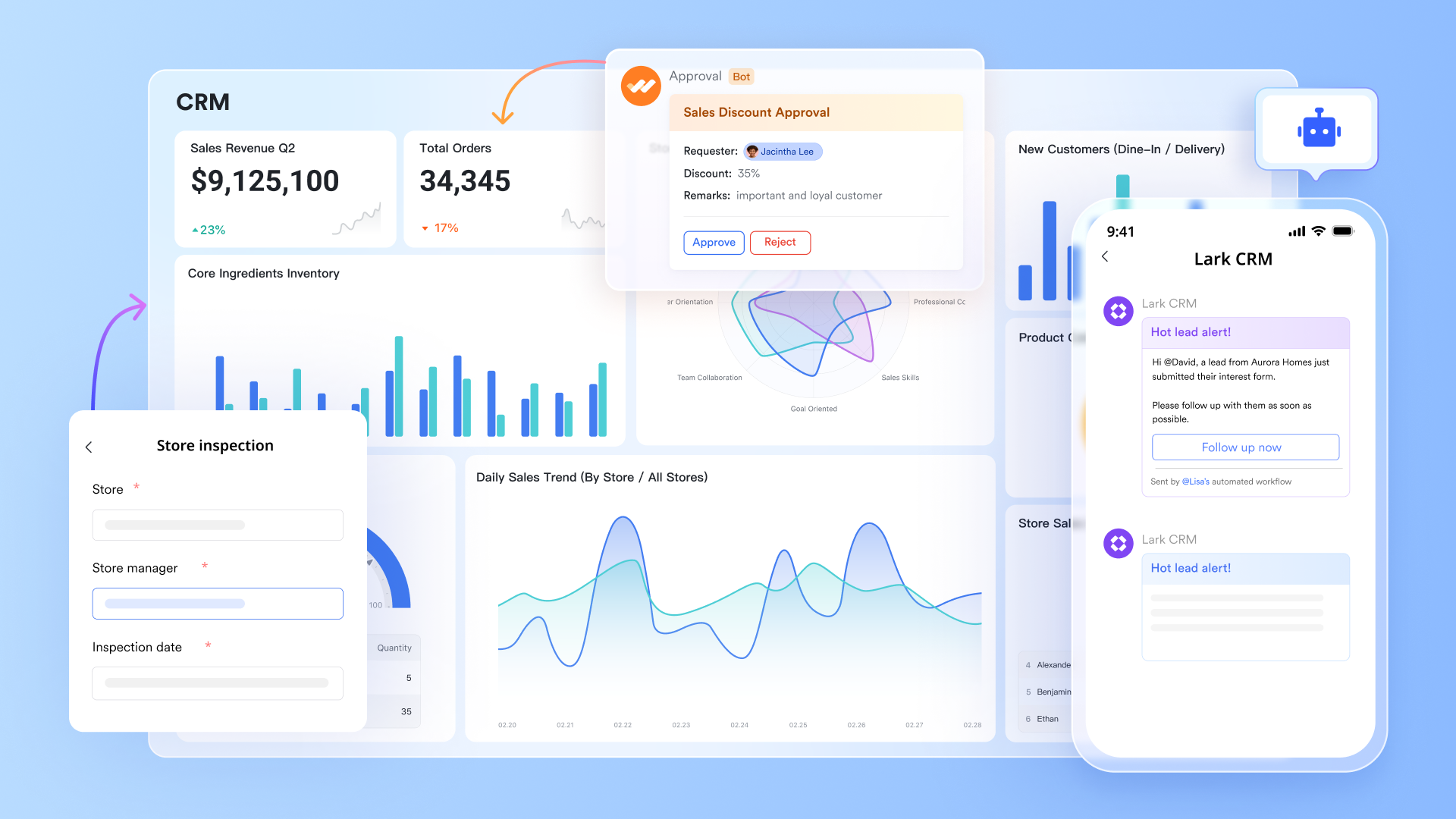
Contact and lead management
This is the foundational pillar of any CRM. It provides a centralized database for all your customer and prospect information. Beyond just names and phone numbers, it tracks a wealth of data, including:
- Contact details: Names, addresses, social media handles, and job titles.
- Interaction history: Every email, call, meeting, and social media message.
- Behavioral data: Website visits, email opens, and form submissions.
Sales automation and pipeline management
A CRM is the sales team's best friend. It automates repetitive tasks and provides a clear, visual overview of the sales pipeline. Key functionalities include:
- Pipeline visualization: A drag-and-drop interface to easily move deals through different stages (e.g., Prospecting, Qualification, Closing).
- Sales forecasting: Predictive analytics to estimate future sales based on current pipeline data.
- Task automation: Automatically assigns leads, schedules follow-up reminders, and sends alerts for key activities.
Learn more about sales automation here: Top 10 Sales Automation Software in 2025: Boost Your Efficiency
Marketing automation
A CRM extends its power to marketing by automating campaigns and providing data for personalized outreach. Key features include:
- Email marketing: Build, send, and track the performance of email campaigns.
- Lead nurturing: Create automated workflows to send personalized content to leads based on their behavior and stage in the funnel.
- Audience segmentation: Use customer data to create targeted lists for highly specific and effective marketing campaigns.
Learn more about marketing automation here: Marketing Automation Tools: Features, Benefits & Top Picks
Analytics, reporting, and dashboards
To make informed decisions, you need actionable insights. A CRM suite provides powerful reporting and analytics tools that turn raw data into a clear view of business performance. Look for:
- Customizable dashboards: Visual, real-time dashboards that show key metrics like sales team performance, revenue targets, and marketing campaign effectiveness.
- Performance metrics: Track vital data such as customer acquisition costs, customer retention rates, and sales cycle length.
- Data-driven insights: Use analytics to identify trends, pinpoint areas for improvement, and optimize strategies.
AI-powered tools
AI is a crucial and growing feature in modern CRM suites because it enhances productivity, personalizes customer engagement, and provides actionable insights. By automating routine tasks and analyzing data, AI allows sales and marketing teams to focus on high-value activities and make smarter decisions. Find CRM software that includes:
- AI-powered lead management: Rely on AI to automatically enrich new leads with company insights, prepare tailored call scripts, and set reminders so your team never misses a follow-up or sales opportunity.
- AI-powered meeting assistant: Transcribe sales calls in real-time and then generate a summary with key decisions and action items. It can even detect a customer's sentiment to help teams tailor their follow-up.
- AI content generation: Use AI to instantly draft emails, pitch notes, and marketing content. Create polished, on-brand communication by using a 'paraphrasing tool' to improve clarity, tone, and readability while keeping your messaging consistent across every channel.
Mobile-friendly experience
A mobile-first approach is an essential feature of a modern CRM suite, transforming how businesses manage customer relationships. It empowers a mobile workforce, especially frontline sales representatives. Look for:
- Real-time communication and data sync: Link field agents and the central office. When a sales rep logs a new lead or makes a call, the data is instantly synced, ensuring everyone has the most up-to-date information.
- Enhanced productivity on-the-go: Frees sales reps from their desks and eliminate manual data entry. Through CRM apps, sales reps can manage schedules, plan travel routes, and log notes using voice-to-text, significantly reducing administrative time.
- Empowered and informed interactions: Sales reps can walk into a client meeting with the customer's entire history at their fingertips, enabling them to provide highly personalized service and a stronger customer experience.
Customer service and support
Building a strong relationship with customers doesn't end after the sale. A CRM's service and support features are crucial for customer retention and satisfaction. These tools often include:
- Ticket management: Centralized system for tracking and managing customer inquiries and issues from multiple channels (email, live chat, social media).
- Knowledge base: A repository of help articles and FAQs that empower customers with self-service options.
- Omni-channel support: A unified view of all customer interactions, regardless of the communication channel, ensuring a seamless and consistent support experience.
Integrations and customization
A CRM shouldn't exist in a silo. The best suites offer seamless integration with the tools you already use, such as email clients, calendars, and other business software.
- Extensive integrations: Connect your CRM with applications like Microsoft Outlook, Google Workspace, and project management tools.
- Open API: Allows developers to build custom integrations to fit unique business needs.
- Customization: The ability to tailor the CRM to your specific sales process, create custom fields, and design dashboards that work for your team.
Benefits of a CRM suite
For businesses to stay competitive, using a CRM suite is a necessity. Here are the key benefits of a CRM suite for your business.
A single source of truth for customer data
Imagine a world where your sales, marketing, and customer service teams all have instant access to the same, up-to-date customer information. A CRM suite makes this a reality by centralizing all customer data in one secure location. This includes contact details, communication history (emails, calls, meetings), purchase history, support tickets, and more.
This "single source of truth" eliminates information silos and ensures every employee can provide a personalized and consistent experience, regardless of the customer's last point of contact.
Streamlined and optimized sales processes
CRM tools are specifically designed to empower your sales team. They provide a clear visual representation of your sales pipeline, enabling you to track leads and opportunities from initial contact to final deal closure. By automating manual tasks, a CRM frees up your sales reps to focus on what they do best: building relationships and closing deals.
Enhanced customer engagement and retention
A CRM suite gives you the tools to move from reactive support to proactive engagement. By tracking customer behavior and preferences, you can deliver highly personalized and timely communication. For example, you can segment your customers based on their purchase history or engagement level, then launch targeted marketing campaigns that resonate with their specific needs.
This level of personalization makes customers feel valued, leading to higher satisfaction and stronger loyalty.
Improved team collaboration
In many organizations, sales, marketing, and customer support operate in their own separate worlds. A CRM suite breaks down these departmental barriers by providing a collaborative workspace. Teams can share customer insights, documents, and updates in real-time, ensuring everyone is aligned on the customer journey.
This seamless collaboration results in a more unified approach to customer service and a more efficient workflow for all parties involved.
Data-driven decision making
CRM isn't just about managing relationships; it's about leveraging data to make smarter business decisions. A CRM suite provides powerful reporting and analytics features that allow you to track key performance indicators (KPIs) like lead conversion rates, sales revenue, and customer satisfaction.
By analyzing this data, you can identify trends, forecast sales accurately, measure the ROI of your marketing campaigns, and make informed strategic choices that drive growth.
Top CRM suites at a glance
CRM suites to try in 2026
Best CRM suite overall - Lark
Lark reimagines CRM as an all-in-one platform where teams can manage every stage of the customer journey, from lead capture to closed deals. Instead of juggling multiple tools, Lark brings everything into one place so your team can stay organized, respond quickly, and win more business.
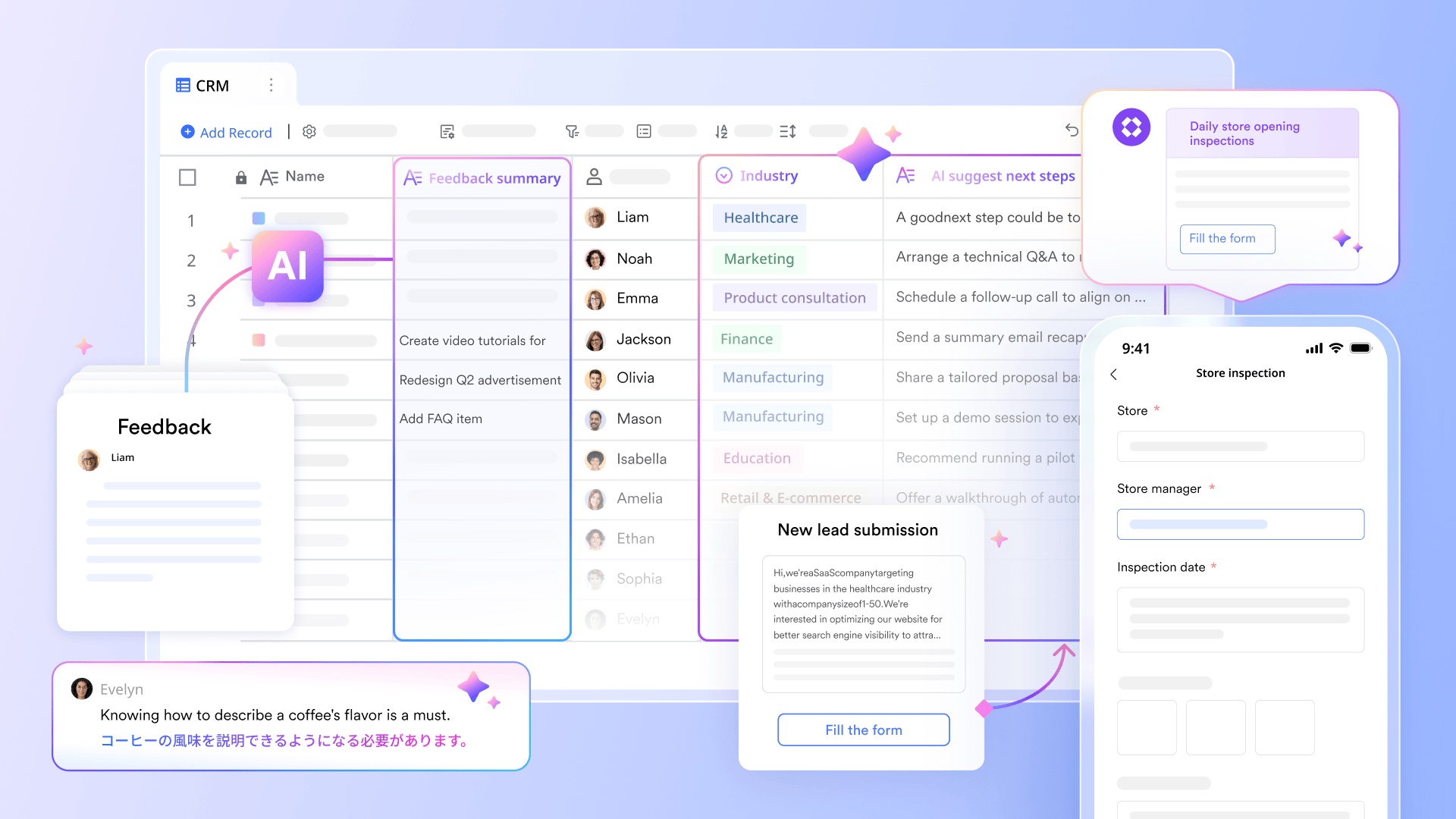
What sets Lark apart is that its CRM solution is inside a powerful superapp. Alongside your sales workflows, you get built-in messaging, meetings, docs, approvals, and more, so collaboration happens seamlessly without expensive add-ons. With AI woven throughout, Lark helps you work smarter, faster, and more productively from any device.
Key features:
- Capture and organize leads: Create a flexible database with custom fields, and embed forms in your site or campaigns. Every submission flows straight into Lark, ensuring no lead is missed.
- Build workflows without coding: Design automated sales processes—like lead routing, follow-up reminders, or deal handoffs—using simple drag-and-drop tools. No IT support required, so your team can create and adjust workflows on their own.
- Secure your data: Set advanced access controls so salespeople only see the accounts they own, keeping sensitive information protected and only visible to key stakeholders and leadership.
- Transform sales work with AI: Enrich lead information, generate call scripts, auto-send emails, identify trends, summarize meetings, and more with the power of artificial intelligence.
- Collaborate instantly: Big deal in the pipeline? Lark creates a group chat automatically, where updates and context flow in real time. Need to meet? Launch a video call right from a chat.
- Work anywhere: Lark’s app is built for sales on the go, giving reps full access to leads, dashboards, chats, and approvals from their phone. Everything is optimized for quick actions and real-time updates, so you never miss a beat outside the office.
- Keep deals moving with an automated approval: Submit discounts, budgets, or special requests via Lark Approval. Managers are notified instantly and can approve on the spot.
Pricing:
- Starter plan: Free forever plan that includes 11 powerful tools for up to 20 users. It also comes with 100GB of storage, 1000 automation runs, AI translations, and more.
- Pro plan: $12/user/month (billed annually) for up to 500 users. It includes everything in Starter plus group calling for up to 500 attendees, 15TB of storage, 50,000 automation runs, and more.
- Enterprise plan: Contact sales for custom pricing. Supports unlimited users and includes even more automation runs and advanced security, compliance, and management features.
Best CRM suite for large enterprises - Salesforce
Salesforce is the recognized leader for large enterprises, offering a robust, highly scalable, and deeply customizable Customer 360 platform that is designed to manage complex global operations, integrate a massive ecosystem of applications, and support intricate sales, service, and marketing processes across thousands of users.
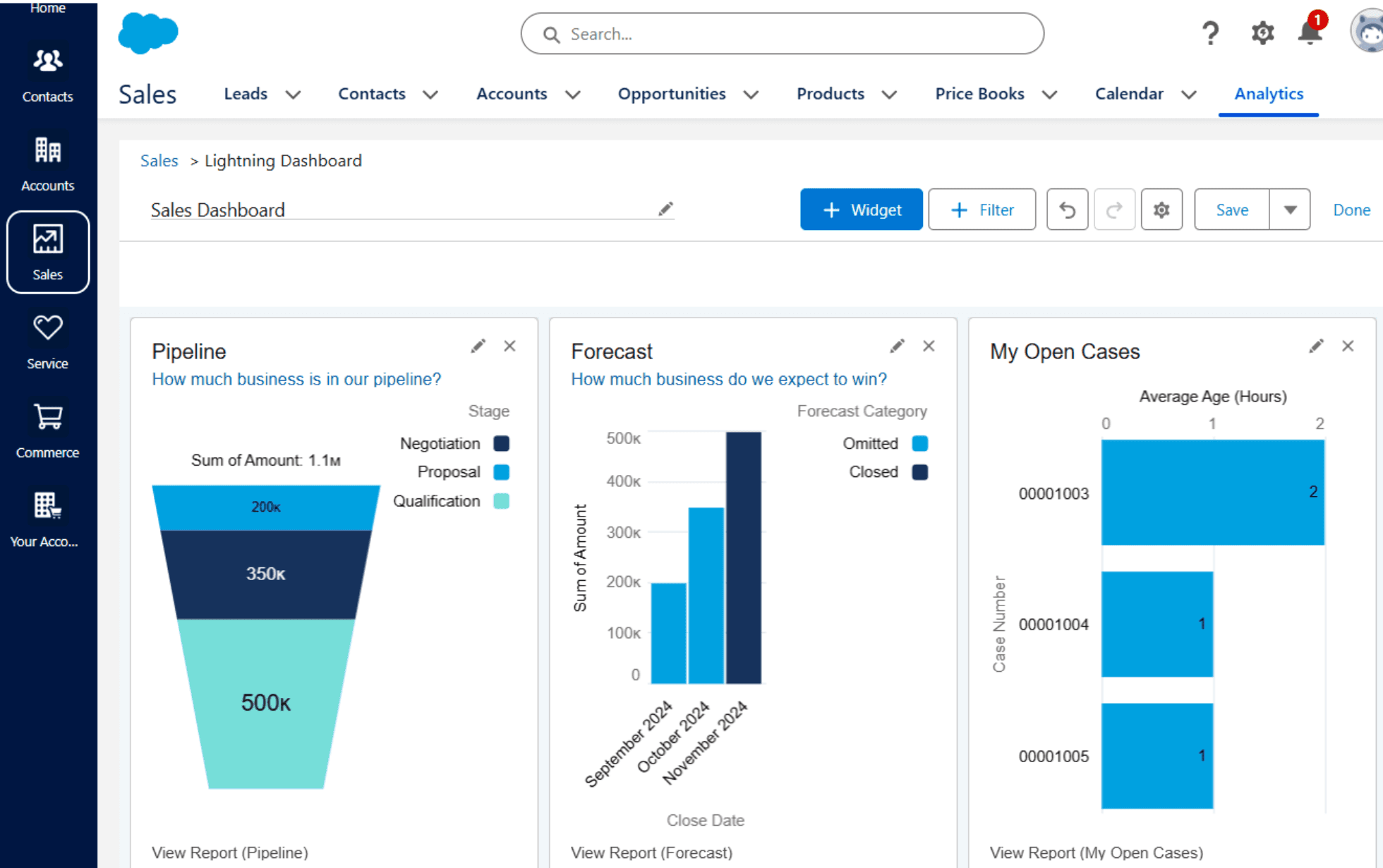
Image source: salesforce.com
Key features:
- Lead and pipeline management: Collect leads from multiple channels, monitor their progress through a visual Kanban-style pipeline, and manage deals efficiently from start to close.
- AI-driven sales tools: Leverage artificial intelligence to automatically log activities, prioritize leads, forecast sales outcomes, and receive actionable recommendations for next steps.
- Workflow automation: Reduce repetitive work by building custom workflows and macros that handle tasks such as follow-up emails and task assignments automatically.
- Unlimited customization and integrations: Personalize the platform with custom fields and objects, and expand its capabilities with thousands of apps available through the AppExchange.
Pricing:
- Salesforce does not provide a free plan for CRM. Paid plans start at $25 per user/month.
Best CRM suite for ease of use - HubSpot
Renowned for its intuitive design and user-friendly interface, HubSpot is the top choice for ease of use, making it exceptionally simple for sales, marketing, and service teams to adopt and maintain. It provides a clean, all-in-one platform that minimizes the learning curve and allows teams to quickly start managing customer interactions and automating tasks.
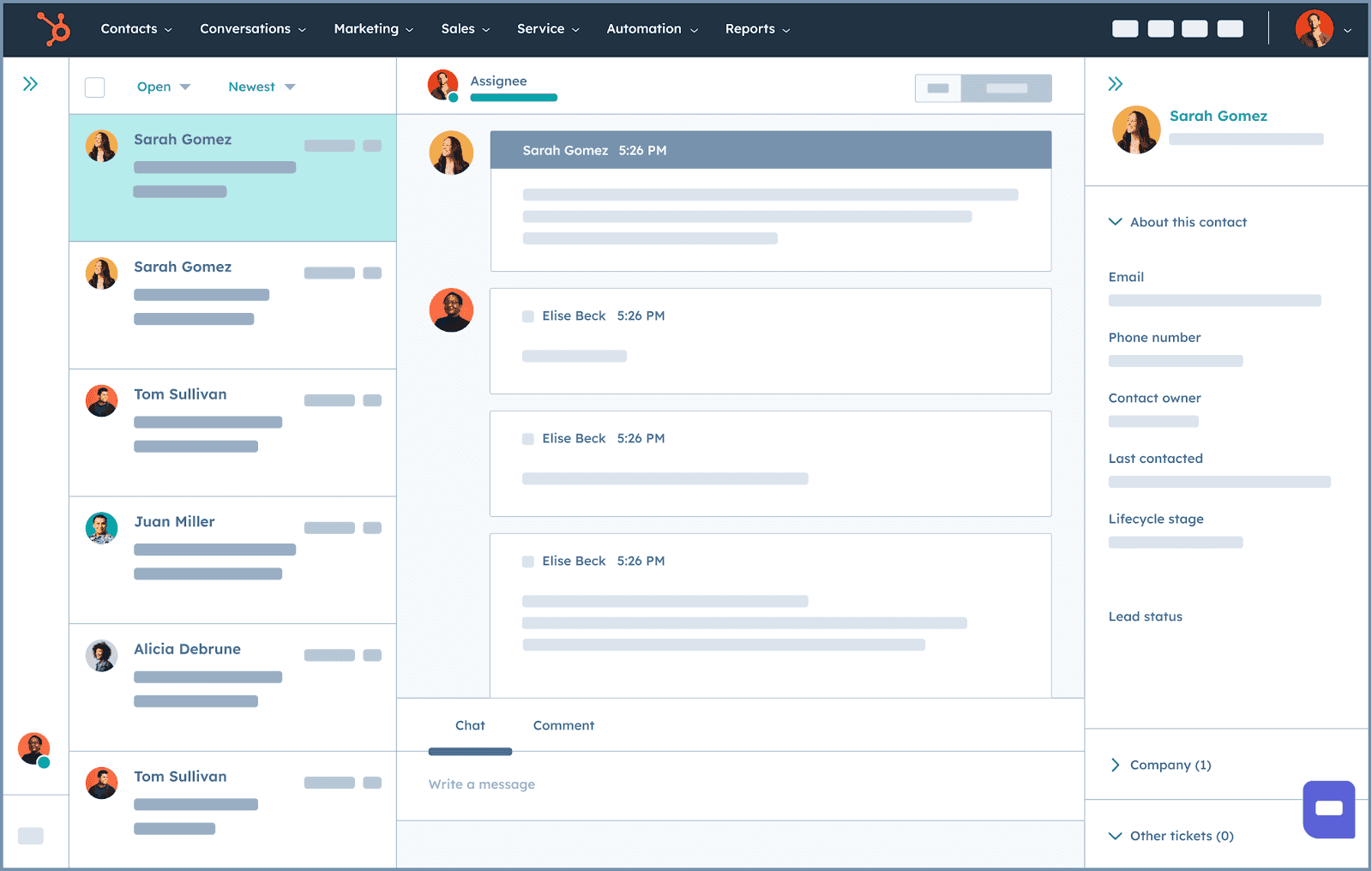
Image source: hubspot.com
Key features:
- Contact and lead management: Keep all your contacts in a CRM that adapts to your needs, organize them using custom fields and lists, and monitor leads as they move through a visual sales pipeline.
- Easy to install: Onboarding and implementation are simple with HubSpot's intuitive designed.
- Marketing automation: Capture leads through landing pages and web forms, then set up automated email campaigns and workflows using simple if/then rules.
- AI assistant support: Let the “Breeze AI” assistant help with generating content, finding new prospects, and summarizing key customer information to save time and improve efficiency.
Pricing:
- HubSpot has a free plan. Paid plans start at $9 per user/month.
Best CRM suite for Zoho users - Zoho CRM
Zoho CRM is the natural and most advantageous solution for businesses already utilizing the Zoho ecosystem, offering powerful, built-in integrations with dozens of other Zoho applications—from finance and HR to marketing and IT—all within a single, unified platform and user experience.
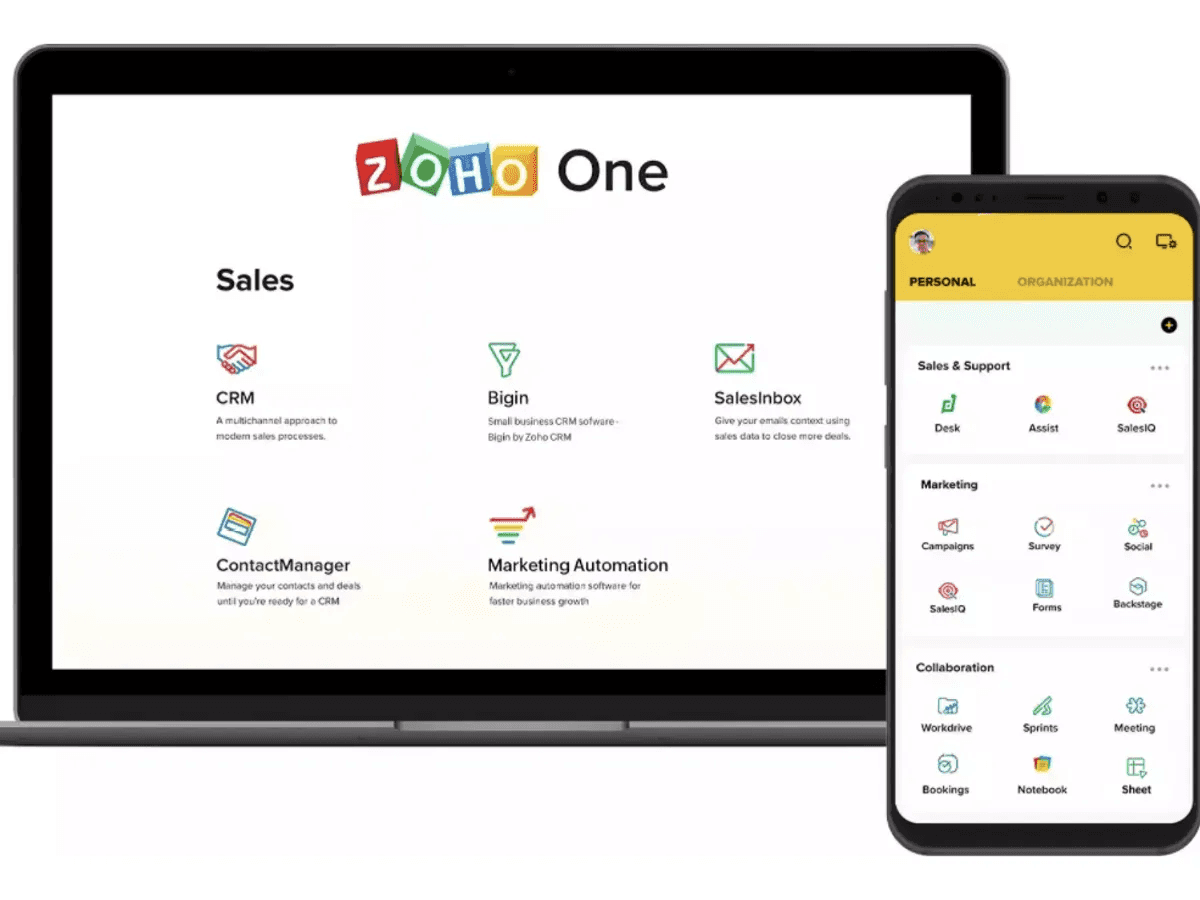
Image source: zoho.com
Key features:
- Sales process automation: Streamline everyday sales activities by managing leads and deals efficiently, and set up workflows that guide your team through each stage of the sales cycle.
- Unified communication channels: Connect and interact with customers via email, phone, social media, or live chat, with every interaction stored and accessible in a single platform.
- Flexible customization: Tailor the interface with low-code tools like Canvas and enforce structured sales processes using Blueprint to fit your team’s unique workflow.
- AI-driven insights: Leverage predictive analytics to forecast sales, detect unusual trends, and get recommendations in seconds on the optimal times to reach out to prospects.
Pricing:
- Zoho CRM has a free plan. Paid plans start at $14 per user/month.
Best CRM suite for ERP integration - SAP
SAP stands out for its superior integration with Enterprise Resource Planning (ERP) systems, particularly its own, making it an ideal choice for businesses that require seamless, real-time synchronization between their customer-facing data and their critical back-office operations like finance, inventory, and supply chain management.
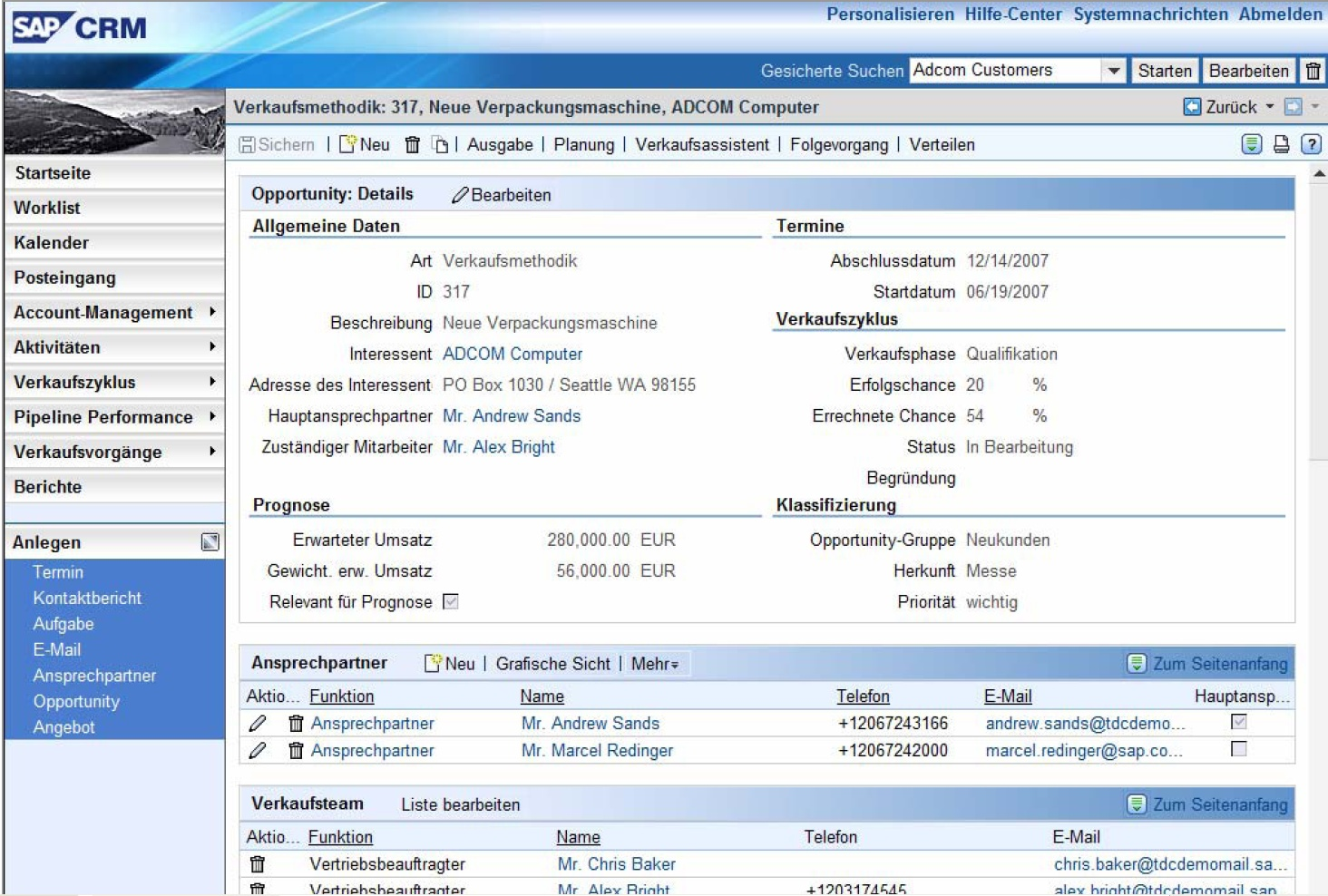
Image source: sap.com
Key features:
- Deep ERP integration: Real-time connection with SAP ERP systems (like SAP S/4HANA). This breaks down silos, allowing sales and service teams to see accurate, real-time data.
- Automation & guided selling: Comprehensive tools to manage the entire sales cycle, from lead-to-quote.
- Omnichannel service: Centralizes all customer service interactions (email, chat, phone, self-service portals) into a single agent workspace.
- Customer data management: Secure and ethical handling of customer data. It ensures compliance with global privacy regulations (like GDPR) by centrally managing customer identity, consent, and preferences.
Pricing:
- SAP doesn't offer a free plan. Paid plans start at $22 per user/month.
How to get started with a CRM suite
Getting started with a CRM suite doesn't have to be overwhelming. It's all about thoughtful planning and execution. Think of it as laying a strong foundation for your business growth.
The prep work: Before you buy
Before you sign on the dotted line, you need a clear strategy.
- Define your needs and goals: Talk to your teams. What do they really need a CRM to do? Are you trying to boost sales, improve customer support, or automate marketing? Pinpoint the specific, measurable goals for the new system.
- Pick the right tool: Based on your needs, choose software that fits your business like a glove. It should handle all your requirements and, crucially, play nicely with your other existing tools (like your email or accounting software).
- Create your action plan: Don't wing it! Draft a detailed plan that covers the timeline, who's responsible for what, and exactly how you'll measure success. A solid plan is the blueprint for a smooth setup.
The implementation: Launching your CRM
Once you've chosen your CRM, the real work begins. These key steps ensure a successful launch:
- Move your data: You need to get all your existing customer information—every email, every note, every sale—accurately transferred into the new system. This step is critical!
- Test, test, test: Before you go live, put the CRM through its paces. Make sure every feature works exactly as intended to prevent annoying hiccups and slowdowns once your team starts using it.
- Train your team: The best CRM in the world is useless if no one knows how to use it. Provide thorough training sessions, so every team member is ready and confident to use the new tools effectively from day one.
- Set up your help desks: Many CRM suites, including Lark, come with built-in help desk functionality for creating both AI and human agents. Make sure your team knows how to create tickets, track requests, and respond efficiently. Proper setup ensures smoother support and launching of your new CRM.
Pro tip for a smoother launch
Feeling nervous about the setup? Consider hiring a CRM implementation partner. They are experts at streamlining the process, which can drastically improve how quickly your team adopts the new system and ensures it's perfectly configured to hit your business goals.
And don't forget: The launch isn't the end. Regularly evaluate your CRM's performance post-launch. How is it helping? Where can it be better? Making these adjustments keeps the system aligned with your evolving business objectives.
The future of CRM

The CRM landscape is evolving faster than ever, driven by emerging technologies and shifting business needs. At the forefront of this transformation is Artificial Intelligence (AI), which is reshaping CRM from a passive data repository into a proactive, intelligent partner. Key capabilities include:
- Predictive analytics & lead scoring – AI can analyze historical data and customer behavior to forecast needs and identify high-value prospects. Sales teams can then focus their efforts where they will have the greatest impact, increasing conversions and optimizing the sales process.
- Generative AI – From crafting personalized emails to summarizing meetings and creating social content, generative AI automates administrative workflows.
- Automation & efficiency – Beyond content creation, AI handles repetitive tasks like data entry, follow-ups, taking meeting notes, and lead nurturing. AI-powered chatbots provide 24/7 support for routine inquiries, while sentiment analysis helps teams respond proactively to customer emotions, ensuring consistent, effective engagement.
But AI is just one part of the story. Other trends are shaping the future of CRM:
- Mobile-first design: As the workforce becomes increasingly mobile, CRMs must support seamless functionality across devices, empowering frontline teams to work from anywhere.
- Data security & compliance: With privacy concerns mounting, modern CRMs integrate real-time threat detection, encryption, and compliance with standards like HIPAA and GDPR.
- Lightweight, accessible solutions: For solo entrepreneurs and small teams, affordable, easy-to-use CRMs are emerging, offering plug-and-play automation and personalization without the enterprise-level price tag.
The future of CRM is predictive, intelligent, and flexible. Platforms that combine AI-driven insights, mobile accessibility, and strong security will define the next generation of customer relationship management. Solutions like Lark unify these capabilities, giving businesses of all sizes the tools to automate, predict, and engage like never before.
Final thoughts on CRM suites
Implementing a CRM suite is more than just organizing contacts—it’s a strategic move that can transform the way your business manages customer relationships. By centralizing all customer data and leveraging tools like Salesforce, HubSpot, or Lark, your team gains a complete, 360-degree view of every interaction, boosting productivity and enabling smarter, more tailored solutions. From automating repetitive tasks to strengthening collaboration and ensuring data security, a CRM empowers businesses to scale efficiently while staying ahead of the competition.
The journey to adopting a CRM may require careful planning, but the benefits are clear. By embracing these suites with all the tools you'll ever need, you unlock streamlined workflows, deeper customer insights, and improved business performance.
Frequently asked questions
How does unified customer data improve business efficiency?
Unified customer data significantly enhances business efficiency by providing a comprehensive view of customer interactions, which facilitates personalized marketing, informed decision-making, and improved customer engagement. This integration ultimately leads to more targeted efforts and increased operational effectiveness.
How can AI-powered tools in CRM systems increase productivity?
AI-powered tools in CRM systems increase productivity by automating routine tasks and providing predictive analytics, which allows sales teams to concentrate on high-value activities and strategic decision-making.
How do CRM systems ensure data security and compliance?
CRM systems ensure data security and compliance through measures such as data encryption, real-time monitoring, customer consent management, and automated backups, aligning with industry standards. These features protect sensitive information effectively, fostering trust and adherence to regulations.
What is the best CRM suite?
The best CRM suite depends on your business needs. Popular options include Salesforce for large enterprises, HubSpot for ease of use, and Lark for any team that wants all its tools on one platform. However, it's better to research and test CRMs to know which one is best for your business.
What is a CRM help desk?
A CRM help desk is a system within a CRM that manages customer support requests while leveraging full customer data. It tracks tickets, automates responses, and provides a 360° view of customer interactions for faster, personalized support. Providers like Lark, Salesforce, and HubSpot offer platforms that combine CRM and help desk functionality in one solution.
Is Microsoft Excel a CRM software?
No. While Excel can store customer data and track simple interactions, it lacks CRM-specific features like lead management, automated workflows, and analytics that sales leaders rely on.
Is Google a CRM software?
No. Google provides tools like Gmail, Calendar, and Sheets that can support customer management, but it does not offer a full CRM solution. Most businesses use a CRM platform in combination with Google's productivity tools unless they've switched to an all-in-one platform.
Related reading
Table of contents
Start using Lark today

Manage all your work in one place
Boost team efficiency by 10x
Save up to 70% on software costs
Table of contents
Start using Lark today
Manage all your work in one place
Boost team efficiency by 10x
Save up to 70% on software costs
Keep reading









2026 Lark Technologies Pte. Ltd.
Headquartered in Singapore with offices worldwide.






Explore: