


Build Custom AI Agents: The Guide to Choosing LLMs for OpenClaw
Lark Team
Aug 5, 2026
Lark Team
Aug 5, 2026

13 min read


Welcome to the exciting world where advanced AI meets your local machine! This article dives deep into how to leverage OpenClaw LLM to unlock the full potential of both cloud-based LLMs, accessible through LiteLLM for providers like Claude and OpenAI, and local Large Language Models (LLMs) like those offered by Ollama. As the demand for enhanced data privacy, cost-effectiveness, and operational control intensifies, OpenClaw provides a crucial bridge, enabling developers and businesses to seamlessly integrate and manage powerful LLM capabilities directly within their environments. Join us to explore its core value proposition, key features, and practical troubleshooting tips for maximizing your AI experience.
What is an LLM in OpenClaw?
In the OpenClaw ecosystem, a Large Language Model (LLM) acts as the cognitive engine—the "brain" of your AI agent.
While OpenClaw provides the underlying framework, memory, and tool-calling capabilities (the "body"), it does not have built-in intelligence of its own. It relies entirely on an external LLM to understand user prompts, reason through problems, and generate text. Simply put, OpenClaw is the versatile vehicle, and the LLM—whether it's a cloud-based model like OpenAI's GPT-4 or an open-source model like Llama 3—is the engine you plug in to drive its intelligence.
Why is LLM important for OpenClaw?
In a landscape where AI evolves at a breakneck pace, how you deploy and manage AI models matters as much as the models themselves. OpenClaw is more than a chatbot framework—it acts as an intelligent, agile routing layer between state-of-the-art LLMs and your daily operations. This architectural approach is critical for modern teams for three key reasons:
- Future-proofing your AI ecosystem: With new breakthrough models launching monthly, OpenClaw's model-agnostic design prevents workflow lock-in to any single ecosystem. You can effortlessly swap in the latest frontier model or switch to a specialized alternative, without rebuilding custom bots or overhauling established team workflows.
- Mastering multi-agent orchestration: Real business problems demand diverse AI reasoning. OpenClaw excels at coordinating multiple agents to work in tandem: a fast model parses incoming requests, a powerful frontier model handles complex reasoning, and a specialized model formats final output. This elevates AI from a simple Q&A tool to a sophisticated, multi-step problem-solving system.
- Bridging intelligence with actionable workflows: An isolated LLM is powerful but lacks the ability to act. OpenClaw connects these cognitive engines to external APIs, databases, and enterprise platforms, turning passive text generation into active workflow automation. It lets your chosen LLM securely read files, execute commands, and interact dynamically within your unified workspace.
Key features and capabilities of OpenClaw with LLM
OpenClaw boasts a range of features designed to enhance your local AI experience. These include:
- Flexible model integration: OpenClaw supports various LLMs, allowing you to choose the best model for your specific needs, whether it's a quantized version of GLM-4.7 Flash or another local model from LM Studio or Ollama.
- Configuration management: It provides robust tools for configuring models, including managing API keys, base URLs, and model-specific parameters through its openclaw.json file.
- Agentic capabilities: OpenClaw facilitates the creation and management of AI agents capable of performing complex tasks, often with tool-calling functionalities.
- Troubleshooting and verification tools: It offers commands like openclaw setup, openclaw gateway status, and openclaw health to help users verify configurations and diagnose issues.
- Integration with external proxies: Through LiteLLM integration, OpenClaw can connect to over 100 LLM providers, offering features like cost tracking and automatic failover, providing a hybrid approach to AI deployment.
The ability to create custom skills and integrate with various backend services further extends its utility, making OpenClaw a versatile platform for local AI development.
The comparison table before you dive in: Popular LLM providers and tools for OpenClaw
To help you make a quick decision, here is a breakdown of the most popular providers and tools you can connect to your OpenClaw setup:
Choosing your AI brain: A simple guide to LLMs with OpenClaw
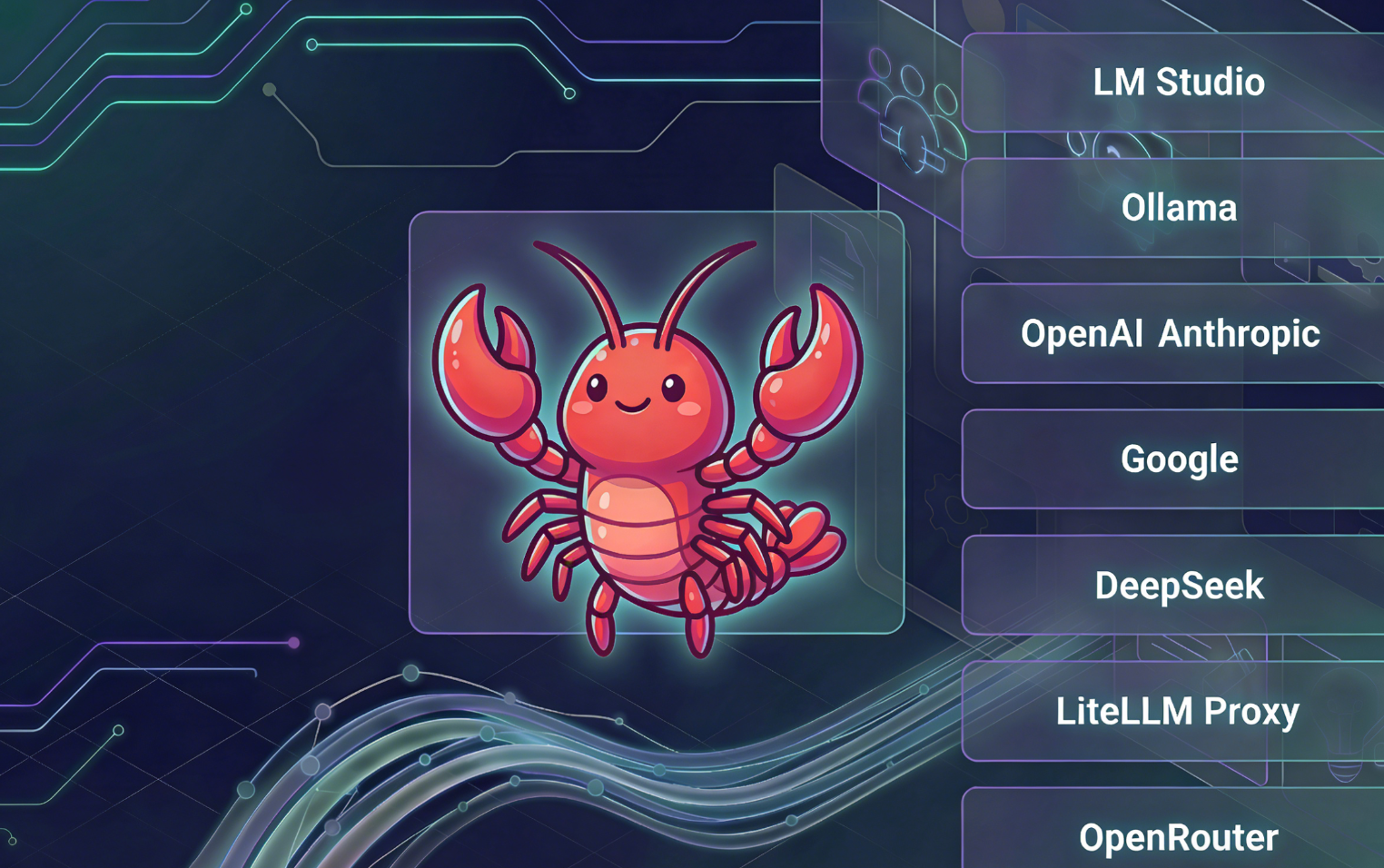
One of the most powerful and exciting features of OpenClaw is its incredible flexibility to work with a wide array of Large Language Models, often simply referred to as "LLMs" or, as I like to think of them, the "AI brains" for your agents. This means you're not locked into a single provider; you get to choose the best one for your specific needs, whether your priority is privacy, raw power, specific capabilities, or cost-effectiveness. Let's break down the fundamental choices and the tools that help you make them a reality.
Local vs. Cloud LLMs: The fundamental choice
Before diving into specific models or tools, it's essential to understand the two main categories of LLMs you can use with OpenClaw: those that run locally on your own computer, and those you access in the cloud over the internet. Each has distinct advantages and trade-offs.
Local LLMs (Running AI on your own computer)
What they are: These are AI models that you download and run directly on your own computer, server, or even a specialized device. All the processing happens right on your machine.
Core benefits:
- Ultimate privacy & data ownership: Your sensitive data never leaves your machine. This is paramount for confidential information.
- Zero ongoing API costs (mostly): Once the model is set up, you typically don't pay per-query fees. Your main "cost" becomes the electricity your computer uses.
- Complete control & customization: You dictate which model version, how it's configured, and when it runs, free from external service changes, rate limits, or censorship.
- Offline capability: Works without an internet connection.
Key considerations:
- Hardware dependent: Running these models smoothly usually requires a computer with a good amount of RAM (memory) and, for optimal performance with larger models, a dedicated graphics card (GPU).
- Initial setup effort: Requires some steps to download and set up the model locally.
Best for: Users prioritizing privacy, budget-conscious individuals, those needing offline access, and enthusiasts who enjoy tinkering with their own systems.
Cloud LLMs (Accessed online over the internet)
What they are: These are powerful AI models hosted and maintained by large technology providers (like OpenAI, Google, Anthropic). You access them over the internet via an API (Application Programming Interface), and the heavy computational lifting happens on their remote servers.
Core benefits:
- Raw power & latest innovations: Access to the most advanced and frequently updated AI models that often require immense computing power unavailable on consumer hardware.
- No local hardware burden: You don't need a super-powerful computer yourself; all the heavy lifting is done in the cloud.
- Convenience & scalability: Easier to get started without significant local setup, and capable of handling very high volumes of requests.
Key considerations:
- API costs: You typically pay per use (based on "tokens" – pieces of text processed). Costs can vary widely and accumulate quickly.
- External data processing: Your data is sent to the provider's servers for processing. While providers have security measures, this is a different level of privacy than keeping it local.
- Internet dependency: Requires an active internet connection to function.
Best for: Users prioritizing cutting-edge performance, those without powerful local hardware, businesses needing high scalability, and individuals willing to trade some privacy for convenience and advanced capabilities.
Empowering local AI: Tools for your desktop LLMs
If you lean towards the privacy and control of running AI on your own machine, OpenClaw integrates beautifully with specialized tools designed to make local LLMs accessible.
1. LM Studio
Description: LM Studio is a fantastic, user-friendly desktop application that simplifies the process of finding, downloading, and running a vast selection of open-source LLMs locally on your Windows, Mac, or Linux machine. It provides a graphical interface to manage your models and even offers a local API endpoint that OpenClaw can easily connect to.
Best for: Users new to local LLMs, those who prefer a visual interface, quick experimentation with various models, and anyone looking for a straightforward way to get started with offline AI.
Pros:
- Extremely easy to get started for non-technical users.
- Wide range of community-contributed models available for download.
- Provides a local API server that OpenClaw can connect to effortlessly.
- Excellent for ensuring data privacy, as everything runs offline.
Cons:
- Can be resource-intensive, requiring significant RAM and GPU power for larger models.
- Updates to models require manual downloads.
- Performance is directly tied to your computer's hardware capabilities.
💡 For more guidance on integrating Ollema with LM Studio, please refer to the official OpenClaw integration guide.
2. Ollama
Description: Ollama is another popular platform for running open-source LLMs locally, often favored by developers and power users for its streamlined installation and command-line interface, making it ideal for Ollama OpenClaw integration. It focuses on making it easy to pull, run, and even create your own models.
Best for: Developers, users comfortable with command-line tools, those looking to integrate local LLMs into scripts or other applications, users who want to serve multiple models easily, and teams building OpenClaw Ollama workflows.
Pros:
- Simplified command-line installation and model management.
- Provides a robust local API for easy integration with OpenClaw and other tools.
- Growing library of ready-to-run models, often optimized for local hardware.
- Facilitates easy sharing and versioning of models.
Cons:
- Less visual and intuitive than LM Studio for beginners.
- Still requires substantial local hardware resources for optimal performance.
- Managing multiple models and their resource consumption can become complex.
💡 For more guidance on integrating Ollama with Gemini, please refer to the official OpenClaw integration guide and Ollama's official API documentation.
Tapping into cloud power: Key LLM providers
For those who need access to the cutting-edge performance, vast knowledge bases, or specialized capabilities of cloud-hosted AI, several major providers offer powerful LLMs that OpenClaw can integrate with.
1. OpenAI (e.g., GPT-4, GPT-3.5)
Description: The company behind ChatGPT, offering some of the most advanced and widely recognized general-purpose LLMs available. GPT-4 is particularly known for its strong reasoning abilities, extensive knowledge, and high-quality content generation, while GPT-3.5 offers a faster, more cost-effective alternative for many tasks—making it a top choice for OpenAI OpenClaw deployments.
Best for: General-purpose conversational AI, complex problem-solving, creative writing, detailed coding assistance, and high-accuracy, high-fluency content generation—ideal for OpenClaw OpenAI integration.
Pros:
- State-of-the-art performance and capabilities.
- Vast general knowledge and strong reasoning.
- Extensive developer ecosystem and community support.
- Regularly updated with new features and models.
Cons:
- Can be expensive, especially for high-volume or complex tasks.
- Data is processed on OpenAI's servers, raising privacy considerations for sensitive information.
- Subject to OpenAI's usage policies and potential rate limits.
💡 For more detailed guidance on integrating OpenClaw with OpenAI, please refer to the official OpenClaw integration guide and OpenAI's official documentation.
2. Anthropic (e.g., Claude)
Description: Anthropic is known for developing "helpful, harmless, and honest" AI models. Their Claude series often features very large "context windows," meaning they can process and remember much longer conversations, documents, or codebases. They place a strong emphasis on responsible AI development.
Best for: Analyzing very long documents, summarizing extensive research, writing long-form content, complex customer service interactions, and applications where ethical AI and safety are top priorities.
Pros:
- Excellent for handling long contexts and detailed analysis.
- Strong safety features and reduced risk of harmful outputs.
- Competitive performance for reasoning and creative tasks.
- Often preferred for enterprise applications with strict guidelines, backed by a wide ecosystem of Claude AI integrations.
Cons:
- Can be pricey, particularly when utilizing their large context windows.
- May be slightly slower for very rapid, short interactions compared to some optimized models.
- Data is processed on Anthropic's servers, similar privacy considerations.
💡 For more guidance on integrating OpenClaw with Anthropic, please refer to the official OpenClaw integration guide and Anthropic's official API documentation.
3. Google (e.g., Gemini)
Description: Google's flagship family of multimodal AI models, designed to understand and operate across different types of information, including text, code, audio, images, and video. Gemini is built to be natively multimodal, allowing for more holistic understanding.
Best for: Multimodal applications (e.g., analyzing images with text descriptions), information retrieval from diverse sources, users deeply integrated into the Google ecosystem, cutting-edge research and development.
Pros:
- Pioneering multimodal capabilities (e.g., understanding an image and a text prompt about it).
- Strong performance for a wide range of tasks.
- Potential for seamless integration with other Google services.
- Backed by Google's vast research and infrastructure.
Cons:
- Usage costs can accumulate, similar to other cloud providers.
- Data is sent to Google for processing, requiring privacy considerations.
- Newer APIs might be evolving, and stability can be a factor.
💡 For more guidance on integrating OpenClaw with Gemini, please refer to the official OpenClaw integration guide and Gemini's official API documentation.
4. DeepSeek
Description: DeepSeek is a rapidly emerging player in the LLM space, offering powerful models that are often highly competitive, particularly in coding-related tasks. They contribute to the open-source community while also providing proprietary cloud access.
Best for: Developers and teams focused on code generation, debugging, and code-related reasoning, as well as users looking for high-performance cloud LLMs with potentially more cost-effective pricing than some established giants.
Pros:
- Excellent performance specifically for coding tasks.
- Often offers a strong price-to-performance ratio.
- Available in both cloud and sometimes open-source versions for flexibility.
- Actively developing and improving their models.
Cons:
- Less established and recognized than the very top-tier models, so broad knowledge might be less comprehensive.
- Smaller ecosystem and community support compared to giants like OpenAI.
- Data privacy concerns for cloud usage, similar to other providers.
💡 For more guidance on integrating OpenClaw with DeepSeek, please refer to the official OpenClaw integration guide and DeepSeek's official API documentation.
Bridging the Gap: Intelligent Gateways for Cloud LLMs
Crucially, OpenClaw typically doesn't connect directly to each of these cloud LLM providers. Instead, it uses intelligent "gateway" platforms that simplify the process, add features, and make managing multiple cloud LLMs much easier. These gateways act as a single point of connection for OpenClaw to access a multitude of different AI brains.
1. LiteLLM Proxy
Description: As highlighted in OpenClaw's official integration guides, LiteLLM acts as a universal API wrapper. It simplifies how OpenClaw connects to over 100 different LLM providers through a single, consistent interface. It's not an LLM itself, but a crucial "translator" and manager for your cloud LLM interactions, offering powerful administrative features.
Why use it with OpenClaw: This is the official and recommended way for OpenClaw to connect to a vast array of cloud LLMs. It centralizes access, adds critical management features, and abstracts away the complexities of different provider APIs.
Core benefits:
- Simplifies multi-provider integration: OpenClaw only needs to "talk" to LiteLLM, not each individual provider API.
- Centralized cost tracking & budgeting: Essential for managing API expenses across multiple services effectively.
- Failover support: Automatically switches to alternative providers if one fails, ensuring higher reliability for your AI agents.
- Unified API experience: Provides a consistent way to call various LLMs, reducing complexity for configuration.
Key considerations: Adds another layer to your setup, but the benefits in management and flexibility are significant.
2. OpenRouter
Description: OpenRouter is another service that provides a unified API for accessing various LLMs from different providers. It functions as a smart routing layer, often including open-source models, and is known for optimizing costs by finding the best routes and prices for your LLM requests.
Why use it with OpenClaw: OpenClaw can connect to OpenRouter's single API endpoint, gaining access to its wide range of underlying models and cost-optimization features.
Core benefits:
- Centralized access to many models: Similar to LiteLLM, offering a single point of access to numerous LLMs.
- Cost optimization: Actively seeks out the most affordable route for your LLM calls.
- Simplified API & billing: Manages multiple providers through one account and billing system.
- Rapid experimentation: Easy to swap between different models for testing without reconfiguring for each one.
Key considerations: It is a third-party service, so you rely on its platform's uptime and policies.
By understanding these distinctions and the roles of these tools and providers, you can strategically choose the perfect "AI brain" for each of your OpenClaw agents, building a powerful, flexible, and customized AI ecosystem tailored to your precise needs.
💡 For more guidance on integrating OpenClaw with OpenRounter, please refer to the official OpenClaw integration guide and OpenRounter's official API documentation.
What to Consider When Choosing Your LLM for OpenClaw
With various "AI brains" available for your OpenClaw agents, selecting the right LLM means balancing your specific needs against provider capabilities. Evaluating your priorities now ensures you build an effective and sustainable AI setup.
- Your tolerance for data privacy and security: Data privacy is often the primary filter for LLM selection. If handling sensitive personal, business, or medical data, a local LLM (via LM Studio or Ollama) is safest, ensuring your data never leaves your machine. Conversely, for general tasks where strict privacy isn't required, cloud models from OpenAI or Google offer superior reasoning capabilities, though you must accept that your data will be processed on their external servers.
- Your hardware capabilities vs. API budget: Your hardware and budget directly dictate your choices. Running capable local models requires a significant upfront hardware investment (a powerful GPU and 16GB-32GB+ RAM), but makes ongoing AI usage essentially free. If you lack powerful hardware, cloud LLMs (via LiteLLM or OpenRouter) offer a flexible, pay-as-you-go API model requiring zero local computing power, though it demands careful budget monitoring to manage token costs.
- The specific tasks your agent will perform: Aligning an LLM's unique strengths with your agent's purpose is crucial. For advanced coding, debugging, and logical reasoning, models like DeepSeek or OpenAI's GPT-4 are industry favorites. Alternatively, if your workflow involves analyzing massive, hundreds-of-pages-long documents, Anthropic's Claude series—renowned for its large "context window" and nuanced comprehension—is often the superior choice.
- Your need for speed and responsiveness: Your application's required response speed dictates the choice between lightweight and heavyweight models. For rapid, back-and-forth chat agents requiring instant replies, smaller local models (like Llama 3 8B) or optimized cloud models (like Claude Haiku or GPT-3.5) are ideal. However, for deep analytical tasks or thorough code reviews where accuracy and depth outweigh a two-second response time, opt for larger, more deliberate models like GPT-4o or Claude Opus.
Giving your OpenClaw a Home: Why the right workspace matters?
Now that you've chosen the perfect LLM (your "brain") and OpenClaw (your "nervous system"), the final key step is deciding where your AI will live and operate. Its true value depends on seamless communication, context sharing, and integration into your daily workflow—and a basic command line severely limits this.
To unlock your custom AI's full potential, you need a robust, modern interface: a unified workspace where you can chat, share files, and collaborate intuitively. This bridges the gap between complex AI backends and natural human interaction.
The best choice? Lark! As an all-in-one platform unifying chat, docs, and internal apps, it transforms your OpenClaw AI from an isolated tool into an active, dynamic participant in your daily operations—residing directly within your workflow, observing context, and assisting in real time. What's more, Lark's unique edge lets you set up and deploy OpenClaw in just one minute, with no complicated configuration or technical hurdles holding you back. To know the method of installing OpenClaw in Lark, please read Your Step-by-Step Guide for Streamlined AI Integration with Lark.

What Lark, OpenClaw, and LLMs can achieve together?
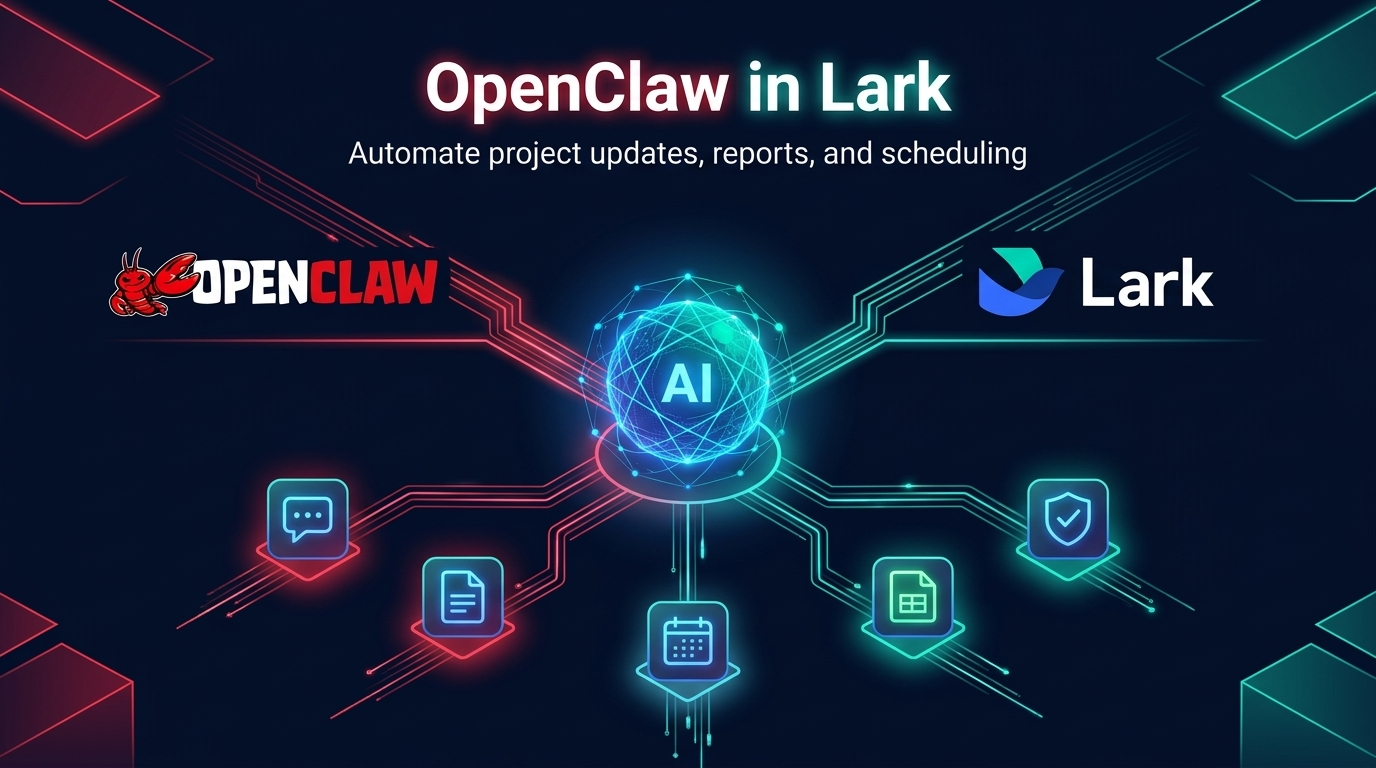
When you combine the cognitive power of a Large Language Model, the autonomous routing of OpenClaw, and the rich, collaborative ecosystem of Lark, you create something far more potent than a simple chatbot. This "power trio" essentially allows you to deploy intelligent, tireless digital colleagues that can deeply interact with your company's data and daily workflows. Here is a glimpse of what this integration can achieve for your team's productivity.
Transforming conversations into automated command centers
By combining OpenClaw's smart routing with powerful Lark Messenger, team workspaces or customer service groups can become automated operation hubs. OpenClaw AI agents go beyond just answering questions passively. They can:
- Continuously monitor designated channels
- Read conversation history to understand context
- Step in at the right moments to handle routine inquiries or common customer questions
This includes automatic Q&A, task reminders, data queries, and more—significantly improving collaboration efficiency.
Building a living, self-organizing knowledge base
Lark Docs are the core of team information. This integration turns them from a static archive into an active, intelligent knowledge base. No more manually searching through Wiki. You can instruct your OpenClaw agent to instantly read, synthesize, and extract precise answers from your entire documentation library. The agent also helps maintain your Docs, like:
- Quickly creating cloud documents from Markdown
- Dynamically updating project specifications
This keeps your team's single source of truth always current and easy to access.
Frictionless scheduling and cross-department coordination
Scheduling across time zones and departments often leads to endless back-and-forth. With OpenClaw integrated into Lark Calendar, this friction disappears. Simply give your AI agent a natural language instruction: "Help me find a 45-minute slot this week when Zhang San, Li Si, and Wang Wu are all available." The agent will:
- Check the busy/free status of each person
- Recommend suitable meeting times
- Create calendar events and add attendees
- Manage RSVPs and schedule updates
All while saving hours previously spent on administrative coordination.
Conclusion
Navigating the rapidly evolving world of AI agents doesn't have to be overwhelming. As we've explored, OpenClaw provides an incredibly flexible foundation, empowering you to choose the perfect "brain"—whether a hyper-secure local model or a cutting-edge cloud LLM—tailored exactly to your privacy needs, budget, and technical tasks. But building a powerful AI is only half the journey; the true magic happens when you bring that intelligence into the environment where you actually work. Don't leave your custom-built AI agents stranded in an isolated terminal or a separate browser tab. Connect your OpenClaw setup with Lark today to bring these intelligent, context-aware bots directly into your team's chats and workflows, and transform your daily collaboration into a truly AI-powered experience.
FAQs
What is OpenClaw and what can it do with LLMs?
OpenClaw is an AI tool acting as a gateway and management system for both cloud-based and local LLMs.
It enables:
- Integration and management of various LLMs (e.g., Claude, OpenAI, local via Ollama).
- Reduced costs by minimizing reliance on expensive cloud API calls.
- Enhanced data privacy and security through local data processing.
- Streamlined LLM setup, configuration, and interaction.
- Performance optimization for LLMs.
- Offline operation with local LLMs.
Can you use multiple different LLMs within the same OpenClaw setup?
Yes. OpenClaw is designed to be model-agnostic and supports complex multi-agent orchestration. You can configure different agents to use different LLMs based on their strengths—for example, assigning a strict coding task to DeepSeek while a separate agent uses Claude to summarize a document, all working together in one workflow.
What are the benefits of using OpenClaw with Ollama for local LLMs?
Using OpenClaw with Ollama for local LLMs offers several significant benefits:
- Enhanced data privacy: Sensitive data remains within the local environment as models run on the user's machine.
- Reduced/zero operational costs: With Ollama executing locally, there are no ongoing costs associated with model usage.
- Offline operation capability: It enables AI models to function completely offline, ideal for sensitive applications or environments with limited internet access.
- Simplified setup and management: OpenClaw streamlines the integration, management, and configuration of open-source models within Ollama.
- Extensive experimentation and deployment: This combination allows for broad experimentation and deployment of inference-capable models without relying on external APIs.
- Native API support: OpenClaw's Ollama integration fully supports streaming and tool calling via the native Ollama API, bypassing potential issues with OpenAI-compatible endpoints.
- Context window management: The system handles context windows, either by automatically discovering models based on Ollama's reported values or allowing users to override these values in explicit provider configurations.
In summary, combining OpenClaw with Ollama provides a robust solution for fostering innovation in a secure and cost-effective environment.
Is it safe to process highly sensitive company data with OpenClaw and Lark?
Yes, and it gives you total control over your security. For confidential data, you can connect OpenClaw to a local, offline LLM (via Ollama or LM Studio), ensuring zero data leakage. When integrated with Lark, your team gets advanced, collaborative AI features right in their workspace without a single byte of proprietary data leaving your internal network.
Related reading
Table of contents
Start using Lark today

Manage all your work in one place
Boost team efficiency by 10x
Save up to 70% on software costs
Table of contents
Start using Lark today
Manage all your work in one place
Boost team efficiency by 10x
Save up to 70% on software costs
Keep reading







2026 Lark Technologies Pte. Ltd.
Headquartered in Singapore with offices worldwide.






Explore: