


SWOT Analysis in Project Management: How Lark Enhances Collaboration and Strategy

Ryan Tanner
Product Marketing Specialist
Aug 5, 2026
Ryan Tanner
Aug 5, 2026

25 min read


In today's environment, SWOT analysis in project management is essential for understanding both internal strengths and weaknesses, as well as external opportunities and threats. It provides a structured framework for making informed, strategic decisions throughout the project lifecycle.
By integrating SWOT analysis into planning, teams can anticipate challenges, optimize resources, and align goals with organizational priorities. In this guide, you'll learn how to conduct an effective SWOT analysis, apply it across project stages, and explore leading collaboration tools like Lark, Wrike, and Monday.com that help teams streamline processes and turn insights into actionable strategies:
1. Lark: Best for turning SWOT insights into action with Lark.
2. Wrike: Best for empowering smarter project planning through structured SWOT tracking.
3. Monday.com: Best for building flexible SWOT workflows your whole team can follow.
4. Asana: Best for transforming SWOT findings into clear, actionable project tasks.
5. ProjectManager: Best for managing projects and SWOT plans with classic precision.
6. TeamGantt: Best for visualizing your SWOT strategy along every project milestone.
7. Miro: Best for collaborating visually and brainstorming SWOT ideas in real time.
8. Notion: Best for keeping all your SWOT documentation and ideas in one shared space.

What is a SWOT analysis?
A SWOT analysis in project management is a strategic method used to evaluate a project's internal and external factors to improve decision-making and planning. It helps project managers identify what's working well, where challenges exist, and how external forces may impact success. Understanding these elements allows teams to build strategies that maximise strengths, minimise risks, and align with overall business objectives.
SWOT stands for strengths, weaknesses, opportunities, and threats. It's a structured framework used to assess internal capabilities and external conditions that affect a project. By analysing these four dimensions, teams gain a clear picture of where the project currently stands and what actions are needed to move forward effectively.
Purpose: The main purpose of SWOT analysis is to provide a comprehensive, strategic assessment of a project. It helps project managers and stakeholders evaluate current conditions, uncover improvement areas, and identify external factors that can influence success. This structured insight supports better planning, resource allocation, and risk management.
Difference between SWOT in business strategy vs. project management: While business SWOT focuses on long-term organisational goals and market positioning, SWOT in project management applies at a project level. It examines team capabilities, resources, timelines, and project-specific risks. This version is more tactical, helping managers make immediate, data-informed decisions that keep the project aligned and adaptable.
Key benefits: SWOT analysis offers clear visibility into a project's internal and external environment. It enhances alignment among teams, promotes strategic thinking, and supports proactive responses to risks. By identifying strengths and opportunities early, project managers can boost efficiency, minimise weaknesses, and keep projects on track toward defined goals.
Limitations: Despite its usefulness, SWOT analysis can be subjective if based solely on opinions rather than data. Without proper structure or prioritisation, teams may create lengthy lists without actionable insights. To overcome this, it's best to combine SWOT with measurable data and use collaborative project management tools to ensure focus and accuracy.
How to apply SWOT analysis in project management
A SWOT analysis in project management helps teams understand their current position and make strategic decisions that drive project success. Applying SWOT effectively requires knowing when to conduct it, how to analyse each quadrant, and how to translate findings into actionable strategies. Here's how you can combine it seamlessly into your project workflow.
The ideal time to perform a SWOT analysis is during the project initiation and planning phase. At this stage, teams can identify internal strengths and weaknesses, assess potential risks, and align objectives before execution begins. Revisiting the SWOT at key milestones ensures strategies stay relevant as the project evolves.
Explanation of the four quadrants in a project context: A well-structured SWOT divides findings into four actionable quadrants—strengths, weaknesses, opportunities, and threats so teams can quickly see where to act. Each quadrant should be concise (3–5 prioritised items) and supported with evidence or metrics where possible. Visualising these quadrants in a shared tool helps the project team discuss trade-offs and convert insights into concrete tasks, owners, and deadlines.
- Strengths for team expertise, budget, stakeholder support: Strengths are internal assets the project can rely on—skilled team members, committed stakeholders, available budget, and efficient processes. In swot analysis project management, clearly listing strengths helps teams exploit these advantages (for example, using a high-performing developer to accelerate a feature). Quantify strengths when possible (e.g., “5 senior engineers available”) to make planning and resource allocation more precise.
- Weaknesses for skill gaps, limited time, unclear communication: Weaknesses are internal limitations that could derail delivery—missing skills, tight timelines, poor handoffs, or weak governance. Identifying weaknesses in the SWOT enables targeted remediation (training, hiring, adding buffers, or improving meeting cadences). Be honest and specific; vague entries like “team issues” are less useful than “no UX resource for prototyping,” which points to actionable fixes.
- Opportunities for new markets, technologies, partnerships: Opportunities are external possibilities that the project can exploit, such as emerging technologies, regulatory windows, or strategic partnerships. In a project SWOT, opportunities should be evaluated for feasibility and alignment with project goals prioritize those that add measurable value or reduce cost/time. Tie each opportunity to potential actions and timelines so they can be captured in the project roadmap if pursued.
- Threats for competition, scope creep, regulatory changes: Threats are external risks that could negatively impact the project, from competing product launches to regulatory shifts or vendor failures. When captured in the swot analysis for project management, threats should be assessed for likelihood and impact, then mapped to mitigation strategies (contingency buffers, alternative suppliers, scope controls). Regular monitoring of identified threats helps teams react before problems escalate.
Step-by-step process to create a project SWOT analysis
Assemble stakeholders to invite cross-functional team members and key stakeholders to ensure diverse perspectives:
Step 1. Collect data: gather project documents, metrics, market research, and lessons from past projects to ground opinions in evidence.
Step 2. Brainstorm and capture: use a shared whiteboard or doc to list items under each quadrant, limiting to the most impactful 3–5 items per quadrant.
Step 3. Prioritize: score each item by impact and likelihood to focus on high-priority areas.
Step 4. Translate to actions: convert prioritized items into initiatives or tasks, assign owners, set deadlines, and track them in your project tool.
Step 5. Review and update: schedule SWOT reviews at key milestones and after major external changes to keep the analysis current.
How to convert SWOT insights into strategies using the SO / ST / WO / WT matrix: The SO/ST/WO/WT matrix turns analysis into strategy by pairing internal and external factors:
- SO (Strengths–Opportunities): leverage strengths to capture opportunities (e.g., use an in-house analytics team to exploit a new data partnership).
- ST (Strengths–Threats): apply strengths defensively to reduce threats (e.g., strong vendor relationships to avoid supply disruption).
- WO (Weaknesses–Opportunities): fix weaknesses that block opportunities (e.g., train staff to adopt a new technology that opens a market).
- WT (Weaknesses–Threats): create defensive plans to minimize combined risks (e.g., add contingency budgets and stricter scope controls).
For each matrix cell, define 1–3 strategic initiatives, assign owners, estimate effort, and add these to your project plan, this ensures that the swot analysis in project management directly drives execution rather than remaining a static assessment.
Comparison table for SWOT analysis in project management
Top 8 tools for SWOT analysis in project management:
1. Lark: Turn SWOT insights into action with Lark
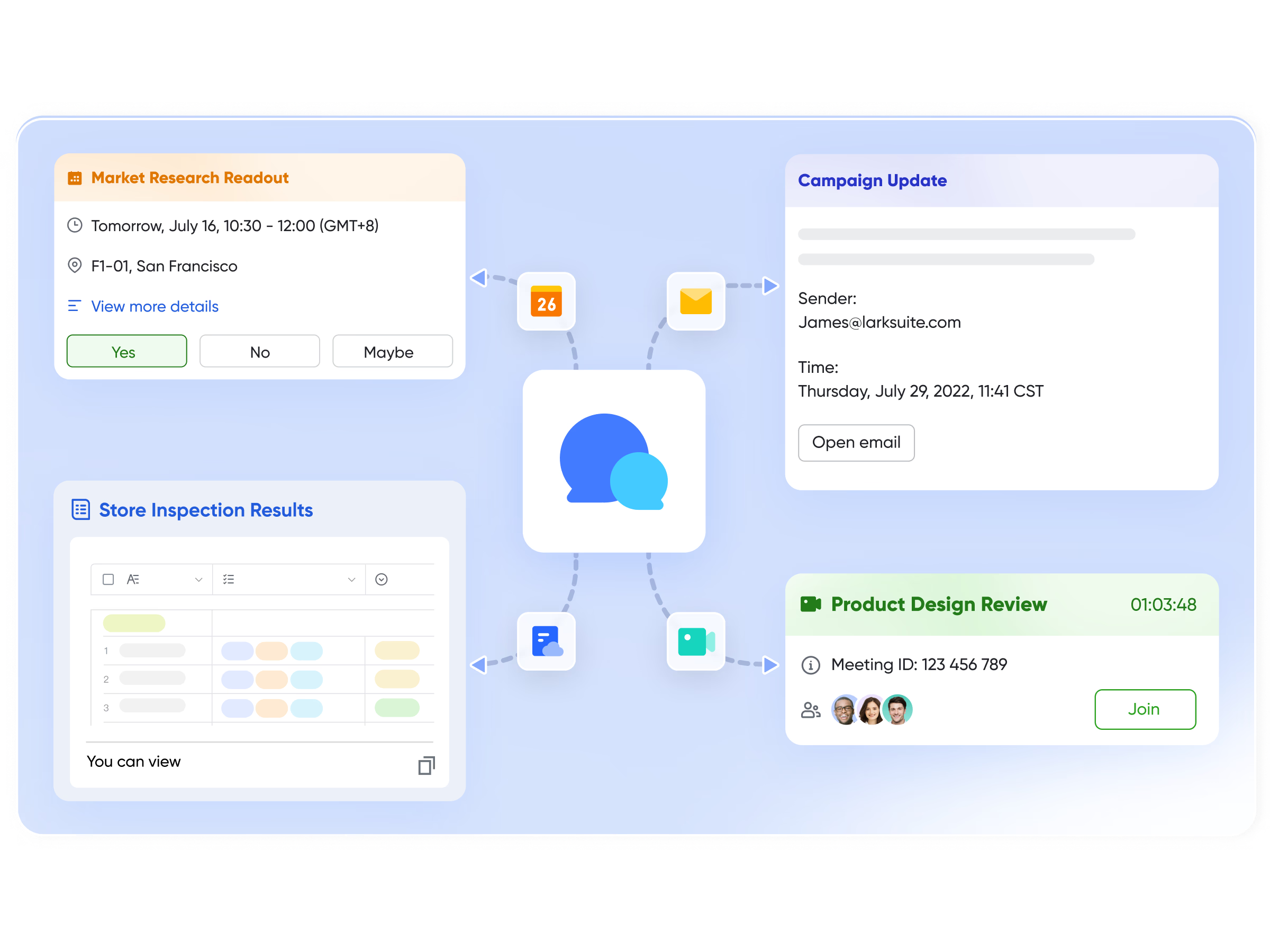
Lark is an all-in-one collaboration and productivity platform that transforms how teams conduct and act on SWOT analysis in project management. Designed for modern, fast-moving teams, Lark combines communication, documentation, and data management in one connected workspace. Its suite of tools—Lark Docs, Lark Base, Lark Meetings, and Lark Messenger makes SWOT analysis collaborative, visual, and execution-driven. Teams can brainstorm ideas, structure insights, assign tasks, and monitor progress without switching between multiple apps. Lark turns SWOT from a static exercise into a continuous, data-powered strategic process.
Key features:
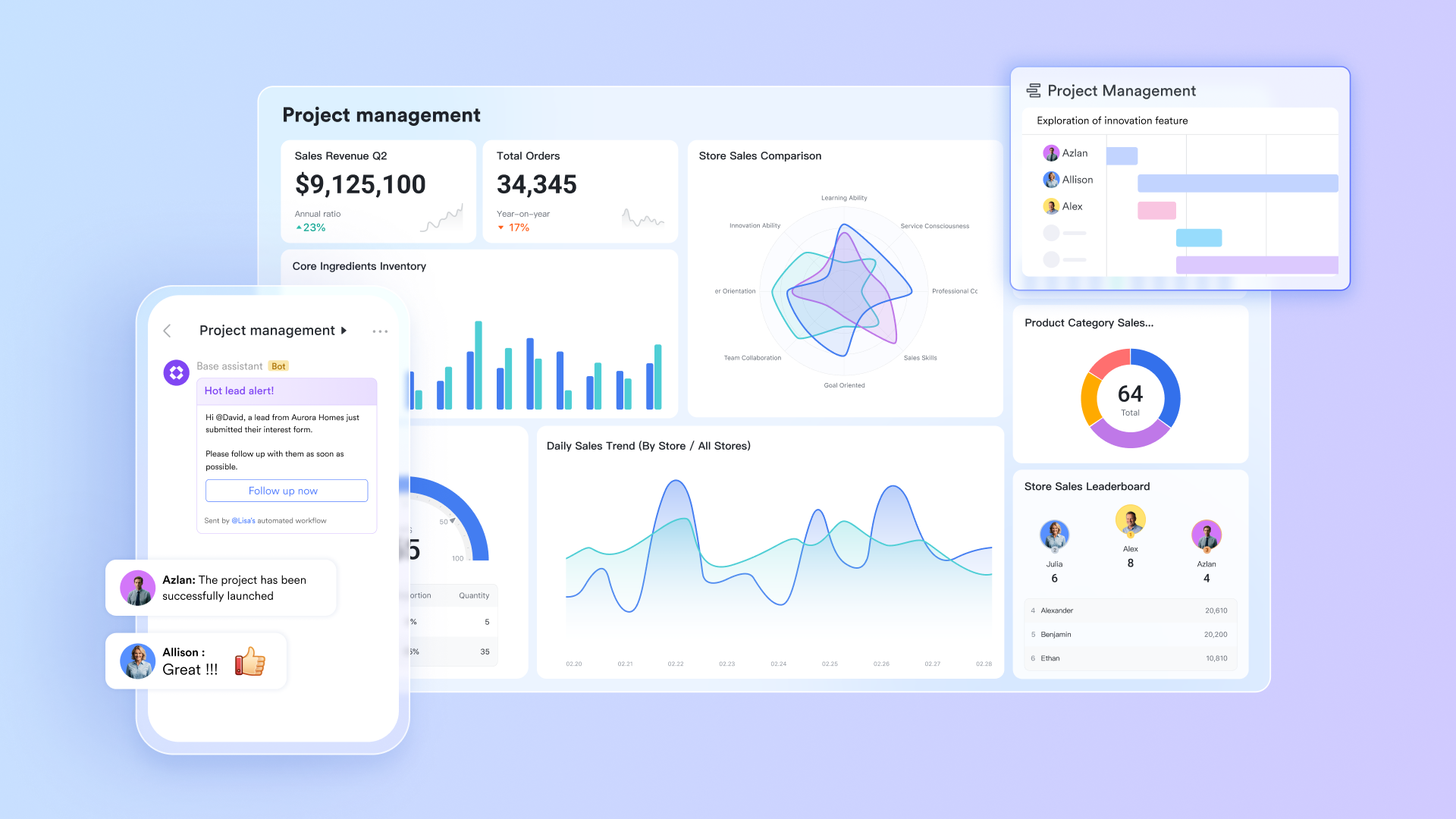
Lark Base for structured SWOT tracking and data management:
Lark Base functions as a powerful database tool where teams can record, categorize, and track SWOT elements with custom fields. Each Strength, Weakness, Opportunity, or Threat can be linked to responsible owners, deadlines, or related actions. This ensures visibility across the entire project and helps teams prioritize what matters most. Lark Base effectively bridges the gap between SWOT analysis and project execution by connecting strategic insights with operational data.
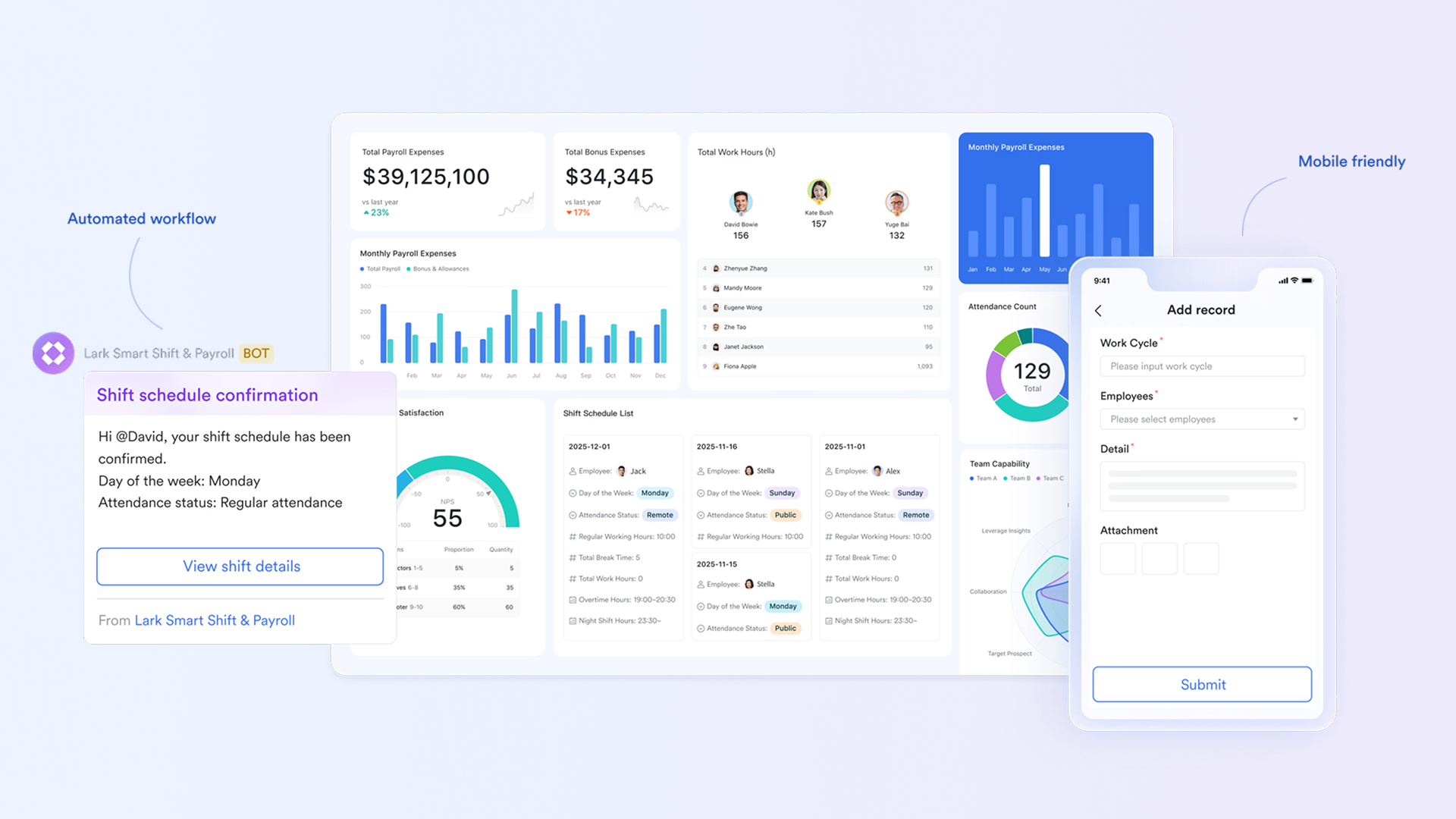
Lark Docs for real-time collaborative SWOT documentation:
Lark Docs allows teams to create and edit SWOT analysis documents together in real time, eliminating version control issues. Team members can comment, suggest edits, and link related files directly within the doc. This feature keeps everyone aligned and ensures SWOT insights are easily accessible, editable, and up-to-date, date making documentation a living part of project planning rather than a one-time activity.
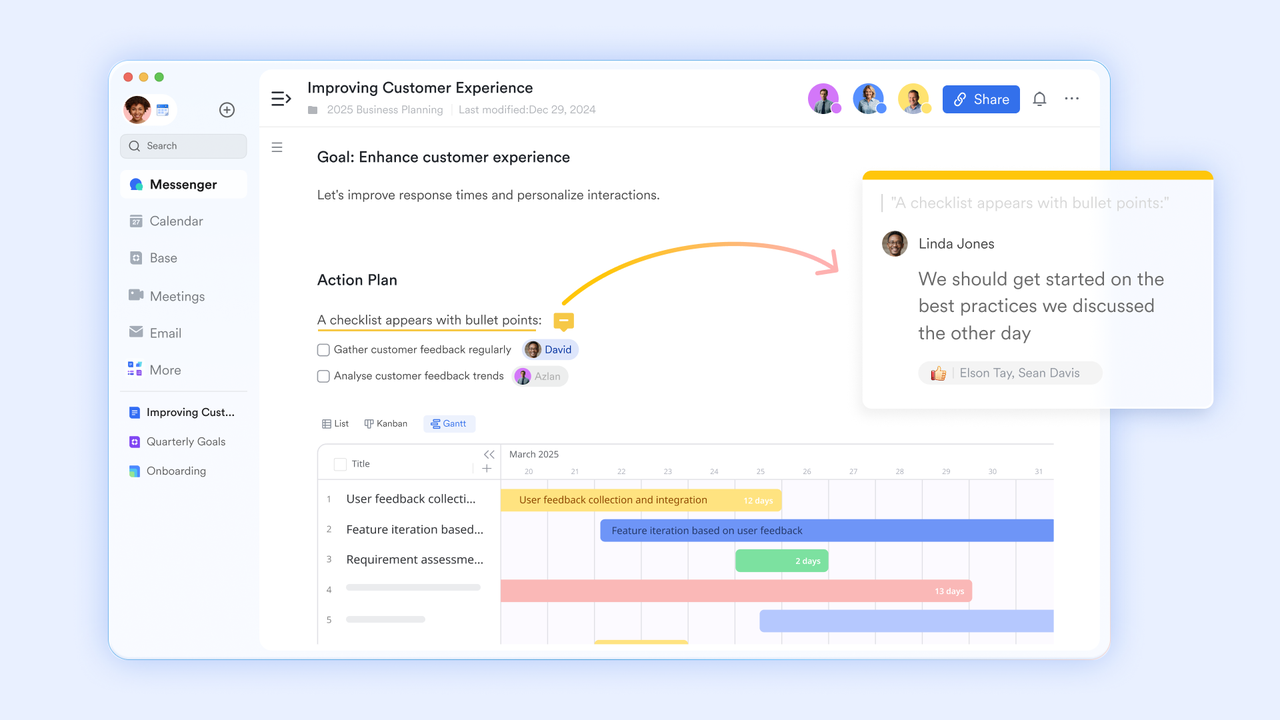
Lark Whiteboard for visual collaboration for team brainstorming:
With Lark Meetings, teams can turn SWOT discussions into engaging, real-time collaboration sessions. During a meeting, participants can open a shared whiteboard to map out strengths, weaknesses, opportunities, and threats together using sticky notes, shapes, and connectors. Team members can view and edit the board simultaneously within the video call, eliminating the need to switch screens or tools. Teammates can @mention others, add comments, and assign action items on the spot, keeping the discussion focused and productive.
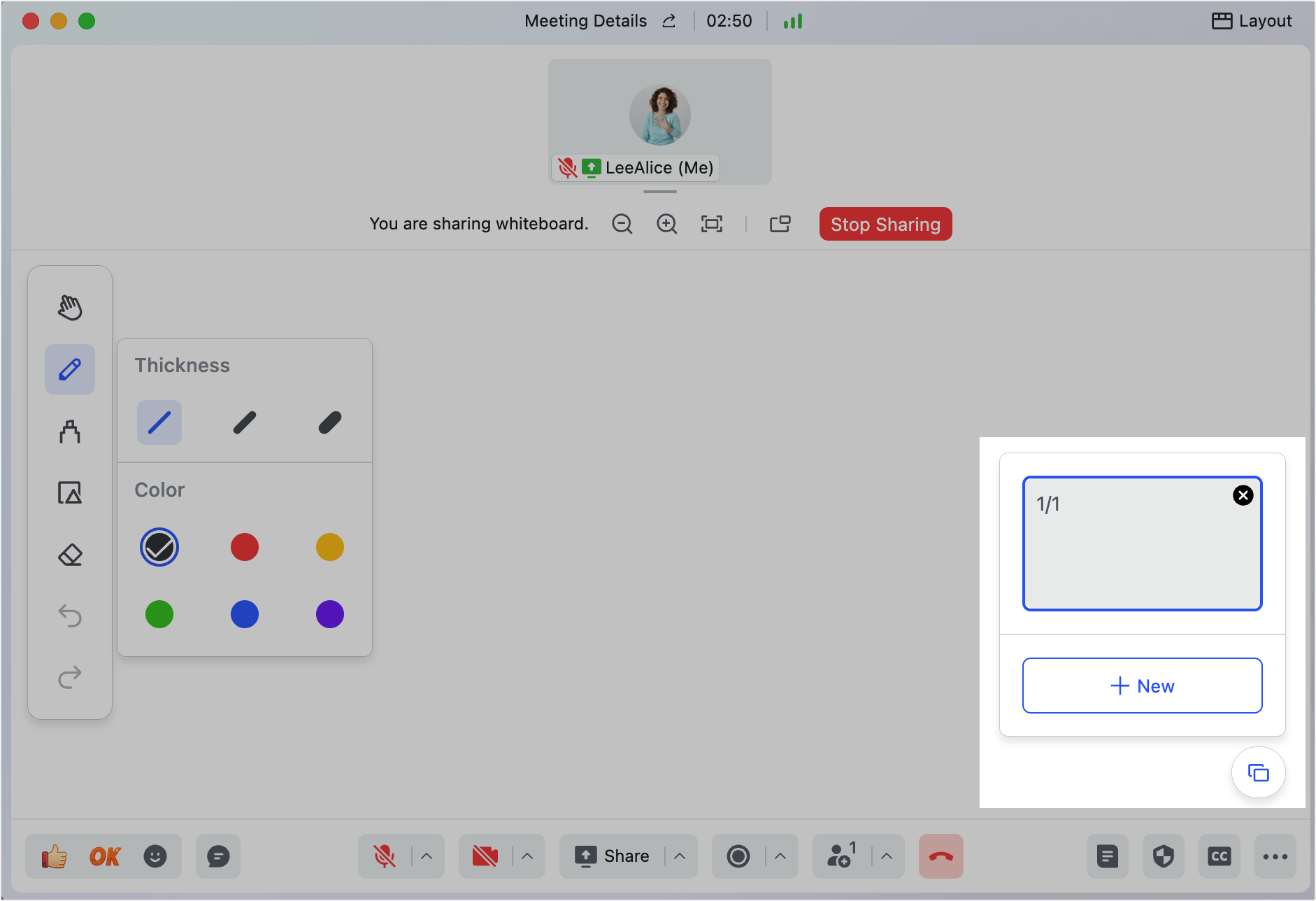
Lark Messenger for instant communication and decision-making:
Lark Messenger keeps discussions and decisions connected to the SWOT process. Team members can tag others, share SWOT Docs or Base entries directly in chat, and even start meetings from within a message thread. This tight collaboration reduces communication gaps, ensuring that ideas become actions quickly. With features like topic-based chats, message search, and file sharing, Lark Messenger acts as the real-time nerve center for SWOT collaboration.
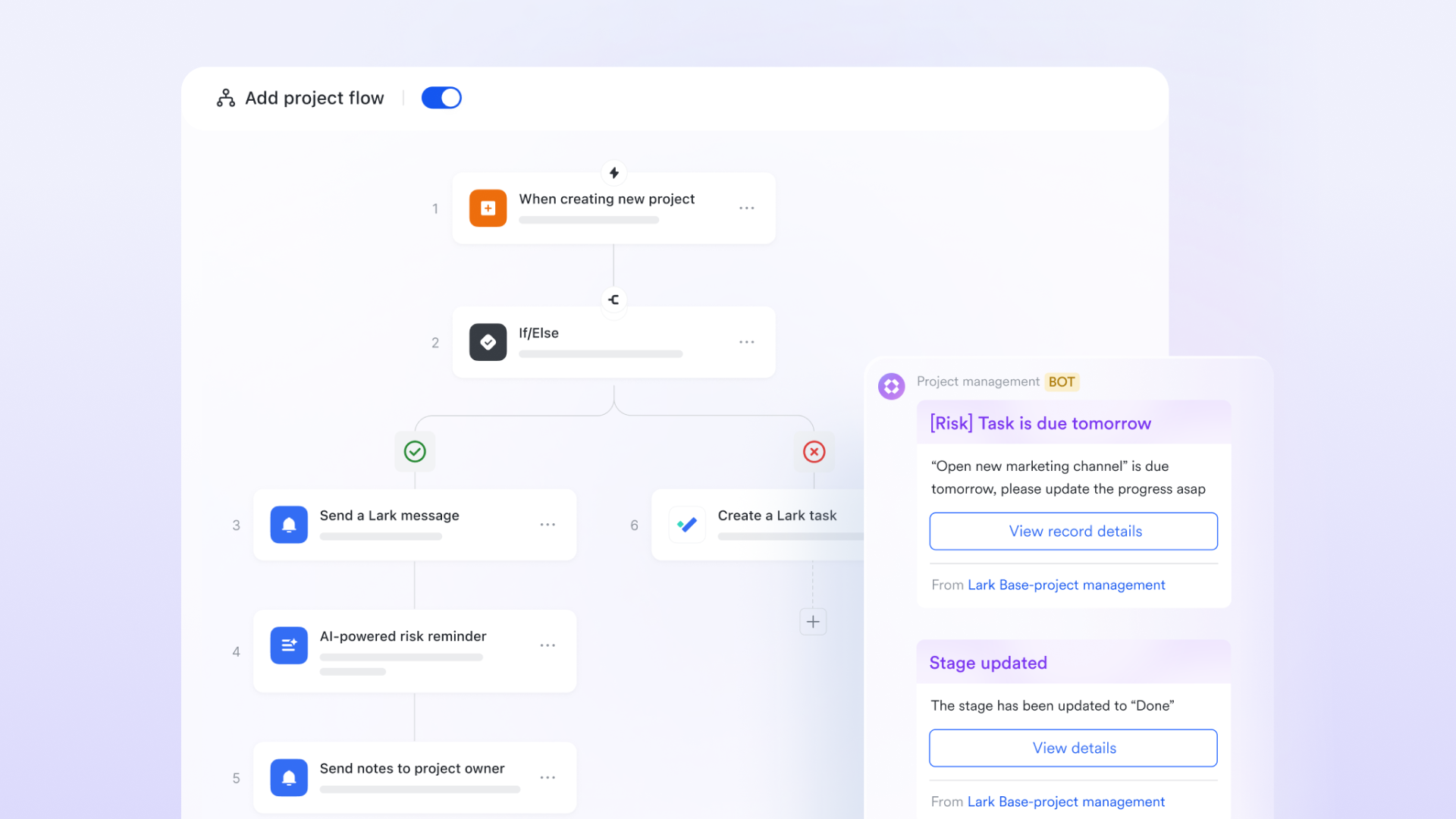
Workflow automation from insights to execution:
Lark's workflow automation connects SWOT findings directly to project tasks, reminders, and notifications. Teams can automate follow-ups for identified weaknesses, assign owners for opportunities, and set up alerts for recurring risk reviews. Automation ensures that SWOT results drive measurable actions transforming analysis into impact. This feature helps maintain accountability, consistency, and momentum across projects, ensuring nothing identified in the SWOT process is overlooked.
Best for: Lark is best for project teams, remote organizations, and cross-functional departments that want to manage SWOT analysis collaboratively and turn strategy into execution without juggling multiple tools. It's particularly effective for hybrid and distributed teams that need real-time visibility, shared workspaces, and seamless transitions between brainstorming, documentation, and task management.
- Starter plan: Free forever plan that includes 11 powerful tools for up to 20 users. It also comes with 100GB of storage, 1000 automation runs, AI translations, and more.
- Pro plan: $12/user/month (billed annually) for up to 500 users. It includes everything in Starter plus group calling for up to 500 attendees, 15TB of storage, 50,000 automation runs, and more.
- Enterprise plan: Contact sales for custom pricing. Supports unlimited users and includes even more automation runs and advanced security, compliance, and management features.
2. Wrike: Empower smarter project planning through structured SWOT tracking
Wrike is a powerful project management tool that enhances SWOT analysis in project management through structured templates, automation, and real-time visibility. Designed for large teams and enterprises, Wrike helps project managers capture insights, assign actions, and monitor performance from a single platform. Its visual dashboards and collaboration features make it easy to turn SWOT findings into measurable project outcomes.
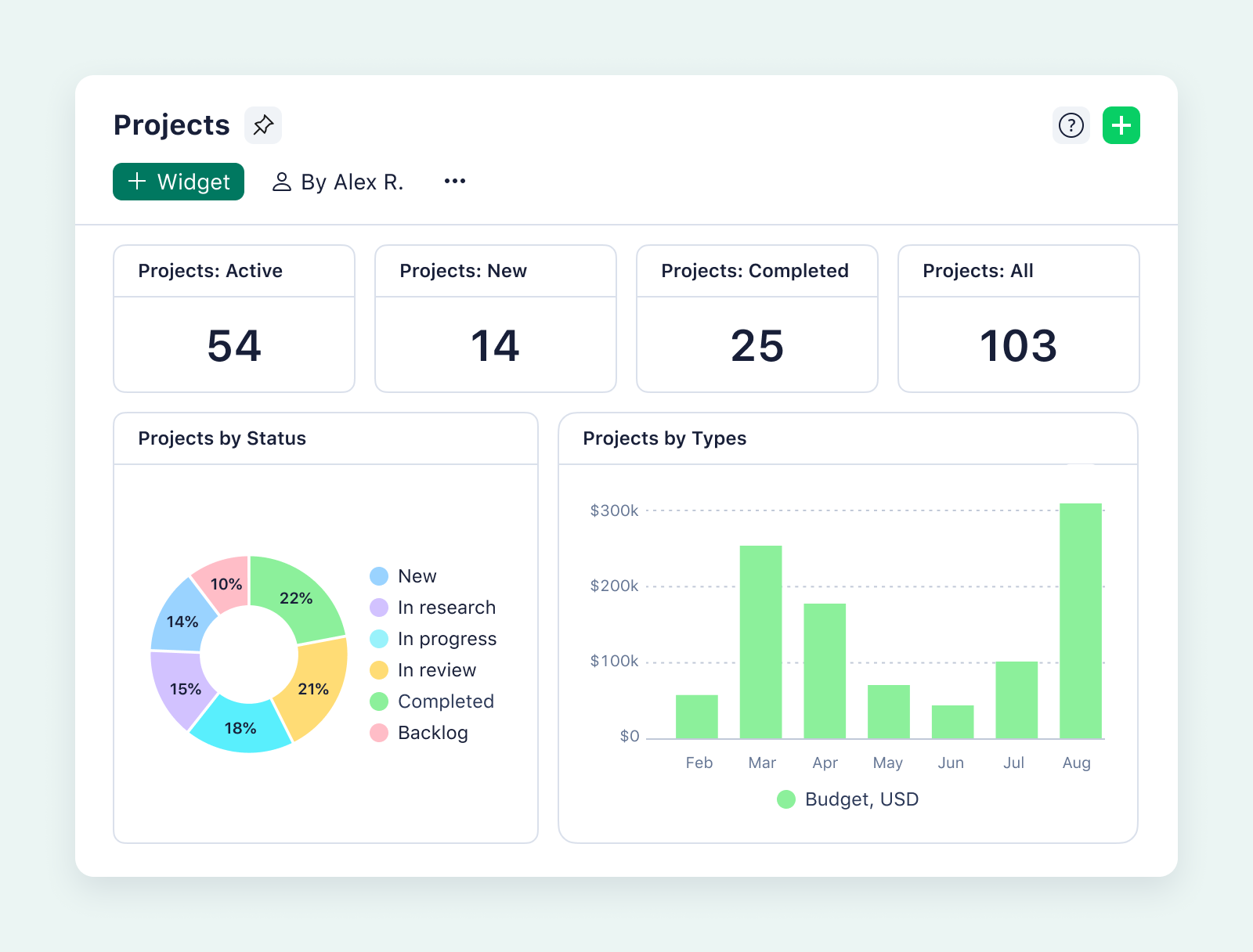
Image source: wrike.com
Key features:
- SWOT templates: Ready-to-use and fully customizable templates for structured SWOT documentation.
- Visual dashboards: Real-time visibility into project progress and SWOT-driven actions.
- Automation: Converts SWOT insights into tasks and automates follow-ups.
- Collaboration tools: Centralized communication with shared comments and file attachments.
- Reporting: Advanced analytics to measure the impact of SWOT-based initiatives.
Best for: Ideal for PMOs, enterprise project teams, and multi-department organizations managing complex, cross-functional projects.
Pricing:
- Free Plan: Basic task and project management.
- Team Plan: From $9.80/user/month, includes shared dashboards and automations.
- Business Plan: Around $24.80/user/month, with advanced reporting and integration.
- Enterprise Plan: Custom pricing with enhanced security and scalability.
3. Monday.com: Build flexible SWOT workflows your whole team can follow
Monday.com is a highly customizable work operating system that simplifies SWOT analysis in project management through its visual boards and automation features. It allows teams to design flexible SWOT workflows, collaborate in real time, and track progress with ease. Whether managing a marketing campaign or a large-scale project, Monday.com helps convert strategic insights into organized, actionable plans.
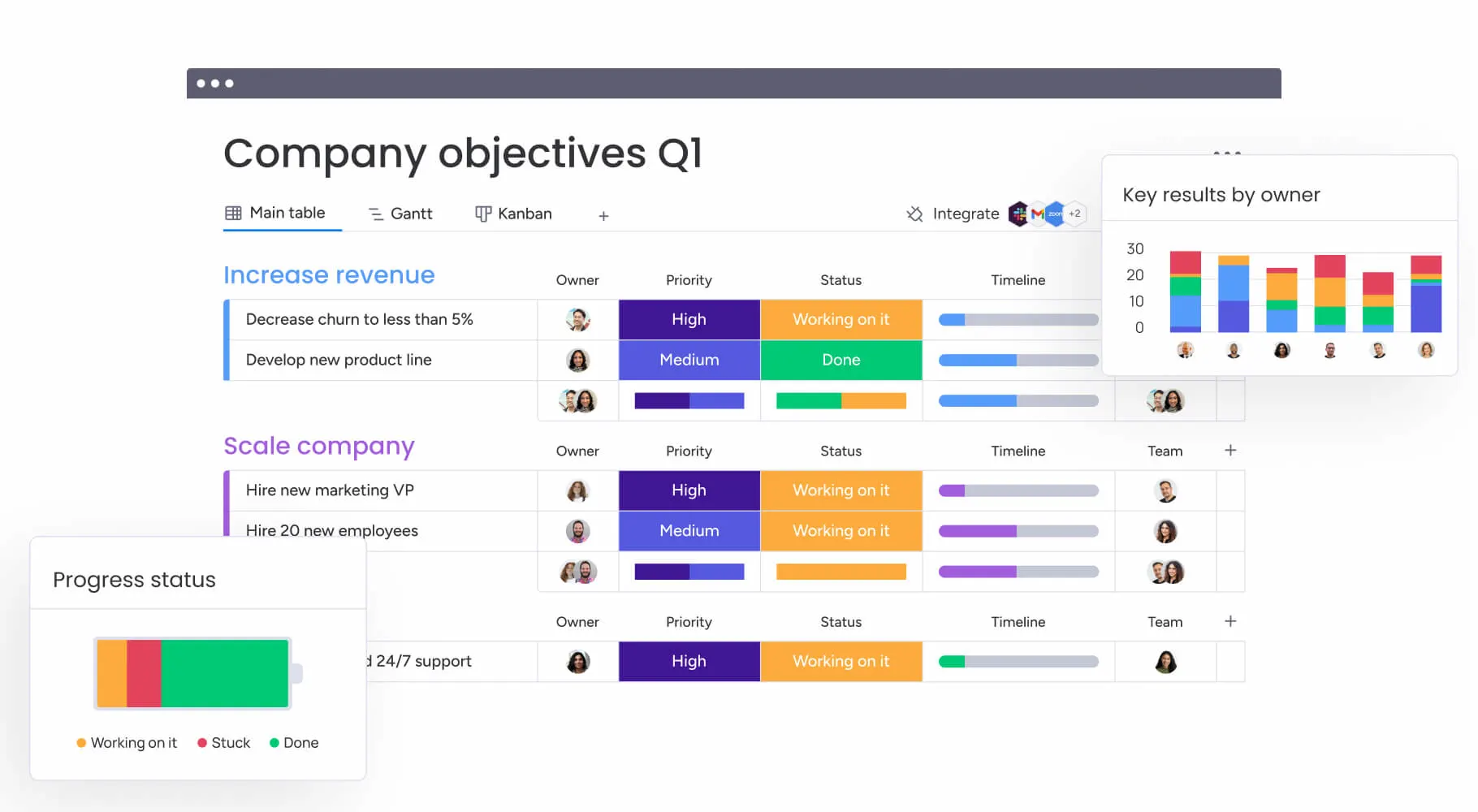
Image source: monday.com
Key features:
- Custom boards: Create interactive SWOT boards with customizable fields and columns.
- Automation: Streamline follow-ups, task updates, and notifications automatically.
- Integrations: Connect with tools like Slack, Google Drive, and Microsoft Teams.
- Visual bashboards: Monitor SWOT progress with timeline, Kanban, and chart views.
- Collaboration: Share updates, tag teammates, and comment directly within tasks.
Best For: Ideal for cross-functional teams, marketing departments, and project managers who need flexible, visual workflows to manage SWOT analyses and related actions.
Pricing:
- Individual Plan: Free for up to 2 users with basic boards.
- Basic Plan: Starts at $9/user/month, ideal for small teams.
- Standard Plan: Around $12/user/month, includes timeline, automation, and integrations.
- Pro Plan: About $19/user/month, with advanced dashboards and analytics.
- Enterprise Plan: Custom pricing with enhanced control and governance.
4. Asana: Transform SWOT findings into clear, actionable project tasks
Asana is a leading project management platform that helps teams translate swot analysis in project management into structured, trackable actions. Its clean interface enables project managers to turn swot insights into tasks, assign responsibilities, and monitor progress efficiently. With multiple view options, workflow automation, and seamless integrations, Asana ensures every strength, weakness, opportunity, and threat is transformed into meaningful, measurable results.
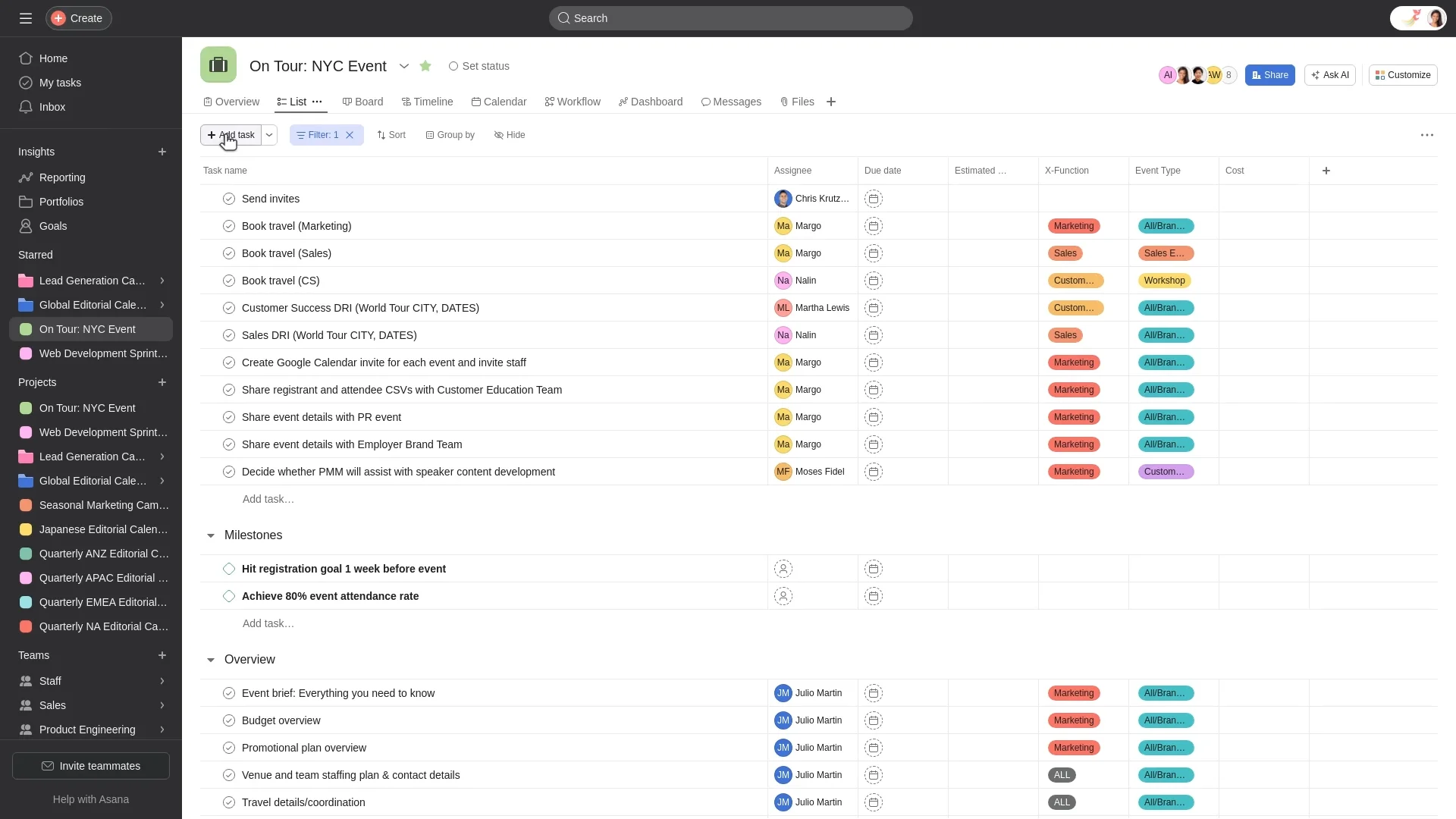
Image source: asana.com
Key features:
- Task management: Convert swot findings into actionable, trackable tasks with clear deadlines.
- Goal tracking: Align swot-driven actions with overall project or organizational objectives.
- Multiple views: Manage work using list, timeline, calendar, or kanban board views.
- Automation rules: Save time by automating repetitive workflows and task assignments.
- Integrations: Connect with tools like slack, google workspace, and microsoft teams for streamlined collaboration.
Best for: Ideal for agile project teams, startups, and creative departments that need to turn swot insights into concrete deliverables while maintaining team visibility and accountability.
Pricing:
- Basic plan: Free for individuals or small teams of up to 10 users.
- Premium plan: Starts at $10.99 per user per month, with timeline views and automation.
- Business plan: Around $24.99 per user per month, adds workload tracking and advanced reporting.
- Enterprise plan: Custom pricing for large organisations with advanced security and admin controls.
5. ProjectManager: Manage projects and SWOT plans with classic precision
ProjectManager is a comprehensive planning and execution platform that supports swot analysis in project management with traditional yet powerful tools like gantt charts, dashboards, and reports. It bridges the gap between strategic planning and task execution by allowing teams to link swot insights directly to project schedules, budgets, and deliverables. Ideal for structured industries, it brings precision and accountability to every phase of project management.
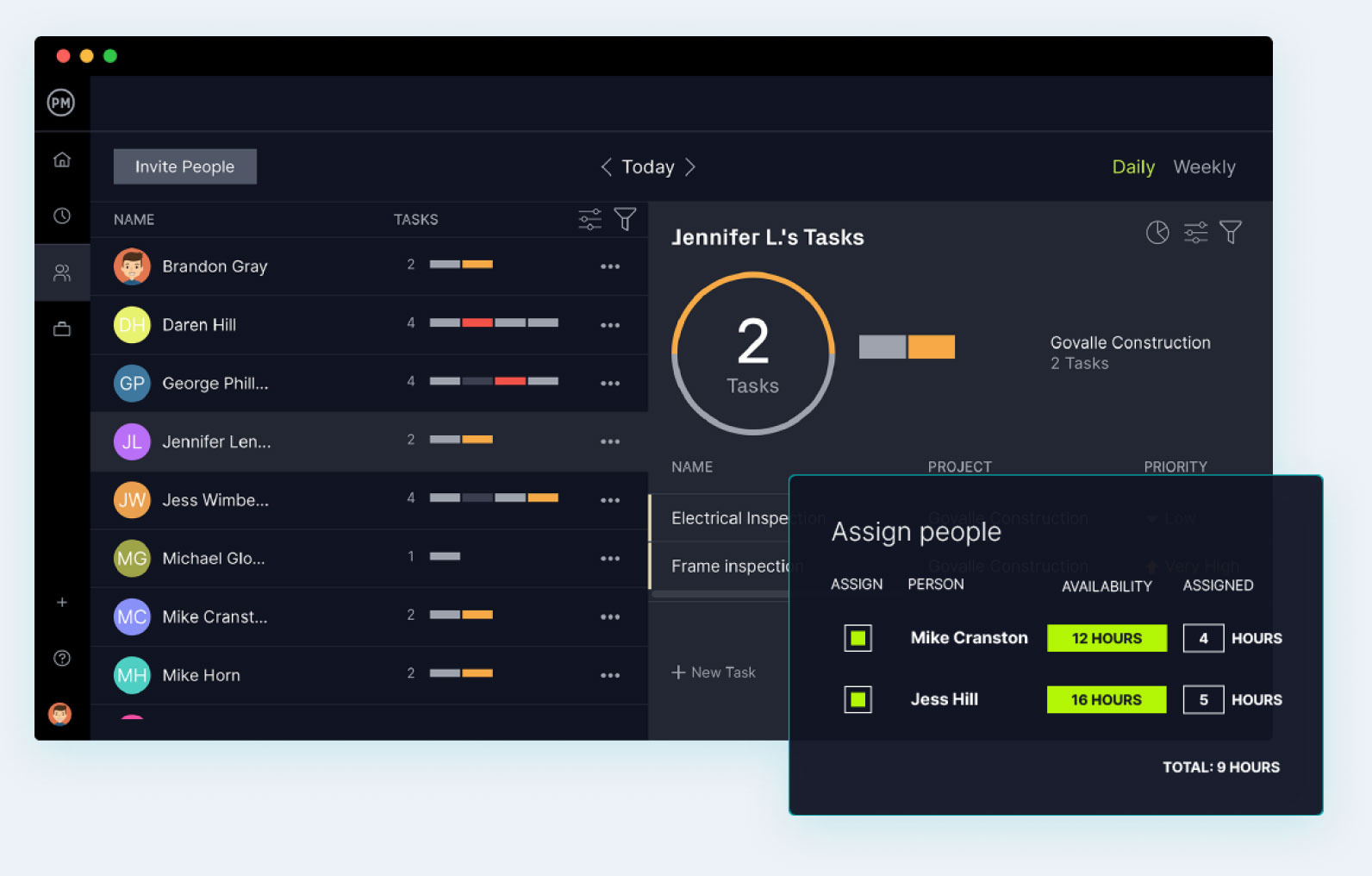
Image source: projectmanager.com
Key features:
- Gantt charts: Visualise SWOT-related actions, dependencies, and deadlines on dynamic timelines.
- Dashboards: Monitor project performance and progress of SWOT-based strategies in real time.
- Task management: Assign, prioritise, and track actions that emerge from swot findings.
- Risk tracking: Identify threats early and link them to mitigation strategies within the project plan.
- Reporting: Generate detailed reports to measure the impact of SWOT-driven initiatives on project success.
Best for: Ideal for construction, engineering, and traditional project management teams that rely on structured planning, detailed reporting, and visual scheduling to implement swot strategies effectively.
Pricing:
- Team plan: Starts at $13 per user per month, includes task management and dashboards.
- Business plan: Around $24 per user per month, adds gantt charts, timesheets, and reporting.
- Enterprise plan: Custom pricing with advanced integrations, security, and resource controls.
6. TeamGantt: Visualise your SWOT strategy along every project milestone
TeamGantt is a simple yet powerful project management platform that helps teams apply swot analysis in project management more visually and effectively. It allows users to connect swot-driven strategies with project timelines, ensuring that planning and execution remain synchronised. With its intuitive drag-and-drop interface and collaborative scheduling features, TeamGantt makes it easy for teams to stay organised, track progress, and adjust priorities in real time.
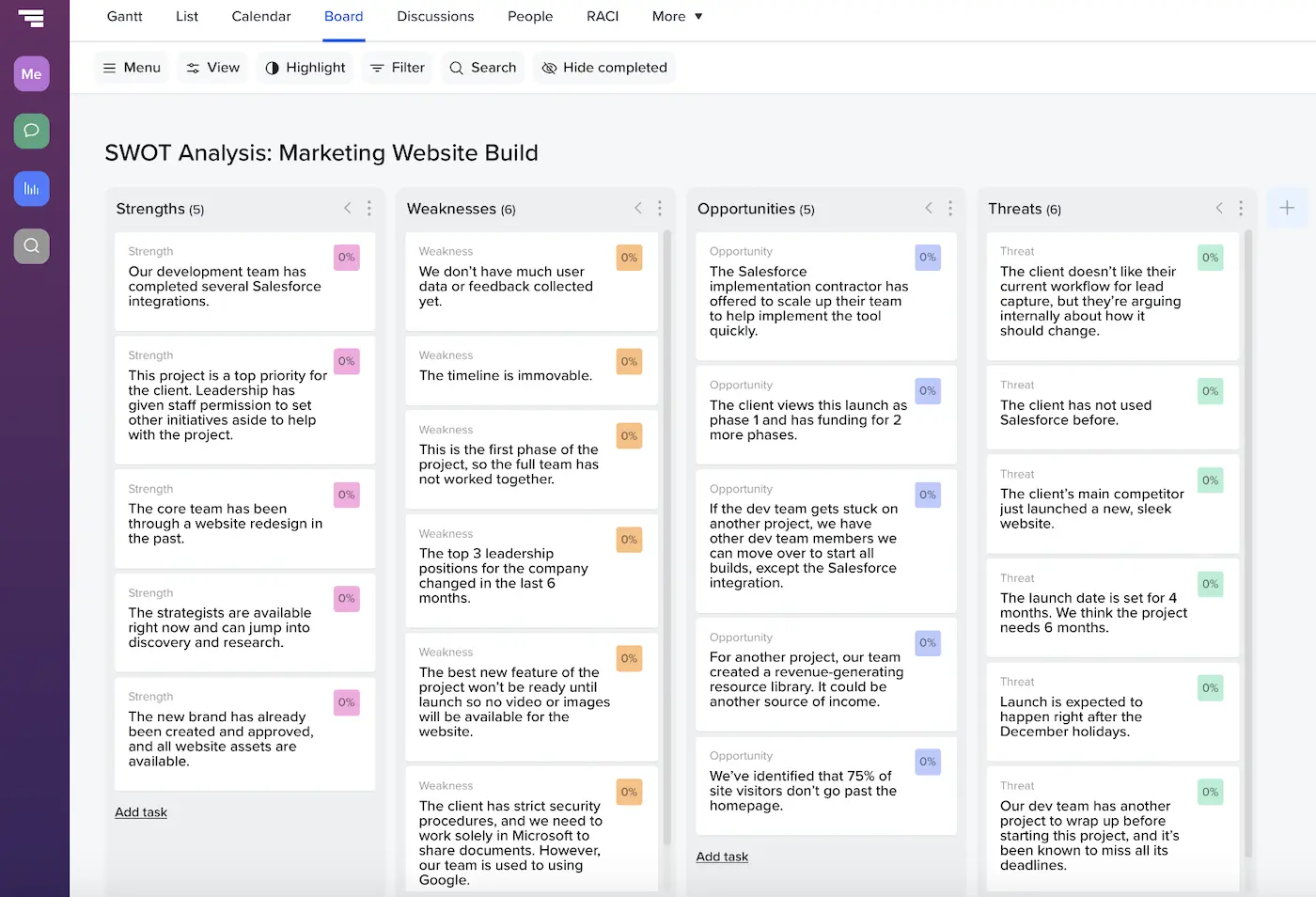
Image source: teamgantt.com
Key features:
- Gantt timelines: Create and manage SWOT-related tasks, milestones, and dependencies in a visual timeline.
- Drag-and-drop scheduling: Quickly adjust deadlines and reschedule tasks to stay on track.
- Workload management: Balance team workloads to avoid bottlenecks and over-allocation.
- Collaboration tools: Comment, share charts, and attach files directly to project tasks.
- Progress tracking: View real-time progress to ensure swot-based strategies are executed as planned.
Best for: Ideal for small to mid-sized teams, consultants, and project managers who need a clear, visual way to link swot insights with project schedules and milestones.
Pricing:
- Free plan: Supports one project for up to three users.
- Standard plan: $19 per user per month, includes unlimited projects and reporting.
- Advanced plan: $49 per user per month, adds time tracking, portfolio management, and team workload views.
- Enterprise plan: Custom pricing for large organisations requiring advanced control and integration.
7. Miro: Collaborate visually and brainstorm SWOT ideas in real time
Miro is an intuitive online whiteboard platform that enhances swot analysis in project management through visual collaboration and real-time brainstorming. It enables teams to map strengths, weaknesses, opportunities, and threats together, fostering creativity and alignment across distributed teams. Whether used for initial brainstorming or strategic reviews, Miro makes swot sessions more engaging, structured, and outcome-driven.
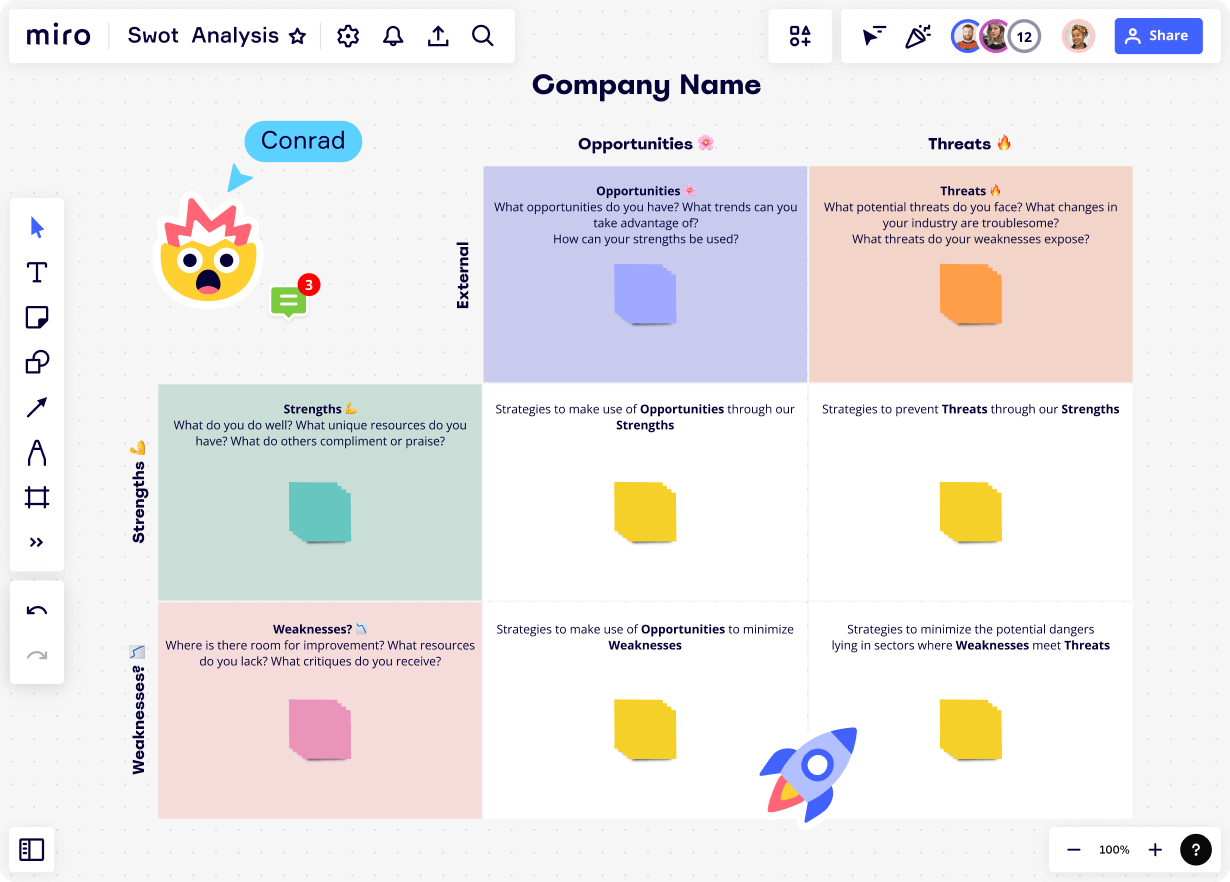
Image source: miro.com
Key features:
- Swot templates: Start instantly with pre-built swot analysis templates for faster setup.
- Real-time collaboration: Brainstorm with teammates using sticky notes, shapes, and comments simultaneously.
- Infinite canvas: Organize swot quadrants, ideas, and action items on an unlimited workspace.
- Presentation mode: Turn your swot board into a visual story for team or client presentations.
- Integrations: Seamlessly connect with Slack, Google Workspace, Microsoft Teams, and Jira.
Best for: Ideal for remote, hybrid, and creative project teams that rely on visual collaboration for brainstorming and planning SWOT-driven strategies.
Pricing:
- Free plan: Includes 3 editable boards, core templates, and basic collaboration tools.
- Starter plan: $10 per user per month, offers unlimited boards, integrations, and template libraries.
- Business plan: $20 per user per month, adds advanced collaboration tools, private boards, and enhanced security.
- Enterprise plan: Custom pricing for large organizations with enterprise-grade security, admin controls, and compliance features.
8. Notion: Keep all your SWOT documentation and ideas in one shared space
Notion is a versatile all-in-one workspace that helps teams organise swot analysis in project management efficiently. It allows users to create structured swot databases, link them to project goals, and collaborate in real time. By combining documentation, planning, and execution tools, Notion turns swot insights into actionable plans while keeping all related information centralised and easily accessible.
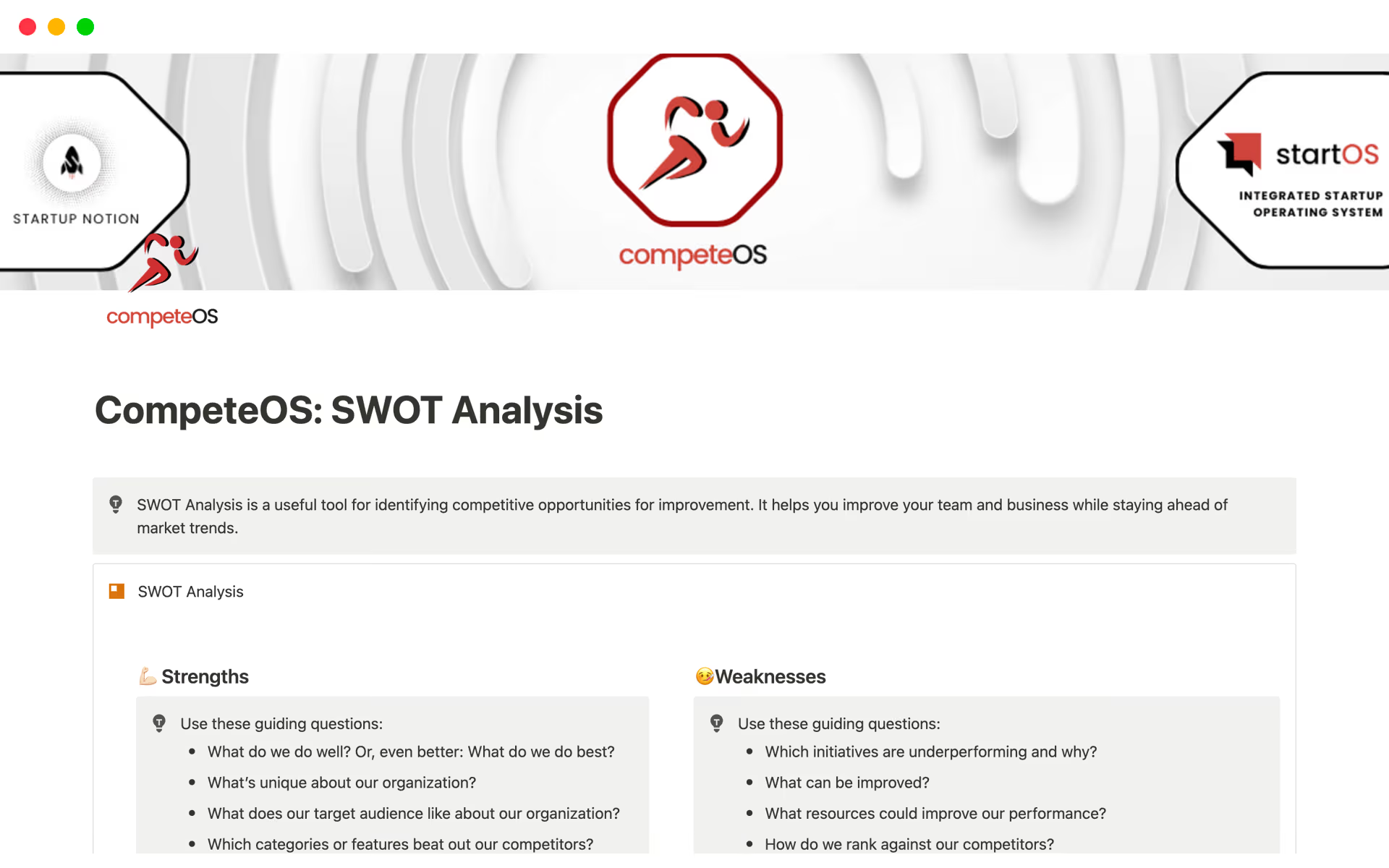
Image source: notion.com
Key features:
- Custom templates: Build and reuse swot templates to maintain consistency across projects.
- Linked databases: Connect swot items with related tasks, goals, and deliverables.
- Collaboration tools: Comment, mention teammates, and assign ownership within shared pages.
- Rich media embedding: Add charts, visuals, and documents to make swot insights more engaging.
- Integration options: Connect with Slack, Google Drive, and Trello for smoother workflows.
Best for: Ideal for project managers, strategic planners, and cross-functional teams seeking a unified space for documenting swot analysis, project notes, and follow-up actions.
Pricing:
- Free plan: Includes unlimited pages, blocks, and basic sharing for individuals.
- Plus plan: $8 per user per month, adds collaboration tools, version history, and integrations.
- Business plan: $15 per user per month, includes advanced permissions, security controls, and private teamspaces.
- Enterprise plan: Custom pricing with advanced admin tools, enhanced security, and dedicated customer support.
Example: SWOT analysis for a project
To understand how swot analysis in project management works in practice, let's look at an example project launching a new digital marketing campaign. In this scenario, the project team conducts a swot analysis to evaluate internal capabilities, external conditions, and potential risks before execution. This structured approach allows the team to identify where to focus resources, how to maximise strengths, and what threats to prepare for.
Example project: A company plans to launch a new digital marketing campaign to promote a product line across multiple online channels. The project involves cross-functional collaboration between marketing, design, and analytics teams, with tight deadlines and performance-based goals. Conducting a swot analysis at this stage ensures the project team makes informed, strategic decisions that align with business objectives.
How Lark Base and Lark Docs can track these actions in real time:
Using Lark Base, the project team can create a structured database to record each swot factor, assign responsibility, and track progress toward resolving weaknesses or leveraging opportunities. Each entry can include task owners, timelines, and follow-up actions. Meanwhile, Lark Docs allows team members to collaborate on the swot document simultaneously, update insights after review meetings, and link supporting data from reports or analytics dashboards.
By combining Lark's collaborative features with structured data tracking, teams can move seamlessly from analysis to execution. Every strength, weakness, opportunity, and threat becomes a live component of the project plan, ensuring the swot analysis in project management remains relevant, data-driven, and actionable throughout the campaign lifecycle.
Using SWOT throughout the project lifecycle
A swot analysis in project management should never be treated as a one-time exercise. To maximize its value, it must evolve with the project, adapting to new insights, risks, and opportunities that appear at different stages. Incorporating swot analysis throughout the project lifecycle helps teams stay proactive, aligned, and ready to make data-driven decisions at every milestone.
- Initiation: During the initiation phase, teams use swot analysis to identify key risks, constraints, and success factors before finalizing the project charter. It helps align stakeholder expectations and ensures everyone understands internal capabilities and external challenges. Conducting an early swot analysis provides a strong foundation for setting realistic goals and risk management strategies.
- Execution: In the execution stage, the swot analysis should be revisited regularly as new data, feedback, or challenges emerge. Teams can update strengths and weaknesses based on performance trends and refine action plans to address threats or capitalize on opportunities. Continuous swot updates during execution ensure the project remains agile and responsive to change.
- Monitoring: While monitoring, project managers use the swot framework to evaluate whether current strategies are effective and whether new risks or opportunities have surfaced. It acts as a health check for the project, ensuring that goals, resources, and stakeholder needs remain aligned. Regular swot reviews at this stage promote data-driven decision-making and improve overall project control.
- Closure: At the closure phase, revisiting the swot analysis helps capture lessons learned and assess how effectively the team managed internal and external factors. This retrospective view provides valuable insights that can improve future project planning and execution. Documenting the final swot outcomes ensures continuous improvement and supports organizational learning.
Best practices and common mistakes
Conducting a swot analysis in project management can be highly effective when approached systematically, but it's easy to lose focus without proper structure. Following best practices ensures your swot remains relevant, actionable, and objective, while avoiding common pitfalls helps prevent it from becoming a one-time exercise with little impact.
- Engage multiple stakeholders to reduce bias: A well-rounded swot analysis requires input from team members, stakeholders, and even external partners. Involving multiple perspectives helps balance opinions and prevents individual bias from skewing results. Diverse input ensures that the analysis reflects the true picture of the project's strengths, weaknesses, opportunities, and threats.
- Limit entries to key impactful factors per quadrant: Quality is more important than quantity in a swot analysis. Listing too many points can dilute focus and make it harder to prioritise what truly matters. Aim for three to five key factors per quadrant, each supported by data or evidence, to keep discussions sharp, decisions clear, and strategies actionable.
- Support findings with metrics and facts: To make the swot analysis in project management credible, back each factor with measurable data whenever possible. Use KPIs, performance metrics, customer insights, or market research to justify entries. This ensures decisions are based on evidence, not assumptions, and builds confidence among stakeholders.
- Translate swot into measurable project goals: The value of a swot analysis lies in how it drives action. Convert identified strengths, weaknesses, opportunities, and threats into specific, measurable, achievable, relevant, and time-bound (SMART) goals. For example, if “limited resources” is a weakness, set a measurable goal such as “reduce resource dependency by 20% through automation.”
- Revisit swot regularly; treat it as a living document: A swot analysis is not static; it should evolve with the project. Review and update it at major milestones or whenever new risks and opportunities arise. Treating swot as a living document helps teams stay agile, adapt strategies, and maintain continuous improvement throughout the project lifecycle.
- Avoid turning swot into a static checklist: One of the most common mistakes is completing a swot analysis once and never revisiting it. When treated as a checklist rather than a dynamic tool, its strategic value is lost. To avoid this, it combines swot discussions into project review meetings, ensuring insights actively guide decision-making and execution.
By following these best practices and avoiding common mistakes, teams can ensure that their swot analysis for project management remains meaningful, data-driven, and closely tied to real project performance.
Conclusion
A swot analysis in project management helps teams stay aligned, anticipate challenges, and make strategic decisions with confidence. It enables project managers to identify internal strengths and weaknesses while preparing for external opportunities and threats. With modern digital platforms like Lark, swot becomes more actionable and collaborative, turning insights into measurable progress. By combining real-time documentation, data tracking, and automation, tools like Lark empower teams to keep their strategies relevant throughout the project lifecycle. Modern project managers should treat swot as a dynamic, continuous process rather than a static checklist. The ultimate takeaway is clear: continuous analysis, transparent collaboration, and the right technology together create the foundation for consistent project success.
FAQs
What is SWOT analysis in project management?
Swot analysis in project management is a structured method used to identify a project's internal strengths and weaknesses, as well as external opportunities and threats. It helps project managers make informed, data-driven decisions, improve planning, and manage risks effectively throughout the project lifecycle.
How does Lark help teams perform a SWOT analysis effectively?
Lark simplifies swot analysis by combining collaboration, documentation, and task management in one workspace. Teams can brainstorm in real time using Lark Docs and Meetings. track swot elements in Base, and automate follow-ups for assigned actions—ensuring every insight leads to measurable results.
When should project managers conduct a SWOT analysis?
Project managers should conduct a swot analysis during the initiation and planning phases to align goals, define risks, and set priorities. However, it should also be revisited at major milestones or when significant project or market changes occur.
What are the key benefits of using tools like Lark for SWOT analysis?
Tools like Lark make swot analysis more collaborative, visual, and actionable. They centralise discussions, track progress, and automate workflows, ensuring insights don't stay static but evolve into strategies that enhance project efficiency and outcomes.
Can SWOT analysis be updated during different project stages?
Yes, swot analysis should be reviewed and updated regularly throughout the project lifecycle. Revisiting it during execution, monitoring, and closure stages allows teams to adapt to new data, refine strategies, and continuously improve performance.
Related reading:
Table of contents
Start using Lark today

Manage all your work in one place
Boost team efficiency by 10x
Save up to 70% on software costs
Table of contents
Start using Lark today
Manage all your work in one place
Boost team efficiency by 10x
Save up to 70% on software costs



2026 Lark Technologies Pte. Ltd.
Headquartered in Singapore with offices worldwide.






Explore: