A calendar planning template is a reusable framework that helps individuals and teams organize time across different horizons—from yearly overviews down to daily time blocks. In today's hybrid work environment, where schedules fragment across email threads, chat apps, and scattered spreadsheets, having a structured approach to planning has become essential for staying productive and aligned.
Teams use calendar planning templates for everything from mapping quarterly projects and tracking 2026 product launches to coordinating hybrid work schedules across time zones and organizing personal routines. Whether you need to plan an entire year of company milestones or break down a single week into focused work blocks, templates provide the structure that ad-hoc scheduling simply cannot match.
What is a calendar planning template?
A calendar planning template is a pre-designed framework that helps individuals and teams organize their time, tasks, and projects visually. Think of it as a structured starting point—instead of building a calendar from scratch, you begin with a template that already has the right columns, views, and fields for your specific needs.
Traditional templates are often static files like Excel sheets or Word documents, where you manually enter dates and tasks. While better than nothing, these quickly become outdated and require constant maintenance. Modern calendar planning templates, like those built on , are dynamic and connected. They can automatically pull in tasks from project tables, update dates when you drag items on a calendar, and sync changes across the entire team in real time. A true calendar planning template doesn't just show you what's happening—it helps you manage the work itself.
Whether you're planning social media posts, tracking product development sprints, or coordinating team availability, a good template adapts to your workflow. It might include calendar views for visualizing deadlines, for tracking progress, and Gantt charts for understanding dependencies. The goal is simple: give you a clear picture of what needs to happen and when, so you can focus on getting things done.
Why use a calendar planning template instead of ad-hoc scheduling
Scattered planning is one of the biggest productivity drains in modern organizations. When meeting invites live in email, project deadlines hide in Slack messages, and personal tasks sit in paper notebooks, teams waste significant time just figuring out what happens next. A unified calendar planning template eliminates this chaos by putting everything in one visible, structured place.
- Time visibility across periods: Templates give you a clear view from yearly 2026 calendars down to daily time blocks for specific dates like March 15 or September 30. Instead of mentally piecing together your quarter from scattered sources, you can see the entire landscape at a glance and understand how individual days connect to bigger goals.
- Consistency for teams: When marketing, HR, and product teams all use the same template structure, deadlines and review cycles naturally align. Recurring events like Monday standups or end-of-month reporting become predictable touchpoints rather than scheduling surprises.
- Reduced manual work: Reusable templates save considerable time compared to recreating schedules from scratch. For repeating patterns like quarterly OKR cycles running Q1 through Q4 2026, you set up the structure once and simply duplicate it for each new period.
- Better accountability: Calendar planning templates make ownership visible. Everyone can see who is on call this weekend, who owns the April 2026 campaign, and who is responsible for the quarterly review presentation. This transparency reduces confusion and dropped responsibilities.
- : Shared, cloud-based templates keep distributed teams aligned across time zones. When a meeting shows as 10:00 a.m. London, team members in Singapore automatically see it as 6:00 p.m. local time, eliminating the mental math and miscommunication that plagues global teams.
With these benefits in mind, the next step is understanding which types of calendar planning templates work best for different time horizons and use cases.
Build structure and consistency into your planning with Lark
Content planning templates: Streamline your publishing workflow
Content planning templates help teams organize, schedule, and track their creative work across different channels. Whether you're managing blog posts, social media updates, or multi-channel marketing campaigns, these templates provide the structure you need to stay consistent and meet your deadlines.
Content calendar template
This template is a comprehensive planning tool built for content creators, marketers, and social media managers. It provides a central view to manage all your content, with key fields like campaign name, content format, progress status, and associated events. Beyond the basic table, it includes a Gantt chart to visualize your content timeline and a Kanban view to track each piece from idea to publication. With this template, teams can clearly see the status of all content and ensure everything moves forward on schedule.
Marketing content calendar template
This template is designed for professional marketing teams planning content across multiple channels. It includes all the basics—fields for tracking, Gantt charts, and Kanban views—but its standout feature is the built-in dashboard that visualizes key metrics like content distribution and progress. The template also supports AI configuration that can auto-fill fields and summarize tasks, reducing manual work and making your marketing process more data-driven. It's ideal for teams that need detailed insights and efficiency.
Social media calendar template
This template is built specifically for planning and executing social media content. It helps teams schedule posts in advance, maintain a consistent publishing cadence, and ensure every post aligns with the broader marketing strategy. Beyond scheduling, it emphasizes team collaboration—members can assign tasks, track each post's progress, and share feedback directly within the template. It also supports tracking performance metrics like engagement, helping teams analyze what works and refine their strategy over time.
Task & project management templates: From chaos to clarity
These templates help teams organize work, track progress, and meet deadlines. Whether you're managing a complex project with dependencies or simply need a clear view of who is doing what, these tools provide the structure to keep everyone aligned and moving forward.
Teamwork calendar template
This all-in-one template helps teams manage tasks efficiently through multiple views. It includes a Gantt chart to visualize project timelines, a Kanban board to track task status, and a priority Kanban for focusing on what matters most. Teams can customize fields and add records to fit their specific workflows, making it easier to prevent tasks from slipping through the cracks and ensure everyone stays on the same page.
OKR task subdivision and progress control template
Built for managing Objectives and Key Results (OKRs), this template helps break down high-level goals into trackable tasks. Its detailed Gantt chart view provides a visual timeline of every task, making progress against each key result clear. Users can filter and sort tasks by status, priority, or owner, simplifying task delegation and prioritization to keep OKR execution on track.
Project management Gantt chart template
This template is a dedicated visual tool for project planning and scheduling. It displays the full project timeline, listing all tasks, their durations, and owners against a calendar. This clear visualization helps project managers spot potential delays early, ensures no task is overlooked, and gives stakeholders an instant understanding of project status and upcoming milestones.
Project tracking template
This adaptable template combines multiple tracking methods into one solution. It functions as a central hub for monitoring tasks, deadlines, and resources, and supports adding views like Gantt charts and Kanban boards as needed. Whether for simple personal to-do lists or complex cross-functional campaigns, it provides real-time visibility into progress, helping teams identify bottlenecks and make data-driven decisions.
Employee task allocation and tracking template
Designed for team leaders and supervisors, this template focuses on managing team workloads. It allows you to assign tasks, set priorities, and track status for each team member. The included Gantt chart provides a timeline view of all assigned work, making it easy to balance workloads, ensure deadlines are met, and promote accountability by providing a single source of truth for task responsibilities.
Tasks management template
This is a highly customizable tool for individuals and teams to manage all their tasks in one place. It includes core fields like task name, owner, description, and creation date. With extensive customization options—configuring fields, setting up filtered views, grouping, sorting, and color-coding rows—users can tailor it to their exact workflow, improving personal efficiency and providing transparency across a shared task list.
Specialized calendar planning templates for business and teams
Generic calendars rarely serve the complex scheduling needs of modern organizations managing shifts, academic years, content schedules, and multi-phase campaigns. Specialized templates address these unique requirements directly.
Employee and shift calendars
Shift rotation templates track patterns like 4-on, 3-off cycles and weekend coverage across a full 2026 grid. Color-coding distinguishes day shifts from night shifts, and the template makes it immediately clear who is covering Saturday and Sunday each week.
Editorial and social media calendars
Monthly content grids show each date's planned posts, their channels, and their owners. An August 2026 editorial calendar might show blog posts scheduled for Tuesdays, social media campaigns on Thursdays, and email sends on Fridays, with each entry linked to its draft document and coordinated through a modern .
Event and campaign calendars
Multi-month views track pre-event tasks, event dates, and post-event follow-ups for conferences and marketing campaigns. Seeing the full arc from planning through execution through retrospective helps teams avoid last-minute scrambles.
Turning calendar planning from static templates into a dynamic collaboration tool
Calendar planning templates help teams and individuals schedule time and coordinate resources. But traditional static templates often disconnect from actual execution—you plan time in a template, manage tasks in another tool, and discuss details in a chat app. deeply unifies calendar planning with task management and team collaboration, making the calendar the true center of work progress.
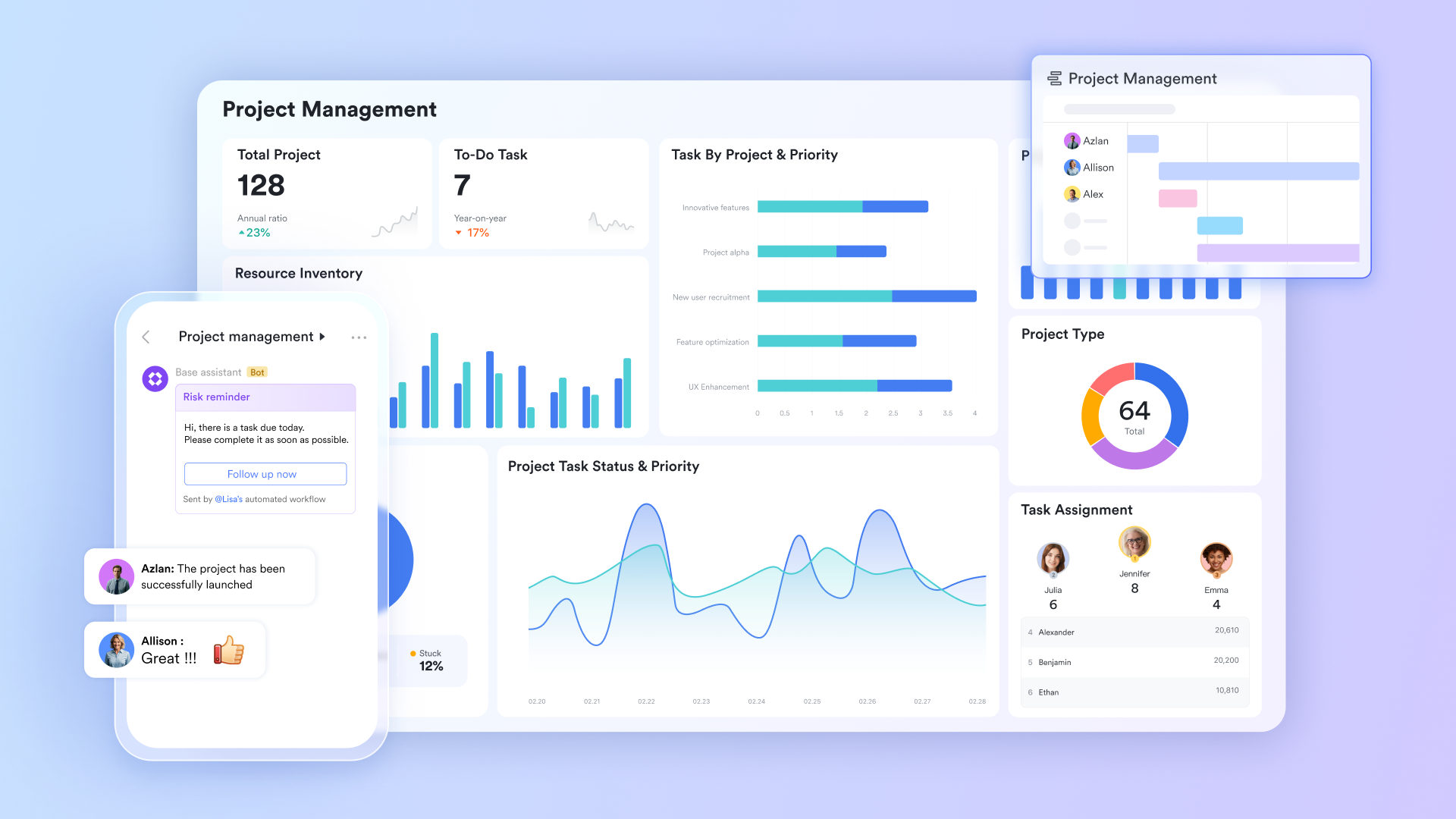
Turn project timelines into visual calendar views
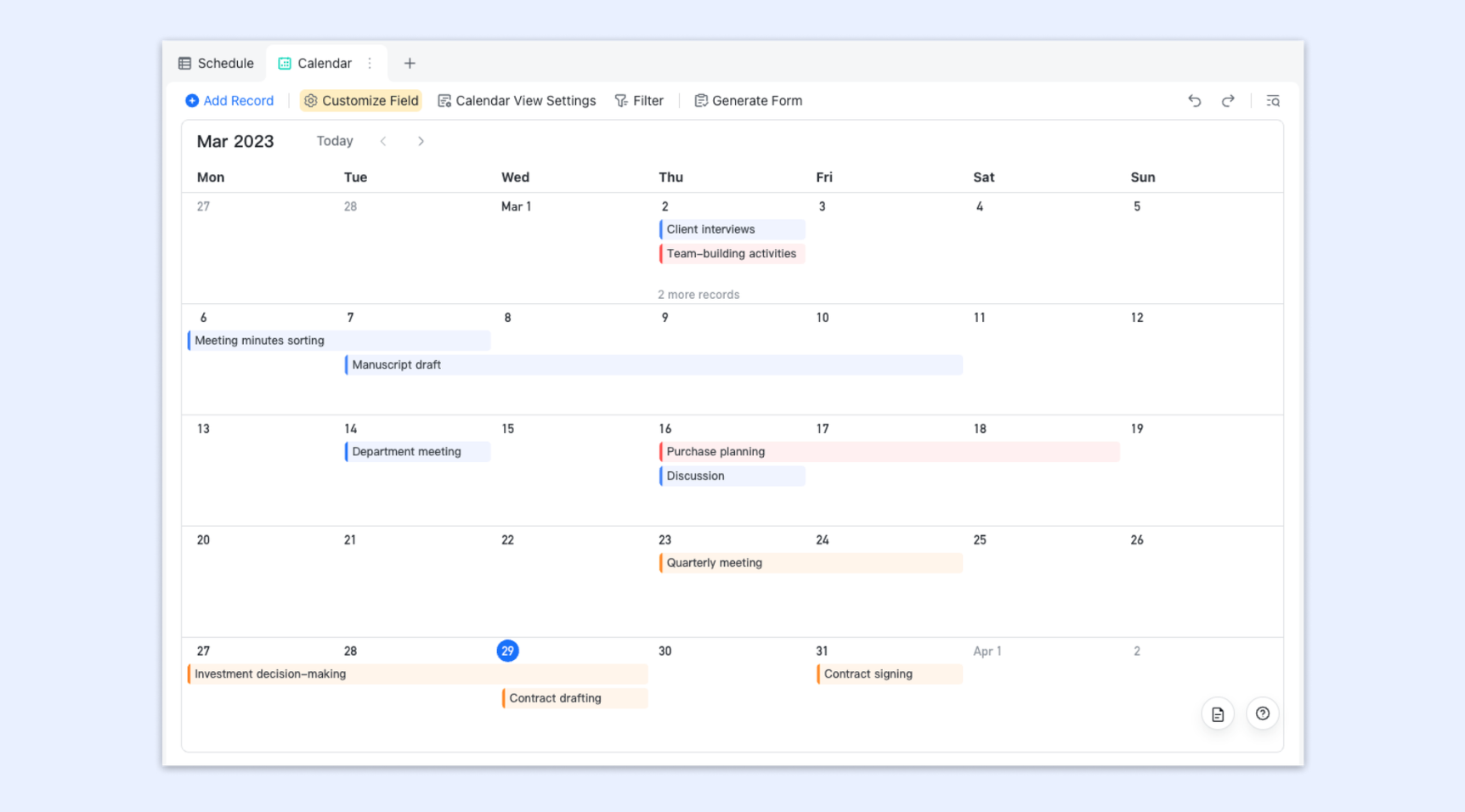
When planning projects, teams often jump between , Excel sheets, and calendars. 's calendar view changes this completely. You can create a calendar view from your project task table with one click. All tasks appear on the calendar automatically based on their start and end dates. Whether you view by day, week, or month, key project milestones are clear at a glance.
More importantly, the calendar view shares the same data as your task table. When you drag a task on the calendar to adjust its time, the corresponding dates update automatically in the task table. When you modify a deadline in the table, the calendar view syncs in real time. This two-way connection keeps your project timeline always current. Project managers never need to maintain multiple plans manually.
Bring personal tasks and team schedules together in one view
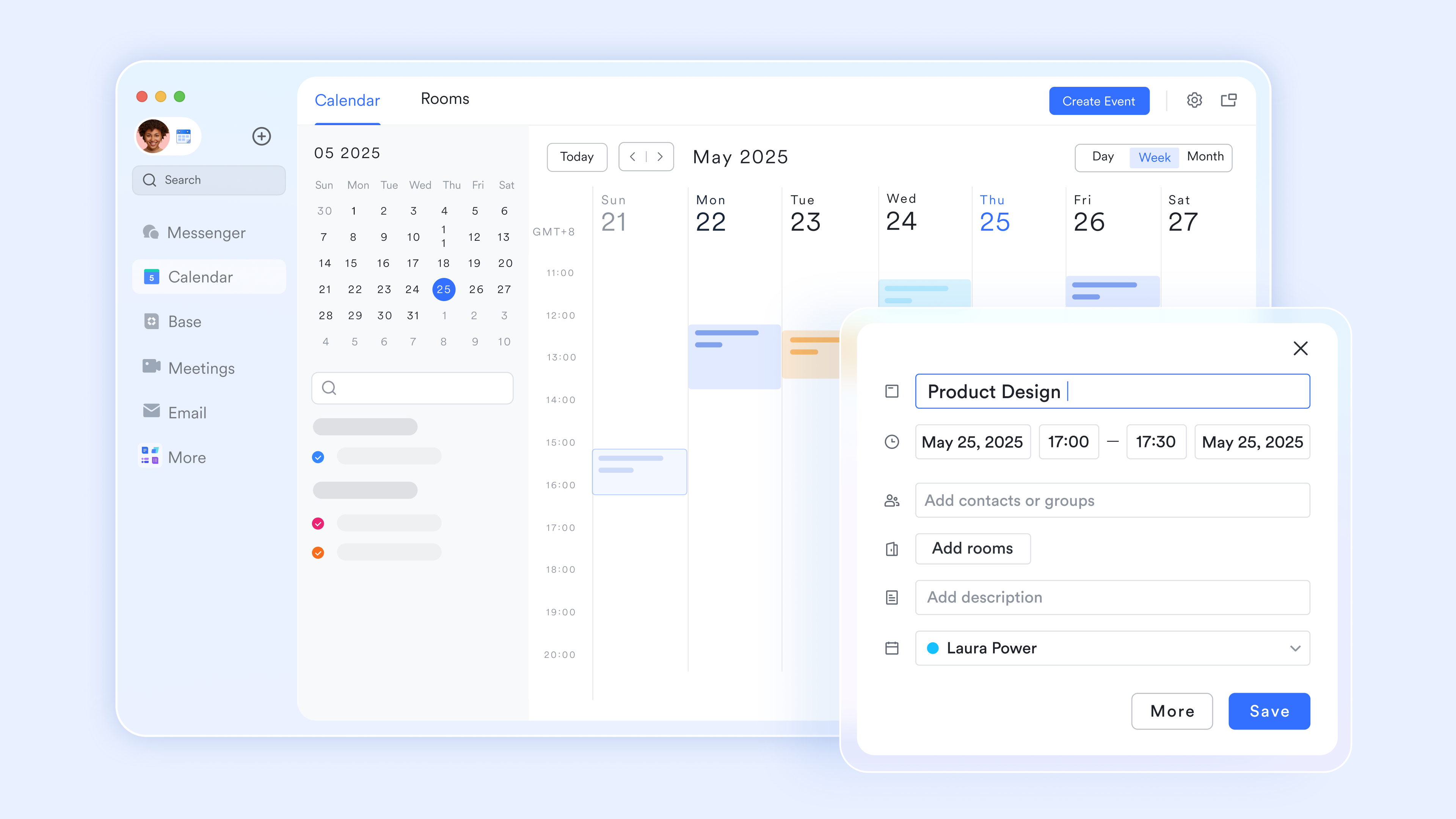
Everyone has their own to-do lists, but these lists often live separately from shared team calendars. bridges this gap through deep integration between tasks and the calendar. When you assign yourself a task with a deadline in Lark Tasks, it appears automatically in the "My Tasks" view on your calendar.
How tasks display depends on their time precision: tasks with hour-level accuracy show up as specific time blocks like meetings; tasks with only dates appear as all-day events. In the calendar, you can drag tasks to adjust timing directly—drag a task due today to tomorrow, and the deadline updates automatically. Click a task card to expand full details, add comments, or mark it complete. This integration means everyone sees all their commitments in one view—whether team meetings or personal to-dos. Time planning is no longer fragmented.
Embed calendars in documents to keep context connected
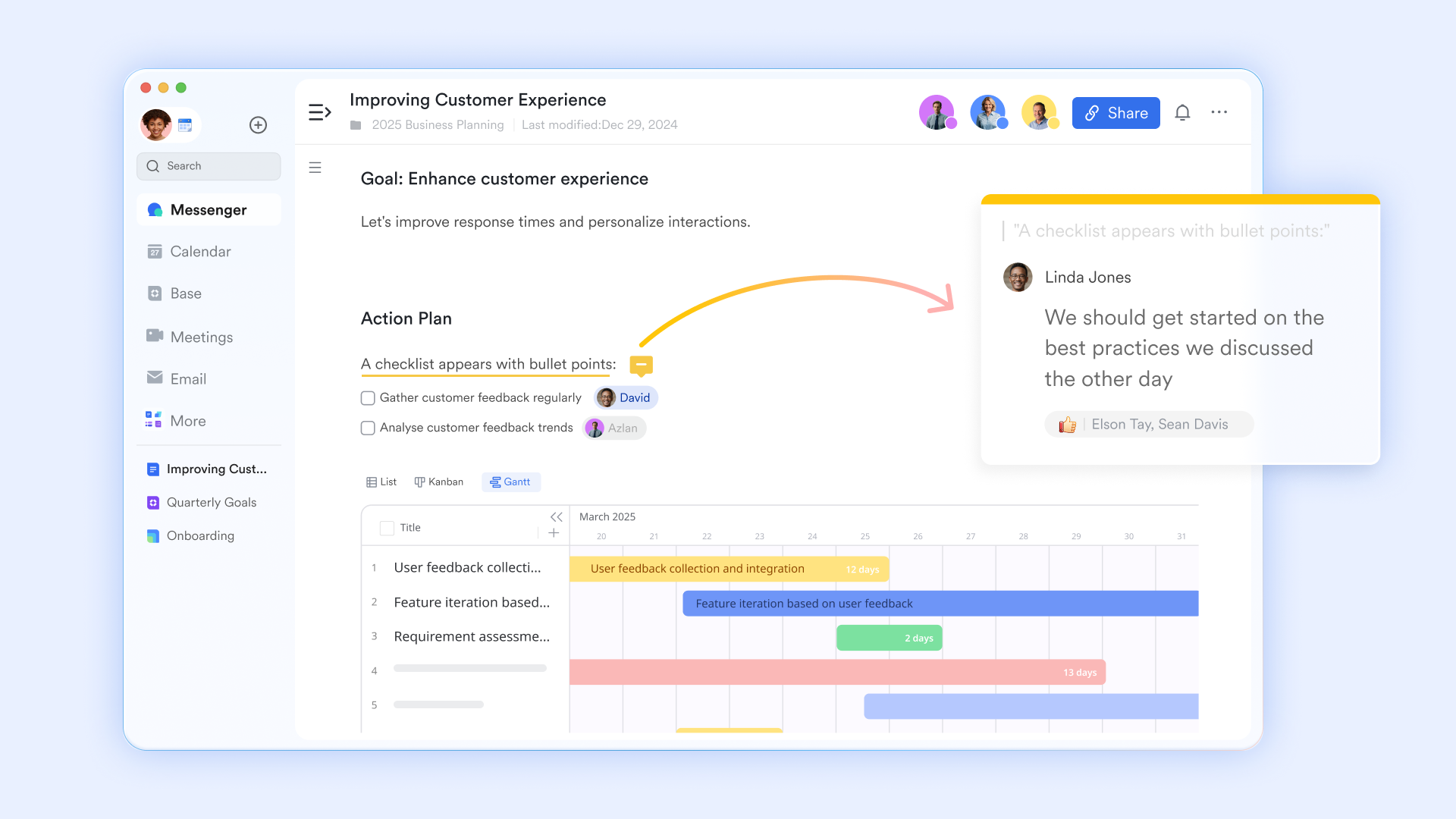
Isolated calendars lose much of their value. Lark lets you embed calendar views directly into . When writing a project plan document, you can embed your project's live calendar right there. Readers see the timeline visually as they read your text. Embedded calendar views remain fully interactive—readers can switch views, click for details, and even make adjustments if they have permission. This design keeps time planning connected to the surrounding context: background information, discussion records, and execution tasks all live together. Nothing gets lost when switching between tools.
for Lark:
- Starter plan: Free forever plan that includes 11 powerful tools for up to 20 users. It also comes with 100GB of storage, 1000 automation runs, AI translations, and more.
- Pro plan: $12/user/month (billed annually) for up to 500 users. It includes everything in Starter plus group calling for up to 500 attendees, 15TB of storage, 50,000 automation runs, and more.
- Enterprise plan: for custom pricing. Supports unlimited users and includes even more automation runs and advanced security, compliance, and management features.
For small teams with simple communication needs

18 months message history
1000 Base automation runs/month
2000 rows per table in Base
Most POPULAR
For companies with comprehensive collaboration and management needs
Unlimited message history
500-participant video meetings
50k Base automation runs/month
20k rows per table in Base
For large companies with advanced security and organizational management needs
Get a personalized demo and pricing
Unlimited message history
500-participant video meetings
15 TB storage + 30 GB storage/user
500k Base automation runs/month
50k Base automation runs/month
Most POPULAR
For companies with comprehensive collaboration and management needs
Unlimited message history
500-participant video meetings
50k Base automation runs/month
20k rows per table in Base
Examples of calendar planning templates for real scenarios
Seeing how different teams apply templates to concrete, date-specific situations helps translate abstract concepts into practical action.
Product launch calendar example
A 3-month template for a July 15, 2026, launch might show beta testing in May, content finalization in early June, internal training in late June, and go-live preparation in the first two weeks of July. Each phase has clear dates and owners, making cross-functional coordination straightforward.
Quarterly calendar
A Q2 2026 calendar includes OKR drafting in the first week of April, alignment meetings with leadership mid-April, team cascade sessions in late April, and mid-quarter check-ins in mid-May. The template ensures the OKR process follows a consistent rhythm each quarter.
Shift work calendar for support teams
A 4-week rotation for a customer support team in June 2026 shows each team member's shifts with weekends and night shifts highlighted in distinct colors. Managers can see coverage gaps instantly and adjust assignments before they become problems.
and content calendar
An October 2026 campaign template lists blog posts on the 3rd and 17th, a webinar on the 10th, email sends on the 8th and 22nd, and social posts distributed throughout the month. Each entry shows its owner and links to draft content.
Leadership calendar for annual planning
A yearly template for executives highlights off-sites in February and August 2026, budget review sessions in November, and quarterly board meetings. This view ensures leadership availability for critical decisions and reduces last-minute scheduling conflicts.
Templates become even more powerful when they live inside a unified platform that connects calendar events to tasks, documents, and team communication.
How to use calendar planning template effectively
A great template only delivers value when you use it consistently and thoughtfully. Here's how to make your calendar planning template a true productivity tool.
- Start with the right template for your needs. A content calendar template won't help much if you're planning product development sprints. Take time to choose a template designed for your specific work—whether that's social media scheduling, project , or team availability planning. The right structure from day one saves countless hours of manual adjustments later.
- Configure your views before adding data. Most modern templates offer multiple ways to visualize your work—calendar view for deadlines, Kanban for progress stages, and tables for detailed lists. Set these up first. Decide what information matters most in each view, how items should be grouped, and what colors help distinguish different types of work. This upfront investment makes the template far more useful every time you open it.
- Connect your calendar to related information. A planning calendar shouldn't exist in isolation. Link it to your task lists, project briefs, and resource documents. When a deadline changes, you want that update to reflect everywhere it matters. Setting up these connections means your calendar becomes the central hub for all your planning, not just another disconnected file.
- Make it a team habit. Share the template with everyone involved and build routines around it. Review upcoming deadlines together in standups. Encourage team members to update their own tasks directly rather than sending you status emails. When the whole team owns the calendar, it stays accurate and becomes the trusted source of truth.
- Review and adjust regularly. Set aside time each week to look ahead at the coming days. Spot potential bottlenecks before they become problems. Adjust timelines proactively when priorities shift. Over time, review what your calendar reveals about your planning—which tasks consistently slip, what times of month feel overloaded—and use those insights to plan better next time.
Take control of your team's time today
Conclusion
Calendar planning templates give structure to yearly, monthly, weekly, and daily work. Different formats—yearly 2026 views for strategic planning, monthly grids for deliverable tracking, weekly sprints for execution, and daily planners for high-stakes days—help teams stay aligned on concrete dates and milestones.
Moving beyond static PDFs and spreadsheets unlocks the full potential of calendar planning. When templates live in a collaborative platform like , they become dynamic systems that integrate with docs, tasks, and automation rather than isolated documents that drift out of sync.
If you are ready to centralize your calendars, communication, and project planning in one workspace, start planning today with Lark. It brings together everything you need to organize your team and manage your schedule without the fragmentation of multiple disconnected tools.
FAQs
How to create a planning calendar?
Start by defining your goals and key milestones. Break down the work into specific tasks with deadlines and assign owners. Then choose a tool to build your calendar. With a platform like Lark, you can use a pre-built template or create a custom calendar view in Base that automatically syncs with your task tables, eliminating manual updates and keeping everyone aligned in real time.
Is there a calendar template in Word?
Yes, Microsoft Word offers a few basic calendar templates that you can find by searching "calendar" within the application's template gallery. These are useful for simple, static layouts like printable schedules. However, they lack automation, real-time collaboration, and the ability to link tasks with deadlines, making them less suitable for dynamic team planning.
What is the best free calendar planner?
The best free option depends on your needs. For personal scheduling, Google Calendar is a solid choice. For team planning that requires task tracking and collaboration, Lark offers a powerful free suite. Its templates, like the Team Work Calendar, combine Gantt charts, Kanban boards, and real-time sync with tasks—all within a connected workspace, making it ideal for moving beyond simple date tracking.
Is there an Excel template for a calendar?
Absolutely. Excel has numerous calendar templates, from monthly planners to yearly overviews. You can find them by searching within Excel's "New" menu or on sites like Microsoft Office Templates. They are highly customizable for personal or simple project tracking, but they function as static files and require manual updates, which can lead to version control issues for teams.
Related reading



















