Work rarely fails because people don't care; it fails because no one can clearly see what is happening, where time is going, and what is at risk. Tasks are scattered across chat, email, notes, and half‑updated boards, while status meetings struggle to reconstruct reality. Thoughtful task tracking is meant to close that gap.
Modern task tracking goes beyond to‑do lists. It turns conversations, documents, and decisions into trackable work with clear owners and realistic time expectations, so anyone can quickly see who is doing what, what's blocked, and how long things really take. Increasingly, teams use all‑in‑one collaboration platforms where chat, docs, calendar, meetings, tasks, approvals, and no‑code databases are built‑in—so turning a message into a task and automating follow‑ups happens in the same workspace. This guide explains what task tracking is, why it fails, how modern platforms change the game, and how to choose the right setup for your team.
What is task tracking?
Before selecting tools or dashboards, it's important to define what we mean by task tracking. At its core, task tracking involves systematically capturing, updating, and reviewing work items to ensure clarity on responsibilities and timelines. While a simple answers the question, "What do I need to do today?" effective task tracking goes further by addressing, "What does the team need to accomplish, and how are we progressing over time?"
A useful task tracking system typically follows the lifecycle of each work item. This journey may start with a quick note from a meeting and progress through several stages:
- A structured record in a table
A capable task tracking tool supports this entire lifecycle, making it easy to capture tasks wherever they arise, update them in context, and present them in relevant views for different stakeholders.
The dimension of time adds significant value to task tracking. Without time considerations, you merely have a static backlog. By incorporating time, you gain:
- A schedule that provides a sense of capacity.
- The ability to identify and address bottlenecks.
Effective involves not only recording the existence of a task but also tracking when it should start, when it should finish, and how many hours it consumes. This does not need to be precise to the minute, but sufficient consistency is necessary to identify patterns and refine planning.
Task tracking is distinct yet related to . While project management encompasses strategy, scoping, budgeting, , and communication across various workstreams, task tracking focuses on the execution layer—the daily units of work that bring projects to life.
An effective platform positions itself between a personal to-do list and a comprehensive project management suite, providing just enough structure to keep teams aligned without causing overwhelm.
Common ways teams do task tracking today
When inquiring about task tracking methods, you'll likely encounter varied responses from different teams. Most approaches fall into a few broad categories, each with distinct strengths and weaknesses.
Sticky notes, chat pins, and inboxes
Many teams begin with simple systems like sticky notes, starred , or flagged emails. While these methods are easy to adopt and require minimal behavioral change, they don't scale well. Managers struggle to see the overall status of projects and dependencies, leading to task tracking occurring invisibly within individual minds and . Transitioning to a more structured task tracking app can significantly improve visibility and collaboration.
Spreadsheets as task trackers
Progressing to spreadsheets is common for many organizations. A well-organized task tracking spreadsheet can include columns for task name, owner, status, due date, and priority. Teams appreciate spreadsheets for their familiarity and flexibility. However, as teams grow and tasks change more frequently, issues like , missing reminders, and the lack of visual data representation become problematic. Eventually, many teams seek purpose-built task tracking tools to address these limitations.
Personal task tracking apps
Individually, there are numerous task management apps available, from simple to-do lists to habit trackers. These apps can effectively help individuals manage their tasks and reminders. However, they fall short at the team level since tasks are not visible across the group, resulting in a lack of shared priorities and awareness of . This typically leads teams to explore more collaborative task tracking platforms.
Team boards and collaborative tools
Many teams migrate to visual boards and shared lists, such as Kanban boards or timeline views. These tools facilitate better visibility of task status and dependencies, allowing filtering by owner and grouping by project stage. However, if these tools are disconnected from other essential resources, users may overlook them. Complexity can lead to a return to old habits, and if the tools lack effective features, it becomes challenging to link tasks to capacity and outcomes.
By understanding these common patterns, teams can determine their current status and identify what tools might best support their task tracking needs.
Find a better way of time tracking
Detailed analysis of top 8 tools in task tracking
1. Lark: Built-in workspace for connected task execution
Overview
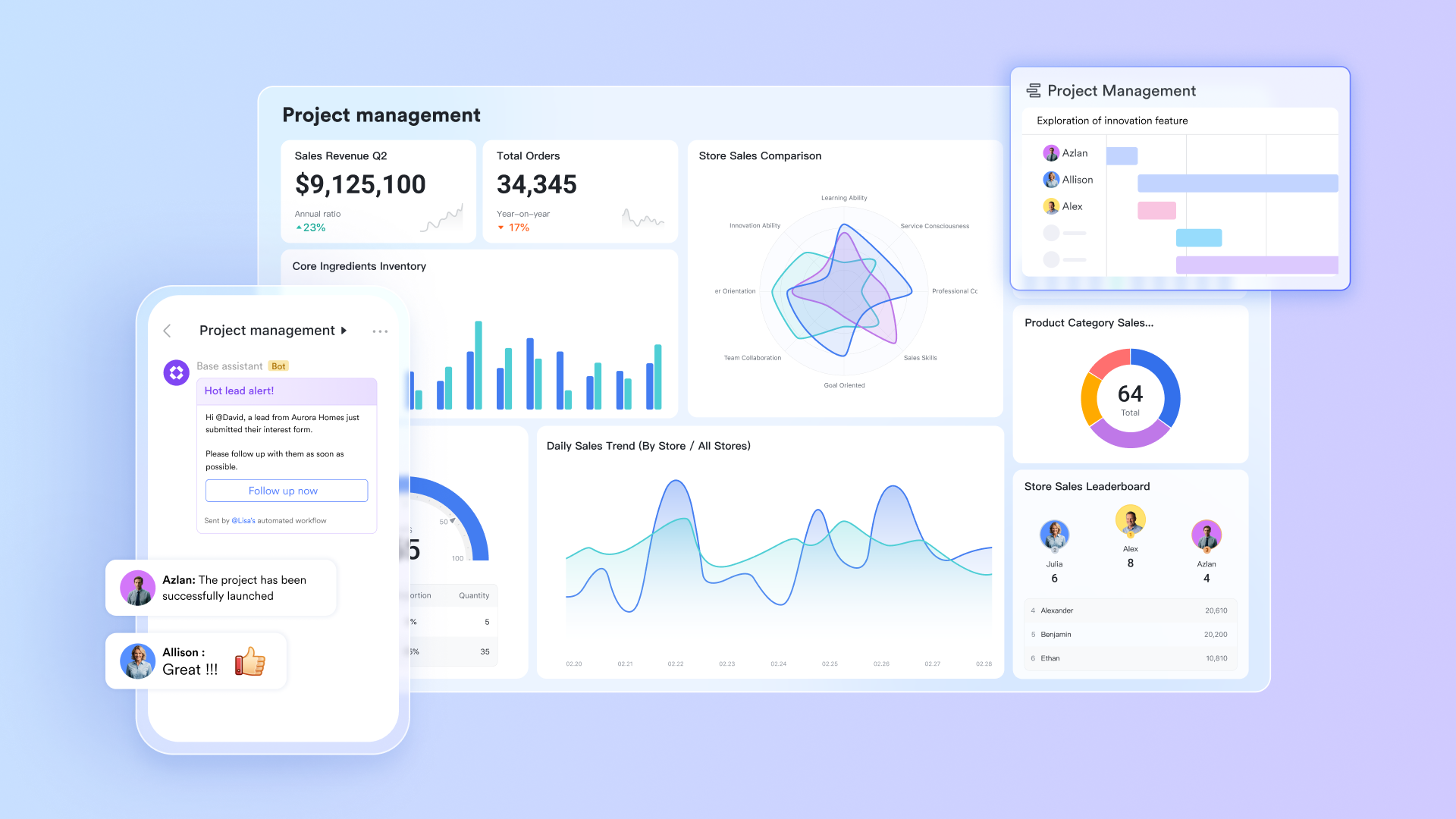
is a built‑in collaboration workspace that combines messaging, video meetings, docs, email, calendar, wikis, approvals, forms, and a no‑code database in one place. Task tracking is woven through this environment via Lark Tasks and Lark Base, so work can flow naturally from chat, docs, meetings, and forms into structured task views—without forcing people to jump between disconnected apps. For teams that want genuinely connected task tracking software rather than another silo, Lark acts as the central execution layer.
Key features
Lark Tasks facilitates : It allows users to structure work, break down projects into individual steps, and . Tasks can be created in chats or task lists, edited, deleted, and managed collaboratively for improved teamwork. Moreover, tasks can be created in docs and be synced back to Lark Tasks. 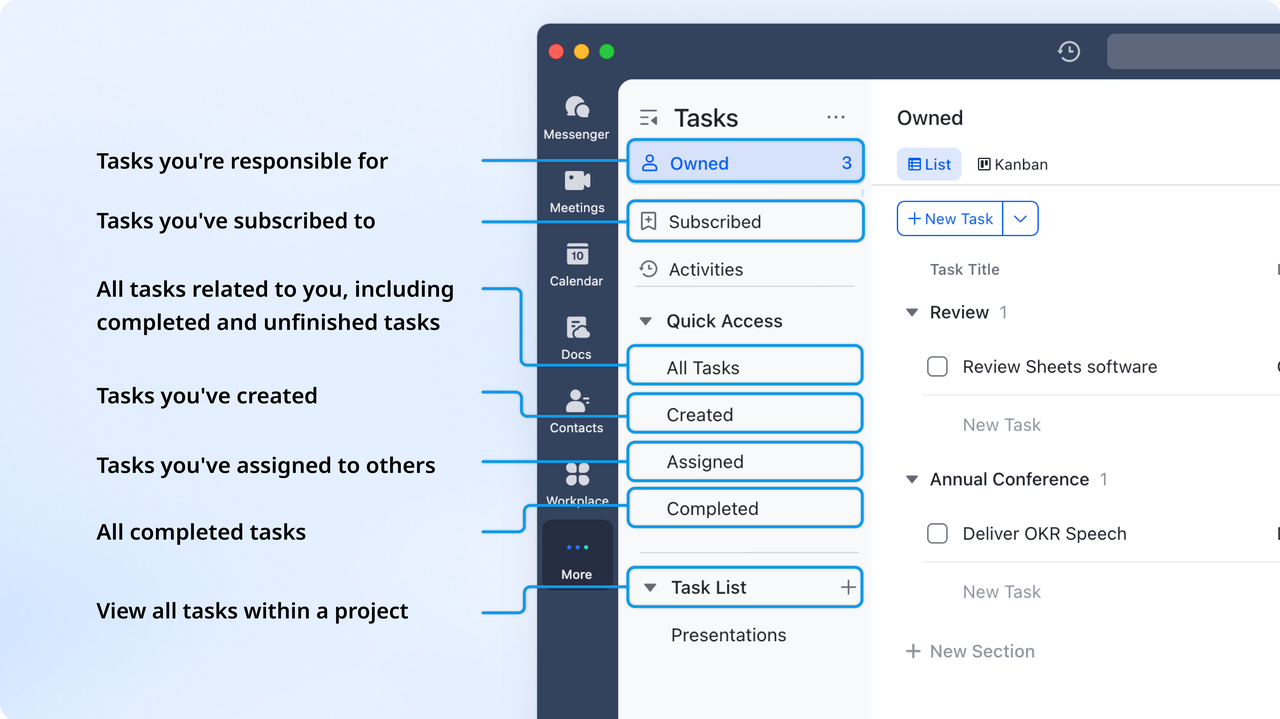
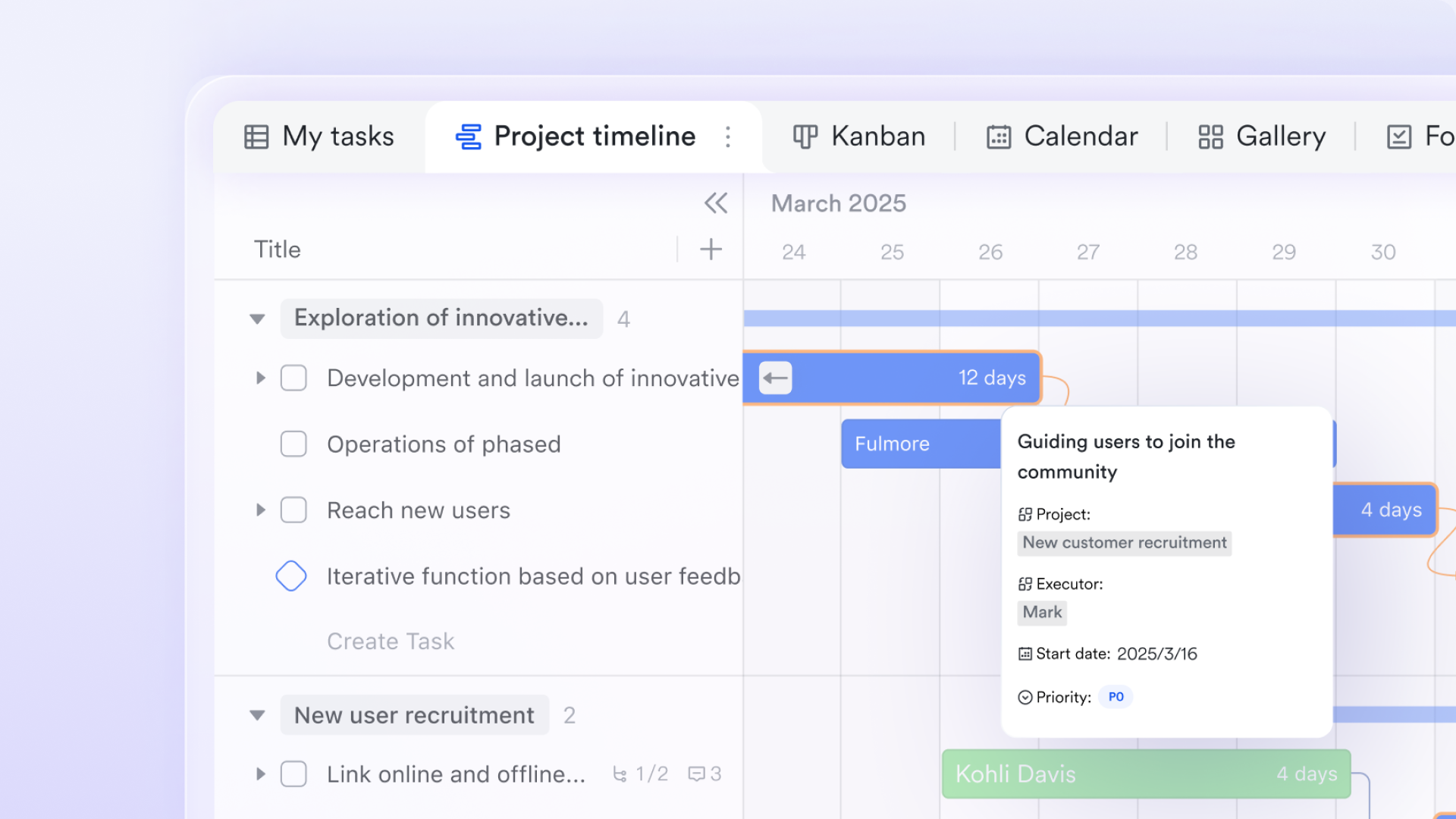
as a no‑code work database: Model tasks, projects, sprints, clients, or any other work unit as Base records, with custom fields for owners, status, due dates, estimates, and links to docs, emails, and approvals.
Tasks from conversations:
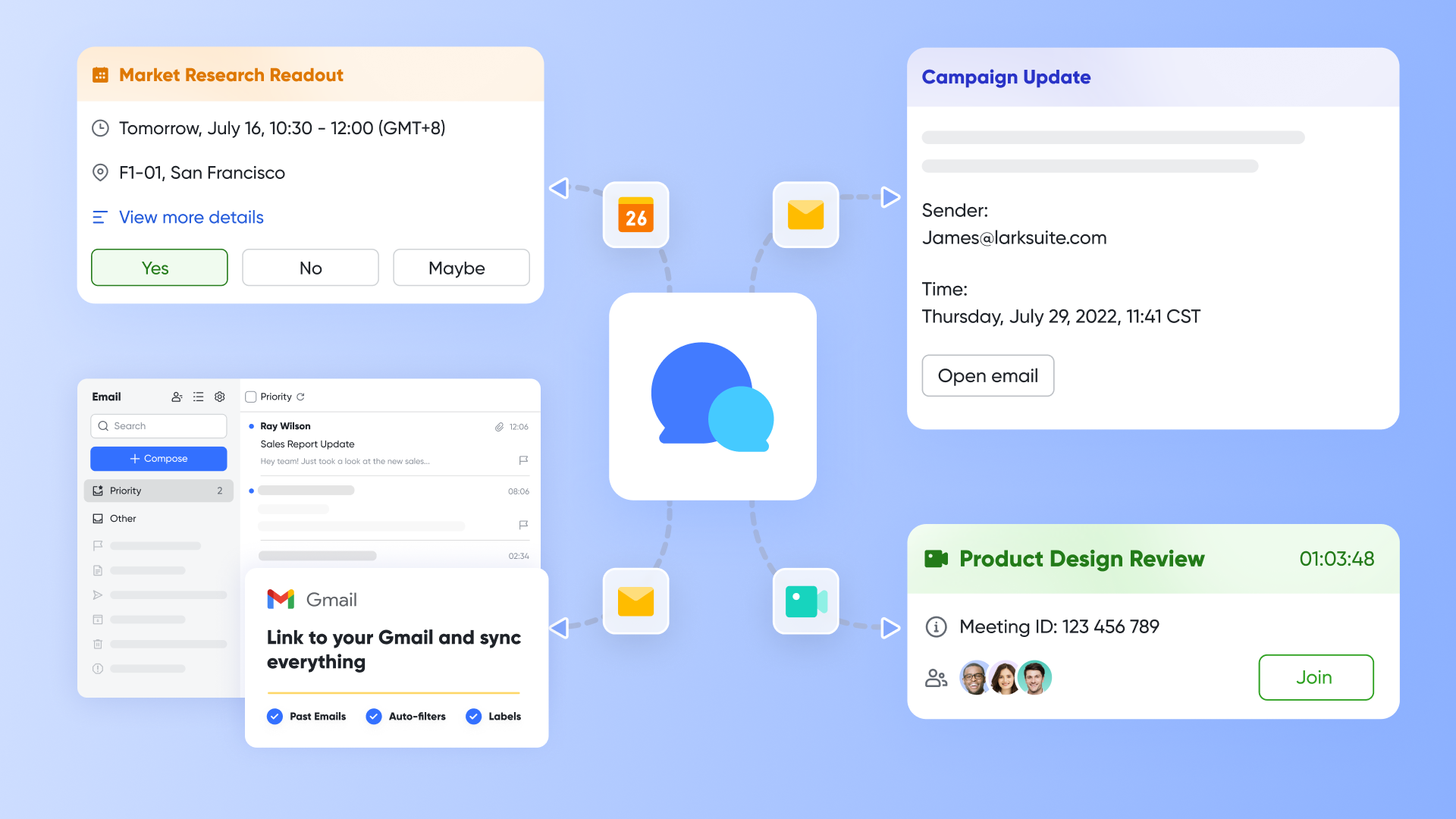
Lark Messenger allows you to create tasks directly from chat messages. Any decision or request can be turned into a task in seconds, with the original conversation linked for context. Users can first add these tasks to a task list, and then sync the task list to Base, where they can be assigned, prioritized, and tracked, ensuring that chat contributions become structured inputs for task management. The task list updates will automatically sync to Base every hour, or you can manually sync for the latest data.
Tasks from requests:
Lark Mail syncs external communications within the same workspace. Emails from clients or partners can be filed, turned into tasks, and linked to the appropriate Base record. This streamlines the process of managing requests without needing to jump to different tools.
Multiple built‑in views
Switch between table, board, calendar, and dashboard views in Lark Base to see tasks by assignee, project, stage, or timeframe—without leaving the same platform.
Time‑aware execution
Use fields and in Lark Base to manage estimates and logged time, supporting practical task management with time tracking for teams that care about capacity.
Deeply built‑in communication
, , , , , and are all built‑in, so discussions, decisions, and schedules are always just one click away from the tasks they influence.
Forms, approvals, and automation
Turn form responses and approvals into tasks automatically, and use no‑code automation to keep your task tracking tool up to date with minimal manual effort.
Pros
- Tasks are created directly from real‑world touchpoints (messages, docs, meetings, forms, email) instead of being manually re‑entered into a separate task tracking app.
- Base provides a flexible, database‑style backbone for sophisticated task tracking tools setups without requiring engineering effort.
- Built‑in docs, wiki, and AI Meeting Notes keep scope, history, and decisions close to the work itself, reducing context switching.
- and AnyCross make it easier to connect external systems while keeping task data in one central place.
- Enterprise‑grade features support organizations that need robust governance around their task data.
Cons
- A little learning curve. Although user-friendly, new users may require time to adapt to its functionalities. But can assist users with potential problems.
Who should choose Lark
Teams that want task tracking to be a natural by‑product of their everyday and documentation—not a separate chore. If you're looking for truly connected task tracking software that lives alongside chat, docs, meetings, email, calendar, approvals, forms, wiki, and OKRs, Lark is a strong fit.
:
- Starter plan: Free forever plan with 11 powerful tools for up to 20 users, 100GB storage, 1,000 automation runs, AI translations, and more. No credit card needed.
- Basic plan: $6/user/month (billed annually) for up to 500 users. Includes everything in Starter plus unlimited message history, 5TB storage, 1,000 automation runs, and more. Some users may need to to purchase.
- Pro plan: $12/user/month (billed annually) for up to 500 users. Includes everything in Basic plus group calling for up to 500 attendees, 15TB storage, 50,000 automation runs, and more.
- Enterprise plan: for custom pricing. Supports unlimited users and includes advanced automation, security, compliance, and management features.
For small teams with simple communication needs

18 months message history
1000 Base automation runs/month
2000 rows per table in Base
Most POPULAR
For companies with comprehensive collaboration and management needs
Unlimited message history
500-participant video meetings
50k Base automation runs/month
20k rows per table in Base
For large companies with advanced security and organizational management needs
Get a personalized demo and pricing
Unlimited message history
500-participant video meetings
15 TB storage + 30 GB storage/user
500k Base automation runs/month
50k Base automation runs/month
Most POPULAR
For companies with comprehensive collaboration and management needs
Unlimited message history
500-participant video meetings
50k Base automation runs/month
20k rows per table in Base
: Switching to Lark's Pro plan can lead to significant cost savings— for example, a 100-employee company using Slack, Google Workspace, and Airtable could save approximately $19,800 annually by consolidating their tools with Lark.
2. Todoist: Minimalist task tracking for individuals
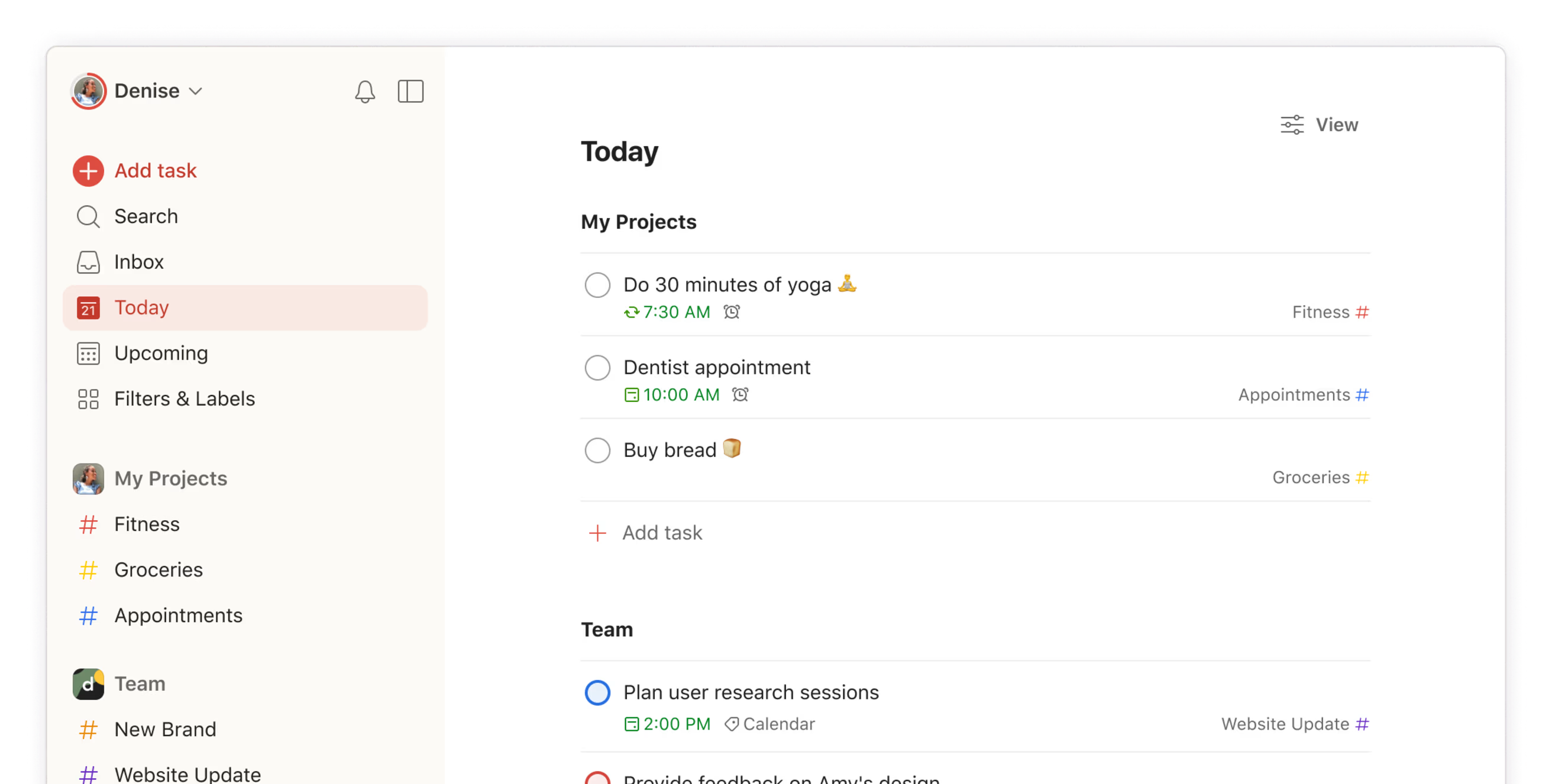
Image source: todoist.com
Overview
Todoist is a popular, minimalist task tracking app focused on personal and small‑team productivity. It emphasizes fast capture, clean design, and cross‑device sync, making it a favorite for individuals who follow GTD‑style workflows and want to keep their own tasks organized without a lot of overhead.
Key features
- Quick task capture with natural language parsing for dates and recurring schedules.
- Projects, labels, priorities, and filters to organize work across different areas of life.
- Shared projects and comments for basic collaboration with colleagues or family.
- Native apps on web, desktop, and mobile, plus browser extensions and email add‑ins.
Pros
- Extremely easy to start with; minimal setup and almost no learning curve.
- Works well as a truly lightweight task tracking app for personal to‑dos, side projects, and individual contributors.
- Strong cross‑platform support and offline access make it reliable on the go.
- Integration with calendars and productivity tools helps keep individual workflows in sync.
Cons
- Limited team‑level views and reporting compared to more advanced task tracking tools.
- Lacks database‑style structure and custom fields that many teams need for complex projects.
- Time tracking is not built in; any serious task management with time tracking requires third‑party tools and integrations.
- Scaling Todoist as your primary team task tracking software can be challenging once you have multiple squads or departments.
Who should choose Todoist
Individuals and very small teams who primarily need a fast, personal system to stay organized. If your main requirement is a simple, highly intuitive task tracking app for personal use—rather than full team coordination—Todoist is a strong option.
Pricing
- Paid plans: Start at $4 per user/month
3. Trello: Visual boards for flexible task management
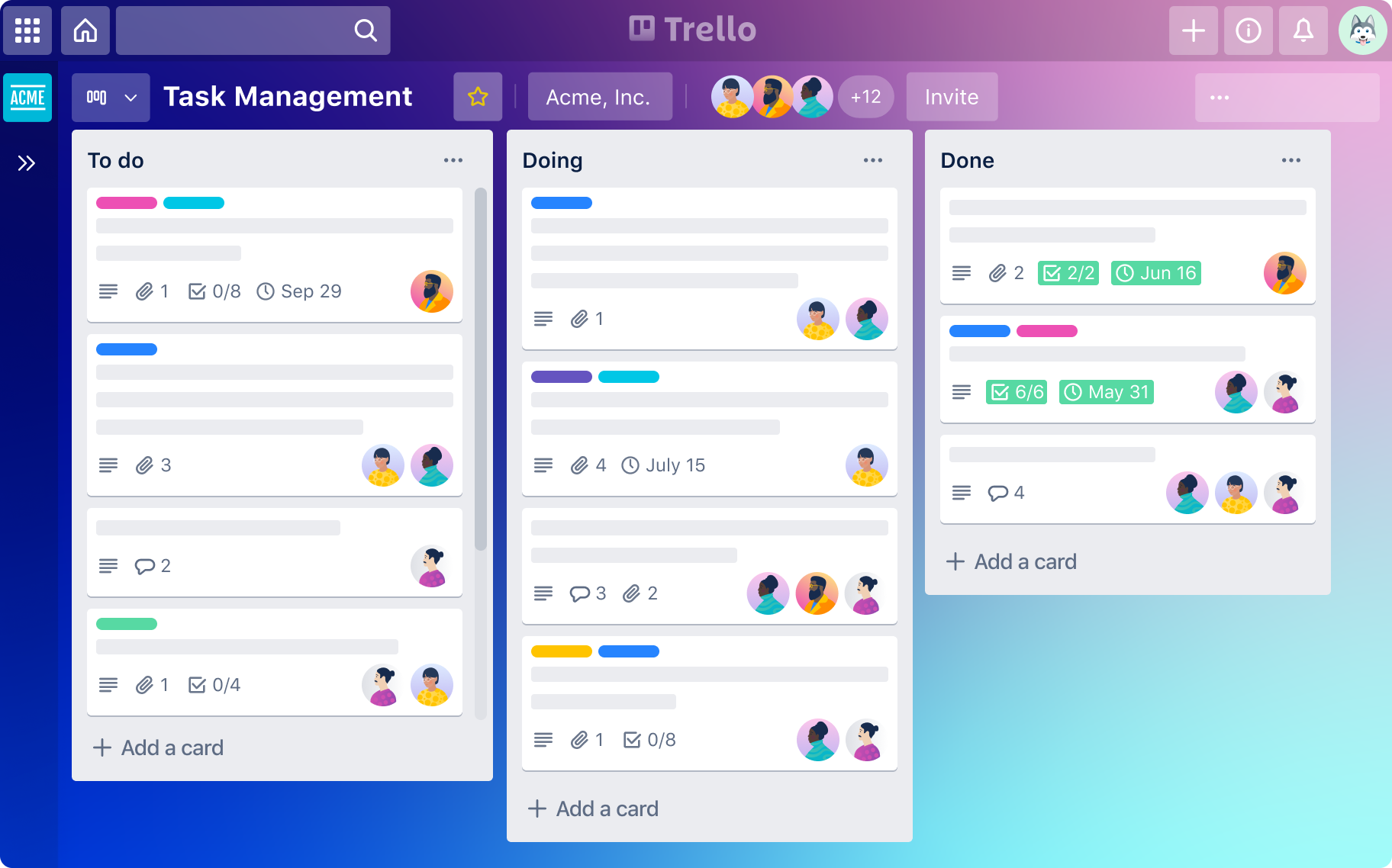
Image source: trello.com
Overview
Trello is a well‑known Kanban‑style board that helped popularize visual task tracking. It uses boards, lists, and cards to represent work, making it easy to see tasks move from left to right through a workflow. For small teams and simple processes, it offers a low‑friction introduction to collaborative task tracking apps.
Key features
- Drag‑and‑drop Kanban boards with customizable lists and cards.
- Checklists, due dates, attachments, and comments inside each card.
- Power‑Ups (integrations and add‑ons) to connect Trello with calendars, chat apps, and other tools.
- Automation via Butler to trigger actions when cards move or dates change.
Pros
- Very visual and approachable; most users can learn the basics in minutes.
- Ideal for straightforward pipelines like content calendars, sales stages, or sprint boards.
- Power‑Ups and automation make it possible to extend a relatively simple task tracking tool into more powerful workflows.
- Works well for both personal boards and small team collaboration.
Cons
- Becomes harder to manage at larger scale, with many boards, teams, or complex cross‑dependencies.
- Limited reporting and analytics; advanced metrics often require external reporting tools.
- Time tracking is not a native focus; serious task management with time tracking typically requires add‑ons or external services.
- As an isolated tool, it may not integrate as deeply into chat, meetings, or document workflows as a fully built‑in platform.
Who should choose Trello
Teams and individuals who want an easy, visual introduction to Kanban‑style task tracking without heavy project management features. If your use case is simple pipelines and you prefer a board‑centric view, Trello is a practical starting point.
Pricing
- Paid plans: Start at $5 per user/month
4. Asana: Structured tasks for cross-functional projects
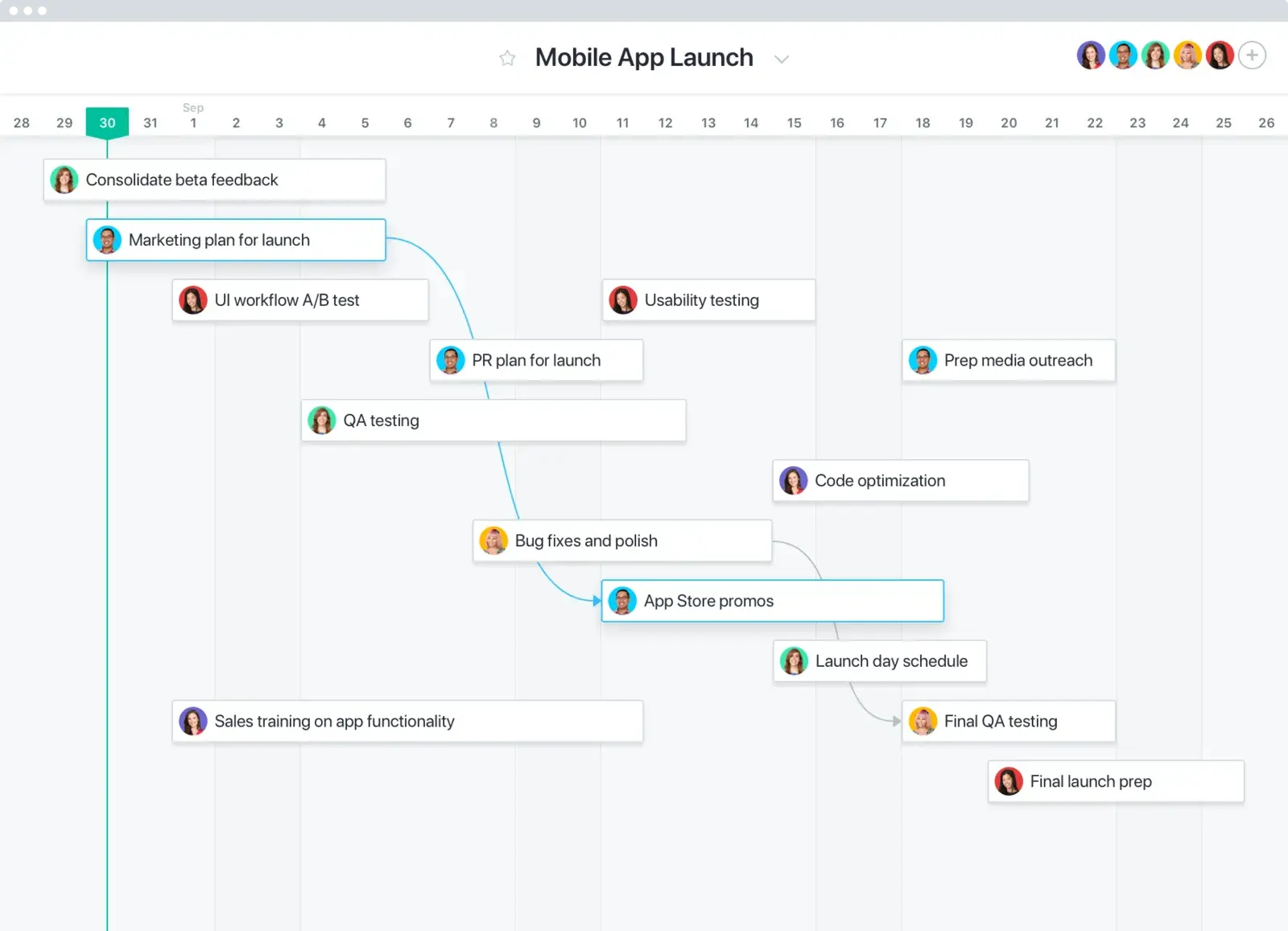
Image source: asana.com
Overview
Asana is a work management platform that sits between simple task lists and full project portfolio tools. It offers lists, boards, timelines, and workload views, making it suitable for marketing teams, product squads, and operations groups that need more structure than basic task tracking apps typically provide.
Key features
- Multiple views: list, board, calendar, timeline (Gantt‑style), and workload.
- Custom fields, dependencies, and templates for repeated processes.
- Rules for automation (e.g., auto‑assigning tasks, updating fields, sending notifications).
- Integrations with email, chat, file storage, and time tracking services.
Pros
- Rich feature set for coordinating cross‑functional projects and campaigns.
- Strong fit for teams that need mid‑level project management but don't want to manage a full PPM suite.
- Rules and templates help standardize workflows and reduce manual coordination.
- Integrates reasonably well with popular collaboration stacks.
Cons
- Can feel complex for small teams that just need a straightforward task tracking software solution.
- Requires thoughtful onboarding; otherwise, workspaces can become cluttered and inconsistent.
- Limited native focus on time tracking; many teams rely on integrations for genuine task management with time tracking.
- Pricing can become significant as you scale to many users and advanced features.
Who should choose Asana
Mid‑sized teams that need structure, workflows, and visibility across projects, especially in marketing, operations, or product. If you want more rigor than a simple board but aren't ready for heavyweight project portfolio management, Asana is worth considering.
Pricing
- Paid plans: Start at $10.99 per user/month
5. ClickUp: Feature-rich hub for complex workflows
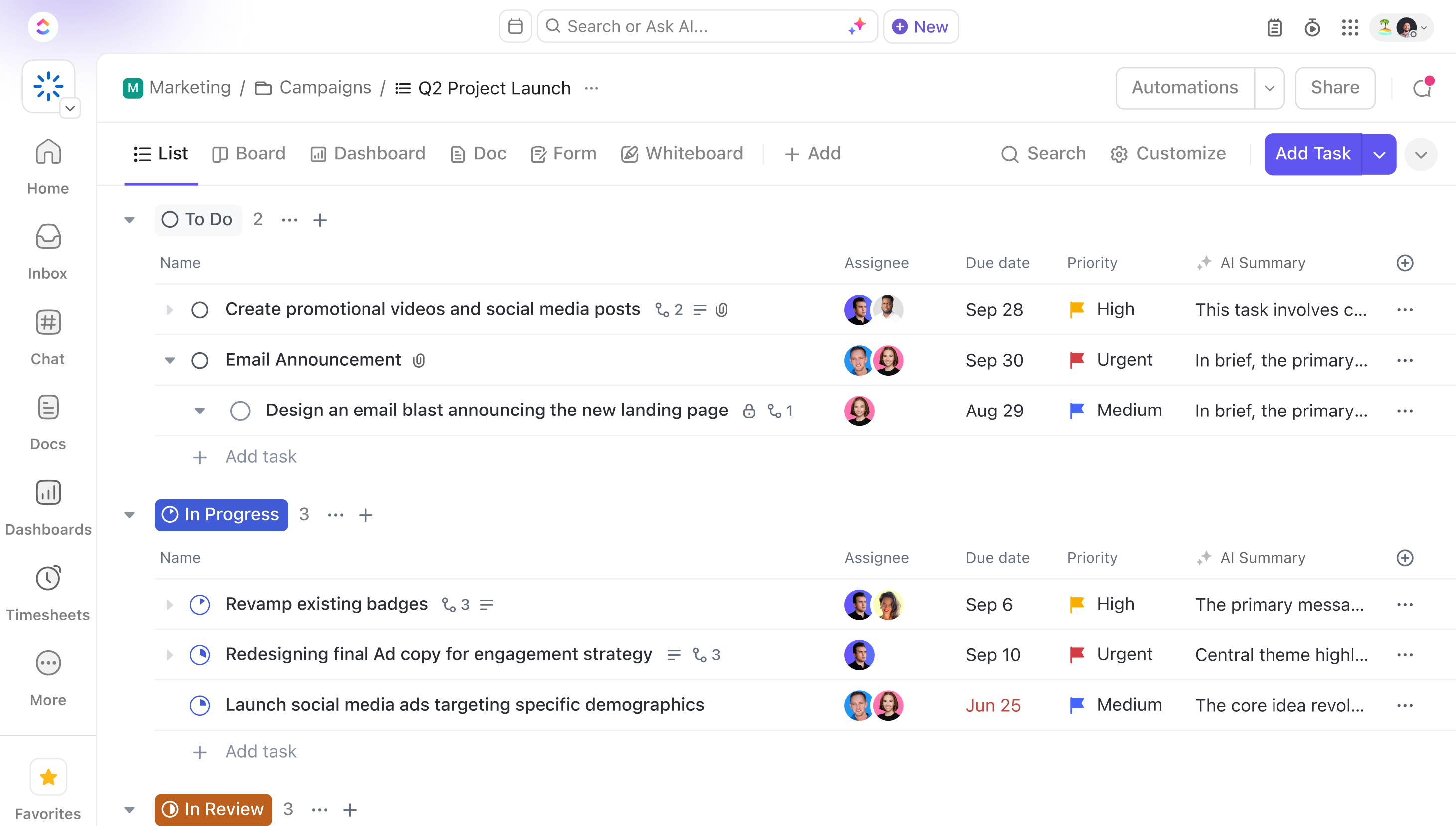
Image source: clickup.com
Overview
ClickUp positions itself as an "all‑in‑one" productivity platform, combining tasks, docs, goals, and whiteboards under one roof. It offers a very wide range of features, from custom fields and automations to built‑in time tracking, making it attractive for teams that want to consolidate many tools into one highly configurable task tracking tool.
Key features
- Multiple views (list, board, calendar, Gantt, workload, mind maps, and more).
- Custom fields, statuses, and spaces for deeply tailored workflows.
- Built‑in time tracking and time estimates for tasks.
- Docs, whiteboards, and goal‑tracking modules that live alongside tasks.
Pros
- Extremely feature‑rich; can replace several separate tools if configured well.
- Genuinely versatile task manager with time tracking and workload redistribution features.
- Highly customizable task hierarchies and fields for different teams and use cases.
- Continuous development and frequent new features.
Cons
- Sheer breadth of options can feel overwhelming; setup and governance require dedicated attention.
- Performance and UI can sometimes feel heavy in large workspaces with many views.
- Because it tries to be a very comprehensive task tracking software plus "everything app," some teams may find the learning curve steep.
- Requires discipline to avoid over‑complication and maintain a clear information architecture.
Who should choose ClickUp
Teams that want a powerful, configurable system and are willing to invest time in designing their own structures and standards. If you're aiming to consolidate multiple point solutions into a single, highly capable task tracking tools platform, ClickUp is a strong candidate.
Pricing
- Paid plans: Start at $7 per user/month
6. Notion: Flexible docs and databases for tasks
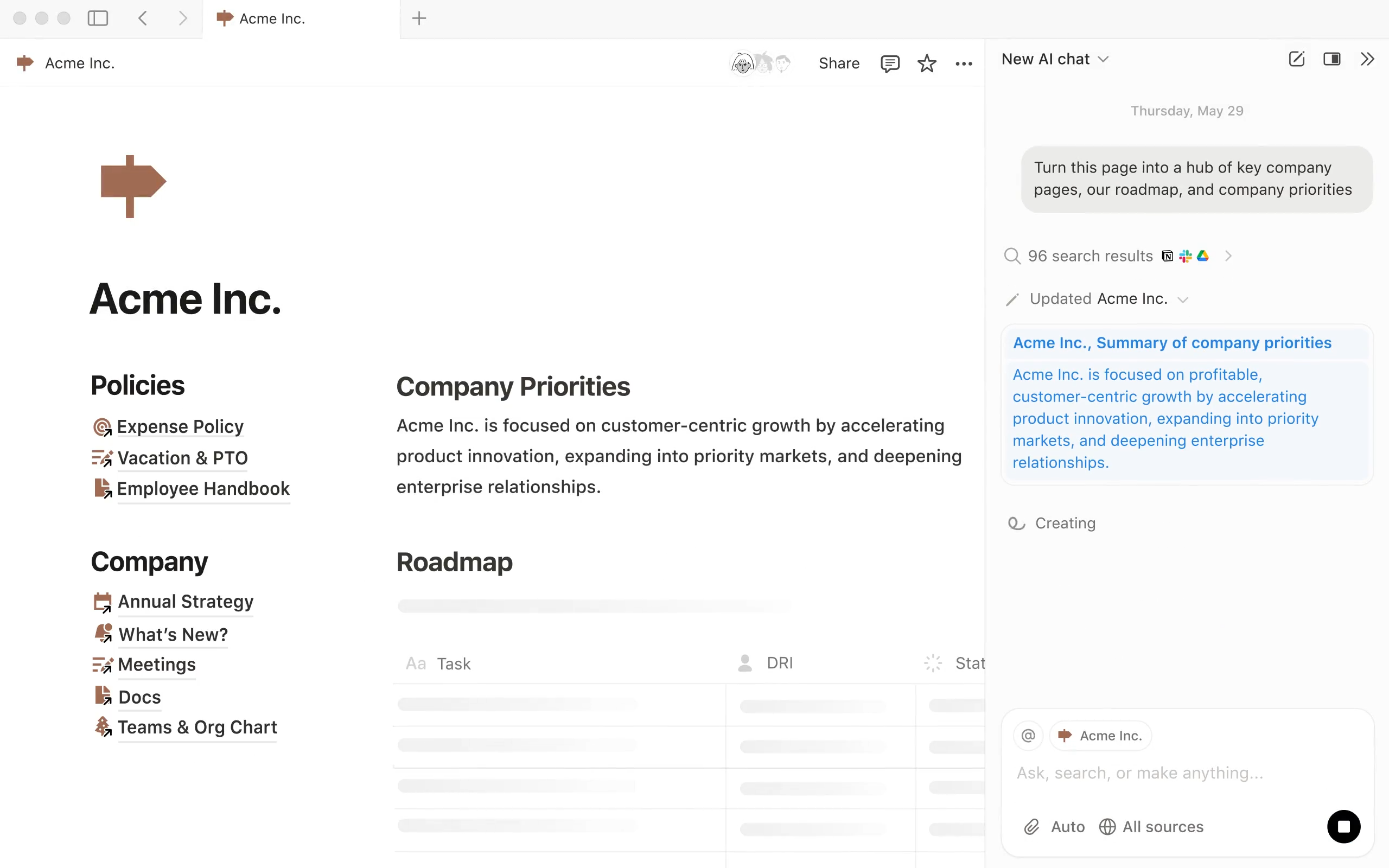
Image source: notion.com
Overview
Notion is a flexible workspace that combines pages, databases, and wikis. It allows teams to build custom task tables, connect them to docs, and embed them in pages, effectively turning Notion into a hybrid between a documentation hub and a work management tool. A carefully structured database can serve as a powerful, quasi‑spreadsheet task tracking app.
Key features
- Pages and subpages for documentation, notes, and knowledge bases.
- Databases with custom properties that can act as task lists, issue trackers, or content calendars.
- Views for databases: table, board, calendar, list, and timeline.
- Rich embeds and integrations with other tools.
Pros
- Extremely flexible for combining docs and tasks in one place.
- A cleverly modeled database can act as a genuinely powerful task tracking spreadsheet that evolves with your needs.
- Great for teams that want a single space for wikis, project briefs, and high‑level tracking.
- Strong community templates and examples to learn from.
Cons
- Not primarily designed as dedicated task tracking software; some PM features must be built manually.
- Lacks fully built‑in chat and meetings, so you may still be jumping between multiple tools for coordination.
- Time tracking is not native; any serious task management with time tracking requires integrations or custom setups.
- Complex workspaces can become hard to navigate without strong conventions.
Who should choose Notion
Teams that prize flexibility and want a combined space for docs, wikis, and light to medium task tracking. If you're comfortable designing databases and workflows and don't need deep native messaging or scheduling, Notion is a compelling option.
Pricing
- Paid plans: Start at $10 per user/month
7. Toggl Track: Simple time tracking with reports
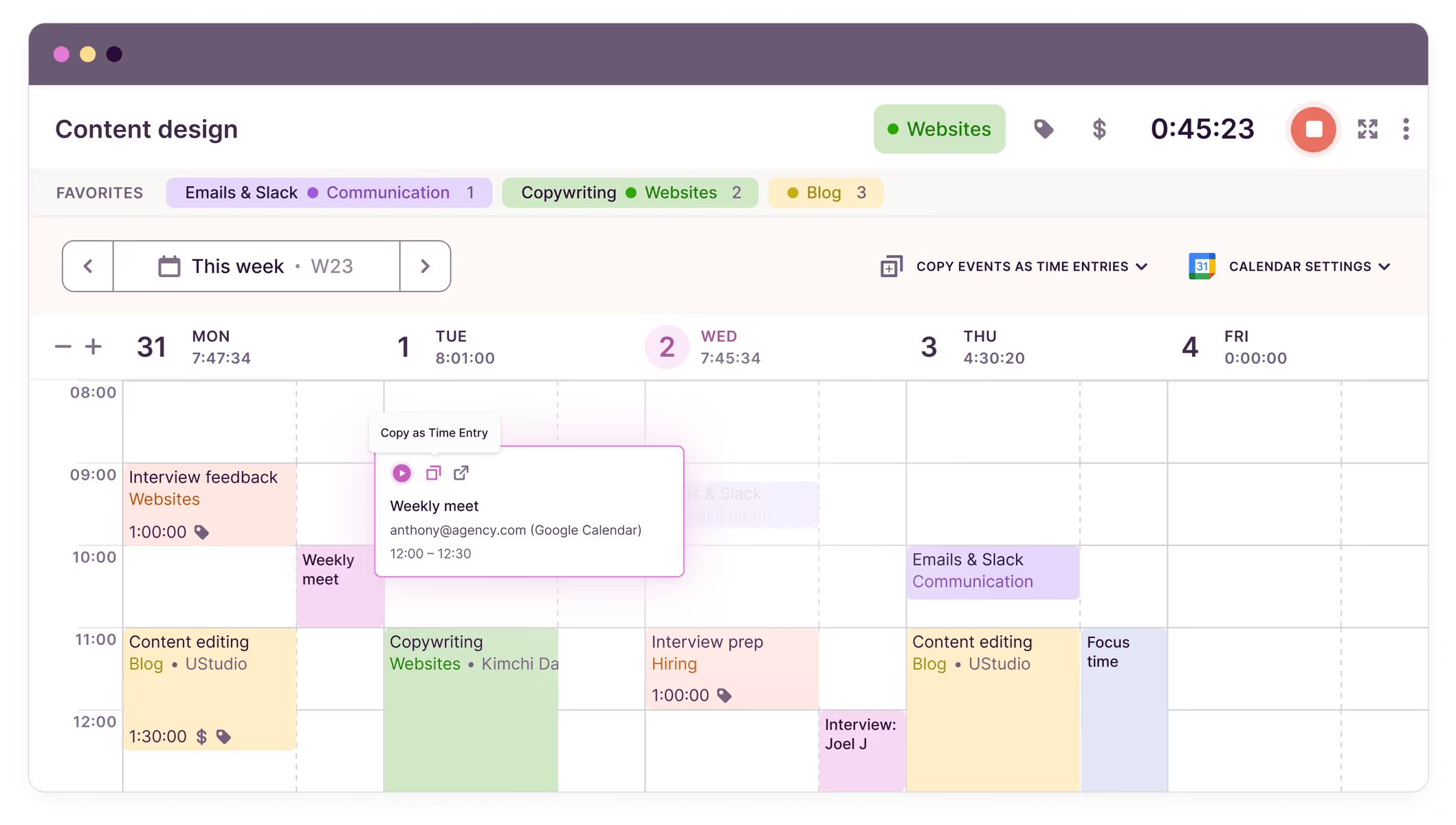
Image source: toggletrack.com
Overview
Toggl Track is a time tracking tool that focuses on making it simple to log and analyze where time goes. While it includes lightweight task and project fields, its primary strength is as a precise, insight‑oriented task manager with time tracking, especially for freelancers, agencies, and teams that bill by the hour.
Key features
- One‑click timers on web, desktop, and mobile.
- Projects, clients, and tags to categorize time entries.
- Detailed reports on billable vs non‑billable time, project profitability, and team utilization.
- Integrations and browser extensions that connect Toggl Track to various task apps.
Pros
- Very straightforward time logging; low friction for users to adopt.
- Strong reporting and analytics around time, making it easier to see where effort actually goes.
- Works well as a dedicated, genuinely precise layer of task management with time tracking on top of existing task systems.
- Flexible enough for both individuals and small‑to‑mid‑sized teams.
Cons
- Not a full task tracking software solution; you typically need to pair it with a separate task app or project tool.
- Linking tasks and time consistently requires clear conventions, otherwise data becomes messy.
- Managing complex workflows or approvals is outside its core scope.
- Running both Toggl Track and a separate task tracking tools stack can create extra coordination overhead if not well integrated.
Who should choose Toggl Track
Freelancers, agencies, and teams that need accurate time data for billing, budgeting, or capacity planning—and are willing to maintain a separate task system. If you primarily want a strong time layer rather than an all‑in‑one task tracking app, Toggl Track is well suited.
Pricing
- Free plan: Available (free trial available)
- Paid plans: Start at $9 per user/month
8. Harvest: Time tracking tightly linked to billing
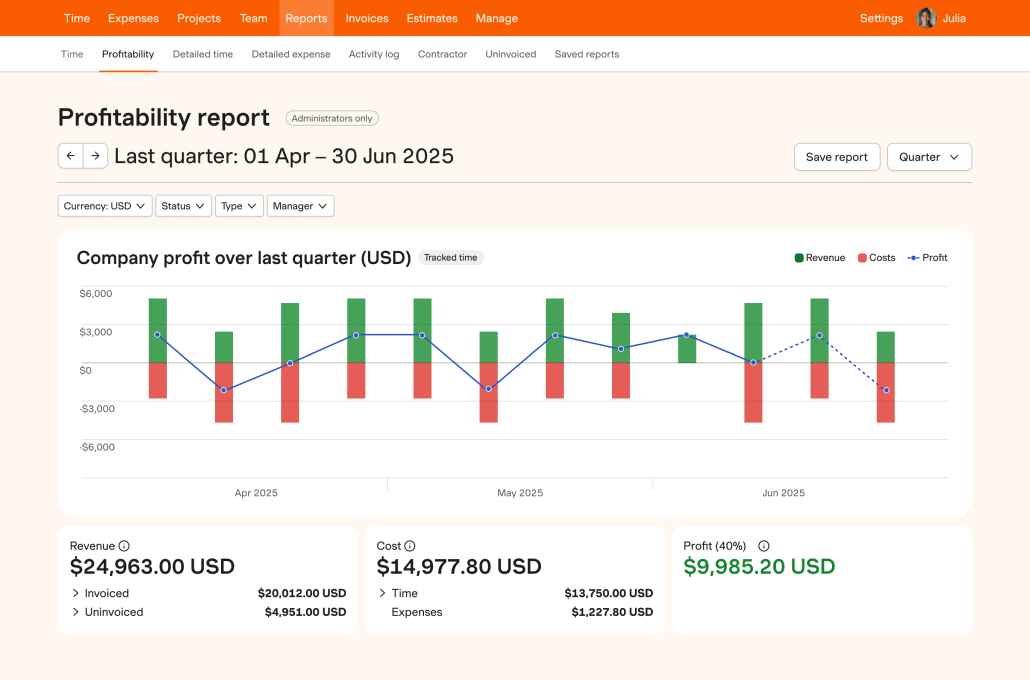
Image source: harvest.com
Overview
Harvest is a time tracking and invoicing solution designed for teams that bill clients or track project budgets closely. It includes lightweight task and project organization, but its main value lies in turning tracked time into invoices, budget reports, and insights. It is often used alongside a more full‑featured task tracking software platform.
Key features
- Time tracking via timers or manual entry, organized by project and task.
- Expense logging and invoicing, including integrations with accounting tools.
- Budget and cost tracking per project or client.
- Integrations with popular project and task tracking apps.
Pros
- Strong alignment with financial workflows: budgets, invoices, and cost reporting.
- Works well for agencies and consultancies that need tight control over billable hours.
- Serves as a practical complement to existing task tracking tools, providing the financial layer many systems lack.
- Reporting helps identify profitable vs unprofitable projects and clients.
Cons
- Not a standalone task tracking app; its task features are intentionally lightweight.
- Requires maintaining a separate task system and ensuring consistent mapping between tasks and time.
- May feel like "extra work" for teams that don't have clear billable vs non‑billable structures.
- Less suited for internal product teams whose focus is delivery and outcomes rather than client billing.
Who should choose Harvest
Agencies, consultancies, and services teams that need to connect time directly to invoices and budgets. If your priority is financial accuracy and client billing—while using another primary task tracking tool for day‑to‑day execution—Harvest is a strong option.
Pricing
- Free plan: Available (free trial available)
- Paid plans: Start at $11 per user/month
Begin your journey of task tracking
How to choose the right task tracking software
With so many options—spreadsheets, boards, dedicated apps, all‑in‑one workspaces—the best choice depends more on your team's size, culture, and habits than on any single "top" vendor. Use these questions to narrow it down:
- Start from your real workflows: Where do requests and decisions actually happen today (chat, email, meetings, docs, forms)? Pick genuinely flexible task tracking tools that can capture tasks directly from those touchpoints and embed views where people already work, instead of forcing constant context‑switching.
- Match complexity to team maturity: Small teams may only need a simple task tracking app plus a weekly planning ritual; larger organizations need richer task tracking software with dependencies, reporting, and cross‑team views. Aim for the minimum setup that lets you see who's doing what, what's at risk, and how busy people are.
- Be explicit about time and reporting: If you bill clients or run tight SLAs, choose tools with robust with time tracking capabilities or clean integrations, so time is captured in the flow of work. Even if you do not bill hours, ensure your system can report on cycle time, throughput, and alignment with goals—practical task management with time tracking pays off in better decisions.
- Check ecosystem, automation, and governance: Prefer tools that sit inside or connect smoothly to a workspace where chat, docs, meetings, email, approvals, forms, and OKRs are built‑in. Look for no‑code automation, APIs, and strong security, permissions, and compliance. The genuinely best task tracking app for your organization is the one that fits your workflows, scales with your growth, and meets your trust requirements—not simply the one with the longest feature list.
Common mistakes to avoid after choosing the right app
Even with the right task tracking app in place, such as a modern board or an all-in-one platform, teams often struggle with inefficiencies. Outdated boards, duplicate tasks, missed deadlines, and lengthy status meetings can still plague project management. Here are some common pitfalls to avoid:
Fragmented systems and scattered work
Task tracking fails when work information is spread across chats, emails, documents, and meetings. If teams must manually enter data into a central system, they may overlook tasks, leading to a lack of trust in the tool. An effective task tracker should integrate seamlessly with where work originates, ensuring easy transitions from messages or requests to trackable items.
Overcomplicated workflows and unclear rules
Creating overly complex workflows can overwhelm team members. While it's tempting to anticipate every scenario, clarity is crucial for effective task tracking. A straightforward workflow—like "Backlog → In Progress → Done"—often suffices. Introduce additional fields gradually to ensure they provide real value.
Missing or unreliable time information
Ignoring time tracking can hinder planning and performance analysis. Without reliable time data, teams may feel busy but lack insight into their productivity. Ensure that time tracking is part of the main task system so updates are easy and integral to daily workflows.
Lack of shared rituals and accountability
Task tracking needs to be an ongoing practice, not a one-time setup. Without regular rituals like daily stand-ups or weekly reviews, the system can become outdated. Encourage accountability by integrating task reviews into routine check-ins, reinforcing the habit of maintaining an updated and accurate task tracker.
Conclusion
Task tracking is no longer just about lists; it's about a shared, time‑aware view of work across chat, email, docs, meetings, and approvals. When done well, it turns everyday conversations into structured tasks with clear owners, realistic timelines, and visible links to goals—reducing surprises and making delivery more predictable.
You can start with a spreadsheet, a simple task tracking app, or a more advanced team board; what matters is one source of truth, simple workflows, and consistent habits. As you mature, an all‑in‑one, built‑in collaboration platform like can connect tasks with messaging, docs, meetings, forms, approvals, and OKRs, so task tracking becomes a natural part of how your team already works.
Ready to try the best time tracking tool?
FAQs
What is task tracking?
Task tracking refers to the process of monitoring and managing tasks, including creating, assigning, updating, and completing them. It helps teams stay organized, prioritize work, and ensure accountability throughout a project's lifecycle.
What is the best tool to track tasks?
The best tool for task tracking often depends on an organization's needs. Options like Asana and Trello are popular, but they can lack integrated communication features. Lark offers a comprehensive platform that combines messaging, docs, and task management, enhancing teamwork and efficiency.
What is the 1/3/5 rule for tasks?
The 1/3/5 rule suggests prioritizing tasks for the day—1 major task, 3 medium tasks, and 5 minor tasks. This approach helps maintain focus and manage workload effectively, ensuring that essential priorities are addressed.
What is the 1 2 3 method when doing a task?
The 1 2 3 method involves breaking down tasks into three steps: 1) Identify the main goal, 2) Break the goal into two manageable parts, and 3) Detail three actionable steps for each part. This structured approach facilitates task completion.
What drawbacks do traditional tools have when managing tasks?
Many traditional task management tools lack integrated communication, leading to fragmented workflows. While tools like Todoist are effective for individual tracking, they don't support team collaboration as well as Lark, which unifies messaging and task management in one environment.
Related reading































