Many teams are not short of leads; they are short of structure. New contacts arrive from ads, events, websites, and partners, then vanish into inboxes and spreadsheets. Without a clear system, follow‑up is inconsistent, forecasting is guesswork, and revenue feels random.
A modern CRM lead management system fixes this by giving you a shared way to capture, qualify, and progress every lead. Increasingly, this lives inside an all‑in‑one collaboration platform, where chat, docs, calendar, meetings, tasks, approvals, and a no‑code database with automation and views are all built‑in. This guide explains what that means in practice, and how to design a lead process your team will actually use.
What is lead management?
is the continuous, cross‑functional process of attracting, capturing, qualifying, routing, nurturing, and converting leads into pipeline and revenue. It sits upstream of deal management: Where pipeline tools manage opportunity stages, lead management ensures that every inquiry becomes a high‑quality, timely conversation. In other words, it's the set of playbooks and systems that make your prospect's first 24–72 hours with your brand decisive.
Definition: A lifecycle that begins at the first touch (ads, forms, chat, events, referrals), continues through qualification and routing, and culminates in meetings and opportunities. It combines data capture, rules, people, and automation into a repeatable engine.
Core stages:
- Lead generation and capture: Forms, chat, webinars, imports, and enrichment.
- Lead distribution/routing: Round‑robin, territory, skills, or account‑based.
- Lead scoring/qualification: Fit + intent signals translate into prioritization.
- Nurture and engagement: Multichannel sequences keep momentum.
- Handoffs, meetings, and conversion: SLAs ensure timely first touches and smooth transitions to AEs.
Why lead management matters?
Why it matters comes down to three compounding effects:
- Speed‑to‑lead: Response time directly influences connect rate, meeting hold rate, and conversion.
- Leakage prevention: Every manual step where a lead can stall or get lost degrades ROI, especially on paid acquisition.
- Measurement: Consistent data and attribution underpin budget decisions and growth bets. The result is more revenue per lead and better forecasting.
The suite reality, as surfaced in pragmatic reviews like Zapier's, is that no single app covers all motions equally well. You should expect a core , communications, scheduling, and AI instrumentation. Some teams layer a to compress the time from "alert" to "action," pairing the CRM's governance with real‑time execution. That's how teams become surprisingly best free CRM lead management software currently effective—by composing the right parts, not forcing one tool to be everything.
Accelerate speed‑to‑lead, win more
What is a CRM lead management system?
A system is the framework—both software and process—that turns anonymous interest into qualified opportunities. It defines how leads are captured, what data you store, which stages they pass through, and who is responsible at each point. Done well, it becomes the front door to your revenue engine, not just a static list of contacts.
Think of it as three connected layers:
- Platform: The place where lead data, activities, and history live.
- Process: The rules for how leads move from "new" to "sales‑ready" or "disqualified."
- People: The roles (marketing, SDRs, AEs, managers) and their responsibilities.
In many teams, the lead management system in CRM is implemented as a dedicated pipeline or table. In Lark, this can be a Base with built‑in views for different teams, so your pipeline structure mirrors your actual go‑to‑market motion. That way, the system evolves as your sales process changes, rather than locking you into a rigid model.
The benefits of a CRM lead management system
Without structured , even great marketing becomes a leaky bucket. A clear lead management system in CRM ensures every incoming contact is captured, evaluated, and handled with intention. That alone reduces wasted spend and increases the share of leads that convert into real pipeline instead of disappearing into inboxes and spreadsheets.
Compared with ad‑hoc spreadsheets or basic contact lists, a purpose‑built lead management software setup gives you consistency. Every lead flows through the same funnel, follows the same rules, and is visible to the same stakeholders. When you later compare lead management system vs CRM approaches, this consistency is what lets you see where dedicated lead workflows add value beyond generic customer records. Key benefits include:
Faster speed to lead:
- Reps are alerted immediately when new leads arrive.
- Contact details, context, and next steps are instantly available.
- In Lark, a new Base record can trigger a built‑in Messenger card, so the owner can respond from the same workspace.
Speed matters because the first vendor to respond often sets the buying criteria. A well‑configured lead management system CRM efficiently shortens your response times by eliminating hunting for data across separate systems.
Fewer lost or duplicated leads:
- All leads live in one system of record instead of scattered tools.
- Standard fields and naming reduce duplicates and confusion.
Centralization means you don't have multiple reps working the same account unknowingly, or hot inbound requests buried under old email threads. A disciplined lead management system in CRM keeps ownership, status, and history clear at a glance.
Better marketing–sales alignment:
- Shared definitions of MQL and SQL prevent finger‑pointing.
- Everyone can see where each lead came from and how it progresses.
When both teams trust the same data, conversations shift from "your leads are bad" to "here's how we jointly improve conversion." This is where a thoughtfully designed lead management system crm effectively becomes a collaboration backbone, especially when it lives inside a workspace that already hosts chat, docs, and meetings.
Reliable, data‑driven optimization:
- Reports show which channels and campaigns generate real revenue.
- Managers can spot bottlenecks and coach based on actual funnel data.
Over time, this insight lets you reallocate spend toward high‑performing channels, refine qualification rules, and identify coaching opportunities for individual reps. Even with a crm lead management system free tier, simple dashboards on top of clean lead data can dramatically improve decision‑making.
Beyond these core benefits, a robust lead process improves forecasting and customer experience. Prospects get timely, relevant follow‑ups; managers get reliable pipeline numbers; and leadership sees a clearer link between marketing investments and revenue outcomes. Many teams start on lightweight lead management software or a crm lead management system free plan to validate their process, then scale into more advanced automation once the basics work.
Teams that carefully configure a lead management system CRM effectively gain much clearer control over how demand turns into revenue, instead of guessing what happened to last month's leads. And because the lead management system is embedded directly inside the CRM and collaboration environment, it can grow with the business rather than forcing yet another tool migration every time your sales motion evolves.
Gain clearer control with a CRM management system
The difference and connection between CRM and lead management
Understanding lead management system vs CRM clearly helps you choose and configure tools correctly. They are related but not identical concepts.
Different focus in the customer lifecycle
- Focuses on early‑stage prospects.
- Covers capture, enrichment, scoring, routing, and early nurture.
- The goal is to decide whether a contact is worth a sales conversation.
- Spans the full lifecycle, including leads → opportunities → customers → renewals.
- Includes sales, onboarding, support, and sometimes billing.
- The goal is to manage relationships and revenue over time.
When teams confuse the two, they either underinvest in structured lead handling or overload their CRM with complex, unused lead features.
How they should work together
Ideally, lead management operates as a clearly defined layer inside your CRM:
- Leads start in a dedicated pipeline or table.
- Once qualified, they convert into opportunities or accounts with full history.
- The same workspace continues to serve as a home for later customer interactions.
Teams that carefully evaluate lead management system vs CRM holistically usually end up designing lean lead workflows that fit seamlessly into their broader customer management strategy, rather than treating lead tools and CRM as separate universes.
Key features to look for in a CRM lead management system
Not all tools calling themselves a software solution will fit your reality. The best systems are flexible enough to adapt to your process, but simple enough that reps actually keep them up to date. When evaluating options, focus less on the sheer number of features and more on how well they support your specific lead journey.
Customizable database and pipeline
Your system should let you:
- Add custom fields (industry, segment, product interest, etc.) without coding.
- Define stages that reflect how your team really sells.
- Create multiple views—tables, Kanban, filters—for different roles.
A thoughtfully structured lead management system CRM efficiently avoids the trap of "one giant spreadsheet" and gives every stakeholder the view they need.
Built‑in communication around each lead
Lead management fails when communication is detached from data. Look for systems where:
- Email threads are visible alongside the lead record.
- Reps can @‑mention teammates on specific leads.
- Meetings and notes are linked directly to opportunities.
This approach makes your lead management software naturally support instead of forcing people to copy‑paste between multiple apps.
Automation and workflows
turns your process from a checklist into a machine. Even simple workflows can dramatically increase consistency:
- Auto‑assign new leads based on territory, product, or channel.
- Trigger reminders when a lead has not been contacted within SLA.
- Update stages automatically after key actions (form submitted, meeting held).
Used wisely, a lead management system CRM effectively reduces manual admin and keeps reps focused on conversations that close deals.
Reporting, visibility, and security
Finally, you need to see what's working and protect sensitive data:
- Dashboards for lead volume, conversion by stage, channel performance.
- Filters for manager reviews (by owner, segment, time period).
- Role‑based permissions so only the right people access certain leads.
Modern platforms like Lark combine Base reporting with built‑in security and controls. That means line managers can drill into specific campaigns, while executives get a summarized view—without exposing everything to everyone.
Bring all features within one CRM workspace
Designing a lead management process inside your CRM
A strong lead management system in CRM is built around your real buyer journey, not around individual features. Your lead management software should provide one place where every lead is consistently captured, qualified, routed, and nurtured.
At a minimum, that means:
- Reflecting a clear journey from lead generated → captured → qualified → routed → nurtured/converted.
- Using simple, well‑defined stages and standardized fields (e.g., name, email, company, source, owner, plus basic firmographics).
- Making ownership, SLAs, and follow‑up expectations visible so no lead goes cold.
Once these basics are in place, you can evaluate which CRM lead management system supports this flow with the least friction and complexity.
Building a CRM lead management system with Lark
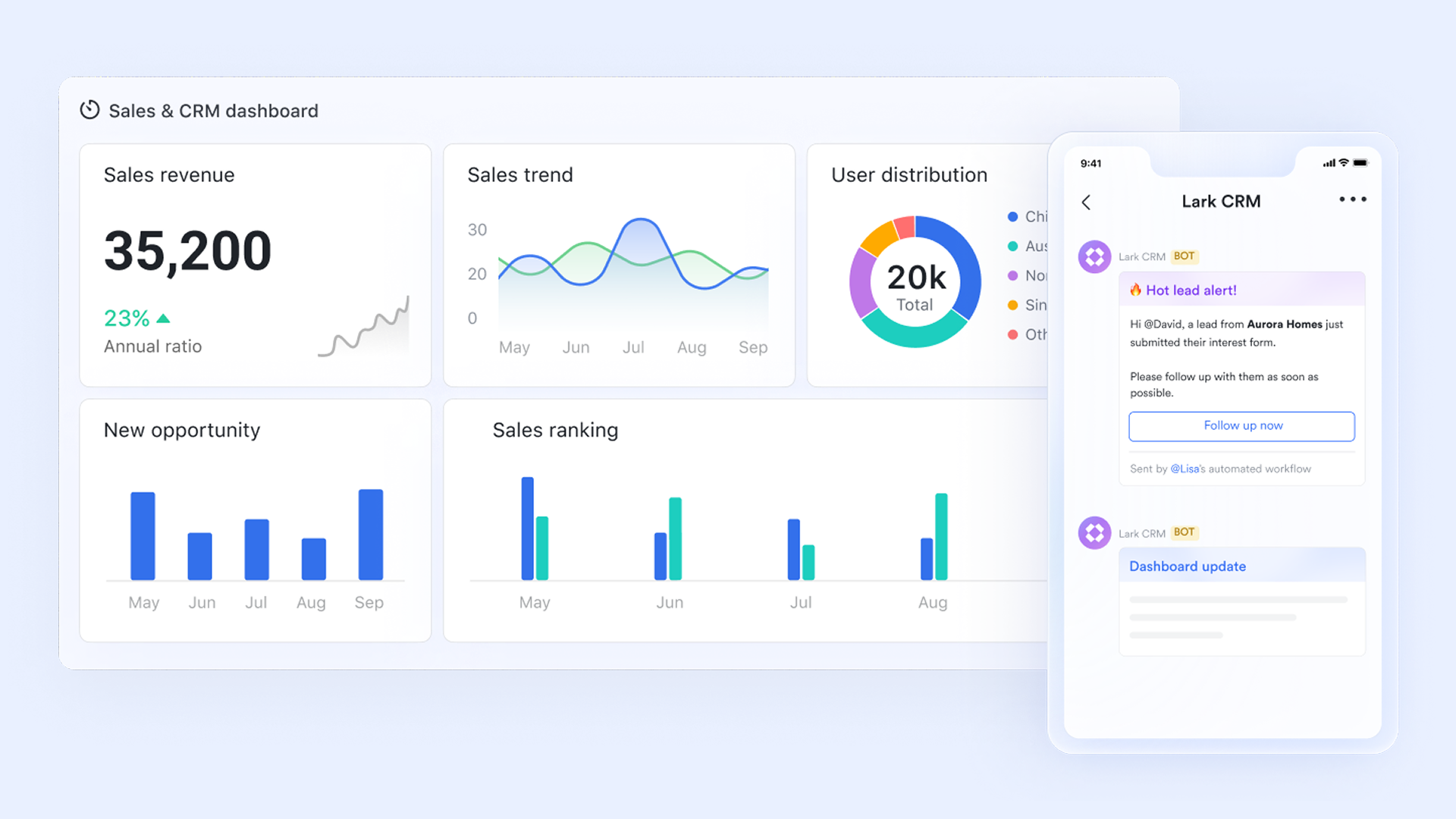
provides a powerful CRM that's fully integrated with built‑in chat, email, and video meetings. Teams don't have to jump between apps, allowing them to manage custom pipelines, automate tasks, and talk to teammates all in one place. As lead management CRM software, Lark helps you centralize lead data, automate routing and follow‑ups, and coordinate SDRs and AEs in real time.
Below is how the same process can look in Lark, using Lark Base, Lark Forms, and automation as a lightweight lead management system CRM example.
1. Flexible lead database and pipeline in
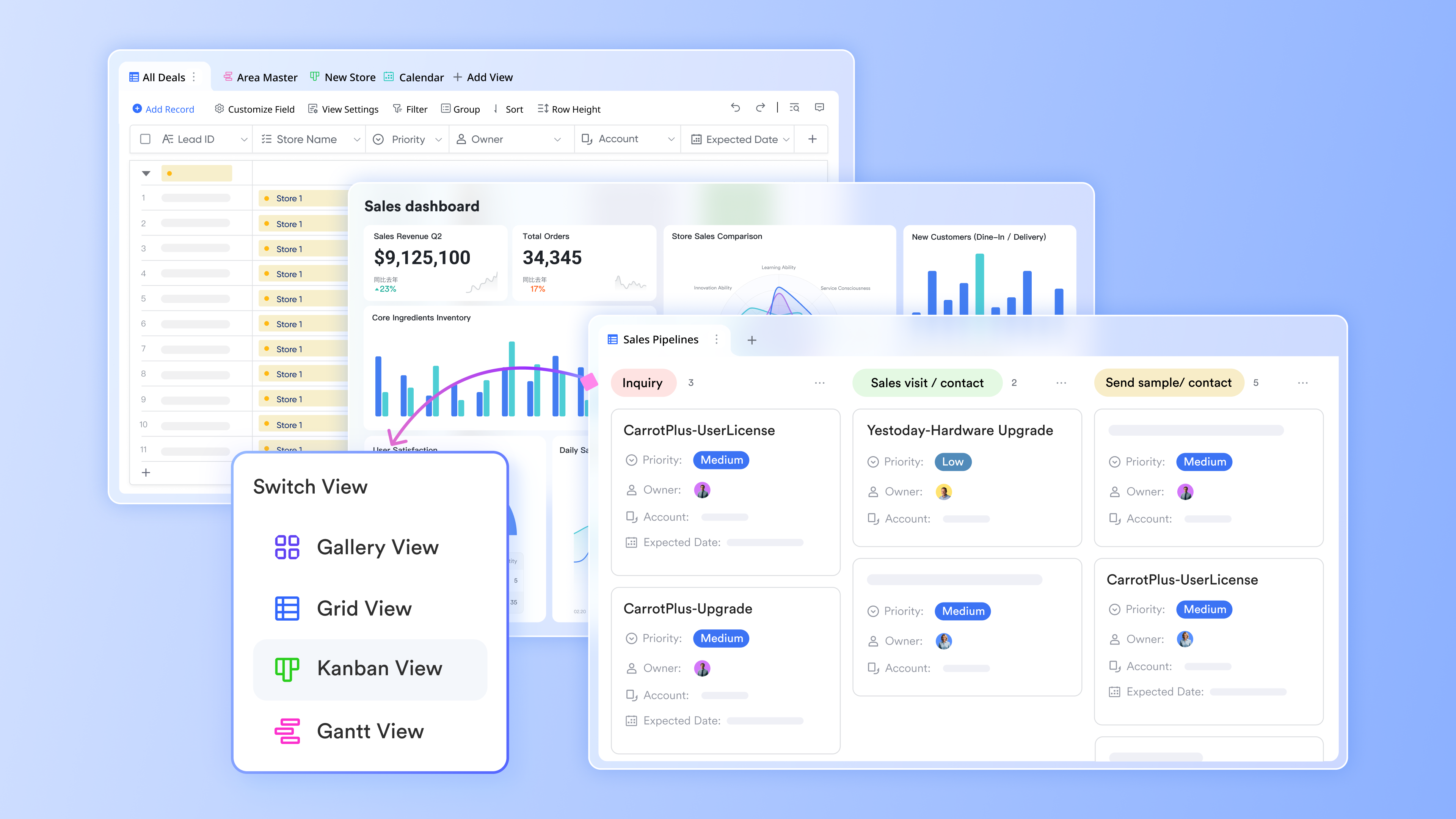
Lark Base works as the backbone of your lead management system in CRM:
- Create a Lark Base table called Leads.
- Add core fields: "Name", "Email", "Company", "Source", "Owner"(member field), "Stage" (single‑select), "Last activity date", "Next action date".
- Define stages like "New", "Contacted", "Qualified", "Proposal", "Negotiation", "Closed‑Won", "Closed‑Lost", "Nurture".
- Create shared views such as:
- New this week (filter by created time + "Stage" = "New")
- Needs contact ("Stage" = "New" and no "Last activity date")
- Stuck 14+ days ("Stage" not "Closed" and "Last activity date" older than 14 days)
This makes your pipeline and stages visible and consistent, just like a classic lead management system vs CRM setup.
2. Capture leads with and imports
To avoid scattered spreadsheets and one‑off lists, Lark helps you standardize capture:
- Build a Lark Form linked directly to the "Leads" table.
- Include key fields ("Name", "Email", "Company", "Source", etc.).
- Share the form link on landing pages, events, or social; every submission creates a new record in "Leads".
- For events/webinars, import CSV files into the same table, using the same field structure to keep data clean.
This gives you the foundation a lead management system CRM needs: Every lead in one place, with consistent fields from day one.
3. Automate assignment and alerts
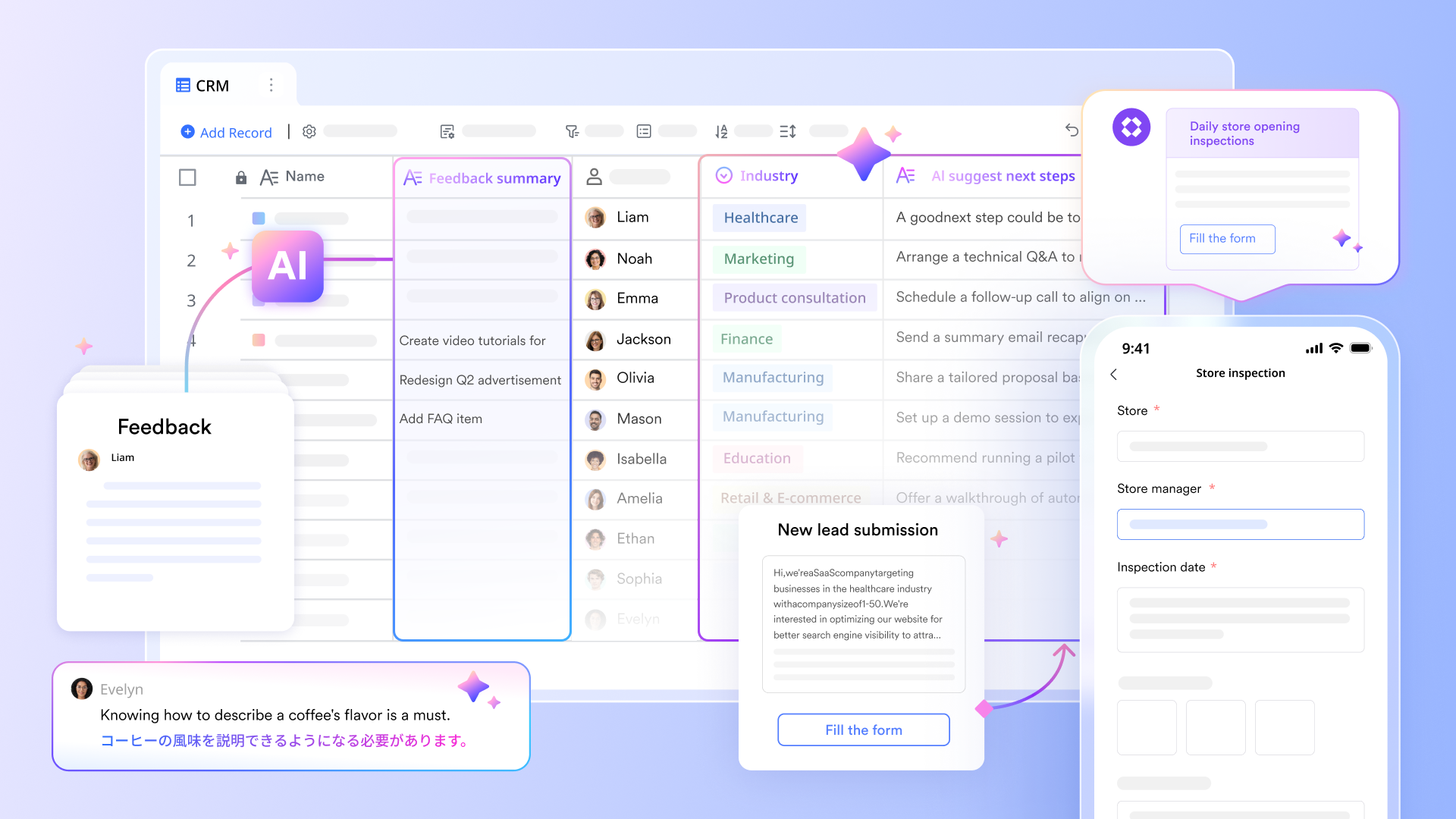
Lark Base automation turns your setup from a static database into living lead management software:
- Configure triggers like "when a lead is created or updated".
- Use conditions (for example, "Company size" > 500 for enterprise, "Region" = EU for a specific team).
- Automatically set "Owner" to the right SDR or AE, then send a notification or card to the relevant chat.
This turns Lark into an always‑on controller for your lead management system in CRM, reducing manual triage.
4. Track follow‑up, nurture, and improvement
On top of Base, you can build charts and lightweight dashboards that group leads by "Source", "Stage", or "Owner", making it easier to see where leads stall and which channels convert.
With Lark's AI capabilities, teams can further streamline CRM lead management by:
- Summarizing meeting notes: During meetings, you can enable AI summary to automatically generate meeting notes with key points and to-do lists after the meeting ends.
- Summarizing text and generating follow-up messages: In Lark Base, you can use AI-generated text actions in automations to summarize data (such as email threads or activity logs) and draft follow-up messages based on recent activity.
Even if you start on a CRM lead management system free‑style setup in Lark, this combination of Lark Base, Lark Forms, and automation gives you a practical, collaborative lead management system CRM that lives in the same workspace where your team already chats, meets, and shares docs.
For small teams with simple communication needs

18 months message history
1000 Base automation runs/month
2000 rows per table in Base
Most POPULAR
For companies with comprehensive collaboration and management needs
Unlimited message history
500-participant video meetings
50k Base automation runs/month
20k rows per table in Base
For large companies with advanced security and organizational management needs
Get a personalized demo and pricing
Unlimited message history
500-participant video meetings
15 TB storage + 30 GB storage/user
500k Base automation runs/month
50k Base automation runs/month
Most POPULAR
For companies with comprehensive collaboration and management needs
Unlimited message history
500-participant video meetings
50k Base automation runs/month
20k rows per table in Base
Cost-conscious organizations often use and as a benchmark when evaluating CRM lead management systems.
Advanced practices for CRM lead management systems
Once your basic pipeline is stable, you can add more advanced patterns that , insight, and decision‑making. These practices move your setup from a simple database with notes to a real revenue workspace.
Turn high‑value opportunities into deal rooms
For complex or strategic opportunities, treat them as mini‑projects rather than isolated records. Create a dedicated “deal room” where everyone involved can work together. That space should bring together:
- A shared communication channel linked to the opportunity, so updates and decisions stay visible to the whole team.
- Centralized documents for proposals, ROI models, discovery notes, and contracts, so people are not hunting through email threads.
- Shared checklists for steps like procurement, security review, and legal approvals, so responsibilities and timelines are explicit.
This turns your lead management software into a collaboration hub, not just a static system of record.
Use AI to reduce manual admin
AI can dramatically cut the time spent on documentation and follow‑up, and make your lead management system in CRM more proactive:
- Automatically summarize calls, emails, and meetings into key points, next steps, and risks.
- Suggest follow‑up messages or call scripts based on recent interactions and buyer behavior.
- Enrich lead and account records with missing firmographic or behavioral data where appropriate.
Over time, these AI‑generated summaries and insights reveal patterns such as common objections, recurring needs, and behaviors that signal high intent. You can use that feedback to refine your scoring model, qualification criteria, and messaging so your lead management system CRM becomes smarter as you go.
Connect lead management with business performance
A mature CRM lead management system is tightly linked to overall business outcomes, not managed in isolation. To achieve that:
- Define a small set of core metrics that matter most, such as qualified pipeline volume, stage‑to‑stage conversion rates, average response time, and win rate.
- Build dashboards that track these metrics directly from your CRM data, broken down by segment, source, or owner.
- Review the data on a regular cadence and adjust your stages, routing rules, scoring thresholds, and follow‑up playbooks in response to what you see.
Organizations that regularly connect their lead management system vs CRM decisions back to business performance are far better positioned to evolve both their stack and their processes as markets, products, and teams change.
Make every lead count with CRM management
Lead scoring and qualification in your CRM lead management system
Lead scoring and qualification ensure you focus energy where it matters most. Without them, reps chase whoever replied most recently, not necessarily who is most likely to buy. A well‑designed scoring model uses both fit (who the lead is) and behavior (what they do) to estimate value.
Why scoring matters
Scoring helps you:
- Prioritize limited sales time on high‑potential accounts.
- Align marketing and sales on what "good" looks like.
- Automate routing and follow‑up thresholds.
Used wisely, a lead management system CRM effectively shifts your funnel from "first‑in, first‑out" to "highest‑value first," which is critical in crowded markets.
Common qualification frameworks
Popular approaches include:
- BANT – Budget, Authority, Need, Timeline.
- CHAMP – Challenges, Authority, Money, Prioritization.
- MEDDIC – Metrics, Economic buyer, Decision process, Decision criteria, Identify pain, Champion.
You don't need to adopt a framework wholesale, but you should:
- Agree on the minimum information needed to call a lead "qualified."
- Translate that into fields and questions for reps.
- Educate the team on how to record these consistently.
Building a simple scoring model in your CRM
Start with two categories:
- Firmographic fit (e.g., industry, size, region).
- Behavioral signals (e.g., emails opened, pages visited, events attended).
In Lark Base, you could:
- Add numeric fields for different attributes (e.g., +20 if "Ideal industry," +10 if "Visited pricing page").
- Create a formula field to calculate a total score.
- Mark leads as "Sales‑ready" above a threshold.
- Notify owners when scores jump quickly.
This makes your lead management system in CRM proactive, surfacing strong prospects without manual sorting.
Operationalizing scoring
Scoring only matters if it changes behavior:
- High‑score leads might skip nurture and go straight to SDR outreach.
- Medium‑score leads might enter automated nurtures plus occasional manual touches.
- Low‑score leads might be handled in bulk campaigns with lighter personal attention.
Regular cross‑functional reviews help you adjust rules based on real conversion data. Teams that carefully use a lead management system CRM effectively in this way ensure scoring reflects actual revenue, not just guesses.
Conclusion
A well‑designed CRM lead management system turns messy streams of inquiries into a clear, repeatable path from first touch to qualified opportunity. It brings together data, process, and people so that every lead is captured, prioritized, and handled with intention rather than luck.
The best setups keep things simple, but not simplistic: A flexible pipeline, built‑in communication, thoughtful automation, and clear rules for scoring and follow‑up. Whether you start with a CRM lead management system free tier or adopt a full collaboration platform like Lark—with Base, Forms, Messenger, Mail, Calendar, Minutes, and Approvals built‑in—the goal is the same: a lead management system in CRM that your team trusts, uses daily, and continuously improves. When you achieve that, your lead management software stops being overhead and becomes a core driver of predictable growth.
FAQs
What is CRM lead management?
CRM lead management is the process of capturing, tracking, qualifying, and nurturing potential customers inside a CRM. It ensures every inquiry is recorded, routed to the right owner, followed up on time, and progressed through clear stages toward a sales opportunity.
What is a CRM management system?
A CRM management system is software that centralizes customer and prospect data, tracks interactions (emails, calls, meetings), supports sales and service workflows, and provides reporting. It helps teams manage relationships across the full lifecycle, from lead to loyal customer, in a single, structured environment.
What are the 4 types of CRM systems?
Commonly cited types are:
- Operational CRM (sales, marketing, service automation)
- Analytical CRM (data, insights, reporting)
- Collaborative CRM (sharing data across teams)
- Strategic CRM (long‑term, customer‑centric planning using CRM data and processes).
What is the difference between CRM and lead management system?
Lead management focuses on early‑stage prospects: capture, qualification, scoring, routing, and nurture. CRM covers the entire relationship: leads, opportunities, accounts, support, and renewals. A lead management system usually lives as a focused module or configuration inside a broader CRM platform.
Related reading




















