














Project Automation: What It Is, How It Works & Best Practices

Ryan Tanner
Product Marketing Specialist
Sep 18, 2026
Ryan Tanner
Sep 18, 2026

18 min read


Modern teams are under more pressure than ever to deliver projects faster, with fewer resources, and with higher accountability. Manual updates, scattered tasks, and repetitive check-ins slow down execution and create costly bottlenecks. This is where project automation makes a significant difference.
By automating workflows, task assignments, communication, approvals, and reporting, teams eliminate manual busywork and run projects with speed and consistency. Whether you're managing marketing campaigns, engineering sprints, onboarding workflows, retail operations, or AP automation projects, the right automation system creates clarity, reduces errors, and frees people to focus on meaningful work, instead of micromanaging details. And with platforms like Lark, teams can automate these processes end-to-end in one unified workspace.

What is project automation?
Project automation is the use of digital tools to automatically handle tasks, updates, communication, approvals, and reporting throughout a project's lifecycle. Instead of relying on manual check-ins or human-driven handoffs, automation ensures that every next step, whether task assignment, status change, document routing, or stakeholder review, happens instantly and accurately.
Modern teams use project automation to eliminate repetitive work, reduce errors, and maintain real-time visibility across all stages of execution. It's widely adopted in areas like automation project management, project service automation, retail operations, and AP automation projects, where delays or manual processes can create bottlenecks. Many organizations use project management automation tools or enterprise systems such as project service automation Dynamics 365, depending on complexity.
Automation is also a core part of today's AI and automation in project management, helping teams streamline workflows, improve accountability, and scale efficiently. Whether using enterprise tools like Dynamics 365 project service automation or modern collaboration platforms, project automation gives teams a faster, smarter, and more predictable way to manage complex work.
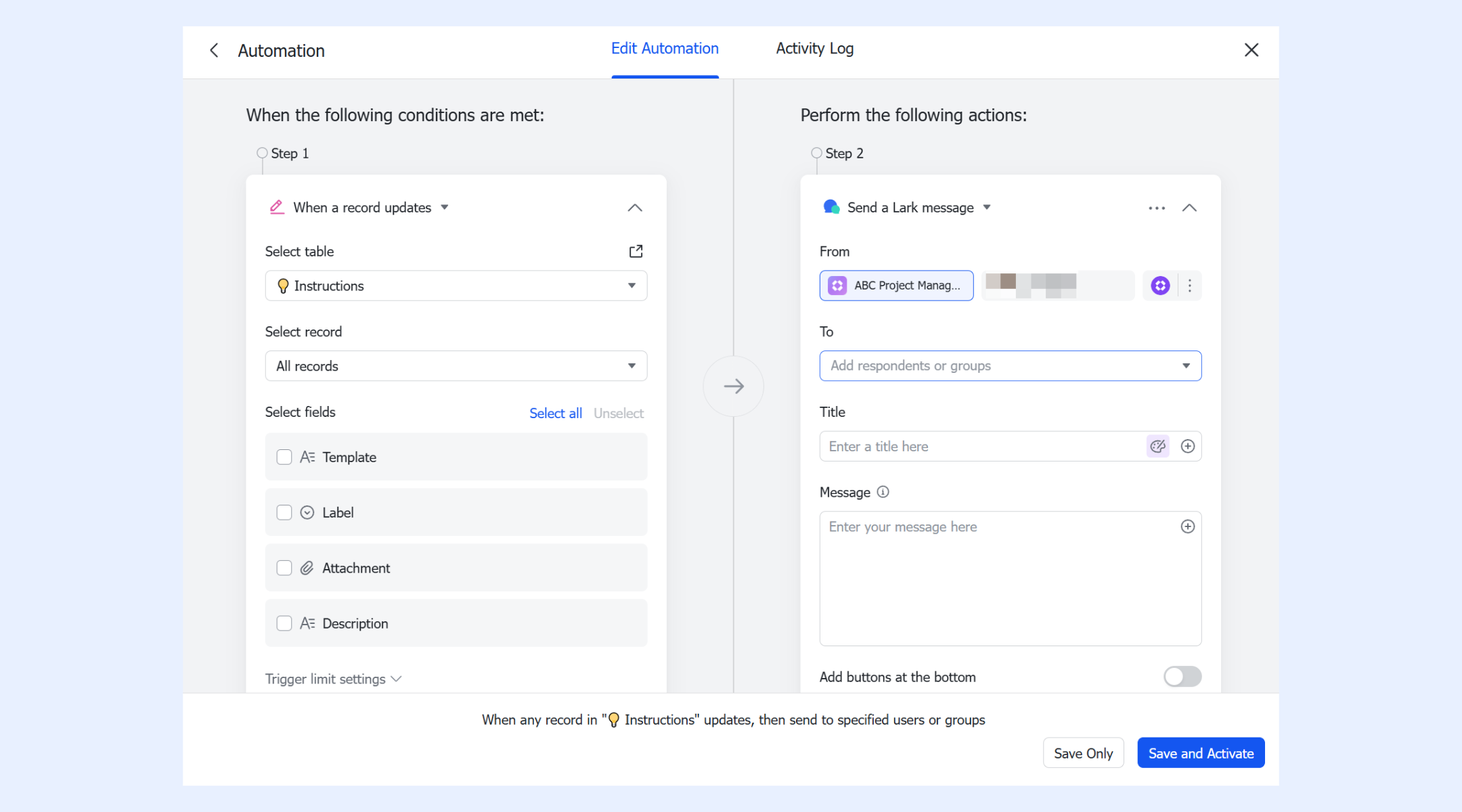
What can be automated in project management?
Project automation can streamline nearly every operational step in a project, removing manual touchpoints and ensuring work flows predictably from start to finish. These automated capabilities help teams save time, reduce errors, and maintain consistent execution across all functions.
- Task assignments and due-date calculations: Automations can assign tasks immediately when a project stage changes or a new request arrives. Due dates can be calculated based on SLA rules, workload, or project schedules. This keeps planning accurately without manual setup.
- Status updates and progress tracking: Projects stay up to date automatically as tasks move forward. Status changes trigger updates, summaries, or alerts, ensuring everyone sees real-time progress. This is essential for automation project management workflows.
- Approvals and stakeholder reviews: Approval steps can be routed to the right person instantly based on project conditions. Stakeholders receive automatic review requests, reducing delays. Complex chains become faster and more predictable.
- Document routing: Files can be sent to the correct team members or folders the moment they're uploaded or updated. This ensures documentation stays organized and accessible. No more manual forwarding or tracking.
- Request management: Incoming requests from IT, HR, finance, or operations can automatically generate tasks, assign owners, and set priorities. This creates a clean, standardized intake process for teams of any size.
- Notifications and reminders: Automated nudges help teams stay aligned and prevent missed deadlines. Reminders can be scheduled, rule-based, or triggered by inactivity. This removes the effort of manual follow-ups.
- Time logging and resource allocation: Automation helps track hours, assign resources, and monitor availability. Teams gain better utilization insights and can rebalance workloads quickly. This is especially valuable in project service automation environments.
- Client communication triggers: Updates, summaries, or milestone alerts can be sent to clients automatically when certain conditions are met. This improves transparency and reduces the need for manual check-ins.
- Intake forms and ticket routing: Forms submitted by employees or customers can immediately create structured tickets. Routing rules then assign them to the right team or queue. This improves speed and accuracy in service-heavy workflows.
Project automation examples in real life
Project automation can be applied across nearly every operational workflow, from marketing execution to IT support and financial operations. By removing manual steps and routing work automatically, teams improve speed, accuracy, and overall project consistency.
Marketing teams can automate task creation when a new campaign is planned, assign owners instantly, and move items through review stages based on approvals. Automated notifications keep designers, copywriters, and channel managers aligned. This ensures campaigns launch faster with fewer back-and-forth delays.
Sprint workflows: Auto-update statuses, send daily check-ins
Engineering teams benefit from automated status changes as tasks move between stages. Daily check-ins, reminders, or standup summaries can be sent automatically to the entire team. These workflows create a predictable rhythm and visibility across sprint cycles, ideal for automation project management setups.
Onboarding projects: Approval steps, reminders, documentation
Employee onboarding becomes smoother when approvals, equipment requests, and documentation steps trigger automatically. HR, IT, and managers receive reminders exactly when needed. This reduces delays and ensures new hires have a consistent, high-quality experience.
IT service delivery: Routing tickets based on priority
IT teams can route incoming tickets to the correct queue based on urgency, category, or department. High-priority issues trigger instant alerts or escalations. This automated routing improves SLA performance and reduces resolution time.
Sales → delivery handoff: Automating project creation from won deals
When a deal closes, automation can instantly create a new project, generate tasks, and notify delivery teams. This seamless handoff eliminates gaps between sales and operations. It's a common workflow in Dynamics 365 for Project Service Automation and Microsoft Dynamics 365 Project Service Automation.
Retail teams can automate stock alerts, store task scheduling, and logistics updates across locations. A retail automation system project often includes automated checks that detect low inventory, trigger replenishment workflows, or notify managers of delays. This reduces manual oversight in fast-moving operations.
AP automation: Invoice routing, approval chains
Automating accounts payable prevents bottlenecks when invoices require multiple approvals. Invoices can be routed based on amount, department, or vendor type. Automated reminders and audit trails reduce errors and improve financial accuracy, critical for any AP automation project.
How project automation works
Build automations that think, react, and execute exactly the way your operations run. Each capability works together to eliminate manual work and keep processes flowing smoothly.
- Triggers: Workflows activate the moment something important happens, a status update, a new entry, or an approaching deadline. These automatic starting points ensure no step relies on a manual kickoff. As soon as the trigger fires, the system begins the next action instantly.
- Conditions: Conditions act as intelligent checkpoints that verify data, ownership, or timing before progressing. They prevent workflows from acting on incomplete or incorrect information. This keeps every automation precise, accurate, and context-aware.
- Branches: Branch logic sends items down different paths based on rules, team needs, or approval requirements. It adapts complex processes into simple, dynamic routes. Each branch ensures the right action happens in the right scenario every time.
- Parallel / sequential paths: Parallel paths allow multiple steps to run at once, speeding up review cycles and teamwork. Sequential paths maintain strict order when compliance or structure matters. Together, they create flexible process flows built for real-world operations.
- Actions: Actions execute tasks automatically, creating records, updating fields, starting approvals, or assigning owners. They remove repetitive manual work and keep processes moving without human intervention. Each action ensures progress continues efficiently.
- Auto-routing: Items are automatically directed to the correct person or team based on priority, category, or workload. This eliminates bottlenecks and avoids guesswork in task distribution. Auto-routing ensures faster response times and balanced operations.
- Notifications: Real-time alerts keep teams aware of what needs attention, upcoming deadlines, approvals, or escalations. Notifications reduce delays by prompting timely action. They help maintain accountability across every workflow stage.
- Monitoring dashboards: Dashboards show live progress of all workflows, including bottlenecks and processing times. Managers get visibility into where tasks are stuck and why. This makes optimization and load balancing significantly easier.
- AI-supported automation: AI suggests next steps, identifies risks, and summarizes progress to guide smarter decisions. It analyzes workflow patterns as part of effective test data management and flags anything that seems off. With AI as a co-pilot, operations become faster, cleaner, and more proactive.
Challenges in project automation
Even powerful automation can fail when the foundation isn't clear. Understanding these risks helps teams design workflows that stay simple, scalable, and effective.
- Over-automation leads to complexity: When too many steps are automated, workflows become harder to maintain and diagnose. Teams spend more time troubleshooting than executing. The key is focusing on high-impact automations, not automating everything.
- Poorly defined workflows: If the process itself is unclear, automation only amplifies confusion. Missing owners, undefined timelines, or vague handoffs cause breakdowns. Clear mapping is essential before building any automated flow.
- Low adoption by teams: Automation falls flat when people don't understand or trust the system. Poor onboarding or a lack of visibility discourages usage. Successful automation requires training, clarity, and continuous feedback loops.
- Lack of unified tools causing fragmented processes: When teams use multiple disconnected systems, automations break or become inconsistent. Data gets scattered, and duplicate work increases. A single, unified workspace ensures smoother, end-to-end execution.
- Misconfigured logic resulting in errors: Incorrect conditions or triggers can send tasks to the wrong person, skip steps, or loop endlessly. Small configuration mistakes create big operational errors. Regular testing and monitoring keep automation reliable.
Automate it: Try Lark to manage project automations easily and right
Lark delivers a modern approach to project automation by unifying work, communication, and execution into one powerful platform. Instead of juggling scattered tools or manually coordinating every step, teams can automate tasks, updates, reminders, approvals, and reports with ease. With scalable automation, real-time collaboration, and AI-driven efficiency, Lark helps fast-moving teams operate with clarity and precision.
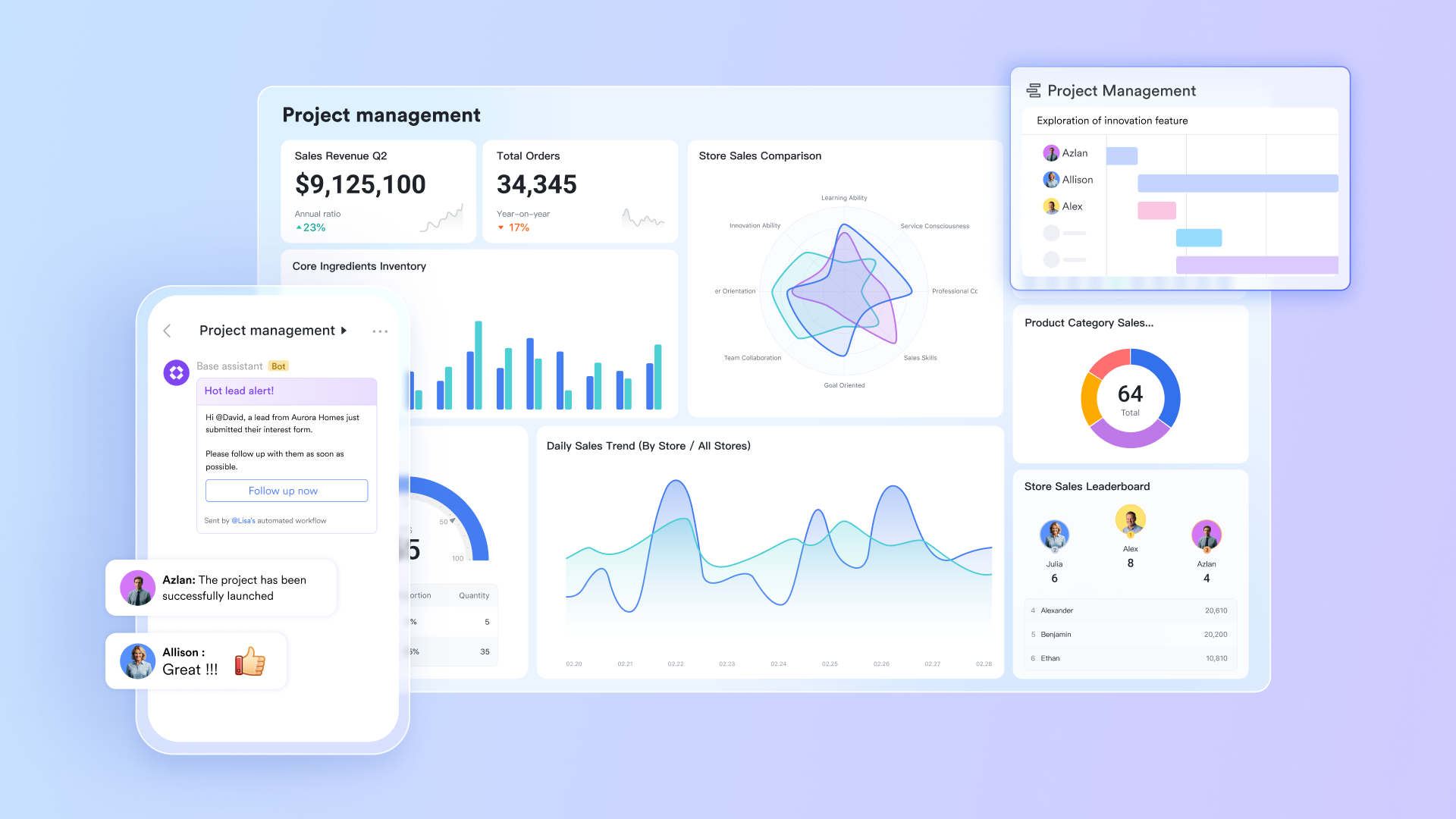
All-in-one platform: Practice automations without switching tools
Lark Base automations make it a true all-in-one platform by seamlessly connecting its Base database with other Lark products. Based on your Base data, it can automatically create calendar events in the Lark Calendar, tasks in Lark Tasks, and even new group chats in Lark Messenger—reducing manual handoffs. It also supports syncing data from Lark Sheets into Base for trigger-based automations, while receiving a Lark message can itself act as a trigger under defined conditions. This tight integration means you can automate workflows across communication, task management, scheduling, and more—all within the Lark ecosystem.
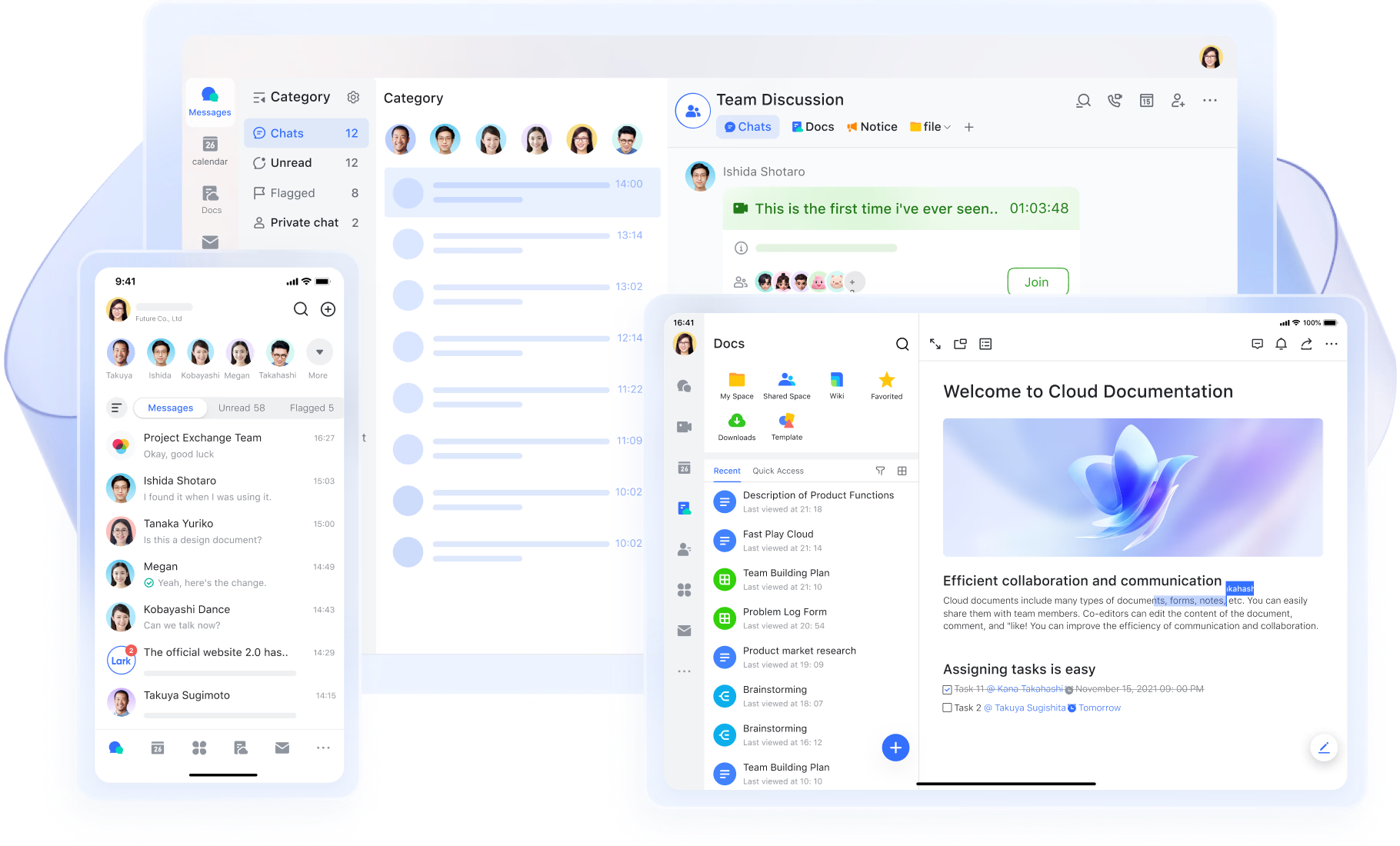
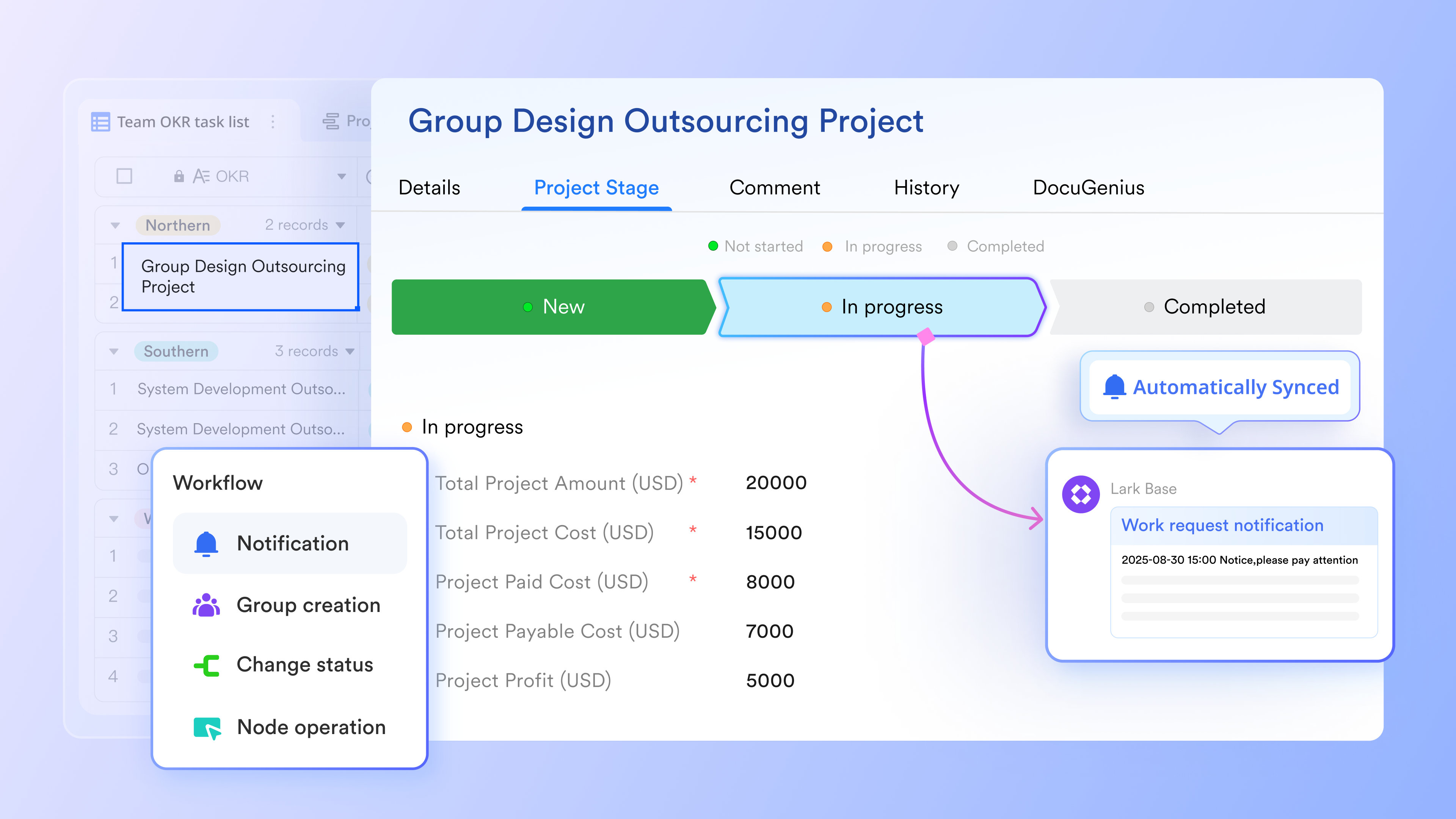
Auto-creating events, tasks, and groups from project data
Lark Base automations can generate tasks, calendar events, or chat groups automatically based on the data captured in a Base table. For example, when a project moves into a new phase, Lark can instantly create a task for the owner, schedule a review meeting, or open a new group for stakeholders. This helps teams coordinate without manual setup, keeps communication organized around the correct audience, and ensures that planning and execution stay connected to real project data.
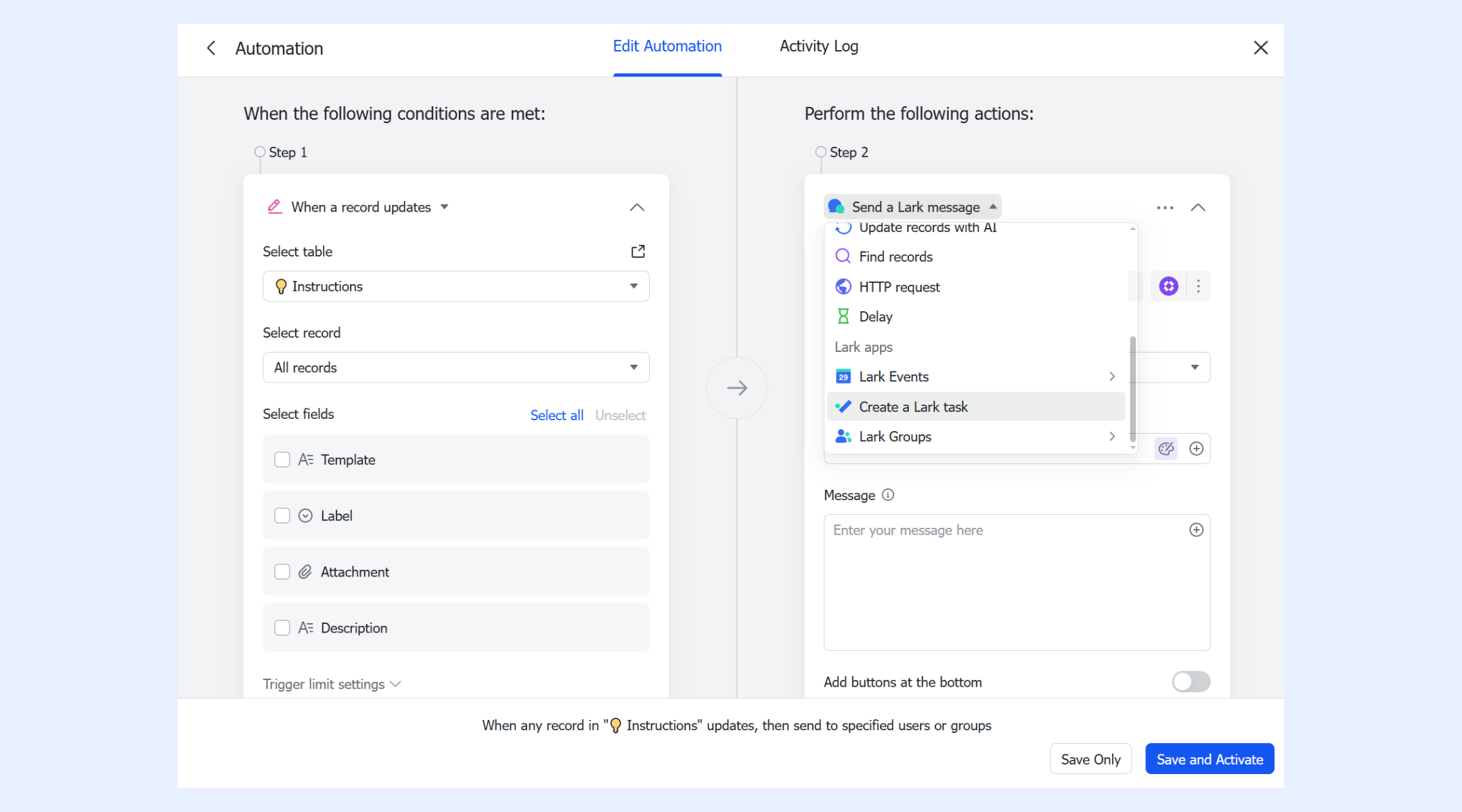
Automated notifications and reminders for timely follow-ups
Lark Base automations allow teams to send automated alerts, reminders, and nudges at specific times or repeating intervals. These reminders help project members stay aware of deadlines, approvals, milestones, or pending actions without needing manual check-ins. Because reminders can be tied to project records, dates, or stages, teams get consistent follow-ups that keep work moving. This reduces bottlenecks, removes reliance on manual oversight, and ensures everyone receives the information they need exactly when they need it.
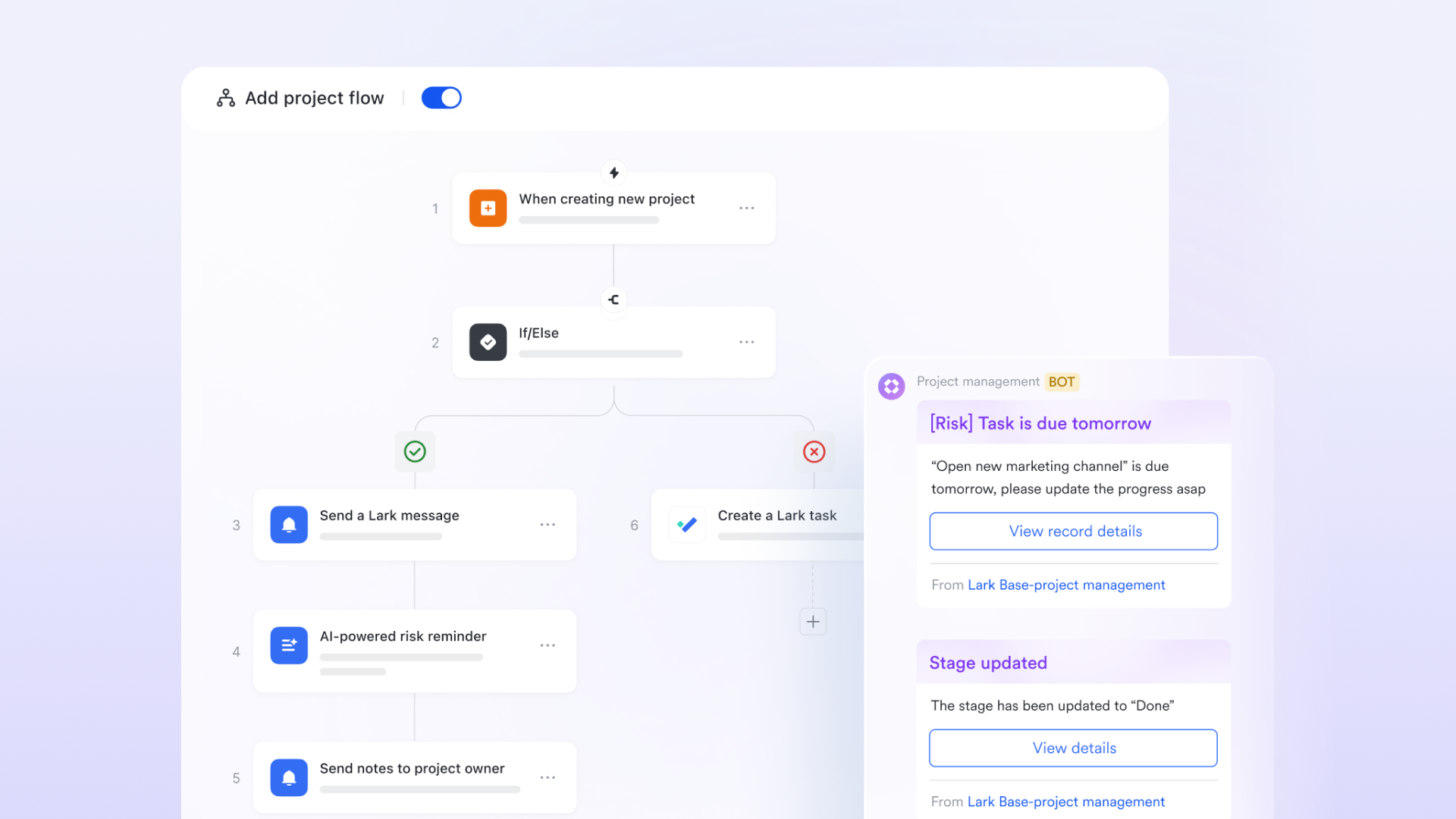
Summarized record bundles for faster review and insights
Lark can compile up to 50 records into a single automated message. This is especially helpful for daily summaries, weekly reviews, sprint updates, or progress snapshots. Instead of reviewing dozens of items one by one, team members get a structured message containing key fields and updates, making it easier to evaluate progress, catch delays, or provide feedback. This summary-based automation enables clear communication and eliminates repetitive reporting tasks.
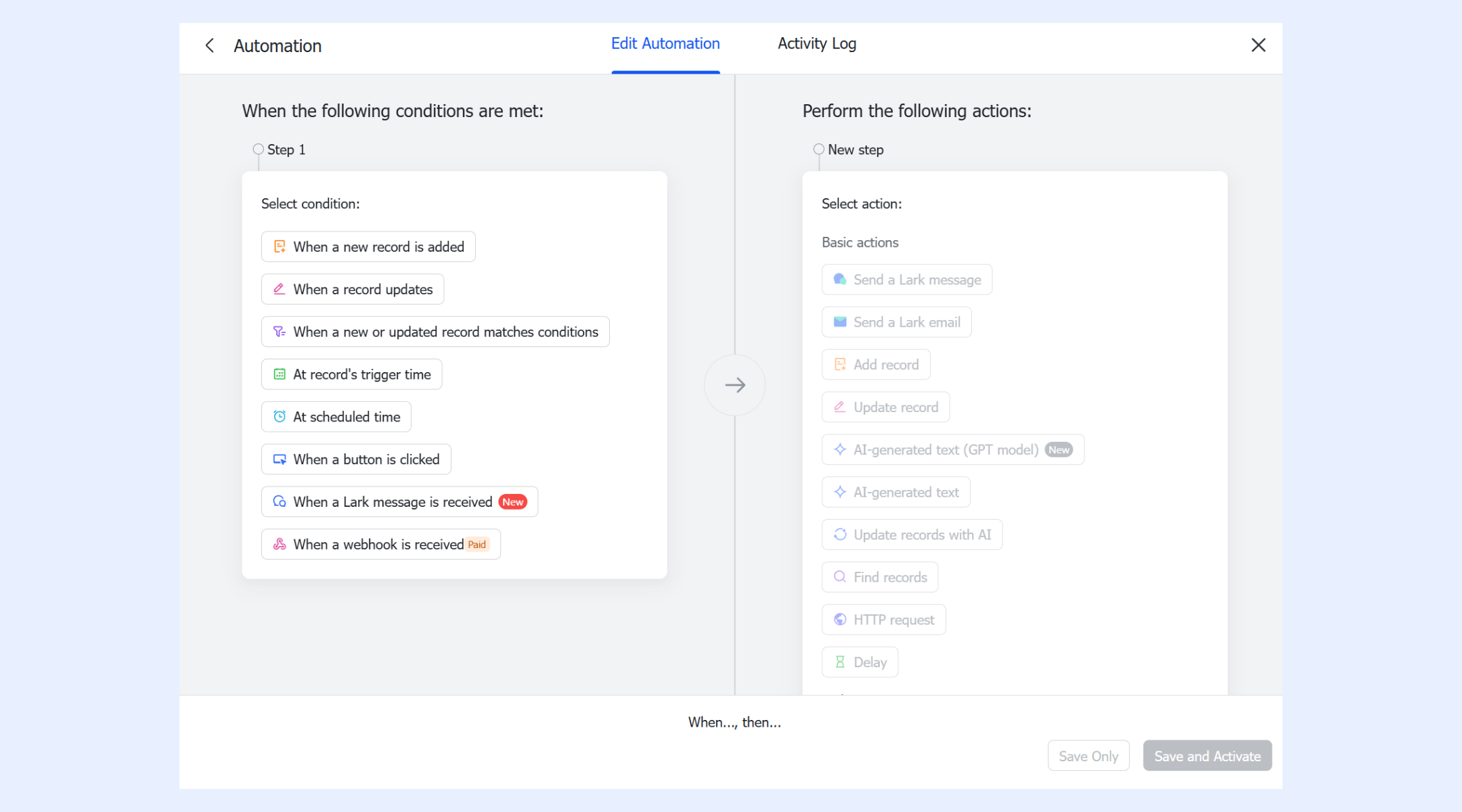
Triggers based on data changes, schedules, actions, or webhooks
Lark offers several trigger types that determine when automation begins. Triggers can fire when a new record is created, an existing record is updated, a specific time occurs, a button is clicked, or an external system sends a webhook. This flexibility means that automation can respond dynamically to both human actions and system events, making it suitable for a wide range of project workflows, from onboarding to sales tracking to operational reporting.
- Starter plan: Free forever plan that includes 11 powerful tools for up to 20 users. It also comes with 100GB of storage, 1000 automation runs, AI translations, and more.
- Pro plan: $12/user/month (billed annually) for up to 500 users. It includes everything in Starter plus group calling for up to 500 attendees, 15TB of storage, 50,000 automation runs, and more.
- Enterprise plan: Contact sales for custom pricing. Supports unlimited users and includes even more automation runs and advanced security, compliance, and management features.
Reviewing Google Workspace pricing can help identify potential savings opportunities across your software stack.
Benefits of project automation
Project automation delivers measurable improvements across every stage of execution, helping teams work faster while reducing operational friction. By automating repetitive tasks and data flows, teams gain the speed and clarity needed to scale without adding unnecessary workload.
- Faster project delivery: Automation removes delays caused by manual handoffs, scattered communication, and overlooked tasks. Work moves instantly between stages, ensuring no step stalls the project. Teams complete campaigns, sprints, and onboarding workflows much faster.
- Reduced manual errors: Automation reduces the risk of incorrect data entry, missed updates, or forgotten approvals. Processes run the same way every time, ensuring consistent quality. This is especially valuable in areas like AP automation and retail operations.
- Better resource utilization: Automated task assignments and scheduling help distribute work more evenly across teams. Leaders can see real-time workloads and shift resources proactively. This leads to smarter planning and fewer bottlenecks.
- Improved visibility and reporting: Dashboards and automated summaries give teams instant insight into progress, blockers, and performance. No one needs to manually gather data or create reports. This transparency strengthens decision-making across departments.
- Higher accountability: Automation tracks every action, who did what, when, and why. Clear ownership ensures tasks don't slip through the cracks. Teams work with more confidence and reliability because responsibilities are always documented.
- Scalability for fast-growing teams: As teams expand, manual processes simply can't keep up. Project automation supports larger workloads and more complex workflows without extra admin effort. This makes it ideal for growing companies or multi-department operations.
- Lower operational cost over time: By cutting down repetitive tasks and reducing errors, automation frees teams to focus on high-impact work. Fewer delays and mistakes translate into significant cost savings. Over time, automation becomes a major driver of operational efficiency.
How to choose the right project automation platform
Selecting the right system depends on how your team works, grows, and collaborates. These factors help you evaluate which platform delivers the best fit and long-term value.
- Team size: Smaller teams need simple, fast-to-deploy automation, while larger teams require more structure and scalability. The platform should handle growing task volume without slowing down. Choose a system that adapts as your team expands.
- Complexity of workflows: Some teams run straightforward processes; others manage multi-step approvals, routing, or compliance-heavy tasks. The platform should accommodate both simple and advanced flows. Robust logic ensures nothing breaks as complexity increases.
- Collaboration needs: Teams need smooth coordination across tasks, updates, and communication. The platform should minimize back-and-forth and reduce dependency on manual check-ins. Strong collaboration features keep everyone aligned and accountable.
- Documentation and communication requirements: Projects rely on proper documentation, versioning, and clear communication trails. A good platform centralizes files, conversations, and updates in one place. This ensures transparency and prevents information from getting lost.
- AI assistance: AI enhances automation by predicting next steps, identifying bottlenecks, and reducing manual input. Look for tools that offer intelligent suggestions and automated summaries. AI support accelerates decision-making and boosts efficiency.
- Budget vs. Value: The right platform should offer a strong ROI, not just a low price. Consider long-term savings from reduced manual work, fewer errors, and faster delivery. The best choice balances cost with measurable business impact.
Conclusion
Project automation transforms the way modern teams work by eliminating manual tasks, standardizing execution, and ensuring every project moves with speed and clarity. From reducing errors to improving accountability and visibility, it creates a scalable foundation for consistent delivery across marketing, operations, HR, IT, finance, and more. By combining intelligent logic, automation flows, and team-wide collaboration, organizations unlock higher efficiency and long-term operational strength. The smartest way to put all of this into action is with a unified platform built for fast, flexible automation like Lark.
FAQs
What types of teams benefit most from project automation?
Project automation benefits any team managing repeatable workflows, high task volume, or multi-step coordination. Marketing, operations, HR, IT, finance, customer success, product, and service delivery teams gain the most because automation removes busywork, standardizes processes, and reduces delays. Fast-growing teams especially benefit, as automation keeps execution consistent even when workload increases rapidly.
How to calculate ROI for an automation project?
ROI for an automation project is calculated by comparing the financial gains from automation to the total cost of implementing it. The formula is: ROI = (Annual Savings − Implementation Cost) ÷ Implementation Cost × 100%.
Savings typically include reduced labor hours, fewer errors, faster output, and improved productivity.
Does project automation replace human project managers?
No, project automation enhances, not replaces, human project managers. Automation handles repetitive tasks, reminders, routing, and tracking, while project managers focus on strategy, stakeholder alignment, risk management, and decision-making. Instead of micromanaging operational details, they spend more time optimizing workflows, guiding teams, and delivering better outcomes. Automation becomes a support system, not a substitute.
How long does it take to implement project automation?
Implementation time depends on workflow complexity, team readiness, and clarity of existing processes. Simple automations can be set up within hours, while multi-step, cross-department flows may take days or weeks to refine. With clear process mapping and defined owners, teams can onboard quickly. Most organizations start seeing results within the first week of adoption.
Can automation help teams working across multiple departments?
Yes, automation is especially powerful for cross-department teams. It standardizes handoffs, ensures consistent communication, and eliminates the confusion caused by siloed tools. Automated routing, status updates, and shared dashboards keep everyone aligned, regardless of department. This reduces bottlenecks, speeds up approvals, and increases accountability. Automation acts as the central “operating system” for multi-team collaboration.
What skills do you need to build automated project workflows?
Teams don't need coding skills, just a strong understanding of their processes. Key abilities include mapping workflows, defining triggers, choosing conditions, assigning owners, and identifying bottlenecks. A basic grasp of logic (if-this-then-that) helps. With AI assistance and template-based builders, even non-technical users can create reliable automations that scale across teams.
Related reading
Table of contents
Start using Lark today

Manage all your work in one place
Boost team efficiency by 10x
Save up to 70% on software costs
Table of contents
Start using Lark today
Manage all your work in one place
Boost team efficiency by 10x
Save up to 70% on software costs
Keep reading






2026 Lark Technologies Pte. Ltd.
Headquartered in Singapore with offices worldwide.






Explore: