You know the moment. Someone asks, “Do we have anyone who can run this project?” and a spreadsheet gets pulled up like it’s an oracle. It looks official. Tabs. Colors. Maybe even a dropdown or two. But if you’ve ever staffed a job based on it and then watched reality disagree, you already know the truth: the sheet isn’t malicious. It’s just outdated, inconsistent, and way too easy to “complete” without being accurate.
The good news is you don’t need a bigger spreadsheet. You need a matrix that’s harder to fake and easier to maintain.
The three ways a skills matrix goes wrong
Most skills matrices don’t fail because someone typed the wrong value once. They fail because the sheet quietly rewards the wrong behaviors.
Lie #1: “Everyone’s a 4 out of 5.”
If your proficiency scale is vague, people will interpret it generously. A “4” becomes “I’ve done it before,” not “I can do it unsupervised under pressure.” Then you assign a “strong” engineer to a client migration and find out they’ve never handled a cutover weekend.
Fix: Define each level with observable behavior. If you can’t write a sentence that distinguishes a 2 from a 3, the scale isn’t ready.
Example rubric that works in real teams:
- 1: Awareness. Can explain the concept. Needs step-by-step help.
- 2: Can do standard tasks with a checklist. Needs review.
- 3: Reliable solo delivery on typical work. Knows common pitfalls.
- 4: Can handle edge cases, mentor others, and choose approaches.
- 5: Recognized specialist. Sets standards and improves the system.
Lie #2: “The list of skills is ‘whatever people type’.”
Free-text fields feel flexible until you try to filter. One person writes “SQL,” another writes “Postgres,” a third writes “DB queries,” and suddenly your “find everyone who can…” search becomes guesswork.
Fix: Create a controlled vocabulary. You don’t need a perfect taxonomy, just a stable one. Start with 30–60 skills that match the work you actually sell and deliver.
If you’re stuck, use an existing framework as a sanity check. In, the point isn’t that you’re building a cybersecurity org chart. It’s that shared language that stops teams from arguing about what a role “really” requires. Use the same idea for your function: consistent terms, clear categories, and less debate.
Lie #3: “It’s updated… eventually.”
A matrix that relies on annual reviews turns into a museum. People change projects, tools change, certifications expire, and the sheet keeps smiling as if nothing happened.
Fix: Tie updates to events. When someone finishes onboarding, completes a training module, passes an assessment, ships a project, or changes roles, the matrix should change within days, not quarters.
Manage your spreadsheet with an all-in-one solution
Build a matrix that can’t be lied to
This is the part where most teams overcomplicate it. Don’t. You’re building a system that helps you make decisions on Monday, not a philosophical model of human capability.
Start with a clean structure:
- Plus a small profile block: role, team, location, primary domain, last verified date
Then add three guardrails that stop the quiet drift.
Guardrail 1: Separate “self-rating” from “verified.”
Self-ratings are useful. They just shouldn’t be treated as staffing truth. Create two fields per skill:
- Self: what the person believes
- Verified: what the team can rely on
Verification doesn’t need to be dramatic. A manager's sign-off after a delivered project is often enough. For higher-risk skills, use a short practical test or pair review.
Guardrail 2: Lock the parts people shouldn’t casually change.
Most spreadsheet chaos is permission chaos. Someone “helpfully” inserts a column, breaks a formula, and now the whole sheet is a haunted house.
Use protections for:
- skill names and categories
- The proficiency rubric text
Even if you’re using Google Sheets today, the principle is the same: protect structure, allow inputs. In, the workflow is built for this exact situation—shared file, multiple editors, one consistent structure. Do that, and you’ll stop losing hours to “why is the filter broken again?”
Guardrail 3: Make “last verified” unavoidable.
This sounds small, but it changes behavior fast. Add a required “last verified date” for each person or for each skill group. If the date is older than 90 days, the matrix should visually flag it.
A simple rule that works:
- Green: verified in the last 90 days
- Red: older than 180 days or never verified
Now, when someone says, “We have plenty of people at level 4,” you can answer, “How many of those are current?”
At this point, some teams realize they’ve outgrown a spreadsheet because they need audit trails, workflows, and a skills system that stays current without constant manual policing. A dedicated can fit naturally here when you’re ready to move beyond static grids and keep certifications, role requirements, and proficiency evidence in one place. The key is choosing a setup that makes updates normal, not heroic.
Manage your spreadsheet with an all-in-one solution
Make the matrix useful for staffing, not just reporting
A skills matrix that only lives in HR documents becomes decorative. The real value shows up when you use it to answer staffing questions quickly and consistently.
Here are three decision workflows that turn “skills data” into action.
Workflow 1: “Can we staff this project in 10 minutes?”
Take a real example. You need a two-person team for a six-week rollout:
- Role A: implementation lead, must be 3+ in Product X, 3+ in customer training
- Role B: data specialist, must be 3+ in SQL, 2+ in dashboards, available within two weeks
Good matrix behavior looks like this:
- Filter people by availability window.
- Filter by verified proficiency thresholds, not self-ratings.
- Check “last verified” freshness.
- Confirm one piece of evidence per critical skill: a project, an assessment, a manager sign-off.
This is where your sheet needs structure beyond raw rows and columns. If you’re summarizing skills coverage across teams, a pivot can save you from scrolling purgatory. Lark’s help doc on how to create and use pivot tables is useful for turning “everyone’s ratings” into a count like “how many verified 3+ SQL people do we actually have?” The difference between “we think” and “we know” shows up in that number. Workflow 2: “What should we train next month?”
Training gets political fast if it’s not tied to data. So define a simple gap rule.
Example:
- If a skill is required for a role but fewer than 2 people on that team are verified 3+, it’s a training priority.
- If a skill is required and no one is verified 3+, it becomes a hiring or cross-team staffing issue, not a “let’s add a webinar.”
Then run the matrix like a backlog:
- Top gaps: skills needed for active projects
- Near-term gaps: skills tied to planned pipeline
- Baseline gaps: skills required for safety, compliance, or core delivery
You’ll be surprised how quickly “random training requests” calm down when you can point to a transparent rule.
Workflow 3: “Who’s ready for promotion?”
Promotions shouldn’t be a mysterious ritual. Use the matrix to define readiness in a way that feels fair.
Example for a team lead role:
- 3+ in two core delivery skills
- 3+ in one planning skill
- 2+ in coaching or stakeholder management
- Evidence from two projects in the last 6 months
Now your matrix isn’t just a skills inventory. It’s a set of expectations people can work toward.
If you want a clean format for capturing roles, skill categories, certifications, and years of experience without reinventing the wheel, Lark’s is a solid base. The real win comes when you keep the language consistent and the verification habit alive.
Introducing Lark: Your all-in-one platform for a trustworthy spreadsheet
Building a reliable and transparent spreadsheet skills matrix requires more than just data entry—it demands seamless collaboration, real-time updates, and efficient . Lark offers a comprehensive suite of tools designed to help you create, manage, and maintain your skills matrix with confidence.

At the core is , a powerful workflow automation and dashboard platform that enables you to design customizable workflows and visualize key project data at a glance. With Lark Base, you can automate repetitive tasks, streamline workflows, and monitor progress, ensuring your skills matrix stays accurate and up to date.
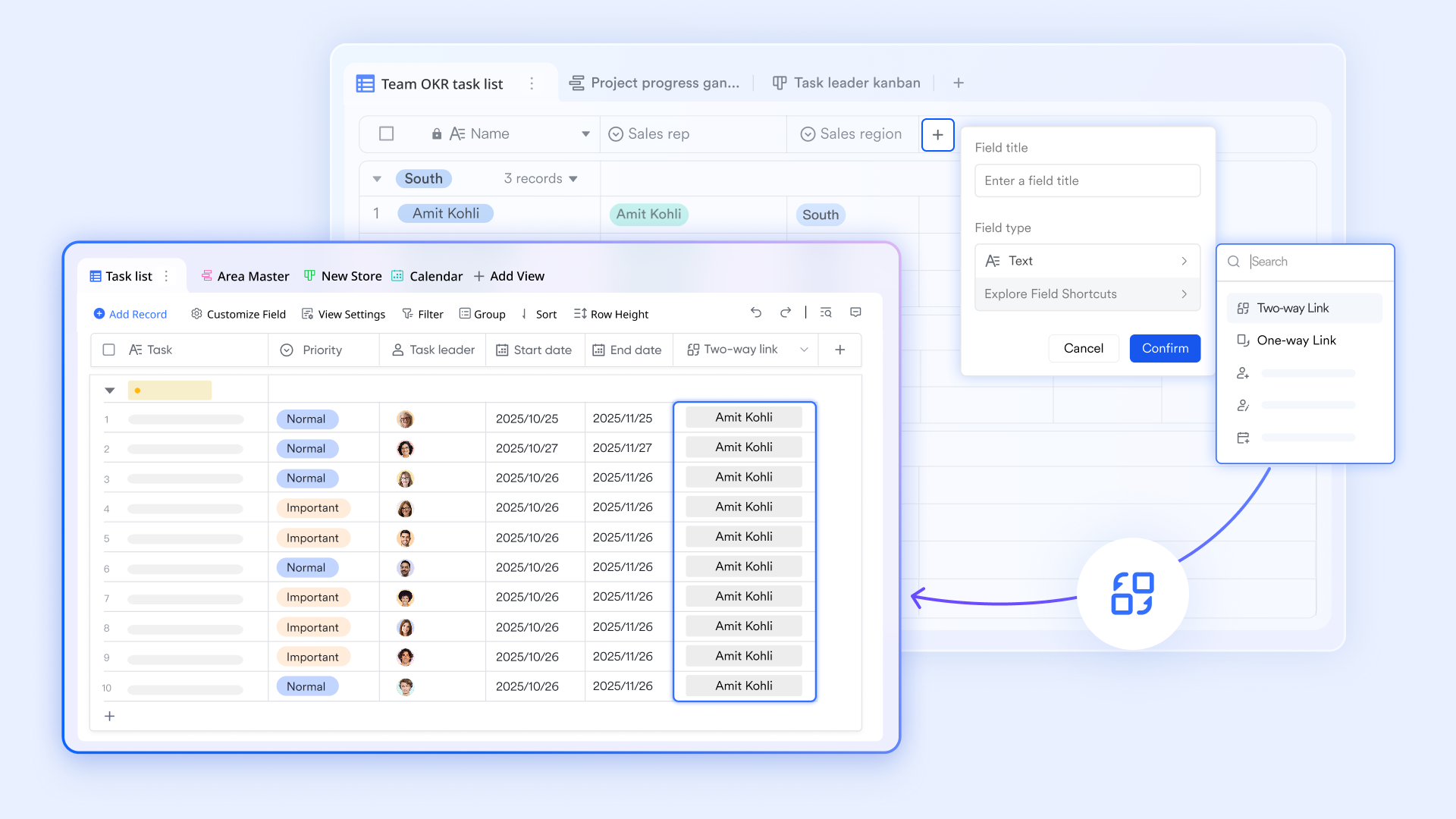
Complementing this is , especially , which provide cloud-native spreadsheet capabilities with robust collaboration features. Multiple team members can work simultaneously on the same sheet, with changes reflected in real time, reducing errors and version conflicts. Lark Sheets supports advanced formulas and integrations, making it ideal for managing complex skills data efficiently. Its AI function can also streamline teams' tasks and boost productivity.
Beyond spreadsheets, Lark includes a range of integrated productivity tools to enhance team communication and coordination. facilitates instant messaging and group chats, keeping your team connected. supports high-quality video conferencing for discussions and reviews.

Meanwhile, Lark Tasks helps assign and track action items related to your skills matrix, ensuring accountability and timely updates. 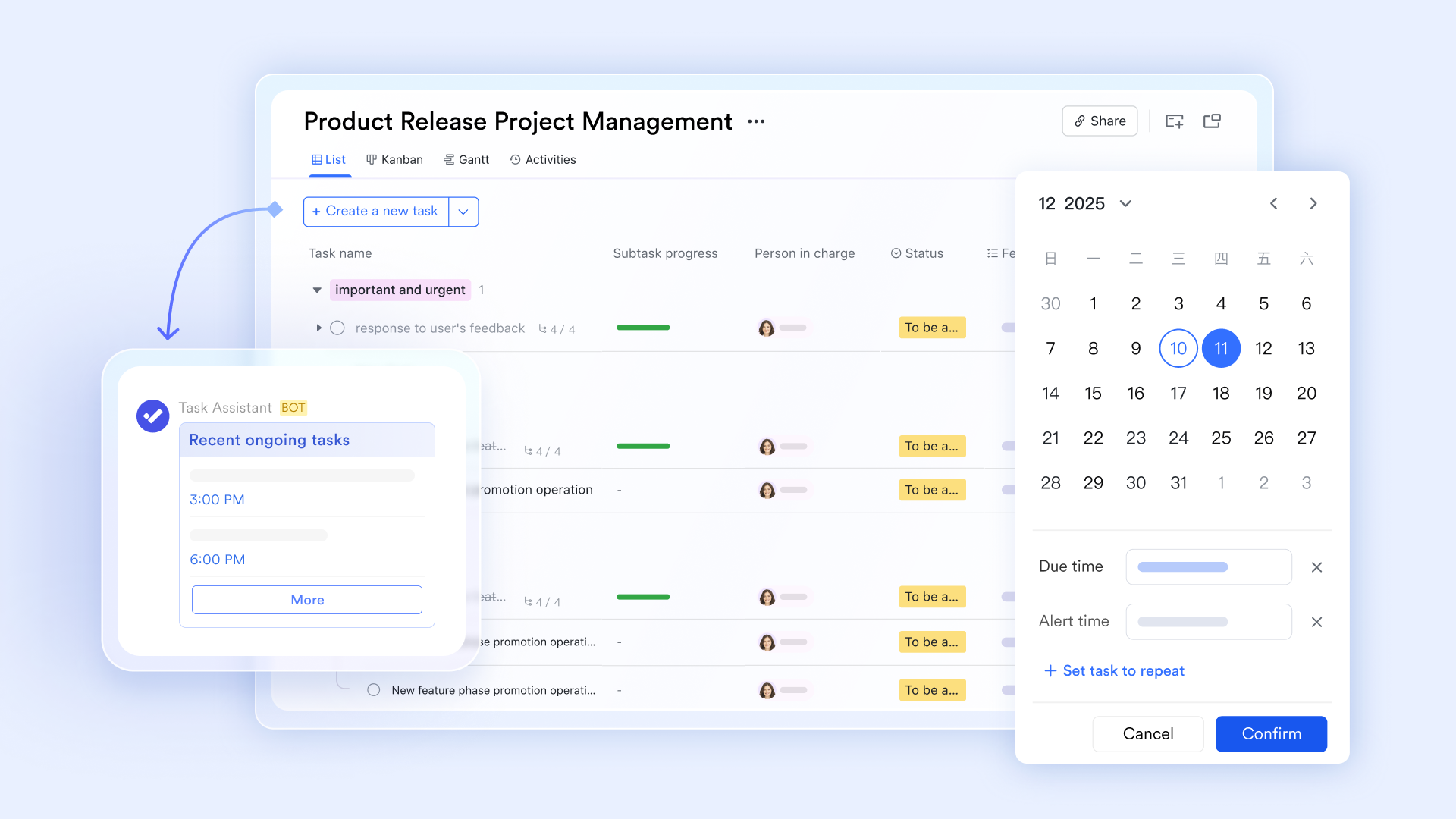
Together, these features make a unified platform that empowers teams to build and maintain a trustworthy spreadsheet skills matrix with ease, fostering transparency and collaboration across your organization.
:
- Starter plan: that includes 11 powerful tools for up to 20 users. It also comes with 100GB of storage space, 1000 automation runs, AI translations, and more. No credit card needed.
- Pro plan: (billed annually) for up to 500 users. It includes everything in Starter plus group calling for up to 500 attendees, 15TB of storage space, 50,000 automation runs, and more.
- Enterprise plan: for custom pricing. Supports unlimited users and includes even more automation runs and advanced security, compliance, and management features.
For small teams with simple communication needs

18 months message history
1000 Base automation runs/month
2000 rows per table in Base
Most POPULAR
For companies with comprehensive collaboration and management needs
Unlimited message history
500-participant video meetings
50k Base automation runs/month
20k rows per table in Base
For large companies with advanced security and organizational management needs
Get a personalized demo and pricing
Unlimited message history
500-participant video meetings
15 TB storage + 30 GB storage/user
500k Base automation runs/month
50k Base automation runs/month
Most POPULAR
For companies with comprehensive collaboration and management needs
Unlimited message history
500-participant video meetings
50k Base automation runs/month
20k rows per table in Base
Keep it honest with a maintenance rhythm that doesn’t hurt
The hardest part isn’t building the matrix. It’s keeping it from turning back into fiction. You don’t need a quarterly “matrix cleanup day” that everyone dreads. You need a light cadence tied to normal work.
Here’s a rhythm that works in teams of 10 to 200:
Weekly: tiny updates
- Managers approve or reject new verified ratings from completed work.
- New hires get their first baseline entries and dates.
- Any role changes trigger a review of required skills.
This should take 10–15 minutes, tops, because you’re only touching what changed.
Monthly: reality check
- Run a freshness filter: who hasn’t been verified in 90+ days?
- Pull the top 5 skill gaps by role requirement.
- Spot-check 5 random entries for evidence quality.
Make it part of an ops meeting. Not a special event. If it doesn’t fit in a normal month, your process is too heavy.
Quarterly: adjust the system, not just the data
- Remove skills nobody uses.
- Add skills that keep showing up in project retros.
- Tune proficiency definitions if everyone clusters at 4s again.
- Review who has permission to edit the structure and who shouldn’t.
A nice side effect: your matrix becomes a mirror for your business. When you shift services, the skills that matter shift too. One more guardrail that saves pain: pick a single “owner” for the matrix. Not only the editor, but also the owner. They’re responsible for naming conventions, rubric consistency, and making sure changes don’t break the system. Without that, you’ll end up with three competing versions and a Slack argument about which one is real.
Implement timely reviews with modern team collaboration tools
Conclusion
A spreadsheet skills matrix isn’t worthless. It’s just honest only when the structure forces honesty. Tighten the proficiency scale, stop free-text sprawl, and separate self-belief from verified readiness. Protect the parts that shouldn’t change and make freshness visible so stale ratings can’t hide in plain sight. In addition, choosing the right tool, like Lark, to make full use of the data in your spreadsheet is now gaining more importance.
FAQs
Why do many skills matrices look complete but still aren’t trustworthy?
Common issues include:
- Self-assessment bias: the same level means different things to different people
- No shared definitions: missing skill definitions, level rubrics, and assessment methods
- Stale data: skills change quickly, matrices get updated slowly
- Binary recording only: “can/can’t” without proficiency, context, or evidence
As a result, the matrix can’t reliably support staffing, project matching, training plans, or hiring gap analysis.
How do we define skill levels so ratings are consistent across teams?
Use behavior-anchored criteria instead of subjective adjectives:
- L1: can complete basic tasks with guidance (examples/templates available)
- L2: can independently complete common tasks (deliverable-ready)
- L3: can handle complex/edge cases and coach others (with retros/best practices)
- L4: can define standards/methodology and drive cross-team adoption (org-level impact)
Then add 2–3 concrete examples per skill (e.g., “build X type of report and reduce runtime to Y seconds”).
Without buying a new system, how can I make an Excel/Spreadsheet matrix more reliable?
Add four low-cost upgrades:
- Evidence column: links to tickets, PRs, docs, portfolios, certifications/exams
- Assessment source: self / peer / manager / hands-on test (multi-select)
- Timestamps & validity: “assessed on” and “review due” dates
- Validation rules: dropdown enums, data validation, and conditional formatting for missing items
This shifts the matrix from a “feelings sheet” to an auditable dataset.
How do we make the skills matrix drive real decisions instead of becoming shelfware?
Connect it to three operational actions:
- Staffing & project matching: filter candidates by critical skills/levels to reduce trial-and-error
- Training & growth: generate training backlogs and learning paths from key skill gaps
- Hiring & succession: convert gap data into JD priorities instead of hiring by intuition
Do a lightweight monthly/quarterly review focusing only on critical roles and critical skills, and publish a one-page summary: gaps, risks, and actions.
Related reading



















