














Spreadsheet Template Guide: 13 Examples Chosen for You

Ryan Tanner
Product Marketing Specialist
Sep 18, 2026
Ryan Tanner
Sep 18, 2026

15 min read


Spreadsheets are a go-to tool when teams need to plan, track, or calculate something quickly. Whether you're budgeting monthly expenses, managing inventory, tracking college applications, or handling CRM data, a spreadsheet template gives you a ready-built structure so you don't start from zero.
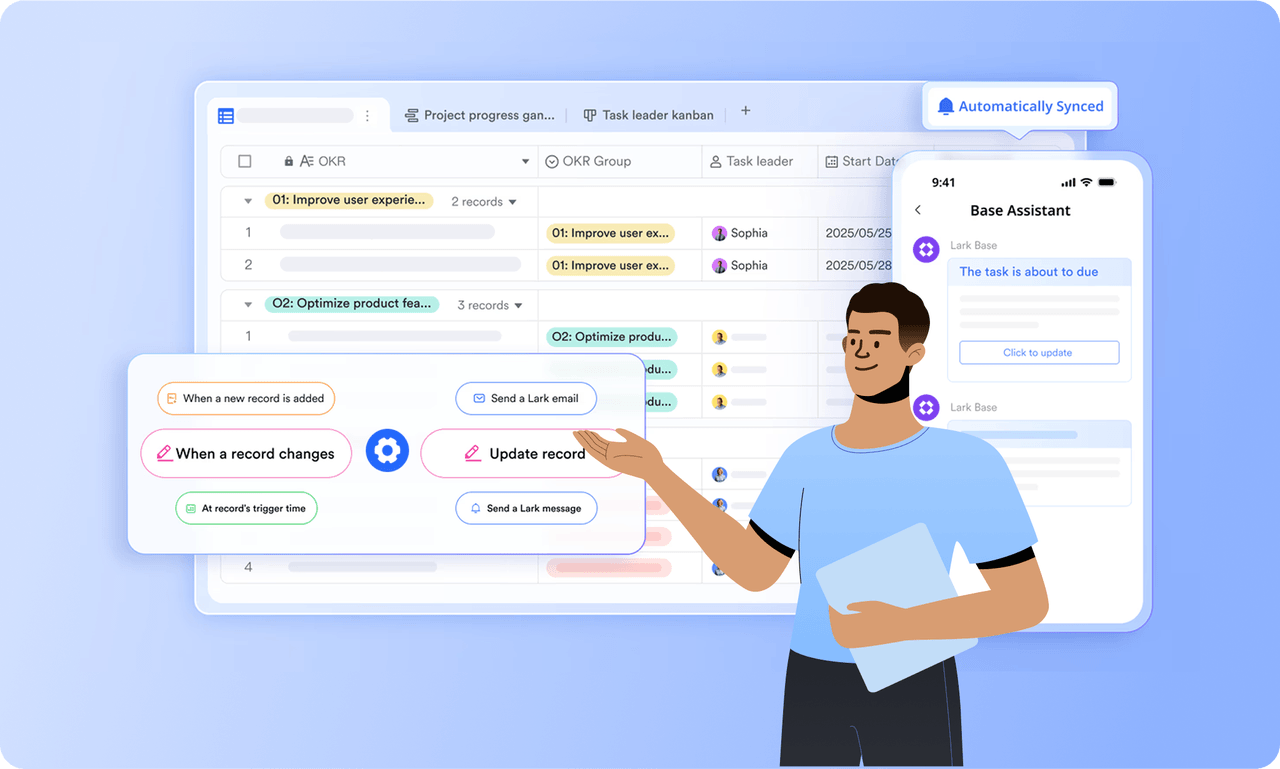
But spreadsheets often reach their limit when you need real-time teamwork, reminders, connected data, or workflow automation. That's where Lark helps teams scale from simple spreadsheet templates into smart work systems without losing the familiar, flexible feel of sheets.

What is a spreadsheet template?
A spreadsheet template is a ready-made framework, typically in Excel or Google Sheets designed for a specific purpose. It comes with pre-set formulas, structured fields, and formatting to help teams organize data efficiently without starting from scratch.
Here's how different types of spreadsheet templates make work easier:
- Budget spreadsheet template: Simplifies expense tracking and savings planning by automatically calculating totals and highlighting spending patterns.
- Inventory spreadsheet template: Keeps product data, quantities, and reorder levels organized, so you never lose track of stock.
- CRM spreadsheet template: Helps teams record leads, monitor deal stages, and plan timely follow-ups to improve customer relationships.
- Project management spreadsheet template: Breaks down tasks, owners, and timelines to maintain visibility on project progress.
- College application tracking template: Lists application deadlines, required documents, and scholarship details to stay organized through the process.
How templates helps you:
- Save setup time: Pre-filled fields and formulas let you start analyzing data instantly.
- Avoid formula mistakes: Tested templates reduce errors from manual calculations.
- Standardize data across your team: Everyone follows the same structure for consistency.
- Gain instant visibility into trends: Built-in summaries and charts reveal insights quickly.
But as collaboration grows and data scales, even the best spreadsheets can start showing their limits.
Ready-to-use templates for quick starts and plans
1. Budget tracker template
Managing your personal or business finances can be a daunting task, but with Lark's Budget tracker template, you can easily track your expenses and income in one place. This template allows you to input your financial transactions, categorize them, and analyze your spending habits. Whether you're trying to stick to a budget, save for a specific goal, or simply gain a better understanding of your financial situation, this template is here to help.
2. Seasonal ingredient tracker for inventory managers
Managing seasonal ingredients can be a challenge for inventory managers. Keeping track of availability start and end dates, current stock levels, restock levels, unit costs, preferred suppliers, and supplier contacts is crucial for ensuring a smooth supply chain. This template provides a comprehensive solution to streamline the process and optimize inventory management for seasonal ingredients.
3. Multi-project tracker template
Multi project tracker template is a comprehensive project management tool that allows you to track and manage your projects in a structured and organized manner. It provides a Gantt chart for visualizing project progress, a task priority view for identifying critical tasks, and customizable fields for tailoring the template to your specific needs. It also allows you to filter, group, and sort tasks based on various parameters such as project, priority, status, and executor. Additionally, it provides a record of start and end dates for each task, enabling you to keep track of timelines effectively.
4. CSR coordination activities tracker template
Keeping track of your corporate social responsibility (CSR) activities is crucial for CSR coordinators to ensure that initiatives are running smoothly, meeting objectives, and making a positive impact on the community. Many organizations also rely on corporate volunteering software to streamline planning and tracking. This template provides a comprehensive overview of all CSR activities, including details such as activity ID, name, date, location, objective, budget allocated, participants, outcome, and status.
5. Inventory management template
The store inventory management template is a comprehensive tool designed to help you manage your store's inventory, sales, and employees. It includes sections for store details, employee management, daily sales reports, and goods management. It also provides features for inventory management, including inbound and outbound management. This template is designed to streamline your inventory processes, making it easier to track, manage, and report on your store's inventory.
6. Project tracking template
A project tracking template is a tool used to monitor the progress of a project and ensure that tasks, timelines, and resources are aligned with project goals. It provides a structured framework for keeping track of key project components, such as tasks, deadlines, milestones, and budgets.
7. Social media content calendar template
A social media content calendar is a crucial tool for planning, scheduling, and managing your social media content. It helps you keep track of what content is being posted, when, and on which platform. This template includes fields for the date, day of the week, platform, content type, topic, post copy, image/video URL, status, and notes. It allows you to have a clear overview of your social media strategy and ensures that your content is well-distributed and consistent.
8. KPI-performance review system template
Performance reviews are a critical part of any organization's HR strategy. They provide a structured way to assess employee performance, identify areas for improvement, and set goals for future development. This KPI-performance review system template is designed to streamline the review process, making it easier for both managers and employees to track progress and understand performance metrics. It includes features for tracking the number of participants, overall employee performance scores, and evaluator achievement rates for each performance goal.
9. HR development procurement training template
Keeping track of employee training completion is crucial for HR development teams, especially when it comes to procurement training. HR development procurement training template allows you to input and monitor employee ID, name, department, training module, completion date, instructor, score, and training status. With this comprehensive view, HR teams can easily identify training gaps, track progress, and ensure compliance with training requirements.
10. Supplier management
The supplier management template is a comprehensive tool designed to help you manage suppliers and projects in one place. It includes sections for supplier profiles, project progress updates, start dates, contact details, and drawn amounts—all structured for clarity and accessibility. Ideal for manufacturing firms, procurement officers, or anyone working with multiple suppliers, this template centralizes information, streamlines processes, and enhances collaboration across stakeholders.
11. Real estate listing management
The real estate listing management template provides a structured format to streamline property tracking and deal management. You can record details such as property type, location, salesperson, costs, transaction price, list date, status, and net profit—all in one place. Ideal for real estate agencies, property managers, and independent realtors, it helps you stay organized, save time, and maintain professionalism when managing multiple listings.
12. Team work calendar
The team work calendar template gives teams a unified worksheet to organize and monitor tasks, deadlines, and project status. It includes a Gantt chart for visual timelines, a Kanban board for task tracking, and a priority view to ensure key items get attention. Perfect for teams of any size, this template promotes transparency, improves collaboration, and reduces time lost in meetings or status updates.
13. Meeting notes management template
The meeting notes management template helps you keep track of all your meeting notes in one place, ensuring that no critical information slips through the cracks. It allows you to submit notes, develop custom fields, and group or sort entries for easy access. Ideal for team leaders, project managers, and anyone who needs a systematic way to manage discussions, decisions, and action items.
Why upgrade spreadsheets into a Lark Base workspace
Spreadsheets offer a great starting point for organizing data, but they often struggle to keep up as teamwork and complexity grow. When multiple people need real-time access, automation, and connected insights, static sheets start to fall short. That's where Lark Base enhances the spreadsheet experience combining structure with powerful collaboration, automation, and scalability.
When spreadsheets start to cause problems
While spreadsheets are powerful for quick organization, they can easily become a bottleneck as your team, data, and workflows grow. Here's how common spreadsheet challenges start to surface over time:
- Version control issues → multiple copies, outdated information
- When several people edit separate versions of the same file, it becomes hard to know which one is current. Merged data, overwritten entries, or missing updates often lead to confusion and mistakes during reporting or reviews.
- Manual updates → slow reports and errors
- Entering data by hand or copying figures across sheets is time-consuming and prone to human error. A single wrong formula or missed entry can throw off your entire analysis or financial summary.
- Context missing → discussions scattered in emails and chats
- Spreadsheets store data, not decisions. Without built-in communication or comment tracking, teams end up discussing numbers in separate email threads or chat apps, disconnecting insights from the data itself.
- No automation → deadlines slip easily
- Without reminders or triggers, teams rely on memory to update sheets or follow up on tasks. This leads to missed deadlines, delayed updates, and reduced accountability especially when managing multiple projects.
- Not built for scaling → performance slows as data grows
- As rows, columns, and linked formulas multiply, spreadsheets begin to lag or crash. They aren't designed to handle tens of thousands of records or real-time collaboration across departments.
In short, spreadsheets are an excellent starting point, but as your operations become more dynamic and data-driven, you'll eventually need a system that supports automation, connected records, and real-time teamwork.
Spreadsheet template best practices
Even simple spreadsheets can become messy and unreliable if not managed properly. To keep your data structured, accurate, and easy to maintain, follow these best practices when using any spreadsheet template:
- Use clear column labels and validation rules: Label every column clearly so anyone reviewing your sheet can understand what each field represents. Add data validation (like drop-down lists or date limits) to prevent incorrect entries and maintain consistency across the file.
- Separate raw data from calculation fields: Keep your input data (sales figures, transactions, inventory counts) in one section, and use another for formulas or summaries. This avoids accidental overwriting and makes it easier to audit or update information later.
- Add consistent identifiers (invoice numbers, product IDs, etc.): Every record should have a unique identifier. This helps when sorting, filtering, or linking data between sheets for instance, matching customer names with order histories or payments.
- Color-code statuses using conditional formatting: Use colors strategically to highlight important insights such as overdue payments, low inventory, or task progress. Conditional formatting helps teams quickly scan and act on data without reading every line.
- Store templates in a shared folder or versioned workspace: Centralize your templates in a single, accessible location like a shared drive or version-controlled workspace. This ensures everyone works from the latest version and prevents duplicate or outdated files.
- Protect formulas and sensitive cells from editing: Lock calculation cells, reference fields, or confidential data (like salaries or financial formulas). This prevents accidental deletions or modifications that could corrupt the entire spreadsheet.
When your team expands and workflows become more complex, these practices will only go so far. That's when it's worth exploring a connected workspace one that maintains the simplicity of spreadsheets while adding automation, dashboards, and collaboration features to keep your data accurate and actionable.
Conclusion
Spreadsheets and templates remain essential project management tools for organizing data, tracking progress, and managing simple workflows. They offer flexibility and familiarity, making them a great starting point for individuals and small teams. However, as collaboration grows and projects become more dynamic, spreadsheets alone often can't keep up with the need for real-time updates, shared visibility, and automation. That's when teams start exploring smarter solutions that extend beyond static sheets.
Platforms like Lark provide the next step offering the same structured approach as a spreadsheet template, but with built-in collaboration, automated workflows, and visual dashboards. By moving to a connected workspace, teams can focus less on manual updates and more on strategic work that drives measurable results.
FAQs
What's the difference between a spreadsheet template and spreadsheet software?
A spreadsheet template is a ready-made file with built-in formulas and structure for specific tasks like budgeting or tracking inventory. Spreadsheet software (like Excel or Google Sheets) is the tool used to create, edit, or manage those templates. Templates simplify setup; software provides the platform to use them.
Can I track CRM data in a spreadsheet template?
Yes, you can use a CRM spreadsheet template to log leads, deals, and follow-up dates. However, as your customer base grows, managing updates and reminders manually can become difficult. For larger teams, a database-style tool or CRM system is more efficient.
Which is better: Excel or Google Sheets templates?
Excel offers advanced formulas and offline capabilities, ideal for complex analysis. Google Sheets is better for online collaboration, real-time editing, and accessibility. The best choice depends on whether your priority is power or teamwork.
Are there free spreadsheet templates that support automation?
Basic spreadsheet templates themselves don't automate tasks. However, you can add automation through scripts or integrations (like Google Apps Script or Excel Macros). Platforms such as Lark Base offer built-in automation without coding.
Can I import my spreadsheets into Lark?
Yes, you can import Excel or Google Sheets directly into Lark Base. Your data structure and fields remain intact, while you gain access to workflow automation, dashboards, and collaboration features for smarter data management.
Related reading
Table of contents
Start using Lark today

Manage all your work in one place
Boost team efficiency by 10x
Save up to 70% on software costs
Table of contents
Start using Lark today
Manage all your work in one place
Boost team efficiency by 10x
Save up to 70% on software costs
Keep reading







2026 Lark Technologies Pte. Ltd.
Headquartered in Singapore with offices worldwide.






Explore: