


Lark CLI: Empowering AI Agents for Seamless Automation
Lark Team
Aug 5, 2026
Lark Team
Aug 5, 2026

12 min read


As AI agents move from analytical tasks to direct execution, Command Line Interfaces (CLIs) have become essential for enabling this transition. Building on the 'actionable AI' principles popularized by tools like OpenClaw CLI, we introduce Lark CLI. This article explores how Lark CLI revolutionizes AI agent capabilities, providing a powerful, platform-specific solution designed to streamline workflow automation and empower AI within the Lark ecosystem.
What is a CLI? An introduction to Lark CLI
You might think CLI (Command Line Interface) is solely for developers, irrelevant to you. Think again! Here's a better way to look at it:
Your conversation with AI isn't a private chat. It's a three-way group chat: you, the AI, and your computer (or in this case, Lark).
- You send a message = You talk to the AI
- AI runs a command = AI talks to Lark
- Lark returns results = Lark replies to both of you
The problem before was that Lark wasn't in this group chat. No matter how smart the AI was, it could only give you suggestions, never actually help you get things done.
CLI is the "secret weapon" that brings everyone into the conversation!
OpenClaw CLI
Tools like OpenClaw CLI provide a foundational framework for AI to interact and automate. It offers a suite of commands for secure workflow automation, configuration, data handling, and security operations in isolated environments. OpenClaw CLI demonstrates how a well-designed CLI empowers AI agents to act systematically and reliably, ensuring operational health and control. While a powerful general framework, deep, native integration into a specific collaboration suite requires a specialized tool.
Lark CLI
This is where Lark CLI comes in! It pulls Lark directly into your AI's group chat. Once installed, AI can finally talk to Lark directly: check calendars, send messages, write docs, and build tables.
Lark CLI brings the "AI action capability" exemplified by OpenClaw directly into your daily Lark ecosystem. You don't need to learn complex commands or technical jargon. Just speak to your AI in plain language, and it will use Lark CLI to manage tasks within Lark.
So, CLI is relevant to you: you never need to learn it or even know it exists. Simply install Lark CLI once, then forget about it! Your AI assistant will truly become a "digital colleague" that acts on your behalf, seamlessly integrating into your workflow and boosting your productivity.
Who is Lark CLI for?
- People using Claude Code, Codex, Cursor, or similar AI tools: Install the CLI and let AI operate Lark for you. Summarize yesterday, organize group chat messages, batch-update Base tables. One command to install, a few minutes to get going.
- Teams building enterprise AI Agents: If you are developing AI products that need deep Lark integration, whether it is an AI employee, AI customer service, or workflow automation, an MCP Gateway provides a standardized way to securely connect your agents to enterprise tools and services. CLI provides Lark's official best practices covering core business domains, supporting both user identity and app identity, ready to plug into your Agent.
- People who want to control Lark with natural language (coming soon): If you have installed the Lark plugin in OpenClaw, we will be upgrading the plugin to use this CLI under the hood. Once that ships, no separate CLI install needed. Just talk to AI, and it operates Lark.
Why CLI makes AI agents better: Readability, efficiency, and control
CLIs are a game-changer for AI agents, offering distinct advantages that streamline AI integration into complex enterprise environments.
- Enhanced readability & interpretability: CLI commands are explicit instructions, making it easier for AI to generate correct actions and for developers to verify logic. This reduces ambiguity, similar to a clear recipe versus guessing steps.
- Reduced token consumption: Concise CLI commands use far fewer tokens than describing GUI interactions, leading to lower operational costs and faster AI response times. This token-saving design is a core advantage for AI agents operating in complex environments. For a deeper look at how this logic optimizes model performance, refer to the guide on enhancing LLMs with OpenClaw.
- Precision & reliability: CLIs offer deterministic actions, ensuring tasks are completed consistently and accurately. This eliminates the uncertainty of GUI interactions, boosting workflow reliability.
- Enterprise AI readiness: A robust CLI transforms a software platform into an "AI-operable enterprise OS," providing programmatic hooks for AI agents to become an integral part of an organization's digital infrastructure. This enables sophisticated, deeply embedded AI-driven workflows.
Breaking information silos: CLIs are key for enterprise AI
Traditional applications without robust CLI/API integration risk becoming "information silos" – their data and functions are inaccessible to AI. Without a CLI, AI cannot read, write, or act within these systems, severely limiting its utility. An AI might identify an opportunity, but without CLI, it can't automatically create a project or notify teams in enterprise software. This turns non-CLI tools into bottlenecks. To remain relevant in an AI-first world, an open, CLI-enabled approach is vital for seamless AI integration and preventing critical business tools from being bypassed.

What can Lark CLI do?
Understanding the critical role CLIs play in breaking down these information silos and enabling actionable AI, let's now explore how a platform-specific CLI brings these principles to life. The theoretical benefits of CLIs for AI agents become tangible when we look at specific use cases within a platform like Lark. Here's how Lark CLI empowers AI agents to drive real efficiency and innovation in everyday scenarios:
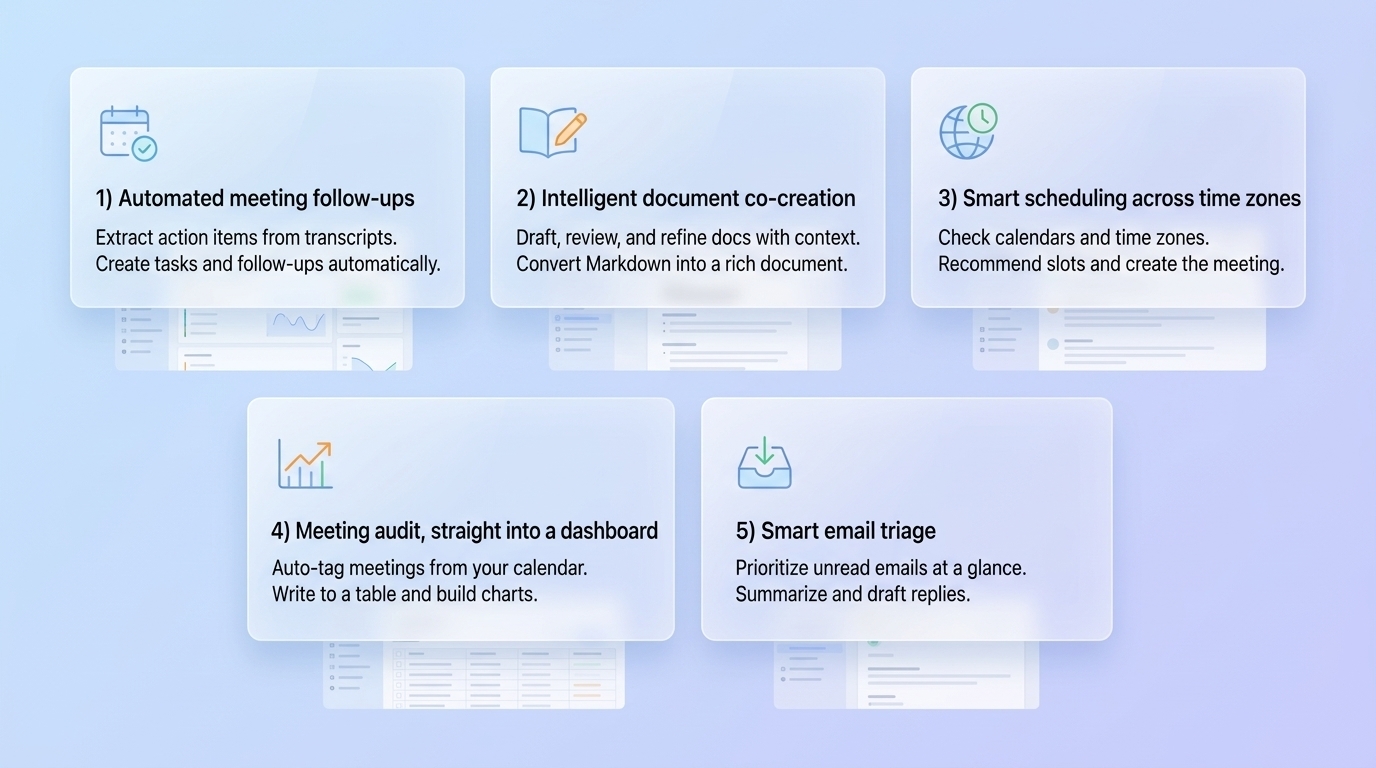
Automated meeting follow-ups
Scenario: After a team meeting, there's a transcript filled with action items, decisions, and new tasks. Manually sifting through this and creating individual tasks or calendar invites is time-consuming and prone to human error.
How Lark CLI helps: Wake Word commands. Set a trigger phrase (like "hey agent"). During a meeting, say "hey agent, compile this proposal into a doc and send it to my boss." After the meeting, the agent scans the transcript, picks up your command, and executes it as the top priority. You do not need to remember what you said. The agent remembers for you.
Read this meeting transcript, extract all the to-dos (explicit and implied), and just go do them. Show me your plan first.
Intelligent document co-creation
Scenario: A marketing team needs to draft a new campaign brief, incorporating recent market research data and customer feedback. Sourcing all this information and structuring the initial draft can be a laborious and time-consuming process.
How Lark CLI helps: Markdown to Lark docs, seamlessly. Wrote a tech spec in Markdown inside your AI tool? Just say "turn this into a Lark doc." The agent converts it with all formatting intact: callouts, tables, code blocks, multi-column layouts. Works the other way too.
- Mode A: AI writes the doc
Based on my department, Lark messages, docs, and calendar, create a Lark doc with my personal user manual.
{{doc link}} Revise the doc based on my comments. After editing, use inline comments to mark what you changed.
- Mode B: AI as reviewer
{{doc link}} Read this doc and check if it is clear and concise enough for external users. Do not edit the doc directly. Just leave inline comments where you see room for improvement.
- Mode C: Markdown to Lark docs
Turn this Markdown into a Lark doc. Make it look good.
Smart scheduling across time zones
Scenario: Scheduling a five-person meeting manually involves checking calendars, finding overlaps, and a frustrating back-and-forth for 20 minutes. This complexity escalates significantly when teams are spread across multiple time zones.
How Lark CLI helps: Now just tell AI, "Schedule a meeting with everyone in this group chat next week." AI pulls the group members, checks availability, accounts for time zones, and recommends slots where everyone is in a reasonable working hour. Pick one, and the meeting is created.
Check everyone in the [XX] group chat, look at their calendars and time zones, and find a time next week for a one-hour meeting.
Meeting audit, straight into a dashboard
Scenario: You know you're in meetings all day, but lack clarity on how that time is effectively spent. Agentic AI can analyze meeting patterns, identify productivity trends, and provide actionable insights, helping you better understand the impact and efficiency of your meetings for improved productivity.
How Lark CLI helps: One sentence, and your agent pulls two weeks of calendar data, auto-tags every meeting (1:1, product review, team sync, personal), writes it into a Base table, and builds a dashboard. Pie charts for category breakdown, bar charts for daily trends. One glance tells you which meetings to cut.
Take it further: the agent analyzes your meeting transcripts in bulk, scores each meeting on "output density" (how many decisions were made, how many action items came out, how much time was spent rehashing old topics), and tells you which meetings to cancel.
Pull my calendar from the last two weeks, categorize every event, write it into a Base table, and build a dashboard showing where my time went.
Analyze all my meeting transcripts from the past month, score each meeting on output density, and tell me which ones I should cancel.
Smart email triage
Scenario: Dozens of emails flood your inbox daily – notifications, approvals, client messages – all mixed together. Sorting through them manually consumes valuable morning time.
How Lark CLI helps: AI scans your unread emails, sorts them by priority, pushes summaries of important ones to your project group chat, archives the low-priority stuff, and even drafts a reply for each.
Check all my unread emails, send summaries of the important ones to the Aurora project group, and draft a reply for each.
Getting started with Lark CLI: Installation and setup
Embracing the power of Lark CLI for your AI agents is designed to be straightforward. The installation process is streamlined, allowing you to quickly get your AI operating within the Lark ecosystem.
Quick install
Copy the following and send it to your AI agent (Trae, Cursor, Codex, Claude Code, etc.) to install immediately:
Install lark-cli with this command:
npm install -g @larksuite/cli
Then install the related skills:
npx skills add https://github.com/larksuite/cli -y -g
After installation, send me the app configuration link and walk me through setup.
After configuration is complete, restart your AI Agent tool (e.g., Trae, Cursor, Codex, Claude Code) to ensure all skills are fully loaded. You can then start sending commands to operate Lark.
Optional: Set up user authorization
Lark CLI supports two modes. Pick what works for you:
- No auth, just use it: AI can still send messages, create docs, etc. But it can not access your personal data (calendar, messages, inbox).
- Operate as you: AI can access your calendar, messages, docs, and act on your behalf. Requires a one-time authorization. Run the command below, open the link, confirm in Lark, and you are done. (If you skip this, AI will prompt you to authorize later when it needs your personal data.)
Appendix
Authentication and configuration
Run lark-cli help for a full command overview
I want to... | Command |
Initialize app configuration | lark-cli config init |
Log in (user identity) | lark-cli auth login |
Check current login status | lark-cli auth status |
Request permissions for a domain | lark-cli auth login --domain |
Check current permissions | lark-cli auth check |
Log out | lark-cli auth logout |
Core capabilities by domain
Why choose Lark CLI
You've seen how installing Lark CLI brings Lark into your AI's group chat, enabling direct interaction. But Lark CLI isn't just another integration; it's designed to transform Lark into a dedicated AI operating system, far beyond what general frameworks like OpenClaw CLI offer. This profound shift is achieved through key design philosophies that empower AI agents with unprecedented context and capability within your workspace.
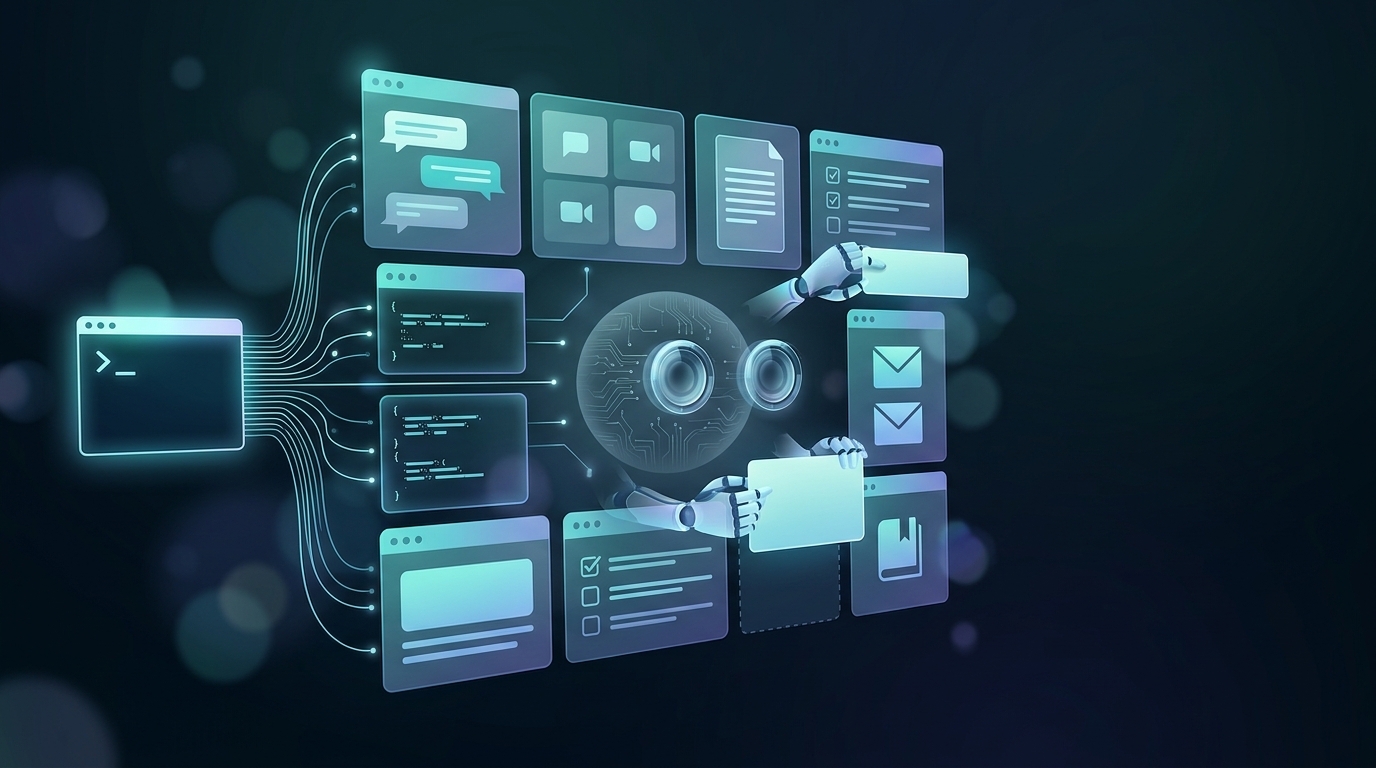
Your AI is missing two things: context and hands
Every AI model out there is smart. But smart does not mean useful. If your AI does not know what meetings you had today, who you have been chatting with, or what is on your plate, it can only give you generic answers. And even if it somehow knew all that, without the ability to actually operate Lark, it would still just say "you should probably create a doc" instead of creating one for you.
Lark CLI solves both problems at once: it gives AI access to all the work context you have built up in Lark (messages, docs, calendar, meeting transcripts, Base tables), and the ability to act on it. It can see, and it can do.
Built for AI
Lark CLI is not just existing APIs wrapped in a command line. It was purpose-built for how AI Agents work: when something goes wrong, it tells the AI how to fix it (not just "error"). When permissions are missing, it guides the authorization flow automatically. Commands are optimized to minimize token consumption. AI success rates are significantly higher than raw API calls.
Fully open source. Use it anywhere.
Claude Code, Codex, Cursor, or any other Agent. If it can run a command line, it can operate Lark through CLI. No registration. No approval.
Comprehensive coverage. Fast iteration.
Currently covers Lark's core business domains: Lark Messenger, Lark Docs, Lark Base (multidimensional tables), Lark Calendar, Lark Meetings, Lark Email, Lark Wiki, and so on. Many of these are capabilities that were previously missing from the API and are highly requested by developers. Supports both user identity and app identity for personal and enterprise use cases. Iterating fast.
Conclusion
The command-line interface has re-emerged as a pivotal tool in the age of AI, transforming how intelligent agents interact with our digital world. From the foundational framework offered by tools like OpenClaw CLI to the deeply integrated capabilities of Lark CLI, these interfaces are essential for bridging the gap between AI's analytical prowess and its ability to take direct, actionable steps. Lark CLI, in particular, empowers organizations to turn their all-in-one collaboration suite into an AI-ready enterprise operating system, enabling greater efficiency, precision, and control in AI-driven workflows. By adopting a CLI-first approach for AI integration, businesses can prevent information silos, reduce operational costs, and unlock unprecedented levels of automation. Embracing Lark CLI means embracing a future where AI agents are not just advisors, but active, seamless contributors to your team's success.
FAQs
Getting "command not found" after installation?
Make sure the CLI directory is in your system PATH. For npm installs, run npm root -g to check the global directory.
Authorization failed, "auth code expired"?
OAuth auth codes expire after a few minutes. Just run auth login again.
API call says "insufficient permissions"?
Follow the error message to add the missing permission: auth login --scope "<missing_scope>". The CLI tells you exactly what is missing and gives you a link to request it. For app identity calls, you also need to enable the permission in the Lark developer console.
How do I use this in automation or AI workflows?
Complete the setup and authorization once locally, then plug the CLI into your scripts, CI/CD pipelines, or AI Agent platforms.
What is the relationship between CLI and the OpenClaw Lark plugin?
The official Lark plugin on OpenClaw and similar platforms is built on top of this CLI. If you are already using the Lark plugin, you do not need to install the CLI separately. Just use it. Plugin capabilities will align with the CLI very soon. The official Lark plugin on OpenClaw and similar platforms is built on top of this CLI. For more details on environment setup, refer to the OpenClaw installation guide.
How do I get help?
Run lark-cli help for a command overview, lark-cli <command> --help for specific usage, and schema to quickly look up API details.
Related reading
Table of contents
Start using Lark today

Manage all your work in one place
Boost team efficiency by 10x
Save up to 70% on software costs
Table of contents
Start using Lark today
Manage all your work in one place
Boost team efficiency by 10x
Save up to 70% on software costs
Keep reading







2026 Lark Technologies Pte. Ltd.
Headquartered in Singapore with offices worldwide.






Explore: