














Mastering OpenClaw skills for effective AI agent management
Lark Team
Sep 18, 2026
Lark Team
Sep 18, 2026

9 min read


AI agents are rapidly transforming how we work, offering unprecedented potential for automation and intelligent assistance. But an AI agent is only as capable as the tools it wields. This is where OpenClaw skills come into play—they are the specialized instruments that empower your AI agents to perform a vast array of tasks, from the mundane to the highly complex. If you're looking to push the boundaries of what your AI agents can achieve, understanding and effectively managing OpenClaw skills is absolutely essential.
What are OpenClaw skills?
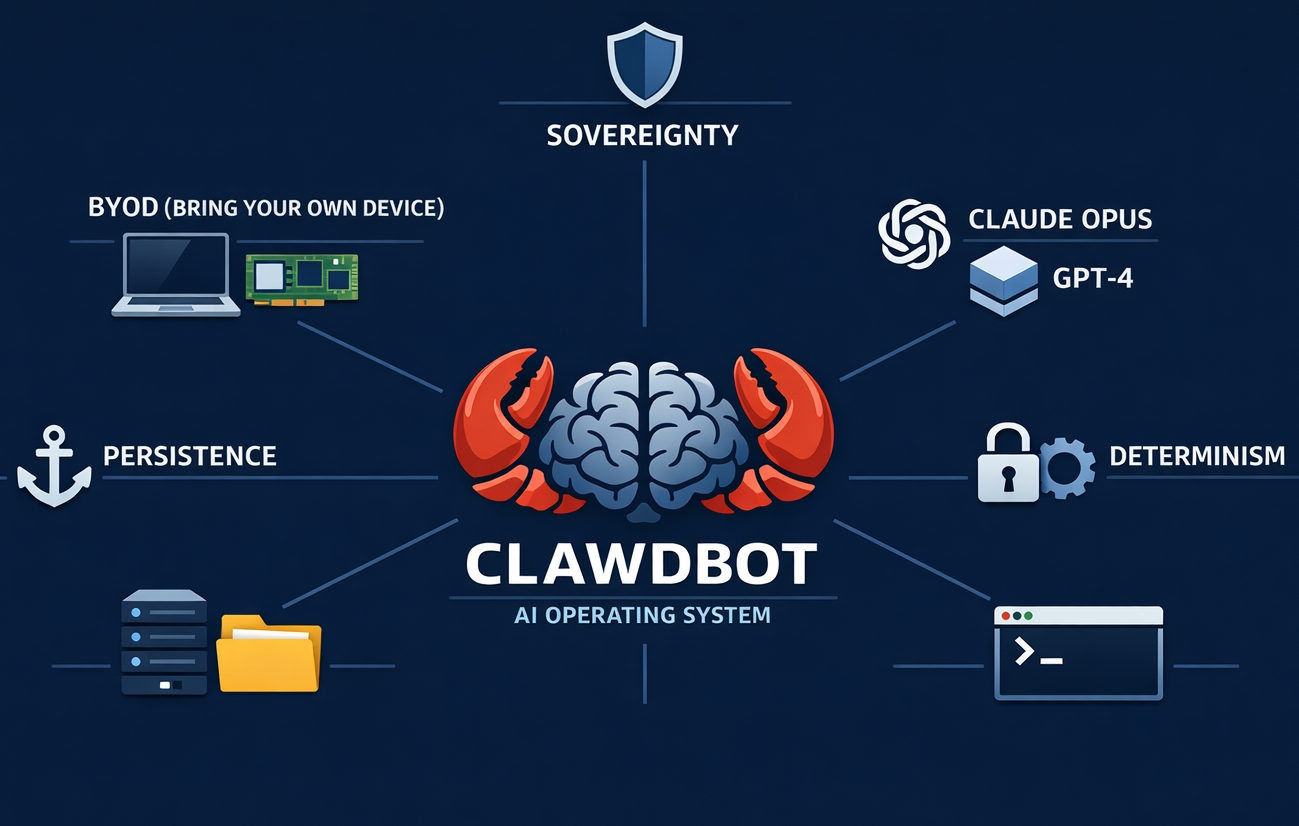
If you are exploring the ecosystem for the first time, you might be wondering what actually makes OpenClaw AI so adaptable. In my experience, baseline AI agents are incredibly intelligent when generating text, but they typically lack the hands-on capabilities to execute real-world tasks. This is where OpenClaw skills bridge the gap.
At a technical level, OpenClaw skills are modular components designed to dramatically enhance the functionality of your AI agents. Instead of requiring you to write complex, hardcoded Python extensions, these skills package specific capabilities—such as triggering complex API calls, fetching live data, or executing multi-step workflows—into lightweight, reusable markdown files. Because they are fundamentally just text files containing structured instructions and operational logic, they allow you to extend your agent's capabilities without altering the core system architecture.
💡 Mini-scenario: A standard AI agent commonly fails or hallucinates when you ask it to interact with a local database, often giving you a generic SQL tutorial instead. However, when you provide the agent with a specific Database Management skill (via its markdown file), it instantly understands the exact API endpoints, formatting rules, and authentication parameters required to query your local data safely and accurately.
Key benefits of integrating OpenClaw skills
Why should you bother adding these modules to your development environment? From what I have seen managing various AI workflows, deploying these skills frequently transforms a passive chatbot into an active, autonomous team member. Here are the primary advantages:
- Automation of repetitive tasks: Developers often spend hours on boilerplate work, like formatting code or pushing updates. Skills like the Vercel integration, N8N workflow, or Lark automation allow your agent to automate these chat-driven tasks entirely, freeing you up for deep work.
- Frictionless installation: Unlike traditional software plugins that require heavy compilation or dependency management, OpenClaw skills GitHub are remarkably lightweight. You typically only need the OpenClaw CLI and the target markdown file. Running a simple installation script is usually all it takes to equip your agent with a new capability.
- Continuous proactive operations: Advanced modules, such as the Self-Improving Agent skill, commonly allow your setup to run continuously in the background. Instead of waiting for a prompt, the agent can proactively monitor logs, learn from your previous interactions, and optimize its own outputs over time.
Common OpenClaw skills to supercharge your workflow
OpenClaw's flexibility stems from its rich ecosystem of skills, which extends its capabilities across productivity, automation, health, research, and technical development. Below are eighteen of the best OpenClaw skills and awesome OpenClaw skills you must know.
Development and DevSecOps skills
For software engineers, OpenClaw commonly serves as an advanced pair programmer. These skills grant your agent highly specialized technical capabilities that go far beyond generic code generation.
- Managing OAuth tokens and API keys across dozens of platforms creates unnecessary friction. The Composio skill simplifies this entire process, enabling your OpenClaw agent to natively connect with thousands of third-party tools while handling secure authentication and permission management in the background.
- Use case: You want your agent to pull data from a GitHub repository, log an item in a project-management tool, and send a notification to a team channel. Rather than configuring multiple API keys and integration scripts, the Composio skill handles cross-platform connectivity and authorization automatically.
- This highly specialized module is frequently used by backend engineers and security researchers. It enables your agent to inspect network interactions, parse protocol structures, and generate parsers for custom or undocumented data formats.
- Use case: You are analyzing a closed-system or legacy network protocol. The agent captures and interprets the underlying data structure, then outputs a clean breakdown of the protocol logic and a basic script to interpret future traffic.
- Generic AI output often relies on overused, generic UI patterns. This skill upgrades your agent's frontend capabilities to produce modern, visually distinct interfaces in production-ready code, avoiding bland, template-like layouts.
- Use case: You need a clean, responsive dashboard layout for a B2B tool. With this skill enabled, the agent generates polished, modern HTML/CSS or React components that follow contemporary design standards, without requiring manual styling tweaks.
- As a community-contributed security module, the Security Check skill is designed to scan local code and configurations for common risks, helping reduce accidental exposure of sensitive information or vulnerable patterns.
- Use case: Before finalizing a code update, you ask the agent to perform a quick scan of your working directory. The skill checks for common pitfalls and highlights potential issues that could introduce unnecessary risk.
Workflow automation and integrations
If your primary goal in AI agent management is to connect disjointed systems, these integration skills are essential. They usually act as the central nervous system for your daily operations.
- This integration connects OpenClaw directly with Lark Docs and Wikis, allowing your agent to read, write, and update content natively within the Feishu ecosystem.
- Use case: After finishing a research summary or meeting breakdown, you ask the agent to append structured notes to a shared Feishu document. The skill authenticates securely and inserts formatted content directly into the target page.
- 💡 I highly recommend you try Lark + OpenClaw. With one‑minute rapid deployment, you can unify all essential enterprise capabilities — including task tracking, knowledge base management, and real‑time messaging — in a single, integrated platform.
- This skill brings the power of the n8n automation platform directly into your OpenClaw agent. It can generate audit-ready n8n workflow JSON, configure triggers such as cron or webhook, support idempotent operations, and add retry logic for reliable automation.
- Use case: You need a reliable, repeatable workflow for internal reporting or data processing. The agent generates a complete n8n workflow structure with error handling and scheduling rules, ready to import and run in your n8n instance.
- This utility-focused module helps you schedule and manage automated backup tasks through cron-like scheduling, reducing the manual work of maintaining consistent system or file backups.
- Use case: You want regular automated backups of important local datasets or configuration files. The agent helps define a recurring backup schedule and ensures the task runs reliably in the background.
- Built for email-heavy workflows, this skill lets your OpenClaw agent interact with email systems programmatically—including drafting, organizing, and routing messages based on your instructions.
- Use case: You need to quickly triage incoming messages and draft consistent replies to recurring inquiry types. The agent scans incoming mail, summarizes high-priority items, and prepares response templates for your review.
- A unified CLI for Google Workspace, providing direct access to Gmail, Calendar, Drive, Sheets, and Docs in one tool. It uses a single OAuth setup with a Google Cloud credentials file, removing the need for multiple separate authentications.
- Use case: You want to summarize recent emails and share them. The agent searches your past week's messages, composes a brief summary, and sends it to a colleague—all without opening any Google apps.
- A terminal-based tool for managing Microsoft 365 email and calendars via browser automation, with no Azure AD registration required. It supports scheduling meetings, finding free time slots, and handling emails directly from the command line.
- Use case: You need to book a team meeting. The agent finds a mutual free slot for your colleagues, schedules the event, and sends out invites with a Teams link automatically.
Deep research and knowledge management
Standard AI models frequently hallucinate when asked to conduct deep academic or real-time research. These specialized skills force the agent to rely on structured search and verified retrieval.
- Tavily Search is an AI-optimized search tool that helps your agent access clean, focused, real-time web information while filtering out low-value SEO content and noise.
- Use case: You need up-to-date insights on a recent industry announcement or technical update. The agent uses Tavily to retrieve accurate, timely information without relying on outdated training data.
- Designed for scholarly and analytical work, this skill supports structured, multi-cycle deep research, with proper citation formatting and checkpoint-based review to ensure accuracy and rigor.
- Use case: You are working on a literature review or technical analysis. The agent performs structured research across authoritative sources, synthesizes findings, and presents information in a clear, well-sourced format following academic conventions.
- Unlike typical on-demand search, this skill enables asynchronous, background monitoring of topics you care about. It can run scheduled checks, score new information by relevance, and deliver curated updates over time.
- Use case: You want to stay informed about developments in a specific technical or industry field. The agent passively monitors key topics and delivers a focused summary of meaningful new findings on a regular basis.
- A CLI-focused skill for managing local Markdown notes, it lets you create, organize, and access your offline knowledge base without switching between applications.
- Use case: You want to quickly create or update Markdown notes from your workflow environment. The agent interacts with your local files to keep your personal knowledge base structured and accessible.
Personal lifestyle and AI autonomy
OpenClaw is not restricted to corporate APIs; it is increasingly being utilized by "quantified self" enthusiasts to manage physical environments and personal data, completely locally.
- This extended integration bridges Home Assistant with n8n, letting you trigger smart home actions through n8n workflows for more advanced, conditional automation.
- Use case: You want to link smart home behavior to external data or schedules. The agent sends structured requests to n8n, which then executes customized automation logic across your devices.
- One of the most distinctive capabilities in the OpenClaw ecosystem, this skill lets your agent learn from interactions, corrections, and outcomes. It stores insights in a local .learnings/ directory and turns repeated feedback into consistent behavioral improvements.
- Use case: Over time, you correct the agent on how you prefer tasks structured or information presented. The skill logs these preferences and gradually aligns its output with your established workflow patterns.
- This module connects OpenClaw with Apple Health through its API, letting you query workout history, heart rate trends, sleep data, and activity metrics directly from your local AI agent.
- Use case: You want to review your weekly activity and sleep patterns. The agent securely pulls your health metrics and presents a clear summary of your recent trends and consistency.
- This privacy-focused skill helps you track income, expenses, and budgets using a local database, with no mandatory cloud sync. It categorizes spending, monitors recurring costs, and supports budget oversight through natural conversation.
- Use case: At the end of the month, you ask the agent to summarize your spending across categories. It pulls from local financial records and highlights recurring expenses and overall spending patterns.

How to load skills in OpenClaw
One of the core advantages of the OpenClaw architecture is that skills are simply packaged as modular markdown (.md) files. Because of this, you do not need to alter the core system architecture to add new capabilities. The process generally revolves around using the OpenClaw Command Line Interface (CLI) to feed these instruction files to your agent.
While the exact commands might update as the ecosystem evolves, the standard workflow commonly follows these three basic steps:
- Source the markdown file: First, you need to locate and download the specific .md file for the skill. Developers usually pull these directly from verified repositories like ClawHub, community OpenClaw GitHub pages, or their own private servers.
- Execute the loader script: Once the file is on your local machine, you utilize the OpenClaw CLI to load it. According to current documentation, this is frequently handled by passing the markdown file through a built-in installation script, such as Skills.sh. This script parses the text and securely integrates the API instructions into your agent's active memory.
- Validate and initialize: After the CLI processes the file, the skill is active. However, as a best practice for AI agent management, you should always test the newly loaded skill in a restricted environment first to ensure it behaves exactly as expected.
Because command-line flags and specific authentication steps can vary depending on whether you are running a local instance or using OpenClaw Docker, I highly recommend consulting the official setup tutorials for the exact syntax.
Critical security considerations for AI agent management
While the extensibility of this ecosystem is a massive advantage, extending your agent's reach inherently introduces new vulnerabilities. When you install third-party modular components, you are granting an autonomous system permission to execute commands on your local machine or access your private accounts.
Because anyone can upload a module to a public GitHub OpenClaw repository, malicious skills or poorly optimized code sometimes slip through. To keep your system secure, I highly recommend adopting this simple, three-pillar validation framework before installing any new capability:
- Audit the markdown source: Since skills are plain-text markdown files, they are completely transparent. I always open the .md file in a text editor first. You should frequently scan the document for suspicious outbound network requests, hardcoded URLs, or hidden terminal commands that do not align with the skill's stated purpose.
- Enforce the principle of least privilege: Skills often request broad access to your system. Ensure your AI agent is only granted the minimum permissions necessary to execute that specific task. Never run your CLI with root privileges unless it is strictly unavoidable.
- Utilize isolated environments: When testing an unverified skill, I usually recommend running it inside an OpenClaw Docker container. Sandboxing the agent ensures that even if a skill behaves maliciously, it remains trapped within the container and cannot compromise your host operating system or steal local API keys.
Make a smarter choice: From OpenClaw to Lark
While the customization potential of open-source AI agents is undeniably exciting, we have to evaluate these tools through the lens of Total Cost of Ownership (TCO). In reality, maintaining a highly secure open-source ecosystem requires massive heavy lifting. Your IT team typically has to spend hours configuring secure server environments—often relying on OpenClaw Docker to build isolated sandboxes—and implementing third-party auditing tools just to block potentially malicious community skills.
For companies without a massive engineering department, or those who simply want to focus their core resources on actual business growth, deploying a mature, enterprise-grade SaaS is frequently the more cost-effective and reliable decision.
This is exactly where an all-in-one workspace like Lark proves its immense commercial value. Lark is a digital workspace that brings messaging, video calls, document collaboration, file sharing, project management, approvals, and AI-powered workflows into a single platform. Here are three specific ways Lark provides superior automated workflows compared to fragmented open-source setups.
Out-of-the-box automation engine
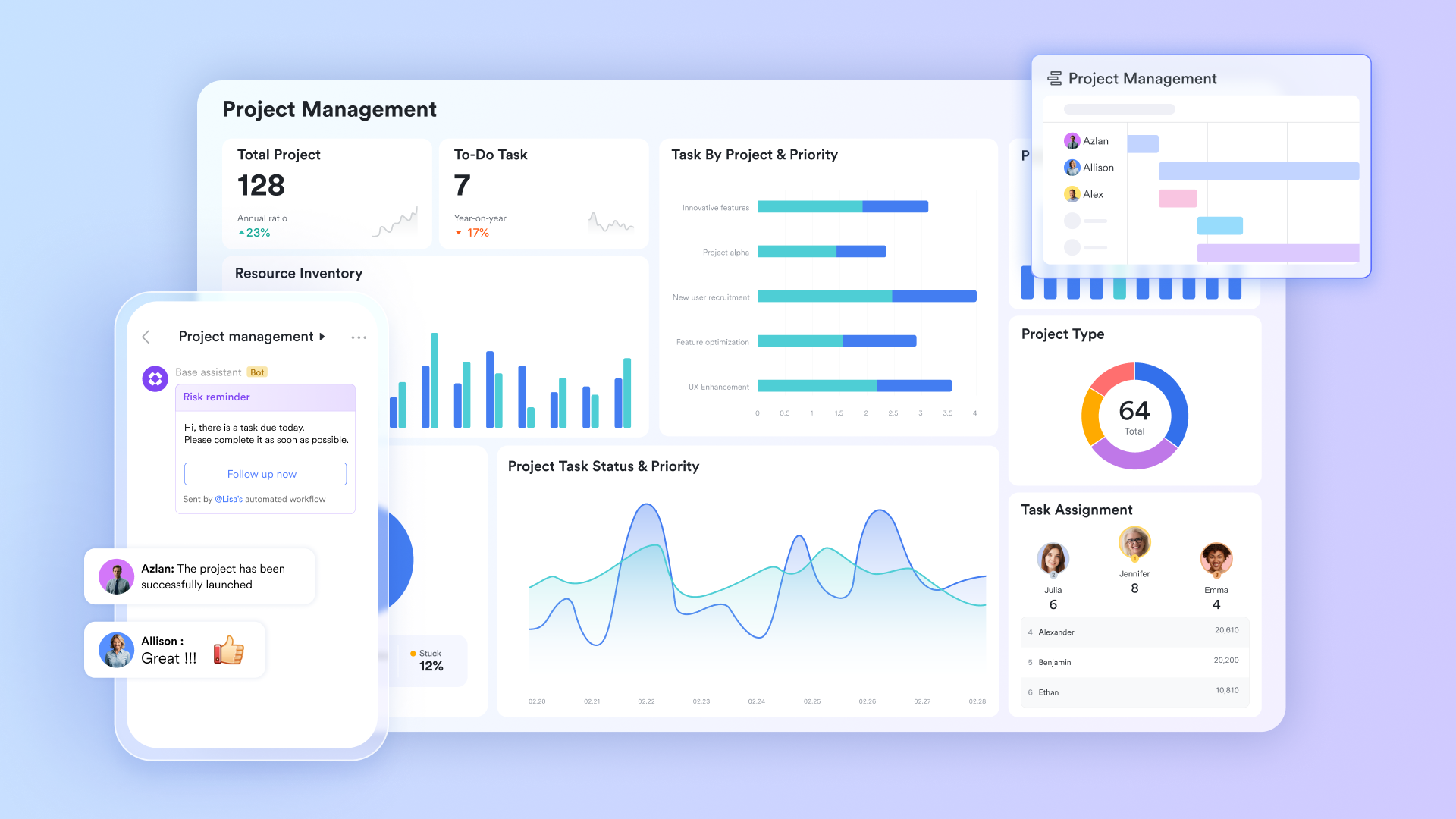
You do not need to study complex server architectures or manage command-line scripts to automate your day. Lark features an intuitive, visual workflow builder. Even on the free Starter plan, teams are provided with 1,000 automated runs per month. For mid-to-large teams, the Pro plan (at just $12 per user, per month) scales up to an impressive 50,000 monthly executions. For example, you can set a rule that says, "When a new entry is added to a Lark Base form, automatically send a notification to the sales group."
Enterprise-grade, centralized security
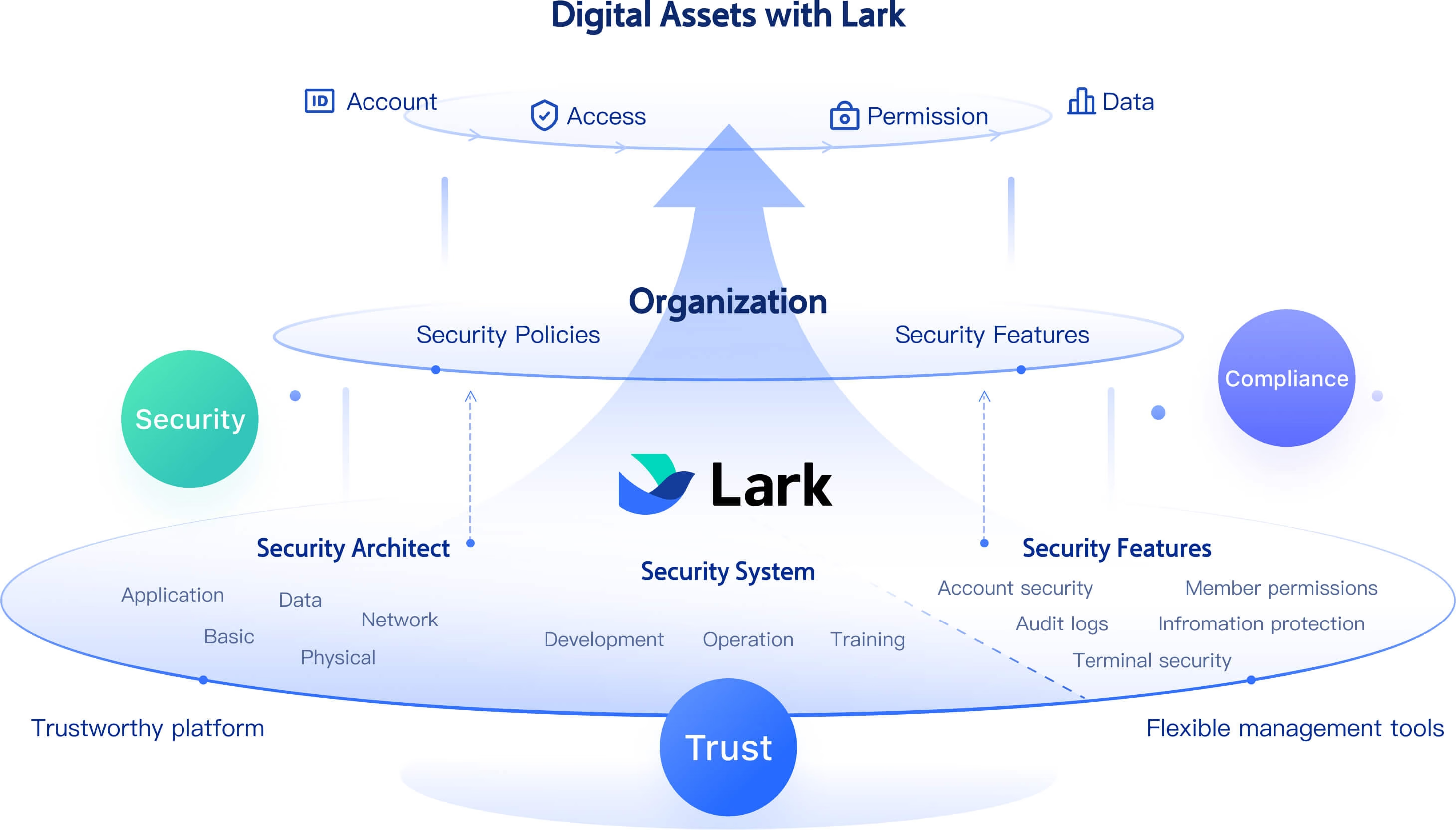
Rather than worrying if an employee accidentally installed a vulnerable community extension, Lark provides centralized, officially vetted security. Because all automated data flows operate strictly within an enterprise-controlled domain, the risk of confidential data leaks is drastically reduced. The platform's compliance and backend management functionalities are built for enterprise peace of mind.
Highly unified communication context
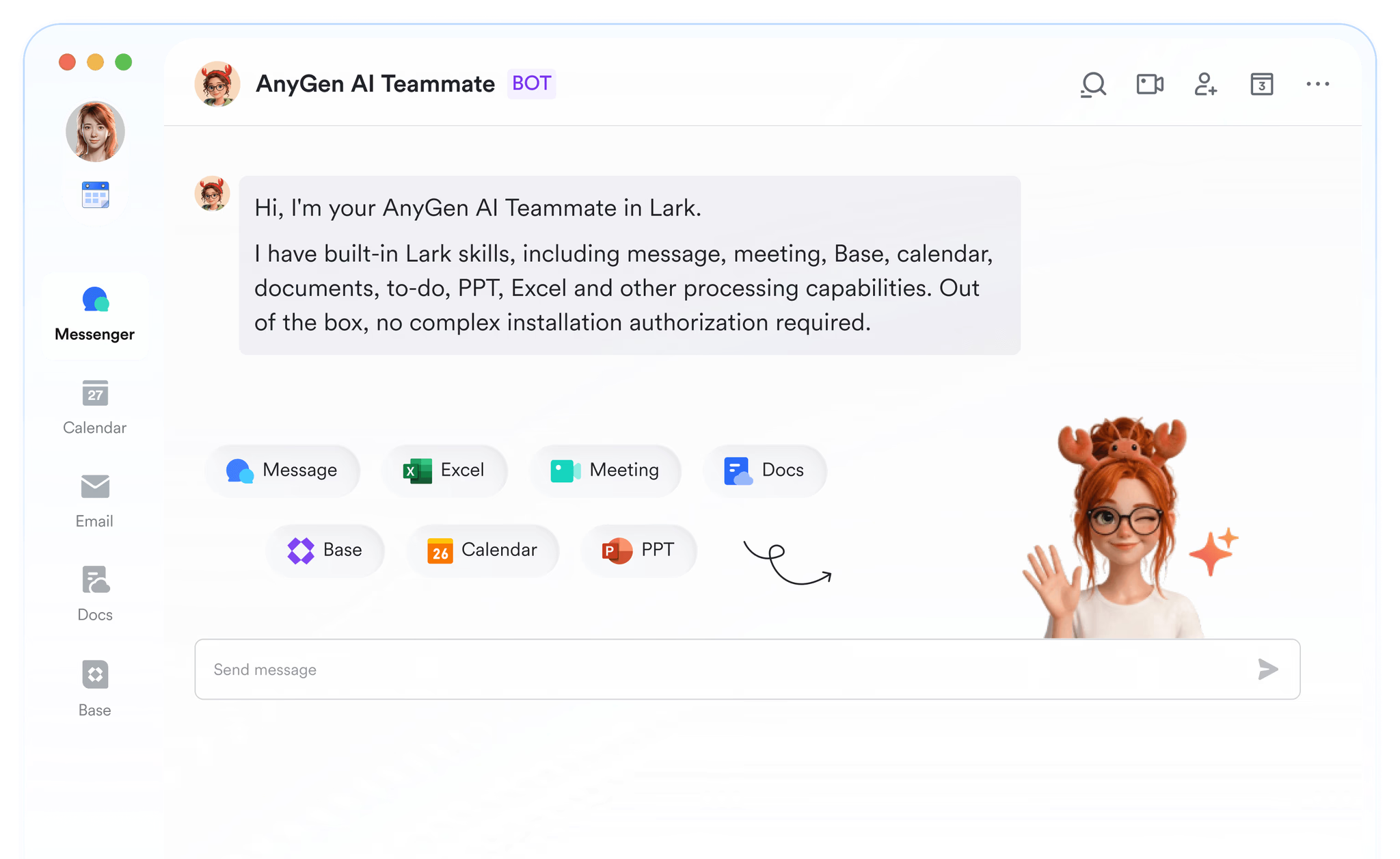
Open-source agents usually rely on webhooks to report their progress to external messaging apps, which easily leads to fragmented, disorganized information. In Lark, automated bots operate directly within your internal group chats or tag assignees right inside your cloud documents. The communication and the actual work happen in the exact same interface, ensuring maximum accuracy and real-time execution.
Deploy your dedicated digital assistant in minutes
Ultimately, if you register and install Lark, you can deploy a highly secure, dedicated digital assistant in less than a minute. It is fully capable of handling the complex, cross-functional tasks that would normally require installing multiple advanced markdown skills. For businesses looking to maximize their productivity with the lowest possible overhead, Lark is absolutely the shortest path to success.
Conclusion
Ultimately, experimenting with an open-source framework like OpenClaw is a fantastic way to understand the sheer potential of autonomous AI. By loading specialized community skills, developers frequently transform a standard chat window into a highly personalized, local powerhouse capable of executing complex code, managing servers, and conducting deep research.
However, as your focus shifts from individual tinkering to actual business growth, the reality of AI agent management changes. The hidden costs of constant maintenance, complex terminal configurations, and severe security vulnerabilities often outweigh the benefits of a DIY setup. True productivity requires a platform where advanced automation is accessible, securely governed, and inherently collaborative for every single department—not just the engineering team.
If you are ready to stop debugging local server environments and start executing real, high-impact work, it is time to leave the sandbox behind. Sign up for Lark today to bring secure, out-of-the-box AI and seamless workflow automation directly to your entire team.
FAQs
What is OpenClaw?
OpenClaw is a powerful, open-source framework designed for building and deploying autonomous AI agents. Unlike traditional chatbots, these agents can actively execute code, interact with your local file system, and trigger external APIs to complete complex tasks. The framework relies on a highly modular system where developers use simple Markdown files—known as skills—to teach the AI new capabilities. This allows technical users to construct highly customized, terminal-based workflows within secure, sandboxed environments.
What are OpenClaw skills?
OpenClaw skills are modular markdown files that act as instructional blueprints, granting your AI agent specialized capabilities like executing terminal commands or connecting to third-party APIs. While incredibly powerful for individual developers, managing these discrete text files across an entire department frequently becomes chaotic compared to using a unified automation platform.
What is the difference between an AI agent and an OpenClaw skill?
An AI agent is the intelligent entity that performs tasks, often using a large language model as its core. An OpenClaw skill, on the other hand, is a specific tool or functionality that an AI agent can "learn" and use. Think of the AI agent as the brain and the OpenClaw skills as its specialized tools, allowing it to interact with the world and perform specific actions.
Are community-built AI skills secure for business operations?
Relying on open-source community extensions introduces significant security blind spots. Because these modules typically require local machine access and raw API keys, a single malicious script can compromise your proprietary data. For corporate use, utilizing an enterprise-grade, compliance-certified ecosystem like Lark ensures your workflows run securely without exposing internal networks.
What is the best way to scale AI automation across my company?
Scaling isolated, local agents is highly inefficient because they trap valuable context and data on individual hard drives. To maximize productivity, you need a system that connects your entire organization. By deploying a unified solution like Lark, your AI capabilities are natively embedded into shared documents, team chats, and project databases, instantly aligning every department.
Related reading
Table of contents
Start using Lark today

Manage all your work in one place
Boost team efficiency by 10x
Save up to 70% on software costs
Table of contents
Start using Lark today
Manage all your work in one place
Boost team efficiency by 10x
Save up to 70% on software costs
Keep reading







2026 Lark Technologies Pte. Ltd.
Headquartered in Singapore with offices worldwide.






Explore: