


Top 8 Open Source CRMs and Why Teams Are Moving Beyond The

Ryan Tanner
Product Marketing Specialist
Aug 5, 2026
Ryan Tanner
Aug 5, 2026

17 min read


Open-source CRMs provide teams with control, lower upfront costs, and the ability to customize workflows deeply. EspoCRM, SuiteCRM, Odoo, YetiForce, Vtiger, Dolibarr, CiviCRM, and Crust each solve different needs—from donor management to ERP-style accounting.
This guide compares features, deployment options, and common trade-offs, so you can match a tool to your team's skills and goals. When evaluating long-term efficiency, also consider how the best project management tools in your stack impact adoption and handoffs. By the end, you'll know which open-source option fits your budget, security requirements, and growth plans. Here is the tool list:
1. EspoCRM: Flexible open-source CRM for growing teams
2. SuiteCRM: Enterprise-grade open-source CRM framework
3. Odoo CRM: Unified ERP and CRM platform
4. YetiForce: Secure CRM with built-in analytics
5. Vtiger Open Source: Lightweight CRM for SMBs
6. Dolibarr: Simple all-in-one ERP and CRM
7. CiviCRM: CRM built for nonprofits and membership organizations
8. Crust CRM (Corteza): Privacy-first CRM with workflow tools

What is an open source CRM?
An open source CRM is a customer relationship management platform whose source code is publicly available. This means organizations can download, modify, and host it on their own servers. Unlike proprietary CRMs, which are controlled by vendors, open source CRMs allow businesses to tailor every aspect of the system—from user interface to data workflows.
These solutions are often free or come with minimal licensing costs, making them appealing to startups and small businesses. The tradeoff is that setup, customization, and security require in-house expertise or dedicated IT support. For teams that value independence, open source CRM systems provide the flexibility to align the platform with their exact processes, from lead tracking to customer engagement.
Open source vs. traditional CRM: What's the difference?
While both open source and traditional CRMs aim to streamline customer management, they differ in ownership, customization, and scalability. Traditional CRMs are typically hosted by vendors and offer ready-to-use features, which is convenient but limits customization. Open source CRMs, on the other hand, give full access to the system's code, enabling deeper control over functionality and data privacy.
Open source models are more flexible and cost-effective long term, though they require technical skills for deployment and updates. Traditional CRMs offer ease of use and vendor support but can become expensive as user counts grow. For startups or small teams with development capacity, open source is a great way to build a fully customized CRM—while larger teams often turn to connected, cloud-based systems like Lark to reduce maintenance and scale faster.
Top 8 open source CRM tools for businesses
Choosing the right open source CRM depends on your team's size, technical expertise, and industry requirements. Below, we'll compare the most popular tools available today—each known for unique strengths, from analytics and workflow automation to nonprofit management and ERP integration.
1. EspoCRM: Flexible open-source CRM for growing teams
EspoCRM is one of the most user-friendly open source CRM systems for startups and small enterprises. Its intuitive interface allows teams to track sales, manage relationships, and monitor projects all in one dashboard. It's built on a modular architecture, which means users can enable only the components they need—such as leads, opportunities, and cases. EspoCRM also includes workflow automation and analytics tools, giving growing teams data-driven insights without requiring heavy development.
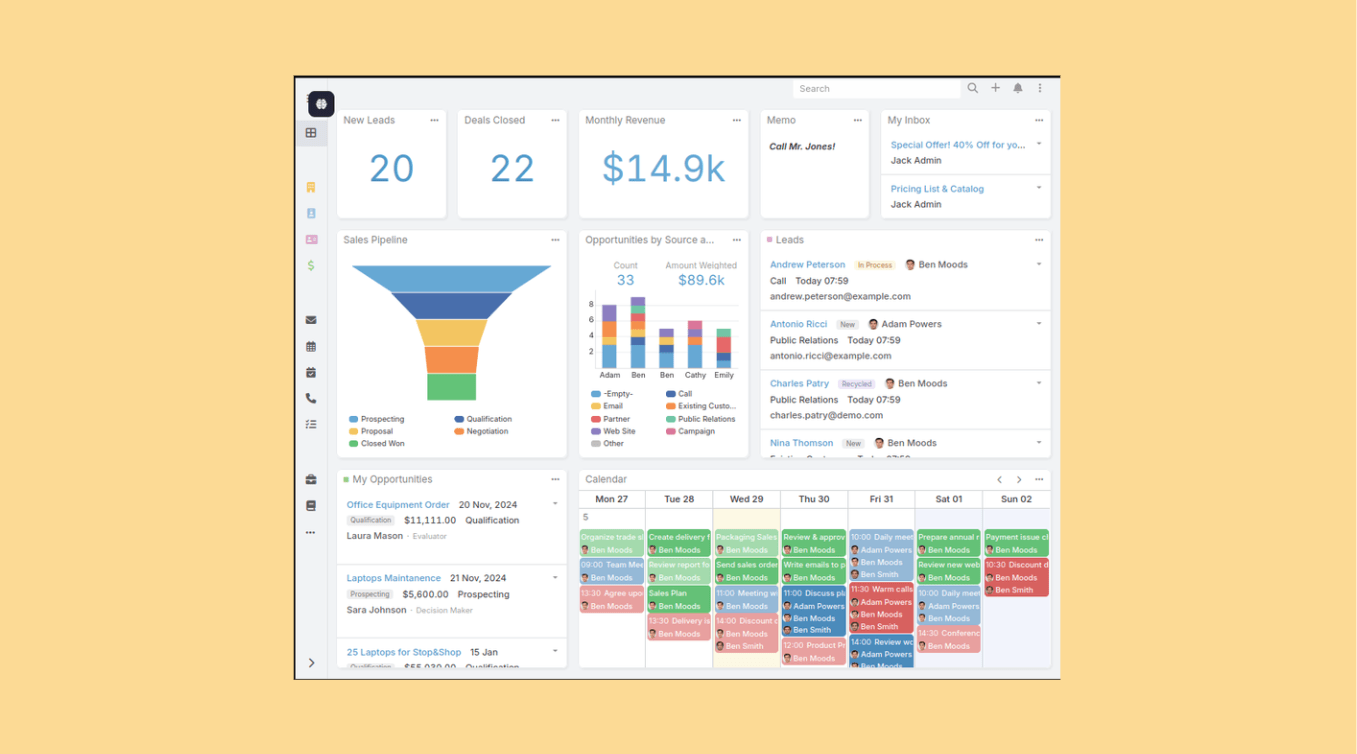
Image source: espocrm.com
Key features:
- Visual sales pipelines and customizable dashboards
- Workflow automation engine
- REST API for integrations with third-party tools
- Built-in analytics for performance tracking
Pros:
- Simple interface with minimal learning curve
- Fast installation and lightweight codebase
- Scalable architecture for small to mid-size teams
- Active open-source community and plugin library
Cons:
- Limited enterprise-grade reporting
- Fewer integrations compared to larger CRMs
Pricing:
- Free plan available
- Basic plans starting from $15/month
2. SuiteCRM: Enterprise-grade open-source CRM framework
SuiteCRM is one of the most powerful open source CRM frameworks available today, designed to meet enterprise needs with deep customization. It's built on top of SugarCRM's open architecture and provides full control over modules, workflows, and integrations. Organizations can extend it with custom dashboards, automation rules, and marketing tools. SuiteCRM suits larger teams seeking a self-hosted solution with complete flexibility and no vendor lock-in.
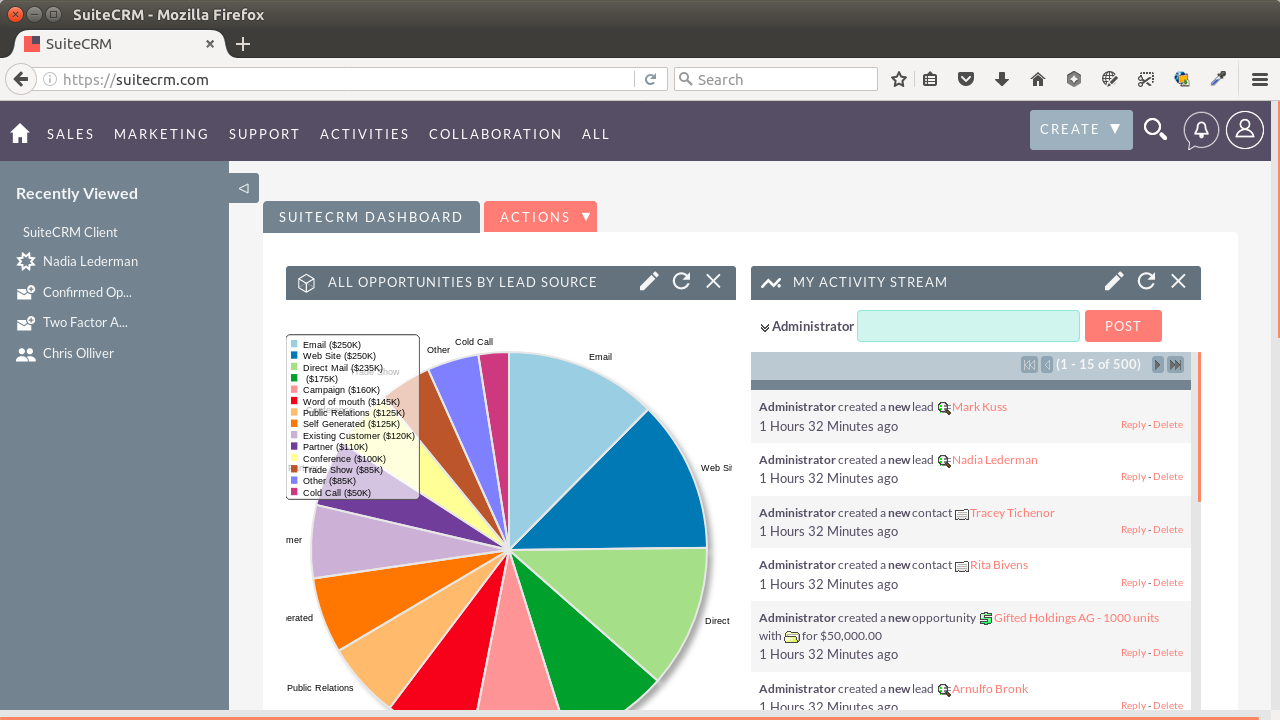
Image source: suitecrm.com
Key features:
- Advanced reporting and automation engine
- Multi-module architecture for leads, quotes, and service
- Secure role-based access control
- Self-hosted or cloud deployment options
Pros:
- Rich functionality comparable to premium CRMs
- Strong security and compliance support
- Ideal for mid-size and enterprise users
- Large, active developer community
Cons:
- Requires technical setup and ongoing maintenance
- Interface feels dated compared to newer tools
Pricing:
- Free self-hosted version available
- Cloud plans starting from $127/month
3. Odoo CRM: Unified ERP and CRM platform
Odoo CRM stands out as a hybrid system that combines enterprise resource planning (ERP) and customer management. It's part of Odoo's larger open-source ecosystem, which includes accounting, HR, inventory, and marketing modules. This integration makes it ideal for growing businesses that want a unified view of operations. Its modular structure lets teams add only what they need, keeping systems efficient and cost-effective.
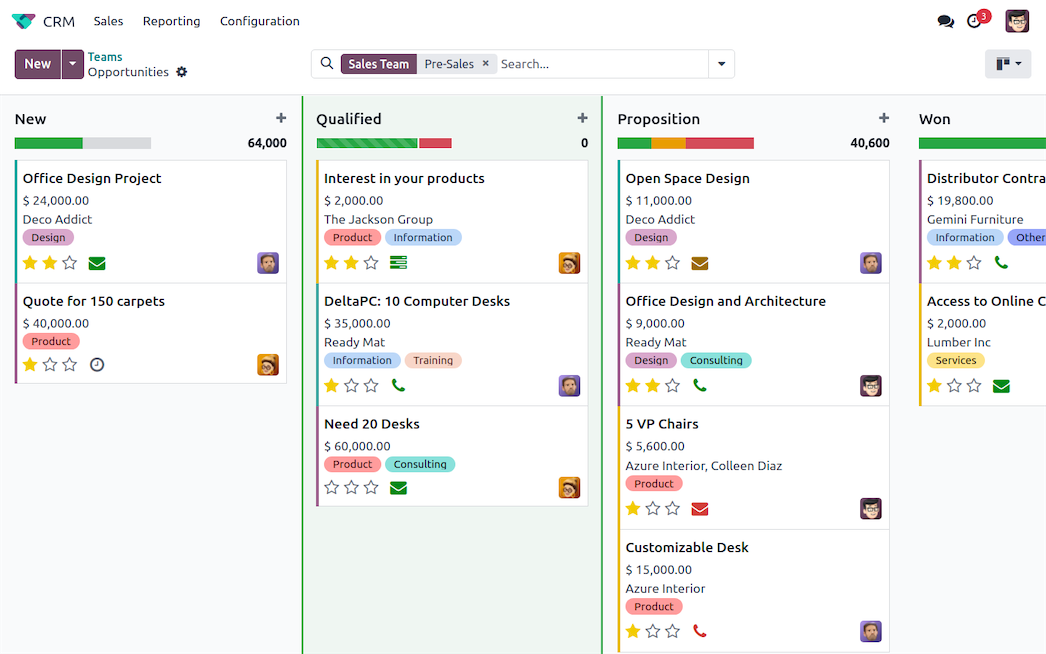
Image source: odoo.com
Key features:
- Full integration with ERP, invoicing, and marketing tools
- Intuitive drag-and-drop pipeline interface
- Real-time reporting and dashboards
- Mobile-friendly design for remote teams
Pros:
- Highly scalable across departments
- Strong ERP integration options
- Large support community and documentation
- Great usability for non-technical users
Cons:
- Can be resource-heavy to host
- Complex setup for first-time users
Pricing:
- Free plan available
- Paid plans starting from $31/month
4. YetiForce: Secure CRM with built-in analytics
YetiForce focuses on security, data control, and deep customization. Designed for businesses that handle sensitive information, it combines standard CRM features with advanced analytics, reporting, and access management. The interface is modern and modular, offering flexibility for both IT and sales teams. YetiForce is an excellent option for organizations that want enterprise-grade performance without proprietary costs.
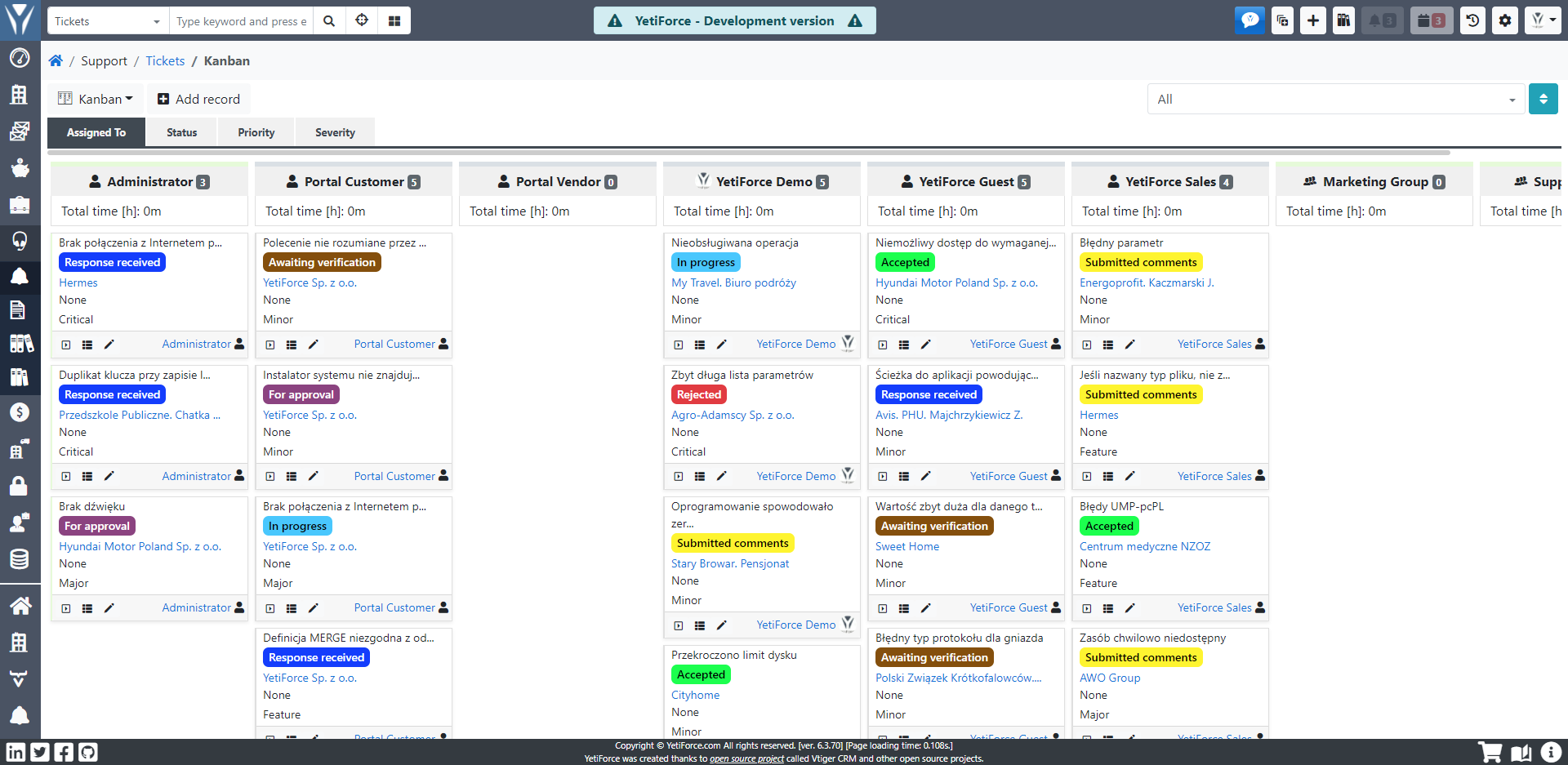
Image source: yetiforce.com
Key features:
- Advanced analytics and report builder
- High-level security and permission management
- Modular structure with customizable widgets
- Calendar, mail, and document modules included
Pros:
- Enterprise-grade data protection
- Clean, responsive user interface
- Flexible and open to integrations
- Frequent community updates
Cons:
- Requires server and database configuration
- Smaller community compared to Odoo or SuiteCRM
Pricing:
- Free open-source edition available
- Cloud plans starting from $87/month
5. Vtiger Open Source: Lightweight CRM for SMBs
Vtiger offers an open-source edition focused on small and medium-sized businesses. Known for its simplicity, it allows sales teams to manage contacts, opportunities, and customer support from one unified system. The platform includes essential automation and reporting features but remains lightweight enough for quick deployment. It's ideal for businesses that want a CRM without unnecessary complexity.
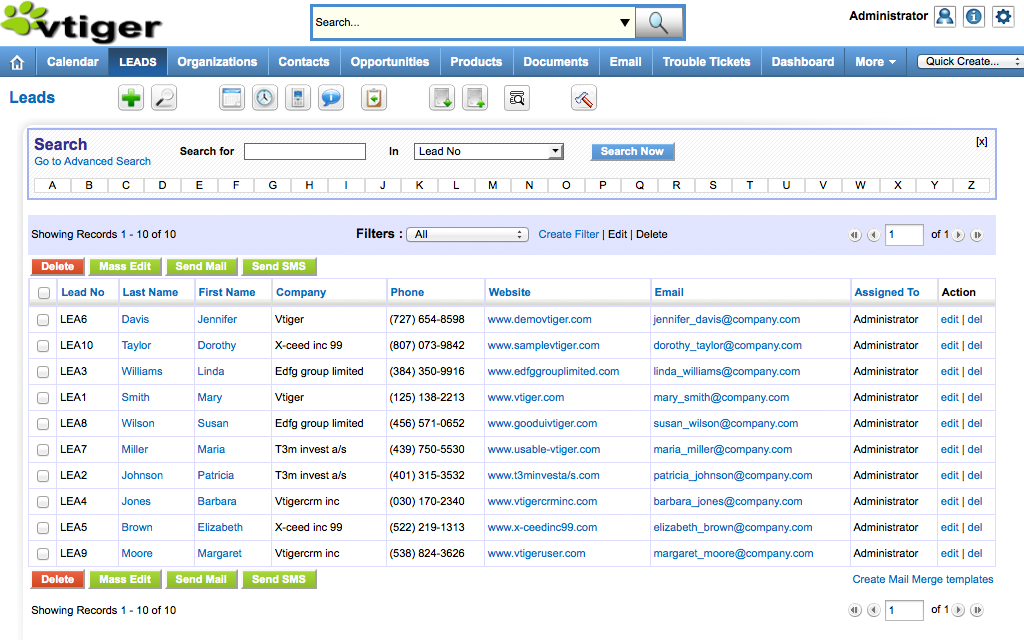
Image source: vtiger.com
Key features:
- Contact and lead management modules
- Workflow automation and reminders
- Customizable sales pipeline tracking
- Support ticketing and service desk tools
Pros:
- Fast and easy setup process
- Lightweight and efficient performance
- Suitable for small business teams
- Active open-source user base
Cons:
- Limited scalability for large enterprises
- UI is not as modern as paid competitors
Pricing:
- Free open-source version available
- Paid plans starting from $12/month
6. Dolibarr: Simple all-in-one ERP and CRM
Dolibarr is a combined ERP and CRM platform that's easy to install and maintain. It's perfect for startups and freelancers who want integrated billing, customer management, and invoicing in one place. Its modular design lets users activate only the features they need, keeping it lightweight and accessible. Dolibarr's strength lies in simplicity—offering just enough customization for small organizations without technical overhead.
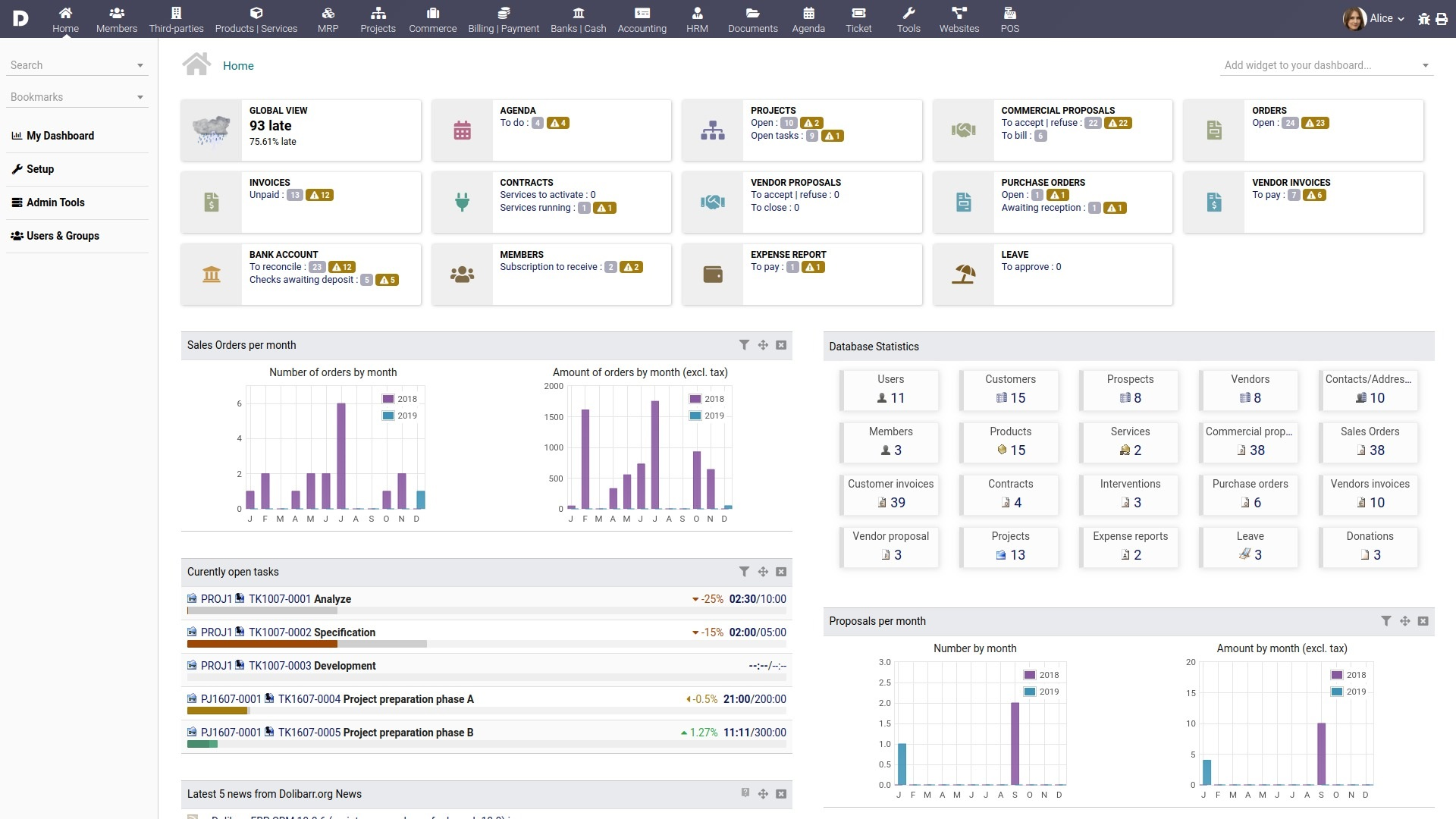
Image source: dolibarr.org
Key features:
- Unified ERP + CRM capabilities
- Built-in invoicing and billing modules
- Easy self-hosting and updates
- Open API for integration
Pros:
- Very beginner-friendly
- Quick installation and low resource use
- Frequent updates from a strong community
- Multi-language and multi-currency support
Cons:
- Limited automation capabilities
- Less suited for large organizations
Pricing:
- Free self-hosted version available
- Cloud plans starting from $10/month
7. CiviCRM: CRM built for nonprofits and membership organizations
CiviCRM is designed specifically for nonprofits, advocacy groups, and membership-based organizations. It focuses on donor management, event coordination, and campaign tracking rather than traditional sales functions. With built-in fundraising and outreach tools, it's one of the best open source nonprofit CRM solutions available. CiviCRM integrates with popular CMS platforms like WordPress, Joomla, and Drupal, making it easy for organizations to manage data within existing websites.
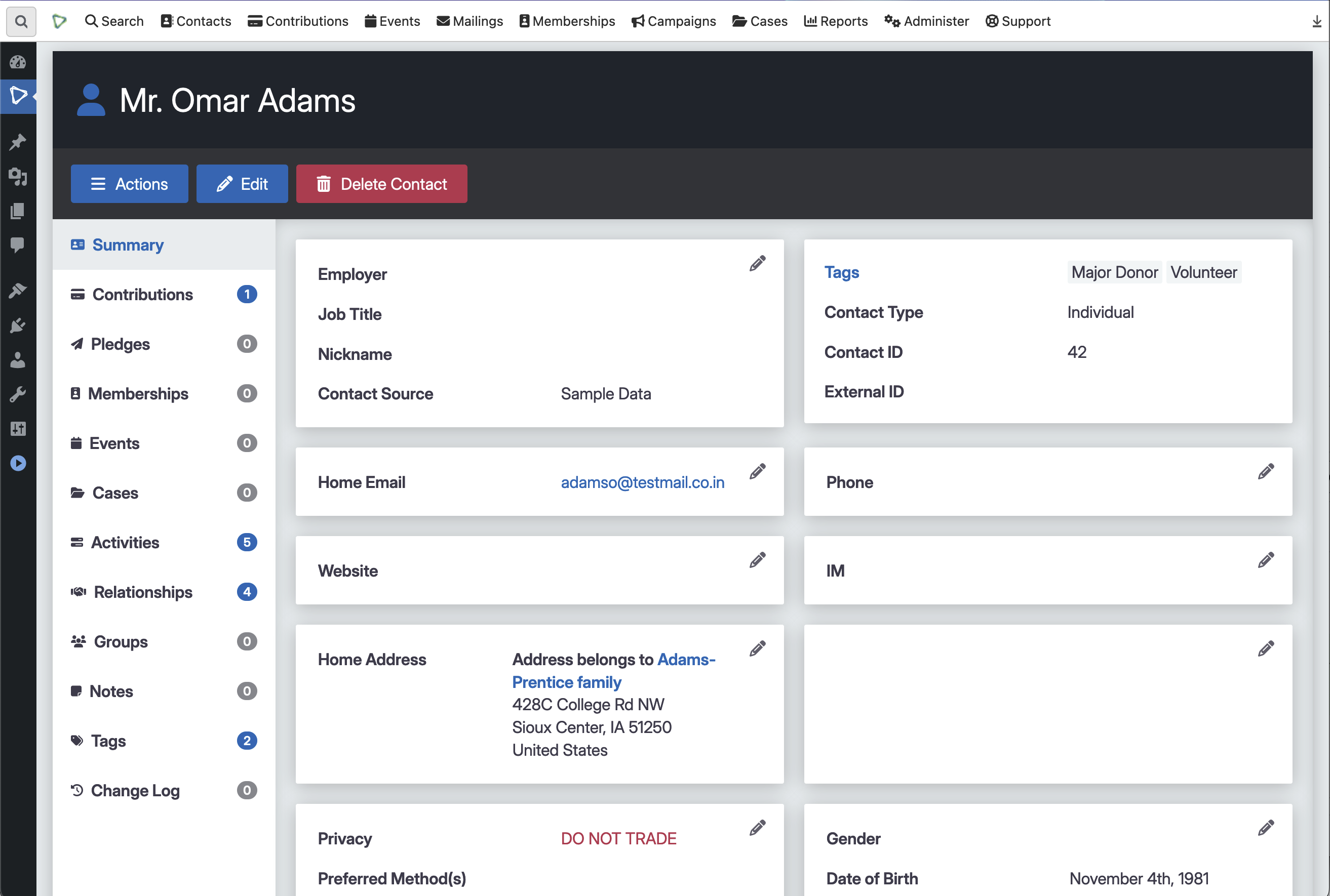
Image source: civicrm.org
Key features:
- Donation, contact, and membership management
- Event and campaign tracking tools
- Seamless CMS integration
- Customizable reporting and analytics
Pros:
- Tailored for nonprofit workflows
- Large community of developers and users
- Excellent CMS integration support
- Free and transparent open-source license
Cons:
- Complex setup for non-technical teams
- The interface is not very modern
Pricing:
- Free open-source version available
- Managed hosting from $50/month
8. Crust CRM (Corteza): Privacy-first CRM with workflow tools
Crust CRM, now known as Corteza, emphasizes privacy, transparency, and automation. It's built with a strong focus on data ownership—making it ideal for organizations that want complete control of their information. The platform includes workflow management, analytics, and communication tools. Corteza's modular approach allows teams to expand into ERP or HR systems when needed, making it one of the most scalable open source CRM software options available.
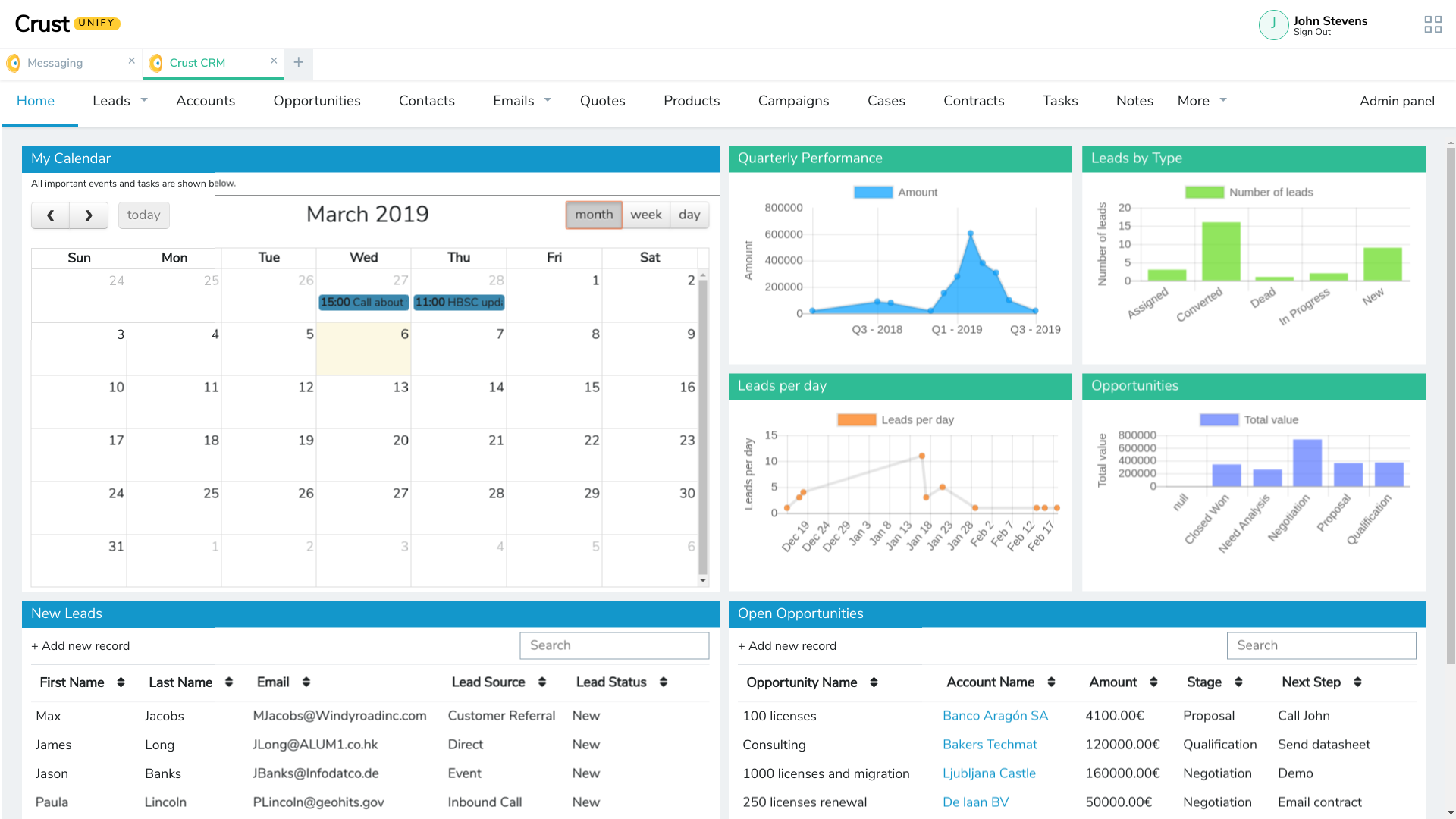
Image source: crustcrm.com
Key features:
- Privacy-first architecture with strong access control
- Custom workflow and process automation
- Integration-ready API and developer tools
- Modular design for scalability
Pros:
- Strong focus on data ownership and compliance
- Scalable across multiple use cases
- Active open-source governance model
- Clean and responsive interface
Cons:
- Requires developer support for setup
- Limited pre-built integrations
Pricing:
- Free community version available
- Custom pricing on request
Why teams are shifting from open source CRMs to connected workspaces
Open source CRMs deliver flexibility, but maintaining them requires technical expertise and ongoing effort. Modern teams are turning toward connected workspaces that combine CRM functionality with communication and collaboration.
- Reduced maintenance and technical burden: Open source systems demand frequent updates, patches, and server management. Connected platforms handle these automatically, freeing teams to focus on growth rather than maintenance. Lark reduces setup friction by providing an instantly available, cloud-based workspace that stays updated without IT intervention
- Built-in collaboration and document management: Traditional CRMs often lack real-time collaboration. Connected systems integrate messaging, file sharing, and document co-editing. Within Lark, teams can discuss leads, edit proposals, and track tasks—all within the same environment.
- Unified tools—CRM, chat, mail, calendar, and automation: Instead of juggling multiple platforms, connected workspaces merge everything into a single dashboard. This reduces context switching and improves productivity. Lark's ecosystem brings these capabilities together seamlessly.
- Faster setup and scalability without infrastructure overhead: Deploying an open source CRM requires installation and hosting. Connected systems are ready out of the box and scale instantly with usage. With Lark, new teams can onboard within minutes.
- Real-time visibility across sales, marketing, and operations: Integrated dashboards provide instant insights into performance and workflows. Unlike isolated CRMs, platforms like Lark unify business data for full visibility across departments.
Lark: The modern alternative to open source CRM
While open source CRMs offer flexibility, they often demand technical setup, third-party add-ons, and manual upkeep. Lark simplifies this with a unified, ready-to-use workspace where collaboration, data management, and analytics happen seamlessly—without coding or external plugins. Here's how each Lark feature redefines CRM efficiency for modern teams
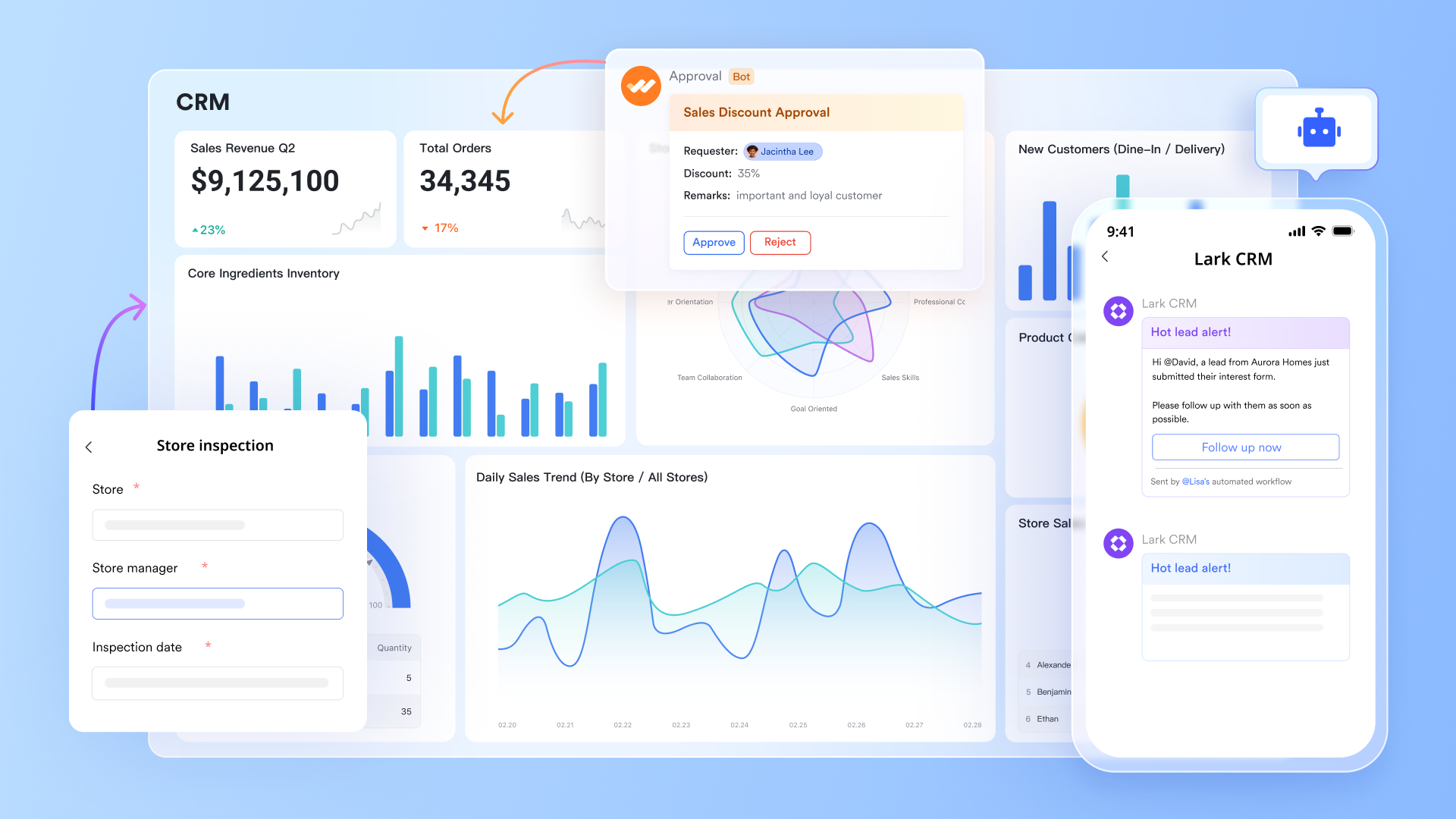
Lark Base & built-in automations: Advanced data management
Unlike open source CRMs that require custom coding for analytics, Lark Base to give teams an intuitive, data-driven foundation for customer and sales management. Lark Base lets teams build structured databases—like lead pipelines, client lists, or deal trackers—with custom fields, filters, and relationships. Automation rules can trigger actions such as updating lead statuses or assigning follow-up tasks automatically, helping teams reduce manual work. Together, these tools deliver CRM-level visibility and automation without complex configuration or hosting dependencies.
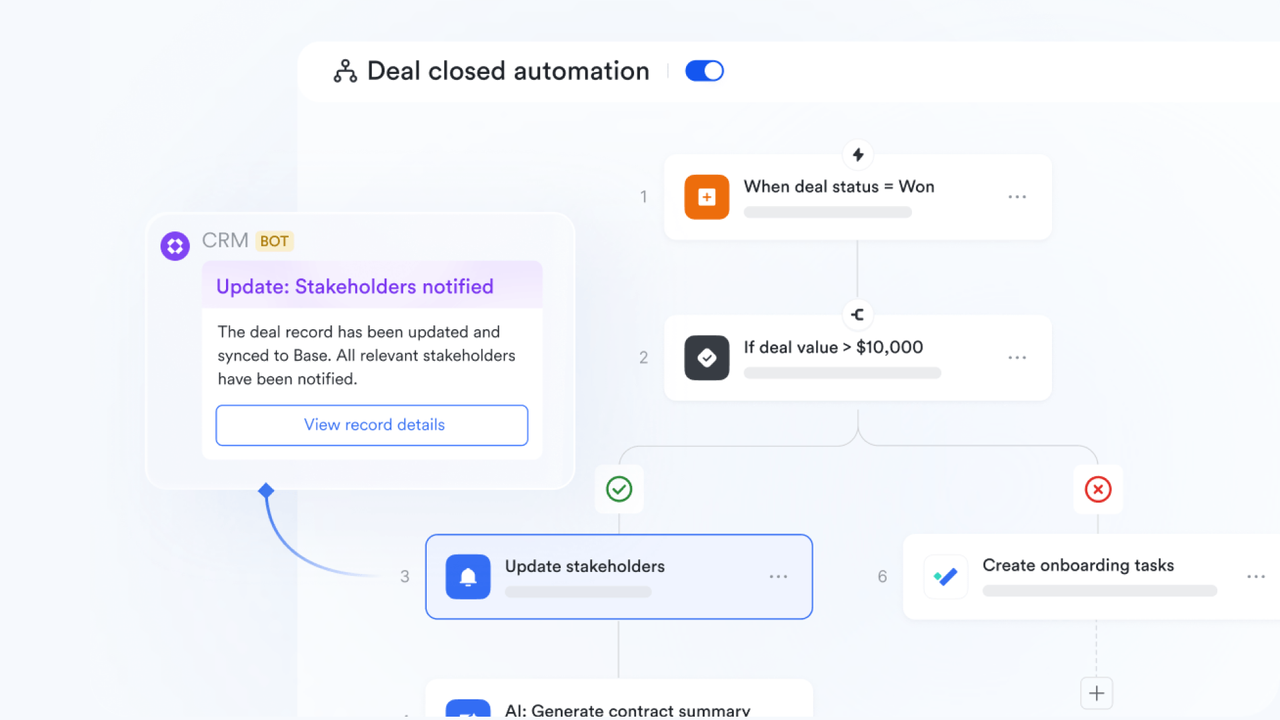
Dashboard in Lark Base: Real-time analytics and visualization
One of the biggest gaps in open source CRMs is easy, visual reporting. Lark's dashboard solves this by allowing users to visualize key metrics instantly through charts, graphs, and trend views. Teams can track revenue, conversion rates, pipeline growth, or activity volume using live data from Lark Base. Dashboards update automatically, keeping performance reports accurate and current without exporting data to another tool.
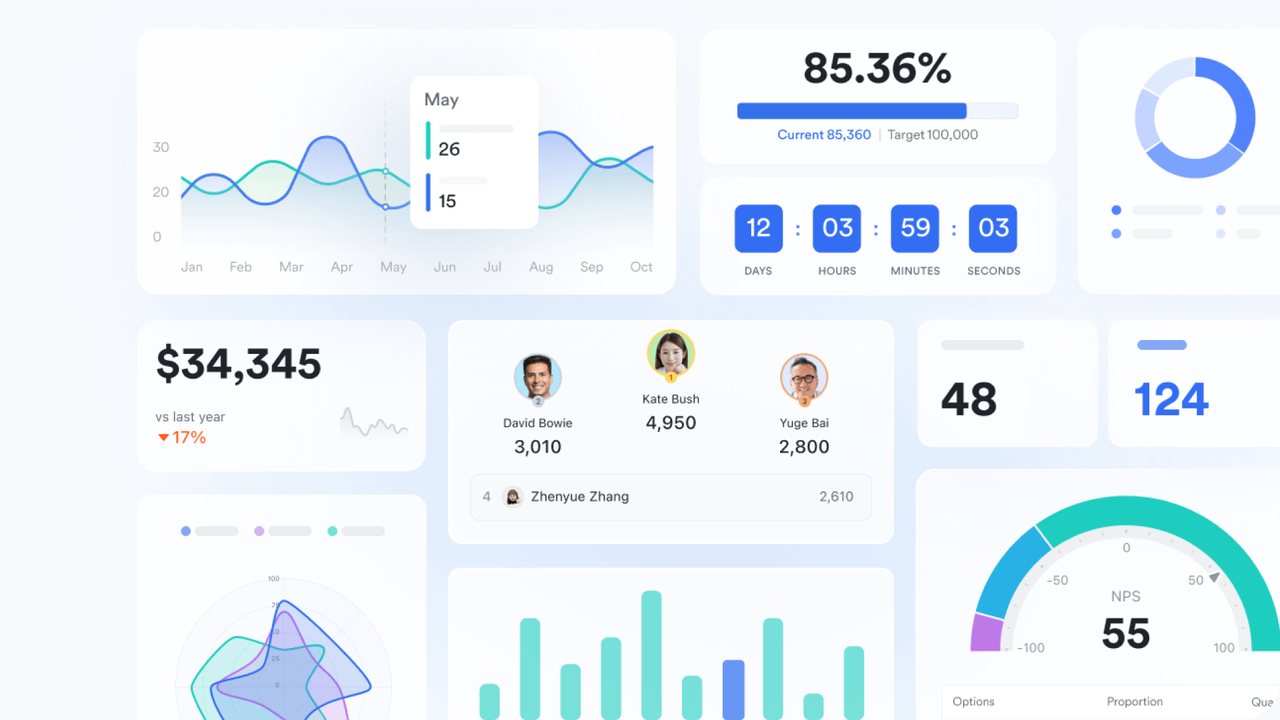
Lark Docs: Streamlined document creation and collaboration
Open-source CRMs typically rely on external tools for proposals, contracts, or meeting notes. Lark Docs eliminates this fragmentation by allowing teams to create, edit, and collaborate on documents directly within the workspace. Using the forward slash (/) command, users can instantly insert tables, tasks, charts, or media blocks—transforming Docs into dynamic project or client records. Real-time co-editing, inline comments, and version history make collaboration effortless and transparent.
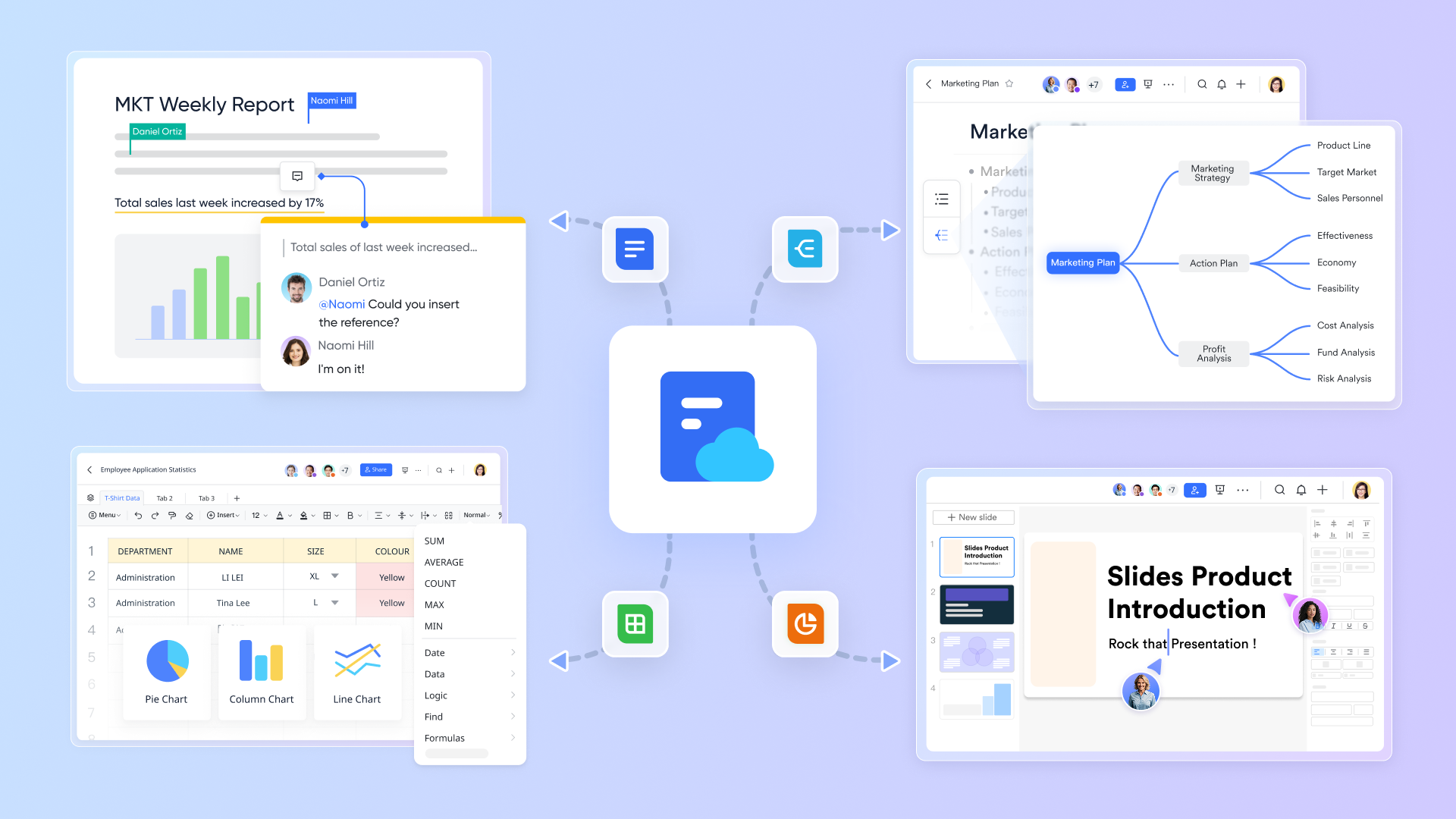
Lark Meetings: Connect teams and clients instantly
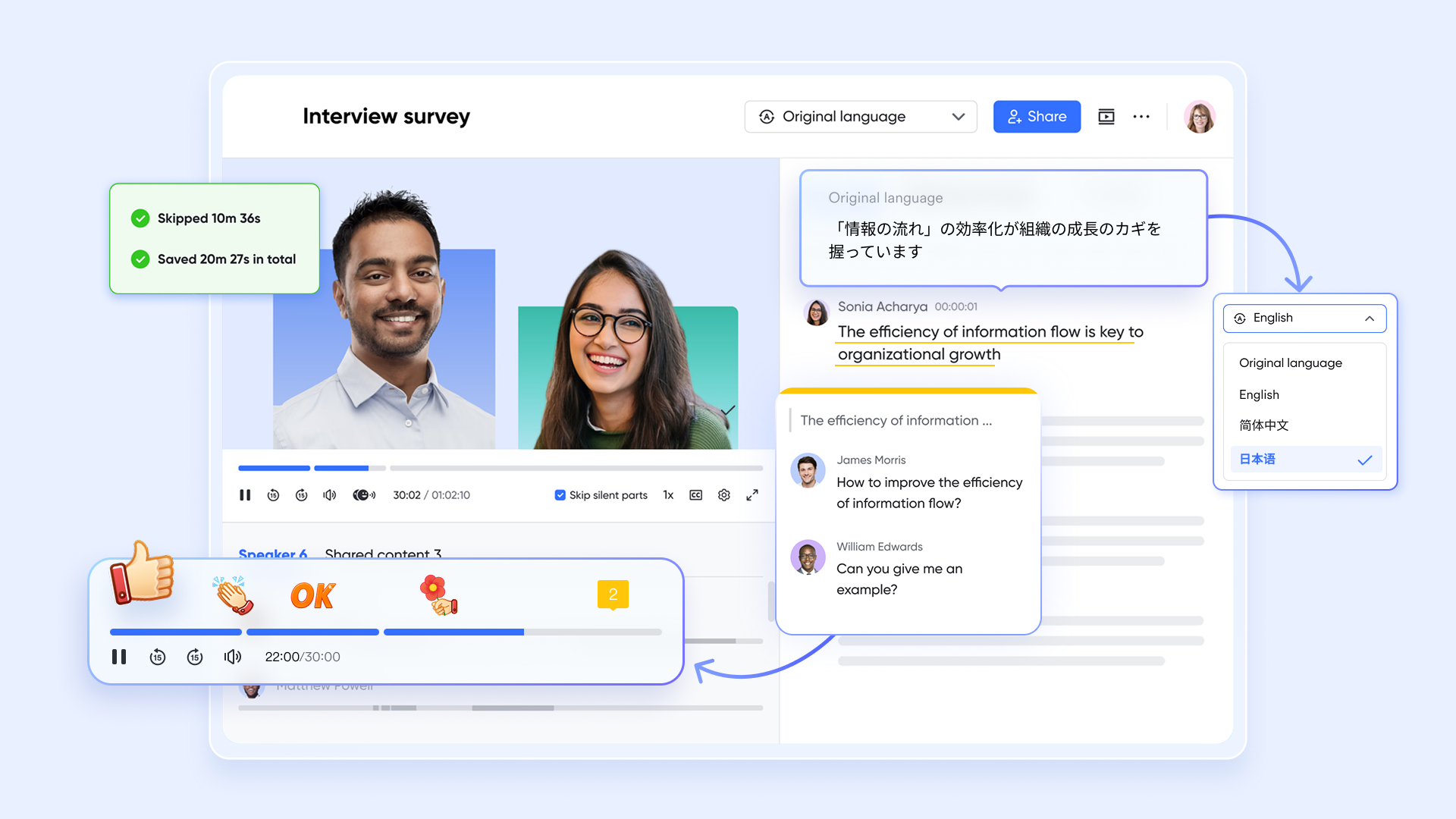
While open source CRMs typically depend on external conferencing tools, Lark includes video meetings built directly into the platform. Teams can jump into calls from chat messages, Docs, or project pages—ensuring discussions happen in context. With features like screen sharing, meeting recording, and collaborative notes, Lark Meetings make it easy to discuss client updates, review deals, or train sales teams remotely. This unified communication layer bridges the gap between CRM data and real-time human interaction, something most open source systems struggle to deliver natively.
- Starter plan: Free forever plan that includes 11 powerful tools for up to 20 users. It also comes with 100GB of storage, 1000 automation runs, AI translations, and more.
- Basic plan: $6/user/month (billed annually) for up to 500 users. It includes everything in Starter plus group calling for up to 500 attendees, 5TB of storage, 1000 automation runs, and more.
- Pro plan: $12/user/month (billed annually) for up to 500 users. It includes everything in Starter plus group calling for up to 500 attendees, 15TB of storage, 50,000 automation runs, and more.
- Enterprise plan: Contact sales for custom pricing. Supports unlimited users and includes even more automation runs and advanced security, compliance, and management features.
Open source CRM vs Lark: Which is the smarter choice?
Open source CRMs excel in flexibility, offering businesses control over customization, hosting, and data. They're perfect for teams that have the technical capacity to manage servers and tailor features. However, the downside lies in maintenance, scalability, and collaboration—areas where open systems often require additional tools.
Lark provides a modern alternative by combining CRM with communication, file sharing, meetings, and automation under one roof. It removes the burden of system upkeep while delivering real-time visibility across teams. Startups and growing companies benefit from Lark's integrated design, which connects every workflow—from lead management to project management—in a single platform. For most teams, this balance of simplicity and intelligence makes Lark the smarter, more scalable choice for the future of customer management.
Conclusion
Open source CRMs have revolutionized how startups and nonprofits manage relationships, offering freedom, flexibility, and transparency. Yet, as businesses grow, the need for seamless collaboration, instant access, and reduced maintenance becomes essential. That's where connected platforms like Lark excel—delivering everything from CRM to chat and document management in one space. Whether you prefer building your own system or adopting a unified workspace, the goal remains the same: empower teams to connect, automate, and grow smarter.
FAQs
Can open-source CRMs handle large-scale data securely?
Yes, many open-source CRMs can handle enterprise-level data, but the responsibility for encryption, hosting security, and compliance (like GDPR) lies with your IT team. Tools like YetiForce and Crust CRM are built with stronger security features, but they still require internal oversight.
How much technical skill is needed to maintain an open-source CRM?
Running an open-source CRM often requires server management, software updates, and customization knowledge. Businesses without an in-house tech team may struggle to maintain performance and security over time.
Are there hybrid CRMs that combine open-source flexibility with cloud simplicity?
Yes. Platforms like Vtiger and Odoo offer hybrid versions—you can self-host for flexibility or choose their managed cloud service for convenience. These options bridge the gap between control and ease of use.
How do open-source CRMs compare in terms of cost over time?
While open-source tools start free, long-term costs can include hosting, development, security, and maintenance. Cloud-based options like Lark often provide better value by reducing hidden technical costs and downtime.
Can open-source CRMs support remote and hybrid teams effectively?
Not always. Most open-source CRMs lack built-in chat, document collaboration, or video communication tools. Teams often rely on external apps, whereas connected platforms like Lark include everything in one workspace.
Related reading
Table of contents
Start using Lark today

Manage all your work in one place
Boost team efficiency by 10x
Save up to 70% on software costs
Table of contents
Start using Lark today
Manage all your work in one place
Boost team efficiency by 10x
Save up to 70% on software costs
Keep reading









2026 Lark Technologies Pte. Ltd.
Headquartered in Singapore with offices worldwide.






Explore: