Teams today depend on payroll and timekeeping software to simplify hour tracking, reduce errors and ensure accurate payouts for hourly, hybrid and field employees. Businesses often look for systems that combine attendance, scheduling, and payroll-ready data inside one structured workflow. Many teams also compare timekeeping and payroll software with online timesheet free tools to find simpler or more automated options. Lark appears gradually in these comparisons because its workspace approach connects attendance, scheduling, approvals and communication in one system. This guide explores the best payroll and timekeeping platforms, so organisations can choose tools that match their workforce structure and compliance needs.
Key takeaways: Top 5 Payroll and Timekeeping Tools
1. Lark: Best unified payroll and timekeeping workspace
2. Rippling: Best payroll first-time tracking software
3. Gusto: Best SMB payroll platform with tracking
4. QuickBooks Time: Best payroll-linked job costing tool
5. Clockify: Best free employee timesheet app free
Streamline your team's payroll and time tracking
Comparison table: Top 5 Payroll and timekeeping tools at a glance
This snapshot highlights the top 5 payroll and timekeeping tools covered in detail in our review. Additional tools are discussed later in the post, with deeper feature breakdowns and comparisons.
Information source: Official vendor sites
Update time: 2025/12/01
Note: Pricing and plan details reflect publicly available data as of the update date and may vary based on region, billing cycle, and number of agents.
What is payroll and timekeeping software?
Payroll and timekeeping software is a digital system that helps organisations capture employee work hours, manage timesheets, and prepare accurate payroll data without relying on manual spreadsheets. These tools track regular hours, overtime, breaks, and leave so managers and payroll teams always work with verified information. Modern platforms also connect time tracking with scheduling, approvals and workforce policies, which reduces administrative effort and prevents common payroll mistakes.
Many businesses use and timekeeping systems to maintain compliance with labour regulations, ensure transparent record keeping and eliminate disputes about hours worked. By storing timestamps, corrections, approvals and audit trails in one place, these systems support smoother payroll cycles and better accuracy. They are especially useful for shift-based, hourly, field and hybrid teams that need consistent, across locations. As teams grow, payroll and timekeeping software becomes essential for managing complexity and ensuring fair, timely payouts for all employees.
Prepare your team for accurate payroll cycles
10 best payroll and timekeeping software options for teams
1. Lark: Best unified payroll and timekeeping workspace
is built for teams wishing attendance, scheduling, timesheets, approvals, and communication in one connected system. Its approach replaces separate , spreadsheets, and manual approval cycles with a single workflow. , leave, and overtime flow into payroll-ready timesheets without reconciliation. Lark gradually appears in discussions about timekeeping and payroll software because it links real work activity with scheduling, reporting, and team communication. This makes it suitable for both shift-heavy teams and hybrid or distributed workforces.
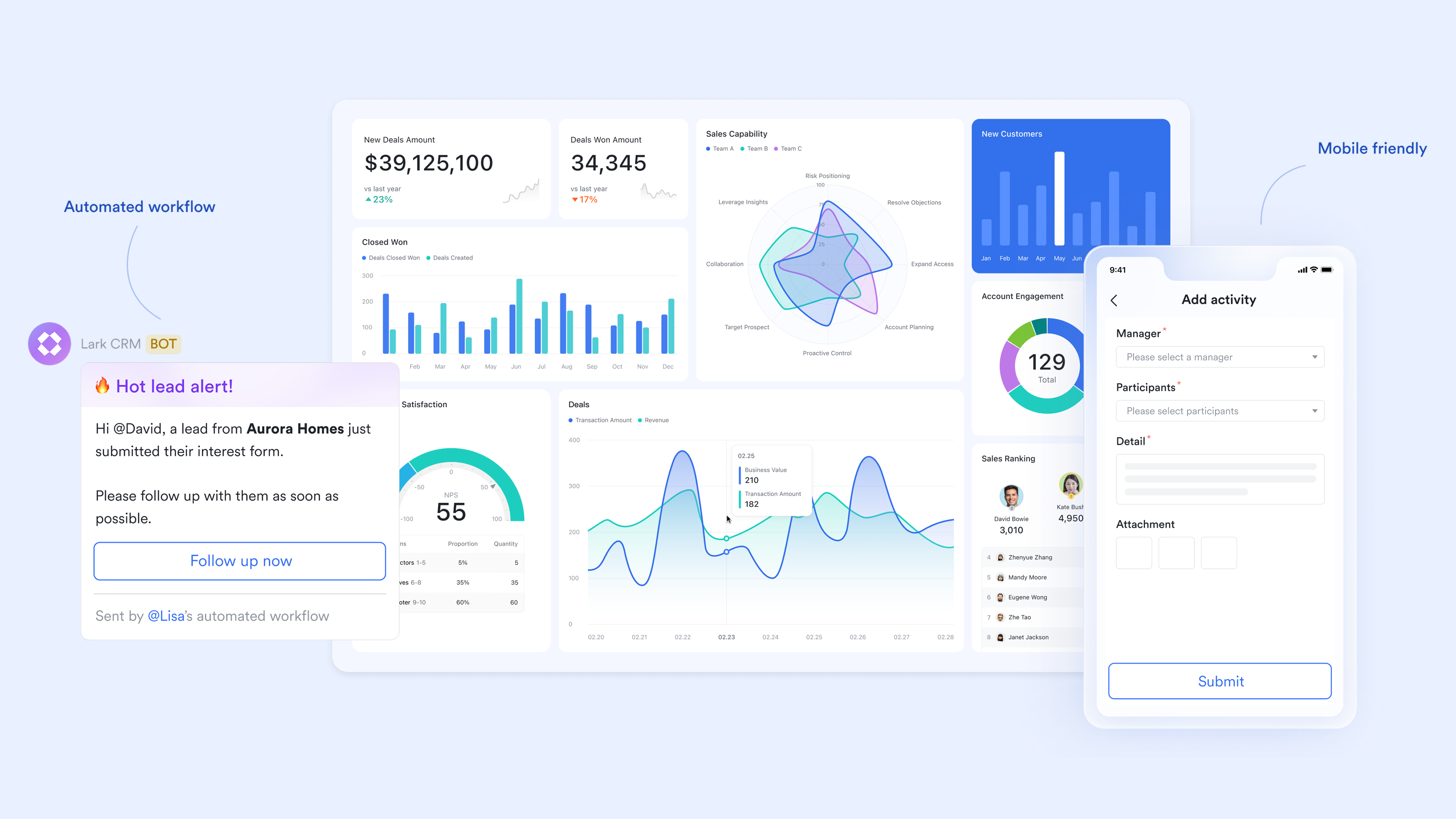
Attendance-based work hour capture
lets employees clock in and out directly from mobile or desktop, removing the need for paper logs or separate punch systems. Admins can apply GPS or Wi-Fi validation rules to restrict clock-ins to approved job sites, offices, or designated work zones as a major advantage for field, retail, or hybrid teams. Each punch is automatically recorded with timestamps and location markers (when enabled), and the system calculates worked hours, late arrivals, early departures, and breaks in real time. This creates an accurate, tamper-resistant foundation for payroll without manual data cleanup.
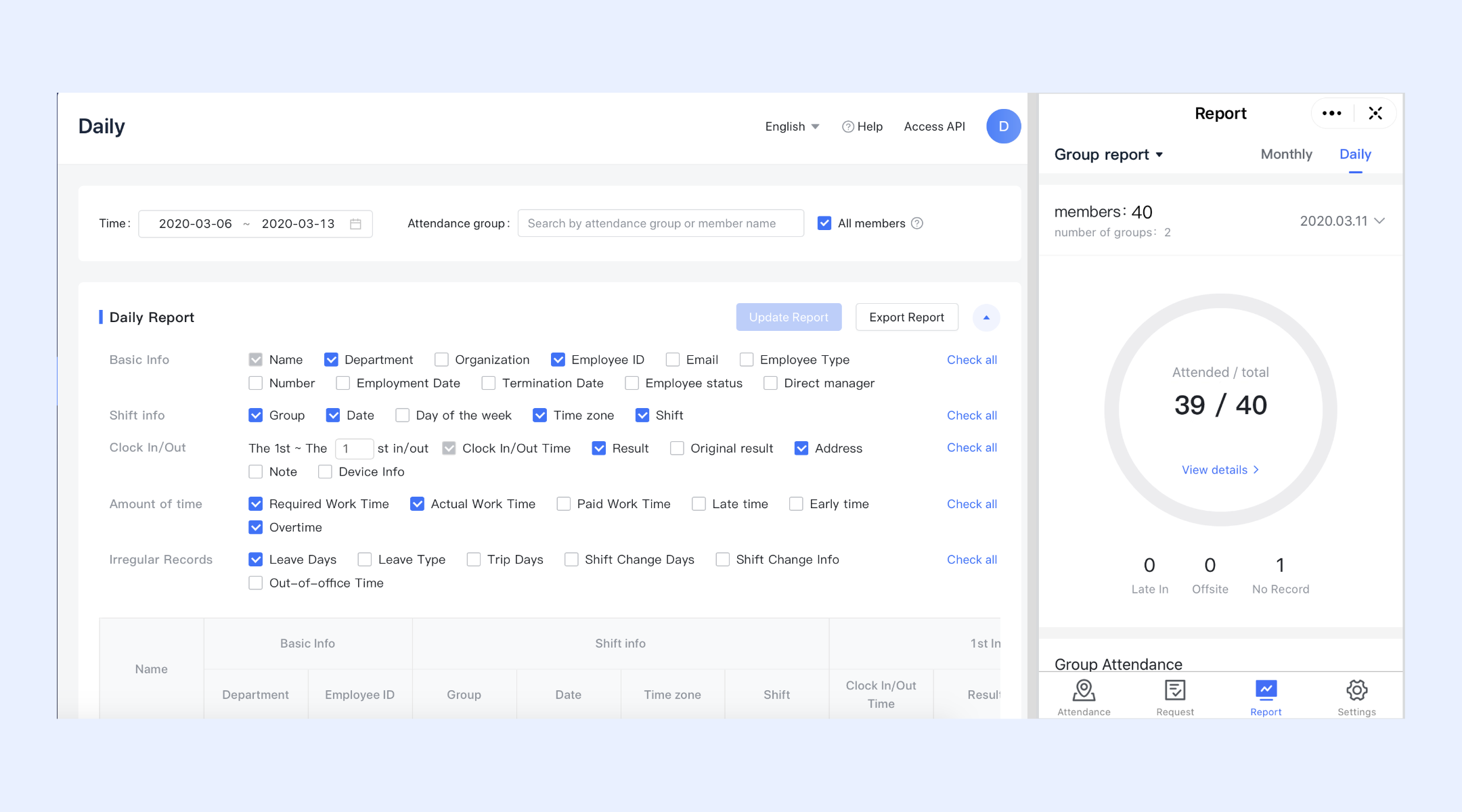
Leave and overtime management
Lark connects leave scheduling and overtime policies directly to attendance tracking. Employees submit leave requests inside the system, and approved leave days automatically adjust attendance and timesheet totals. Overtime thresholds can be configured by organization, team, or shift type so that overtime hours are calculated precisely once base schedules are exceeded. This unified approach prevents payroll miscalculations caused by manual leave tracking or unapproved overtime entries. HR and payroll teams gain one continuous dataset covering work hours, leave balances, and overtime accrual without reconciliation across tools. 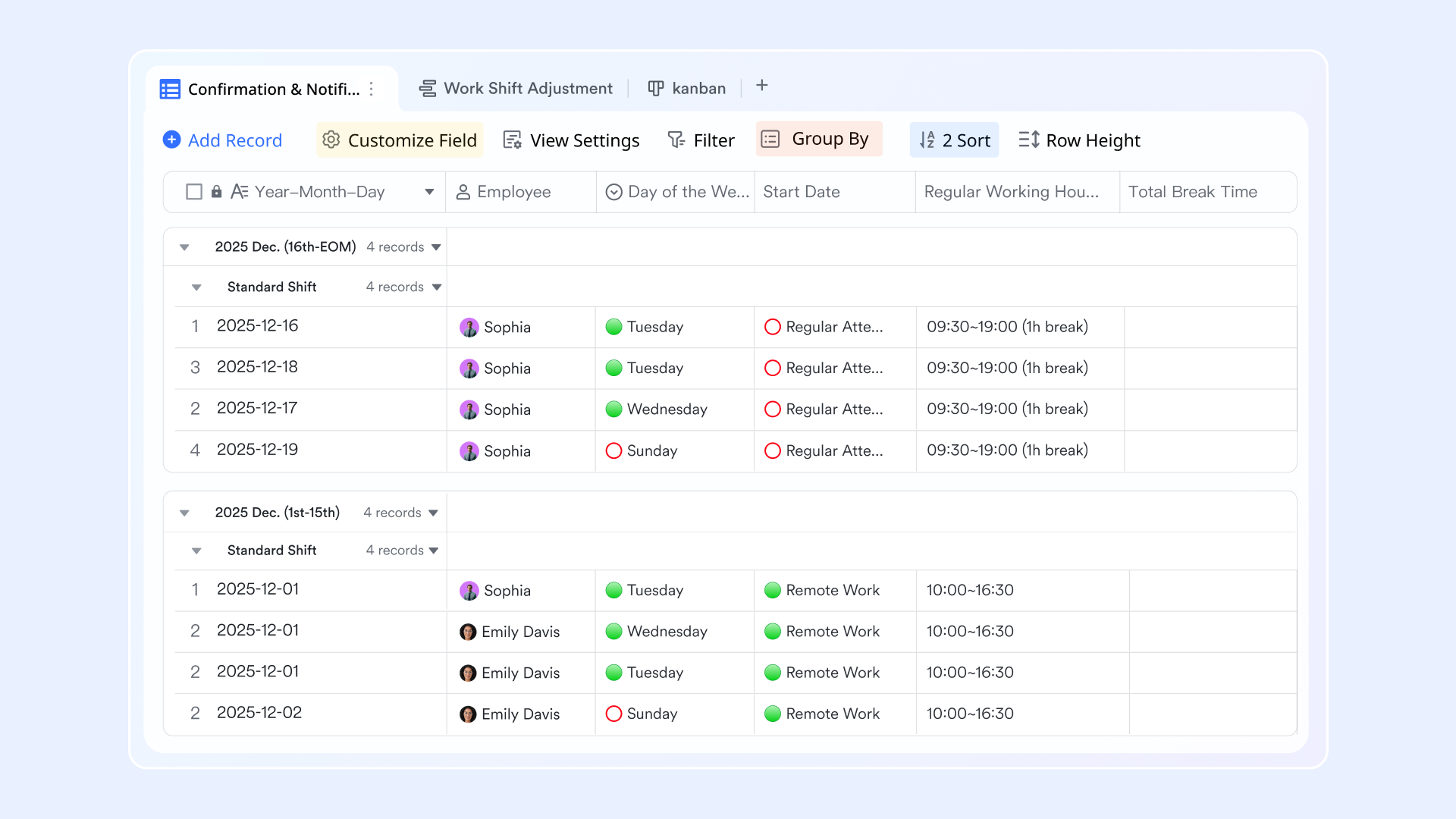
Timesheets structured for payroll preparation
All attendance data flows into structured timesheets built in , where work hours are organized into weekly and monthly summaries. Teams can group entries by department, location, cost center, or project using Groups and Filters to produce payroll-ready views instantly. Instead of exporting messy spreadsheets, payroll administrators can review standardized totals for regular hours, overtime, leave, and adjustments directly from one dataset. For businesses that need quick employee payment records after payroll is finalized, using a tool can help create downloadable pay documents for employees and contractors. Because Base operates like a database rather than static sheets, any correction or update to a punch automatically syncs across all reports, ensuring payroll calculations always reflect the latest approved data.
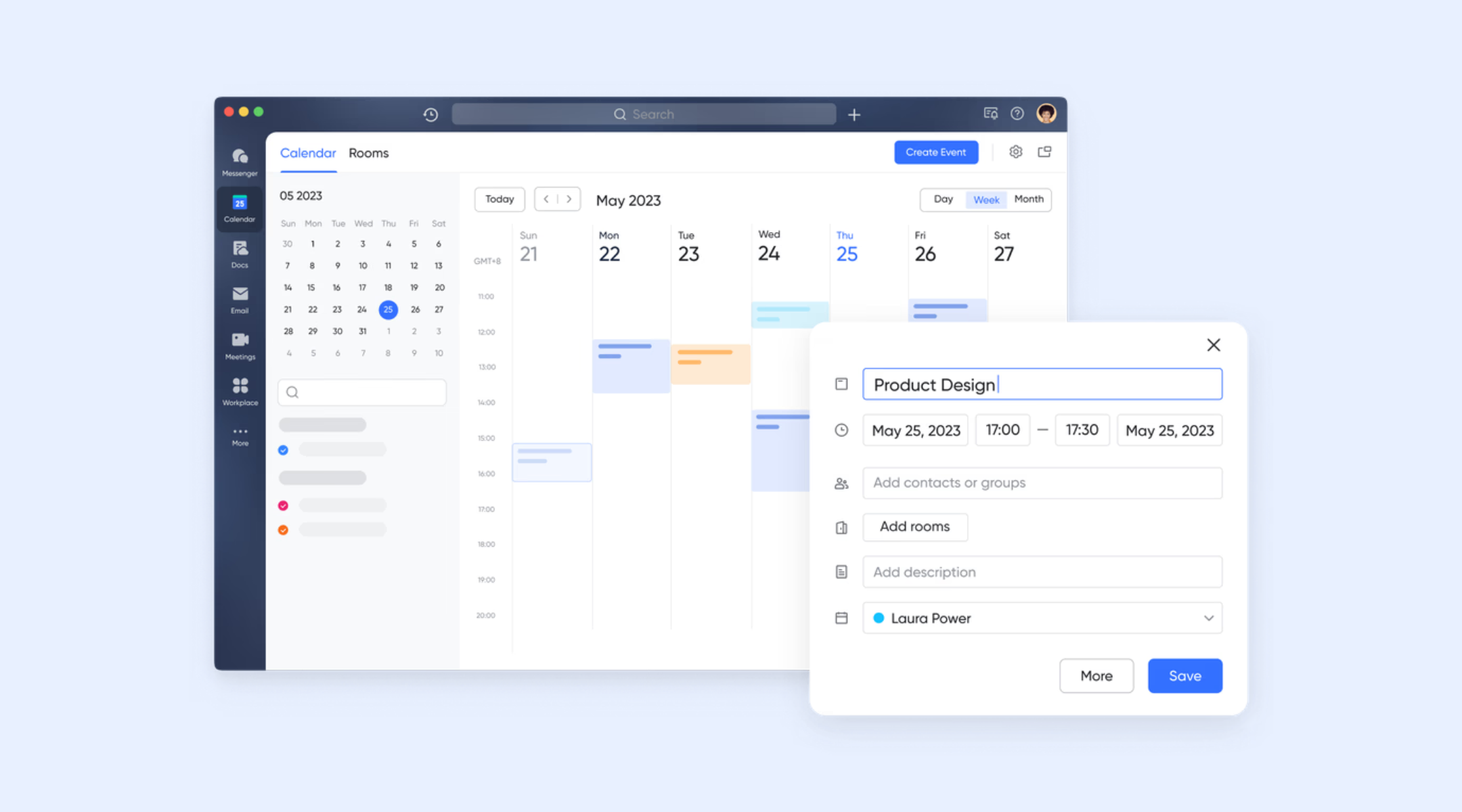
Shift scheduling alignment with Calendar
connects forward-looking scheduling with real attendance tracking. Managers plan shifts, project schedules, or coverage calendars directly in the shared calendar, while employee punches are matched against planned schedules. This alignment quickly highlights discrepancies, missed shifts, late starts, early departures, or overtime overruns without manual cross-checking. For multi-shift or rotating teams, this removes much of the administrative load typically required to reconcile planned coverage with actual attendance. Leaders can rebalance staffing proactively when patterns emerge.
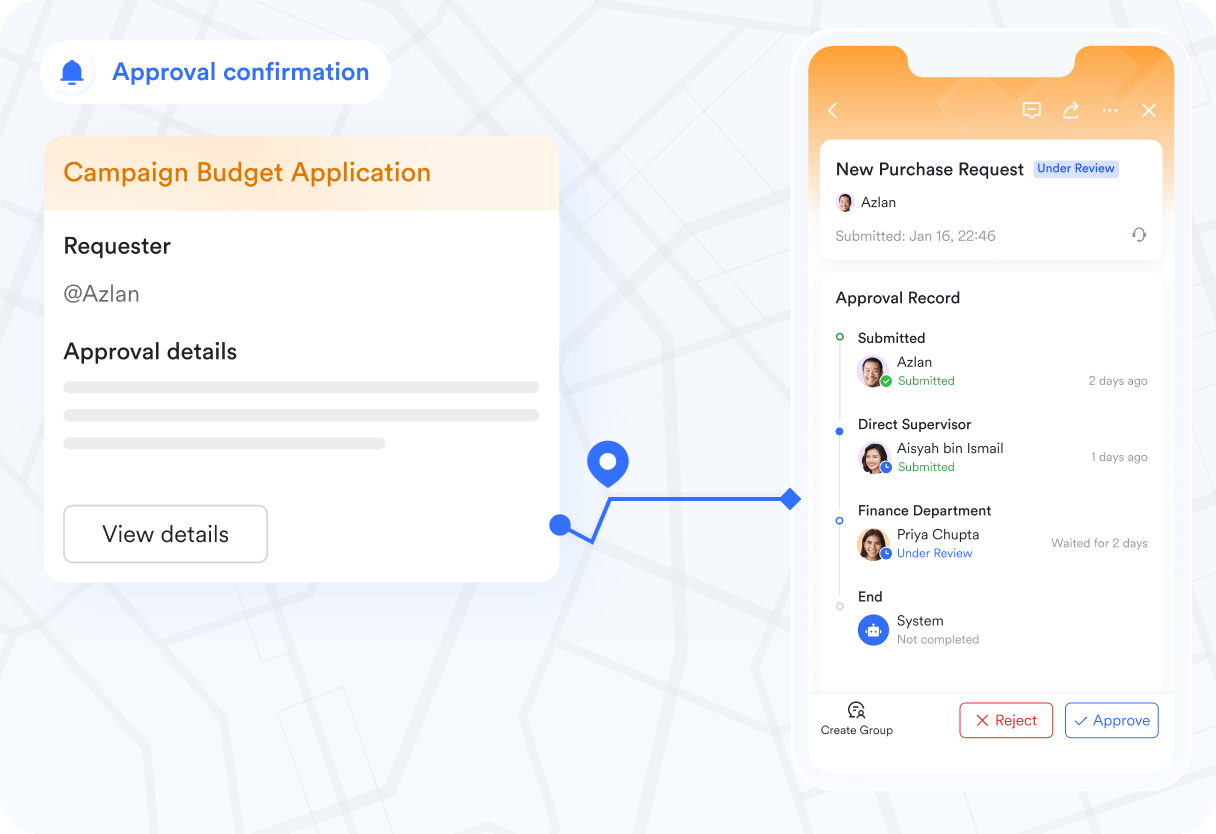
Approval workflows for payroll signoff
Before any hours move into payroll processing, workflows enforce multi-step verification. Timesheets are routed to supervisors or department heads for review, where managers can check attendance details, validate exceptions, or request clarifications before giving formal signoff. Every approval contains an audit trail including timestamps, approver identity, notes, and revisions. This ensures payroll submissions remain compliant with internal controls while reducing delays caused by informal email approvals or missing validations.
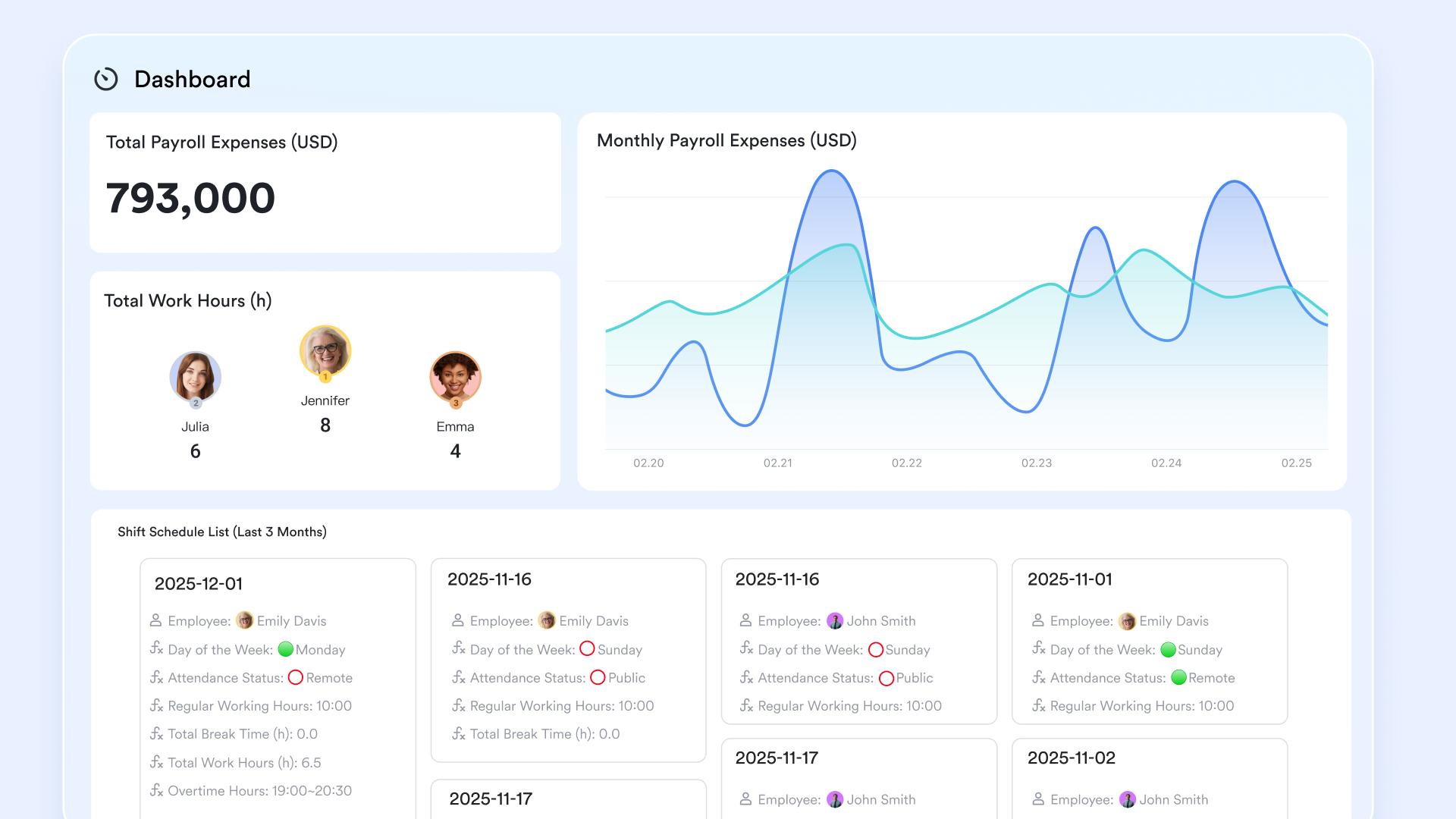
Central reporting dashboards for payroll oversight
Using, payroll and management teams gain real-time visibility into workforce cost and compliance metrics. Custom dashboards can surface key payroll indicators such as overtime exposure by department, missed punch counts, lateness trends, leave utilization rates, and labor cost patterns across locations or projects. Instead of juggling spreadsheet reports or siloed HR systems, decision-makers view operational and financial data together in one interface. This enables earlier intervention for overtime risks, staffing imbalances, or compliance issues, protecting margins and ensuring payroll accuracy before final processing.
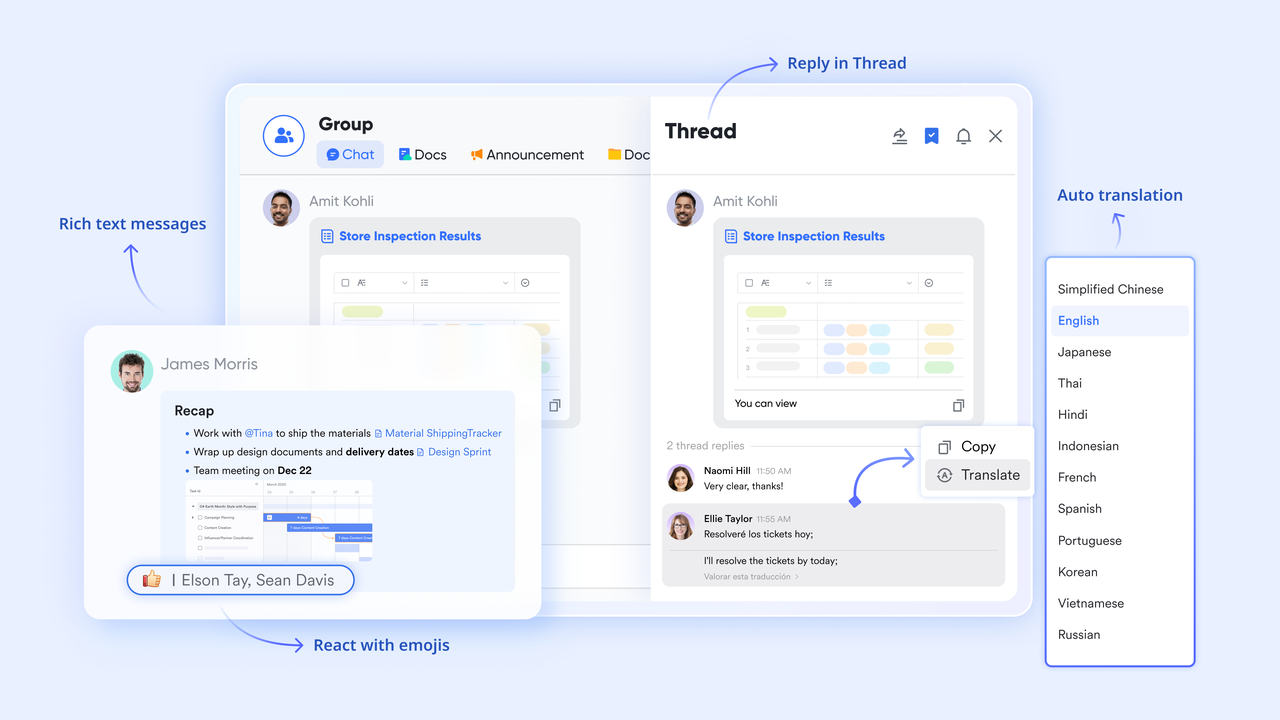
Messenger for clarification and corrections
When punch errors or disputes arise, keeps communication contextual and fast. Teams can reference specific attendance records or timesheet entries directly in chat threads, ensuring discussions stay tied to the exact issue. Employees can explain discrepancies, attach evidence (such as photos or site confirmations), and receive quick responses from managers without leaving the workspace. Pinned messages help keep open queries visible until resolved, while documented threads provide a clear history of changes, reducing misunderstandings and ensuring transparency during payroll reviews.
Pros
- Centralized system for scheduling, attendance, timesheets and collaboration.
- Reduces manual payroll prep with structured, real-time hour updates.
- Aligns shifts with real attendance for better staffing visibility.
- Strong communication tools for resolving timesheet issues.
- Useful dashboards for payroll oversight and workforce cost tracking.
Cons
- Advanced features may require onboarding support, while its AI Assistant provides 24/7 guides.
:
- Starter plan: Free forever plan that includes 11 powerful tools for up to 20 users. It also comes with 100GB of storage, 1000 automation runs, AI translations, and more.
- Basic plan: $6/user/month (billed annually) for up to 500 users. It includes everything in Starter plus group calling for up to 500 attendees, 5TB of storage, 1000 automation runs, and more. For more details, please .
- Pro plan: $12/user/month (billed annually) for up to 500 users. It includes everything in Basic plus group calling for up to 500 attendees, 15TB of storage, 50,000 automation runs, and more.
- Enterprise plan: for custom pricing. Supports unlimited users and includes even more automation runs and advanced security, compliance, and management features.
For small teams with simple communication needs

18 months message history
1000 Base automation runs/month
2000 rows per table in Base
Most POPULAR
For companies with comprehensive collaboration and management needs
Unlimited message history
500-participant video meetings
50k Base automation runs/month
20k rows per table in Base
For large companies with advanced security and organizational management needs
Get a personalized demo and pricing
Unlimited message history
500-participant video meetings
15 TB storage + 30 GB storage/user
500k Base automation runs/month
50k Base automation runs/month
Most POPULAR
For companies with comprehensive collaboration and management needs
Unlimited message history
500-participant video meetings
50k Base automation runs/month
20k rows per table in Base
2. Rippling: Best payroll-first time tracking software
Rippling is designed for mid to large companies that want payroll, HR, IT and time tracking in one platform. It is known for its automated payroll runs and compliance tools. Time tracking connects directly with payroll calculations, tax filing and benefits administration. Rippling is most effective for companies that want to reduce HR complexity through an all-system replacement rather than standalone time tracking.
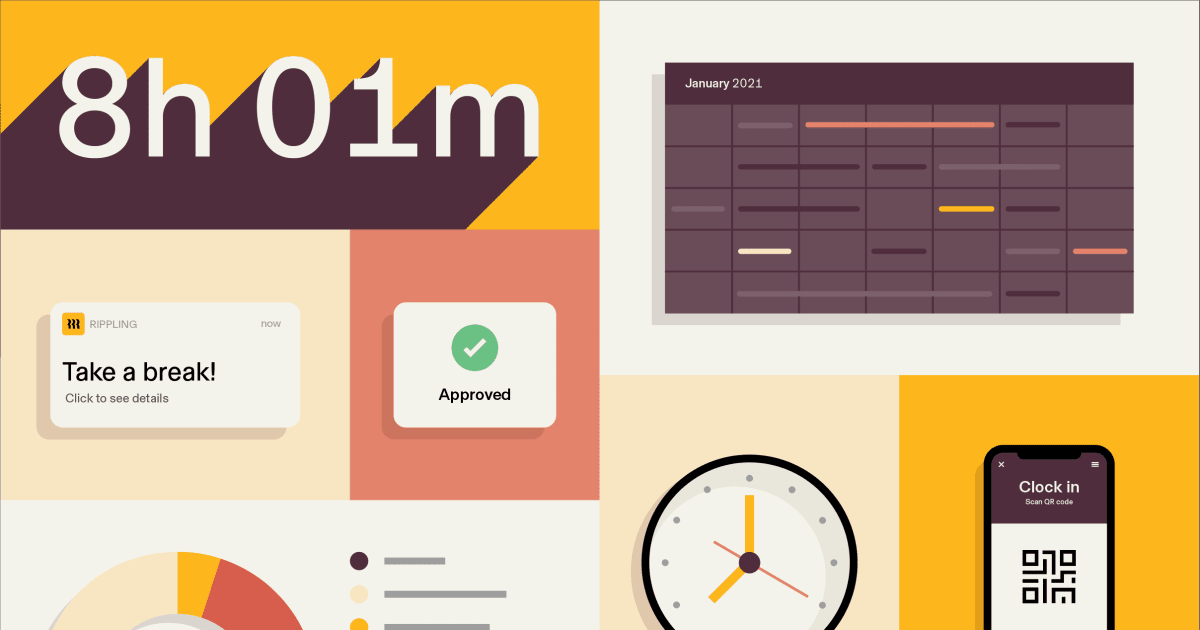
Image source: rippling.com
Features
- Supports automated payroll runs with tax filing and compliance management.
- Syncs attendance and PTO data directly into payroll for error-free payouts.
- Includes device, HR and app provisioning within the same system.
- Offers policies for overtime, breaks and team-specific rules.
- Provides role-based access and audit logs across HR and payroll functions.
Pros
- Strong payroll automation for large organizations.
- Deep compliance and tax support across states.
- All HR and IT functions in one system.
- Time tracking is fully tied to payroll logic.
- Reduces admin load for HR teams.
Cons
- Pricing can be high for small teams.
- Complex setup for organizations migrating from multiple tools.
Pricing
- Custom pricing based on modules selected.
3. Gusto: Best SMB payroll platform with tracking
Gusto is popular among US small businesses needing payroll, benefits and simplified time tracking. It automates tax filing, benefits administration and employee pay while offering a basic timekeeping module. It is well-suited to teams that want payroll-first tools with straightforward setup.
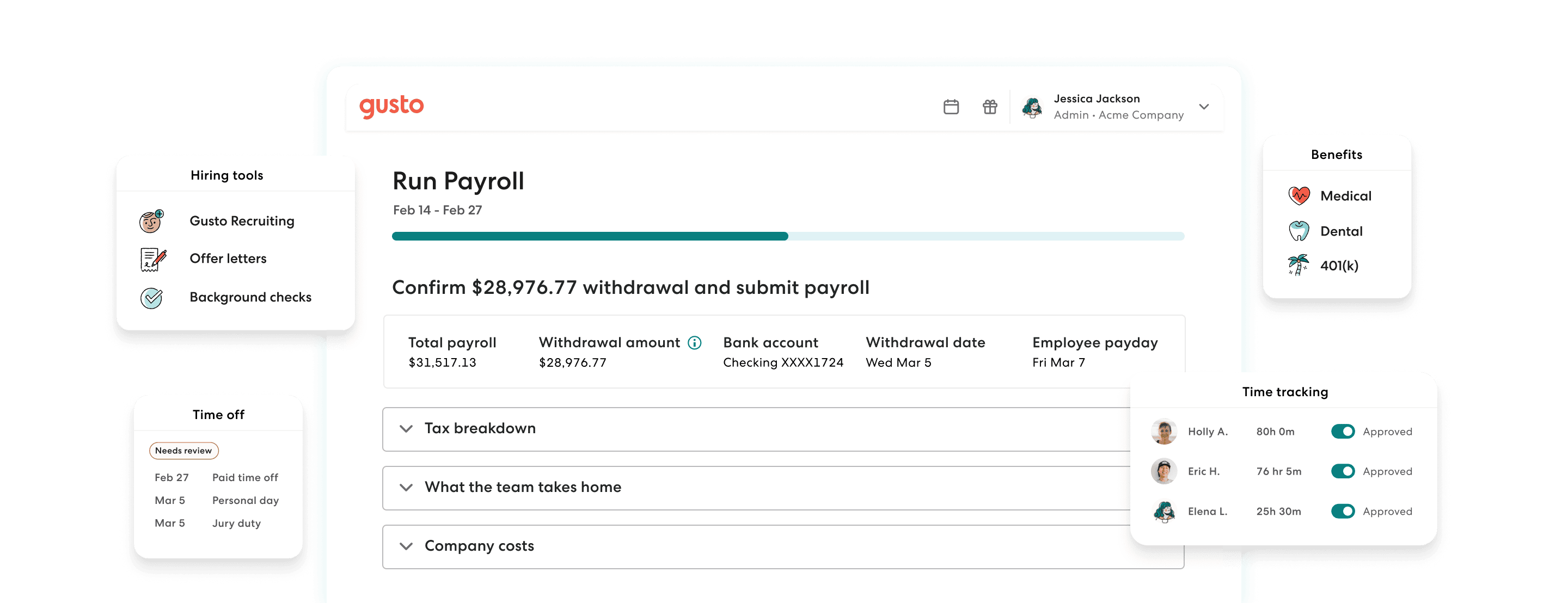
Image source: gusto.com
Features
- Runs automated payroll with tax filing and benefits administration.
- Tracks time, PTO and attendance for hourly workers.
- Offers employee self-service for documents and pay history.
- Supports contractor payments and 1099 filings.
- Provides basic scheduling and workforce tools.
Pros
- Very simple for small businesses to adopt.
- Strong tax and benefits features.
- Clean interface for payroll and time tracking.
- Contractor support included.
- Helpful compliance tools.
Cons
- Time tracking is basic compared to dedicated apps.
- Not ideal for shift-heavy or multi-location teams.
Pricing
- Contractor Only: $0/month Base Fee (Limited Time Offer) + $6/month per contractor.
- Simple: $49/month Base Fee + $6/month per person.
- Plus: $80/month Base Fee + $12/month per person.
- Premium: $180/month Base Fee + $22/month per person.
4. QuickBooks Time: Best payroll-linked job costing tool
QuickBooks Time (formerly TSheets) is known for GPS time tracking and job costing features. It is often used by construction, field-service and project-based teams. When paired with QuickBooks Payroll, it creates a full workflow for hours, costs and payouts.
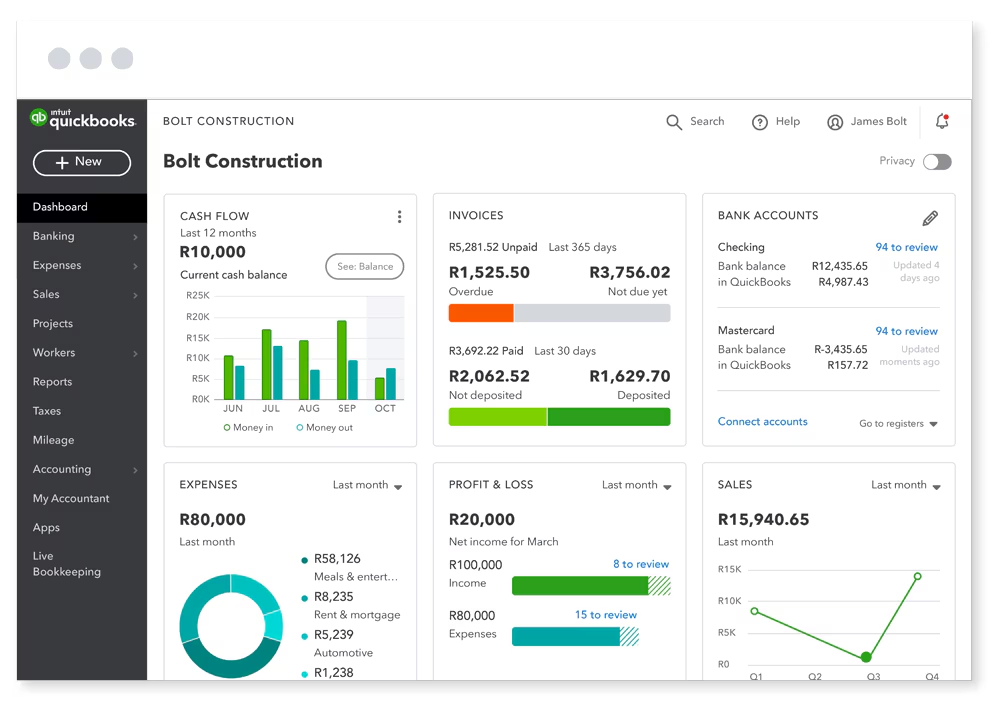
Image source: quickbooks.intuit.com
Features
- GPS time tracking for field teams with accurate location records.
- Job costing tools that link hours to clients or projects.
- Scheduling for shifts, crews and project timelines.
- Syncs with QuickBooks Payroll for easy processing.
- Supports contractor and hourly worker tracking.
Pros
- Excellent for field and construction teams.
- Strong job costing capabilities.
- Works seamlessly with QuickBooks accounting.
- Flexible scheduling tools.
Cons
- Pricing increases as teams scale.
- GPS tracking may impact battery life.
Pricing
- Time premium (time tracking only): $20/month base fee + $8 per user/month (billed monthly)
- Time elite (time tracking only): $40/month base fee + $10 per user/month (billed monthly)
- Time premium + payroll premium bundle: $88/month base fee + $10 per employee/month (billed monthly)
- Time elite + payroll elite bundle: $134/month base fee + $12 per employee/month (billed monthly)
5. Clockify: Best employee timesheet app free
Clockify is a widely used free timesheet software that supports manual entries, timers and project-based tracking. It is ideal for small teams, freelancers and startups looking for a free employee timesheet app free before upgrading to payroll systems.
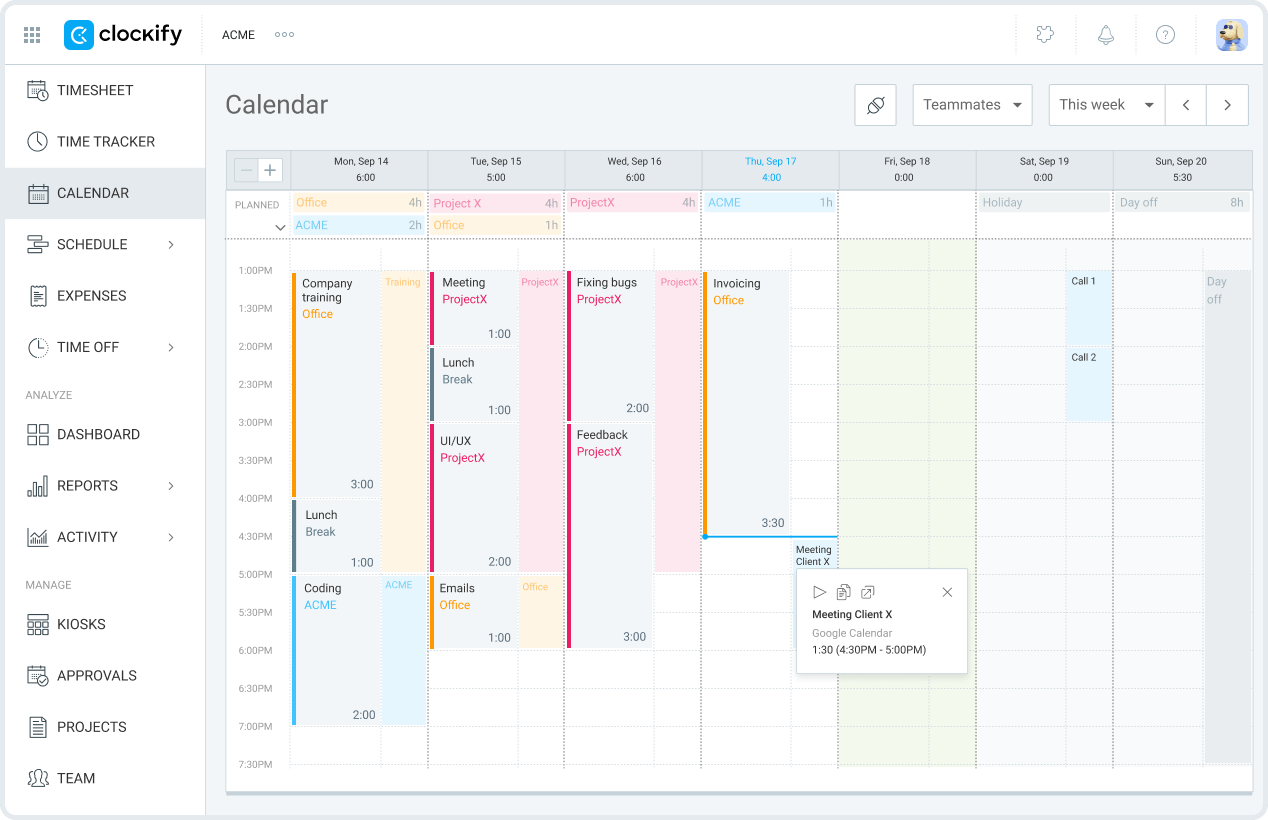
Image source: clockify.me
Features
- Tracks time manually or with one-click timers.
- Offers projects, tasks and tagging for classification.
- Generates timesheets, summaries and billable reports.
- Includes apps across the web, mobile and desktop.
- Supports basic scheduling and team activity logs.
Pros
- Free plan with strong core features.
- Easy for teams and freelancers to adopt.
- Good reporting and time breakdowns.
- Works across all devices.
Cons
- No built-in payroll features.
- Limited compliance or attendance controls.
- Advanced features require paid plans.
Pricing
- Free plan: $0 (for an unlimited number of users)
- Basic plan $3.99 per seat/month (billed annually)
- Standard plan: $5.49 per seat/month (billed annually)
- Pro plan $7.99 per seat/month (billed annually)
- Enterprise plan: $11.99 per seat/month (billed annually)
- CAKE.com bundle: $12.99 per seat/month (billed annually)
6. Buddy Punch: Best for payroll cost control
is a time clock and attendance platform built around stopping the timekeeping habits that quietly inflate payroll, including early clock-ins, forgotten punch-outs, unplanned overtime and buddy punching. It pairs photos on punch, facial recognition, geofencing and IP locks with controls that limit when employees can clock in or auto-stop the clock at shift end. The platform suits hourly and shift-based teams in the United States across construction, healthcare, hospitality and field services, where small punch discrepancies multiply across a pay period.
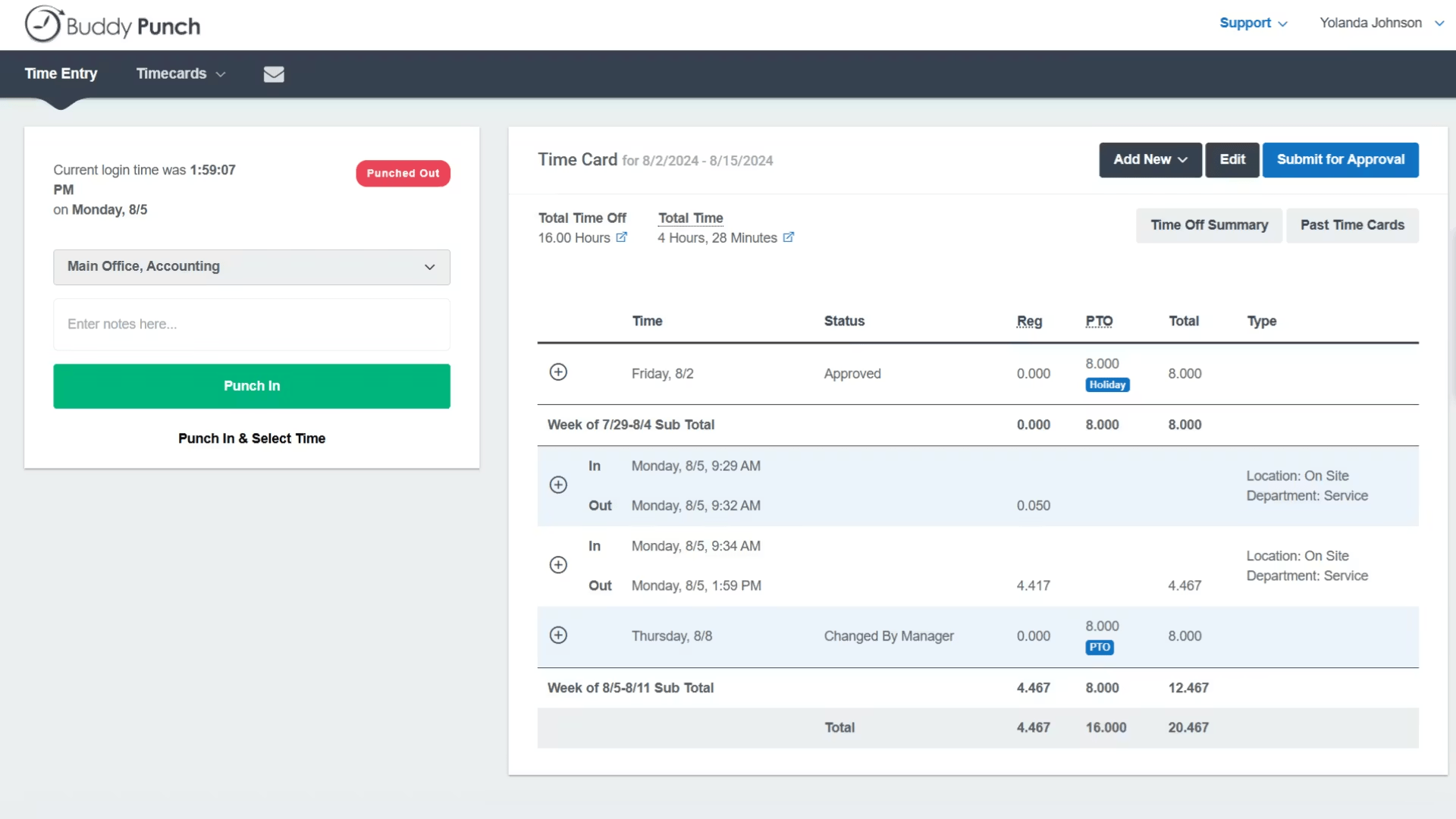
Image source: buddypunch.com
Features
- Punch limiting to block early clock-ins.
- Automatic punch-outs at scheduled shift end.
- Real-time overtime alerts for managers.
- Photos on punch, facial recognition, geofencing and IP locks.
- Native payroll integrations with QuickBooks, Gusto, ADP and Paychex.
Pros
- Quick to set up and roll out, even for non-technical hourly staff.
- Multiple punch methods give flexibility across office, kiosk, and field setups.
- Transparent pricing without per-feature add-on surprises.
- Responsive customer support based in the United States.
- Reliable mobile apps for iOS and Android with offline punch capture.
Cons
- Built primarily for U.S. businesses.
- No free plan beyond the trial period.
- Productivity tracking and project management are not part of the core scope.
Pricing
- Starter: $4.49 per user/month (billed annually) + $19 monthly base fee.
- Pro: $5.99 per user/month (billed annually) + $19 monthly base fee.
- Enterprise: $10.99 per user/month (billed annually) + $19 monthly base fee.
7. Deputy: Best shift scheduling and attendance software
Deputies are built for shift-based teams like retail, hospitality, healthcare and service operations. It combines scheduling, attendance and labor forecasting to manage workforce coverage effectively.
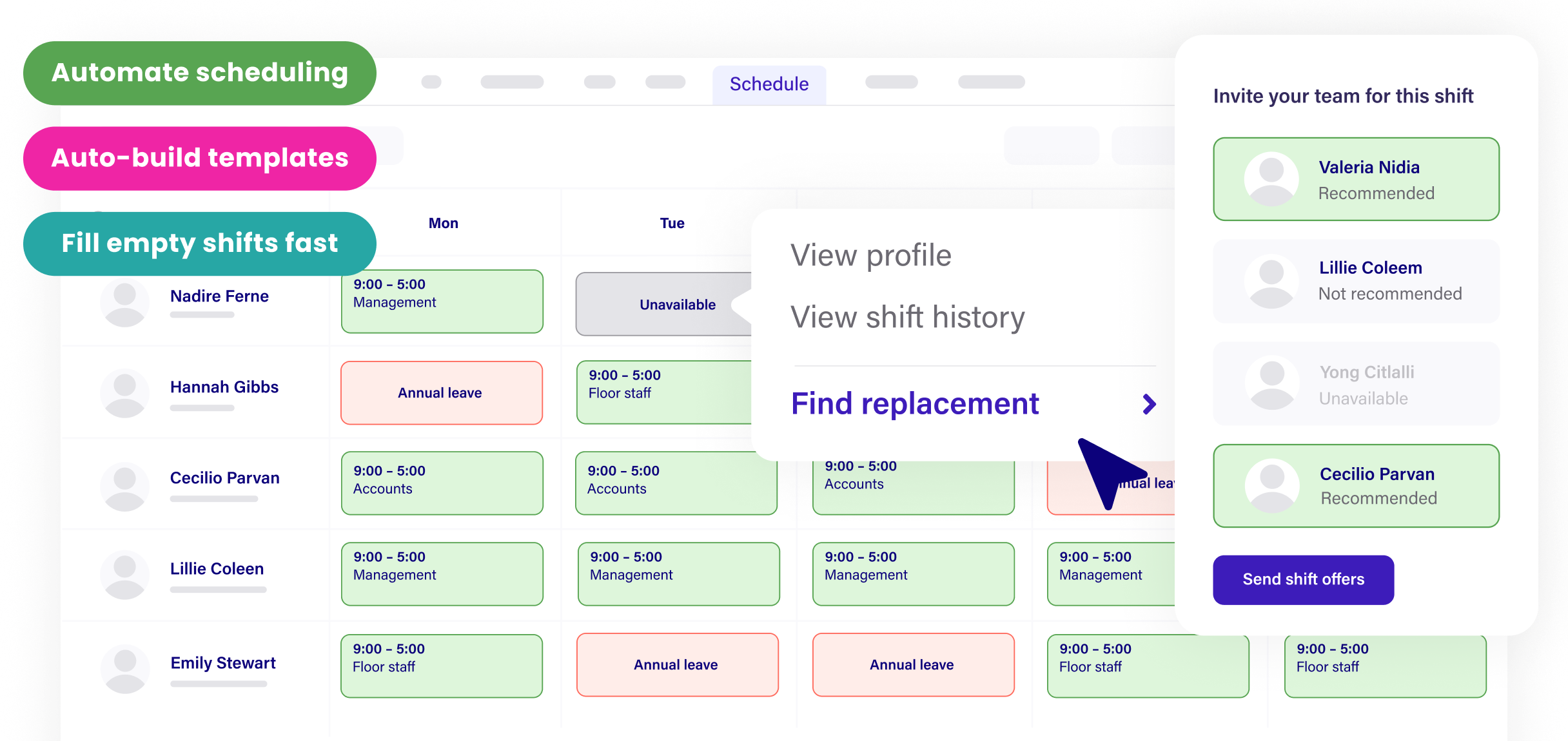
Image source: deputy.com
Features
- Drag-and-drop shift planning with templates.
- Attendance tracking with mobile clock-ins.
- Compliance warnings for overtime, breaks and coverage.
- Forecasting for labor demand and shift optimization.
- PTO and leave management tools.
Pros
- Strong for shift-heavy environments.
- Smart labor forecasting tools.
- Clean scheduling workflows.
- Good visibility for multi-location teams.
- User-friendly interface.
Cons
- Payroll export only, no built-in payroll.
- Limited custom reporting without upgrades.
Pricing
- Lite: $5 per user per month (billed upfront or in monthly installments)
- Core: $6.50 per user per month (billed upfront or in monthly installments)
- Pro: $9 per user per month (billed upfront or in monthly installments)
8. Homebase: Best payroll prep tool for hourly workers
is popular among restaurants, retail and service businesses. It combines scheduling, time clocks, hiring tools and productivity features. The free plan supports many small teams, making it a good entry-level option.
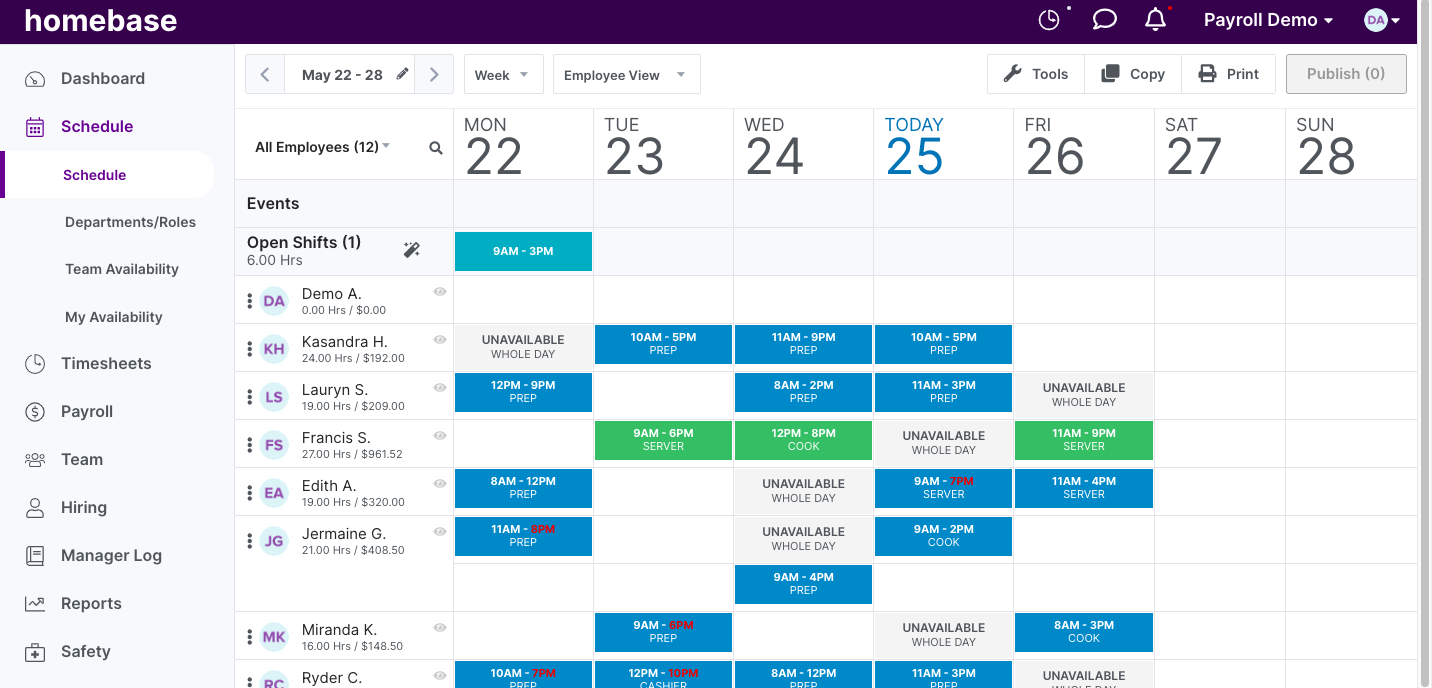
Image source: joinhomebase.com
Features
- Employee scheduling with templates and shift swapping.
- Time clock tools with GPS support.
- POS integrations for accurate hour matching.
- Timesheets that prepare hours for payroll.
- Hiring and messaging tools for frontline teams.
Pros
- Generous free plan for small businesses.
- Very helpful for restaurants and retail.
- POS integrations improve hourly accuracy.
- Simple to onboard employees.
- Good scheduling and communication features.
Cons
- Payroll is a paid add-on.
- Some features are locked behind higher tiers.
- Not designed for complex HR needs.
Pricing
- Basic: $0 per month (for 1 location, up to 10 employees).
- Essentials: $30 per location/month or $24 per location/month (billed annually).
- Plus: $70 per location/month or $56 per location/month (billed annually).
- All-in-one: $120 per location/month or $96 per location/month (billed annually).
- Payroll add-on: $39 per month base fee + $6 per employee paid/month (can be added to any plan).
9. Hubstaff: Best GPS productivity time tracker
Hubstaff is designed for distributed teams, field workers and organisations that need accurate location-based timekeeping. It offers GPS monitoring, geofencing and that help teams understand where work happens and how time is spent. Many companies rely on Hubstaff to verify job site attendance, track billable hours and manage remote productivity. It is especially strong for teams that operate across locations or need accountability for on-site work. Hubstaff is a good match for managers who want visibility into daily activity and workforce efficiency.
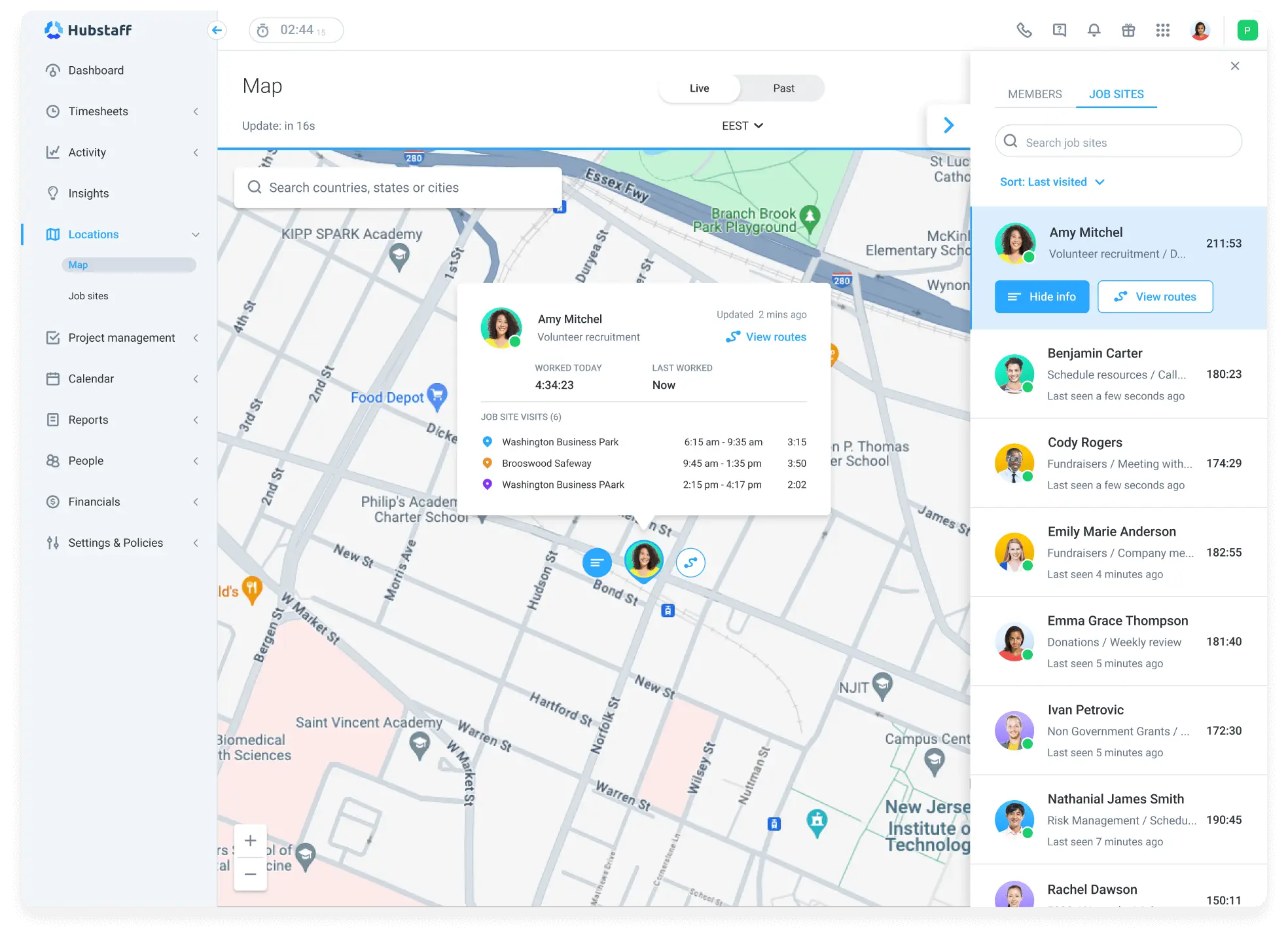
Image source: hubstaff.com
Features
- GPS tracking with geofencing for job sites.
- Productivity measures like screenshots, activity levels and app usage.
- Automated timesheets for hourly teams.
- Shift scheduling and attendance monitoring.
- Invoicing for client-based teams.
Pros
- Excellent for distributed teams needing visibility.
- Strong GPS and job site controls.
- Automated timesheets reduce admin time.
- Good reporting for managers.
- Supports contractors and billing workflows.
Cons
- Productivity monitoring may feel intrusive.
- Not suitable for high-trust creative teams.
Pricing
- Starter: $4.99 per seat/month (billed annually, 2-seat minimum)
- Grow: $7.50 per seat/month (billed annually, 2-seat minimum)
- Team: $10 per seat/month (billed annually, 2-seat minimum)
- Enterprise: $25 per seat/month (billed annually)
10. When I Work: Best retail and hospitality workforce tracker
When I Work is built specifically for shift-driven teams such as retail, restaurants, hospitality and service operations. It helps managers plan schedules, assign shifts and track attendance in a straightforward workflow. Employees can clock in using mobile devices with verification to prevent time fraud. The platform makes scheduling predictable and communication simple for hourly staff. It is a strong option for businesses that want a reliable way to manage coverage and avoid shift conflicts.
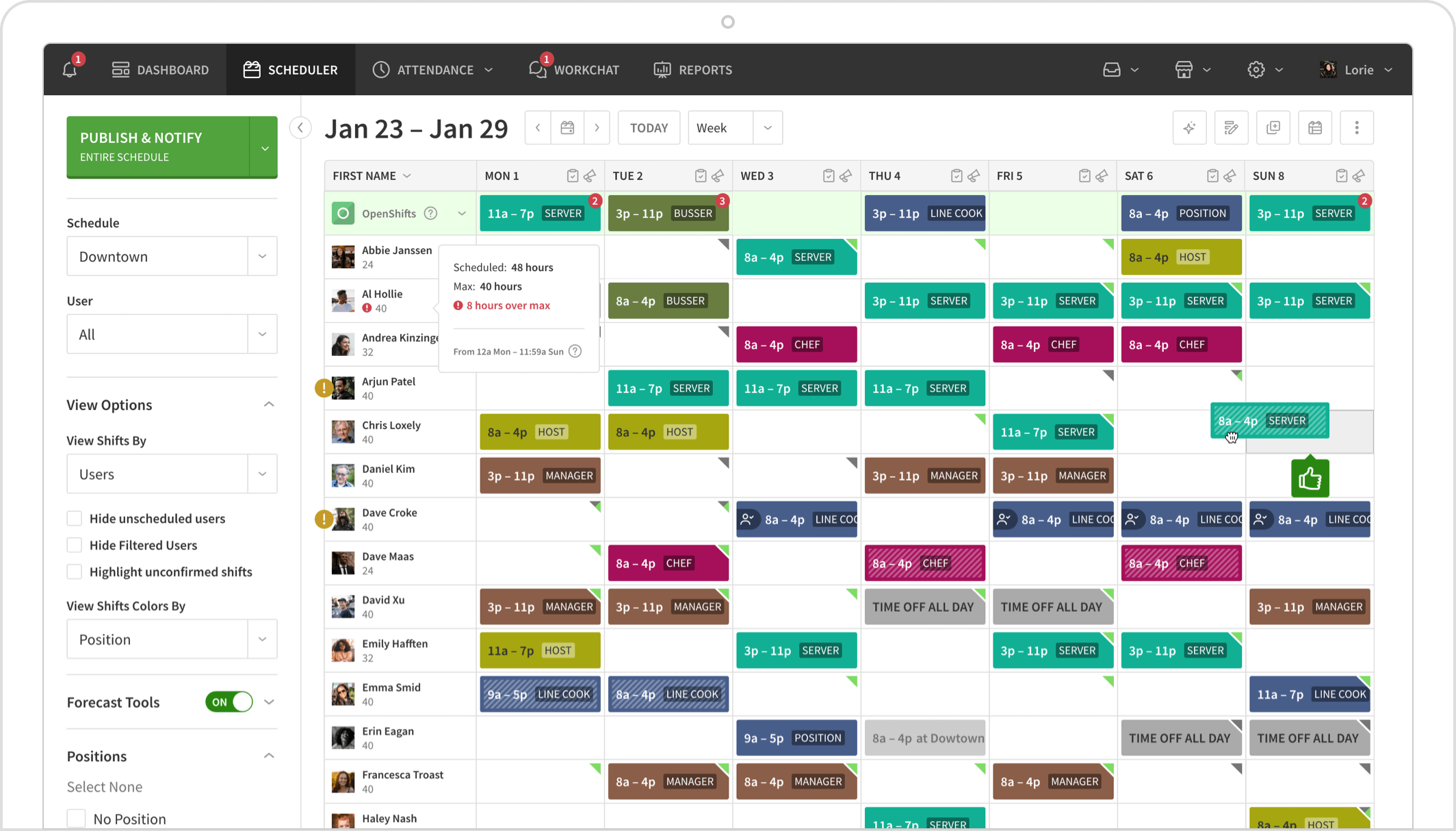
Image source: wheniwork.com
Features
- Shift scheduling with open shifts and templates.
- Time clocks with GPS and photo verification.
- Messaging tools for quick coordination.
- Labour forecasting tools for scheduling accuracy.
- Timesheets are export-ready for payroll.
Pros
- Ideal for frontline shift teams.
- Easy for managers to build schedules.
- Mobile-friendly for hourly workers.
- Strong attendance verification.
- Reduces scheduling conflicts.
Cons
- Limited tools for project-based work.
Pricing
- Single location/schedule: $2.50 per user/month (billed month-to-month or annually)
- Multiple locations & schedules: $5.00 per user/month (billed month-to-month or annually)
Essential features in payroll and timekeeping software
Good payroll and timekeeping software must support the entire workflow from clock-in to final payout. Teams should look for tools that reduce manual work, improve accuracy and simplify compliance. Modern systems also help distributed and shift-based teams stay organised while giving payroll departments clean, structured data.
- Automated clock-in rules: Automated rules ensure employees follow the correct clock-in method using GPS, Wi-Fi or device restrictions. These controls prevent off-site clocking, buddy punching and fraudulent entries. They maintain clean records for payroll preparation.
- Timesheet verification: Verified timesheets help managers catch missing punches, incorrect hours or unapproved overtime before payroll runs. Automated queues and alerts help supervisors validate entries quickly so errors do not reach HR.
- Approval workflows:formalise the review process, routing timesheets to the right managers and tracking every decision. This reduces manual follow-ups and creates audit-friendly records. It also ensures payroll receives only validated hour data.
- Tax-ready payroll exports: Accurate exports reduce the risk of mistakes when payroll teams calculate taxes, benefits or statutory deductions. Tools that provide standardised files help teams avoid reformatting spreadsheets manually.
- Leave and overtime management: Systems that combine leave, overtime and regular hours create one continuous dataset for payroll. This avoids reconciliation across tools and helps ensure deductions and additions remain accurate.
- Mobile workforce tracking: Mobile clock-ins help field teams, retail workers and hybrid employees record hours on the move. GPS or Wi-Fi validation keeps this data accurate while giving payroll teams confidence in the records.
- Audit and compliance logs: A stores timestamps, approval trails and change histories. These logs support audits, internal checks and cross-team transparency. Clean records protect companies during labour reviews.
Why timekeeping and payroll must work together
Payroll and timekeeping must connect smoothly because even small errors can impact salary accuracy and compliance. When work hours, leave and overtime are stored in one system, payroll teams receive clean, verified data without manual corrections. This prevents payroll delays and reduces back-and-forth between managers and HR teams. Strong coordination between hour tracking and payroll is essential for both financial accuracy and employee trust.
- Manual overtime errors: Overtime calculations often trigger most payroll disputes. When timekeeping and payroll operate separately, managers may miss daily or weekly overtime thresholds. A connected system, like Lark, can calculate these automatically, so payouts stay accurate and compliant.
- Missed shift deductions: Hourly employees sometimes miss shifts, arrive late or leave early. If these discrepancies are not captured correctly, payroll teams may overpay or underpay. ensures missed or partial shifts flow directly into payroll without manual review.
- PTO miscalculations: Paid time off is often tracked on paper or separate spreadsheets, which leads to mismatched balances. Centralised timekeeping updates leave balances instantly once requests are approved. This helps payroll teams avoid mistakes during monthly or bi-weekly runs.
- Late approvals delaying payroll cycles: When timesheets require manager approval, delays can hold up payroll entirely. Timekeeping software with structured approval workflows, for example, Lark and its built-in Lark Approval, helps prevent these issues by sending reminders and locking deadlines. This keeps payroll cycles consistent.
How to select the best payroll time tracking software
Choosing the right payroll time tracking software depends on your , scheduling structure and compliance requirements. Some teams need simple time clocks, while others require GPS validation or multi-level approvals. Many businesses also compare timekeeping and payroll software with online timesheet free tools to understand automation levels and accuracy. The points below help teams identify which type of tool fits their operating environment.
- Workforce size and shift complexity: Larger teams or multi-shift operations need systems that handle split shifts, rotations and coverage gaps. Simple tools may work for very small teams, but growing organisations benefit from structured scheduling and timesheet controls.
- Payroll country regulations: Different regions require specific tax rules, overtime calculations and compliance reporting. Choosing software aligned with your country's labour laws reduces legal and payroll errors.
- GPS or biometric needs: Field teams, construction workers and service crews often require location-verified clock-ins. GPS or biometric systems help ensure time records remain accurate and fraud-free.
- Approval hierarchies: Organisations with multiple departments or supervisors need tiered approval workflows. This prevents delays, ensures accuracy and maintains clean audit trails.
- Export to payroll compatibility: Teams using external payroll providers must ensure the software exports hours in the correct format. Smooth exports help avoid reformatting work and reduce administrative load.
Conclusion
Payroll and timekeeping systems help organisations reduce errors, maintain compliance and with greater accuracy. Teams often evaluate timekeeping and payroll software to remove manual processes and avoid overtime or leave miscalculations. Some businesses also review employee timesheet app free tools or online timesheet free tools before upgrading to more advanced systems.
Platforms like appear gradually in these comparisons because they connect attendance, scheduling, approvals and payroll-ready data in one workspace. By choosing the right tool, organisations can streamline payroll cycles, support hourly and field teams and ensure clean, reliable data across the entire workforce. The result is faster processing, fewer disputes and better control over labour costs.
Reduce manual effort in every payroll cycle
FAQs
Can payroll and timekeeping software replace manual timesheets entirely?
Modern payroll and timekeeping systems can fully replace manual sheets by capturing hours digitally and syncing them into timesheets automatically. This reduces human error and saves managers from reviewing paper logs. Many businesses switch to these tools to improve consistency and compliance. Lark also supports automatic attendance capture, making manual entry unnecessary for most teams.
How accurate are GPS-based time clocks for legal compliance?
GPS-based clocks can be highly accurate when configured with or location rules. They help verify job site attendance and protect organisations from fraudulent entries. These systems are commonly used in field service, construction and delivery teams. Lark offers similar GPS validation options to help teams maintain accurate attendance records.
Can payroll tools handle contractors and hourly staff together?
Many payroll platforms support multiple worker types, including full-time employees, hourly staff and contractors. This allows managers to process payouts from one system without switching tools. Having everything in one workflow reduces confusion and improves record accuracy. Lark also supports mixed team structures through attendance and timesheet controls.
What's the best employee timesheet app free for growing teams?
Free tools are useful for small teams starting with basic tracking needs. Options like Clockify provide essential features without cost, although they may lack advanced payroll readiness. Growing teams often upgrade to systems with approvals, scheduling and compliance features. Lark's free plan helps teams manage attendance, shifts and timesheets before moving to larger setups.
How long does payroll setup usually take?
Setup time varies depending on workforce size, pay structure and . Small teams can begin within a few hours, while larger organisations may need a structured onboarding process. Importing data, defining rules and testing exports are common steps. Lark provides guided configuration to help teams set up attendance and timesheets smoothly.
Related reading

















