














10+ Best Employee Payroll Tools & Trackers

Akhil Nimmathota
Content Specialist
Nov 4, 2026
Akhil Nimmathota
Nov 4, 2026

22 min read
Add to preferred sources


Managing employee payroll is a core responsibility for any growing business, mainly when teams include hourly staff, remote employees, and contractors. Accuracy is essential, mistakes can affect morale, compliance, and financial planning. To avoid manual errors and inefficiencies, many companies now rely on modern employee payroll trackers, time-tracking tools, and automated systems that simplify calculations and streamline the entire payroll cycle.
In this guide, you'll learn what a payroll tracker is, how payroll time-tracking tools save teams hours every pay period, and the 10+ best employee payroll tools to consider.
Key takeaways: Top 10+ employee payroll tracker
1. Lark: Unified payroll records+time tracking+approvals
2. Gusto: Payroll+HR+benefits
3. ADP: Scalable enterprise payroll
4. QuickBooks Payroll: Payroll for accounting-first teams
5. Paychex: SMB payroll+compliance
6. Rippling: Global HR & payroll automation
7. Deel: International contractor+employee payroll
8. BambooHR Time Tracking: Time+attendance+payroll add-ons
9. Paycor: Workforce management with payroll rules
10. Clockify: Payroll time tracker for hours-based teams
11. Keka: Payroll software for structured payroll operations

Quick comparison table of the employee payroll tracker
What is an employee payroll tracker?
An employee payroll tracker is a tool or system that helps businesses monitor, calculate, and manage payroll efficiently. It records employee work hours, pay rates, bonuses, deductions, and overtime, ensuring accurate and timely compensation. Modern trackers go beyond spreadsheets. They integrate with time clocks, HR systems, and accounting software to automate calculations, generate reports, and maintain compliance.
A payroll time tracker lets teams track hours worked in real time, making it easier to calculate wages for hourly employees and contractors. Some businesses use payroll tracker apps for mobile access, while others rely on templates like a payroll tracker template or an employee payroll hours tracker in spreadsheets. Tools such as Apple Time Tracker payroll, or web-based apps, ensure that both remote and on-site teams log hours accurately, reducing manual errors and saving HR teams hours of repetitive work each pay cycle.
What to look for in an employee payroll tracker
Choosing the right employee payroll tracker ensures payroll is accurate, compliant, and efficient. Modern tools combine payroll time tracker features with automated calculations, approvals, and reporting. This helps HR teams save hours and reduce errors every pay cycle.
- Hourly tracking accuracy: A strong tracker automatically logs clock-in and clock-out times. It accounts for overtime and break hours precisely. Accurate hourly tracking ensures fair pay for all employees.
- Automated deductions & tax rules: Payroll tools automatically calculate taxes, benefits, and deductions. This reduces errors and ensures legal compliance. Manual spreadsheets or simple payroll tracker templates often fail to follow these rules.
- Payroll calendar management: A structured payroll calendar highlights pay dates and submission deadlines. It prevents missed payroll runs or delays. Teams can plan and track payroll cycles effectively.
- Seamless approvals: Approval workflows let managers verify hours, rates, and bonuses before payroll processing. Each step is tracked for accountability. This minimizes errors and ensures compliance.
- Employee access: Employees can securely view payslips, hours, and tax forms. This transparency reduces HR queries. Mobile or web access keeps payroll data accessible anytime.
- Export-friendly reports: Trackers generate reports compatible with accounting software or banks. This reduces manual entry and errors. Export-ready files streamline payroll processing across systems.
1. Lark: Unified platform with payroll database, time tracking, & approvals
Lark is an all-in-one platform that brings together employee payroll tracking, time management, and approval workflows. It helps teams consolidate payroll records and attendance logs in a single workspace. With automation and dashboards, payroll calculations become faster and more accurate. Lark streamlines approvals and ensures payroll data is always up to date.
A structured payroll database with trackable records
In Lark Base, you can build custom databases that act as your single source of truth for payroll. For example, you create a "Payroll Records" table with fields such as employee ID, pay rate, hours worked, bonuses, deductions, and net pay. You can link each record to an employee profile, store historic data, and attach supporting documents (e.g., timesheet snapshots or tax forms). Because it's built as part of the same workspace, record updates (hours logged or pay changes) immediately reflect in dashboards and downstream workflows, no CSV hand-offs or separate systems.
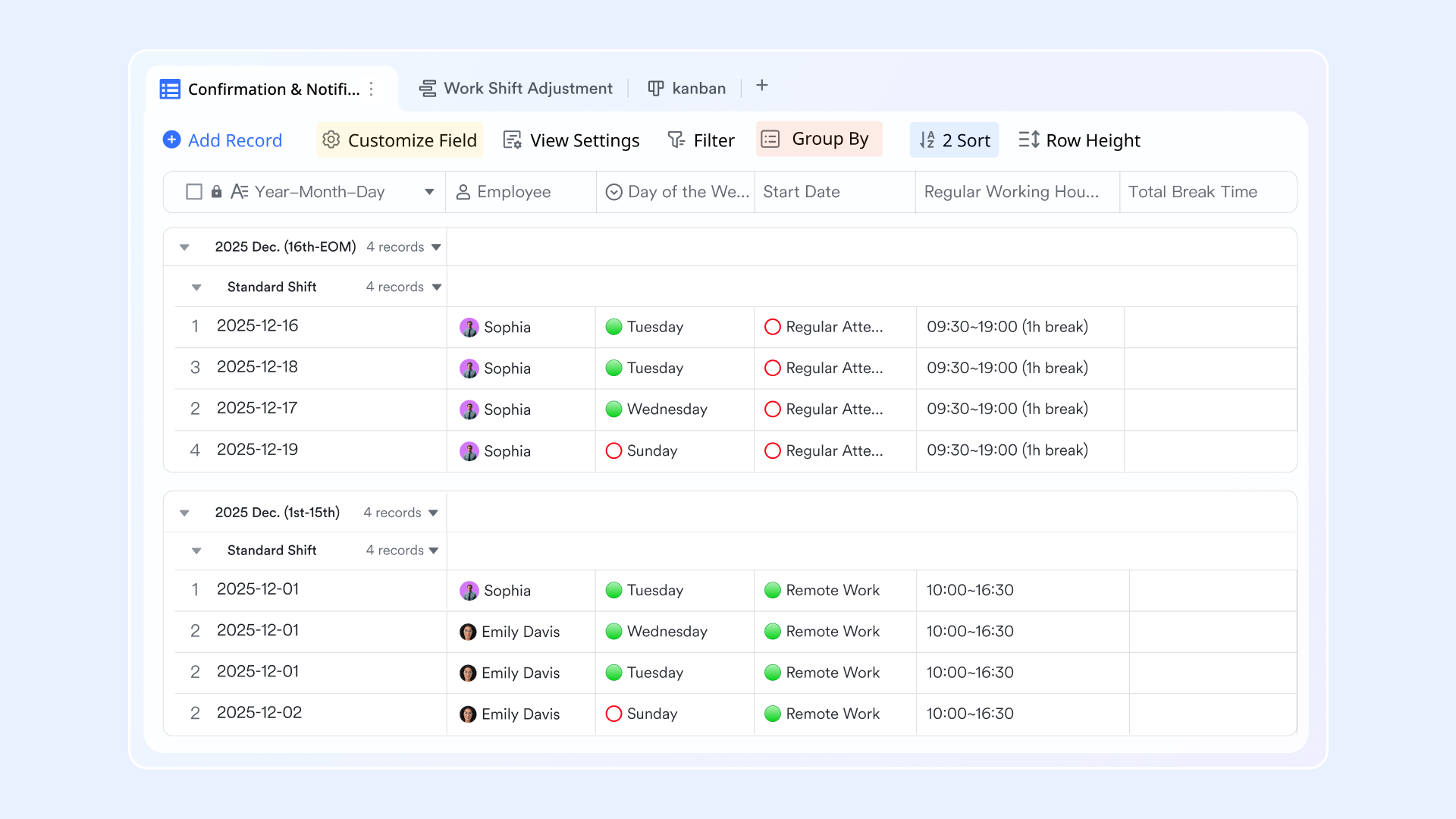
Time tracking & attendance logs
For payroll accuracy, Lark lets you track employee hours, clock-in/clock-out events, overtime, and attendance status in the same environment as your records. You might deploy a "Time Clock" form that employees submit via mobile or web, which writes into your "Hours Worked" table in Base. You can then apply automated rules, e.g., if an employee exceeds 40 hours/week, mark hours above 40 as overtime with a different pay rate. Because this lives inside your collaboration hub, employees, managers and payroll admins all see the same data in real time.
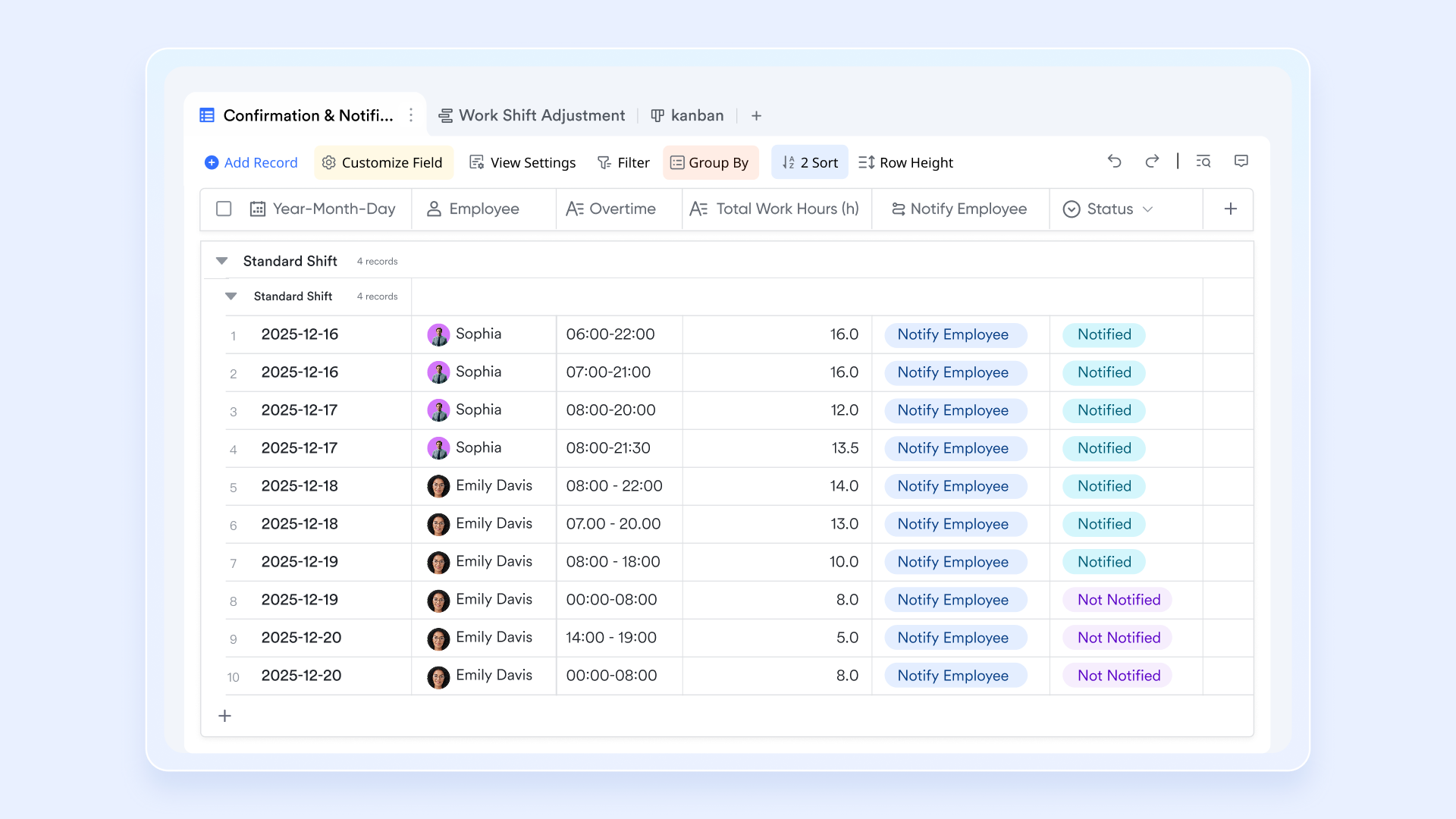
Automated payroll & status change notification
Lark Base automation keeps approvers informed the moment a payroll-related request—such as a reimbursement—comes in. Digital forms simplify data collection, making payroll inputs easier to submit, manage, and track. Once an approval is completed, the results are automatically recorded in Base, and applicants receive instant updates on the status of their request. For example, when approvals are complete, you can choose "When a new record is added," or "When a record is changed." to notify relevant users immediately.
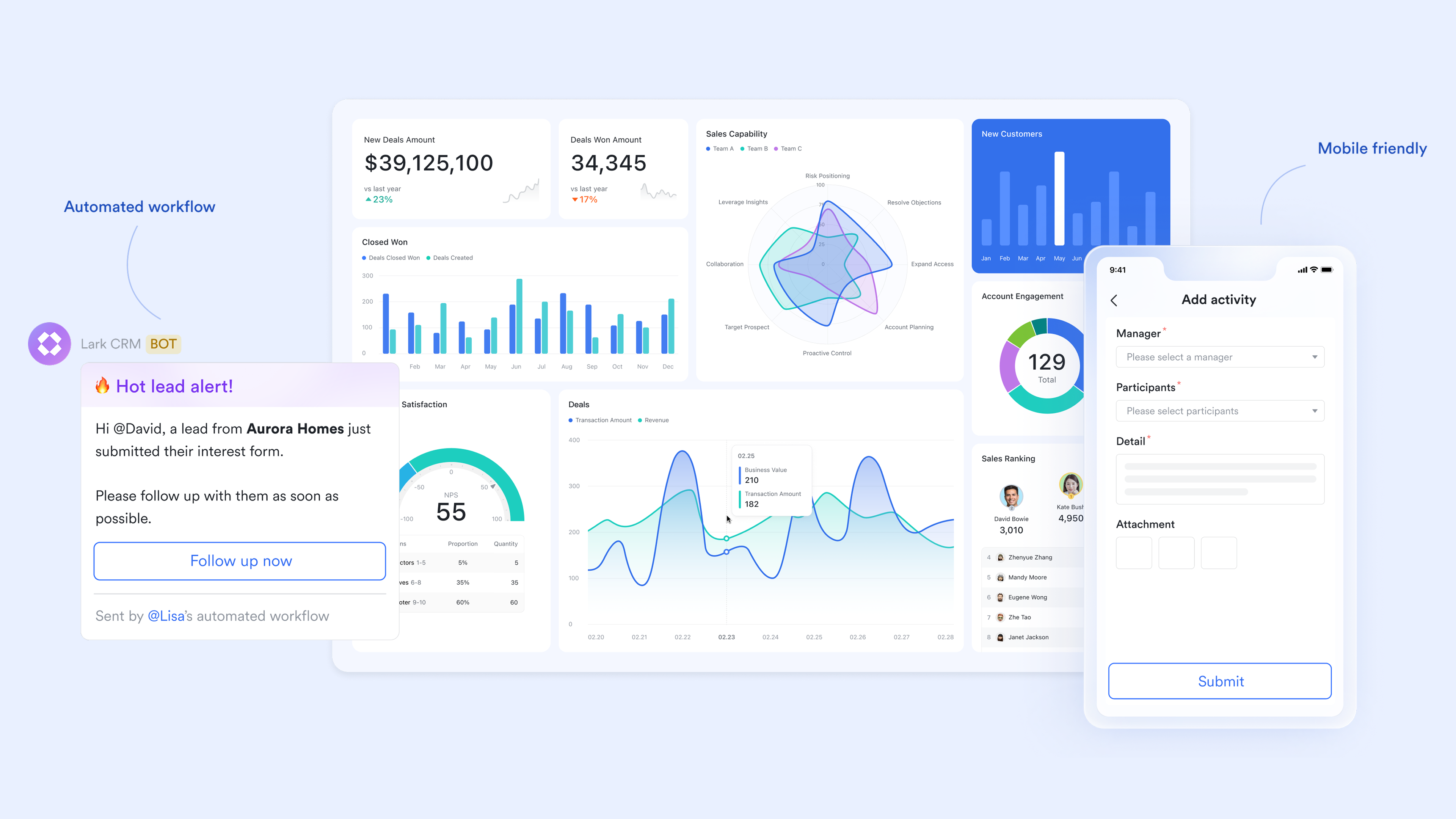
Clean dashboard for payroll data insights
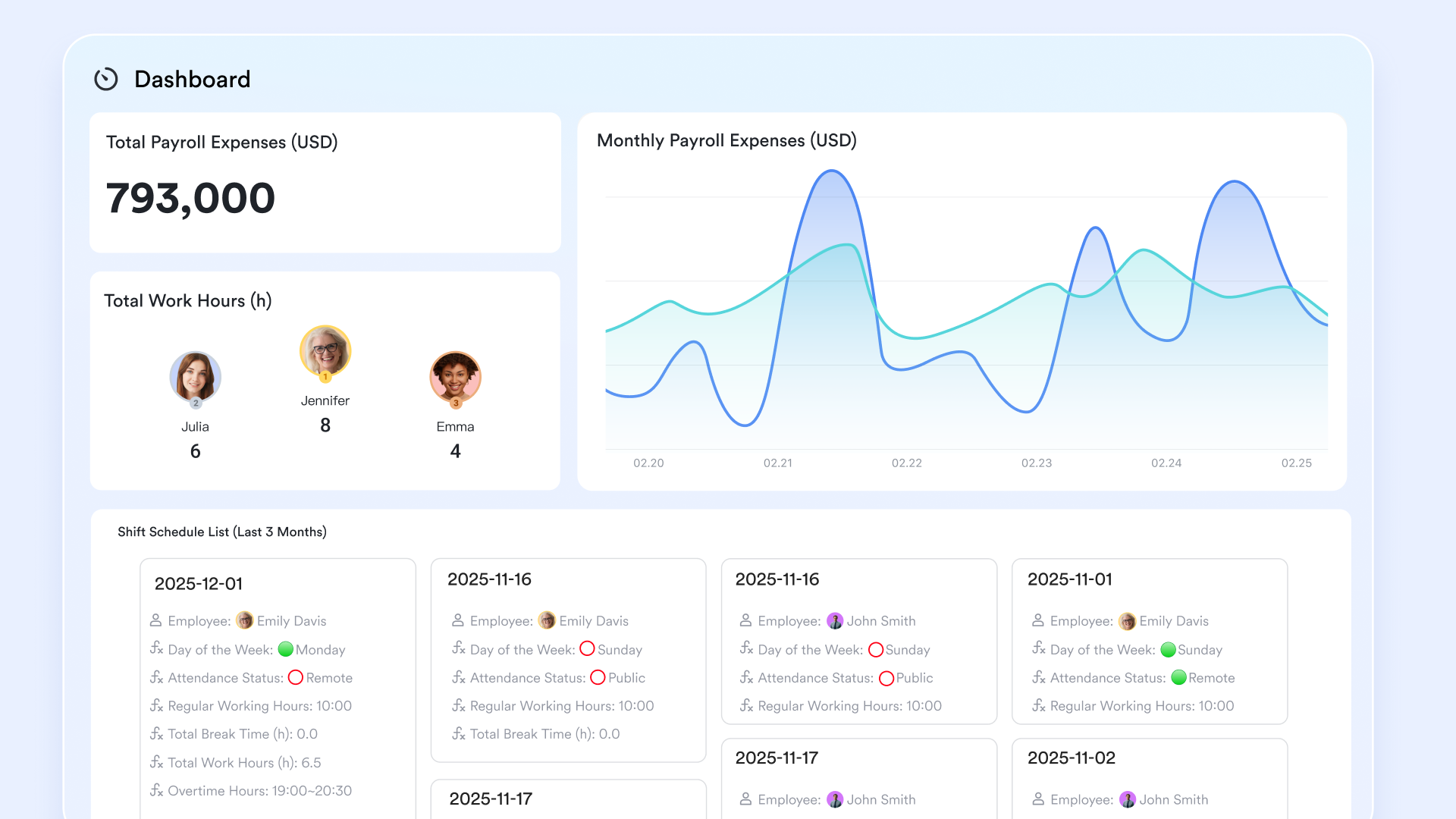
The Lark Base dashboard gives teams a clear, visual understanding of payroll activity and workforce costs. You can track key payroll metrics—such as total payroll spend, overtime costs, or remaining budgets—through charts and graphs that make trends easy to spot. Filters let you zero in on specific departments, pay periods, or individual employees, helping you quickly analyze payroll details. With tools like slicers, pivot tables, and TopN, you can surface top cost drivers or explore payroll data more deeply. Dashboards can also be shared with managers, ensuring aligned reporting and smoother, data-driven payroll decisions across the organization.
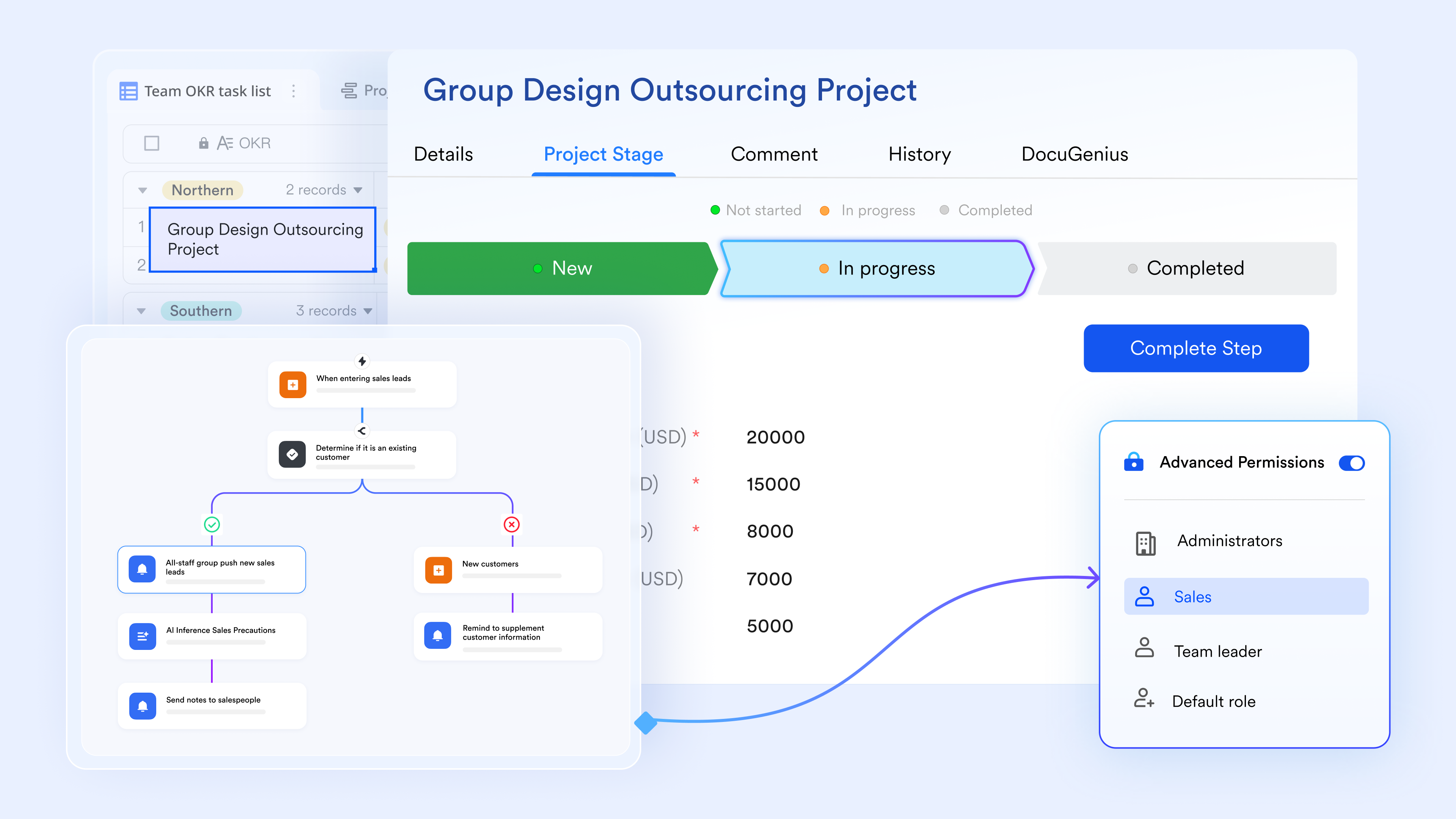
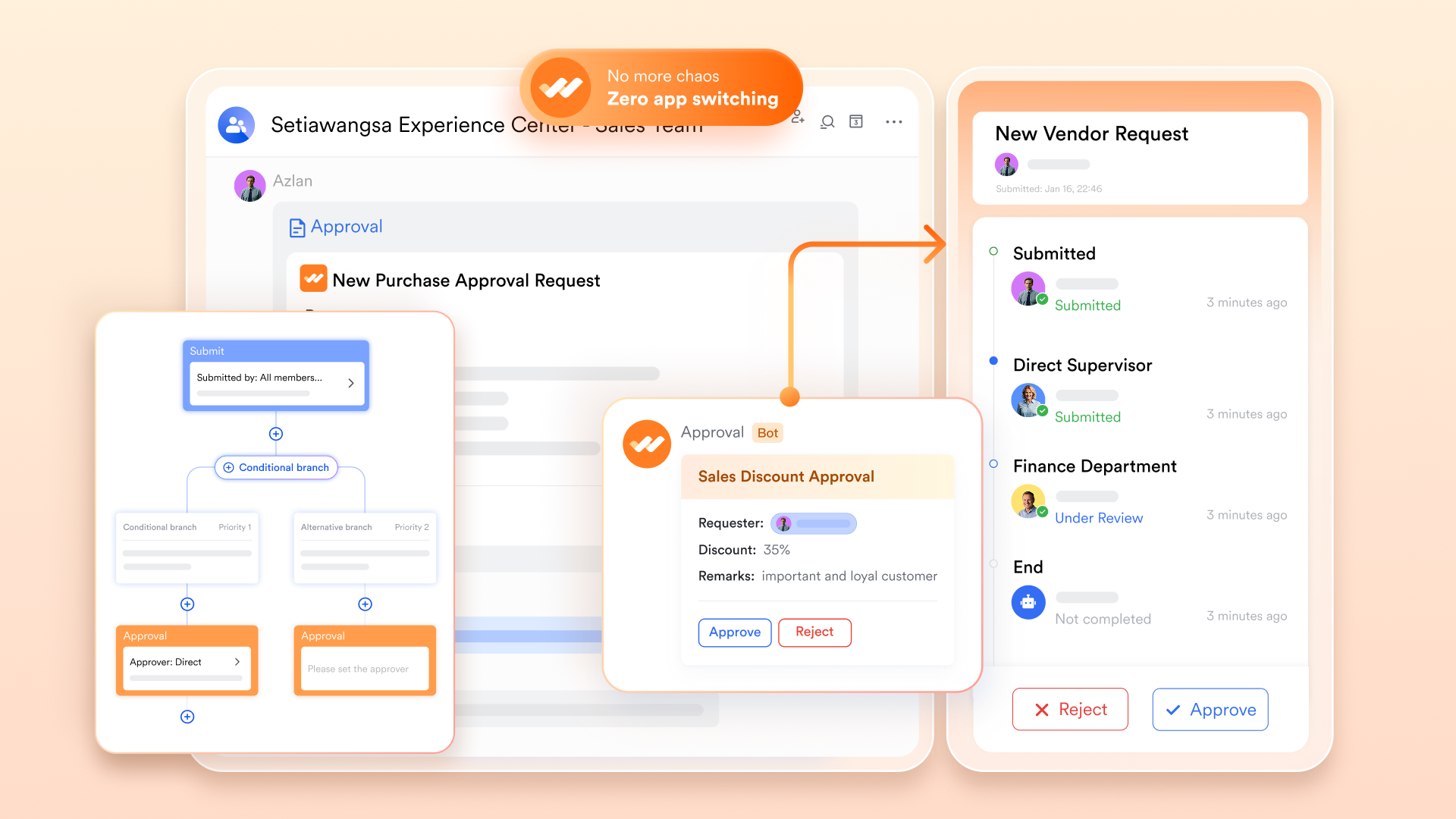
Multi-step approval workflows
Approval logic is essential before payroll runs. With Lark Approval, you set up workflows such as: Employee logs hours → Manager reviews/approves → HR verifies deductions/pay rate → Payroll export. Each step triggers notifications, enforces deadlines, and logs audit history. Because the approvals are tied to the same Base record (hours/pay), you avoid disconnected email threads or "manager forgot to approve" delays. This reduces payroll errors and ensures multiple checkpoints within a single system.
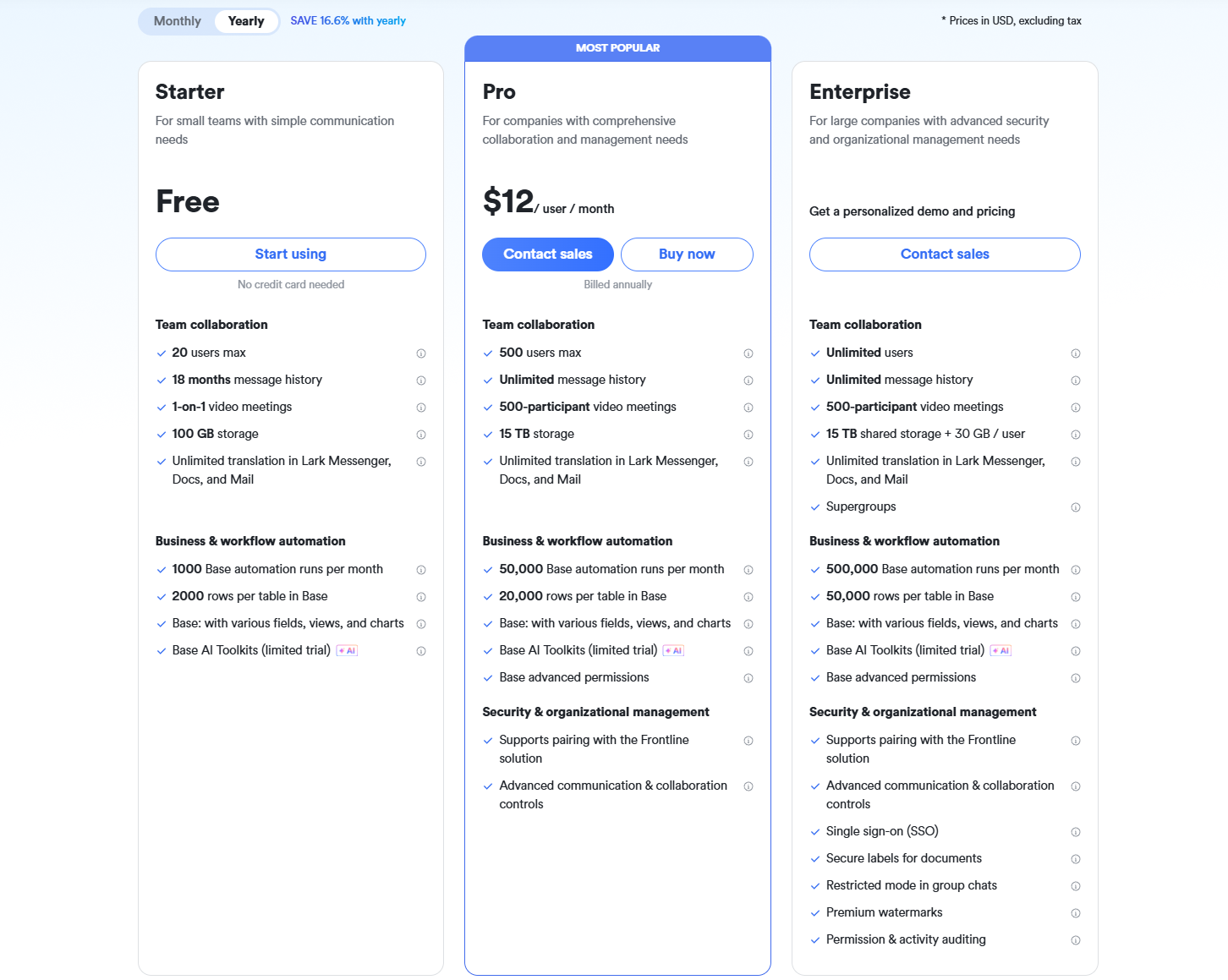
- Starter plan: Free forever plan that includes 11 powerful tools for up to 20 users. It also comes with 100GB of storage, 1000 automation runs, AI translations, and more.
- Basic plan: $6/user/month (billed annually) for up to 500 users. It includes everything in Starter plus group calling for up to 500 attendees, 5TB of storage, 1000 automation runs, and more. For more details, please contact sales.
- Pro plan: $12/user/month (billed annually) for up to 500 users. It includes everything in Basic plus group calling for up to 500 attendees, 15TB of storage, 50,000 automation runs, and more.
- Enterprise plan: Contact sales for custom pricing. Supports unlimited users and includes even more automation runs and advanced security, compliance, and management features.
2. Gusto: Payroll+HR+benefits
Gusto is an all-in-one payroll and HR platform designed to simplify employee management for small and medium-sized businesses. It automates payroll processing, tax filings, and benefits administration while keeping teams compliant with labor regulations. Employees can easily access pay stubs, benefits, and PTO requests via a self-service portal. Gusto also integrates time tracking and HR workflows into one seamless experience. Its focus on simplicity and efficiency makes it ideal for teams looking to reduce administrative overhead while keeping employees happy.
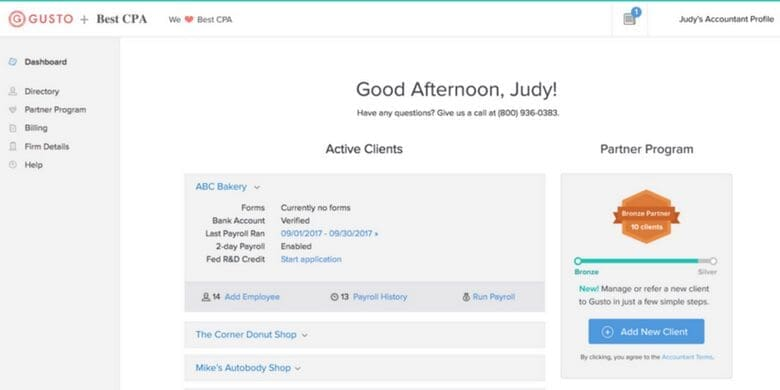
Image source: gusto.com
Key features:
- Full-service payroll: Automatically calculate, process, and file federal, state, and local taxes.
- Employee self-service: Employees can access pay stubs, benefits, and personal info anytime.
- Benefits administration: Manage health insurance, 401(k), and other perks in one platform.
- Time tracking & PTO management: Track hours, leave, and accruals seamlessly.
- Compliance support: Keeps payroll, tax, and labor law requirements automatically up to date.
Pros:
- All-in-one payroll, HR, and benefits
- Easy setup and intuitive interface
- Automates tax filings and compliance
- Excellent employee self-service options
Cons:
- Limited advanced reporting for larger enterprises
- May become expensive as team size grows
Pricing:
- Simple plan: $49/month + $6/employee/month
- Plus plan: $80/month + $12/employee/month
- Premium plan: $180/month + $22/employee/month
3. ADP: Scalable enterprise payroll
ADP is a trusted payroll and HR solution suitable for businesses of all sizes, from small teams to large enterprises. It provides reliable payroll processing, tax compliance, and HR management tools under one roof. ADP supports multi-state and international payroll, ensuring accurate payments across locations. Advanced reporting and analytics give management insights into workforce trends and costs. Its scalable features make ADP ideal for businesses planning to grow or manage complex payroll structures.
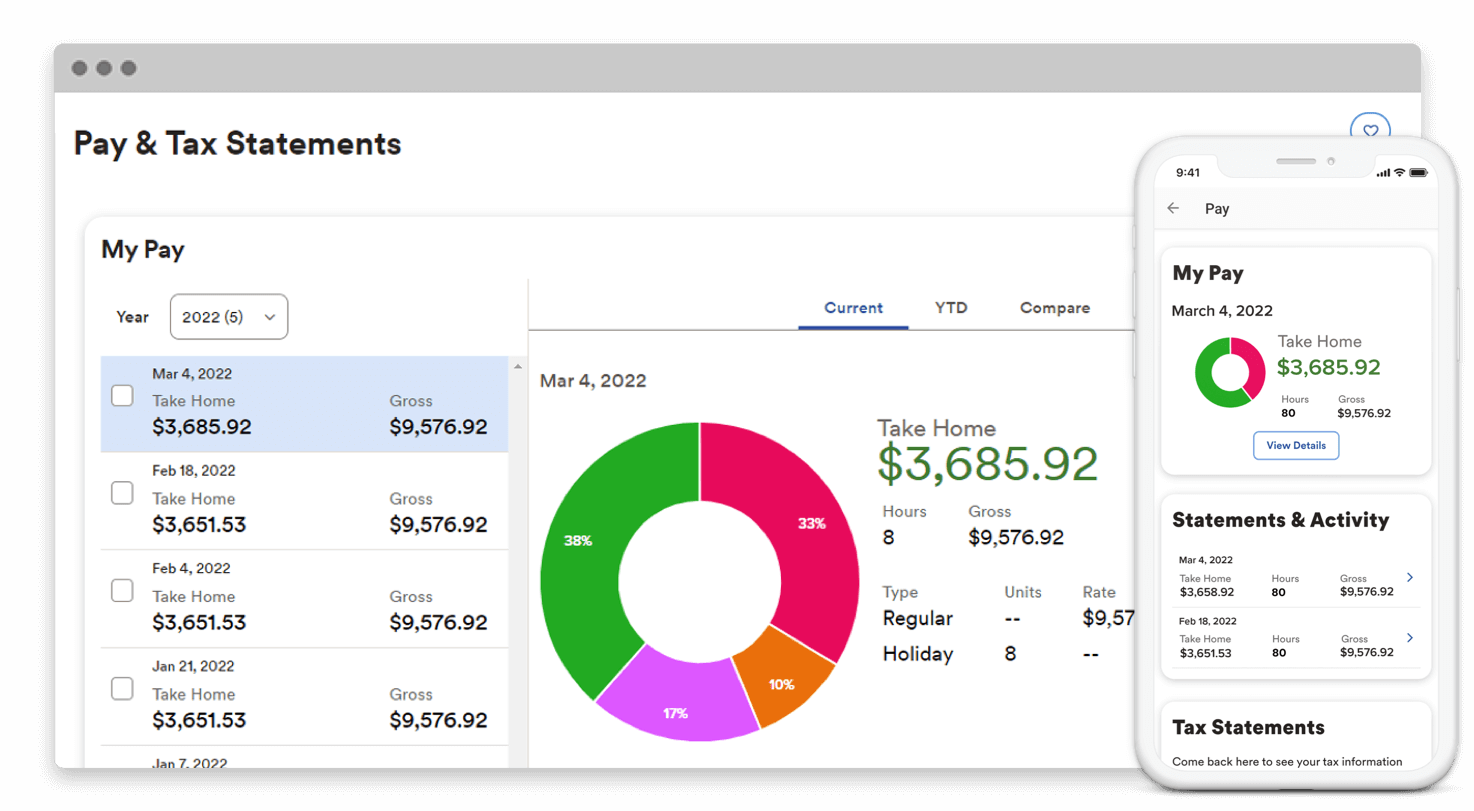
Image source: adp.com
Key features:
- Automated payroll processing: Calculates wages, deductions, and taxes with minimal manual effort.
- Tax filing & compliance: Handles federal, state, and local tax filings automatically to reduce errors.
- Employee management tools: Tracks employee data, time off, and benefits in one place.
- Advanced reporting & analytics: Provides payroll, HR, and workforce insights for better decision-making.
- Integration support: Connects with accounting, time-tracking, and ERP systems for seamless workflows.
Pros:
- Scalable for small to large enterprises
- Strong tax compliance and regulatory support
- Comprehensive HR and payroll tools
- Reliable reporting and analytics
Cons:
- It can be complex for tiny businesses
- Pricing is on the higher side compared to simpler tools
Pricing:
- For ADP Workforce Now (typical small‑business package), the pricing is roughly US$19–28 per employee/month, depending on services chosen.
- More advanced plans (e.g. with compensation services) may rise to US$30–48 per employee/month.
4. QuickBooks Payroll: Payroll for accounting-first teams
QuickBooks Payroll integrates seamlessly with QuickBooks accounting software to provide accurate, automated payroll solutions. It is perfect for teams that prioritize bookkeeping and financial precision. Payroll calculations, tax filings, and direct deposits are automated to save time and reduce errors. Employees can access their pay stubs and tax documents online anytime. QuickBooks Payroll ensures payroll and accounting are connected, minimizing manual data entry and boosting efficiency.
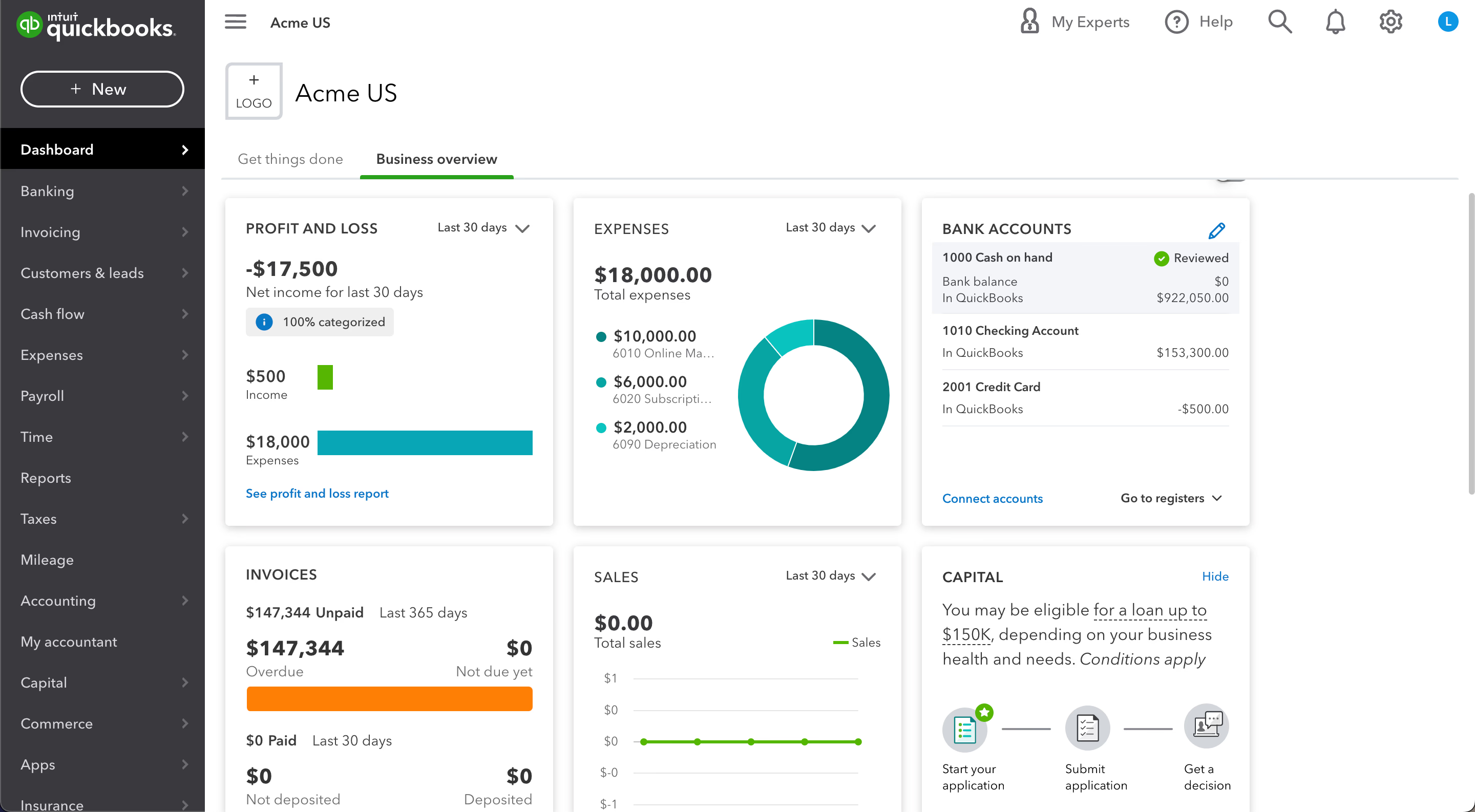
Image source: quickbooks.intuit.com
Key features:
- Automated payroll processing: Calculates wages, deductions, and benefits while processing direct deposits.
- Tax filings & compliance: Automatically prepares and files federal, state, and local payroll taxes.
- Seamless QuickBooks integration: Syncs payroll data directly with QuickBooks accounting for easy bookkeeping.
- Employee self-service: Employees can view pay stubs, tax forms, and benefits online at any time.
- Time-tracking integration: Works with QuickBooks Time to accurately track employee hours for payroll.
Pros:
- Tight integration with QuickBooks accounting
- Automates tax filings and compliance
- Easy-to-use interface for small businesses
- Employee self-service portal included
Cons:
- Limited HR and benefits features compared to full-service platforms
- Best suited for QuickBooks users
Pricing:
- Simple Start: $38/month ($11.40/month with 3-month discount)
- Essentials: $75/month ($22.50/month with 3-month discount)
- Plus (Best Value): $115/month ($34.50/month with 3-month discount)
- Advanced: $275/month ($82.50/month with 3-month discount)
5. Paychex: SMB payroll+compliance
Paychex provides payroll and HR solutions for small and mid-sized businesses needing reliable compliance and workforce management. It automates wage calculations, tax filings, and employee payments. HR tools, benefits management, and time tracking are all available in one platform. Paychex simplifies multi-state payroll and labor law compliance. Its integrated approach makes it a solid choice for businesses looking to streamline administrative processes while reducing errors.
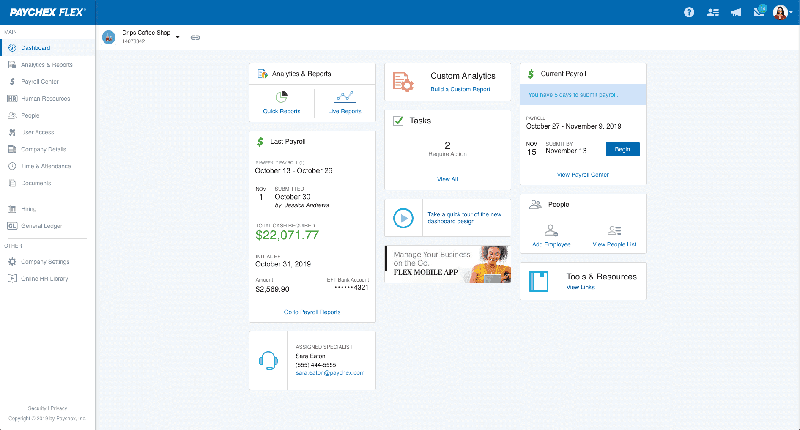
Image source: paychex.com
Key features:
- Full-service payroll: Automates wage calculations, deductions, and direct deposits for employees.
- Tax filing & compliance: Handles federal, state, and local payroll taxes while maintaining compliance with labor laws.
- Employee benefits management: Administers health, retirement, and other perks within the same platform.
- HR tools & reporting: Provides HR resources, analytics, and custom reports for better workforce management.
- Time tracking integration: Syncs with time clocks and attendance systems to ensure accurate payroll processing.
Pros:
- Strong focus on compliance and payroll accuracy
- Scalable for small to mid-sized businesses
- Integrated HR and benefits management
- Reliable reporting and analytics
Cons:
- Interface can feel dated compared to modern platforms
- Pricing can increase significantly with additional features
Pricing:
- Payroll-only plan (basic): $39/month+US$5/employee/month
- Payroll+HR Essentials: $89/month+US$6/employee/month
- Payroll+HR Pro: $149/month+US$8/employee/month
6. Rippling: Global HR & payroll automation
Rippling combines payroll, HR, IT, and benefits administration into a single platform for growing businesses. It automates onboarding, payroll, device management, and compliance workflows. Teams can manage employee access to systems, benefits, and payroll from one central hub. Rippling supports multi-country payroll, making it ideal for global teams. Its robust integrations help businesses save time and ensure accuracy across HR and IT processes.
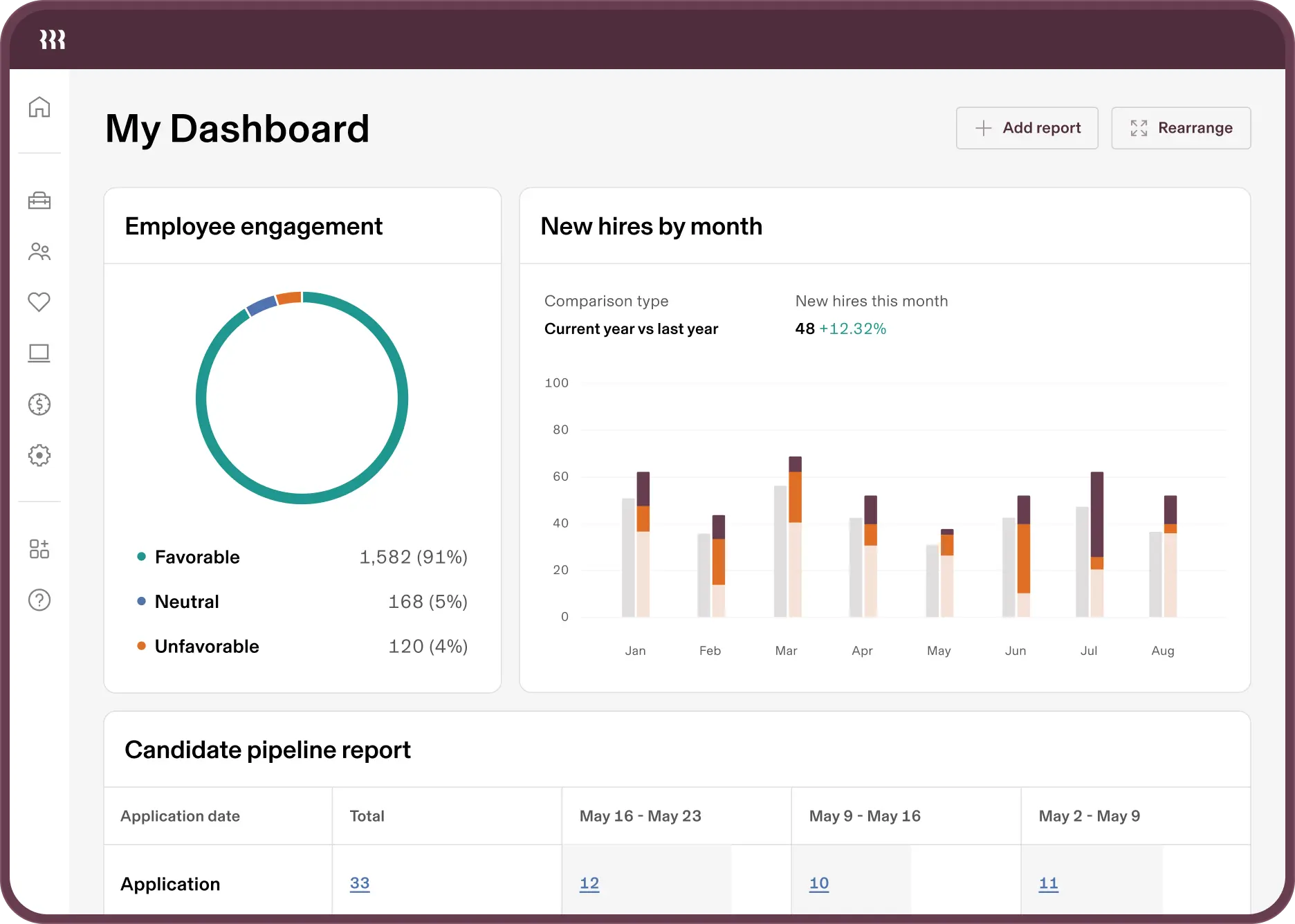
Image source: rippling.com
Key features:
- Automated payroll: Calculates wages, deductions, and taxes while supporting multi-country payments.
- HR management: Manages onboarding, employee records, benefits, and compliance in one platform.
- IT automation: Automates device provisioning, app access, and security for new hires.
- Benefits administration: Streamlines health insurance, retirement plans, and other perks.
- Integration ecosystem: Connects with over 500 apps, including accounting, CRM, and productivity tools.
Pros:
- Combines payroll, HR, and IT automation in one platform
- Great for companies with global employees
- Reduces administrative overhead significantly
- Extensive integration options
Cons:
- It can be expensive for small teams
- Some advanced features may require technical setup
Pricing:
- Base platform (HRIS / Unity Platform): $8 per employee/month+$35 per month base fee
- Full-suite (e.g. HR+Payroll+Benefits+Time & Attendance): $15–25 per employee/month
7. Deel: International contractor+employee payroll
Deel is built for companies hiring international employees and contractors, simplifying global payroll and compliance. It handles multi-currency payments, tax filings, and local labor law compliance. Deel also manages contracts and benefits for employees worldwide. It reduces administrative work and ensures accurate, timely payments across countries. This makes Deel ideal for remote-first teams or businesses expanding globally.
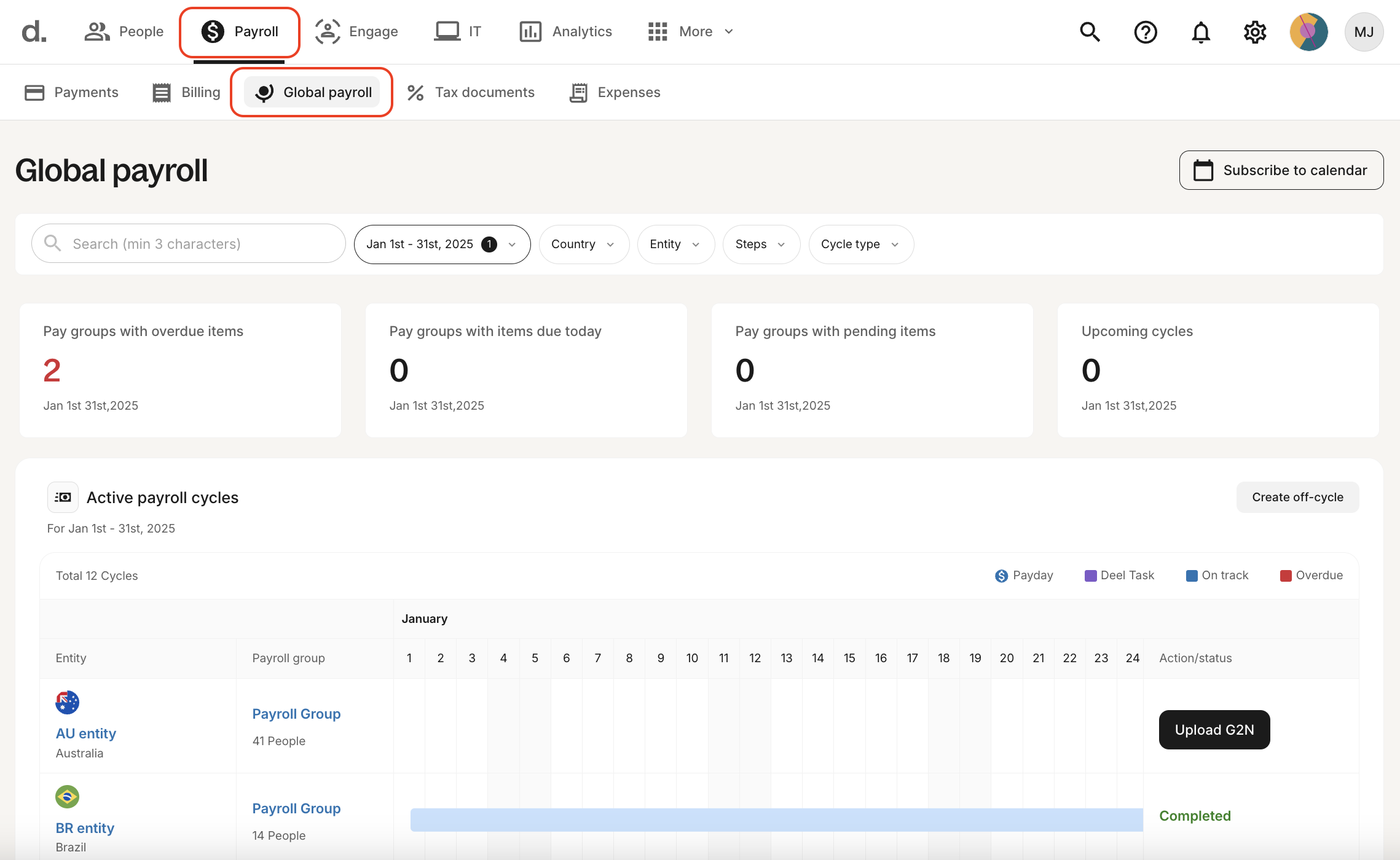
Image source: deel.com
Key features:
- Global payroll processing: Pay employees and contractors in multiple currencies with automated conversions and local compliance.
- Contract management: Generate legally compliant contracts tailored to each country's labor laws.
- Tax compliance: Automatically handles tax filings, deductions, and social contributions internationally.
- Benefits administration: Offers country-specific benefits and perks for employees.
- Integration support: Connects with accounting, HR, and productivity apps for seamless workflows.
Pros:
- Excellent for remote and international teams
- Automates global compliance and payroll
- Supports both employees and contractors
- Streamlines contracts and benefits administration
Cons:
- Pricing can be high for large global teams
- Limited advanced HR features compared to full-service HR platforms
Pricing:
- Deel EOR (Employer of Record): $599 per employee/month
- Deel Contractor Management: $49 per contractor/month
- Deel Contractor of Record: $325 per contractor/month
8. BambooHR Time Tracking: Time+attendance+payroll add-ons
BambooHR offers HR management combined with time tracking and payroll integration for small and mid-sized businesses. Teams can log hours, track PTO, and manage attendance seamlessly. The platform connects time-tracking data directly to payroll for accurate wage calculations. Employees enjoy self-service access to schedules, time off, and work hours. BambooHR simplifies workforce management while providing detailed analytics for better decision-making.
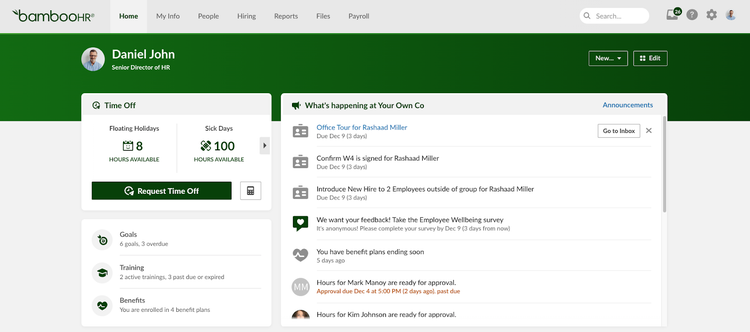
Image source: bamboohr.com
Key features:
- Time tracking & attendance: Log hours, track shifts, and manage PTO requests easily.
- Payroll integration: Connects time tracking data to payroll systems for accurate wage calculation.
- Employee self-service: Employees can request time off, view schedules, and track hours.
- HR reporting & analytics: Generate reports on attendance, PTO, overtime, and workforce trends.
- Mobile access: Track time and approve requests from anywhere using mobile devices.
Pros:
- Intuitive interface for HR and time management
- Streamlines time-to-payroll workflow
- Easy PTO and attendance tracking
- Mobile-friendly for remote or traveling teams
Cons:
- Payroll features require add-ons or integration with third-party payroll systems
- Limited advanced payroll automation compared to full-service platforms
Pricing:
- Custom pricing
9. Paycor: Workforce management with payroll rules
Paycor is a payroll and workforce management platform designed for businesses needing robust payroll rules and compliance. It automates wage calculations, tax filings, and direct deposits. HR management, time tracking, and benefits administration are also integrated. Paycor provides detailed reporting and analytics to help managers optimize workforce decisions. Its focus on accuracy and compliance makes it suitable for mid-sized organizations.
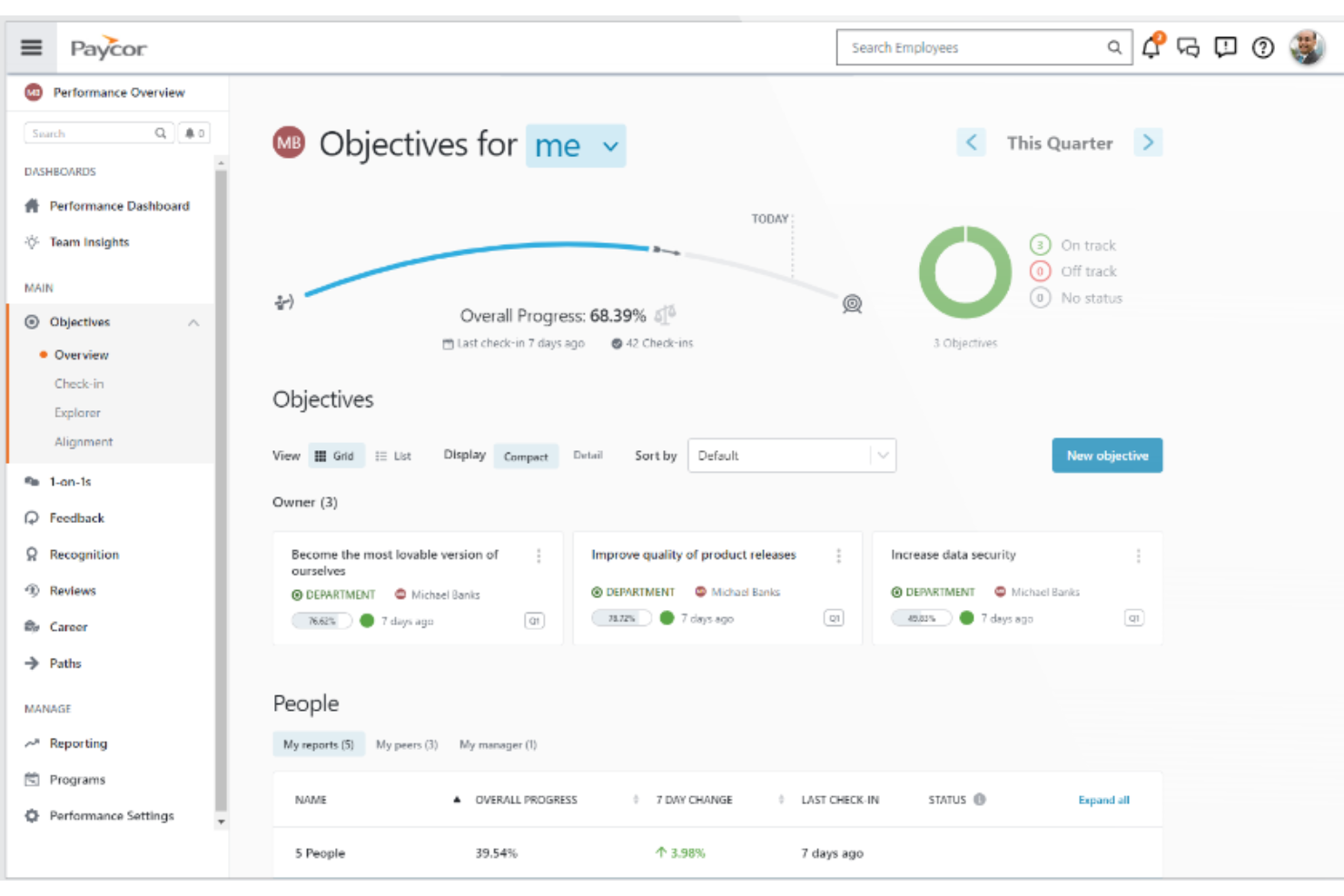
Image source: paycor.com
Key features:
- Payroll processing: Automates wage calculations, deductions, and direct deposits.
- Compliance management: Ensures federal, state, and local payroll compliance with real-time updates.
- Time and attendance: Track employee hours, schedules, and PTO seamlessly.
- HR management: Manage employee records, onboarding, performance, and benefits.
- Reporting & analytics: Generate payroll, labor, and HR reports to optimize workforce decisions.
Pros:
- Strong payroll rules and compliance support
- Integrated HR and workforce management
- Easy reporting and analytics
- Suitable for mid-sized businesses
Cons:
- Interface can feel complex for smaller teams
- Limited international payroll capabilities
Pricing:
- Custom pricing
10. Clockify: Payroll time tracker for hours-based teams
Clockify is a time-tracking tool that ensures accurate payroll for hourly employees and project-based teams. It monitors work hours, generates timesheets, and integrates with payroll systems. Clockify also provides reporting for project management, employee productivity, and attendance. Its intuitive interface makes tracking simple for employees and managers alike. This tool is perfect for teams that rely on precise time tracking for payroll and project costs.
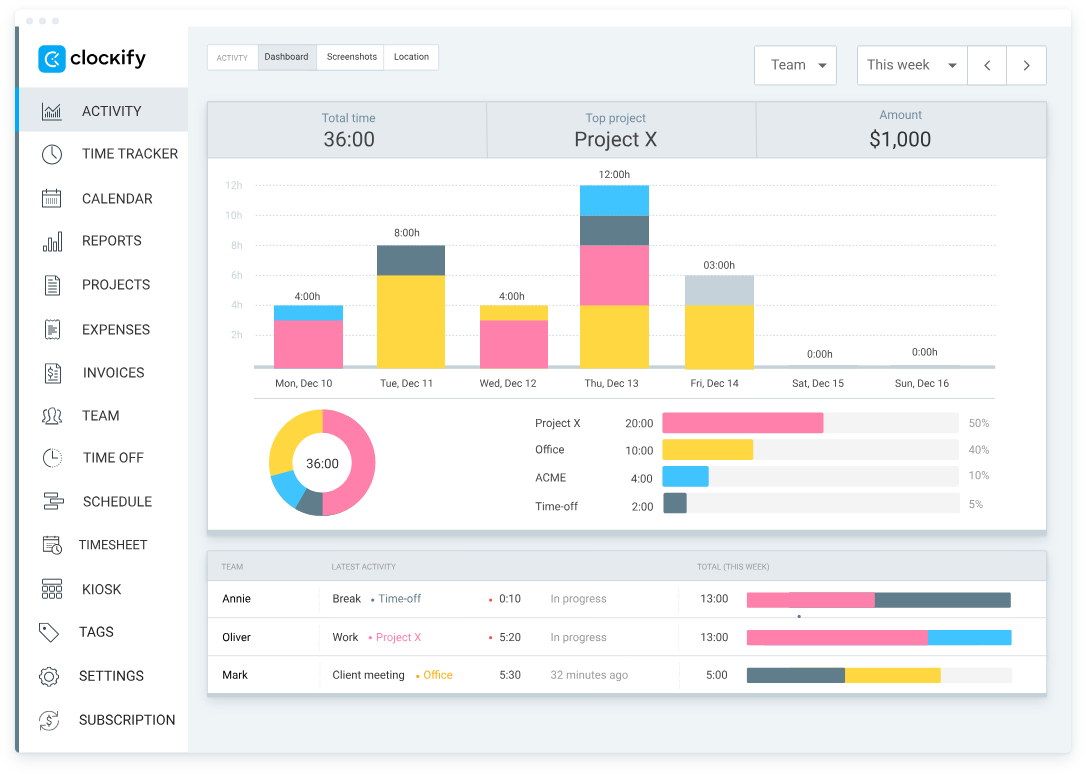
Image source: clockify.me
Key features:
- Time tracking: Log hours for tasks, projects, and clients with desktop, mobile, and browser apps.
- Timesheets & approvals: Generate weekly or monthly timesheets and approve them for payroll processing.
- Payroll integration: Export tracked hours to payroll systems for accurate employee payment.
- Project & task reporting: Analyze time spent on projects, teams, or clients for better planning.
- Reminders & alerts: Automated notifications to track missed or incomplete time entries.
Pros:
- Intuitive and straightforward time-tracking interface
- Ideal for hourly and project-based teams
- Integrates with payroll systems for accurate payments
- Offers detailed reporting and analytics
Cons:
- Limited built-in payroll automation, requires integration
- Fewer HR and benefits management features
Pricing:
- Free plan: $0 per user/month.
- Standard plan: ~ $5.49/user/month (annually) or $6.99/user/month (monthly)
- Pro plan: ~ $7.99/user/month (annually) or $9.99/user/month (monthly)
- Enterprise plan: ~ $11.99/user/month (annually) or $14.99/user/month (monthly)
11. Keka: Payroll software for structured payroll operations
Keka is a payroll software that helps businesses manage payroll with structured workflows, compliance checks, and connected employee data. It supports salary configuration, statutory deductions, payroll approvals, maker-checker workflows, reimbursements, and payroll corrections.
Keka also connects payroll with attendance, leave, timesheets, expenses, and employee records, helping HR and finance teams reduce manual errors before payroll is processed. Its role-based access, audit trails, and reporting make it useful for companies managing payroll across multiple entities or locations. Keka dashboard showing payroll processing, approvals, and employee records.

Image source: keka.com
Key features:
- Payroll processing: Set up salary structures, run payroll, and manage deductions in one place.
- Statutory compliance: Automates PF, ESI, TDS, PT, LWF, and gratuity calculations, and generates ECR files and Form 130 (formerly Form 16).
- Multi-step payroll approvals: Add review and approval steps before payroll is finalized.
- Attendance and leave integration: Attendance, leave, timesheets, and employee changes flow straight into payroll, with no re-entry.
- Expense management: Manage reimbursements, travel advances, and employee claims, paid through payroll.
- Off-cycle payouts and corrections: Handle off-cycle payments, corrections, and payroll adjustments outside the regular run.
- Reporting and access control: Track payroll with detailed reports, and limit who can see or change payroll data with role-based access.
- AI receipt scanning: Employees snap a photo of a receipt, and Keka AI turns it into a completed expense claim that’s reimbursed through payroll.
Pros:
- Connects payroll with HR, attendance, leave, and expenses, so changes flow through without re-entry
- Automates statutory compliance, so HR doesn’t calculate PF, ESI, or TDS by hand
- Multi-step approvals add a review before payroll is finalized
- Handles complex salary structures across multiple entities and locations
Cons:
- Detailed payroll policies can take time to set up
- Advanced workflows may be more than very small teams need
Pricing:
- Custom pricing
Payroll time tracker tools: How they help teams save time
Using a payroll time tracker can save team hours every pay period by automating repetitive tasks. Modern tools reduce errors, improve transparency, and make employee payroll hours tracking seamless for both remote and on-site employees.
- Automated timesheets: Payroll trackers generate timesheets automatically from logged hours. This eliminates manual entry and errors. Teams can focus on work instead of compiling spreadsheets.
- Overtime calculations: Tools calculate overtime based on predefined rules or labor laws. This ensures employees are paid fairly without manual formulas. It also helps manage payroll costs efficiently.
- Clock-in/clock-out: Employees can log hours via mobile, desktop, or web apps. Accurate clock-in/clock-out data feeds directly into payroll calculations. This is ideal for hourly and shift-based teams.
- Device-based monitoring: Some trackers capture device, location, or IP data to verify work hours. This helps maintain accountability for remote or field teams. Managers gain confidence in logged hours.
- Ideal for hybrid teams: Centralized payroll tracking benefits hybrid teams. Hours from in-office, remote, and contractor employees are integrated into a single employee payroll tracker. This ensures consistency and fairness across the workforce.
Comparing manual vs automated payroll tracking
Choosing between manual spreadsheets and automated payroll systems can significantly impact accuracy and efficiency. Modern employee payroll trackers reduce errors, save time, and improve compliance across teams.
- Spreadsheet-based payroll tracker templates vs. payroll systems: Manual payroll tracker templates are prone to errors and require frequent updates. Automated systems integrate time tracking, approvals, and deductions into one platform. This reduces administrative workload and improves reliability.
- Error risks: Spreadsheets often result in calculation errors or missing entries. Automated payroll systems validate hours, rates, and taxes automatically. Fewer errors mean employees are paid correctly and on time.
- Audit trails: Manual tracking lacks a proper record of changes or approvals. Payroll software logs every modification for accountability. This simplifies audits and internal reviews.
- Compliance handling: Spreadsheets require manual tax updates and knowledge of labor laws. Payroll systems apply automatic tax rules, deductions, and benefits. This ensures legal compliance and reduces regulatory risk.
- Time savings: Manual entry consumes hours each payroll cycle. Automated payroll time trackers streamline calculations, reporting, and approvals. Teams can reallocate saved time to strategic initiatives rather than routine data entry.
Conclusion
Managing employee payroll efficiently is critical for accuracy, compliance, and employee satisfaction. Modern payroll trackers, time-tracking tools, and automation systems save HR teams time, reduce errors, and provide employees with transparency. From payroll tracker apps and templates to robust platforms like Gusto, ADP, QuickBooks Payroll, and Clockify, businesses have options to suit every team size and workflow. By choosing the right system, companies can streamline approvals, track hours precisely, and maintain audit-ready records. For teams seeking an all-in-one solution that unifies payroll records, time tracking, and approvals in a single workspace, Lark stands out as a next-generation choice.
FAQs
How often should companies run employee payroll?
Companies typically run employee payroll weekly, biweekly, semi-monthly, or monthly depending on labor laws and business needs. Using an employee payroll tracker helps schedule pay cycles, track hours, and accurately calculate deductions. Automated payroll time tracker tools or payroll tracker apps ensure employees are paid on time while minimizing errors and manual calculations.
What is the easiest way to track employee payroll hours?
The easiest method is using a payroll time tracker or employee payroll hours tracker app that logs hours automatically. Tools like Apple time tracker payroll or a digital payroll tracker template simplify clock-in/clock-out recording. These systems integrate with payroll software to calculate overtime, deductions, and total pay without manual spreadsheets.
Do payroll tracker apps work for remote and hybrid employees?
Yes, modern payroll tracker apps are designed for remote and hybrid teams. A reliable employee payroll tracker records hours from multiple locations, while a payroll time tracker ensures accurate logs. Features like mobile access, cloud syncing, and employee payroll hours tracker dashboards let managers monitor attendance and payroll seamlessly across all work environments.
How secure are cloud-based payroll time trackers?
Cloud-based payroll time tracker solutions use encryption and multi-factor authentication to secure sensitive payroll data. An employee payroll tracker in the cloud protects personal information and financial records. Even when using a payroll tracker app or payroll tracker template, cloud solutions provide backups, audit trails, and access controls to safeguard employee payroll information.
Can payroll systems work without connecting to accounting tools?
Yes, a standalone employee payroll tracker or payroll tracker app can handle hours, deductions, and payroll runs independently. Tools like payroll time tracker software or employee payroll hours tracker dashboards allow manual exports or reporting. Even Apple time tracker payroll and spreadsheet-based payroll tracker templates can manage payroll, though integrations with accounting tools streamline reconciliation.
Related reading
Table of contents
Start using Lark today

Manage all your work in one place
Boost team efficiency by 10x
Save up to 70% on software costs
Table of contents
Start using Lark today
Manage all your work in one place
Boost team efficiency by 10x
Save up to 70% on software costs
Keep reading









2026 Lark Technologies Pte. Ltd.
Headquartered in Singapore with offices worldwide.






Explore: