


The Definitive Guide to Relationship Mapping Software

Fecilia Clarke
Solutions Marketing Specialist
Aug 5, 2026
Fecilia Clarke
Aug 5, 2026

17 min read


We’ve all seen it: a company's entire history with one of its key accounts is locked away in a messy spreadsheet or, even worse, just in a single salesperson's head. When that key contact moves on, the relationship is instantly at risk, and your team is left scrambling. This reliance on fragmented information is a silent threat to revenue growth.
This is where relationship mapping software comes in. It’s about transforming that scattered data into a clear, visual strategy that helps you de-risk accounts, uncover hidden opportunities, and close more deals. But it's about more than just drawing charts. In this comprehensive guide, we’ll explore what to look for in a relationship mapping tool, review the top software on the market, and show you how to build a truly dynamic relationship intelligence engine right where your team already works, turning static pictures into strategic action and helping you win more business.

Key takeaways: Top 8 relationship mapping software in 2026
- Lark: The best overall choice for building an integrated intelligence system. It moves beyond static charts by connecting your relationship map to tasks, documents, and team communication, turning insights into action within a single, unified platform.
- Salesforce Maps: The ideal tool for field sales teams living in Salesforce. Its strength is native CRM integration combined with powerful geographic visualization for territory planning and route optimization.
- Lucidchart: A top-tier intelligent diagramming application for creating professional, data-driven organizational charts. It's a versatile and powerful option for teams that need to produce clean visuals for various business purposes.
- Miro: The ultimate collaborative whiteboard for live brainstorming. Its infinite canvas and interactive tools make it perfect for team-based strategy sessions to visually map out stakeholder ecosystems in real-time.
- DemandFarm: A purpose-built Key Account Management (KAM) platform for strategic sales teams. Operating natively within Salesforce, it provides deep account planning and political mapping features.
- Fibery: A highly flexible "build-your-own-tool" platform. It's best for tech-savvy teams who want to create a completely custom relationship mapping database and connect it to their unique work processes.
- ClickUp: A convenient option for teams already using the platform for project management. Its integrated Mind Maps feature provides a simple way to create basic stakeholder maps within your existing productivity hub.
- Kumu: A powerful data analysis and visualization tool for mapping complex networks. It's designed for users who need to go beyond simple drawing to analyze deep patterns and connections within their relationship data.
What is relationship mapping?
At its core, relationship mapping is the process to visually identify and understand the key players and their connections within a target organization. However, it's crucial to understand that this is not just about recreating a formal org chart. A standard one shows who reports to whom, but it rarely reveals the true dynamics of power and influence. True stakeholder mapping goes deeper, uncovering the informal networks, personal connections, internal champions, and potential blockers that truly dictate how decisions are made. This process helps you visualize the entire landscape.
An effective relationship map is a rich, multi-layered document. It doesn’t just list names and titles; it captures critical context. This includes each stakeholder’s level of influence, the strength of your team’s connection with them, and their known stance on your solution. By layering this intelligence onto your visual maps, you move beyond a simple directory and create a strategic blueprint. This allows your teams to navigate the account with confidence, turning raw data into actionable insights that can define your engagement strategies and shape the outcome of any deal.
Why stakeholder mapping is critical for modern sales and success teams
In an era of team-based selling, relying on intuition alone is a recipe for failure. A clear visual representation of the account provides the clarity your entire team needs to operate in sync. For key account management, it helps de-risk your most valuable clients by moving beyond a single point of failure and building a wide, complex web of influence. For sales, it dramatically increases deal velocity by illuminating the quickest path to the real decision makers. This shared source of truth aligns sales, marketing, and leadership on the account strategy, ensuring everyone is working from the same playbook.
A review of the top 8 best relationship mapping software solutions
We've evaluated the landscape to help you find the perfect fit. Here are the leading relationship mapping tools that teams are using to stay ahead.
1. Lark: The all-in-one suite for building a dynamic relationship intelligence engine
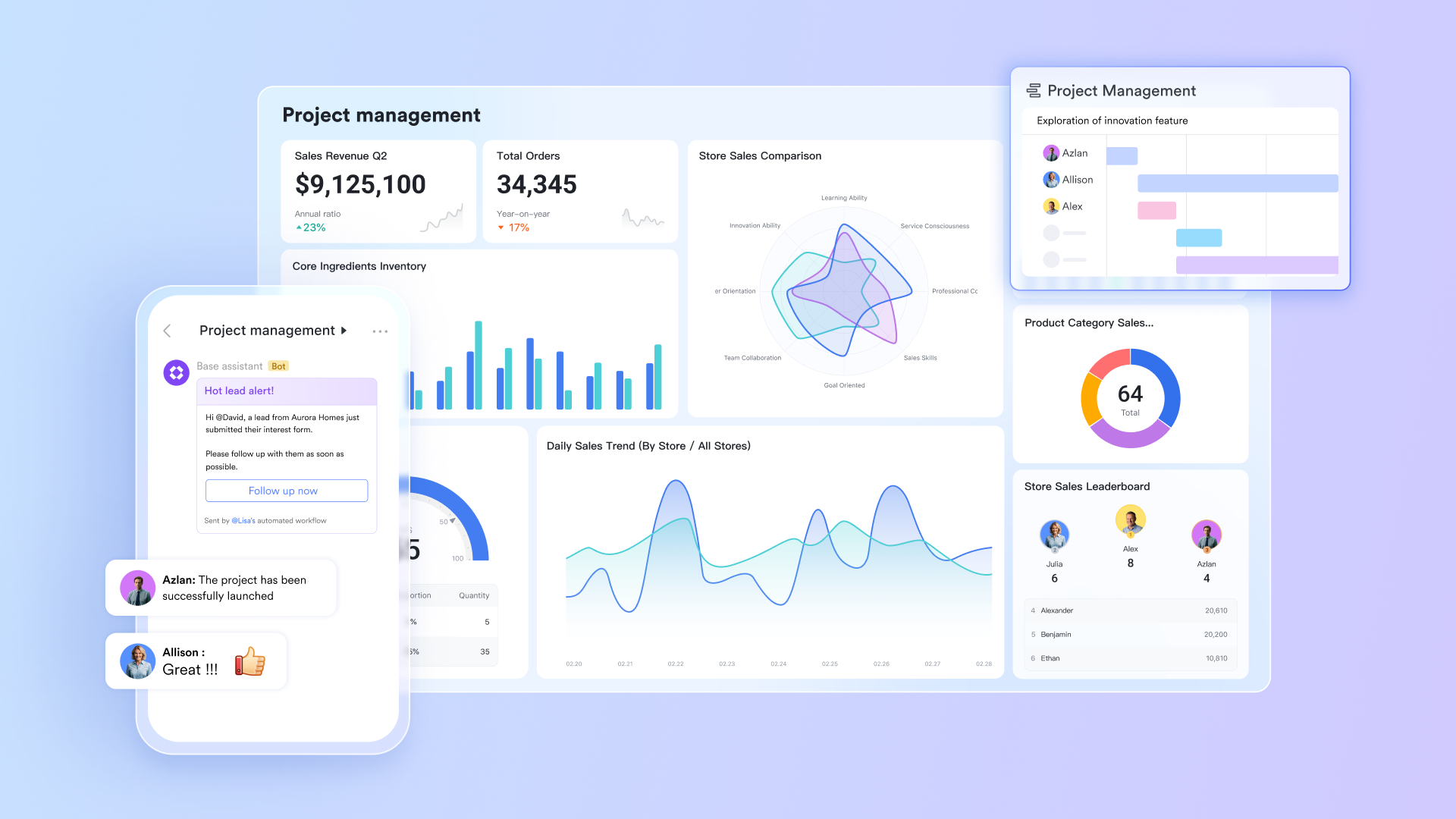
Overview: Lark is not just a tool; it's an all-in-one collaboration suite where you can build an integrated relationship intelligence engine. By combining a powerful database (Lark Base) with interconnected Docs, Messenger, and Meetings, Lark allows teams to move beyond static charts. It empowers them to create a living, actionable system where your stakeholder map is the central hub for all account strategy, communication, and execution, ensuring your insights are always connected to your workflow.
Key features:
- Built-in database: Build a rich stakeholder database in Lark Base with custom fields and a dynamic view.
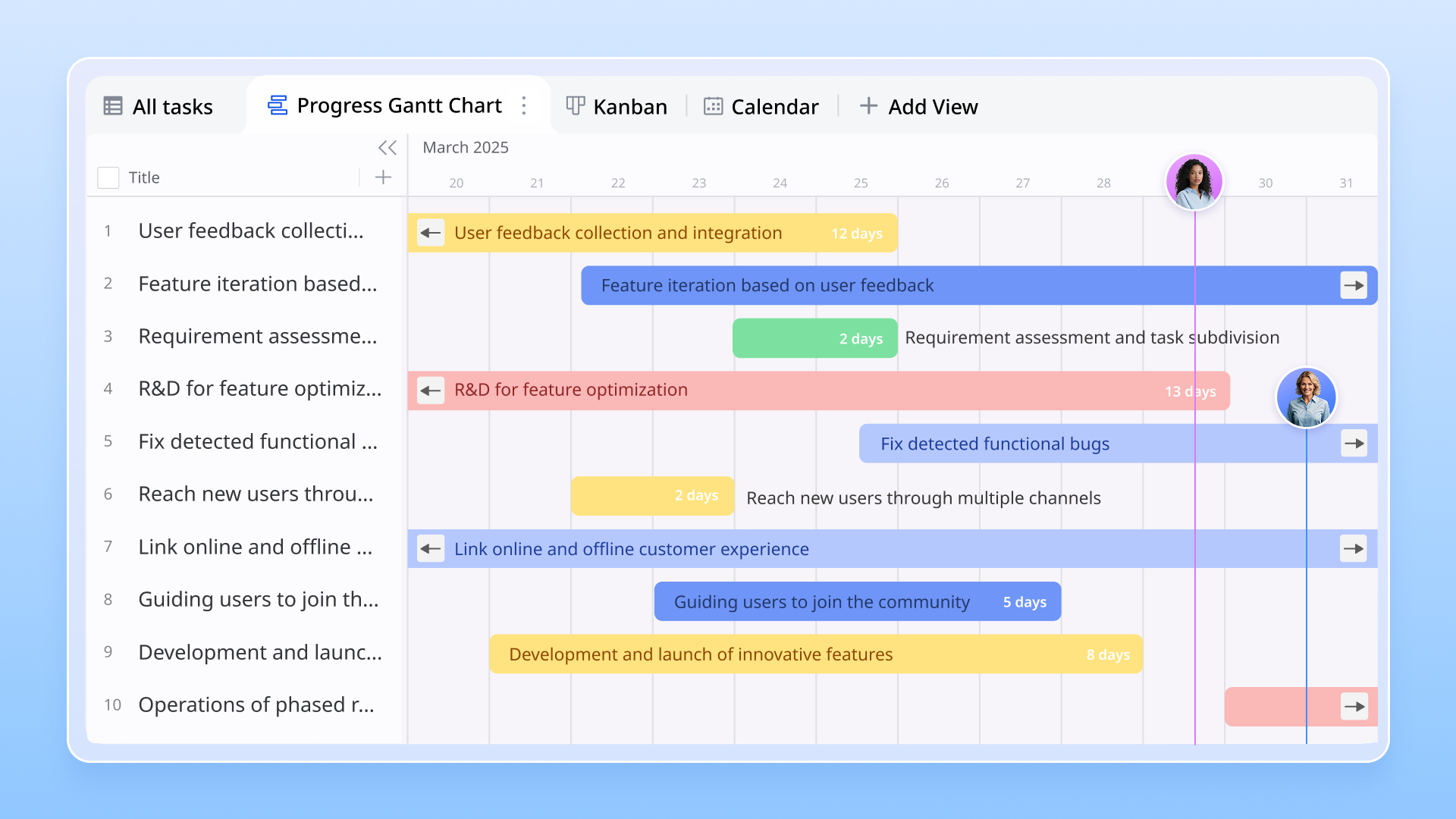
- Actionable insights: Turn insights into action by @-mentioning stakeholders to assign tasks in Lark Base and Lark Docs.
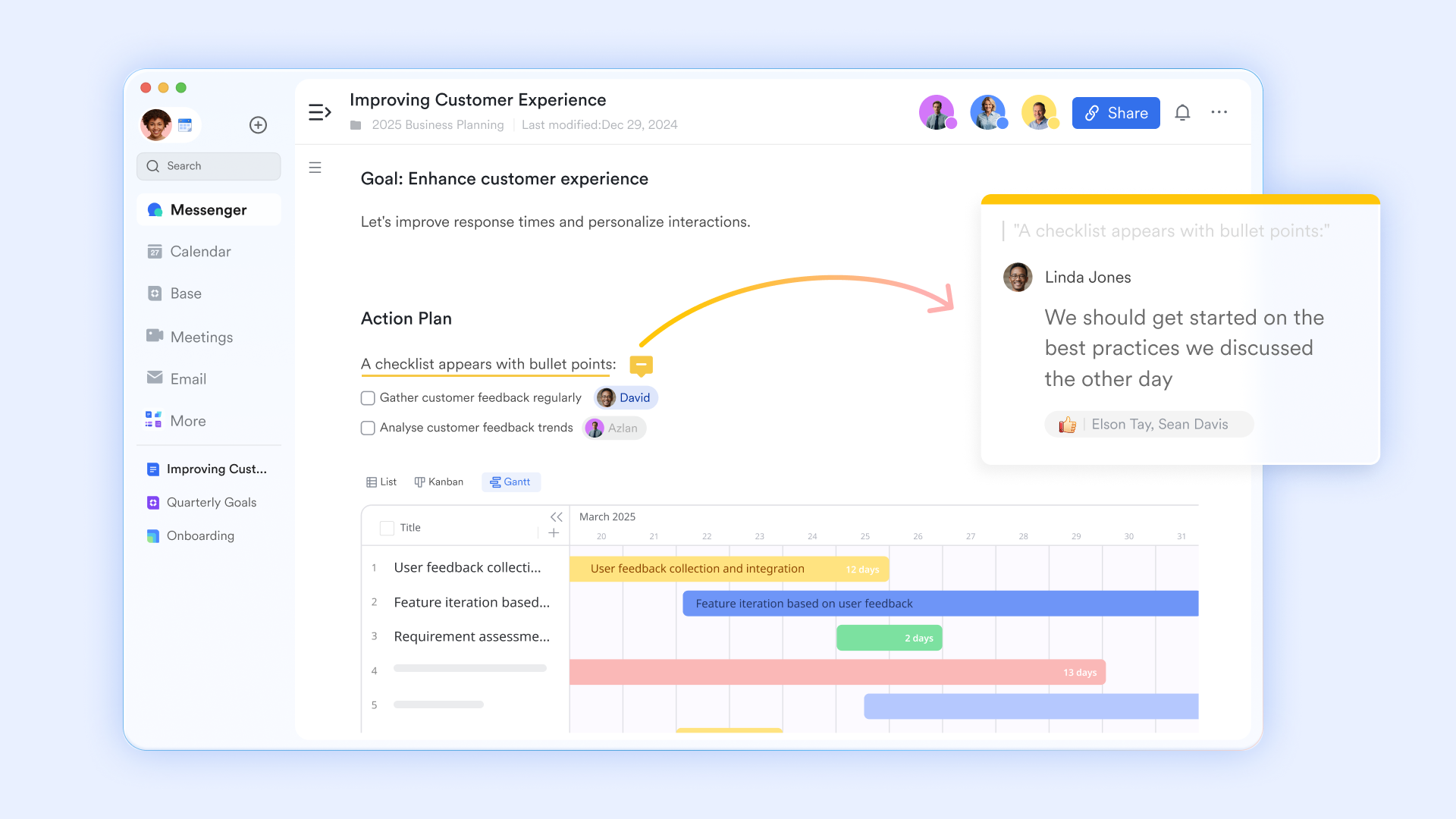
- Unified communication: Unify all account-related discussions, files, and updates in a dedicated Lark Messenger group.
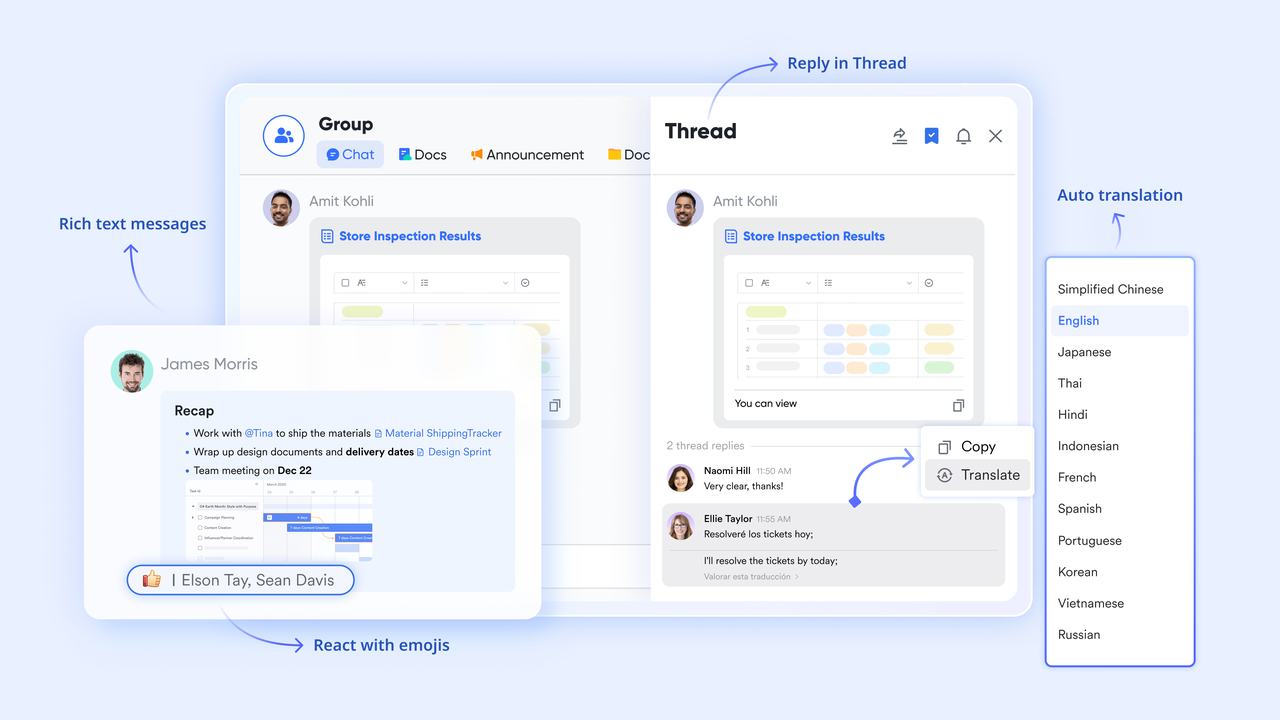
- Seamless automations: Use Lark Base to create powerful no-code workflow automations.
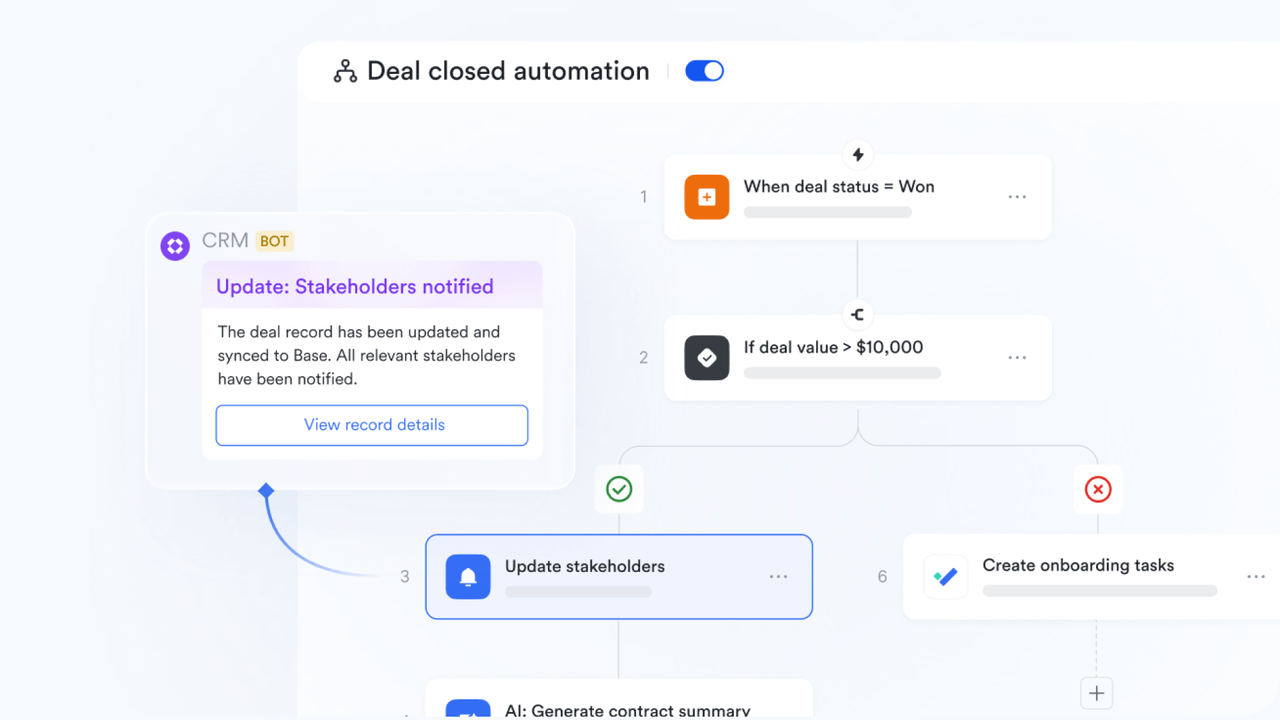
- Living documents: Embed live, interactive maps directly within Lark Docs to create a master account plan.
Pricing: Lark offers a generous free version for small teams. Paid plans (Pro and Enterprise) unlock additional capacity and advanced features.

👉Try Lark’s Savings Calculator: Switching to Lark’s Pro plan can lead to significant cost savings— for example, a 100-employee company using Slack, Google Workspace, and Airtable could save approximately $25,200 annually by consolidating their tools with Lark.
2. Salesforce Maps: The native Salesforce tool for geographic account visualization
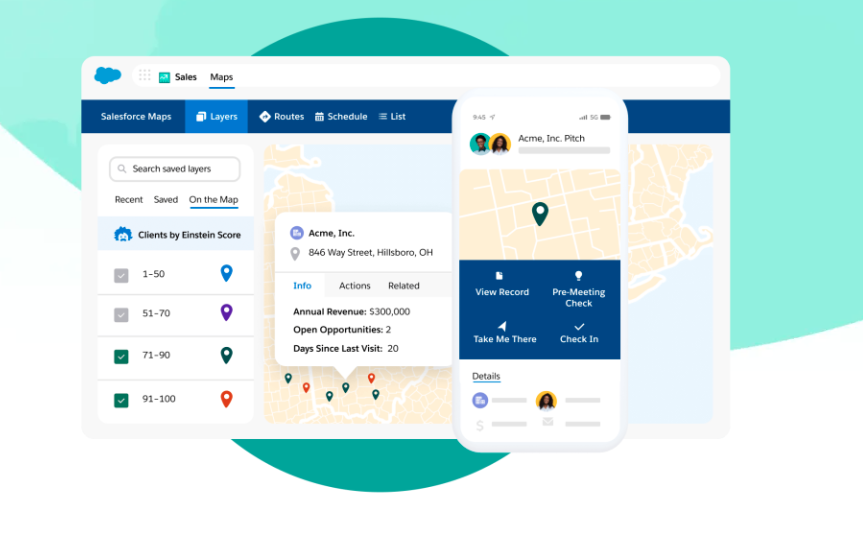
Image source: salesforce.com
Overview: Salesforce Maps is a location intelligence solution built on the Salesforce platform. Its primary focus is on geographic territory planning, but it also includes features for visualizing account hierarchies. Its key advantage is being native to Salesforce, pulling all data directly from your CRM records. This makes it a strong choice for field sales teams who live inside the Salesforce ecosystem and need to visualize their key accounts geographically, identifying direct connections along the way.
Key features:
- Native CRM integration: Full integration with Salesforce CRM data, ensuring information is always in sync.
- Geographic mapping: Provides geographic visualization of accounts, leads, and contacts for territory planning.
- Route optimization: Includes tools specifically for territory planning and optimizing sales routes.
- Hierarchy views: Offers hierarchical views to help users understand complex account structures.
Pricing: Salesforce Maps is sold as an add-on to Salesforce Sales Cloud, with pricing on a per-user, per-month basis.
3. Lucidchart: The intelligent diagramming app for creating professional visuals
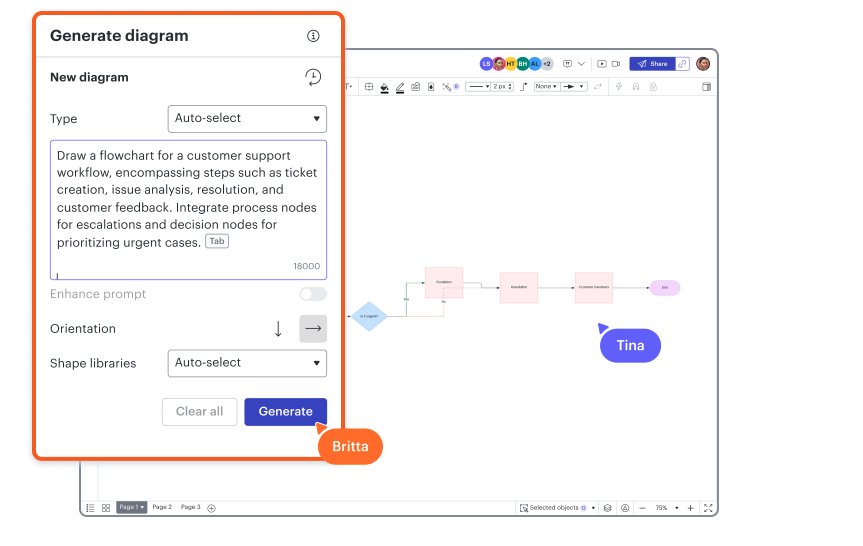
Image source: lucidchart.app
Overview: Lucidchart is a powerful and widely used intelligent diagramming application. It is not a dedicated relationship mapping tool, but its extensive library of templates makes it a popular choice for creating detailed organizational charts and sales process flows. It excels at creating clean, professional-looking visuals and offers strong collaboration features, allowing teams to co-create and comment on diagrams in real-time. It's ideal for teams needing a versatile visualization tool for various business purposes.
Key features:
- Extensive template library: Access a vast library of templates for org charts, flowcharts, and more.
- Real-time collaboration: Enables real-time collaboration with co-editing and in-editor commenting.
- Automated diagramming: Use data linking to automatically generate diagrams from spreadsheets and other data sources.
- Broad integrations: Connects with other platforms like Confluence, Jira, and G Suite to fit into existing workflows.
Pricing: Lucidchart offers a limited free plan, with paid tiers for individuals, teams, and enterprises based on feature sets.
4. Miro: The collaborative online whiteboard for visual brainstorming
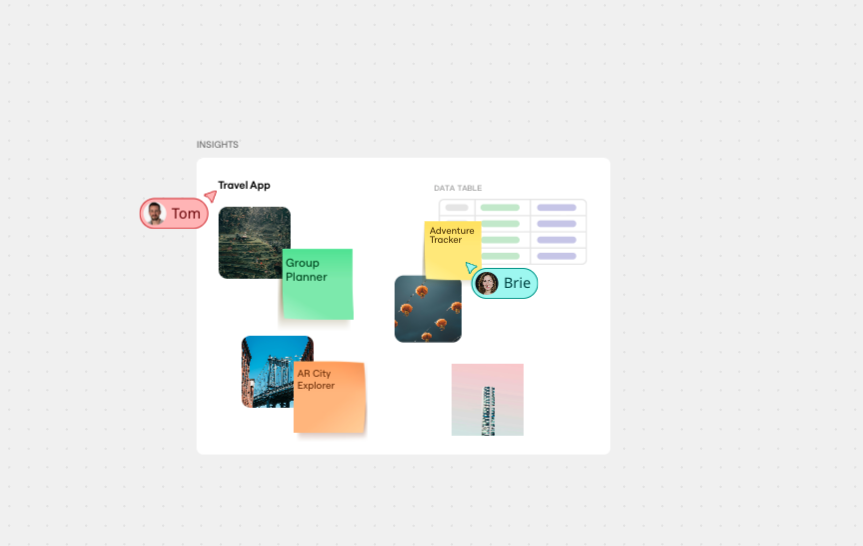
Image source: miro.com
Overview: Miro is an online collaborative whiteboard platform designed for team brainstorming. Like Lucidchart, it's a general-purpose visual tool that can be effectively adapted for relationship mapping. Its infinite canvas is perfect for freeform mind maps and building out complex stakeholder ecosystems. Miro's strength lies in its highly interactive interface, making it perfect for live strategy sessions where teams use sticky notes to visually organize their collective knowledge about an account.
Key features:
- Infinite digital canvas: Utilize an infinite canvas for freeform diagramming and building extensive mind maps.
- Interactive collaboration: Engage your team with real-time sticky notes, comments, and voting tools.
- Template gallery: Start quickly with a large collection of pre-built templates, including some for stakeholder analysis.
- App integrations: Connects with popular tools like Jira, Asana, and Microsoft Teams.
Pricing: Miro provides a free plan with limited boards. Paid plans are available for teams and businesses, unlocking more features.
5. DemandFarm: The KAM platform for managing strategic accounts within Salesforce
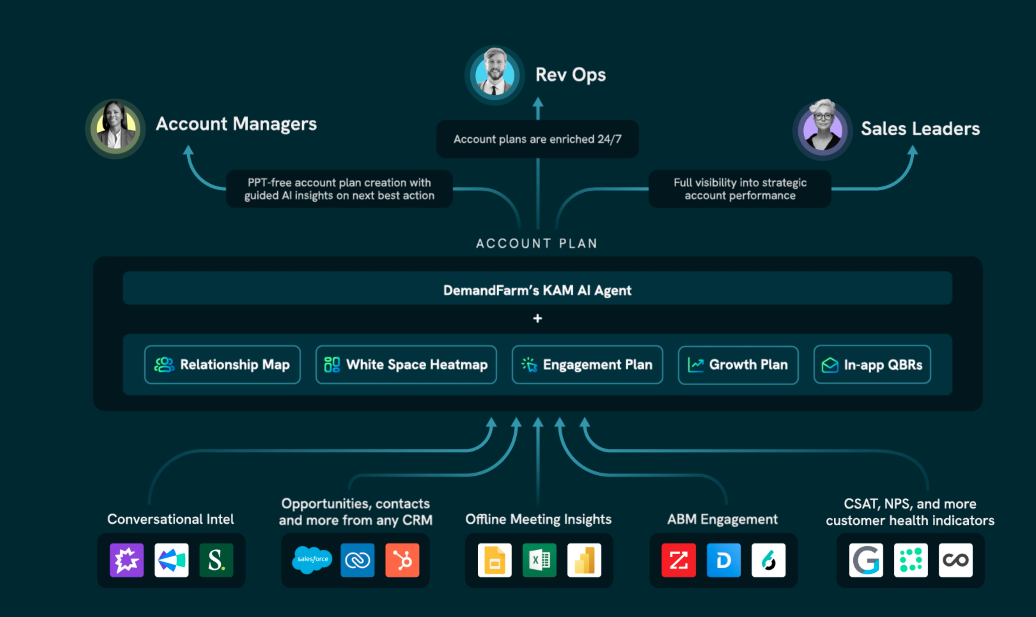
Image source: demandfarm.com
Overview: DemandFarm is a dedicated Key Account Management (KAM) software built to live inside Salesforce. It is designed specifically to help B2B revenue teams manage and grow their most strategic accounts. A core component of the platform is its relationship mapping feature, which allows users to build detailed organizational charts that visualize political alignments and stakeholder influence directly from CRM data. It’s a purpose-built solution for enterprise account managers who need deep functionality.
Key features:
- Native Salesforce app: Operates as a native Salesforce application for completely seamless data integration.
- Visual org chart builder: Build and modify charts easily with a dedicated drag-and-drop functionality.
- Strategic planning tools: Create comprehensive account plans and conduct whitespace analysis to find opportunities.
- Political mapping: Use the unique "Politics view" to map informal relationships and internal influence.
Pricing: Pricing is customized and typically provided upon request through a demo with their sales team.
6. Fibery: The flexible platform for building your own custom work tools
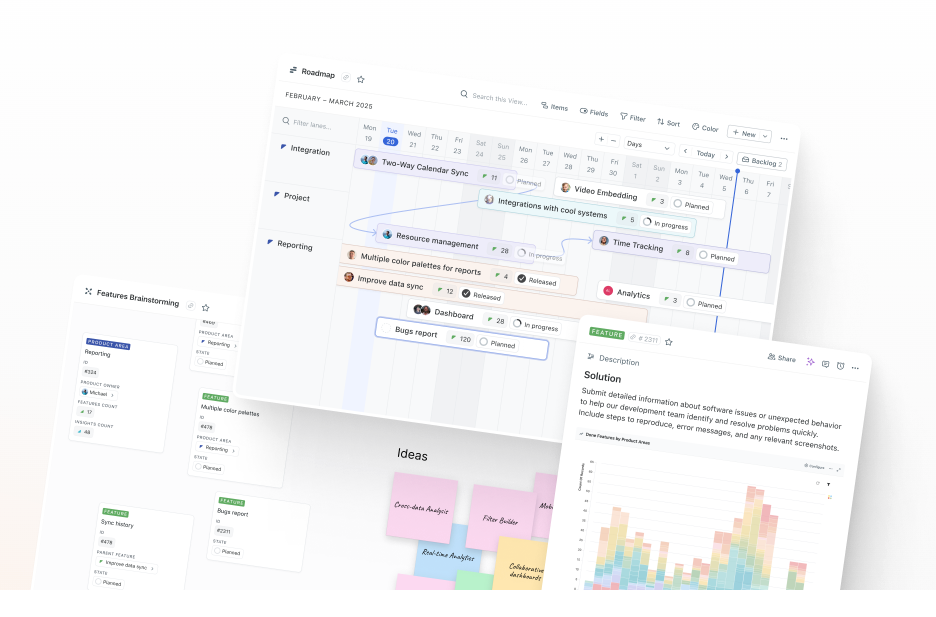
Image source: fibery.io
Overview: Fibery is a "work and knowledge management platform" that allows teams to build their own interconnected workspaces. While not exclusively a sales tool, its flexible, database-driven structure makes it highly adaptable for creating a custom relationship mapping system. You can create a "Stakeholder" database and link it to a "Company" database, effectively building your own bespoke CRM and mapping tool. It's best suited for tech savvy teams who enjoy building their own customized processes from scratch.
Key features:
- Customizable structure: Features a highly flexible and customizable database-centric structure to build any process.
- Interconnected data: Create powerful connections and relationships between different data entities (e.g., companies and people).
- Visual workspaces: Use whiteboard views to visualize your data and the relationships between them.
- Integrated documentation: A rich text editor allows for the creation of detailed documents and notes alongside your data.
Pricing: Fibery offers a free plan with limitations, while paid plans add more capacity and advanced features.
7. ClickUp: The all-in-one productivity app with integrated mind mapping
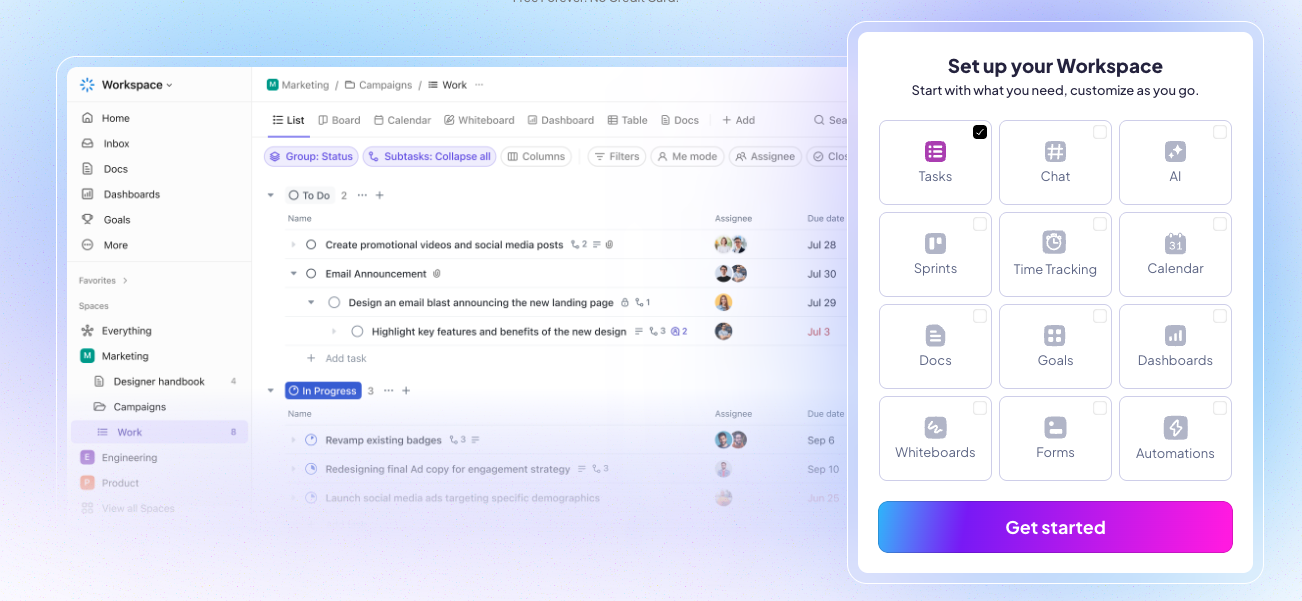
Image source: clickup.com
Overview: ClickUp is an all-in-one productivity platform aiming to replace multiple apps with a single solution. It includes a Mind Maps feature that can be used for basic relationship mapping. Teams can create nodes for stakeholders and draw connections to visualize hierarchies. While not its core function, it can be a convenient free option for teams that already use ClickUp for project management and want a simple, integrated way to visualize account structures without needing extensive technical expertise.
Key features:
- Mind mapping feature: Use the native Mind Maps feature for creating simple visual diagrams of hierarchies.
- Unified workspace: Combines integrated task management, documents, and goals in one platform.
- Customizable data: Add custom fields to add more context to your tasks and map nodes.
- Team collaboration: Use collaborative features like comments and assignments to work together on maps.
Pricing: ClickUp has a "Free Forever" plan and several paid tiers (Unlimited, Business, Enterprise) that unlock more advanced features.
8. Kumu: The powerful visualization platform for deep network analysis
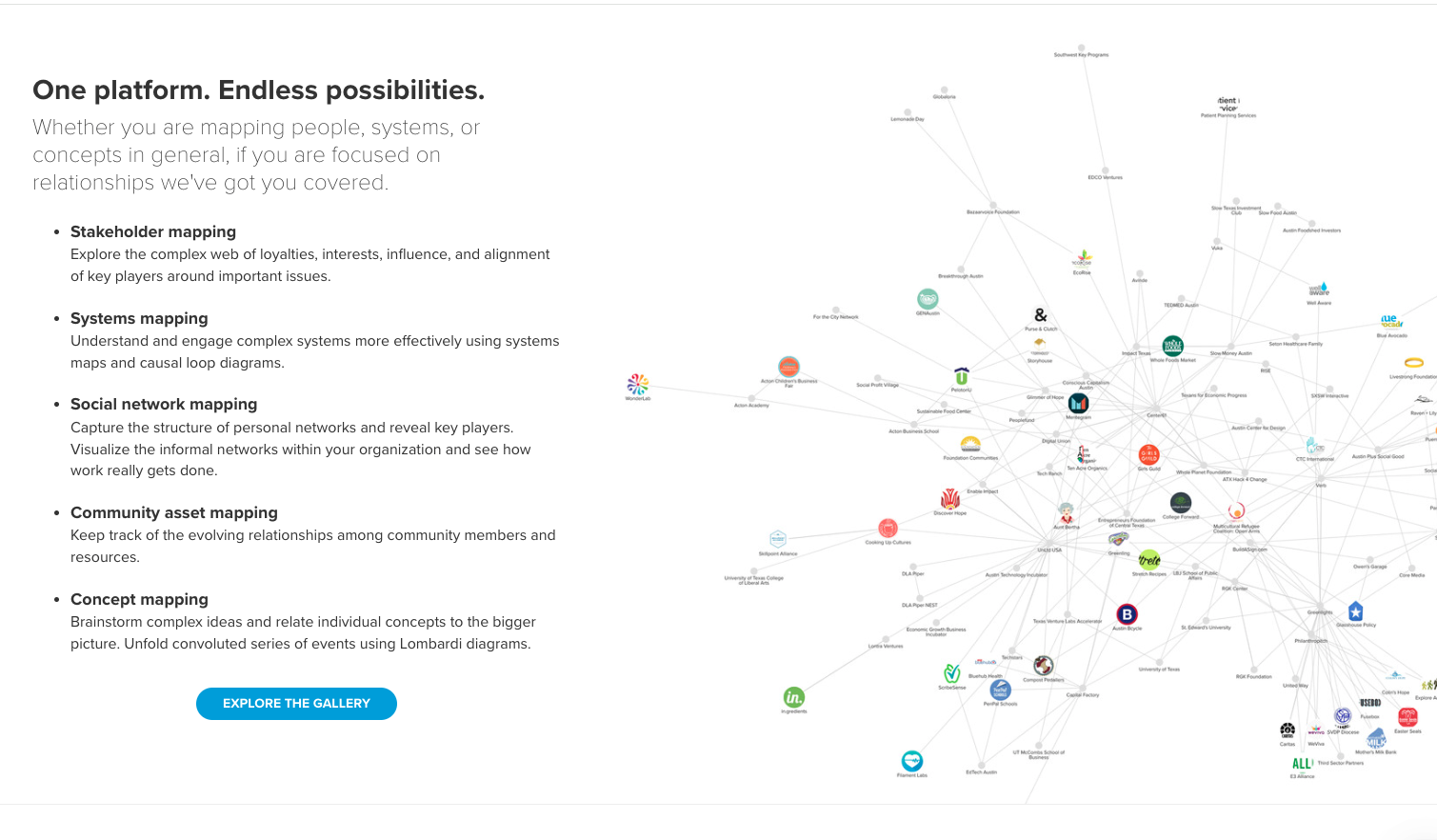
Image source: kumu.com
Overview: Kumu is a powerful data visualization platform designed for mapping complex networks. It’s more of an analysis tool than a simple drawing application, making it ideal for users who want to uncover deep insights from complex data. Kumu allows you to code your map with attributes to control size and color, revealing patterns that might be invisible in other project management tools. It's favored by consultants and data-driven organizations for its analytical power in navigating a complex network.
Key features:
- Advanced network analysis: Go beyond drawing with powerful visualization capabilities for complex data.
- Customizable views: Filter and focus on specific parts of your map to uncover hidden patterns.
- Presentation mode: Create engaging presentations directly from your map to share your findings.
- Fine-tuned control: Use "under the hood" controls and code to precisely fine-tune visualizations.
Pricing: Kumu offers a free public plan, with paid plans for private projects and enterprise use cases.
How to choose the right relationship mapping tool for your needs
With a growing number of platforms available, selecting the right relationship mapping tool can feel overwhelming. The "best" option isn't one-size-fits-all; it depends on your team's size, workflow, and goals. Before evaluating vendors, it’s essential to define what you need the software to accomplish. Will you be mapping out different business units? Do you need to understand the entire buying committee? Answering these questions will help you focus on the tools that deliver the most value and avoid those that add unnecessary complexity.
Key features to look for in a relationship mapping tool
As you begin your search, keep an eye out for these essential features that separate basic drawing tools from true strategic assets for your entire organization:
- Visual clarity and ease of use: A good tool should be user-friendly with a simple interface, such as a drag-and-drop editor, that allows your team to build and understand maps without a steep learning curve.
- Data richness and customization: The best software allows you to go beyond basic templates and add custom fields. This ensures you can track the specific data points and relationship details that matter most to your unique business.
- Seamless integration: To avoid creating yet another information silo, the platform must connect with your existing systems. A non-negotiable integration with your CRM ensures all relevant data is automatically synced and consolidated in one place.
- Collaboration features: The tool must allow multiple team members to comment, share insights, and strategize around the map in real-time, creating a single, shared playbook for the entire account team.
- Actionable insights: Perhaps the most critical feature is whether the tool is actionable. Does it simply create a pretty picture, or does it help your team assign tasks and actively drive the relationship forward? The best advanced platforms connect insights directly to execution.
Conclusion
In the end, the most effective teams don't just create relationship maps; they build integrated systems that connect insight to action. They move beyond static charts and embrace dynamic intelligence hubs that are alive with real-time data and collaboration. By unifying your stakeholder map, strategic documents, team communication, and project management all in one place, you eliminate the friction of disconnected tools. This empowers your team to collaborate with unprecedented clarity and speed, ensuring everyone is aligned and moving in the same direction to drive business forward.
Ready to stop juggling disconnected tools and start building a true strategic advantage? Start building your first relationship map in Lark today and discover what’s possible when your strategy and your workflow are finally, and powerfully, connected.
FAQs
What software is best for relationship charts?
The best software, Lark, goes beyond static charts by building a dynamic intelligence system. It connects your relationship map to tasks, notes, and team communication in one place. While tools like Miro are good for simple diagrams, Lark is the superior choice for turning your map into an actionable, collaborative strategy that drives results and keeps your entire team aligned.
Is there a free mapping software?
Absolutely. Lark offers a powerful and generous free version that allows you to build a complete relationship mapping system using its integrated database, not just a simple drawing tool. While other tools also provide a free option for basic diagramming, Lark's free tier provides a much more robust, connected, and strategic starting point for your team’s account planning.
How to create a relationship map?
Start by identifying key stakeholders and gathering intelligence on their roles and influence. Then, use a tool to visualize this data. In a platform like Lark, this is where the magic happens: you can connect each person on the map to meeting notes, tasks, and conversations, transforming a static chart into a living, actionable guide for your entire team.
What is the best software for process mapping?
For mapping technical workflows, dedicated tools like Lucidchart are excellent. However, for mapping complex human relationships—the focus of this guide—a different approach is needed. The best software for this is an integrated platform like Lark, as it doesn't just visualize a chart; it connects your people strategy directly to your team's daily work, tasks, and communication.
Related reading
Table of contents
Start using Lark today

Manage all your work in one place
Boost team efficiency by 10x
Save up to 70% on software costs
Table of contents
Start using Lark today
Manage all your work in one place
Boost team efficiency by 10x
Save up to 70% on software costs



2026 Lark Technologies Pte. Ltd.
Headquartered in Singapore with offices worldwide.






Explore: