


Smartsheet Review: Features, Pricing, Pros and Cons

Ryan Tanner
Product Marketing Specialist
Aug 5, 2026
Ryan Tanner
Aug 5, 2026

16 min read


Smartsheet is known for its spreadsheet-style work execution features that support structured operational tracking and team project governance. It is used in multiple enterprise workflows where detailed row and column information is essential for planning and reporting. Teams that already feel comfortable with spreadsheet thinking may find it easier to adopt compared to visual-only work platforms. Several newer digital workplace platforms, including unified communication workspaces such as Lark, are also attracting attention from teams seeking collaboration and data sharing in a single, connected environment. This detailed Smartsheet review helps you understand real performance and suitability.

What is Smartsheet?
This part explains how Smartsheet is defined as a project and work execution platform through a structured grid-based model. Readers who are comparing multiple platforms can find clarity regarding its position in the broader project management ecosystem. This clarity is helpful if the reader is searching for a Smartsheet project management review focused on how it operates and where it fits in various team scenarios.
Smartsheet is an online collaborative work platform that follows spreadsheet-style layouts for planning, task tracking, resource coordination, and portfolio monitoring. It provides sheets, formulas, dependencies, automation controls, filters, and dashboards that help teams manage data-centric workflows. The platform is suitable for construction, field operations, PMO functions, financial planning, marketing operations, and administrative scheduling. Its spreadsheet-style structure allows detailed control over data points but requires some time for training and familiarization. The combination of formulas, templates, user permissions, and reporting can support enterprise-style planning without moving away from familiar spreadsheet formats.
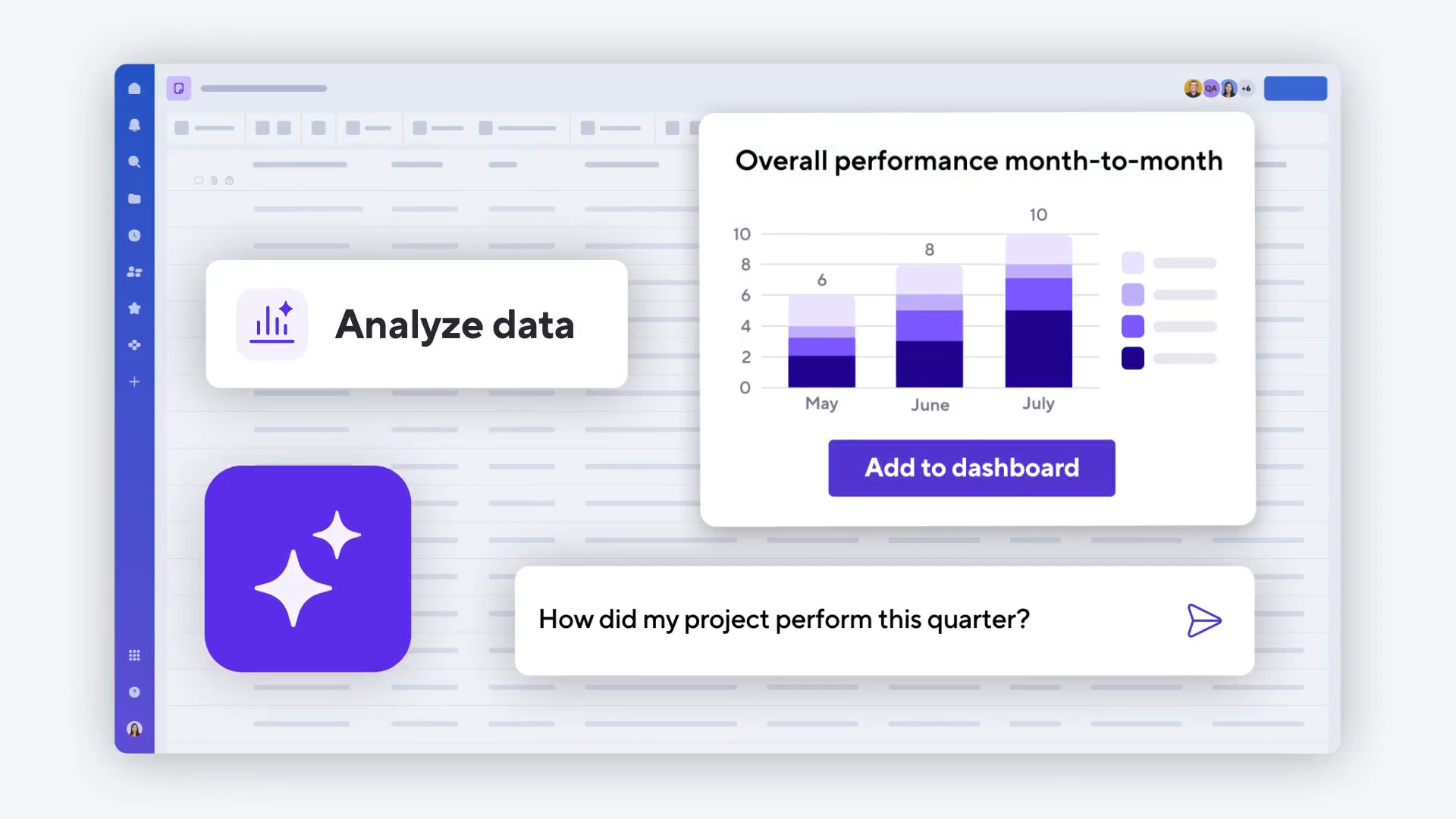
Image source: smartsheet.com
Smartsheet key features
This section gives structured clarity for teams who want to evaluate core capabilities based on real execution usage. The explanation matches expectations of readers who are performing a Smartsheet collaborative work management review and need detailed capability mapping. Each part below is expanded into multi-line reasoning that can guide informed decision-making.
Spreadsheet-style project management
This is the main operational foundation of the product and represents how most users experience it.
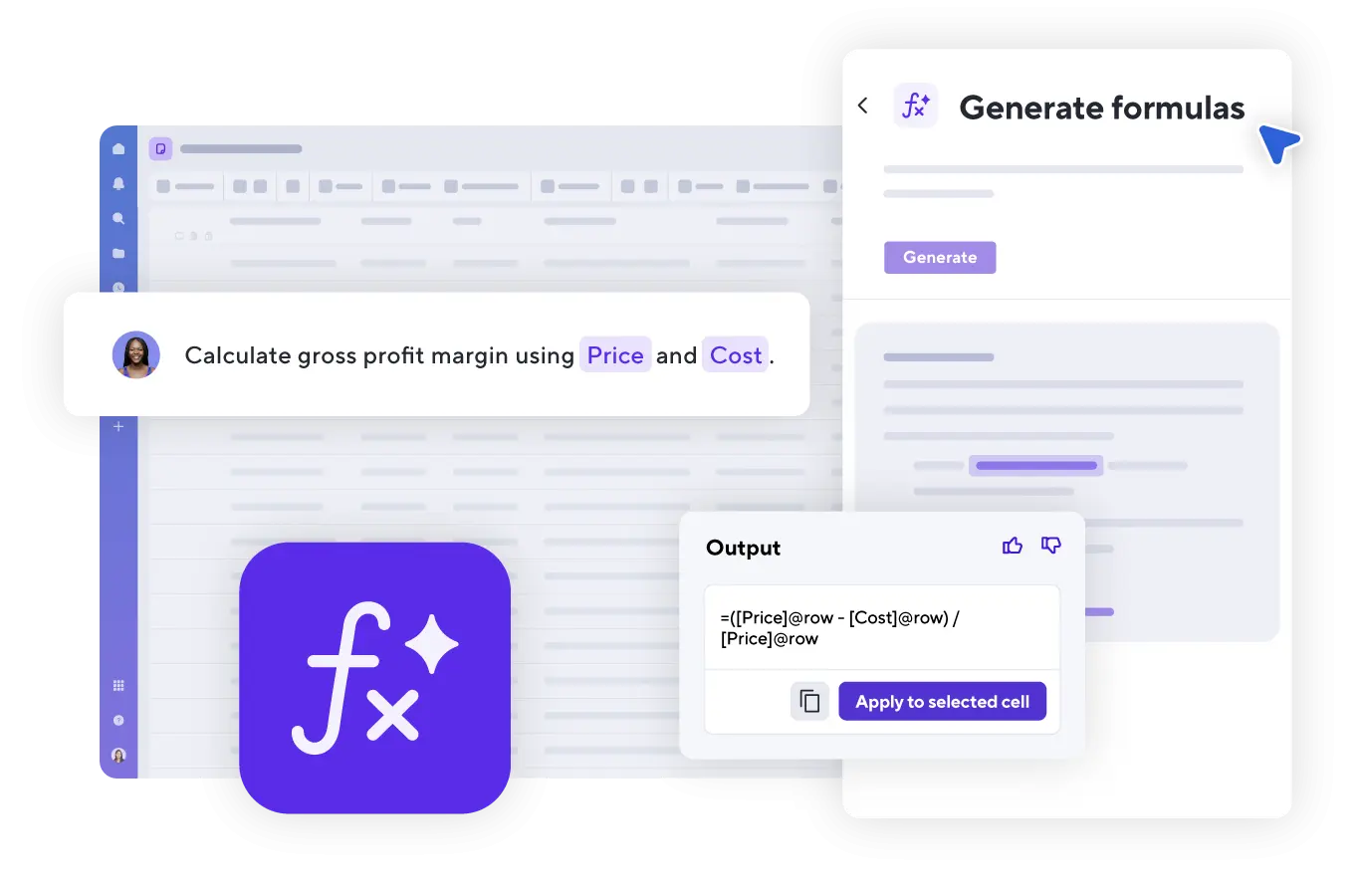
Image source: smartsheet.com
- The grid-based structure is easy for spreadsheet users who want row and column clarity for planning, reporting, and time tracking. It feels familiar for professionals who have long relied on Excel or Google Sheets.
- Sheets can include formulas, conditional formatting, checkboxes, data validations, and dependency calculations, which increases the capacity for analytical planning. This supports forecasting, scheduling, and compliance-driven reporting work.
- Templates help teams start quickly while maintaining control of data structure. It also encourages consistency across recurring projects and standardized documentation.
- The structure may feel complex for users who prefer drag and drop or card based visual workflows. Non spreadsheet users may need onboarding time before feeling confident.
Multiple project views
Alternative visualizations help different stakeholders consume the same information with varied mental models.
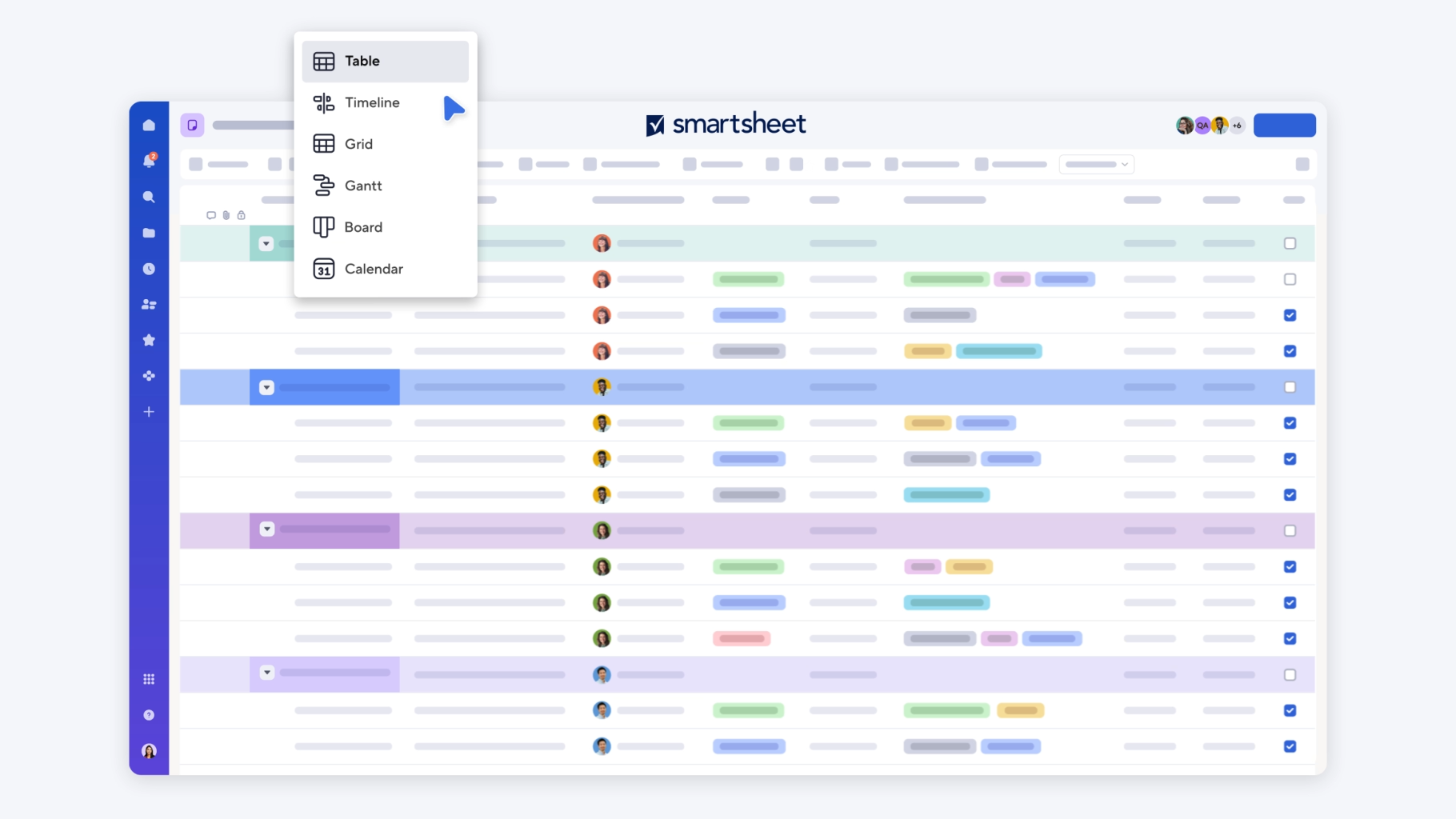
Image source: smartsheet.com
- Grid view functions as the core workspace used for data entry, management, and formula-based decision logic. Operational teams may rely heavily on this view.
- Gantt view helps with timeline based monitoring and dependency visualisation. This is useful for tracking progress delay, resource blocks, and milestone overlaps.
- Card view resembles Kanban boards for teams who prefer visual categorization. It adds clarity for status transitions across stages.
- Calendar and timeline views support planning around events or date based schedules, which is useful for campaign planning, event teams, and compliance calendars.
Collaboration tools
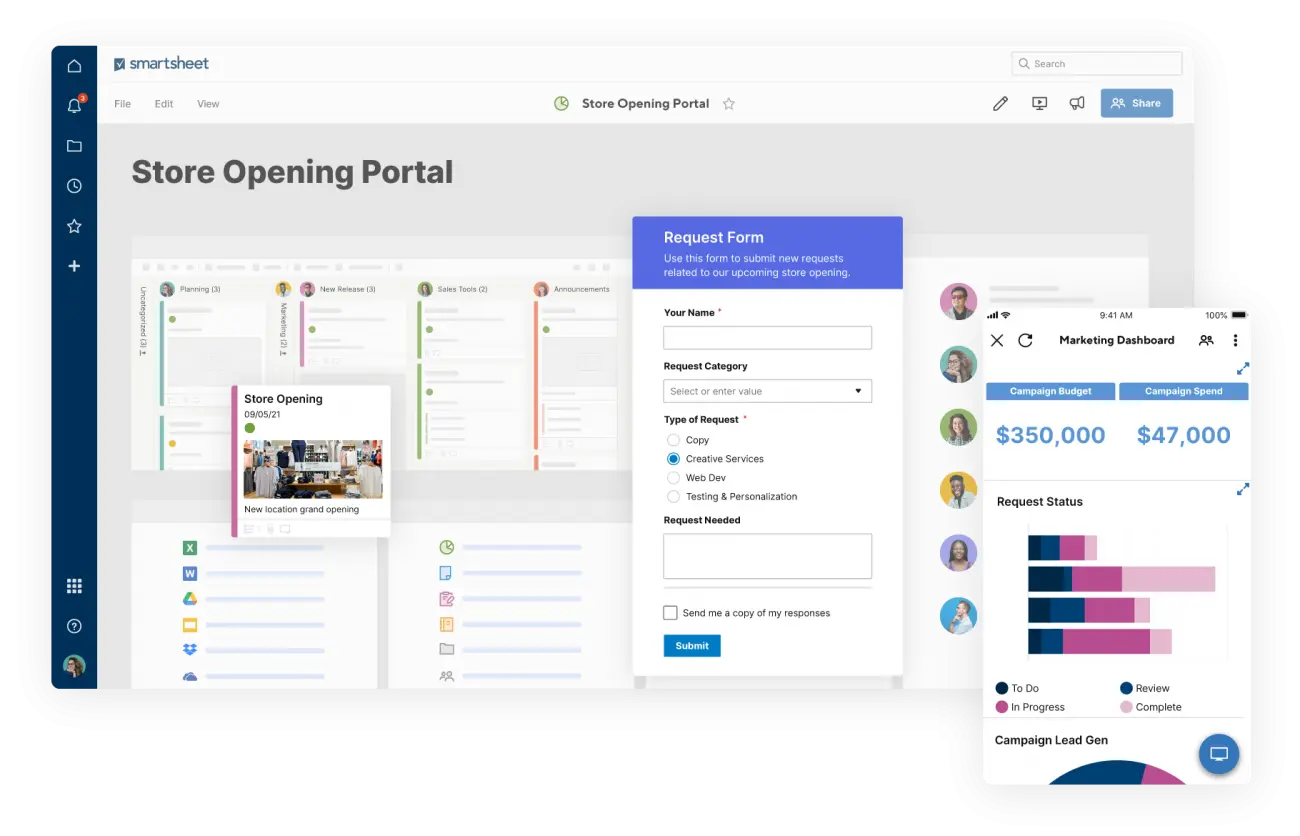
Image source: smartsheet.com
- Commenting on sheets and rows helps stakeholders understand changes and follow communication threads at item level rather than switching to separate chat apps.
- Attachments can be added to records which keeps files and reference documents inside the work item instead of scattered across drives.
- Alerts and reminders notify team members of updates or deadlines which supports time sensitive work.
- Update requests allow stakeholders to submit data without full sheet access which is useful for vendor coordination or departmental reporting cycles.
Automations and workflows
This section helps readers who want insights similar to smartsheet project management software review topics with scalability and repeatable logic.
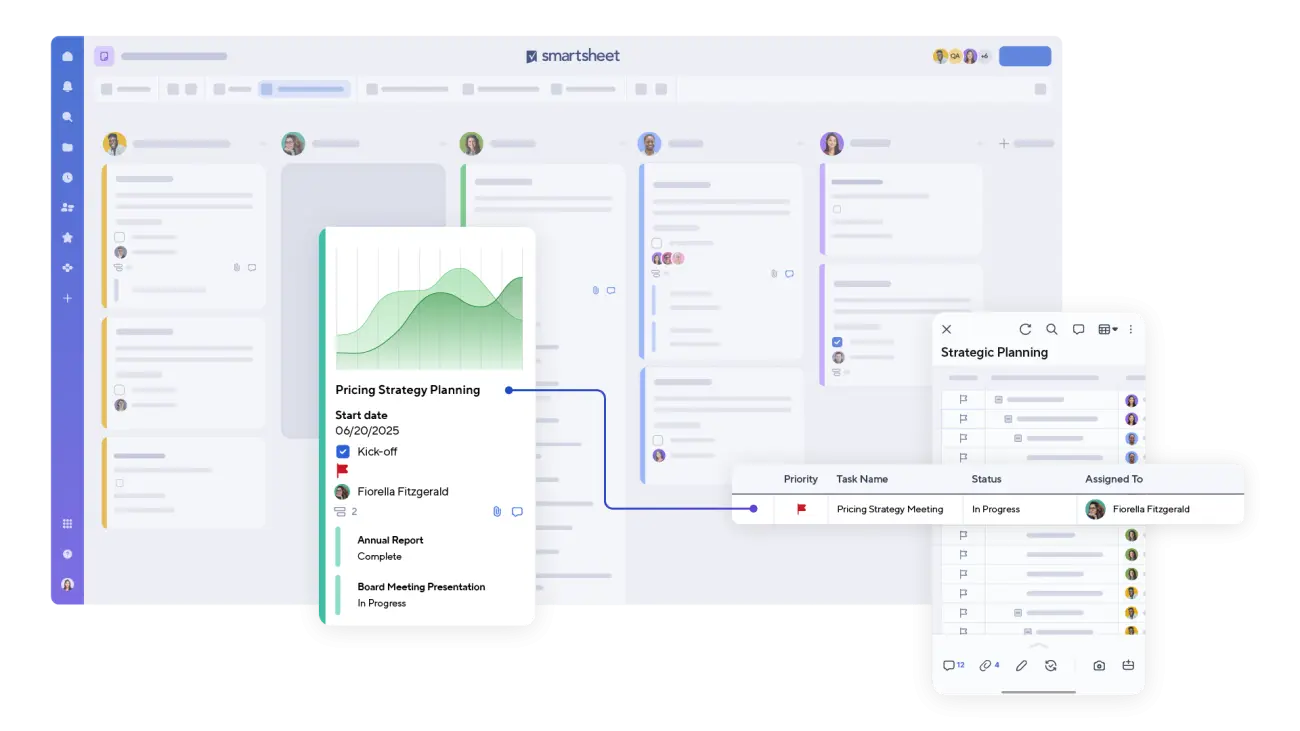
Image source: smartsheet.com
- Rule based automation allows trigger based actions which support error reduction, data consistency, and task routing.
- Conditional actions can be created based on fields, dates, or status changes. This helps automate repetitive communication.
- Alerts and triggers keep information updated without manual follow up, reducing risk of data gaps or miscommunication.
- The workflow builder enables multi step action chains, though it requires logical thinking and familiarity with spreadsheet rules.
Dashboards and reporting
Reporting provides visibility across teams, tasks, and connected projects for leadership reviews.
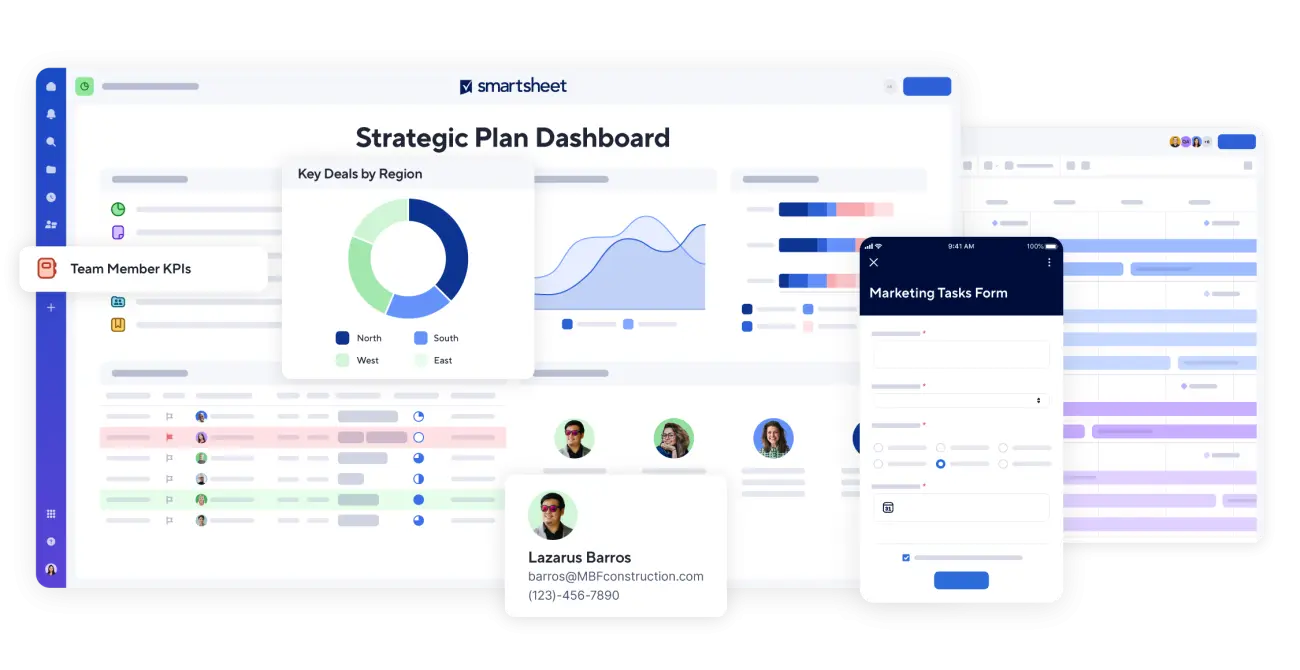
Image source: smartsheet.com
- Dashboards contain visual widgets like charts, metric blocks, text sections, and graphs which centralise important KPIs.
- Executive dashboards allow leadership level tracking of project health, budget status, and risk scoring across multiple subsidiaries or departments.
- Portfolio level views can showcase status across multiple simultaneous project sheets helping enterprise owners track operational pipelines.
- Resource management indicators show how capacity, workloads, and availability are distributed helping reduce burnout or overload.
WorkApps and external connections
This part clarifies extensibility and enterprise readiness.
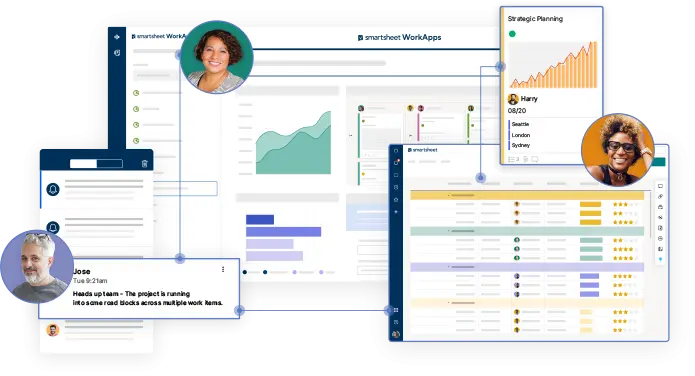
Image source: smartsheet.com
- WorkApps enable creation of custom work portals or user specific access layers for different teams.
- External system connections are available with CRM, storage, communication, and reporting software, so data can move and stay aligned across platforms.
- Cross department visibility supports executive reporting and operational collaboration with role-based controls.
Smartsheet pricing explained
This part explains pricing considerations for procurement and budgeting teams. It also helps readers compare Smartsheet with modern digital work platforms that combine multiple functions in one workspace.
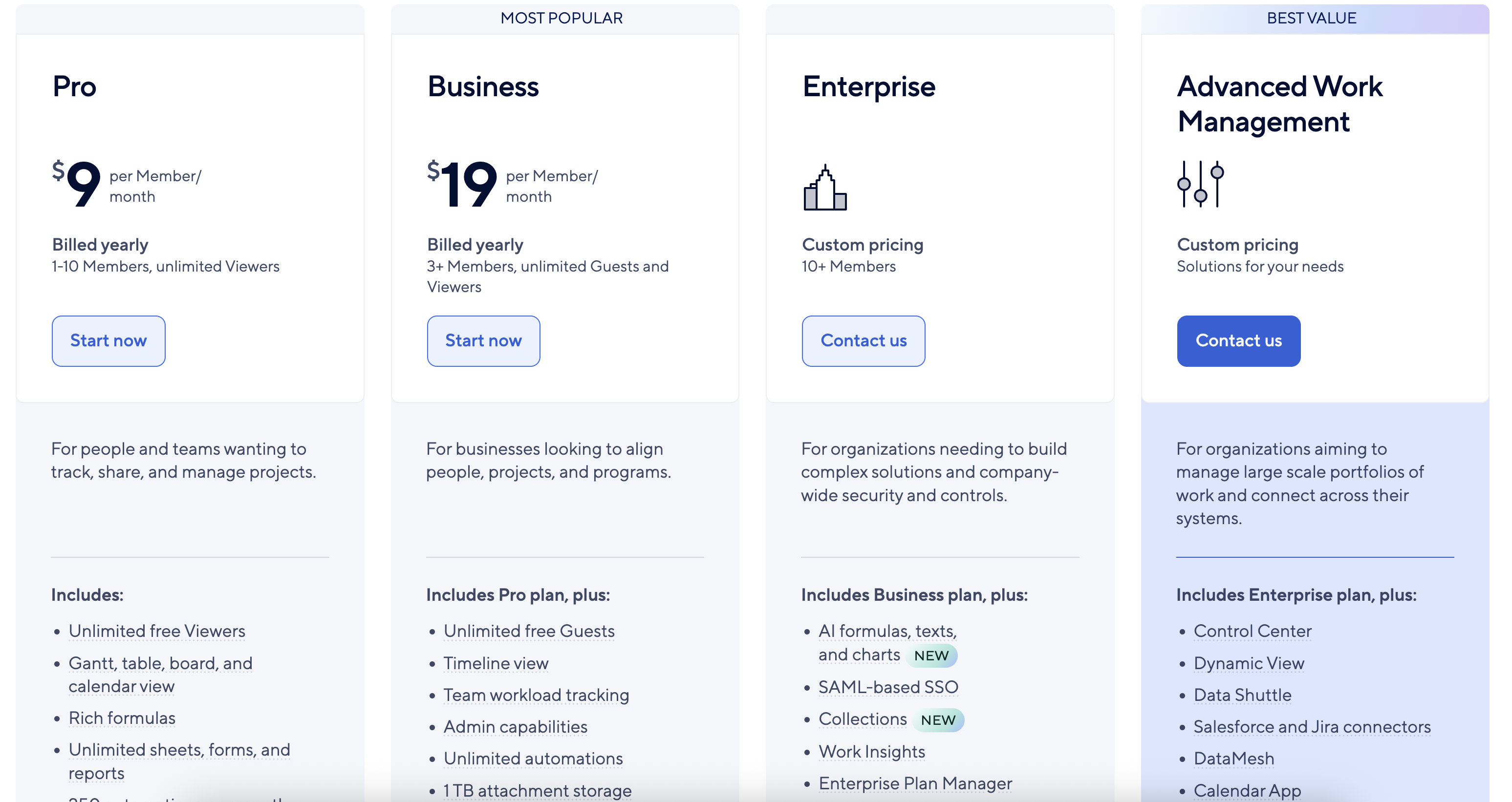
Image source: smartsheet.com
- Pro plan: $9 per user/month (billed annually). It includes unlimited sheets, reports, and forms; Gantt, grid, board, and calendar views; and up to 250 automations per month. Suitable for small teams (1–10 members) needing essential project management features.
- Business plan: $19 per user/month (billed annually). It includes all Pro features plus unlimited automations, team workload tracking, timeline view, admin permissions, and 1 TB of attachment storage. Designed for growing teams that require enhanced collaboration and administration.
- Enterprise plan: Custom pricing for 10+ users. It includes advanced security and governance features, AI-powered formulas and charts, SAML-based SSO, unlimited attachment storage, and work insights. Ideal for large organizations needing robust controls and analytics.
- Advanced Work Management (AWM): Custom pricing. It includes Control Center, Dynamic View, Data Shuttle, DataMesh, and connectors to Salesforce and Jira. Best suited for enterprise-level portfolio management and large-scale project operations.
Information source: Official vendor sites
Update time: 2025-11-19
Note: Pricing and plan details reflect publicly available data as of the update date and may vary based on region, billing cycle, and number of agents.
Smartsheet Pros & Cons
Pros
- Familiar spreadsheet interface improves adoption for operations, PMO, or finance-driven teams already using Excel-based reporting.
- Automation options enhance routing, updates, and task follow-up without extensive manual involvement.
- Project views allow stakeholders to consume information using grid, Gantt, card, or calendar perspectives.
- Reporting and executive dashboards support leadership communication and governance.
- The platform suits structured operational workflows where precision and formula logic are essential.
Cons
- Additional tools might be required for communication, documentation, workflow chat, or meetings.
- Limited built-in communication tools may lead to fragmented collaboration.
- Heavy reliance on sheet formulas may create user dependency on power users who understand complex relational and conditional logic.
- Automation setup may feel less visual than workflow builders available in newer digital work platforms where steps are more drag-and-drop friendly.
- Collaboration can feel fragmented across sheets and communication channels if context is not centrally stored alongside the work item.
Smartsheet offers powerful spreadsheet-based project management with automation, reporting, and multiple project views, but its limited built-in communication and reliance on complex formulas can fragment collaboration and slow adoption. Lark, in contrast, provides a unified platform combining databases, project tracking, approvals, documents, and group messaging in one place. Let's dive in and see how this tool makes a difference.
Meet Lark: A modern, unified alternative to Smartsheet
Lark represents a unified workspace model that combines collaboration, data management, automation, and communication in one environment to reduce switching effort and improve execution clarity. With real-time updates, customizable workflows, and seamless cross-functional collaboration, Lark empowers organizations to work smarter and more cohesively.
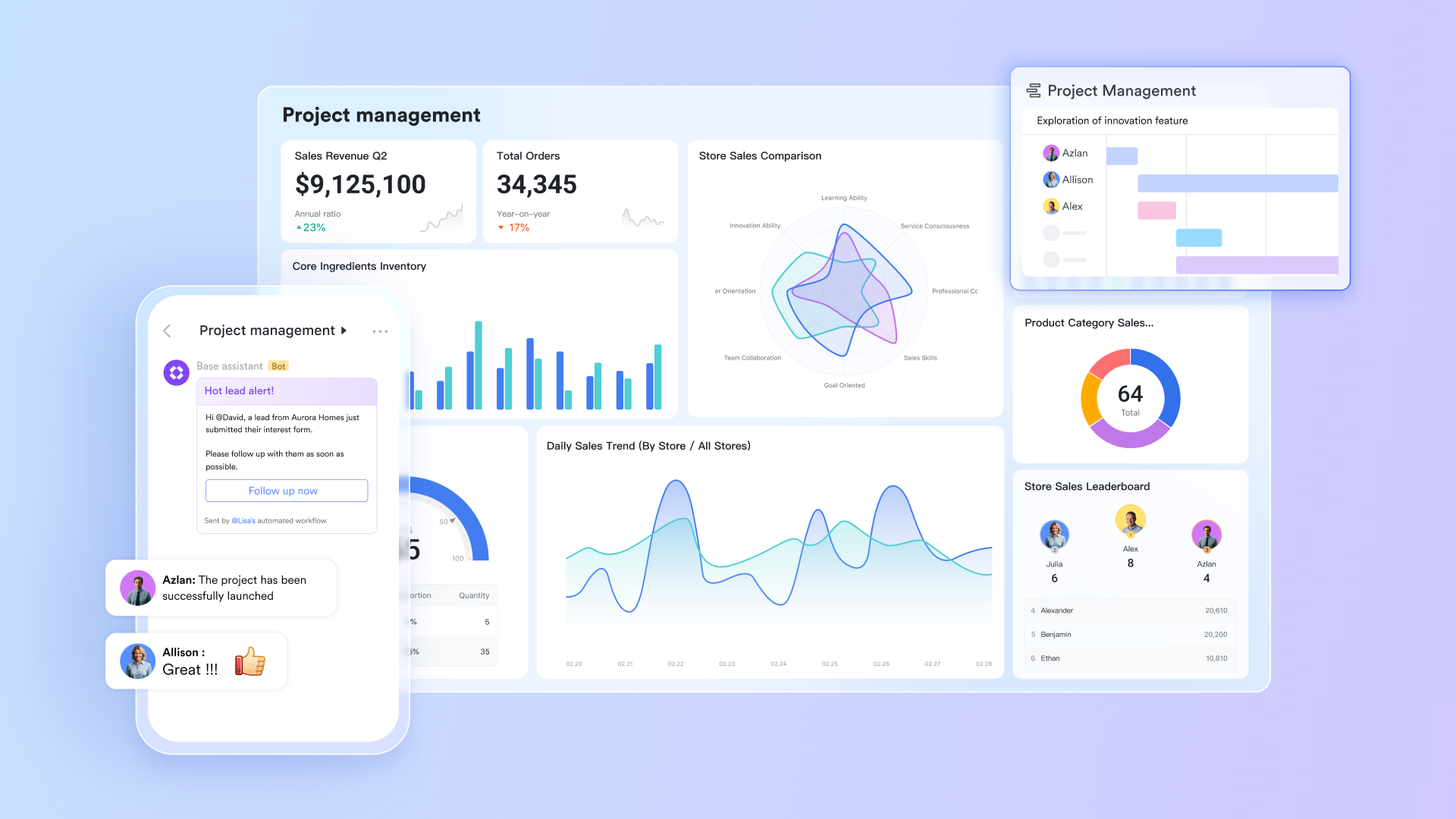
Unified workspace combining sales, projects, and communication
Smartsheet focuses strongly on project planning, but several teams still use separate tools for chat, documentation, meetings, email, and knowledge sharing. Lark brings all work components into one shared environment, including messaging, docs, tasks, projects, mail, and calendar. This connected design helps reduce switching between different software tools for everyday coordination. When teams operate in one shared space, the work context stays attached to the activity, leading to faster decisions and improved continuity.

A centralised project hub and CRM style database
Smartsheet uses sheet-based data architecture, but some users may require more dynamic relational data structures. Lark Base supports multiple tables, linked fields, grouping, filtering, sorting, and dashboard-level data views. Teams can design project tracking layouts, CRM pipelines, OKR records, asset registries, and operational boards using flexible configurations. The model supports growth and process changes without restructuring entire sheets.
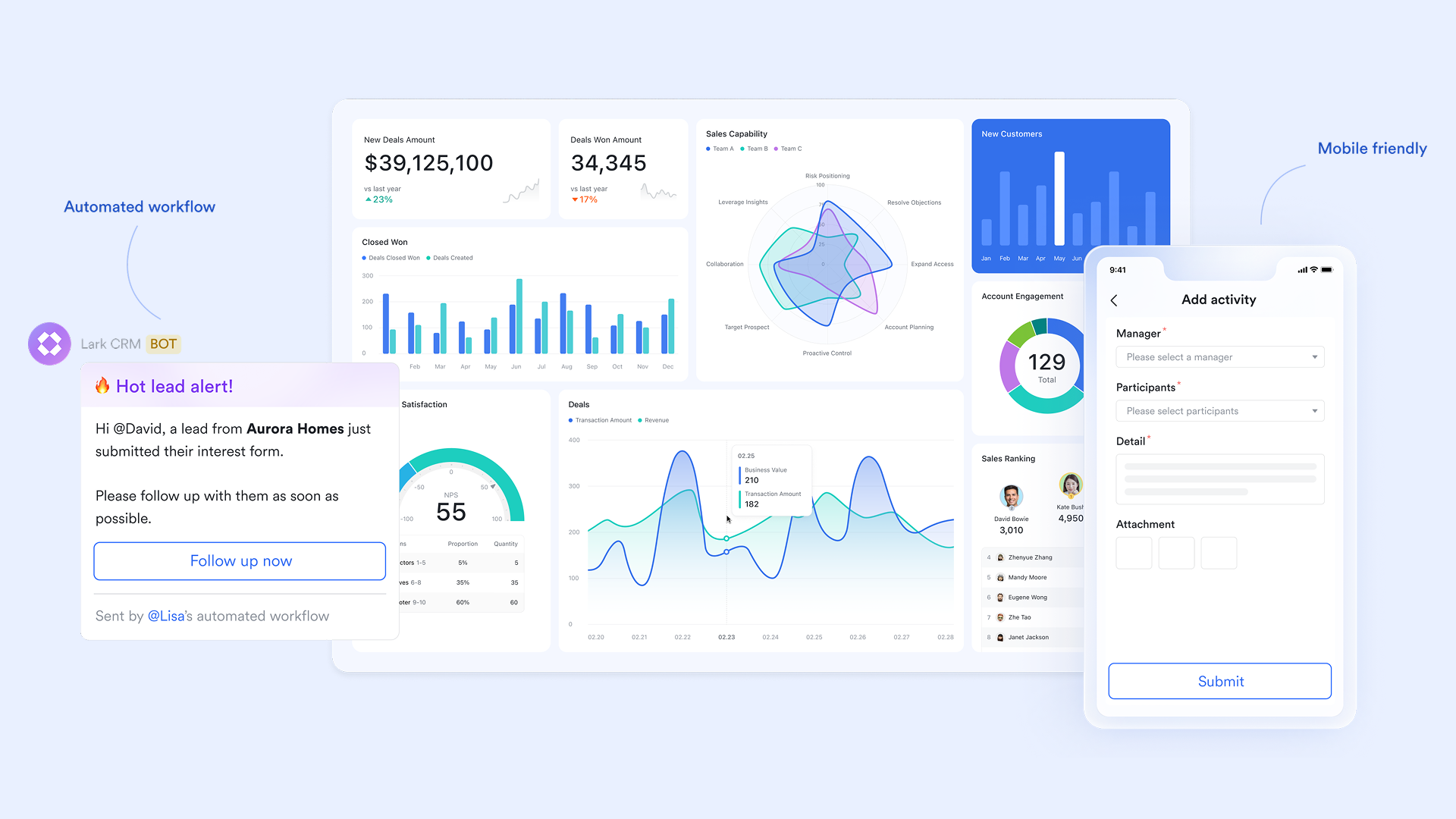
Real-time text & video communication tied to project data
Smartsheet may rely on separate apps for chat and discussions, which can fragment information between sheets and communication threads. Lark changes it with its communication tools: Lark Messenger lets teams reply to specific words or phrases, use threaded discussions to stay on topic, and quickly search past messages—making it easy to keep conversations tied to project items. Lark Meetings support whiteboard sharing, focus video, and countdown timers to keep discussions productive and aligned with project goals. You can schedule meetings directly from Lark Calendar, and Lark automatically creates post-meeting group chats to ensure collaboration continues smoothly.
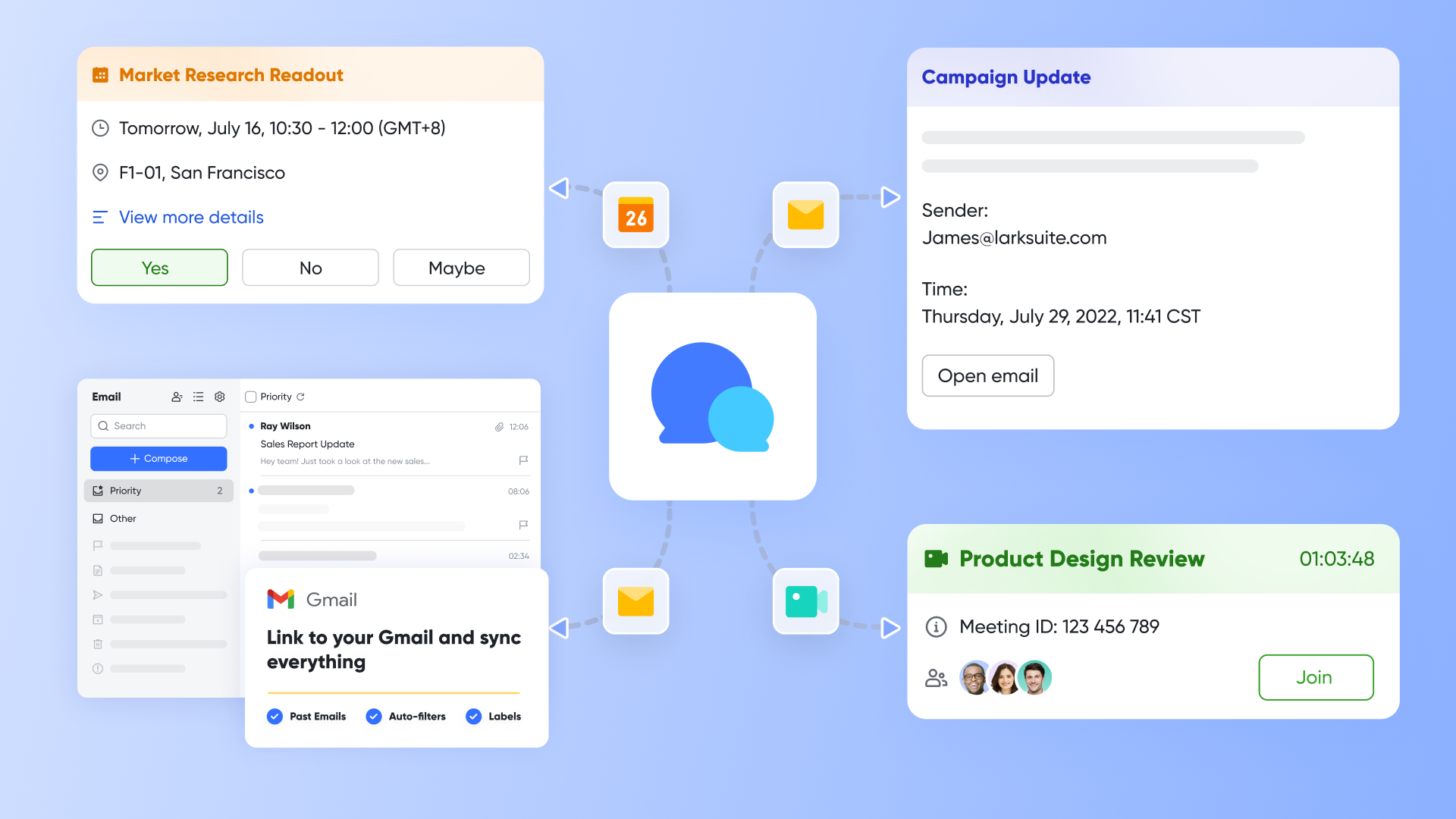
Collaborative document platform & knowledge reservoir
Compared to traditional spreadsheets like Smartsheet, Lark offers Lark Docs, a collaborative platform for document editing, and Lark Wiki, a company knowledge hub. Lark Docs allows you to collaborate in real-time, with team members able to edit, comment, and update documents together. It can create and manage project plans, timelines, and Gantt charts, while tasks can be inserted directly into documents and tracked. Wiki organizes internal documents with a directory tree, making knowledge sharing and cross-team collaboration easy.
Flexible, transparent & automated approval
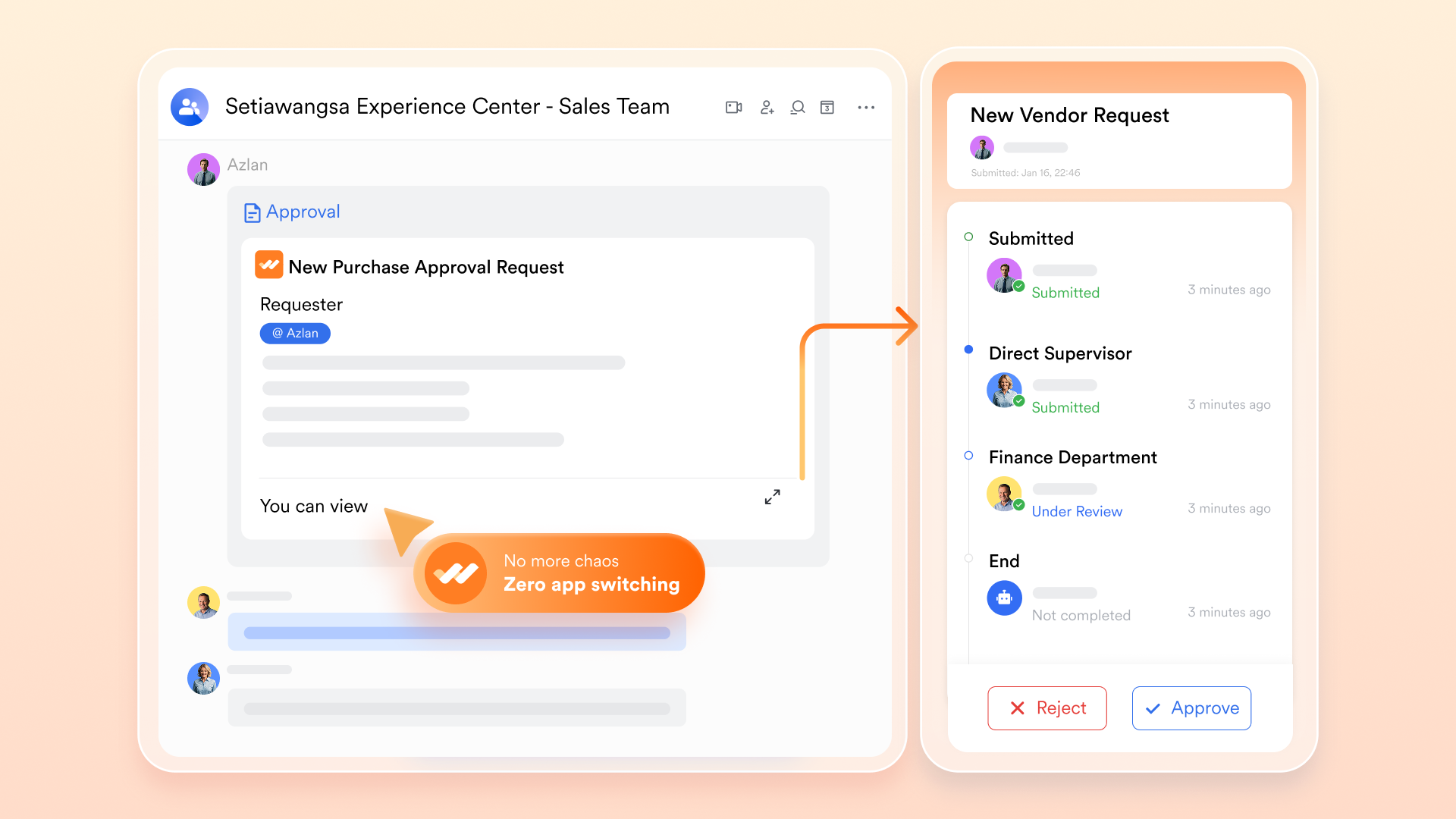
Unlike the Smarshet approval feature, which is deeply tied to the sheet structure, Lark Approval performs well as a unified, flexible approval solution. It provides a variety of templates for HR, finance, and admin workflows that can be customized to match your organization's specific processes. Since it's collaborated with Lark Messenger and Base, approval data stays in sync, and communication is seamless. Administrators can create personalized forms, monitor approval efficiency with dashboards, and even handle batch approvals—making it well-suited for high-volume or recurring approval tasks.
Enterprise-scale security & compliance management
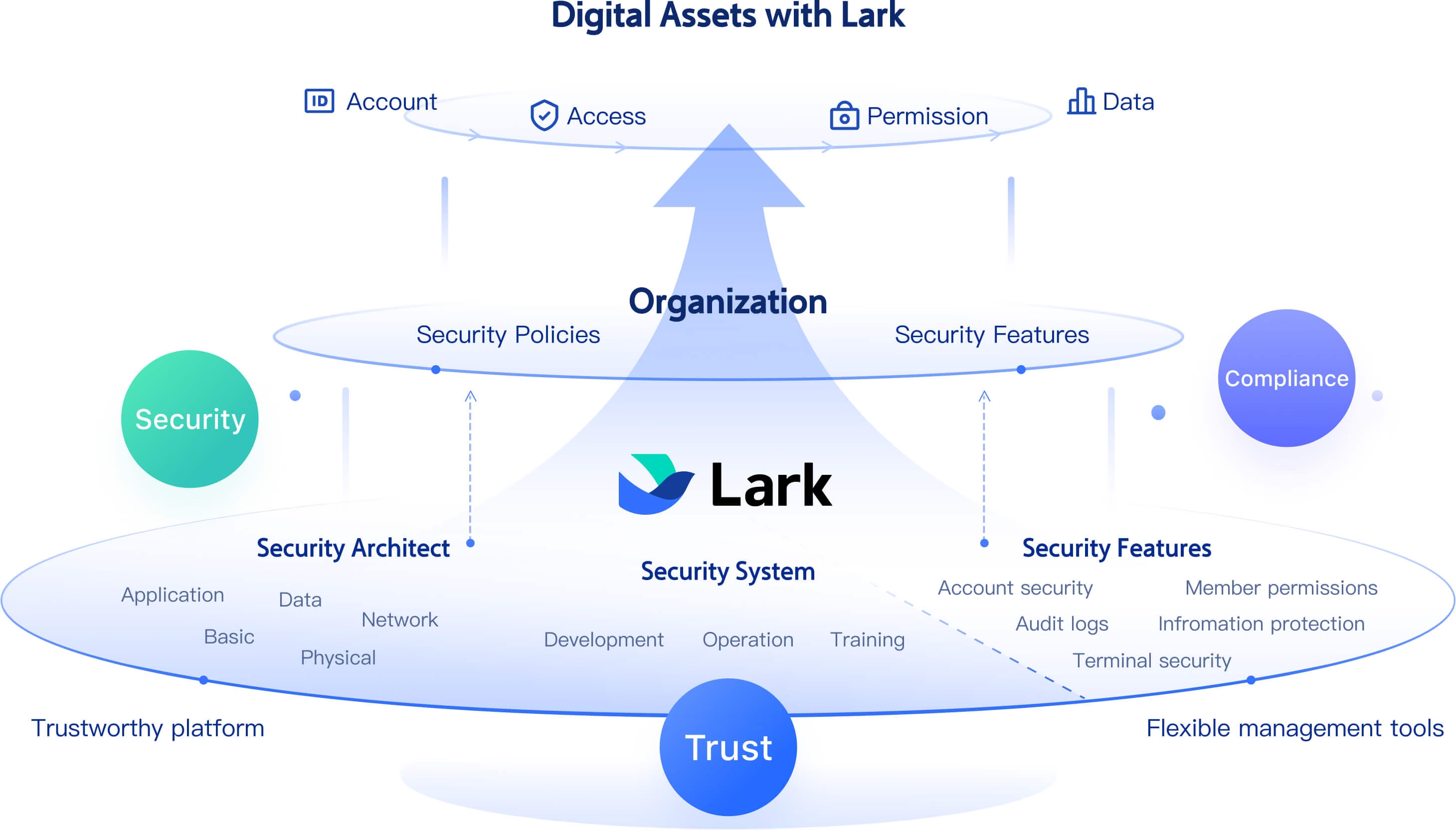
Lark security is built around strong, enterprise-grade protections and flexible access controls. It supports encryption of organizational data, including the use of custom encryption keys and key rotation, so sensitive information stays secure and under your control. Administrators can audit and manage permissions across Docs, folders, and project spaces to limit access to authorized users only. To reduce data leakage, Lark provides data loss prevention (DLP) policies and secure labels, enabling you to classify documents by protection level. For added protection, you can allow watermarks to discourage unauthorized screenshots or sharing. All of this combines to give your team confidence that communication and collaboration remain both productive and safe.
- Starter plan: Free forever plan that includes 11 powerful tools for up to 20 users. It also comes with 100GB of storage, 1000 automation runs, AI translations, and more.
- Basic plan: $6/user/month (billed annually) for up to 500 users. It includes everything in Starter plus group calling for up to 500 attendees, 5TB of storage, 1000 automation runs, and more.
- Pro plan: $12/user/month (billed annually) for up to 500 users. It includes everything in Starter plus group calling for up to 500 attendees, 15TB of storage, 50,000 automation runs, and more.
- Enterprise plan: Contact sales for custom pricing. Supports unlimited users and includes even more automation runs and advanced security, compliance, and management features.
Quick comparison: Decide Lark vs Smartsheet at the last glance
This quick comparison highlights how Lark and Smartsheet differ in pricing, features, collaboration, and overall usability, making it easier to decide which tool best fits your needs:
Conclusion
Smartsheet is a powerful spreadsheet-based project platform that suits operations, PMO, reporting, planning, and enterprise governance scenarios. It offers strong data structure control and collaboration at the sheet level, which supports organized planning. However, readers comparing Jira vs Smartsheet comparison review insights may find that visual tools or unified communication platforms can provide better flexibility for modern teams.
There is a gradual shift toward connected environments that bring communication and work data together. Platforms like Lark provide such digital workspace models where chat, email, docs, workflow, tasks, and dashboards stay linked, which reduces tool fragmentation. Carefully match tool models with your work culture, collaboration needs, and digital transformation roadmap.
FAQs
Is Smartsheet suitable for small teams or freelancers?
Smartsheet can work for small teams if they are comfortable with spreadsheet-structured planning. Freelancers who prefer visual tools might find the setup slightly complex. Some smaller teams might also explore unified workspaces like Lark if they want communication, file collaboration, and workflows in one environment. Choice depends on comfort with structured data entry and formula logic.
Does Smartsheet support real-time collaboration?
Users can comment, share updates, and set alerts in real time, but collaboration mostly happens inside the sheet context. Some teams may use external communication tools for broader coordination. If real-time messaging and knowledge sharing is needed inside the same digital space, then unified platforms like Lark may feel more suitable.
Can Smartsheet handle resource allocation for teams?
Yes, it offers dependencies, capacity views, workload calculations, and portfolio reporting, which help managers evaluate availability. However, training may be needed for maximum value. If users prefer communication plus resource coordination in one environment, then digital workspace platforms like Lark can also be considered.
Does Smartsheet offer offline access?
Offline access is limited compared to traditional spreadsheet software. Users can view some data, but full editing and real collaboration features require connectivity. Teams working in remote or field environments may evaluate platforms with unified messaging and mobile access, such as Lark for continuous communication.
What industries commonly rely on Smartsheet?
It serves construction, operations, marketing project offices, procurement, financial planning, and compliance led work. Industries that depend on data consistency and schedule visibility benefit most. However, teams with heavy communication needs might explore unified workspace platforms like Lark for smoother teamwork alignment.
Related reading
Table of contents
Start using Lark today

Manage all your work in one place
Boost team efficiency by 10x
Save up to 70% on software costs
Table of contents
Start using Lark today
Manage all your work in one place
Boost team efficiency by 10x
Save up to 70% on software costs
Keep reading








2026 Lark Technologies Pte. Ltd.
Headquartered in Singapore with offices worldwide.






Explore: