Modern work environments demand more than simple checklists. Teams now require structured visibility, cross-functional coordination, and automated workflows to manage increasing complexity. Task applications have evolved from basic to-do lists into integrated systems that support collaboration, reporting, and accountability. Whether you are evaluating task-tracking applications for operational teams or task-assignment applications for enterprise execution, choosing the right platform impacts productivity at every level. Some tools focus purely on tracking, while others combine messaging, documentation, and automation into unified workspaces. Emerging ecosystems such as Lark illustrate how task management applications are increasingly becoming central execution hubs rather than isolated tools.
Key takeaways: Top 5 applications for task tracking
Selecting applications for today's task depends on your workflow, reporting needs, and collaboration requirements. Below are five leading platforms frequently considered among the best task assignment software applications for modern teams.
1. Lark: An all-in-one collaboration workspace combining chat, meetings, documentation, and structured task tracking applications in a unified ecosystem.
2. Asana: A structured task management application built for goal-driven teams that prioritize dependencies and performance dashboards.
3. ClickUp: A customizable application task manager offering automation, dashboards, and multi-view task management applications.
4. Monday.com: A visual task tracking application that supports structured workflows and scalable automation.
5. Trello: A simple Kanban-based task manager application suitable for small teams and straightforward project tracking.
Overview: 5 best applications for task management
When evaluating the best application, decision makers must compare task tracking capabilities, automation strength, and collaboration depth. The table below summarizes five leading .
Information source: Official vendor sites
Update time: 2026-03-03
Note: Pricing and plan details reflect publicly available data as of the update date and may vary based on region, billing cycle, and number of agents.
Manage all tasks and boost efficiency with Lark
What defines modern task management applications?
Modern task management applications go beyond simple checklists. They provide visibility, accountability, automation, and . Organizations selecting task assignment applications must consider scalability and governance alongside usability.
- Structured task tracking applications: Modern platforms allow teams to visualize work through boards, timelines, and dashboards. Clear tracking improves accountability and reduces missed deadlines. Strong task tracking applications also support progress indicators and workload balancing.
- Automation within task assignment applications: Repetitive actions can slow down execution. Advanced task management applications include automation rules and triggers to reduce manual coordination. Automation enhances efficiency and improves compliance.
- Collaboration is built into task manager applications: isolated task lists create silos. Modern applications task manager platforms integrate comments, file sharing, and document collaboration. Built in collaboration strengthens alignment across departments.
- Reporting and performance dashboards: Leadership requires measurable performance insights. Mature task tracking applications include analytics dashboards and . Reporting maturity supports strategic decision-making.
15 best software and applications for task assignment
1. Lark: An all-in-one collaboration workspace for structured task execution
is more than just a task tracker; it is a comprehensive collaboration workspace. By consolidating communication, and automated approvals into one seamless interface, it eliminates the inefficiencies of fragmented tool stacks. For organizations seeking a "single source of truth" for task execution, Lark provides the structure and scalability to handle complex workflows without ever leaving the platform.
Individual accountability and sub-tasking
Lark Tasks serves as the primary engine for assigning and monitoring individual responsibilities with granular precision. It allows users to break down complex objectives into manageable steps by setting clear deadlines, priority levels, and nested sub-tasks. By centralizing personal to-do lists, it ensures that every team member has a clear, prioritized view of their daily expectations and upcoming milestones. 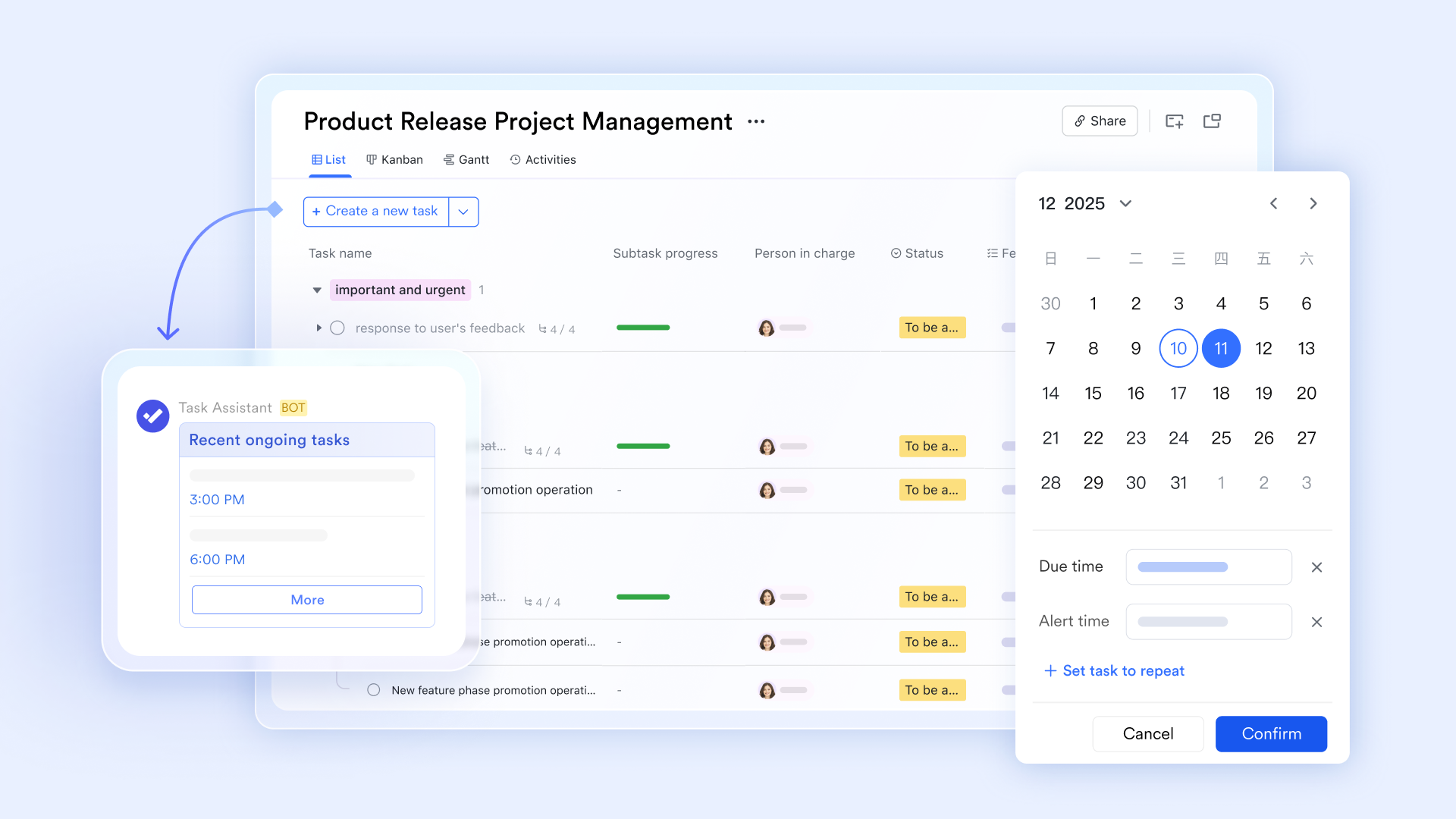
Turn messages into actionable and trackable tasks
Lark transforms communication into action by integrating directly with built-in Lark Tasks. Unlike traditional task manager applications, where context is lost between chat and checklists, Lark allows team members to convert any message into a trackable task with a single click. This ensures that "task assignment applications" are no longer isolated from the conversation, allowing deadlines and ownership to be established exactly where the work is discussed. 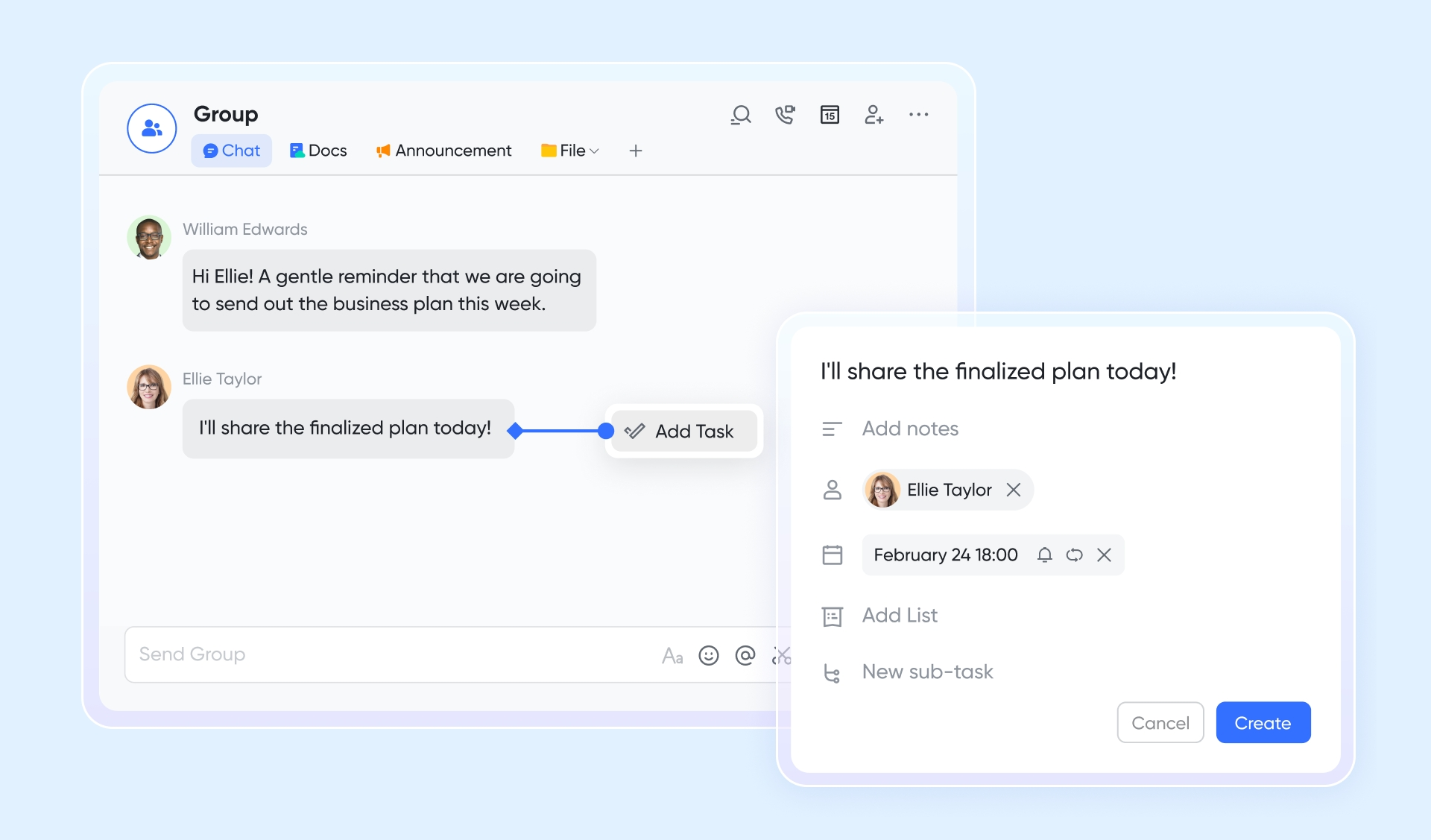
Multi-dimensional visibility and management
For teams requiring advanced task tracking applications, serves as a powerful, customizable engine for project oversight. It allows users to visualize their data through multiple lenses, including Kanban boards, Gantt charts, and automated dashboards. By serving as a central execution hub, Base ensures complex workflows are transparent, providing leadership with real-time progress reports while keeping operational teams aligned on their priorities. 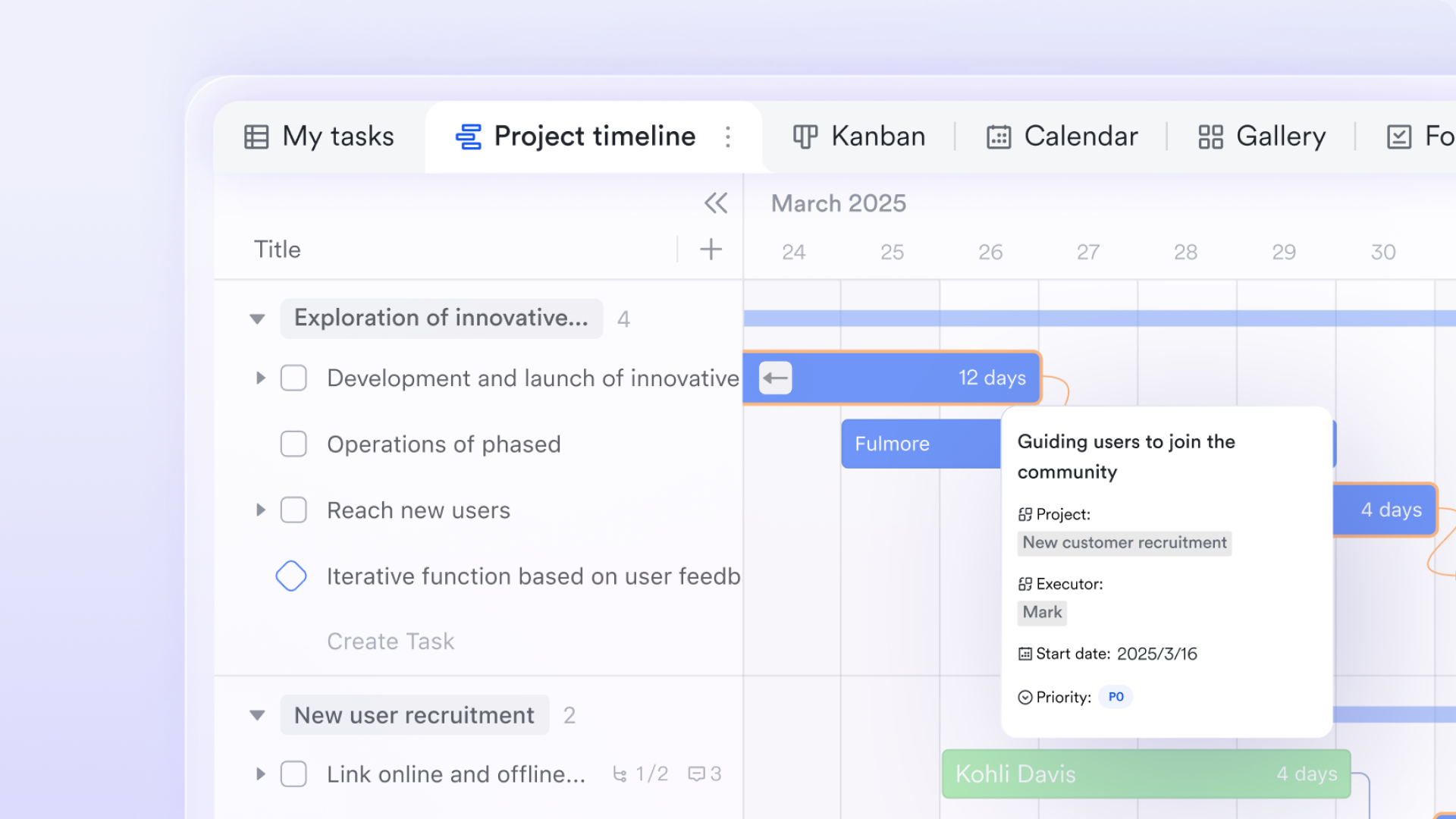
Streamlined governance and approvals
To ensure accountability and compliance, automates the transition from completed tasks to formal sign-offs. This module allows organizations to build custom approval chains for budgets, project milestones, or leave requests without leaving the workspace. By embedding governance directly into the workflow, Lark prevents the delays often associated with manual coordination, making it a highly efficient application for task management in regulated or enterprise environments. 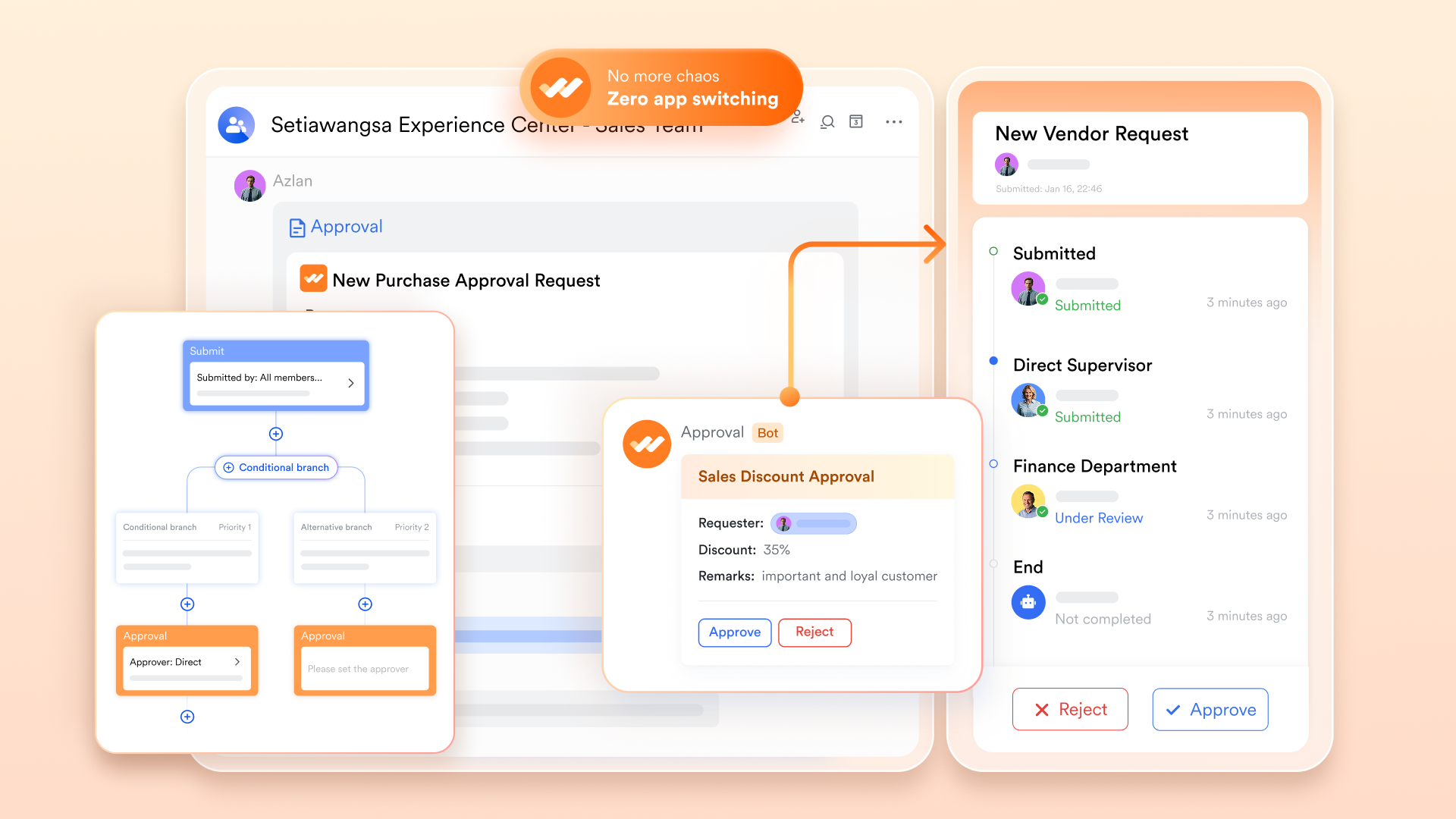
Pros:
- Unified ecosystem converts chat messages into trackable tasks instantly.
- Flexible visualization offers Kanban, Gantt, and dashboards via Lark Base.
- AI-powered efficiency automatically extracts action items from meeting transcripts.
- Direct approvals streamlines project sign-offs within the same workflow.
Cons:
- The extensive toolset can be complex to master initially; consult the Lark Help Center for quick onboarding.
:
- Starter plan: Free forever plan that includes 11 powerful tools for up to 20 users. It also comes with 100GB of storage, 1000 automation runs, AI translations, and more.
- Basic plan: $6/user/month (billed annually) for up to 500 users. It includes everything in Starter plus group calling for up to 500 attendees, 5TB of storage, 1000 automation runs, and more. For more details, please .
- Pro plan: $12/user/month (billed annually) for up to 500 users. It includes everything in Basic plus group calling for up to 500 attendees, 15TB of storage, 50,000 automation runs, and more.
- Enterprise plan: for custom pricing. Supports unlimited users and includes even more automation runs and advanced security, compliance, and management features.
For small teams with simple communication needs

18 months message history
1000 Base automation runs/month
2000 rows per table in Base
Most POPULAR
For companies with comprehensive collaboration and management needs
Unlimited message history
500-participant video meetings
50k Base automation runs/month
20k rows per table in Base
For large companies with advanced security and organizational management needs
Get a personalized demo and pricing
Unlimited message history
500-participant video meetings
15 TB storage + 30 GB storage/user
500k Base automation runs/month
50k Base automation runs/month
Most POPULAR
For companies with comprehensive collaboration and management needs
Unlimited message history
500-participant video meetings
50k Base automation runs/month
20k rows per table in Base
2. Asana: Structured task tracking for goal-driven teams
Asana is a structured solution among modern task applications, designed to help teams manage goals, timelines, and dependencies with clarity. It is widely adopted as one of the most reliable task tracking applications for organizations that prioritize accountability and performance measurement. Teams seeking advanced task assignment applications often choose Asana for its structured workflows and reporting depth. Its balance between usability and scalability makes it suitable for growing businesses.
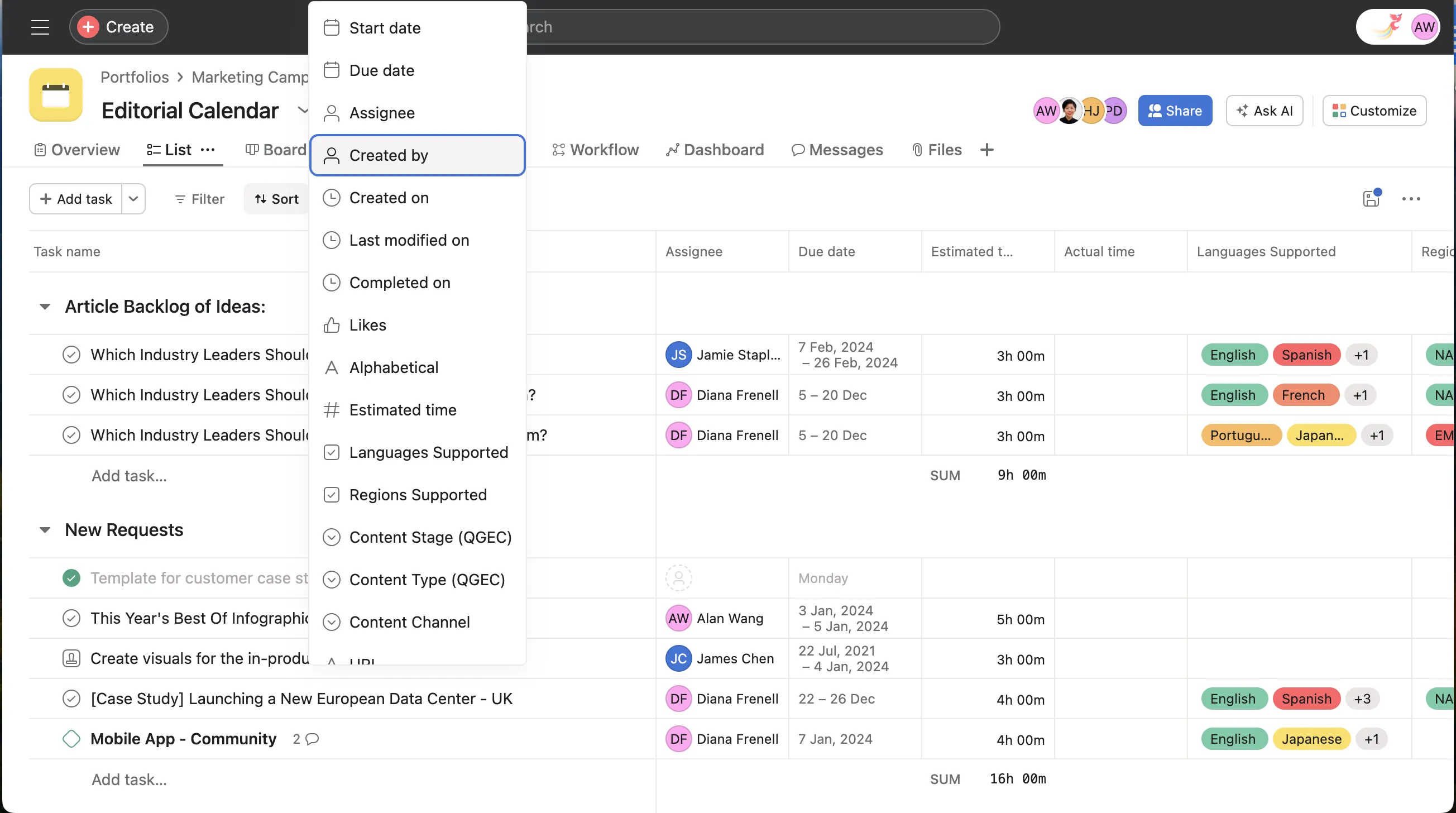
Image source: asana.com
Key features:
- Task dependencies and milestone tracking
- Timeline and calendar visualization
- Workflow automation rules
- Performance dashboards and reporting
Pros:
- Strong structure for goal alignment
- Clear task ownership and accountability
- Advanced reporting tools
- Scalable plans for expanding teams
Cons:
- Limited built-in messaging functionality
- Advanced features require premium plans
- May feel complex for small teams
Pricing:
- Personal plan: $0 Free forever
- Starter plan: $10.99/user/month
- Advanced plan: $24.99/user/month
- Enterprise plan: Contact sales
3. ClickUp: Customizable task management application for complex workflows
ClickUp positions itself as a flexible application task manager capable of replacing multiple productivity tools. It is frequently evaluated among the best task assignment software applications for teams that require custom workflows and automation. Its multi-view dashboards support advanced task management applications across departments. Organizations with complex operational needs often benefit from its configurability.
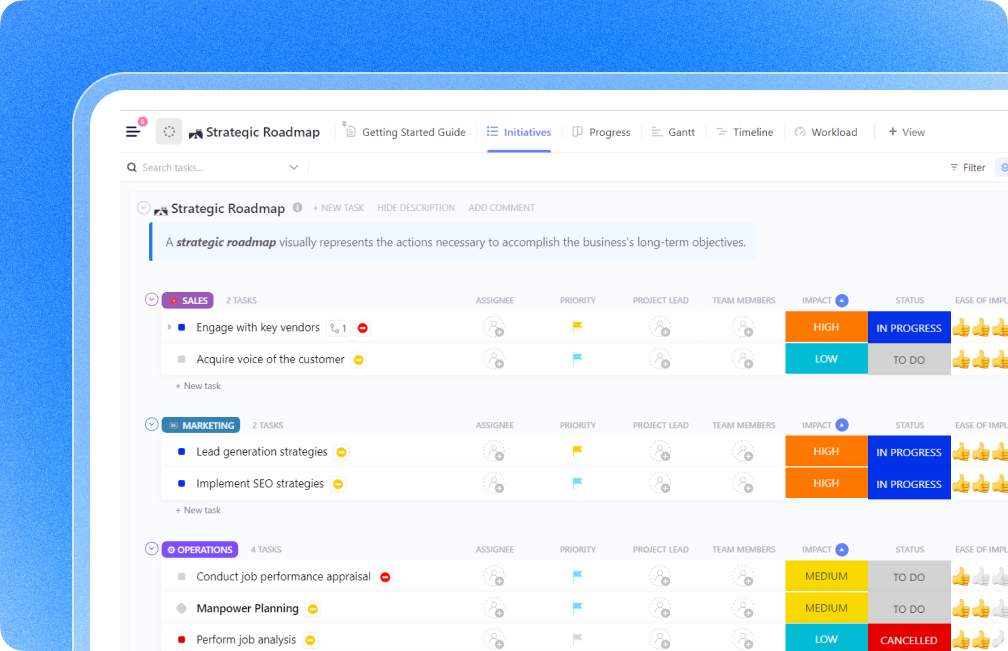
Image source: clickup.com
Key features:
- Multiple task views, including List, Kanban, and Gantt
- Built-in automation builder
- Goal tracking and time tracking
- Document collaboration integration
Pros:
- Highly customizable workflows
- Strong automation capabilities
- Unified dashboards for visibility
- Suitable for cross-functional teams
Cons:
- The interface may feel dense
- Performance can slow with heavy customization
Pricing:
- Unlimited plan: $7/user/month
- Business plan: $12/user/month
- Enterprise plan: Contact sales
4. Monday.com: Visual task tracking application for teams
Monday.com is a visually oriented platform among modern task tracking applications. It allows teams to customize boards and automate workflows through structured columns and dashboards. Organizations searching for scalable task assignment applications often choose Monday.com for its intuitive interface. It supports both small teams and enterprise departments with flexible configuration options.
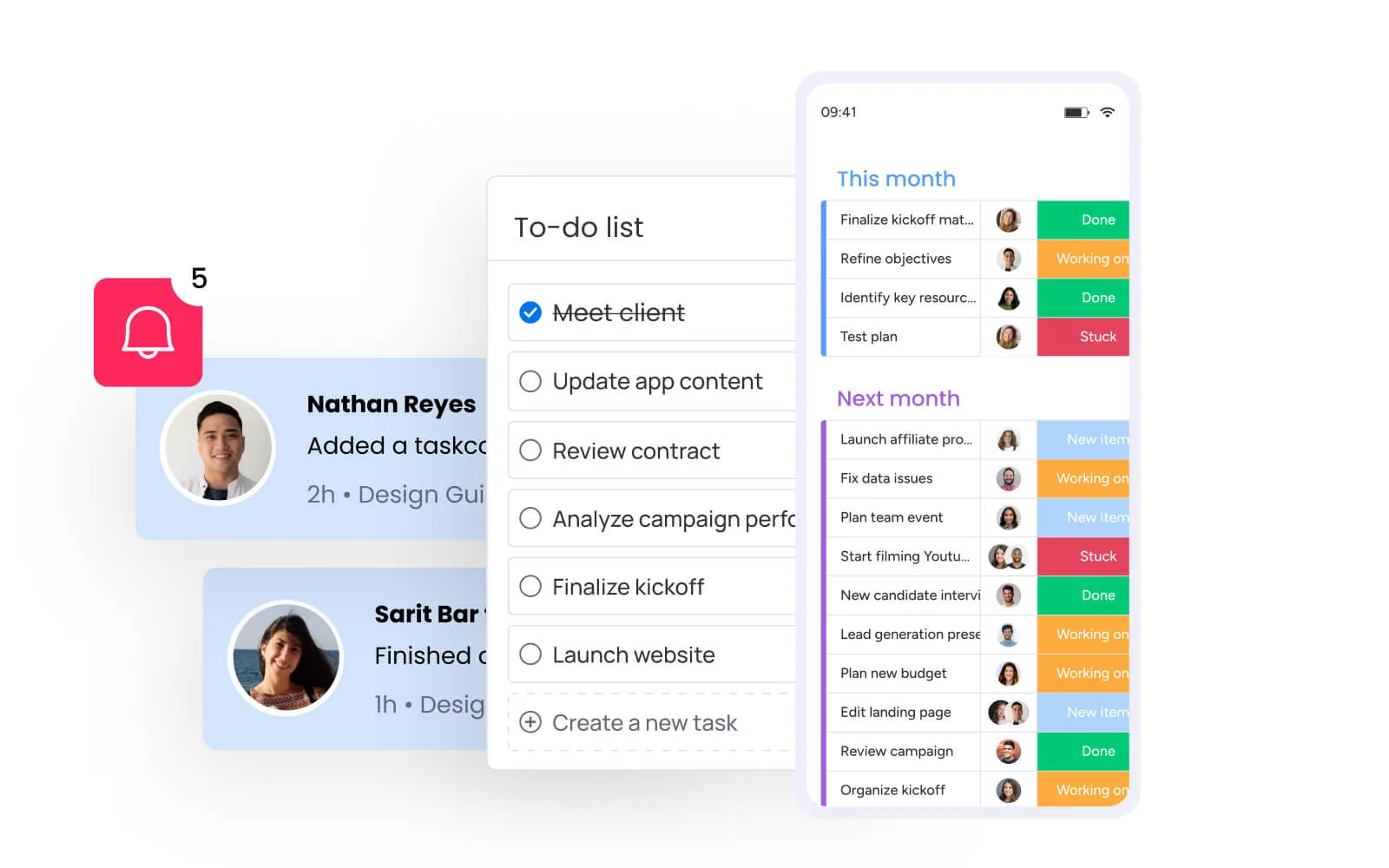
Image source: monday.com
Key features:
- Customizable visual boards
- Automation for recurring tasks
- Timeline and workload views
- Dashboard reporting tools
Pros:
- User-friendly visual layout
- Strong automation features
- Extensive integration options
Cons:
- Pricing increases per seat
- Advanced features require higher plans
- May require setup time for complex workflows
Pricing:
- Free plan: $0 free forever (up to 2 seats)
- Basic plan: $9/seat/month
- Standard plan: $12/seat/month
- Pro plan: $19/seat/month
5. Trello: Simple Kanban-based task manager application
Trello is one of the most accessible task manager applications built around Kanban boards. It is commonly used as an entry-level application task manager for small teams. Its simplicity makes it suitable for basic task tracking applications without heavy reporting requirements. Teams that value visual clarity over complexity often prefer Trello.
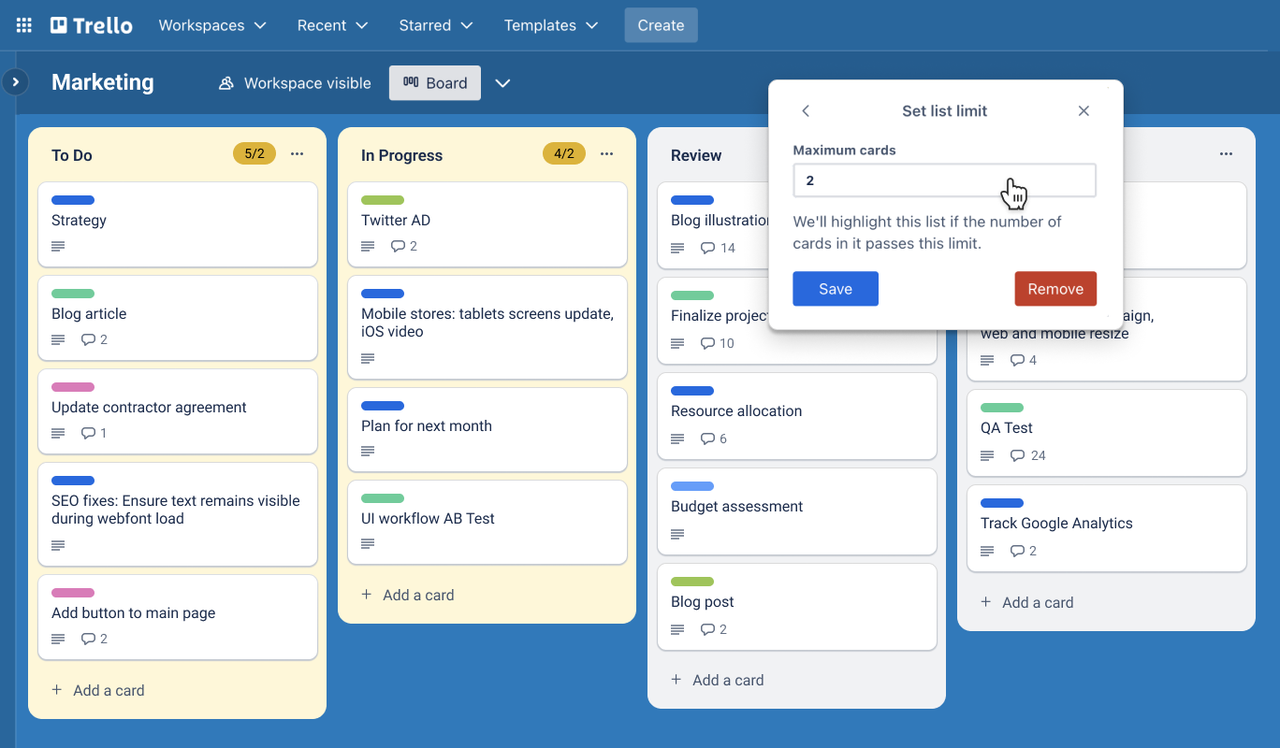
Image source: trello.com
Key features:
- Drag and drop Kanban boards
- Task cards with checklists and attachments
Pros:
- Beginner-friendly interface
Cons:
- Limited advanced reporting
- Automation is restricted in the free tier
- Not ideal for complex enterprise projects
Pricing:
- Standard plan: $5/user/month
- Premium plan: $10/user/month
- Enterprise plan: $17.50/user/month
6. Wrike: Enterprise-grade task tracking solution
Wrike is a robust option among task management applications built for enterprise teams. It offers advanced reporting and governance features for structured task assignment applications. Large organizations often evaluate Wrike as one of the best task assignment software applications when compliance and performance tracking are priorities. Its enterprise controls make it suitable for regulated environments.
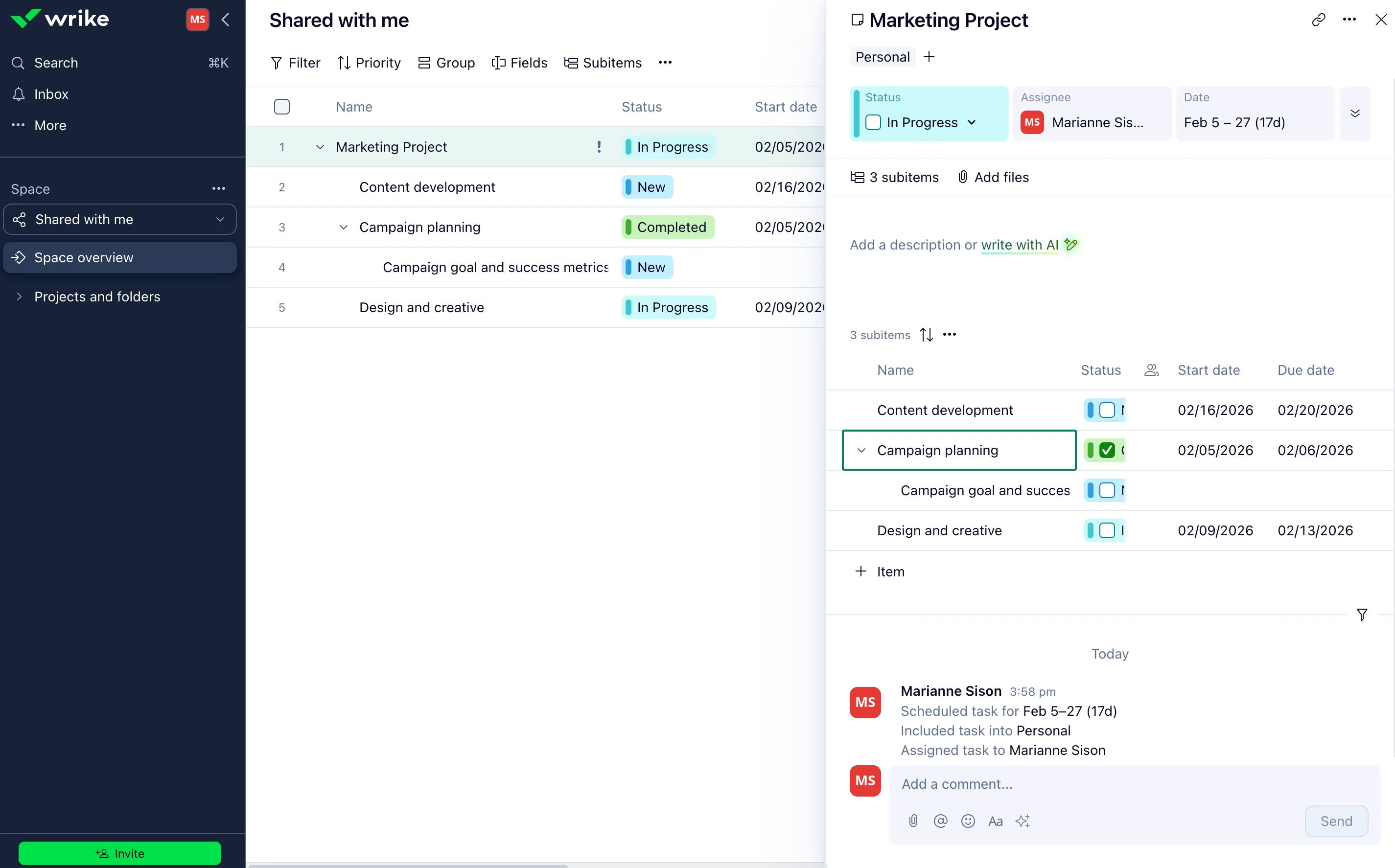
Image source: wrike.com
Key features:
- Gantt charts and workload management
- Custom approval workflows
- Advanced dashboards and analytics
- Role-based access controls
Pros:
- Strong enterprise reporting
- Scalable for large teams
- Advanced permission management
- Suitable for complex projects
Cons:
- Higher pricing structure
- Interface complexity for new users
- Limited features in the free tier
Pricing:
- Free plan: $0/user/month
- Team plan: $10/user/month
- Business plan: $25/user/month
7. Smartsheet: Spreadsheet-style task management application
Smartsheet blends spreadsheet familiarity with structured task tracking applications. It appeals to organizations that prefer grid-based workflows. Many enterprises use it as an application task manager that bridges traditional spreadsheets with modern automation. It is particularly useful for operations teams accustomed to tabular data.
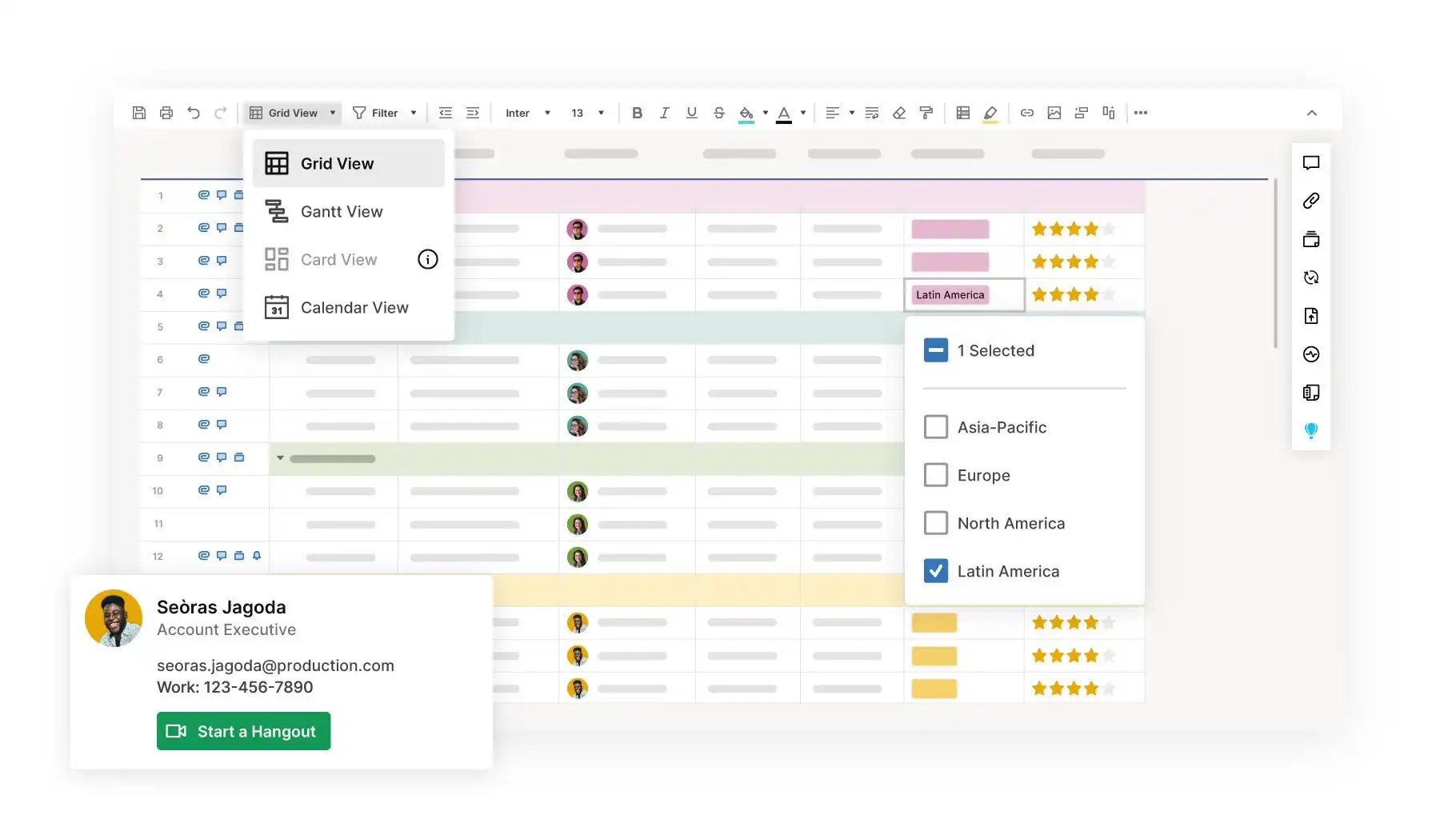
Image source: smartsheet.com
Key features:
- Workflow automation rules
Pros:
- Familiar spreadsheet interface
- Strong reporting capabilities
- Suitable for operations teams
Cons:
- Learning curve for advanced features
- Pricing higher than basic tools
- Less intuitive for non-spreadsheet users
Pricing:
- Pro plan: $9/member/month
- Business plan: $19/member/month
- Enterprise plan: Custom pricing
- Advanced work management: Custom pricing
8. Jira: Agile-focused task tracking application
Jira is a specialized solution among task tracking applications designed for agile software teams. It supports sprint planning, backlog management, and issue tracking. Organizations adopting agile methodologies often consider Jira one of the best task assignment software applications for development teams. Its structure supports iterative execution and detailed tracking.
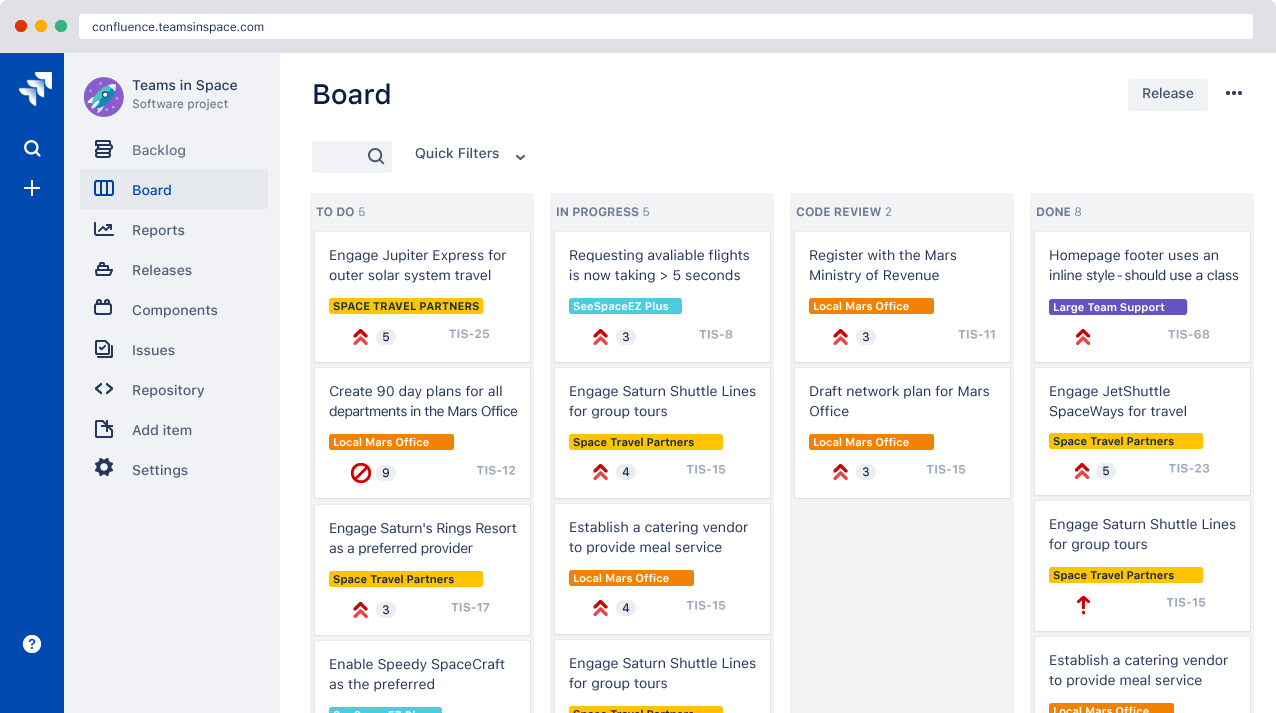
Image source: atlassian.com
Key features:
- Agile reporting dashboards
Pros:
- Strong agile framework support
- Scalable for development teams
- Extensive integration ecosystem
Cons:
- Less suitable for non-technical teams
- Configuration complexity
Pricing:
- Free plan: $0 (free forever for 10 people)
- Standard plan: $7.91/user/month
- Premium plan: $14.54/user/month
- Enterprise plan: Contact sales
9. Todoist: Personal task manager application
Todoist is one of the most recognized task manager applications for personal productivity and lightweight team coordination. It is frequently selected among task tracking applications for individuals who prioritize speed and simplicity. While it does not offer deep enterprise governance, it performs well as an accessible applications task manager. Its clean interface makes it suitable for daily planning and recurring task management.
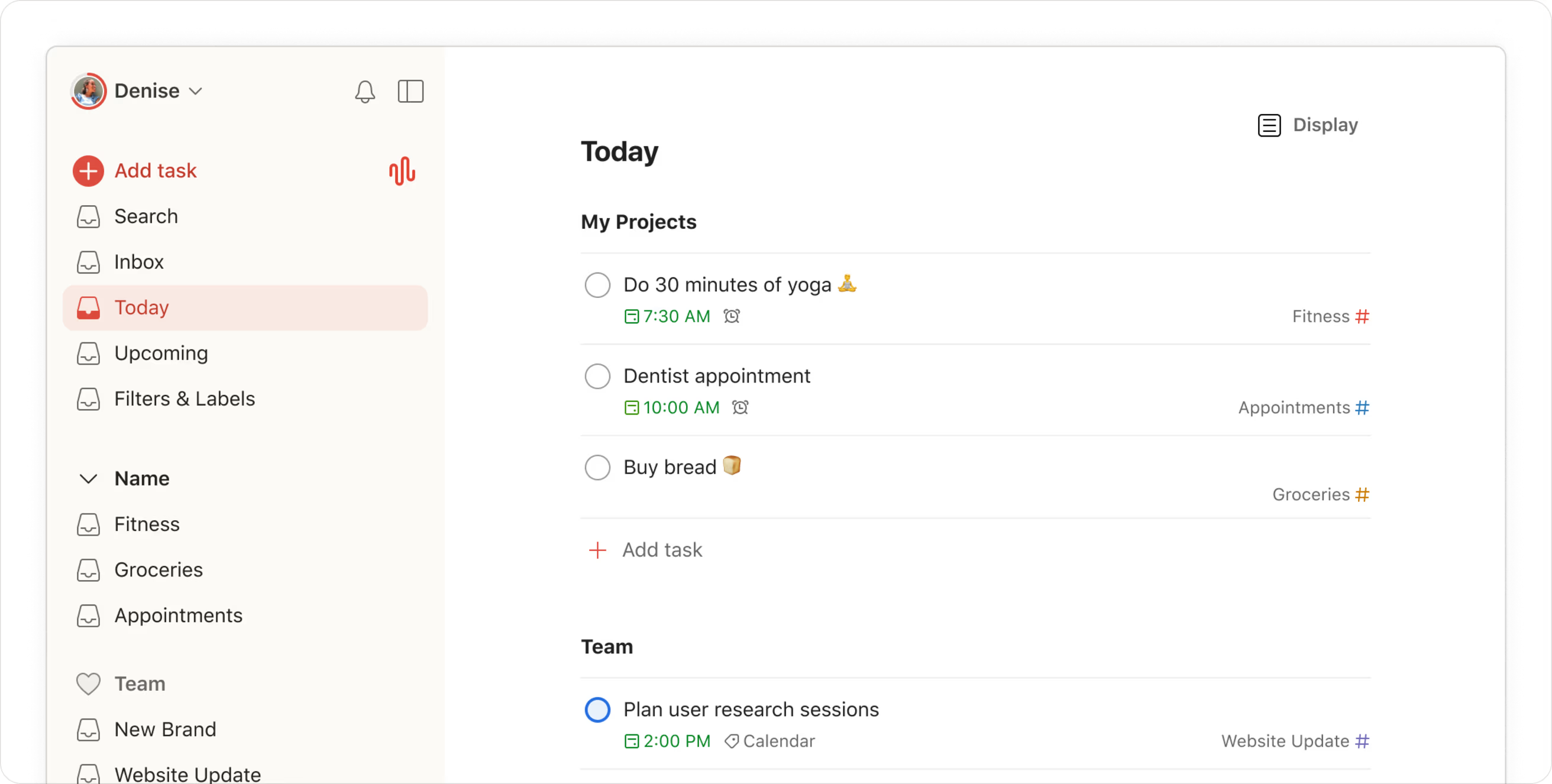
Image source: todoist.com
Key features:
- Natural language task entry
- Recurring deadlines and reminders
- Project labels and priority levels
- Cross-device synchronization
Pros:
- Simple and intuitive design
- Strong free plan for individuals
- Fast performance across devices
- Reliable reminder system
Cons:
- Limited advanced automation
- Basic reporting features
- Not ideal for complex enterprise workflows
Pricing:
- Beginner plan: Up to 5 projects
- Pro plan: $5/user/month(billed annually)
- Business plan: $8/user/month (billed annually)
10. Basecamp: Streamlined team task coordination tool
Basecamp is a simplified platform among task management applications that centralizes communication and coordination. It focuses on clarity rather than advanced analytics, making it suitable for smaller teams. Many organizations use Basecamp as an application to replace email threads with structured communication. Its flat pricing model appeals to teams seeking predictable costs.
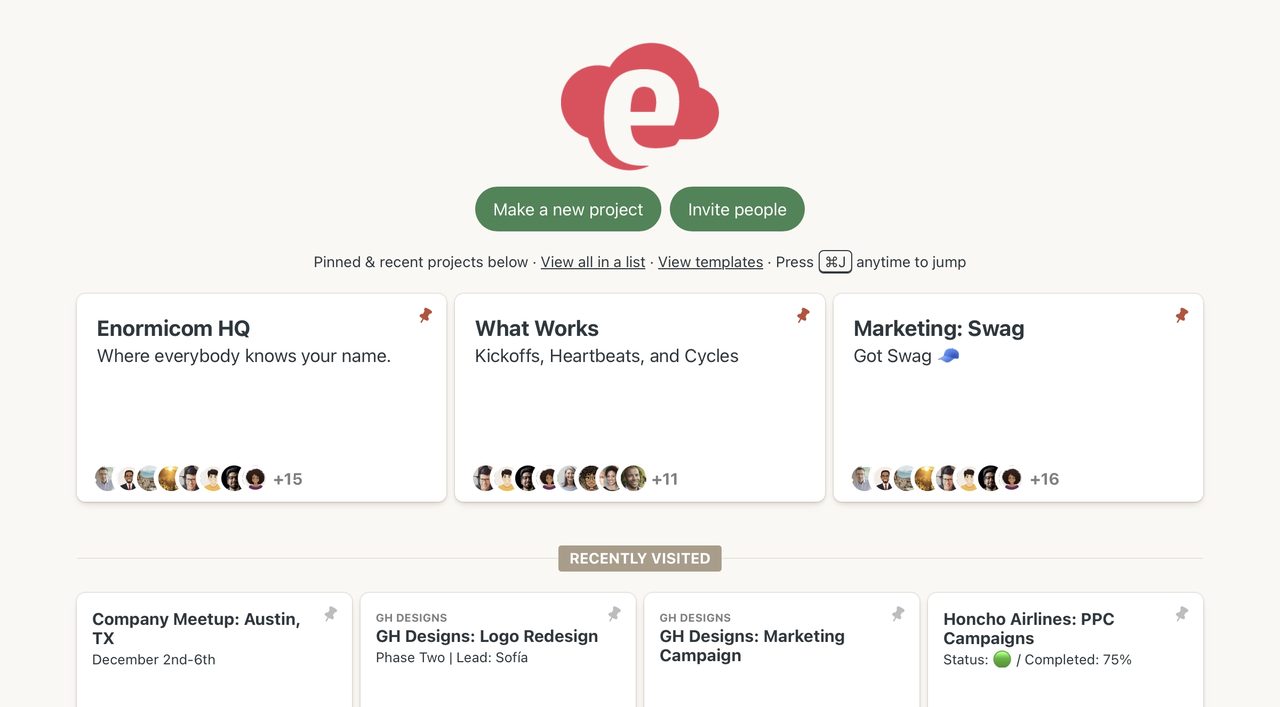
Image source: basecamp.com
Key features:
- Centralized message boards
- To-do lists with assignments
- File storage and sharing
Pros:
- Clean and easy to navigate
- Strong communication focus
Cons:
- Limited workflow automation
- Basic reporting capabilities
- Less customizable than competitors
Pricing:
- Basecamp Free plan: Free forever
- Basecamp Pro Unlimited: $299/month (billed annually)
- Basecamp Plus: $15/user/month
11. Airtable: Flexible task database platform
Airtable combines spreadsheet-style organization with structured task tracking applications. It allows teams to build custom databases that function as powerful task assignment applications. Organizations seeking adaptable application task manager systems often adopt Airtable. Its flexibility makes it suitable for operations, marketing, and product teams.
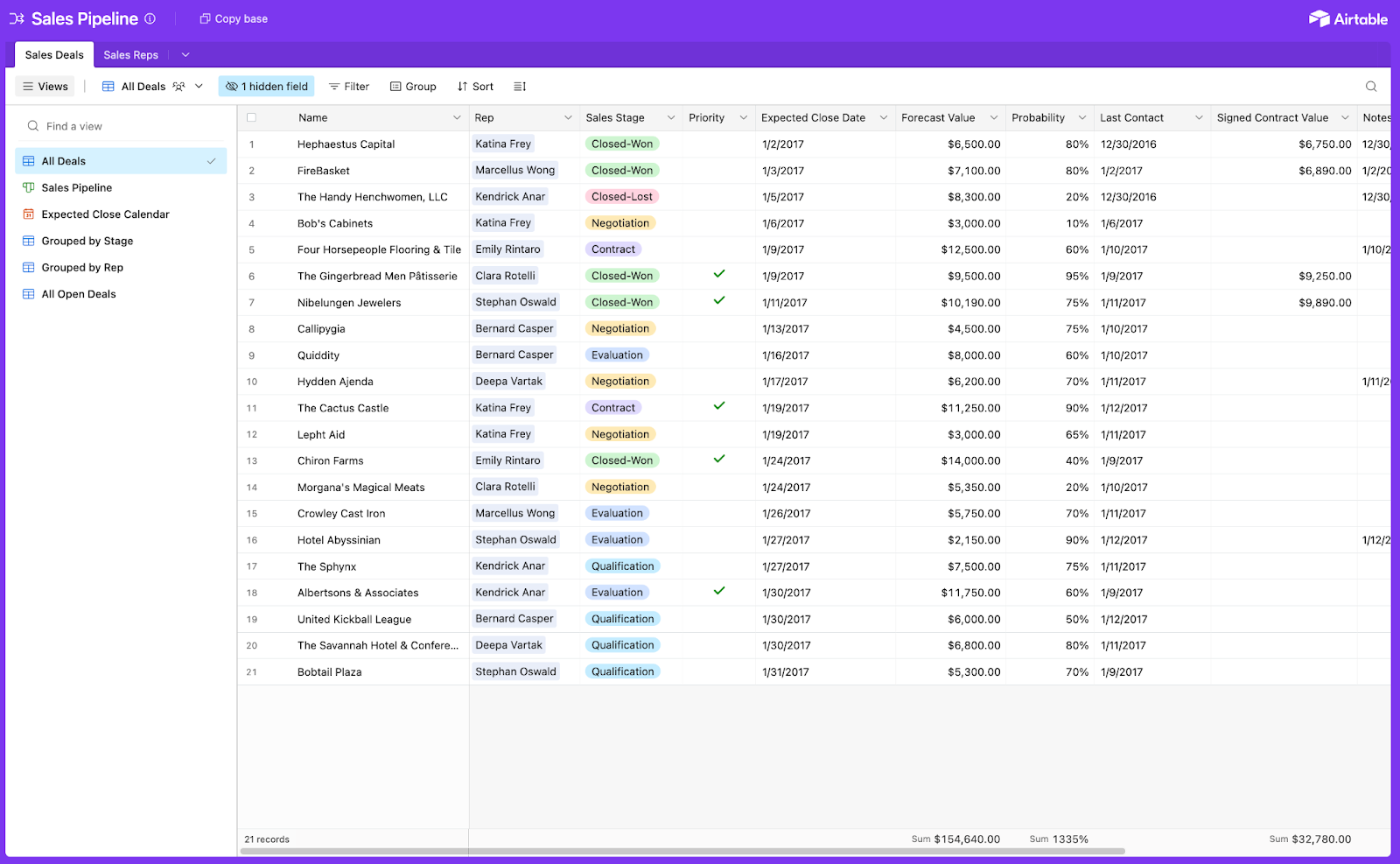
Image source: airtable.com
Key features:
- Customizable database tables
- Multiple views, including Kanban and Grid
- Integration with third-party apps
Pros:
- Highly flexible structure
- Strong customization capabilities
- Visual dashboard options
- Suitable for cross-functional teams
Cons:
- Setup can be time-intensive
- Advanced features require higher plans
- It can feel complex for new users
Pricing:
- Team plan: $20/seat/month
- Business plan: $45/seat/month
- Enterprise Scale: Custom pricing
12. Zoho Projects: Affordable task tracking application
Zoho Projects is an affordable solution among task management applications aimed at small to mid-sized businesses. It supports structured task tracking applications with Gantt charts and reporting. Companies looking for cost-effective task assignment applications frequently evaluate Zoho Projects. Its integration with the Zoho ecosystem strengthens its value for existing users.
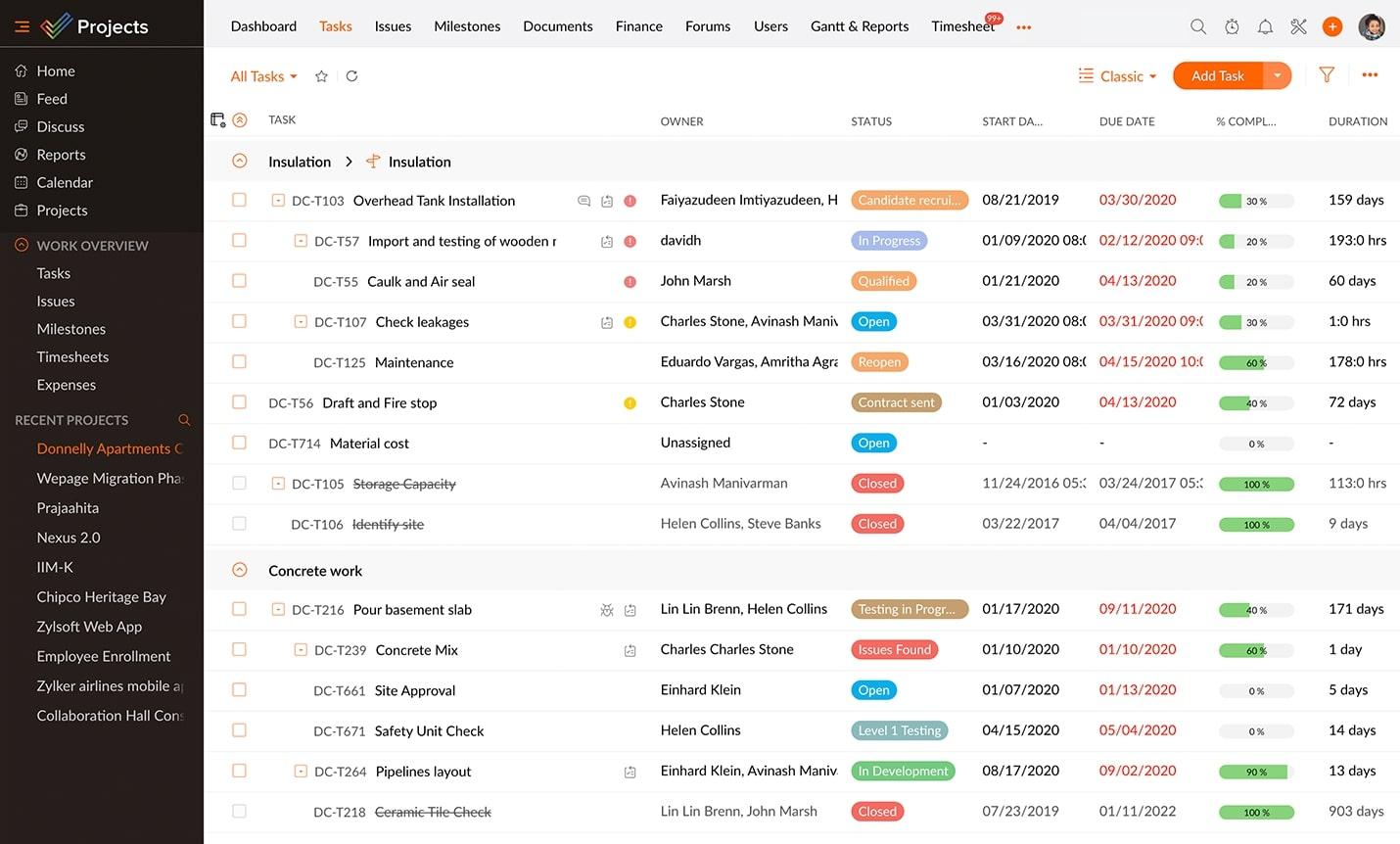
Image source: zoho.com
Key features:
- Task dependencies and milestones
- Gantt chart visualization
Pros:
- Strong integration within the Zoho ecosystem
- Suitable for small teams
- Clear task assignment controls
Cons:
- Interface is less modern than its competitors
- Limited advanced automation
- Reporting depth lower than enterprise tools
Pricing:
- Premium plan: $4/user/month
- Enterprise plan: $9/user/month
- Ultimate plan: $14/user/month
13. Notion: Knowledge-centric task application
Notion blends documentation and task management applications into one flexible workspace. It is commonly used as an application task manager for teams that prioritize knowledge sharing. Its database structure supports structured task tracking applications alongside collaborative documents. Teams that rely heavily on documentation often choose Notion for unified workflows.
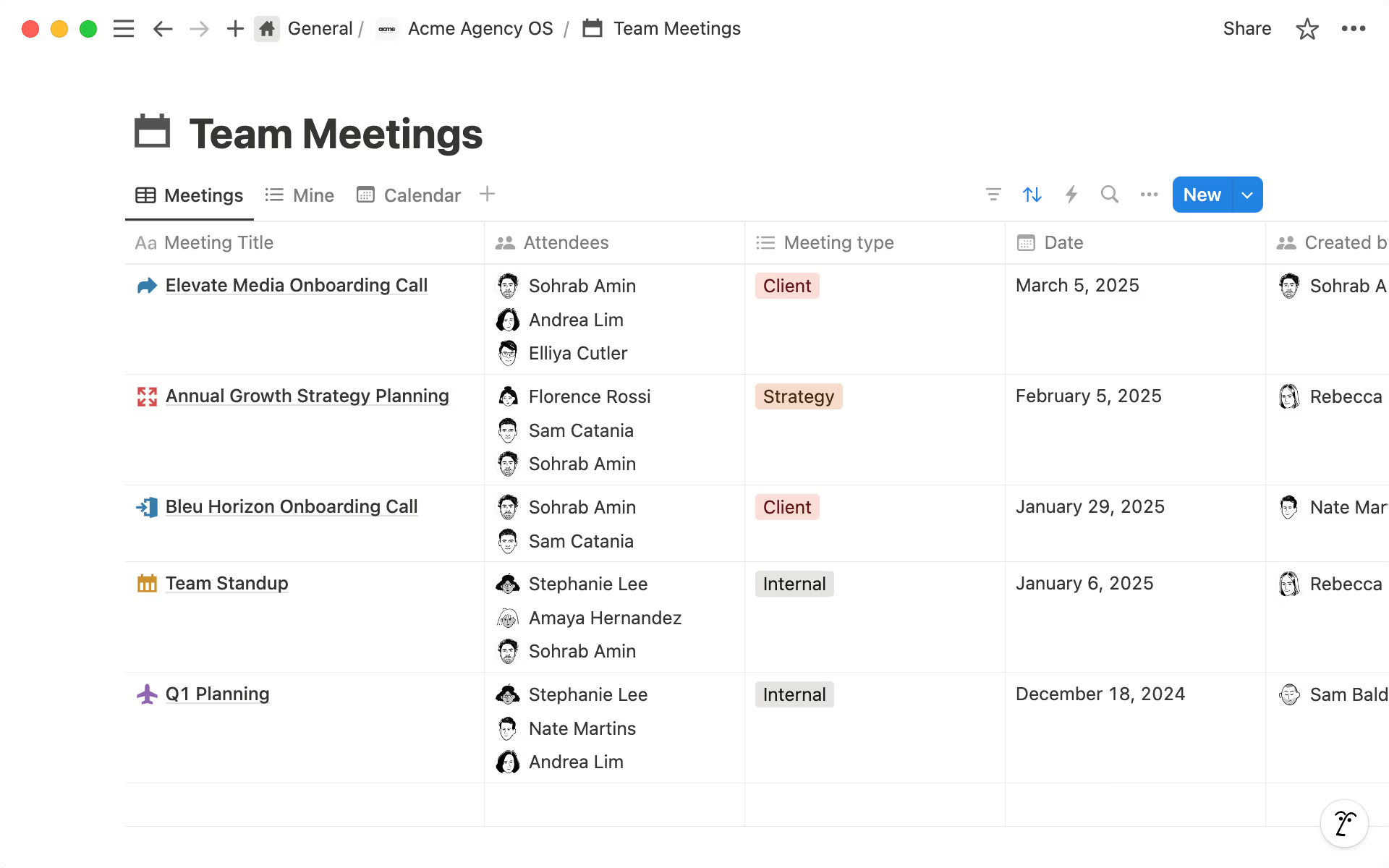
Image source: notion.com
Key features:
- Custom databases and task boards
- Real-time collaborative editing
- Calendar and timeline views
Pros:
- Flexible workspace design
- Combines documentation and tasks
- Strong community templates
- Suitable for creative teams
Cons:
- Learning curve for advanced setups
- Limited native automation
- Can become cluttered without structure
Pricing:
- Free plan: $0/member/month
- Plus plan: $10/member/month
- Business plan: $20/member/month
- Enterprise plan: Custom pricing
14. ProofHub: All-in-one task management application
ProofHub is an integrated option among task assignment applications that centralizes planning and collaboration. It supports task tracking applications alongside discussions and file sharing. Teams seeking an application task manager without per-user pricing may find ProofHub appealing. Its flat pricing structure differentiates it from many competitors.
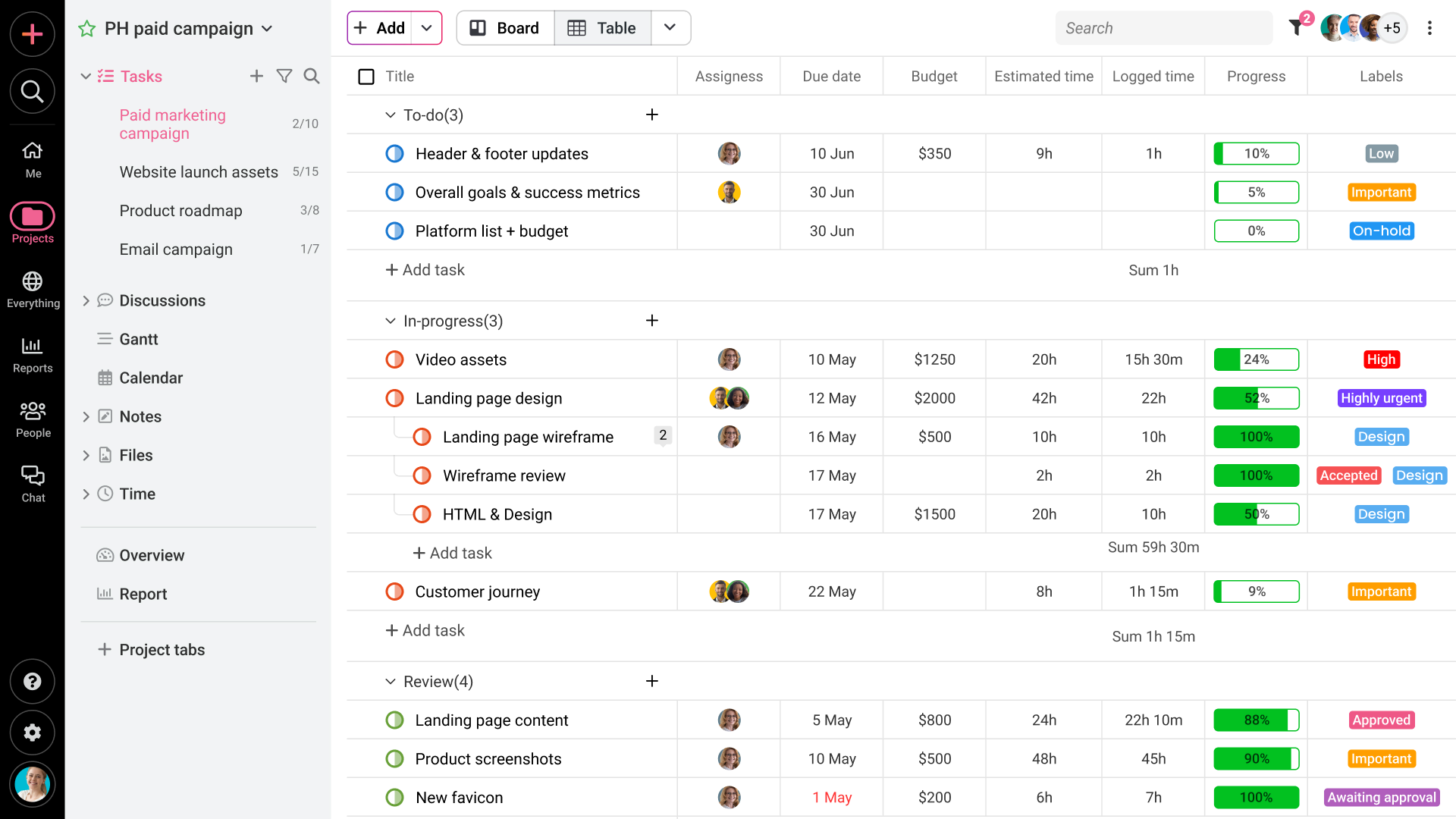
Image source: proofhub.com
Key features:
- Task lists and dependencies
Pros:
- Flat pricing regardless of team size
- Centralized collaboration features
- Clear milestone tracking
- Suitable for distributed teams
Cons:
- Limited advanced automation
- Fewer integrations than competitors
- Reporting tools are basic
Pricing:
- Free plan: 14-day free trial
- Ultimate control: $89/month (billed annually)
- Essential plan: $45/month (billed annually)
15. Hive: Automation-focused task management platform
Hive is an automation-oriented platform among modern task management applications. It emphasizes workflow efficiency through triggers and performance analytics. Organizations evaluating the best task assignment software applications for automation often consider Hive. It supports both structured task tracking applications and collaboration features.
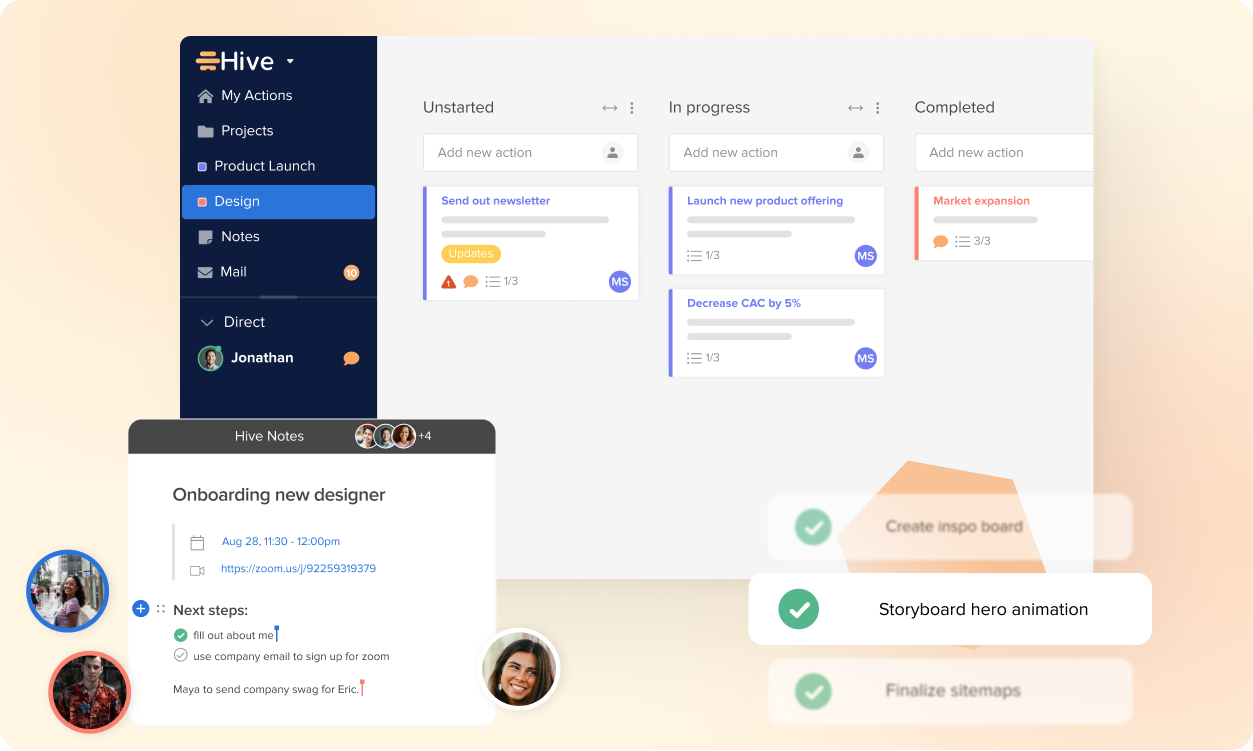
Image source: hive.com
Key features:
- Workflow automation builder
- Multiple task views, including Kanban and Gantt
Pros:
- Strong automation capabilities
- Detailed performance insights
- Suitable for growing teams
Cons:
- Advanced features increase cost
- Interface can feel complex
- Learning curve for automation setup
Pricing:
- Free plan: $0 (free forever)
- Starter plan: $1/month/user
- Teams plan: $3/month/user
- Enterprise plan: Contact sales
How to evaluate task applications for long-term scalability
Choosing the right task applications requires looking beyond short-term usability. As organizations grow, task management applications must support expanding workflows, automation demands, and governance needs. Evaluating scalability ensures your task tracking applications remain effective as complexity increases.
- Workflow customization depth: Scalable applications should allow custom fields, statuses, and structured hierarchies. As teams expand, workflows often become more complex. Application task manager platforms with limited flexibility may restrict growth.
- Automation limits: Automation reduces manual coordination and improves efficiency. Some task assignment applications limit triggers or workflow rules. The best task assignment software applications provide automation that scales with usage.
- Permission controls: Granular access management is essential for growing teams. Task tracking applications should support role-based permissions. Strong controls protect data and improve accountability.
- Integration flexibility: depends on connected systems. Application task manager tools should integrate with CRM, communication, and reporting platforms. Flexible integrations prevent silos and support operational continuity.
- Performance reporting maturity: Advanced dashboards improve visibility across departments. Task management applications with strong reporting support data-driven decisions. Limited analytics may hinder leadership insight.
- Governance readiness: Enterprise teams require audit trails and approval workflows. Task assignment applications built for compliance reduce operational risk. Governance readiness ensures sustainable long-term growth.
Conclusion
Choosing the right task applications requires balancing usability, automation, collaboration, and long-term scalability. Some teams prioritize lightweight task manager applications for daily coordination, while others require advanced task tracking applications with automation and reporting. The most effective task management applications align with your workflow complexity, governance needs, and cross-functional team requirements. Evaluating integration flexibility, automation depth, and reporting maturity ensures your platform continues delivering value as your organization grows. As modern workplaces become more interconnected, unified ecosystems are gaining traction over fragmented tool stacks. Businesses increasingly prefer task-assignment applications that combine communication, documentation, dashboards, and workflow automation in a single environment. Platforms like demonstrate how centralized execution hubs can streamline operations while supporting scalable governance. By selecting thoughtfully from today's best task assignment software applications, organizations can strengthen accountability, reduce inefficiencies, and build sustainable productivity systems for the future.
Organize, collaborate, and execute all tasks with Lark
FAQs
What is the difference between task applications and project management tools?
Task applications primarily focus on assigning, tracking, and completing individual responsibilities. Project management tools usually extend further into budgeting, portfolio planning, and resource allocation. However, many modern task management applications now combine both structured execution and high-level oversight in one platform. Unified workspaces such as Lark increasingly bridge this gap by connecting task tracking with communication and documentation.
Are task tracking applications suitable for enterprise teams?
Yes, advanced task tracking applications are designed to scale for enterprise environments. They include , workflow automation, reporting dashboards, and compliance features. Enterprise adoption depends on governance readiness and integration flexibility. Platforms like Lark demonstrate how task assignment applications can operate securely within large, distributed organizations.
How secure are cloud-based task manager applications?
Most reputable applications offer encryption, secure authentication, and access control frameworks. Security maturity varies by provider and subscription tier. Organizations should review compliance certifications and audit trail capabilities before implementation. Enterprise-ready ecosystems such as Lark incorporate advanced permission controls and centralized governance features.
Can task applications improve accountability across departments?
Yes, task applications strengthen accountability by clearly assigning ownership and deadlines. Shared dashboards within task management applications increase transparency across teams. Structured tracking reduces confusion and prevents duplicated effort. Integrated collaboration platforms like Lark further enhance visibility by linking communication directly to task execution.
What automation features matter most in task assignment applications?
Critical automation features include recurring task scheduling, deadline reminders, conditional workflow triggers, and approval routing. Advanced task tracking applications may also support cross-system integrations and AI-driven summaries. Automation depth significantly impacts efficiency and scalability. Comprehensive systems such as Lark combine workflow automation with to streamline execution.
Related reading

















