Modern teams operate in fast-moving environments where visibility into daily work is critical for decision-making and accountability. As projects grow in complexity, relying on informal updates or end-of-week summaries often leads to gaps in communication and delayed responses to issues. This is where daily progress reports become essential for maintaining clarity and momentum across teams.
Daily progress reports provide a structured way to capture what was accomplished, what challenges were faced, and what is planned next. They help managers, clients, and stakeholders stay aligned without constant meetings. Many teams gradually adopt digital collaboration platforms such as Lark to simplify reporting, centralize updates, and improve real-time visibility across projects.
What are daily progress reports
Daily progress reports are structured as daily that capture what work was completed, what challenges were encountered, and what activities are planned next. They are designed to give managers and stakeholders clear, timely visibility into ongoing work without relying on long meetings or informal updates. Because they are created daily, these reports focus on execution details that are still fresh and actionable.
In industries such as construction and infrastructure, daily progress reports are critical for documenting construction activities, including site activity, labor deployment, safety observations, and material usage, and are often compiled into a daily construction report. Site superintendents and general contractors rely on these reports to monitor project progress and maintain comprehensive daily records. In offices, retail operations, and service teams, daily reports help completion, surface blockers early, and maintain accountability across distributed teams. Over time, daily progress reports form a reliable historical record that supports audits, performance reviews, and better planning decisions.
Why use a daily report
A daily report is a cornerstone of effective , providing a clear and concise record of all daily activities, progress, and any issues encountered on site. For project managers and site supervisors, a daily report is an indispensable tool to track progress against the project plan, quickly identify potential problems, and make informed decisions that keep the project on schedule and within budget. By using a daily report template, construction firms can standardize their reporting process, ensuring that every report captures all relevant details—such as work performed, materials delivered, and safety incidents—without missing critical information.
The daily report also , stakeholders, and clients, reducing the need for back-and-forth emails and lengthy meetings. This clear documentation not only supports day-to-day management but also provides a reliable record for dispute resolution and legal issues, should they arise. Ultimately, a well-maintained daily report offers a transparent, up-to-date, and easily accessible overview of the project's progress, giving everyone involved a clear picture of where the project stands at any given time.
Enjoy streamlined workflows for reporting today
Key elements of an effective daily progress report
An effective daily progress report follows a consistent and easy-to-understand structure so information can be captured quickly and reviewed efficiently. Each element plays a specific role in providing a complete picture of daily activity without unnecessary detail. When these elements are standardized, teams reduce reporting errors, improve data quality, and save time. The sections below represent the essential components found in most high-quality daily progress reports.
- Tasks completed: The section documents the specific activities finished during the day. It provides tangible proof of progress and helps stakeholders understand how planned work translates into actual output. Clear descriptions reduce ambiguity and prevent misunderstandings about what was delivered. Over time, this section helps teams analyze productivity trends and improve future planning.
- Issues or blockers: This section highlights any obstacles that slowed down or stopped progress. Blockers may include equipment issues, missing approvals, staffing shortages, or unexpected site conditions. Recording these issues daily ensures they receive attention before they escalate into larger problems. It also creates transparency around delays and supports faster resolution by management.
- Hours spent: Hours spent Records how much time was invested in specific tasks or activities. This information is essential for labor tracking, cost control, and . In construction and civil works projects, accurate hour reporting supports compliance, payroll, and forecasting. Consistent time tracking also helps managers allocate resources more effectively.
- Materials used: The materials used section captures what resources were consumed during the day. This is especially important for construction, manufacturing, and maintenance teams where material usage directly impacts costs. Tracking materials daily helps prevent shortages, identify waste, and improve inventory planning. It also provides clear documentation for client reporting and audits.
- Next-day plan: The next-day plan outlines the intended activities for the following workday. This forward-looking section ensures continuity between daily reports and helps teams stay focused on upcoming priorities. It supports coordination across teams by highlighting dependencies and preparation needs. Managers can also use this section to anticipate risks and adjust plans proactively.
Improve daily visibility across teams
Daily progress report formats explained
Daily progress reports can be prepared in multiple formats depending on the nature of the project, the reporting audience, and the level of detail required. Each format has its own strengths and limitations, especially when it comes to collaboration, speed, and accuracy. Choosing the right format helps teams maintain consistency while reducing administrative effort. Below is a deeper explanation of the most commonly used daily progress report formats.
- Daily report PDF: A Daily report PDF is commonly used when reports must be shared externally with clients, consultants, or regulatory bodies. This format ensures the report layout remains fixed and professional across devices and platforms. It is often preferred in formal environments where documentation standards are strict. However, PDFs require manual data entry and editing, which slows down updates and makes real-time collaboration difficult.
- Daily progress report format Word: The Daily progress report format Word offers flexibility and ease of customization, making it popular for and early-stage projects. Users can easily add descriptions, notes, and explanations without technical setup. This format works well when reports are narrative-driven rather than data-heavy. However, frequent edits, duplicated files, and version control issues can quickly create confusion as teams grow.
- Daily report template Excel: A Daily report template Excel is ideal for structured reporting that involves numbers, calculations, and tracking trends. Many site teams rely on the construction daily progress report template Excel to monitor labor hours, quantities, and productivity metrics. Excel allows sorting, filtering, and basic analysis, which is useful for supervisors and planners. Despite its strengths, Excel files often become fragmented and difficult to manage across large or distributed teams.
- Mobile forms: Mobile forms represent a modern and efficient approach to daily progress reporting, especially for field-based teams. They allow workers to submit updates directly from their phones, including photos, location data, and timestamps. Required fields reduce the risk of missing information, and submissions are instantly available for review. This format significantly improves accuracy, speed, and accountability compared to manual documents. This shift toward digital data collection is a key step in learning that stays updated automatically as work happens in the field.
How to create a daily progress report step-by-step
Creating daily progress reports becomes much easier when teams follow a clear, repeatable process. A structured workflow ensures reports stay accurate, consistent, and on time. It also reduces confusion and minimizes manual effort. Many teams now use digital tools like Lark to centralize reporting, collect updates in real time, and maintain a single source of truth. The following steps outline a reliable approach used across industries.
Step 1: Collect inputs
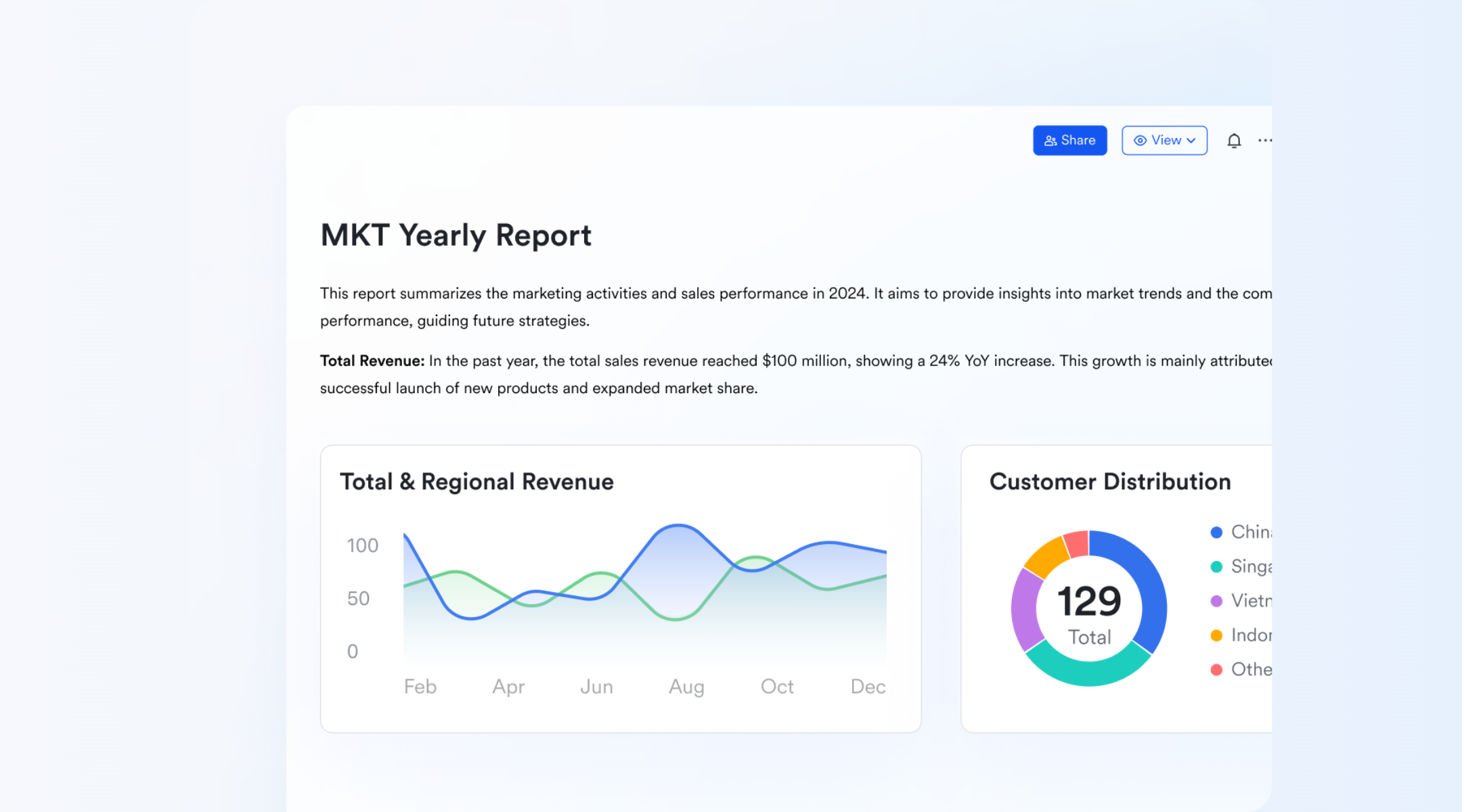
This step focuses on gathering daily updates from team members, site supervisors, or department leads. Inputs typically include completed tasks, challenges faced, hours worked, and materials consumed. Collecting information at the end of the workday helps ensure details remain accurate and fresh. With Lark, teams can use shared forms or docs to standardize data collection, reducing missing or inconsistent entries.
Step 2: Validate data
Data validation ensures every section of the report is complete and clear. Managers review entries to check for missing information, incorrect values, or vague descriptions. This step is especially important for cost-related data such as labor hours and material usage. Using Lark Base, validation rules and required fields can be set to prevent incomplete submissions before reports are finalized.
Step 3: Submit report
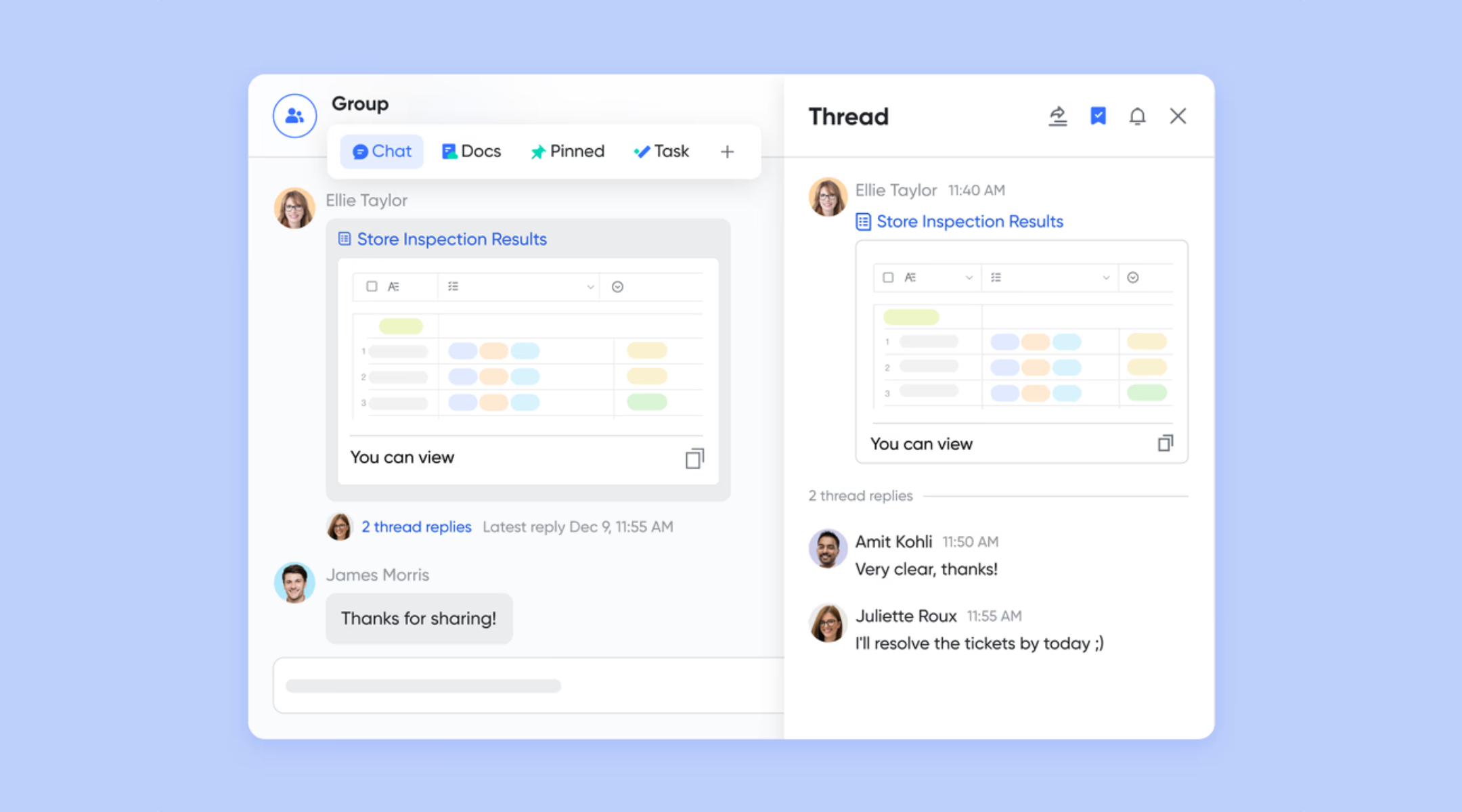
Once verified, the report is submitted to relevant such as project managers or clients. Timely submission allows teams to respond quickly to risks or delays. Digital submission through Lark Messenger or shared workspaces removes the need for manual follow-ups. Scheduled reminders also help teams maintain consistent reporting habits.
Step 4: Review and archive
After submission, managers review the report and add comments, approvals, or action items. Reports are then securely stored for future reference. Archiving reports in Lark creates a searchable project history that supports audits, , and dispute resolution. Over time, this record becomes a valuable source of operational insight and trend analysis.
Standardize daily reporting effortlessly
Ready-to-use templates for daily progress report
Ready-to-use daily progress report templates help teams standardize reporting without spending time building formats from scratch. They ensure consistency across projects while improving accuracy, speed, and visibility into daily work. Instead of managing scattered files, teams can rely on structured templates aligned with common reporting needs. These templates support daily progress reports across operations, construction, sales, and .
Daily report template
The daily report template is designed for teams that need a simple yet comprehensive way to record daily activities. It captures tasks completed, issues encountered, and next-day plans in a clear structure that is easy to update and review. This template works well for project teams, operations teams, and support functions that need consistent daily visibility. By using a standardized daily progress report format, teams reduce ambiguity and improve accountability.
Daily work report
The daily work report template focuses on tracking individual or team-level work outputs. It allows employees to document what they worked on, how much effort was required, and any challenges faced during the day. Managers can use this information to monitor workload distribution and identify productivity issues early. This template is especially useful for service teams, , and remote teams that rely on written updates.
Sales daily report
The sales daily report template helps sales teams record daily activities such as calls made, meetings held, and follow-ups completed. It provides managers with immediate insight into pipeline movement and individual performance. Regular use of daily sales reports supports more accurate forecasting and performance coaching. This template ensures sales activity data is captured consistently and reviewed on time.
Daily sales amount summary
The daily sales amount summary template is designed to track revenue and transaction values daily. It is commonly used by retail teams and sales operations to monitor performance against targets. Daily visibility into sales figures helps teams identify trends, gaps, or anomalies early. This template supports faster decision-making and more reliable daily progress reports for revenue tracking.
Store sales management dashboard
The store dashboard provides a centralized view of daily sales data across one or multiple locations. Instead of reviewing individual reports, managers can see aggregated performance metrics in a visual format. This template is ideal for retail operations that need quick insights into store performance. It reduces manual consolidation and improves leadership visibility into daily operations.
Daily sales forecast report
The daily sales forecast report template combines daily activity data with projected sales outcomes. It helps teams adjust priorities based on real-time performance and changing conditions. Frequent forecasting supports better pipeline management and proactive planning. This template is useful for sales leaders who need to align daily execution with short-term revenue goals.
Sales tracker lead analysis and follow-up
The sales tracker lead analysis and follow-up template focuses on managing leads and follow-up actions daily. It helps sales teams ensure timely responses and consistent engagement with prospects. By tracking lead status and next steps daily, teams reduce the risk of missed opportunities. This template supports disciplined sales workflows and improves overall conversion rates when used consistently within platforms like Lark.
Manage reports easily: Use Lark to streamline daily progress reporting
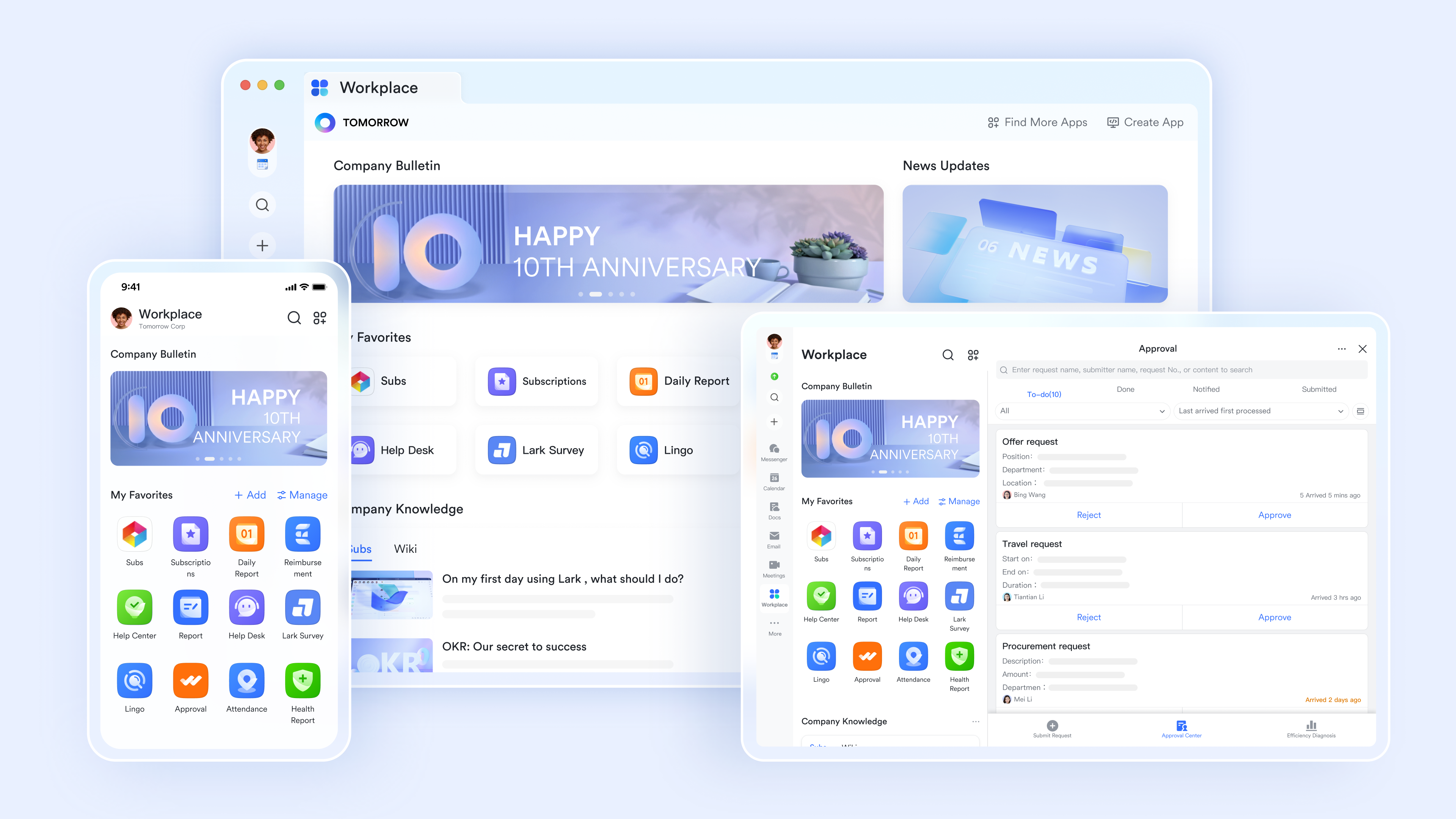
Daily progress reporting becomes significantly more effective when it is supported by the right tools and workflows. Instead of relying on disconnected files, manual updates, and delayed follow-ups, teams need a system that captures data accurately and shares it instantly. improves daily by combining forms, tracking, approvals, analytics, and communication into one unified platform. This merged approach helps reduce reporting effort while improving visibility, accuracy, and accountability across every stage of daily operations.
Automated daily report workflow and smart features
Lark Report streamlines the daily process into a structured, automated workflow. Using "Templates" and admin rules, teams can standardize submission requirements and deadlines, while the "Import last report" button significantly reduces the time spent on repetitive data entry. Managers gain high-level visibility through the "Metrics" dashboard, which provides visualized statistics and a "one-click reminder" feature to ensure 100% submission compliance. Furthermore, the platform facilitates immediate feedback via in-report comments, ensuring that daily roadblocks are discussed and resolved directly within the report's context. 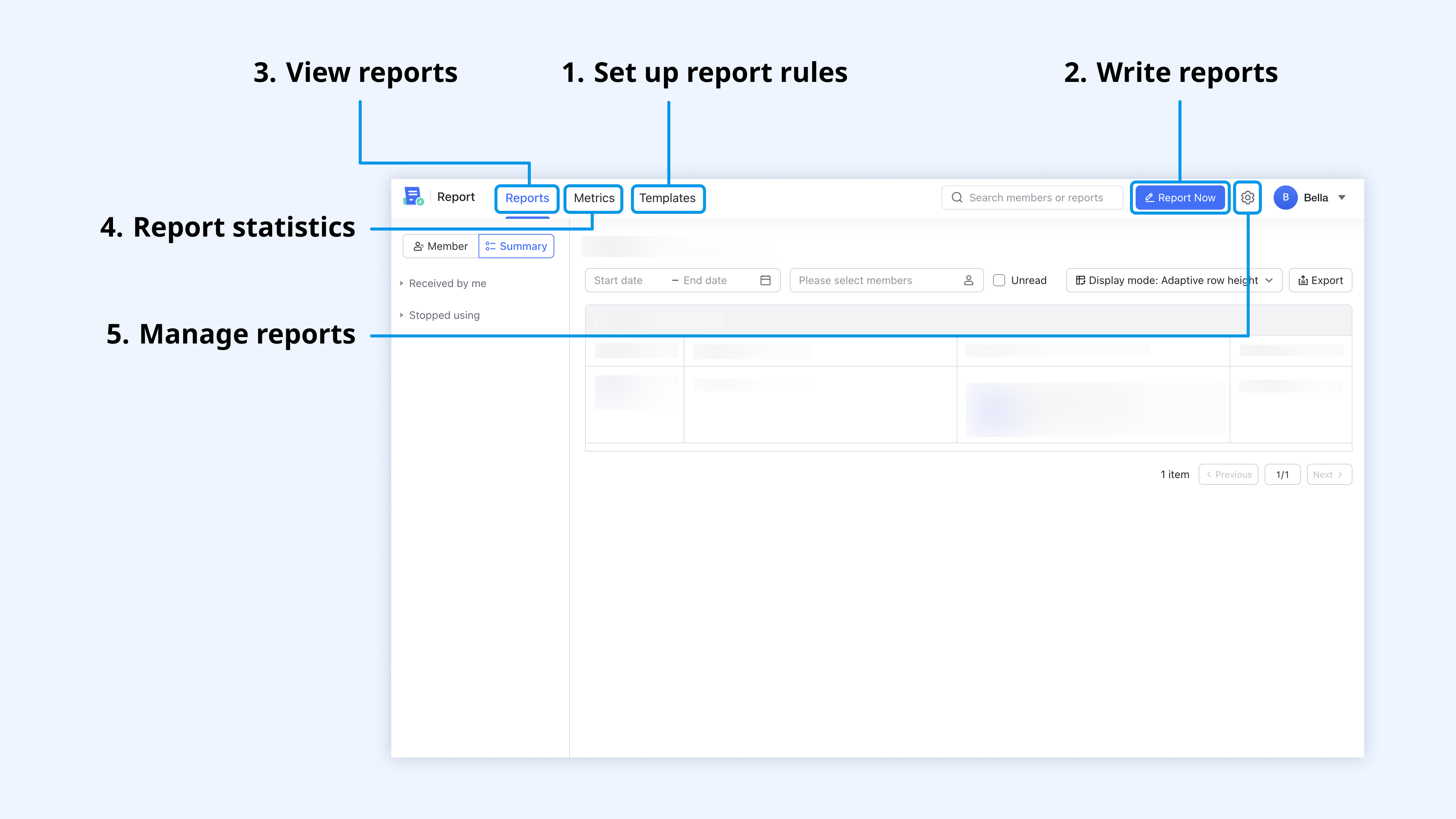
Robust document editing platform
offers a centralized, interactive workspace that replaces static documentation with real-time collaboration. Teams can utilize custom templates to standardize reporting formats, while simultaneous editing and version management ensure that end-of-day handovers are accurate and recoverable. Functions, such as synced blocks and @mentions, inserting Base tables into the document, or embedding mind maps, keep data up to date across multiple documents and instantly alert specific stakeholders to roadblocks. Furthermore, by organizing these reports within a , managers can maintain a searchable archive. 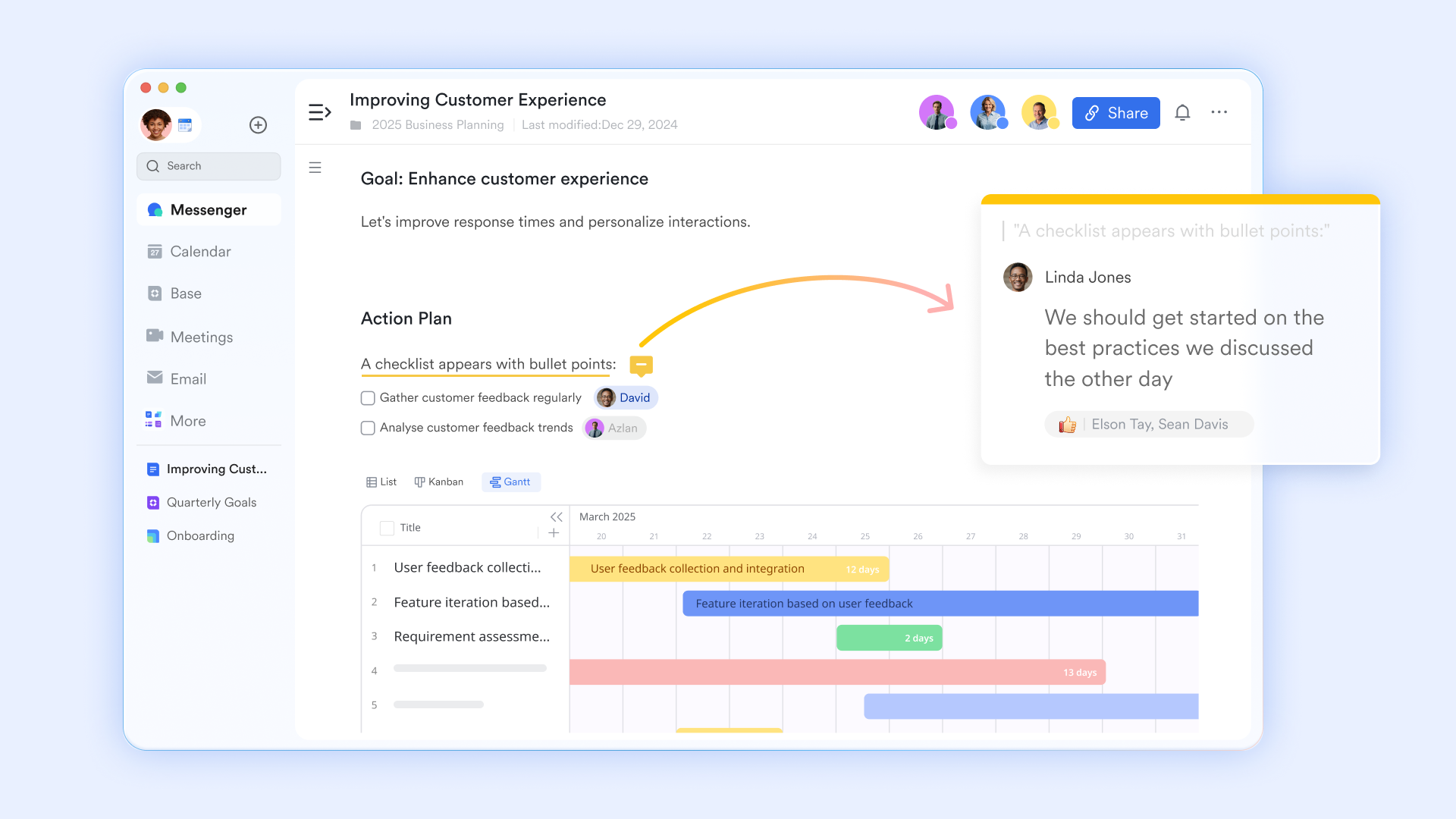
Streamlined approval and request processes
For reports that require sign-off—such as those involving labor hours or equipment costs— can be triggered automatically upon report submission. A foreman can submit the DPR, and the Project Manager will receive an instant notification in to review and approve it. This creates a digital audit trail that is vital for accountability and client transparency. 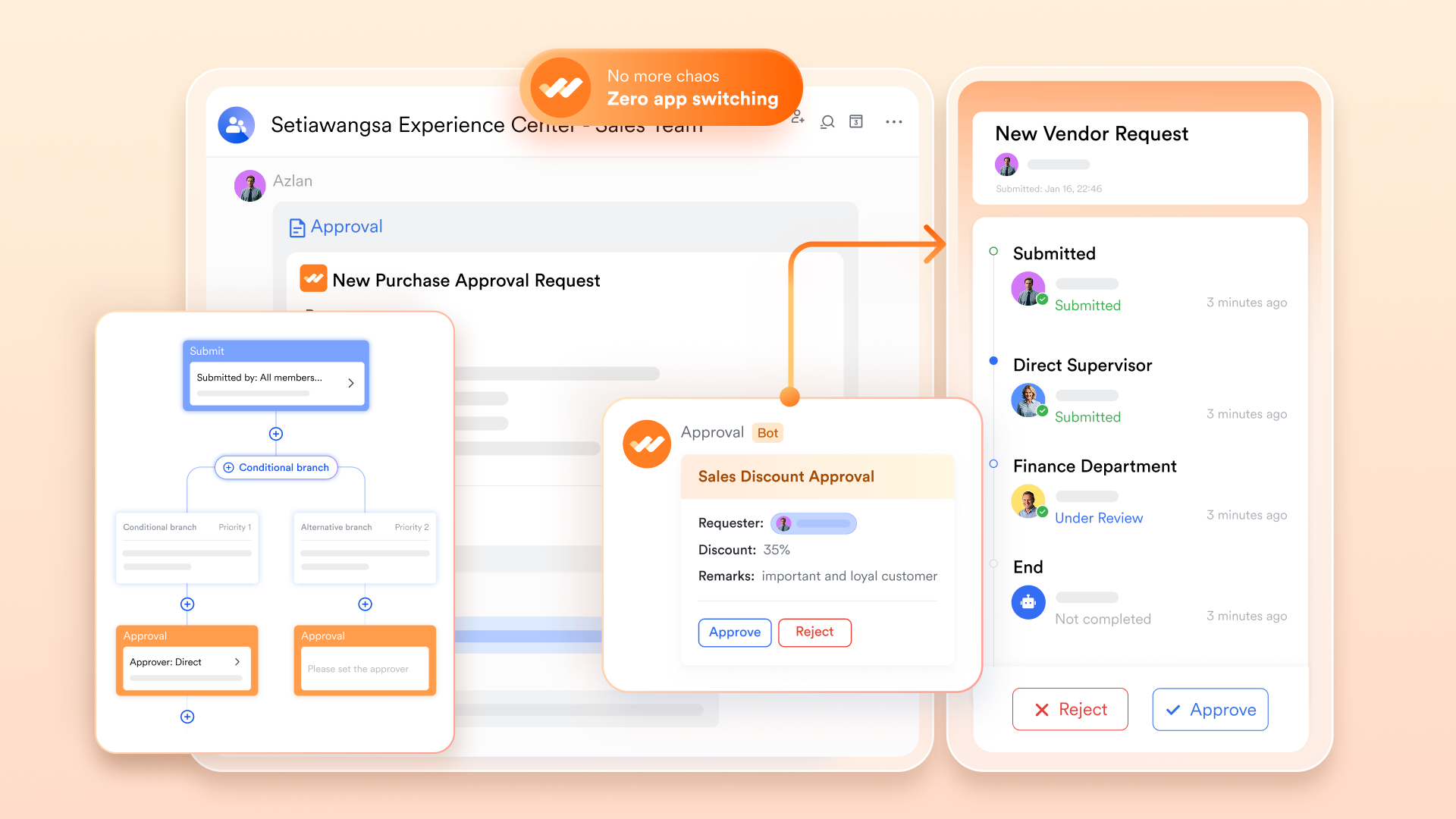
Daily meeting conference for clear reports
turns verbal updates into structured, actionable documentation through built-in meeting tools. Using the "" feature, teams can co-edit a report or dashboard live within the meeting window, ensuring that daily progress is documented as it is discussed rather than after the call. For missed sessions or compliance needs, generates automated transcripts and summaries that serve as a searchable historical record of the day's decisions.

:
- Starter plan: Free forever plan that includes 11 powerful tools for up to 20 users. It also comes with 100GB of storage, 1000 automation runs, AI translations, and more.
- Pro plan: $12/user/month (billed annually) for up to 500 users. It includes everything in Starter plus group calling for up to 500 attendees, 15TB of storage, 50,000 automation runs, and more.
- Enterprise plan: for custom pricing. Supports unlimited users and includes even more automation runs and advanced security, compliance, and management features.
For small teams with simple communication needs

18 months message history
1000 Base automation runs/month
2000 rows per table in Base
Most POPULAR
For companies with comprehensive collaboration and management needs
Unlimited message history
500-participant video meetings
50k Base automation runs/month
20k rows per table in Base
For large companies with advanced security and organizational management needs
Get a personalized demo and pricing
Unlimited message history
500-participant video meetings
15 TB storage + 30 GB storage/user
500k Base automation runs/month
50k Base automation runs/month
Most POPULAR
For companies with comprehensive collaboration and management needs
Unlimited message history
500-participant video meetings
50k Base automation runs/month
20k rows per table in Base
Common mistakes in daily progress reporting
Daily progress reporting often fails not because teams avoid reporting, but because the process is inconsistent or poorly designed. One common mistake is using different formats across teams or relying on disjointed , which makes reports hard to compare and review. When reports vary daily, managers spend more time interpreting information than acting on it. This inconsistency reduces the overall value of daily progress reports and weakens visibility.
Another frequent issue is delayed or incomplete submissions. Reports that are submitted late lose relevance and limit the ability to respond to issues in real time. Missing details such as labor hours, materials used, or blockers create gaps that affect planning and accountability. In daily progress reports, construction teams rely on. These gaps can lead to cost overruns, safety risks, and disputes. Without a clear review process, mistakes repeat, and reporting becomes a routine task rather than a decision-making tool. Additionally, for teams looking to improve how they organize their internal knowledge base to prevent recurring mistakes, exploring can provide a permanent home for reporting standards and site protocols.
Best practices for daily progress reporting
Following best practices helps teams turn daily progress reports into reliable, actionable tools instead of administrative work. A structured approach improves accuracy, timeliness, and long-term usefulness. When best practices are applied consistently, daily progress reports support better planning, faster issue resolution, and stronger accountability. The practices below align with common challenges seen across industries.
- Standard templates: Using standard templates ensures every report captures the same critical information each day. This consistency makes reports easier to review and compare across teams or sites. Standardization is especially important for daily progress reports depend on compliance and audits. It also reduces reporting errors and saves time for both reporters and reviewers.
- Clear deadlines: Clear submission deadlines ensure daily progress reports are timely and relevant. Reports submitted at a consistent time each day support faster decision-making. Deadlines also build discipline and accountability across teams. Timely reporting improves coordination and reduces last-minute follow-ups.
- Photo evidence: Including photo evidence adds clarity and credibility to daily progress reports. Photos help verify completed work, site conditions, and safety issues. This is particularly valuable for construction and field-based teams. Visual documentation reduces misunderstandings and supports audits or client reviews.
- Manager review process: A defined process ensures reports are actually used, not just stored. Regular reviews help identify trends, recurring issues, and improvement opportunities. Feedback from managers improves report quality over time. This practice turns daily reporting into a continuous improvement loop rather than a passive record.
Conclusion
Daily progress reports play a vital role in helping teams maintain visibility, accountability, and control over day-to-day work. By consistently capturing completed tasks, issues, resource usage, and next-day plans, teams can respond faster to problems and make more informed decisions. Throughout this blog, we explored what daily progress reports are, the most effective formats, key elements, and common mistakes that reduce their value. When structured correctly and reviewed regularly, daily progress reports become more than routine updates and instead act as a foundation for operational clarity and continuous improvement.
As projects scale and teams become more distributed, manual reporting methods struggle to keep up with growing complexity. This makes it increasingly important to adopt tools that support structured data capture, collaboration, and real-time visibility. Platforms like help teams streamline daily progress reporting by bringing forms, tracking, automation, and communication into a single workspace. For instance, using allows you to see how each daily update shifts your long-term timeline. Furthermore, understanding the nuances of ensures that the items recorded in your reports are actually moving the needle on project goals. With the right process and tools in place, daily reporting can evolve from a manual task into a strategic advantage.
Simplify daily progress reporting
FAQs
What are the three types of progress reports?
Progress reports are typically categorized into daily, weekly, and monthly reports based on reporting frequency. Daily reports focus on immediate activities and short-term progress, while weekly and monthly reports summarize trends and outcomes. Each type serves a different purpose depending on the level of detail required. Tools like Lark support all three by centralizing updates and making reporting more consistent.
What are the key characteristics of progress report?
A strong progress report is clear, accurate, timely, and consistent in structure. It focuses on factual updates such as completed work, issues, and planned next steps. Standardization improves readability and trust across stakeholders. Platforms such as Lark help enforce these characteristics through structured templates and workflows. What's the best format for site teams?
For site teams, mobile-friendly formats are usually the most effective. They allow real-time submission, photo uploads, and quick validations directly from the field. This reduces delays and improves accuracy compared to paper or spreadsheets. Lark enables at scale, making it well-suited for site-based teams.
How do you ensure reports are submitted on time?
Timely submissions require clear deadlines, accountability, and automated reminders. Consistent expectations help reporting discipline. Automation further reduces manual follow-ups and delays. Lark supports this with scheduled reminders, workflows, and notifications that keep reporting on track.
Related reading





























