Growing teams need systems that help them stay organized, efficient, and aligned. The agency management system brings all the key tools under one roof, so teams can handle clients, projects, communication, and workflows without juggling multiple apps. Whether a small creative agency or a growing digital services team, the right platform can make a big difference in productivity and client satisfaction.
In this guide, we'll walk through the 15 best agency management systems available today, highlight what makes each one stand out, and help you find the right fit for your team's needs and goals.
Key takeaways: 5 best agency management systems
To keep the takeaways clear and actionable, only five agency management systems are highlighted here:
1. Lark: Best for agencies seeking an all-in-one workspace for communication, projects, and documentation
2. ClickUp: Ideal for teams that need highly customizable workflows and flexible project structures
3. Monday.com: Suited for agencies that prefer visual planning with intuitive, easy-to-adopt boards
4. Wrike: A strong option for enterprise-level agencies requiring advanced reporting and governance
5. Asana: Best for teams focused on task clarity and structured execution across client projects
Snapshot: Best agency management systems at a glance
This snapshot highlights five widely used agency management systems to give a clear, high-level view without overwhelming details. The tools shown here represent common agency needs across different team sizes and operational complexity. This section is designed to help readers quickly understand how these platforms differ at a glance. More detailed reviews and use-case breakdowns are covered in the sections that follow.
Information source: Official vendor sites
Update time: 2026-01-26
Note: Pricing and plan details reflect publicly available data as of the update date and may vary based on region, billing cycle, and number of agents.
Boost agency management with an all-in-one platform
What is an agency management system
An agency management system is a software platform designed to help agencies manage their day-to-day operations in one place. It typically brings together tools for , client communication, , time management, billing, and reporting. Instead of using multiple disconnected apps, teams can plan work, assign tasks, track progress, and collaborate more efficiently from a single system. For growing agencies, an agency management system helps improve visibility across projects, reduces manual work, keeps teams aligned, and ensures client work stays on schedule and within budget.
What makes a strong agency management system
- Centralized client and project visibility: A strong agency management system gives teams a single place to view all client details, projects, files, and conversations. This makes it easy to understand project status at a glance, avoid missed information, and ensure everyone is working in the same context, especially when managing multiple clients at once.
- Clear task ownership and timelines: Every task should have a defined owner, priority, and deadline. A good system removes confusion by clearly showing who is responsible for what and when it needs to be completed. This helps teams stay accountable, reduces follow-ups, and keeps projects moving on schedule.
- Team workload balance: An effective platform provides visibility into individual and . Managers can see who is overloaded and who has capacity, making it easier to assign work fairly. This prevents burnout, improves productivity, and helps teams deliver consistent quality across projects.
- Time, cost, and performance tracking: Tracking time spent, project costs, and overall performance helps agencies understand where resources are going. A strong system makes this data easy to capture and analyze, enabling better budgeting, accurate billing, and informed decisions to improve efficiency and profitability.
- Scalable structure for growing agencies: As an agency grows, its processes become more complex. A strong management system supports growth by allowing teams to add users, clients, , and integrations without disruption. This flexibility ensures the system continues to support the agency's needs over time.
Alongside traditional agency management platforms, some teams also rely on specialized tools designed for managing and digital identities. Such platforms provide environments where users can operate multiple isolated browser profiles, each with its own fingerprint and session data. This approach allows agencies working with numerous client accounts—such as social media profiles, ad platforms, or marketplaces—to organize access and activity without overlapping sessions.
Full list: 15 best agency management systems
Running an agency efficiently takes more than talent and hard work. It requires the right systems to , projects, teams, and timelines without confusion. In this part, we explore the 15 best agency management systems designed to support growing teams, streamline operations, and help agencies work smarter, not harder.
1. Lark: Unified agency workspace for teams and clients
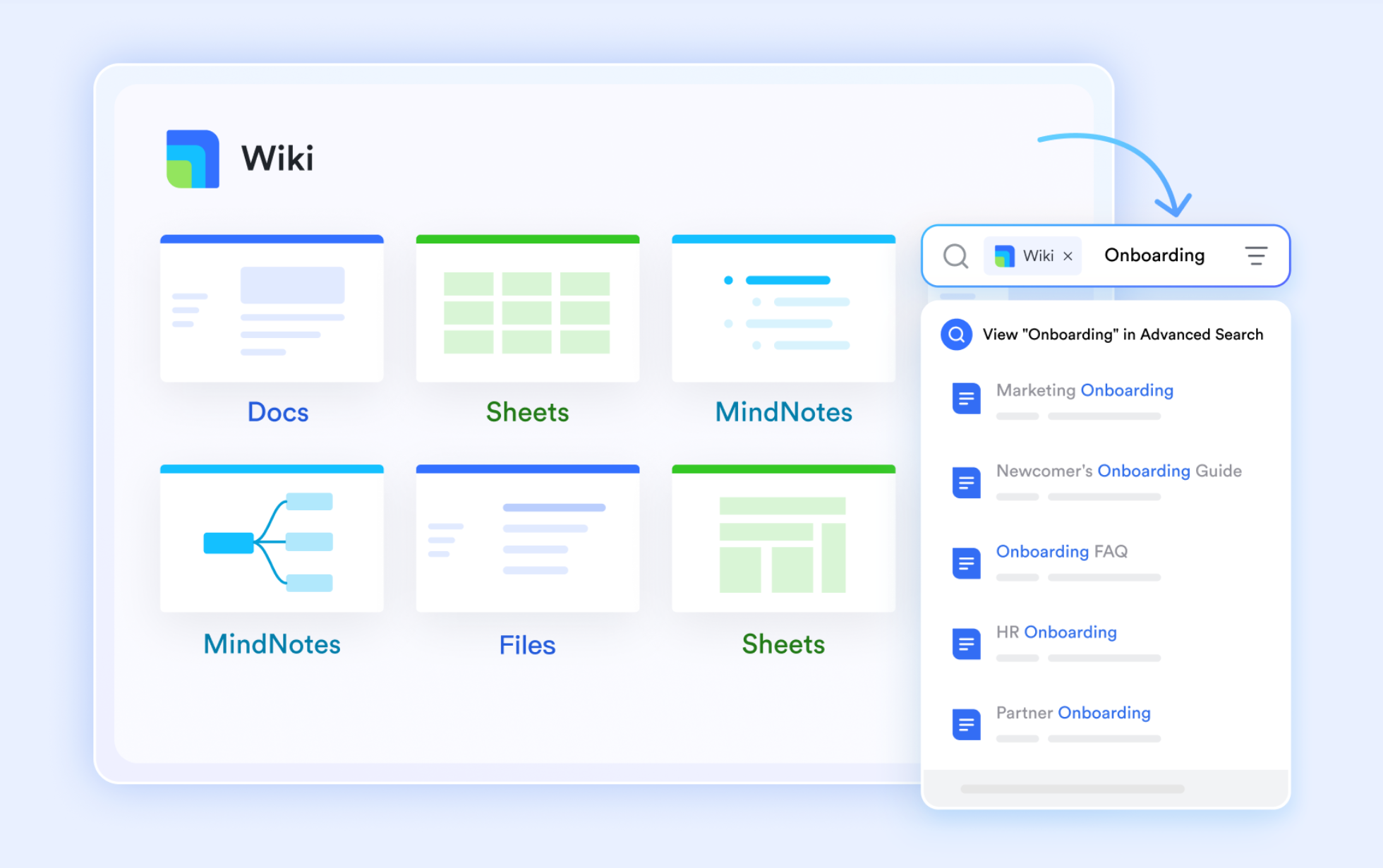
is a modern agency management software that brings , collaboration, and project coordination into one unified workspace. It helps agencies manage clients, teams, and daily operations without switching between multiple tools. With built-in chat, video meetings, shared documents, calendars, and workflow features, Lark keeps everyone aligned in real time.
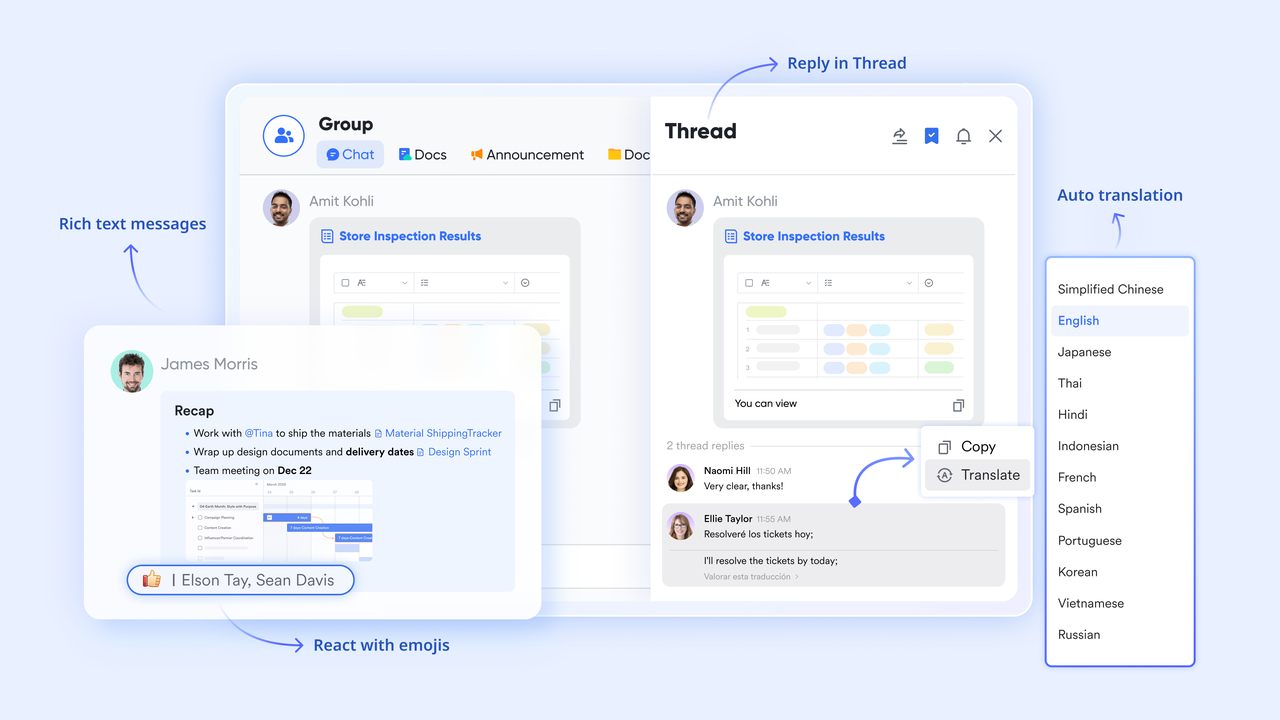
External collaboration via external groups
Agencies often struggle with "Shadow IT" when clients use different messaging apps. The external group function in allows you to invite clients into a dedicated, secure chat space using just their email address. This ensures all project discussions, file sharing, and approvals happen within your agency's workspace, maintaining a professional "Source of Truth" while keeping internal agency chats strictly private.
Resource allocation via Gantt views
Managing multiple client accounts requires a clear view of team bandwidth. The Gantt view function in Lark Base allows agency owners to map out project timelines and dependencies. By visualizing the "Group by" function (setting it to "Assignee"), you can instantly see which designers or developers are overbooked and shift tasks across the timeline to prevent burnout and ensure on-time delivery. 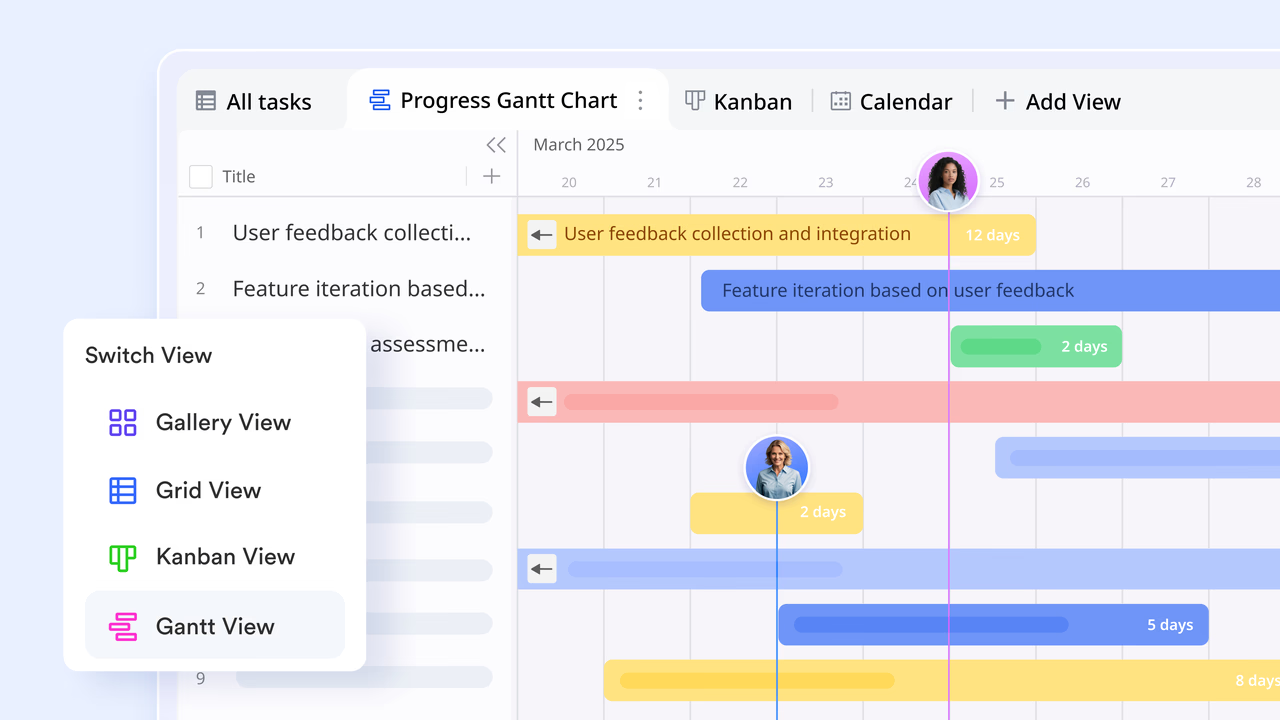
Automated client reporting with dashboards
To demonstrate value without manual effort, agencies use the dashboards function in Lark Base. By utilizing chart gadgets, you can visualize project burn rates, campaign performance, or billable hours. Since the data is pulled directly from your project tables, the dashboard updates in real-time. You can then share a specific dashboard view with the client, giving them "read-only" access to live metrics 24/7. 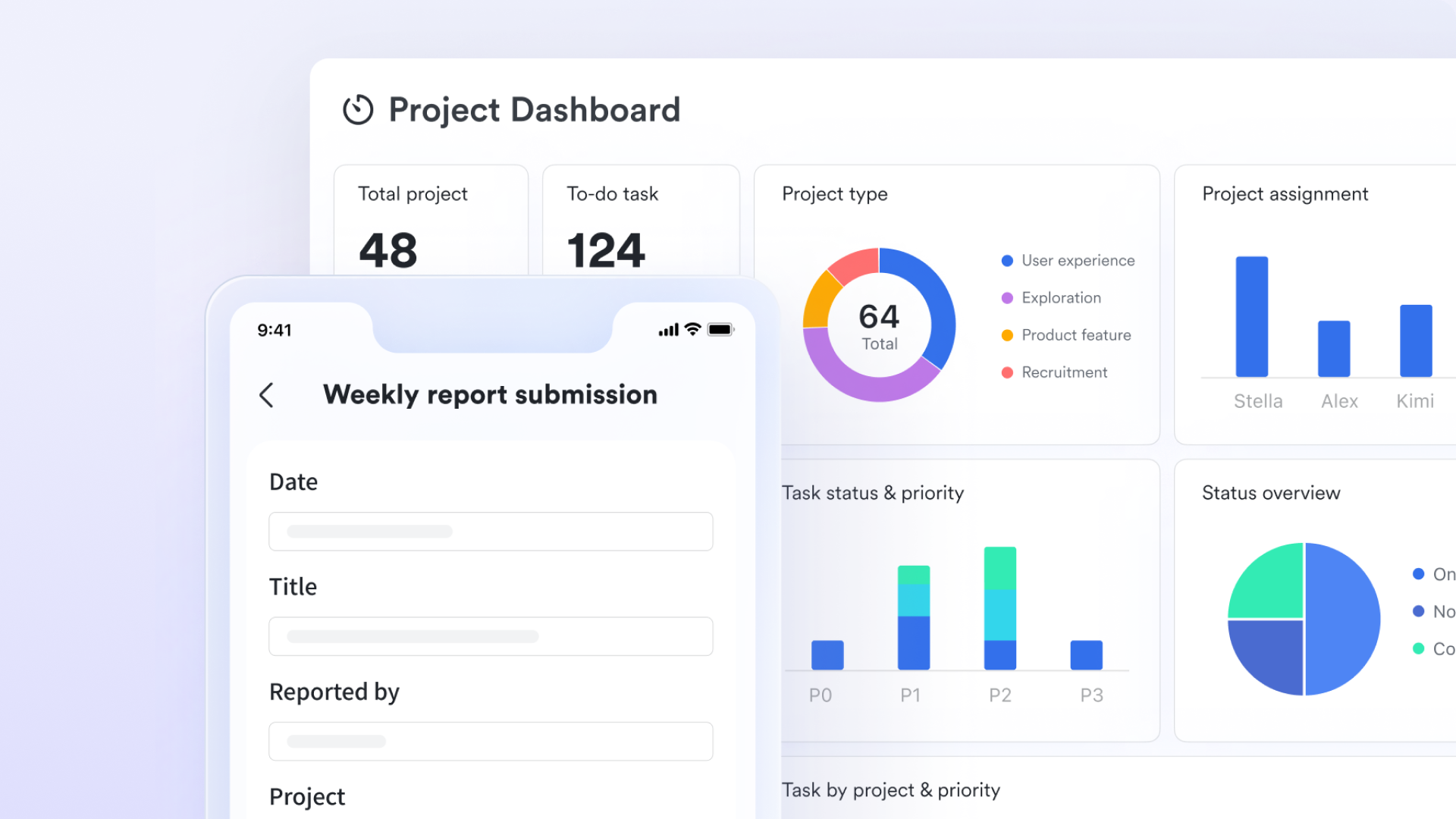
Approval flows for creative sign-offs
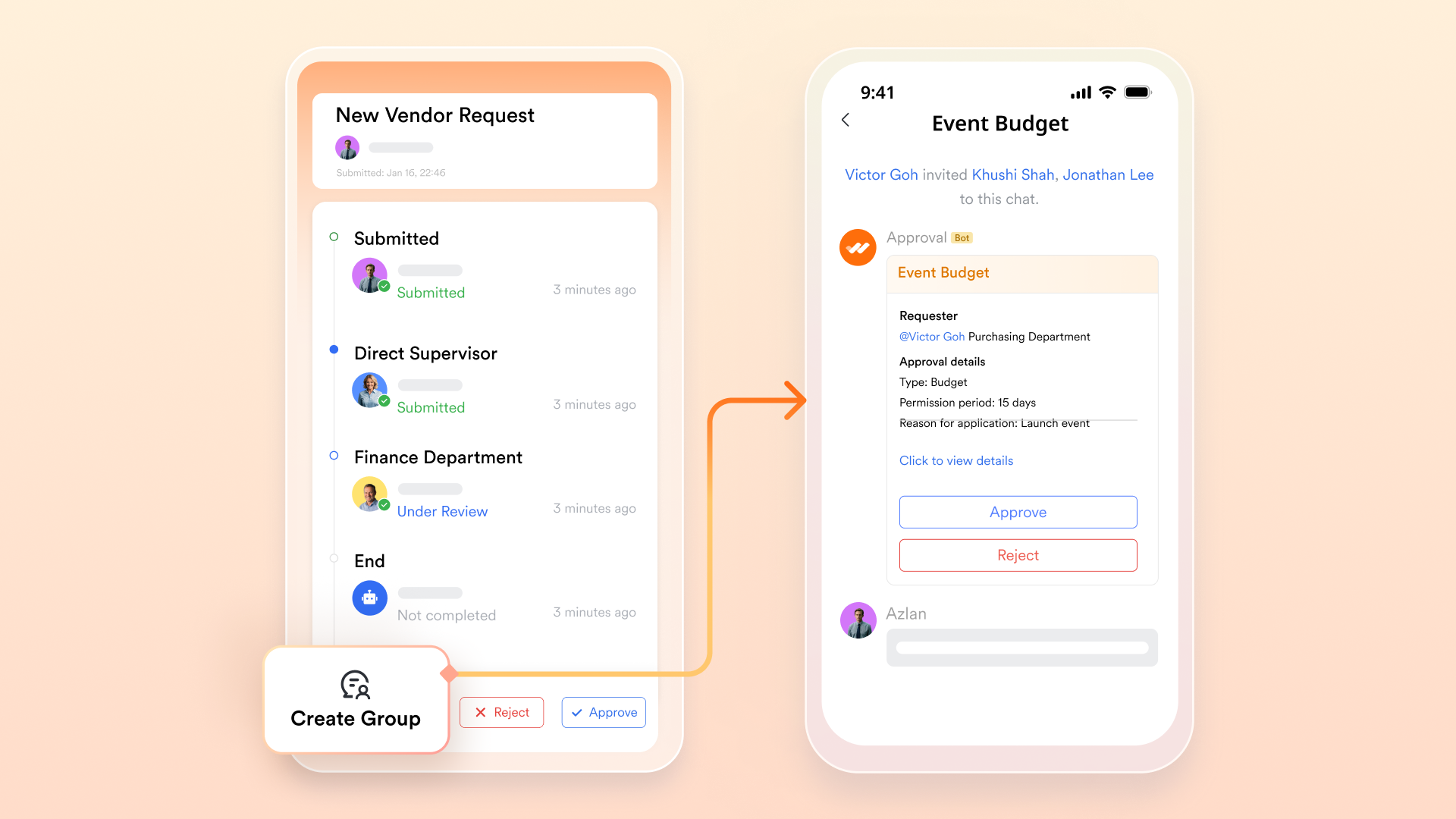
Agencies can avoid "Scope Creep" and verbal-only agreements by using the . You can build custom approval flows for budget increases, creative assets, or contract renewals. These requests are delivered as actionable message cards in Lark Messenger, allowing clients or agency directors to provide a formal digital signature or "Approve" with a single click, which is then archived for audit purposes.
Centralized asset management
To prevent creative assets and brand guidelines from getting lost in chat, the function allows agencies to build a "Brand Bible" for each client. You can organize and folders into a structured, searchable hierarchy. Using the advanced search function, any team member (even those newly assigned to the account) can find the latest logo files, hex codes, or project briefs in seconds.
:
- Starter plan: Free forever plan that includes 11 powerful tools for up to 20 users. It also comes with 100GB of storage, 1000 automation runs, AI translations, and more.
- Basic plan: $6/user/month (billed annually) for up to 500 users. It includes everything in Starter plus group calling for up to 500 attendees, 5TB of storage, 1000 automation runs, and more. For more details, please .
- Pro plan: $12/user/month (billed annually) for up to 500 users. It includes everything in Basic plus group calling for up to 500 attendees, 15TB of storage, 50,000 automation runs, and more.
- Enterprise plan: for custom pricing. Supports unlimited users and includes even more automation runs and advanced security, compliance, and management features.
For small teams with simple communication needs

18 months message history
1000 Base automation runs/month
2000 rows per table in Base
Most POPULAR
For companies with comprehensive collaboration and management needs
Unlimited message history
500-participant video meetings
50k Base automation runs/month
20k rows per table in Base
For large companies with advanced security and organizational management needs
Get a personalized demo and pricing
Unlimited message history
500-participant video meetings
15 TB storage + 30 GB storage/user
500k Base automation runs/month
50k Base automation runs/month
Most POPULAR
For companies with comprehensive collaboration and management needs
Unlimited message history
500-participant video meetings
50k Base automation runs/month
20k rows per table in Base
2. ClickUp: Highly customizable agency project management
ClickUp is a versatile agency management software known for its high level of customization and flexibility. It lets agencies build workflows that match how they work, whether that's simple task lists, detailed project boards, or complex timelines. Teams can track tasks, manage deadlines, assign responsibilities, and visualize progress in multiple views like lists, boards, and calendars. With built-in docs, time tracking, and automation features, ClickUp helps agencies stay organized and efficient.
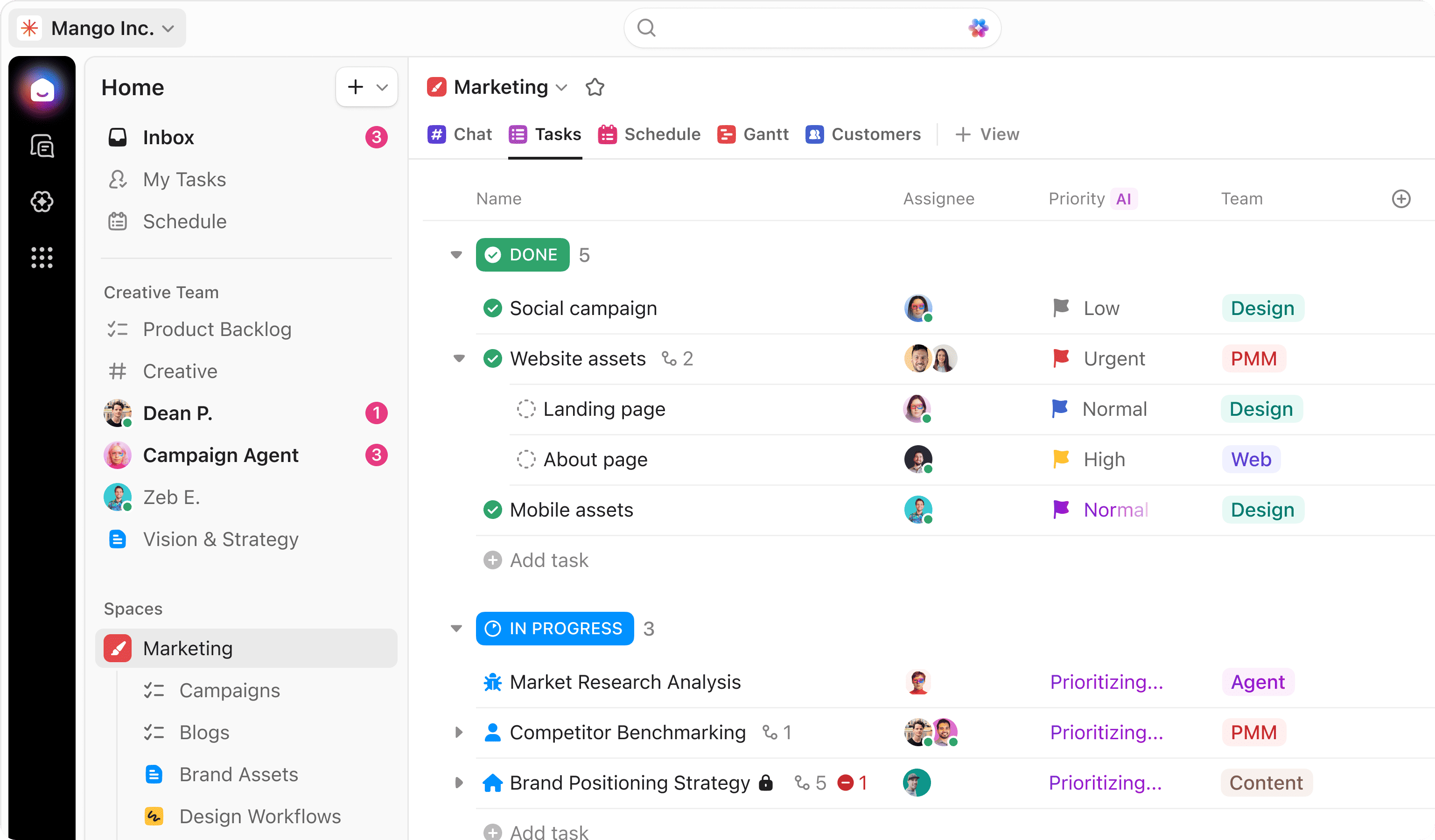
Image source: clickup.com
Key features:
- Automatic time tracking across apps & websites
- Detailed productivity analytics and reports
- Distraction alerts and focus reminders
- Screenshots and activity levels (optional)
- Payroll and timesheet exports
Pros:
- Deep productivity insights
- Helps reduce distractions and improve focus
- Strong reporting for performance reviews
- Integrates with popular work tools
Cons:
- Can feel invasive if not set up mindfully
- Some advanced features are behind higher-tier plans
Pricing:
- Free Forever: $0; free for individual users
- Unlimited plan: $7 per user/month
- Business plan: $12 per user/month
- Enterprise plan: Custom pricing
3. Monday.com: Visual planning for agency teams
Monday.com is a flexible agency management software that makes planning and tracking work visual and intuitive. Its colorful boards and customizable templates help teams see project progress, assign tasks, and set timelines at a glance. Agencies can organize client work, track deliverables, and manage resources all in one place. With easy drag-and-drop features and multiple view options like timelines, calendars, and charts, Monday.com helps teams stay aligned and on schedule.
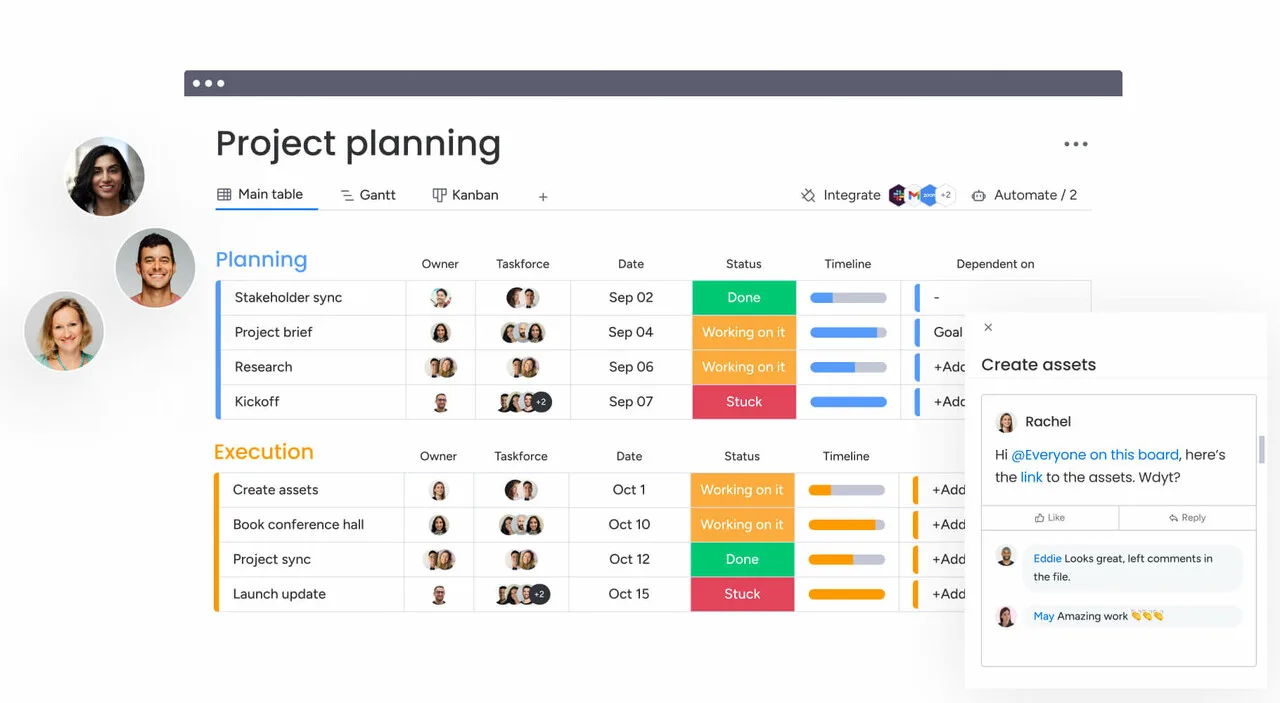
Image source: monday.com
Key features:
- Board-based task and project tracking
- Custom columns and status indicators
- Automation for status updates and alerts
- Timeline and workload views
- Dashboards for cross-project reporting
Pros:
- Highly visual and easy to understand
- Flexible for different team use cases
- Strong automation capabilities
- Good collaboration features
Cons:
- Pricing increases quickly with team size
- No free plan for larger teams
Pricing:
- Basic plan: $9/user/month
- Standard plan: $12/user/month
- Pro plan: $19/user/month
4. Wrike: Enterprise-grade agency workflow control
Wrike is a powerful agency management software built to support complex workflows and large teams. It offers detailed project planning, real-time collaboration, and advanced reporting that help agencies maintain control over every stage of work. With customizable dashboards, task dependencies, and resource management tools, Wrike makes it easier to track progress, balance workloads, and meet deadlines. Its enterprise-level features are especially useful for agencies handling multiple clients and large-scale projects. With strong security and scalability, Wrike helps teams stay organized and efficient as their needs grow.
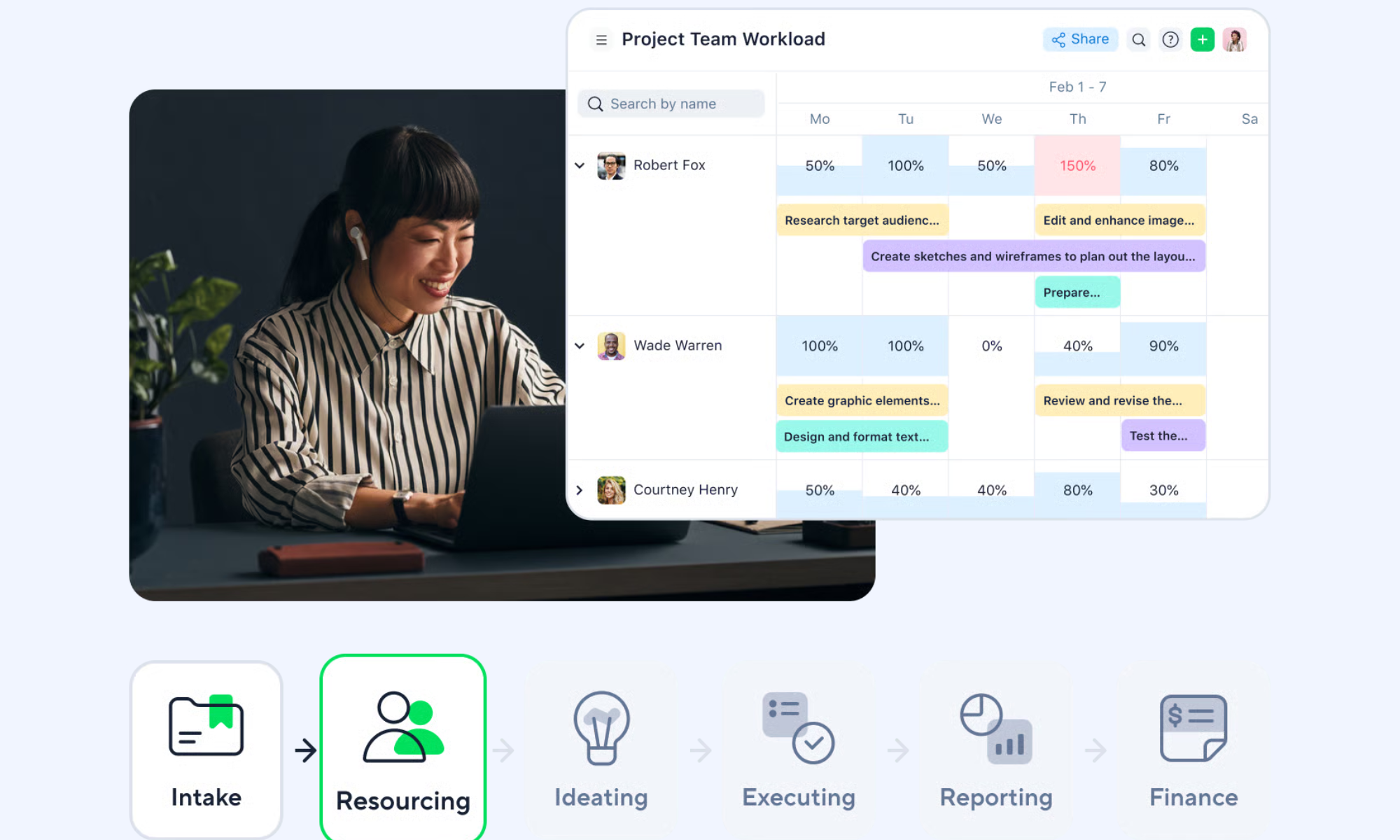
Image source: wrike.com
Key features:
- Gantt charts and advanced timelines
- Custom workflows and request forms
- Real-time dashboards and analytics
- Resource and workload management
- Enterprise-grade security and permissions
Pros:
- Excellent for large and complex projects
- Advanced reporting and analytics
- Strong customization options
- Scales well across departments
Cons:
- Higher cost than SMB-focused tools
Pricing:
- Team plan: $10 per user/month
- Business plan: $25 per user/month
- Pinnacle plan: Custom pricing
- Apex plan: Custom pricing
5. Asana: Structured task execution for agencies
Asana is a reliable agency management software that helps teams break down work into clear tasks and subtasks. It gives agencies a structured way to plan projects, assign responsibilities, and track progress from start to finish. With features like timelines, boards, and automatic reminders, Asana keeps everyone aware of deadlines and priorities. Teams can communicate directly on tasks, share files, and view work in the format that suits them best.
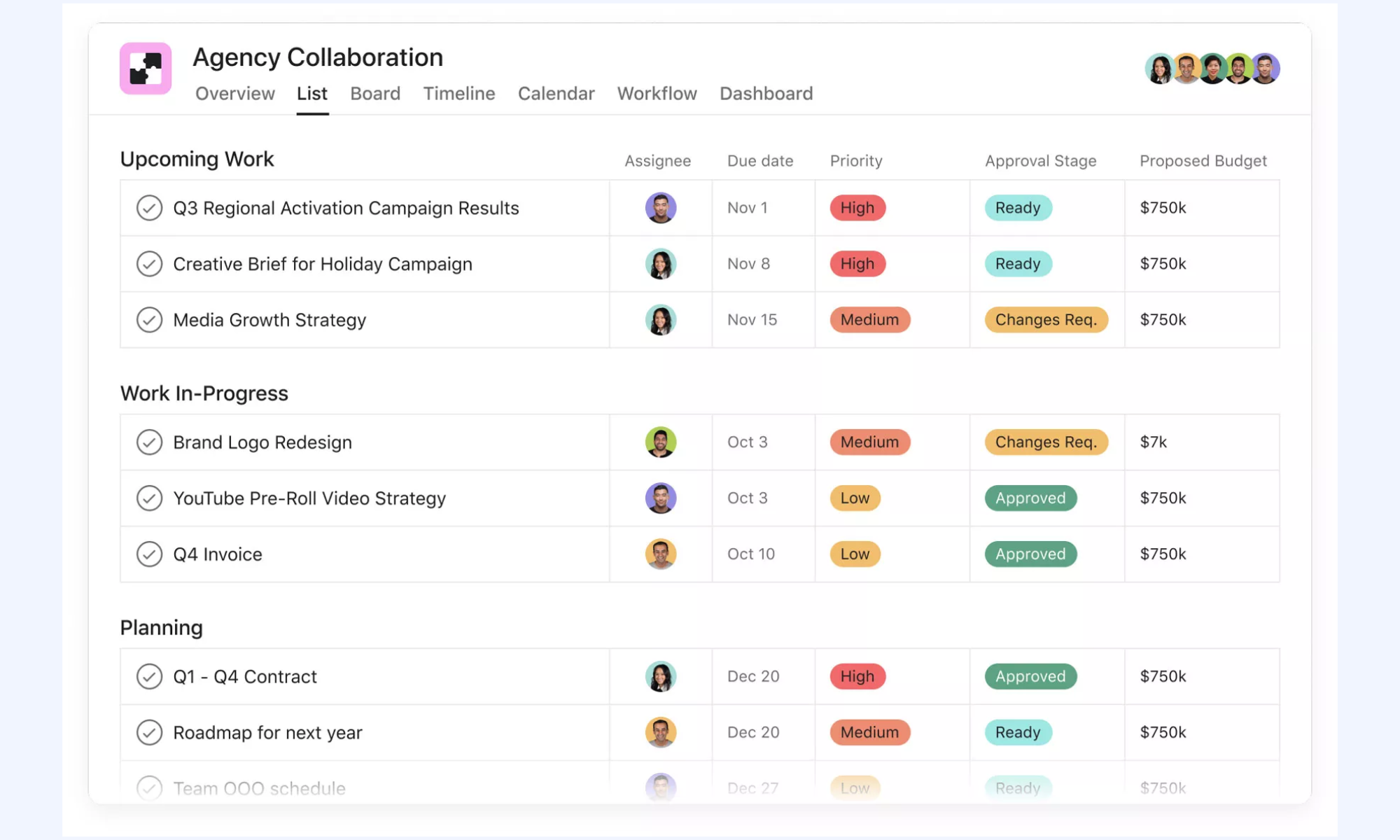
Image source: asana.com
Key features:
- Task and project organization with lists, boards, and timelines
- Custom fields and workflow automation
- Integrations with time-tracking apps (for hour logging)
- Collaboration tools like comments and mentions
- Dashboards and basic reporting for project visibility
Pros:
- Excellent task management and planning features
- Great for team collaboration and communication
- Flexible views (list, board, calendar, timeline)
- Strong ecosystem with many integrations
Cons:
- No native built-in time tracking
- Advanced reporting and features require paid plans
Pricing:
- Personal plan: $0; free forever
- Starter plan: $10.99 per user/month (billed annually)
- Advanced plan: $24.99 per user/month (billed annually)
- Enterprise plan: Custom pricing (contact sales)
6. Teamwork: Client-focused agency management software
Teamwork is a robust agency management software built with client work in mind. It helps agencies plan projects, track progress, and manage every detail from initial briefing to final delivery. With tools for task management, time tracking, billing, and reporting, Teamwork makes it easier to keep client projects on track and on budget. Its clear dashboards and collaboration features help teams stay aligned and communicate effectively.
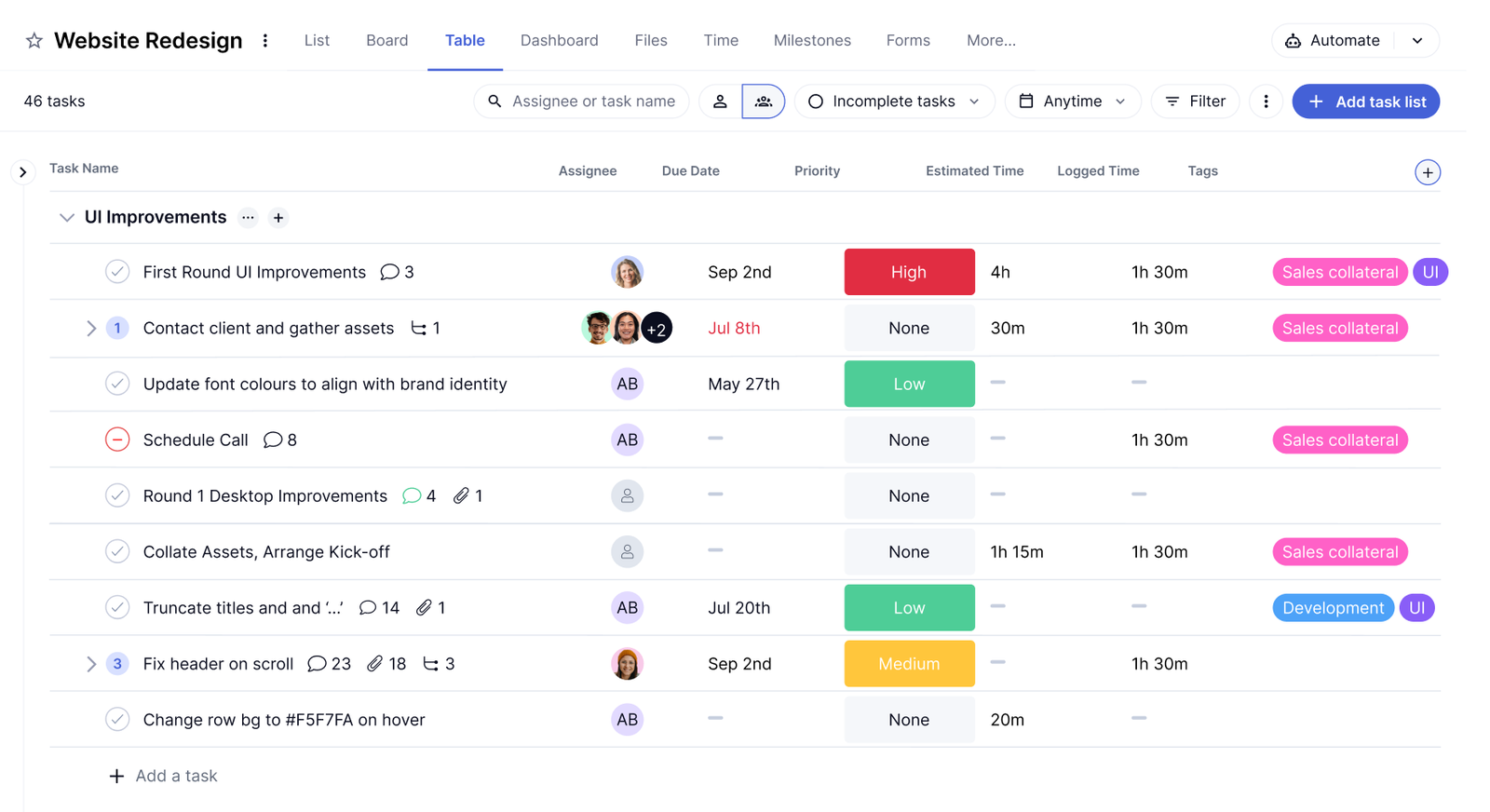
Image source: teamwork.com
Key features:
- One-click time tracking with manual and timer modes
- Detailed time reports and visual dashboards
- Project, client, and task-based tracking
- Cross-platform apps (web, desktop, mobile)
- Integrations with popular
Pros:
- Clean, distraction-free interface
- Strong reporting capabilities
- Works well for freelancers and small teams
Cons:
- Limited task and workflow management features
- Advanced features require paid plans
Pricing:
- Delivery plan: $10.99/user/month
- Grow plan: $19.99/user/month
- Scale plan: Contact sales
7. Productive: Profit and performance visibility for agencies
Productive is an agency management software designed to give teams clear insight into profitability and performance. It brings together project planning, resource management, time tracking, and financial reporting in one platform. Agencies can see how projects are progressing, where time is being spent, and how budgets are tracked against actual costs. This visibility helps teams make smarter decisions, improve efficiency, and protect profit margins.
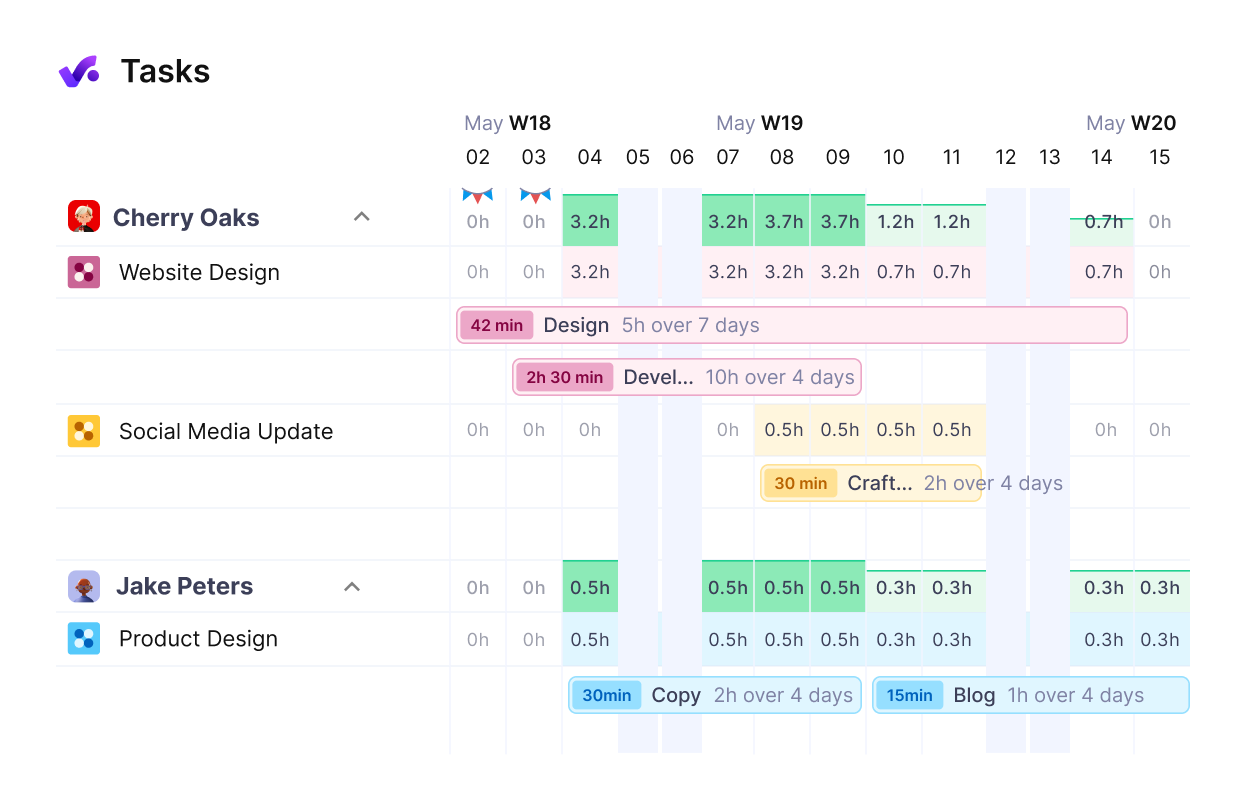
Image source: productive.com
Key features:
- Time tracking with clock-in/clock-out and GPS
- Attendance logs and shift scheduling
- Facial recognition and biometrics (optional)
- Timesheets and exportable reports
- Integrations with payroll and HR tools
Pros:
- Easy attendance and time tracking for teams
- Mobile app with GPS tracking for field work
- Useful for shift-based teams and hourly workers
- Free plan available with core features
Cons:
- Limited task or project-level tracking
- Some advanced features require paid plans
Pricing:
- Essential plan: $9/user/month
- Professional plan: $24/user/month
- Ultimate plan: $32/user/month
8. Scoro: End-to-end agency operations platform
Scoro is an agency management software that unifies all core business functions into a single platform. It covers project management, time tracking, billing, client relationships, and performance reporting. Agencies can plan work, assign tasks, monitor budgets, and track results without switching between separate tools. Scoro's integrated system gives teams full visibility into operations and helps reduce manual work.
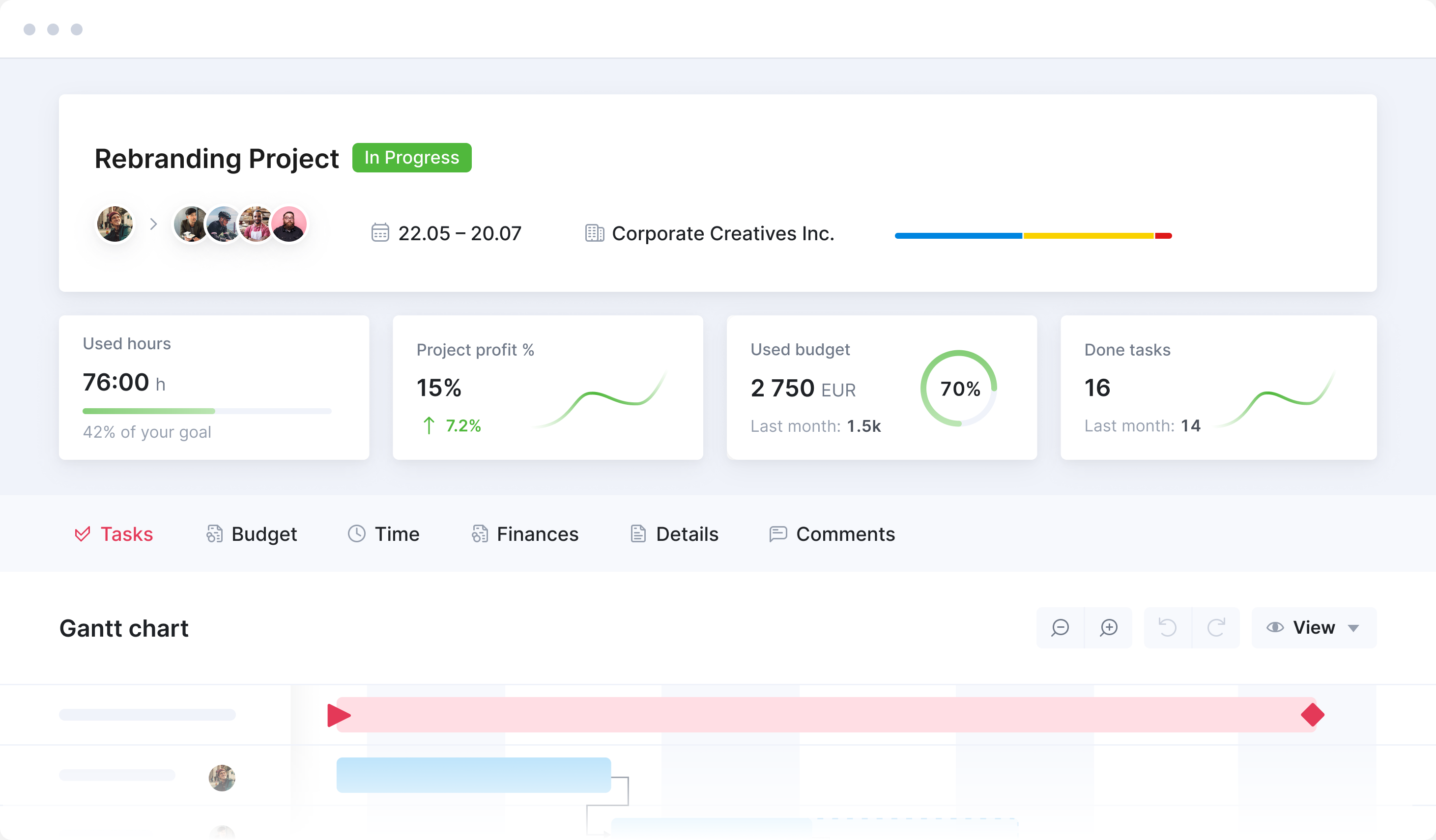
Image source: scoro.com
Key features:
- Interactive Gantt charts
- Task dependencies and milestones
- Resource and workload management
- Export and sharing options
Pros:
- Excellent timeline visualization
- Strong dependency management
- Ideal for planners and managers
Cons:
- Limited collaboration features
- Not a full all-in-one workspace
Pricing:
- Core plan: $19.90/user/month
- Growth plan: $32.90/user/month
- Performance plan: $49.90/user/month
- Enterprise plan: Custom pricing
9. Paymo: Simple agency time and task tracking
Paymo is an agency management software focused on straightforward time tracking and task organization. It helps teams plan projects, assign tasks, and monitor how time is spent across clients and workstreams. With built-in timers, clear task lists, and easy reporting, Paymo makes it simple to keep projects on schedule and accurately capture billable hours.
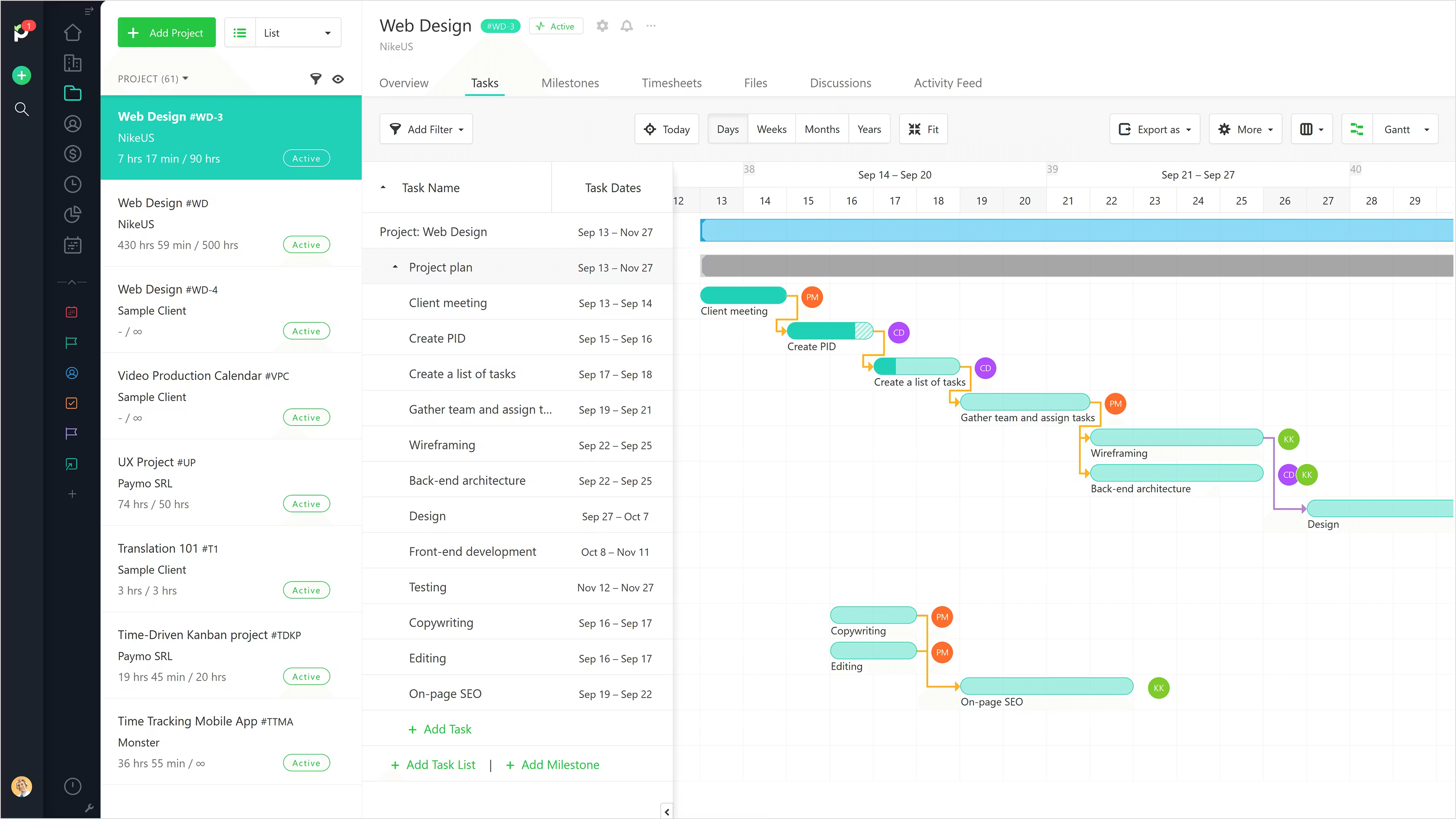
Image source: paymo.com
Key features:
- Unlimited time tracking across users, projects, and clients
- Manual time entry and one-click timer
- Detailed reporting and dashboards
- Project, task, and billable hours tracking
- Web, desktop, and mobile app support
Pros
- Completely free plan with unlimited users
- Works well for teams of all sizes
Cons:
- Limited advanced project management features
- Interface can feel basic for complex workflows
Pricing:
- Free plan: $0 — free forever
- Solo plan: $5.9/user/month
- Plus plan: $10.9/user/month
- Pro plan: $16.9/user/month
10. Kantata: Resource forecasting for professional services
Kantata is an agency management software designed to help professional services teams plan and forecast resources with confidence. It offers tools for project scheduling, capacity planning, and utilization tracking so agencies can match the right people to the right work. With real-time insights into team availability and upcoming demands, Kantata helps prevent overload and improve delivery predictability.
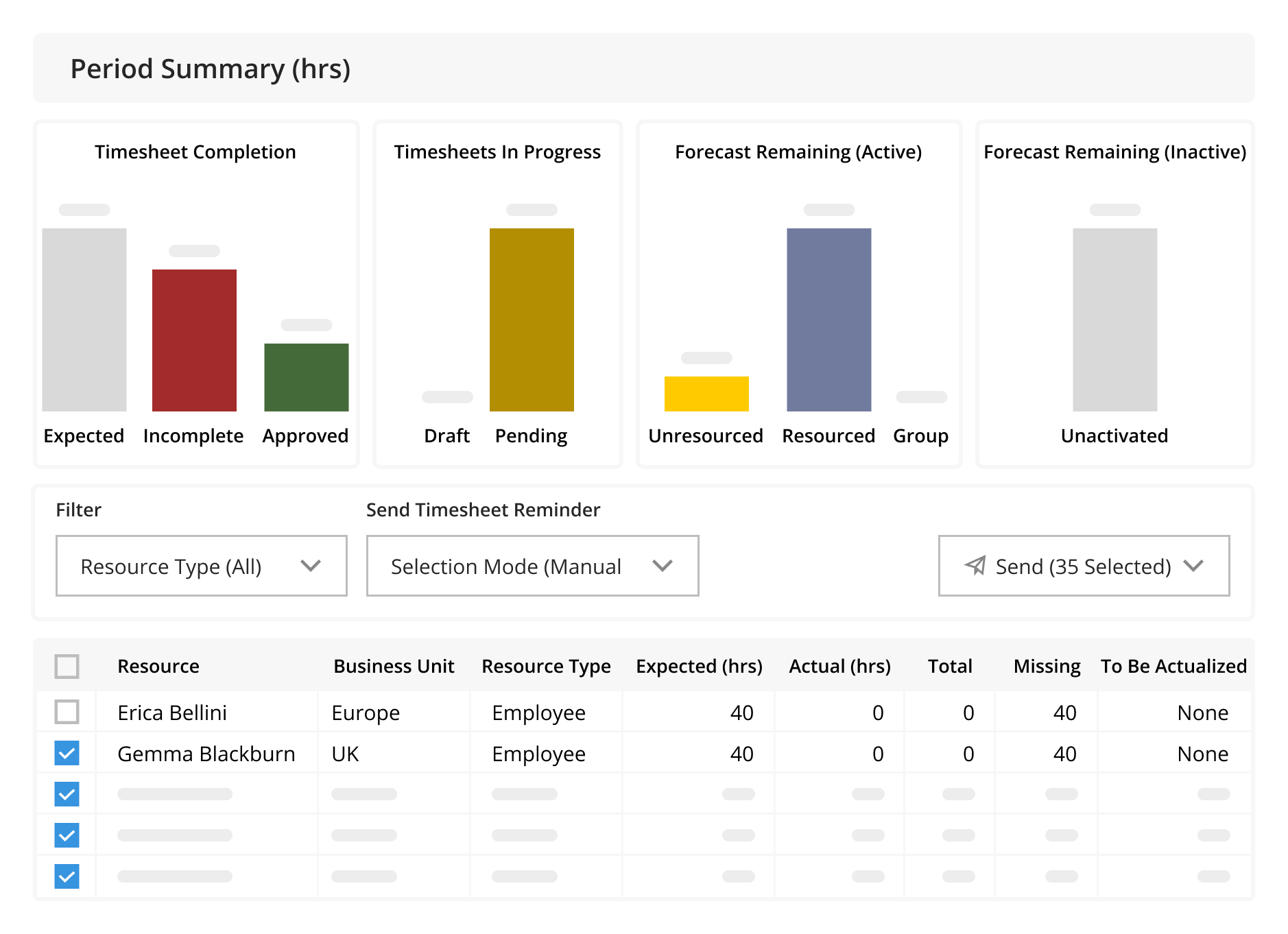
Image source: kantata.com
Key features:
- Automatic time tracking with activity levels
- App and website usage monitoring
- Screenshot capture (optional)
- GPS and location tracking for field teams
- Detailed productivity and timesheet reports
Pros:
- Strong activity monitoring for remote teams
- Built-in productivity insights and reporting
- Payroll and billing integrations
- GPS tracking for mobile/field work
Cons:
- Can feel intrusive if misconfigured
- Advanced features require paid plans
Pricing:
11. Workamajig: Agency-specific project management system
Workamajig is a software designed to help professional services built specifically for creative and marketing agencies. It combines project planning, resource management, budgeting, and client communication in a single platform. Teams can track tasks, monitor timelines, and manage costs with tools designed around agency workflows. With features for creative briefs, approvals, and financial reporting, Workamajig helps agencies keep projects on track and clients informed.
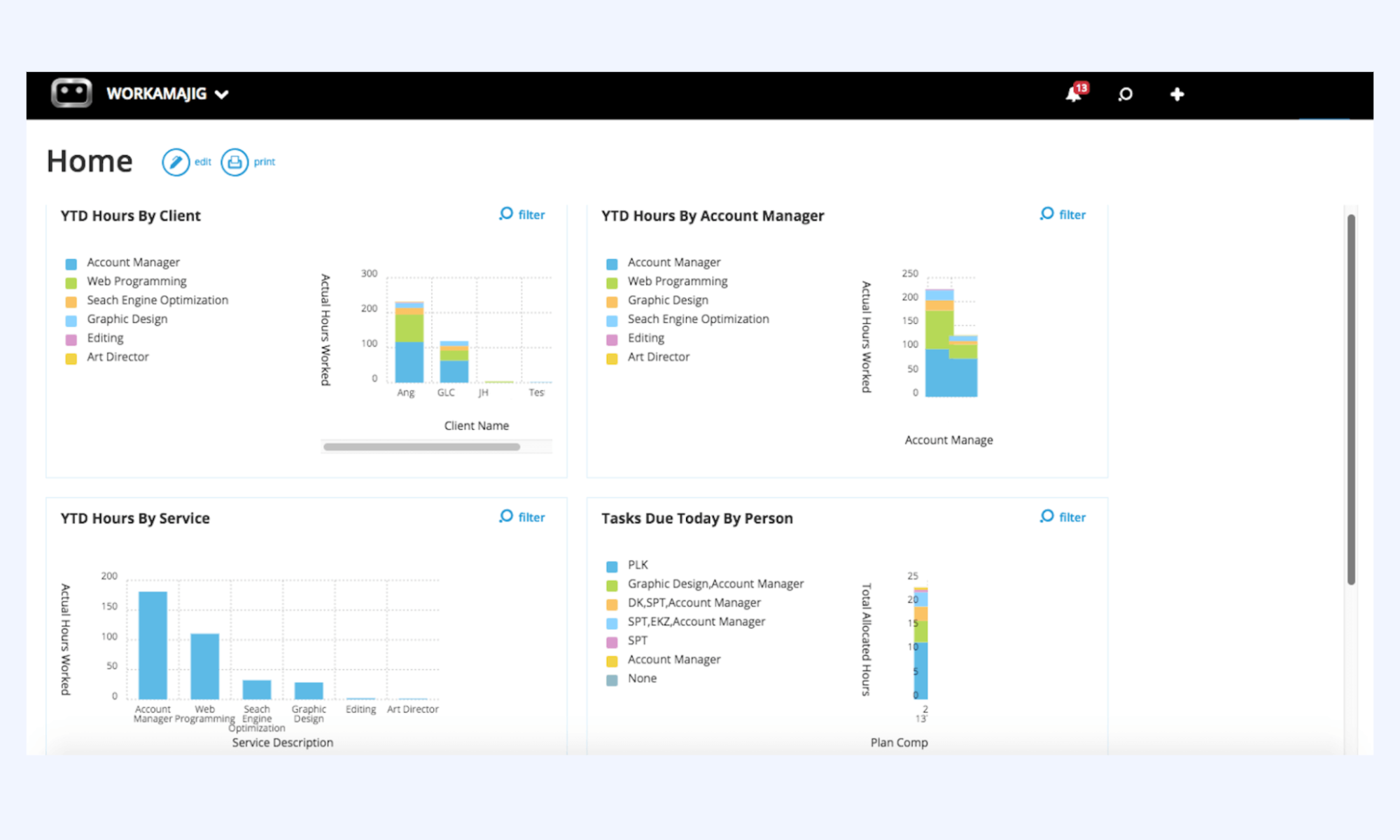
Image source: workamajig.com
Key features:
- Task, milestone, and roadmap tracking
- Gantt charts and agile boards
- Time tracking and cost reporting
- Open-source and self-hosted options
- Role-based access control
Pros:
- Strong data ownership and transparency
- Supports both agile and traditional projects
- Active community support
Cons:
- The interface is less polished
- Requires technical setup for self-hosting
Pricing:
- In-house plan: $47/user/month
- Agency plan: $47/user/month
- Enterprise plan: Custom pricing
12. Accelo: Client lifecycle management for agencies
Accelo is a client lifecycle management platform built for agencies and professional services teams to manage workflows from sales to delivery and billing. It centralizes projects, time tracking, retainers, and client communication into a single system. By automating handoffs and improving visibility across the client journey, Accelo helps agencies operate more efficiently and deliver consistent client experiences.
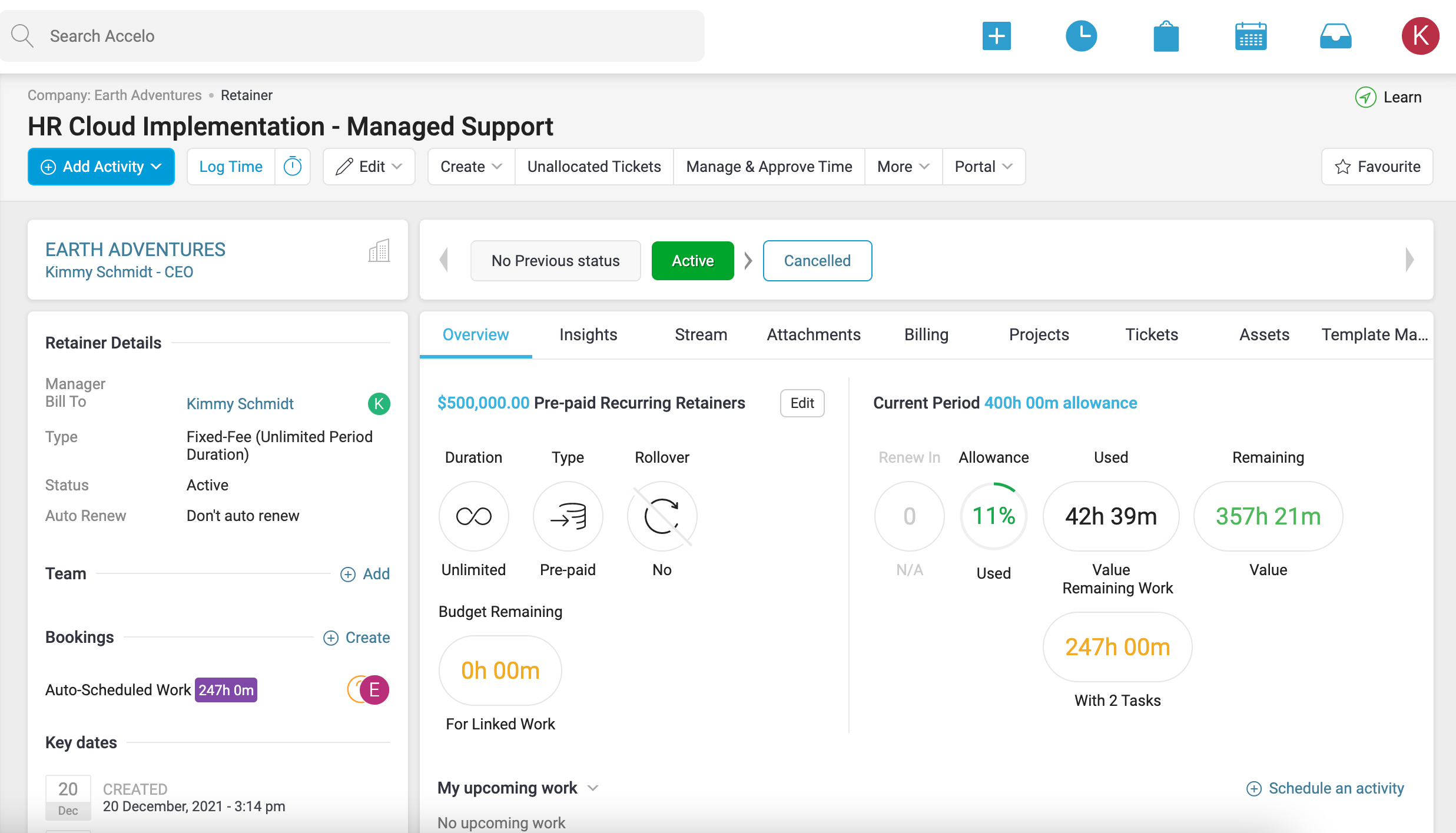
Image source: accelo.com
Key features:
- Simple time tracking with timers and manual entry
- Expense tracking and project budgeting
- Invoicing and billing support
- Visual reports and time summaries
- Integrations with accounting and project tools
Pros:
- Excellent for client billing and invoices
- Clean, user-friendly interface
- Time and expense tracking in one place
- Useful reports for profitability insights
Cons:
- Limited task management capabilities
- Advanced features require paid plans
Pricing:
- Professional plan: Custom pricing
- Business plan: Custom pricing
- Advanced plan: Custom pricing
13. Hive: Fast execution platform for agency teams
Hive is a fast execution platform designed for agency and project-driven teams that need speed, clarity, and collaboration. It combines task management, workflows, approvals, and automation into a single workspace, helping teams move work forward without friction. With flexible views and built-in collaboration tools, Hive enables agencies to execute projects efficiently and stay aligned from planning to delivery.
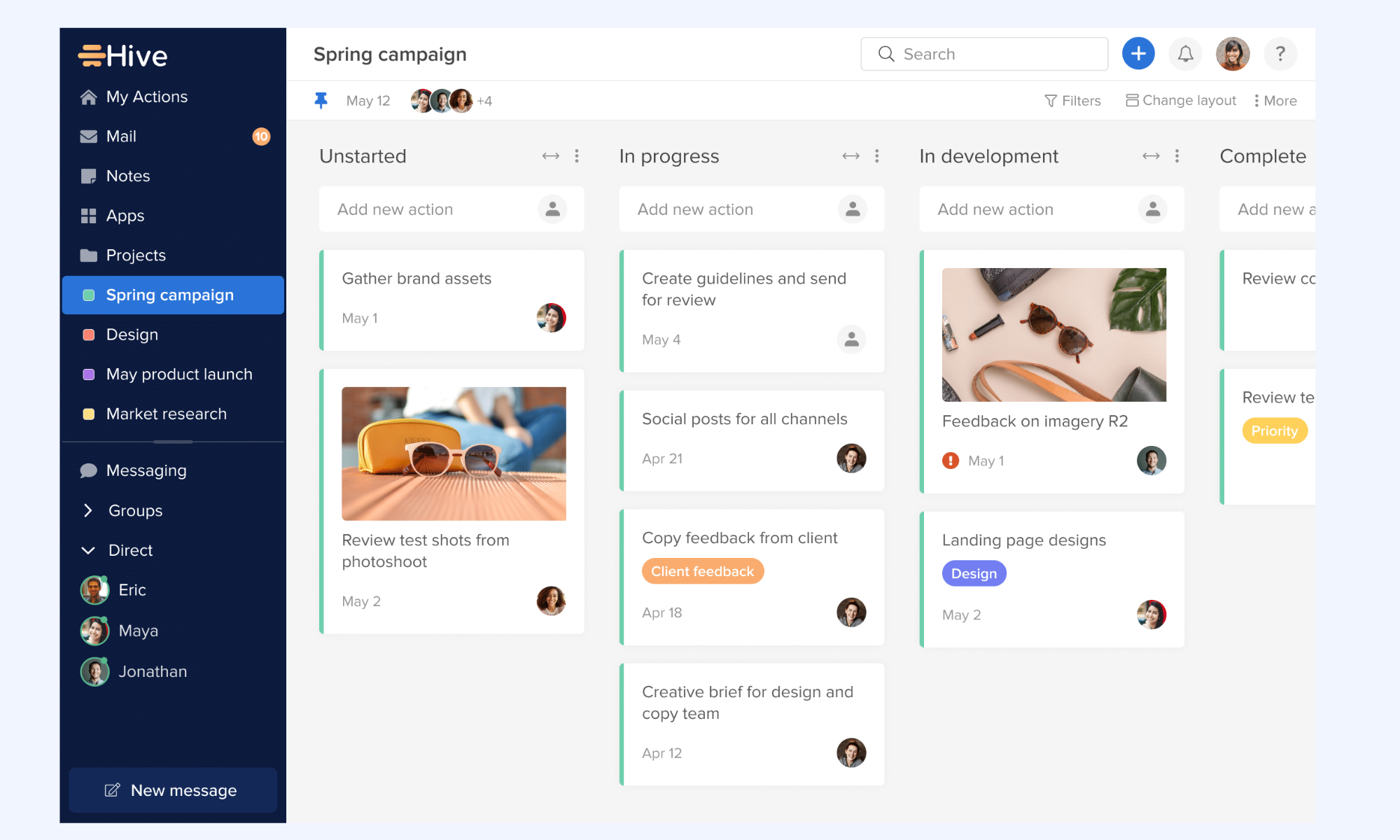
Image source: hive.com
Key features:
- To-do lists and schedules
- Message boards and group chat
- File sharing and document storage
- Centralized project spaces
Pros:
- Strong communication features
Cons:
- Limited reporting and analytics
- Not suitable for complex project tracking
Pricing:
- Starter: $1 per user/month (billed annually)
- Teams: $3 per user/month (billed annually)
- Pinnacle: Custom pricing
14. Notion: Custom-built agency systems and documentation
Notion is a flexible workspace that allows agencies to build custom systems for documentation, project tracking, and internal workflows. With its modular pages, databases, and templates, teams can design processes that match their exact way of working. Notion works especially well for agencies that want lightweight automation, centralized knowledge, and fully customizable operational documentation in one place.
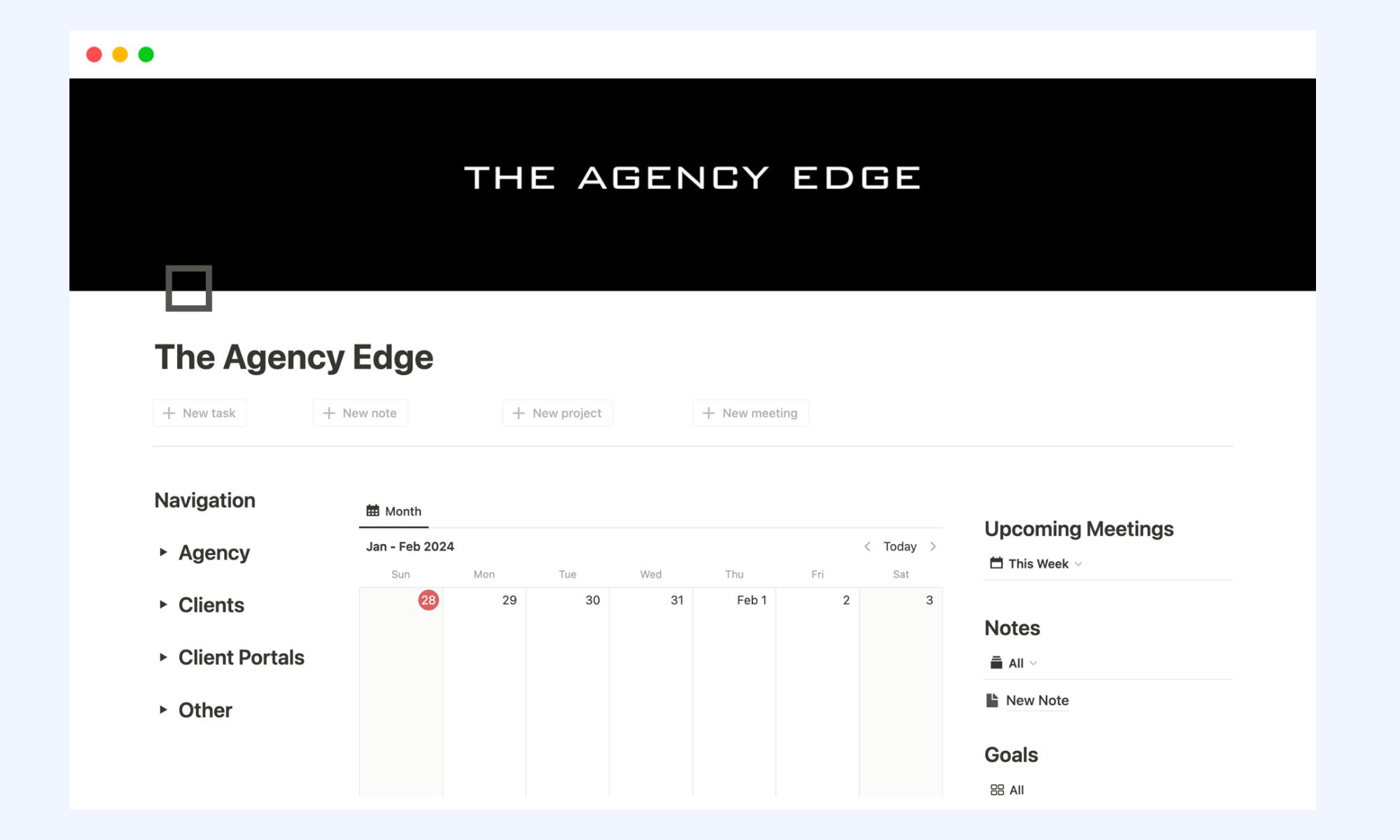
Image source: notion.com
Key features:
- Task and project organization with lists, boards, and timelines
- Custom fields and workflow automation
- Integrations with time-tracking apps (for hour logging)
- Collaboration tools like comments and mentions
- Dashboards and basic reporting for project visibility
Pros:
- Excellent task management and planning features
- Great for team collaboration and communication
- Flexible views (list, board, calendar, timeline)
- Strong ecosystem with many integrations
Cons:
- No native built-in time tracking
- Advanced reporting and features require paid plans
Pricing:
- Free plan: $0 per member/month
- Plus plan: $10 per member/month
- Business plan: $20 per member/month
- Enterprise plan: Custom pricing
15. Zoho Projects: Budget-friendly agency project tracking
Zoho Projects is a budget-friendly project tracking platform designed for agencies and small teams that need structured workflows without high costs. It offers task management, time tracking, automation rules, and collaboration tools to keep projects on schedule. With tight integration across the Zoho ecosystem, it helps agencies manage work efficiently while staying within budget.
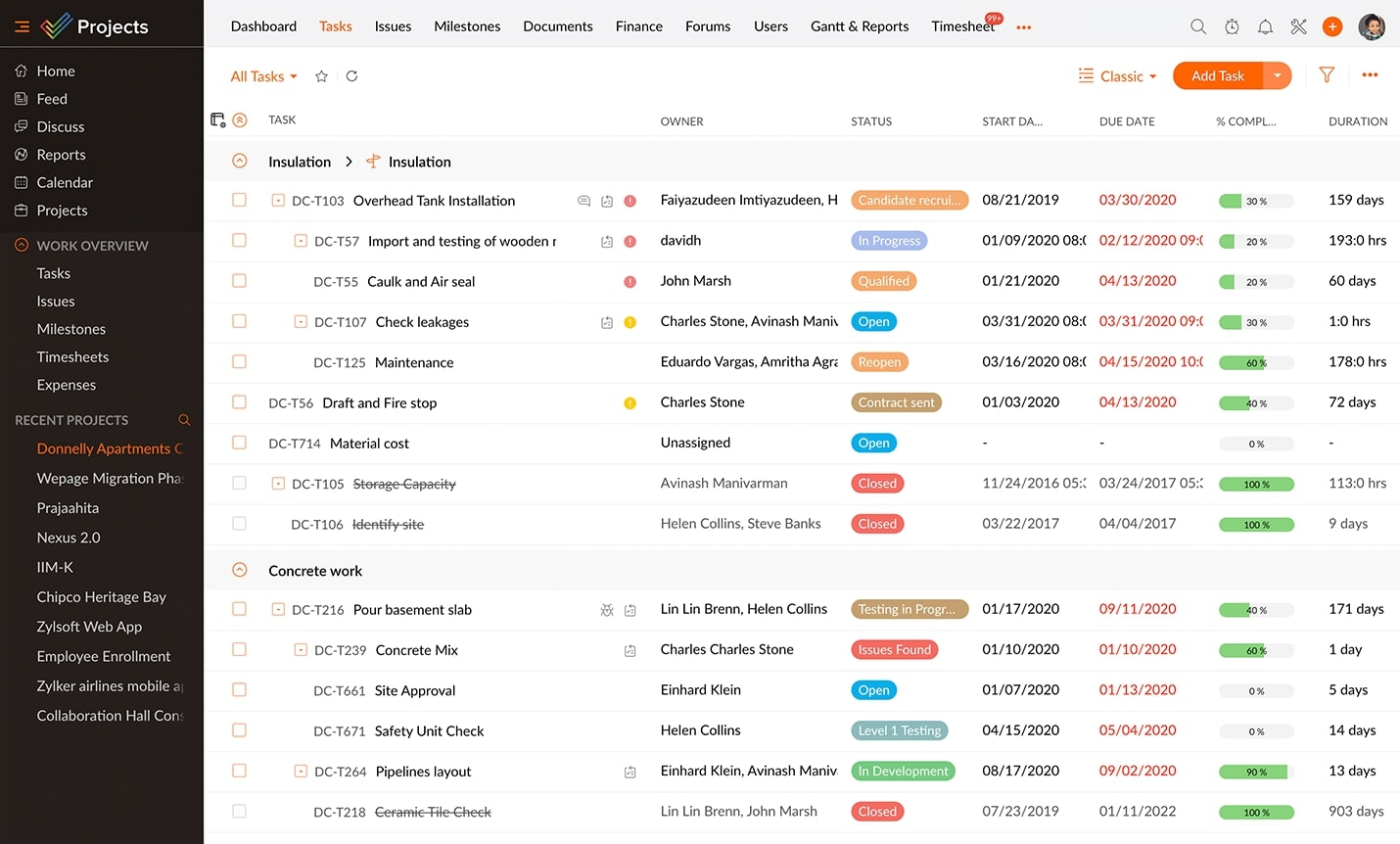
Image source: zoho.com
Key features:
- Automatic background time tracking for apps & websites
- Focus and distraction analysis
- Productivity scoring and daily reports
- Goal setting and alerts for time limits
- Detailed dashboards with trend insights
Pros:
- Runs quietly with minimal manual input
- Excellent visibility into digital habits
- Helps identify productivity blockers
- Great for individual focus improvement
Cons:
- Limited task or project-level tracking
- Some advanced insights require paid plans
Pricing (billed annually):
- Free: $0 (up to 5 users)
- Premium: $3.05 per user/month
- Enterprise: $6.86 per user/month
- Ultimate: $10.68 per user/month
- Zoho projects plus: Custom pricing
How to choose your best agency management system
Selecting the best agency management system depends on how well the platform aligns with your agency's structure, services, and growth plans. The right system should support daily execution today while scaling smoothly as client demands increase. Here's how to evaluate your options effectively:
- Agency size and service mix: Start by assessing the size of your agency and the services you offer—creative, marketing, development, consulting, or a mix. Smaller agencies may need lightweight tools with simple workflows, while larger agencies require robust systems that can handle multiple teams, service lines, and concurrent projects without losing visibility.
- Client complexity: Consider how complex your client engagements are. Agencies managing retainers, , or enterprise clients need advanced workflow tracking, milestone management, and dependency mapping. A system that supports layered workflows ensures nothing slips through the cracks as complexity grows.
- Need for financial visibility: Financial insight is critical for agency profitability. Look for a platform that provides clear visibility into budgets, billable hours, utilization rates, invoices, and margins. The best agency management system connects project execution directly with , helping leaders make smarter decisions.
- Team collaboration style: Every agency collaborates differently—some rely on real-time chat and quick approvals, while others prefer structured task handoffs and documentation. Choose a system that matches how your team communicates, shares files, tracks feedback, and moves work forward without friction.
- Long-term scalability: Finally, think beyond your current needs. The right agency management system should grow with your agency by supporting more clients, users, workflows, and integration over time. Scalable automation, reporting, and customization ensure you won't outgrow the platform as your agency evolves.
Conclusion
Choosing the right agency management system is no longer just about tracking tasks—it. It's about creating a scalable foundation for growth. As agencies take on more clients, , and collaborate across distributed teams, the need for unified workflows, financial visibility, and seamless communication becomes critical. The tools covered in this list each serve different agency needs, from lightweight project tracking to full client lifecycle management.
Platforms like highlight how modern agency systems can combine collaboration, workflows, and documentation in one place, helping teams move faster without added complexity. Ultimately, the best agency management system is the one that fits your agency's structure today while supporting where you want to go tomorrow.
Simplify management today with Lark
FAQs
What is the difference between AMS and CRM?
An Agency Management System (AMS) focuses on managing internal agency operations such as project delivery, resource allocation, time tracking, billing, and workflows. A CRM, on the other hand, is primarily designed to manage leads, sales pipelines, and customer relationships. Many agencies use both, or choose an AMS that includes built-in CRM capabilities.
What is the best CRM for agencies?
The best CRM for agencies depends on team size and workflow complexity. Agencies often prefer CRMs that integrate tightly with project management, billing, and marketing tools. Popular choices include CRM platforms built into broader agency management systems or standalone tools that connect easily with workflow and collaboration platforms.
How long does it take to implement an agency management system?
Implementation time varies based on system complexity and agency size. Smaller teams can get started within a few days, while larger agencies with custom workflows, data migration, and training needs may take several weeks. A phased rollout often ensures smoother adoption.
Do agency management systems support client collaboration?
Yes, many agency management systems offer client portals, shared dashboards, file sharing, and approval workflows. These features allow clients to review deliverables, provide feedback, and track progress without disrupting internal workflows.
What features matter most for scaling agencies?
Key features include workflow automation, resource and capacity planning, financial visibility, reporting, integrations, and collaboration tools. Scalable systems help agencies maintain efficiency, profitability, and service quality as teams and client volumes grow.
Related reading







![What Is a 2-2-3 Work Schedule? Explanation and More [2024]](https://framerusercontent.com/images/uKHRfkp4v7y4azRNTYUmuteNQz8.png)