














How to Manage Multiple Projects: 12 Strategies for Success

Ryan Tanner
Product Marketing Specialist
Sep 18, 2026
Ryan Tanner
Sep 18, 2026

13 min read


Managing several projects at once can feel overwhelming, especially when deadlines, tasks, and teams overlap. Learning how to manage multiple projects effectively requires the right balance of planning, communication, and technology. That's where Lark, an all-in-one collaboration platform, can make a difference. With tools for messaging, file sharing, video meetings, and task management all in one place, Lark helps streamline workflows and keep everyone aligned. Let's dive into our guide and manage multiple projects with ease, instead of struggling with them.

What is project management?
Project management is the process of planning, organizing, and overseeing resources (people, time, and budget) to achieve specific goals and complete a project successfully. It ensures that a project is completed on time, within scope, and within budget while meeting the desired quality standards.
Key aspects of project management include:
- Planning: Defining objectives, tasks, timelines, and resources.
- Organizing: Assigning responsibilities and structuring the workflow.
- Executing: Implementing the plan and coordinating teams to complete tasks.
- Monitoring & controlling: Tracking progress, managing risks, and adjusting plans as needed.
- Closing: Completing deliverables, evaluating outcomes, and documenting lessons learned.
Project management can apply to any type of work—from building a bridge, launching a new product, to organizing an event—and often involves using project management tools and methodologies (like Agile, Waterfall, or Scrum) to streamline the process.

Image source: unsplash.com
Why is it hard to manage multiple ones
Managing multiple projects can quickly become overwhelming, with competing deadlines, shifting priorities, and numerous team members to coordinate. The key to success is having a system that keeps tasks organized, communication clear, and progress visible. This is where Lark comes in. As an all-in-one collaboration platform, Lark allows you to centralize project management, track tasks, schedule meetings, and share documents—all in a single workspace. By using Lark, teams can stay aligned, reduce confusion, and manage multiple projects efficiently, turning potential chaos into smooth, productive workflows.
12 proven strategies: How to manage multiple projects with Lark
Managing multiple projects at once can be overwhelming. Deadlines overlap, priorities shift, and coordinating teams across different tasks can quickly become chaotic. Even experienced managers often struggle with keeping everything organized. The key is to establish clear systems that maintain transparency, structure, and flexibility. Below are 12 proven strategies—with actionable ways to execute them using Lark, the all-in-one collaboration and productivity platform:
1. Designate one place to house all projects
Challenge: Information is scattered across emails, chat apps, and spreadsheets, making it hard to track all projects. Teams waste time searching for updates or duplicating work.
Solution: Centralize all projects in a single workspace to reduce confusion and increase efficiency.
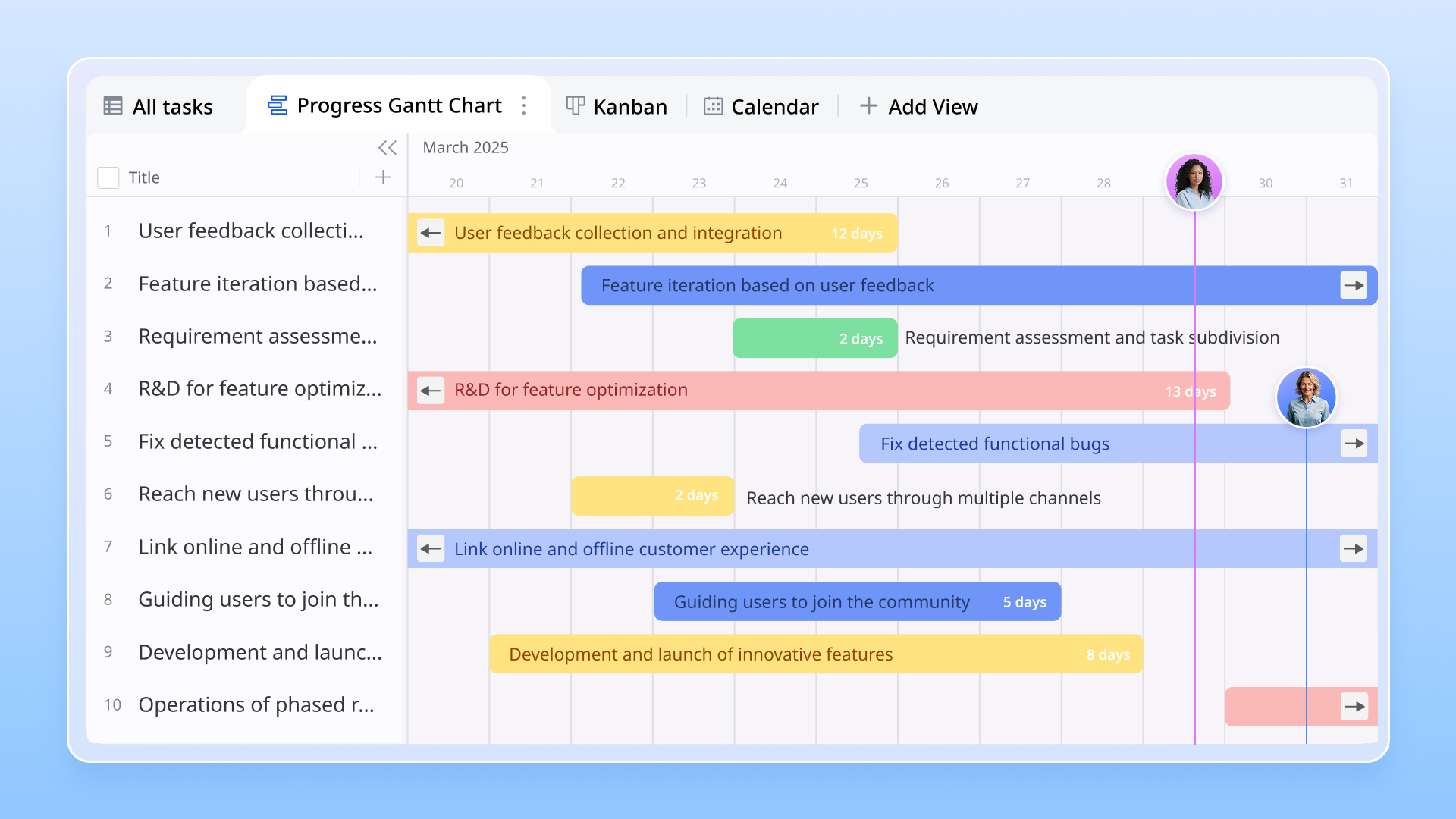
Example: In Lark, create a dedicated "Project Management" workspace. For a marketing team managing multiple campaigns, create separate project groups for each campaign like "Product Launch," "Social Media," and "Email Marketing." Attach relevant documents, task lists, and meeting notes in each group. This ensures stakeholders have instant access to the same information, eliminating lost updates and miscommunication.
2. Define goals, plans, and expectations early
Challenge: Lack of clarity on project objectives leads to misaligned efforts, wasted time, and missed deadlines.
Solution: Draft a detailed project brief outlining goals, deliverables, timelines, and team responsibilities.
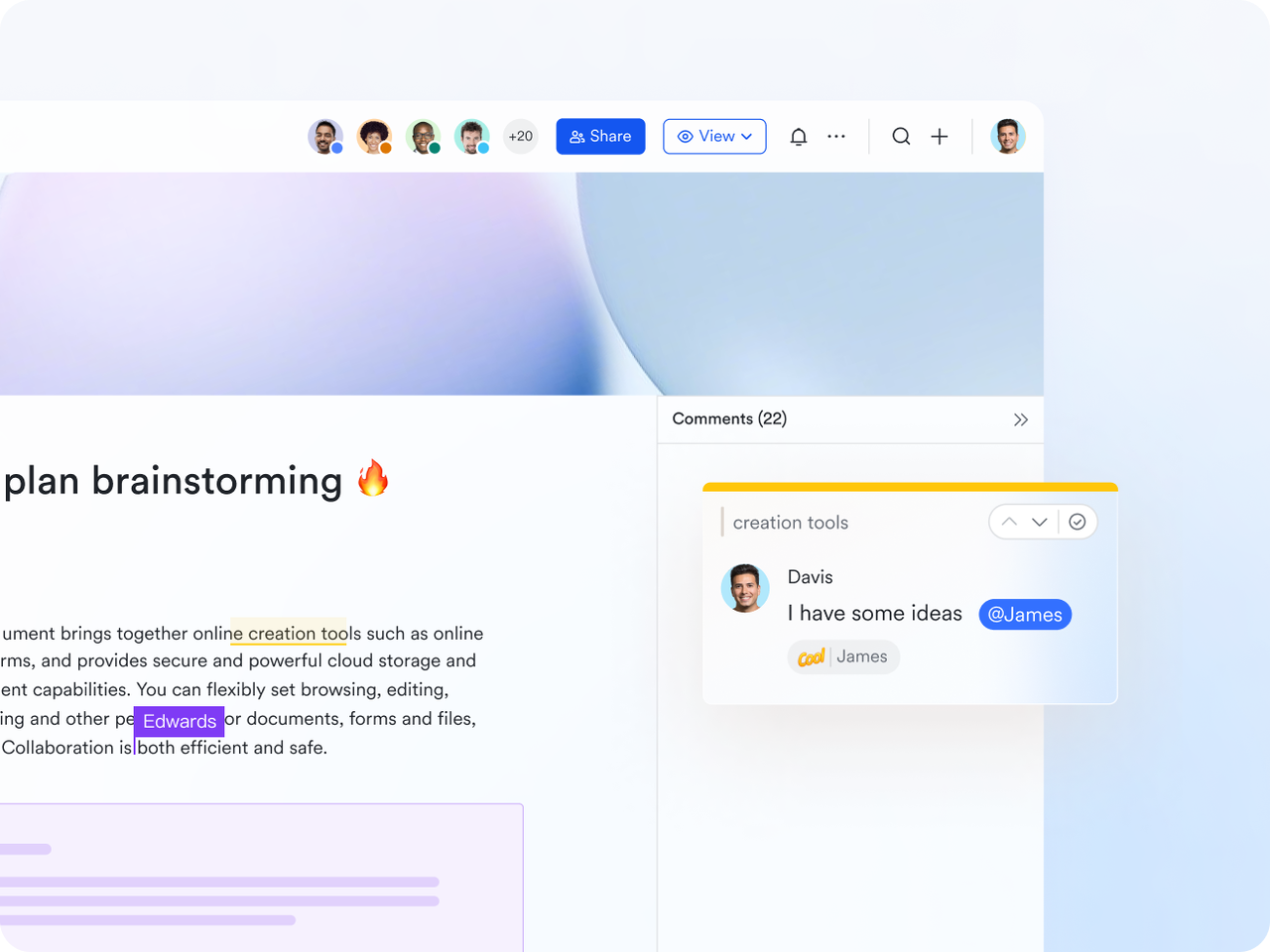
Example: Use Lark Docs to create a shared project brief. For a software development project, outline objectives like "Complete MVP by end of month," assign coding modules, and set testing deadlines. Team members can comment for clarification, and the final brief can be pinned in the project group so everyone knows the expected project management objective from the start.
3. Prioritize work based on impact
Challenge: Trying to do everything at once leads to burnout and critical tasks being overlooked.
Solution: Rank projects or tasks by urgency and business impact to focus on what matters most.
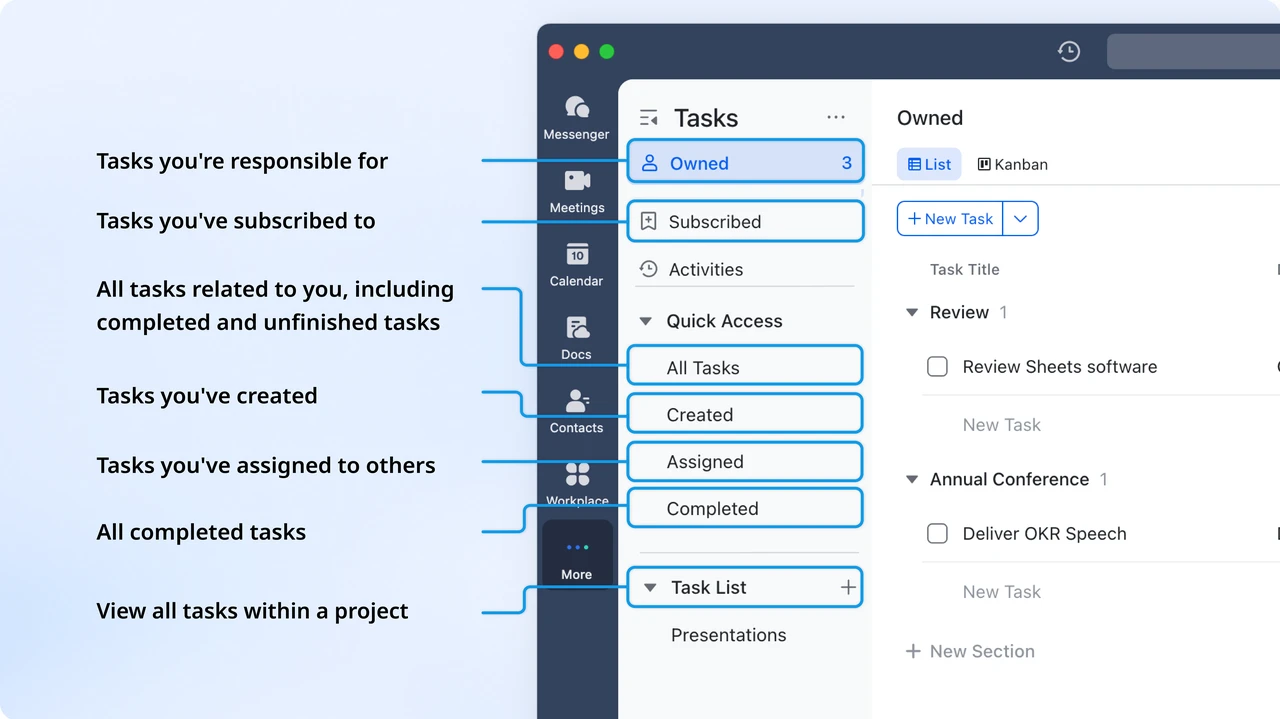
Example: In Lark Tasks, label tasks as High, Medium, or Low priority. For a consulting team, mark urgent client deliverables as High and internal updates as Medium. Review priorities in weekly Lark Meetings to adjust focus based on deadlines, ensuring the team tackles the most critical tasks first.
4. Stay flexible when priorities change
Challenge: Projects rarely go exactly as planned, and sudden changes can derail schedules.
Solution: Maintain visibility across all projects and adjust assignments in real time.
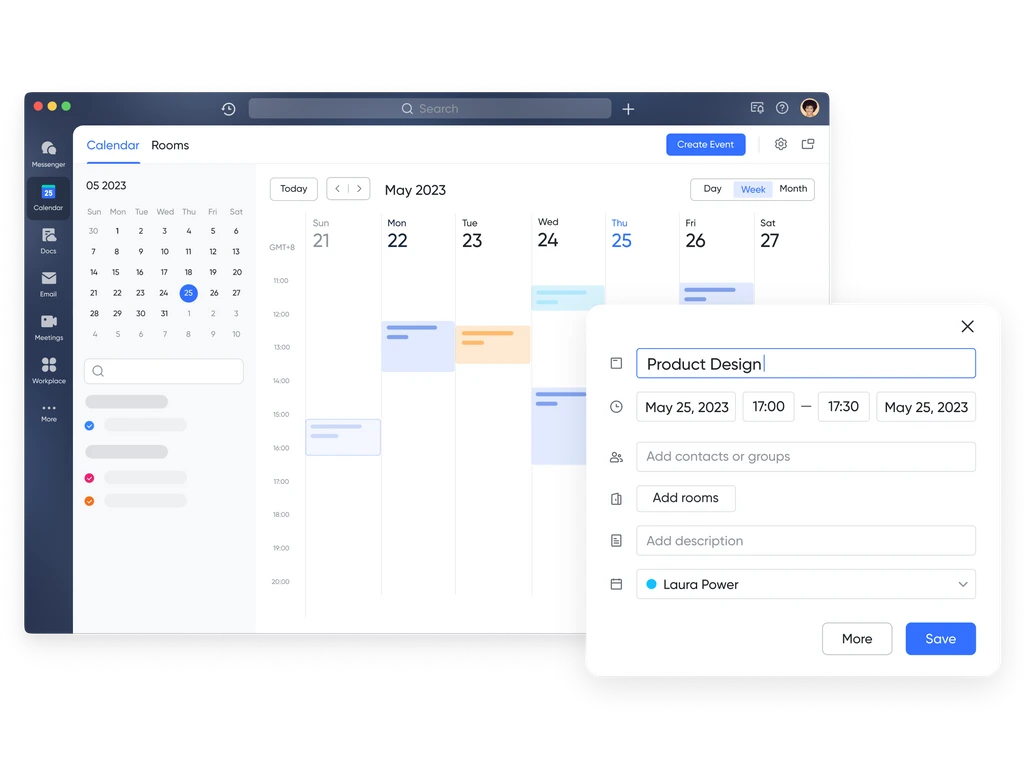
Example: Use Lark Calendar to visualize overlapping project timelines. If a deadline for a product launch shifts, update the task in Lark, and team members automatically receive notifications. This allows everyone to adjust their work without confusion or wasted effort.
5. Communicate expectations clearly
Challenge: Miscommunication between stakeholders and teams causes delays, duplicated work, and errors.
Solution: Maintain transparent, regular communication and clearly define roles.
Example: In Lark Messenger, pin a "Roles & Responsibilities" message for each project. For an event planning team, define who handles logistics, sponsorships, and marketing. Use weekly threads to post status updates, keeping everyone informed without overwhelming the chat with scattered messages.
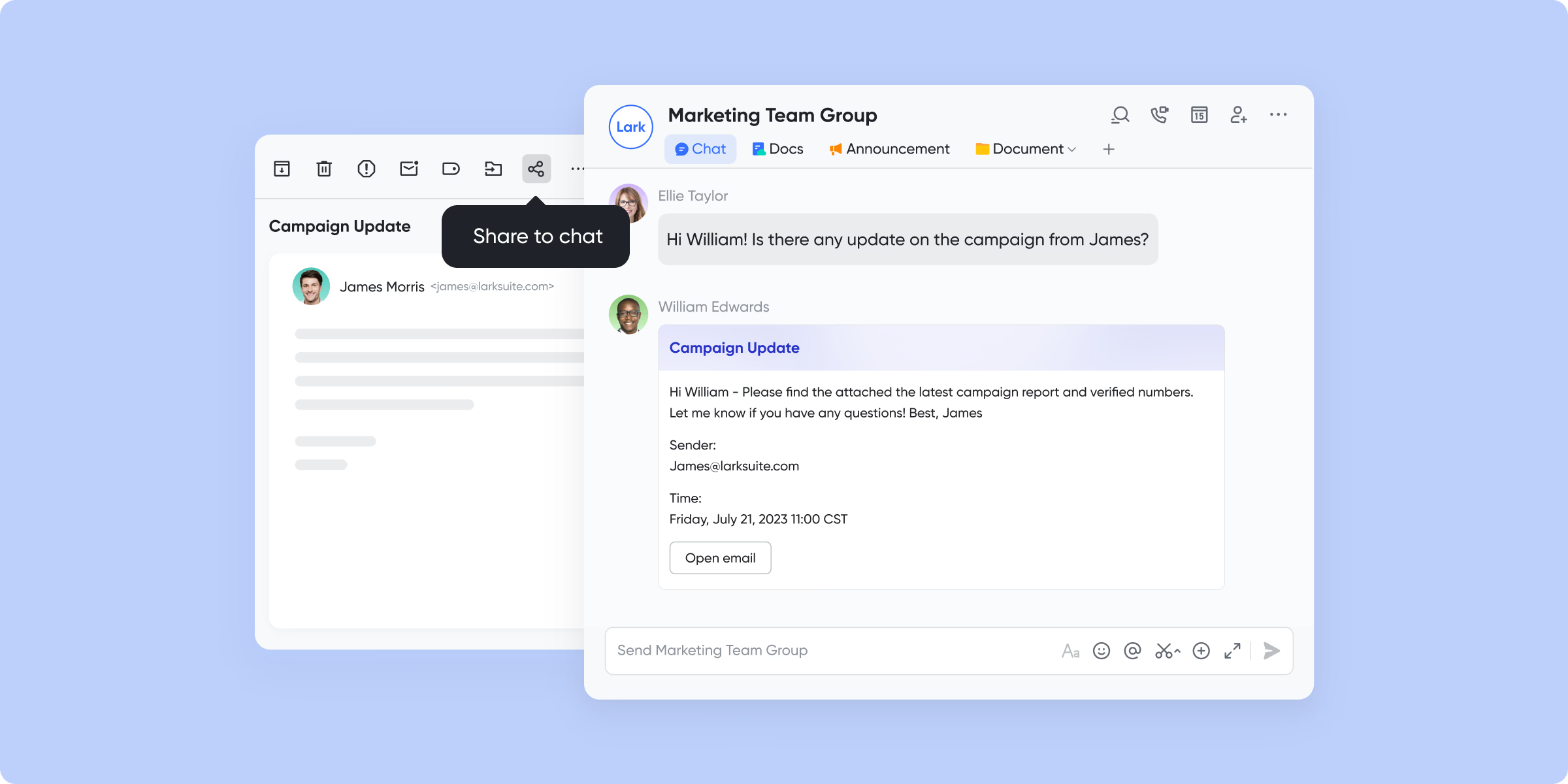
6. Balance team workload across projects
Challenge: Team members can become overloaded if managers don't have visibility into all assignments, reducing productivity and increasing errors.
Solution: Track workload across all projects and reassign tasks to balance capacity.
Example: Use Lark Sheets to list all team members and their current responsibilities. Color-code tasks to indicate high, medium, or low workload. For example, if one developer has multiple high-priority tasks, reassign a task to another team member with capacity to avoid burnout and ensure deadlines are met.
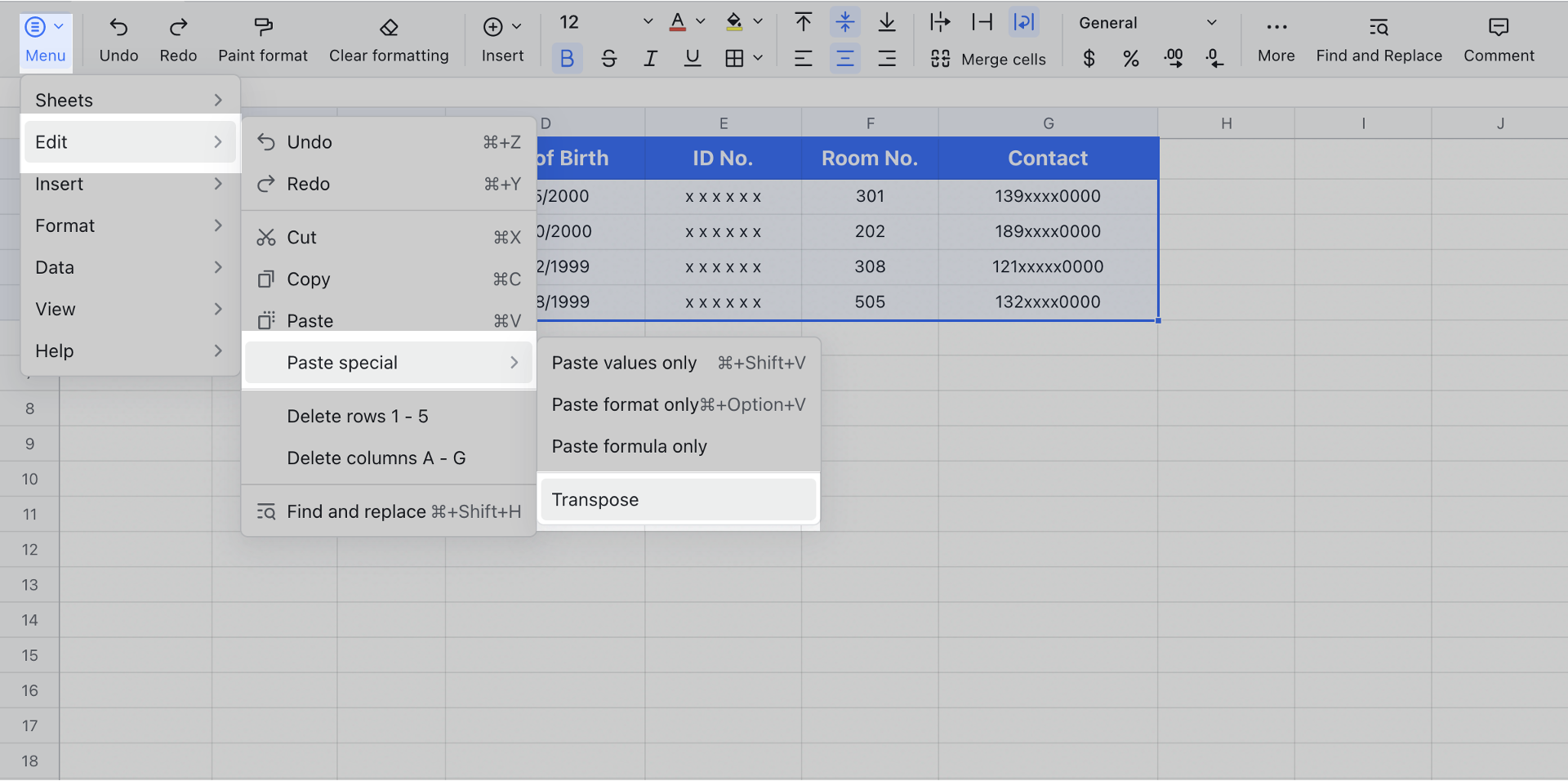
7. Optimize scheduling to avoid conflicts
Challenge: Overlapping deadlines and resource conflicts create bottlenecks and missed deliverables.
Solution: Use shared scheduling tools to map dependencies and avoid conflicts.
Example: Sync Lark Calendar with project timelines. For a design agency, visualize deadlines for client presentations, internal reviews, and deliverable submissions. Color-code milestones and adjust schedules proactively to prevent task clashes and keep work flowing smoothly.
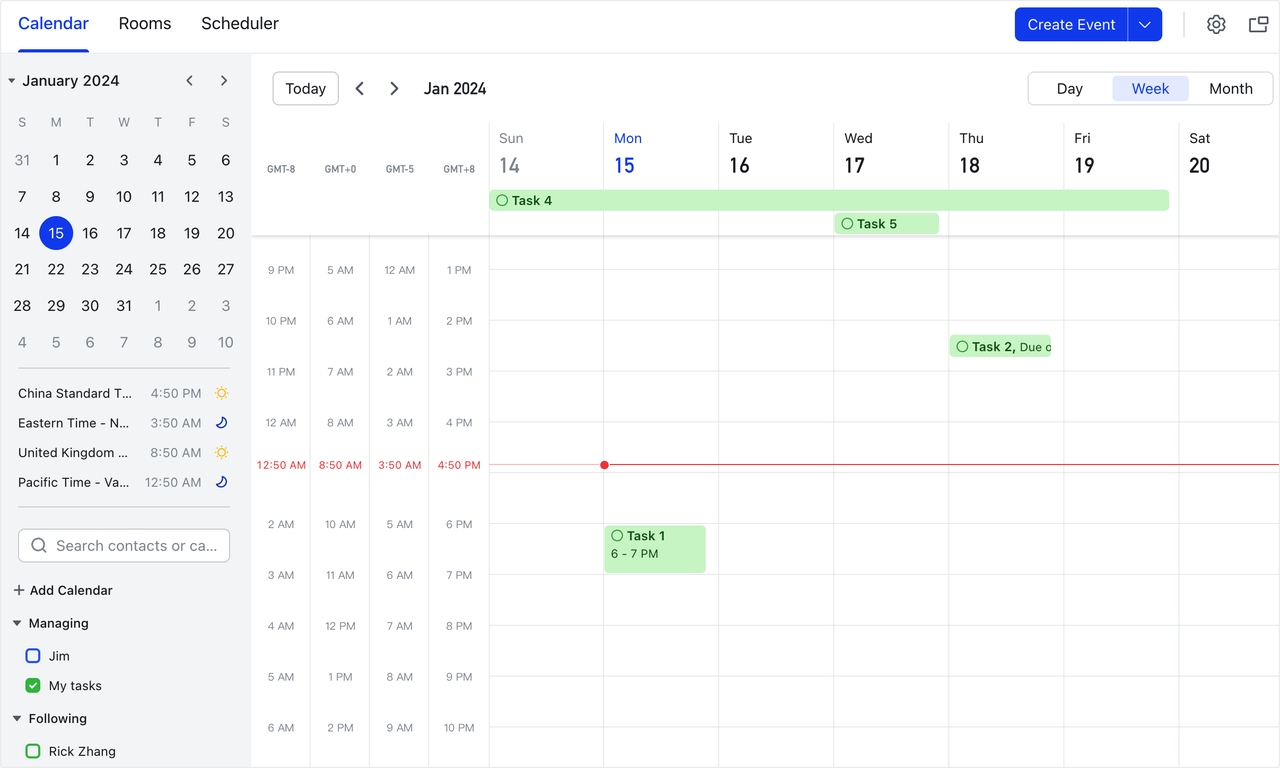
8. Delegate wisely but maintain visibility
Challenge: Managers either micromanage or lose track of delegated tasks, causing inefficiencies.
Solution: Assign ownership clearly but retain oversight through tracking.
Example: In Lark Tasks, assign tasks to specific team members with clear deadlines. Then, you can sync task lists to a Base, allowing you to manage and visualize tasks using different views such as grid, kanban, Gantt, and gallery. In Base, you can track task progress, assign task leaders, set start and end dates, and group tasks by objectives for better alignment. For instance, a project manager can delegate a research report while still receiving notifications when updates occur, ensuring accountability without micromanagement.
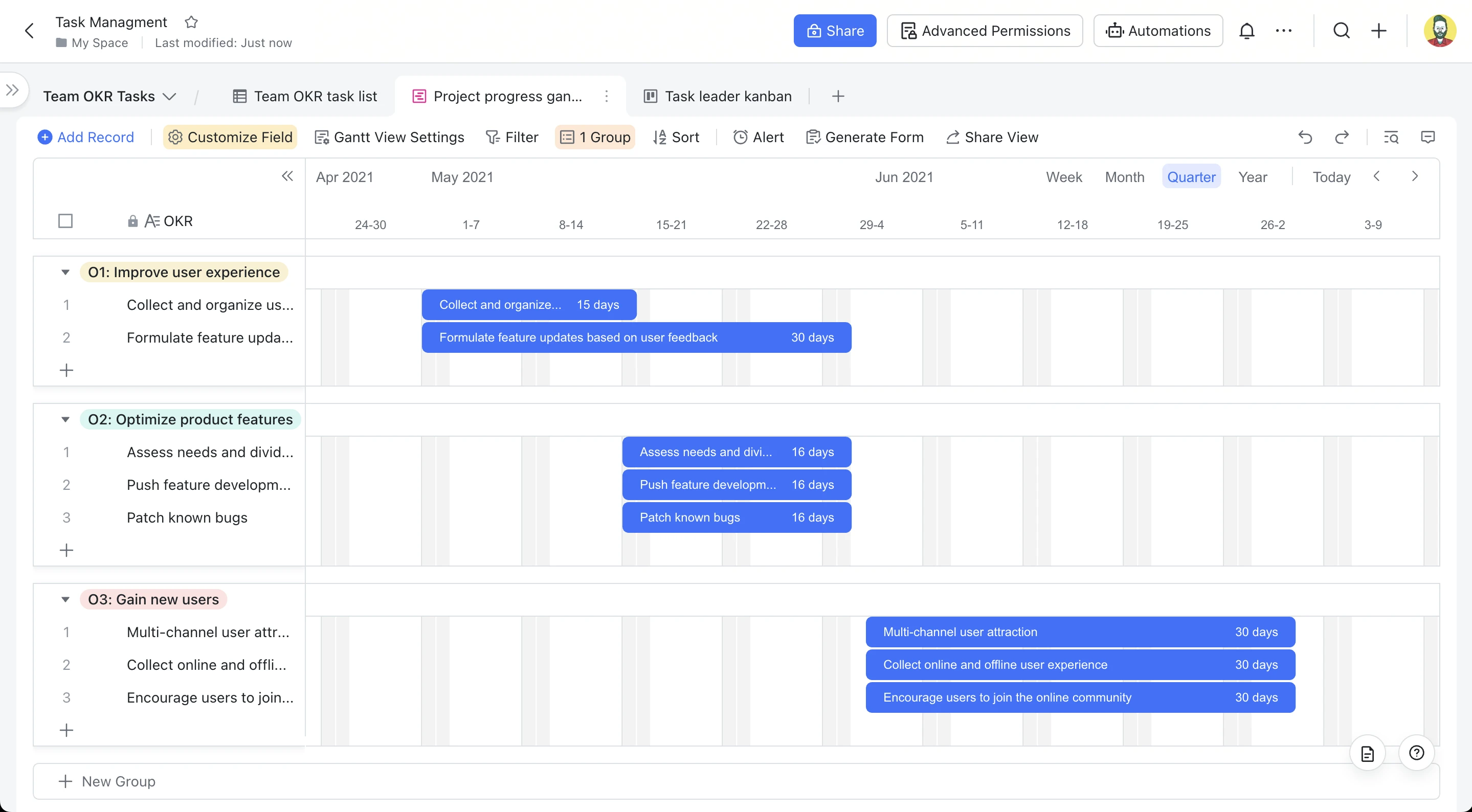
9. Standardize workflows and templates
Challenge: Starting every project from scratch wastes time and introduces inconsistencies.
Solution: Create reusable templates for recurring projects or tasks.
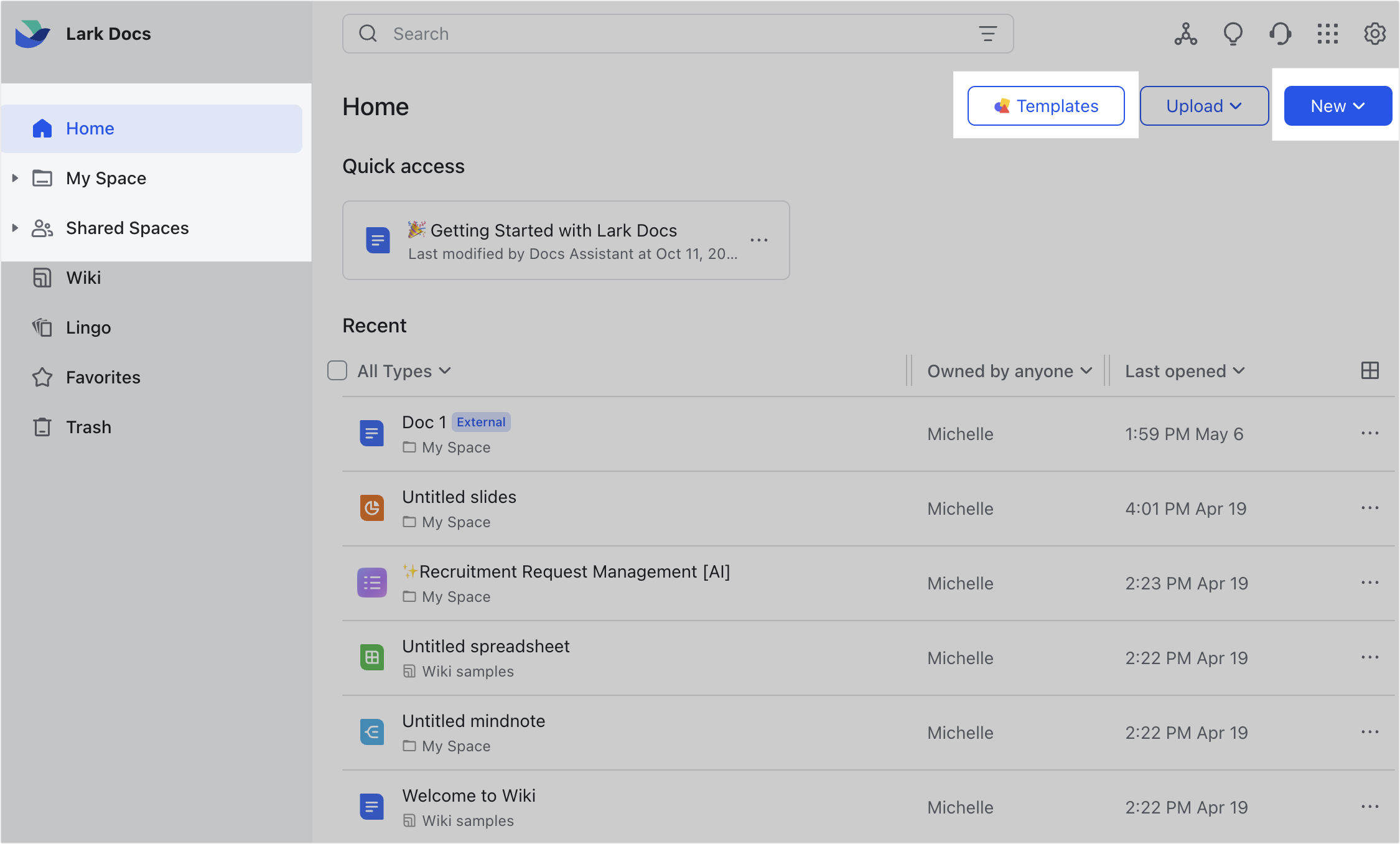
Example: Build a Lark Doc template for recurring projects. For a content marketing team, include task lists, timelines, agendas, and reporting formats. Each new blog post or campaign can duplicate the template, maintaining consistency and saving planning time. Example files can also be attached to guide team members.
10. Automate repetitive work
Challenge: Manually tracking reminders, checklists, or follow-ups consumes time and can lead to missed tasks or inconsistencies.
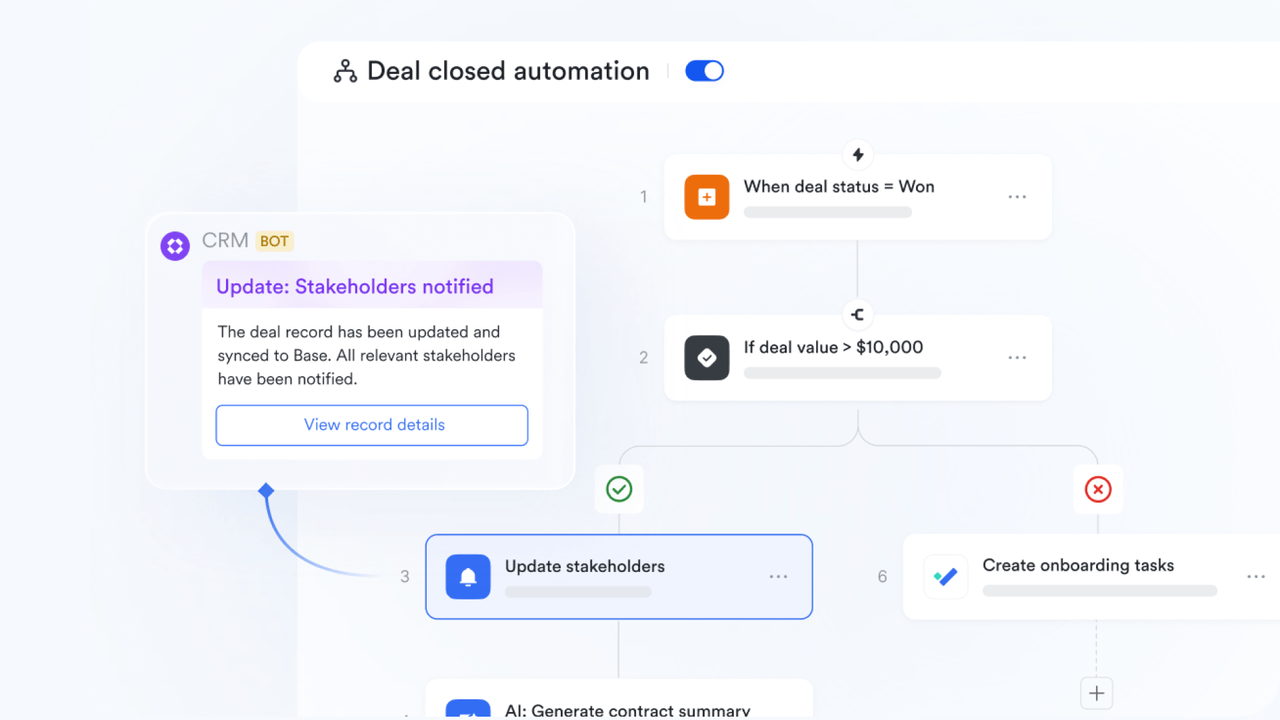
Solution: Use Lark Base’s no-code automation workflows to streamline recurring operations, eliminate manual effort, and minimize errors.
Example: Automatically send reminders in group chats before weekly report deadlines or trigger a message to managers when a project status changes. For a complex workflow, establish rules like "When a record is added, assign it to the right team member and update the task in Lark Tasks." This ensures seamless data flow between systems without manual input.
11. Review progress regularly
Challenge: Projects can drift off course if progress isn't monitored consistently.
Solution: Schedule recurring check-ins to identify roadblocks and adjust plans proactively.
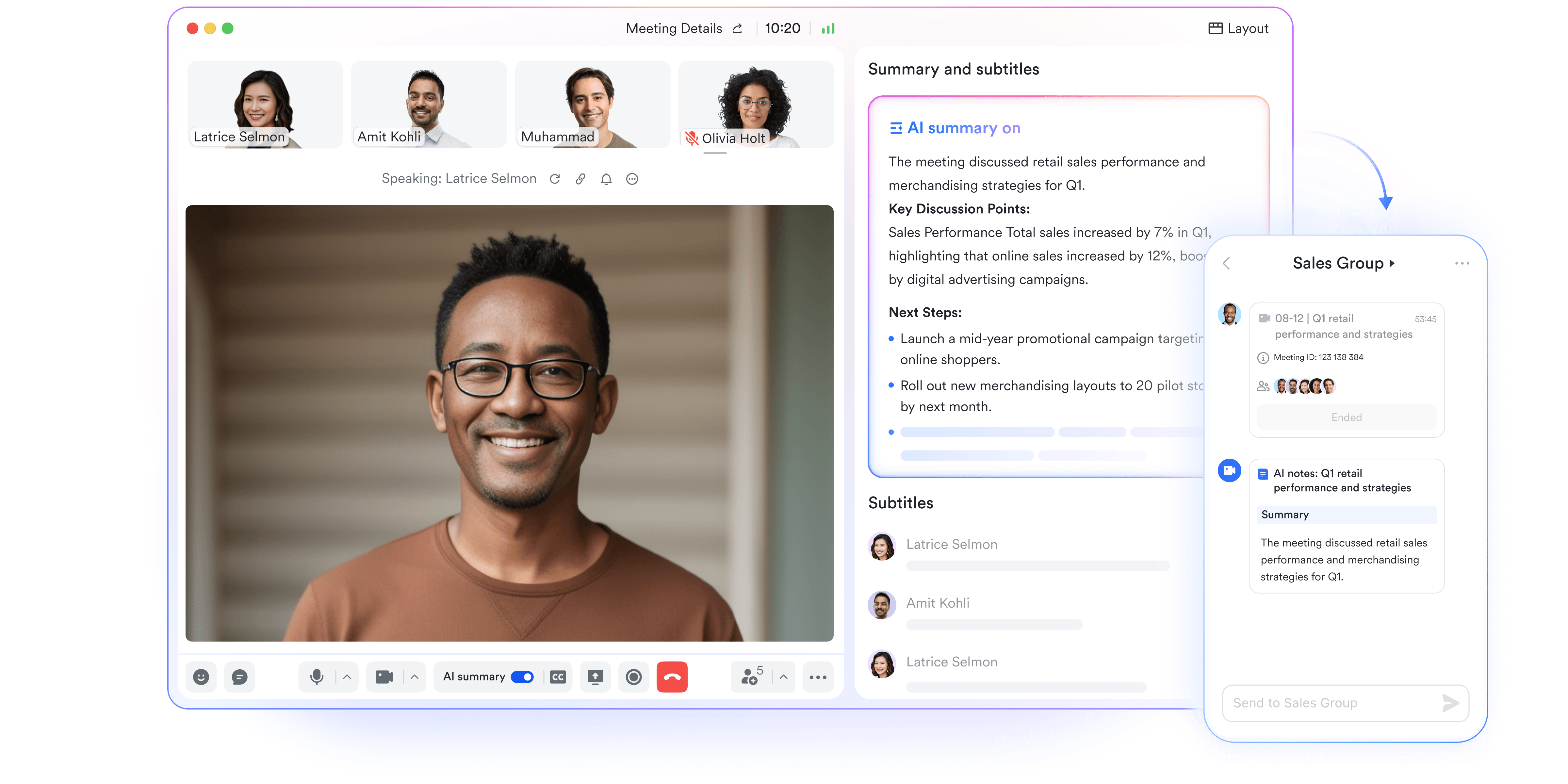
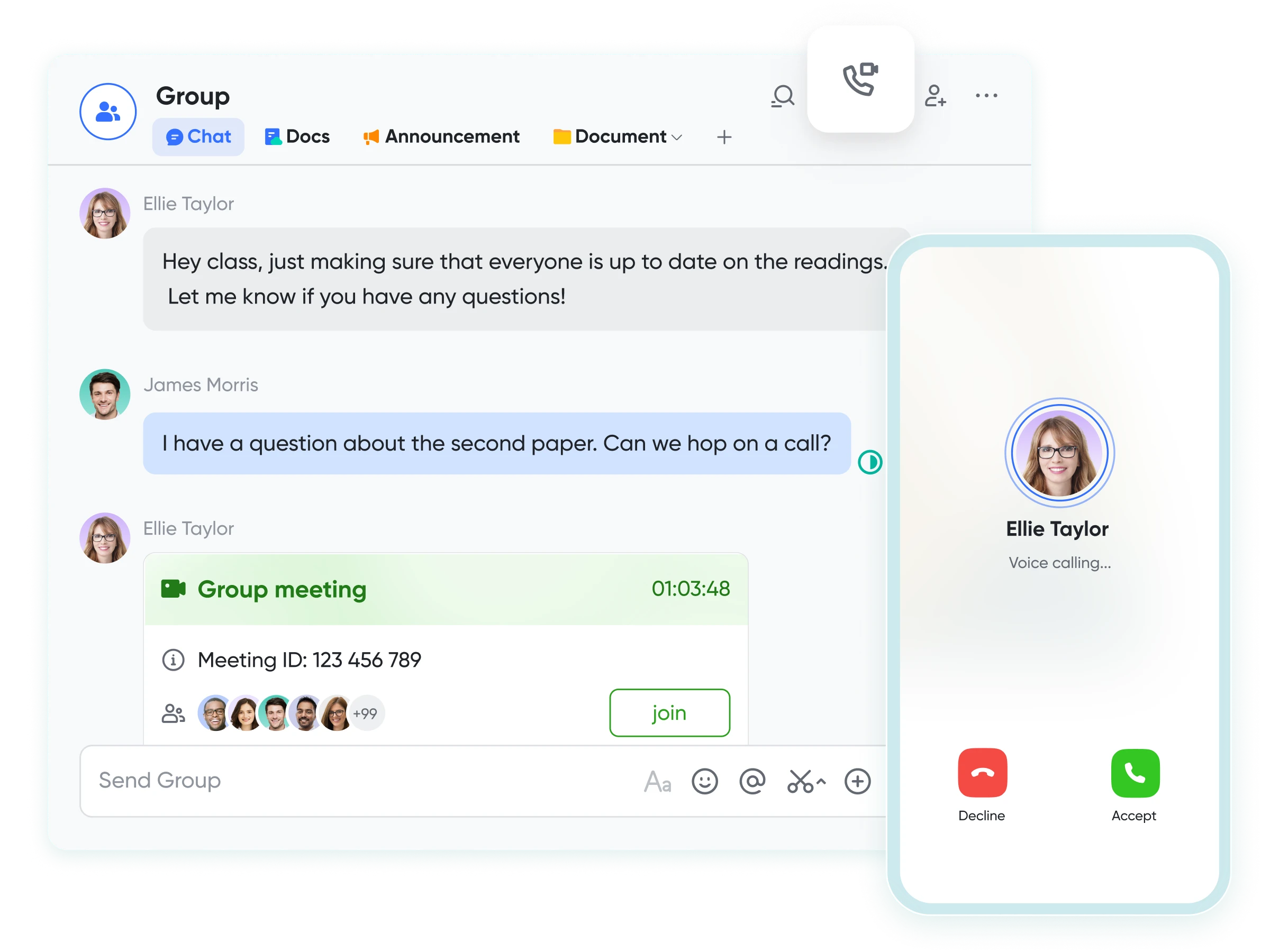
Example: Host weekly or bi-weekly sessions using Lark Meetings. With Magic Share, teams can open the live project dashboard right inside the meeting so everyone reviews the same real-time data — no tab switching. As discussions unfold, AI Meeting Notes automatically captures key decisions, owners, and next steps. After the meeting ends, the recap is shared instantly in Messenger, ensuring clarity, accountability, and continuous alignment across the team.
12. Reflect and improve after completion
Challenge: Teams often repeat mistakes when they skip post-project reviews.
Solution: Conduct retrospectives to identify lessons learned and improve future workflows.
Example: Host a Lark Meetings after project completion. For a marketing campaign, discuss what worked well and what caused delays. Document insights in a shared Lark Doc called "Lessons Learned" and update templates or processes based on these insights to make future projects run more smoothly.
- Starter plan: Free forever plan that includes 11 powerful tools for up to 20 users. It also comes with 100GB of storage, 1000 automation runs, AI translations, and more.
- Pro plan: $12/user/month (billed annually) for up to 500 users. It includes everything in Starter plus group calling for up to 500 attendees, 15TB of storage, 50,000 automation runs, and more.
- Enterprise plan: Contact sales for custom pricing. Supports unlimited users and includes even more automation runs and advanced security, compliance, and management features.
Tips to manage multiple projects successfully
Managing multiple projects can feel overwhelming, especially when deadlines, tasks, and team responsibilities overlap. The key is to stay organized, prioritize effectively, and maintain clear communication. Let's explore 8 tips to manage multiple projects successfully:
- Prioritize like a pro: Focus on high-impact tasks first and don't get lost in low-priority work. Use a ranking system to decide what truly matters each day.
- Break projects into bite-sized tasks: Divide large projects into manageable chunks so progress feels tangible and deadlines are easier to hit.
- Set clear milestones: Define key checkpoints for each project to track progress and celebrate small wins along the way.
- Create a master schedule: Maintain a single timeline or calendar to visualize deadlines across all projects and prevent overlaps.
- Delegate wisely: Assign tasks based on team strengths and availability, but keep track of progress to ensure nothing slips through the cracks.
- Communicate effectively: Hold regular check-ins, provide updates, and encourage feedback to keep everyone aligned and avoid miscommunication.
- Leverage templates and checklists: Standardize recurring workflows to save time, reduce errors, and maintain consistency across projects.
- Reflect and adjust: After each project, review what worked and what didn't, then refine your processes for smoother execution next time.
Conclusion
Successfully managing multiple projects requires more than just juggling tasks—it demands careful planning, clear prioritization, and ongoing communication. Staying organized, setting realistic deadlines, delegating effectively, and reflecting on past projects can significantly improve efficiency and reduce stress. Implementing structured workflows and leveraging templates ensures consistency and saves valuable time. Monitoring progress regularly and adjusting plans when needed keeps projects on track and prevents last-minute chaos.
To make all of this even easier, tools like Lark can centralize tasks, documents, and team communication in one platform, giving you full visibility and control over every project. By combining these strategies with Lark's collaborative features, you can streamline workflows, enhance productivity, and achieve project success more smoothly than ever.
FAQs
How can I stay organized when managing multiple projects?
Staying organized requires centralizing all project information in one place and keeping track of tasks and deadlines. Using a single platform to consolidate files, conversations, and timelines makes it much easier to manage multiple projects. Lark allows you to create dedicated workspaces for each project, manage tasks, share documents, and communicate with your team in real-time, ensuring nothing falls through the cracks.
What's the best way to prioritize tasks across multiple projects?
Prioritization involves focusing on high-impact and urgent tasks first. Clearly categorizing tasks and understanding their impact on overall project goals can prevent missed deadlines and wasted effort. With Lark Tasks, you can assign priorities, set deadlines, and visualize your workload, helping you and your team tackle what matters most without losing sight of other ongoing projects.
How can I effectively communicate with my team across multiple projects?
Clear communication is essential to prevent misunderstandings and delays. Keeping discussions organized by project and providing regular updates ensures everyone knows what's expected and when. Lark Chat and Lark Video Meetings let you organize discussions by project, share updates, and hold real-time meetings, keeping everyone aligned and informed throughout the project lifecycle.
How can I track progress and ensure deadlines are met?
Regular monitoring and updates are key to keeping projects on track. Tracking milestones, task completion, and team workload in one view helps identify issues early before they affect deadlines. Lark provides dashboards and task tracking features that allow you to see progress at a glance, identify bottlenecks early, and make adjustments before deadlines are at risk.
How can I improve efficiency when handling multiple projects?
Efficiency comes from streamlining workflows, reducing repetitive tasks, and eliminating unnecessary steps in processes. Standardizing recurring tasks and automating routine work frees up time for high-priority tasks. Lark enables you to create templates, automate reminders, and centralize documents and communication, so your team spends less time searching for information and more time completing tasks.
Related reading
Table of contents
Start using Lark today

Manage all your work in one place
Boost team efficiency by 10x
Save up to 70% on software costs
Table of contents
Start using Lark today
Manage all your work in one place
Boost team efficiency by 10x
Save up to 70% on software costs
Keep reading







2026 Lark Technologies Pte. Ltd.
Headquartered in Singapore with offices worldwide.






Explore: