


Best Gantt Chart Software to Streamline Projects and Teams

Ryan Tanner
Product Marketing Specialist
Aug 5, 2026
Ryan Tanner
Aug 5, 2026

20 min read


Gantt charts are essential for visualizing project timelines, tracking progress, and ensuring every task stays on schedule. They show who's responsible for what and when, keeping teams aligned from start to finish. With modern tools, creating and managing Gantt charts has become faster and more collaborative. These software solutions simplify scheduling, automate updates, and make teamwork seamless.
In this guide, you'll find a comparison of the best Gantt chart software—both free and paid—to help you choose the right option for your projects and keep your workflow organized and efficient.
- Lark: Offers collaborative, free Gantt chart templates
- ClickUp: Great choice for developers who need customizable templates
- Asana: Provides user-friendly, free Gantt chart templates
- Monday: Known for its visually appealing free Gantt chart templates
- Jira: Features advanced free Gantt chart templates tailored
- Zoho: Helps teams connect tools using synchronized free Gantt chart templates
- OpenProject: Specializes in Excel-based free Gantt chart templates
- Wrike: Known for customizable free Gantt chart templates
- Smartsheet: Offers professional-grade free Gantt chart templates
- Trello: Specializes in Excel-based free Gantt chart templates

Comparison table of online Gantt chart software
What is Gantt chart software?
Gantt chart software is a digital tool that helps plan, schedule, and monitor projects using visual timelines. Each task is represented as a bar that stretches across the calendar based on its start and end dates. This makes it easy to see how tasks overlap, identify dependencies, and track progress at a glance.
Unlike manual Gantt charts made in spreadsheets or drawn on paper, online Gantt chart software—such as Lark—offers real-time updates, automation, and collaboration features. Team members can adjust timelines, assign responsibilities, and comment directly on tasks. This modern approach saves time, reduces confusion, and keeps everyone on the same page throughout the project.
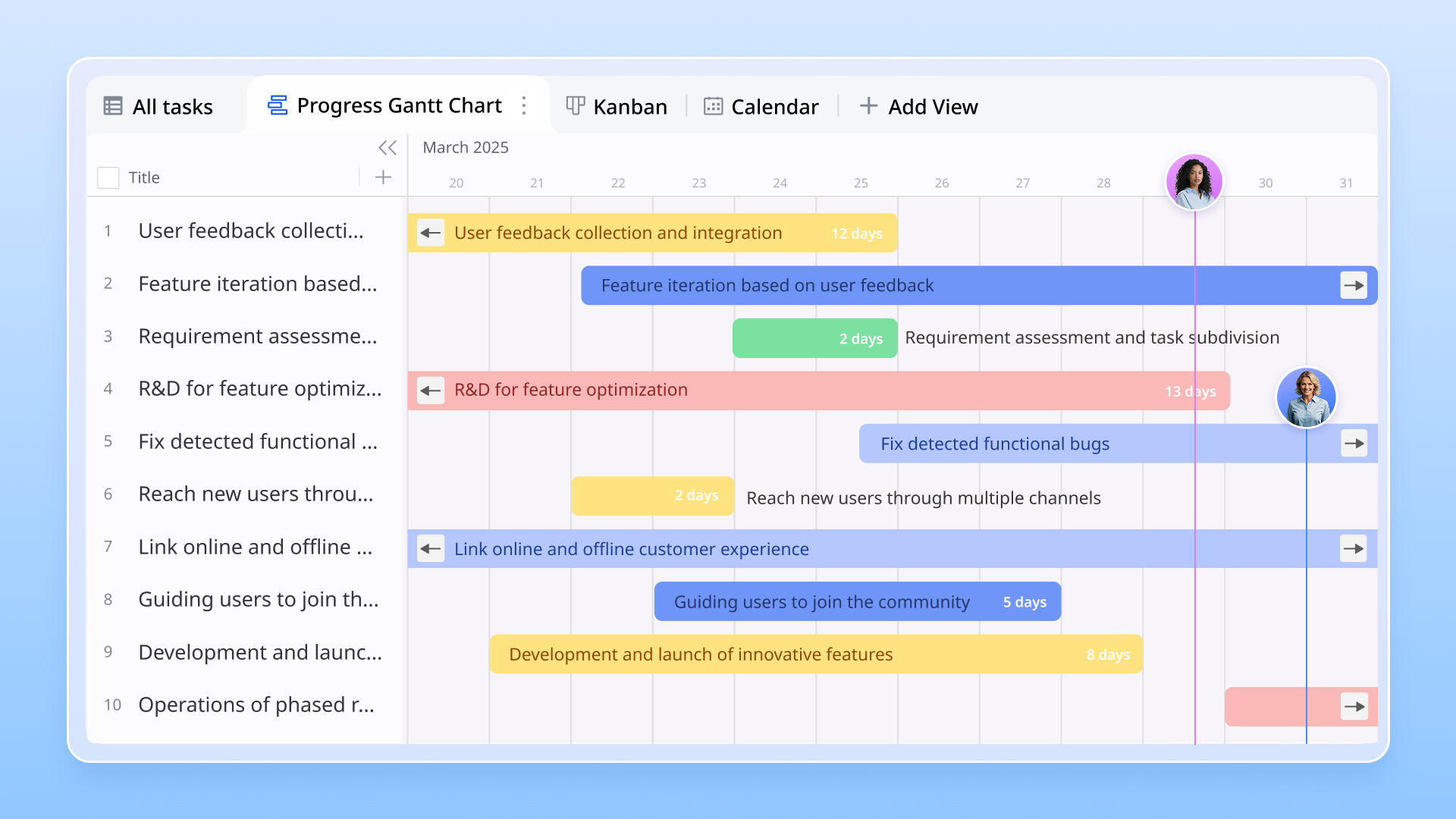
Importance of Gantt chart software
Gantt chart software plays a key role in effective project management by turning complex plans into clear, visual timelines. It improves project visibility, allowing managers and team members to see progress, deadlines, and potential delays in real time.
Tools like Lark enhance team coordination by keeping everyone aligned on priorities and responsibilities. With shared access to schedules and updates, collaboration becomes smoother and more transparent.
The free software also supports better time management by helping teams allocate resources wisely and spot bottlenecks early. For large or multi-phase projects, it simplifies planning by breaking tasks into manageable steps, ensuring every part of the project stays organized and on track.
Key features of Gantt chart software
- Drag-and-drop scheduling: Quickly adjust timelines, rearrange tasks, or update deadlines with a simple drag-and-drop interface.
- Task dependencies and milestones: Visualize how tasks connect, set key milestones, and ensure everything stays on track.
- Resource allocation and workload management: Monitor team capacity, assign tasks effectively, and maintain balanced workloads.
- Collaboration and team communication: Share updates, comment on tasks, and collaborate in real time through platforms like Lark, keeping everyone aligned and informed.
Best Gantt chart software you should check out
1. Lark: All-in-one Gantt chart collaboration
Lark empowers teams to plan, visualize, and execute projects seamlessly using dynamic Gantt charts that bring timelines and task dependencies to life. With everything from team messaging and task tracking to document sharing in one unified workspace, Lark helps teams stay aligned and productive.
Its flexible Gantt chart view allows project managers to map out milestones, adjust schedules in real time, and keep every stakeholder informed. Teams can discuss progress directly within the same platform, eliminating silos and confusion. Whether you're managing complex Agile workflows or simple project timelines, Lark makes collaboration effortless and transparent.
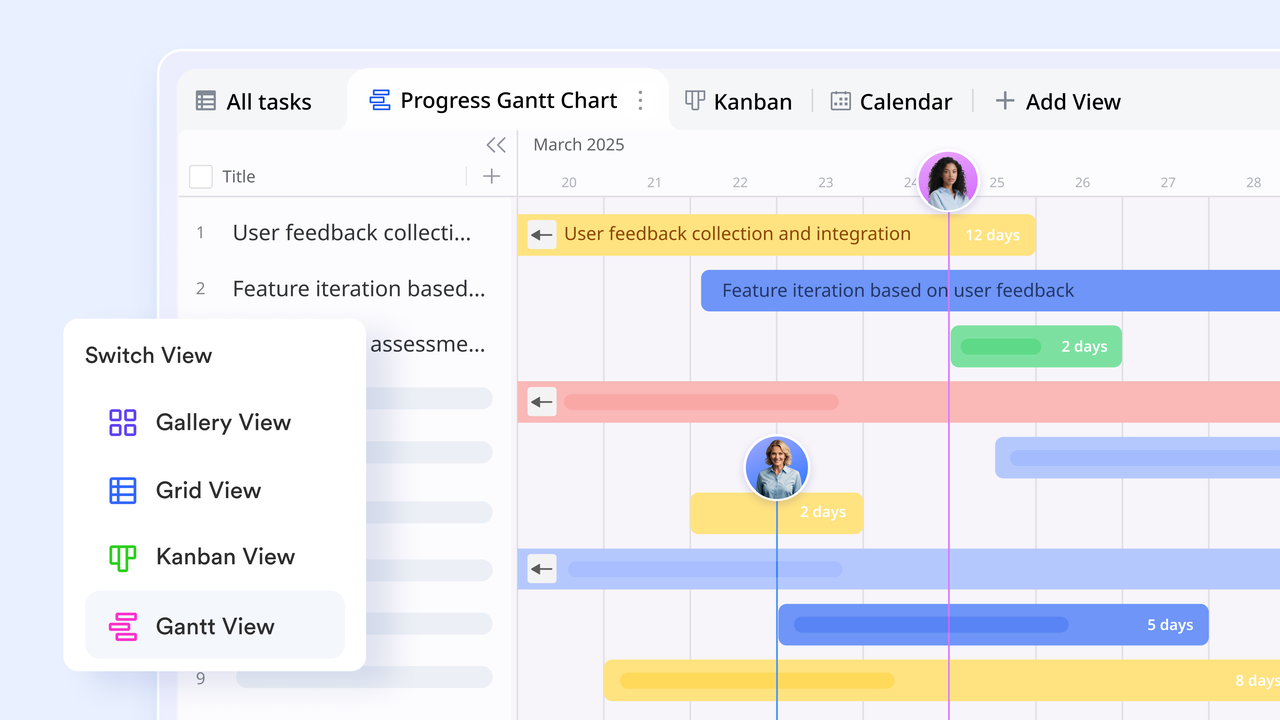
Key features:
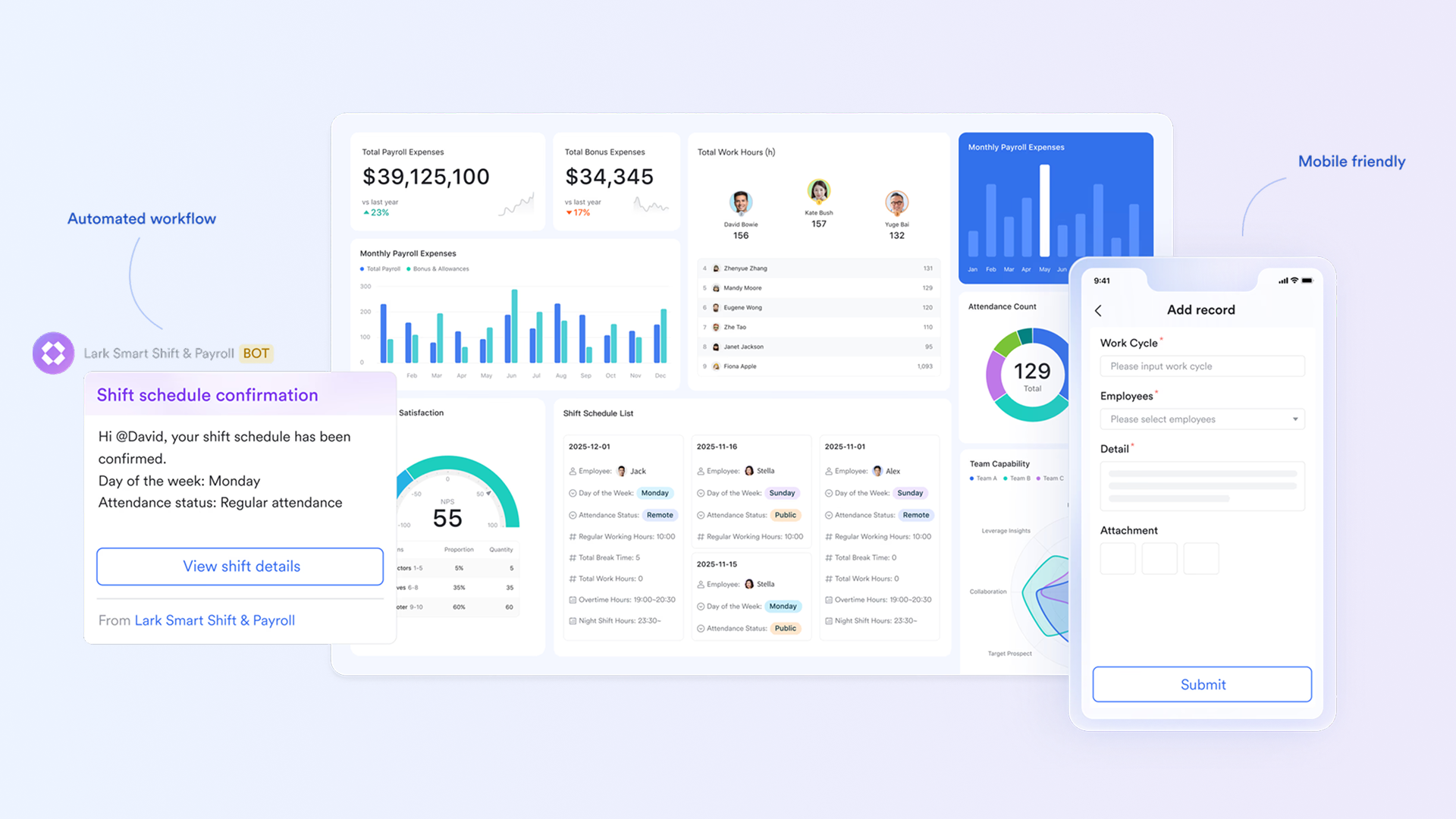
Lark Base: Dynamic Gantt-style timelines with automated workflows
Lark Base turns traditional project plans into dynamic, real-time Gantt-style timelines that bring complete visibility to every stage of execution. Teams can map start and end dates, assign owners, and link task dependencies to see how one change affects the rest of the schedule instantly. When timelines shift, Base updates automatically, keeping the entire team aligned on progress and priorities.
Beyond visualization, Base also includes powerful automation capabilities that remove repetitive manual steps. Custom rules can automatically update task statuses, send reminders for approaching deadlines, or trigger follow-up actions when a phase is completed. These smart workflows ensure that no milestone is overlooked and that every project stays on track from planning to delivery.
Example: A marketing team uses Lark Base to manage a product launch. When the "Design"phase finishes, Base automatically marks it as complete, notifies the "Content" team to start the next stage, and updates the Gantt timeline to reflect the new progress—keeping everyone informed without extra coordination.
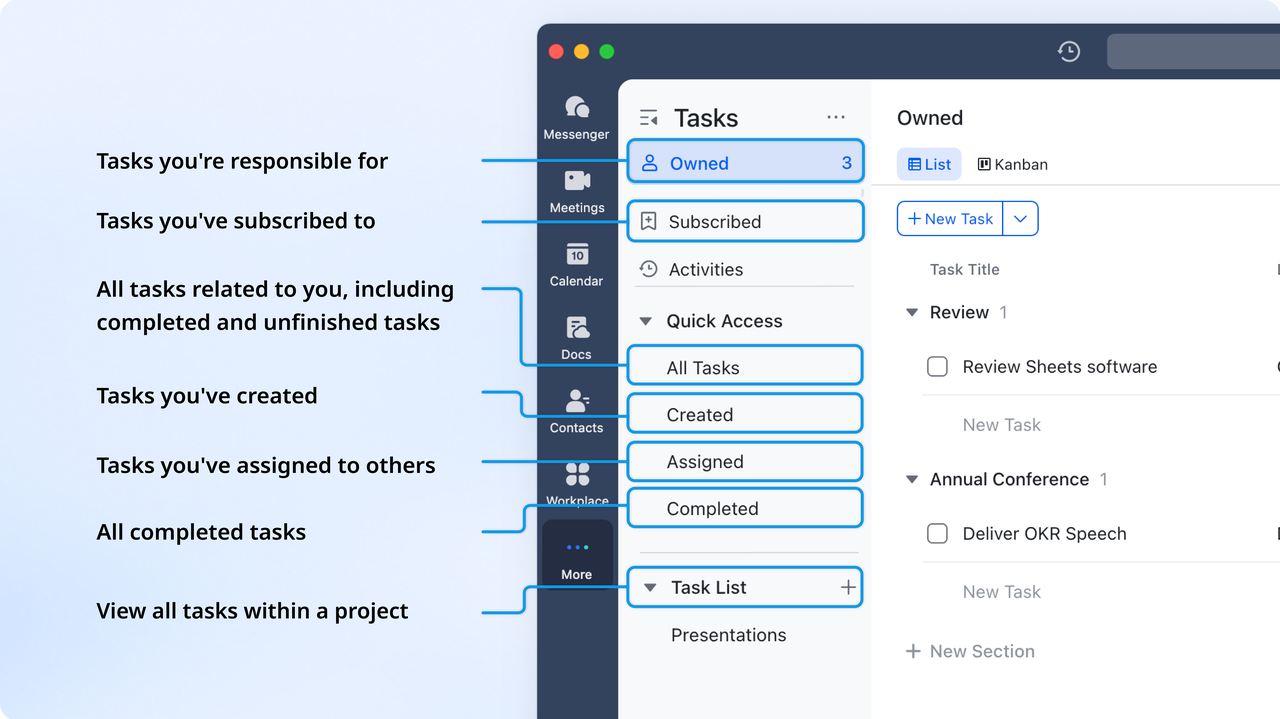
Real-time task synchronization with Lark Tasks
Tasks created from chats, Docs, or directly within Lark Base are linked to their project records. Progress made in Lark Tasks updates Base instantly, ensuring the Gantt timeline always reflects the latest status without manual updates. This live synchronization keeps day-to-day execution aligned with strategic plans.
Example: When a designer marks a creative asset as complete in Lark Tasks, the corresponding record in Base updates instantly, shortening the Gantt bar and giving the entire team real-time visibility on progress.
Contextual linking with Lark Docs and Lark Messenger
Every Base record can include links to related documents and chat threads, keeping all context close to the data. This means project teams don't waste time switching between tools or searching for background discussions. They can quickly open the linked Lark Docsor Lark Messenger conversations from the Base record to review context or follow up instantly.
Example: During a milestone review, the project team opens the linked creative brief in Lark Docs straight from the Base record. They review client feedback in the associated Messenger thread and finalize changes without leaving the workspace.
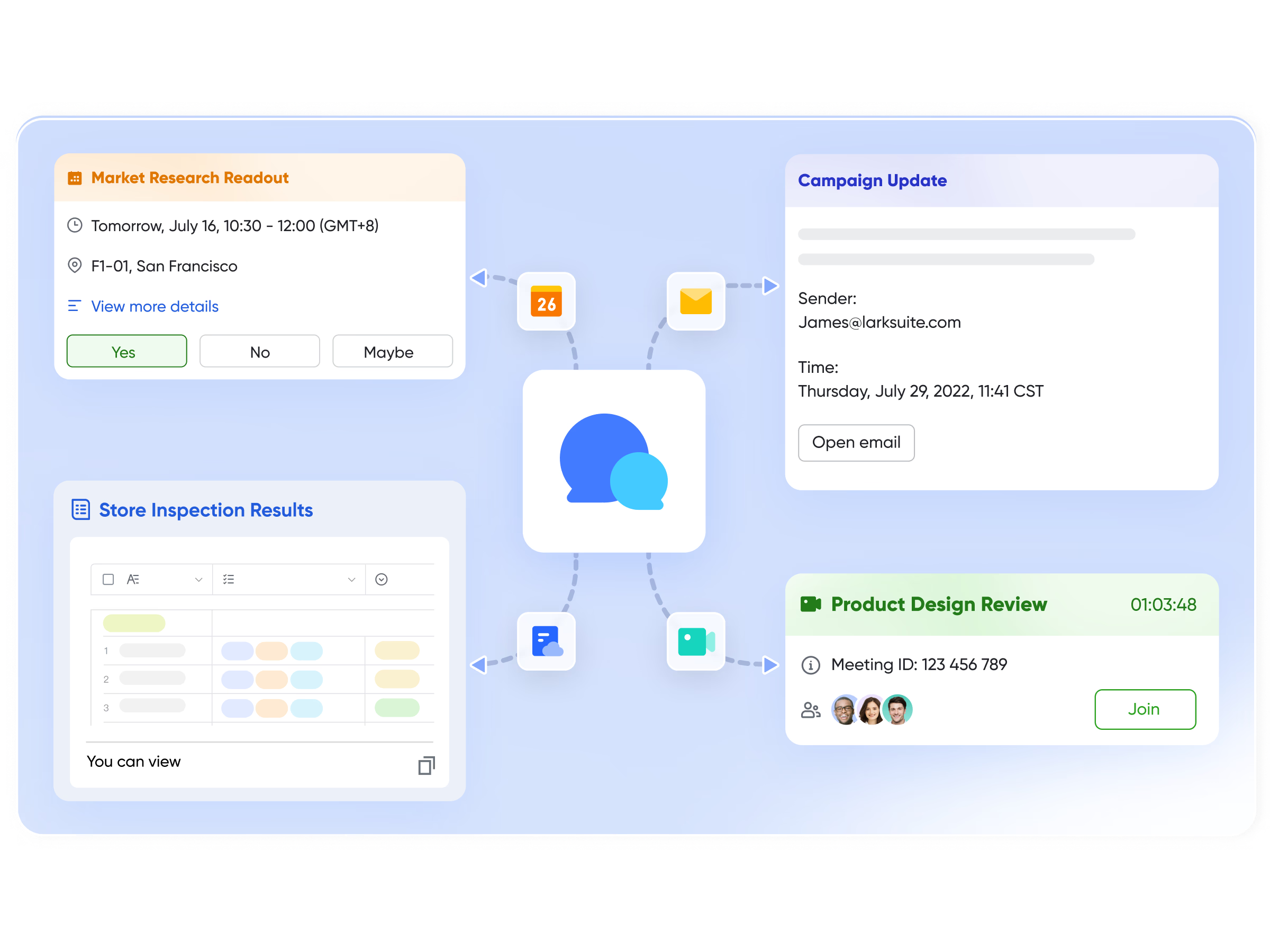
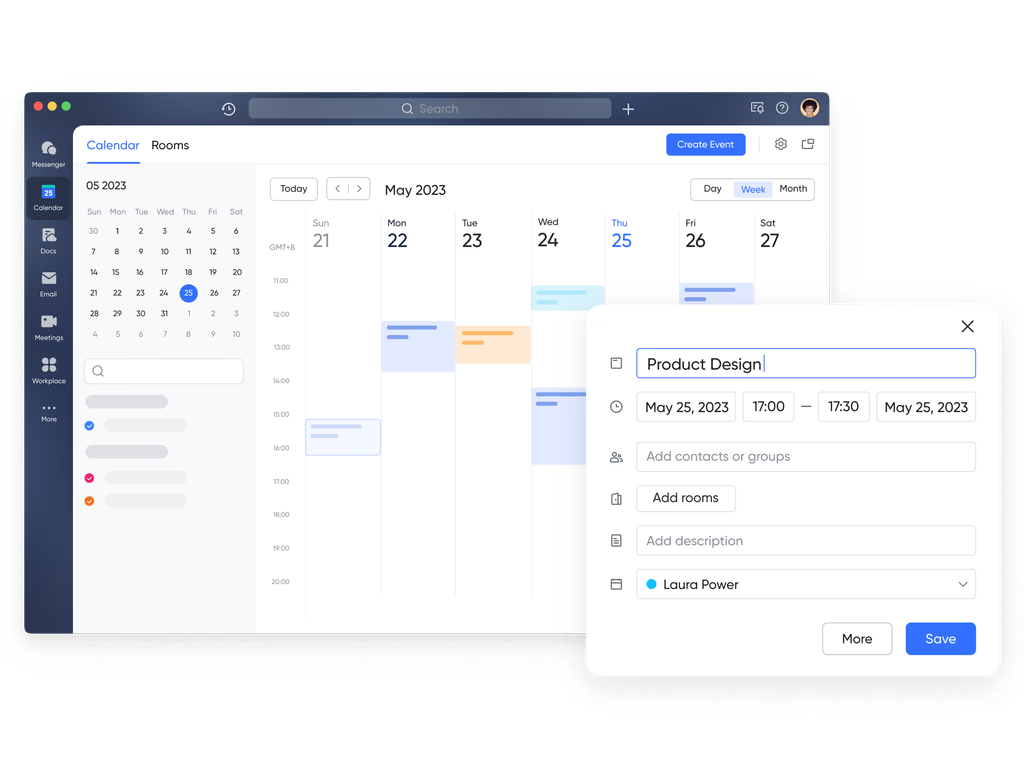
Milestone scheduling and calendar visibility within Lark Calendar
Project milestones and deadlines tracked in Lark Base can be easily reflected in Lark Calendar, helping everyone stay aligned on schedules. Teams can link relevant Base records or supporting documents within calendar events, keeping all context and details in one place. This creates a clear connection between planning and execution, making it easy to move from project timelines to concrete actions.
Example: A milestone labeled "Beta Launch" appears on every participant's Lark Calendar. The event includes links to the Base record and QA checklist, ensuring the team arrives prepared for the release review meeting.
Curated templates:
R&D personnel Gantt chart
This template is tailored for research and development teams, helping you map who's doing what and when across multiple R&D tasks. You'll get a visual timeline with start/end times, personnel assignments, and task status fields. It's built for managers overseeing multiple projects and team members, making oversight clearer and more efficient.
Employee task tracker
Designed for tracking the workload and progress of your team, this template combines Gantt-chart views, Kanban boards, and task-list filters. You can allocate tasks, monitor deadlines, and quickly spot bottlenecks in one place. Ideal for team leads, HR, or any manager coordinating multiple employees and deliverables.
Project Gantt chart
A classic Gantt chart template for planning and tracking project schedules, showing task start and finish dates, dependencies, and milestones. Whether in software, marketing, or construction, it helps keep the project on track, visible, and adaptable as things evolve.
New media podcast content creation management
This template is built for content teams producing podcasts, helping manage episode planning, production timelines, and content tasks from concept to release. With a structured workflow tailored to media production, it supports smooth collaboration and consistent output.
- Starter plan: Free forever plan that includes 11 powerful tools for up to 20 users. It also comes with 100GB of storage, 1000 automation runs, AI translations, and more.
- Pro plan: $12/user/month (billed annually) for up to 500 users. It includes everything in Starter plus group calling for up to 500 attendees, 15TB of storage, 50,000 automation runs, and more.
- Enterprise plan: Contact sales for custom pricing. Supports unlimited users and includes even more automation runs and advanced security, compliance, and management features.
2. ClickUp: Modern Gantt chart software
ClickUp is a modern project management tool designed to handle everything from daily tasks to large-scale projects. Its Gantt chart view lets teams visualize timelines, dependencies, and progress in one place. The platform supports real-time collaboration, automation, and workflow customization, making it a flexible choice for teams of all sizes. For those who want both structure and adaptability, ClickUp delivers a powerful, all-in-one solution.
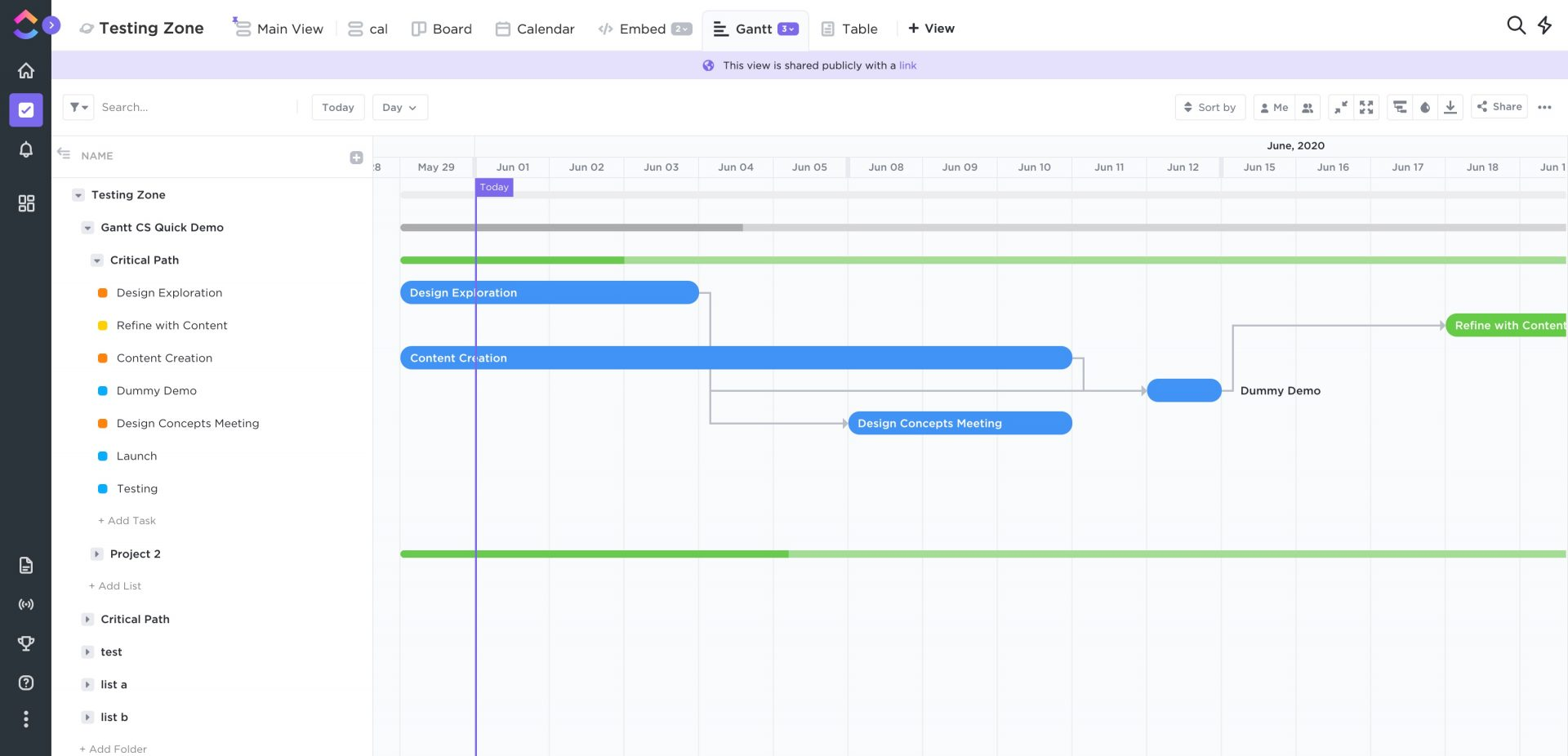
Image source: clickup.com
Key features:
- Task dependencies and milestones: Used to connect related tasks and track major project stages.
- Drag-and-drop scheduling: Helps for quick timeline adjustments.
- Multiple project views: It includes list, board, calendar, and workload.
- Resource allocation tools: Helps to balance team workloads.
- Built-in collaboration: Helps with comments, mentions, and document sharing.
Pros:
- Highly customizable with multiple views and workflow options.
- Generous free plan with Gantt chart access.
- Strong collaboration and automation features.
- Excellent value for small and growing teams.
Cons:
- Can feel overwhelming for beginners due to its depth.
- Occasional performance slowdowns in large projects.
Pricing:
- Free forever plan: Includes basic task management, limited storage, and Gantt chart access.
- Unlimited plan ($7 per user/month): Unlocks unlimited storage, dashboards, and integrations.
- Business plan ($12 per user/month): Adds advanced time tracking, workload view, and automation.
- Enterprise plan (Custom pricing): Includes enhanced security, permissions, and dedicated support.
3. Asana: Gantt chart for task tracking
Asana is a widely used project management tool that helps teams plan, organize, and track work efficiently. Its Timeline view functions like a Gantt chart, showing tasks, deadlines, and dependencies in a clear visual timeline. With multiple project views, collaboration tools, and integrations with popular apps, Asana keeps teams aligned and projects on schedule. Its intuitive interface suits both beginners and advanced users. Teams can manage simple tasks or complex projects, making it a flexible solution for organizations of all sizes.
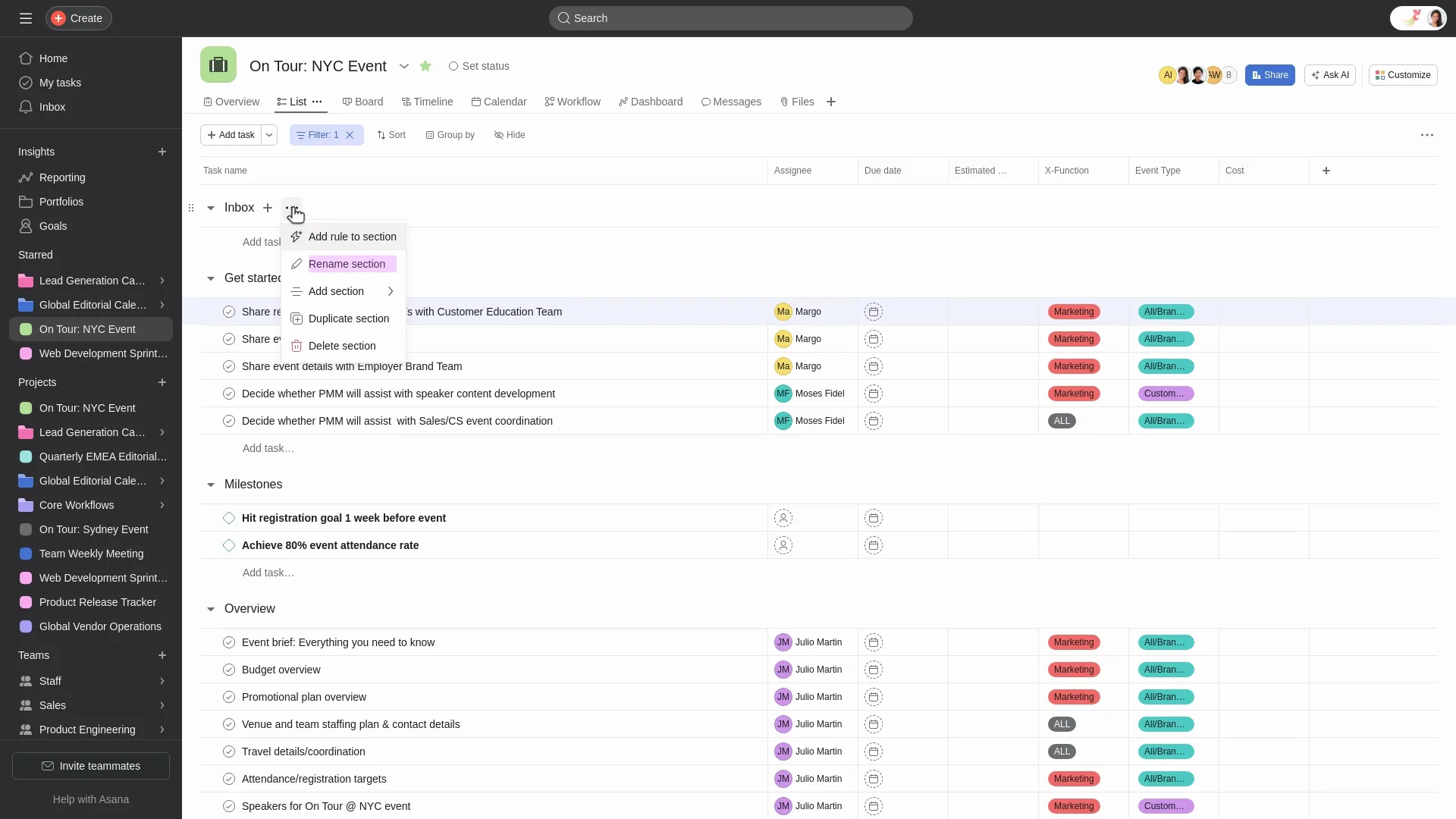
Image source: asana.com
Key features:
- Timeline (Gantt-style) view: Visualize tasks, deadlines, and dependencies clearly.
- Task breakdowns and subtasks: Organize complex projects into smaller, manageable steps.
- Multiple project views: Switch between list, board, calendar, and timeline views.
- Collaboration tools: Comment, mention teammates, share files, and integrate with apps like Slack and Google Drive.
- Workload & portfolio management: Track team capacity, manage resources, and oversee multiple projects.
Pros:
- Intuitive interface, easy for new users.
- Strong collaboration tools that keep teams aligned.
- Integrates with numerous third-party apps.
- Scalable for both small and large teams.
Cons:
- Timeline/Gantt view and dependencies only available in paid plans.
- Costs can rise for larger teams needing advanced features.
Pricing:
- Free plan: $0 — Up to 15 users, unlimited tasks/projects/messages, but lacks timeline/Gantt view and advanced features.
- Premium plan: $10.99/user/month — Timeline view, custom fields, task dependencies, advanced search.
- Business plan: $24.99/user/month — Workload tracking, portfolios, advanced reporting, more integrations.
- Enterprise plan: Custom pricing — Advanced security, organization-wide dashboards, dedicated support.
4. Monday: Visual Gantt chart planning
Monday.com is a versatile work operating system designed to help teams plan, execute, and track projects with ease. Its Gantt chart view offers a visual timeline of tasks, allowing users to map out dependencies, set milestones, and monitor project progress in real time. The platform's intuitive interface and customizable workflows make it suitable for teams of all sizes, from startups to large enterprises. With robust collaboration features and seamless integrations, Monday.com aims to streamline project management and enhance team productivity.
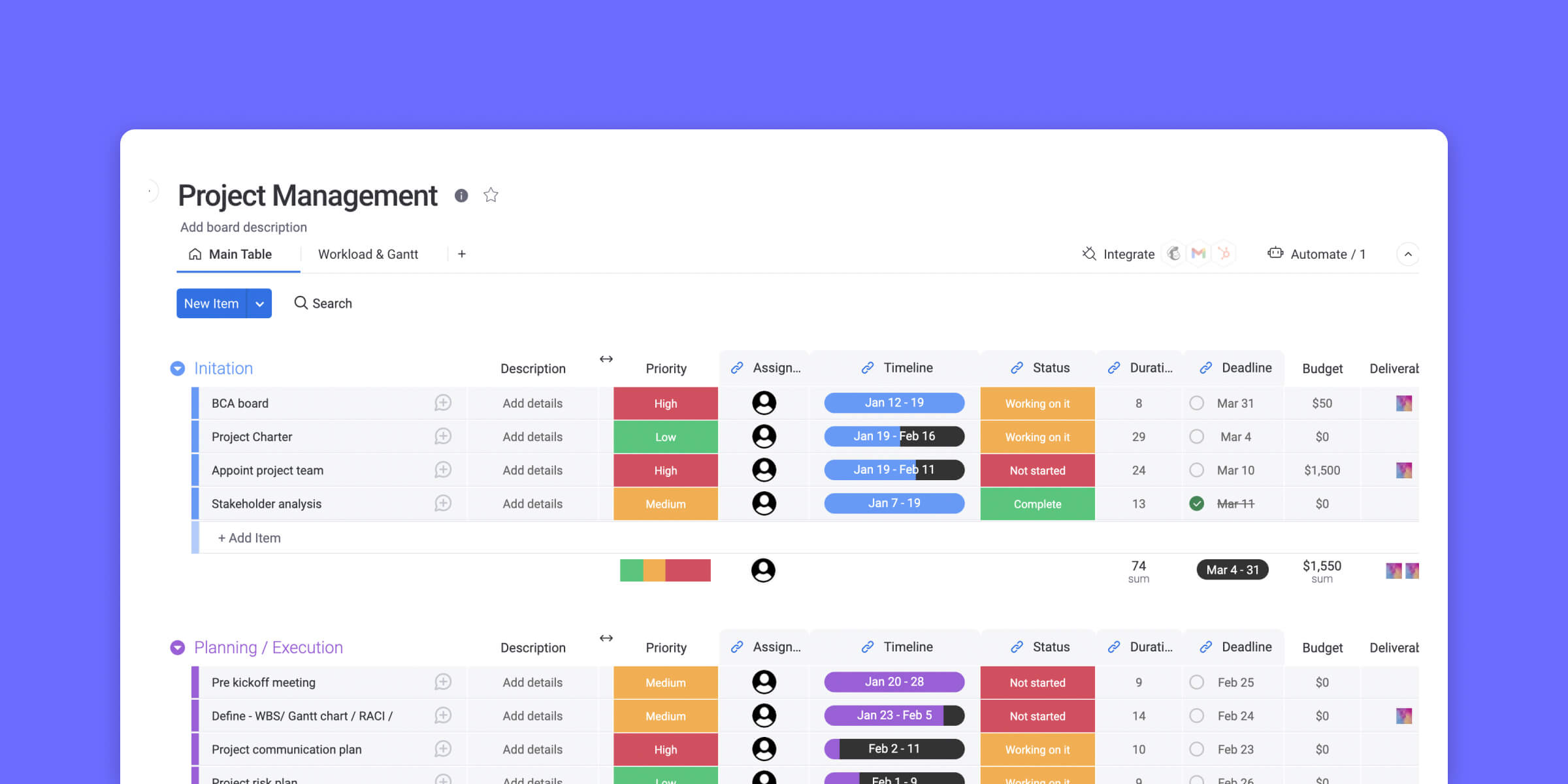
Image source: monday.com
Key features:
- Drag-and-drop scheduling: Easily adjust timelines by dragging tasks to new dates.
- Task dependencies: Link tasks to define relationships and ensure proper sequencing.
- Milestones and baselines: Set key project milestones and track progress against baselines.
- Critical path visualization: Identify the sequence of crucial tasks that determine project duration.
- Customizable views: Switch between Gantt, Kanban, calendar, and table views to suit your workflow.
Pros:
- User-friendly interface: Intuitive design that requires minimal training.
- Highly customizable: Tailor workflows, dashboards, and automations to fit team needs.
- Robust collaboration tools: Share files, leave comments, and mention teammates within tasks.
- Extensive integrations: Connect with tools like Slack, Google Drive, and Microsoft Teams.
Cons:
- Pricing: Higher-tier plans can be costly for small teams.
- Learning curve: Advanced features may require time to master.
Pricing:
- Free plan: $0 — Includes basic features for up to 2 users and 3 boards.
- Basic plan: $9/user/month — Adds unlimited boards, over 20 column types, and 5 GB file storage.
- Standard plan: $12/user/month — Includes timeline and Gantt views, calendar view, guest access, and 250 automations and integrations per month.
- Pro plan: $19/user/month — Offers chart views, time tracking, private boards, and up to 25,000 automations and integrations per month.
- Enterprise plan: Custom pricing — Provides advanced reporting, analytics, security, governance, and dedicated support.
5. Jira: Powerful Gantt planning solution
Jira is a robust project management tool widely used by software development and agile teams. While it doesn't offer native Gantt chart functionality, it integrates with several powerful add-ons like BigPicture, WBS Gantt Chart, and BigGantt to provide comprehensive Gantt chart capabilities. These integrations enable teams to visualize project timelines, manage dependencies, and track progress effectively. With Jira's customizable workflows and extensive plugin ecosystem, it becomes a powerful solution for teams seeking detailed project planning and management.
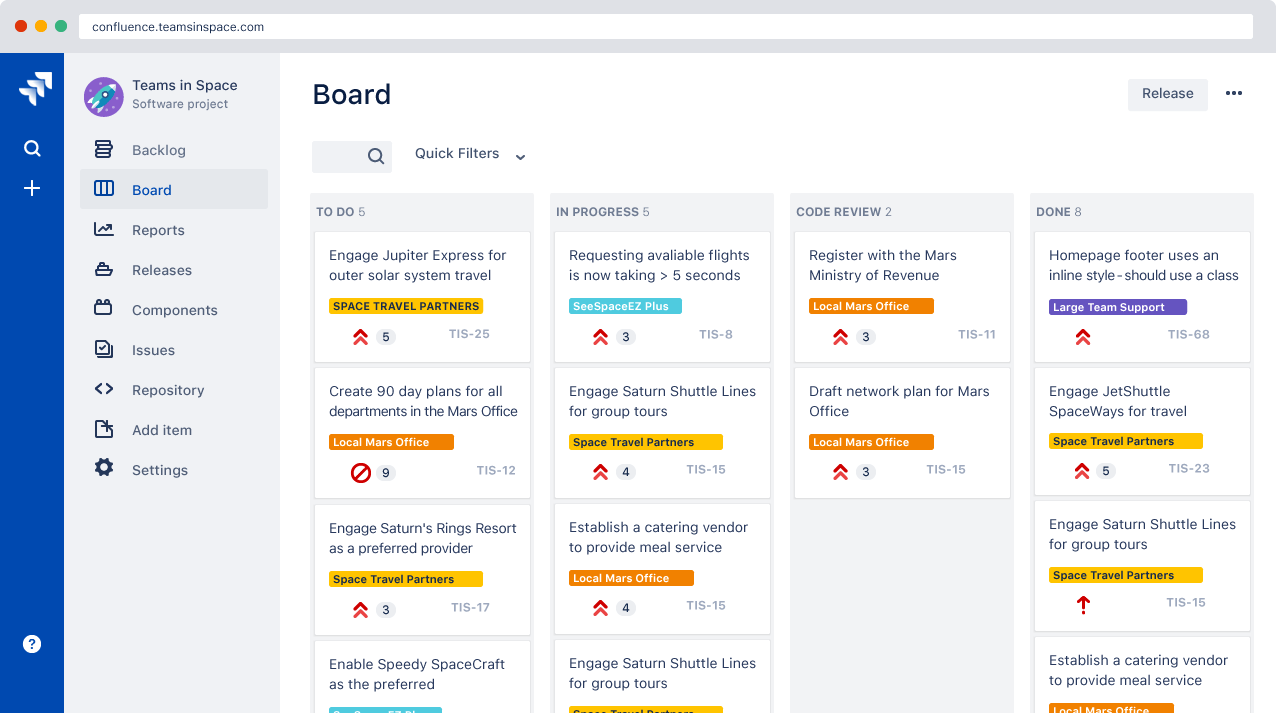
Image source: jira.com
Key features:
- Visual timeline planning: Utilize Gantt charts to map out project timelines and task sequences.
- Task dependencies: Link tasks to define relationships and ensure proper sequencing.
- Resource management: Allocate resources and track workload distribution across tasks.
- Progress tracking: Monitor task completion and project milestones in real time.
- Customizable workflows: Tailor workflows to fit team processes and project requirements.
Pros:
- Comprehensive project planning: Integrations offer detailed Gantt chart functionalities within Jira.
- Agile compatibility: Supports agile methodologies while providing structured project planning.
- Scalability: Suitable for teams of all sizes, from small startups to large enterprises.
- Extensive plugin ecosystem: Access to a wide range of tools and integrations to enhance functionality.
Cons:
- Additional cost: Gantt chart add-ons may incur extra costs beyond Jira's base pricing.
- Learning curve: Advanced features may require time to learn and implement effectively.
Pricing:
- Jira software standard: $8.60/user/month — Includes basic project management features.
- Jira software premium: $17/user/month — Adds advanced features like advanced roadmaps and automation rules.
- Bigpicture add-on: $1.00/user/month (for 1–10 users) — Provides Gantt chart functionalities and project planning tools.
- WBS Gantt chart add-on: ¥1.25/month (flat rate) — Offers Gantt chart planning and resource management features.
- BigGantt add-on: Pricing varies — Provides Gantt chart visualization and project tracking tools.
6. Zoho Projects: Affordable Gantt solution
Zoho Projects is a cost-effective project management tool that offers a comprehensive suite of features, including robust Gantt chart functionalities. Designed to help teams plan, track, and collaborate on projects, Zoho Projects provides a visual representation of project timelines, task dependencies, and milestones. Its user-friendly interface and integration with other Zoho applications make it a compelling choice for small to medium-sized businesses seeking an affordable yet powerful project management solution.
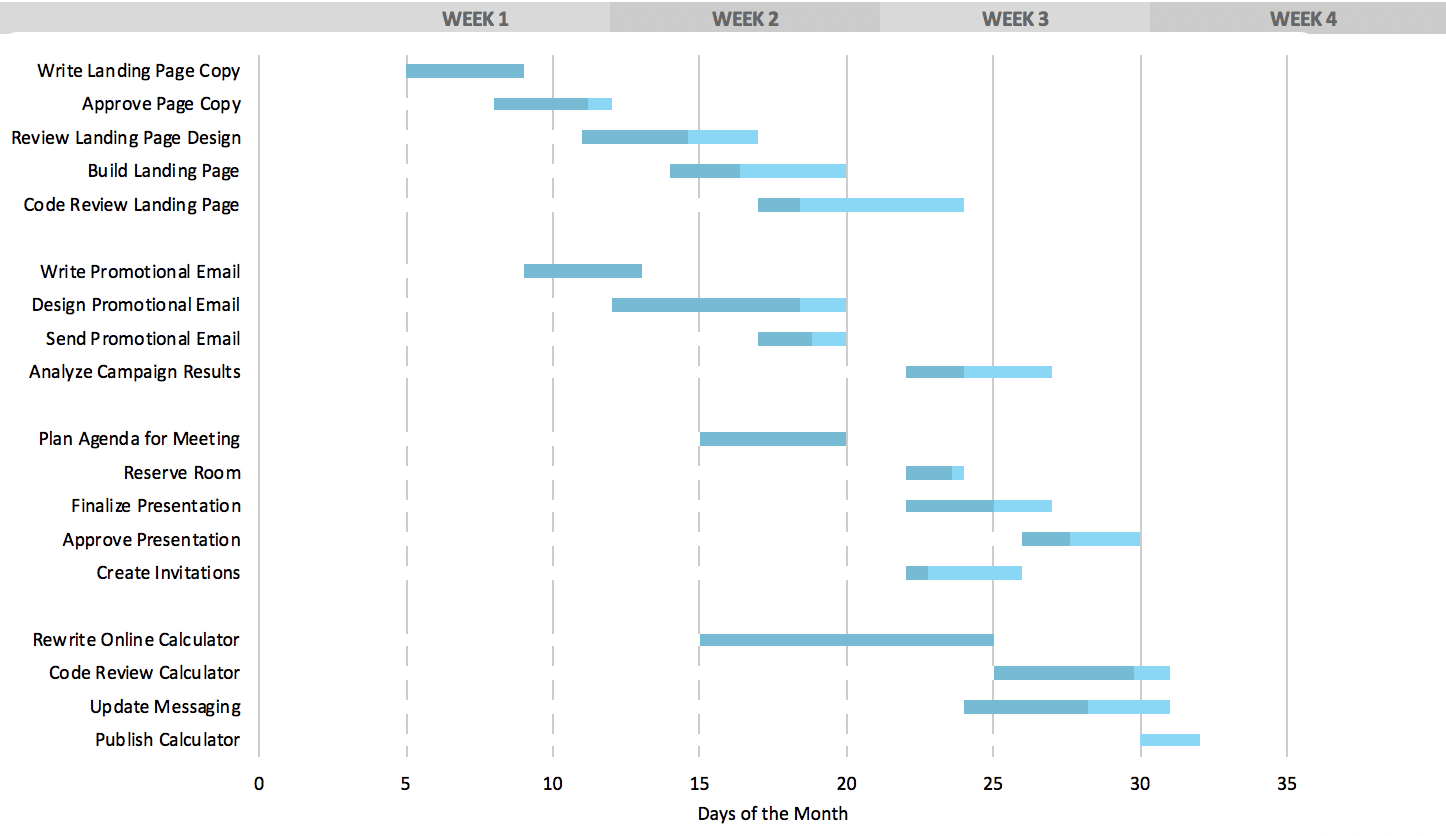
Image source: zoho.com
Key features:
- Interactive Gantt charts: Visualize project timelines with drag-and-drop scheduling and task dependencies.
- Task dependencies: Create relationships between tasks to ensure proper sequencing and avoid bottlenecks.
- Critical path analysis: Identify essential tasks that directly impact project completion.
- Baseline tracking: Compare planned vs. actual progress to monitor project performance.
- Resource management: Allocate and track resources effectively to optimize team productivity.
Pros:
- Affordable pricing: Competitive rates starting at $4/user/month, making it accessible for small teams.
- Comprehensive feature set: Includes time tracking, task automation, and reporting tools.
- Seamless integrations: Works well with other Zoho applications and third-party tools.
- User-friendly interface: Intuitive design that simplifies project planning and tracking.
Cons:
- Limited customization: Some advanced customization options may require additional configuration.
- Learning curve: New users may need time to familiarize themselves with the platform's full capabilities.
Pricing:
- Free plan: $0 — Up to 3 users, 2 projects, 5GB storage, basic task tracking.
- Premium plan: $4/user/month (billed annually) — Unlimited projects, Gantt charts, time tracking, project templates.
- Enterprise plan: $9/user/month (billed annually) — Includes advanced features like custom roles, read-only users, and enhanced reporting.
- Projects plus: $5/user/month (billed annually) — Offers additional features for larger teams and complex projects.
7. OpenProject: Open-source Gantt chart tool
OpenProject is a robust open-source project management software that offers comprehensive Gantt chart functionalities. Designed for teams seeking a flexible and customizable solution, OpenProject allows users to plan, track, and manage projects with ease. Its Gantt chart module provides a visual representation of project timelines, task dependencies, and milestones, facilitating efficient project planning and execution. Whether you're managing simple tasks or complex projects, OpenProject's open-source nature ensures that you have full control over your project management processes.
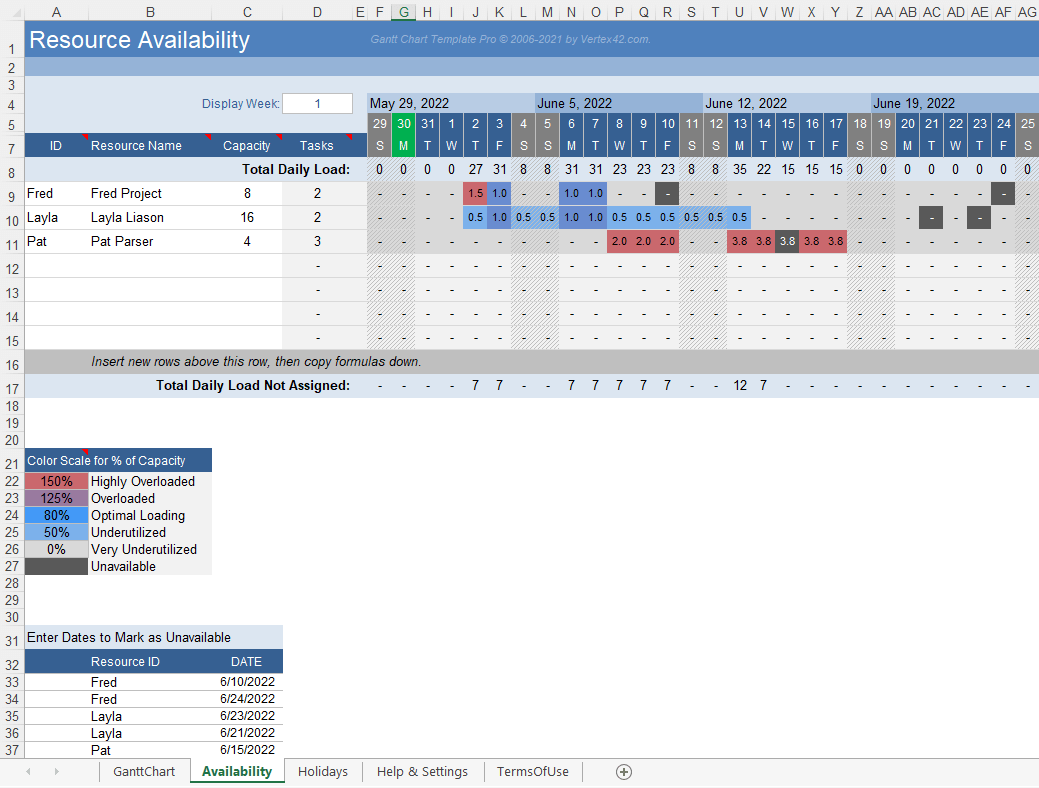
Image source: openproject.com
Key features:
- Interactive Gantt charts: Visualize project timelines with drag-and-drop scheduling and task dependencies.
- Task dependencies: Establish relationships between tasks to define sequencing and avoid bottlenecks.
- Milestones and baselines: Set key project milestones and track progress against baselines.
- Critical path analysis: Identify the sequence of crucial tasks that determine project duration.
- Customizable views: Tailor Gantt chart views to suit your project's specific needs and preferences.
Pros:
- Open-source flexibility: Customize and extend the software to meet specific project requirements.
- Comprehensive project planning: Integrates Gantt charts with other project management tools for a holistic approach.
- Cost-effective: The Community edition is free, making it accessible for small teams and organizations.
- Active community support: Benefit from a vibrant community contributing to continuous improvement and updates.
Cons:
- Technical setup required: Self-hosting the Community edition necessitates technical expertise and resources.
- Limited out-of-the-box integrations: May require additional configuration to integrate with third-party tools.
Pricing:
- Community edition: Free — Open-source and self-hosted, suitable for teams with technical capabilities.
- Enterprise cloud edition: €5.95/user/month — Includes hosting, support, and additional features.
- Enterprise premises edition: €5.95/user/month — Offers enhanced security, compliance, and customization options.
- Enterprise corporate edition: Custom pricing — Tailored solutions for large organizations with specific needs.
8. Wrike: Flexible Gantt project scheduling
Wrike is a versatile project management platform designed to help teams plan, execute, and track projects efficiently. Its Gantt chart feature offers a visual representation of project timelines, allowing users to map out tasks, set dependencies, and monitor progress in real time. Wrike's intuitive interface and customizable workflows make it suitable for teams of all sizes, from small startups to large enterprises. With robust collaboration tools and seamless integrations, Wrike aims to streamline project management and enhance team productivity.
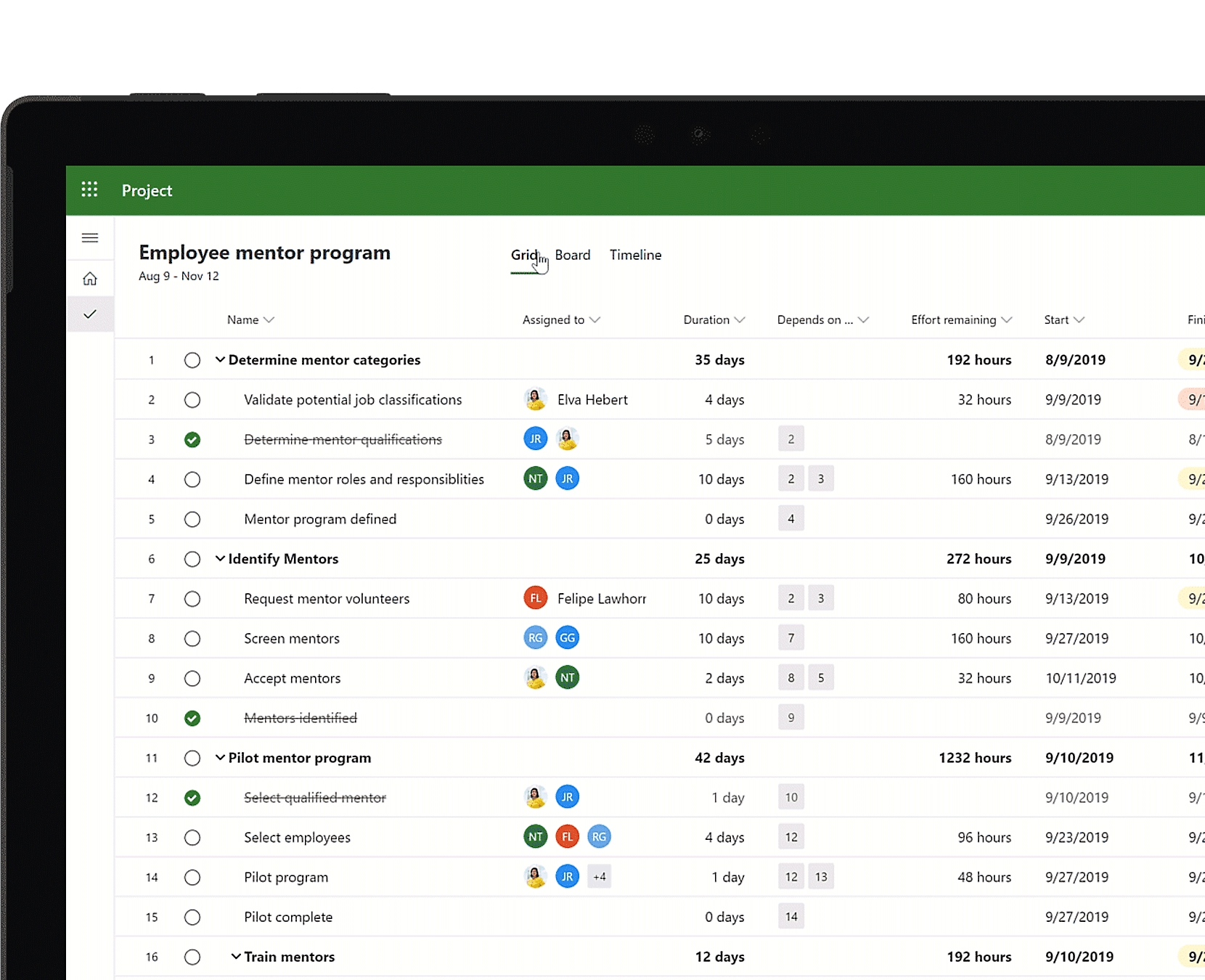
Image source: wrike.com
Key features:
- Drag-and-drop scheduling: Easily adjust timelines by dragging tasks to new dates.
- Task dependencies: Link tasks to define relationships and ensure proper sequencing.
- Milestones and baselines: Set key project milestones and track progress against baselines.
- Critical path visualization: Identify the sequence of crucial tasks that determine project duration.
- Customizable views: Switch between Gantt, kanban, calendar, and table views to suit your workflow.
Pros:
- User-friendly interface: Intuitive design that requires minimal training.
- Highly customizable: Tailor workflows, dashboards, and automations to fit team needs.
- Robust collaboration tools: Share files, leave comments, and mention teammates within tasks.
- Extensive integrations: Connects with tools like Slack, Google Drive, and Microsoft Teams.
Cons:
- Pricing: Higher-tier plans can be costly for small teams.
- Learning curve: Advanced features may require time to master.
Pricing:
- Free plan: $0 — Includes basic features for up to 5 users, with limitations on advanced functionalities.
- Team plan: $10/user/month — Adds unlimited projects, tasks, and dashboards, along with integrations and automation.
- Business plan: $24.80/user/month — Includes advanced features like time tracking, reporting, and resource management.
- Enterprise plan: Custom pricing — Provides enhanced security, compliance features, and dedicated support.
9. Smartsheet: Enterprise-grade Gantt charts
Smartsheet is a powerful platform designed for large-scale project management, offering robust Gantt chart functionalities. It combines the familiarity of spreadsheets with advanced project management features, making it suitable for enterprises that require detailed planning and collaboration. Smartsheet's Gantt charts provide a visual representation of project timelines, task dependencies, and milestones, facilitating efficient project tracking and execution. With its customizable workflows and extensive integration options, Smartsheet caters to complex project needs across various industries.
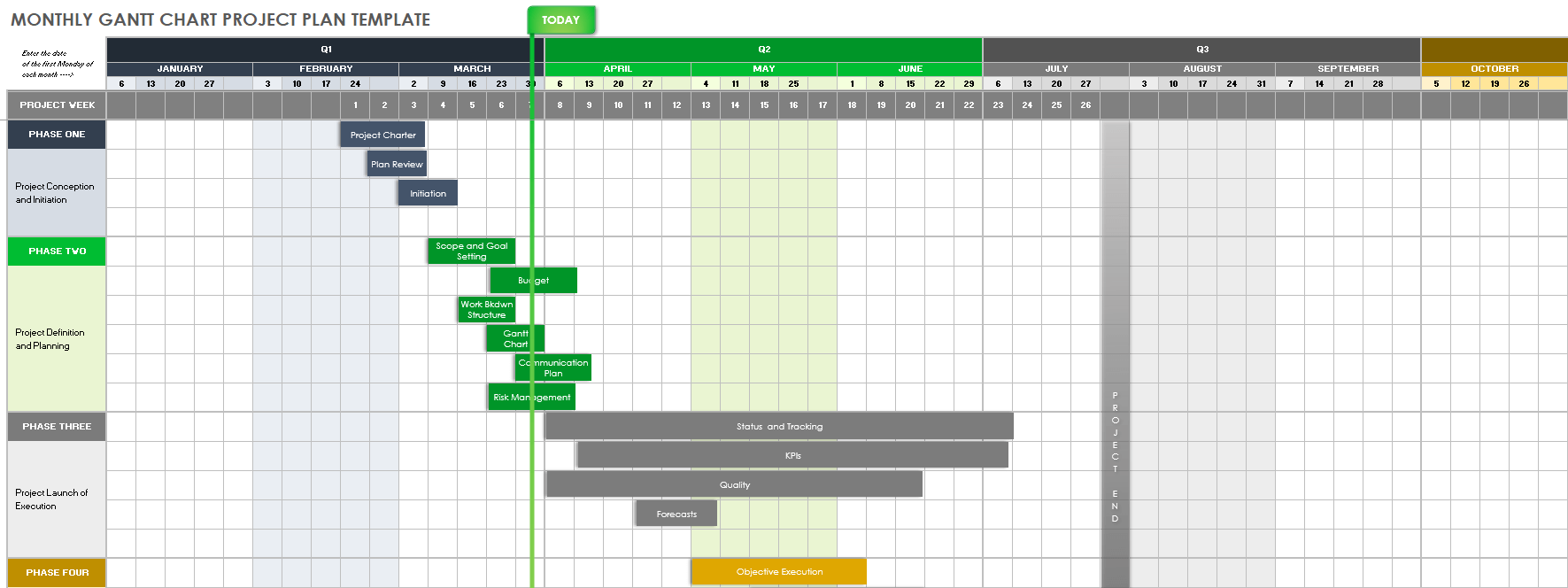
Image source: smartsheet.com
Key features:
- Interactive Gantt charts: Visualize project timelines with drag-and-drop scheduling and task dependencies.
- Critical path analysis: Identify the sequence of crucial tasks that determine project duration.
- Baseline tracking: Compare planned vs. actual progress to monitor project performance.
- Resource management: Allocate and track resources effectively to optimize team productivity.
- Automation workflows: Automate repetitive tasks and processes to enhance efficiency.
Pros:
- Enterprise scalability: Suitable for large teams and complex projects.
- Customizable workflows: Tailor workflows to fit specific project requirements.
- Robust collaboration tools: Share files, leave comments, and mention teammates within tasks.
- Extensive integrations: Connects with tools like Microsoft 365, Google Workspace, Slack, and Salesforce.
Cons:
- Learning curve: Advanced features may require time to master.
- Pricing: Higher-tier plans can be costly for small teams.
Pricing:
- Pro plan: $9/user/month (billed annually) — Includes Gantt charts, grid, calendar, and board views, along with 250 automations per month.
- Business plan: $19/user/month (billed annually) — Adds unlimited dashboards, reports, and automations, along with advanced integrations.
- Enterprise plan: Custom pricing — Provides enhanced security, compliance features, and dedicated support.
10. Trello: Simple Gantt chart for teams
Trello is a user-friendly project management tool that employs boards, lists, and cards to organize tasks. While Trello's native features are excellent for task tracking and team collaboration, it lacks built-in Gantt chart functionality. However, by sync power-ups like TeamGantt, Placker, and Ganttify, Trello users can add Gantt chart capabilities to their boards. These sync allow teams to visualize project timelines, manage dependencies, and track progress, all within the familiar Trello interface.
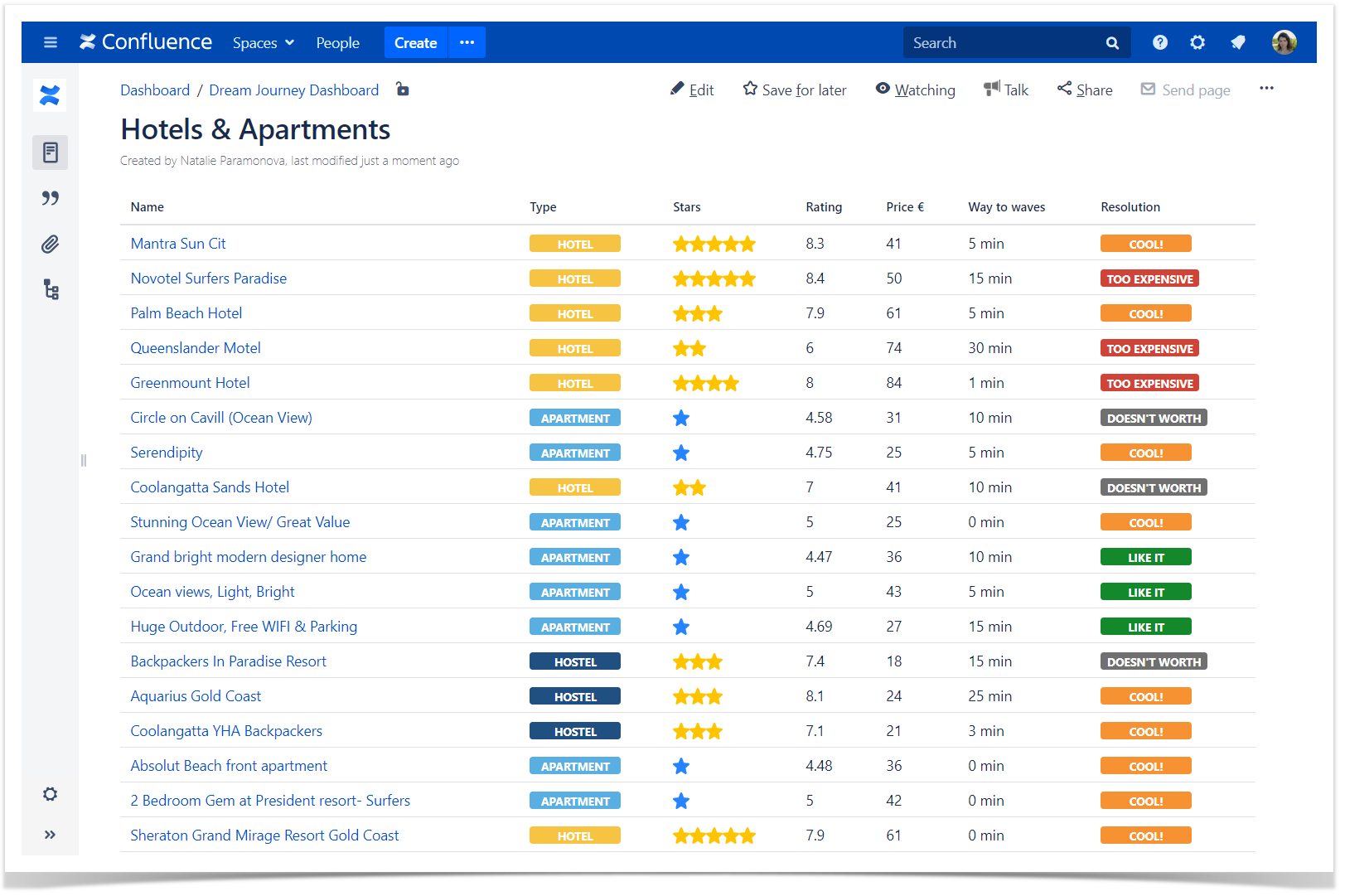
Image source: trello.com
Key features:
- Drag-and-drop scheduling: Adjust task timelines directly within the Gantt chart view.
- Task dependencies: Link tasks to define relationships and ensure proper sequencing.
- Milestones and baselines: Set key project milestones and track progress against baselines.
- Resource allocation: Monitor team workloads and distribute tasks effectively.
- Customizable views: Switch between Gantt, Kanban, calendar, and table views to suit your workflow.
Pros:
- Seamless integration: Power-ups integrate directly with Trello boards.
- User-friendly interface: Intuitive design that requires minimal training.
- Flexible pricing: Options available for both small teams and enterprises.
- Real-time updates: Changes in Trello reflect immediately in the Gantt chart.
Cons:
- Limited functionality in free versions: Some advanced features may require paid plans.
- Dependence on power-ups: Gantt chart features are not native to Trello and rely on third-party integrations.
Pricing:
- Trello free plan: $0 — Includes basic features for up to 10 boards and 10MB/file attachments.
- Trello standard plan: $5/user/month — Adds unlimited boards, advanced checklists, and custom fields.
- Trello premium plan: $10/user/month — Includes timeline view, automation, and advanced admin controls.
- Trello enterprise plan: $17.50/user/month — Provides enterprise-grade security and support.
Use cases of Gantt chart tools by industry
- Construction & civil engineering: Gantt charts help construction teams plan and schedule large-scale projects. They map out timelines for multiple tasks, track dependencies between contractors and subcontractors, and monitor services like foundation completion, inspections, and handovers.
- IT/software development: In software development, Gantt charts are often used alongside agile methodologies. Teams can track sprints, releases, and feature dependencies while visualizing the overall project timeline. This hybrid approach keeps teams flexible yet organized.
- Event management: Event planners use Gantt charts to manage deadlines and milestones, such as venue booking, vendor confirmations, invitations, and rehearsals. Visual timelines make it easier to coordinate multiple moving parts.
- Marketing campaigns: Marketing teams leverage Gantt charts to coordinate cross-team activities, including content creation, social media scheduling, email campaigns, and ad launches. This ensures campaigns launch on time and tasks don't overlap.
- Education & research: Academic and research projects benefit from Gantt charts for scheduling coursework, lab experiments, data collection, in technology, and report writing. They provide a clear view of deadlines and project dependencies, helping researchers stay on track.
Tips for adopting Gantt chart software successfully
- Training and onboarding team members
Ensure all team members understand how to use the Gantt chart tool effectively. Provide training sessions, tutorials, or guides so everyone can navigate features, update tasks, and collaborate seamlessly.
- Setting realistic timelines
When planning projects, avoid overloading schedules. Set achievable deadlines, consider dependencies, and include buffer time for unexpected delays. Realistic timelines increase accountability and reduce stress.
- Tracking progress regularly
Review project timelines consistently to ensure tasks are on track. Update task statuses, monitor milestones, and adjust timelines as needed. Regular tracking helps identify bottlenecks early and keeps the project aligned with goals.
Conclusion
Online Gantt chart software streamlines project planning, improves visibility, and enhances team coordination. By visualizing timelines, dependencies, and milestones, teams can manage complex projects more efficiently and stay on track.
Lark stands out by combining intuitive Gantt chart tools with robust collaboration features, flexible scheduling, and real-time updates, making it easier for teams to work together and boost productivity.
For teams looking to simplify project management and enhance workflow efficiency, trying Lark or exploring its trial version is a practical first step toward smoother, more organized project execution.
FAQs
Can Gantt chart tools be used offline?
Some Gantt chart software offers offline access, allowing users to view and edit charts without an internet connection. However, most modern tools, especially cloud-based platforms like Lark, require an internet connection for real-time collaboration and automatic updates.
What's the difference between free and paid Gantt chart software?
Free versions typically provide basic task management and limited project views, while paid plans unlock advanced features such as task dependencies, multiple project views, collaboration tools, resource management, and priority support.
Do Gantt charts work with agile methodology?
Yes, Gantt charts can complement agile workflows by providing an overview of project timelines, milestones, and dependencies. Many teams use a hybrid approach, combining Gantt charts for long-term planning with agile boards for iterative task management.
Which Gantt chart software is best for startups or small teams?
Tools like Lark, Trello (with Power-Ups), and Zoho projects offer affordable or free plans suitable for small teams. They provide essential Gantt chart functionality without overwhelming users with complex features.
How secure is data stored in online Gantt chart tools?
Most reputable online Gantt chart platforms implement strong security measures, including encryption, secure cloud storage, and regular backups. Paid plans often include additional features such as role-based access, single sign-on (SSO), and compliance with data protection regulations.
Related reading
Table of contents
Start using Lark today

Manage all your work in one place
Boost team efficiency by 10x
Save up to 70% on software costs
Table of contents
Start using Lark today
Manage all your work in one place
Boost team efficiency by 10x
Save up to 70% on software costs
Keep reading







2026 Lark Technologies Pte. Ltd.
Headquartered in Singapore with offices worldwide.






Explore: